Salesforce DevOps
Where Do You Start?
Chandler Anderson, Technical Architect
Me
● 8 years of Salesforce industry experience as
platform owner, developer, architect, and consultant.
● Worked on implementations of all sizes (small to
enterprise)
● Experience as Customer, SI, and ISV
● 8x Salesforce Certified
○ including…Development Lifecycle and Deployment Architect Chandler Anderson
Technical Architect
Disclaimers!
I work for an ISV partner named Odaseva.
I do not represent them here. These opinions are my own!
I won’t be talking about Odaseva solutions in relation to DevOps.
That said, if you have data management needs, let me know after :)
Agenda
● Intro to DevOps
● Key Value-Adds of DevOps
● Salesforce DevOps Challenges
● The DevOps Stack
● Build or Buy?
● Where to Start
● Resources
Intro to DevOps
According to Atlassian…
“DevOps is a set of practices, tools, and a cultural
philosophy that automate and integrate the
processes between software development and IT
teams. It emphasizes team empowerment,
cross-team communication and collaboration,
and technology automation.”
Important to note…it is not just the tools that you pick.
It’s the commitment to the principles that create the
efficiencies.
Key Value-Adds of DevOps
● Increased visibility of features and bug fixes
● Faster velocity and release frequency
● Automation of testing and deployment
● Reduced environment management overhead
● Fewer bugs with earlier detection and faster fixes
● Peace of mind :)
Salesforce DevOps Challenges
● Best Practices - Salesforce is relatively new to the DevOps game. Proven patterns are
sparse. A lot is left for customers to solve.
● Admin-Friendliness - No Salesforce out-of-box solution that accommodates
clicks-not-code (Change Sets…aren’t it). DevOps Center is still not live.
● Infrastructure - Salesforce environments are less portable than other cloud
environments. Sandboxes are hard to keep organized. Scratch orgs are close.
● Finding Expertise - Proven Salesforce DevOps expertise is hard to find. Have to bridge
knowledge gaps between traditional DevOps experts and Salesforce teams.
The DevOps Stack
DevOps Tooling Salesforce
Local Machine
Integrated PMT
CI/CD Pipelines
Git-based VCS
Production
Full/Partial Sandboxes
Developer Sandboxes
Scratch Orgs
IDE w/ Salesforce
Extensions
Salesforce CLI
Git
DevOps Strategy
Browser
Build or Buy?
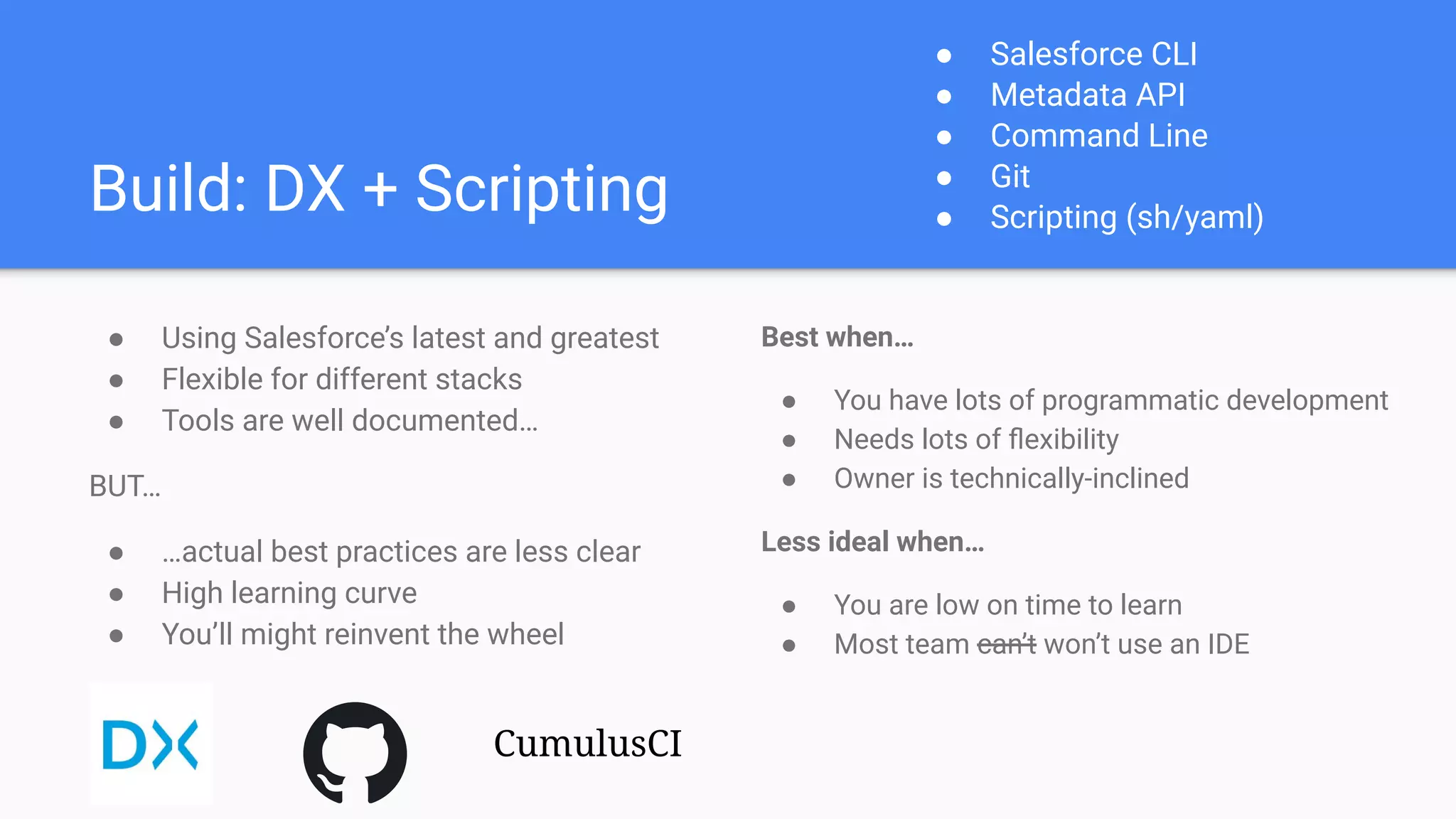
Build: DX + Scripting
● Using Salesforce’s latest and greatest
● Flexible for different stacks
● Tools are well documented…
BUT…
● …actual best practices are less clear
● High learning curve
● You’ll might reinvent the wheel
Best when…
● You have lots of programmatic development
● Needs lots of flexibility
● Owner is technically-inclined
Less ideal when…
● You are low on time to learn
● Most team can’t won’t use an IDE
● Salesforce CLI
● Metadata API
● Command Line
● Git
● Scripting (sh/yaml)
CumulusCI
Buy: ISV Solution
● Pre-solves common problems
● Advanced DevOps features built-in
● Vendor support & professional services
BUT…
● Expensive (because…enterprise SaaS)
● Learnings become solution-specific
● …still requires understanding DevOps
Best when…
● Team is large with diverse skill-set
● Don’t mind predefined workflows
● Owner is product-inclined
Less ideal when…
● You have a small budget
● Need control over DevOps strategy
● The ISV solution itself
● Licenses
● Metadata API
(...and many more)
Where to Start
Ask yourself some questions…
● What are we willing to support?
○ Who is going to own this? Are they technically inclined?
○ Or would they rather learn a product?
● What tools do we already use?
○ Do they use IDEs already? If they use multiple, do you standardize to one?
○ Does IT already have software that supports DevOps?
● Do we have the resources to pull this off?
○ Build or Buy, both are costly in their own way (time and money, respectively)
○ You still need to invest in DevOps strategy regardless.
Take steps to implement…
Build:
1. Choose a new project to experiment with
2. Set aside time to learn tools
3. Read docs & learn from sample projects
4. Document processes and share with team
5. Maintain and keep up with latest
Salesforce and stack releases
Buy:
1. Qualify vendors with questions on specific
organizational requirements
2. Read docs & play with sandbox if avail.
3. Work closely with vendor to implement
4. Educate team on tool’s best practices
5. Stay aware of new releases and features
from vendor
6. Keep enhancing with team feedback!
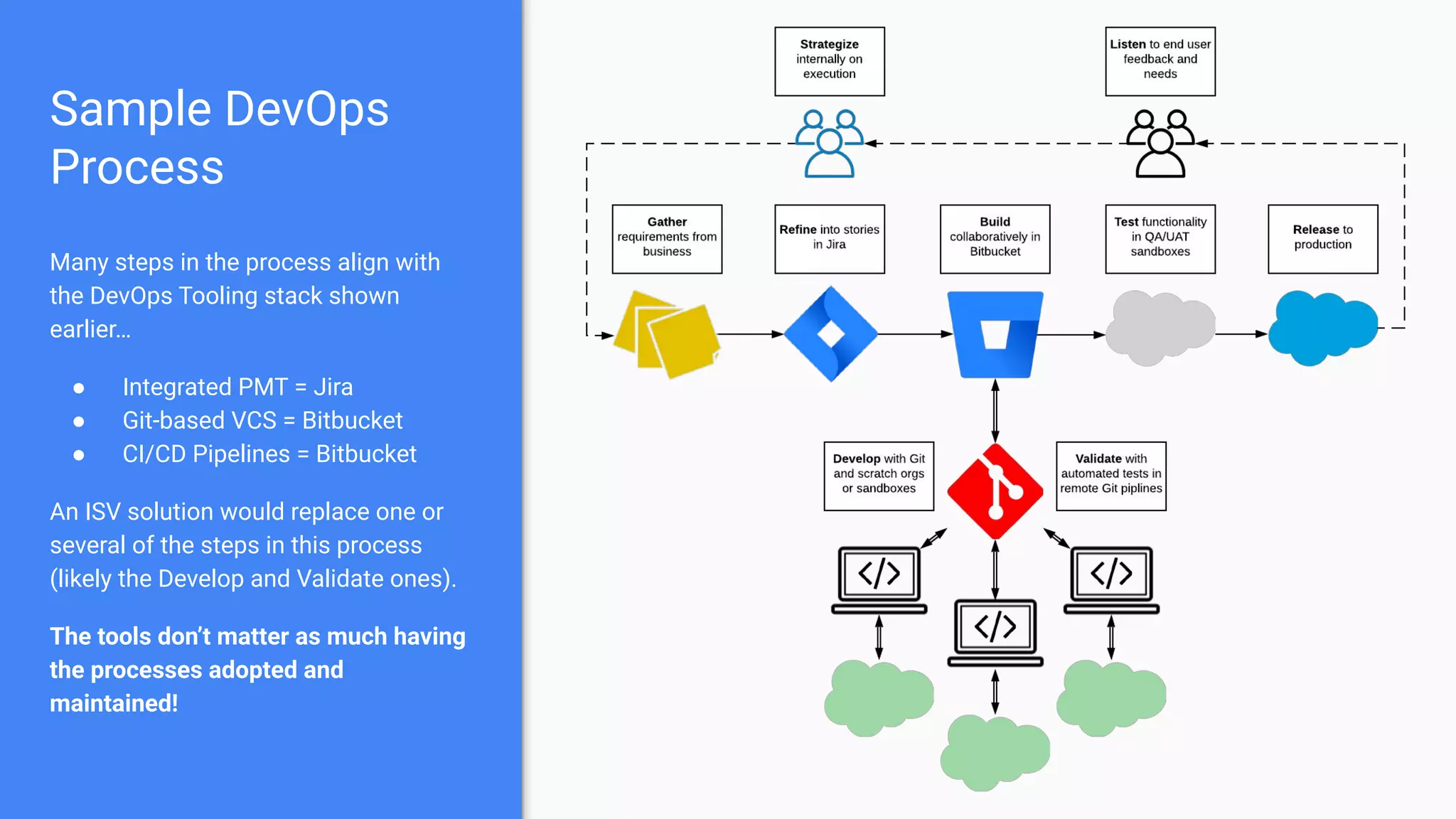
Sample DevOps
Process
Many steps in the process align with
the DevOps Tooling stack shown
earlier…
● Integrated PMT = Jira
● Git-based VCS = Bitbucket
● CI/CD Pipelines = Bitbucket
An ISV solution would replace one or
several of the steps in this process
(likely the Develop and Validate ones).
The tools don’t matter as much having
the processes adopted and
maintained!
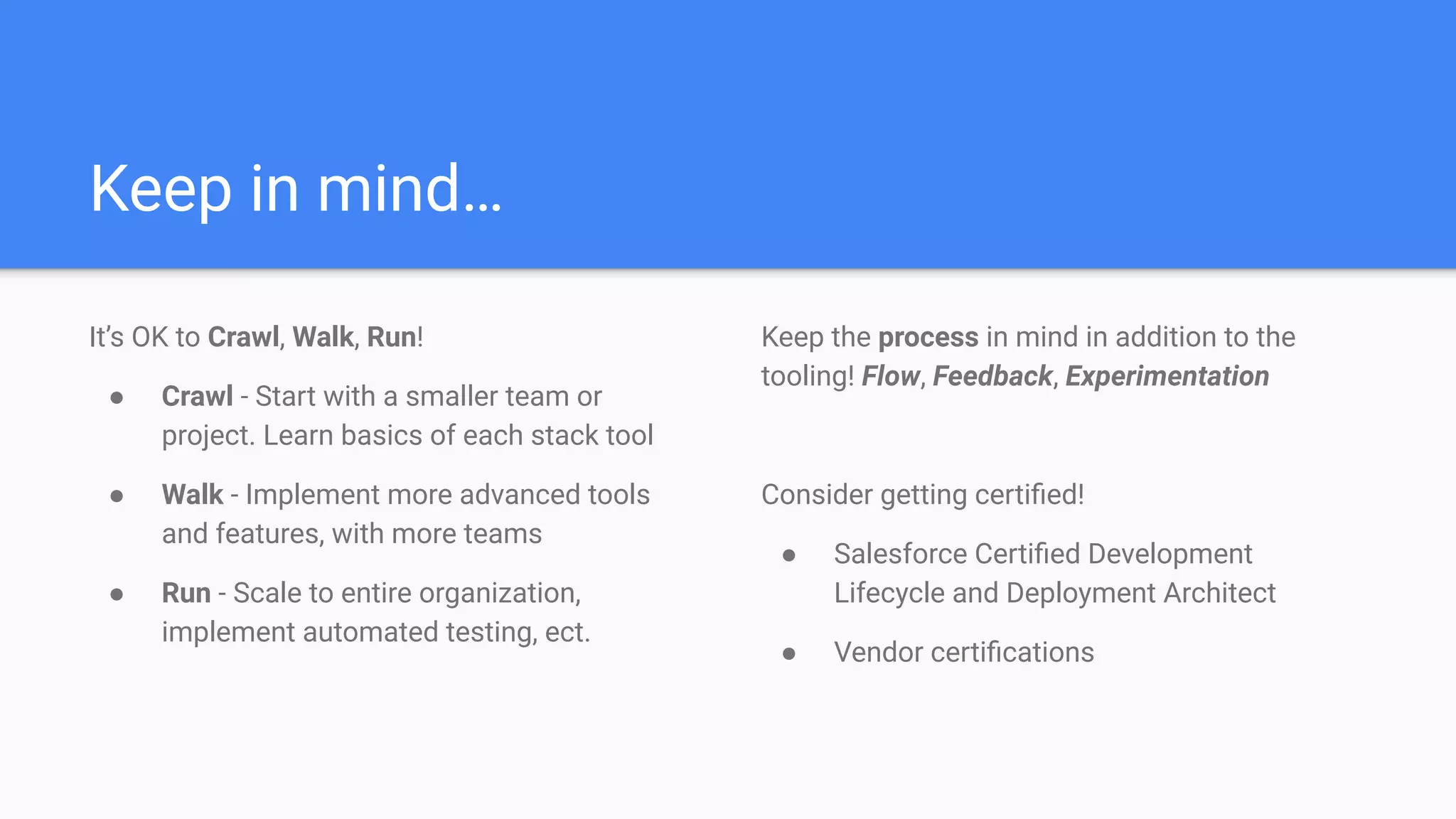
Keep in mind…
It’s OK to Crawl, Walk, Run!
● Crawl - Start with a smaller team or
project. Learn basics of each stack tool
● Walk - Implement more advanced tools
and features, with more teams
● Run - Scale to entire organization,
implement automated testing, ect.
Keep the process in mind in addition to the
tooling! Flow, Feedback, Experimentation
Consider getting certified!
● Salesforce Certified Development
Lifecycle and Deployment Architect
● Vendor certifications
Resources
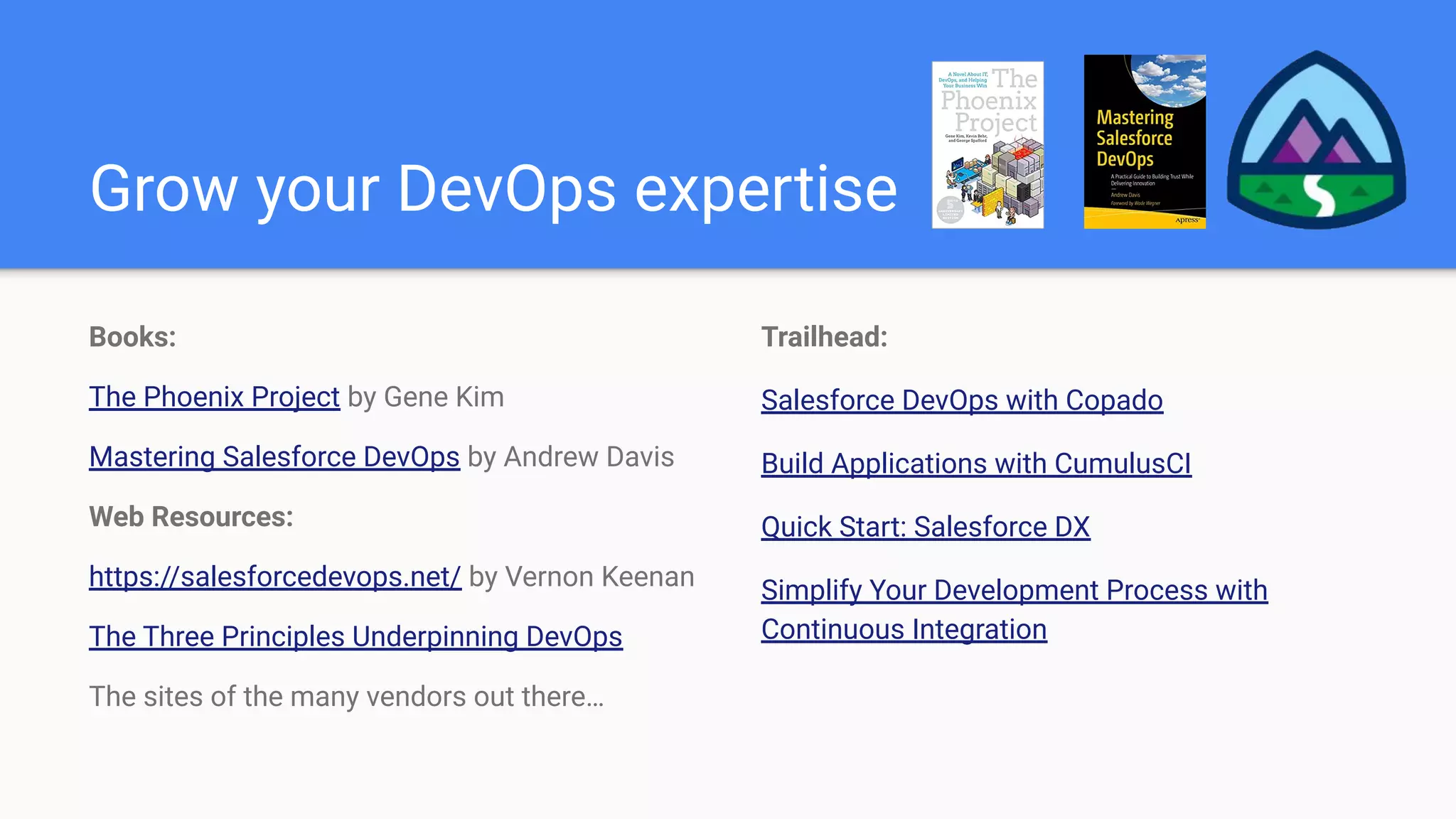
Grow your DevOps expertise
Books:
The Phoenix Project by Gene Kim
Mastering Salesforce DevOps by Andrew Davis
Web Resources:
https://salesforcedevops.net/ by Vernon Keenan
The Three Principles Underpinning DevOps
The sites of the many vendors out there…
Trailhead:
Salesforce DevOps with Copado
Build Applications with CumulusCI
Quick Start: Salesforce DX
Simplify Your Development Process with
Continuous Integration
Questions?

Salesforce DevOps: Where Do You Start?

  • 1.
    Salesforce DevOps Where DoYou Start? Chandler Anderson, Technical Architect
  • 2.
    Me ● 8 yearsof Salesforce industry experience as platform owner, developer, architect, and consultant. ● Worked on implementations of all sizes (small to enterprise) ● Experience as Customer, SI, and ISV ● 8x Salesforce Certified ○ including…Development Lifecycle and Deployment Architect Chandler Anderson Technical Architect
  • 3.
    Disclaimers! I work foran ISV partner named Odaseva. I do not represent them here. These opinions are my own! I won’t be talking about Odaseva solutions in relation to DevOps. That said, if you have data management needs, let me know after :)
  • 4.
    Agenda ● Intro toDevOps ● Key Value-Adds of DevOps ● Salesforce DevOps Challenges ● The DevOps Stack ● Build or Buy? ● Where to Start ● Resources
  • 5.
    Intro to DevOps Accordingto Atlassian… “DevOps is a set of practices, tools, and a cultural philosophy that automate and integrate the processes between software development and IT teams. It emphasizes team empowerment, cross-team communication and collaboration, and technology automation.” Important to note…it is not just the tools that you pick. It’s the commitment to the principles that create the efficiencies.
  • 6.
    Key Value-Adds ofDevOps ● Increased visibility of features and bug fixes ● Faster velocity and release frequency ● Automation of testing and deployment ● Reduced environment management overhead ● Fewer bugs with earlier detection and faster fixes ● Peace of mind :)
  • 7.
    Salesforce DevOps Challenges ●Best Practices - Salesforce is relatively new to the DevOps game. Proven patterns are sparse. A lot is left for customers to solve. ● Admin-Friendliness - No Salesforce out-of-box solution that accommodates clicks-not-code (Change Sets…aren’t it). DevOps Center is still not live. ● Infrastructure - Salesforce environments are less portable than other cloud environments. Sandboxes are hard to keep organized. Scratch orgs are close. ● Finding Expertise - Proven Salesforce DevOps expertise is hard to find. Have to bridge knowledge gaps between traditional DevOps experts and Salesforce teams.
  • 8.
    The DevOps Stack DevOpsTooling Salesforce Local Machine Integrated PMT CI/CD Pipelines Git-based VCS Production Full/Partial Sandboxes Developer Sandboxes Scratch Orgs IDE w/ Salesforce Extensions Salesforce CLI Git DevOps Strategy Browser
  • 9.
  • 10.
    Build: DX +Scripting ● Using Salesforce’s latest and greatest ● Flexible for different stacks ● Tools are well documented… BUT… ● …actual best practices are less clear ● High learning curve ● You’ll might reinvent the wheel Best when… ● You have lots of programmatic development ● Needs lots of flexibility ● Owner is technically-inclined Less ideal when… ● You are low on time to learn ● Most team can’t won’t use an IDE ● Salesforce CLI ● Metadata API ● Command Line ● Git ● Scripting (sh/yaml) CumulusCI
  • 11.
    Buy: ISV Solution ●Pre-solves common problems ● Advanced DevOps features built-in ● Vendor support & professional services BUT… ● Expensive (because…enterprise SaaS) ● Learnings become solution-specific ● …still requires understanding DevOps Best when… ● Team is large with diverse skill-set ● Don’t mind predefined workflows ● Owner is product-inclined Less ideal when… ● You have a small budget ● Need control over DevOps strategy ● The ISV solution itself ● Licenses ● Metadata API (...and many more)
  • 12.
  • 13.
    Ask yourself somequestions… ● What are we willing to support? ○ Who is going to own this? Are they technically inclined? ○ Or would they rather learn a product? ● What tools do we already use? ○ Do they use IDEs already? If they use multiple, do you standardize to one? ○ Does IT already have software that supports DevOps? ● Do we have the resources to pull this off? ○ Build or Buy, both are costly in their own way (time and money, respectively) ○ You still need to invest in DevOps strategy regardless.
  • 14.
    Take steps toimplement… Build: 1. Choose a new project to experiment with 2. Set aside time to learn tools 3. Read docs & learn from sample projects 4. Document processes and share with team 5. Maintain and keep up with latest Salesforce and stack releases Buy: 1. Qualify vendors with questions on specific organizational requirements 2. Read docs & play with sandbox if avail. 3. Work closely with vendor to implement 4. Educate team on tool’s best practices 5. Stay aware of new releases and features from vendor 6. Keep enhancing with team feedback!
  • 15.
    Sample DevOps Process Many stepsin the process align with the DevOps Tooling stack shown earlier… ● Integrated PMT = Jira ● Git-based VCS = Bitbucket ● CI/CD Pipelines = Bitbucket An ISV solution would replace one or several of the steps in this process (likely the Develop and Validate ones). The tools don’t matter as much having the processes adopted and maintained!
  • 16.
    Keep in mind… It’sOK to Crawl, Walk, Run! ● Crawl - Start with a smaller team or project. Learn basics of each stack tool ● Walk - Implement more advanced tools and features, with more teams ● Run - Scale to entire organization, implement automated testing, ect. Keep the process in mind in addition to the tooling! Flow, Feedback, Experimentation Consider getting certified! ● Salesforce Certified Development Lifecycle and Deployment Architect ● Vendor certifications
  • 17.
  • 18.
    Grow your DevOpsexpertise Books: The Phoenix Project by Gene Kim Mastering Salesforce DevOps by Andrew Davis Web Resources: https://salesforcedevops.net/ by Vernon Keenan The Three Principles Underpinning DevOps The sites of the many vendors out there… Trailhead: Salesforce DevOps with Copado Build Applications with CumulusCI Quick Start: Salesforce DX Simplify Your Development Process with Continuous Integration
  • 19.