
Maintenance and Management
Kristopher Thomas
November 2015
Best Practices
2 Property of Automic Software. All rights reserved
Maintenance & Management
+ Applications Manager Maintenance
+ ONE Automation Maintenance
Applications Manager
4 Property of Automic Software. All rights reserved
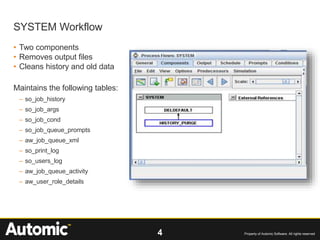
• Two components
• Removes output files
• Cleans history and old data
Maintains the following tables:
– so_job_history
– so_job_args
– so_job_cond
– so_job_queue_prompts
– aw_job_queue_xml
– so_print_log
– so_users_log
– aw_job_queue_activity
– aw_user_role_details
SYSTEM Workflow
5 Property of Automic Software. All rights reserved
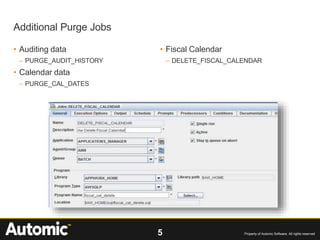
• Auditing data
– PURGE_AUDIT_HISTORY
• Calendar data
– PURGE_CAL_DATES
• Fiscal Calendar
– DELETE_FISCAL_CALENDAR
Additional Purge Jobs
6 Property of Automic Software. All rights reserved
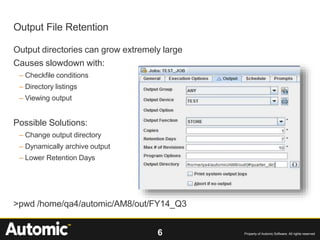
Output directories can grow extremely large
Causes slowdown with:
– Checkfile conditions
– Directory listings
– Viewing output
Possible Solutions:
– Change output directory
– Dynamically archive output
– Lower Retention Days
>pwd /home/qa4/automic/AM8/out/FY14_Q3
Output File Retention
7 Property of Automic Software. All rights reserved
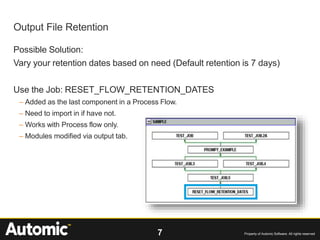
Possible Solution:
Vary your retention dates based on need (Default retention is 7 days)
Use the Job: RESET_FLOW_RETENTION_DATES
– Added as the last component in a Process Flow.
– Need to import in if have not.
– Works with Process flow only.
– Modules modified via output tab.
Output File Retention
8 Property of Automic Software. All rights reserved
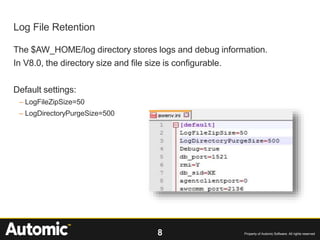
The $AW_HOME/log directory stores logs and debug information.
In V8.0, the directory size and file size is configurable.
Default settings:
– LogFileZipSize=50
– LogDirectoryPurgeSize=500
Log File Retention
ONE Automation
10 Property of Automic Software. All rights reserved
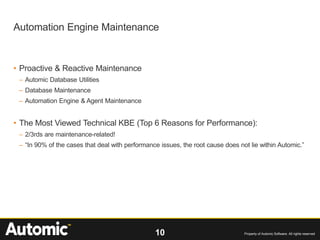
• Proactive & Reactive Maintenance
– Automic Database Utilities
– Database Maintenance
– Automation Engine & Agent Maintenance
• The Most Viewed Technical KBE (Top 6 Reasons for Performance):
– 2/3rds are maintenance-related!
– “In 90% of the cases that deal with performance issues, the root cause does not lie within Automic.”
Automation Engine Maintenance
11 Property of Automic Software. All rights reserved
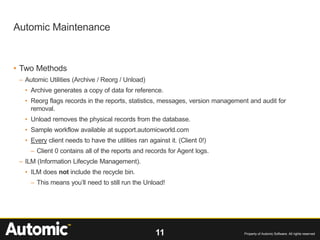
• Two Methods
– Automic Utilities (Archive / Reorg / Unload)
• Archive generates a copy of data for reference.
• Reorg flags records in the reports, statistics, messages, version management and audit for
removal.
• Unload removes the physical records from the database.
• Sample workflow available at support.automicworld.com
• Every client needs to have the utilities ran against it. (Client 0!)
– Client 0 contains all of the reports and records for Agent logs.
– ILM (Information Lifecycle Management).
• ILM does not include the recycle bin.
– This means you’ll need to still run the Unload!
Automic Maintenance
12 Property of Automic Software. All rights reserved
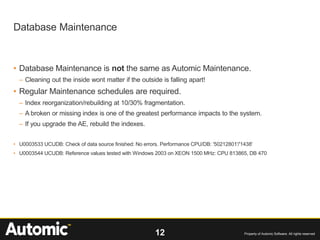
• Database Maintenance is not the same as Automic Maintenance.
– Cleaning out the inside wont matter if the outside is falling apart!
• Regular Maintenance schedules are required.
– Index reorganization/rebuilding at 10/30% fragmentation.
– A broken or missing index is one of the greatest performance impacts to the system.
– If you upgrade the AE, rebuild the indexes.
• U0003533 UCUDB: Check of data source finished: No errors. Performance CPU/DB: '50212801'/'1438'
• U0003544 UCUDB: Reference values tested with Windows 2003 on XEON 1500 MHz: CPU 813865, DB 470
Database Maintenance
13 Property of Automic Software. All rights reserved
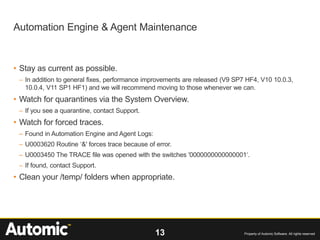
• Stay as current as possible.
– In addition to general fixes, performance improvements are released (V9 SP7 HF4, V10 10.0.3,
10.0.4, V11 SP1 HF1) and we will recommend moving to those whenever we can.
• Watch for quarantines via the System Overview.
– If you see a quarantine, contact Support.
• Watch for forced traces.
– Found in Automation Engine and Agent Logs:
– U0003620 Routine ‘&' forces trace because of error.
– U0003450 The TRACE file was opened with the switches '0000000000000001‘.
– If found, contact Support.
• Clean your /temp/ folders when appropriate.
Automation Engine & Agent Maintenance
Questions?

Maintenance and Management Best Practices from Support

  • 1.
    Maintenance and Management KristopherThomas November 2015 Best Practices
  • 2.
    2 Property ofAutomic Software. All rights reserved Maintenance & Management + Applications Manager Maintenance + ONE Automation Maintenance
  • 3.
  • 4.
    4 Property ofAutomic Software. All rights reserved • Two components • Removes output files • Cleans history and old data Maintains the following tables: – so_job_history – so_job_args – so_job_cond – so_job_queue_prompts – aw_job_queue_xml – so_print_log – so_users_log – aw_job_queue_activity – aw_user_role_details SYSTEM Workflow
  • 5.
    5 Property ofAutomic Software. All rights reserved • Auditing data – PURGE_AUDIT_HISTORY • Calendar data – PURGE_CAL_DATES • Fiscal Calendar – DELETE_FISCAL_CALENDAR Additional Purge Jobs
  • 6.
    6 Property ofAutomic Software. All rights reserved Output directories can grow extremely large Causes slowdown with: – Checkfile conditions – Directory listings – Viewing output Possible Solutions: – Change output directory – Dynamically archive output – Lower Retention Days >pwd /home/qa4/automic/AM8/out/FY14_Q3 Output File Retention
  • 7.
    7 Property ofAutomic Software. All rights reserved Possible Solution: Vary your retention dates based on need (Default retention is 7 days) Use the Job: RESET_FLOW_RETENTION_DATES – Added as the last component in a Process Flow. – Need to import in if have not. – Works with Process flow only. – Modules modified via output tab. Output File Retention
  • 8.
    8 Property ofAutomic Software. All rights reserved The $AW_HOME/log directory stores logs and debug information. In V8.0, the directory size and file size is configurable. Default settings: – LogFileZipSize=50 – LogDirectoryPurgeSize=500 Log File Retention
  • 9.
  • 10.
    10 Property ofAutomic Software. All rights reserved • Proactive & Reactive Maintenance – Automic Database Utilities – Database Maintenance – Automation Engine & Agent Maintenance • The Most Viewed Technical KBE (Top 6 Reasons for Performance): – 2/3rds are maintenance-related! – “In 90% of the cases that deal with performance issues, the root cause does not lie within Automic.” Automation Engine Maintenance
  • 11.
    11 Property ofAutomic Software. All rights reserved • Two Methods – Automic Utilities (Archive / Reorg / Unload) • Archive generates a copy of data for reference. • Reorg flags records in the reports, statistics, messages, version management and audit for removal. • Unload removes the physical records from the database. • Sample workflow available at support.automicworld.com • Every client needs to have the utilities ran against it. (Client 0!) – Client 0 contains all of the reports and records for Agent logs. – ILM (Information Lifecycle Management). • ILM does not include the recycle bin. – This means you’ll need to still run the Unload! Automic Maintenance
  • 12.
    12 Property ofAutomic Software. All rights reserved • Database Maintenance is not the same as Automic Maintenance. – Cleaning out the inside wont matter if the outside is falling apart! • Regular Maintenance schedules are required. – Index reorganization/rebuilding at 10/30% fragmentation. – A broken or missing index is one of the greatest performance impacts to the system. – If you upgrade the AE, rebuild the indexes. • U0003533 UCUDB: Check of data source finished: No errors. Performance CPU/DB: '50212801'/'1438' • U0003544 UCUDB: Reference values tested with Windows 2003 on XEON 1500 MHz: CPU 813865, DB 470 Database Maintenance
  • 13.
    13 Property ofAutomic Software. All rights reserved • Stay as current as possible. – In addition to general fixes, performance improvements are released (V9 SP7 HF4, V10 10.0.3, 10.0.4, V11 SP1 HF1) and we will recommend moving to those whenever we can. • Watch for quarantines via the System Overview. – If you see a quarantine, contact Support. • Watch for forced traces. – Found in Automation Engine and Agent Logs: – U0003620 Routine ‘&' forces trace because of error. – U0003450 The TRACE file was opened with the switches '0000000000000001‘. – If found, contact Support. • Clean your /temp/ folders when appropriate. Automation Engine & Agent Maintenance
  • 14.