Magento Exclusive: Running multiple Magento stores on multiple domains from a single index.php   - By  Younus  Sardar tekSymmetry, LLC 18 th  Jan,2010
What’s Magento ? An  open-source ecommerce web application.
Popular Open Source eCommerce Software Magento Zen-Cart osCommerce X-Cart Avactis Batavi VirtuMart
Why Magento? One install, multiple merchants, multiple websites, multiple shops! Suitable for a small ecommerce site as well as an ecommerce network About all popular payment methods are already integrated (total 11 methods). Customized admin roll management
Multiple Images Per Product Product Image Zoom-in Capability Batch Import and Export of catalog Shipping to multiple addresses in one order or multiple shipments per order One-Page Checkout
Advantage(Developing view) A perfect  MVC approach (using Zend framework) Fully Object Oriented Platform Highly stable, very powerful, and extremely expandable User friendly
Disadvantage(Developing view) Due to the Zend/OOP/MVC influence on Magento. A huge folder structure and hundreds of files. It is difficult to follow the code Database depends on EAV ( Entity-Attribute-Value ) model. SQL codes are difficult  a little bit! Most complex  php application ever found!
A Scenario Let’s imagine a merchant who deals with thousands of products.  He has 100 stores. He wants to sell his products over 10 different websites. Can we do these with just one Magento install ?
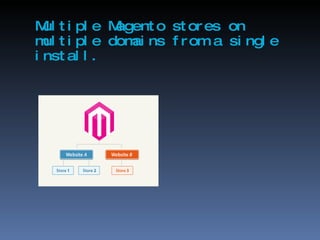
Multiple Magento stores on multiple domains from a single install.
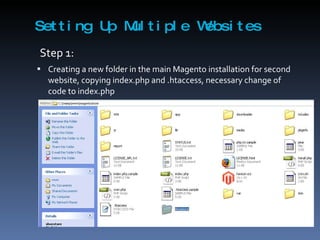
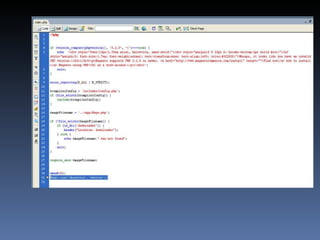
Setting Up Multiple Websites Step 1:     Creating a new folder in the main Magento installation for second website, copying index.php and .htaccess, necessary change of code to index.php
 
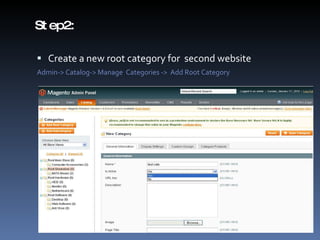
Step2: Create a new root category for  second website Admin-> Catalog-> Manage  Categories ->  Add Root Category
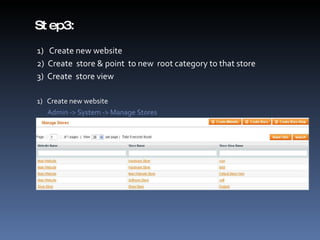
Step3: 1)  Create new website 2)  Create  store & point  to new  root category to that store 3)  Create  store view 1)  Create new website Admin -> System -> Manage Stores
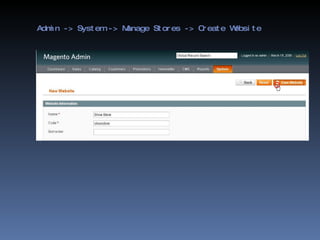
Admin -> System -> Manage Stores -> Create Website
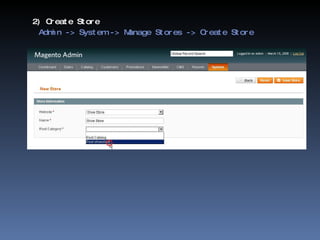
2) Create Store   Admin -> System -> Manage Stores -> Create Store
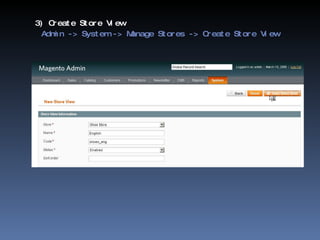
3) Create Store View   Admin -> System -> Manage Stores -> Create Store View
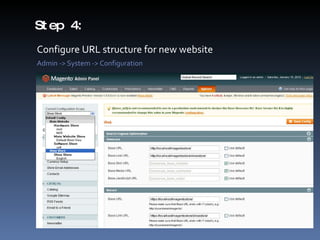
Step 4: Configure URL structure for new website Admin -> System -> Configuration
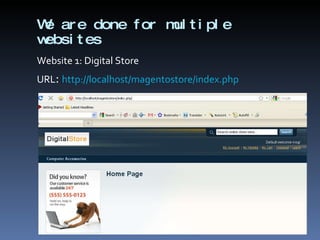
We are done for multiple websites Website 1: Digital Store URL :  http://localhost/magentostore/index.php
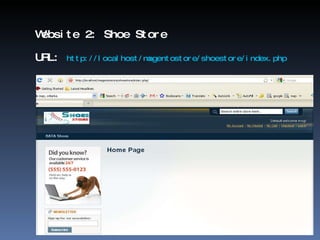
Website 2: Shoe Store URL:  http://localhost/magentostore/shoestore/index.php
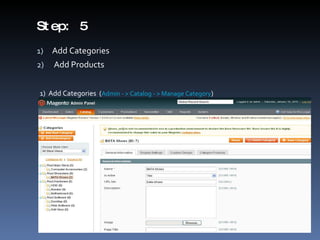
Step: 5 Add Categories  Add Products 1)  Add Categories  ( Admin - > Catalog - > Manage Category )
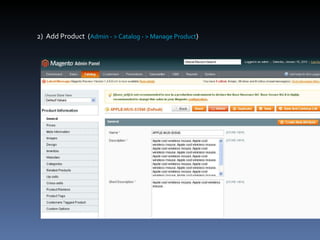
2)  Add Product  ( Admin - > Catalog - > Manage Product )
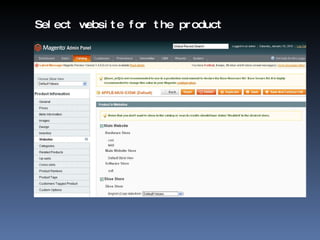
Select website for the product
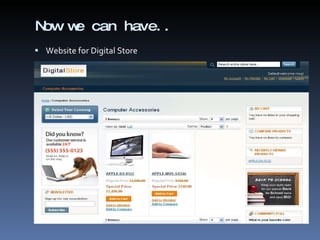
Now we can have.. Website for Digital Store
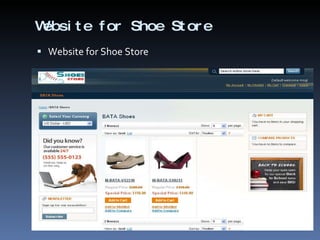
Website for Shoe Store Website for Shoe Store
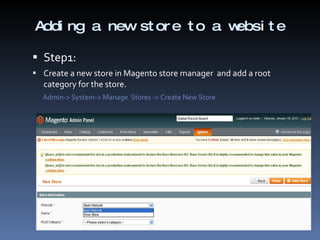
Adding a new store to a website Step1:  Create a new store in Magento store manager  and add a root category for the store. Admin-> System-> Manage  Stores -> Create New Store
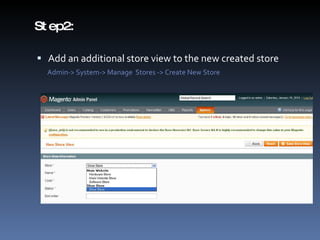
Step2:  Add an additional store view to the new created store Admin-> System-> Manage  Stores -> Create New Store
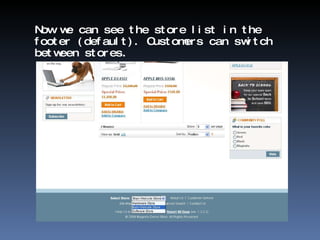
Now we can see the store list in the footer (default). Customers can switch between stores.
Thank You! Questions ?

Magento Exclusive

  • 1.
    Magento Exclusive: Runningmultiple Magento stores on multiple domains from a single index.php - By Younus Sardar tekSymmetry, LLC 18 th Jan,2010
  • 2.
    What’s Magento ?An open-source ecommerce web application.
  • 3.
    Popular Open SourceeCommerce Software Magento Zen-Cart osCommerce X-Cart Avactis Batavi VirtuMart
  • 4.
    Why Magento? Oneinstall, multiple merchants, multiple websites, multiple shops! Suitable for a small ecommerce site as well as an ecommerce network About all popular payment methods are already integrated (total 11 methods). Customized admin roll management
  • 5.
    Multiple Images PerProduct Product Image Zoom-in Capability Batch Import and Export of catalog Shipping to multiple addresses in one order or multiple shipments per order One-Page Checkout
  • 6.
    Advantage(Developing view) Aperfect MVC approach (using Zend framework) Fully Object Oriented Platform Highly stable, very powerful, and extremely expandable User friendly
  • 7.
    Disadvantage(Developing view) Dueto the Zend/OOP/MVC influence on Magento. A huge folder structure and hundreds of files. It is difficult to follow the code Database depends on EAV ( Entity-Attribute-Value ) model. SQL codes are difficult a little bit! Most complex php application ever found!
  • 8.
    A Scenario Let’simagine a merchant who deals with thousands of products. He has 100 stores. He wants to sell his products over 10 different websites. Can we do these with just one Magento install ?
  • 9.
    Multiple Magento storeson multiple domains from a single install.
  • 10.
    Setting Up MultipleWebsites Step 1:   Creating a new folder in the main Magento installation for second website, copying index.php and .htaccess, necessary change of code to index.php
  • 11.
  • 12.
    Step2: Create anew root category for second website Admin-> Catalog-> Manage Categories -> Add Root Category
  • 13.
    Step3: 1) Create new website 2) Create store & point to new root category to that store 3) Create store view 1) Create new website Admin -> System -> Manage Stores
  • 14.
    Admin -> System-> Manage Stores -> Create Website
  • 15.
    2) Create Store Admin -> System -> Manage Stores -> Create Store
  • 16.
    3) Create StoreView Admin -> System -> Manage Stores -> Create Store View
  • 17.
    Step 4: ConfigureURL structure for new website Admin -> System -> Configuration
  • 18.
    We are donefor multiple websites Website 1: Digital Store URL : http://localhost/magentostore/index.php
  • 19.
    Website 2: ShoeStore URL: http://localhost/magentostore/shoestore/index.php
  • 20.
    Step: 5 AddCategories Add Products 1) Add Categories ( Admin - > Catalog - > Manage Category )
  • 21.
    2) AddProduct ( Admin - > Catalog - > Manage Product )
  • 22.
    Select website forthe product
  • 23.
    Now we canhave.. Website for Digital Store
  • 24.
    Website for ShoeStore Website for Shoe Store
  • 25.
    Adding a newstore to a website Step1: Create a new store in Magento store manager and add a root category for the store. Admin-> System-> Manage Stores -> Create New Store
  • 26.
    Step2: Addan additional store view to the new created store Admin-> System-> Manage Stores -> Create New Store
  • 27.
    Now we cansee the store list in the footer (default). Customers can switch between stores.
  • 28.