Machine Learning
Some Machine Learning Tools
Deep Belief Image Recognition
Before We Start
sudo nano /boot/config.txt
# add gpu line below to bottom of file
gpu_mem=128
sudo reboot
Mercurial
Sudo apt-get install -y mercurial
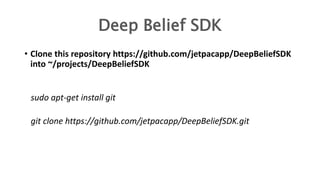
Deep Belief SDK
• Clone this repository https://github.com/jetpacapp/DeepBeliefSDK
into ~/projects/DeepBeliefSDK
sudo apt-get install git
git clone https://github.com/jetpacapp/DeepBeliefSDK.git
Eigen
• Eigen is a C++ template library for linear algebra: matrices, vectors,
numerical solvers, and related algorithms.
hg clone https://bitbucket.org/eigen/eigen
ln -s ~/eigen ~/DeepBeliefSDK/eigen
Installing GCC-4.8 & G++-4.8
sudo apt-get install gcc-4.8 g++-4.8
sudo rm -rf /usr/bin/gcc
sudo rm -rf /usr/bin/g++
sudo ln -s /usr/bin/gcc-4.8 /usr/bin/gcc
sudo ln -s /usr/bin/g++-4.8 /usr/bin/g++
Building Time
cd ~/DeepBeliefSDK/source
make clean
#Building to the Target pi2 for Raspberry pi 2 and pi for older.
make GEMM=eigen TARGET=pi2
#Trying an Example :
./jpcnn -i data/dog.jpg -n ../networks/jetpac.ntwk -t -m s -d
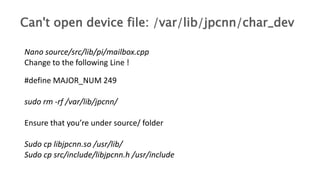
Nano source/src/lib/pi/mailbox.cpp
Change to the following Line !
#define MAJOR_NUM 249
sudo rm -rf /var/lib/jpcnn/
Ensure that you’re under source/ folder
Sudo cp libjpcnn.so /usr/lib/
Sudo cp src/include/libjpcnn.h /usr/include
Can't open device file: /var/lib/jpcnn/char_dev
Thank you :D
Machine learning with raspberrypi

Machine learning with raspberrypi

  • 1.
  • 3.
  • 4.
    Deep Belief ImageRecognition
  • 5.
    Before We Start sudonano /boot/config.txt # add gpu line below to bottom of file gpu_mem=128 sudo reboot
  • 6.
  • 7.
    Deep Belief SDK •Clone this repository https://github.com/jetpacapp/DeepBeliefSDK into ~/projects/DeepBeliefSDK sudo apt-get install git git clone https://github.com/jetpacapp/DeepBeliefSDK.git
  • 8.
    Eigen • Eigen isa C++ template library for linear algebra: matrices, vectors, numerical solvers, and related algorithms. hg clone https://bitbucket.org/eigen/eigen ln -s ~/eigen ~/DeepBeliefSDK/eigen
  • 9.
    Installing GCC-4.8 &G++-4.8 sudo apt-get install gcc-4.8 g++-4.8 sudo rm -rf /usr/bin/gcc sudo rm -rf /usr/bin/g++ sudo ln -s /usr/bin/gcc-4.8 /usr/bin/gcc sudo ln -s /usr/bin/g++-4.8 /usr/bin/g++
  • 10.
    Building Time cd ~/DeepBeliefSDK/source makeclean #Building to the Target pi2 for Raspberry pi 2 and pi for older. make GEMM=eigen TARGET=pi2 #Trying an Example : ./jpcnn -i data/dog.jpg -n ../networks/jetpac.ntwk -t -m s -d
  • 11.
    Nano source/src/lib/pi/mailbox.cpp Change tothe following Line ! #define MAJOR_NUM 249 sudo rm -rf /var/lib/jpcnn/ Ensure that you’re under source/ folder Sudo cp libjpcnn.so /usr/lib/ Sudo cp src/include/libjpcnn.h /usr/include Can't open device file: /var/lib/jpcnn/char_dev
  • 12.

Editor's Notes

  • #3 Machine learning is a type of artificial intelligence (AI) that provides computers with the ability to learn without being explicitly programmed. Machine learning focuses on the development of computer programs that can change when exposed to new data.  The process of machine learning is similar to that of data mining. Both systems search through data to look for patterns. However, instead of extracting data for human comprehension -- as is the case in data mining applications -- machine learning uses that data to detect patterns in data and adjust program actions accordingly.  Machine learning algorithms are often categorized as being supervised or unsupervized. Supervised algorithms can apply what has been learned in the past to new data. Unsupervised algorithms can draw inferences from datasets.
  • #5 This is a framework implementing the convolutional neural network architecture described by Alex Krizhevsky, Ilya Sutskever, and Geoffrey Hinton. The processing code has been highly optimized to run within the memory and processing constraints of modern mobile devices, and can analyze an image in under 300ms on an iPhone 5S. It's also easy to use together with OpenCV.
  • #7 Python