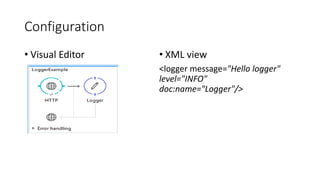
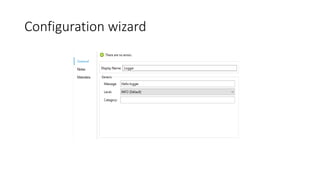
The Logger component logs messages at specified levels. It can log strings, expressions, or combinations. The logger is configured with a message, level, and optional category. Supported log levels include ERROR, WARN, INFO, DEBUG and TRACE.
Logger
• Use theLogger to log messages such as error messages, status
notifications, or exceptions. You can add a logger anywhere in a flow,
and you can configure it to log anything: any string, any Mule
expression, or any combination of strings and Mule expressions.
Description
Property Description
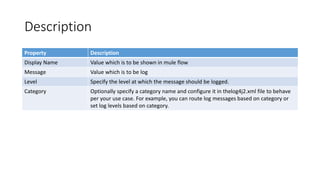
Display NameValue which is to be shown in mule flow
Message Value which is to be log
Level Specify the level at which the message should be logged.
Category Optionally specify a category name and configure it in thelog4j2.xml file to behave
per your use case. For example, you can route log messages based on category or
set log levels based on category.
6.
Level
• Mule componentlogger supports following log levels:
• ERROR
• WARN
• INFO
• DEBUG
• TRACE