What is anAWS Load Balancer?
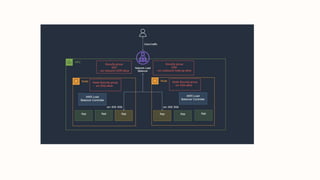
• An AWS Load Balancer Is A Service That Automatically Distributes Incoming
Application Traffic Across Multiple Targets, Such As Amazon EC2 Instances,
Containers, Or IP Addresses. It Acts As A Reverse Proxy And Helps Ensure Your
Application Is Highly Available And Scalable.
Why use them?
• Handle Traffic Spikes, Improve Security, And Simplify Scaling.
3.
Key Benefits ofAWS Load
Balancers
• High Availability: Distribute traffic across Availability Zones.
• Security: SSL/TLS termination, user authentication.
• Scalability: Automatically adjust to traffic changes.
• Hybrid Load Balancing: Migrate resources to the cloud seamlessly.
• Traffic Management: HTTP/HTTPS/TCP/UDP forwarding rules.
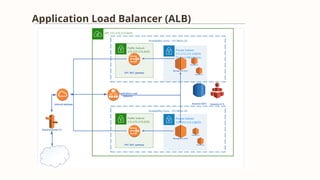
Application Load Balancer(ALB)
Layer 7
Operates on application layer,
supporting HTTP/HTTPS.
Routing & Security
Supports path-based, host-based,
and security-based routing.
Modern Features
Supports WebSocket, HTTP/2, and
other modern protocols.
• Use Case: Modern apps with microservices or containers.
Network Load Balancer(NLB)
Layer 4
Operates on transport layer,
supporting TCP/UDP.
High Performance
Handles millions of requests per
second with low latency.
Advanced Features
Supports connection draining and
preserves client IP addresses.
•Use Case: Real-time apps (gaming, financial
systems).
9.
Classic Load Balancer(CLB)
• Use Case: Legacy EC2 instances on EC2-Classic network.
• Limitations:
• No host/path-based routing.
• Less efficient for modern microservices.
• Recommendation: Use ALB or NLB for new applications.
10.
1.Choose A LoadBalancer Type
1.Open AWS EC2 Console Create Load Balancer Select ALB.
→ →
2.Basic Configuration
1.Name, VPC, Availability Zones, Public Subnets.
2.Default Listener: Http On Port 80.
3.Security Group Setup
1.Create A New Security Group For ALB.
2.Allow Inbound Traffic On Port 80.
• How To Configure An ALB
11.
•Steps:
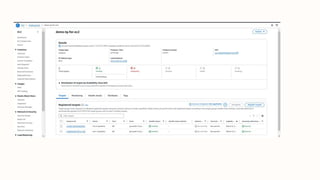
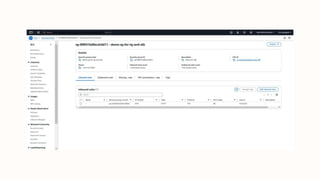
1.Create a targetgroup (e.g., EC2 instances).
2.Set health checks (default: HTTP on port 80).
3.Register EC2 instances with the target group.
• Configure Target Group
13.
Test Your LoadBalancer
• Steps:
• Copy Alb DNS Name.
• Access Via A Browser To Verify Traffic Routing.
• Troubleshooting:
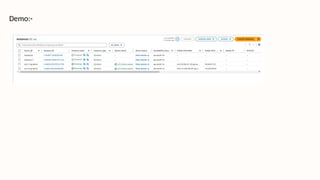
• Check Instance Health Status In The Target Group.
• Ensure Security Groups Allow Inbound Traffic.
15.
Load Balancer UseCases
Load balancers are essential for various applications and services.
1 Web Applications
Distribute web traffic across
multiple instances for
increased availability and
performance.
2 Microservices
Enable fault tolerance and
scalability for distributed
systems.
3 Gaming Services
Manage player connections and ensure smooth gameplay.
16.
AWS Load BalancerPricing
Pay-as-you-go
Pricing based on usage and capacity.
LCU
Based on Load Balancer Capacity
Units (LCU) for active listeners.
Traffic Costs
Charges based on the amount of
traffic processed.
• Official AWSDocumentation
Getting Started With Elastic Load Balancing
• Medium Articles
AWS Elastic Load Balancer: Overview And Typ
es
• GeeksforGeeks Tutorial
Create and Configure: Mastering AWS Network Load Balancer
References










![aws.batch 4[2] - Read-Only.pptx](https://cdn.slidesharecdn.com/ss_thumbnails/aws-230627092345-5980ca54-thumbnail.jpg?width=640&height=640&fit=bounds)


![Attack surfaces and attack tress[inform]](https://cdn.slidesharecdn.com/ss_thumbnails/lecture03-260108015941-a4dee53b-thumbnail.jpg?width=640&height=640&fit=bounds)


