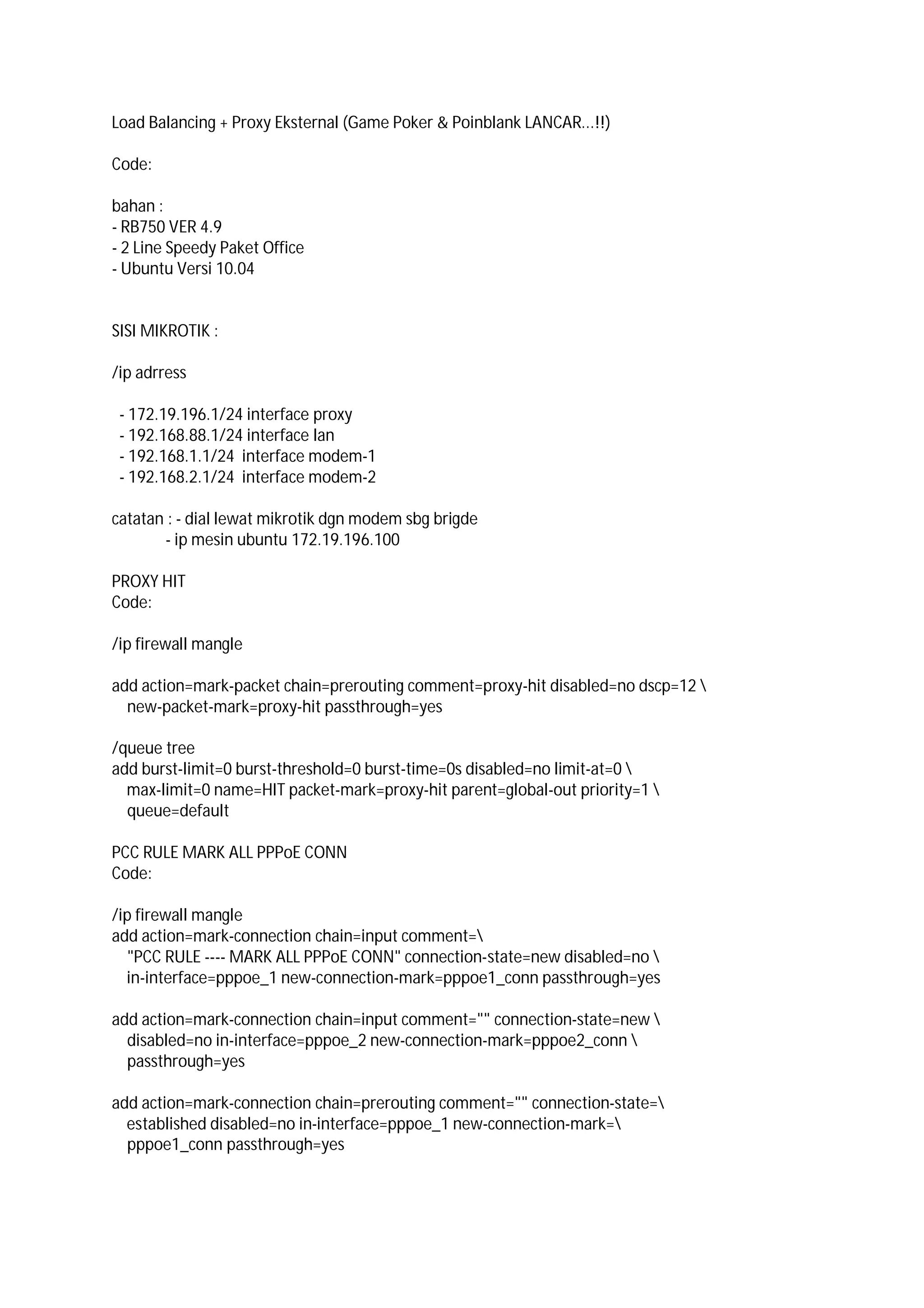
Load Balancing + Proxy Eksternal (Game Poker & Poinblank LANCAR...!!)
Code:
bahan :
- RB750 VER 4.9
- 2 Line Speedy Paket Office
- Ubuntu Versi 10.04
SISI MIKROTIK :
/ip adrress
- 172.19.196.1/24 interface proxy
- 192.168.88.1/24 interface lan
- 192.168.1.1/24 interface modem-1
- 192.168.2.1/24 interface modem-2
catatan : - dial lewat mikrotik dgn modem sbg brigde
- ip mesin ubuntu 172.19.196.100
PROXY HIT
Code:
/ip firewall mangle
add action=mark-packet chain=prerouting comment=proxy-hit disabled=no dscp=12 
new-packet-mark=proxy-hit passthrough=yes
/queue tree
add burst-limit=0 burst-threshold=0 burst-time=0s disabled=no limit-at=0 
max-limit=0 name=HIT packet-mark=proxy-hit parent=global-out priority=1 
queue=default
PCC RULE MARK ALL PPPoE CONN
Code:
/ip firewall mangle
add action=mark-connection chain=input comment=
"PCC RULE ---- MARK ALL PPPoE CONN" connection-state=new disabled=no 
in-interface=pppoe_1 new-connection-mark=pppoe1_conn passthrough=yes
add action=mark-connection chain=input comment="" connection-state=new 
disabled=no in-interface=pppoe_2 new-connection-mark=pppoe2_conn 
passthrough=yes
add action=mark-connection chain=prerouting comment="" connection-state=
established disabled=no in-interface=pppoe_1 new-connection-mark=
pppoe1_conn passthrough=yes
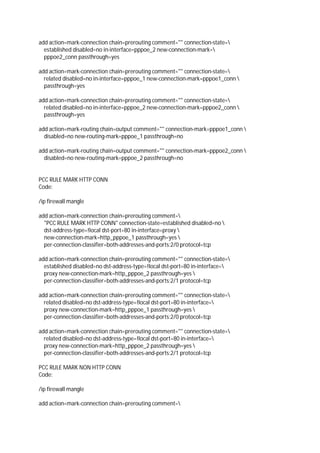
add action=mark-connection chain=prerouting comment="" connection-state=
established disabled=no in-interface=pppoe_2 new-connection-mark=
pppoe2_conn passthrough=yes
add action=mark-connection chain=prerouting comment="" connection-state=
related disabled=no in-interface=pppoe_1 new-connection-mark=pppoe1_conn 
passthrough=yes
add action=mark-connection chain=prerouting comment="" connection-state=
related disabled=no in-interface=pppoe_2 new-connection-mark=pppoe2_conn 
passthrough=yes
add action=mark-routing chain=output comment="" connection-mark=pppoe1_conn 
disabled=no new-routing-mark=pppoe_1 passthrough=no
add action=mark-routing chain=output comment="" connection-mark=pppoe2_conn 
disabled=no new-routing-mark=pppoe_2 passthrough=no
PCC RULE MARK HTTP CONN
Code:
/ip firewall mangle
add action=mark-connection chain=prerouting comment=
"PCC RULE MARK HTTP CONN" connection-state=established disabled=no 
dst-address-type=!local dst-port=80 in-interface=proxy 
new-connection-mark=http_pppoe_1 passthrough=yes 
per-connection-classifier=both-addresses-and-ports:2/0 protocol=tcp
add action=mark-connection chain=prerouting comment="" connection-state=
established disabled=no dst-address-type=!local dst-port=80 in-interface=
proxy new-connection-mark=http_pppoe_2 passthrough=yes 
per-connection-classifier=both-addresses-and-ports:2/1 protocol=tcp
add action=mark-connection chain=prerouting comment="" connection-state=
related disabled=no dst-address-type=!local dst-port=80 in-interface=
proxy new-connection-mark=http_pppoe_1 passthrough=yes 
per-connection-classifier=both-addresses-and-ports:2/0 protocol=tcp
add action=mark-connection chain=prerouting comment="" connection-state=
related disabled=no dst-address-type=!local dst-port=80 in-interface=
proxy new-connection-mark=http_pppoe_2 passthrough=yes 
per-connection-classifier=both-addresses-and-ports:2/1 protocol=tcp
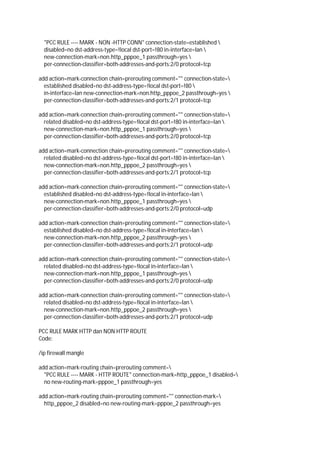
PCC RULE MARK NON HTTP CONN
Code:
/ip firewall mangle
add action=mark-connection chain=prerouting comment=
"PCC RULE ---- MARK - NON -HTTP CONN" connection-state=established 
disabled=no dst-address-type=!local dst-port=!80 in-interface=lan 
new-connection-mark=non.http_pppoe_1 passthrough=yes 
per-connection-classifier=both-addresses-and-ports:2/0 protocol=tcp
add action=mark-connection chain=prerouting comment="" connection-state=
established disabled=no dst-address-type=!local dst-port=!80 
in-interface=lan new-connection-mark=non.http_pppoe_2 passthrough=yes 
per-connection-classifier=both-addresses-and-ports:2/1 protocol=tcp
add action=mark-connection chain=prerouting comment="" connection-state=
related disabled=no dst-address-type=!local dst-port=!80 in-interface=lan 
new-connection-mark=non.http_pppoe_1 passthrough=yes 
per-connection-classifier=both-addresses-and-ports:2/0 protocol=tcp
add action=mark-connection chain=prerouting comment="" connection-state=
related disabled=no dst-address-type=!local dst-port=!80 in-interface=lan 
new-connection-mark=non.http_pppoe_2 passthrough=yes 
per-connection-classifier=both-addresses-and-ports:2/1 protocol=tcp
add action=mark-connection chain=prerouting comment="" connection-state=
established disabled=no dst-address-type=!local in-interface=lan 
new-connection-mark=non.http_pppoe_1 passthrough=yes 
per-connection-classifier=both-addresses-and-ports:2/0 protocol=udp
add action=mark-connection chain=prerouting comment="" connection-state=
established disabled=no dst-address-type=!local in-interface=lan 
new-connection-mark=non.http_pppoe_2 passthrough=yes 
per-connection-classifier=both-addresses-and-ports:2/1 protocol=udp
add action=mark-connection chain=prerouting comment="" connection-state=
related disabled=no dst-address-type=!local in-interface=lan 
new-connection-mark=non.http_pppoe_1 passthrough=yes 
per-connection-classifier=both-addresses-and-ports:2/0 protocol=udp
add action=mark-connection chain=prerouting comment="" connection-state=
related disabled=no dst-address-type=!local in-interface=lan 
new-connection-mark=non.http_pppoe_2 passthrough=yes 
per-connection-classifier=both-addresses-and-ports:2/1 protocol=udp
PCC RULE MARK HTTP dan NON HTTP ROUTE
Code:
/ip firewall mangle
add action=mark-routing chain=prerouting comment=
"PCC RULE ---- MARK - HTTP ROUTE" connection-mark=http_pppoe_1 disabled=
no new-routing-mark=pppoe_1 passthrough=yes
add action=mark-routing chain=prerouting comment="" connection-mark=
http_pppoe_2 disabled=no new-routing-mark=pppoe_2 passthrough=yes
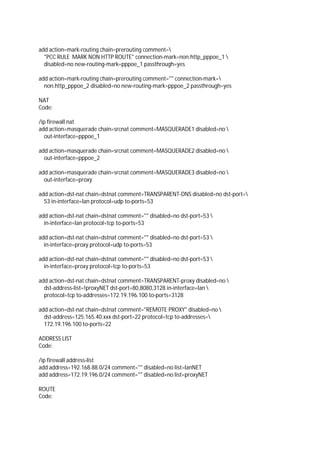
add action=mark-routing chain=prerouting comment=
"PCC RULE MARK NON HTTP ROUTE" connection-mark=non.http_pppoe_1 
disabled=no new-routing-mark=pppoe_1 passthrough=yes
add action=mark-routing chain=prerouting comment="" connection-mark=
non.http_pppoe_2 disabled=no new-routing-mark=pppoe_2 passthrough=yes
NAT
Code:
/ip firewall nat
add action=masquerade chain=srcnat comment=MASQUERADE1 disabled=no 
out-interface=pppoe_1
add action=masquerade chain=srcnat comment=MASQUERADE2 disabled=no 
out-interface=pppoe_2
add action=masquerade chain=srcnat comment=MASQUERADE3 disabled=no 
out-interface=proxy
add action=dst-nat chain=dstnat comment=TRANSPARENT-DNS disabled=no dst-port=
53 in-interface=lan protocol=udp to-ports=53
add action=dst-nat chain=dstnat comment="" disabled=no dst-port=53 
in-interface=lan protocol=tcp to-ports=53
add action=dst-nat chain=dstnat comment="" disabled=no dst-port=53 
in-interface=proxy protocol=udp to-ports=53
add action=dst-nat chain=dstnat comment="" disabled=no dst-port=53 
in-interface=proxy protocol=tcp to-ports=53
add action=dst-nat chain=dstnat comment=TRANSPARENT-proxy disabled=no 
dst-address-list=!proxyNET dst-port=80,8080,3128 in-interface=lan 
protocol=tcp to-addresses=172.19.196.100 to-ports=3128
add action=dst-nat chain=dstnat comment="REMOTE PROXY" disabled=no 
dst-address=125.165.40.xxx dst-port=22 protocol=tcp to-addresses=
172.19.196.100 to-ports=22
ADDRESS LIST
Code:
/ip firewall address-list
add address=192.168.88.0/24 comment="" disabled=no list=lanNET
add address=172.19.196.0/24 comment="" disabled=no list=proxyNET
ROUTE
Code:
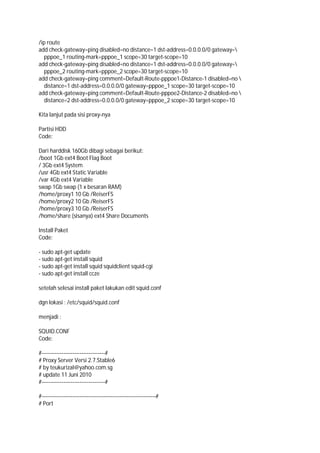
/ip route
add check-gateway=ping disabled=no distance=1 dst-address=0.0.0.0/0 gateway=
pppoe_1 routing-mark=pppoe_1 scope=30 target-scope=10
add check-gateway=ping disabled=no distance=1 dst-address=0.0.0.0/0 gateway=
pppoe_2 routing-mark=pppoe_2 scope=30 target-scope=10
add check-gateway=ping comment=Default-Route-pppoe1-Distance-1 disabled=no 
distance=1 dst-address=0.0.0.0/0 gateway=pppoe_1 scope=30 target-scope=10
add check-gateway=ping comment=Default-Route-pppoe2-Distance-2 disabled=no 
distance=2 dst-address=0.0.0.0/0 gateway=pppoe_2 scope=30 target-scope=10
Kita lanjut pada sisi proxy-nya
Partisi HDD
Code:
Dari harddisk 160Gb dibagi sebagai berikut:
/boot 1Gb ext4 Boot Flag Boot
/ 3Gb ext4 System
/usr 4Gb ext4 Static Variable
/var 4Gb ext4 Variable
swap 1Gb swap (1 x besaran RAM)
/home/proxy1 10 Gb /ReiserFS
/home/proxy2 10 Gb /ReiserFS
/home/proxy3 10 Gb /ReiserFS
/home/share (sisanya) ext4 Share Documents
Install Paket
Code:
- sudo apt-get update
- sudo apt-get install squid
- sudo apt-get install squid squidclient squid-cgi
- sudo apt-get install ccze
setelah selesai install paket lakukan edit squid.conf
dgn lokasi : /etc/squid/squid.conf
menjadi :
SQUID.CONF
Code:
#-----------------------------------#
# Proxy Server Versi 2.7.Stable6
# by teukurizal@yahoo.com.sg
# update 11 Juni 2010
#-----------------------------------#
#---------------------------------------------------------------#
# Port
#---------------------------------------------------------------#
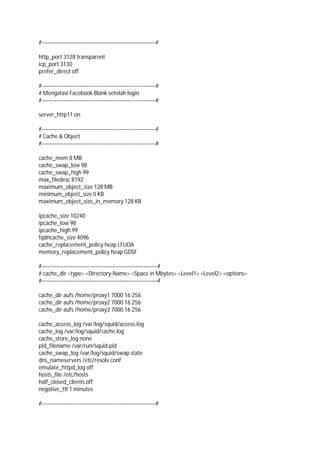
http_port 3128 transparent
icp_port 3130
prefer_direct off
#---------------------------------------------------------------#
# Mengatasi Facebook Blank setelah login
#---------------------------------------------------------------#
server_http11 on
#---------------------------------------------------------------#
# Cache & Object
#---------------------------------------------------------------#
cache_mem 8 MB
cache_swap_low 98
cache_swap_high 99
max_filedesc 8192
maximum_object_size 128 MB
minimum_object_size 0 KB
maximum_object_size_in_memory 128 KB
ipcache_size 10240
ipcache_low 98
ipcache_high 99
fqdncache_size 4096
cache_replacement_policy heap LFUDA
memory_replacement_policy heap GDSF
#----------------------------------------------------------------#
# cache_dir <type> <Directory-Name> <Space in Mbytes> <Level1> <Level2> <options>
#----------------------------------------------------------------#
cache_dir aufs /home/proxy1 7000 16 256
cache_dir aufs /home/proxy2 7000 16 256
cache_dir aufs /home/proxy3 7000 16 256
cache_access_log /var/log/squid/access.log
cache_log /var/log/squid/cache.log
cache_store_log none
pid_filename /var/run/squid.pid
cache_swap_log /var/log/squid/swap.state
dns_nameservers /etc/resolv.conf
emulate_httpd_log off
hosts_file /etc/hosts
half_closed_clients off
negative_ttl 1 minutes
#---------------------------------------------------------------#
# Rules: Safe Port
#---------------------------------------------------------------#
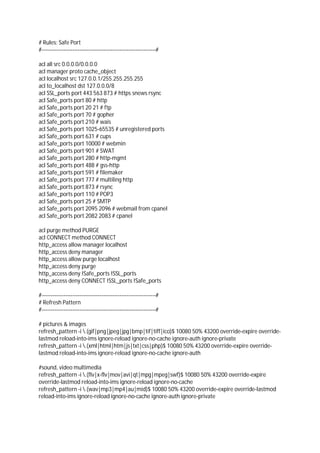
acl all src 0.0.0.0/0.0.0.0
acl manager proto cache_object
acl localhost src 127.0.0.1/255.255.255.255
acl to_localhost dst 127.0.0.0/8
acl SSL_ports port 443 563 873 # https snews rsync
acl Safe_ports port 80 # http
acl Safe_ports port 20 21 # ftp
acl Safe_ports port 70 # gopher
acl Safe_ports port 210 # wais
acl Safe_ports port 1025-65535 # unregistered ports
acl Safe_ports port 631 # cups
acl Safe_ports port 10000 # webmin
acl Safe_ports port 901 # SWAT
acl Safe_ports port 280 # http-mgmt
acl Safe_ports port 488 # gss-http
acl Safe_ports port 591 # filemaker
acl Safe_ports port 777 # multiling http
acl Safe_ports port 873 # rsync
acl Safe_ports port 110 # POP3
acl Safe_ports port 25 # SMTP
acl Safe_ports port 2095 2096 # webmail from cpanel
acl Safe_ports port 2082 2083 # cpanel
acl purge method PURGE
acl CONNECT method CONNECT
http_access allow manager localhost
http_access deny manager
http_access allow purge localhost
http_access deny purge
http_access deny !Safe_ports !SSL_ports
http_access deny CONNECT !SSL_ports !Safe_ports
#---------------------------------------------------------------#
# Refresh Pattern
#---------------------------------------------------------------#
# pictures & images
refresh_pattern -i .(gif|png|jpeg|jpg|bmp|tif|tiff|ico)$ 10080 50% 43200 override-expire override-
lastmod reload-into-ims ignore-reload ignore-no-cache ignore-auth ignore-private
refresh_pattern -i .(xml|html|htm|js|txt|css|php)$ 10080 50% 43200 override-expire override-
lastmod reload-into-ims ignore-reload ignore-no-cache ignore-auth
#sound, video multimedia
refresh_pattern -i .(flv|x-flv|mov|avi|qt|mpg|mpeg|swf)$ 10080 50% 43200 override-expire
override-lastmod reload-into-ims ignore-reload ignore-no-cache
refresh_pattern -i .(wav|mp3|mp4|au|mid)$ 10080 50% 43200 override-expire override-lastmod
reload-into-ims ignore-reload ignore-no-cache ignore-auth ignore-private
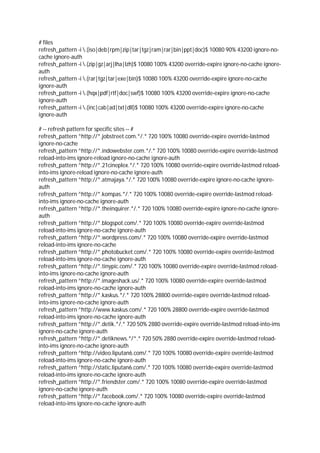
# files
refresh_pattern -i .(iso|deb|rpm|zip|tar|tgz|ram|rar|bin|ppt|doc)$ 10080 90% 43200 ignore-no-
cache ignore-auth
refresh_pattern -i .(zip|gz|arj|lha|lzh)$ 10080 100% 43200 override-expire ignore-no-cache ignore-
auth
refresh_pattern -i .(rar|tgz|tar|exe|bin)$ 10080 100% 43200 override-expire ignore-no-cache
ignore-auth
refresh_pattern -i .(hqx|pdf|rtf|doc|swf)$ 10080 100% 43200 override-expire ignore-no-cache
ignore-auth
refresh_pattern -i .(inc|cab|ad|txt|dll)$ 10080 100% 43200 override-expire ignore-no-cache
ignore-auth
# -- refresh pattern for specific sites -- #
refresh_pattern ^http://*.jobstreet.com.*/.* 720 100% 10080 override-expire override-lastmod
ignore-no-cache
refresh_pattern ^http://*.indowebster.com.*/.* 720 100% 10080 override-expire override-lastmod
reload-into-ims ignore-reload ignore-no-cache ignore-auth
refresh_pattern ^http://*.21cineplex.*/.* 720 100% 10080 override-expire override-lastmod reload-
into-ims ignore-reload ignore-no-cache ignore-auth
refresh_pattern ^http://*.atmajaya.*/.* 720 100% 10080 override-expire ignore-no-cache ignore-
auth
refresh_pattern ^http://*.kompas.*/.* 720 100% 10080 override-expire override-lastmod reload-
into-ims ignore-no-cache ignore-auth
refresh_pattern ^http://*.theinquirer.*/.* 720 100% 10080 override-expire ignore-no-cache ignore-
auth
refresh_pattern ^http://*.blogspot.com/.* 720 100% 10080 override-expire override-lastmod
reload-into-ims ignore-no-cache ignore-auth
refresh_pattern ^http://*.wordpress.com/.* 720 100% 10080 override-expire override-lastmod
reload-into-ims ignore-no-cache
refresh_pattern ^http://*.photobucket.com/.* 720 100% 10080 override-expire override-lastmod
reload-into-ims ignore-no-cache ignore-auth
refresh_pattern ^http://*.tinypic.com/.* 720 100% 10080 override-expire override-lastmod reload-
into-ims ignore-no-cache ignore-auth
refresh_pattern ^http://*.imageshack.us/.* 720 100% 10080 override-expire override-lastmod
reload-into-ims ignore-no-cache ignore-auth
refresh_pattern ^http://*.kaskus.*/.* 720 100% 28800 override-expire override-lastmod reload-
into-ims ignore-no-cache ignore-auth
refresh_pattern ^http://www.kaskus.com/.* 720 100% 28800 override-expire override-lastmod
reload-into-ims ignore-no-cache ignore-auth
refresh_pattern ^http://*.detik.*/.* 720 50% 2880 override-expire override-lastmod reload-into-ims
ignore-no-cache ignore-auth
refresh_pattern ^http://*.detiknews.*/*.* 720 50% 2880 override-expire override-lastmod reload-
into-ims ignore-no-cache ignore-auth
refresh_pattern ^http://video.liputan6.com/.* 720 100% 10080 override-expire override-lastmod
reload-into-ims ignore-no-cache ignore-auth
refresh_pattern ^http://static.liputan6.com/.* 720 100% 10080 override-expire override-lastmod
reload-into-ims ignore-no-cache ignore-auth
refresh_pattern ^http://*.friendster.com/.* 720 100% 10080 override-expire override-lastmod
ignore-no-cache ignore-auth
refresh_pattern ^http://*.facebook.com/.* 720 100% 10080 override-expire override-lastmod
reload-into-ims ignore-no-cache ignore-auth
refresh_pattern ^http://apps.facebook.com/.* 720 100% 10080 override-expire override-lastmod
reload-into-ims ignore-no-cache ignore-auth
refresh_pattern ^http://*.fbcdn.net/.* 720 100% 10080 override-expire override-lastmod reload-
into-ims ignore-no-cache ignore-auth
refresh_pattern ^http://profile.ak.fbcdn.net/.* 720 100% 10080 override-expire override-lastmod
reload-into-ims ignore-no-cache ignore-auth
refresh_pattern ^http://static.playspoon.com/.* 720 100% 10080 override-expire override-lastmod
reload-into-ims ignore-no-cache ignore-auth
refresh_pattern ^http://cooking.game.playspoon.com/.* 720 100% 10080 override-expire override-
lastmod reload-into-ims ignore-no-cache ignore-auth
refresh_pattern -i http://[^a-z.]*onemanga.com/? 720 80% 10080 override-expire override-
lastmod reload-into-ims ignore-no-cache ignore-auth
refresh_pattern ^http://media?.onemanga.com/.* 720 80% 10080 override-expire override-lastmod
reload-into-ims ignore-no-cache ignore-auth
refresh_pattern ^http://*.yahoo.com/.* 720 80% 10080 override-expire override-lastmod reload-
into-ims ignore-no-cache ignore-auth
refresh_pattern ^http://*.google.com/.* 720 80% 10080 override-expire override-lastmod reload-
into-ims ignore-no-cache ignore-auth
refresh_pattern ^http://*.forummikrotik.com/.* 720 80% 10080 override-expire override-lastmod
reload-into-ims ignore-no-cache ignore-auth
refresh_pattern ^http://*.linux.or.id/.* 720 100% 10080 override-expire override-lastmod reload-
into-ims ignore-no-cache ignore-auth
#default option
refresh_pattern ^ftp: 1440 20% 10080
refresh_pattern ^gopher: 1440 0% 1440
refresh_pattern -i (/cgi-bin/|?) 0 0% 0
refresh_pattern . 0 20% 4320
#---------------------------------------------------------------#
# ALLOWED ACCESS
#---------------------------------------------------------------#
acl proxyku src 172.19.196.0/24
http_access allow proxyku
http_access allow localhost
http_access deny all
http_reply_access allow all
icp_access allow proxyku
icp_access allow localhost
icp_access deny all
always_direct deny all
#---------------------------------------------------------------#
# Cache CGI & Administrative
#---------------------------------------------------------------#
cache_mgr teukurizal@yahoo.com.sg
visible_hostname dns.proxyku.net
cache_effective_user proxy
cache_effective_group proxy
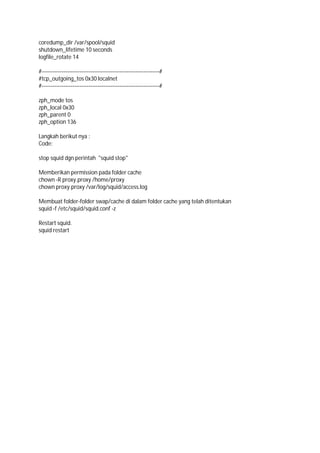
coredump_dir /var/spool/squid
shutdown_lifetime 10 seconds
logfile_rotate 14
#-----------------------------------------------------------------#
#tcp_outgoing_tos 0x30 localnet
#-----------------------------------------------------------------#
zph_mode tos
zph_local 0x30
zph_parent 0
zph_option 136
Langkah berikut nya :
Code:
stop squid dgn perintah "squid stop"
Memberikan permission pada folder cache
chown -R proxy.proxy /home/proxy
chown proxy.proxy /var/log/squid/access.log
Membuat folder-folder swap/cache di dalam folder cache yang telah ditentukan
squid -f /etc/squid/squid.conf -z
Restart squid.
squid restart

Load balancing + squid

  • 1.
    Load Balancing +Proxy Eksternal (Game Poker & Poinblank LANCAR...!!) Code: bahan : - RB750 VER 4.9 - 2 Line Speedy Paket Office - Ubuntu Versi 10.04 SISI MIKROTIK : /ip adrress - 172.19.196.1/24 interface proxy - 192.168.88.1/24 interface lan - 192.168.1.1/24 interface modem-1 - 192.168.2.1/24 interface modem-2 catatan : - dial lewat mikrotik dgn modem sbg brigde - ip mesin ubuntu 172.19.196.100 PROXY HIT Code: /ip firewall mangle add action=mark-packet chain=prerouting comment=proxy-hit disabled=no dscp=12 new-packet-mark=proxy-hit passthrough=yes /queue tree add burst-limit=0 burst-threshold=0 burst-time=0s disabled=no limit-at=0 max-limit=0 name=HIT packet-mark=proxy-hit parent=global-out priority=1 queue=default PCC RULE MARK ALL PPPoE CONN Code: /ip firewall mangle add action=mark-connection chain=input comment= "PCC RULE ---- MARK ALL PPPoE CONN" connection-state=new disabled=no in-interface=pppoe_1 new-connection-mark=pppoe1_conn passthrough=yes add action=mark-connection chain=input comment="" connection-state=new disabled=no in-interface=pppoe_2 new-connection-mark=pppoe2_conn passthrough=yes add action=mark-connection chain=prerouting comment="" connection-state= established disabled=no in-interface=pppoe_1 new-connection-mark= pppoe1_conn passthrough=yes
  • 2.
    add action=mark-connection chain=preroutingcomment="" connection-state= established disabled=no in-interface=pppoe_2 new-connection-mark= pppoe2_conn passthrough=yes add action=mark-connection chain=prerouting comment="" connection-state= related disabled=no in-interface=pppoe_1 new-connection-mark=pppoe1_conn passthrough=yes add action=mark-connection chain=prerouting comment="" connection-state= related disabled=no in-interface=pppoe_2 new-connection-mark=pppoe2_conn passthrough=yes add action=mark-routing chain=output comment="" connection-mark=pppoe1_conn disabled=no new-routing-mark=pppoe_1 passthrough=no add action=mark-routing chain=output comment="" connection-mark=pppoe2_conn disabled=no new-routing-mark=pppoe_2 passthrough=no PCC RULE MARK HTTP CONN Code: /ip firewall mangle add action=mark-connection chain=prerouting comment= "PCC RULE MARK HTTP CONN" connection-state=established disabled=no dst-address-type=!local dst-port=80 in-interface=proxy new-connection-mark=http_pppoe_1 passthrough=yes per-connection-classifier=both-addresses-and-ports:2/0 protocol=tcp add action=mark-connection chain=prerouting comment="" connection-state= established disabled=no dst-address-type=!local dst-port=80 in-interface= proxy new-connection-mark=http_pppoe_2 passthrough=yes per-connection-classifier=both-addresses-and-ports:2/1 protocol=tcp add action=mark-connection chain=prerouting comment="" connection-state= related disabled=no dst-address-type=!local dst-port=80 in-interface= proxy new-connection-mark=http_pppoe_1 passthrough=yes per-connection-classifier=both-addresses-and-ports:2/0 protocol=tcp add action=mark-connection chain=prerouting comment="" connection-state= related disabled=no dst-address-type=!local dst-port=80 in-interface= proxy new-connection-mark=http_pppoe_2 passthrough=yes per-connection-classifier=both-addresses-and-ports:2/1 protocol=tcp PCC RULE MARK NON HTTP CONN Code: /ip firewall mangle add action=mark-connection chain=prerouting comment=
  • 3.
    "PCC RULE ----MARK - NON -HTTP CONN" connection-state=established disabled=no dst-address-type=!local dst-port=!80 in-interface=lan new-connection-mark=non.http_pppoe_1 passthrough=yes per-connection-classifier=both-addresses-and-ports:2/0 protocol=tcp add action=mark-connection chain=prerouting comment="" connection-state= established disabled=no dst-address-type=!local dst-port=!80 in-interface=lan new-connection-mark=non.http_pppoe_2 passthrough=yes per-connection-classifier=both-addresses-and-ports:2/1 protocol=tcp add action=mark-connection chain=prerouting comment="" connection-state= related disabled=no dst-address-type=!local dst-port=!80 in-interface=lan new-connection-mark=non.http_pppoe_1 passthrough=yes per-connection-classifier=both-addresses-and-ports:2/0 protocol=tcp add action=mark-connection chain=prerouting comment="" connection-state= related disabled=no dst-address-type=!local dst-port=!80 in-interface=lan new-connection-mark=non.http_pppoe_2 passthrough=yes per-connection-classifier=both-addresses-and-ports:2/1 protocol=tcp add action=mark-connection chain=prerouting comment="" connection-state= established disabled=no dst-address-type=!local in-interface=lan new-connection-mark=non.http_pppoe_1 passthrough=yes per-connection-classifier=both-addresses-and-ports:2/0 protocol=udp add action=mark-connection chain=prerouting comment="" connection-state= established disabled=no dst-address-type=!local in-interface=lan new-connection-mark=non.http_pppoe_2 passthrough=yes per-connection-classifier=both-addresses-and-ports:2/1 protocol=udp add action=mark-connection chain=prerouting comment="" connection-state= related disabled=no dst-address-type=!local in-interface=lan new-connection-mark=non.http_pppoe_1 passthrough=yes per-connection-classifier=both-addresses-and-ports:2/0 protocol=udp add action=mark-connection chain=prerouting comment="" connection-state= related disabled=no dst-address-type=!local in-interface=lan new-connection-mark=non.http_pppoe_2 passthrough=yes per-connection-classifier=both-addresses-and-ports:2/1 protocol=udp PCC RULE MARK HTTP dan NON HTTP ROUTE Code: /ip firewall mangle add action=mark-routing chain=prerouting comment= "PCC RULE ---- MARK - HTTP ROUTE" connection-mark=http_pppoe_1 disabled= no new-routing-mark=pppoe_1 passthrough=yes add action=mark-routing chain=prerouting comment="" connection-mark= http_pppoe_2 disabled=no new-routing-mark=pppoe_2 passthrough=yes
  • 4.
    add action=mark-routing chain=preroutingcomment= "PCC RULE MARK NON HTTP ROUTE" connection-mark=non.http_pppoe_1 disabled=no new-routing-mark=pppoe_1 passthrough=yes add action=mark-routing chain=prerouting comment="" connection-mark= non.http_pppoe_2 disabled=no new-routing-mark=pppoe_2 passthrough=yes NAT Code: /ip firewall nat add action=masquerade chain=srcnat comment=MASQUERADE1 disabled=no out-interface=pppoe_1 add action=masquerade chain=srcnat comment=MASQUERADE2 disabled=no out-interface=pppoe_2 add action=masquerade chain=srcnat comment=MASQUERADE3 disabled=no out-interface=proxy add action=dst-nat chain=dstnat comment=TRANSPARENT-DNS disabled=no dst-port= 53 in-interface=lan protocol=udp to-ports=53 add action=dst-nat chain=dstnat comment="" disabled=no dst-port=53 in-interface=lan protocol=tcp to-ports=53 add action=dst-nat chain=dstnat comment="" disabled=no dst-port=53 in-interface=proxy protocol=udp to-ports=53 add action=dst-nat chain=dstnat comment="" disabled=no dst-port=53 in-interface=proxy protocol=tcp to-ports=53 add action=dst-nat chain=dstnat comment=TRANSPARENT-proxy disabled=no dst-address-list=!proxyNET dst-port=80,8080,3128 in-interface=lan protocol=tcp to-addresses=172.19.196.100 to-ports=3128 add action=dst-nat chain=dstnat comment="REMOTE PROXY" disabled=no dst-address=125.165.40.xxx dst-port=22 protocol=tcp to-addresses= 172.19.196.100 to-ports=22 ADDRESS LIST Code: /ip firewall address-list add address=192.168.88.0/24 comment="" disabled=no list=lanNET add address=172.19.196.0/24 comment="" disabled=no list=proxyNET ROUTE Code:
  • 5.
    /ip route add check-gateway=pingdisabled=no distance=1 dst-address=0.0.0.0/0 gateway= pppoe_1 routing-mark=pppoe_1 scope=30 target-scope=10 add check-gateway=ping disabled=no distance=1 dst-address=0.0.0.0/0 gateway= pppoe_2 routing-mark=pppoe_2 scope=30 target-scope=10 add check-gateway=ping comment=Default-Route-pppoe1-Distance-1 disabled=no distance=1 dst-address=0.0.0.0/0 gateway=pppoe_1 scope=30 target-scope=10 add check-gateway=ping comment=Default-Route-pppoe2-Distance-2 disabled=no distance=2 dst-address=0.0.0.0/0 gateway=pppoe_2 scope=30 target-scope=10 Kita lanjut pada sisi proxy-nya Partisi HDD Code: Dari harddisk 160Gb dibagi sebagai berikut: /boot 1Gb ext4 Boot Flag Boot / 3Gb ext4 System /usr 4Gb ext4 Static Variable /var 4Gb ext4 Variable swap 1Gb swap (1 x besaran RAM) /home/proxy1 10 Gb /ReiserFS /home/proxy2 10 Gb /ReiserFS /home/proxy3 10 Gb /ReiserFS /home/share (sisanya) ext4 Share Documents Install Paket Code: - sudo apt-get update - sudo apt-get install squid - sudo apt-get install squid squidclient squid-cgi - sudo apt-get install ccze setelah selesai install paket lakukan edit squid.conf dgn lokasi : /etc/squid/squid.conf menjadi : SQUID.CONF Code: #-----------------------------------# # Proxy Server Versi 2.7.Stable6 # by teukurizal@yahoo.com.sg # update 11 Juni 2010 #-----------------------------------# #---------------------------------------------------------------# # Port
  • 6.
    #---------------------------------------------------------------# http_port 3128 transparent icp_port3130 prefer_direct off #---------------------------------------------------------------# # Mengatasi Facebook Blank setelah login #---------------------------------------------------------------# server_http11 on #---------------------------------------------------------------# # Cache & Object #---------------------------------------------------------------# cache_mem 8 MB cache_swap_low 98 cache_swap_high 99 max_filedesc 8192 maximum_object_size 128 MB minimum_object_size 0 KB maximum_object_size_in_memory 128 KB ipcache_size 10240 ipcache_low 98 ipcache_high 99 fqdncache_size 4096 cache_replacement_policy heap LFUDA memory_replacement_policy heap GDSF #----------------------------------------------------------------# # cache_dir <type> <Directory-Name> <Space in Mbytes> <Level1> <Level2> <options> #----------------------------------------------------------------# cache_dir aufs /home/proxy1 7000 16 256 cache_dir aufs /home/proxy2 7000 16 256 cache_dir aufs /home/proxy3 7000 16 256 cache_access_log /var/log/squid/access.log cache_log /var/log/squid/cache.log cache_store_log none pid_filename /var/run/squid.pid cache_swap_log /var/log/squid/swap.state dns_nameservers /etc/resolv.conf emulate_httpd_log off hosts_file /etc/hosts half_closed_clients off negative_ttl 1 minutes #---------------------------------------------------------------#
  • 7.
    # Rules: SafePort #---------------------------------------------------------------# acl all src 0.0.0.0/0.0.0.0 acl manager proto cache_object acl localhost src 127.0.0.1/255.255.255.255 acl to_localhost dst 127.0.0.0/8 acl SSL_ports port 443 563 873 # https snews rsync acl Safe_ports port 80 # http acl Safe_ports port 20 21 # ftp acl Safe_ports port 70 # gopher acl Safe_ports port 210 # wais acl Safe_ports port 1025-65535 # unregistered ports acl Safe_ports port 631 # cups acl Safe_ports port 10000 # webmin acl Safe_ports port 901 # SWAT acl Safe_ports port 280 # http-mgmt acl Safe_ports port 488 # gss-http acl Safe_ports port 591 # filemaker acl Safe_ports port 777 # multiling http acl Safe_ports port 873 # rsync acl Safe_ports port 110 # POP3 acl Safe_ports port 25 # SMTP acl Safe_ports port 2095 2096 # webmail from cpanel acl Safe_ports port 2082 2083 # cpanel acl purge method PURGE acl CONNECT method CONNECT http_access allow manager localhost http_access deny manager http_access allow purge localhost http_access deny purge http_access deny !Safe_ports !SSL_ports http_access deny CONNECT !SSL_ports !Safe_ports #---------------------------------------------------------------# # Refresh Pattern #---------------------------------------------------------------# # pictures & images refresh_pattern -i .(gif|png|jpeg|jpg|bmp|tif|tiff|ico)$ 10080 50% 43200 override-expire override- lastmod reload-into-ims ignore-reload ignore-no-cache ignore-auth ignore-private refresh_pattern -i .(xml|html|htm|js|txt|css|php)$ 10080 50% 43200 override-expire override- lastmod reload-into-ims ignore-reload ignore-no-cache ignore-auth #sound, video multimedia refresh_pattern -i .(flv|x-flv|mov|avi|qt|mpg|mpeg|swf)$ 10080 50% 43200 override-expire override-lastmod reload-into-ims ignore-reload ignore-no-cache refresh_pattern -i .(wav|mp3|mp4|au|mid)$ 10080 50% 43200 override-expire override-lastmod reload-into-ims ignore-reload ignore-no-cache ignore-auth ignore-private
  • 8.
    # files refresh_pattern -i.(iso|deb|rpm|zip|tar|tgz|ram|rar|bin|ppt|doc)$ 10080 90% 43200 ignore-no- cache ignore-auth refresh_pattern -i .(zip|gz|arj|lha|lzh)$ 10080 100% 43200 override-expire ignore-no-cache ignore- auth refresh_pattern -i .(rar|tgz|tar|exe|bin)$ 10080 100% 43200 override-expire ignore-no-cache ignore-auth refresh_pattern -i .(hqx|pdf|rtf|doc|swf)$ 10080 100% 43200 override-expire ignore-no-cache ignore-auth refresh_pattern -i .(inc|cab|ad|txt|dll)$ 10080 100% 43200 override-expire ignore-no-cache ignore-auth # -- refresh pattern for specific sites -- # refresh_pattern ^http://*.jobstreet.com.*/.* 720 100% 10080 override-expire override-lastmod ignore-no-cache refresh_pattern ^http://*.indowebster.com.*/.* 720 100% 10080 override-expire override-lastmod reload-into-ims ignore-reload ignore-no-cache ignore-auth refresh_pattern ^http://*.21cineplex.*/.* 720 100% 10080 override-expire override-lastmod reload- into-ims ignore-reload ignore-no-cache ignore-auth refresh_pattern ^http://*.atmajaya.*/.* 720 100% 10080 override-expire ignore-no-cache ignore- auth refresh_pattern ^http://*.kompas.*/.* 720 100% 10080 override-expire override-lastmod reload- into-ims ignore-no-cache ignore-auth refresh_pattern ^http://*.theinquirer.*/.* 720 100% 10080 override-expire ignore-no-cache ignore- auth refresh_pattern ^http://*.blogspot.com/.* 720 100% 10080 override-expire override-lastmod reload-into-ims ignore-no-cache ignore-auth refresh_pattern ^http://*.wordpress.com/.* 720 100% 10080 override-expire override-lastmod reload-into-ims ignore-no-cache refresh_pattern ^http://*.photobucket.com/.* 720 100% 10080 override-expire override-lastmod reload-into-ims ignore-no-cache ignore-auth refresh_pattern ^http://*.tinypic.com/.* 720 100% 10080 override-expire override-lastmod reload- into-ims ignore-no-cache ignore-auth refresh_pattern ^http://*.imageshack.us/.* 720 100% 10080 override-expire override-lastmod reload-into-ims ignore-no-cache ignore-auth refresh_pattern ^http://*.kaskus.*/.* 720 100% 28800 override-expire override-lastmod reload- into-ims ignore-no-cache ignore-auth refresh_pattern ^http://www.kaskus.com/.* 720 100% 28800 override-expire override-lastmod reload-into-ims ignore-no-cache ignore-auth refresh_pattern ^http://*.detik.*/.* 720 50% 2880 override-expire override-lastmod reload-into-ims ignore-no-cache ignore-auth refresh_pattern ^http://*.detiknews.*/*.* 720 50% 2880 override-expire override-lastmod reload- into-ims ignore-no-cache ignore-auth refresh_pattern ^http://video.liputan6.com/.* 720 100% 10080 override-expire override-lastmod reload-into-ims ignore-no-cache ignore-auth refresh_pattern ^http://static.liputan6.com/.* 720 100% 10080 override-expire override-lastmod reload-into-ims ignore-no-cache ignore-auth refresh_pattern ^http://*.friendster.com/.* 720 100% 10080 override-expire override-lastmod ignore-no-cache ignore-auth refresh_pattern ^http://*.facebook.com/.* 720 100% 10080 override-expire override-lastmod reload-into-ims ignore-no-cache ignore-auth
  • 9.
    refresh_pattern ^http://apps.facebook.com/.* 720100% 10080 override-expire override-lastmod reload-into-ims ignore-no-cache ignore-auth refresh_pattern ^http://*.fbcdn.net/.* 720 100% 10080 override-expire override-lastmod reload- into-ims ignore-no-cache ignore-auth refresh_pattern ^http://profile.ak.fbcdn.net/.* 720 100% 10080 override-expire override-lastmod reload-into-ims ignore-no-cache ignore-auth refresh_pattern ^http://static.playspoon.com/.* 720 100% 10080 override-expire override-lastmod reload-into-ims ignore-no-cache ignore-auth refresh_pattern ^http://cooking.game.playspoon.com/.* 720 100% 10080 override-expire override- lastmod reload-into-ims ignore-no-cache ignore-auth refresh_pattern -i http://[^a-z.]*onemanga.com/? 720 80% 10080 override-expire override- lastmod reload-into-ims ignore-no-cache ignore-auth refresh_pattern ^http://media?.onemanga.com/.* 720 80% 10080 override-expire override-lastmod reload-into-ims ignore-no-cache ignore-auth refresh_pattern ^http://*.yahoo.com/.* 720 80% 10080 override-expire override-lastmod reload- into-ims ignore-no-cache ignore-auth refresh_pattern ^http://*.google.com/.* 720 80% 10080 override-expire override-lastmod reload- into-ims ignore-no-cache ignore-auth refresh_pattern ^http://*.forummikrotik.com/.* 720 80% 10080 override-expire override-lastmod reload-into-ims ignore-no-cache ignore-auth refresh_pattern ^http://*.linux.or.id/.* 720 100% 10080 override-expire override-lastmod reload- into-ims ignore-no-cache ignore-auth #default option refresh_pattern ^ftp: 1440 20% 10080 refresh_pattern ^gopher: 1440 0% 1440 refresh_pattern -i (/cgi-bin/|?) 0 0% 0 refresh_pattern . 0 20% 4320 #---------------------------------------------------------------# # ALLOWED ACCESS #---------------------------------------------------------------# acl proxyku src 172.19.196.0/24 http_access allow proxyku http_access allow localhost http_access deny all http_reply_access allow all icp_access allow proxyku icp_access allow localhost icp_access deny all always_direct deny all #---------------------------------------------------------------# # Cache CGI & Administrative #---------------------------------------------------------------# cache_mgr teukurizal@yahoo.com.sg visible_hostname dns.proxyku.net cache_effective_user proxy cache_effective_group proxy
  • 10.
    coredump_dir /var/spool/squid shutdown_lifetime 10seconds logfile_rotate 14 #-----------------------------------------------------------------# #tcp_outgoing_tos 0x30 localnet #-----------------------------------------------------------------# zph_mode tos zph_local 0x30 zph_parent 0 zph_option 136 Langkah berikut nya : Code: stop squid dgn perintah "squid stop" Memberikan permission pada folder cache chown -R proxy.proxy /home/proxy chown proxy.proxy /var/log/squid/access.log Membuat folder-folder swap/cache di dalam folder cache yang telah ditentukan squid -f /etc/squid/squid.conf -z Restart squid. squid restart