21st Century Learning in the High School Library Media CenterLiving With the Digital NativesChristine Hillerchristinehiller13@gmail.com
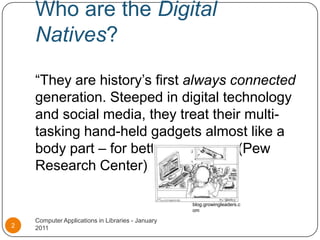
Who are the Digital Natives?“They are history’s first always connected generation. Steeped in digital technology and social media, they treat their multi-tasking hand-held gadgets almost like a body part – for better or worse.” (Pew Research Center)Computer Applications in Libraries - January 20112blog.growingleaders.com
What do Digital Natives want?Technology Entertainment Information FeedbackCustomizationActive learning experiencesComputer Applications in Libraries - January 20113
In other words…“A seamless learning environment where they can move among work, play and study easily, at any time, anywhere”  (Mark Prensky)Is that all?!Computer Applications in Libraries - January 20114
What do Digital Natives need - AASL Standards for the 21st Century LearnerTHINK…Inquire, think critically, and gain knowledgeCREATE…Draw conclusions, make informed decisions, apply knowledge to new situations and create new knowledgeSHARE… Share knowledge and participate ethically and productively as a member of our democratic societyGROW…Pursue personal and aesthetic growthComputer Applications in Libraries - January 20115
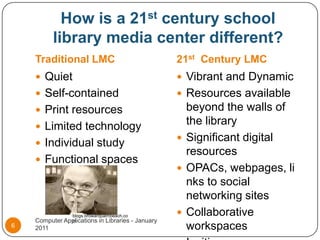
How is a 21st century school library media center different?Traditional LMC21st  Century LMCQuietSelf-containedPrint resourcesLimited technologyIndividual studyFunctional spacesVibrant and DynamicResources available beyond the walls of the librarySignificant digital resourcesOPACs, webpages, links to social networking sitesCollaborative workspacesInviting spacesComputer Applications in Libraries - January 20116blogs.browardpalmbeach.com
So…What should high school library media centers do to meet the needs and expectations of their “net-gen” students?Computer Applications in Libraries - January 20117
Information Literacy…It’s Vital!Students must be taught:How to find, evaluate and use information appropriately and effectivelyInformation ethicsLiteracy across multiple formats Computer Applications in Libraries - January 20118
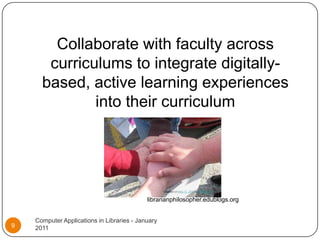
Collaborate with faculty across curriculums to integrate digitally-based, active learning experiences into their curriculumlibrarianphilosopher.edublogs.orgComputer Applications in Libraries - January 20119
Provide “intellectual context to electronic content” (Zmuda and Harada)Computer Applications in Libraries - January 201110
Examples…For Science – show how digital storytelling tools such as mixbook.com can be used to catalog and present the progression of a science experimentFor Math or Social Studies– show how instant polling technology such as polleverywhere.com can be employed and analyzed in statistical or social/political science instructionFor English – show how jogtheweb.com can be used to create interactive webquests to explore aspects of a particular literary movement or author.Computer Applications in Libraries - January 201111
Also consider…An Online Public Access Catalog (OPAC) that allows students access to the school catalog any time, any placeA thoughtfully considered, inviting, user-friendly library homepage. Here is a particularly excellent example: Springfield Township High School Virtual LibraryIncreasing the presence of electronic resources. Here is a great debate on school libraries becoming bookless: http://roomfordebate.blogs.nytimes.com/2010/02/10/do-school-libraries-need-books/Computer Applications in Libraries - January 201112
Your thoughts?Clearly, there is a lot to consider.Computer Applications in Libraries - January 201113
Thank you for your attention!Computer Applications in Libraries - January 201114
ReferencesComputer Applications in Libraries - January 201115Room for Debate. New York Times, 10 Feb. 2010. Web..Springfield Township High School Virtual Library. Springfield Township High School, 2 Sept. 2009. Web. “Standards for the 21st-Century Learner.”  American Association of School Librarians. American Library Association, 2007. Web. Taylor, Paul, and Scott Keeter, eds. Millenials: Confident, Connected, Open to Change. Pew Social Trends. Pew Research Center, Feb. 2010. Web.. Trilling, Bernie, and Charles Fadel. 21st Century Skills: Learning For Life In Our Times. San Francisco: Jossey-Bass, 2009. Print.Zmuda, Allison, and Violet H Harada. Librarians as Learning Specialists. Westport: LibrariesUnlimited-Greenwood, 2008. Print.

Living With the Digital Natives

  • 1.
    21st Century Learningin the High School Library Media CenterLiving With the Digital NativesChristine Hillerchristinehiller13@gmail.com
  • 2.
    Who are theDigital Natives?“They are history’s first always connected generation. Steeped in digital technology and social media, they treat their multi-tasking hand-held gadgets almost like a body part – for better or worse.” (Pew Research Center)Computer Applications in Libraries - January 20112blog.growingleaders.com
  • 3.
    What do DigitalNatives want?Technology Entertainment Information FeedbackCustomizationActive learning experiencesComputer Applications in Libraries - January 20113
  • 4.
    In other words…“Aseamless learning environment where they can move among work, play and study easily, at any time, anywhere” (Mark Prensky)Is that all?!Computer Applications in Libraries - January 20114
  • 5.
    What do DigitalNatives need - AASL Standards for the 21st Century LearnerTHINK…Inquire, think critically, and gain knowledgeCREATE…Draw conclusions, make informed decisions, apply knowledge to new situations and create new knowledgeSHARE… Share knowledge and participate ethically and productively as a member of our democratic societyGROW…Pursue personal and aesthetic growthComputer Applications in Libraries - January 20115
  • 6.
    How is a21st century school library media center different?Traditional LMC21st Century LMCQuietSelf-containedPrint resourcesLimited technologyIndividual studyFunctional spacesVibrant and DynamicResources available beyond the walls of the librarySignificant digital resourcesOPACs, webpages, links to social networking sitesCollaborative workspacesInviting spacesComputer Applications in Libraries - January 20116blogs.browardpalmbeach.com
  • 7.
    So…What should highschool library media centers do to meet the needs and expectations of their “net-gen” students?Computer Applications in Libraries - January 20117
  • 8.
    Information Literacy…It’s Vital!Studentsmust be taught:How to find, evaluate and use information appropriately and effectivelyInformation ethicsLiteracy across multiple formats Computer Applications in Libraries - January 20118
  • 9.
    Collaborate with facultyacross curriculums to integrate digitally-based, active learning experiences into their curriculumlibrarianphilosopher.edublogs.orgComputer Applications in Libraries - January 20119
  • 10.
    Provide “intellectual contextto electronic content” (Zmuda and Harada)Computer Applications in Libraries - January 201110
  • 11.
    Examples…For Science –show how digital storytelling tools such as mixbook.com can be used to catalog and present the progression of a science experimentFor Math or Social Studies– show how instant polling technology such as polleverywhere.com can be employed and analyzed in statistical or social/political science instructionFor English – show how jogtheweb.com can be used to create interactive webquests to explore aspects of a particular literary movement or author.Computer Applications in Libraries - January 201111
  • 12.
    Also consider…An OnlinePublic Access Catalog (OPAC) that allows students access to the school catalog any time, any placeA thoughtfully considered, inviting, user-friendly library homepage. Here is a particularly excellent example: Springfield Township High School Virtual LibraryIncreasing the presence of electronic resources. Here is a great debate on school libraries becoming bookless: http://roomfordebate.blogs.nytimes.com/2010/02/10/do-school-libraries-need-books/Computer Applications in Libraries - January 201112
  • 13.
    Your thoughts?Clearly, thereis a lot to consider.Computer Applications in Libraries - January 201113
  • 14.
    Thank you foryour attention!Computer Applications in Libraries - January 201114
  • 15.
    ReferencesComputer Applications inLibraries - January 201115Room for Debate. New York Times, 10 Feb. 2010. Web..Springfield Township High School Virtual Library. Springfield Township High School, 2 Sept. 2009. Web. “Standards for the 21st-Century Learner.” American Association of School Librarians. American Library Association, 2007. Web. Taylor, Paul, and Scott Keeter, eds. Millenials: Confident, Connected, Open to Change. Pew Social Trends. Pew Research Center, Feb. 2010. Web.. Trilling, Bernie, and Charles Fadel. 21st Century Skills: Learning For Life In Our Times. San Francisco: Jossey-Bass, 2009. Print.Zmuda, Allison, and Violet H Harada. Librarians as Learning Specialists. Westport: LibrariesUnlimited-Greenwood, 2008. Print.