Linux で温度計測あれこれ


KenichiroMATOHARA(@matoken)
       http://hpv.cc/~maty/
自己紹介
●   @matoken
    ●   最近は Google+ によく居ます.
    ●   http://hpv.cc/~maty/
●   千葉の方から来ました ><
    ●   Wikipedia 見ると一応東海道ぽい
●   普段は「小江戸らぐ」で活動しています.
    ●   ちょうど先月が 120 回目のオフ会があって 10 周年 !
今日は ?
●   USB 経由で温度をロギングする方法を紹介
温度計測
●   何故測りたくなったか ?
    ● ある夏の日
    ● サーバルームのエアコン死亡


    ● 一気に温度が上がる ><


    ● 無人だったらやばかった
温度を図る試み 1
●   サーバの内部温度計の値を拾う
    ● 付いていないものが多い.
    ● あまり正確じゃない
USB 接続温度計経由で計測
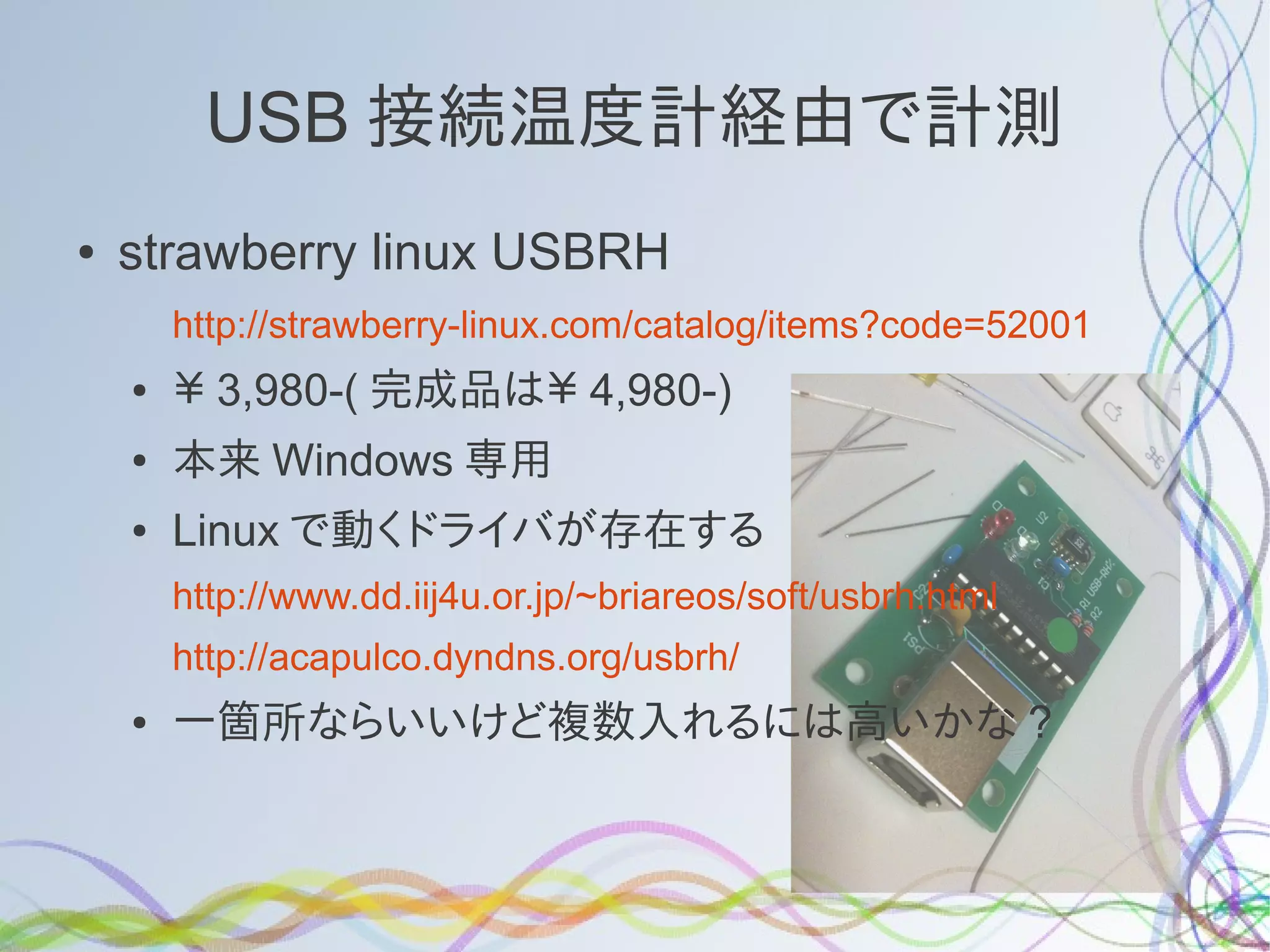
●   strawberry linux USBRH
        http://strawberry-linux.com/catalog/items?code=52001
    ●   ¥ 3,980-( 完成品は¥ 4,980-)
    ●   本来 Windows 専用
    ●   Linux で動くドライバが存在する
        http://www.dd.iij4u.or.jp/~briareos/soft/usbrh.html
        http://acapulco.dyndns.org/usbrh/
    ●   一箇所ならいいけど複数入れるには高いかな ?
マイコンを利用して複数のセンサを
●   Arduino(miniPro 2,000 円 ) というマイコンを利用
    して複数の温度センサを設置
    ●   温度センサには LM35DZ(@100) や HSM20G( 販売停
        止 ) を利用
    ●   温度センサにずれがかなりある
サンコーレアモノショップの
            USB 温度計
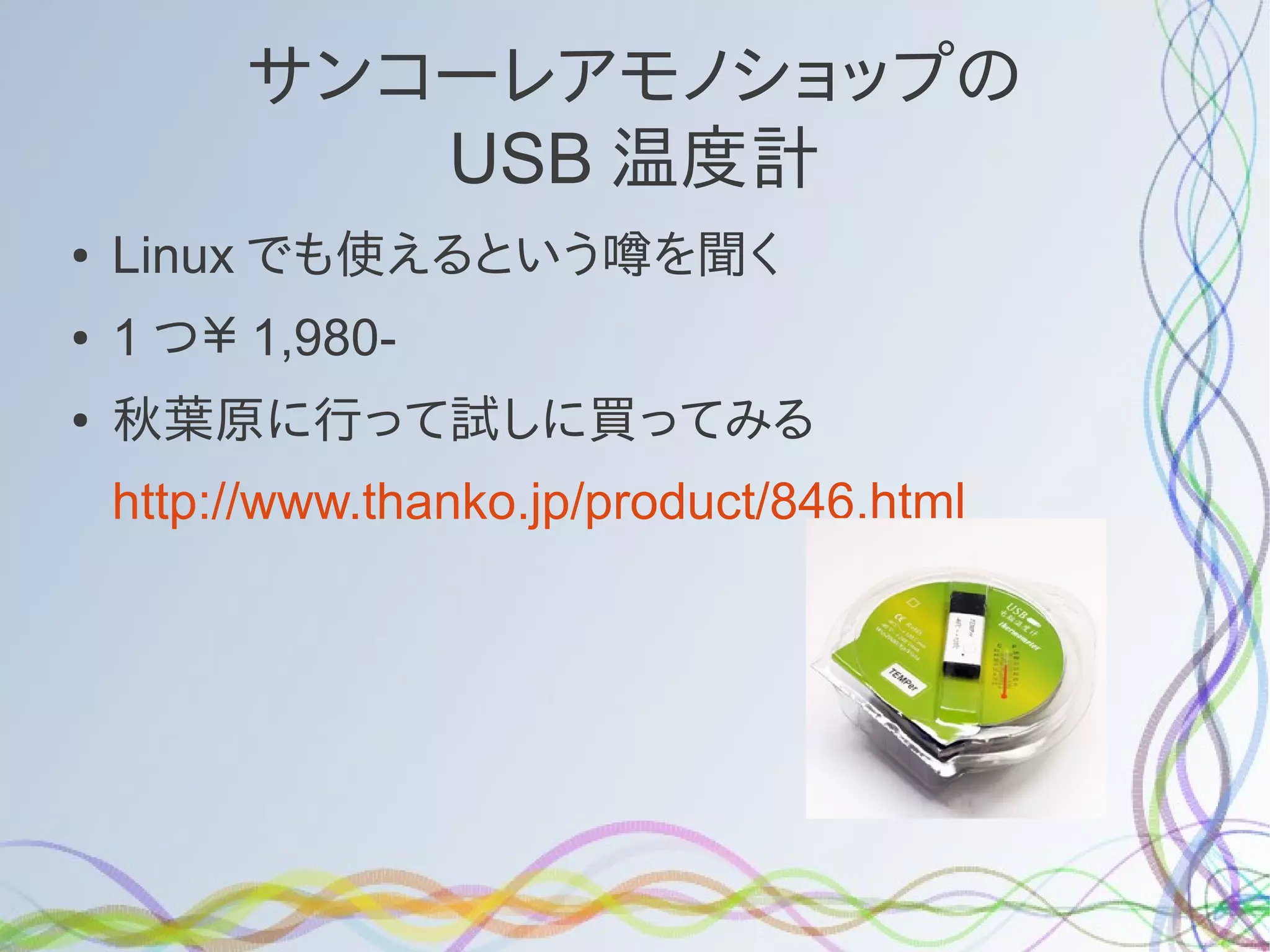
●   Linux でも使えるという噂を聞く
●   1 つ¥ 1,980-
●   秋葉原に行って試しに買ってみる
    http://www.thanko.jp/product/846.html
刺すだけで認識
$ dmesg
[ 5954.690042] usb 1-1.2: new low-speed USB device number 4 using ehci_hcd
[ 5954.854803] input: RDing TEMPerV1.2 as
/devices/pci0000:00/0000:00:1a.0/usb1/1-1/1-1.2/1-1.2:1.0/input/input12
[ 5954.855138] generic-usb 0003:0C45:7401.0001: input,hidraw0: USB HID v1.10
Keyboard [RDing TEMPerV1.2] on usb-0000:00:1a.0-1.2/input0
[ 5954.857514] generic-usb 0003:0C45:7401.0002: hiddev0,hidraw1: USB HID
v1.10 Device [RDing TEMPerV1.2] on usb-0000:00:1a.0-1.2/input1
[ 5954.857543] usbcore: registered new interface driver usbhid
[ 5954.857545] usbhid: USB HID core driver
$ lsusb -d 0c45:7401
Bus 001 Device 011: ID 0c45:7401 Microdia
温度データをロギングするソフトを
            探す
●   CD には Windows 用の software しか付いて来な
    い
●   Linux で動作するものを探して貰ってくる (VID:PID
    で検索した )
    https://github.com/bitplane/temper
ビルド
    $ git clone git://github.com/bitplane/temper.git
    $ cd temper
●   README では
    # 1. Install libusb-0.1.4 and dev package, plus build-essential
    #
    # sudo apt-get install build-essential libusb-0.1.4 libusb-0.1.4-dev
●   となっているが ,Ubuntu12.04 では
    $ sudo apt-get install build-essential libusb-0.1-4 libusb-dev
    $ make
    gcc -Wall temper.c pcsensor.c -o temper -lusb
    $ sudo ./temper
    05-Jul-2012 16:32,32.711338
ビルド
    $ git clone git://github.com/bitplane/temper.git
    $ cd temper
●   README では
    # 1. Install libusb-0.1.4 and dev package, plus build-essential
    #
    # sudo apt-get install build-essential libusb-0.1.4 libusb-0.1.4-dev
●   となっているが ,Ubuntu12.04 では
    $ sudo apt-get install build-essential libusb-0.1-4 libusb-dev
    $ make
    gcc -Wall temper.c pcsensor.c -o temper -lusb
    $ sudo ./temper
    05-Jul-2012 16:32,32.711338
時間のフォーマットを修正
時間がGMTで表示されるのでlocaltimeに変更
●

$ git diff temper.c
diff --git a/temper.c b/temper.c
index 5670bb5..90a80f9 100644
--- a/temper.c
+++ b/temper.c
@@ -41,7 +41,7 @@ int main(){
struct tm *utc;
time_t t;
t = time(NULL);
- utc = gmtime(&t);
+ utc = localtime(&t);
char dt[80];
strftime(dt, 80, "%d-%b-%Y %H:%M", utc);
$ make
gcc -Wall temper.c pcsensor.c -o temper -lusb
$ sudo ./temper
06-Jul-2012 01:37,33.740040
秒数も出したい & 表示形式も変えたい
$ git diff temper.c | strings
diff --git a/temper.c b/temper.c
index 5670bb5..92de43d 100644
--- a/temper.c
+++ b/temper.c
@@ -41,10 +41,10 @@ int main(){
struct tm *utc;
time_t t;
t = time(NULL);
- utc = gmtime(&t);
+ utc = localtime(&t);
char dt[80];
- strftime(dt, 80, "%d-%b-%Y %H:%M", utc);
+ strftime(dt, 80, "%Y-%m-%d %H:%M:%S", utc);
printf("%s,%fn", dt, tempc);
fflush(stdout);
$ sudo ./temper
2012-07-06 02:27:48,31.875517
普通に利用できるようになりました
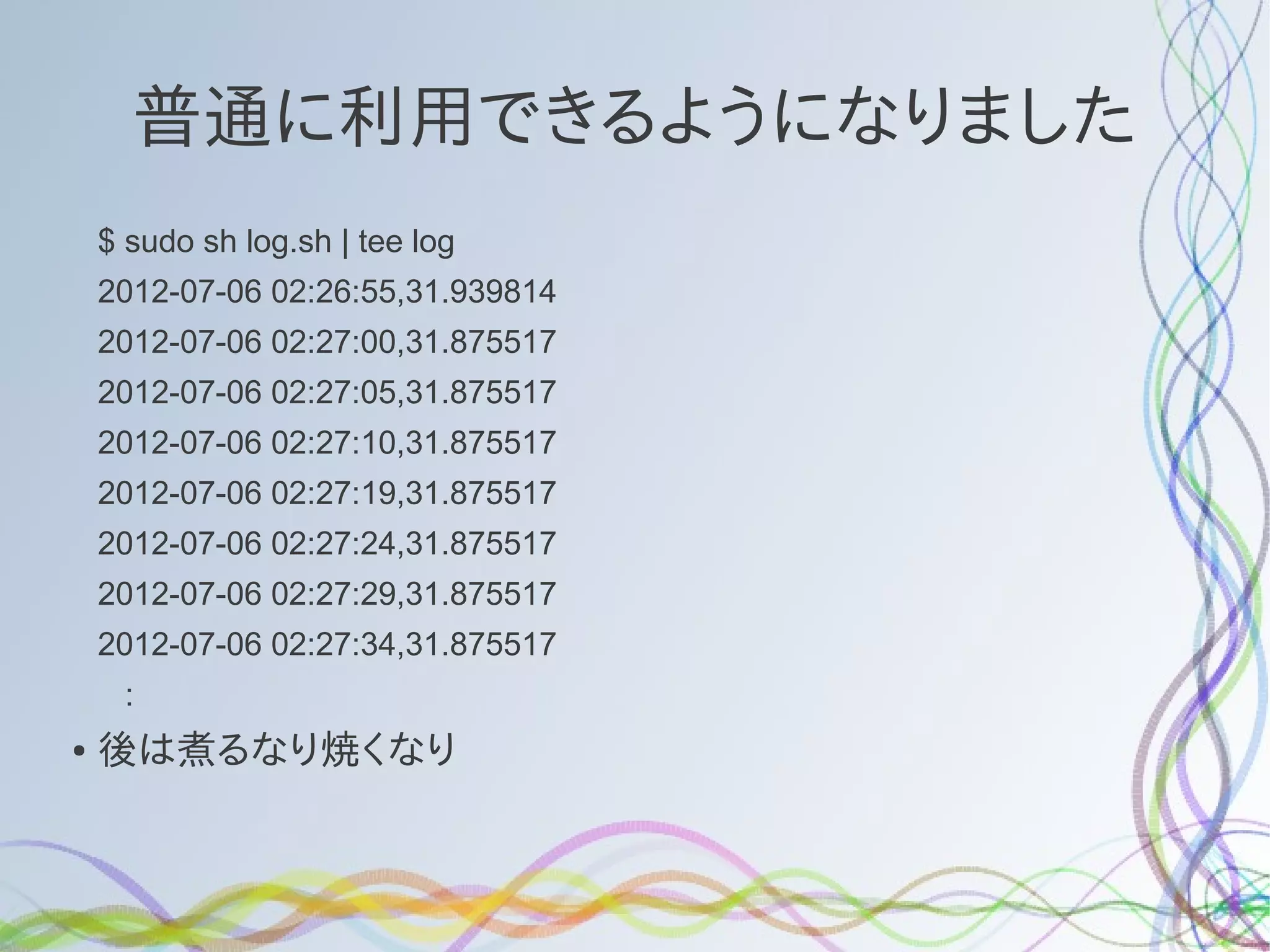
    $ sudo sh log.sh | tee log
    2012-07-06 02:26:55,31.939814
    2012-07-06 02:27:00,31.875517
    2012-07-06 02:27:05,31.875517
    2012-07-06 02:27:10,31.875517
    2012-07-06 02:27:19,31.875517
    2012-07-06 02:27:24,31.875517
    2012-07-06 02:27:29,31.875517
    2012-07-06 02:27:34,31.875517
     :
●   後は煮るなり焼くなり
gnuplot でグラフにする例
gnuplot> set datafile separator ","
gnuplot> set xdata time
gnuplot> set timefmt "%Y-%m-%d %H:%M:%S"
gnuplot> plot "logfile" using 1:2 w lp
gnuplot> set terminal png
gnuplot> set output 'temper.png'
gnuplot> plot "logfile" using 1:2 w lp
新幹線寒かったです ><
注意とか
●   sudo を付けずに一般ユーザで実行するとエラーも
    出さず帰ってこない
●   同梱の log.sh は 5 秒おきに実行してくれる
●   PC の熱を拾うので, USB ポート直挿しは避けたほ
    うが良い
●   付属の延長ケーブルを利用
●   NotePC だと 2,3 度温度が上がった
という発表を
         先月の小江戸らぐでしました
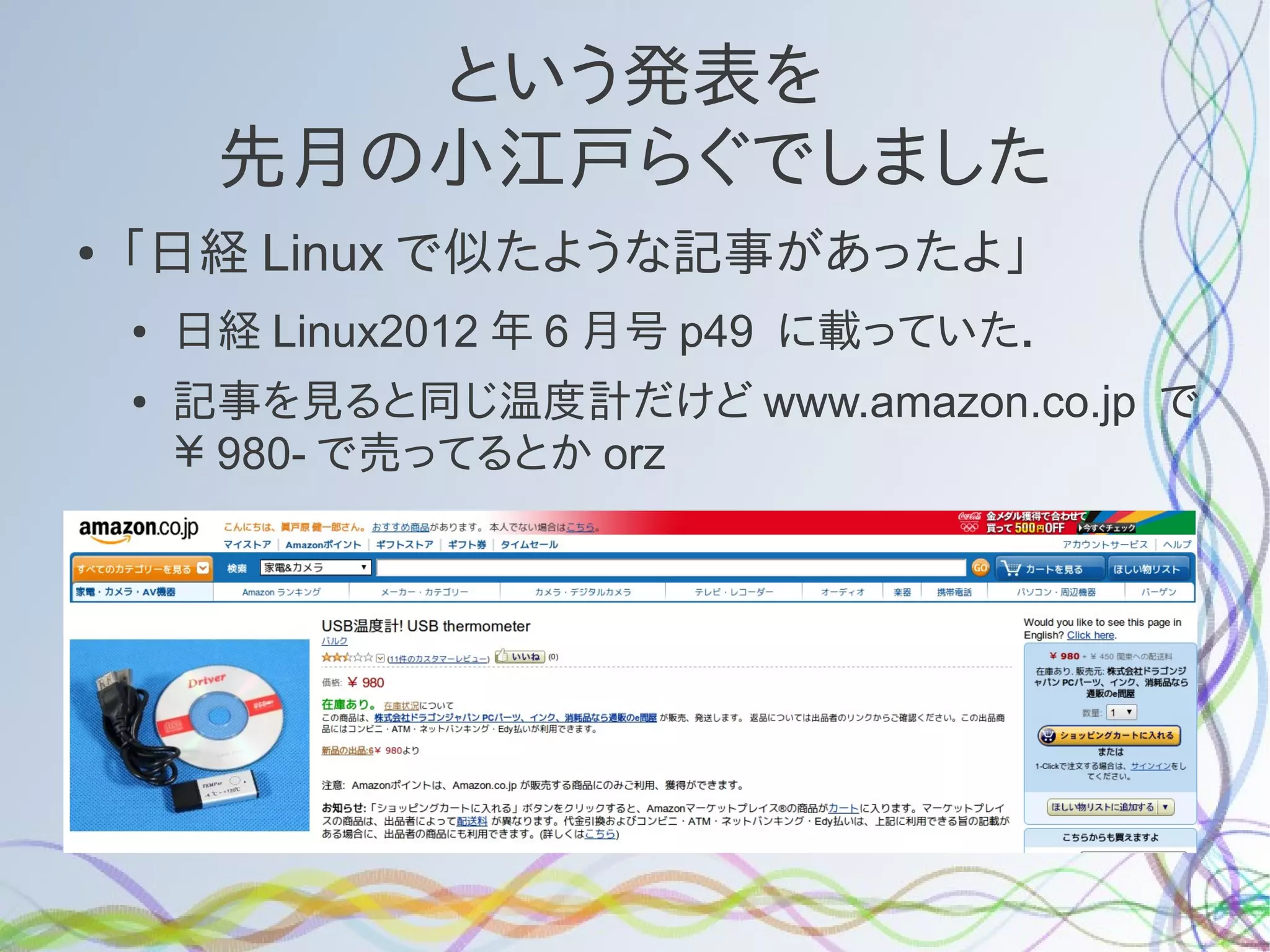
●   「日経 Linux で似たような記事があったよ」
    ●   日経 Linux2012 年 6 月号 p49 に載っていた.
    ●   記事を見ると同じ温度計だけど www.amazon.co.jp で
        ¥ 980- で売ってるとか orz
    ●
探すとあちこちで売っている
●   dx.com や ebay 等あちこちで売っているのを発
    見
●   eBay で $10 を切るくらいで shipping free
    ●   大抵深センから 1 週間ほどで届く
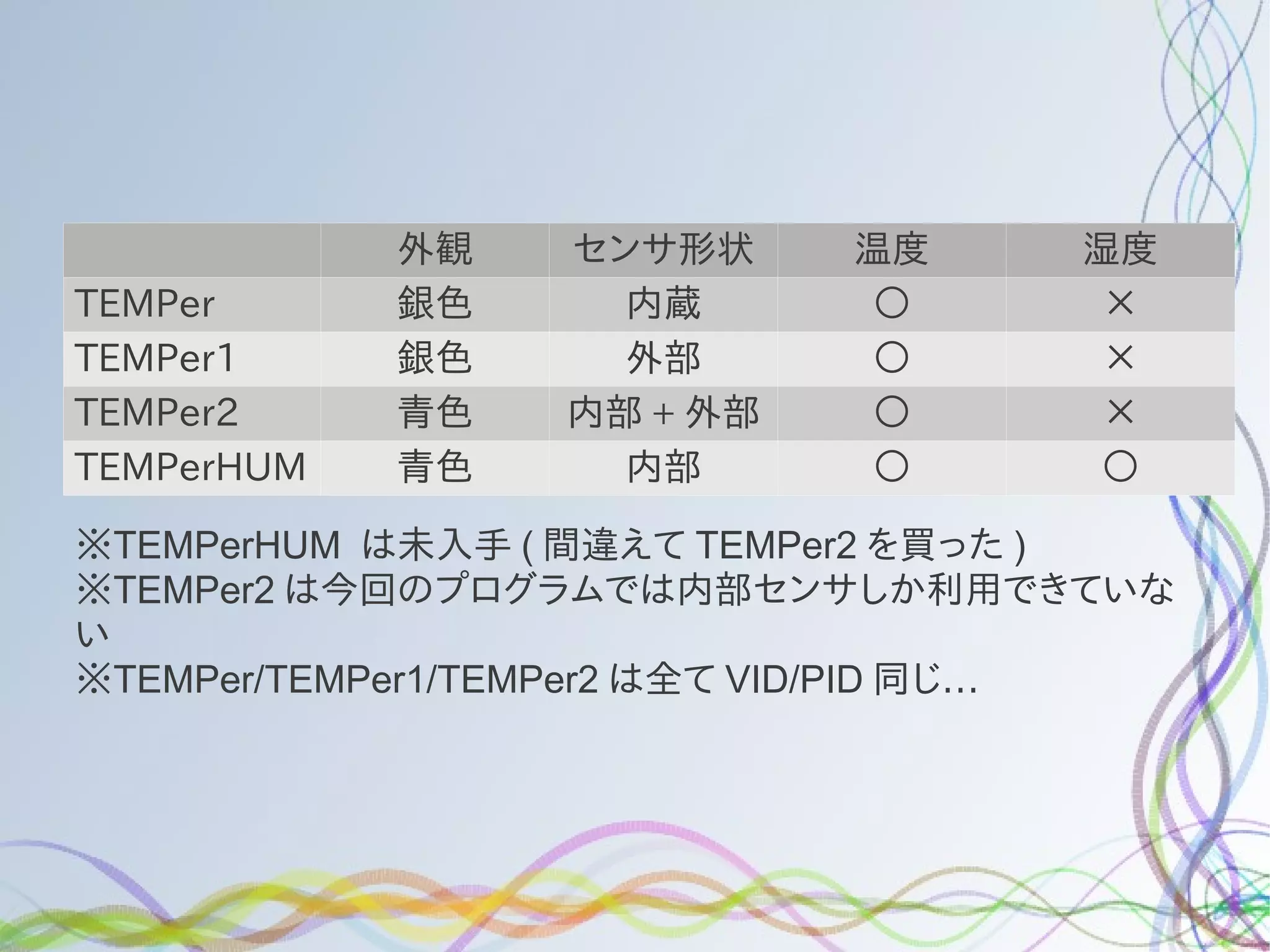
●   バリエーションもいくつかある
外観   センサ形状     温度      湿度
TEMPer      銀色     内蔵       ○       ☓
TEMPer1     銀色     外部       ○       ☓
TEMPer2     青色   内部 + 外部    ○       ☓
TEMPerHUM   青色     内部       ○       ○

※TEMPerHUM は未入手 ( 間違えて TEMPer2 を買った )
※TEMPer2 は今回のプログラムでは内部センサしか利用できていな
い
※TEMPer/TEMPer1/TEMPer2 は全て VID/PID 同じ…
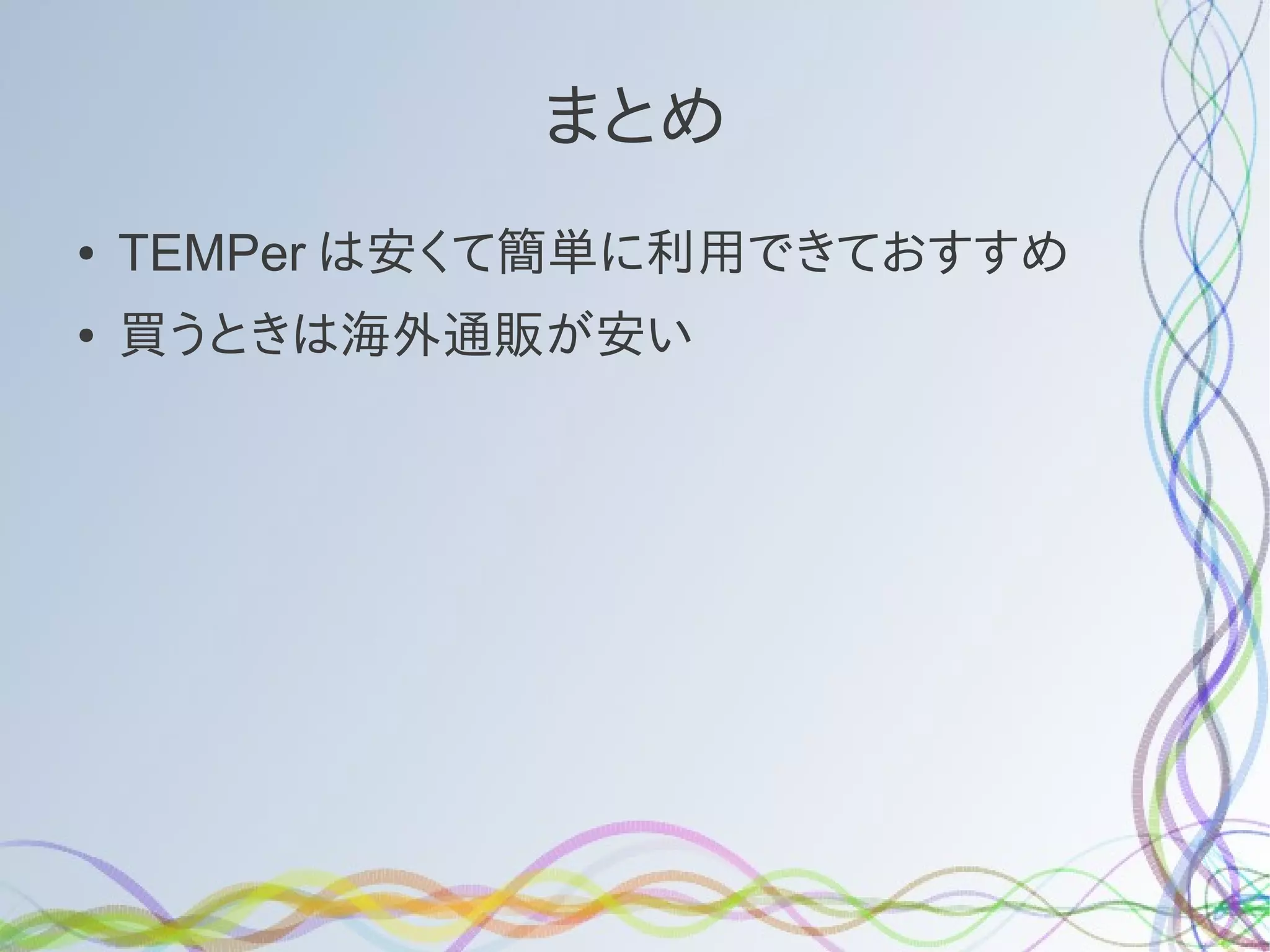
まとめ
●   TEMPer は安くて簡単に利用できておすすめ
●   買うときは海外通販が安い

Linuxで温度計測あれこれ

  • 1.
  • 2.
    自己紹介 ● @matoken ● 最近は Google+ によく居ます. ● http://hpv.cc/~maty/ ● 千葉の方から来ました >< ● Wikipedia 見ると一応東海道ぽい ● 普段は「小江戸らぐ」で活動しています. ● ちょうど先月が 120 回目のオフ会があって 10 周年 !
  • 3.
    今日は ? ● USB 経由で温度をロギングする方法を紹介
  • 4.
    温度計測 ● 何故測りたくなったか ? ● ある夏の日 ● サーバルームのエアコン死亡 ● 一気に温度が上がる >< ● 無人だったらやばかった
  • 5.
    温度を図る試み 1 ● サーバの内部温度計の値を拾う ● 付いていないものが多い. ● あまり正確じゃない
  • 6.
    USB 接続温度計経由で計測 ● strawberry linux USBRH http://strawberry-linux.com/catalog/items?code=52001 ● ¥ 3,980-( 完成品は¥ 4,980-) ● 本来 Windows 専用 ● Linux で動くドライバが存在する http://www.dd.iij4u.or.jp/~briareos/soft/usbrh.html http://acapulco.dyndns.org/usbrh/ ● 一箇所ならいいけど複数入れるには高いかな ?
  • 7.
    マイコンを利用して複数のセンサを ● Arduino(miniPro 2,000 円 ) というマイコンを利用 して複数の温度センサを設置 ● 温度センサには LM35DZ(@100) や HSM20G( 販売停 止 ) を利用 ● 温度センサにずれがかなりある
  • 8.
    サンコーレアモノショップの USB 温度計 ● Linux でも使えるという噂を聞く ● 1 つ¥ 1,980- ● 秋葉原に行って試しに買ってみる http://www.thanko.jp/product/846.html
  • 9.
    刺すだけで認識 $ dmesg [ 5954.690042]usb 1-1.2: new low-speed USB device number 4 using ehci_hcd [ 5954.854803] input: RDing TEMPerV1.2 as /devices/pci0000:00/0000:00:1a.0/usb1/1-1/1-1.2/1-1.2:1.0/input/input12 [ 5954.855138] generic-usb 0003:0C45:7401.0001: input,hidraw0: USB HID v1.10 Keyboard [RDing TEMPerV1.2] on usb-0000:00:1a.0-1.2/input0 [ 5954.857514] generic-usb 0003:0C45:7401.0002: hiddev0,hidraw1: USB HID v1.10 Device [RDing TEMPerV1.2] on usb-0000:00:1a.0-1.2/input1 [ 5954.857543] usbcore: registered new interface driver usbhid [ 5954.857545] usbhid: USB HID core driver $ lsusb -d 0c45:7401 Bus 001 Device 011: ID 0c45:7401 Microdia
  • 10.
    温度データをロギングするソフトを 探す ● CD には Windows 用の software しか付いて来な い ● Linux で動作するものを探して貰ってくる (VID:PID で検索した ) https://github.com/bitplane/temper
  • 11.
    ビルド $ git clone git://github.com/bitplane/temper.git $ cd temper ● README では # 1. Install libusb-0.1.4 and dev package, plus build-essential # # sudo apt-get install build-essential libusb-0.1.4 libusb-0.1.4-dev ● となっているが ,Ubuntu12.04 では $ sudo apt-get install build-essential libusb-0.1-4 libusb-dev $ make gcc -Wall temper.c pcsensor.c -o temper -lusb $ sudo ./temper 05-Jul-2012 16:32,32.711338
  • 12.
    ビルド $ git clone git://github.com/bitplane/temper.git $ cd temper ● README では # 1. Install libusb-0.1.4 and dev package, plus build-essential # # sudo apt-get install build-essential libusb-0.1.4 libusb-0.1.4-dev ● となっているが ,Ubuntu12.04 では $ sudo apt-get install build-essential libusb-0.1-4 libusb-dev $ make gcc -Wall temper.c pcsensor.c -o temper -lusb $ sudo ./temper 05-Jul-2012 16:32,32.711338
  • 13.
    時間のフォーマットを修正 時間がGMTで表示されるのでlocaltimeに変更 ● $ git difftemper.c diff --git a/temper.c b/temper.c index 5670bb5..90a80f9 100644 --- a/temper.c +++ b/temper.c @@ -41,7 +41,7 @@ int main(){ struct tm *utc; time_t t; t = time(NULL); - utc = gmtime(&t); + utc = localtime(&t); char dt[80]; strftime(dt, 80, "%d-%b-%Y %H:%M", utc); $ make gcc -Wall temper.c pcsensor.c -o temper -lusb $ sudo ./temper 06-Jul-2012 01:37,33.740040
  • 14.
    秒数も出したい & 表示形式も変えたい $git diff temper.c | strings diff --git a/temper.c b/temper.c index 5670bb5..92de43d 100644 --- a/temper.c +++ b/temper.c @@ -41,10 +41,10 @@ int main(){ struct tm *utc; time_t t; t = time(NULL); - utc = gmtime(&t); + utc = localtime(&t); char dt[80]; - strftime(dt, 80, "%d-%b-%Y %H:%M", utc); + strftime(dt, 80, "%Y-%m-%d %H:%M:%S", utc); printf("%s,%fn", dt, tempc); fflush(stdout); $ sudo ./temper 2012-07-06 02:27:48,31.875517
  • 15.
    普通に利用できるようになりました $ sudo sh log.sh | tee log 2012-07-06 02:26:55,31.939814 2012-07-06 02:27:00,31.875517 2012-07-06 02:27:05,31.875517 2012-07-06 02:27:10,31.875517 2012-07-06 02:27:19,31.875517 2012-07-06 02:27:24,31.875517 2012-07-06 02:27:29,31.875517 2012-07-06 02:27:34,31.875517 : ● 後は煮るなり焼くなり
  • 16.
    gnuplot でグラフにする例 gnuplot> setdatafile separator "," gnuplot> set xdata time gnuplot> set timefmt "%Y-%m-%d %H:%M:%S" gnuplot> plot "logfile" using 1:2 w lp gnuplot> set terminal png gnuplot> set output 'temper.png' gnuplot> plot "logfile" using 1:2 w lp
  • 17.
  • 18.
    注意とか ● sudo を付けずに一般ユーザで実行するとエラーも 出さず帰ってこない ● 同梱の log.sh は 5 秒おきに実行してくれる ● PC の熱を拾うので, USB ポート直挿しは避けたほ うが良い ● 付属の延長ケーブルを利用 ● NotePC だと 2,3 度温度が上がった
  • 19.
    という発表を 先月の小江戸らぐでしました ● 「日経 Linux で似たような記事があったよ」 ● 日経 Linux2012 年 6 月号 p49 に載っていた. ● 記事を見ると同じ温度計だけど www.amazon.co.jp で ¥ 980- で売ってるとか orz ●
  • 20.
    探すとあちこちで売っている ● dx.com や ebay 等あちこちで売っているのを発 見 ● eBay で $10 を切るくらいで shipping free ● 大抵深センから 1 週間ほどで届く ● バリエーションもいくつかある
  • 21.
    外観 センサ形状 温度 湿度 TEMPer 銀色 内蔵 ○ ☓ TEMPer1 銀色 外部 ○ ☓ TEMPer2 青色 内部 + 外部 ○ ☓ TEMPerHUM 青色 内部 ○ ○ ※TEMPerHUM は未入手 ( 間違えて TEMPer2 を買った ) ※TEMPer2 は今回のプログラムでは内部センサしか利用できていな い ※TEMPer/TEMPer1/TEMPer2 は全て VID/PID 同じ…
  • 22.
    まとめ ● TEMPer は安くて簡単に利用できておすすめ ● 買うときは海外通販が安い