Linguistic Component: Sentiment
Analyzer for the Russian language
Technical description
SemanticAnalyzer Group, 2013-08-30
www.semanticanalyzer.info
This document describes technical details of sentiment analyzer for the Russian language. The
component has several modes of operation:
 Processing of generic texts: news, technical articles etc
 Processing of Twitter messages
 Processing of above two types of texts for generic background sentiment
 Processing of above two types of texts for a set of multi-word synonyms representing a target
object
The sentiment analyzer is based on two other linguistic components: tokenizer and lemmatizer (see
their respective Technical descriptions). Beside attributing to one of three classes {NEGATIVE, NEUTRAL,
POSITIVE} the analyzer is capable of analyzing objectivity / subjectivity of an input message.
Demo package sent upon request contains the following:
 Java library of sentiment analyzer in a form of a binary
 Polarity dictionaries
 run_sentiment_engine.sh script for swift checking the functionality of the module
 messages_to_detect_sentiment.txt file containing examples of generic text and tweets for
sentiment attribution using the run_sentiment_engine.sh script
The algorithm is based on a set of rules, that compactly model flow of sentiment within an input
message. The synonym matching can be strong and fuzzy (accomodating misspellings of an object name
in a text).
Speed of processing
Server: Intel(R) Xeon(R) CPU X3363 @ 2.83GHz
Operating system: ubuntu 10.04, Java 1.7.0_21 64 bit server
480 characters/ms
70 tokens/ms
Tests were conducted in a single thread on 63 511 tweet messages with 2 527 227 words and 17 350 258
characters. Total time of execution: 36170 ms.
Format of the messages_to_detect_sentiment.txt file
This file describes input data for the sentiment analyzer for demo purposes.
Format:
Text
OR
TexttKeyword comma separated list
Text contains textual data in Russian for detecting sentiment
t – tab symbol
Keyword comma separated list is a list of object synonyms to detect sentiment against.
Examples of detecting sentiment
The run_sentiment_engine.sh script will generate the following file: messages_to_detect_sentiment.out.
For the following input file messages_to_detect_sentiment.txt:
Мне понравился новый iPhone, но вот GalaxyS неудобный. iPhone
(sentence: ”I liked new iPhone, but GalaxyS is unhandy” with the object described with the keyword
”iPhone”)
This output gets generated:
Мне понравился новый iPhone, но вот GalaxyS неудобный. iPhone [iphone] POSITIVE
For the following input file messages_to_detect_sentiment.txt:
Мне понравился новый iPhone, но вот GalaxyS неудобный. GalaxyS
(same sentence, but with the object described with the keyword ”GalaxyS”)
This output gets generated:
Мне понравился новый iPhone, но вот GalaxyS неудобный. GalaxyS [galaxys]
NEGATIVE
Examples of using the library from the Java code
public void testdetectPolarityOfText() throws Exception {
SentimentEngine sentimentEngine = new SentimentEngine(new
File("conf/sentiment-module.properties"));
sentimentEngine.setVerbose(true);
// variants of the same brand McCafe in Russian tweets
String synonyms[] = {"МсCafe", "maccafe", "маккафе", ""мак кафе"",
"маккафэ", ""мак кафэ""};
List<List<String>> synonymsList = new ArrayList<List<String>>();
for(String synonym: synonyms) {
List<String> curSynonym = new ArrayList<String>();
curSynonym.add(synonym);
synonymsList.add(curSynonym);
}
// tweet message: ”We were in McCafe today! Unbelievable tasty cakes,
but damn, they are so big!!”
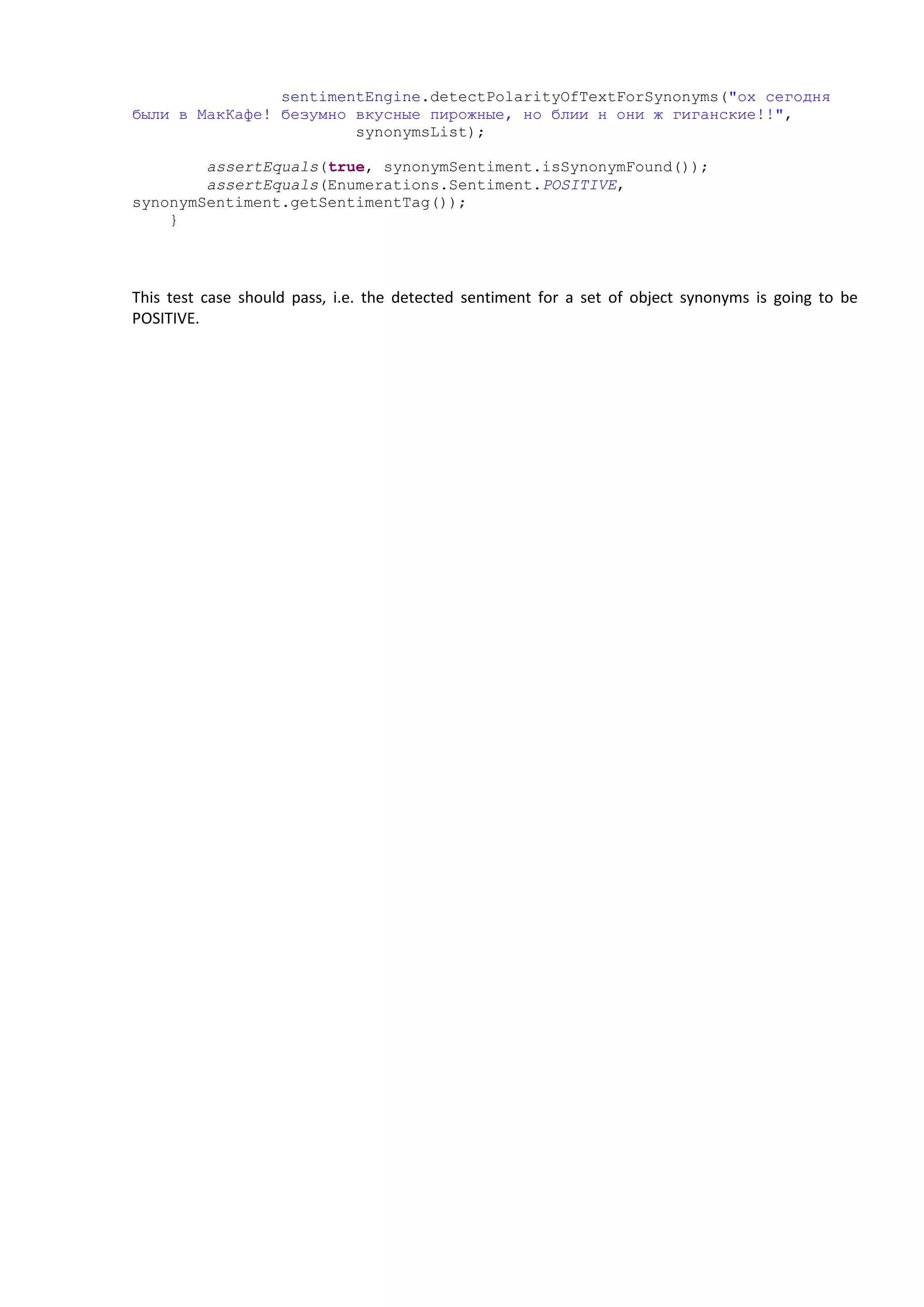
SynonymSentiment synonymSentiment =
sentimentEngine.detectPolarityOfTextForSynonyms("ох сегодня
были в МакКафе! безумно вкусные пирожные, но блии н они ж гиганские!!",
synonymsList);
assertEquals(true, synonymSentiment.isSynonymFound());
assertEquals(Enumerations.Sentiment.POSITIVE,
synonymSentiment.getSentimentTag());
}
This test case should pass, i.e. the detected sentiment for a set of object synonyms is going to be
POSITIVE.

Linguistic component Sentiment Analyzer for the Russian language

  • 1.
    Linguistic Component: Sentiment Analyzerfor the Russian language Technical description SemanticAnalyzer Group, 2013-08-30 www.semanticanalyzer.info This document describes technical details of sentiment analyzer for the Russian language. The component has several modes of operation:  Processing of generic texts: news, technical articles etc  Processing of Twitter messages  Processing of above two types of texts for generic background sentiment  Processing of above two types of texts for a set of multi-word synonyms representing a target object The sentiment analyzer is based on two other linguistic components: tokenizer and lemmatizer (see their respective Technical descriptions). Beside attributing to one of three classes {NEGATIVE, NEUTRAL, POSITIVE} the analyzer is capable of analyzing objectivity / subjectivity of an input message. Demo package sent upon request contains the following:  Java library of sentiment analyzer in a form of a binary  Polarity dictionaries  run_sentiment_engine.sh script for swift checking the functionality of the module  messages_to_detect_sentiment.txt file containing examples of generic text and tweets for sentiment attribution using the run_sentiment_engine.sh script The algorithm is based on a set of rules, that compactly model flow of sentiment within an input message. The synonym matching can be strong and fuzzy (accomodating misspellings of an object name in a text). Speed of processing Server: Intel(R) Xeon(R) CPU X3363 @ 2.83GHz Operating system: ubuntu 10.04, Java 1.7.0_21 64 bit server 480 characters/ms 70 tokens/ms Tests were conducted in a single thread on 63 511 tweet messages with 2 527 227 words and 17 350 258 characters. Total time of execution: 36170 ms. Format of the messages_to_detect_sentiment.txt file This file describes input data for the sentiment analyzer for demo purposes. Format: Text OR
  • 2.
    TexttKeyword comma separatedlist Text contains textual data in Russian for detecting sentiment t – tab symbol Keyword comma separated list is a list of object synonyms to detect sentiment against. Examples of detecting sentiment The run_sentiment_engine.sh script will generate the following file: messages_to_detect_sentiment.out. For the following input file messages_to_detect_sentiment.txt: Мне понравился новый iPhone, но вот GalaxyS неудобный. iPhone (sentence: ”I liked new iPhone, but GalaxyS is unhandy” with the object described with the keyword ”iPhone”) This output gets generated: Мне понравился новый iPhone, но вот GalaxyS неудобный. iPhone [iphone] POSITIVE For the following input file messages_to_detect_sentiment.txt: Мне понравился новый iPhone, но вот GalaxyS неудобный. GalaxyS (same sentence, but with the object described with the keyword ”GalaxyS”) This output gets generated: Мне понравился новый iPhone, но вот GalaxyS неудобный. GalaxyS [galaxys] NEGATIVE Examples of using the library from the Java code public void testdetectPolarityOfText() throws Exception { SentimentEngine sentimentEngine = new SentimentEngine(new File("conf/sentiment-module.properties")); sentimentEngine.setVerbose(true); // variants of the same brand McCafe in Russian tweets String synonyms[] = {"МсCafe", "maccafe", "маккафе", ""мак кафе"", "маккафэ", ""мак кафэ""}; List<List<String>> synonymsList = new ArrayList<List<String>>(); for(String synonym: synonyms) { List<String> curSynonym = new ArrayList<String>(); curSynonym.add(synonym); synonymsList.add(curSynonym); } // tweet message: ”We were in McCafe today! Unbelievable tasty cakes, but damn, they are so big!!” SynonymSentiment synonymSentiment =
  • 3.
    sentimentEngine.detectPolarityOfTextForSynonyms("ох сегодня были вМакКафе! безумно вкусные пирожные, но блии н они ж гиганские!!", synonymsList); assertEquals(true, synonymSentiment.isSynonymFound()); assertEquals(Enumerations.Sentiment.POSITIVE, synonymSentiment.getSentimentTag()); } This test case should pass, i.e. the detected sentiment for a set of object synonyms is going to be POSITIVE.