Social media
LIFTING THE CLOUD
Who am I?   2


                at 22/08/2012
Social media?                                                                          3


    It is a tool just like television, radio, smoke signals, post-it notes, flyers,
     cave drawings, tattoos, letters, mobile phone, … A form of media
     that humans create to communicate. Each in unique. None
     replaces another, or causes any other form of media to become
     obsolete.
    The goal is not to control the conversation, the goal is to enable,
     inspire & influence.
Twitter: #HowestLTC //
 4


               gene@vangampelaere.be
Social media
Twitter: #HowestLTC //
 5


               gene@vangampelaere.be
Social media
Overview   6
Social networks – Facebook   7


    Introduction
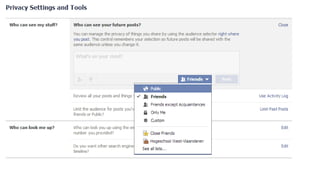
    Privacy settings
    Account settings
         security
         notifications
    Groups
    Pages
    Lists
Twitter: #HowestLTC //
8


    gene@vangampelaere.be
Twitter: #HowestLTC //
9


    gene@vangampelaere.be
Twitter: #HowestLTC //
10


     gene@vangampelaere.be
Twitter: #HowestLTC //
11


     gene@vangampelaere.be
Twitter: #HowestLTC //
  12


                      gene@vangampelaere.be
Social networks – Facebook -
example
Facebook pages   13
Facebook groups   14
Social networks – Google+   15


    Profile
    Circles
    Posting updates
    Tagging
    notifications
    hangouts
Twitter: #HowestLTC //
16


     gene@vangampelaere.be
Social networks – LinkedIn   17


    Profile
    Connections
    Recommendations
    Groups
    Companies
    Jobs
    Updates
    Applications
    Mobile apps
Twitter: #HowestLTC //
  18


                      gene@vangampelaere.be
Social networks – LinkedIn -
example
19
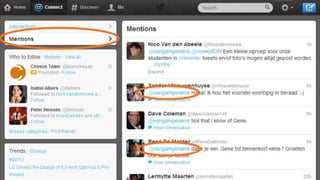
Social networks – Twitter    20


    Introduction
    Terms
    Lists
    Desktop & Mobile apps
    Sharing media
Twitter: #HowestLTC //
21


     gene@vangampelaere.be
Twitter: #HowestLTC //
22


     gene@vangampelaere.be
Twitter: #HowestLTC //
23


     gene@vangampelaere.be
Twitter: #HowestLTC //
24


     gene@vangampelaere.be
Twitter: #HowestLTC //
25


     gene@vangampelaere.be
Social networks – summary   26


    Facebook
    Google+
    LinkedIn
    Twitter
Overview   28
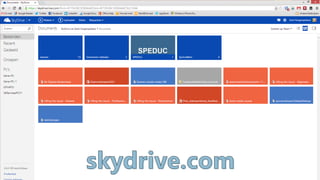
Cloud collaboration – SkyDrive      29


    Online storage – 7GB
    Desktop & mobile app
    Sharing & creating documents
    Get file from other device
Twitter: #HowestLTC //
30


     gene@vangampelaere.be
Twitter: #HowestLTC //
31


     gene@vangampelaere.be
Cloud collaboration – Google Drive   32


    Online storage – 5GB
    Desktop & mobile app
    Sharing & creating docs
    Create forms
Twitter: #HowestLTC //
33


     gene@vangampelaere.be
Twitter: #HowestLTC //
34


     gene@vangampelaere.be
Cloud collaboration – Dropbox     35


    Online storage – 5GB
    Desktop & mobile app
    Sharing only
    Photo’s
    Public folder, public link
Twitter: #HowestLTC //
36


     gene@vangampelaere.be
Twitter: #HowestLTC //
37


     gene@vangampelaere.be
Cloud collaboration – summary   38


    SkyDrive: MS Office
    DropBox
    Google Drive
Overview   39
Content management – Note       40

taking
    OneNote
        Sync
        SkyDrive
        Office
        Sharing notes
        Shortcuts
    EverNote
        Desktop & Mobile app
        Sharing notes
        Plugins
Twitter: #HowestLTC //
41


     gene@vangampelaere.be
Twitter: #HowestLTC //
42


     gene@vangampelaere.be
Content management – Blogs   43


    Blogger
    WordPress
    Tumblr
Twitter: #HowestLTC //
44


     gene@vangampelaere.be
Content management – Video   45


    Youtube
        Upload
        Edit video
        Add annotations
        Embed & Share
    Vimeo
Twitter: #HowestLTC //
46


     gene@vangampelaere.be
Twitter: #HowestLTC //
47


     gene@vangampelaere.be
Content management – Picasa   48


    Desktop application
    Organize photo’s
    Edit photo’s
    Share
Twitter: #HowestLTC //
49


     gene@vangampelaere.be
Content management – Slideshare   50


    Upload a presentation
    Replacing a presentation
    Embed and sharing
    ZipCast
Twitter: #HowestLTC //
51


     gene@vangampelaere.be
Content management – other   52


    Instagram
    Spotify, Deezer
    Foursquare
    ...
Twitter: #HowestLTC //
53


     gene@vangampelaere.be
Twitter: #HowestLTC //
54


     gene@vangampelaere.be
Twitter: #HowestLTC //
55


     gene@vangampelaere.be
Content management – summary   56


    OneNote
    Evernote
    Blogs
         Blogger.com
         WordPress.com
         Tumblr.com
    Youtube (or Vimeo)
    Picasa
    SlideShare, ...
Summary   57
Social media – Lifting the cloud                58


    Thank you for attending!
    Website: www.vangampelaere.be
    E-mail: gene@vangampelaere.be
    http://tiny.cc/genevangampelaereslides
    http://tiny.cc/genevangampelaereblog
    http://tiny.cc/genevangampelaerepersonal

Sociale media voor dummies - Markant/Davidsfonds Heestert

Editor's Notes

  • #3 TODO: post links to my profile’s in the FB group.Explain how they can contact me.
  • #8 Video: http://www.youtube.com/watch?v=aDycZH0CA4IAll you need to know in one page: http://www.finder.com.au/resources/the-one-page-facebook-guide.pdfTODO: post link to Facebook Guide on FBTODO: post video on FBTODO: post mashable links to FB
  • #16 TODO: post link to beginners guide on FB
  • #18 TODO: post mashable link to FB
  • #21 The Twitter Guide book: http://mashable.com/guidebook/twitter/TODO: post link to guide book in FBTODO: post video on FBTODO: post links on FBASK: send a tweet to @vangampelaereASK: create a list of all your classmatesASK: create a list of your teachers, find them on Twitter
  • #28 Explain the cloud
  • #30 TODO: post link to installationfiles on FBTODO: post link “how to fetch documents” on FB
  • #33 TODO: post link to installation file on FBASK: Major difference between Dropbox and others?ANSWER: Dropbox cannot create documents. Google Drive and SkyDrive can!
  • #36 TODO: post link to installation file on FB
  • #46 TASK: create a video/interview upload it, add annotations and post it on your blog.
  • #49 TODO: post link to installation on FBASK: what is important to know when you edit photo’s in Picasa?ANSWER: Picasa don’t edit the original files but always creates a copy.