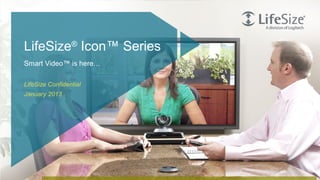
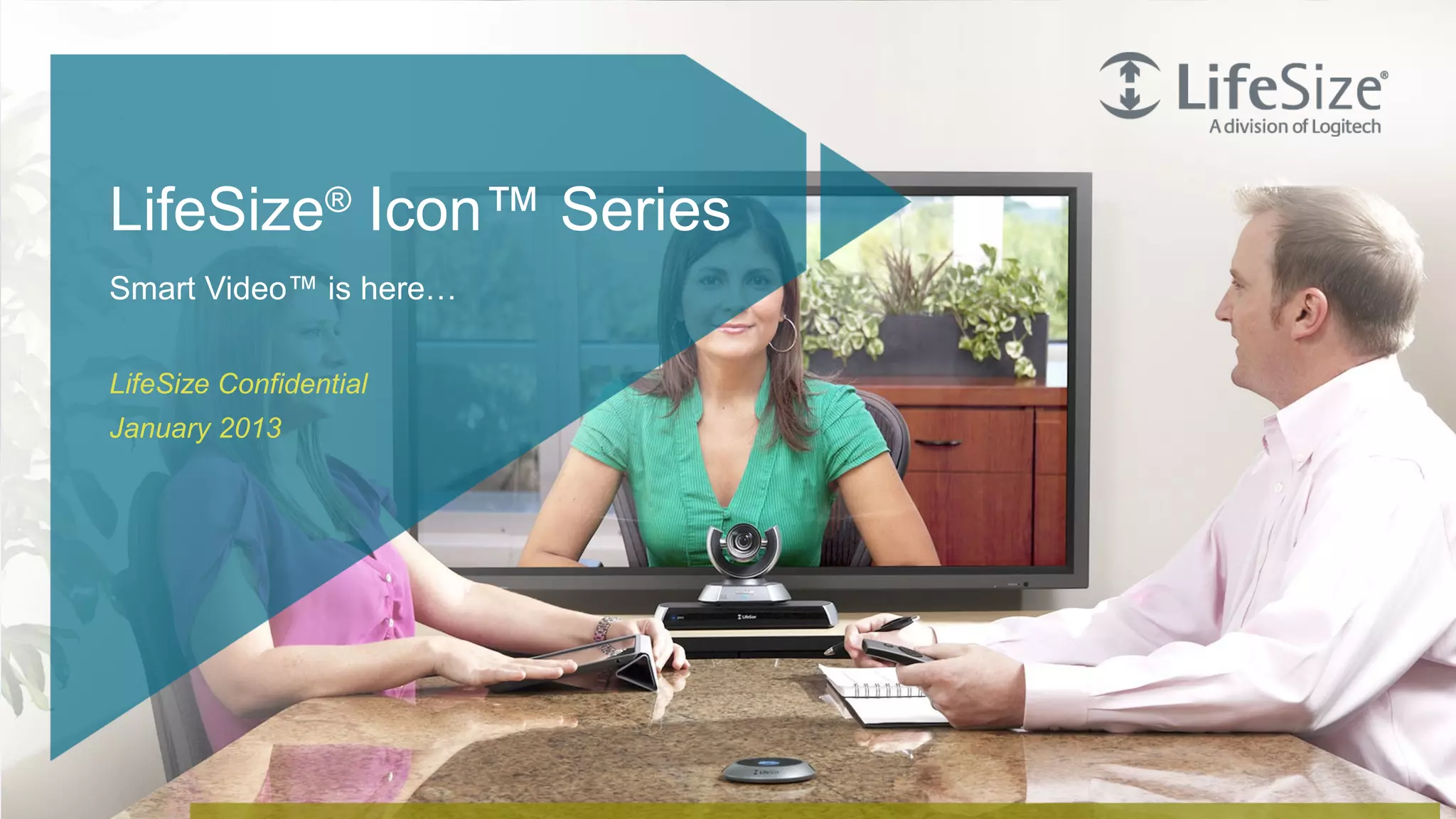



LifeSize® Icon™ Series
    Smart Video™ is here…

    LifeSize Confidential
    January 2013


1   © Logitech. All Rights Reserved. Confidential.
Your criteria                                         Need a very easy-to-use and easy-to-support room-
                                                        based solution

                                                      Want highest quality video solution available


                                                      Have never implemented video conferencing or
                                                        implemented a while ago

                                                      Other solutions are too costly or complex


2   © Logitech. All Rights Reserved. Confidential.
We want to help you focus on your business, not the
technology


     Discuss face to face                            Share knowledge    Collaborate
                                                      and information


3   © Logitech. All Rights Reserved. Confidential.
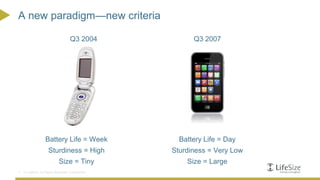
A new paradigm—new criteria

                                      Q3 2004              Q3 2007


                    Battery Life = Week                Battery Life = Day
                      Sturdiness = High              Sturdiness = Very Low
                              Size = Tiny                Size = Large
4   © Logitech. All Rights Reserved. Confidential.
Smart Video™ is here…


                                                     LifeSize Icon Series will change the criteria by
                                                     which video solutions are judged


5   © Logitech. All Rights Reserved. Confidential.
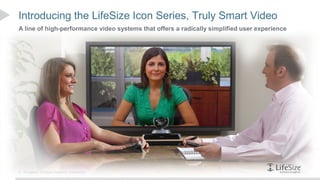
Introducing the LifeSize Icon Series, Truly Smart Video
A line of high-performance video systems that offers a radically simplified user experience


6   © Logitech. All Rights Reserved. Confidential.
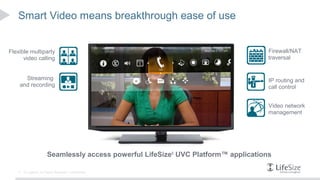
Smart Video means breakthrough ease of use


Flexible multiparty                                                                    Firewall/NAT
      video calling                                                                    traversal


      Streaming                                                                        IP routing and
    and recording                                                                      call control


                                                                                       Video network
                                                                                       management


                         Seamlessly access powerful LifeSize® UVC Platform™ applications

    7   © Logitech. All Rights Reserved. Confidential.
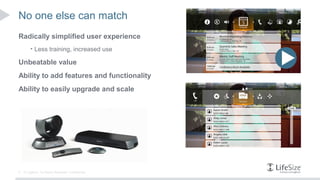
No one else can match
Radically simplified user experience
         • Less training, increased use

Unbeatable value
Ability to add features and functionality
Ability to easily upgrade and scale


8   © Logitech. All Rights Reserved. Confidential.
Product Functionality
    and Details


9   © Logitech. All Rights Reserved. Confidential.
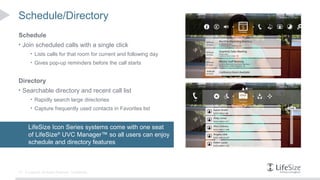
Schedule/Directory
Schedule
• Join scheduled calls with a single click
        • Lists calls for that room for current and following day
        • Gives pop-up reminders before the call starts


Directory
• Searchable directory and recent call list
        • Rapidly search large directories
        • Capture frequently used contacts in Favorites list


       LifeSize Icon Series systems come with one seat
       of LifeSize® UVC Manager™ so all users can enjoy
       schedule and directory features


10   © Logitech. All Rights Reserved. Confidential.
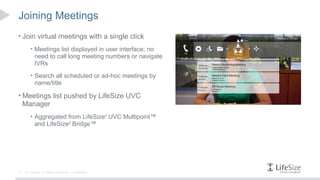
Joining Meetings
• Join virtual meetings with a single click
        • Meetings list displayed in user interface; no
           need to call long meeting numbers or navigate
           IVRs
        • Search all scheduled or ad-hoc meetings by
           name/title

• Meetings list pushed by LifeSize UVC
     Manager
        • Aggregated from LifeSize® UVC Multipoint™
           and LifeSize® Bridge™


11   © Logitech. All Rights Reserved. Confidential.
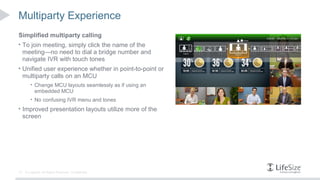
Multiparty Experience
Simplified multiparty calling
• To join meeting, simply click the name of the
     meeting—no need to dial a bridge number and
     navigate IVR with touch tones
• Unified user experience whether in point-to-point or
     multiparty calls on an MCU
         • Change MCU layouts seamlessly as if using an
            embedded MCU
         • No confusing IVR menu and tones
• Improved presentation layouts utilize more of the
     screen


12    © Logitech. All Rights Reserved. Confidential.
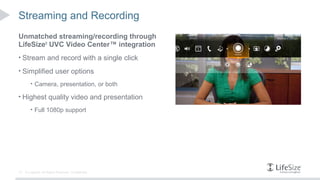
Streaming and Recording
Unmatched streaming/recording through
LifeSize® UVC Video Center™ integration
• Stream and record with a single click

• Simplified user options
        • Camera, presentation, or both

• Highest quality video and presentation
        • Full 1080p support


13   © Logitech. All Rights Reserved. Confidential.
More Information: Features and Specifications
                                                      Each LifeSize Icon system comes with one free seat of LifeSize
                                                      UVC Manager, providing access to the following:
                                                         • Schedule integration

                                                         • Directory

                                                         • Meetings list

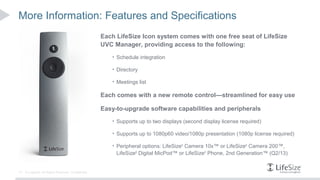
                                                      Each comes with a new remote control—streamlined for easy use

                                                      Easy-to-upgrade software capabilities and peripherals
                                                         • Supports up to two displays (second display license required)

                                                         • Supports up to 1080p60 video/1080p presentation (1080p license required)

                                                         • Peripheral options: LifeSize® Camera 10x™ or LifeSize® Camera 200™,
                                                           LifeSize® Digital MicPod™ or LifeSize® Phone, 2nd Generation™ (Q2/13)


14   © Logitech. All Rights Reserved. Confidential.
Don’t Forget
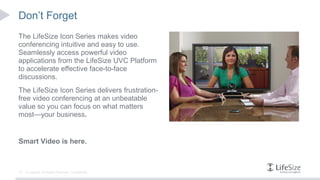
The LifeSize Icon Series makes video
conferencing intuitive and easy to use.
Seamlessly access powerful video
applications from the LifeSize UVC Platform
to accelerate effective face-to-face
discussions.
The LifeSize Icon Series delivers frustration-
free video conferencing at an unbeatable
value so you can focus on what matters
most—your business.


Smart Video is here.


15   © Logitech. All Rights Reserved. Confidential.
Thank You


16   © Logitech. All Rights Reserved. Confidential.

Limitted time offer LifeSize Icon Series presentation

  • 1.
    LifeSize® Icon™ Series Smart Video™ is here… LifeSize Confidential January 2013 1 © Logitech. All Rights Reserved. Confidential.
  • 2.
    Your criteria  Need a very easy-to-use and easy-to-support room- based solution  Want highest quality video solution available  Have never implemented video conferencing or implemented a while ago  Other solutions are too costly or complex 2 © Logitech. All Rights Reserved. Confidential.
  • 3.
    We want tohelp you focus on your business, not the technology Discuss face to face Share knowledge Collaborate and information 3 © Logitech. All Rights Reserved. Confidential.
  • 4.
    A new paradigm—newcriteria Q3 2004 Q3 2007 Battery Life = Week Battery Life = Day Sturdiness = High Sturdiness = Very Low Size = Tiny Size = Large 4 © Logitech. All Rights Reserved. Confidential.
  • 5.
    Smart Video™ ishere… LifeSize Icon Series will change the criteria by which video solutions are judged 5 © Logitech. All Rights Reserved. Confidential.
  • 6.
    Introducing the LifeSizeIcon Series, Truly Smart Video A line of high-performance video systems that offers a radically simplified user experience 6 © Logitech. All Rights Reserved. Confidential.
  • 7.
    Smart Video meansbreakthrough ease of use Flexible multiparty Firewall/NAT video calling traversal Streaming IP routing and and recording call control Video network management Seamlessly access powerful LifeSize® UVC Platform™ applications 7 © Logitech. All Rights Reserved. Confidential.
  • 8.
    No one elsecan match Radically simplified user experience • Less training, increased use Unbeatable value Ability to add features and functionality Ability to easily upgrade and scale 8 © Logitech. All Rights Reserved. Confidential.
  • 9.
    Product Functionality and Details 9 © Logitech. All Rights Reserved. Confidential.
  • 10.
    Schedule/Directory Schedule • Join scheduledcalls with a single click • Lists calls for that room for current and following day • Gives pop-up reminders before the call starts Directory • Searchable directory and recent call list • Rapidly search large directories • Capture frequently used contacts in Favorites list LifeSize Icon Series systems come with one seat of LifeSize® UVC Manager™ so all users can enjoy schedule and directory features 10 © Logitech. All Rights Reserved. Confidential.
  • 11.
    Joining Meetings • Joinvirtual meetings with a single click • Meetings list displayed in user interface; no need to call long meeting numbers or navigate IVRs • Search all scheduled or ad-hoc meetings by name/title • Meetings list pushed by LifeSize UVC Manager • Aggregated from LifeSize® UVC Multipoint™ and LifeSize® Bridge™ 11 © Logitech. All Rights Reserved. Confidential.
  • 12.
    Multiparty Experience Simplified multipartycalling • To join meeting, simply click the name of the meeting—no need to dial a bridge number and navigate IVR with touch tones • Unified user experience whether in point-to-point or multiparty calls on an MCU • Change MCU layouts seamlessly as if using an embedded MCU • No confusing IVR menu and tones • Improved presentation layouts utilize more of the screen 12 © Logitech. All Rights Reserved. Confidential.
  • 13.
    Streaming and Recording Unmatchedstreaming/recording through LifeSize® UVC Video Center™ integration • Stream and record with a single click • Simplified user options • Camera, presentation, or both • Highest quality video and presentation • Full 1080p support 13 © Logitech. All Rights Reserved. Confidential.
  • 14.
    More Information: Featuresand Specifications Each LifeSize Icon system comes with one free seat of LifeSize UVC Manager, providing access to the following: • Schedule integration • Directory • Meetings list Each comes with a new remote control—streamlined for easy use Easy-to-upgrade software capabilities and peripherals • Supports up to two displays (second display license required) • Supports up to 1080p60 video/1080p presentation (1080p license required) • Peripheral options: LifeSize® Camera 10x™ or LifeSize® Camera 200™, LifeSize® Digital MicPod™ or LifeSize® Phone, 2nd Generation™ (Q2/13) 14 © Logitech. All Rights Reserved. Confidential.
  • 15.
    Don’t Forget The LifeSizeIcon Series makes video conferencing intuitive and easy to use. Seamlessly access powerful video applications from the LifeSize UVC Platform to accelerate effective face-to-face discussions. The LifeSize Icon Series delivers frustration- free video conferencing at an unbeatable value so you can focus on what matters most—your business. Smart Video is here. 15 © Logitech. All Rights Reserved. Confidential.
  • 16.
    Thank You 16 © Logitech. All Rights Reserved. Confidential.

Editor's Notes

  • #3 LifeSize has a history and reputation for innovating around highest performance, unbeatable price/performance and on ensuring simplicity in our solutions – simplicity and ease for BOTH end users and for IT teams. One of the key things we’ve heard from customers time and again is that many still perceive video conferencing as too complex, too burdensome on IT, and just too costly. Even though they know that the quality and performance of our products can accelerate effective communications and boost productivity, many have held off purchasing for these reasons. Instead they continue to use alternatives like audio or web conferencing. You may be an ideal customer for the LifeSize Icon Series if: - You’re considering room-based video systems - You u nderstand why video is beneficial but have hesitated to date due to cost/complexity - You already have outdated video equipment and are considering refreshing - Or you have chosen competitors ’ systems over LifeSize in the last 18+ months
  • #4 We want you to enjoy frustration-free video conferencing at an unbeatable value so that you can scale video broadly and realize the enormous productivity gains that video conferencing brings. - Face-to-face immersive discussions over any distance - Easy sharing of information and knowledge even with folks in different time zones through both live and on-demand streaming - Collaborate with one person or lots of people, all over video when you need to  
  • #5 What do we mean by Smart Video? Think back to a time before smartphones were omnipresent. People selected their cell phones based on a completely different set of criteria than we use today, primarily battery life, sturdiness, and size. Now, six years later, people buy their mobile phones based on different criteria—how easy it is to use, what they can do with it, and so on.
  • #6 This is the beginning of Smart Video™, an experience that will transform video conferencing in a way similar to how smartphones reinvented mobile calling. LifeSize Icon Series’ Smart Video strips away all of the complicated processes inherent in video today so that users who have previously been intimidated by the cost and complexity of traditional video conferencing can now connect more efficiently and focus on what matters most – their business.
  • #7 -- We’ve designed this series to be all about making the user experience much easier and more intuitive so that people who have shied away from using video due to cost and complexity can now embrace it. -- What is different is that we designed this series to be able to access all the powerful video applications on the UVC Platform seamlessly and easily so that business user can have face-to-face business discussions effectively over any distance. -- And ultimately, why do we think our customers will care? Well, they get hassle-free and frustration-free video conferencing at an unbeatable value that lets them keep their focus on building their businesses. This technology enables that without getting in the way. --
  • #8 Why is this solution different from any codec or endpoint that users may be looking at today? Those are stand-alone systems that can ’t easily adapt to users’ changing needs. -- LifeSize Icon Series blurs the lines between endpoint and infrastructure, delivering a truly connected experience at an unbeatable value. It’s tightly integrated with the LifeSize UVC Platform and its applications – including streaming and recording, firewall traversal, multiparty video calling and management – to make it easier for users to experience the full power of their platform. This integration also makes buying and supporting video conferencing more flexible and efficient. As users’ organizations want to do more over video, they can adapt the Icon systems to those needs. -- For example, helpful meeting reminders, schedule and directory on the Icon system are populated through the UVC Manager application, which comes with every Icon system. -- And being able to record or join a large meeting spontaneously are capabilities enabled by UVC Video Center and UVC Multipoint (and LifeSize Bridge too) on the back end. -- But your users never need to know what is powering those capabilities; they just get access to the functionality to do their business simply and easily through their Icon systems. --
  • #9 Only LifeSize Icon Series delivers smart video conferencing through:   Simplified directory navigation: quickly search the unified directory and connect in seconds Scheduling capabilities: see the complete schedule, including click-to-join meeting reminders Streaming and recording: users can stream and record presentations with the press of a single button Multiparty calling: seamlessly integrated ad-hoc and scheduled multiparty calling Firewall/NAT: secure full HD video calls within and across networks Presentation: intuitive data sharing up to 1080p and custom layout options HD video quality: up to 1080p60 Flexible upgrades: including number of displays, type of camera and resolutions
  • #10 -- Now let ’s look at some of the unique features of the LifeSize Icon Series. --
  • #11 -- Let ’s look at the schedule and directory. One point to highlight right away is that when you purchase an Icon system, you get a free license on LifeSize UVC Manager to manage your LifeSize Icon system. -- Through LifeSize UVC Manager, you can schedule calls for your LifeSize Icon system. These calls appear in the Schedule tab on the LifeSize Icon Series. More important, a pop-up reminder appears on the display when it is time to join your call. -- Very simple. One click and you join your call. -- Your directory service can be populated through LifeSize UVC Manager as well. Easily search for names or rooms. Pin your favorites from either the directory or the recent calls list to your Favorites tab. --
  • #12 -- Now you can join your company meetings as easily as any call. Meetings are defined as group calls using a bridge to facilitate the inclusion of multiple participants. -- These meetings appear in the Meetings tab under the Call symbol. -- Quickly search for your meeting, and just one click allows you to join seamlessly. No more hassling with voice operators or touch tones to join your meeting. -- These meetings can be scheduled or ad-hoc and are hosted through LifeSize UVC Multipoint or LifeSize Bridge. --
  • #13 -- And once in the meeting, users can change the video layouts through the native user interface on the Icon series. -- This is just another example of tight integration between the LifeSize Icon Series and the LifeSize UVC Multipoint and LifeSize Bridge. -- When presentations are shared, users can select additional layout options. -- No more confusing different user interfaces; no more fighting touch tones or far-end camera control to try and manage layouts or options. --
  • #14 -- The power and simplicity of LifeSize UVC Video Center, now with 1080p support, works seamlessly with the new LifeSize Icon Series. In this first release, users can effortlessly record their video, presentation or both when not in a call. -- Users will know that their LifeSize Icon systems are enabled for streaming and recording when the record symbol is present on their user interface. Selecting their source is just as easy. -- In the meantime, if in-call recording is required prior to the next software update, users can still dial into LifeSize UVC Video Center through an external MCU. --
  • #15 -- Each LifeSize Icon system comes with a free seat of LifeSize UVC Manager, which enables many of the powerful features associated with the solution--the schedule, directory and meetings tabs, to name a few. -- The LifeSize Icon system also ships with a new remote control. This remote control has been streamlined for easy use and allows the user to stay focused on the user interface and the meeting. Together, they simplify the user experience to the point that no training is required as users can self-discover the available features in an intuitive manner. - The LifeSize Icon Series was designed to offer a flexible video experience, both at the time of purchase as well as later if you want to upgrade. You can upgrade to second- display support or 1080p60 support for video presentation sharing. Peripherals include our premium 10x camera or the standard 4x camera. Currently, the LifeSize Icon Series ships with the Digital MicPod. Customers will be able to purchase the LifeSize Phone, 2nd Generation bundle later in the first half of 2013. --
  • #16 -- Let me finish with a quick reminder on what makes the LifeSize Icon Series so special. -- It ’s designed to make the user experience much easier and more intuitive, now allowing all people to embrace video. -- This series can access the powerful video applications on the UVC Platform seamlessly and easily. -- So you get hassle-free and frustration-free video conferencing at an unbeatable value that lets you focus on building your business. Finally, Smart Video is here. --