






Your Cloud. 
Your Business. 
Let’s Build an AngularJS App! 
Jeremy Likness 
Principal Architect 
@JeremyLikness
Thanks to our Sponsors
www.ivision.com 
• Business Process 
Management/ALM 
• Custom Application 
Development 
• Collaboration 
• Business Intelligence
TODAY’S AGENDA 
1. What and Why? What is Angular? Why use it? 
2. How? How do you build an AngularJS app? 
3. Q&A Guaranteed answers.  
Source Code: https://github.com/JeremyLikness/AngularHealthApp/ 
Specifications: http://jeremylikness.github.io/AngularHealthApp/test.html 
Running App: http://jeremylikness.github.io/AngularHealthApp/
WHAT AND WHY?
WHAT AND WHY? 
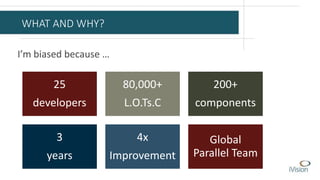
I’m biased because … 
25 
developers 
80,000+ 
L.O.Ts.C 
200+ 
components 
3 
years 
4x 
Improvement 
Global 
Parallel Team
WHY? 
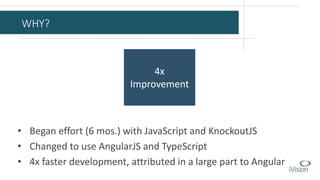
4x 
Improvement 
• Began effort (6 mos.) with JavaScript and KnockoutJS 
• Changed to use AngularJS and TypeScript 
• 4x faster development, attributed in a large part to Angular
WHAT? 
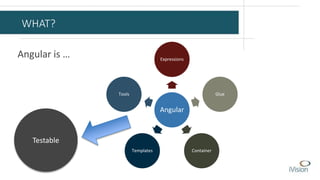
Angular is … 
Expressions 
Angular 
Glue 
Templates Container 
Tools 
Testable
DEMO: How
Step 1 
git checkout 17e9892 
SHELL
Step 2 
git checkout b8864f4 
MODULE
Step 3 
git checkout f5af48e 
SPECIFICATION
Step 4 
git checkout 33d9473 
DEFINITION
Step 5 
git checkout e9db905 
IMPLEMENTATION
Step 6 
git checkout c71895b 
OBJECTS
Step 7 
git checkout 40c946e 
PROPERTIES
Step 8 
git checkout 602ae23 
GREEN
Step 9 
git checkout 4636a91 
DEPENDENCIES
Step 10 
git checkout 72429dd 
FACTORIES
Step 11 
git checkout c065ad3 
CONTROLLERS
Step 12 
git checkout 6a801b2 
FILTERS
Step 13 
git checkout 11e13f7 
PATTERNS
Step 14 
git checkout cc6d716 
DIRECTIVES
Step 15 
git checkout 061ba51 
RANGES
Step 16 
git checkout 55e2c30 
SLIDER
Step 17 
git checkout dec799e 
RESPONSIVE
Step 18 
git checkout e466dc6 
VALIDATIONS
Step 19 
git checkout 8dbba93 
FORMS
Step 20 
git checkout bc4b736 
PROFILE
Step 21 
git checkout 6da74a4 
TILE
Step 22 
git checkout 1ae397c 
CLASS
Step 23 
git checkout master 
SHIP IT!
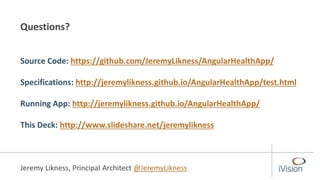
Questions? 
Source Code: https://github.com/JeremyLikness/AngularHealthApp/ 
Specifications: http://jeremylikness.github.io/AngularHealthApp/test.html 
Running App: http://jeremylikness.github.io/AngularHealthApp/ 
This Deck: http://www.slideshare.net/jeremylikness 
Jeremy Likness, Principal Architect @JeremyLikness

Let's Build an Angular App!

  • 1.
    Your Cloud. YourBusiness. Let’s Build an AngularJS App! Jeremy Likness Principal Architect @JeremyLikness
  • 2.
    Thanks to ourSponsors
  • 3.
    www.ivision.com • BusinessProcess Management/ALM • Custom Application Development • Collaboration • Business Intelligence
  • 4.
    TODAY’S AGENDA 1.What and Why? What is Angular? Why use it? 2. How? How do you build an AngularJS app? 3. Q&A Guaranteed answers.  Source Code: https://github.com/JeremyLikness/AngularHealthApp/ Specifications: http://jeremylikness.github.io/AngularHealthApp/test.html Running App: http://jeremylikness.github.io/AngularHealthApp/
  • 5.
  • 6.
    WHAT AND WHY? I’m biased because … 25 developers 80,000+ L.O.Ts.C 200+ components 3 years 4x Improvement Global Parallel Team
  • 7.
    WHY? 4x Improvement • Began effort (6 mos.) with JavaScript and KnockoutJS • Changed to use AngularJS and TypeScript • 4x faster development, attributed in a large part to Angular
  • 8.
    WHAT? Angular is… Expressions Angular Glue Templates Container Tools Testable
  • 9.
  • 10.
    Step 1 gitcheckout 17e9892 SHELL
  • 11.
    Step 2 gitcheckout b8864f4 MODULE
  • 12.
    Step 3 gitcheckout f5af48e SPECIFICATION
  • 13.
    Step 4 gitcheckout 33d9473 DEFINITION
  • 14.
    Step 5 gitcheckout e9db905 IMPLEMENTATION
  • 15.
    Step 6 gitcheckout c71895b OBJECTS
  • 16.
    Step 7 gitcheckout 40c946e PROPERTIES
  • 17.
    Step 8 gitcheckout 602ae23 GREEN
  • 18.
    Step 9 gitcheckout 4636a91 DEPENDENCIES
  • 19.
    Step 10 gitcheckout 72429dd FACTORIES
  • 20.
    Step 11 gitcheckout c065ad3 CONTROLLERS
  • 21.
    Step 12 gitcheckout 6a801b2 FILTERS
  • 22.
    Step 13 gitcheckout 11e13f7 PATTERNS
  • 23.
    Step 14 gitcheckout cc6d716 DIRECTIVES
  • 24.
    Step 15 gitcheckout 061ba51 RANGES
  • 25.
    Step 16 gitcheckout 55e2c30 SLIDER
  • 26.
    Step 17 gitcheckout dec799e RESPONSIVE
  • 27.
    Step 18 gitcheckout e466dc6 VALIDATIONS
  • 28.
    Step 19 gitcheckout 8dbba93 FORMS
  • 29.
    Step 20 gitcheckout bc4b736 PROFILE
  • 30.
    Step 21 gitcheckout 6da74a4 TILE
  • 31.
    Step 22 gitcheckout 1ae397c CLASS
  • 32.
    Step 23 gitcheckout master SHIP IT!
  • 33.
    Questions? Source Code:https://github.com/JeremyLikness/AngularHealthApp/ Specifications: http://jeremylikness.github.io/AngularHealthApp/test.html Running App: http://jeremylikness.github.io/AngularHealthApp/ This Deck: http://www.slideshare.net/jeremylikness Jeremy Likness, Principal Architect @JeremyLikness

Editor's Notes

  • #26 The height functionality required an additional height filter specification. The height filter is a bit different for two reasons. First, it depends on other services so it is the first example of a filter with a dependency. Second, it should not attempt to convert the input value if it is a min/max range value because this is hard-coded on the controller. Therefore, it takes a parameter to avoid the conversion step for those ranges. The controller was updated to expose the height and range values and the UI updated with a slider. Notice that you can now change the height as well as toggle the unit of measure and see it all reflected dynamically. There is no special messaging or watch because the properties depend on each other and Angular will automatically reevaluate the values when the model is mutated.
  • #27 A quick pass at styling makes for consistent UI elements and allows them to flow to fill the space. The app is now responsive to wide and small (mobile) configurations.
  • #28 Weight specifications have been added. The weight input will be free form, so additional validation must exist to ensure the user profile is never populated with an invalid weight. The specifications detail these requirements along with the necessary filter to show the proper unit of measure. These are failing because the weight functionality has not yet been implemented.
  • #29 The weight form and styles are added and the conversion is now testable using the input field. For weights within the range the conversion works seamlessly when the unit of measure is changed. The user profile was updated to capture the most recent unit of measure. This way when the unit of measure changes, it can convert the weight values for exposure to the UI. This should only happen at the precise moment of conversion; not before or after.
  • #30 The age specifications are added and age input implemented in the UI. Now the user profile is complete and we can focus on exposing the formulas.