LESSON 4:
Control Flow Statements
JAVA: Introduction to Conditionals
Objective: Understand and use if-
else statements to make decisions in
Java programs.
Prerequisites:
Basic knowledge of
variables, primitive data
types, and the Scanner class.
Control Flow Statements
Control flow statements are
used in programming to
dictate the order in which code
executes based on certain
conditions or repetitions.
They help manage the flow of
execution through the
different parts of a program. In
Java, common control flow
statements include:
1. Conditionals
2. Loops
3. Branching Statements
•Conditionals
In programming, a
conditional is a statement or
construct that allows a
program to make decisions
based on whether a condition
is true or false.
Conditionals enable the
program to execute different
code paths depending on
certain criteria.
Key Components of
Conditionals
Key Components of
Conditionals
1. Condition:
An expression that evaluates
to either true or false. It is
typically a comparison or
logical expression.
Example: age >= 18
Key Components of
Conditionals
2. Branches:
True Branch: Code that runs if
the condition evaluates to true.
Key Components of
Conditionals
False Branch: Code that runs if
the condition evaluates to
false. This is often handled
using an else statement.
Common Types of
Conditionals
•Java Conditions
You already know that Java supports
the usual logical conditions from
mathematics:
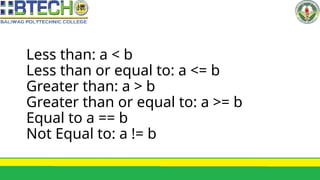
Less than: a < b
Less than or equal to: a <= b
Greater than: a > b
Greater than or equal to: a >= b
Equal to a == b
Not Equal to: a != b
Common Types of
Conditionals
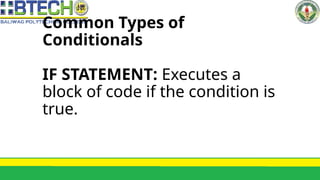
IF STATEMENT: Executes a
block of code if the condition is
true.
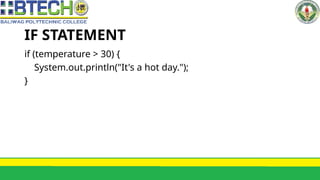
IF STATEMENT
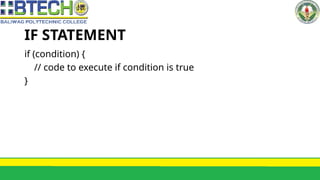
if (condition) {
// code to execute if condition is true
}
IF STATEMENT
if (temperature > 30) {
System.out.println("It's a hot day.");
}
IF STATEMENT
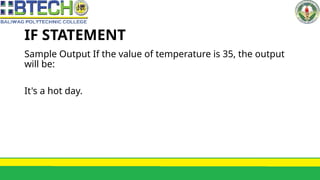
Sample Output If the value of temperature is 35, the output
will be:
It's a hot day.
Common Types of
Conditionals
IF-ELSE STATEMENT: Executes
one block of code if the
condition is true, and another
block if it is false.
IF-ELSE STATEMENT
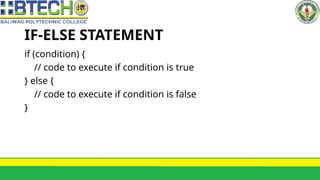
if (condition) {
// code to execute if condition is true
} else {
// code to execute if condition is false
}
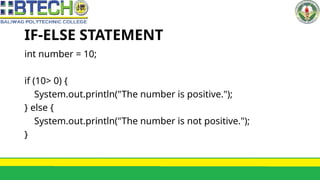
IF-ELSE STATEMENT
int number = 10;
if (10> 0) {
System.out.println("The number is positive.");
} else {
System.out.println("The number is not positive.");
}
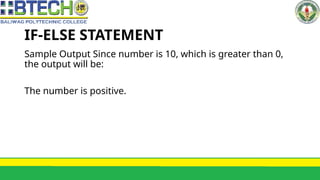
IF-ELSE STATEMENT
Sample Output Since number is 10, which is greater than 0,
the output will be:
The number is positive.
Common Types of
Conditionals
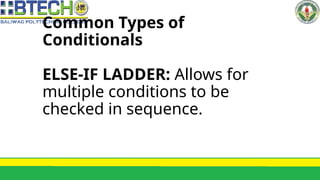
ELSE-IF LADDER: Allows for
multiple conditions to be
checked in sequence.
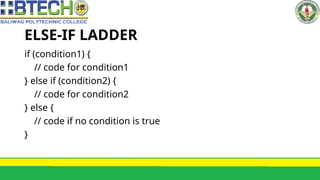
ELSE-IF LADDER
if (condition1) {
// code for condition1
} else if (condition2) {
// code for condition2
} else {
// code if no condition is true
}
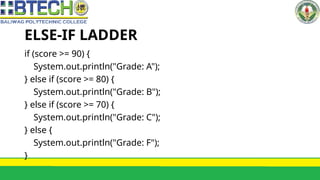
ELSE-IF LADDER
if (score >= 90) {
System.out.println("Grade: A");
} else if (score >= 80) {
System.out.println("Grade: B");
} else if (score >= 70) {
System.out.println("Grade: C");
} else {
System.out.println("Grade: F");
}
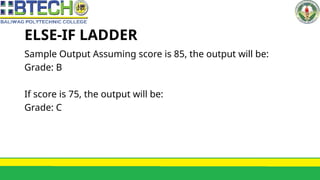
ELSE-IF LADDER
Sample Output Assuming score is 85, the output will be:
Grade: B
If score is 75, the output will be:
Grade: C
Common Types of
Conditionals
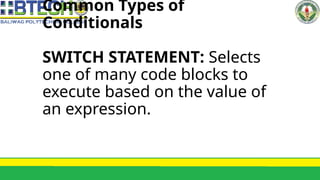
SWITCH STATEMENT: Selects
one of many code blocks to
execute based on the value of
an expression.
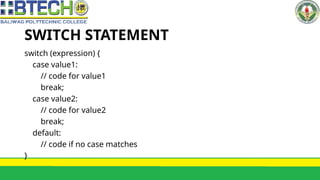
SWITCH STATEMENT
switch (expression) {
case value1:
// code for value1
break;
case value2:
// code for value2
break;
default:
// code if no case matches
}
SWITCH STATEMENT
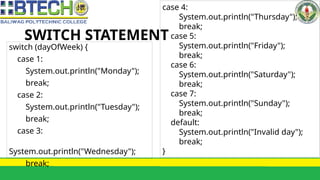
switch (dayOfWeek) {
case 1:
System.out.println("Monday");
break;
case 2:
System.out.println("Tuesday");
break;
case 3:
System.out.println("Wednesday");
break;
case 4:
System.out.println("Thursday");
break;
case 5:
System.out.println("Friday");
break;
case 6:
System.out.println("Saturday");
break;
case 7:
System.out.println("Sunday");
break;
default:
System.out.println("Invalid day");
break;
}
SWITCH STATEMENT
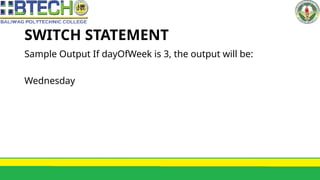
Sample Output If dayOfWeek is 3, the output will be:
Wednesday
Common Types of
Conditionals
FOR Loop: Repeats a block of
code a specific number of
times, often with an iteration
variable..
FOR LOOP
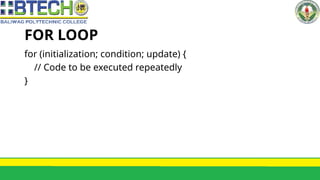
for (initialization; condition; update) {
// Code to be executed repeatedly
}
FOR LOOP
public class ForLoopExample {
public static void main(String[] args) {
// Using a for loop to print numbers from 1 to 5
for (int i = 1; i <= 5; i++) {
System.out.println(i);
}
}
}
FOR LOOP
Sample Output
1
2
3
4
5
SWITCH STATEMENT
import java.util.Scanner;
public class UserInfoExample {
public static void main(String[] args) {
// Create a Scanner object to read user
input
Scanner scanner = new Scanner(System.in);
// Prompt the user to enter their name
System.out.print("Enter your name: ");
String name = scanner.nextLine();
// Read the user's name
// Prompt the user to enter their age
System.out.print("Enter your age: ");
int age = scanner.nextInt(); // Read the
user's age
// Print a personalized message
System.out.println("Hello, " + name + "!");
System.out.println("You are " + age + "
years old.");
// Close the scanner
scanner.close();
}
}
SWITCH STATEMENT
Sample Output
Enter your name: Alice
Enter your age: 30
Hello, Alice!
You are 30 years old.
NOTE:
Use if to specify a block of code to be executed, if a specified
condition is true
Use else to specify a block of code to be executed, if the same
condition is false
Use else if to specify a new condition to test, if the first
condition is false
Use switch to specify many alternative blocks of code to be
executed

LESSON 4 Control Flow Statements in JAVA.pptx