Communications Lab :: Web Lecture 4: Sinatra and Datamapper
Reminders Next week is Columbus Day, no class.  Assignment #3 due today
Today Sinatra review   How to create more applications in Sinatra Datamapper and Sinatra - we'll take a look at how to store and retrieve data
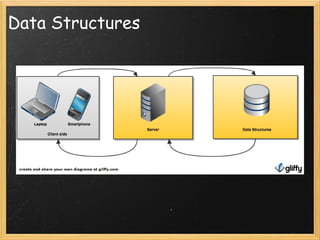
Data Structures
Sinatra Review Routes paths in urls you can define the code that runs on each route Parameters variable values used to pass from url or from one route to another Including HTML through Sinatra Storing HTML in variables Adding strings Returning the variable containing HTML
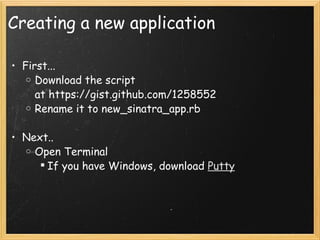
Creating a new application First... Download the script at https://gist.github.com/1258552 Rename it to new_sinatra_app.rb Next.. Open Terminal If you have Windows, download  Putty
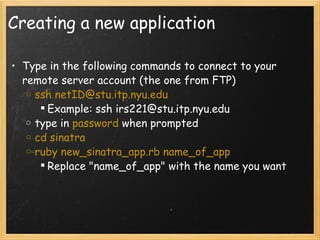
Creating a new application Type in the following commands to connect to your remote server account (the one from FTP) ssh netID@stu.itp.nyu.edu Example: ssh irs221@stu.itp.nyu.edu type in  password  when prompted cd sinatra ruby new_sinatra_app.rb name_of_app Replace "name_of_app" with the name you want
DataMapper Object-relational mapper library that helps us save and retrieve data in Sinatra Easy to set up with Sinatra
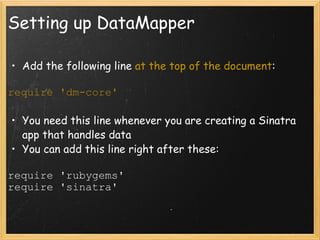
Setting up DataMapper Add the following line  at the top of the document : require 'dm-core' You need this line whenever you are creating a Sinatra app that handles data You can add this line right after these: require 'rubygems' require 'sinatra'
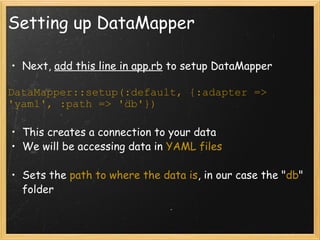
Setting up DataMapper Next,  add this line in app.rb  to setup DataMapper DataMapper::setup(:default, {:adapter => 'yaml', :path => 'db'}) This creates a connection to your data We will be accessing data in  YAML files Sets the  path to where the data is , in our case the " db " folder
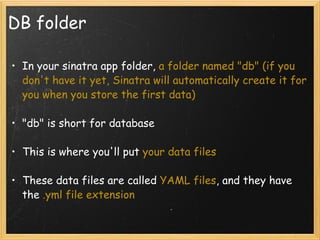
DB folder In your sinatra app folder,  a folder named "db" (if you don't have it yet, Sinatra will automatically create it for you when you store the first data) "db" is short for database This is where you'll put  your data files These data files are called  YAML files , and they have the  .yml file extension
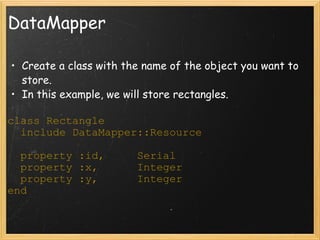
DataMapper Create a class with the name of the object you want to store. In this example, we will store rectangles.  class Rectangle    include DataMapper::Resource    property :id,     Serial    property :x,      Integer    property :y,      Integer end
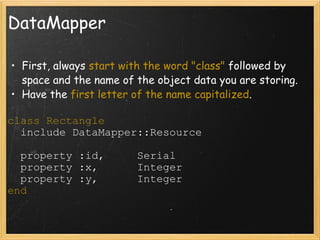
DataMapper First, always  start with the word "class"  followed by space and the name of the object data you are storing. Have the  first letter of the name capitalized . class Rectangle    include DataMapper::Resource    property :id,     Serial    property :x,      Integer    property :y,      Integer end
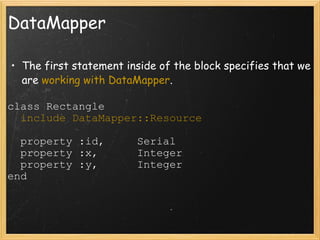
DataMapper The first statement inside of the block specifies that we are  working with DataMapper . class Rectangle    include DataMapper::Resource    property :id,     Serial    property :x,      Integer    property :y,      Integer end
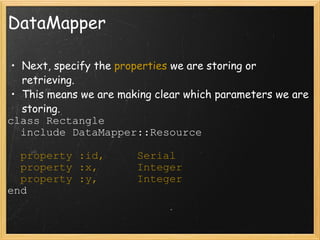
DataMapper Next, specify the  properties  we are storing or retrieving. This means we are making clear which parameters we are storing. class Rectangle    include DataMapper::Resource    property :id,     Serial    property :x,      Integer    property :y,      Integer end
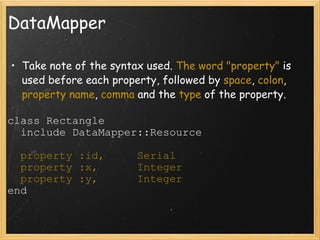
DataMapper Take note of the syntax used.  The word "property"  is used before each property, followed by  space ,  colon ,  property name ,  comma  and the  type  of the property. class Rectangle    include DataMapper::Resource    property :id,     Serial    property :x,      Integer    property :y,      Integer end
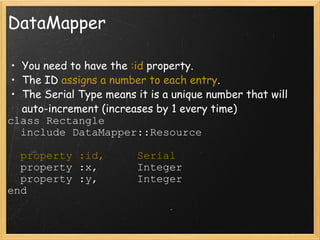
DataMapper You need to have the  :id  property. The ID  assigns a number to each entry . The Serial Type means it is a unique number that will auto-increment (increases by 1 every time) class Rectangle    include DataMapper::Resource    property :id,     Serial    property :x,      Integer    property :y,      Integer end
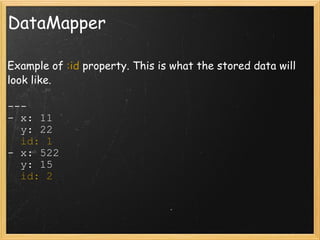
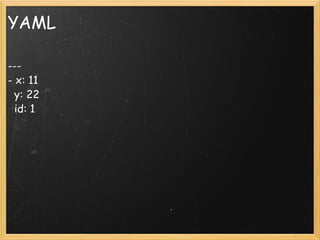
DataMapper Example of  :id  property. This is what the stored data will look like. ---  - x: 11    y: 22    id: 1 - x: 522    y: 15    id: 2
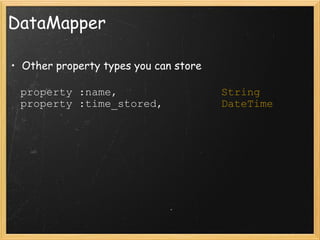
DataMapper Other property types you can store    property :name,                 String    property :time_stored,          DateTime
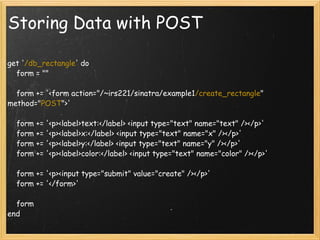
Storing Data with POST get ' /db_rectangle ' do      form = &quot;&quot;      form += '<form action=&quot;/~irs221/sinatra/example1 /create_rectangle &quot; method=&quot; POST &quot;>'      form += '<p><label>text:</label> <input type=&quot;text&quot; name=&quot;text&quot; /></p>'      form += '<p><label>x:</label> <input type=&quot;text&quot; name=&quot;x&quot; /></p>'      form += '<p><label>y:</label> <input type=&quot;text&quot; name=&quot;y&quot; /></p>'      form += '<p><label>color:</label> <input type=&quot;text&quot; name=&quot;color&quot; /></p>'      form += '<p><input type=&quot;submit&quot; value=&quot;create&quot; /></p>'      form += '</form>'      form end
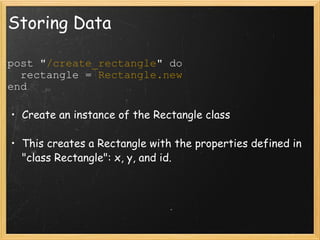
Storing Data post &quot; /create_rectangle &quot; do    rectangle =  Rectangle.new end Create an instance of the Rectangle class This creates a Rectangle with the properties defined in &quot;class Rectangle&quot;: x, y, and id.
Storing Data post &quot;/create_rectangle&quot; do    rectangle = Rectangle.new    rectangle.x = params[:x]    rectangle.y = params[:y] end Set the  value of the properties  defined, here x and y, to the value of the inputs from the form. No need to set the value of the  ID . That will get set automatically.   
Storing Data post &quot;/create_rectangle&quot; do    rectangle = Rectangle.new    rectangle.x = params[:x]    rectangle.y = params[:y]    rectangle.save end Save the values to the database/file Puts the values in the YAML file named rectangles.yml. If the file doesn't exist, it will create it automatically  
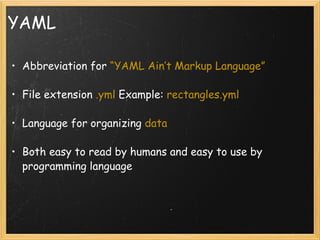
YAML Abbreviation for  “YAML Ain’t Markup Language” File extension  .yml  Example:  rectangles.yml   Language for organizing  data Both easy to read by humans and easy to use by programming language  
YAML ---  - x: 11    y: 22    id: 1
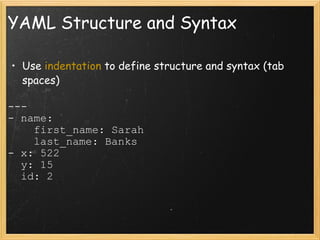
YAML Structure and Syntax Use  indentation  to define structure and syntax (tab spaces) ---  - name:      first_name: Sarah      last_name: Banks - x: 522    y: 15    id: 2
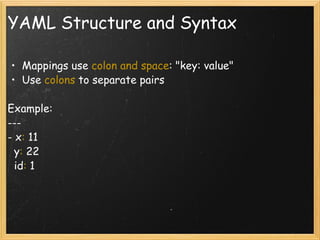
YAML Structure and Syntax Mappings use  colon and space : &quot;key: value&quot; Use  colons  to separate pairs Example: ---  - x :  11    y :  22    id :  1
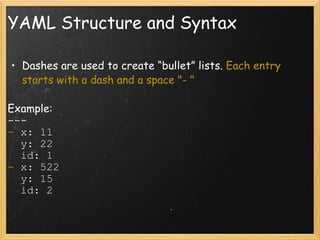
YAML Structure and Syntax Dashes are used to create “bullet” lists.  Each entry starts with a dash and a space &quot;- &quot; Example: ---  -  x: 11    y: 22    id: 1 -  x: 522    y: 15    id: 2
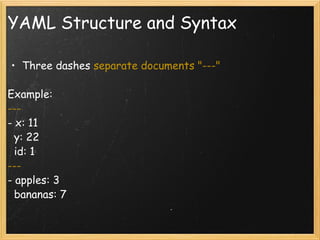
YAML Structure and Syntax Three dashes  separate documents &quot;---&quot; Example: ---  - x: 11    y: 22    id: 1 ---  - apples: 3    bananas: 7
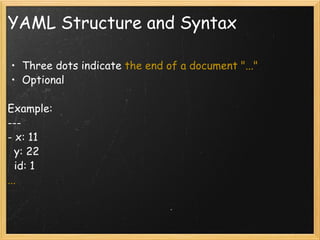
YAML Structure and Syntax Three dots indicate  the end of a document &quot;...&quot; Optional Example: ---  - x: 11    y: 22    id: 1 ...
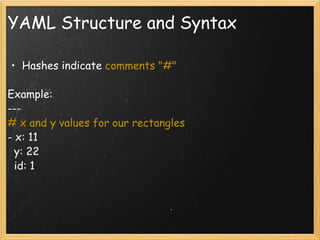
YAML Structure and Syntax Hashes indicate  comments &quot;#&quot; Example: ---  # x and y values for our rectangles - x: 11    y: 22    id: 1
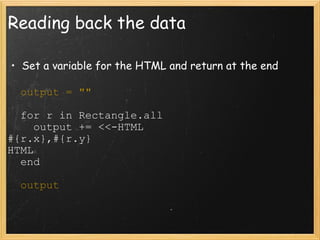
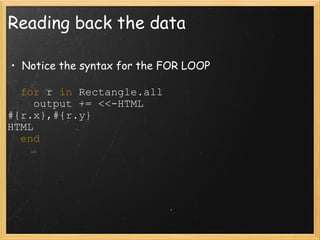
Reading back the data Set a variable for the HTML and return at the end    output = &quot;&quot;    for r in Rectangle.all      output += <<-HTML #{r.x},#{r.y} HTML    end    output
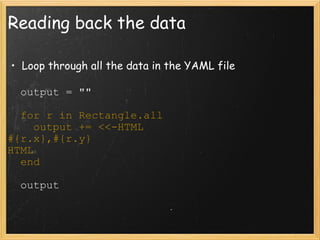
Reading back the data Loop through all the data in the YAML file    output = &quot;&quot;    for r in Rectangle.all      output += <<-HTML #{r.x},#{r.y} HTML    end    output
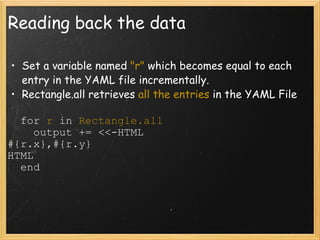
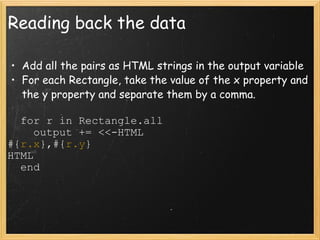
Reading back the data Set a variable named  &quot;r&quot;  which becomes equal to each entry in the YAML file incrementally. Rectangle.all retrieves  all the entries  in the YAML File    for  r  in  Rectangle.all      output += <<-HTML #{r.x},#{r.y} HTML    end
Reading back the data Notice the syntax for the FOR LOOP    for  r  in  Rectangle.all      output += <<-HTML #{r.x},#{r.y} HTML    end
Reading back the data Add all the pairs as HTML strings in the output variable For each Rectangle, take the value of the x property and the y property and separate them by a comma.    for r in Rectangle.all      output += <<-HTML #{ r.x },#{ r.y } HTML    end
Retrieving a certain entry This is why the id is useful. We can keep close track of all entries and retrieve them individually get &quot;/rectangles/ :id &quot; do    Rectangle.get params[:id] end
Retrieving a certain entry Displaying the  x value  for a certain entry: get &quot;/rectangles/:id&quot; do    output = &quot;&quot;    r = Rectangle.get params[:id]    output +=  String(r.x)    output end
Updating a certain entry Displaying the  x value  for a certain entry: get &quot;/rectangles/:id&quot; do    output = &quot;&quot;    r = Rectangle.get params[:id]    r.update(:x => 1000)    output += String(r.x)    output end
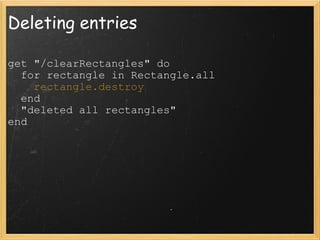
Deleting entries get &quot;/clearRectangles&quot; do    for rectangle in Rectangle.all      rectangle.destroy    end    &quot;deleted all rectangles&quot; end
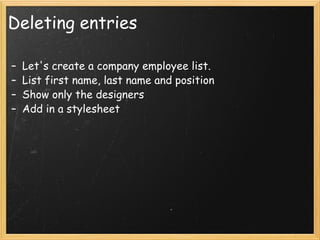
Deleting entries Let's create a company employee list. List first name, last name and position Show only the designers Add in a stylesheet
Next Time... JavaScript Programming language on client side We'll add interaction to pages Heavily uses classes and ids from the HTML Start thinking about what you want to do for your final project
Your Final Project Think about all the tools we've studied so far: HTML - especially forms CSS Sinatra routes and parameters Datamapper E. g. could be another choose your own adventure game, but you could have it more intricate, include videos, pictures, have it more styled.  For next class, make a proposal with your idea.
Assignment #4 Due next class, in two weeks Covers Datamapper, storing and retrieving data.

Lecture 4 - Comm Lab: Web @ ITP

  • 1.
    Communications Lab ::Web Lecture 4: Sinatra and Datamapper
  • 2.
    Reminders Next weekis Columbus Day, no class.  Assignment #3 due today
  • 3.
    Today Sinatra review  How to create more applications in Sinatra Datamapper and Sinatra - we'll take a look at how to store and retrieve data
  • 4.
  • 5.
    Sinatra Review Routespaths in urls you can define the code that runs on each route Parameters variable values used to pass from url or from one route to another Including HTML through Sinatra Storing HTML in variables Adding strings Returning the variable containing HTML
  • 6.
    Creating a newapplication First... Download the script at https://gist.github.com/1258552 Rename it to new_sinatra_app.rb Next.. Open Terminal If you have Windows, download  Putty
  • 7.
    Creating a newapplication Type in the following commands to connect to your remote server account (the one from FTP) ssh netID@stu.itp.nyu.edu Example: ssh irs221@stu.itp.nyu.edu type in password when prompted cd sinatra ruby new_sinatra_app.rb name_of_app Replace &quot;name_of_app&quot; with the name you want
  • 8.
    DataMapper Object-relational mapperlibrary that helps us save and retrieve data in Sinatra Easy to set up with Sinatra
  • 9.
    Setting up DataMapperAdd the following line at the top of the document : require 'dm-core' You need this line whenever you are creating a Sinatra app that handles data You can add this line right after these: require 'rubygems' require 'sinatra'
  • 10.
    Setting up DataMapperNext, add this line in app.rb to setup DataMapper DataMapper::setup(:default, {:adapter => 'yaml', :path => 'db'}) This creates a connection to your data We will be accessing data in YAML files Sets the path to where the data is , in our case the &quot; db &quot; folder
  • 11.
    DB folder Inyour sinatra app folder,  a folder named &quot;db&quot; (if you don't have it yet, Sinatra will automatically create it for you when you store the first data) &quot;db&quot; is short for database This is where you'll put your data files These data files are called YAML files , and they have the .yml file extension
  • 12.
    DataMapper Create aclass with the name of the object you want to store. In this example, we will store rectangles.  class Rectangle    include DataMapper::Resource    property :id,     Serial    property :x,      Integer    property :y,      Integer end
  • 13.
    DataMapper First, always start with the word &quot;class&quot; followed by space and the name of the object data you are storing. Have the first letter of the name capitalized . class Rectangle    include DataMapper::Resource    property :id,     Serial    property :x,      Integer    property :y,      Integer end
  • 14.
    DataMapper The firststatement inside of the block specifies that we are working with DataMapper . class Rectangle    include DataMapper::Resource    property :id,     Serial    property :x,      Integer    property :y,      Integer end
  • 15.
    DataMapper Next, specifythe properties we are storing or retrieving. This means we are making clear which parameters we are storing. class Rectangle    include DataMapper::Resource    property :id,     Serial    property :x,      Integer    property :y,      Integer end
  • 16.
    DataMapper Take noteof the syntax used. The word &quot;property&quot; is used before each property, followed by space , colon , property name , comma and the type of the property. class Rectangle    include DataMapper::Resource    property :id,     Serial    property :x,      Integer    property :y,      Integer end
  • 17.
    DataMapper You needto have the :id  property. The ID assigns a number to each entry . The Serial Type means it is a unique number that will auto-increment (increases by 1 every time) class Rectangle    include DataMapper::Resource    property :id,     Serial    property :x,      Integer    property :y,      Integer end
  • 18.
    DataMapper Example of :id  property. This is what the stored data will look like. ---  - x: 11    y: 22    id: 1 - x: 522    y: 15    id: 2
  • 19.
    DataMapper Other propertytypes you can store    property :name,                 String    property :time_stored,         DateTime
  • 20.
    Storing Data withPOST get ' /db_rectangle ' do      form = &quot;&quot;      form += '<form action=&quot;/~irs221/sinatra/example1 /create_rectangle &quot; method=&quot; POST &quot;>'      form += '<p><label>text:</label> <input type=&quot;text&quot; name=&quot;text&quot; /></p>'      form += '<p><label>x:</label> <input type=&quot;text&quot; name=&quot;x&quot; /></p>'      form += '<p><label>y:</label> <input type=&quot;text&quot; name=&quot;y&quot; /></p>'      form += '<p><label>color:</label> <input type=&quot;text&quot; name=&quot;color&quot; /></p>'      form += '<p><input type=&quot;submit&quot; value=&quot;create&quot; /></p>'      form += '</form>'      form end
  • 21.
    Storing Data post&quot; /create_rectangle &quot; do    rectangle = Rectangle.new end Create an instance of the Rectangle class This creates a Rectangle with the properties defined in &quot;class Rectangle&quot;: x, y, and id.
  • 22.
    Storing Data post&quot;/create_rectangle&quot; do    rectangle = Rectangle.new    rectangle.x = params[:x]    rectangle.y = params[:y] end Set the value of the properties defined, here x and y, to the value of the inputs from the form. No need to set the value of the ID . That will get set automatically.   
  • 23.
    Storing Data post&quot;/create_rectangle&quot; do    rectangle = Rectangle.new    rectangle.x = params[:x]    rectangle.y = params[:y]    rectangle.save end Save the values to the database/file Puts the values in the YAML file named rectangles.yml. If the file doesn't exist, it will create it automatically  
  • 24.
    YAML Abbreviation for “YAML Ain’t Markup Language” File extension .yml  Example: rectangles.yml   Language for organizing data Both easy to read by humans and easy to use by programming language  
  • 25.
    YAML ---  -x: 11    y: 22    id: 1
  • 26.
    YAML Structure andSyntax Use indentation to define structure and syntax (tab spaces) ---  - name:      first_name: Sarah      last_name: Banks - x: 522    y: 15    id: 2
  • 27.
    YAML Structure andSyntax Mappings use colon and space : &quot;key: value&quot; Use  colons  to separate pairs Example: ---  - x : 11    y : 22    id : 1
  • 28.
    YAML Structure andSyntax Dashes are used to create “bullet” lists. Each entry starts with a dash and a space &quot;- &quot; Example: ---  - x: 11    y: 22    id: 1 - x: 522    y: 15    id: 2
  • 29.
    YAML Structure andSyntax Three dashes separate documents &quot;---&quot; Example: ---  - x: 11    y: 22    id: 1 ---  - apples: 3    bananas: 7
  • 30.
    YAML Structure andSyntax Three dots indicate the end of a document &quot;...&quot; Optional Example: ---  - x: 11    y: 22    id: 1 ...
  • 31.
    YAML Structure andSyntax Hashes indicate comments &quot;#&quot; Example: ---  # x and y values for our rectangles - x: 11    y: 22    id: 1
  • 32.
    Reading back thedata Set a variable for the HTML and return at the end    output = &quot;&quot;    for r in Rectangle.all      output += <<-HTML #{r.x},#{r.y} HTML    end    output
  • 33.
    Reading back thedata Loop through all the data in the YAML file    output = &quot;&quot;    for r in Rectangle.all      output += <<-HTML #{r.x},#{r.y} HTML    end    output
  • 34.
    Reading back thedata Set a variable named &quot;r&quot; which becomes equal to each entry in the YAML file incrementally. Rectangle.all retrieves all the entries in the YAML File    for r in Rectangle.all      output += <<-HTML #{r.x},#{r.y} HTML    end
  • 35.
    Reading back thedata Notice the syntax for the FOR LOOP    for r in Rectangle.all      output += <<-HTML #{r.x},#{r.y} HTML    end
  • 36.
    Reading back thedata Add all the pairs as HTML strings in the output variable For each Rectangle, take the value of the x property and the y property and separate them by a comma.    for r in Rectangle.all      output += <<-HTML #{ r.x },#{ r.y } HTML    end
  • 37.
    Retrieving a certainentry This is why the id is useful. We can keep close track of all entries and retrieve them individually get &quot;/rectangles/ :id &quot; do   Rectangle.get params[:id] end
  • 38.
    Retrieving a certainentry Displaying the x value for a certain entry: get &quot;/rectangles/:id&quot; do    output = &quot;&quot;    r = Rectangle.get params[:id]    output += String(r.x)    output end
  • 39.
    Updating a certainentry Displaying the x value for a certain entry: get &quot;/rectangles/:id&quot; do    output = &quot;&quot;    r = Rectangle.get params[:id]    r.update(:x => 1000)    output += String(r.x)    output end
  • 40.
    Deleting entries get&quot;/clearRectangles&quot; do   for rectangle in Rectangle.all     rectangle.destroy   end   &quot;deleted all rectangles&quot; end
  • 41.
    Deleting entries Let'screate a company employee list. List first name, last name and position Show only the designers Add in a stylesheet
  • 42.
    Next Time... JavaScriptProgramming language on client side We'll add interaction to pages Heavily uses classes and ids from the HTML Start thinking about what you want to do for your final project
  • 43.
    Your Final ProjectThink about all the tools we've studied so far: HTML - especially forms CSS Sinatra routes and parameters Datamapper E. g. could be another choose your own adventure game, but you could have it more intricate, include videos, pictures, have it more styled.  For next class, make a proposal with your idea.
  • 44.
    Assignment #4 Duenext class, in two weeks Covers Datamapper, storing and retrieving data.