Computer Networks
COL 334/672
Local Area Network
Tarun Mangla
Slides adapted from KR
Sem 1, 2024-25
▪ Link-layer services
• Framing
• Error detection
• Reliability
• Medium Access Control (MAC)
▪ Ethernet protocol
Recap
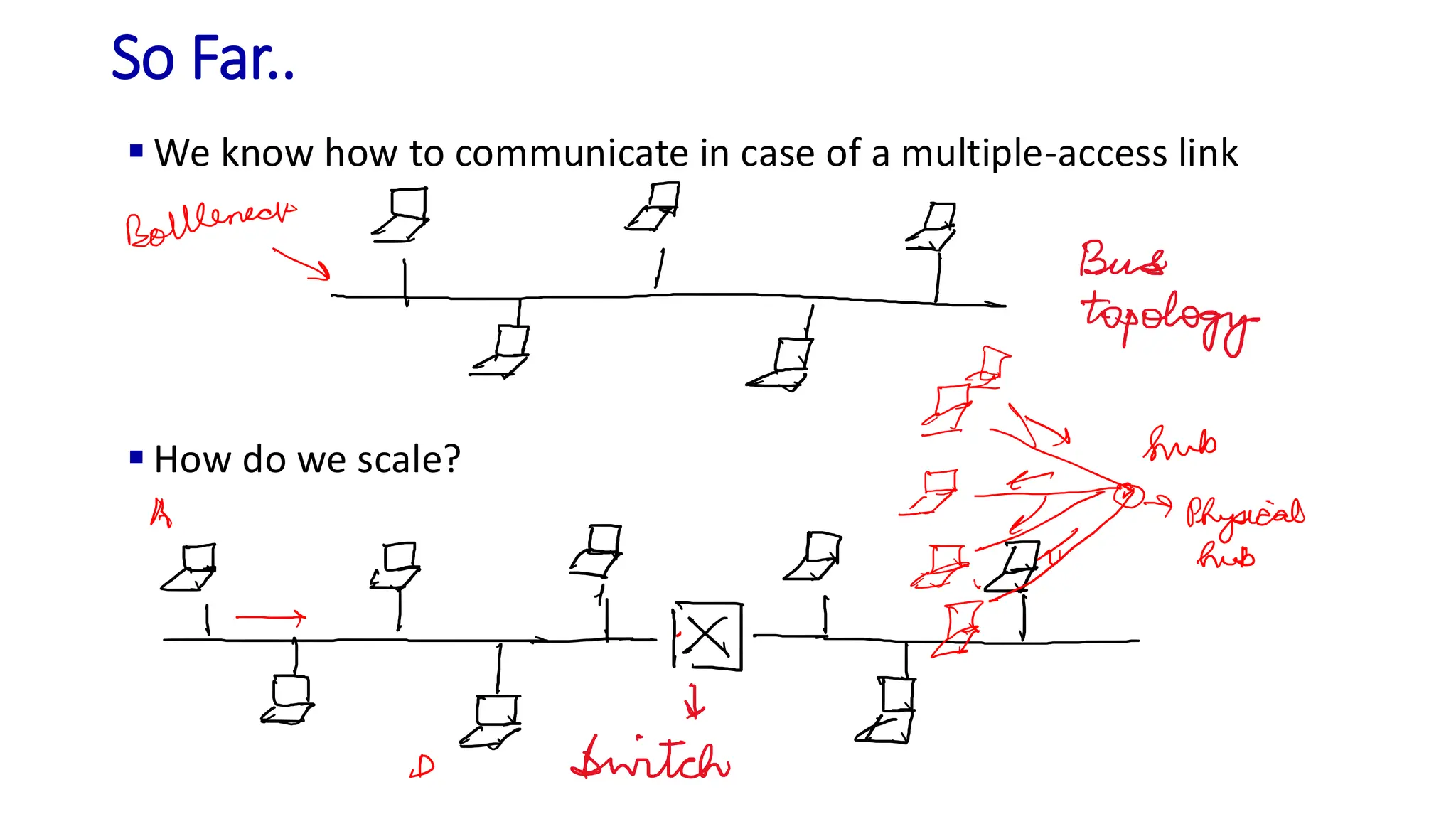
▪ We know how to communicate in case of a multiple-access link
▪ How do we scale?
So Far..
Switched Network
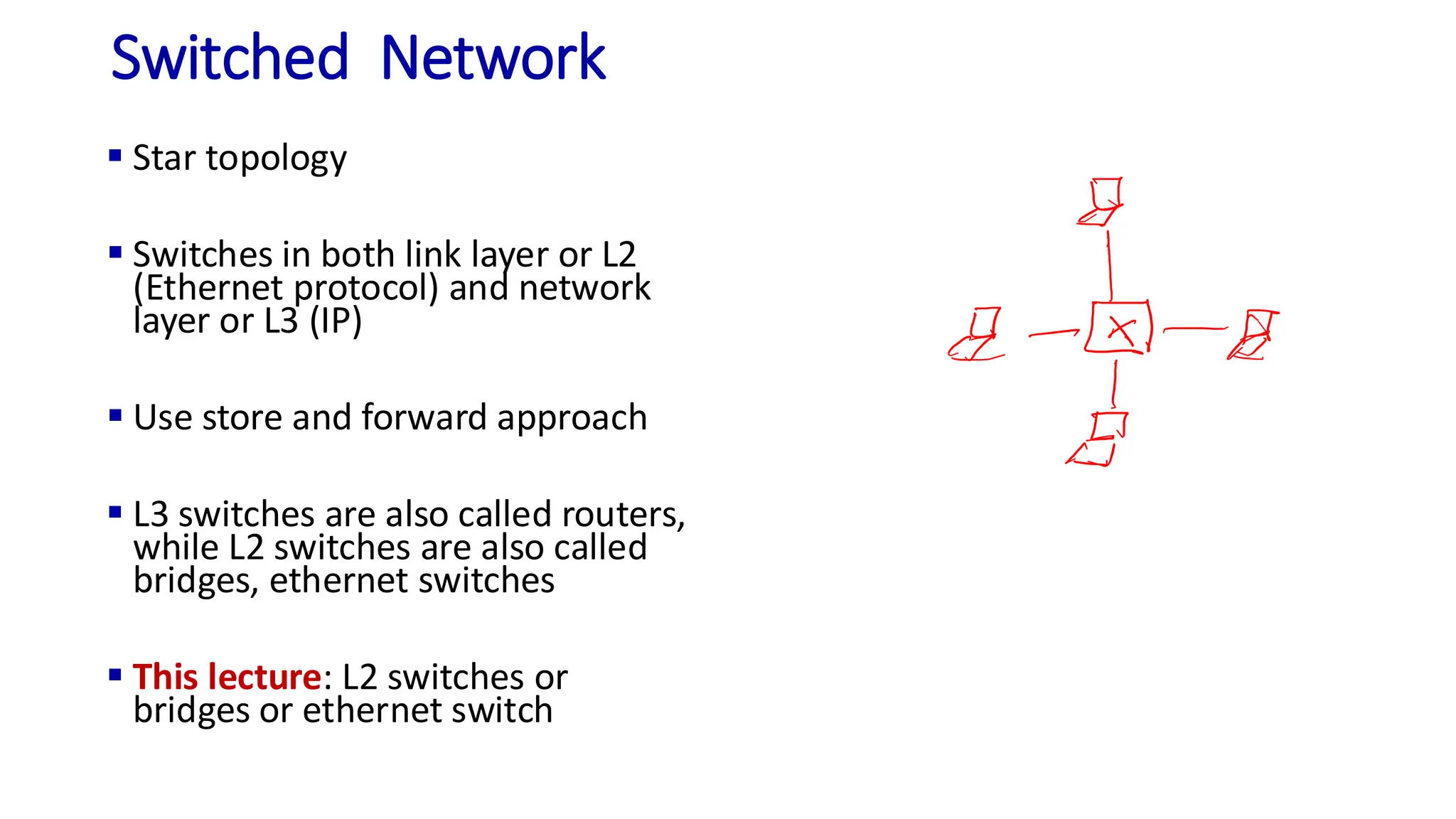
▪ Star topology
▪ Switches in both link layer or L2
(Ethernet protocol) and network
layer or L3 (IP)
▪ Use store and forward approach
▪ L3 switches are also called routers,
while L2 switches are also called
bridges, ethernet switches
▪ This lecture: L2 switches or
bridges or ethernet switch
How does L2 switching work?
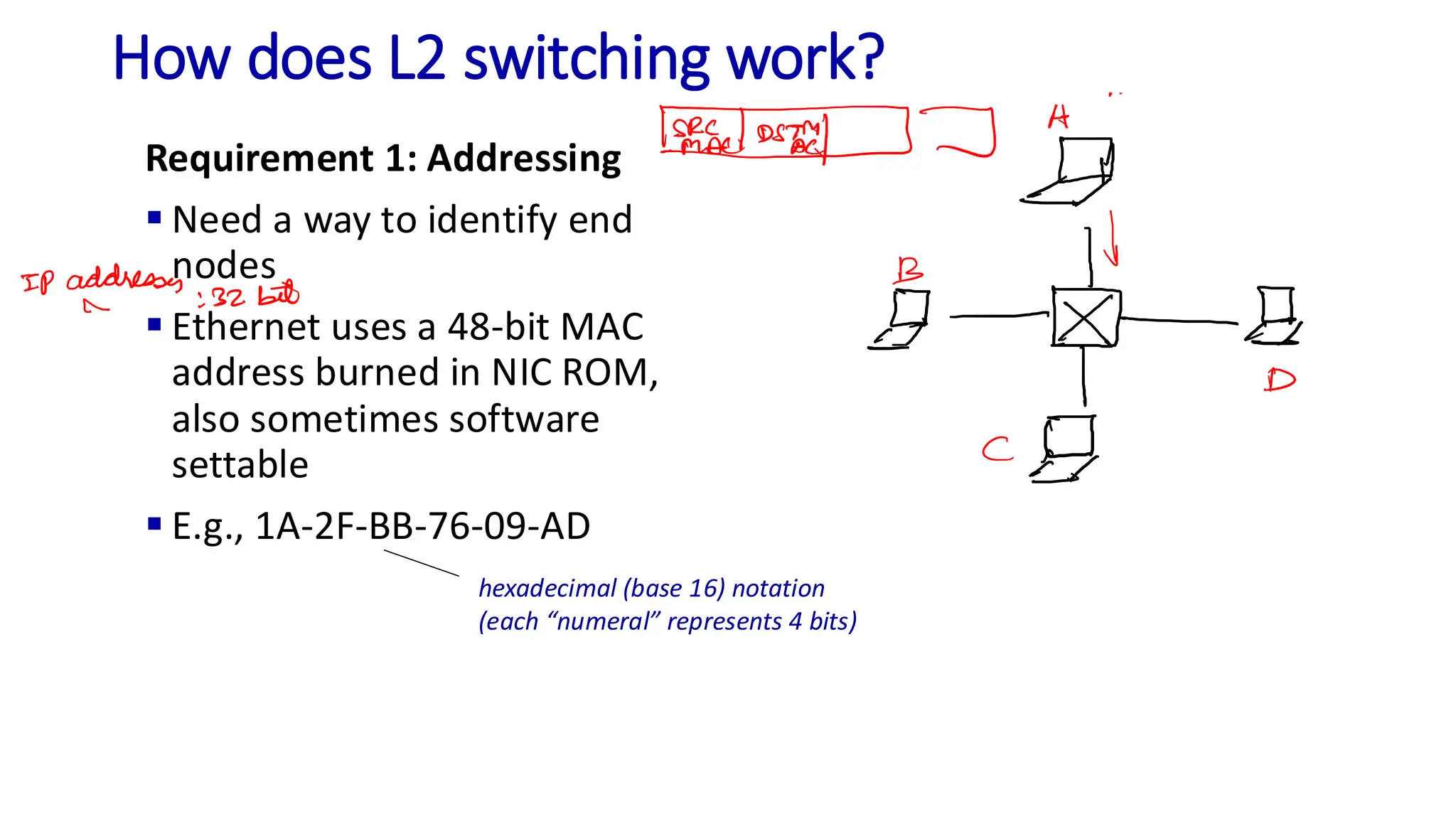
Requirement 1: Addressing
▪ Need a way to identify end
nodes
▪ Ethernet uses a 48-bit MAC
address burned in NIC ROM,
also sometimes software
settable
▪ E.g., 1A-2F-BB-76-09-AD
hexadecimal (base 16) notation
(each “numeral” represents 4 bits)
How does L2 switching work?
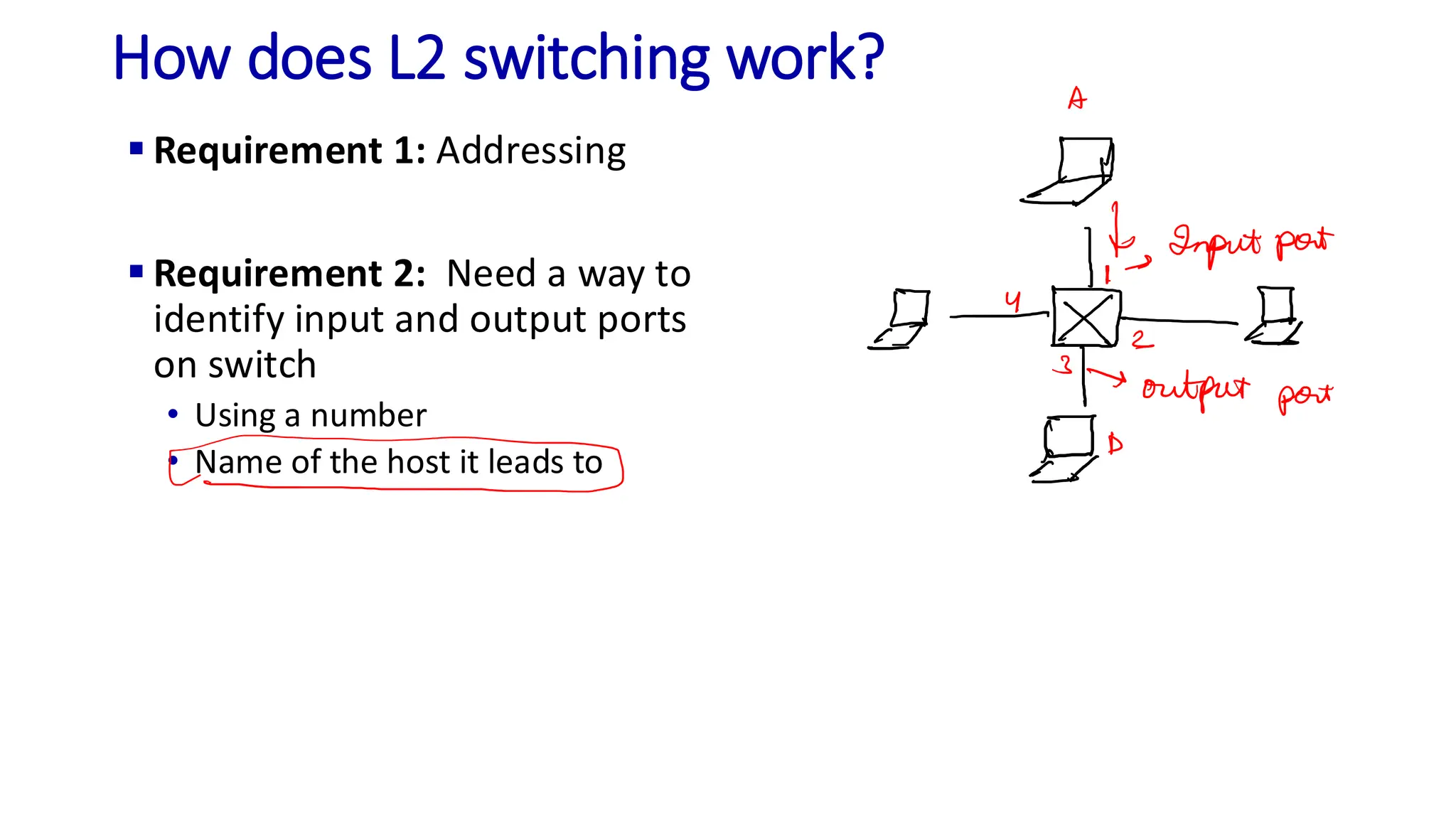
▪ Requirement 1: Addressing
▪ Requirement 2: Need a way to
identify input and output ports
on switch
• Using a number
• Name of the host it leads to
How does L2 switching work?
▪ Requirement 1: Addressing
▪ Requirement 2: Need a way to
identify input and output ports
on switch
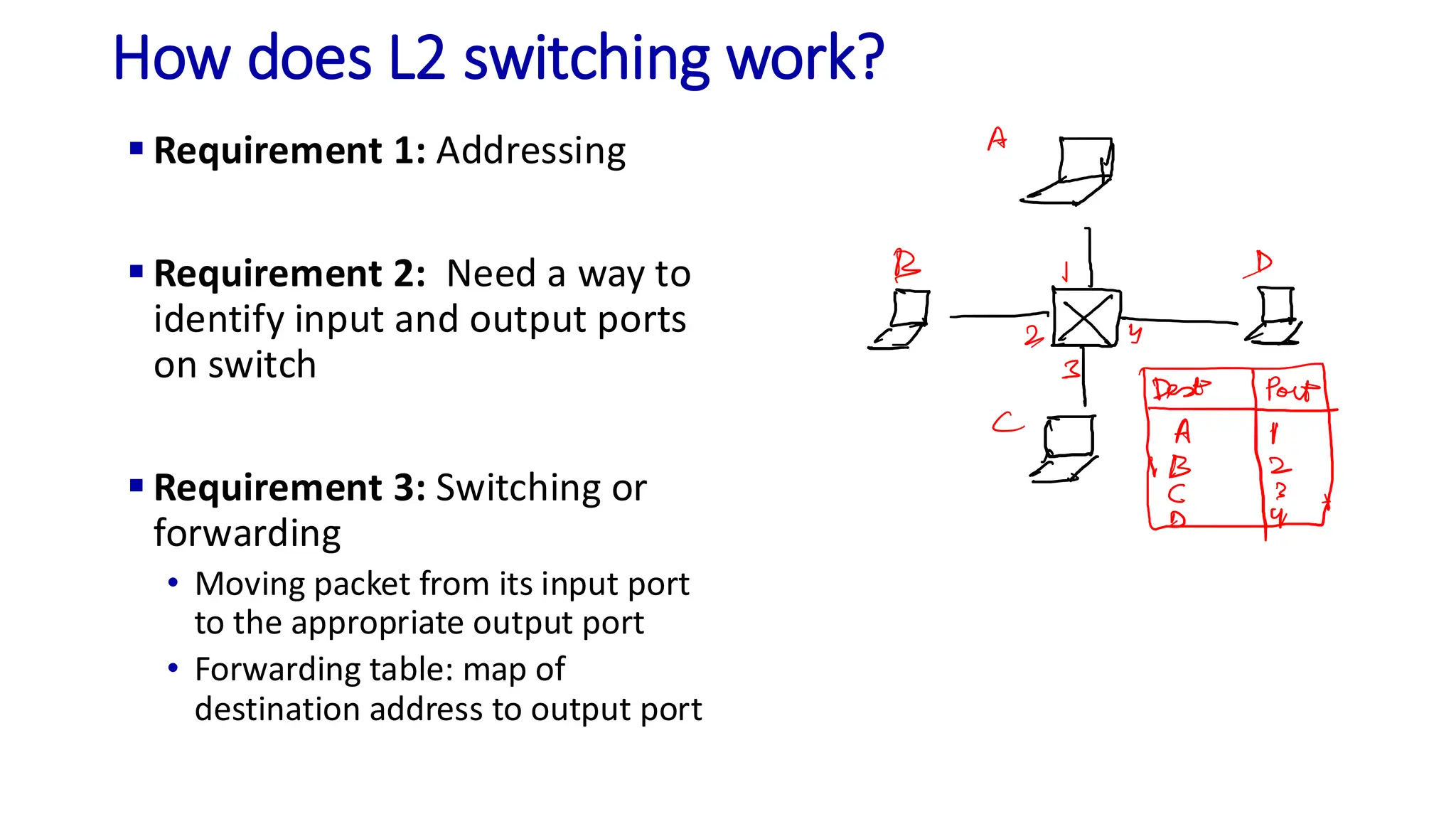
▪ Requirement 3: Switching or
forwarding
• Moving packet from its input port
to the appropriate output port
• Forwarding table: map of
destination address to output port
How does L2 switching work?
▪ Requirement 1: Addressing
▪ Requirement 2: Need a way to
identify input and output ports
on switch
▪ Requirement 3: Switching or
forwarding
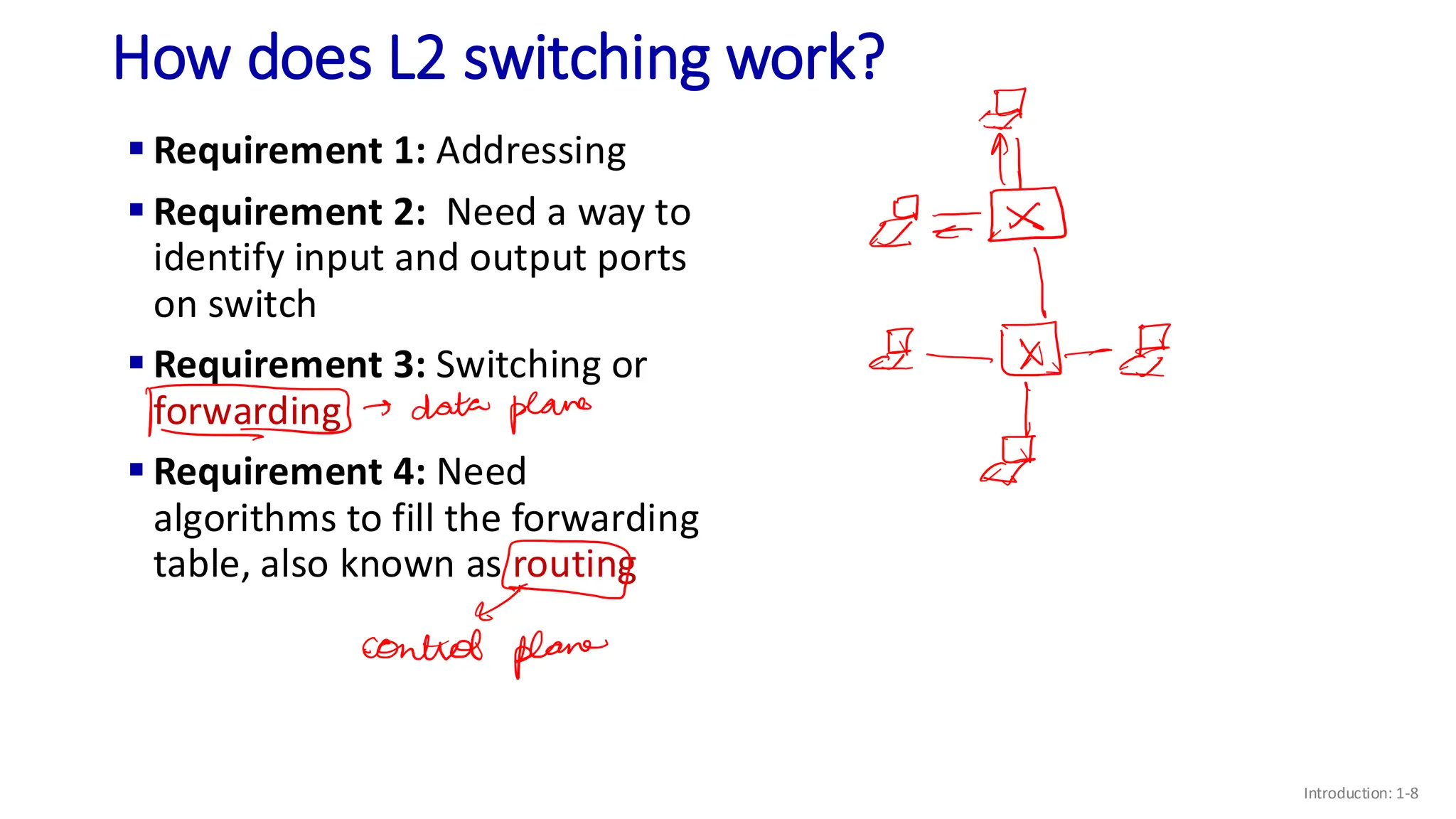
▪ Requirement 4: Need
algorithms to fill the forwarding
table, also known as routing
Introduction: 1-8
L2 Routing
▪ Using static tables added by
network administrator
• Difficult to support dynamic
addition of nodes (end-hosts and
switches)
Introduction: 1-9
L2 Routing: Self-learning Switch
A
A’
B
B’ C
C’
1 2
3
4
5
6
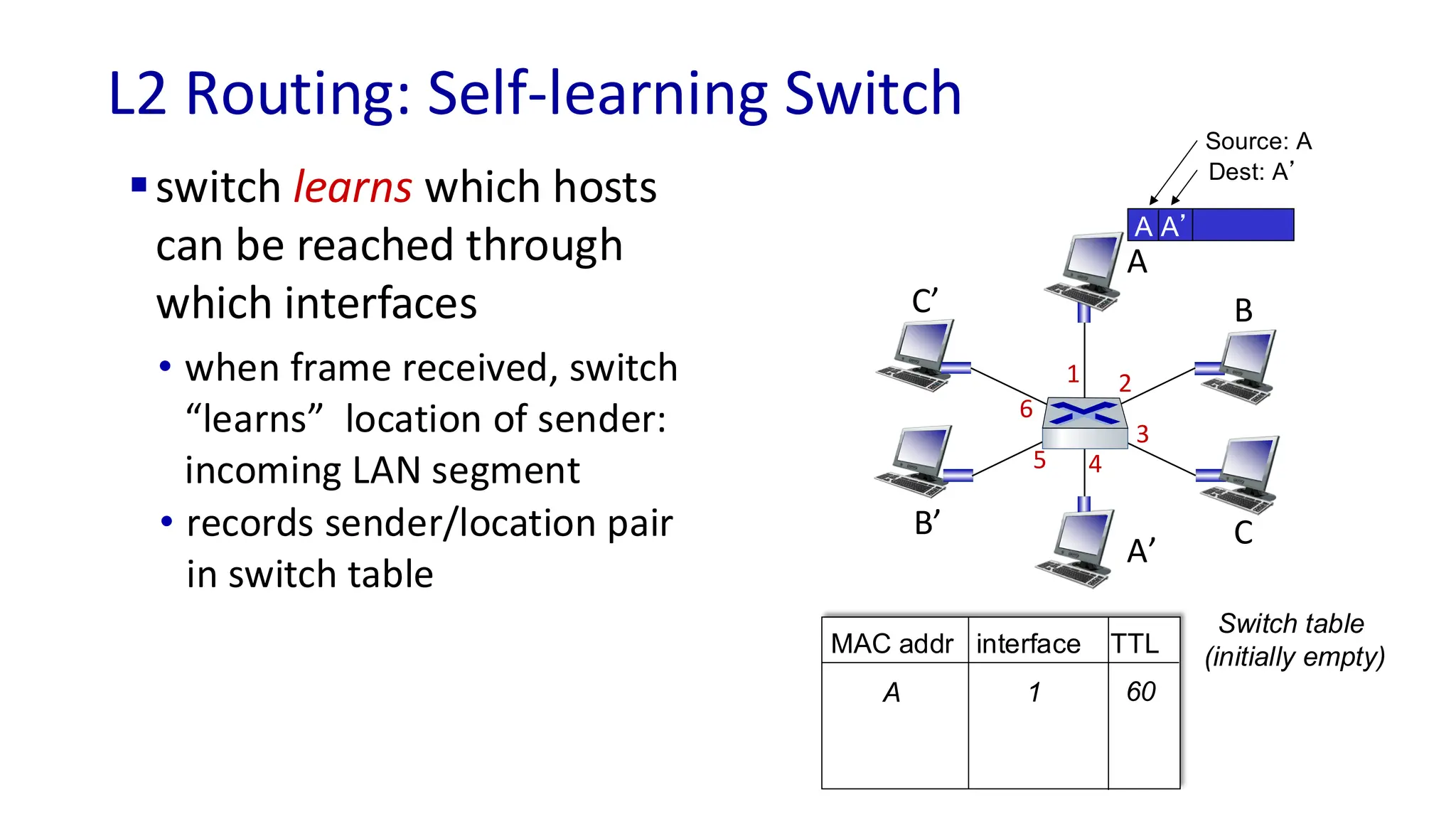
▪switch learns which hosts
can be reached through
which interfaces
A A’
Source: A
Dest: A’
MAC addr interface TTL
Switch table
(initially empty)
A 1 60
• when frame received, switch
“learns” location of sender:
incoming LAN segment
• records sender/location pair
in switch table
L2 Routing: Self-learning Switch
Link Layer: 6-11
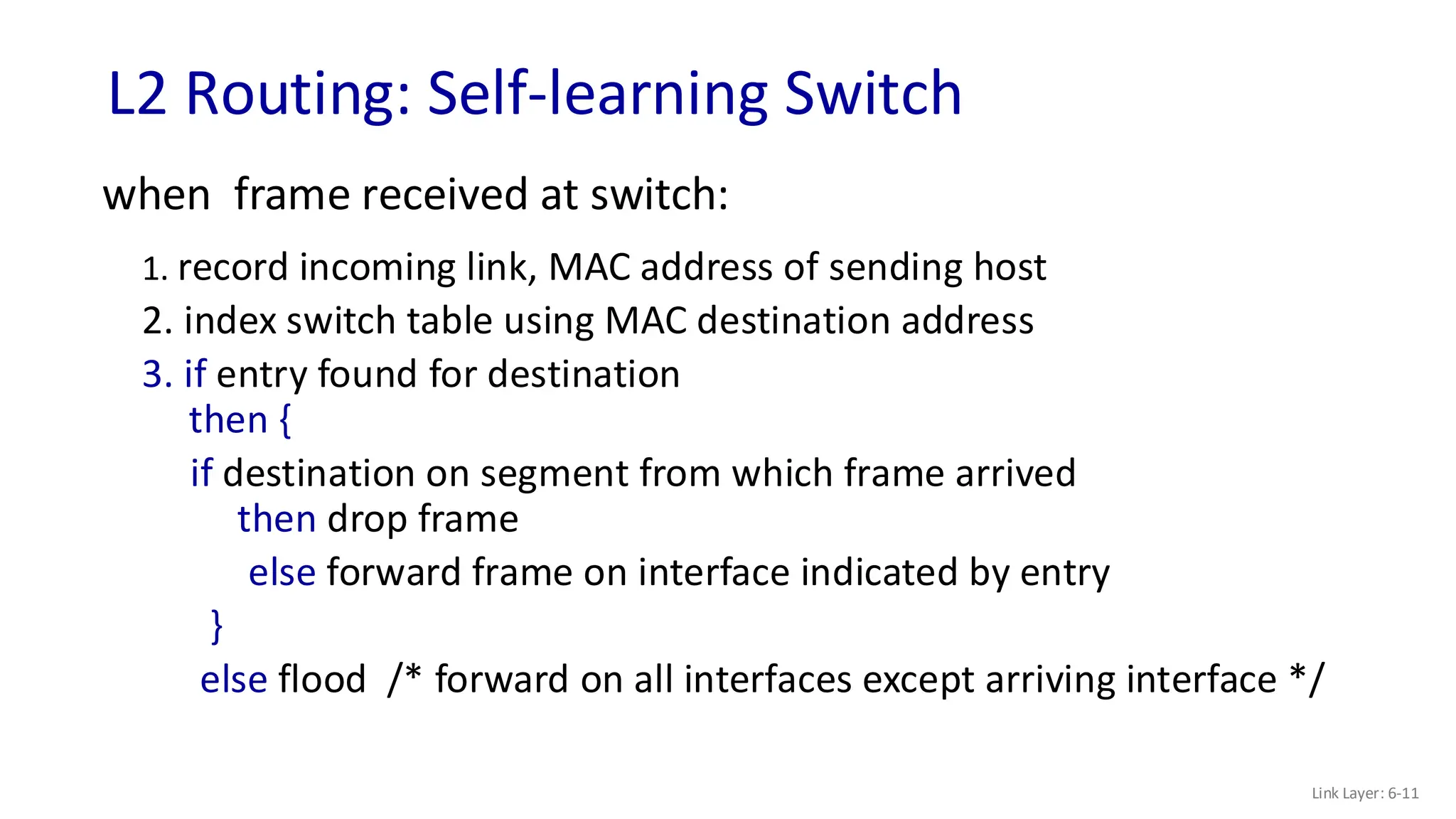
when frame received at switch:
1. record incoming link, MAC address of sending host
2. index switch table using MAC destination address
3. if entry found for destination
then {
if destination on segment from which frame arrived
then drop frame
else forward frame on interface indicated by entry
}
else flood /* forward on all interfaces except arriving interface */
A
A’
B
B’ C
C’
1 2
3
4
5
6
Self-learning, Forwarding: example
Link Layer: 6-12
A A’
Source: A
Dest: A’
MAC addr interface TTL
switch table
(initially empty)
A 1 60
A A’
A A’
A A’
A A’
A A’
A’ A
A’ 4 60
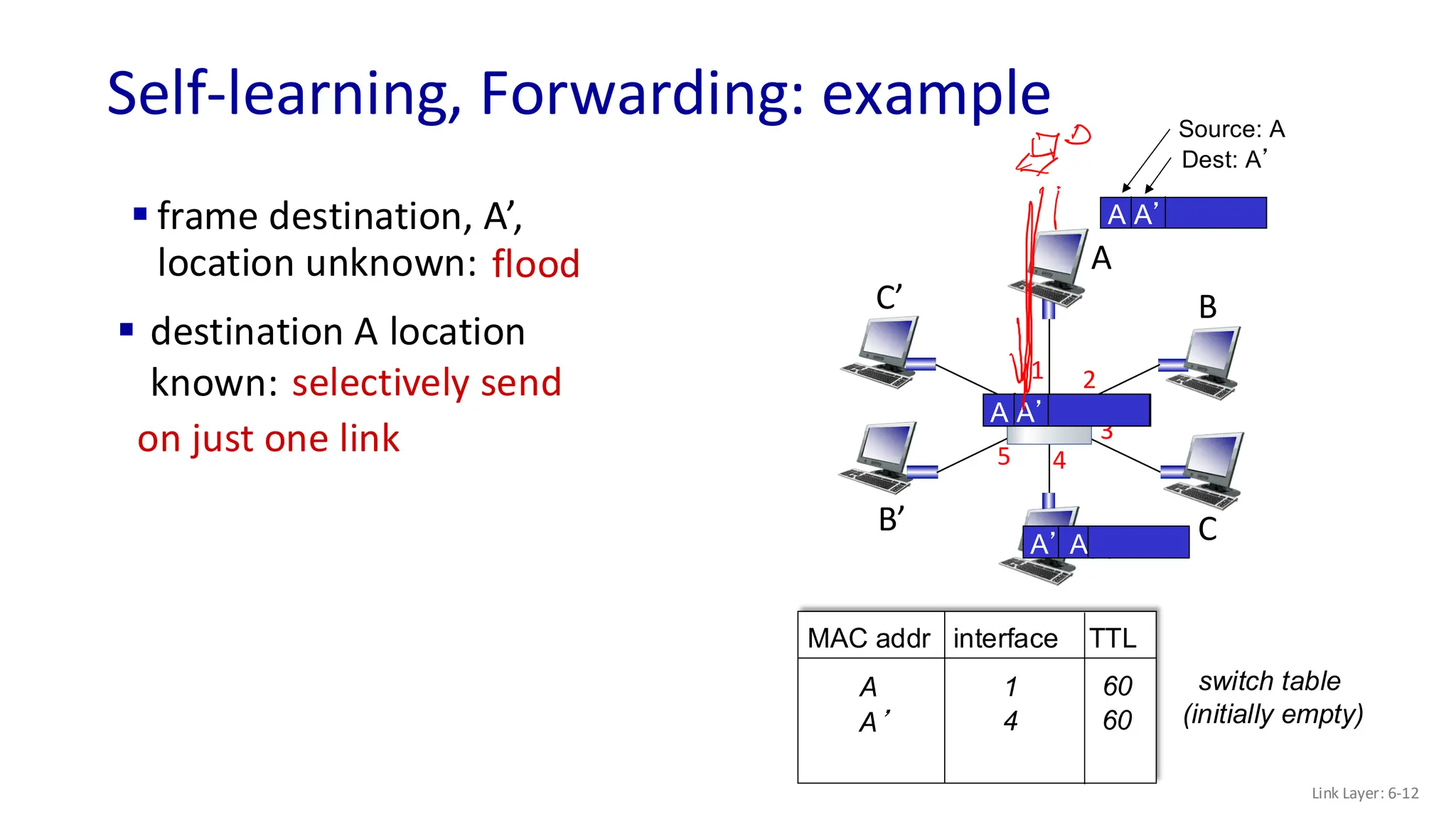
▪ frame destination, A’,
location unknown: flood
▪ destination A location
known: selectively send
on just one link
Interconnecting switches
Link Layer: 6-13
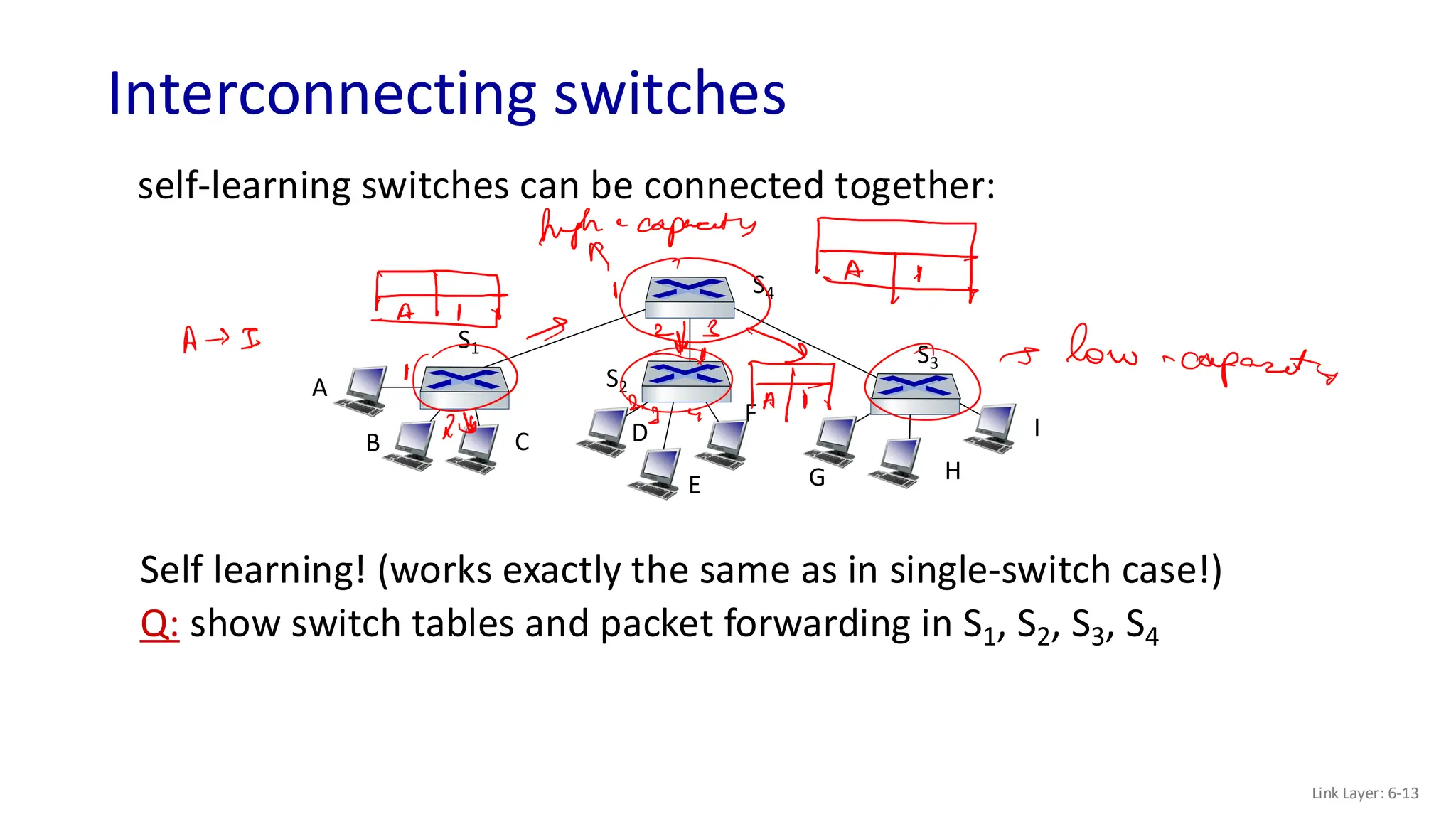
self-learning switches can be connected together:
Self learning! (works exactly the same as in single-switch case!)
Q: show switch tables and packet forwarding in S1, S2, S3, S4
A
B
S1
C D
E
F
S2
S4
S3
H
I
G
What happens in case of a loop?
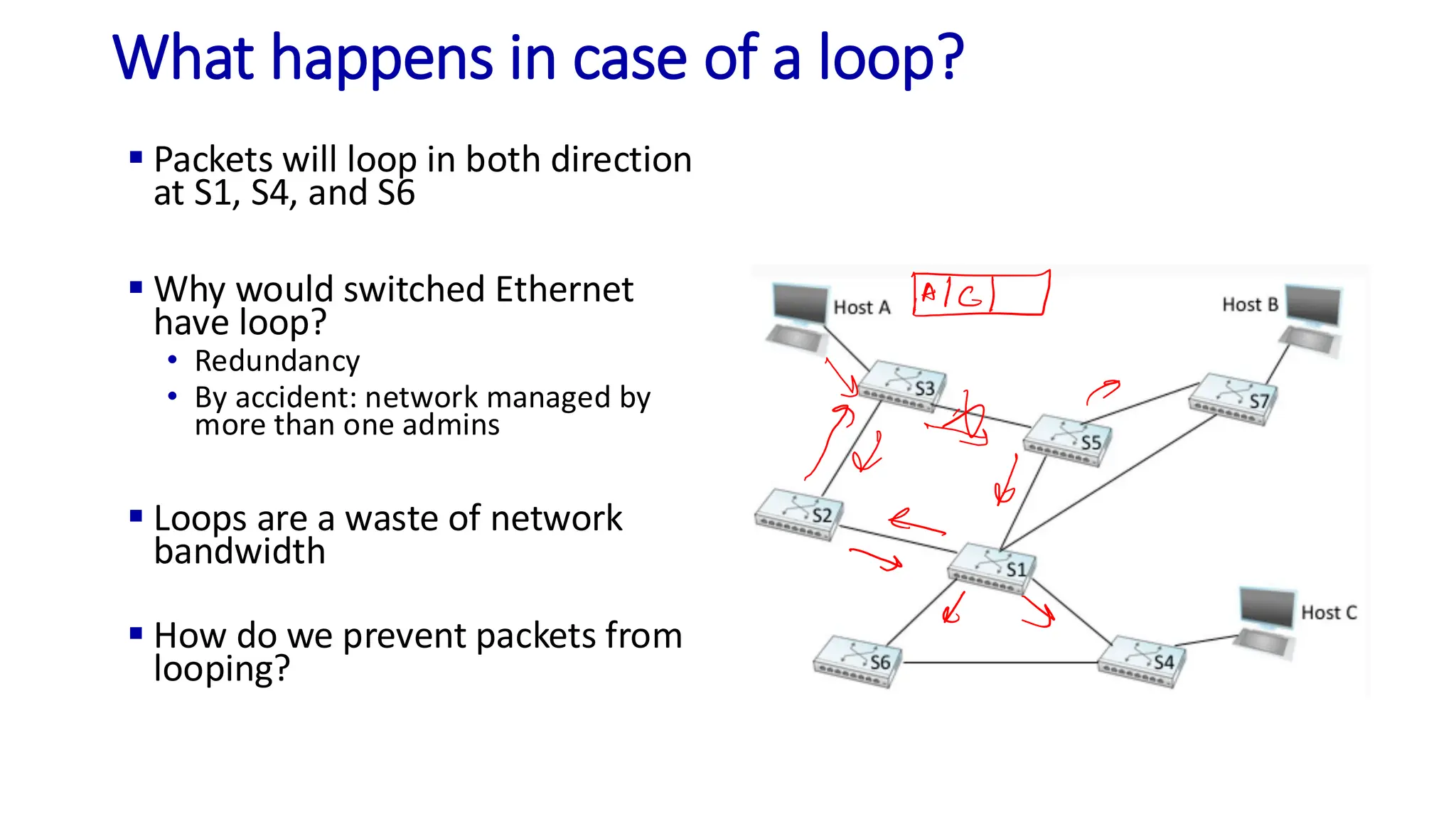
▪ Packets will loop in both direction
at S1, S4, and S6
▪ Why would switched Ethernet
have loop?
• Redundancy
• By accident: network managed by
more than one admins
▪ Loops are a waste of network
bandwidth
▪ How do we prevent packets from
looping?
Break the Loop!
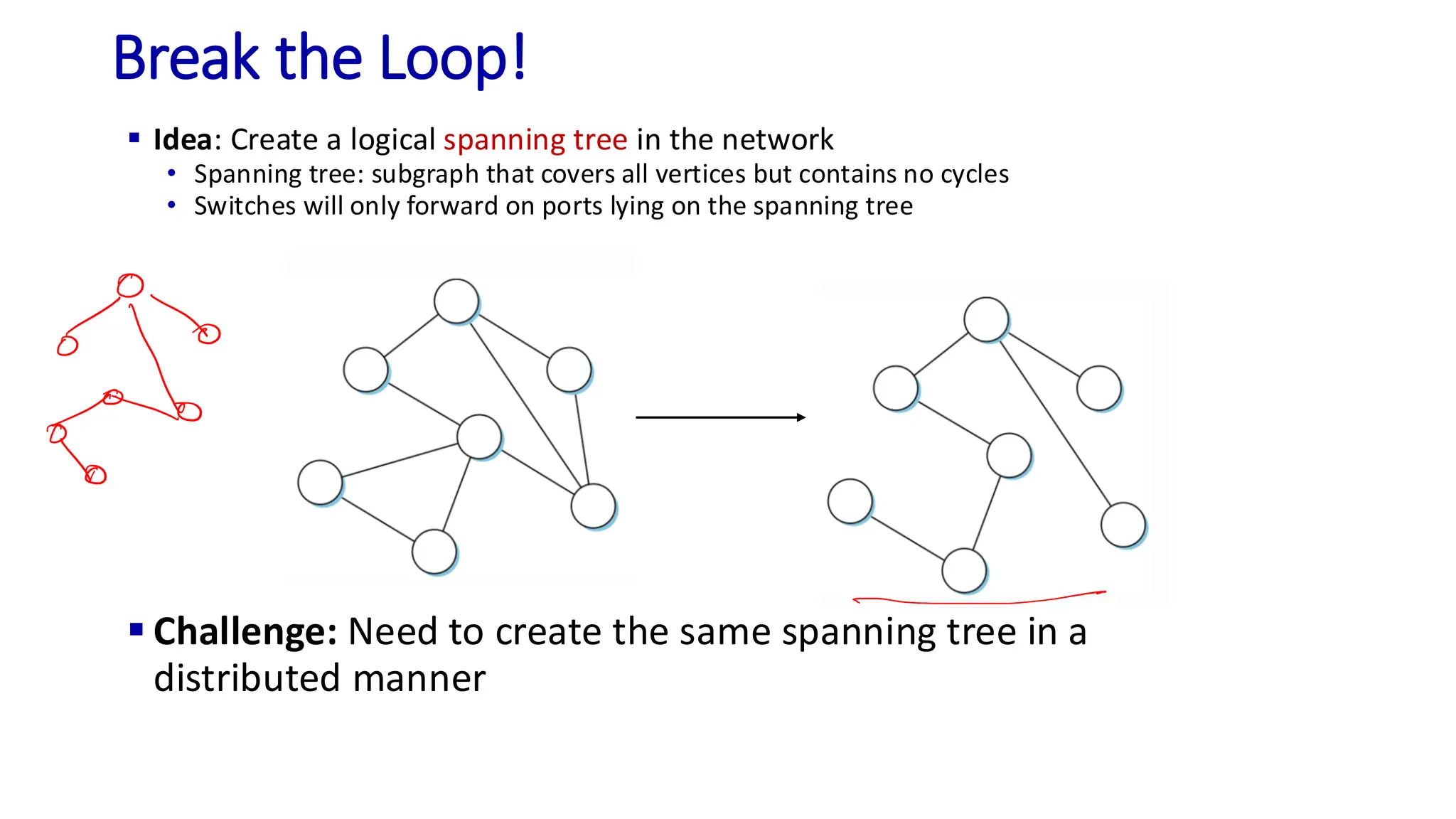
▪ Idea: Create a logical spanning tree in the network
• Spanning tree: subgraph that covers all vertices but contains no cycles
• Switches will only forward on ports lying on the spanning tree
▪ Challenge: Need to create the same spanning tree in a
distributed manner
Spanning Tree Protocol
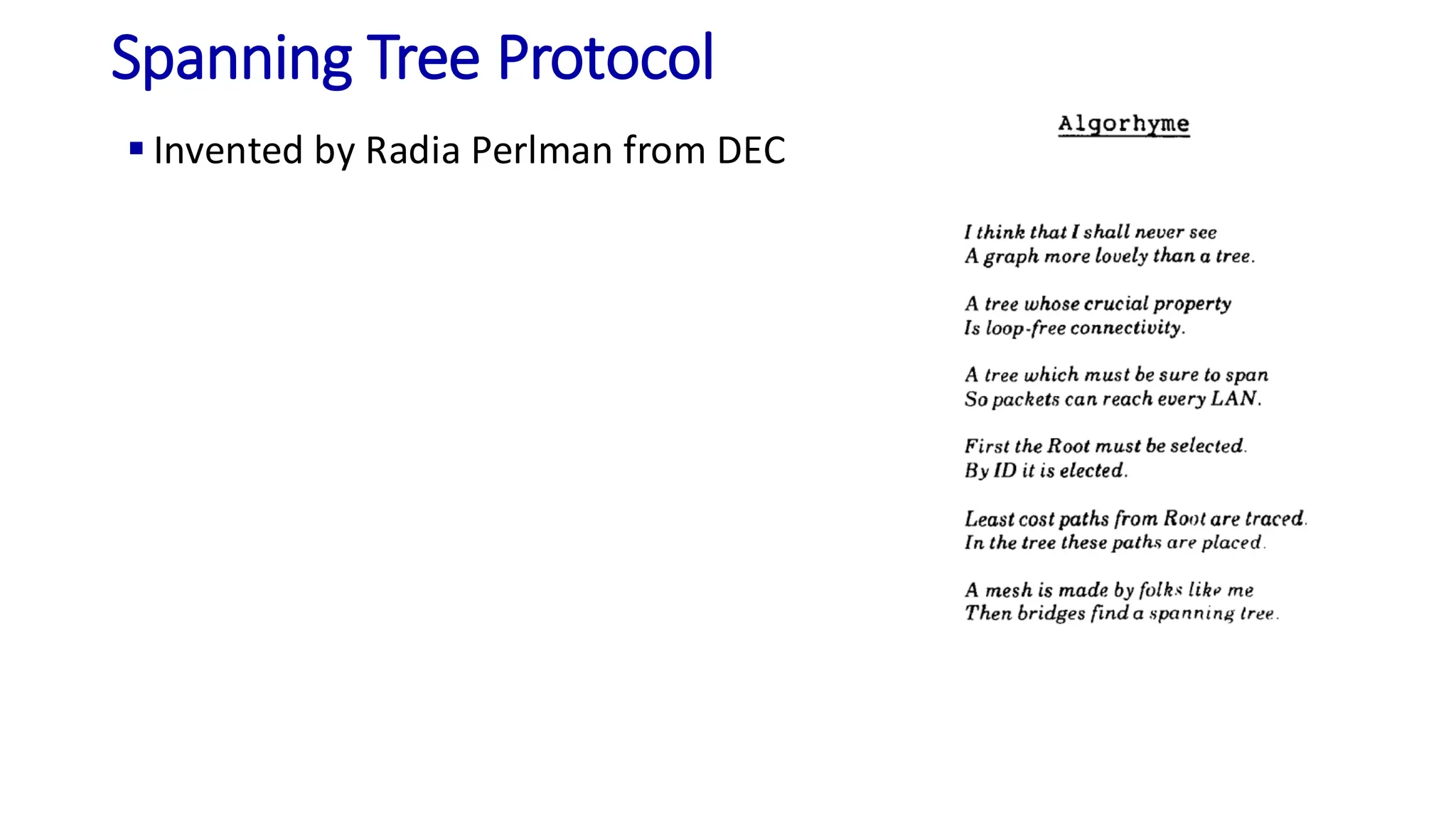
▪ Invented by Radia Perlman from DEC
Spanning Tree Protocol
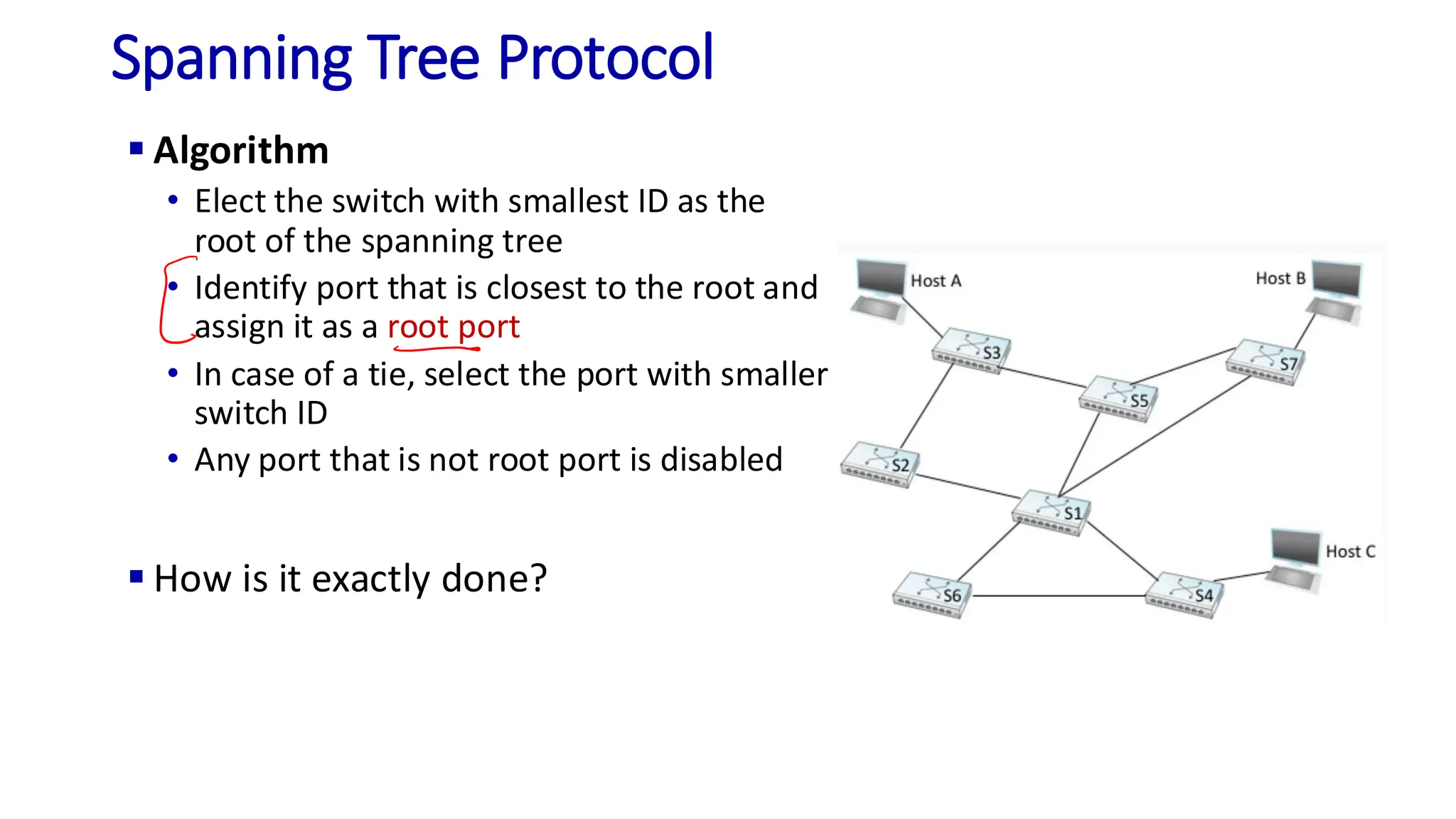
▪ Algorithm
• Elect the switch with smallest ID as the
root of the spanning tree
• Identify port that is closest to the root and
assign it as a root port
• In case of a tie, select the port with smaller
switch ID
• Any port that is not root port is disabled
▪ How is it exactly done?
SPT (Details)
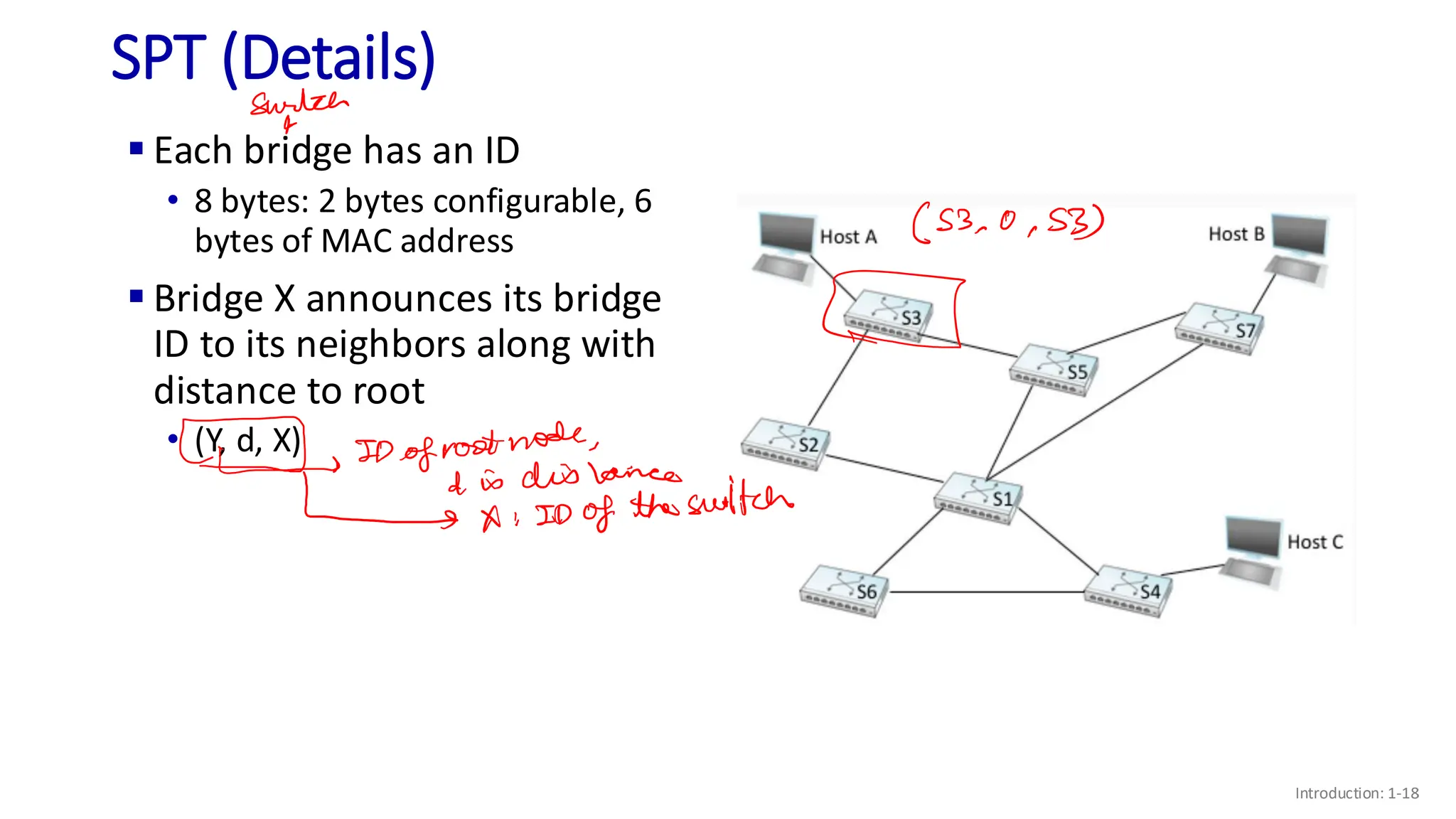
▪ Each bridge has an ID
• 8 bytes: 2 bytes configurable, 6
bytes of MAC address
▪ Bridge X announces its bridge
ID to its neighbors along with
distance to root
• (Y, d, X)
Introduction: 1-18
SPT (Details)
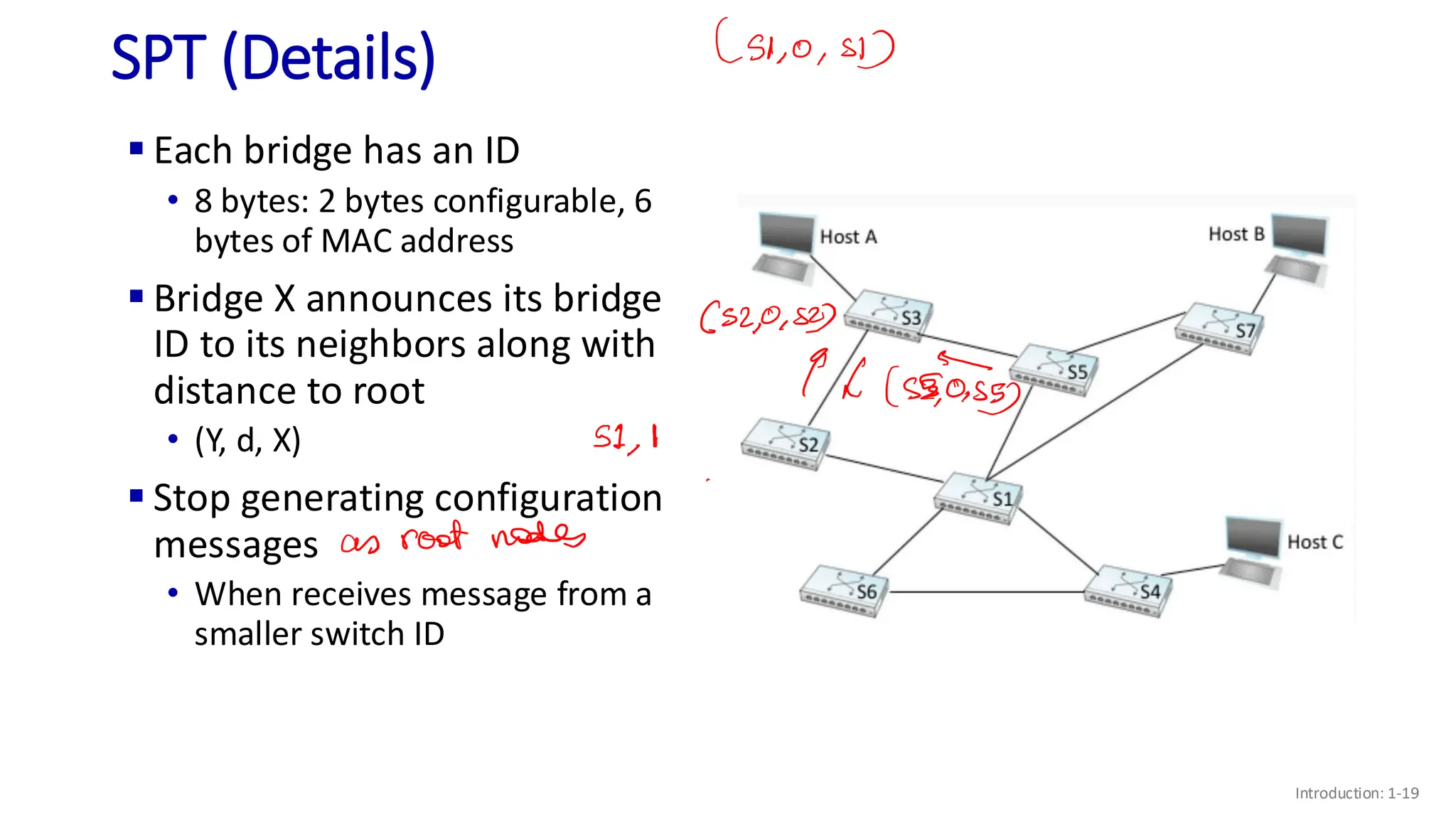
▪ Each bridge has an ID
• 8 bytes: 2 bytes configurable, 6
bytes of MAC address
▪ Bridge X announces its bridge
ID to its neighbors along with
distance to root
• (Y, d, X)
▪ Stop generating configuration
messages
• When receives message from a
smaller switch ID
Introduction: 1-19
SPT (Details)
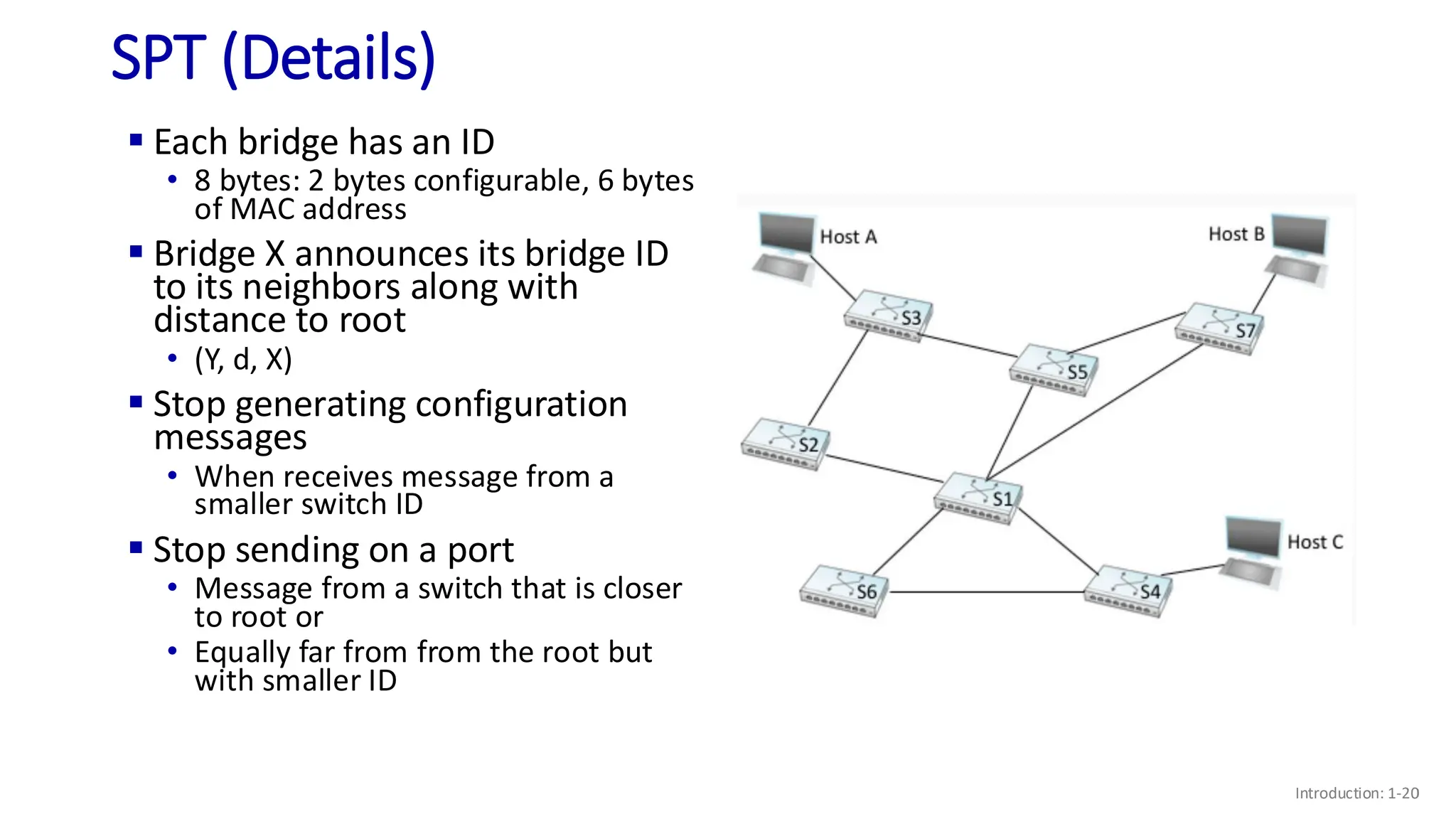
▪ Each bridge has an ID
• 8 bytes: 2 bytes configurable, 6 bytes
of MAC address
▪ Bridge X announces its bridge ID
to its neighbors along with
distance to root
• (Y, d, X)
▪ Stop generating configuration
messages
• When receives message from a
smaller switch ID
▪ Stop sending on a port
• Message from a switch that is closer
to root or
• Equally far from from the root but
with smaller ID
Introduction: 1-20
Conclusion
▪ Link layer services
• Framing
• Error detection
• Reliability
• Medium Access Control (MAC)
▪ Ethernet protocol
▪ Forwarding in an Ethernet switched network
▪ A lot of interesting things happening at L2
• MPLS, VLAN
• Data center networks
• ..

Lec11 on Computer Networks by Tarun Mangla.pdf

  • 1.
    Computer Networks COL 334/672 LocalArea Network Tarun Mangla Slides adapted from KR Sem 1, 2024-25
  • 2.
    ▪ Link-layer services •Framing • Error detection • Reliability • Medium Access Control (MAC) ▪ Ethernet protocol Recap
  • 3.
    ▪ We knowhow to communicate in case of a multiple-access link ▪ How do we scale? So Far..
  • 4.
    Switched Network ▪ Startopology ▪ Switches in both link layer or L2 (Ethernet protocol) and network layer or L3 (IP) ▪ Use store and forward approach ▪ L3 switches are also called routers, while L2 switches are also called bridges, ethernet switches ▪ This lecture: L2 switches or bridges or ethernet switch
  • 5.
    How does L2switching work? Requirement 1: Addressing ▪ Need a way to identify end nodes ▪ Ethernet uses a 48-bit MAC address burned in NIC ROM, also sometimes software settable ▪ E.g., 1A-2F-BB-76-09-AD hexadecimal (base 16) notation (each “numeral” represents 4 bits)
  • 6.
    How does L2switching work? ▪ Requirement 1: Addressing ▪ Requirement 2: Need a way to identify input and output ports on switch • Using a number • Name of the host it leads to
  • 7.
    How does L2switching work? ▪ Requirement 1: Addressing ▪ Requirement 2: Need a way to identify input and output ports on switch ▪ Requirement 3: Switching or forwarding • Moving packet from its input port to the appropriate output port • Forwarding table: map of destination address to output port
  • 8.
    How does L2switching work? ▪ Requirement 1: Addressing ▪ Requirement 2: Need a way to identify input and output ports on switch ▪ Requirement 3: Switching or forwarding ▪ Requirement 4: Need algorithms to fill the forwarding table, also known as routing Introduction: 1-8
  • 9.
    L2 Routing ▪ Usingstatic tables added by network administrator • Difficult to support dynamic addition of nodes (end-hosts and switches) Introduction: 1-9
  • 10.
    L2 Routing: Self-learningSwitch A A’ B B’ C C’ 1 2 3 4 5 6 ▪switch learns which hosts can be reached through which interfaces A A’ Source: A Dest: A’ MAC addr interface TTL Switch table (initially empty) A 1 60 • when frame received, switch “learns” location of sender: incoming LAN segment • records sender/location pair in switch table
  • 11.
    L2 Routing: Self-learningSwitch Link Layer: 6-11 when frame received at switch: 1. record incoming link, MAC address of sending host 2. index switch table using MAC destination address 3. if entry found for destination then { if destination on segment from which frame arrived then drop frame else forward frame on interface indicated by entry } else flood /* forward on all interfaces except arriving interface */
  • 12.
    A A’ B B’ C C’ 1 2 3 4 5 6 Self-learning,Forwarding: example Link Layer: 6-12 A A’ Source: A Dest: A’ MAC addr interface TTL switch table (initially empty) A 1 60 A A’ A A’ A A’ A A’ A A’ A’ A A’ 4 60 ▪ frame destination, A’, location unknown: flood ▪ destination A location known: selectively send on just one link
  • 13.
    Interconnecting switches Link Layer:6-13 self-learning switches can be connected together: Self learning! (works exactly the same as in single-switch case!) Q: show switch tables and packet forwarding in S1, S2, S3, S4 A B S1 C D E F S2 S4 S3 H I G
  • 14.
    What happens incase of a loop? ▪ Packets will loop in both direction at S1, S4, and S6 ▪ Why would switched Ethernet have loop? • Redundancy • By accident: network managed by more than one admins ▪ Loops are a waste of network bandwidth ▪ How do we prevent packets from looping?
  • 15.
    Break the Loop! ▪Idea: Create a logical spanning tree in the network • Spanning tree: subgraph that covers all vertices but contains no cycles • Switches will only forward on ports lying on the spanning tree ▪ Challenge: Need to create the same spanning tree in a distributed manner
  • 16.
    Spanning Tree Protocol ▪Invented by Radia Perlman from DEC
  • 17.
    Spanning Tree Protocol ▪Algorithm • Elect the switch with smallest ID as the root of the spanning tree • Identify port that is closest to the root and assign it as a root port • In case of a tie, select the port with smaller switch ID • Any port that is not root port is disabled ▪ How is it exactly done?
  • 18.
    SPT (Details) ▪ Eachbridge has an ID • 8 bytes: 2 bytes configurable, 6 bytes of MAC address ▪ Bridge X announces its bridge ID to its neighbors along with distance to root • (Y, d, X) Introduction: 1-18
  • 19.
    SPT (Details) ▪ Eachbridge has an ID • 8 bytes: 2 bytes configurable, 6 bytes of MAC address ▪ Bridge X announces its bridge ID to its neighbors along with distance to root • (Y, d, X) ▪ Stop generating configuration messages • When receives message from a smaller switch ID Introduction: 1-19
  • 20.
    SPT (Details) ▪ Eachbridge has an ID • 8 bytes: 2 bytes configurable, 6 bytes of MAC address ▪ Bridge X announces its bridge ID to its neighbors along with distance to root • (Y, d, X) ▪ Stop generating configuration messages • When receives message from a smaller switch ID ▪ Stop sending on a port • Message from a switch that is closer to root or • Equally far from from the root but with smaller ID Introduction: 1-20
  • 21.
    Conclusion ▪ Link layerservices • Framing • Error detection • Reliability • Medium Access Control (MAC) ▪ Ethernet protocol ▪ Forwarding in an Ethernet switched network ▪ A lot of interesting things happening at L2 • MPLS, VLAN • Data center networks • ..