Agenda
Introduction toDesign Pattern
i. What is a Design Pattern?
ii. Why study Design Pattern?
iii. The Gang of Four (GOF).
Singleton Design Pattern
Observer Design Pattern
Factory Design Pattern
3.
What is aDesign Pattern ?
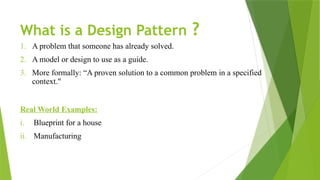
1. A problem that someone has already solved.
2. A model or design to use as a guide.
3. More formally: “A proven solution to a common problem in a specified
context."
Real World Examples:
i. Blueprint for a house
ii. Manufacturing
4.
Why Study DesignPatterns?
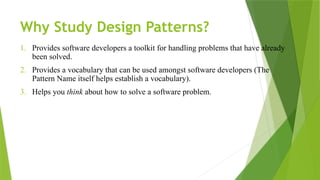
1. Provides software developers a toolkit for handling problems that have already
been solved.
2. Provides a vocabulary that can be used amongst software developers (The
Pattern Name itself helps establish a vocabulary).
3. Helps you think about how to solve a software problem.
5.
The Gang ofFour
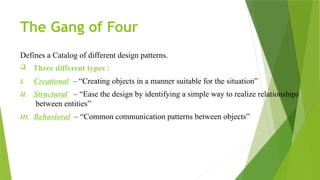
Defines a Catalog of different design patterns.
Three different types :
I. Creational – “Creating objects in a manner suitable for the situation”
II. Structural – “Ease the design by identifying a simple way to realize relationships
between entities”
III. Behavioral – “Common communication patterns between objects”
6.
The Gang ofFour:
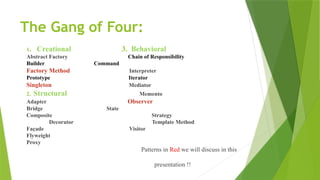
1. Creational 3. Behavioral
Abstract Factory Chain of Responsibility
Builder Command
Factory Method Interpreter
Prototype Iterator
Singleton Mediator
2. Structural Memento
Adapter Observer
Bridge State
Composite Strategy
Decorator Template Method
Façade Visitor
Flyweight
Proxy
Patterns in Red we will discuss in this
presentation !!
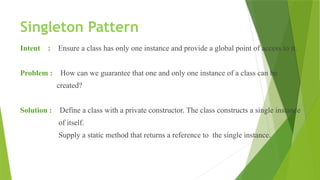
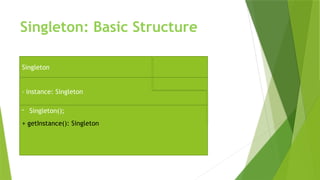
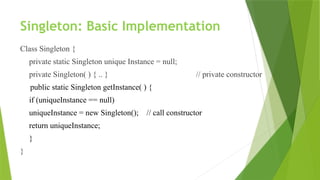
Singleton Pattern
Intent :Ensure a class has only one instance and provide a global point of access to it.
Problem : How can we guarantee that one and only one instance of a class can be
created?
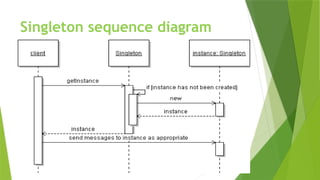
Solution : Define a class with a private constructor. The class constructs a single instance
of itself.
Supply a static method that returns a reference to the single instance.
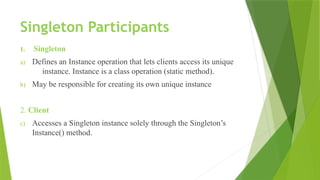
Singleton Participants
1. Singleton
a)Defines an Instance operation that lets clients access its unique
instance. Instance is a class operation (static method).
b) May be responsible for creating its own unique instance
2. Client
c) Accesses a Singleton instance solely through the Singleton’s
Instance() method.
12.
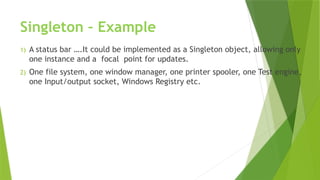
Singleton – Example
1)A status bar ….It could be implemented as a Singleton object, allowing only
one instance and a focal point for updates.
2) One file system, one window manager, one printer spooler, one Test engine,
one Input/output socket, Windows Registry etc.
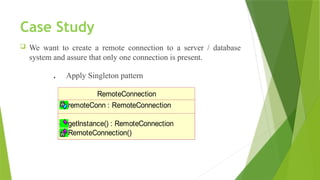
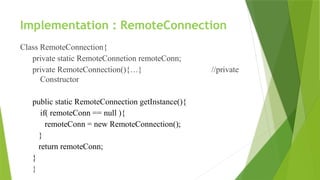
Case Study
Wewant to create a remote connection to a server / database
system and assure that only one connection is present.
. Apply Singleton pattern
RemoteConnection
remoteConn : RemoteConnection
getInstance() : RemoteConnection
RemoteConnection()
Lazy Instantiation
1) Objectsare only created when it is needed.
2) Helps control that we’ve created the Singleton just once.
3) If it is resource intensive to set up, we want to do it once.
17.
Singleton Consequences:
I. Controlledaccess to sole instance facilitates strict control
over when and how the clients access it.
II. The singleton patter is improvement over global variables.
III. It is easy to configure an instance of the application that extends
the functionality of singleton at run-time.
IV. More flexible than class operations.
18.
Singleton Limitations:
1) Themain limitation of the singleton pattern is that is permits the
creation of only one instance of the class, while most practical
applications require multiple instances to be initialized.
2) Furthermore, in case of singleton, the system threads fight to
access the single instance thereby degrading the performance of
the applications.
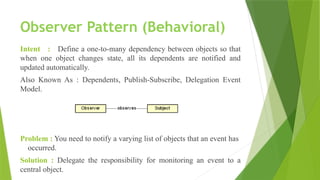
Observer Pattern (Behavioral)
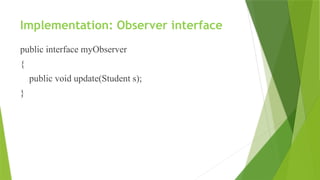
Intent: Define a one-to-many dependency between objects so that
when one object changes state, all its dependents are notified and
updated automatically.
Also Known As : Dependents, Publish-Subscribe, Delegation Event
Model.
Problem : You need to notify a varying list of objects that an event has
occurred.
Solution : Delegate the responsibility for monitoring an event to a
central object.
21.
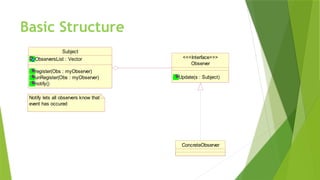
Basic Structure
ConcreteObserver
Observer
Update(s :Subject)
<<<Interface>>>
Subject
ObserversList : Vector
register(Obs : myObserver)
unRegister(Obs : myObserver)
notify()
Notify lets all observers know that
event has occured
22.
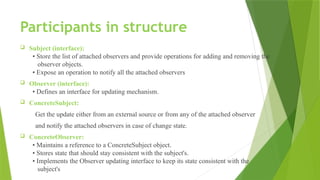
Participants in structure
Subject (interface):
• Store the list of attached observers and provide operations for adding and removing the
observer objects.
• Expose an operation to notify all the attached observers
Observer (interface):
• Defines an interface for updating mechanism.
ConcreteSubject:
Get the update either from an external source or from any of the attached observer
and notify the attached observers in case of change state.
ConcreteObserver:
• Maintains a reference to a ConcreteSubject object.
• Stores state that should stay consistent with the subject's.
• Implements the Observer updating interface to keep its state consistent with the
subject's
23.
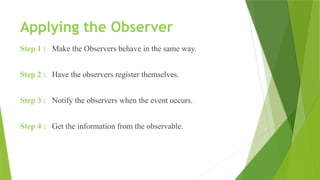
Applying the Observer
Step1 : Make the Observers behave in the same way.
Step 2 : Have the observers register themselves.
Step 3 : Notify the observers when the event occurs.
Step 4 : Get the information from the observable.
24.
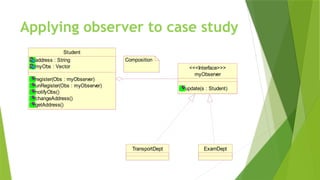
A case study…
Ina university….when a student changes his address…pass this
information to:
a) Exams department
b) Transport department.
What's the solution?
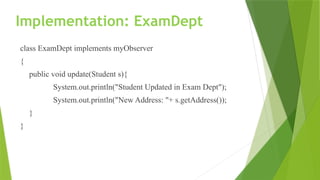
Implementation: ExamDept
class ExamDeptimplements myObserver
{
public void update(Student s){
System.out.println("Student Updated in Exam Dept");
System.out.println("New Address: "+ s.getAddress());
}
}
28.
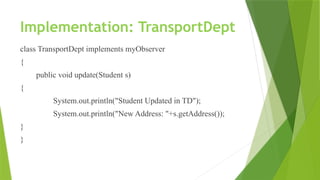
Implementation: TransportDept
class TransportDeptimplements myObserver
{
public void update(Student s)
{
System.out.println("Student Updated in TD");
System.out.println("New Address: "+s.getAddress());
}
}
29.
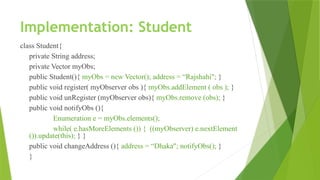
Implementation: Student
class Student{
privateString address;
private Vector myObs;
public Student(){ myObs = new Vector(); address = “Rajshahi"; }
public void register( myObserver obs ){ myObs.addElement ( obs ); }
public void unRegister (myObserver obs){ myObs.remove (obs); }
public void notifyObs (){
Enumeration e = myObs.elements();
while( e.hasMoreElements ()) { ((myObserver) e.nextElement
()).update(this); } }
public void changeAddress (){ address = “Dhaka"; notifyObs(); }
}
30.
Implementation: Main
class Main{
publicstatic void main(String[]args){
Student s = new Student();
TransportDept td = new TransportDept();
ExamDept ed = new ExamDept();
System.out.println("Present Address:" + s.getAddress());
s.register (td);
s.register (ed);
s.changeAddress ();
System.out.println("******Unregister Exam Dept*******");
s.unRegister (ed);
s.changeAddress (); }}
31.
Real Life Example
Auctions:
“Auctionsdemonstrate this pattern. Each bidder possesses a numbered paddle
that is used to indicate a bid. The auctioneer starts the bidding, and "observes" when a
paddle is raised to accept the bid. The acceptance of the bid changes the bid price which
is broadcast to all of the bidders in the form of a new bid”
32.
Pros & Cons
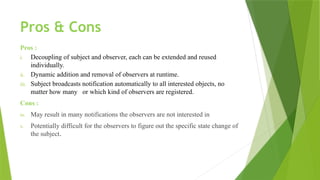
Pros:
i. Decoupling of subject and observer, each can be extended and reused
individually.
ii. Dynamic addition and removal of observers at runtime.
iii. Subject broadcasts notification automatically to all interested objects, no
matter how many or which kind of observers are registered.
Cons :
iv. May result in many notifications the observers are not interested in
v. Potentially difficult for the observers to figure out the specific state change of
the subject.
33.
But…..
This presentation couldnot be completed without…
The sources of information:
1. http://www.dofactory.com/Patterns/PatternObserver.aspx
2. http://www.vincehuston.org/dp/observer.html
3. http://en.wikipedia.org/wiki/Design_pattern
4. http://sourcemaking.com/design_patterns
5. Design Patterns: Elements of Reusable Object-oriented Software, by Erich Gamma,
Richard Helm, Ralph Johnson, John Vlissides, 1995 – “Gang of Four”.
6. Design Patterns in Ruby – Russ Olsen
7. Head First Design Patterns – Elisabeth Freeman, Eric Freeman, Bert Bates and
Kathy Sierra





![Implementation: Main
class Main{
public static void main(String[]args){
Student s = new Student();
TransportDept td = new TransportDept();
ExamDept ed = new ExamDept();
System.out.println("Present Address:" + s.getAddress());
s.register (td);
s.register (ed);
s.changeAddress ();
System.out.println("******Unregister Exam Dept*******");
s.unRegister (ed);
s.changeAddress (); }}](https://image.slidesharecdn.com/lec-1observer-260213064149-e0dfd1de/85/Lec-1-Observer_pattern_Object_Oriented_Desiign-pptx-30-320.jpg)




![[Deck] What's New in Spark-Iceberg Integration via DSV2.pptx](https://cdn.slidesharecdn.com/ss_thumbnails/deckwhatsnewinspark-icebergintegrationviadsv2-260210005337-25955b12-thumbnail.jpg?width=640&height=640&fit=bounds)

