Learn JavaScript
Mahmoud Asadi
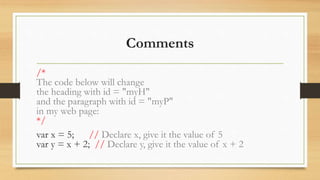
Comments
/*
The code below will change
the heading with id = "myH"
and the paragraph with id = "myP"
in my web page:
*/
var x = 5; // Declare x, give it the value of 5
var y = x + 2; // Declare y, give it the value of x + 2
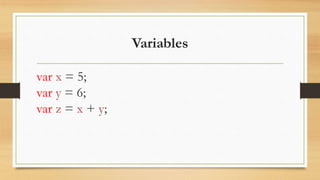
Variables
var x = 5;
var y = 6;
var z = x + y;
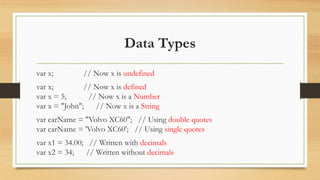
Data Types
var x; // Now x is undefined
var x; // Now x is defined
var x = 5; // Now x is a Number
var x = "John"; // Now x is a String
var carName = "Volvo XC60"; // Using double quotes
var carName = 'Volvo XC60'; // Using single quotes
var x1 = 34.00; // Written with decimals
var x2 = 34; // Written without decimals
Data Types
var x = true; // boolean type
var y = false;
var cars = ["Saab", "Volvo", "BMW"]; // array
var person = {firstName:"John", lastName:"Doe", age:50 }; // Object
var cars; // Value is undefined
var person = null; // Value is null
The typeof Operator
typeof "John" // Returns string
typeof 3.14 // Returns number
typeof false // Returns boolean
typeof [1,2,3,4] // Returns object
typeof {name:'John', age:34} // Returns object
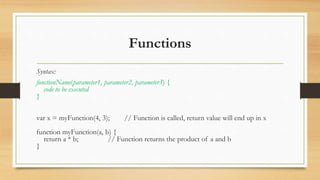
Functions
Syntax:
functionName(parameter1, parameter2, parameter3) {
code to be executed
}
var x = myFunction(4, 3); // Function is called, return value will end up in x
function myFunction(a, b) {
return a * b; // Function returns the product of a and b
}
Why Functions?
• You can reuse code: Define the code once, and use it
many times.
• You can use the same code many times with different
arguments, to produce different results.
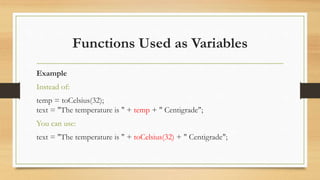
Functions Used as Variables
Example
Instead of:
temp = toCelsius(32);
text = "The temperature is " + temp + " Centigrade";
You can use:
text = "The temperature is " + toCelsius(32) + " Centigrade";
JavaScript Objects
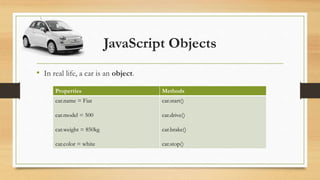
• In real life, a car is an object.
Properties Methods
car.name = Fiat
car.model = 500
car.weight = 850kg
car.color = white
car.start()
car.drive()
car.brake()
car.stop()
JavaScript Objects
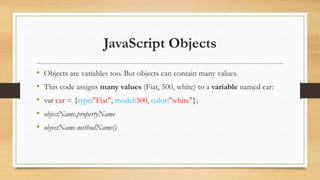
• Objects are variables too. But objects can contain many values.
• This code assigns many values (Fiat, 500, white) to a variable named car:
• var car = {type:"Fiat", model:500, color:"white"};
• objectName.propertyName
• objectName.methodName()
JavaScript Math Object
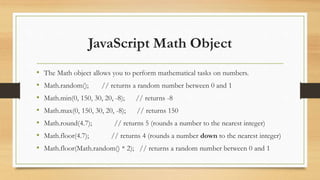
• The Math object allows you to perform mathematical tasks on numbers.
• Math.random(); // returns a random number between 0 and 1
• Math.min(0, 150, 30, 20, -8); // returns -8
• Math.max(0, 150, 30, 20, -8); // returns 150
• Math.round(4.7); // returns 5 (rounds a number to the nearest integer)
• Math.floor(4.7); // returns 4 (rounds a number down to the nearest integer)
• Math.floor(Math.random() * 2); // returns a random number between 0 and 1
JavaScript Arrays
• var array-name = [item1, item2, ...];
• var cars = ["Saab", "Volvo", "BMW"];
• var name = cars[0];
• cars[0] = "Opel";
Adding Array Elements
• var fruits = ["Banana", "Orange", "Apple", "Mango"];
fruits[fruits.length] = "Lemon"; // adds a new element (Lemon) to fruits
Looping Array Elements
• var index;
var fruits = ["Banana", "Orange", "Apple", "Mango"];
for (index = 0; index < fruits.length; index++) {
text += fruits[index];
}
JavaScript Array Methods
• Converting Arrays to Strings
• var fruits = ["Banana", "Orange", "Apple", "Mango"];
• fruits.valueOf();
• fruits.toString();
JavaScript Array Methods
• The join() method also joins all array elements into a string.
• var fruits = ["Banana", "Orange","Apple", "Mango"];
• fruits.join(" * ");
Popping and Pushing
• The pop() method removes the last element from an array:
• var fruits = ["Banana", "Orange", "Apple", "Mango"];
fruits.pop(); // Removes the last element ("Mango") from fruits
• The push() method adds a new element to an array (at the end):
• var fruits = ["Banana", "Orange", "Apple", "Mango"];
fruits.push("Kiwi"); // Adds a new element ("Kiwi") to fruits
Shifting Elements
• The shift() method removes the first element of an array, and "shifts" all
other elements one place down.
• var fruits = ["Banana", "Orange", "Apple", "Mango"];
fruits.shift(); // Removes the first element "Banana" from fruits
• The unshift() method adds a new element to an array (at the beginning), and
"unshifts" older elements:
• var fruits = ["Banana", "Orange", "Apple", "Mango"];
fruits.unshift("Lemon"); // Adds a new element "Lemon" to fruits
Deleting Elements
• var fruits = ["Banana", "Orange", "Apple", "Mango"];
delete fruits[0]; // Changes the first element in fruits to undefined
Sorting an Array
• The sort() method sorts an array alphabetically:
• var fruits = ["Banana", "Orange", "Apple", "Mango"];
fruits.sort(); // Sorts the elements of fruits
• The reverse() method reverses the elements in an array.
• var fruits = ["Banana", "Orange", "Apple", "Mango"];
fruits.sort(); // Sorts the elements of fruits
fruits.reverse(); // Reverses the order of the elements
JavaScript Booleans
• Very often, in programming, you will need a data type that can only have one
of two values, like
• YES / NO
• ON / OFF
• TRUE / FALSE
• For this, JavaScript has a Boolean data type. It can only take the values true
or false.
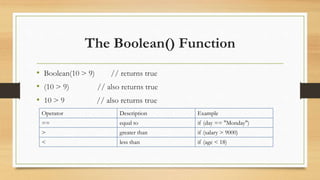
The Boolean() Function
• Boolean(10 > 9) // returns true
• (10 > 9) // also returns true
• 10 > 9 // also returns true
Operator Description Example
== equal to if (day == "Monday")
> greater than if (salary > 9000)
< less than if (age < 18)
The End
Good luck !

Learn java script

  • 1.
  • 2.
    Comments /* The code belowwill change the heading with id = "myH" and the paragraph with id = "myP" in my web page: */ var x = 5; // Declare x, give it the value of 5 var y = x + 2; // Declare y, give it the value of x + 2
  • 3.
    Variables var x =5; var y = 6; var z = x + y;
  • 4.
    Data Types var x;// Now x is undefined var x; // Now x is defined var x = 5; // Now x is a Number var x = "John"; // Now x is a String var carName = "Volvo XC60"; // Using double quotes var carName = 'Volvo XC60'; // Using single quotes var x1 = 34.00; // Written with decimals var x2 = 34; // Written without decimals
  • 5.
    Data Types var x= true; // boolean type var y = false; var cars = ["Saab", "Volvo", "BMW"]; // array var person = {firstName:"John", lastName:"Doe", age:50 }; // Object var cars; // Value is undefined var person = null; // Value is null
  • 6.
    The typeof Operator typeof"John" // Returns string typeof 3.14 // Returns number typeof false // Returns boolean typeof [1,2,3,4] // Returns object typeof {name:'John', age:34} // Returns object
  • 7.
    Functions Syntax: functionName(parameter1, parameter2, parameter3){ code to be executed } var x = myFunction(4, 3); // Function is called, return value will end up in x function myFunction(a, b) { return a * b; // Function returns the product of a and b }
  • 8.
    Why Functions? • Youcan reuse code: Define the code once, and use it many times. • You can use the same code many times with different arguments, to produce different results.
  • 9.
    Functions Used asVariables Example Instead of: temp = toCelsius(32); text = "The temperature is " + temp + " Centigrade"; You can use: text = "The temperature is " + toCelsius(32) + " Centigrade";
  • 10.
    JavaScript Objects • Inreal life, a car is an object. Properties Methods car.name = Fiat car.model = 500 car.weight = 850kg car.color = white car.start() car.drive() car.brake() car.stop()
  • 11.
    JavaScript Objects • Objectsare variables too. But objects can contain many values. • This code assigns many values (Fiat, 500, white) to a variable named car: • var car = {type:"Fiat", model:500, color:"white"}; • objectName.propertyName • objectName.methodName()
  • 12.
    JavaScript Math Object •The Math object allows you to perform mathematical tasks on numbers. • Math.random(); // returns a random number between 0 and 1 • Math.min(0, 150, 30, 20, -8); // returns -8 • Math.max(0, 150, 30, 20, -8); // returns 150 • Math.round(4.7); // returns 5 (rounds a number to the nearest integer) • Math.floor(4.7); // returns 4 (rounds a number down to the nearest integer) • Math.floor(Math.random() * 2); // returns a random number between 0 and 1
  • 13.
    JavaScript Arrays • vararray-name = [item1, item2, ...]; • var cars = ["Saab", "Volvo", "BMW"]; • var name = cars[0]; • cars[0] = "Opel";
  • 14.
    Adding Array Elements •var fruits = ["Banana", "Orange", "Apple", "Mango"]; fruits[fruits.length] = "Lemon"; // adds a new element (Lemon) to fruits
  • 15.
    Looping Array Elements •var index; var fruits = ["Banana", "Orange", "Apple", "Mango"]; for (index = 0; index < fruits.length; index++) { text += fruits[index]; }
  • 16.
    JavaScript Array Methods •Converting Arrays to Strings • var fruits = ["Banana", "Orange", "Apple", "Mango"]; • fruits.valueOf(); • fruits.toString();
  • 17.
    JavaScript Array Methods •The join() method also joins all array elements into a string. • var fruits = ["Banana", "Orange","Apple", "Mango"]; • fruits.join(" * ");
  • 18.
    Popping and Pushing •The pop() method removes the last element from an array: • var fruits = ["Banana", "Orange", "Apple", "Mango"]; fruits.pop(); // Removes the last element ("Mango") from fruits • The push() method adds a new element to an array (at the end): • var fruits = ["Banana", "Orange", "Apple", "Mango"]; fruits.push("Kiwi"); // Adds a new element ("Kiwi") to fruits
  • 19.
    Shifting Elements • Theshift() method removes the first element of an array, and "shifts" all other elements one place down. • var fruits = ["Banana", "Orange", "Apple", "Mango"]; fruits.shift(); // Removes the first element "Banana" from fruits • The unshift() method adds a new element to an array (at the beginning), and "unshifts" older elements: • var fruits = ["Banana", "Orange", "Apple", "Mango"]; fruits.unshift("Lemon"); // Adds a new element "Lemon" to fruits
  • 20.
    Deleting Elements • varfruits = ["Banana", "Orange", "Apple", "Mango"]; delete fruits[0]; // Changes the first element in fruits to undefined
  • 21.
    Sorting an Array •The sort() method sorts an array alphabetically: • var fruits = ["Banana", "Orange", "Apple", "Mango"]; fruits.sort(); // Sorts the elements of fruits • The reverse() method reverses the elements in an array. • var fruits = ["Banana", "Orange", "Apple", "Mango"]; fruits.sort(); // Sorts the elements of fruits fruits.reverse(); // Reverses the order of the elements
  • 22.
    JavaScript Booleans • Veryoften, in programming, you will need a data type that can only have one of two values, like • YES / NO • ON / OFF • TRUE / FALSE • For this, JavaScript has a Boolean data type. It can only take the values true or false.
  • 23.
    The Boolean() Function •Boolean(10 > 9) // returns true • (10 > 9) // also returns true • 10 > 9 // also returns true Operator Description Example == equal to if (day == "Monday") > greater than if (salary > 9000) < less than if (age < 18)
  • 24.