SERVER-SIDE APPLICATIONS VS.CLIENT-SIDE APPLICATIONS
• server-side applications are applications runs on the Web Server
• Client-side applications are small applications which are embedded within the HTML
code and executed by the browser.
Server-Side Code
• Languages include Python , PHP, C#, Servlets and JSP;
• Cannot be seen by the user .
• Can only respond to HTTP requests
Client-Side Code
• Languages used include: HTML, CSS, and Java script.
• Parsed by the user’s browser.
• Reacts to user input.
3.
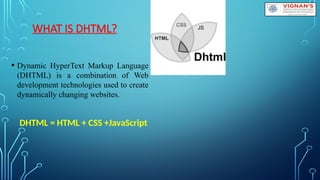
WHAT IS DHTML?
•Dynamic HyperText Markup Language
(DHTML) is a combination of Web
development technologies used to create
dynamically changing websites.
DHTML = HTML + CSS +JavaScript
4.
WHAT IS JAVASCRIPT
•JavaScript is a scripting language designed primarily
for creating dynamic Web pages.
• It is used to add dynamic behavior, store information,
and handle requests and responses on a website
• JavaScript is most commonly used as a client side
scripting language. This means that JavaScript code is
written into an HTML page.
5.
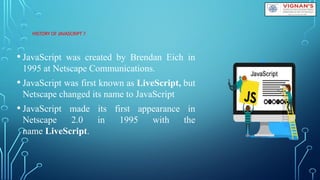
HISTORY OF JAVASCRIPT?
• JavaScript was created by Brendan Eich in
1995 at Netscape Communications.
• JavaScript was first known as LiveScript, but
Netscape changed its name to JavaScript
• JavaScript made its first appearance in
Netscape 2.0 in 1995 with the
name LiveScript.
6.
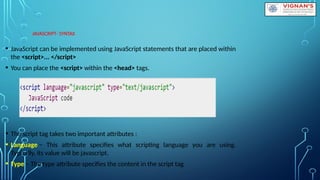
JAVASCRIPT- SYNTAX
• JavaScriptcan be implemented using JavaScript statements that are placed within
the <script>... </script>
• You can place the <script> within the <head> tags.
• The script tag takes two important attributes :
• Language − This attribute specifies what scripting language you are using.
Typically, its value will be javascript.
• Type − The type attribute specifies the content in the script tag
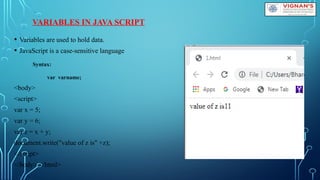
VARIABLES IN JAVASCRIPT
• Variables are used to hold data.
• JavaScript is a case-sensitive language
Syntax:
var varname;
<body>
<script>
var x = 5;
var y = 6;
var z = x + y;
document.write("value of z is" +z);
</script>
</body> </html>
10.
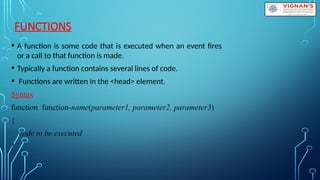
FUNCTIONS
• A functionis some code that is executed when an event fires
or a call to that function is made.
• Typically a function contains several lines of code.
• Functions are written in the <head> element.
Syntax
function function-name(parameter1, parameter2, parameter3)
{
code to be executed
}
BUILT-IN OBJECTS INJAVASCRIPT
• JavaScript supports a number of built-in objects that extend the flexibility of
the language.
• Javascript provides following built-in objects
1.Date
2.Math
3.Array
4.String
14.
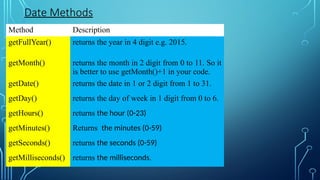
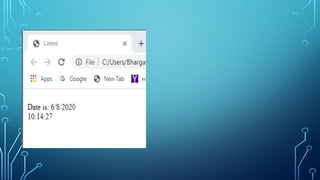
DATE OBJECT
• TheJavaScript date object can be used to get
year, month and day.
• Date objects are created with the new Date( )
Syntax
• var obj=new Date();
15.
Method Description
getFullYear() returnsthe year in 4 digit e.g. 2015.
getMonth() returns the month in 2 digit from 0 to 11. So it
is better to use getMonth()+1 in your code.
getDate() returns the date in 1 or 2 digit from 1 to 31.
getDay() returns the day of week in 1 digit from 0 to 6.
getHours() returns the hour (0-23)
getMinutes() Returns the minutes (0-59)
getSeconds() returns the seconds (0-59)
getMilliseconds() returns the milliseconds.
Date Methods
Method Description
getFullYear() returns the year in 4 digit e.g. 2015.
getMonth() returns the month in 2 digit from 0 to 11. So it
is better to use getMonth()+1 in your code.
getDate() returns the date in 1 or 2 digit from 1 to 31.
getDay() returns the day of week in 1 digit from 0 to 6.
getHours() returns the hour (0-23)
getMinutes() Returns the minutes (0-59)
getSeconds() returns the seconds (0-59)
getMilliseconds() returns the milliseconds.
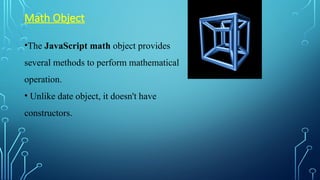
•The JavaScript mathobject provides
several methods to perform mathematical
operation.
• Unlike date object, it doesn't have
constructors.
Math Object
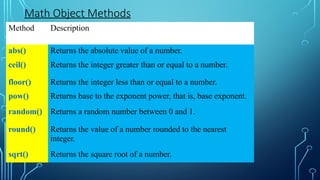
19.
Method Description
abs() Returnsthe absolute value of a number.
ceil() Returns the integer greater than or equal to a number.
floor() Returns the integer less than or equal to a number.
pow() Returns base to the exponent power, that is, base exponent.
random() Returns a random number between 0 and 1.
round() Returns the value of a number rounded to the nearest
integer.
sqrt() Returns the square root of a number.
Math Object Methods
20.
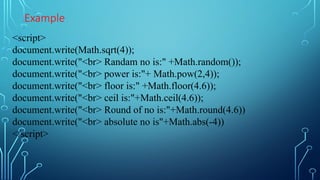
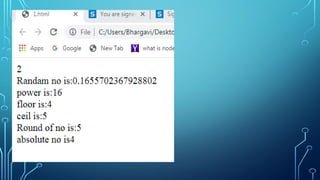
Example
<script>
document.write(Math.sqrt(4));
document.write("<br> Randam nois:" +Math.random());
document.write("<br> power is:"+ Math.pow(2,4));
document.write("<br> floor is:" +Math.floor(4.6));
document.write("<br> ceil is:"+Math.ceil(4.6));
document.write("<br> Round of no is:"+Math.round(4.6))
document.write("<br> absolute no is"+Math.abs(-4))
</script>
22.
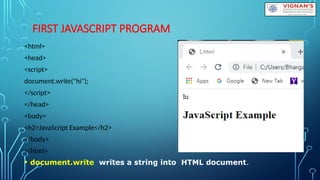
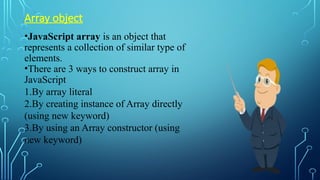
Array object
•JavaScript arrayis an object that
represents a collection of similar type of
elements.
•There are 3 ways to construct array in
JavaScript
1.By array literal
2.By creating instance of Array directly
(using new keyword)
3.By using an Array constructor (using
new keyword)
23.
1) JavaScript arrayliteral
•The syntax of creating array using array literal :
var arrayname=[value1,value2.....valueN];
Ex:
var emp=["Sonoo","Vimal","Ratan"];
for (i=0;i<emp.length;i++){
document.write(emp[i] + "<br/>");
}
24.
2) JavaScript Arraydirectly (new keyword)
•The syntax of creating array directly is given below:
var arrayname=new Array();
•Here, new keyword is used to create instance of array.
Example:
<script>
var i;
var emp = new Array();
emp[0] = "Arun";
emp[1] = "Varun";
emp[2] = "John";
for (i=0;i<emp.length;i++){
document.write(emp[i] + "<br>");
}
</script>
25.
3) JavaScript arrayconstructor (new keyword)
•Here, you need to create instance of array by passing arguments in
constructor so that we don't have to provide value explicitly.
Example:
<script>
var emp=new Array("Jai","Vijay","Smith");
for (i=0;i<emp.length;i++){
document.write(emp[i] + "<br>");
}
</script>
26.
•Javascript array lengthproperty
returns the number of elements in
an array.
Syntax:
array.length
27.
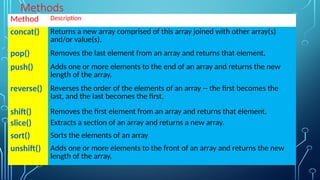
Methods
Method Description
concat() Returnsa new array comprised of this array joined with other array(s)
and/or value(s).
pop() Removes the last element from an array and returns that element.
push() Adds one or more elements to the end of an array and returns the new
length of the array.
reverse() Reverses the order of the elements of an array -- the first becomes the
last, and the last becomes the first.
shift() Removes the first element from an array and returns that element.
slice() Extracts a section of an array and returns a new array.
sort() Sorts the elements of an array
unshift() Adds one or more elements to the front of an array and returns the new
length of the array.
28.
<script>
var fruits =["Banana", "Orange", "Apple", "Mango"];
document.write("<h1> Before Array operations:</h1>"+fruits);
fruits.pop();
document.write("<h1> After POP():</h1>"+fruits);
fruits.push("Kiwi");
document.write("<h1> After Push():</h1>"+fruits);
fruits.shift();
document.write("<h1> After shift():</h1>"+fruits);
fruits.unshift("Sapota");
document.write("<h1> After unshift():</h1>"+fruits);
var num=["2","1","3"]
var my= num.concat(fruits);
document.write("<h1> After concat():</h1>"+my);
document.write("<h1> After reverse:</h1>"+my.reverse());
document.write("<h1> After sort:</h1>"+my.sort());
</script>
30.
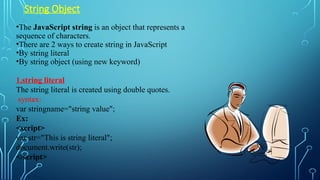
String Object
•The JavaScriptstring is an object that represents a
sequence of characters.
•There are 2 ways to create string in JavaScript
•By string literal
•By string object (using new keyword)
1.string literal
The string literal is created using double quotes.
syntax:
var stringname="string value";
Ex:
<script>
var str="This is string literal";
document.write(str);
</script>
31.
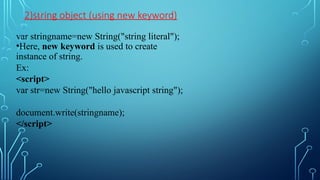
2)string object (usingnew keyword)
var stringname=new String("string literal");
•Here, new keyword is used to create
instance of string.
Ex:
<script>
var str=new String("hello javascript string");
document.write(stringname);
</script>
32.
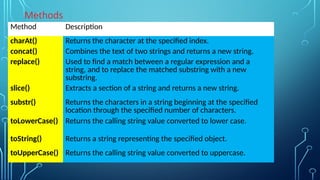
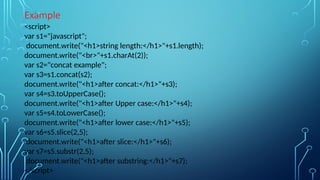
Methods
Method Description
charAt() Returnsthe character at the specified index.
concat() Combines the text of two strings and returns a new string.
replace() Used to find a match between a regular expression and a
string, and to replace the matched substring with a new
substring.
slice() Extracts a section of a string and returns a new string.
substr() Returns the characters in a string beginning at the specified
location through the specified number of characters.
toLowerCase() Returns the calling string value converted to lower case.
toString() Returns a string representing the specified object.
toUpperCase() Returns the calling string value converted to uppercase.
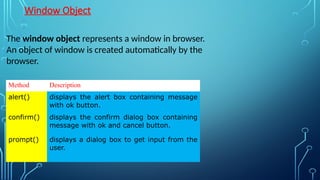
Window Object
The windowobject represents a window in browser.
An object of window is created automatically by the
browser.
Method Description
alert() displays the alert box containing message
with ok button.
confirm() displays the confirm dialog box containing
message with ok and cancel button.
prompt() displays a dialog box to get input from the
user.
36.
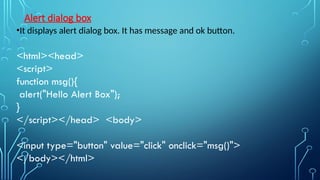
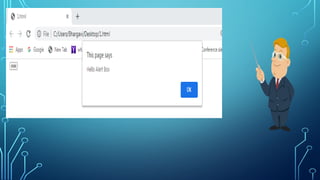
Alert dialog box
•Itdisplays alert dialog box. It has message and ok button.
<html><head>
<script>
function msg(){
alert("Hello Alert Box");
}
</script></head> <body>
<input type="button" value="click" onclick="msg()">
</body></html>
38.
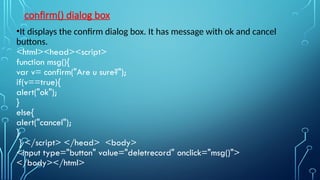
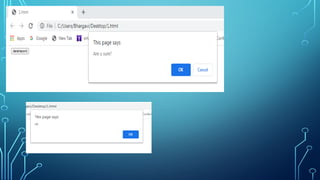
confirm() dialog box
•Itdisplays the confirm dialog box. It has message with ok and cancel
buttons.
<html><head><script>
function msg(){
var v= confirm("Are u sure?");
if(v==true){
alert("ok");
}
else{
alert("cancel");
}
} </script> </head> <body>
<input type="button" value="deletrecord" onclick="msg()">
</body></html>
40.
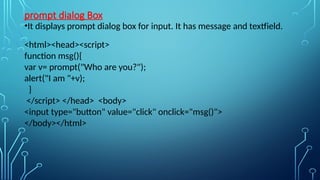
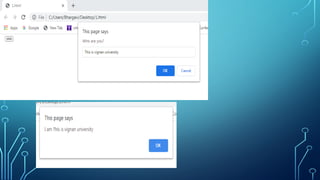
prompt dialog Box
•Itdisplays prompt dialog box for input. It has message and textfield.
<html><head><script>
function msg(){
var v= prompt("Who are you?");
alert("I am "+v);
}
</script> </head> <body>
<input type="button" value="click" onclick="msg()">
</body></html>
42.
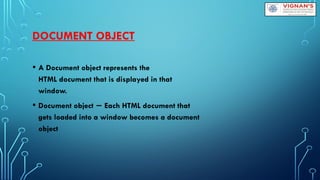
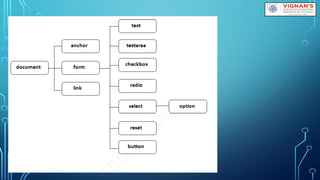
DOCUMENT OBJECT
• ADocument object represents the
HTML document that is displayed in that
window.
• Document object Each HTML document that
−
gets loaded into a window becomes a document
object
44.
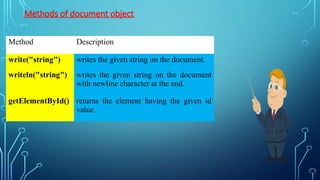
Methods of documentobject
Method Description
write("string") writes the given string on the document.
writeln("string") writes the given string on the document
with newline character at the end.
getElementById() returns the element having the given id
value.
45.
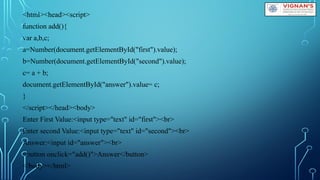
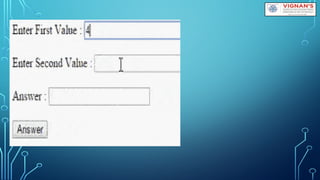
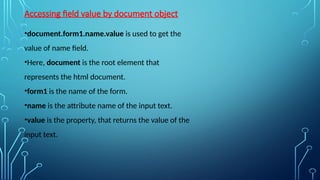
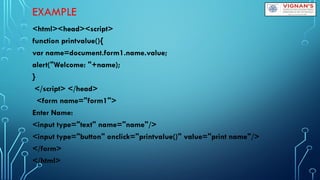
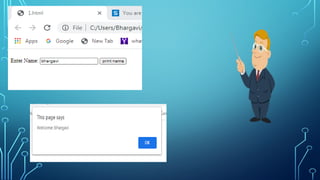
Accessing field valueby document object
•document.form1.name.value is used to get the
value of name field.
•Here, document is the root element that
represents the html document.
•form1 is the name of the form.
•name is the attribute name of the input text.
•value is the property, that returns the value of the
input text.
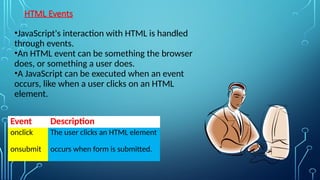
HTML Events
•JavaScript's interactionwith HTML is handled
through events.
•An HTML event can be something the browser
does, or something a user does.
•A JavaScript can be executed when an event
occurs, like when a user clicks on an HTML
element.
Event Description
onclick The user clicks an HTML element
onsubmit occurs when form is submitted.
49.
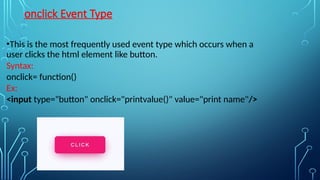
onclick Event Type
•Thisis the most frequently used event type which occurs when a
user clicks the html element like button.
Syntax:
onclick= function()
Ex:
<input type="button" onclick="printvalue()" value="print name"/>
50.
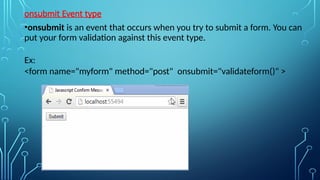
onsubmit Event type
•onsubmitis an event that occurs when you try to submit a form. You can
put your form validation against this event type.
Ex:
<form name="myform" method="post" onsubmit="validateform()" >
51.
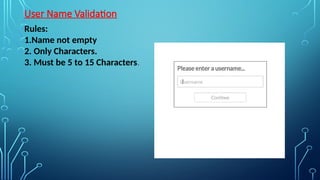
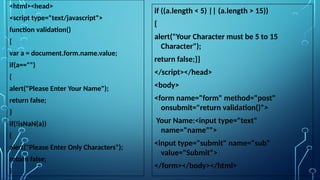
DATA VALIDATION
Data validationis the process of ensuring that user input is clean, correct, and useful.
• Typical validation tasks are:
1. has the user filled in all required fields?
2. has the user entered a valid date?
3. has the user entered text in a numeric field?
• Most often, the purpose of data validation is to ensure correct user input.
• Validation can be defined by many different methods, and deployed in many
different ways.
Server side validation is performed by a web server, after input has been sent to
the server.
Client side validation is performed by a web browser, before input is sent to a web
server.
52.
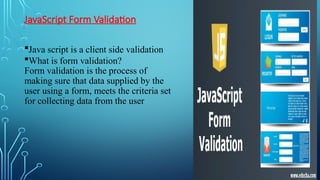
JavaScript Form Validation
Javascript is a client side validation
What is form validation?
Form validation is the process of
making sure that data supplied by the
user using a form, meets the criteria set
for collecting data from the user




![1) JavaScript array literal
•The syntax of creating array using array literal :
var arrayname=[value1,value2.....valueN];
Ex:
var emp=["Sonoo","Vimal","Ratan"];
for (i=0;i<emp.length;i++){
document.write(emp[i] + "<br/>");
}](https://image.slidesharecdn.com/1-javascript-250331051412-d2d6ed88/85/1-JAVA-SCRIPT-servere-side-applications-vs-client-side-applications-23-320.jpg)
![2) JavaScript Array directly (new keyword)
•The syntax of creating array directly is given below:
var arrayname=new Array();
•Here, new keyword is used to create instance of array.
Example:
<script>
var i;
var emp = new Array();
emp[0] = "Arun";
emp[1] = "Varun";
emp[2] = "John";
for (i=0;i<emp.length;i++){
document.write(emp[i] + "<br>");
}
</script>](https://image.slidesharecdn.com/1-javascript-250331051412-d2d6ed88/85/1-JAVA-SCRIPT-servere-side-applications-vs-client-side-applications-24-320.jpg)
![3) JavaScript array constructor (new keyword)
•Here, you need to create instance of array by passing arguments in
constructor so that we don't have to provide value explicitly.
Example:
<script>
var emp=new Array("Jai","Vijay","Smith");
for (i=0;i<emp.length;i++){
document.write(emp[i] + "<br>");
}
</script>](https://image.slidesharecdn.com/1-javascript-250331051412-d2d6ed88/85/1-JAVA-SCRIPT-servere-side-applications-vs-client-side-applications-25-320.jpg)
![<script>
var fruits = ["Banana", "Orange", "Apple", "Mango"];
document.write("<h1> Before Array operations:</h1>"+fruits);
fruits.pop();
document.write("<h1> After POP():</h1>"+fruits);
fruits.push("Kiwi");
document.write("<h1> After Push():</h1>"+fruits);
fruits.shift();
document.write("<h1> After shift():</h1>"+fruits);
fruits.unshift("Sapota");
document.write("<h1> After unshift():</h1>"+fruits);
var num=["2","1","3"]
var my= num.concat(fruits);
document.write("<h1> After concat():</h1>"+my);
document.write("<h1> After reverse:</h1>"+my.reverse());
document.write("<h1> After sort:</h1>"+my.sort());
</script>](https://image.slidesharecdn.com/1-javascript-250331051412-d2d6ed88/85/1-JAVA-SCRIPT-servere-side-applications-vs-client-side-applications-28-320.jpg)



![<html> <head><script>
function CheckPassword()
{
input=document.form1.text1.value;
var pass= /^(?=.*d)(?=.*[a-z])(?=.*[A-Z]).{6,20}$/;
if(input.match(pass))
{
alert("Correct")
return true;
}
else
{
alert('Wrong...!')
return false;
} }
</script> </head>
<body>
<h2>Input Password and Submit [6 to 20
characters which contain at least one
numeric digit, one uppercase and one
lowercase letter]</h2>
<form name="form1" action="#">
Enter Password <input type="text"
name="text1"/>
<input type="submit" name="submit"
value="Submit"
onclick="CheckPassword()"/>
</form> </body> </html>](https://image.slidesharecdn.com/1-javascript-250331051412-d2d6ed88/85/1-JAVA-SCRIPT-servere-side-applications-vs-client-side-applications-56-320.jpg)

![<html> <head><script>
function CheckEmail()
{
input=document.form1.text1.value;
var email=/^w+([.-]?w+)*@w*(.w{2,3})$/;
if(input.match(email))
{
alert("Correct")
}
else
{
alert('Wrong...!')
} }
</script></head>
<body>
<form name="form1" action="#"
onsubmit="CheckEmail()">
Enter EMail <input type="text"
name="text1"/>
<input type="submit"
name="submit"
value="Submit" />
</form> </body> </html>](https://image.slidesharecdn.com/1-javascript-250331051412-d2d6ed88/85/1-JAVA-SCRIPT-servere-side-applications-vs-client-side-applications-58-320.jpg)