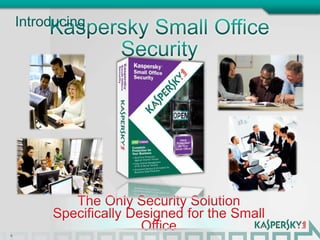
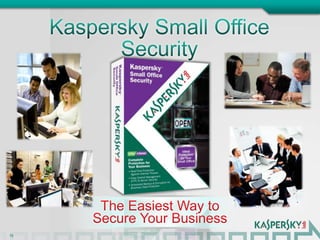
IntroducingKaspersky Small Office Security
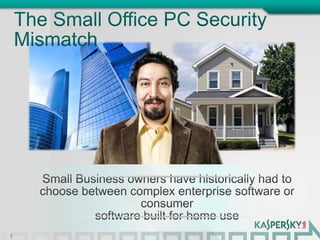
The Small Office PC Security Mismatch2Small Business owners have historically had to choose between complex enterprise software or consumer software built for home use
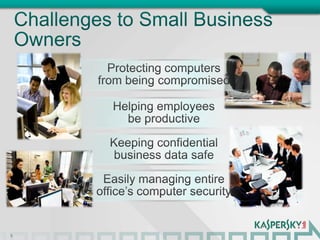
Challenges to Small Business Owners3Protecting computers from being compromisedHelping employees be productiveKeeping confidential business data safeEasily managing entire office’s computer security
4IntroducingKaspersky Small Office SecurityThe Only Security Solution Specifically Designed for the Small Office
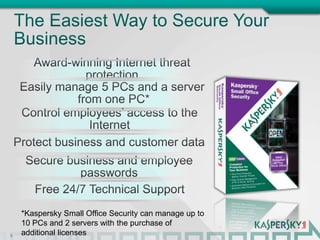
The Easiest Way to Secure Your Business5Award-winning Internet threat protectionEasily manage 5 PCs and a server from one PC*Control employees’ access to the InternetProtect business and customer dataSecure business and employee passwordsFree 24/7 Technical Support*Kaspersky Small Office Security can manage up to 10 PCs and 2 servers with the purchase of additional licenses
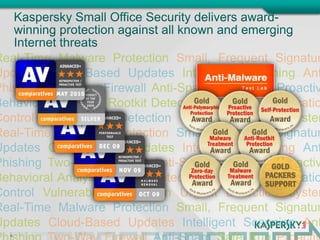
Real-Time Malware Protection Small, Frequent Signature Updates Cloud-Based Updates Intelligent Scanning Anti-PhishingTwo-Way Firewall Anti-Spam; Safe Run Proactive Behavioral Analysis Rootkit Detection Advanced Application Control Vulnerability Detection Urgent Detection System Real-Time Malware Protection Small, Frequent Signature Updates Cloud-Based Updates Intelligent Scanning Anti-Phishing Two-Way Firewall Anti-SpamSafe Run Proactive Behavioral Analysis Rootkit Detection Advanced Application Control Vulnerability Detection Urgent Detection SystemReal-Time Malware Protection Small, Frequent Signature Updates Cloud-Based Updates Intelligent Scanning Anti-Phishing Two-Way Firewall Anti-Spam Safe Run Proactive Behavioral AnalKaspersky Small Office Security delivers award-winning protection against all known and emerging Internet threats6
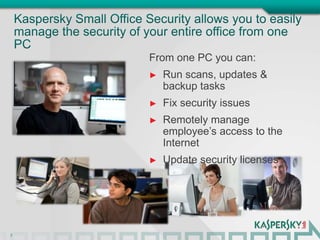
Kaspersky Small Office Security allows you to easily manage the security of your entire office from one PC7From one PC you can:Run scans, updates & backup tasks
Fix security issues
Remotely manage employee’s access to the Internet
Update security licensesSimply install Kaspersky Small Office Security once on each machine and then easily view, manage and protect them all from one PC8
Kaspersky Small Office Security helps you keep your employees safe and productive 9From one PC you can monitor and limit access to:PCsWebsitesApplicationsGamesSocial NetworkingFile Downloads
Kaspersky Small Office Security keeps your confidential business and customer data safe10You can easily set automatic, scheduled backup tasks for each machine in your office
You can easily create password-protected, encrypted data “vaults” to store and transfer confidential information via email or USBKaspersky Small Office Security includes Kaspersky Password Manager for safer online transactionsWith Kaspersky Password Manager, you get:Protection against keyloggers, hackers and identity thievesAutomatic unique & strong password generator Encrypted password databaseAutomatic online account logins11Plus, for an additional layer of protection, Kaspersky Small Office Security offers a Virtual Keyboard, which uses mouse-clicks instead of traceable key strokes for entering passwords, logins and any other confidential data
Free North American-basedtechnical support via telephone, email, and online chatYou’re Not Alone.12
Frequently Asked Questions:Q: Does anyone else make a security software product for the small office?	A: No!  Kaspersky Small Office Security is the only product on the market specifically designed for offices of up to 10 PCs and 2 servers.Q: Why can’t I just use the same security software that I use on my home PC?	A: While the level of protection may be the same, Kaspersky Small Office Security allows you to easily manage all the machines in your office from one PC.  And, it’s packed with powerful business tools like web-use policy management, backup, encryption, password management, and file shredder.Q: Do I need an IT resource to install and manage Kaspersky Small Office Security?	A: No!  Kaspersky Small Office Security was designed to be quick to install, simple to configure and incredibly easy to manage. 13

Ksos retail portal

  • 1.
  • 2.
    The Small OfficePC Security Mismatch2Small Business owners have historically had to choose between complex enterprise software or consumer software built for home use
  • 3.
    Challenges to SmallBusiness Owners3Protecting computers from being compromisedHelping employees be productiveKeeping confidential business data safeEasily managing entire office’s computer security
  • 4.
    4IntroducingKaspersky Small OfficeSecurityThe Only Security Solution Specifically Designed for the Small Office
  • 5.
    The Easiest Wayto Secure Your Business5Award-winning Internet threat protectionEasily manage 5 PCs and a server from one PC*Control employees’ access to the InternetProtect business and customer dataSecure business and employee passwordsFree 24/7 Technical Support*Kaspersky Small Office Security can manage up to 10 PCs and 2 servers with the purchase of additional licenses
  • 6.
    Real-Time Malware ProtectionSmall, Frequent Signature Updates Cloud-Based Updates Intelligent Scanning Anti-PhishingTwo-Way Firewall Anti-Spam; Safe Run Proactive Behavioral Analysis Rootkit Detection Advanced Application Control Vulnerability Detection Urgent Detection System Real-Time Malware Protection Small, Frequent Signature Updates Cloud-Based Updates Intelligent Scanning Anti-Phishing Two-Way Firewall Anti-SpamSafe Run Proactive Behavioral Analysis Rootkit Detection Advanced Application Control Vulnerability Detection Urgent Detection SystemReal-Time Malware Protection Small, Frequent Signature Updates Cloud-Based Updates Intelligent Scanning Anti-Phishing Two-Way Firewall Anti-Spam Safe Run Proactive Behavioral AnalKaspersky Small Office Security delivers award-winning protection against all known and emerging Internet threats6
  • 7.
    Kaspersky Small OfficeSecurity allows you to easily manage the security of your entire office from one PC7From one PC you can:Run scans, updates & backup tasks
  • 8.
  • 9.
    Remotely manage employee’saccess to the Internet
  • 10.
    Update security licensesSimplyinstall Kaspersky Small Office Security once on each machine and then easily view, manage and protect them all from one PC8
  • 11.
    Kaspersky Small OfficeSecurity helps you keep your employees safe and productive 9From one PC you can monitor and limit access to:PCsWebsitesApplicationsGamesSocial NetworkingFile Downloads
  • 12.
    Kaspersky Small OfficeSecurity keeps your confidential business and customer data safe10You can easily set automatic, scheduled backup tasks for each machine in your office
  • 13.
    You can easilycreate password-protected, encrypted data “vaults” to store and transfer confidential information via email or USBKaspersky Small Office Security includes Kaspersky Password Manager for safer online transactionsWith Kaspersky Password Manager, you get:Protection against keyloggers, hackers and identity thievesAutomatic unique & strong password generator Encrypted password databaseAutomatic online account logins11Plus, for an additional layer of protection, Kaspersky Small Office Security offers a Virtual Keyboard, which uses mouse-clicks instead of traceable key strokes for entering passwords, logins and any other confidential data
  • 14.
    Free North American-basedtechnicalsupport via telephone, email, and online chatYou’re Not Alone.12
  • 15.
    Frequently Asked Questions:Q:Does anyone else make a security software product for the small office? A: No! Kaspersky Small Office Security is the only product on the market specifically designed for offices of up to 10 PCs and 2 servers.Q: Why can’t I just use the same security software that I use on my home PC? A: While the level of protection may be the same, Kaspersky Small Office Security allows you to easily manage all the machines in your office from one PC. And, it’s packed with powerful business tools like web-use policy management, backup, encryption, password management, and file shredder.Q: Do I need an IT resource to install and manage Kaspersky Small Office Security? A: No! Kaspersky Small Office Security was designed to be quick to install, simple to configure and incredibly easy to manage. 13