Kotlin
lo Swift di Android
Good News Everyone!
20 oct: Slide v1.1
3 oct: Slide v1.0
Omar Miatello
Member of GDG Milano (Italy)
Android Developer @ Satispay
Personal profile
google.com/+OmarMiatello
Google+ Community: Kotlin for Android
goo.gl/mUKF1w
Slides
goo.gl/7Vhy0s
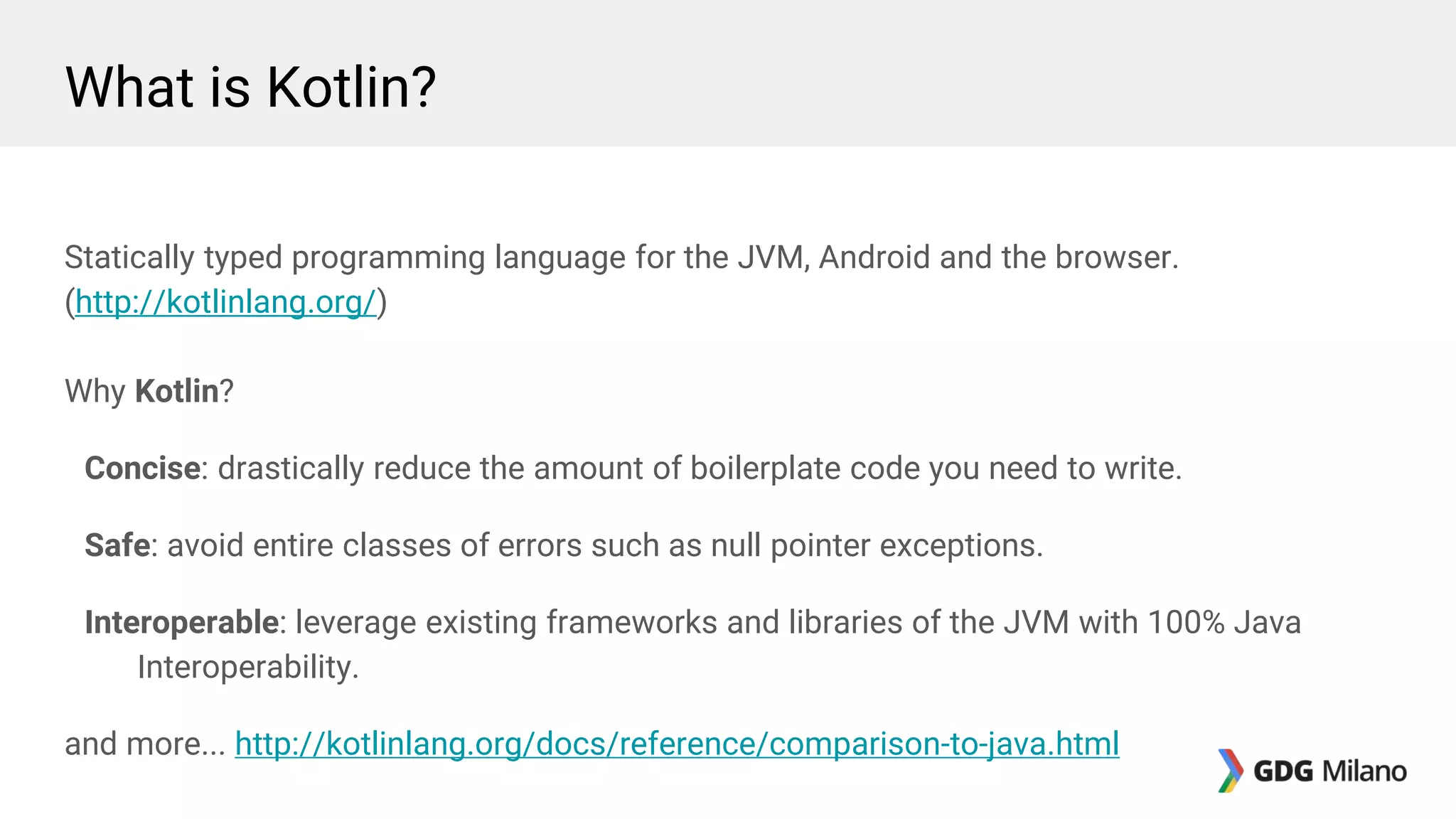
What is Kotlin?
Statically typed programming language for the JVM, Android and the browser.
(http://kotlinlang.org/)
Why Kotlin?
Concise: drastically reduce the amount of boilerplate code you need to write.
Safe: avoid entire classes of errors such as null pointer exceptions.
Interoperable: leverage existing frameworks and libraries of the JVM with 100% Java
Interoperability.
and more... http://kotlinlang.org/docs/reference/comparison-to-java.html
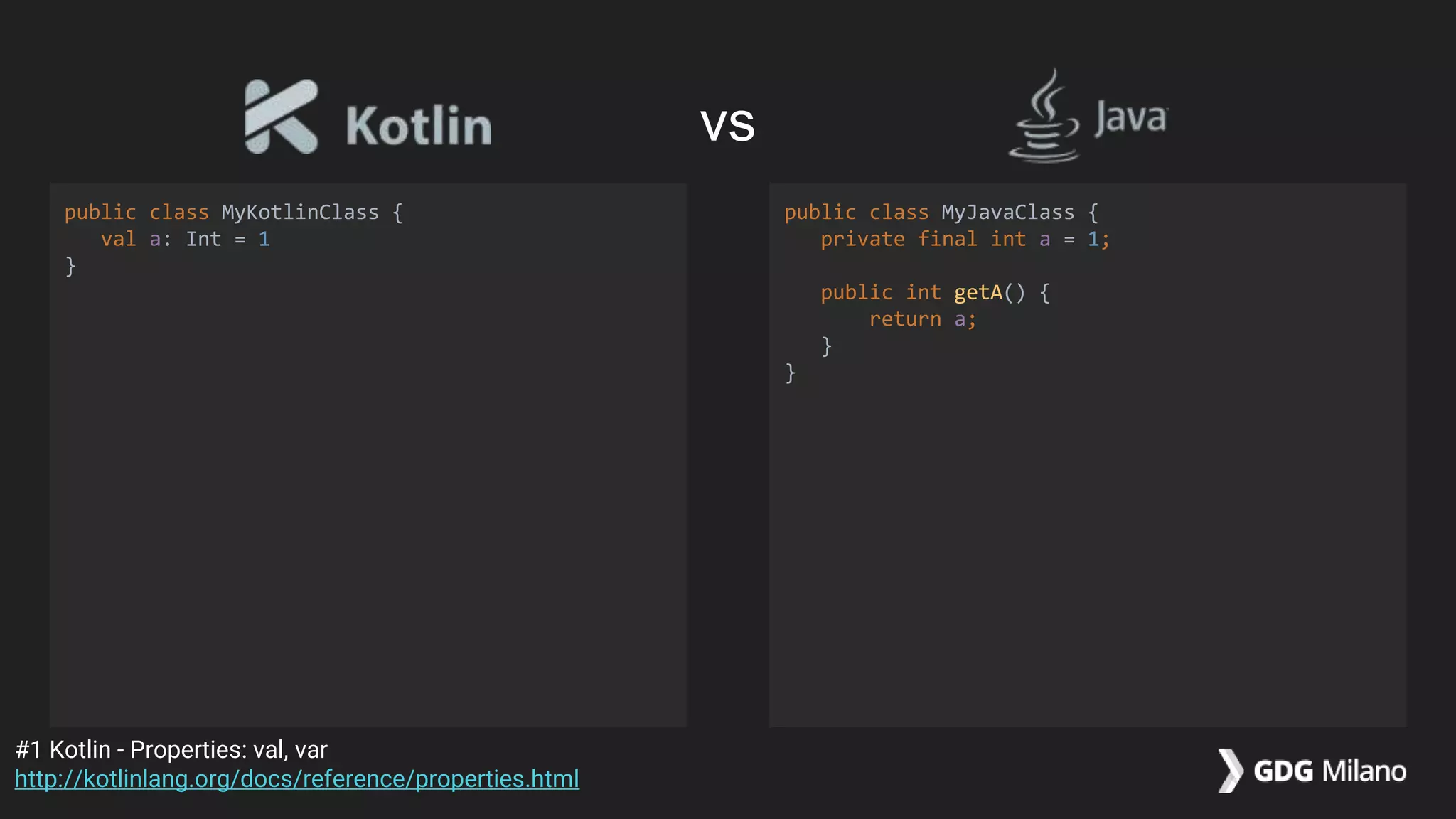
vs
public class MyKotlinClass {
val a: Int = 1
}
public class MyJavaClass {
private final int a = 1;
public int getA() {
return a;
}
}
#1 Kotlin - Properties: val, var
http://kotlinlang.org/docs/reference/properties.html
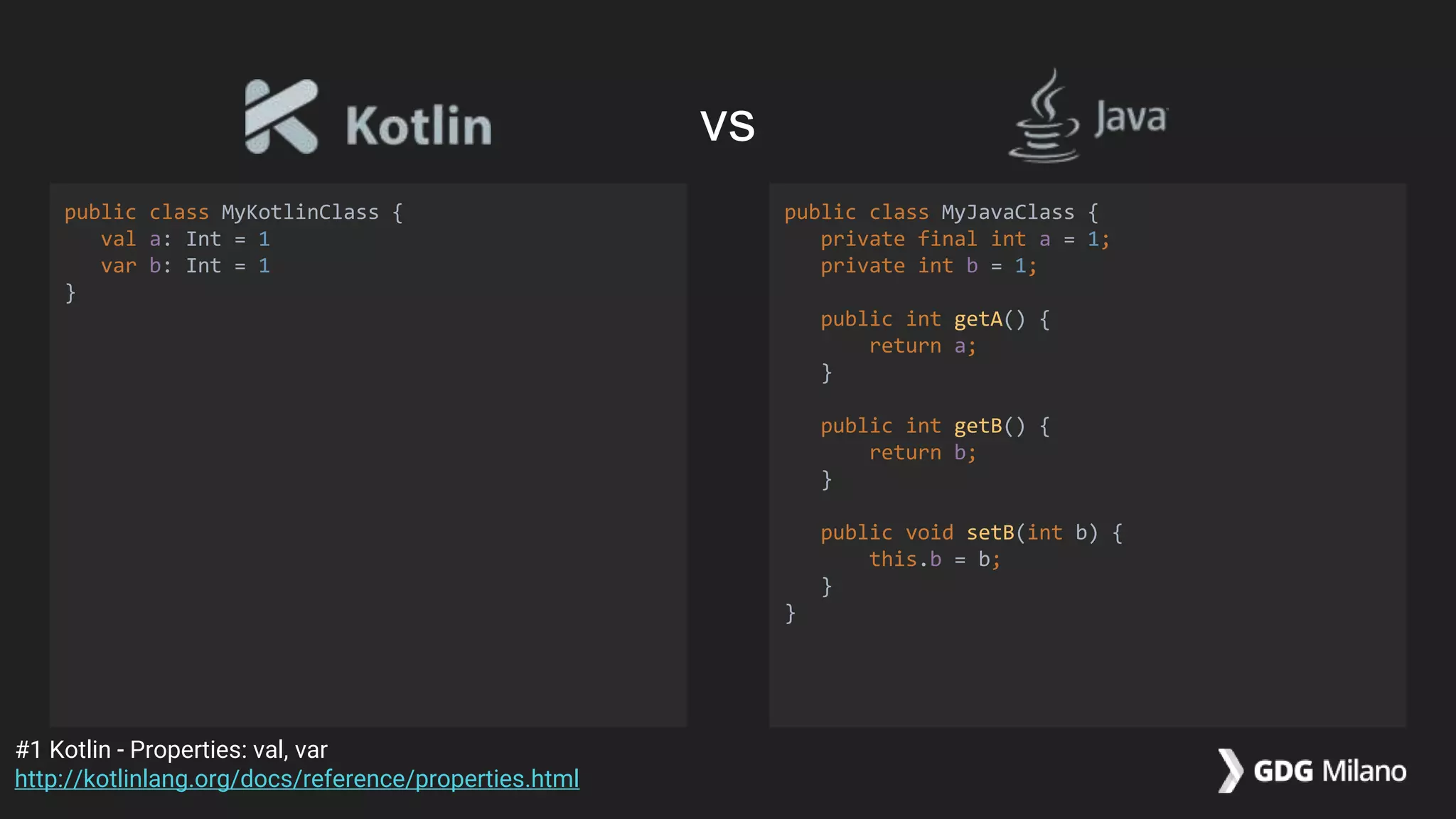
public class MyKotlinClass {
val a: Int = 1
var b: Int = 1
}
public class MyJavaClass {
private final int a = 1;
private int b = 1;
public int getA() {
return a;
}
public int getB() {
return b;
}
public void setB(int b) {
this.b = b;
}
}
#1 Kotlin - Properties: val, var
http://kotlinlang.org/docs/reference/properties.html
vs
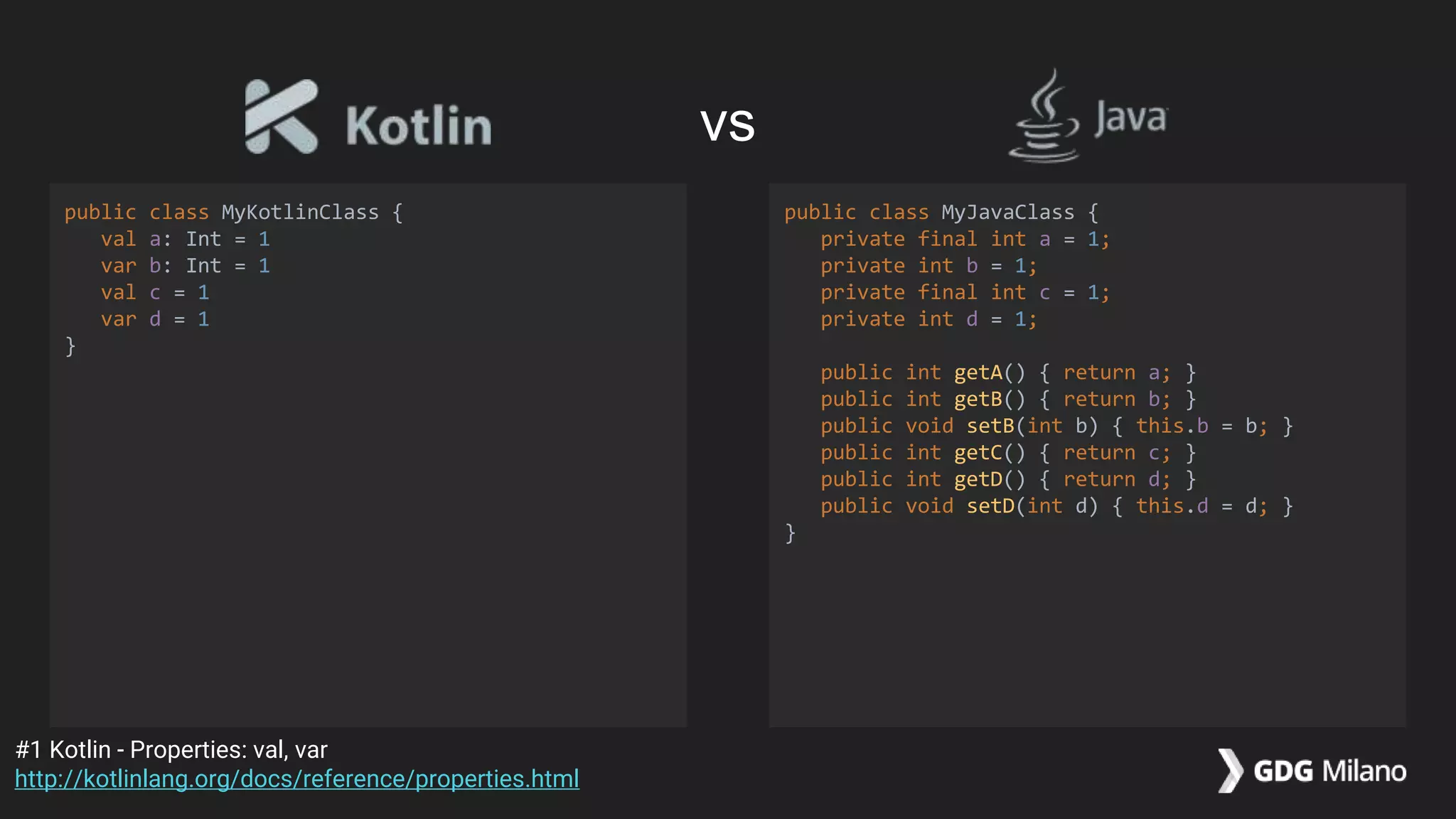
public class MyKotlinClass {
val a: Int = 1
var b: Int = 1
val c = 1
var d = 1
}
public class MyJavaClass {
private final int a = 1;
private int b = 1;
private final int c = 1;
private int d = 1;
public int getA() { return a; }
public int getB() { return b; }
public void setB(int b) { this.b = b; }
public int getC() { return c; }
public int getD() { return d; }
public void setD(int d) { this.d = d; }
}
#1 Kotlin - Properties: val, var
http://kotlinlang.org/docs/reference/properties.html
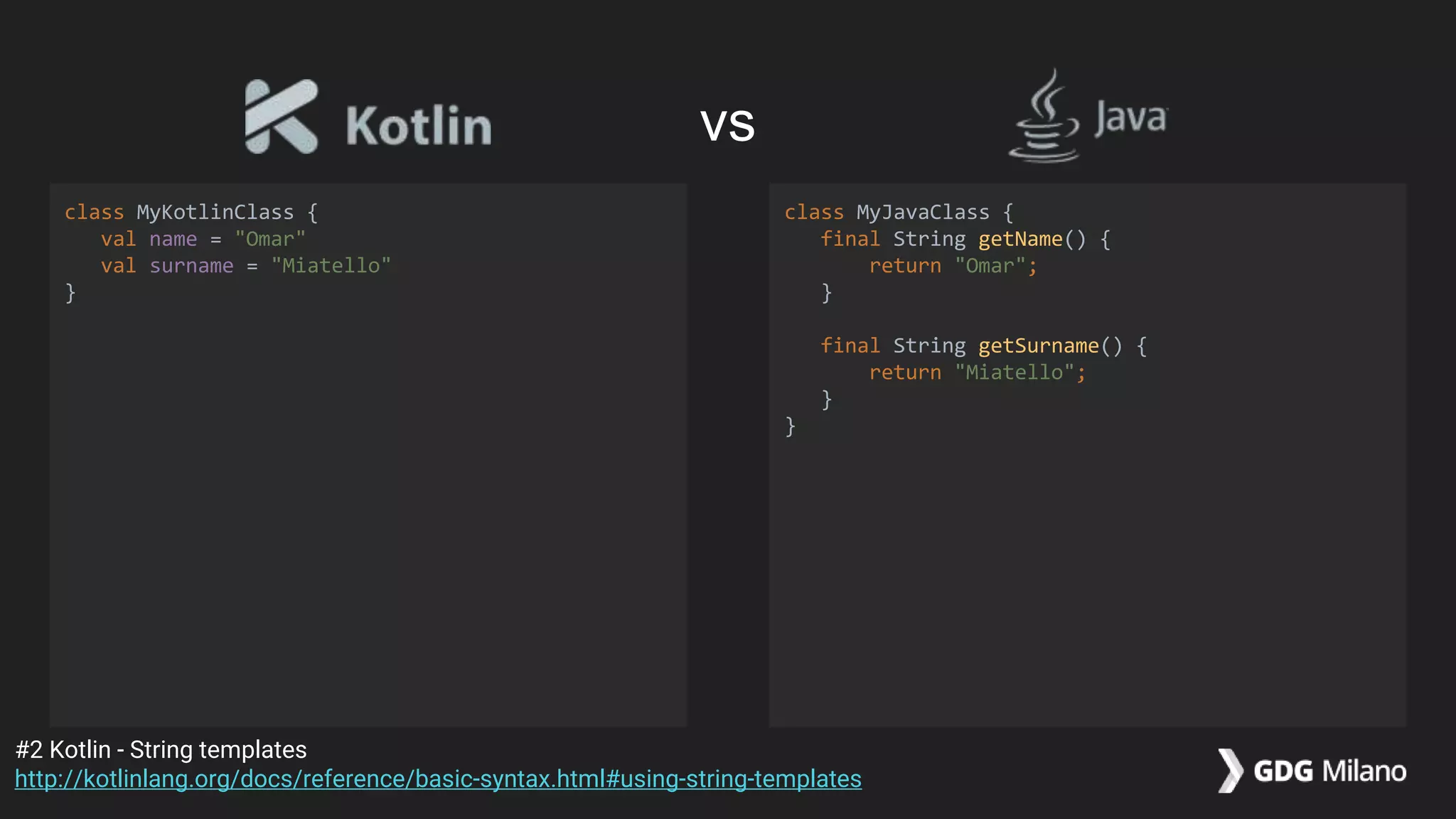
vs
class MyKotlinClass {
val name = "Omar"
val surname = "Miatello"
}
class MyJavaClass {
final String getName() {
return "Omar";
}
final String getSurname() {
return "Miatello";
}
}
#2 Kotlin - String templates
http://kotlinlang.org/docs/reference/basic-syntax.html#using-string-templates
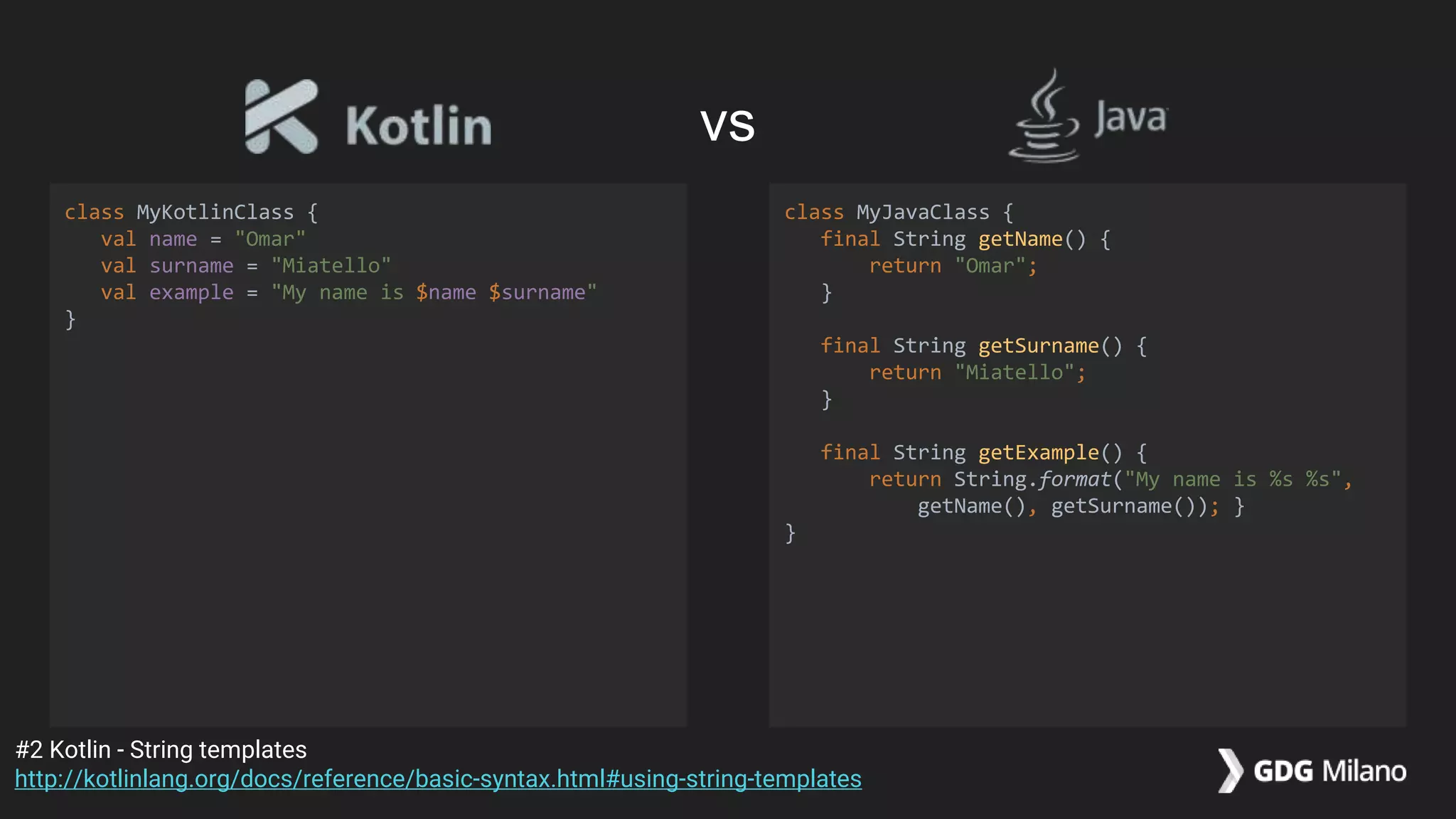
vs
class MyKotlinClass {
val name = "Omar"
val surname = "Miatello"
val example = "My name is $name $surname"
}
class MyJavaClass {
final String getName() {
return "Omar";
}
final String getSurname() {
return "Miatello";
}
final String getExample() {
return String.format("My name is %s %s",
getName(), getSurname()); }
}
#2 Kotlin - String templates
http://kotlinlang.org/docs/reference/basic-syntax.html#using-string-templates
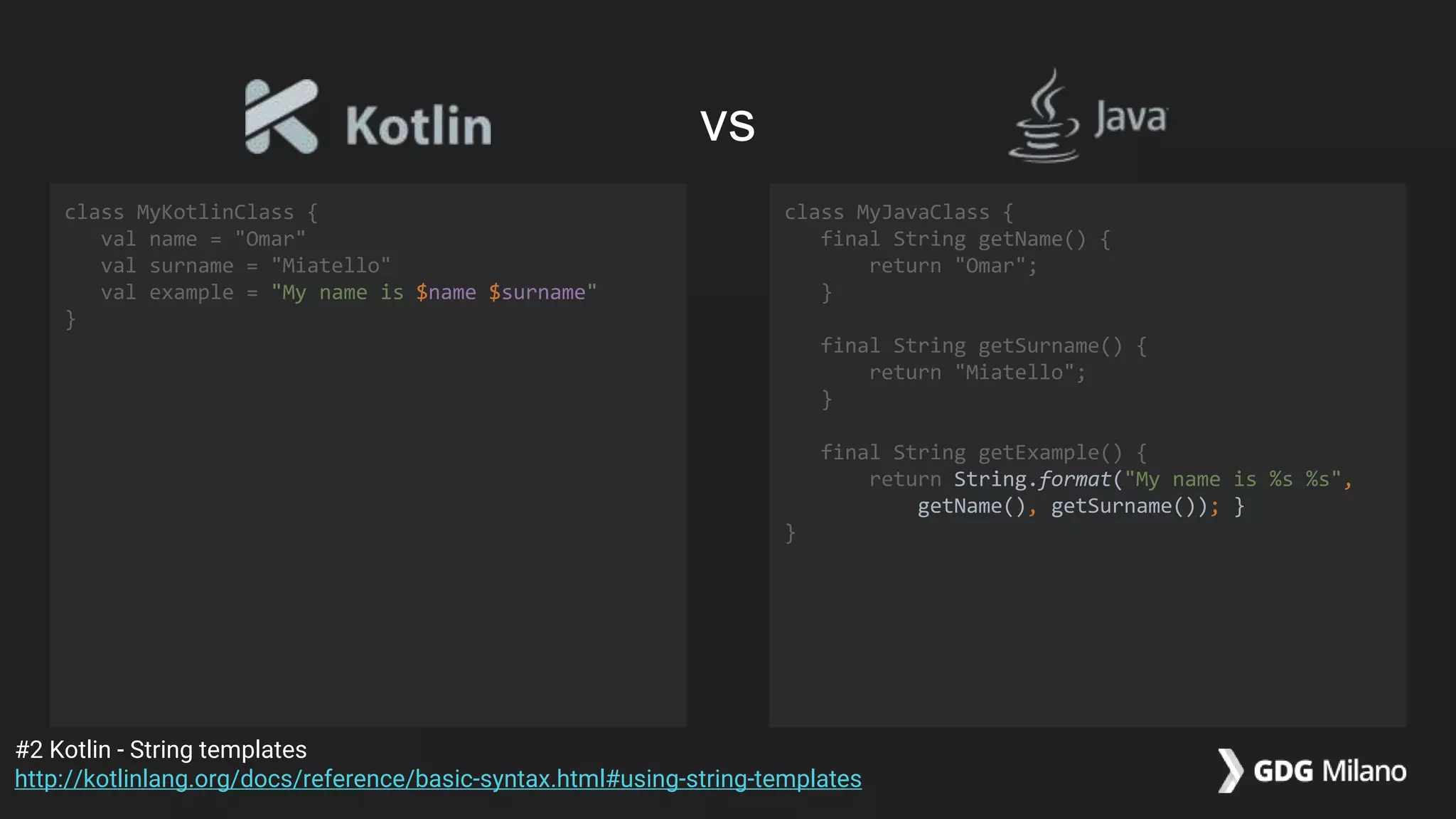
vs
class MyKotlinClass {
val name = "Omar"
val surname = "Miatello"
val example = "My name is $name $surname"
}
class MyJavaClass {
final String getName() {
return "Omar";
}
final String getSurname() {
return "Miatello";
}
final String getExample() {
return String.format("My name is %s %s",
getName(), getSurname()); }
}
#2 Kotlin - String templates
http://kotlinlang.org/docs/reference/basic-syntax.html#using-string-templates
vs
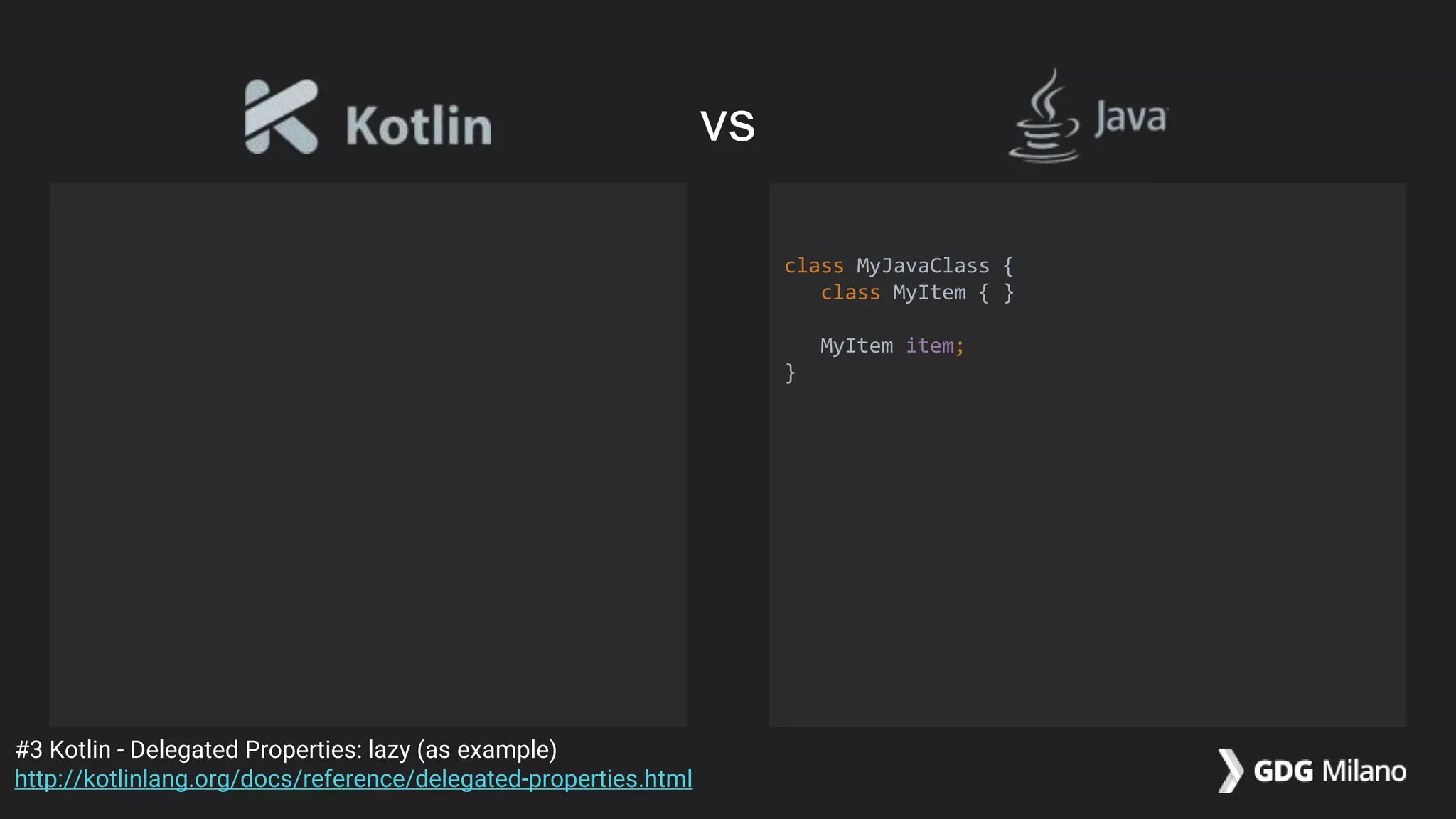
class MyJavaClass {
class MyItem { }
MyItem item;
}
#3 Kotlin - Delegated Properties: lazy (as example)
http://kotlinlang.org/docs/reference/delegated-properties.html
vs
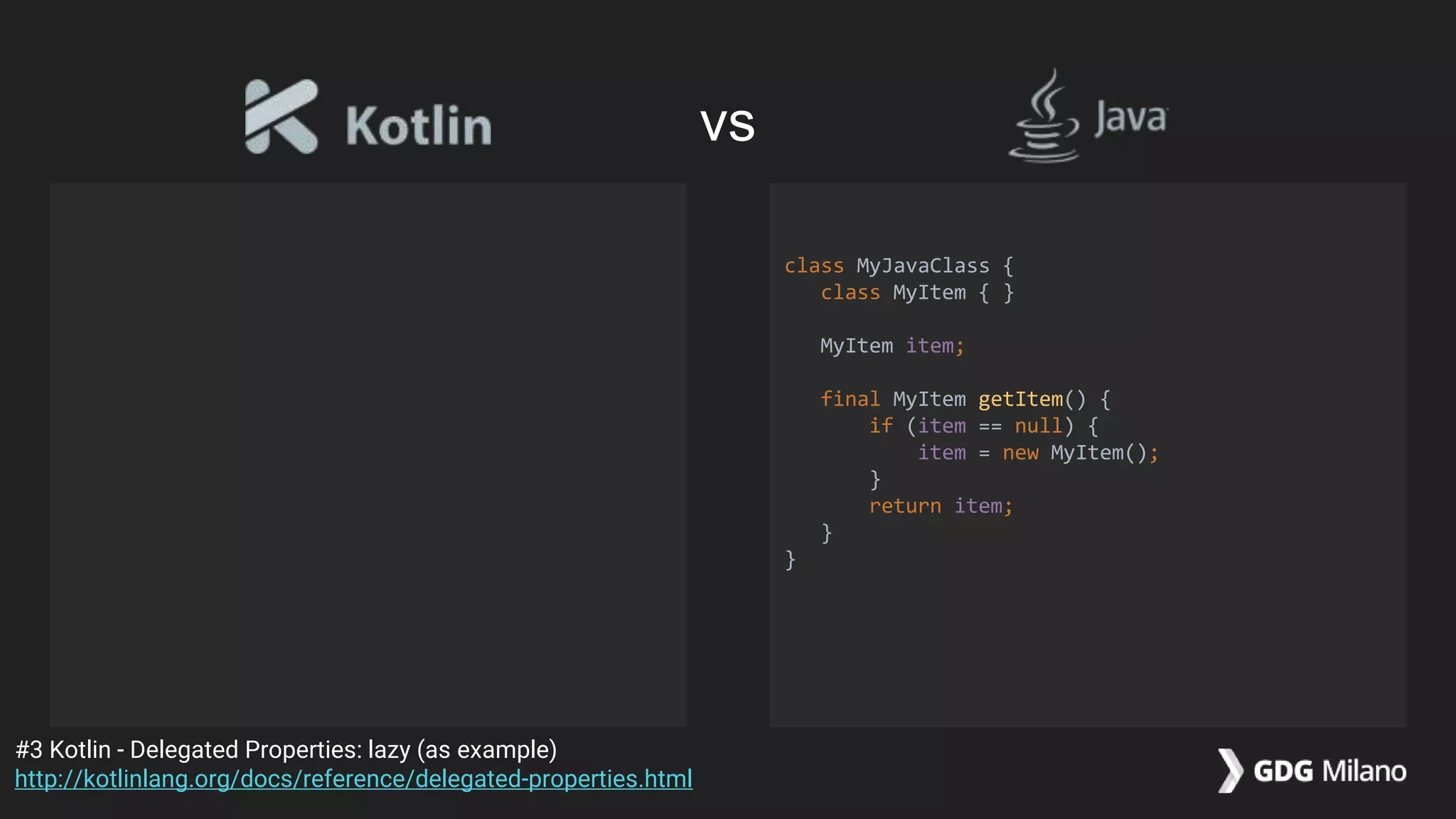
class MyJavaClass {
class MyItem { }
MyItem item;
final MyItem getItem() {
if (item == null) {
item = new MyItem();
}
return item;
}
}
#3 Kotlin - Delegated Properties: lazy (as example)
http://kotlinlang.org/docs/reference/delegated-properties.html
vs
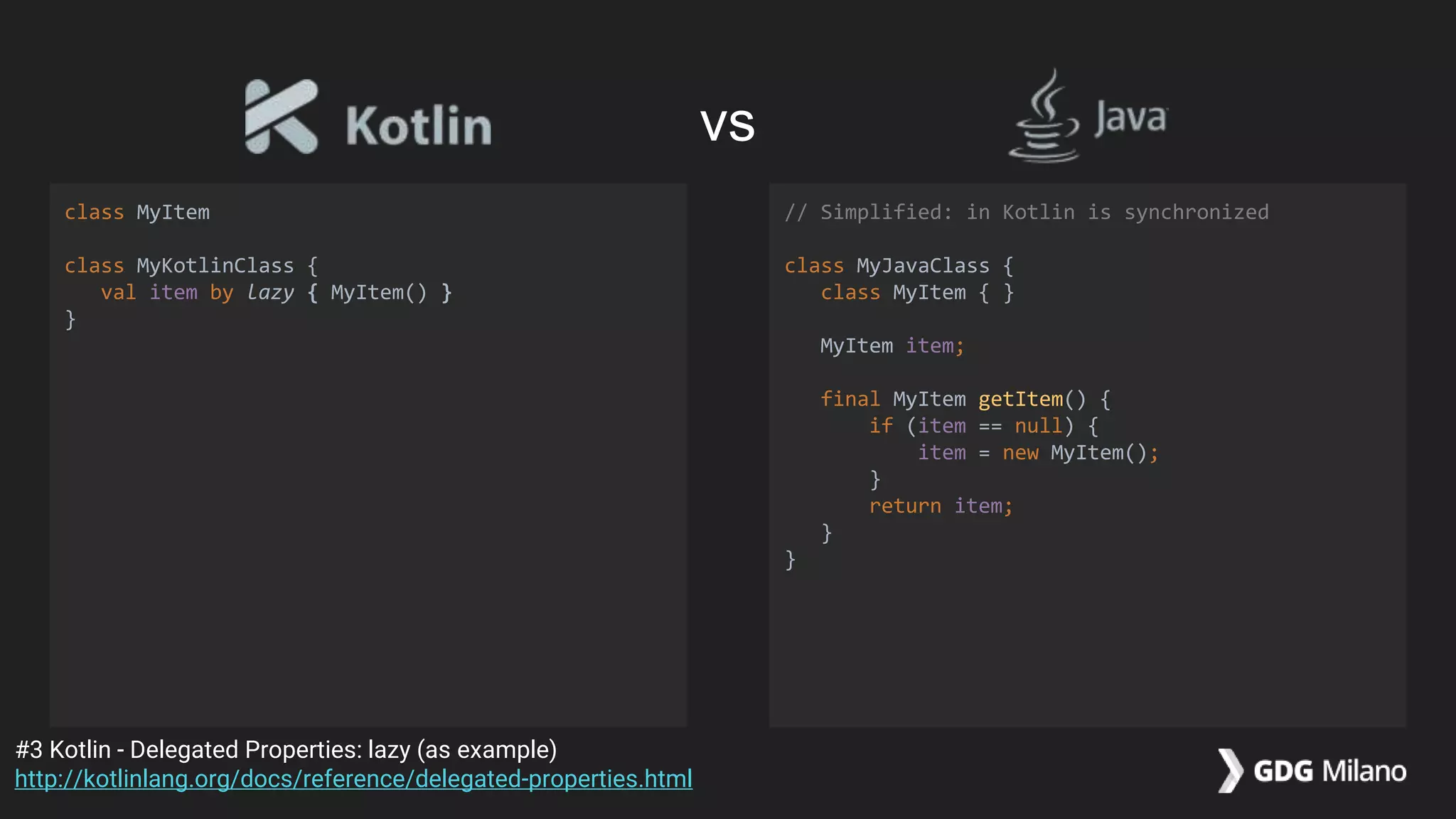
class MyItem
class MyKotlinClass {
val item by lazy { MyItem() }
}
// Simplified: in Kotlin is synchronized
class MyJavaClass {
class MyItem { }
MyItem item;
final MyItem getItem() {
if (item == null) {
item = new MyItem();
}
return item;
}
}
#3 Kotlin - Delegated Properties: lazy (as example)
http://kotlinlang.org/docs/reference/delegated-properties.html
vs
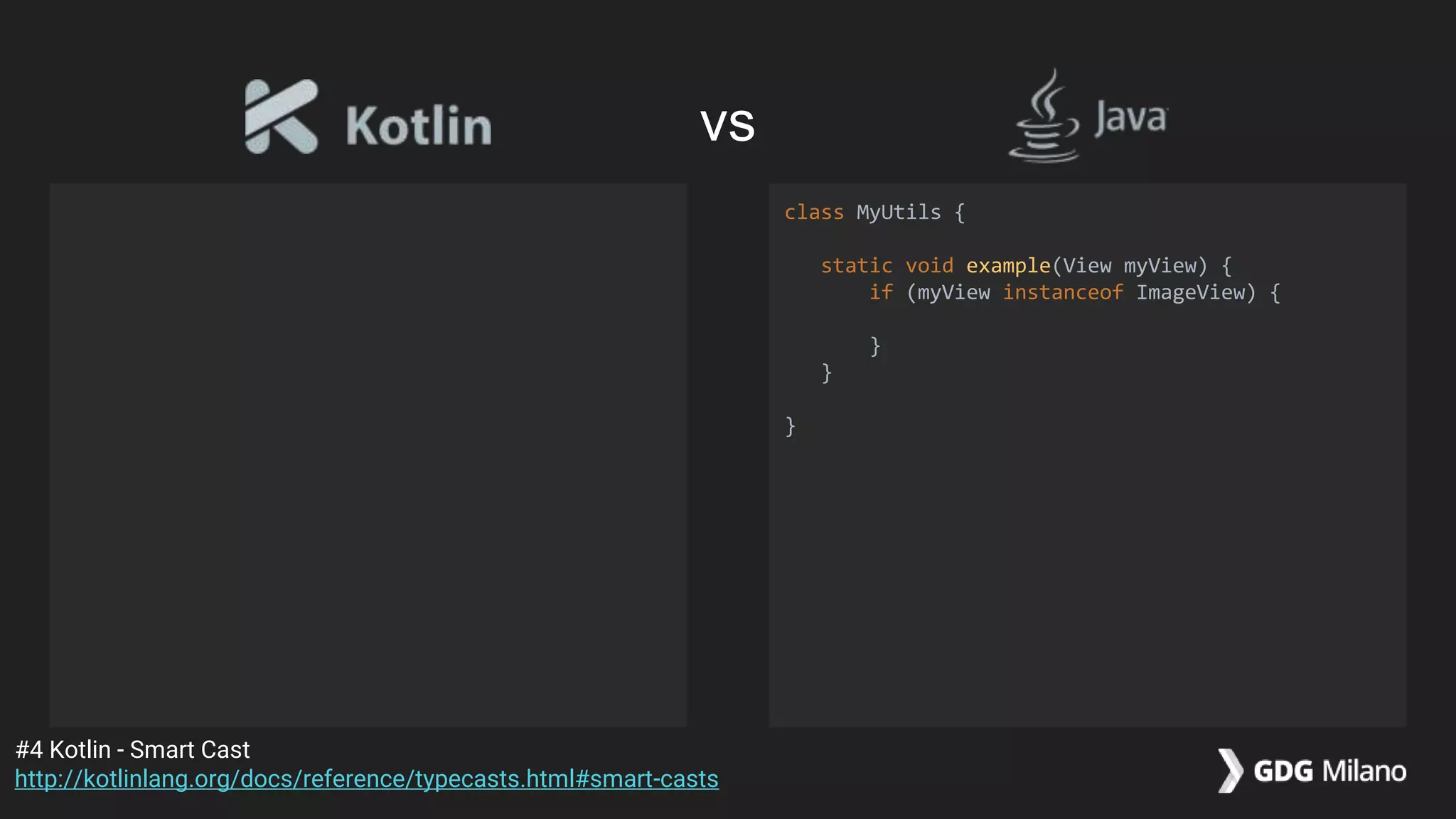
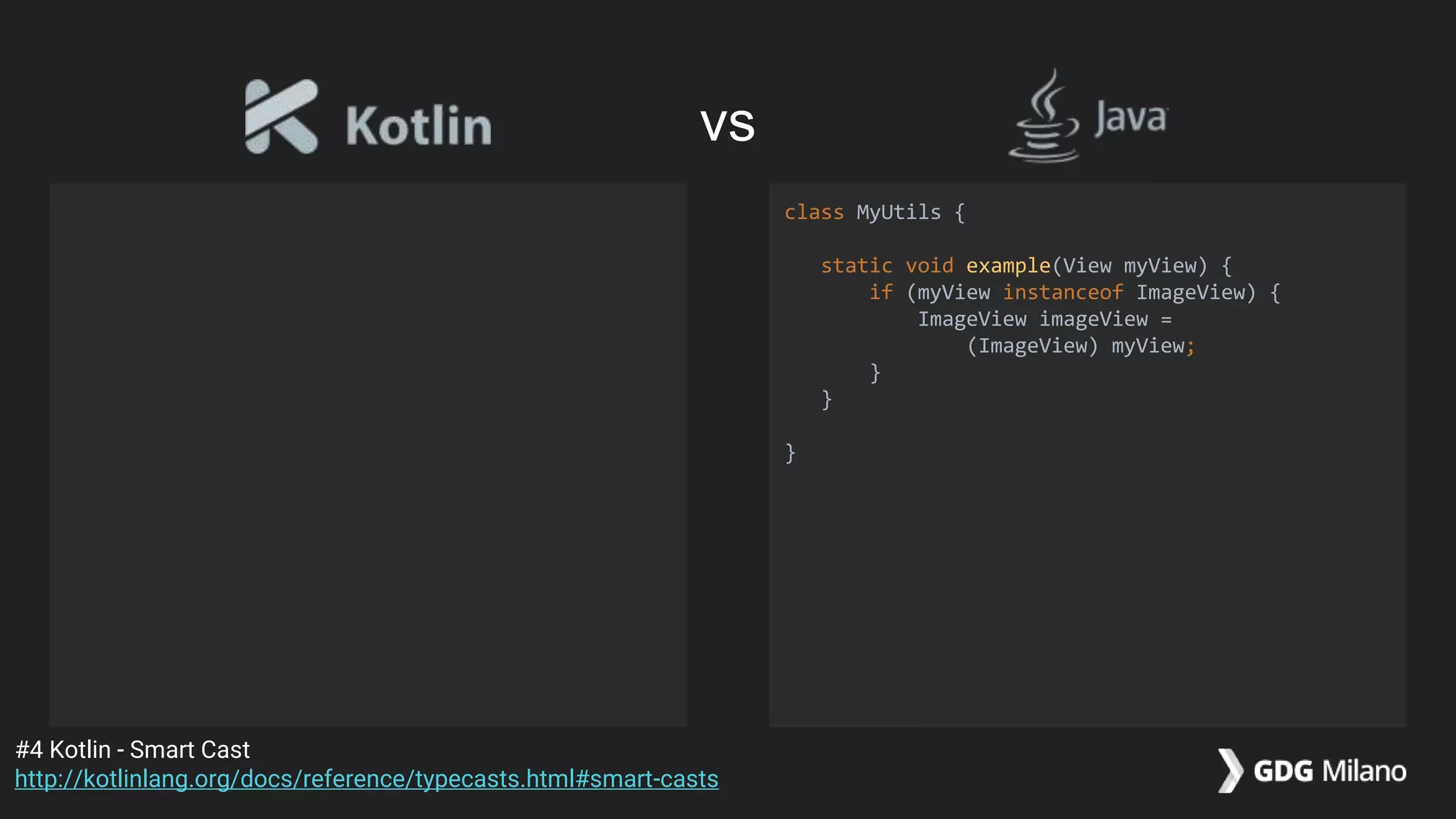
class MyUtils {
static void example(View myView) {
if (myView instanceof ImageView) {
}
}
}
#4 Kotlin - Smart Cast
http://kotlinlang.org/docs/reference/typecasts.html#smart-casts
vs
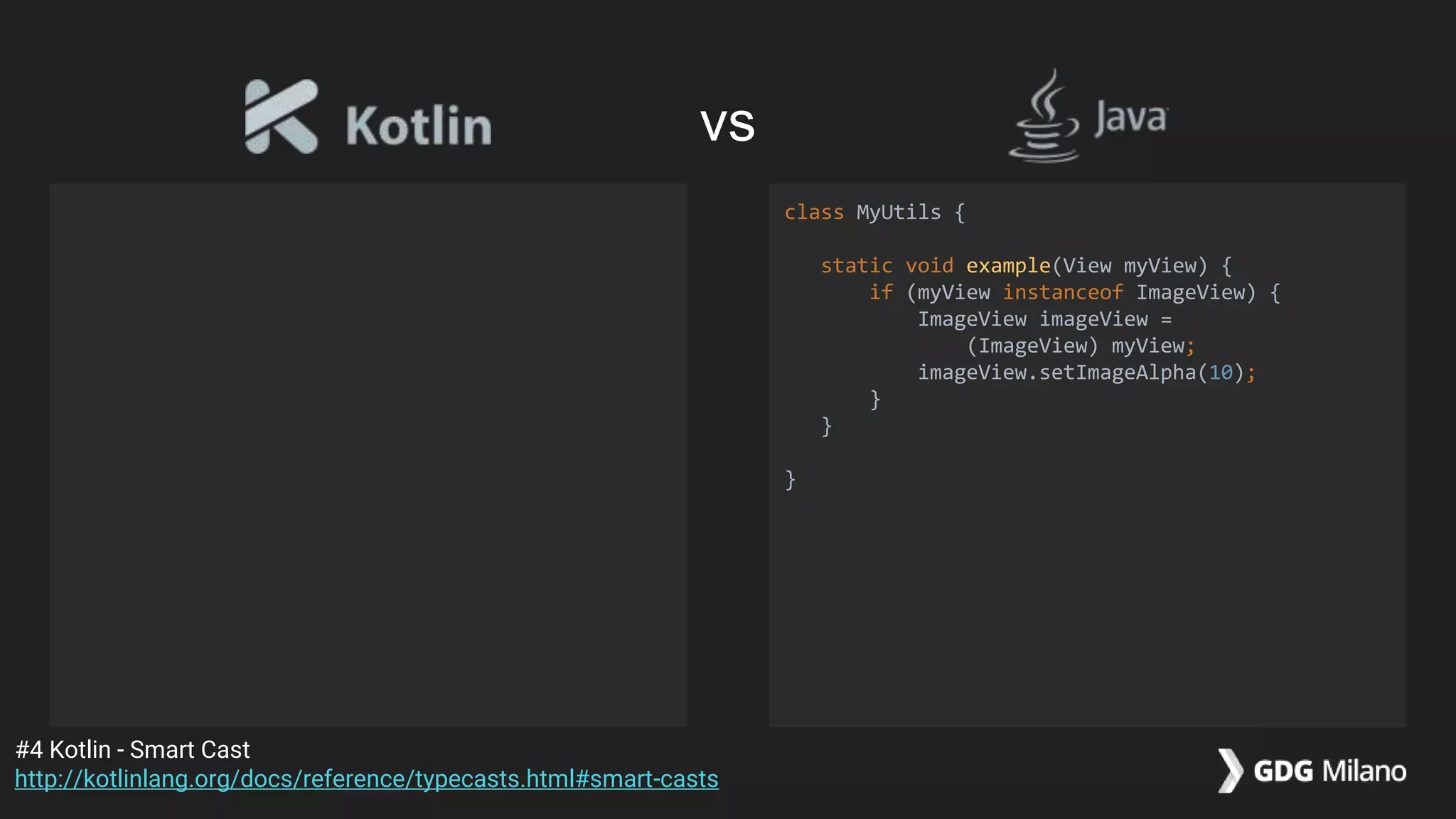
class MyUtils {
static void example(View myView) {
if (myView instanceof ImageView) {
ImageView imageView =
(ImageView) myView;
}
}
}
#4 Kotlin - Smart Cast
http://kotlinlang.org/docs/reference/typecasts.html#smart-casts
vs
class MyUtils {
static void example(View myView) {
if (myView instanceof ImageView) {
ImageView imageView =
(ImageView) myView;
imageView.setImageAlpha(10);
}
}
}
#4 Kotlin - Smart Cast
http://kotlinlang.org/docs/reference/typecasts.html#smart-casts
vs
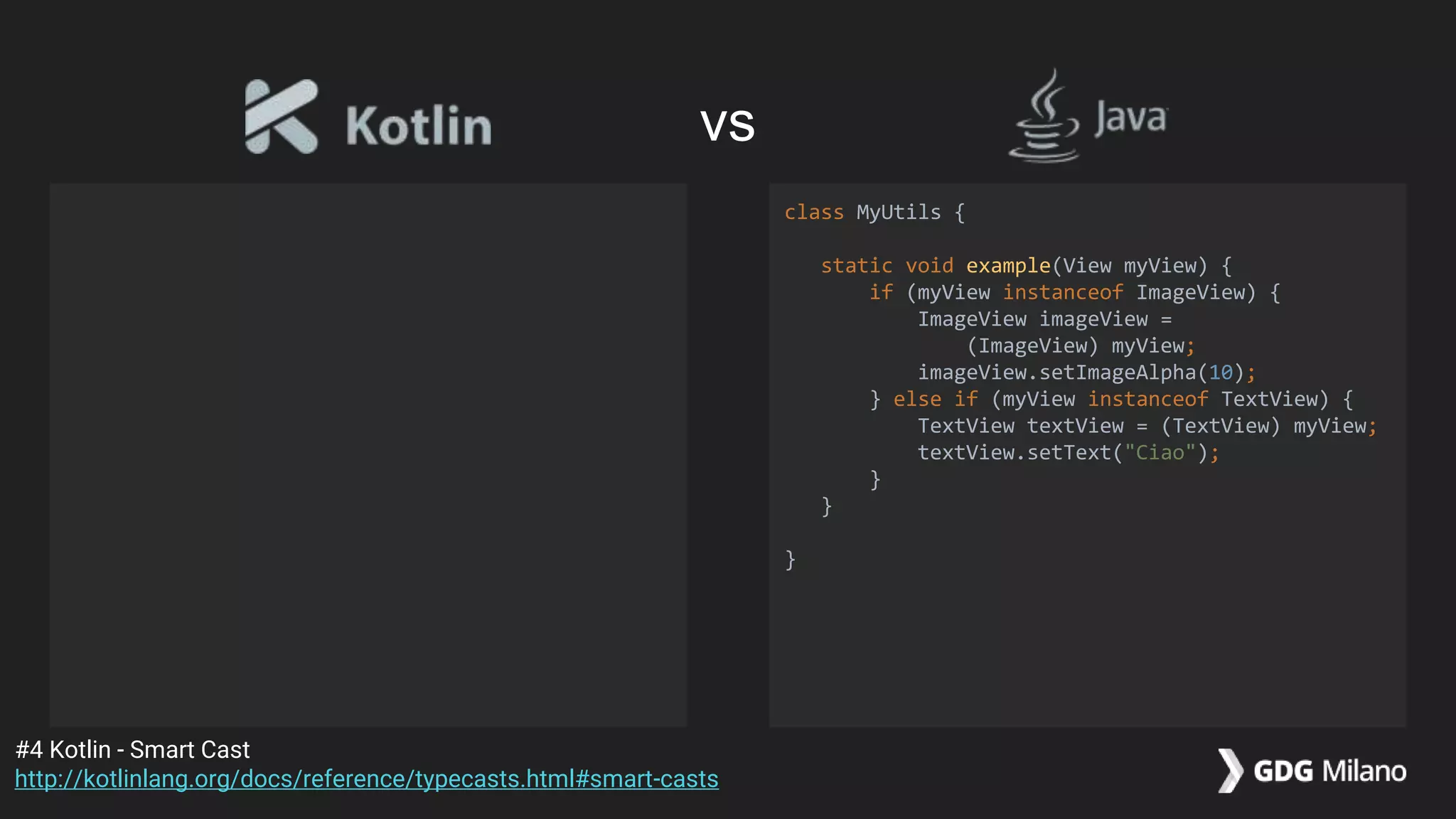
class MyUtils {
static void example(View myView) {
if (myView instanceof ImageView) {
ImageView imageView =
(ImageView) myView;
imageView.setImageAlpha(10);
} else if (myView instanceof TextView) {
TextView textView = (TextView) myView;
textView.setText("Ciao");
}
}
}
#4 Kotlin - Smart Cast
http://kotlinlang.org/docs/reference/typecasts.html#smart-casts
vs
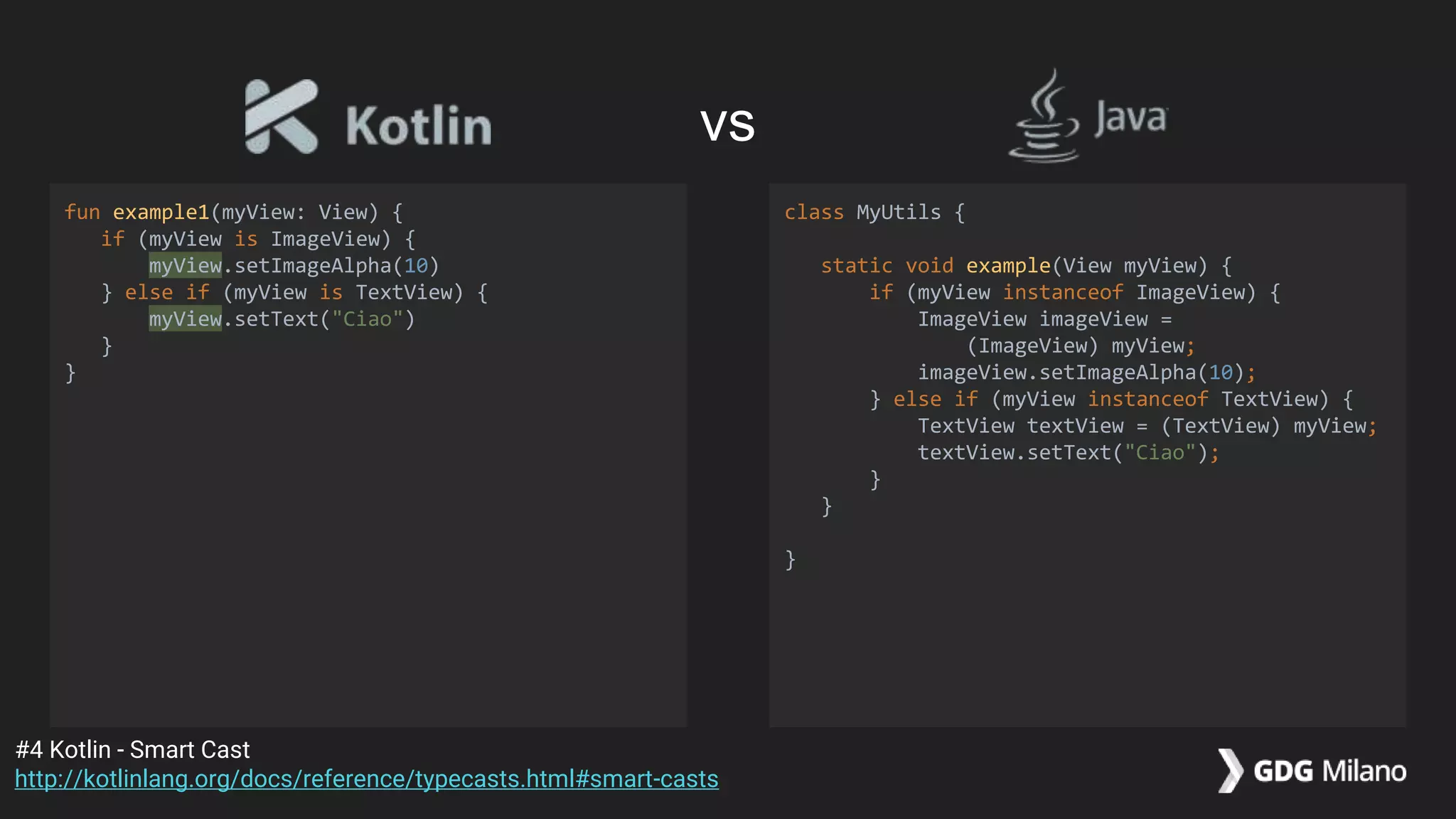
fun example1(myView: View) {
if (myView is ImageView) {
myView.setImageAlpha(10)
} else if (myView is TextView) {
myView.setText("Ciao")
}
}
class MyUtils {
static void example(View myView) {
if (myView instanceof ImageView) {
ImageView imageView =
(ImageView) myView;
imageView.setImageAlpha(10);
} else if (myView instanceof TextView) {
TextView textView = (TextView) myView;
textView.setText("Ciao");
}
}
}
#4 Kotlin - Smart Cast
http://kotlinlang.org/docs/reference/typecasts.html#smart-casts
vs
fun example1(myView: View) {
if (myView is ImageView) {
myView.setImageAlpha(10)
} else if (myView is TextView) {
myView.setText("Ciao")
}
}
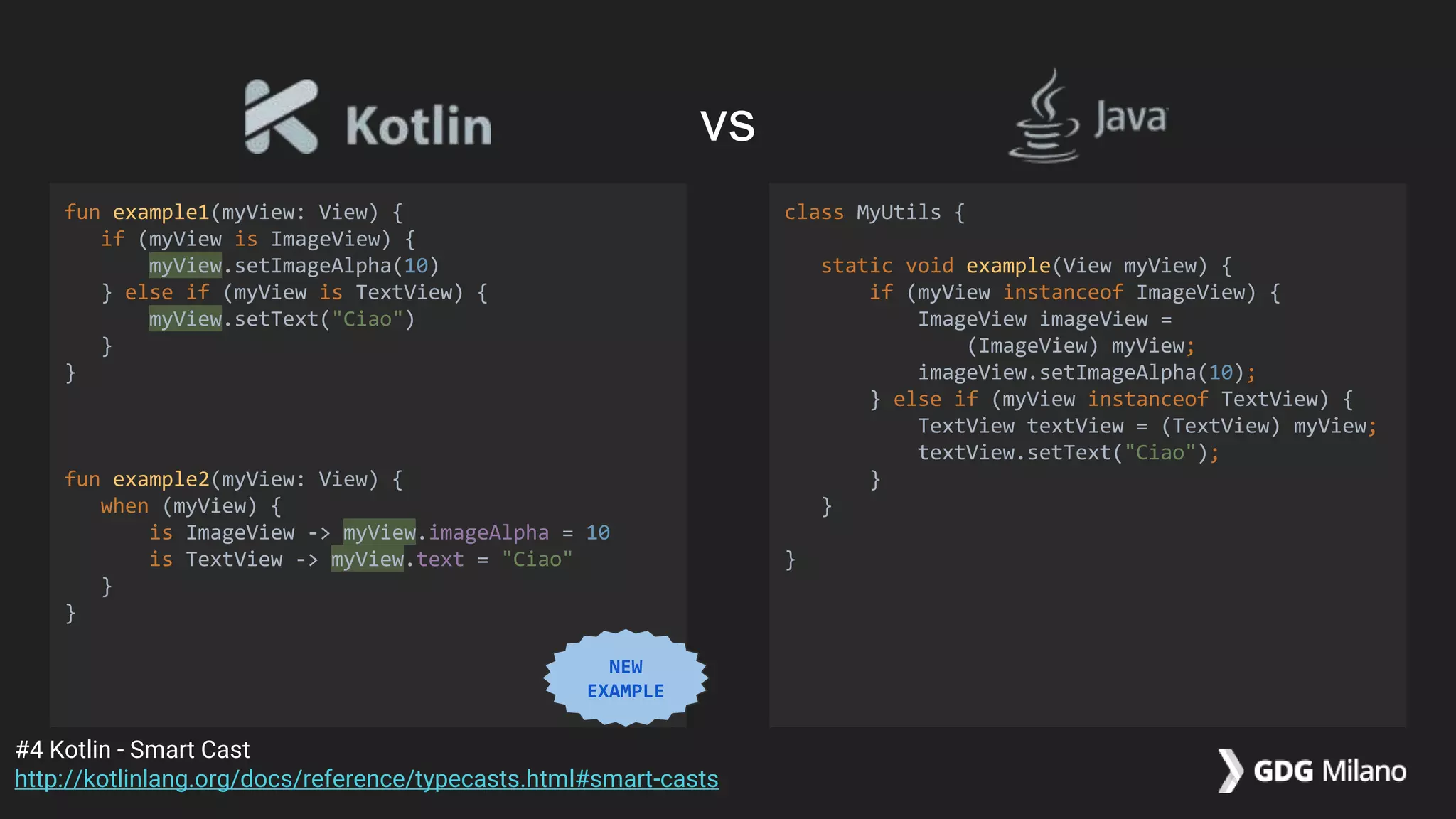
fun example2(myView: View) {
when (myView) {
is ImageView -> myView.imageAlpha = 10
is TextView -> myView.text = "Ciao"
}
}
class MyUtils {
static void example(View myView) {
if (myView instanceof ImageView) {
ImageView imageView =
(ImageView) myView;
imageView.setImageAlpha(10);
} else if (myView instanceof TextView) {
TextView textView = (TextView) myView;
textView.setText("Ciao");
}
}
}
#4 Kotlin - Smart Cast
http://kotlinlang.org/docs/reference/typecasts.html#smart-casts
vs
NEW
EXAMPLE
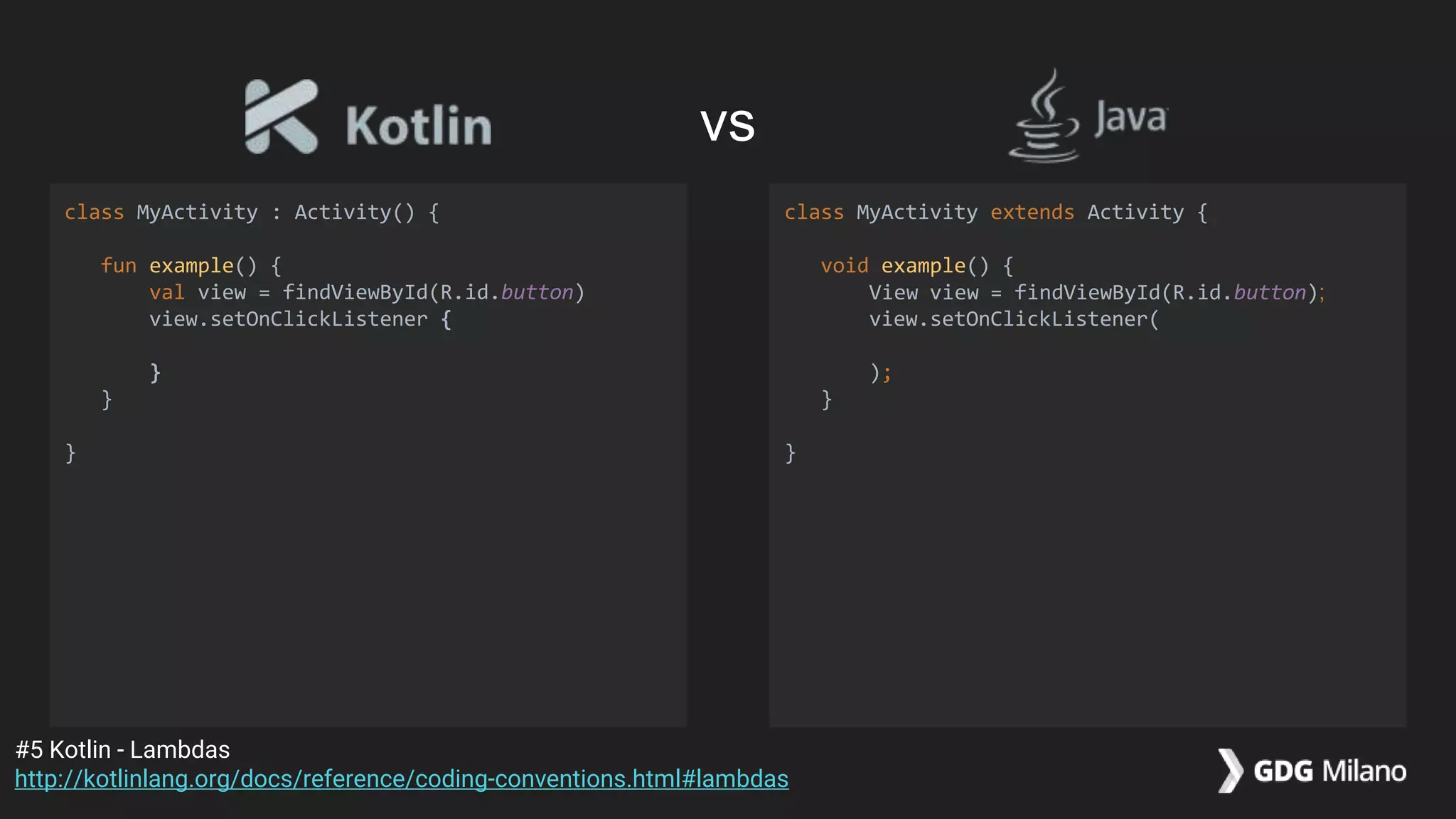
class MyActivity : Activity() {
fun example() {
val view = findViewById(R.id.button)
view.setOnClickListener {
}
}
}
class MyActivity extends Activity {
void example() {
View view = findViewById(R.id.button);
view.setOnClickListener(
);
}
}
#5 Kotlin - Lambdas
http://kotlinlang.org/docs/reference/coding-conventions.html#lambdas
vs
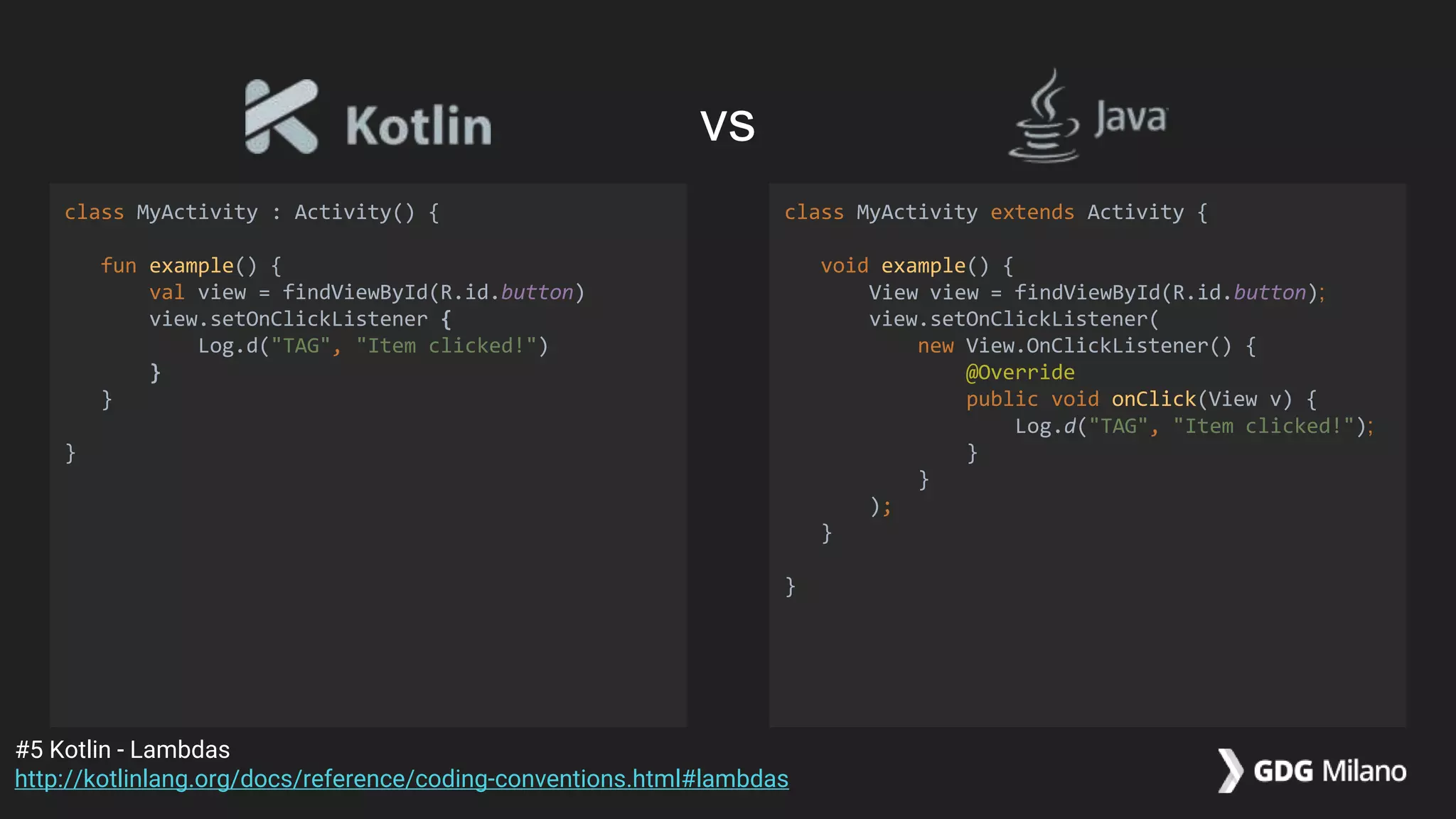
class MyActivity : Activity() {
fun example() {
val view = findViewById(R.id.button)
view.setOnClickListener {
Log.d("TAG", "Item clicked!")
}
}
}
class MyActivity extends Activity {
void example() {
View view = findViewById(R.id.button);
view.setOnClickListener(
new View.OnClickListener() {
@Override
public void onClick(View v) {
Log.d("TAG", "Item clicked!");
}
}
);
}
}
#5 Kotlin - Lambdas
http://kotlinlang.org/docs/reference/coding-conventions.html#lambdas
vs
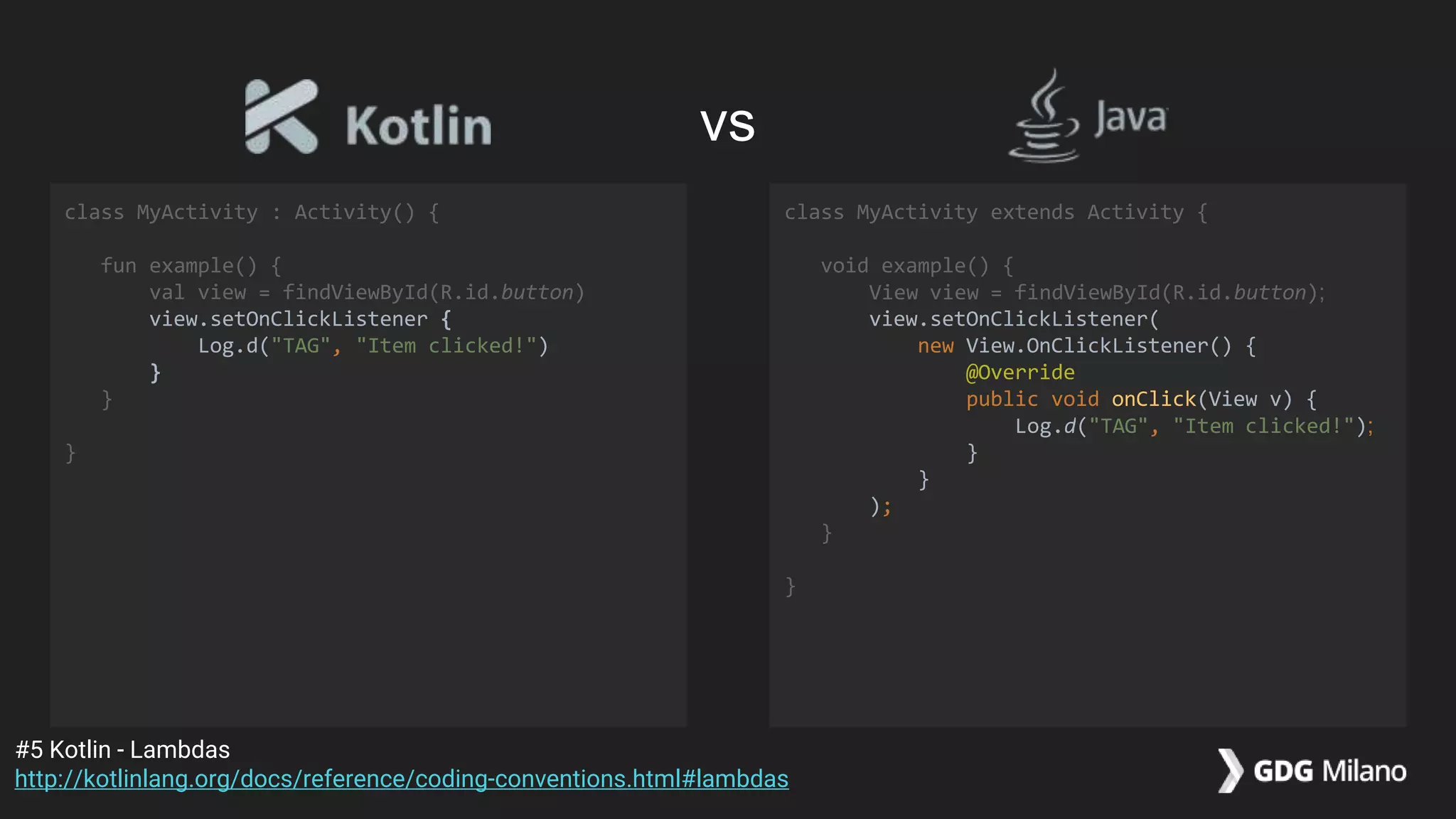
class MyActivity : Activity() {
fun example() {
val view = findViewById(R.id.button)
view.setOnClickListener {
Log.d("TAG", "Item clicked!")
}
}
}
class MyActivity extends Activity {
void example() {
View view = findViewById(R.id.button);
view.setOnClickListener(
new View.OnClickListener() {
@Override
public void onClick(View v) {
Log.d("TAG", "Item clicked!");
}
}
);
}
}
#5 Kotlin - Lambdas
http://kotlinlang.org/docs/reference/coding-conventions.html#lambdas
vs
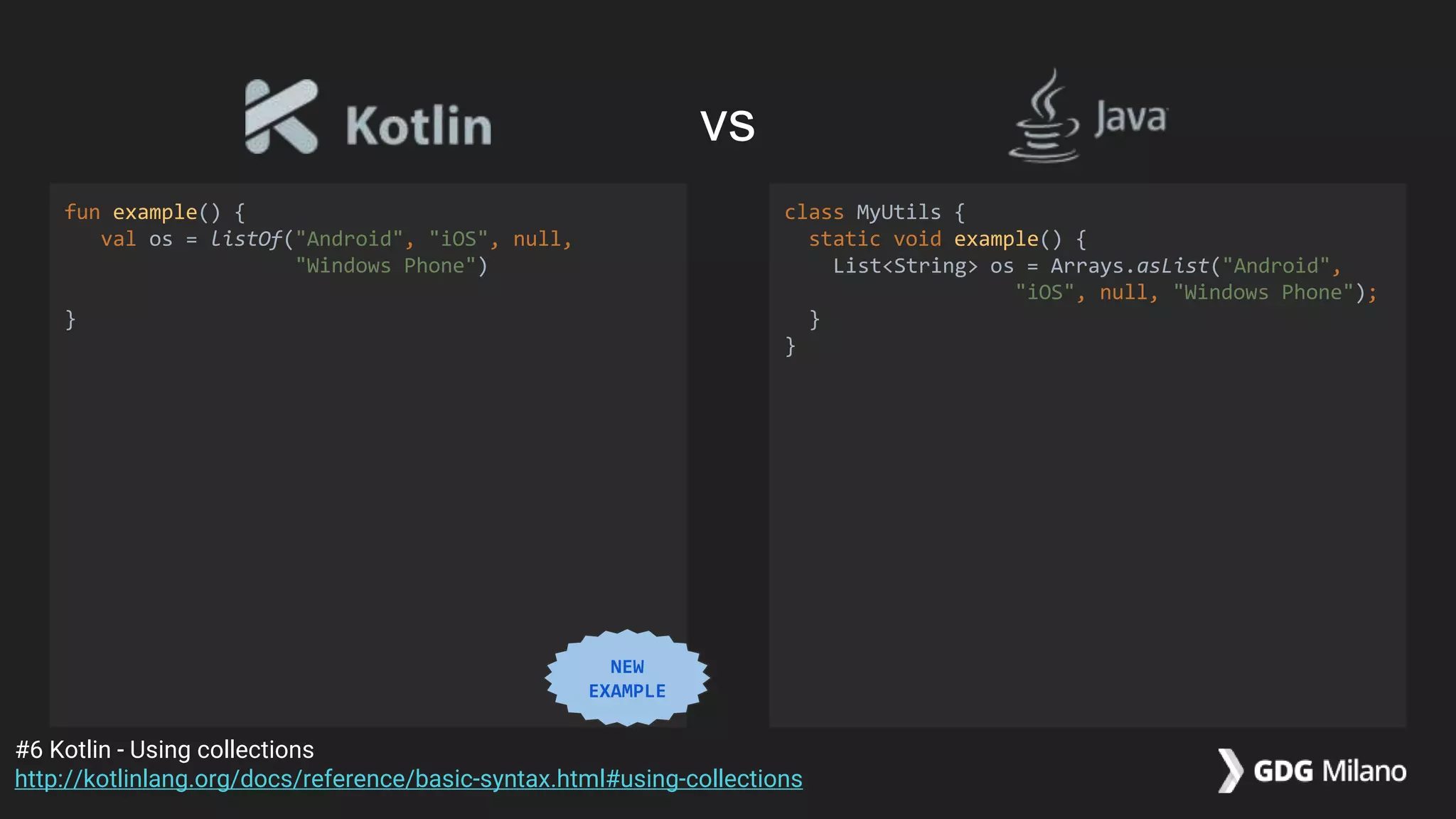
fun example() {
val os = listOf("Android", "iOS", null,
"Windows Phone")
}
class MyUtils {
static void example() {
List<String> os = Arrays.asList("Android",
"iOS", null, "Windows Phone");
}
}
#6 Kotlin - Using collections
http://kotlinlang.org/docs/reference/basic-syntax.html#using-collections
vs
NEW
EXAMPLE
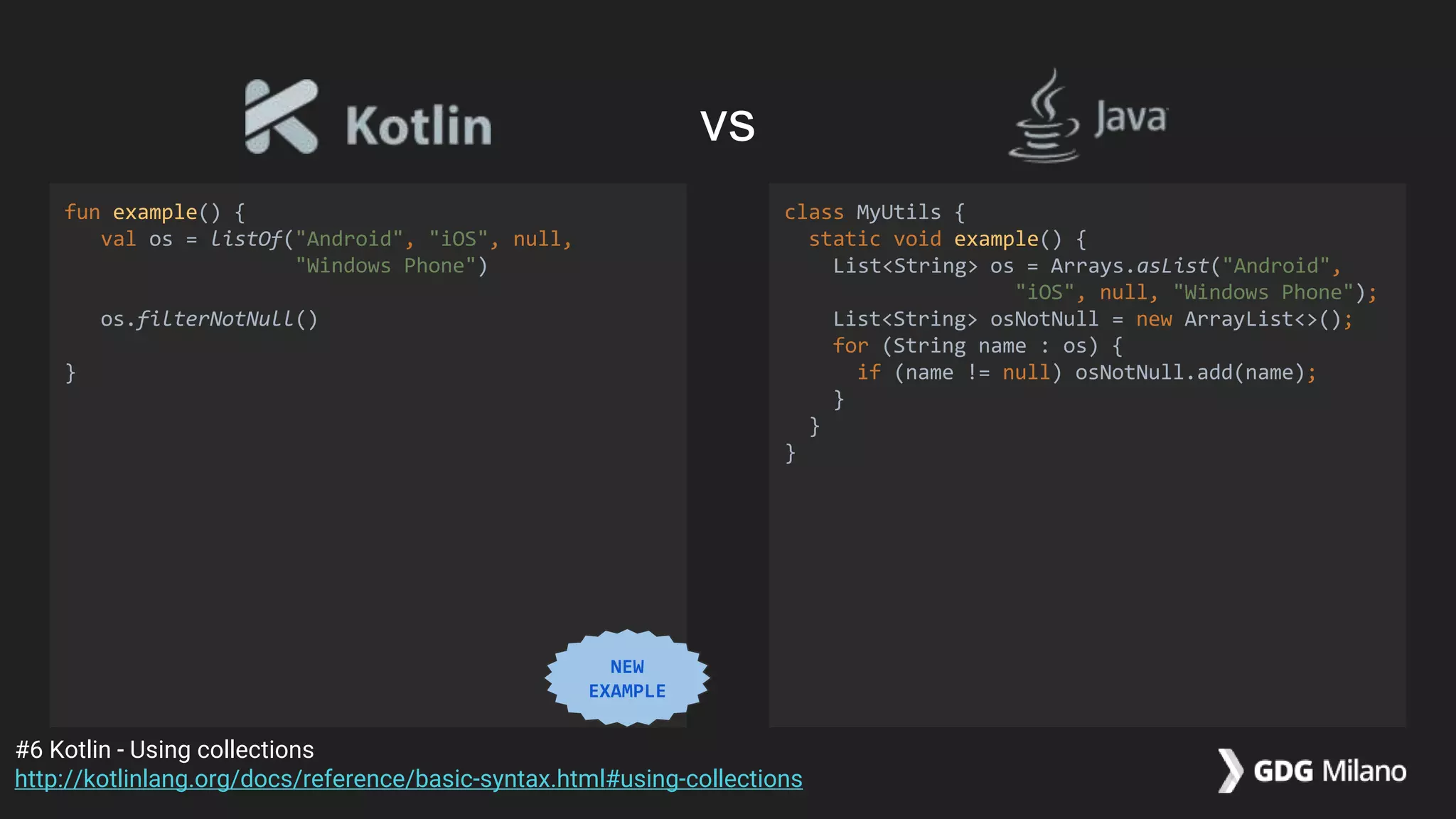
fun example() {
val os = listOf("Android", "iOS", null,
"Windows Phone")
os.filterNotNull()
}
class MyUtils {
static void example() {
List<String> os = Arrays.asList("Android",
"iOS", null, "Windows Phone");
List<String> osNotNull = new ArrayList<>();
for (String name : os) {
if (name != null) osNotNull.add(name);
}
}
}
#6 Kotlin - Using collections
http://kotlinlang.org/docs/reference/basic-syntax.html#using-collections
vs
NEW
EXAMPLE
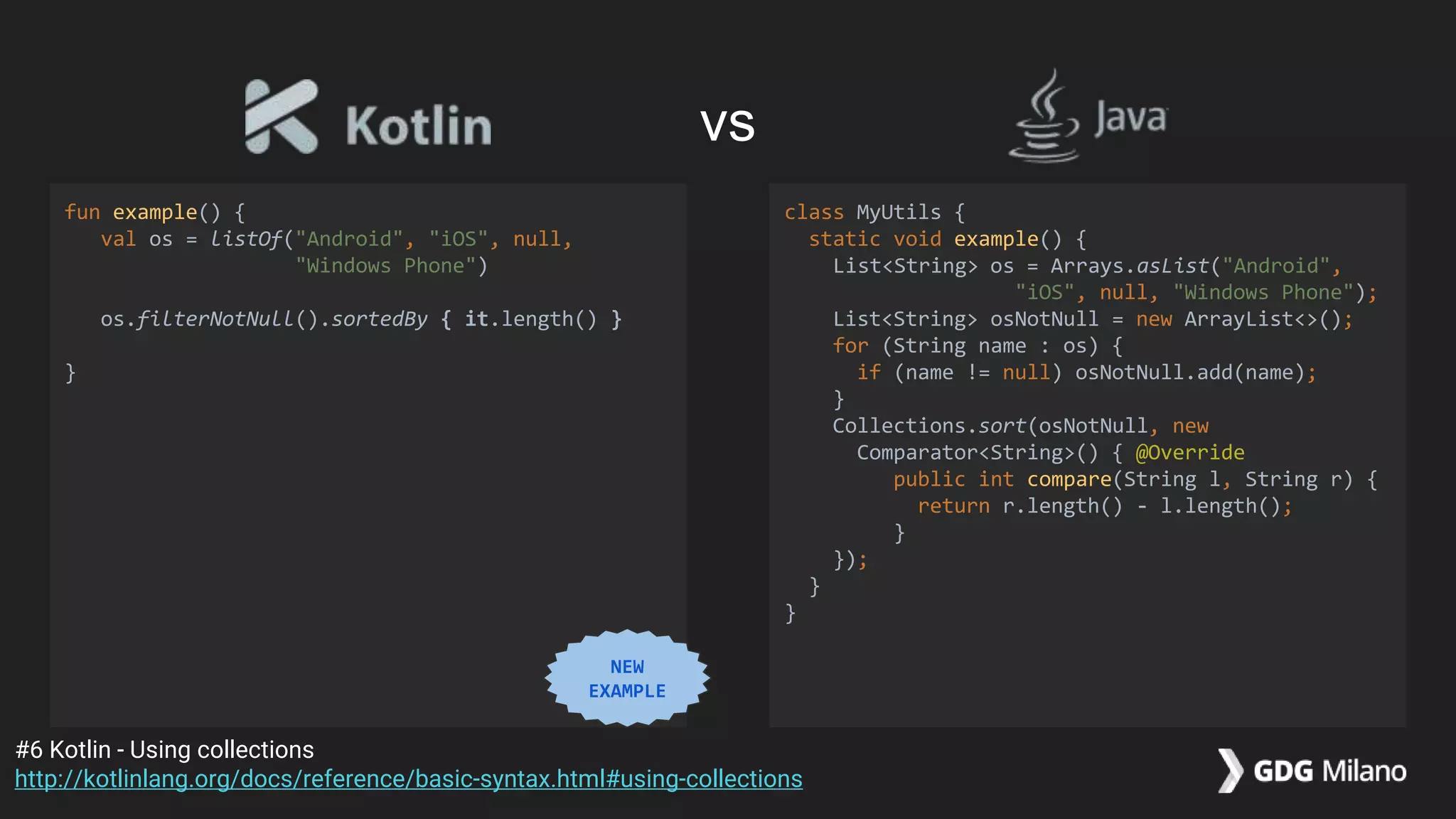
fun example() {
val os = listOf("Android", "iOS", null,
"Windows Phone")
os.filterNotNull().sortedBy { it.length() }
}
class MyUtils {
static void example() {
List<String> os = Arrays.asList("Android",
"iOS", null, "Windows Phone");
List<String> osNotNull = new ArrayList<>();
for (String name : os) {
if (name != null) osNotNull.add(name);
}
Collections.sort(osNotNull, new
Comparator<String>() { @Override
public int compare(String l, String r) {
return r.length() - l.length();
}
});
}
}
#6 Kotlin - Using collections
http://kotlinlang.org/docs/reference/basic-syntax.html#using-collections
vs
NEW
EXAMPLE
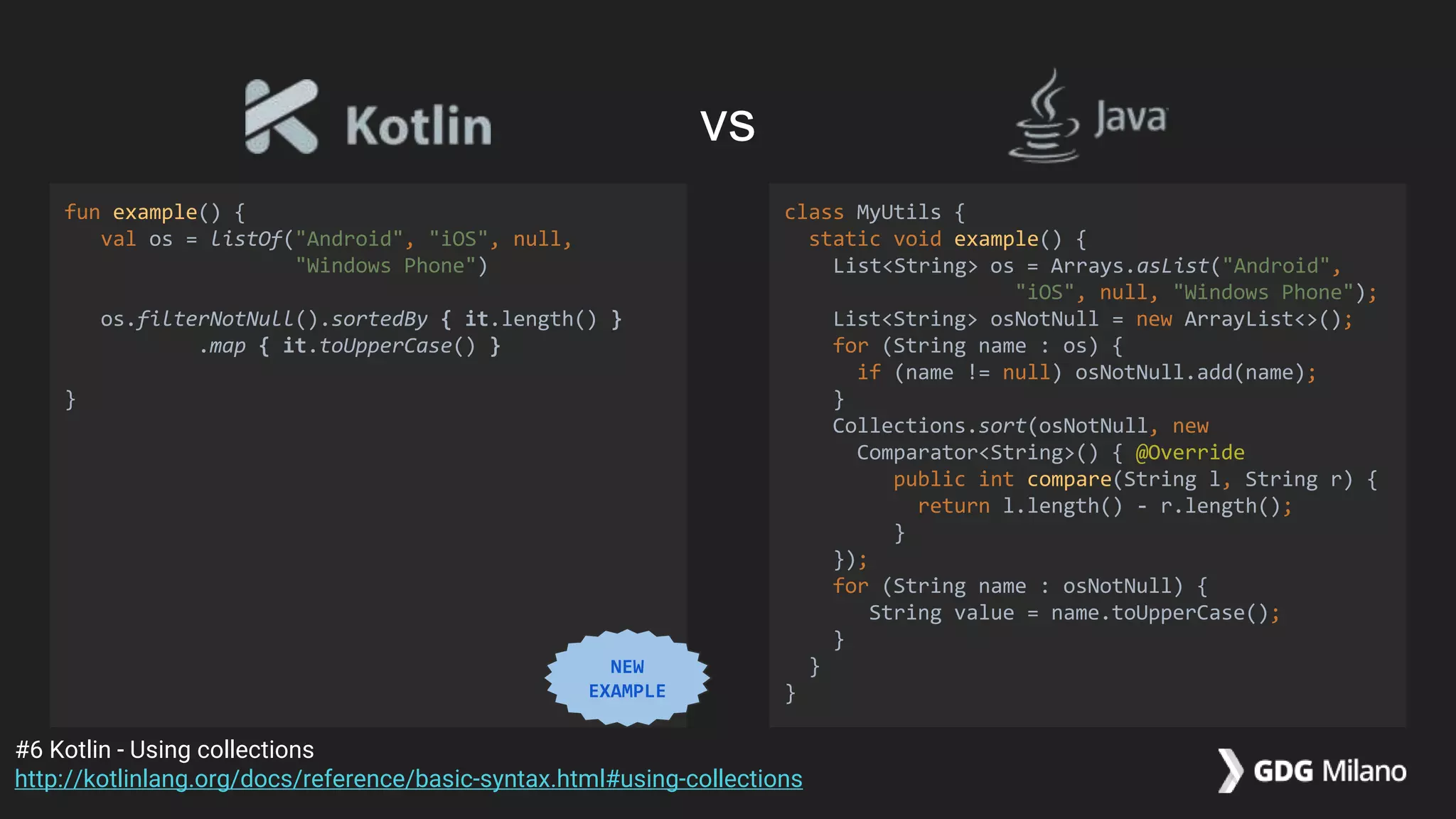
fun example() {
val os = listOf("Android", "iOS", null,
"Windows Phone")
os.filterNotNull().sortedBy { it.length() }
.map { it.toUpperCase() }
}
class MyUtils {
static void example() {
List<String> os = Arrays.asList("Android",
"iOS", null, "Windows Phone");
List<String> osNotNull = new ArrayList<>();
for (String name : os) {
if (name != null) osNotNull.add(name);
}
Collections.sort(osNotNull, new
Comparator<String>() { @Override
public int compare(String l, String r) {
return l.length() - r.length();
}
});
for (String name : osNotNull) {
String value = name.toUpperCase();
}
}
}
#6 Kotlin - Using collections
http://kotlinlang.org/docs/reference/basic-syntax.html#using-collections
vs
NEW
EXAMPLE
fun example() {
val os = listOf("Android", "iOS", null,
"Windows Phone")
os.filterNotNull().sortedBy { it.length() }
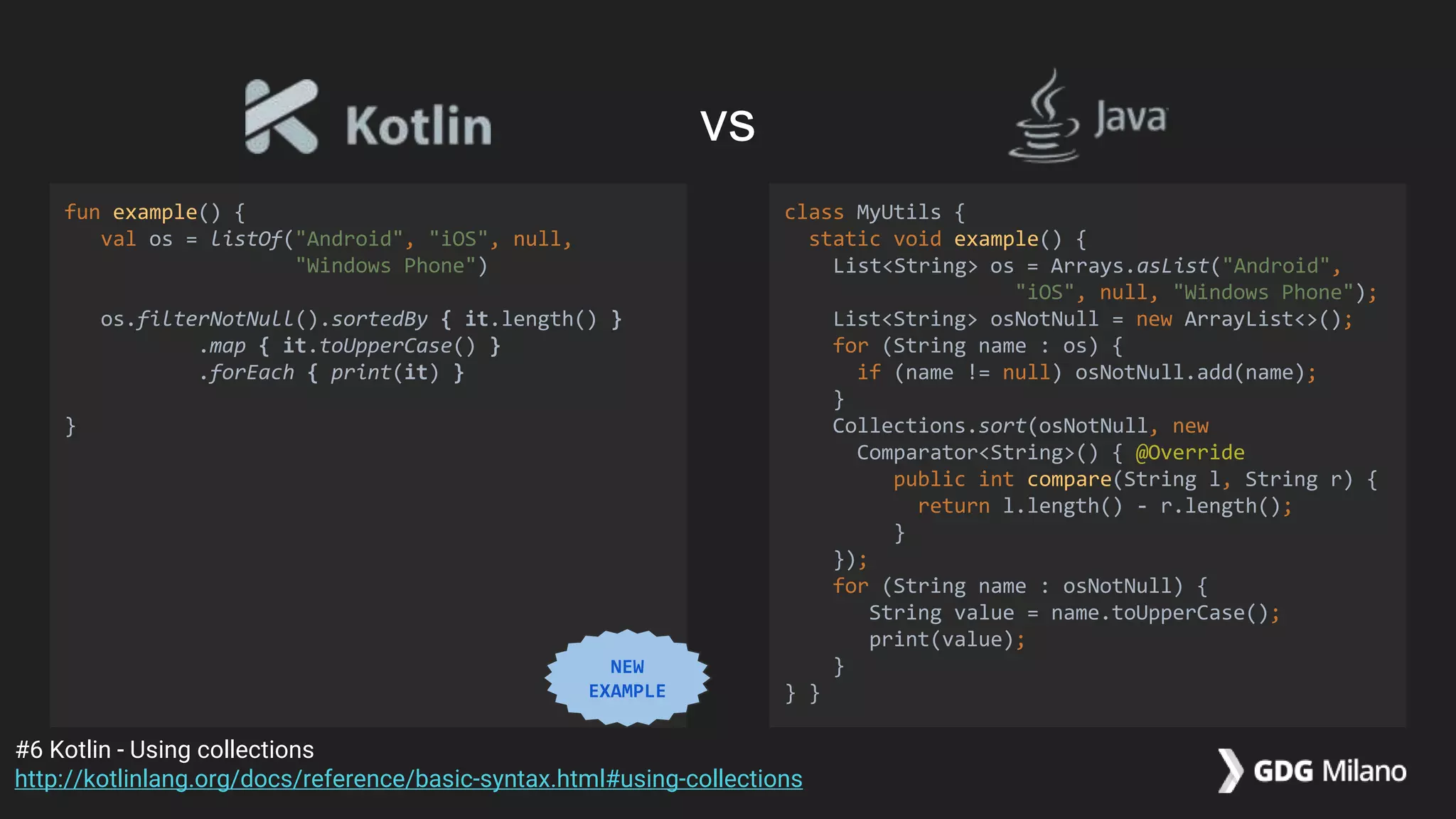
.map { it.toUpperCase() }
.forEach { print(it) }
}
class MyUtils {
static void example() {
List<String> os = Arrays.asList("Android",
"iOS", null, "Windows Phone");
List<String> osNotNull = new ArrayList<>();
for (String name : os) {
if (name != null) osNotNull.add(name);
}
Collections.sort(osNotNull, new
Comparator<String>() { @Override
public int compare(String l, String r) {
return l.length() - r.length();
}
});
for (String name : osNotNull) {
String value = name.toUpperCase();
print(value);
}
} }
#6 Kotlin - Using collections
http://kotlinlang.org/docs/reference/basic-syntax.html#using-collections
vs
NEW
EXAMPLE
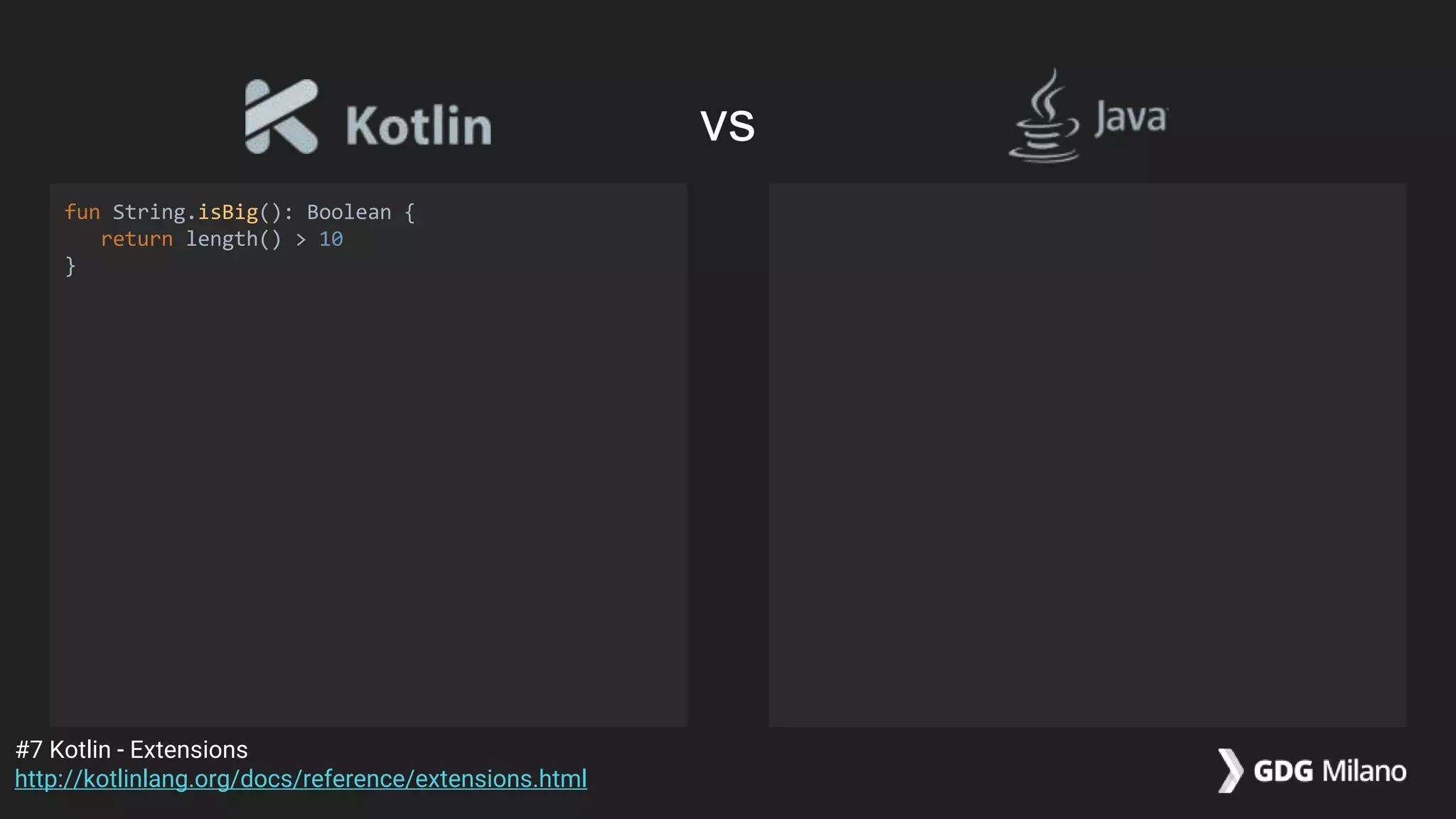
fun String.isBig(): Boolean {
return length() > 10
}
#7 Kotlin - Extensions
http://kotlinlang.org/docs/reference/extensions.html
vs
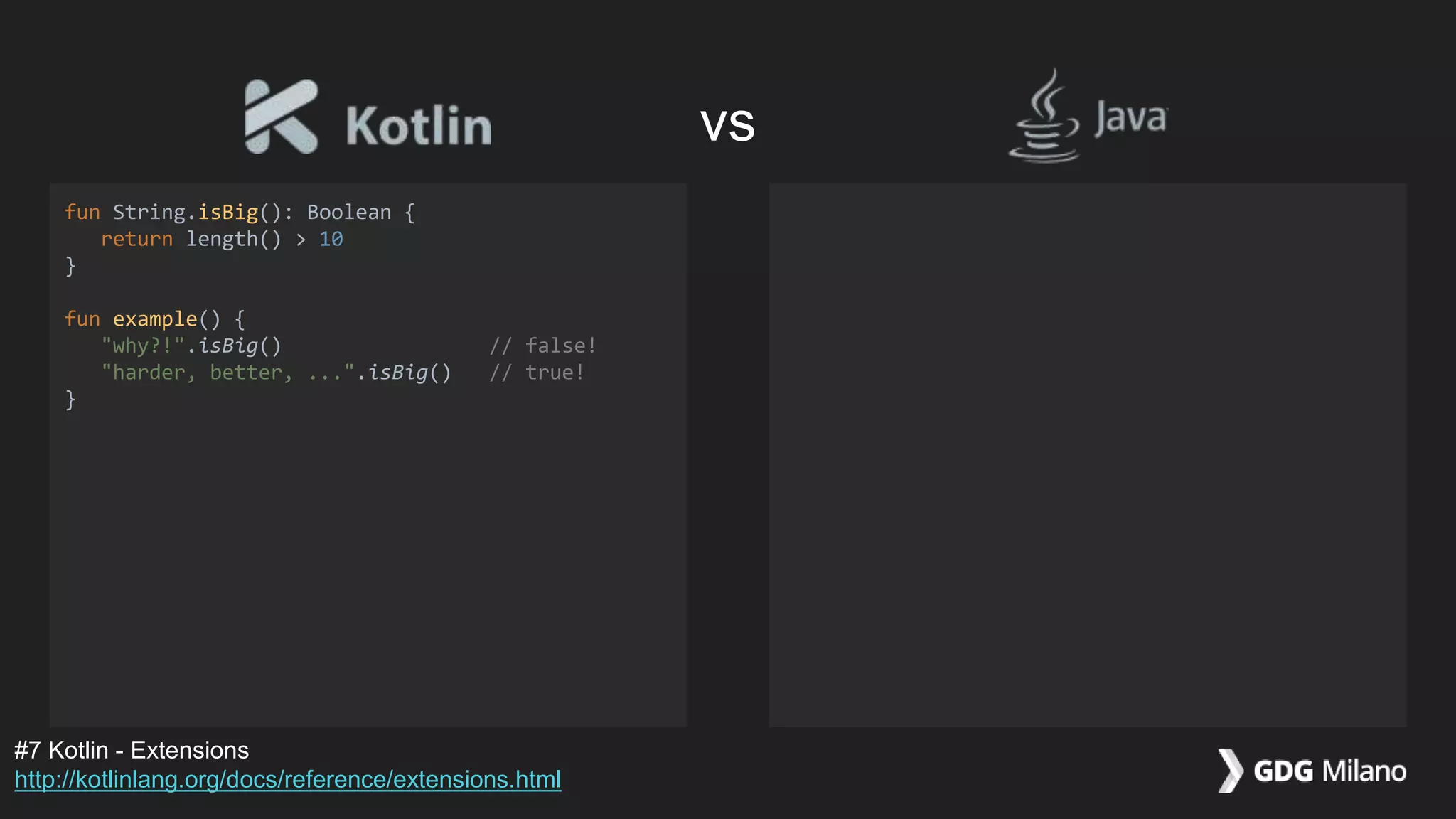
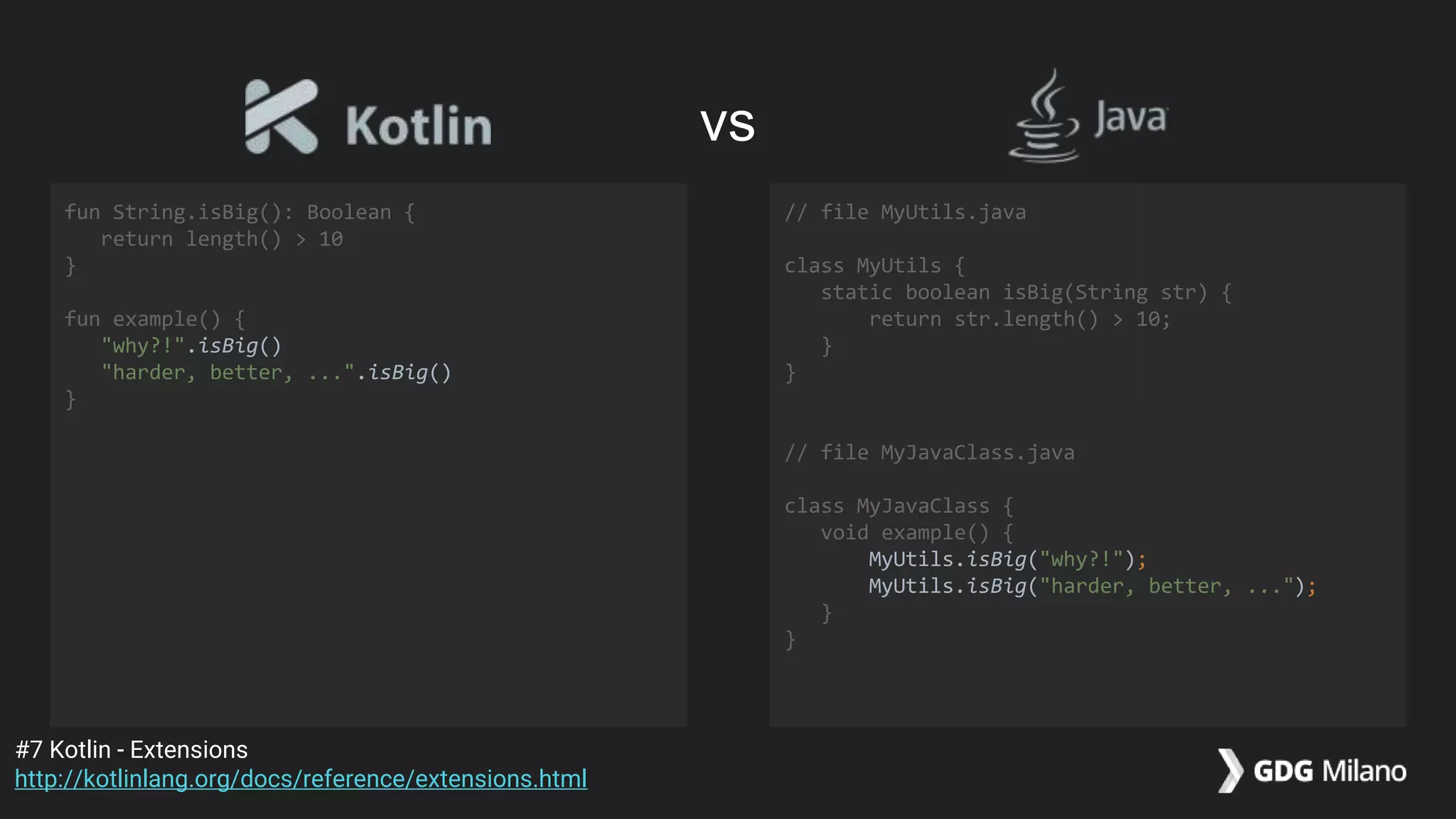
fun String.isBig(): Boolean {
return length() > 10
}
fun example() {
"why?!".isBig() // false!
"harder, better, ...".isBig() // true!
}
#7 Kotlin - Extensions
http://kotlinlang.org/docs/reference/extensions.html
vs
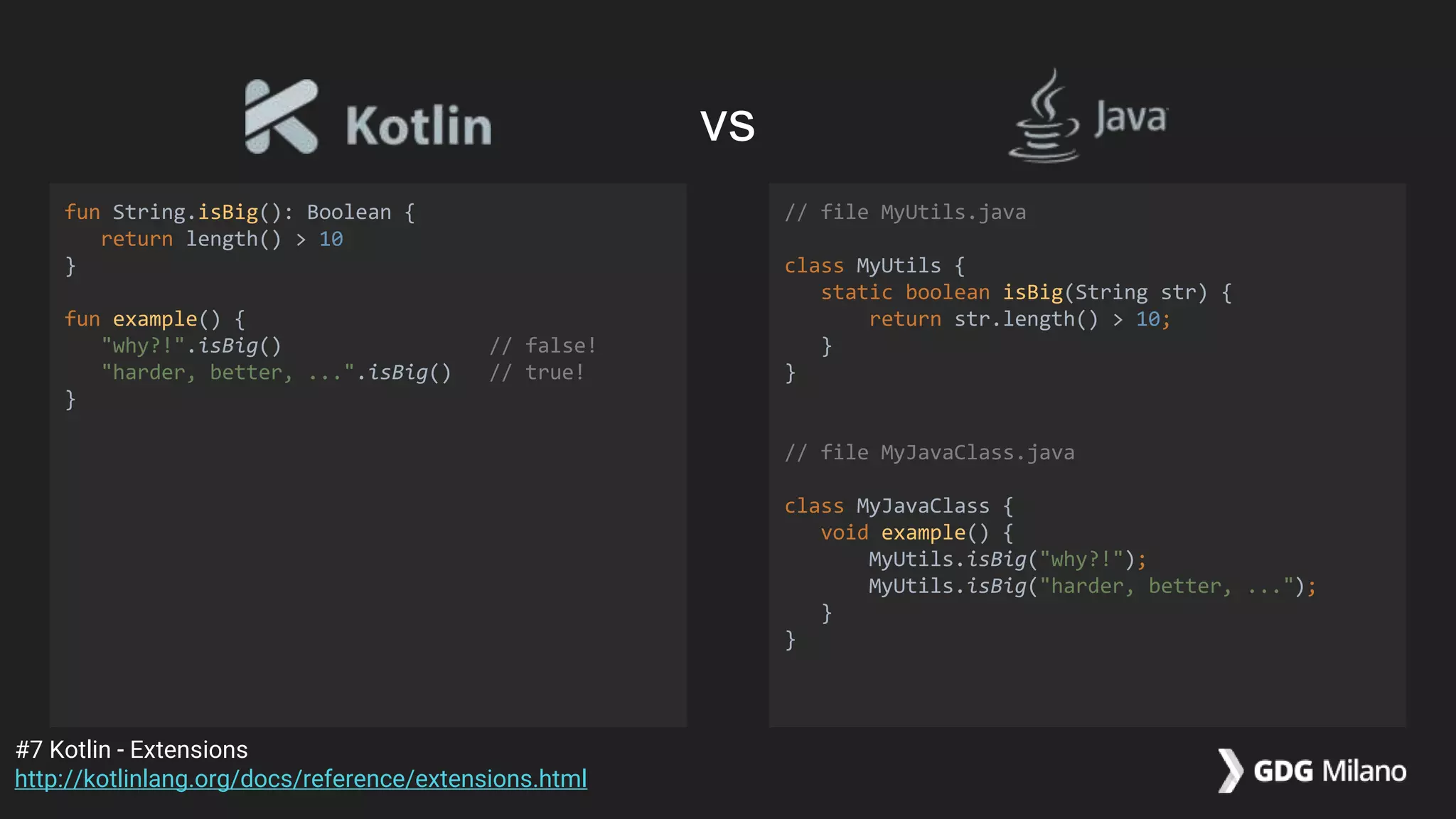
fun String.isBig(): Boolean {
return length() > 10
}
fun example() {
"why?!".isBig() // false!
"harder, better, ...".isBig() // true!
}
// file MyUtils.java
class MyUtils {
static boolean isBig(String str) {
return str.length() > 10;
}
}
// file MyJavaClass.java
class MyJavaClass {
void example() {
MyUtils.isBig("why?!");
MyUtils.isBig("harder, better, ...");
}
}
#7 Kotlin - Extensions
http://kotlinlang.org/docs/reference/extensions.html
vs
fun String.isBig(): Boolean {
return length() > 10
}
fun example() {
"why?!".isBig()
"harder, better, ...".isBig()
}
// file MyUtils.java
class MyUtils {
static boolean isBig(String str) {
return str.length() > 10;
}
}
// file MyJavaClass.java
class MyJavaClass {
void example() {
MyUtils.isBig("why?!");
MyUtils.isBig("harder, better, ...");
}
}
#7 Kotlin - Extensions
http://kotlinlang.org/docs/reference/extensions.html
vs
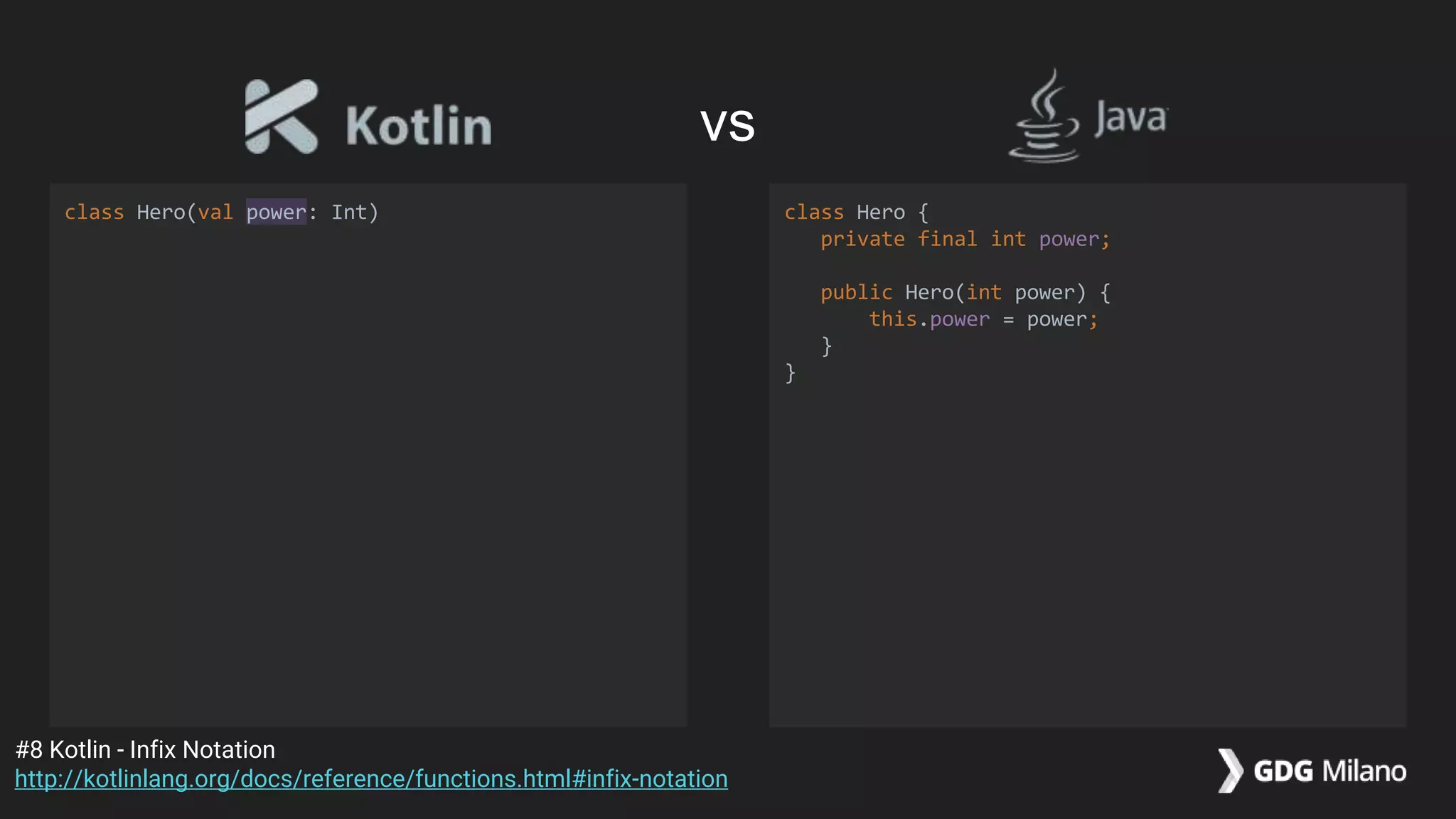
class Hero(val power: Int) class Hero {
private final int power;
public Hero(int power) {
this.power = power;
}
}
#8 Kotlin - Infix Notation
http://kotlinlang.org/docs/reference/functions.html#infix-notation
vs
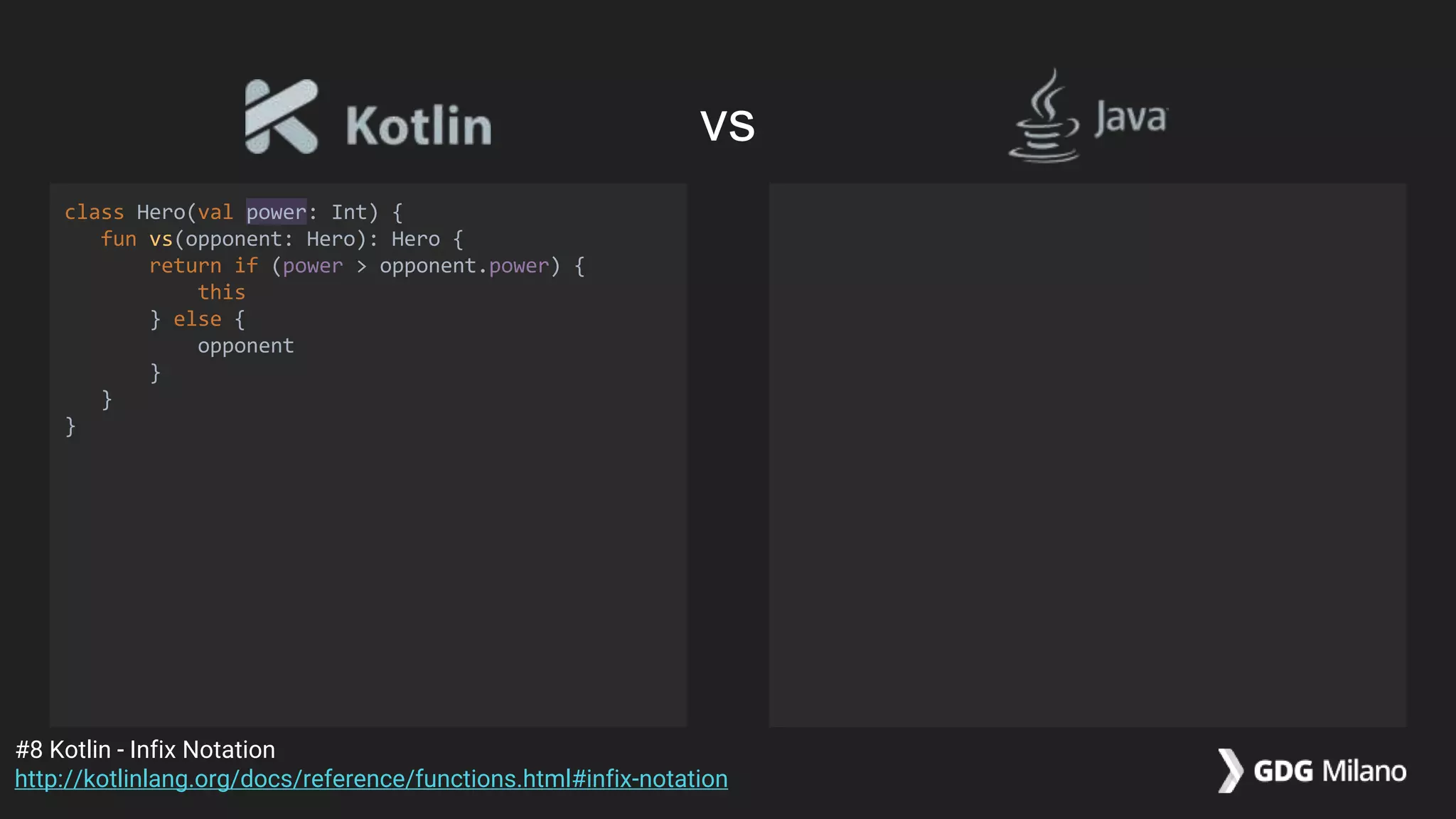
class Hero(val power: Int) {
fun vs(opponent: Hero): Hero {
return if (power > opponent.power) {
this
} else {
opponent
}
}
}
#8 Kotlin - Infix Notation
http://kotlinlang.org/docs/reference/functions.html#infix-notation
vs
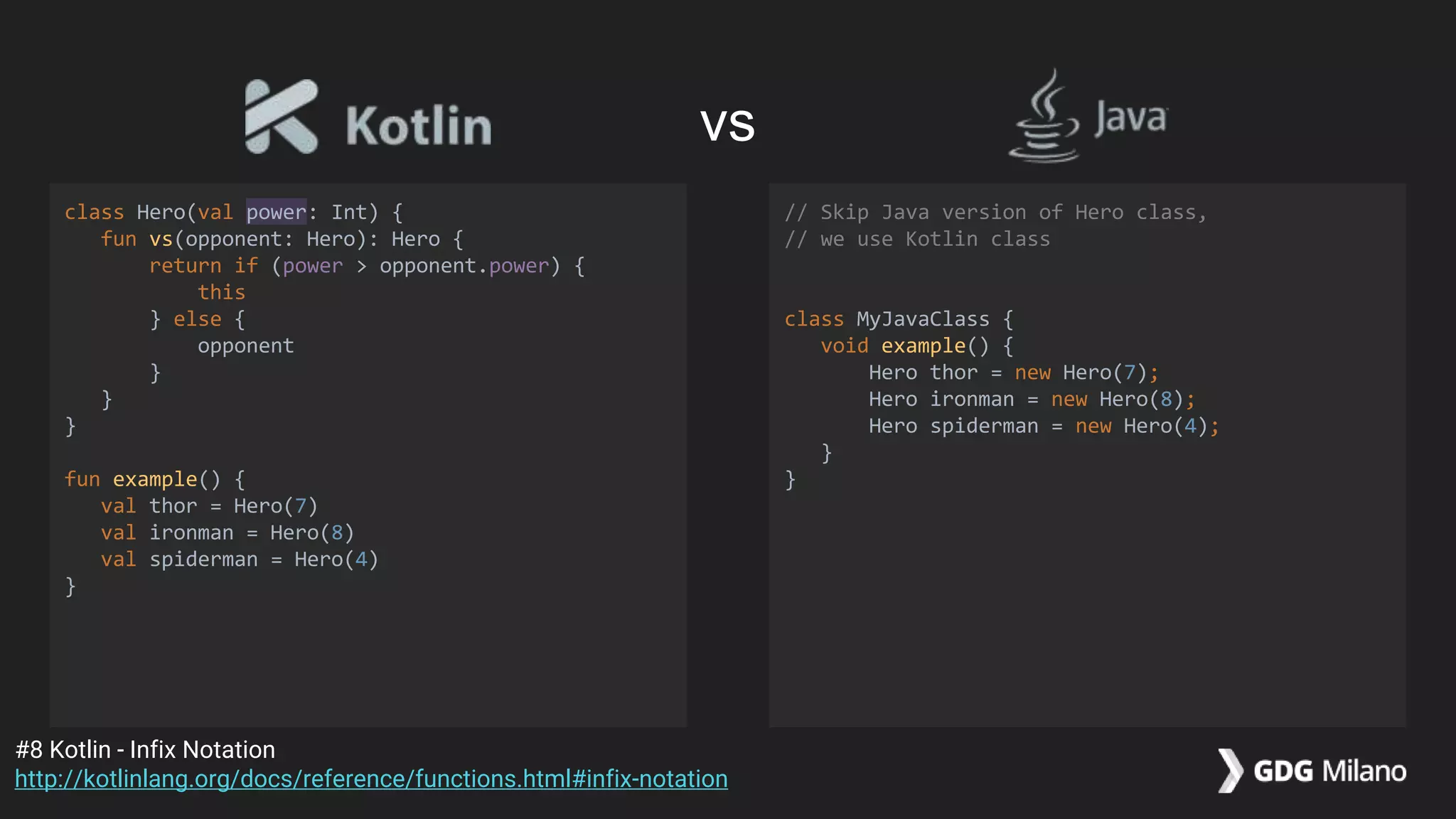
class Hero(val power: Int) {
fun vs(opponent: Hero): Hero {
return if (power > opponent.power) {
this
} else {
opponent
}
}
}
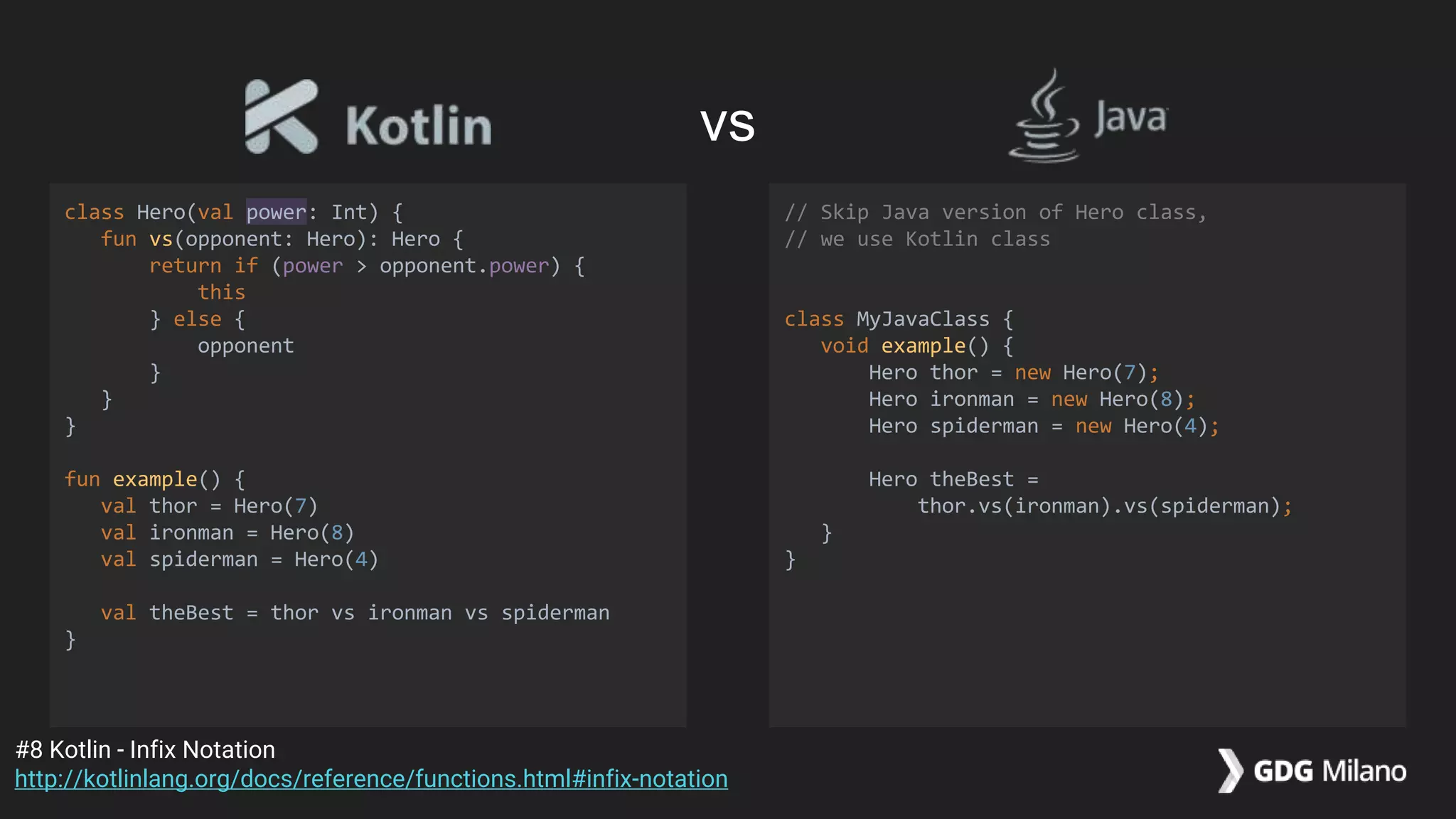
fun example() {
val thor = Hero(7)
val ironman = Hero(8)
val spiderman = Hero(4)
}
// Skip Java version of Hero class,
// we use Kotlin class
class MyJavaClass {
void example() {
Hero thor = new Hero(7);
Hero ironman = new Hero(8);
Hero spiderman = new Hero(4);
}
}
#8 Kotlin - Infix Notation
http://kotlinlang.org/docs/reference/functions.html#infix-notation
vs
class Hero(val power: Int) {
fun vs(opponent: Hero): Hero {
return if (power > opponent.power) {
this
} else {
opponent
}
}
}
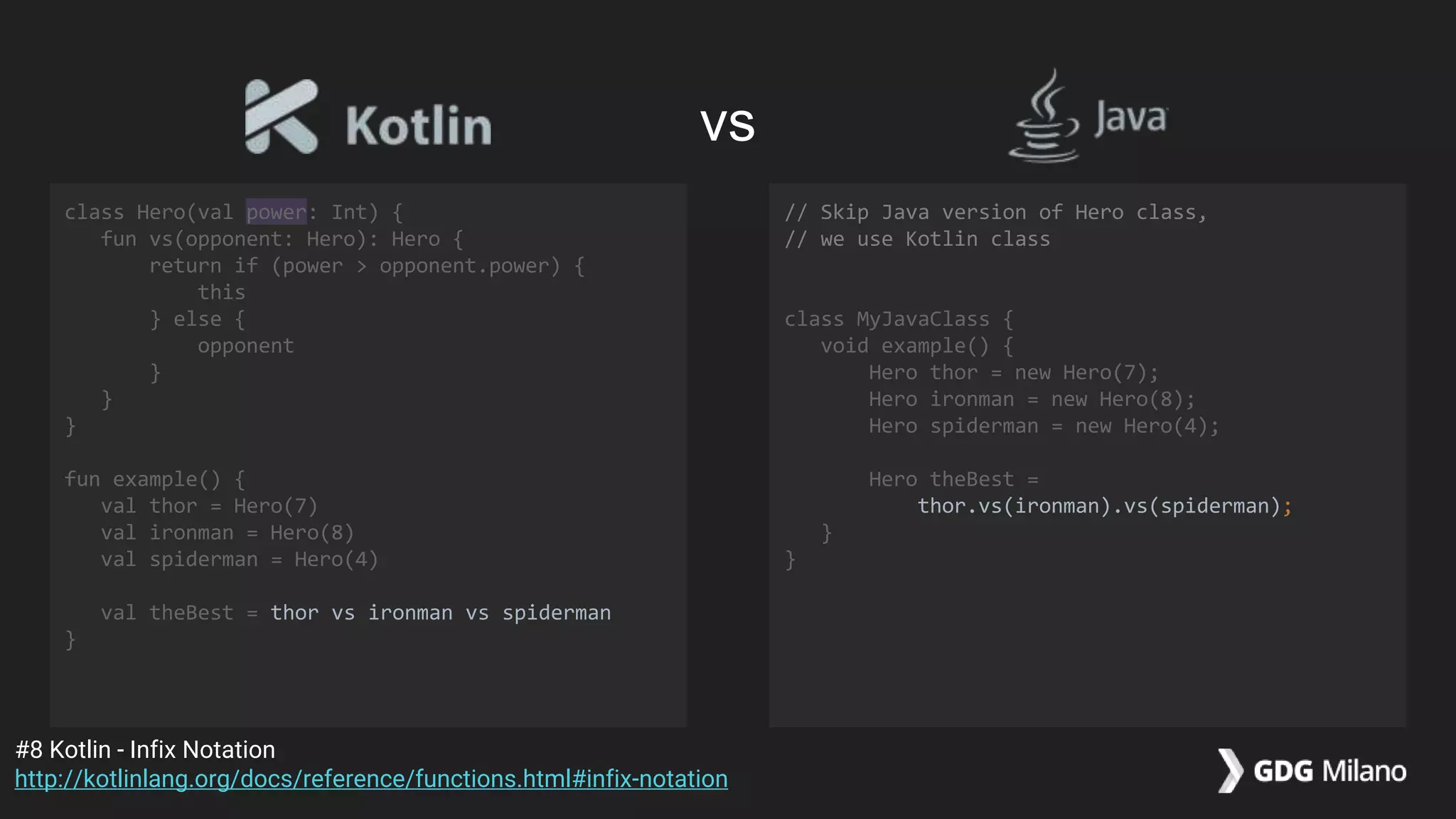
fun example() {
val thor = Hero(7)
val ironman = Hero(8)
val spiderman = Hero(4)
val theBest = thor vs ironman vs spiderman
}
// Skip Java version of Hero class,
// we use Kotlin class
class MyJavaClass {
void example() {
Hero thor = new Hero(7);
Hero ironman = new Hero(8);
Hero spiderman = new Hero(4);
Hero theBest =
thor.vs(ironman).vs(spiderman);
}
}
#8 Kotlin - Infix Notation
http://kotlinlang.org/docs/reference/functions.html#infix-notation
vs
class Hero(val power: Int) {
fun vs(opponent: Hero): Hero {
return if (power > opponent.power) {
this
} else {
opponent
}
}
}
fun example() {
val thor = Hero(7)
val ironman = Hero(8)
val spiderman = Hero(4)
val theBest = thor vs ironman vs spiderman
}
// Skip Java version of Hero class,
// we use Kotlin class
class MyJavaClass {
void example() {
Hero thor = new Hero(7);
Hero ironman = new Hero(8);
Hero spiderman = new Hero(4);
Hero theBest =
thor.vs(ironman).vs(spiderman);
}
}
#8 Kotlin - Infix Notation
http://kotlinlang.org/docs/reference/functions.html#infix-notation
vs
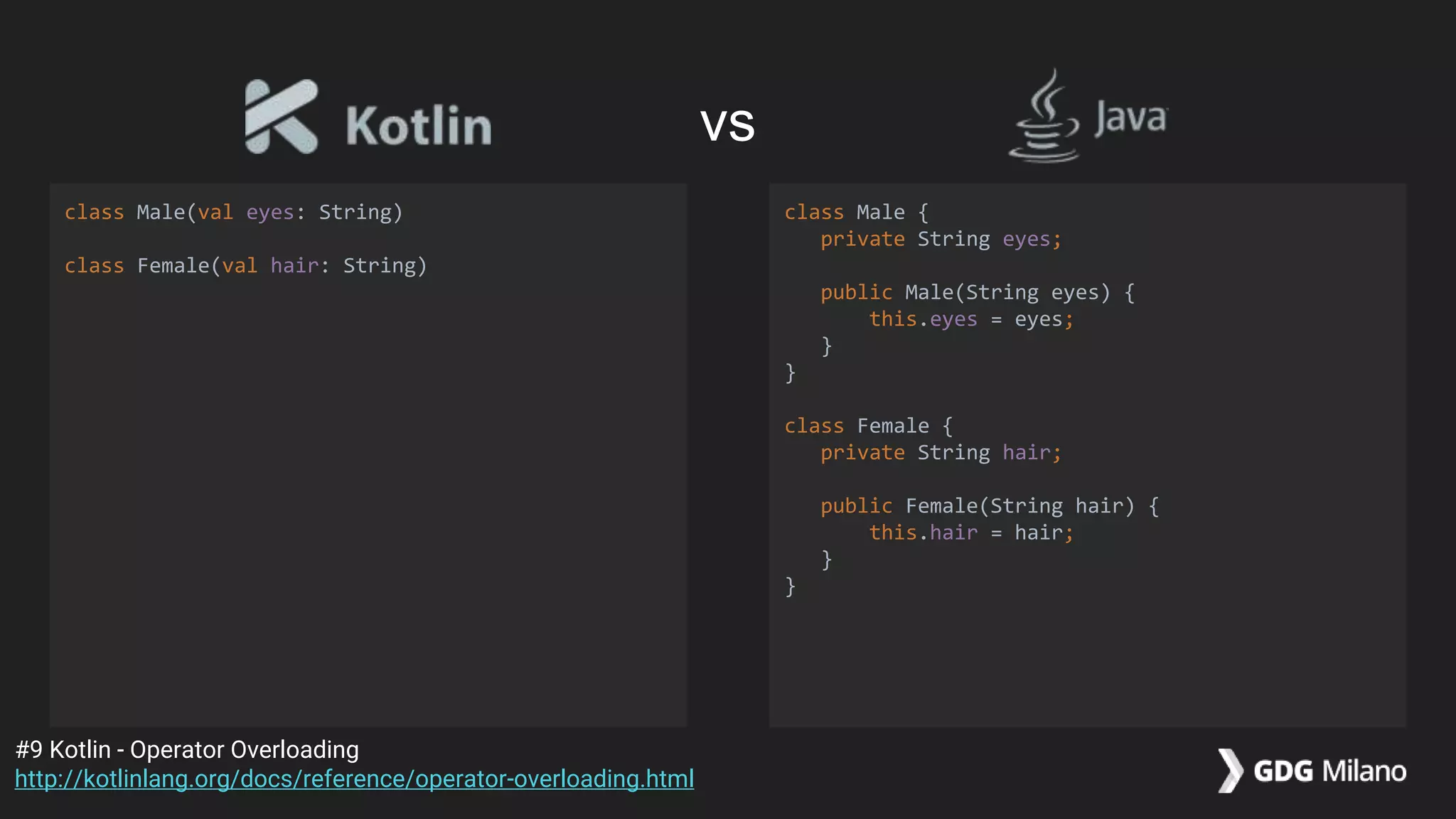
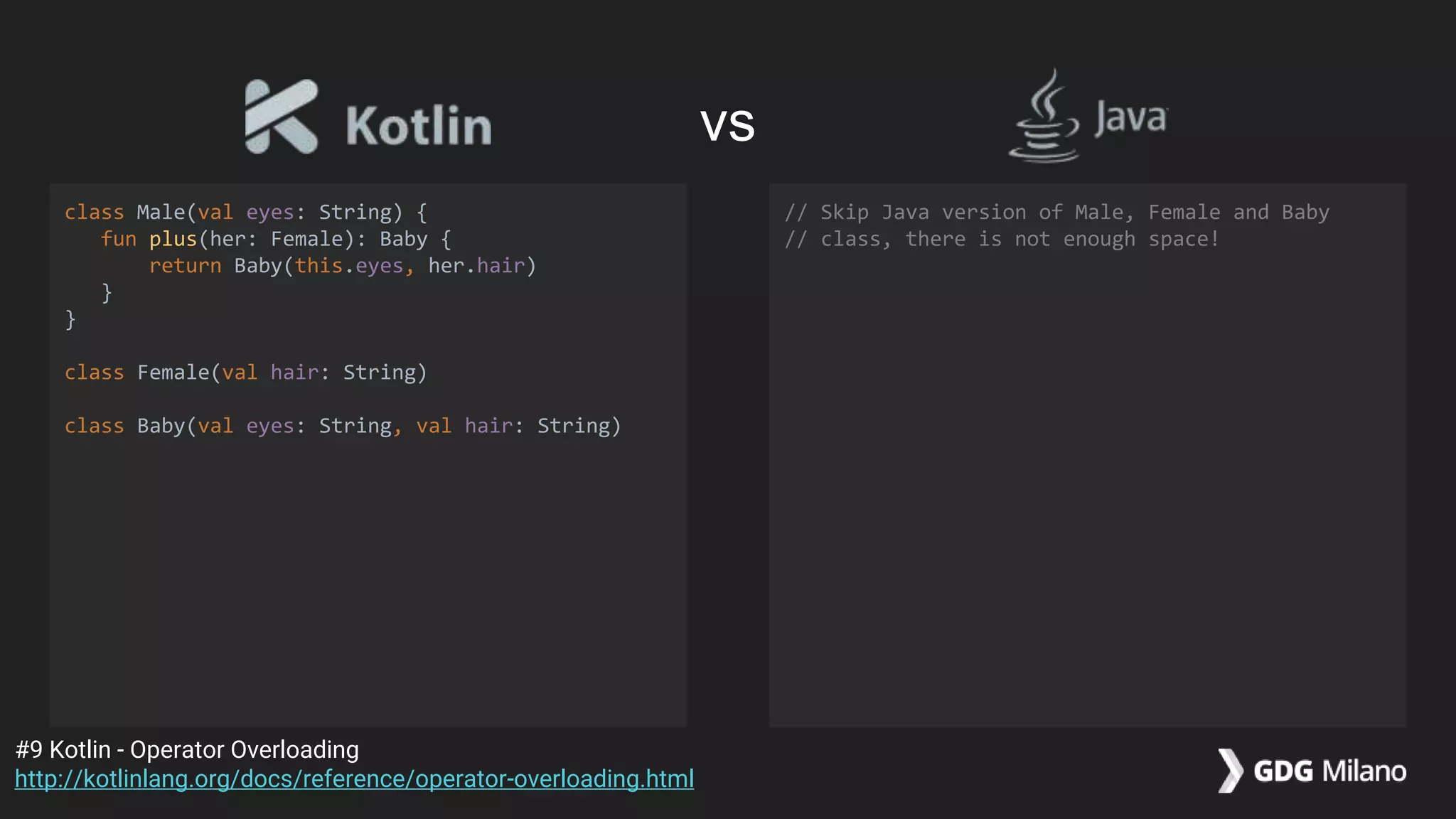
class Male(val eyes: String)
class Female(val hair: String)
class Male {
private String eyes;
public Male(String eyes) {
this.eyes = eyes;
}
}
class Female {
private String hair;
public Female(String hair) {
this.hair = hair;
}
}
#9 Kotlin - Operator Overloading
http://kotlinlang.org/docs/reference/operator-overloading.html
vs
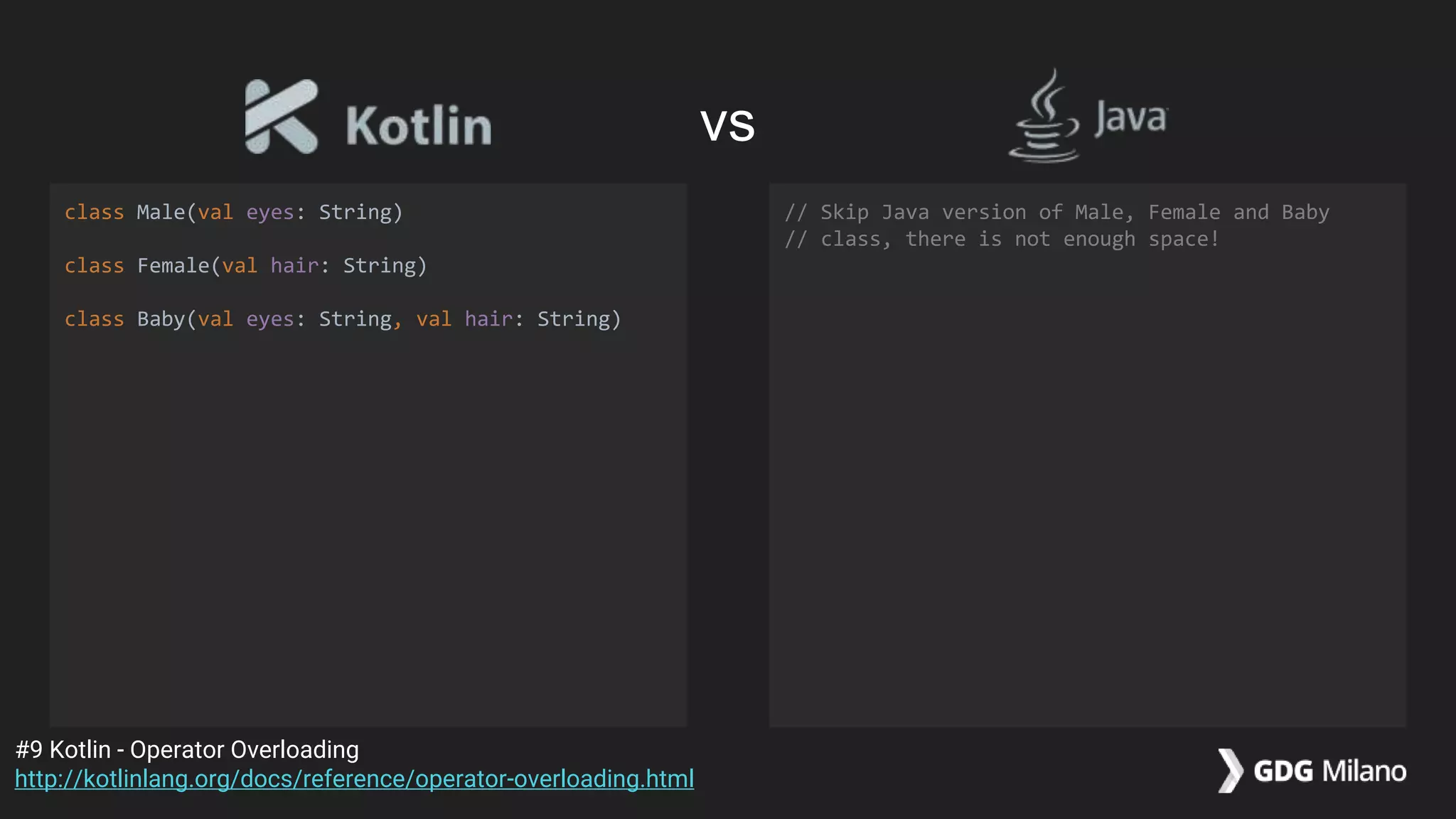
class Male(val eyes: String)
class Female(val hair: String)
class Baby(val eyes: String, val hair: String)
// Skip Java version of Male, Female and Baby
// class, there is not enough space!
#9 Kotlin - Operator Overloading
http://kotlinlang.org/docs/reference/operator-overloading.html
vs
class Male(val eyes: String) {
fun plus(her: Female): Baby {
return Baby(this.eyes, her.hair)
}
}
class Female(val hair: String)
class Baby(val eyes: String, val hair: String)
// Skip Java version of Male, Female and Baby
// class, there is not enough space!
#9 Kotlin - Operator Overloading
http://kotlinlang.org/docs/reference/operator-overloading.html
vs
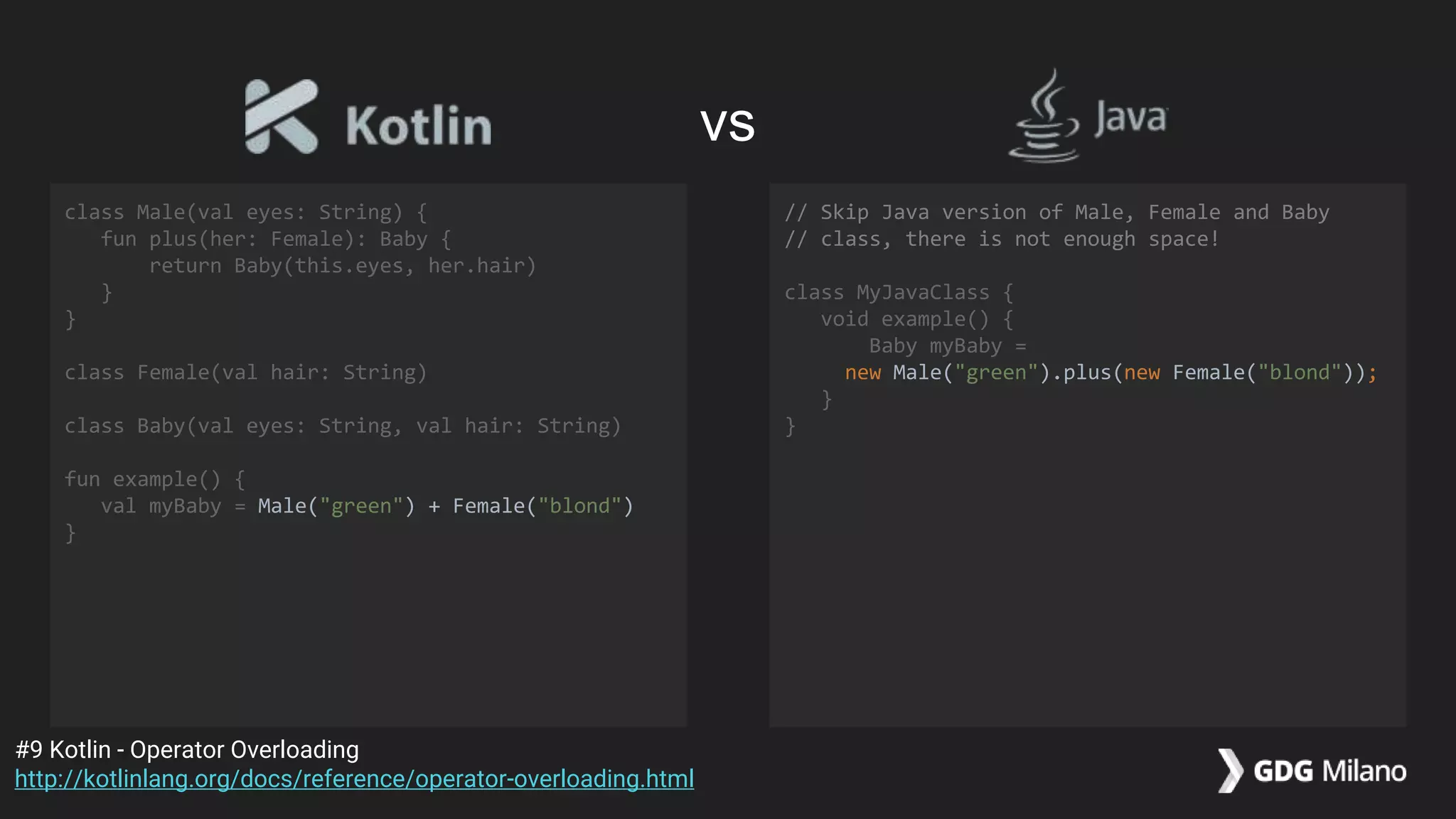
class Male(val eyes: String) {
fun plus(her: Female): Baby {
return Baby(this.eyes, her.hair)
}
}
class Female(val hair: String)
class Baby(val eyes: String, val hair: String)
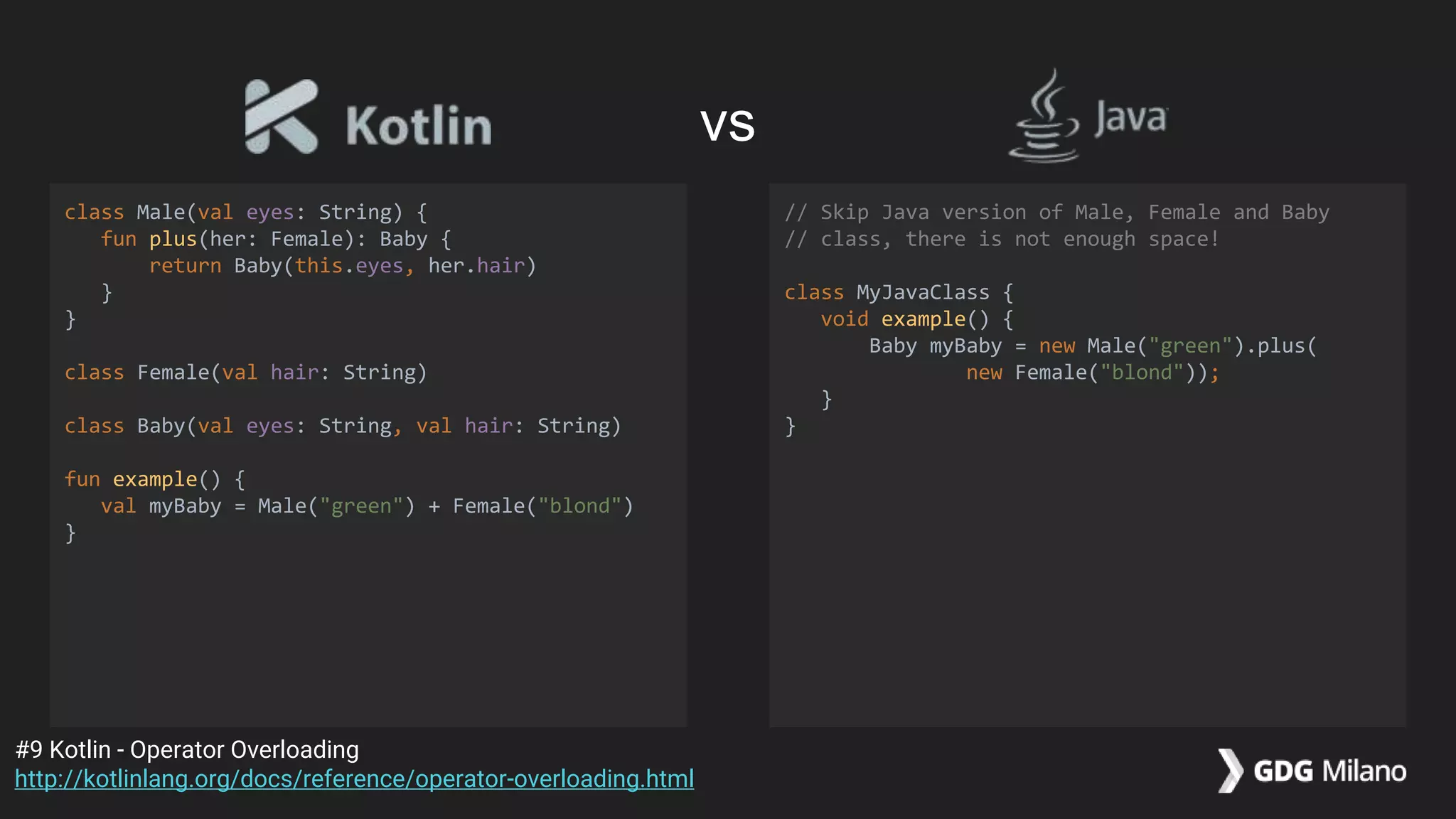
fun example() {
val myBaby = Male("green") + Female("blond")
}
// Skip Java version of Male, Female and Baby
// class, there is not enough space!
class MyJavaClass {
void example() {
Baby myBaby = new Male("green").plus(
new Female("blond"));
}
}
#9 Kotlin - Operator Overloading
http://kotlinlang.org/docs/reference/operator-overloading.html
vs
class Male(val eyes: String) {
fun plus(her: Female): Baby {
return Baby(this.eyes, her.hair)
}
}
class Female(val hair: String)
class Baby(val eyes: String, val hair: String)
fun example() {
val myBaby = Male("green") + Female("blond")
}
// Skip Java version of Male, Female and Baby
// class, there is not enough space!
class MyJavaClass {
void example() {
Baby myBaby =
new Male("green").plus(new Female("blond"));
}
}
#9 Kotlin - Operator Overloading
http://kotlinlang.org/docs/reference/operator-overloading.html
vs
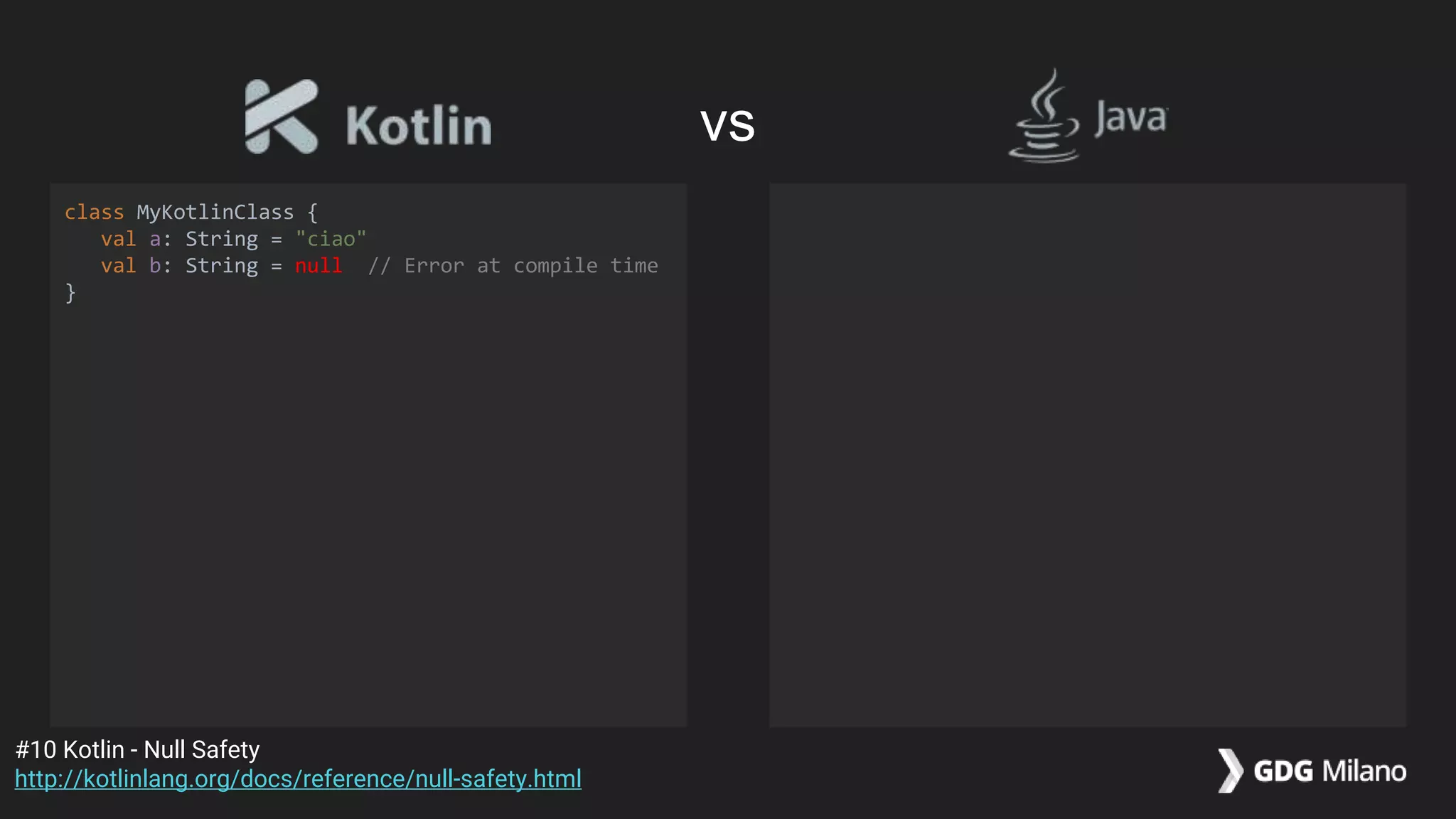
class MyKotlinClass {
val a: String = "ciao"
val b: String = null // Error at compile time
}
#10 Kotlin - Null Safety
http://kotlinlang.org/docs/reference/null-safety.html
vs
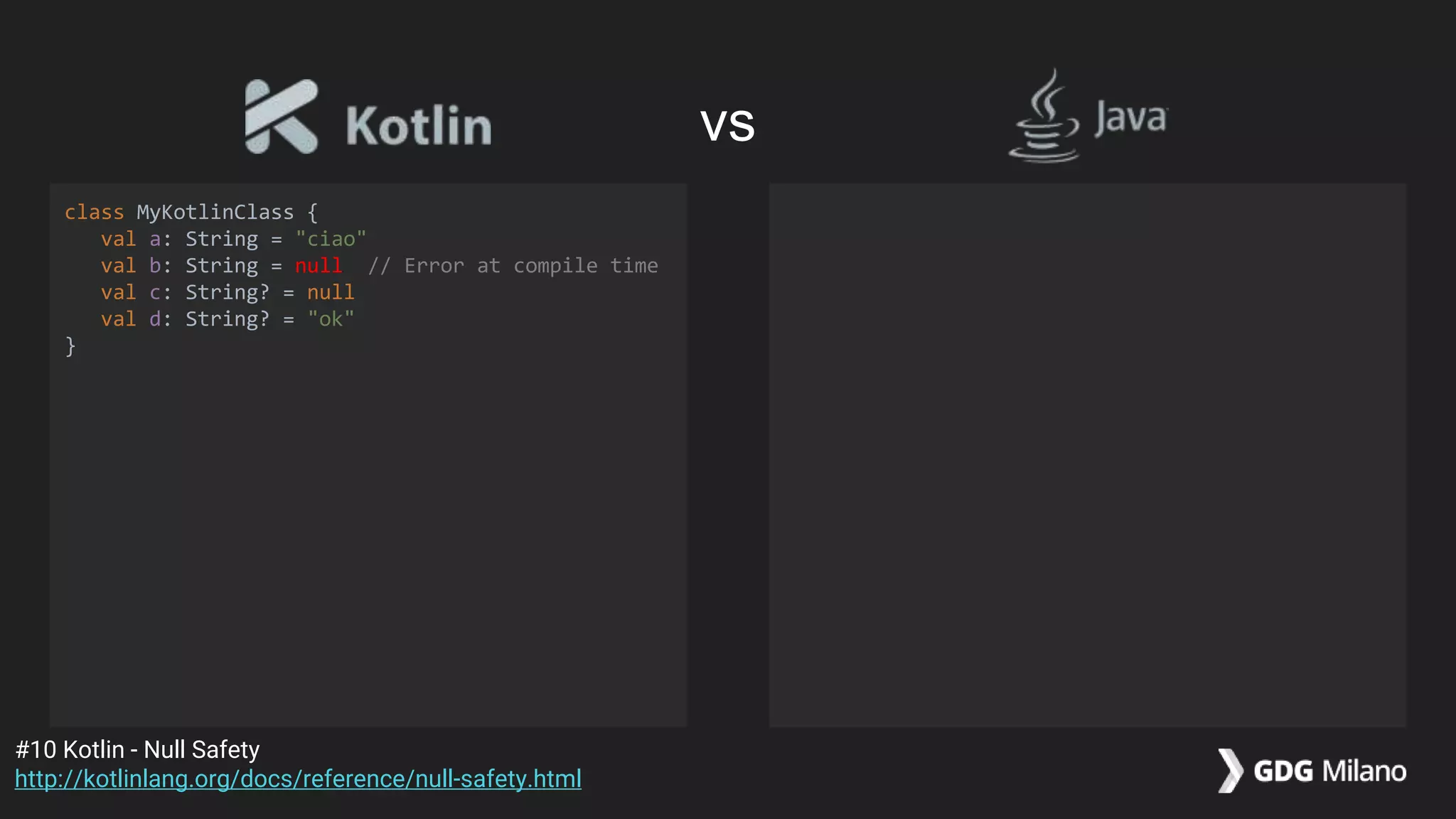
class MyKotlinClass {
val a: String = "ciao"
val b: String = null // Error at compile time
val c: String? = null
val d: String? = "ok"
}
#10 Kotlin - Null Safety
http://kotlinlang.org/docs/reference/null-safety.html
vs
class MyKotlinClass {
val a: String = "ciao"
val b: String = null // Error at compile time
val c: String? = null
val d: String? = "ok"
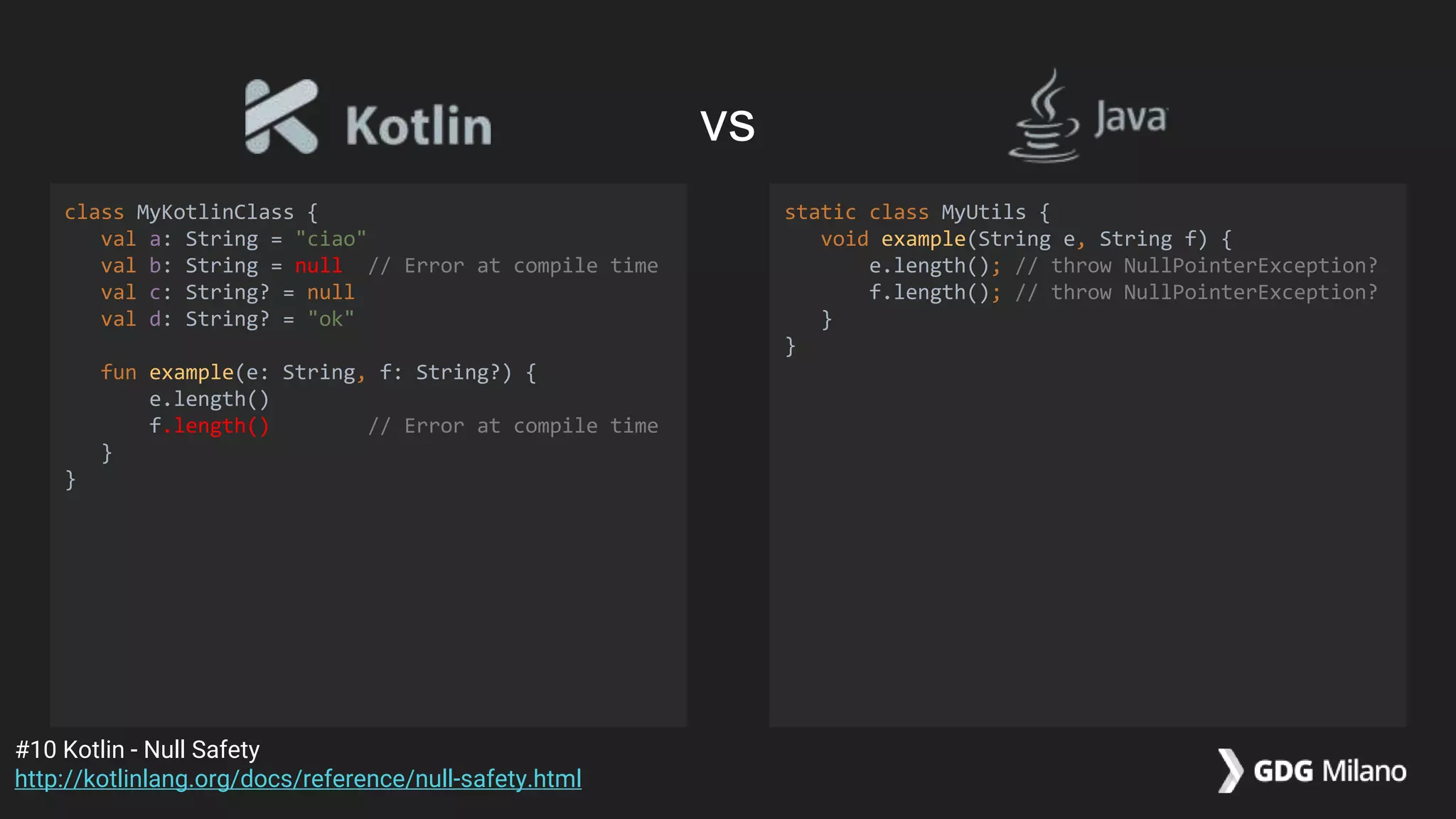
fun example(e: String, f: String?) {
e.length()
f.length() // Error at compile time
}
}
static class MyUtils {
void example(String e, String f) {
e.length(); // throw NullPointerException?
f.length(); // throw NullPointerException?
}
}
#10 Kotlin - Null Safety
http://kotlinlang.org/docs/reference/null-safety.html
vs
class MyKotlinClass {
val a: String = "ciao"
val b: String = null // Error at compile time
val c: String? = null
val d: String? = "ok"
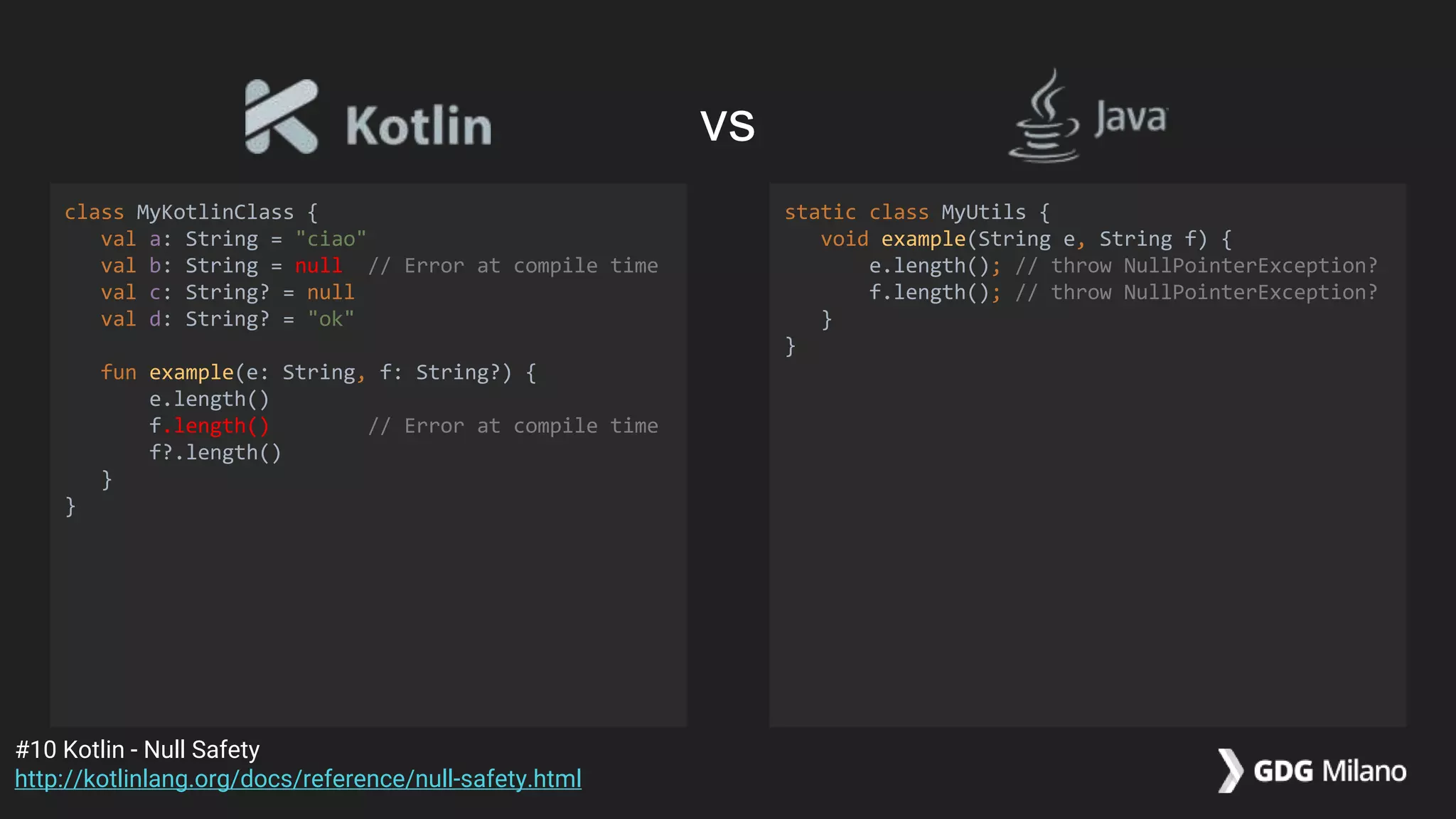
fun example(e: String, f: String?) {
e.length()
f.length() // Error at compile time
f?.length()
}
}
static class MyUtils {
void example(String e, String f) {
e.length(); // throw NullPointerException?
f.length(); // throw NullPointerException?
}
}
#10 Kotlin - Null Safety
http://kotlinlang.org/docs/reference/null-safety.html
vs
class MyKotlinClass {
val a: String = "ciao"
val b: String = null // Error at compile time
val c: String? = null
val d: String? = "ok"
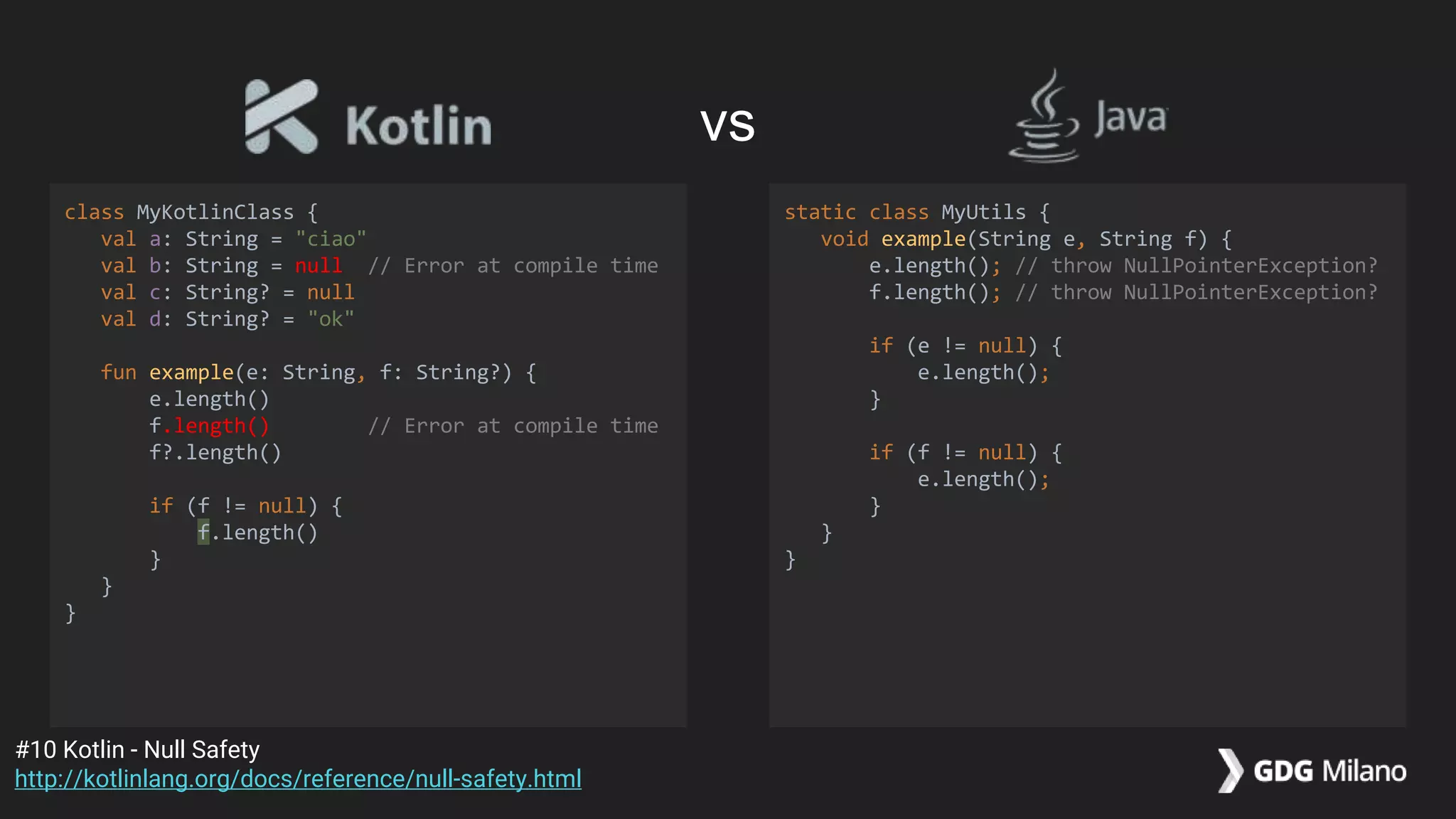
fun example(e: String, f: String?) {
e.length()
f.length() // Error at compile time
f?.length()
if (f != null) {
f.length()
}
}
}
static class MyUtils {
void example(String e, String f) {
e.length(); // throw NullPointerException?
f.length(); // throw NullPointerException?
if (e != null) {
e.length();
}
if (f != null) {
e.length();
}
}
}
#10 Kotlin - Null Safety
http://kotlinlang.org/docs/reference/null-safety.html
vs
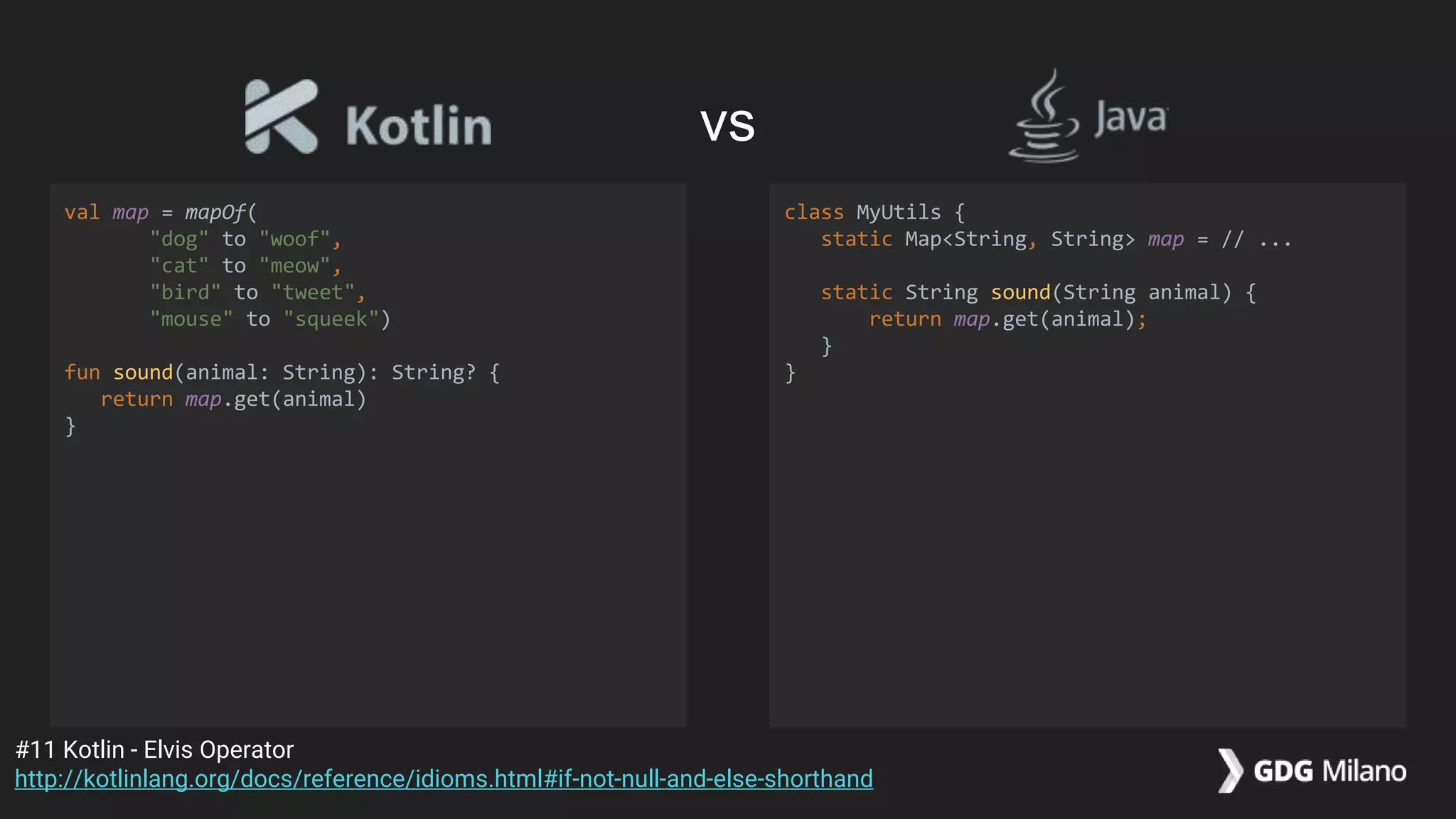
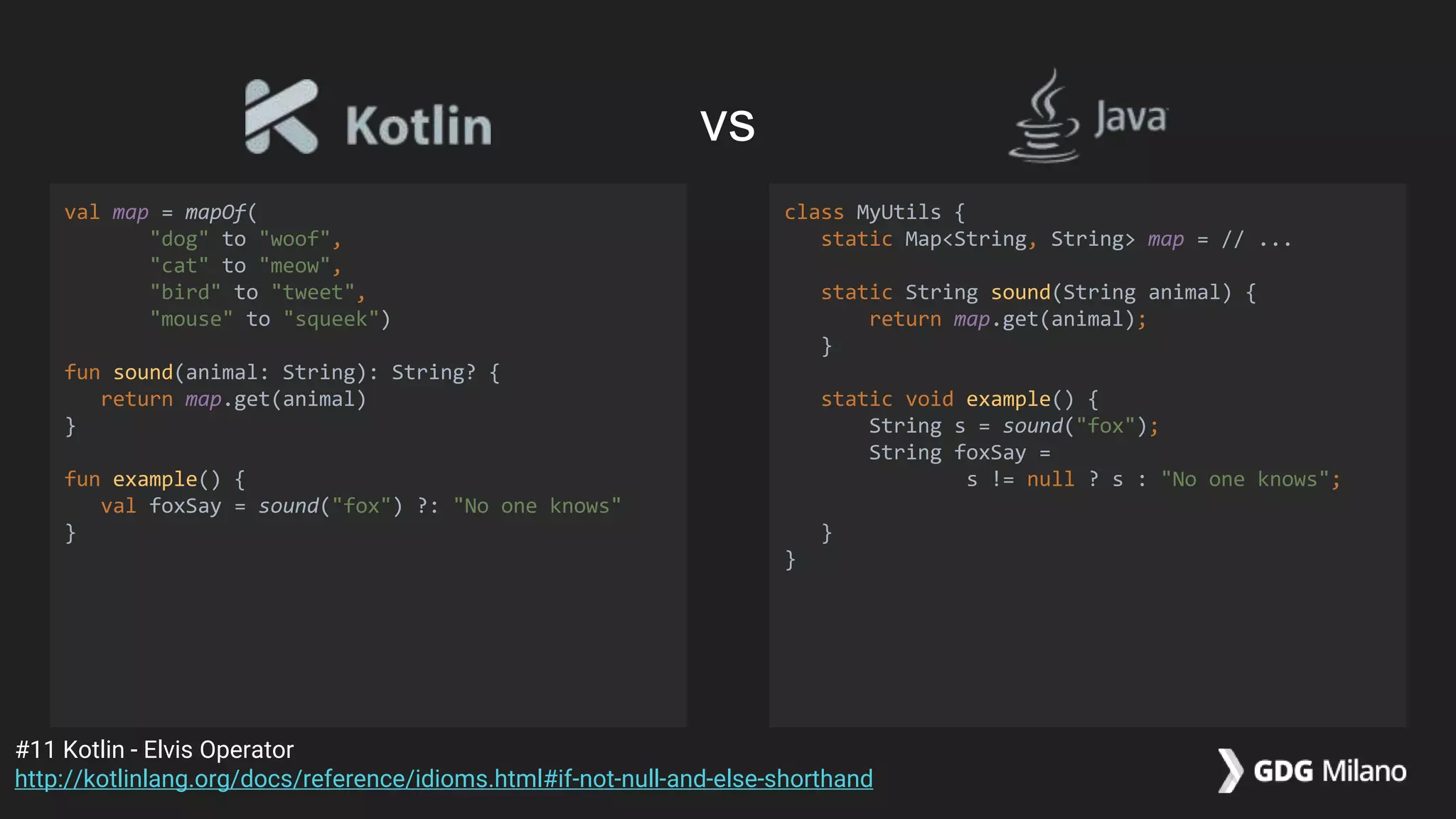
val map = mapOf(
"dog" to "woof",
"cat" to "meow",
"bird" to "tweet",
"mouse" to "squeek")
fun sound(animal: String): String? {
return map.get(animal)
}
class MyUtils {
static Map<String, String> map = // ...
static String sound(String animal) {
return map.get(animal);
}
}
#11 Kotlin - Elvis Operator
http://kotlinlang.org/docs/reference/idioms.html#if-not-null-and-else-shorthand
vs
val map = mapOf(
"dog" to "woof",
"cat" to "meow",
"bird" to "tweet",
"mouse" to "squeek")
fun sound(animal: String): String? {
return map.get(animal)
}
fun example() {
val foxSay = sound("fox") ?: "No one knows"
}
class MyUtils {
static Map<String, String> map = // ...
static String sound(String animal) {
return map.get(animal);
}
static void example() {
String s = sound("fox");
String foxSay =
s != null ? s : "No one knows";
}
}
#11 Kotlin - Elvis Operator
http://kotlinlang.org/docs/reference/idioms.html#if-not-null-and-else-shorthand
vs
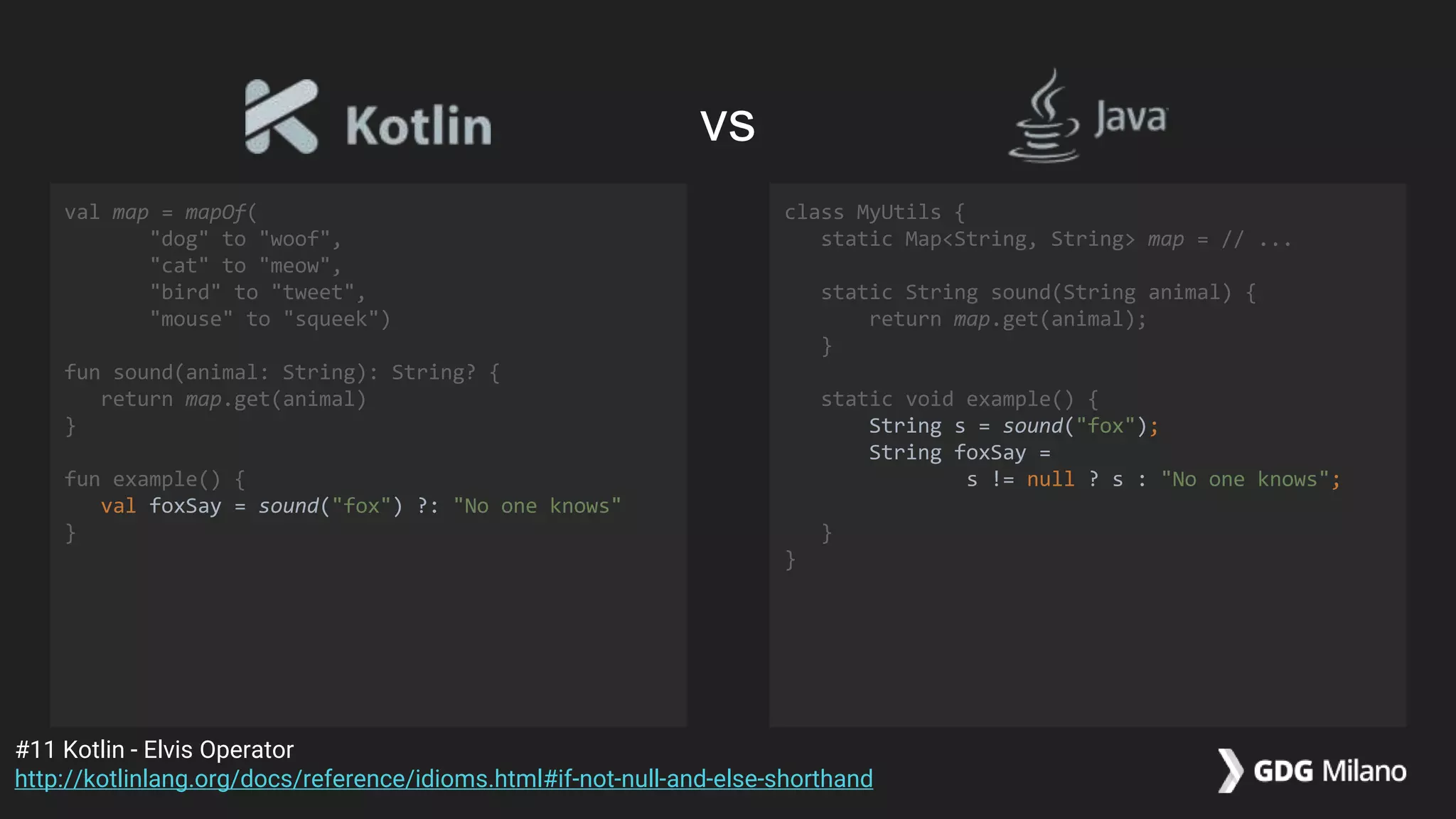
val map = mapOf(
"dog" to "woof",
"cat" to "meow",
"bird" to "tweet",
"mouse" to "squeek")
fun sound(animal: String): String? {
return map.get(animal)
}
fun example() {
val foxSay = sound("fox") ?: "No one knows"
}
class MyUtils {
static Map<String, String> map = // ...
static String sound(String animal) {
return map.get(animal);
}
static void example() {
String s = sound("fox");
String foxSay =
s != null ? s : "No one knows";
}
}
#11 Kotlin - Elvis Operator
http://kotlinlang.org/docs/reference/idioms.html#if-not-null-and-else-shorthand
vs
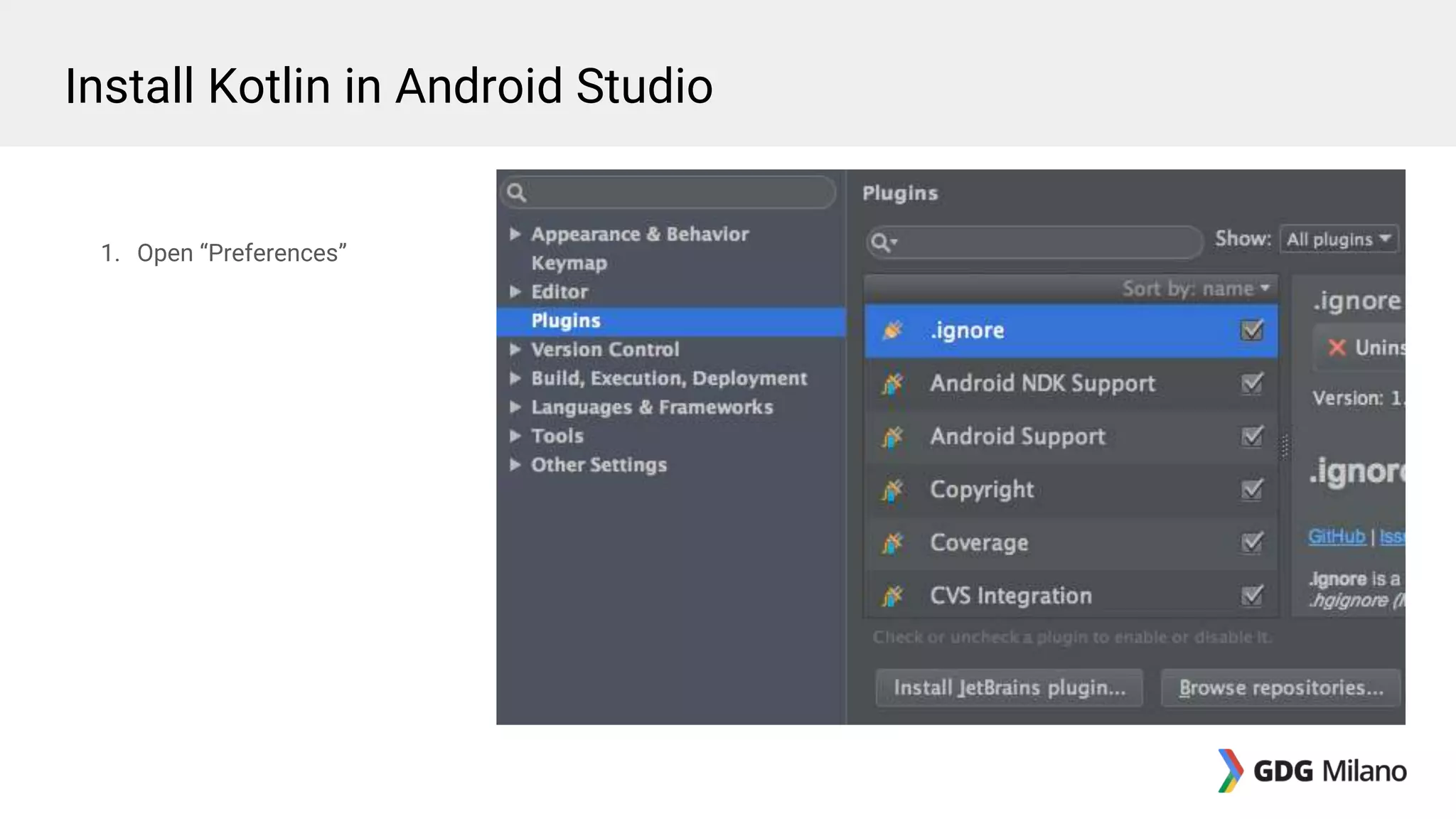
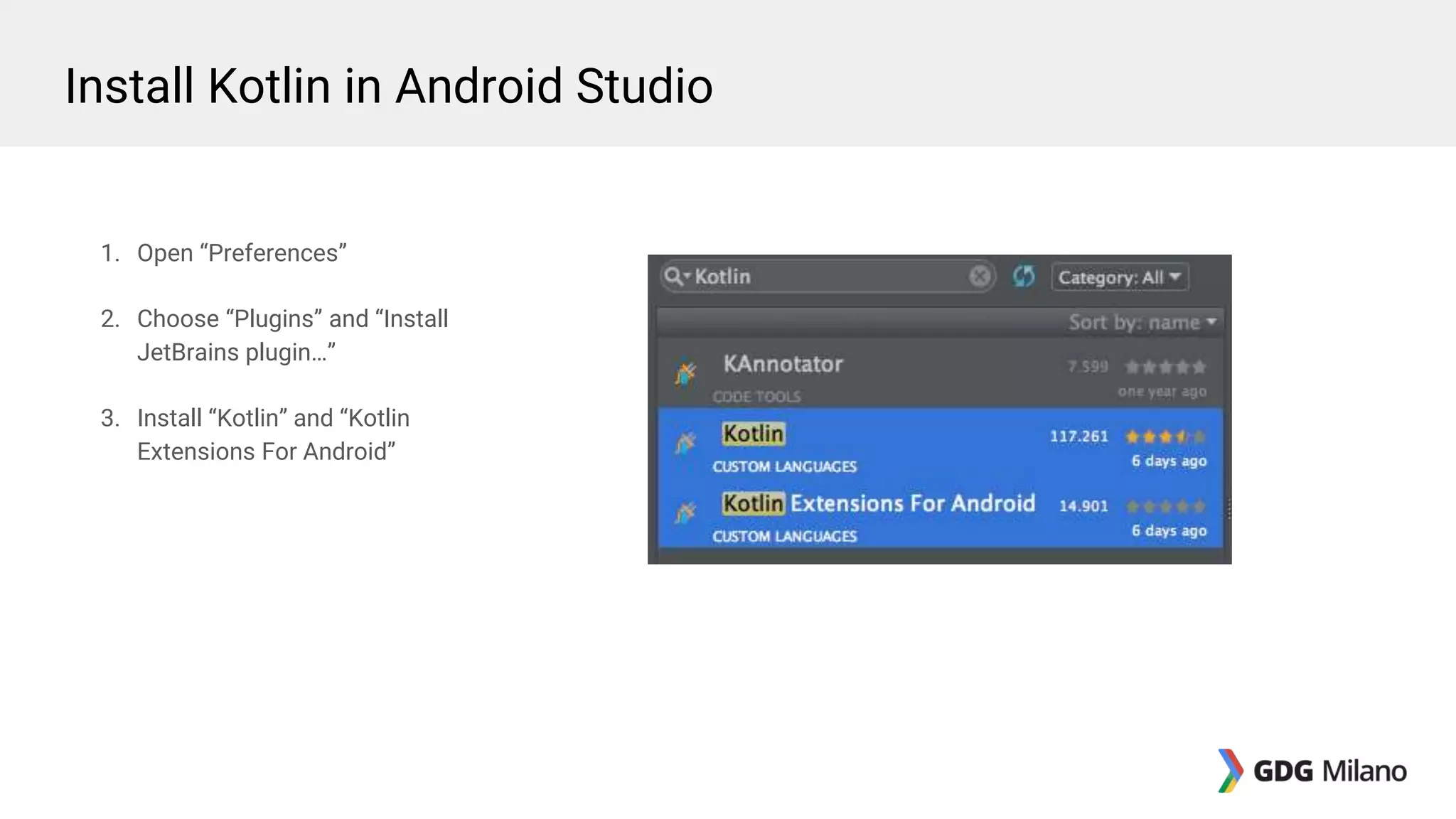
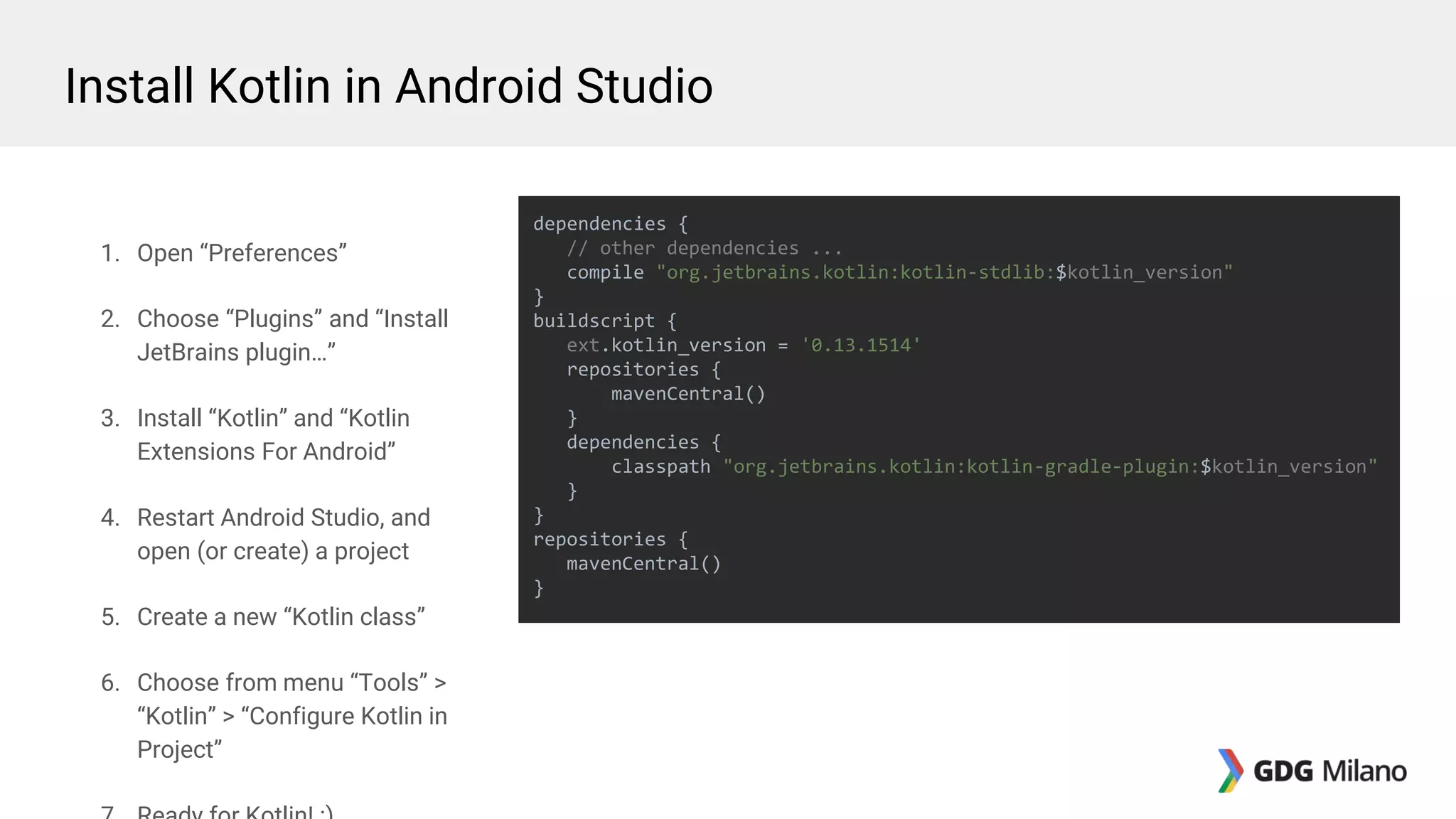
1. Open “Preferences”
Install Kotlin in Android Studio
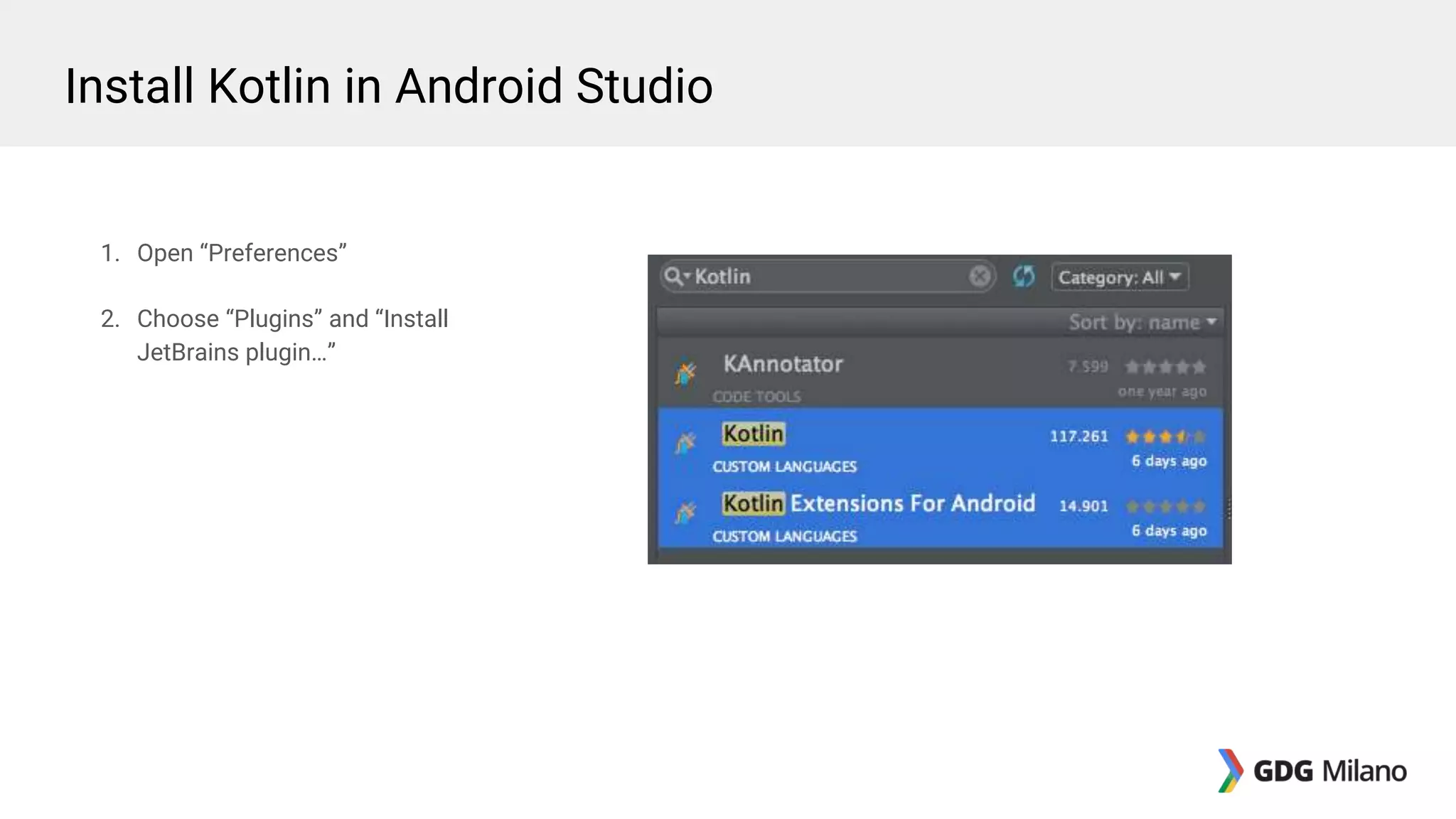
1. Open “Preferences”
2. Choose “Plugins” and “Install
JetBrains plugin…”
Install Kotlin in Android Studio
1. Open “Preferences”
2. Choose “Plugins” and “Install
JetBrains plugin…”
3. Install “Kotlin” and “Kotlin
Extensions For Android”
Install Kotlin in Android Studio
1. Open “Preferences”
2. Choose “Plugins” and “Install
JetBrains plugin…”
3. Install “Kotlin” and “Kotlin
Extensions For Android”
4. Restart Android Studio, and
open (or create) a project
Install Kotlin in Android Studio
1. Open “Preferences”
2. Choose “Plugins” and “Install
JetBrains plugin…”
3. Install “Kotlin” and “Kotlin
Extensions For Android”
4. Restart Android Studio, and
open (or create) a project
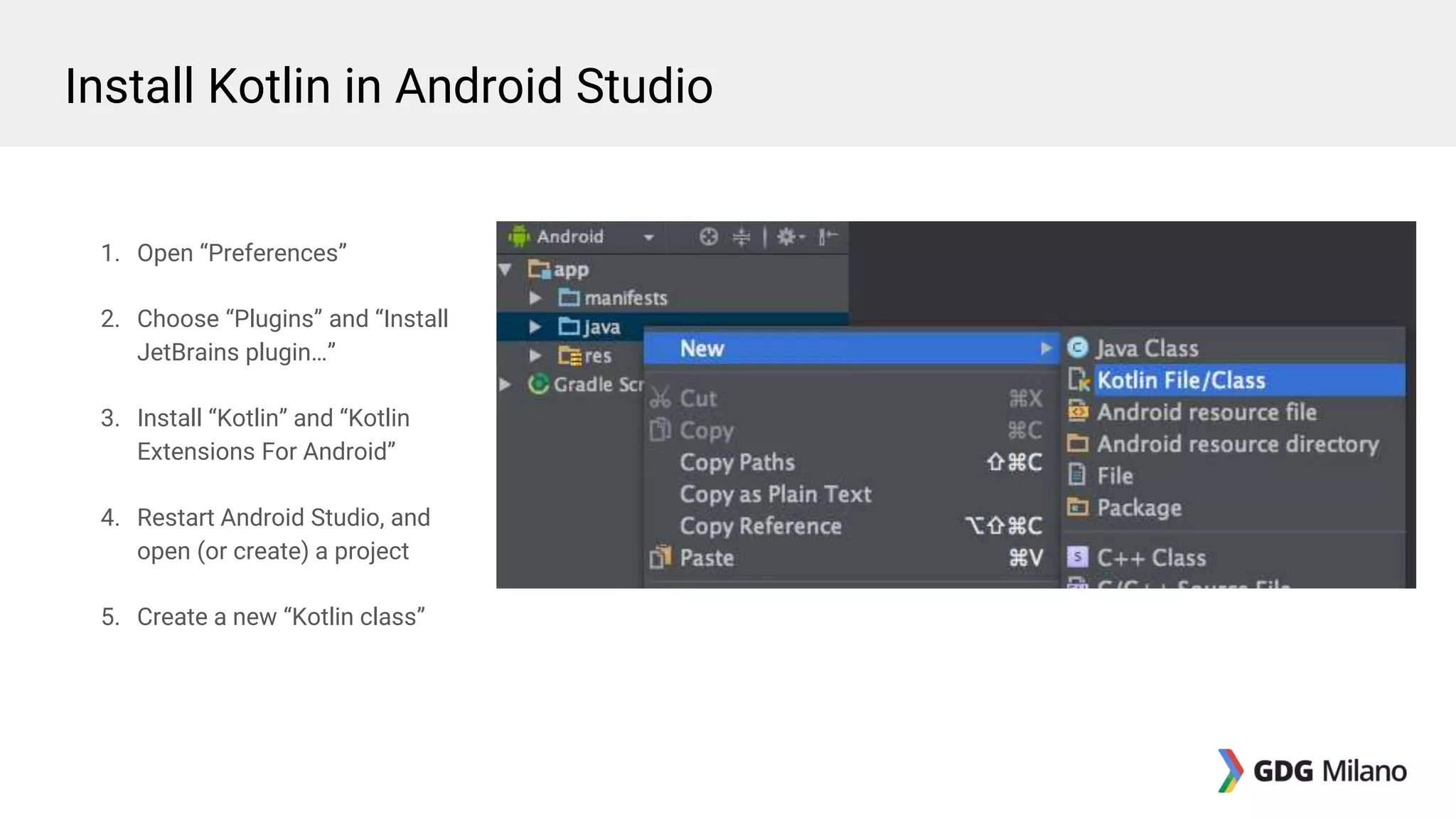
5. Create a new “Kotlin class”
Install Kotlin in Android Studio
1. Open “Preferences”
2. Choose “Plugins” and “Install
JetBrains plugin…”
3. Install “Kotlin” and “Kotlin
Extensions For Android”
4. Restart Android Studio, and
open (or create) a project
5. Create a new “Kotlin class”
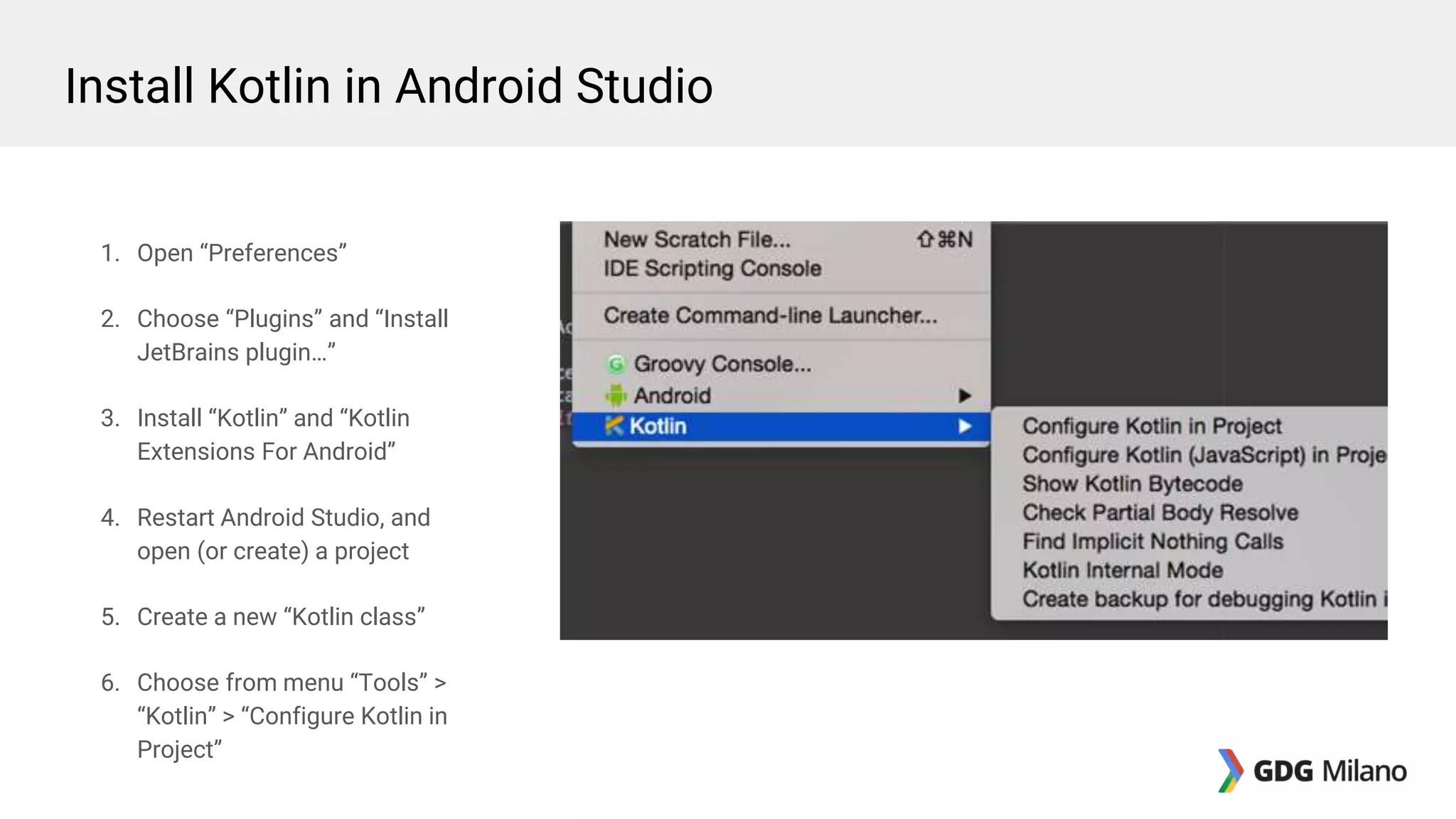
6. Choose from menu “Tools” >
“Kotlin” > “Configure Kotlin in
Project”
Install Kotlin in Android Studio
1. Open “Preferences”
2. Choose “Plugins” and “Install
JetBrains plugin…”
3. Install “Kotlin” and “Kotlin
Extensions For Android”
4. Restart Android Studio, and
open (or create) a project
5. Create a new “Kotlin class”
6. Choose from menu “Tools” >
“Kotlin” > “Configure Kotlin in
Project”
dependencies {
// other dependencies ...
compile "org.jetbrains.kotlin:kotlin-stdlib:$kotlin_version"
}
buildscript {
ext.kotlin_version = '0.13.1514'
repositories {
mavenCentral()
}
dependencies {
classpath "org.jetbrains.kotlin:kotlin-gradle-plugin:$kotlin_version"
}
}
repositories {
mavenCentral()
}
Install Kotlin in Android Studio
Preference Utils (Step 1)
Write a small utility for Android!
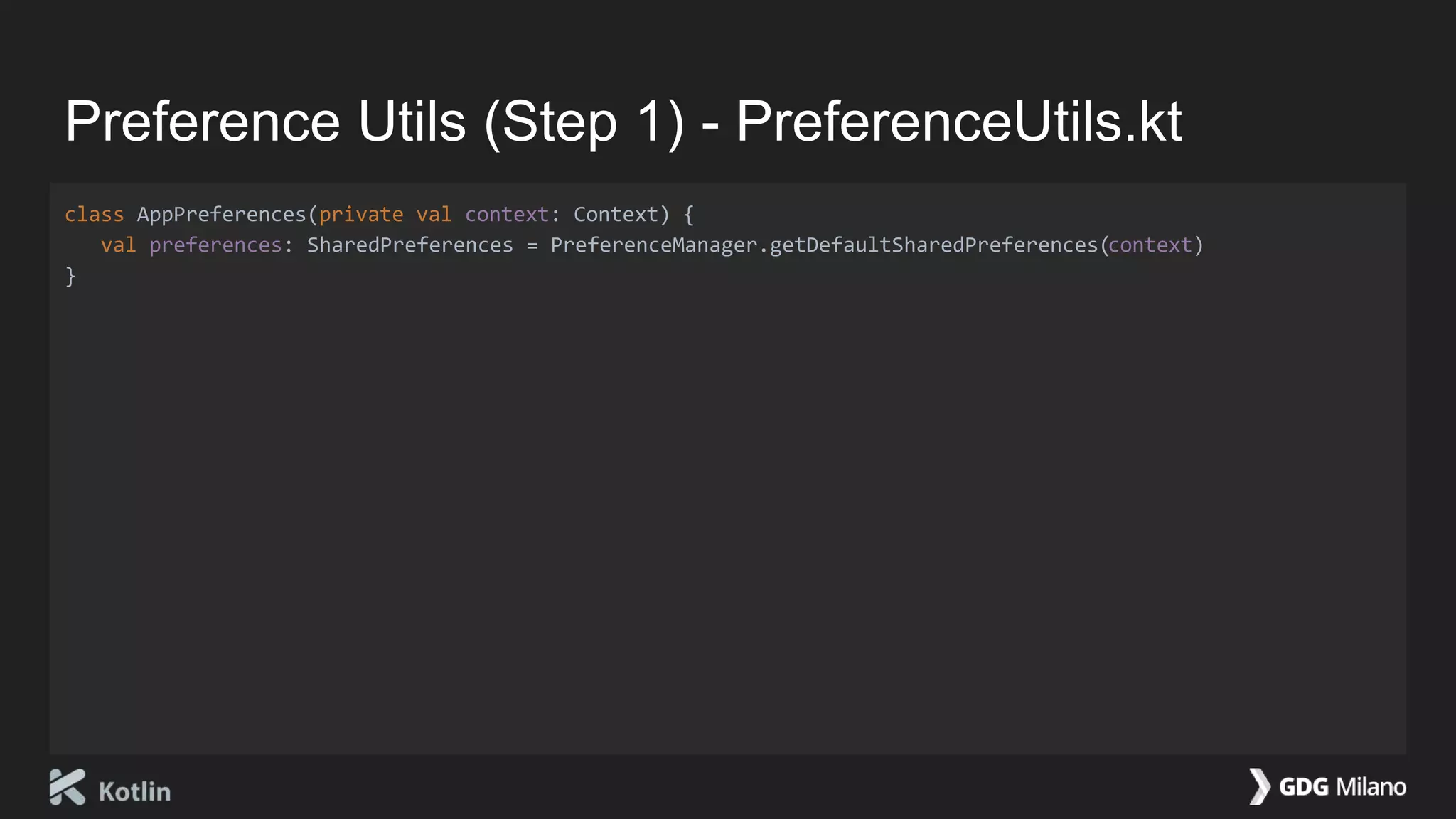
Preference Utils (Step 1) - PreferenceUtils.kt
class AppPreferences(private val context: Context) {
val preferences: SharedPreferences = PreferenceManager.getDefaultSharedPreferences(context)
}
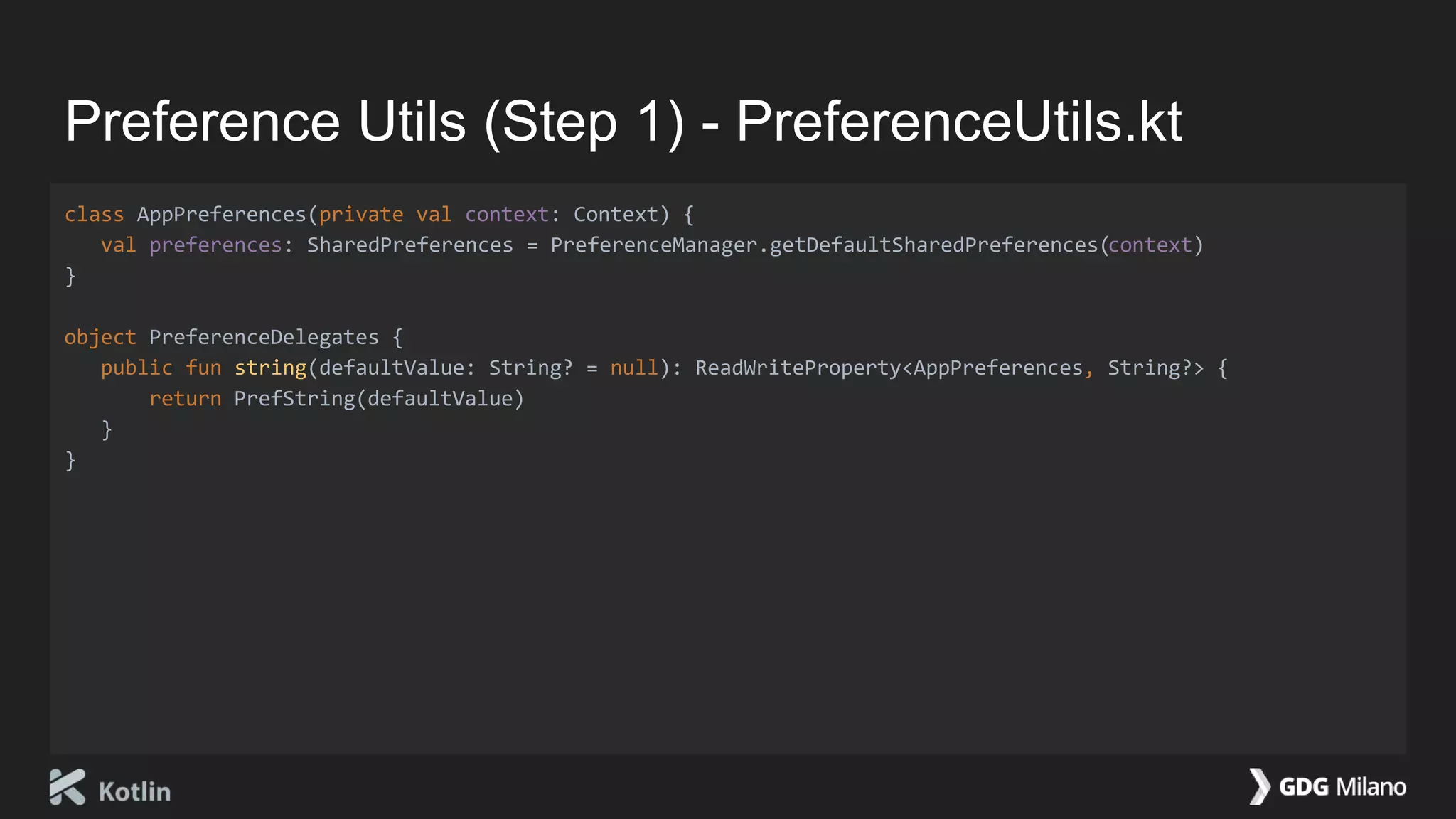
Preference Utils (Step 1) - PreferenceUtils.kt
class AppPreferences(private val context: Context) {
val preferences: SharedPreferences = PreferenceManager.getDefaultSharedPreferences(context)
}
object PreferenceDelegates {
public fun string(defaultValue: String? = null): ReadWriteProperty<AppPreferences, String?> {
return PrefString(defaultValue)
}
}
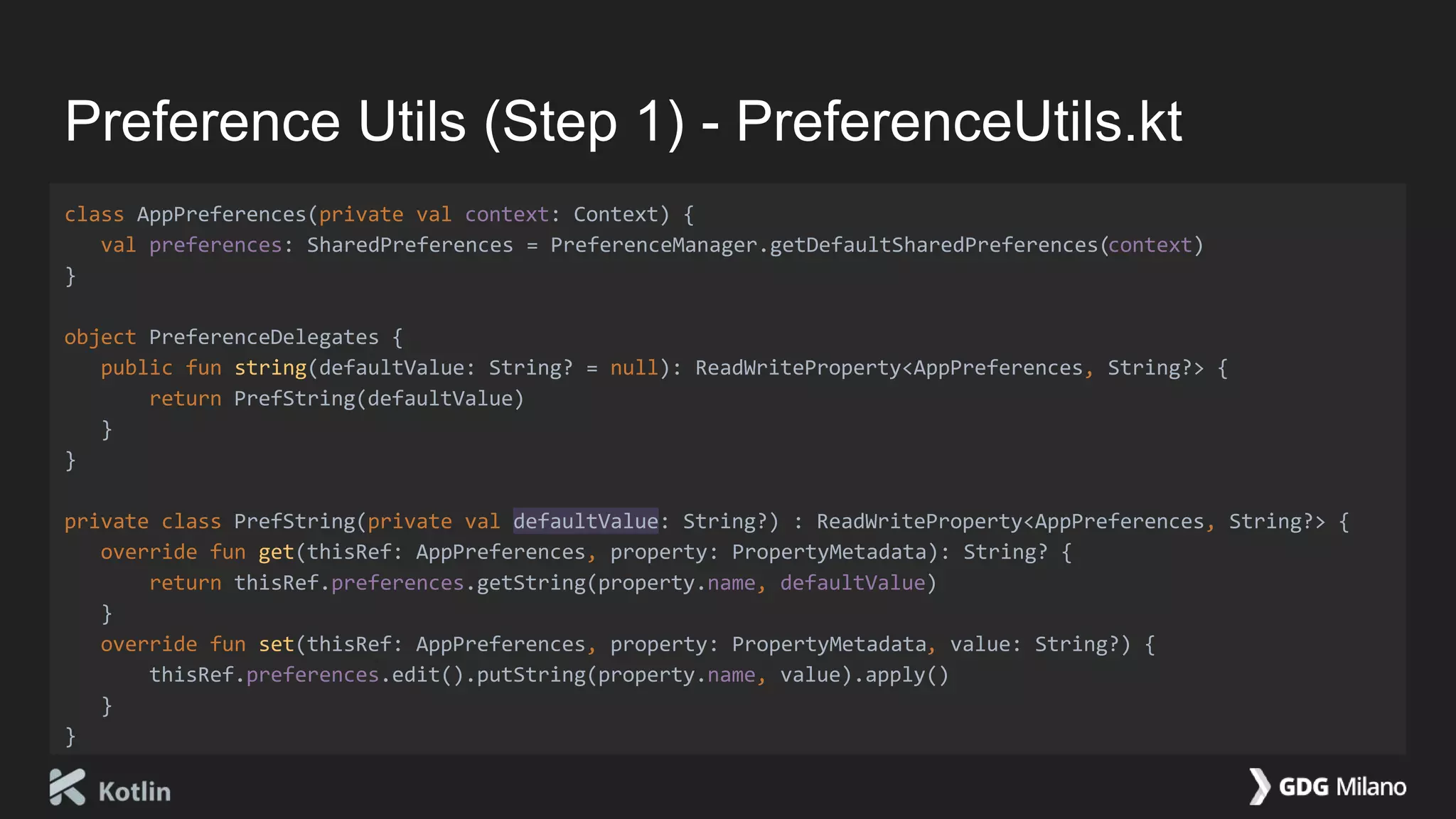
Preference Utils (Step 1) - PreferenceUtils.kt
class AppPreferences(private val context: Context) {
val preferences: SharedPreferences = PreferenceManager.getDefaultSharedPreferences(context)
}
object PreferenceDelegates {
public fun string(defaultValue: String? = null): ReadWriteProperty<AppPreferences, String?> {
return PrefString(defaultValue)
}
}
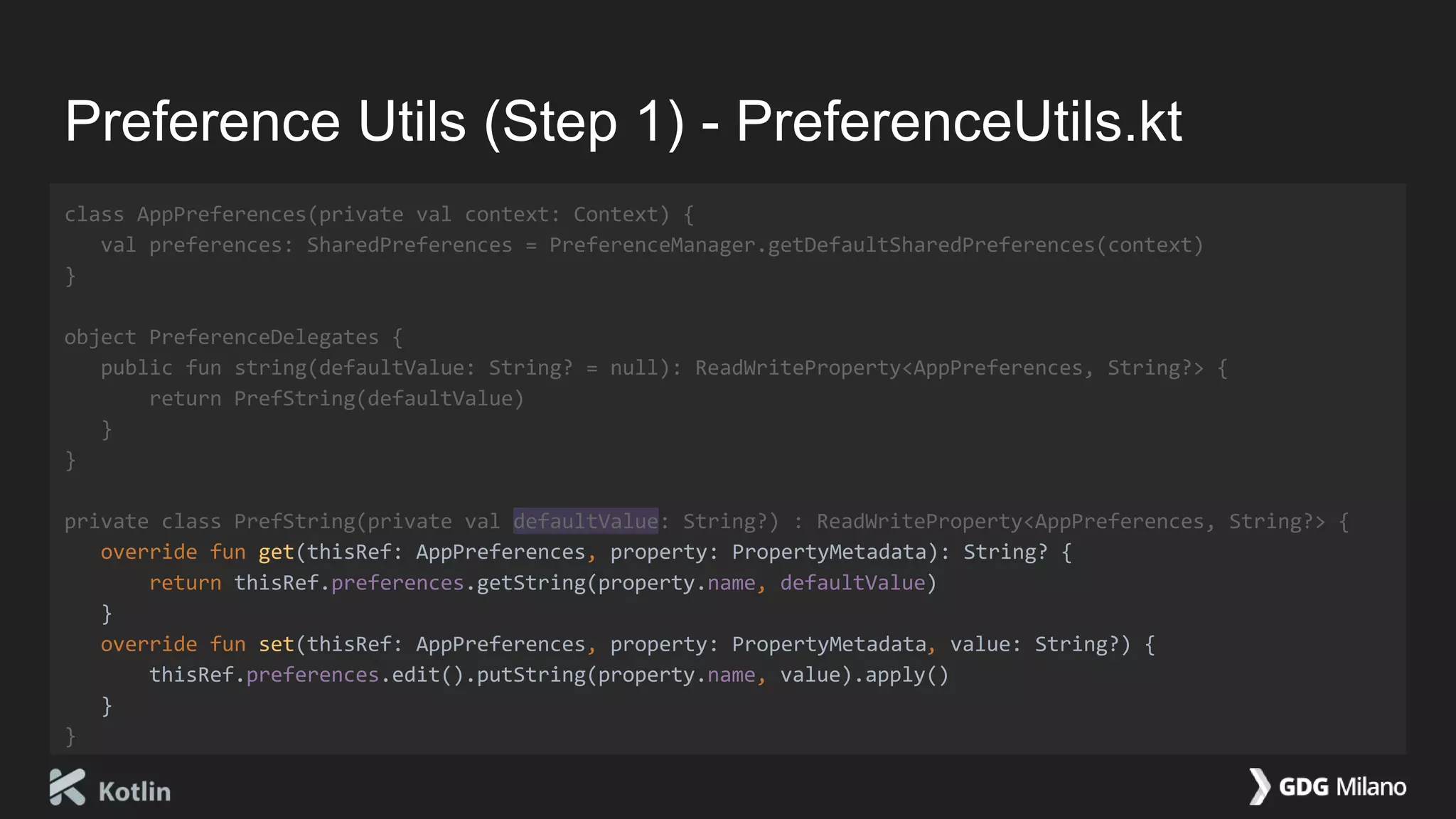
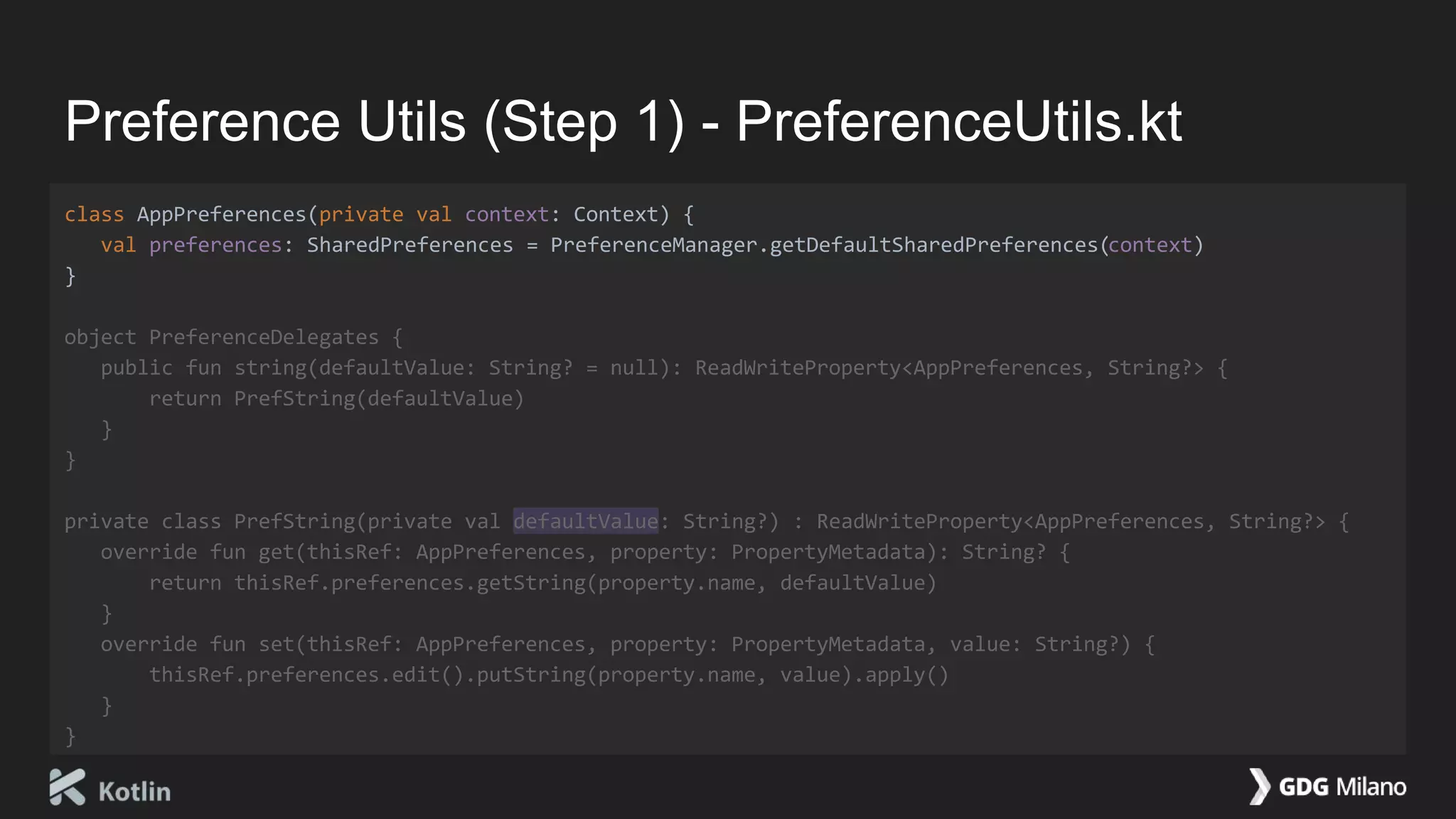
private class PrefString(private val defaultValue: String?) : ReadWriteProperty<AppPreferences, String?> {
override fun get(thisRef: AppPreferences, property: PropertyMetadata): String? {
return thisRef.preferences.getString(property.name, defaultValue)
}
override fun set(thisRef: AppPreferences, property: PropertyMetadata, value: String?) {
thisRef.preferences.edit().putString(property.name, value).apply()
}
}
Preference Utils (Step 1) - PreferenceUtils.kt
class AppPreferences(private val context: Context) {
val preferences: SharedPreferences = PreferenceManager.getDefaultSharedPreferences(context)
}
object PreferenceDelegates {
public fun string(defaultValue: String? = null): ReadWriteProperty<AppPreferences, String?> {
return PrefString(defaultValue)
}
}
private class PrefString(private val defaultValue: String?) : ReadWriteProperty<AppPreferences, String?> {
override fun get(thisRef: AppPreferences, property: PropertyMetadata): String? {
return thisRef.preferences.getString(property.name, defaultValue)
}
override fun set(thisRef: AppPreferences, property: PropertyMetadata, value: String?) {
thisRef.preferences.edit().putString(property.name, value).apply()
}
}
Preference Utils (Step 1) - PreferenceUtils.kt
class AppPreferences(private val context: Context) {
val preferences: SharedPreferences = PreferenceManager.getDefaultSharedPreferences(context)
}
object PreferenceDelegates {
public fun string(defaultValue: String? = null): ReadWriteProperty<AppPreferences, String?> {
return PrefString(defaultValue)
}
}
private class PrefString(private val defaultValue: String?) : ReadWriteProperty<AppPreferences, String?> {
override fun get(thisRef: AppPreferences, property: PropertyMetadata): String? {
return thisRef.preferences.getString(property.name, defaultValue)
}
override fun set(thisRef: AppPreferences, property: PropertyMetadata, value: String?) {
thisRef.preferences.edit().putString(property.name, value).apply()
}
}
Preference Utils (Step 1) - PreferenceUtils.kt
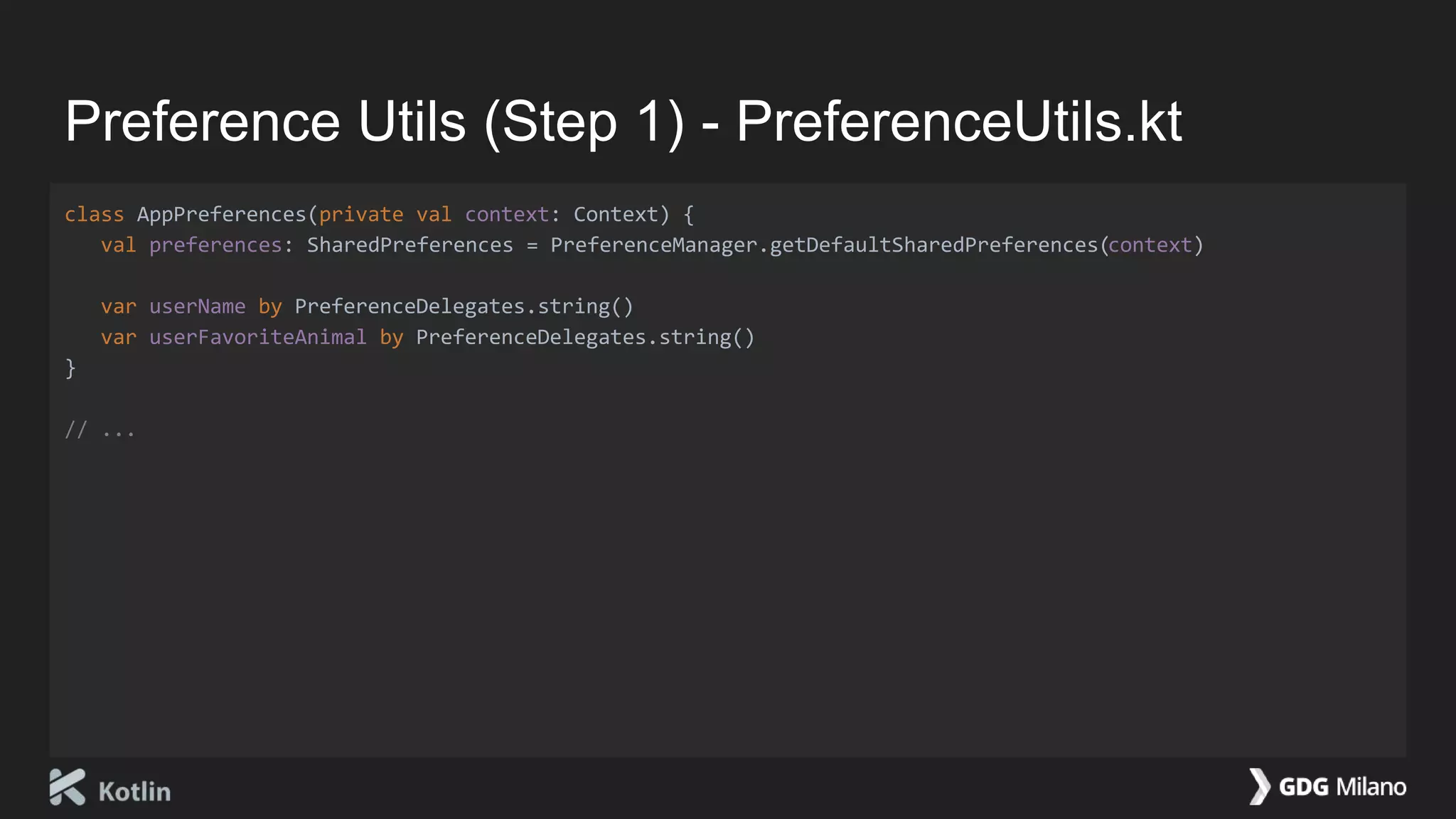
class AppPreferences(private val context: Context) {
val preferences: SharedPreferences = PreferenceManager.getDefaultSharedPreferences(context)
var userName by PreferenceDelegates.string()
var userFavoriteAnimal by PreferenceDelegates.string()
}
// ...
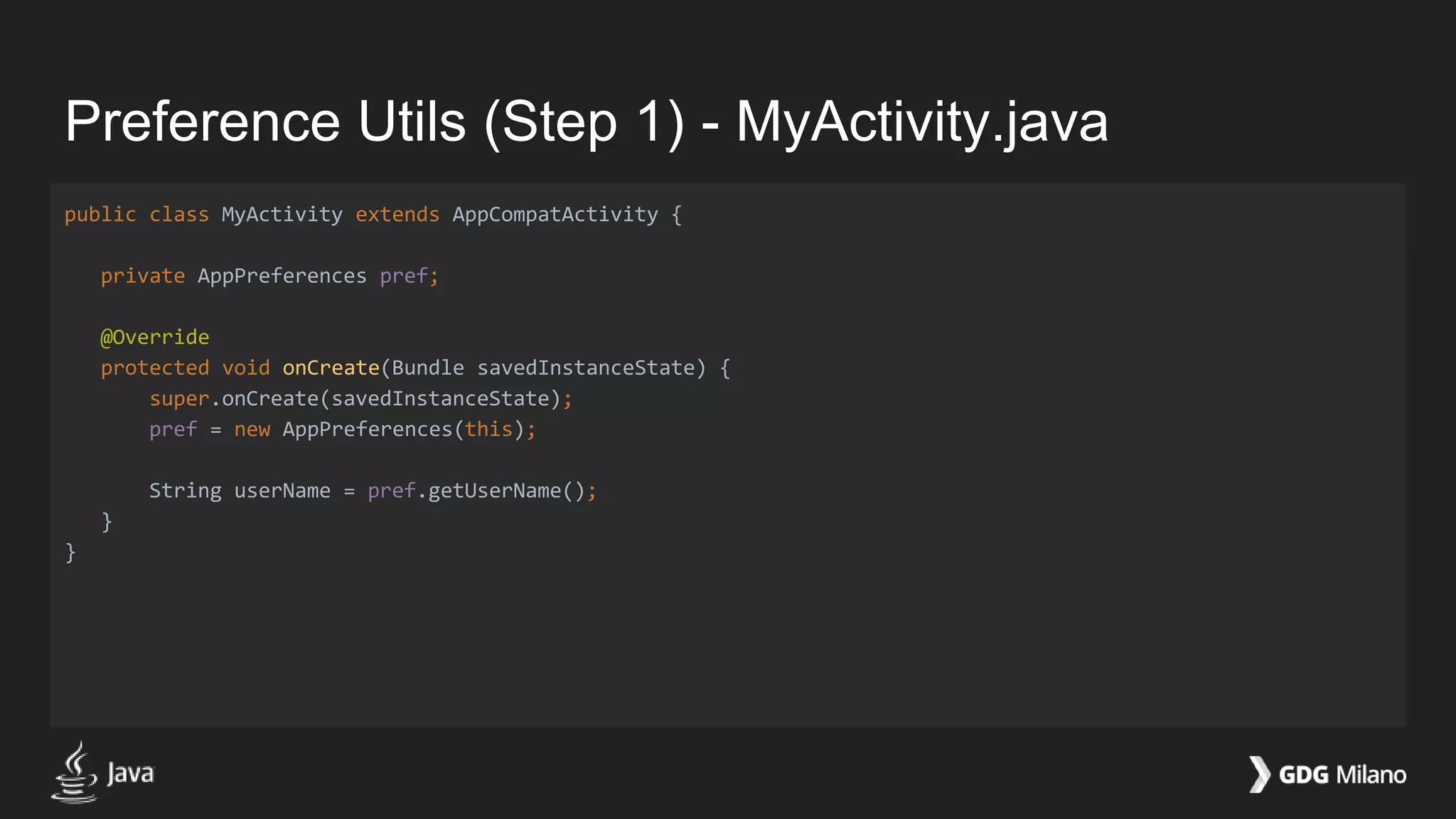
Preference Utils (Step 1) - MyActivity.java
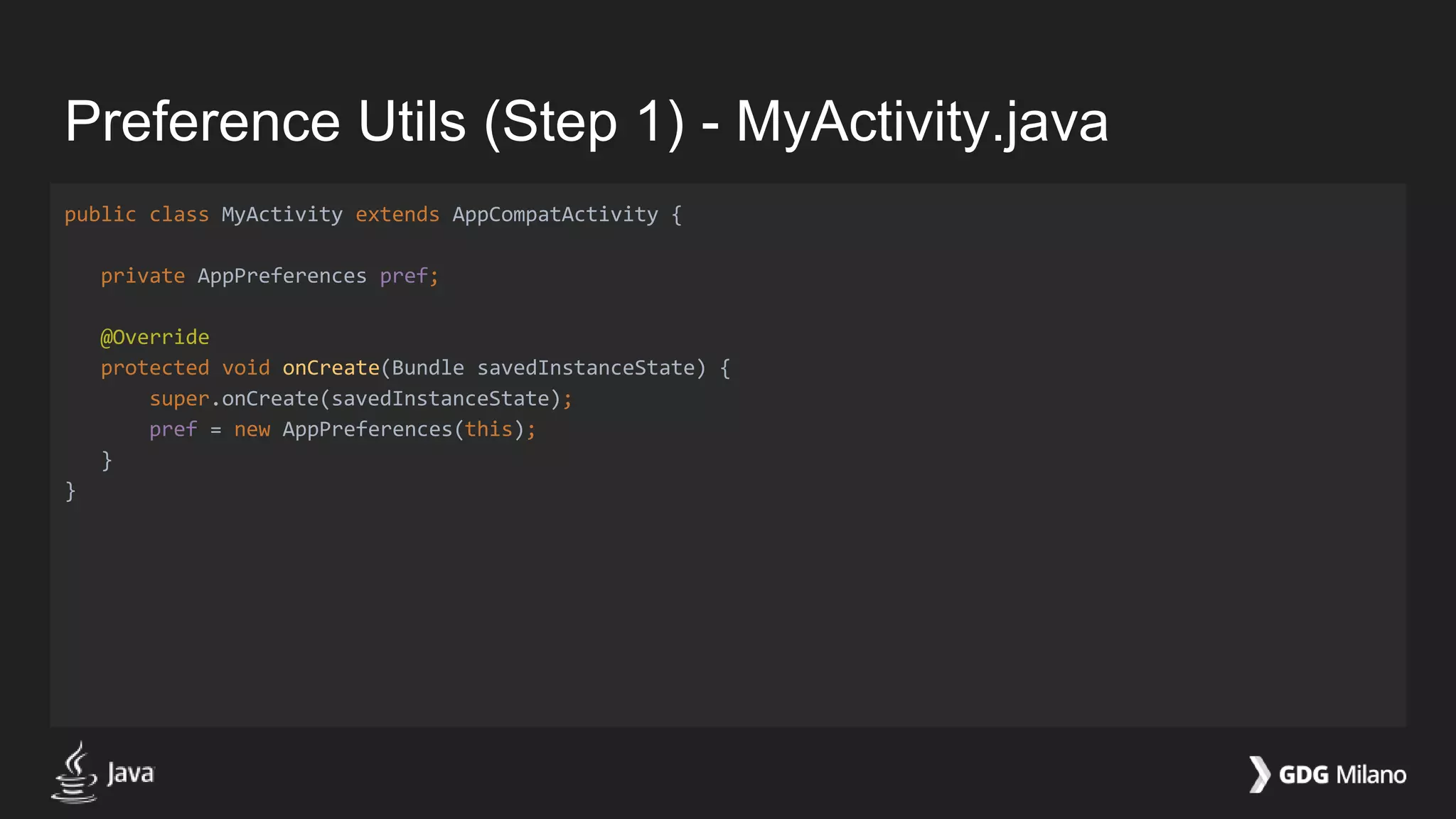
public class MyActivity extends AppCompatActivity {
private AppPreferences pref;
@Override
protected void onCreate(Bundle savedInstanceState) {
super.onCreate(savedInstanceState);
pref = new AppPreferences(this);
}
}
Preference Utils (Step 1) - MyActivity.java
public class MyActivity extends AppCompatActivity {
private AppPreferences pref;
@Override
protected void onCreate(Bundle savedInstanceState) {
super.onCreate(savedInstanceState);
pref = new AppPreferences(this);
String userName = pref.getUserName();
}
}
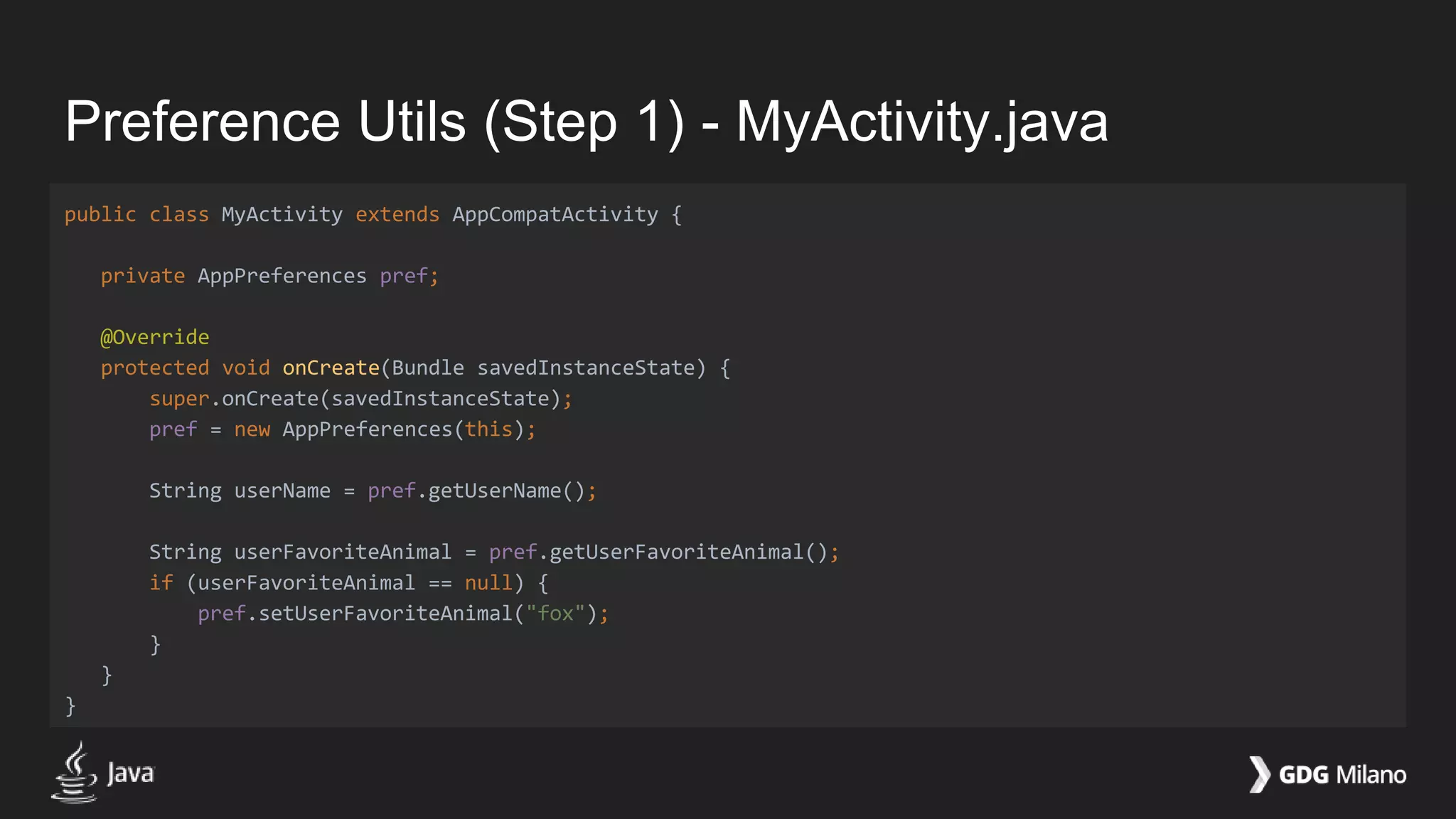
Preference Utils (Step 1) - MyActivity.java
public class MyActivity extends AppCompatActivity {
private AppPreferences pref;
@Override
protected void onCreate(Bundle savedInstanceState) {
super.onCreate(savedInstanceState);
pref = new AppPreferences(this);
String userName = pref.getUserName();
String userFavoriteAnimal = pref.getUserFavoriteAnimal();
if (userFavoriteAnimal == null) {
pref.setUserFavoriteAnimal("fox");
}
}
}
Preference Utils (Step 2)
Write a small utility for your Android app!
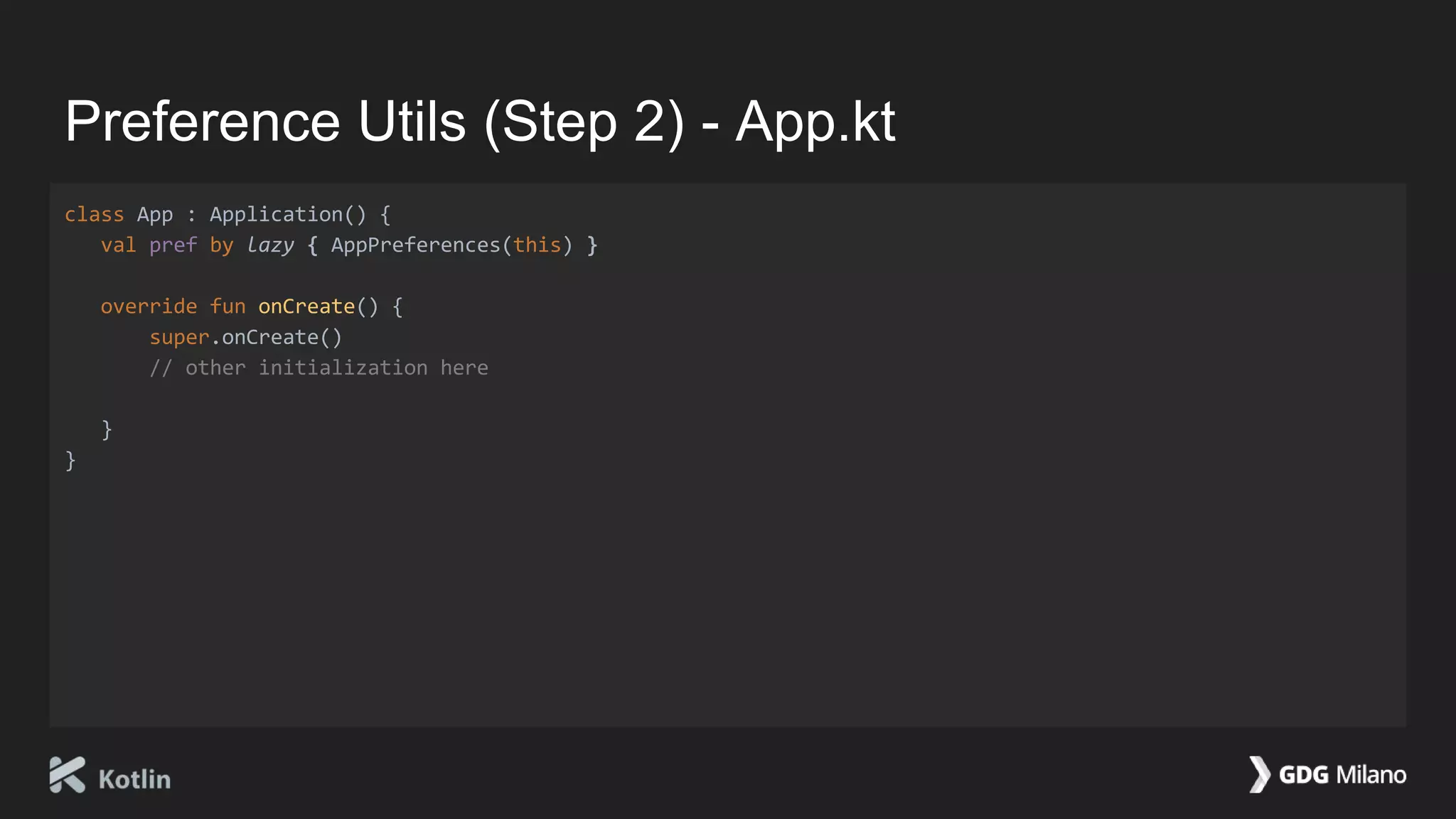
Preference Utils (Step 2) - App.kt
class App : Application() {
val pref by lazy { AppPreferences(this) }
override fun onCreate() {
super.onCreate()
// other initialization here
}
}
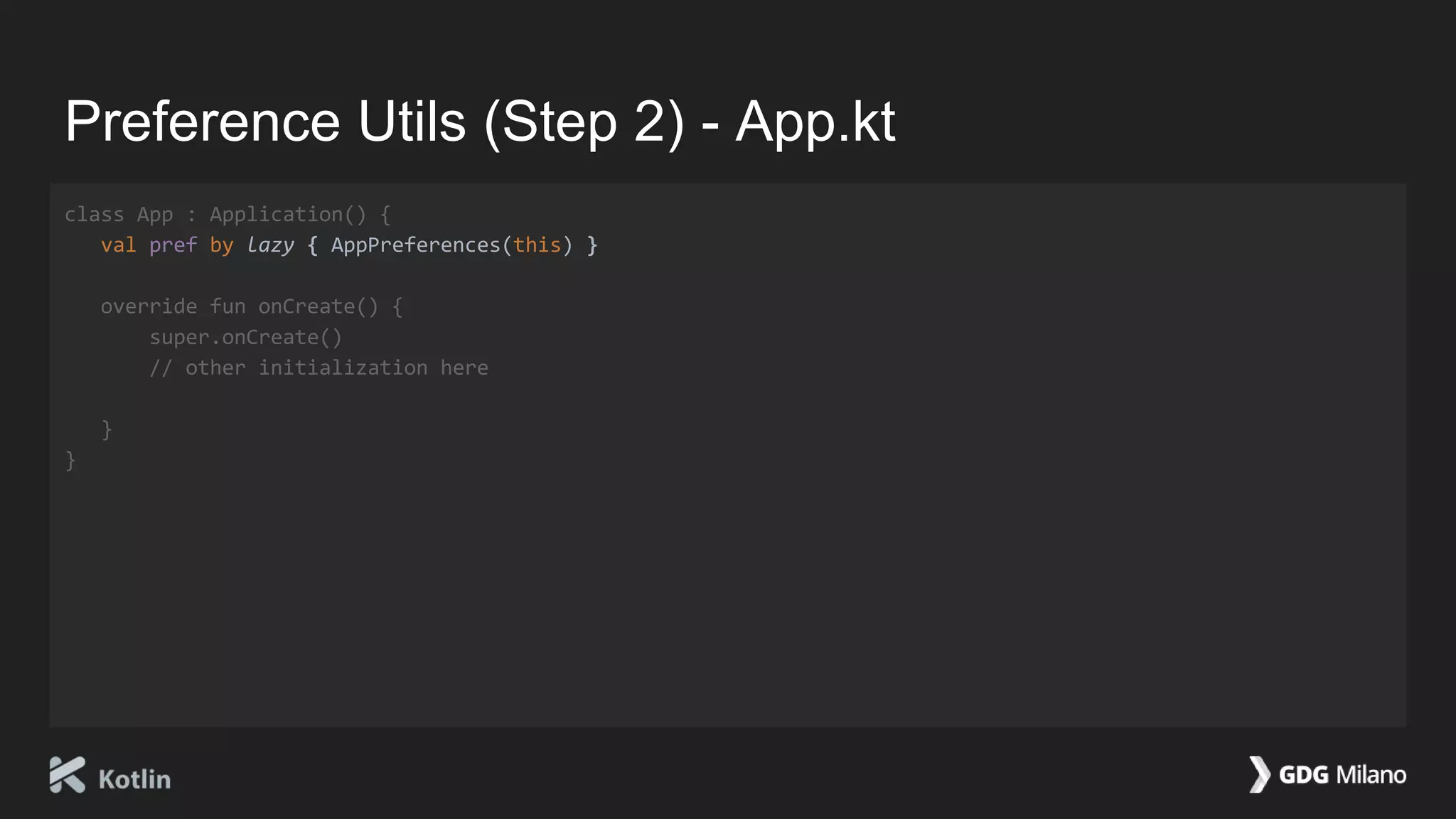
Preference Utils (Step 2) - App.kt
class App : Application() {
val pref by lazy { AppPreferences(this) }
override fun onCreate() {
super.onCreate()
// other initialization here
}
}
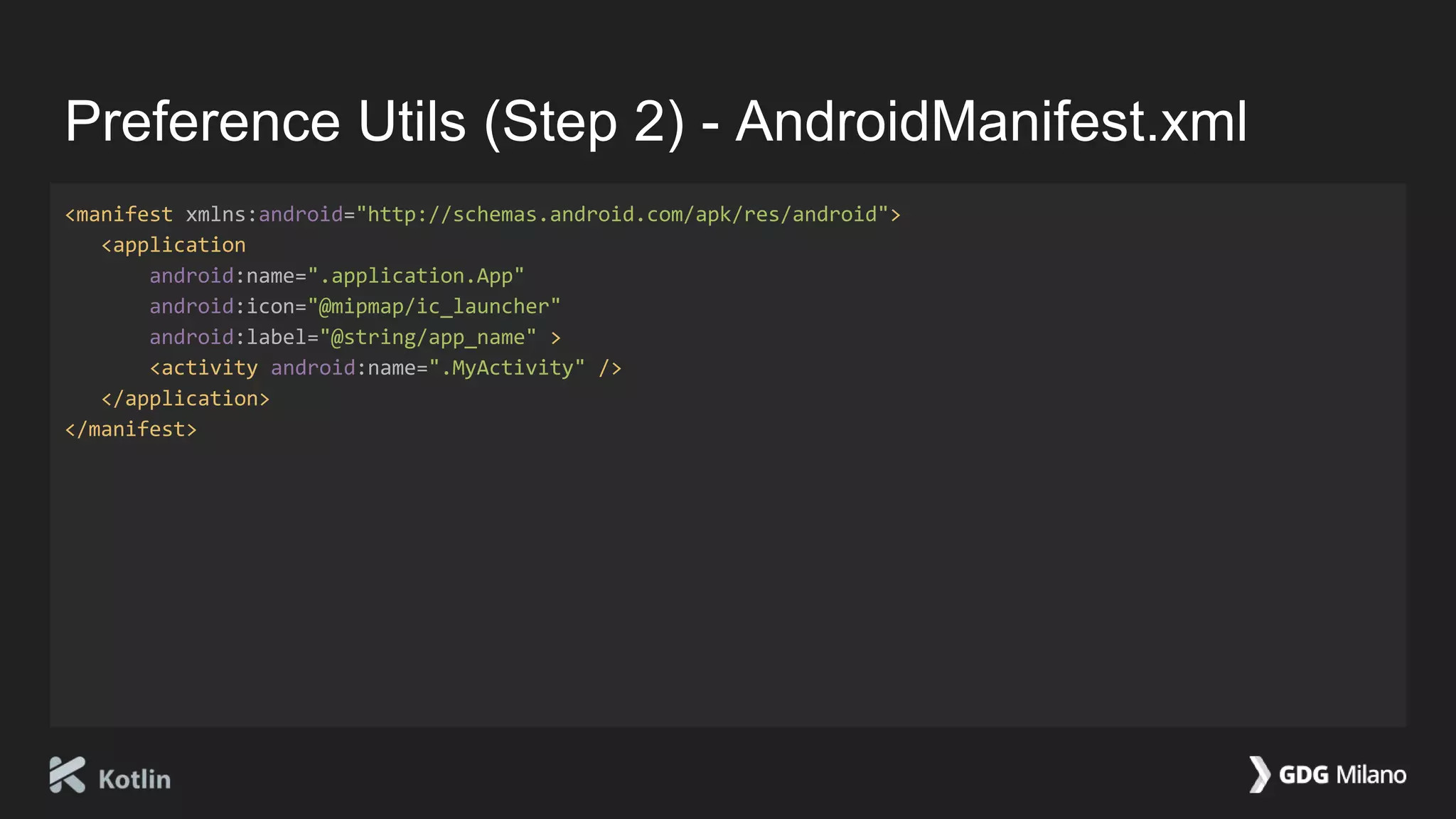
Preference Utils (Step 2) - AndroidManifest.xml
<manifest xmlns:android="http://schemas.android.com/apk/res/android">
<application
android:name=".application.App"
android:icon="@mipmap/ic_launcher"
android:label="@string/app_name" >
<activity android:name=".MyActivity" />
</application>
</manifest>
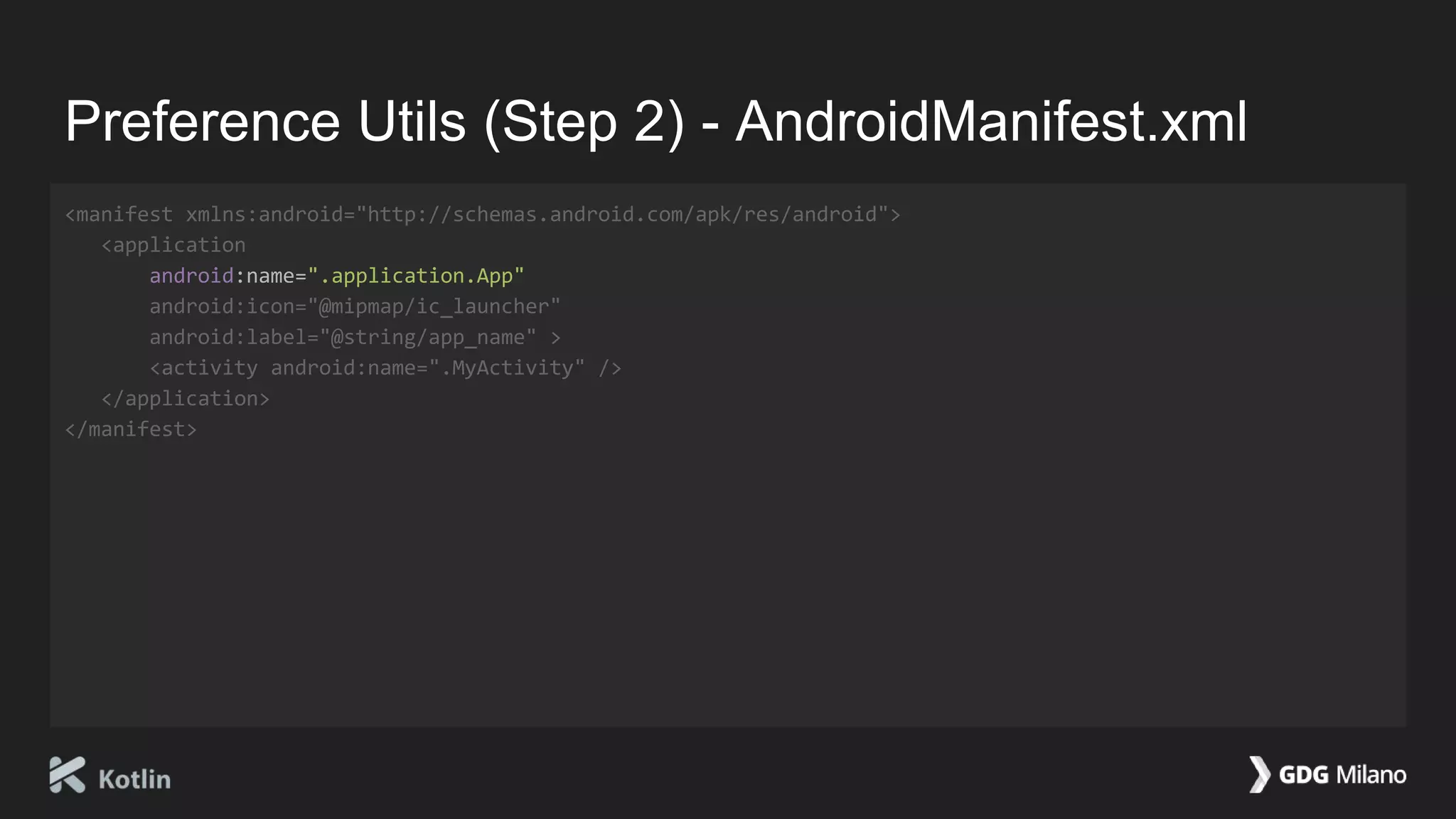
Preference Utils (Step 2) - AndroidManifest.xml
<manifest xmlns:android="http://schemas.android.com/apk/res/android">
<application
android:name=".application.App"
android:icon="@mipmap/ic_launcher"
android:label="@string/app_name" >
<activity android:name=".MyActivity" />
</application>
</manifest>
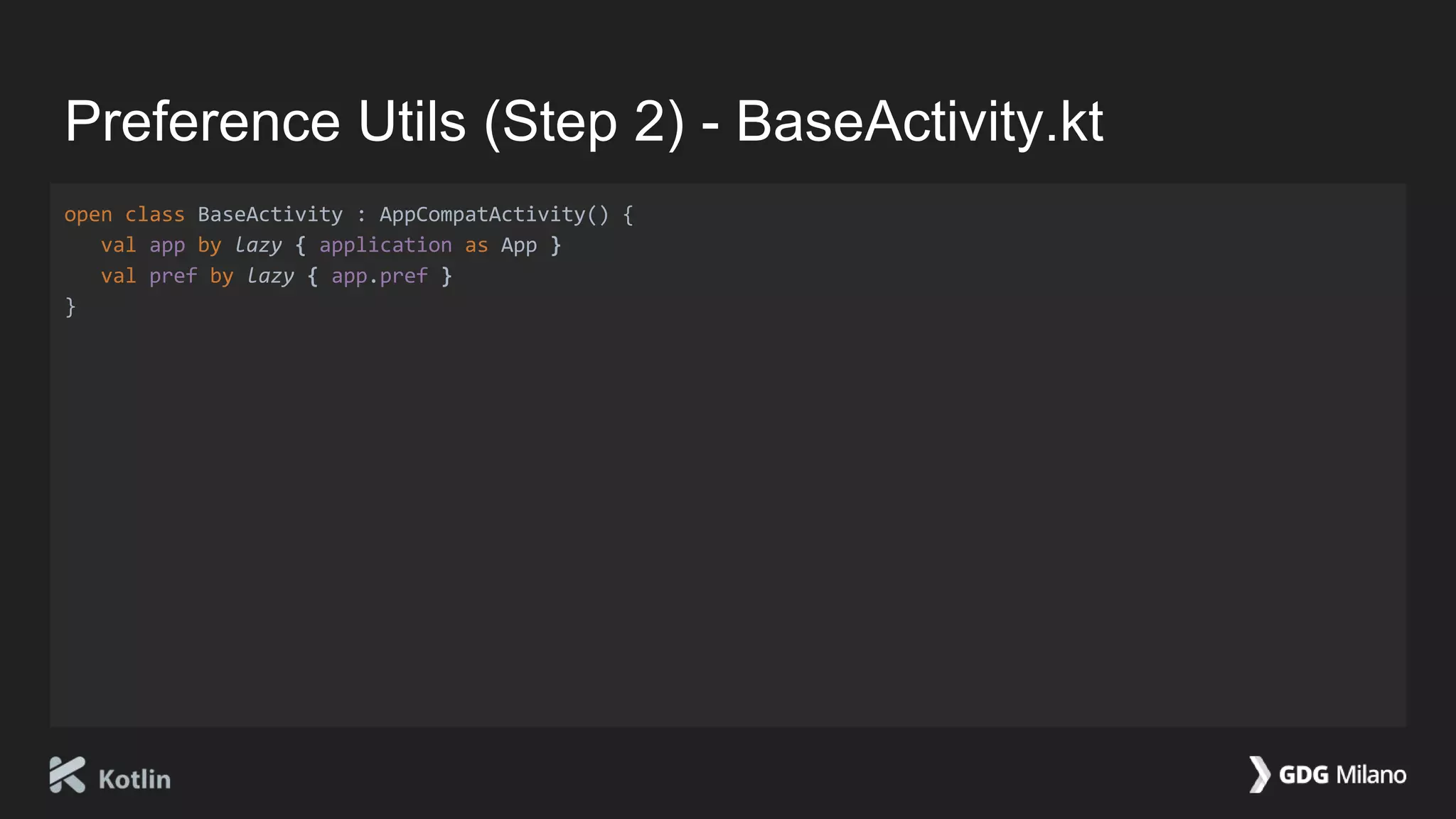
Preference Utils (Step 2) - BaseActivity.kt
open class BaseActivity : AppCompatActivity() {
val app by lazy { application as App }
val pref by lazy { app.pref }
}
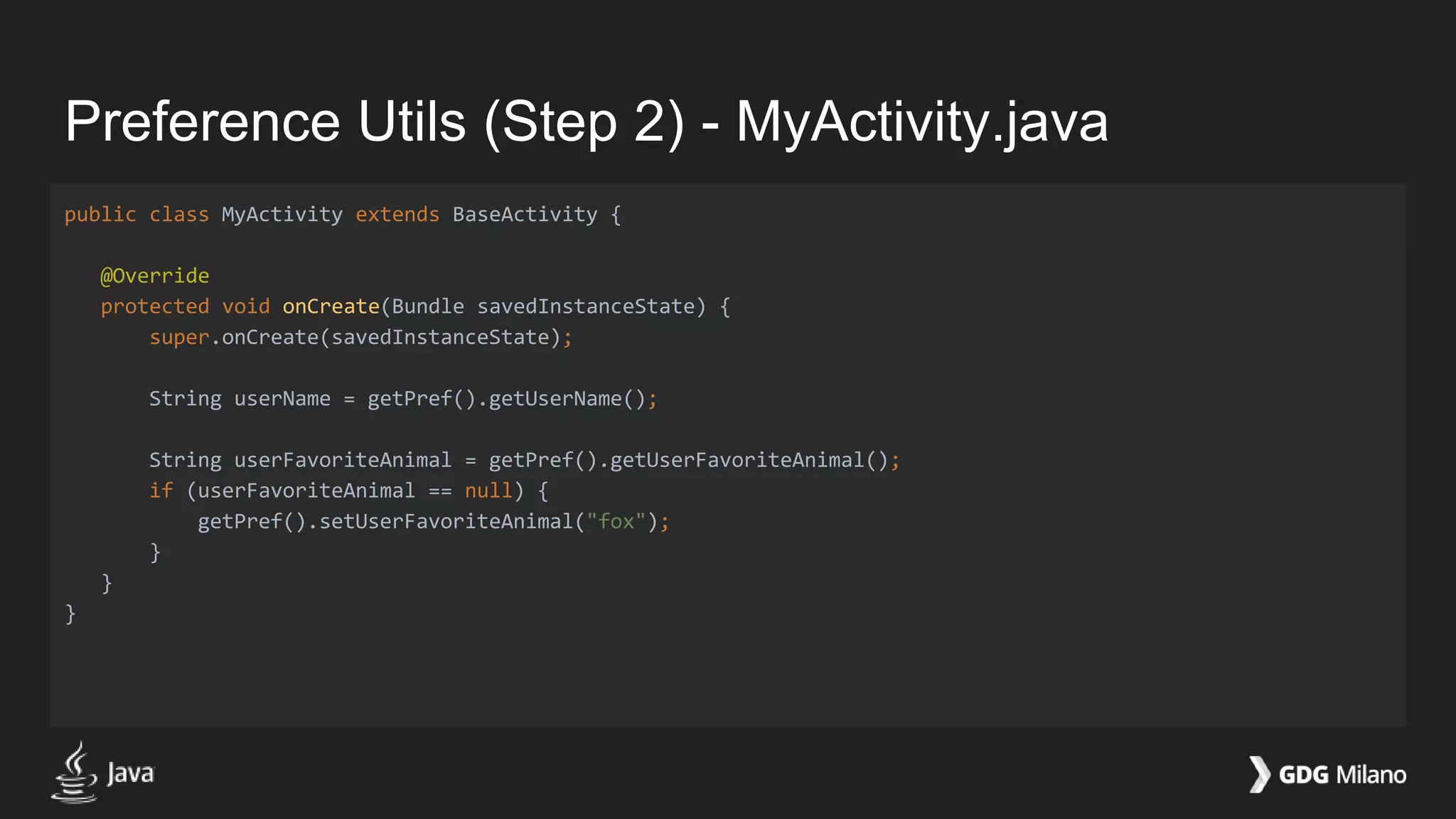
Preference Utils (Step 2) - MyActivity.java
public class MyActivity extends BaseActivity {
@Override
protected void onCreate(Bundle savedInstanceState) {
super.onCreate(savedInstanceState);
String userName = getPref().getUserName();
String userFavoriteAnimal = getPref().getUserFavoriteAnimal();
if (userFavoriteAnimal == null) {
getPref().setUserFavoriteAnimal("fox");
}
}
}
Preference Utils (Step 3)
Boost your Android app!
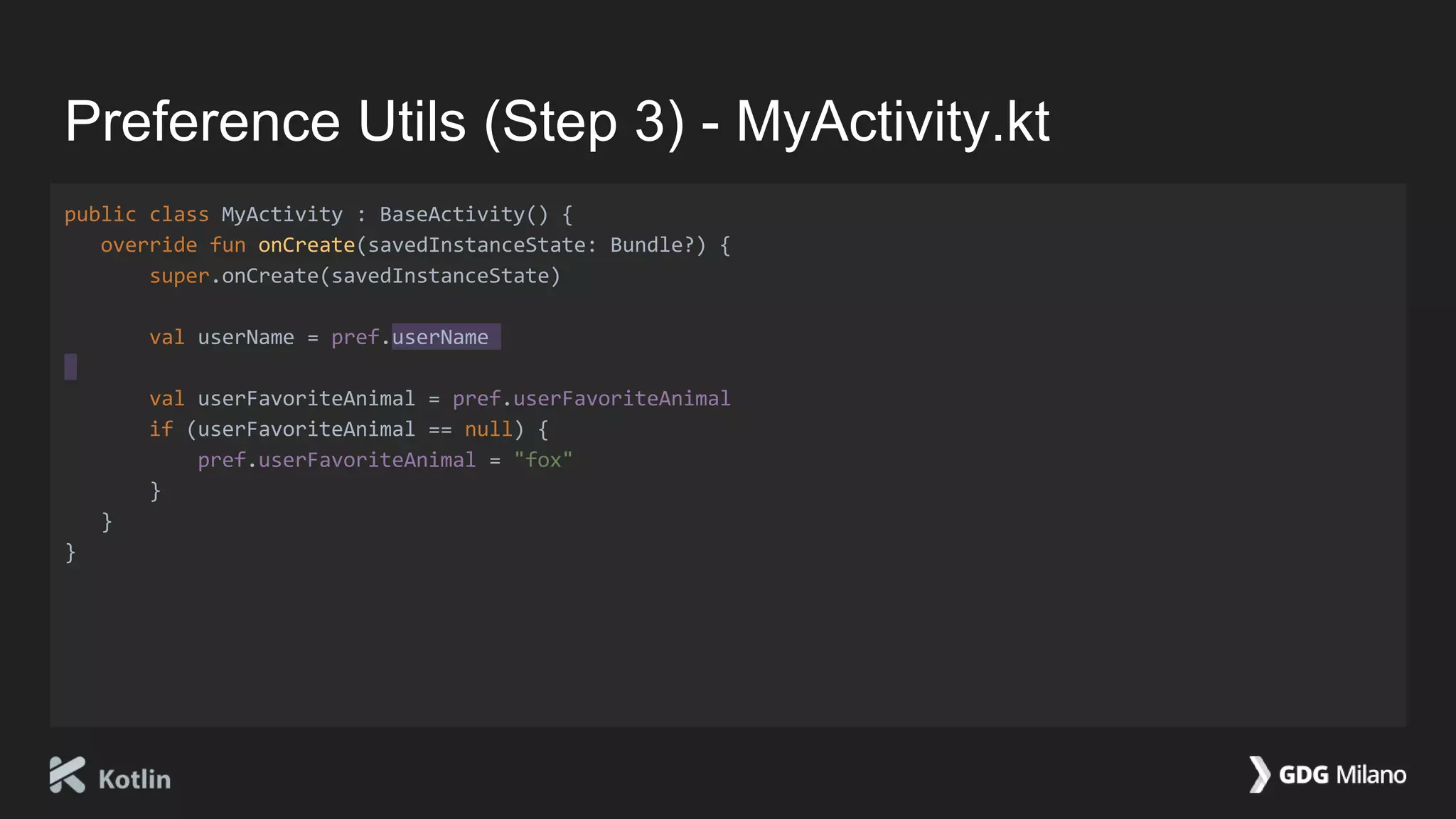
Preference Utils (Step 3) - MyActivity.kt
public class MyActivity : BaseActivity() {
override fun onCreate(savedInstanceState: Bundle?) {
super.onCreate(savedInstanceState)
val userName = pref.userName
val userFavoriteAnimal = pref.userFavoriteAnimal
if (userFavoriteAnimal == null) {
pref.userFavoriteAnimal = "fox"
}
}
}
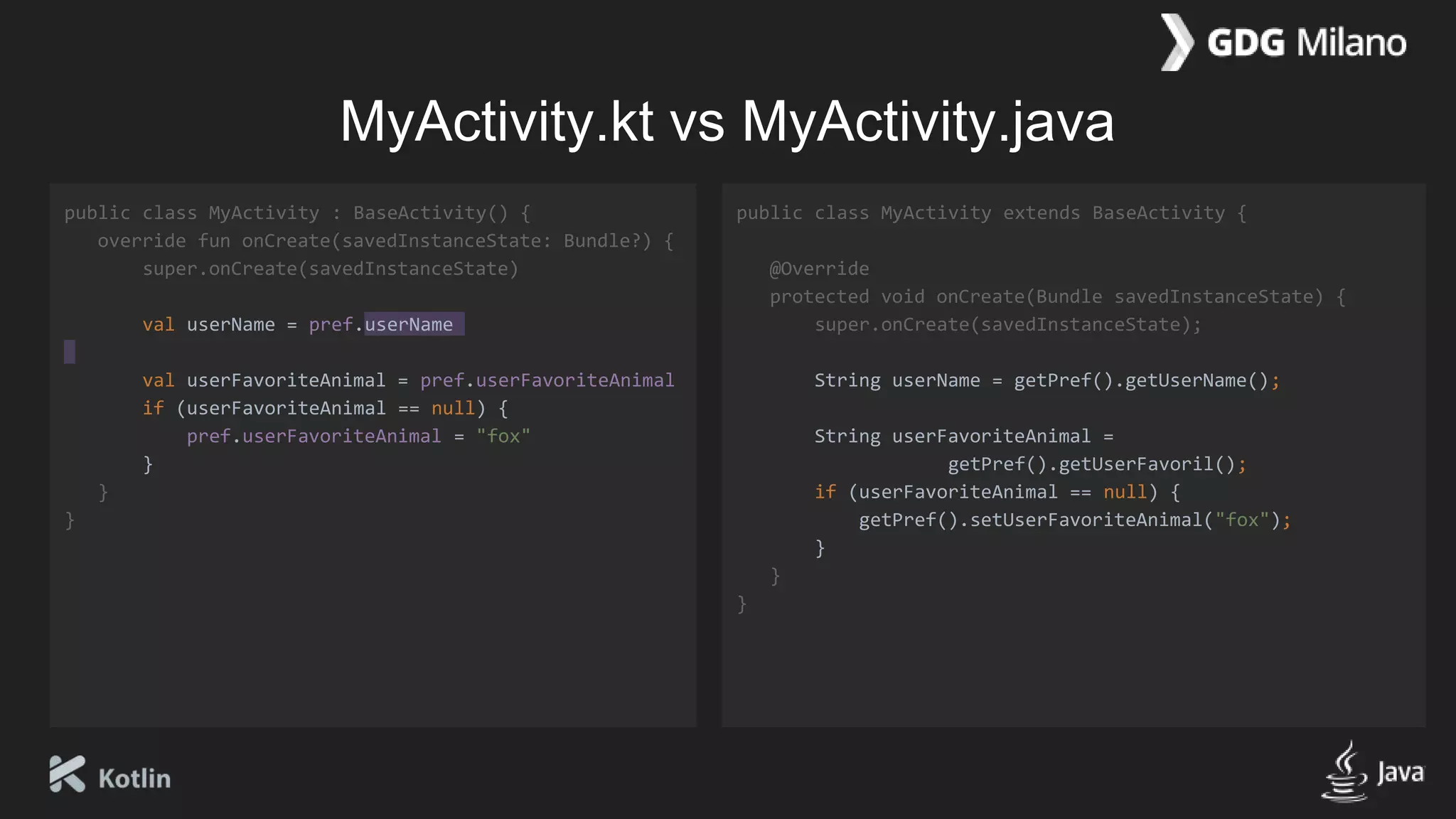
MyActivity.kt vs MyActivity.java
public class MyActivity : BaseActivity() {
override fun onCreate(savedInstanceState: Bundle?) {
super.onCreate(savedInstanceState)
val userName = pref.userName
val userFavoriteAnimal = pref.userFavoriteAnimal
if (userFavoriteAnimal == null) {
pref.userFavoriteAnimal = "fox"
}
}
}
public class MyActivity extends BaseActivity {
@Override
protected void onCreate(Bundle savedInstanceState) {
super.onCreate(savedInstanceState);
String userName = getPref().getUserName();
String userFavoriteAnimal =
getPref().getUserFavoril();
if (userFavoriteAnimal == null) {
getPref().setUserFavoriteAnimal("fox");
}
}
}
Play with
animations!
Material Design: Animation
Meaningful transitions
Hierarchical timing
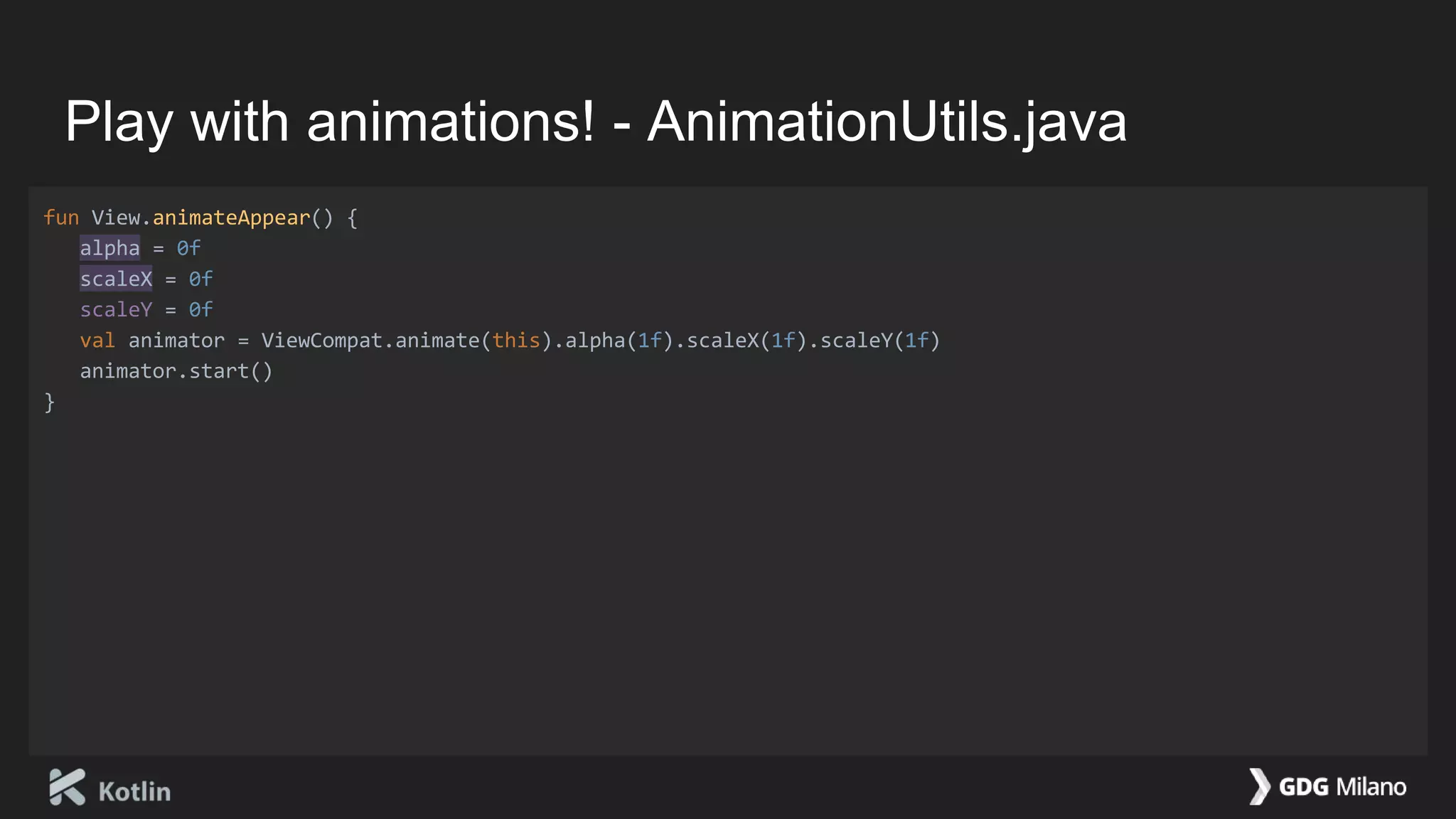
Play with animations! - AnimationUtils.java
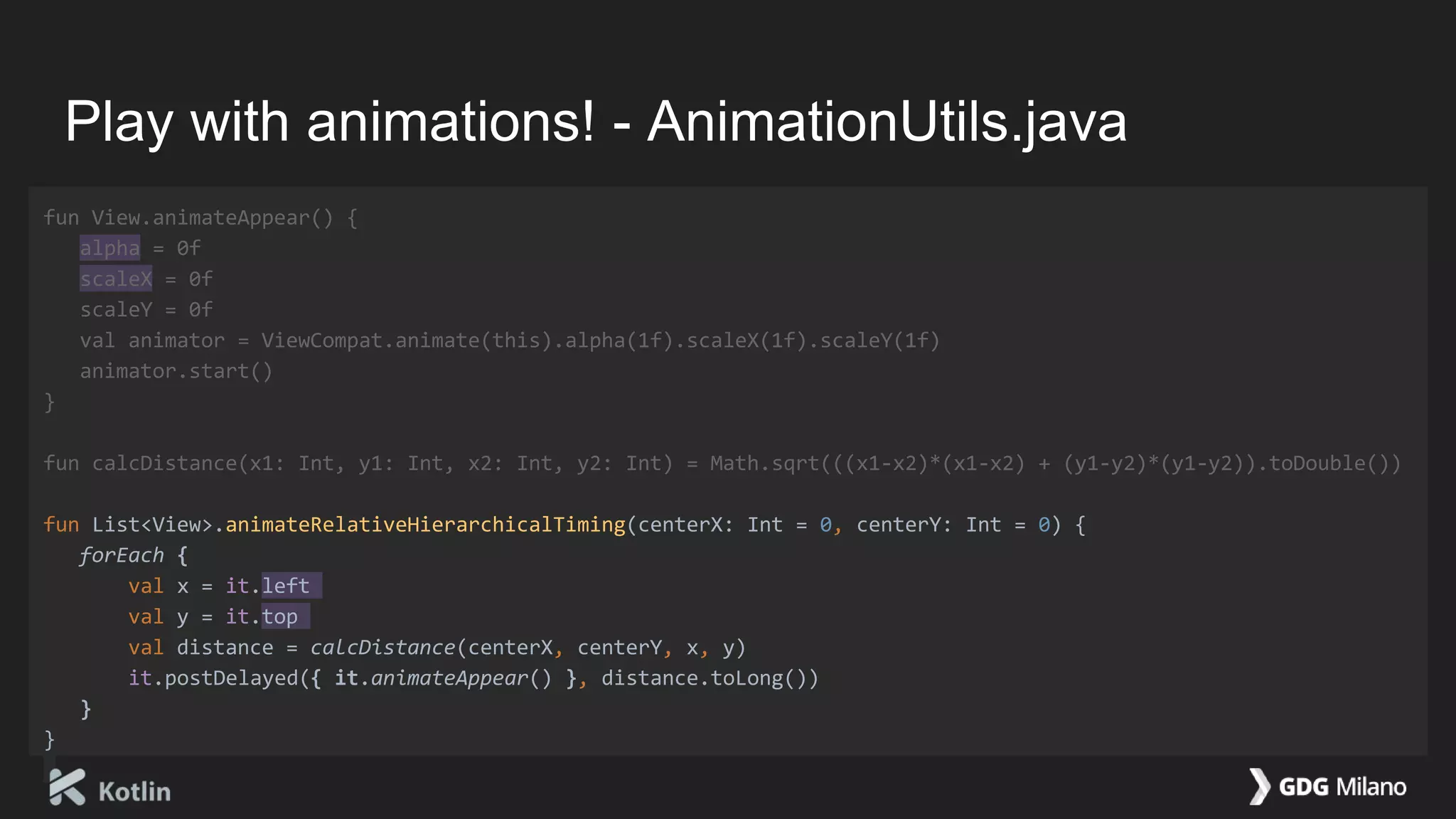
fun View.animateAppear() {
alpha = 0f
scaleX = 0f
scaleY = 0f
val animator = ViewCompat.animate(this).alpha(1f).scaleX(1f).scaleY(1f)
animator.start()
}
Play with animations! - AnimationUtils.java
fun View.animateAppear() {
alpha = 0f
scaleX = 0f
scaleY = 0f
val animator = ViewCompat.animate(this).alpha(1f).scaleX(1f).scaleY(1f)
animator.start()
}
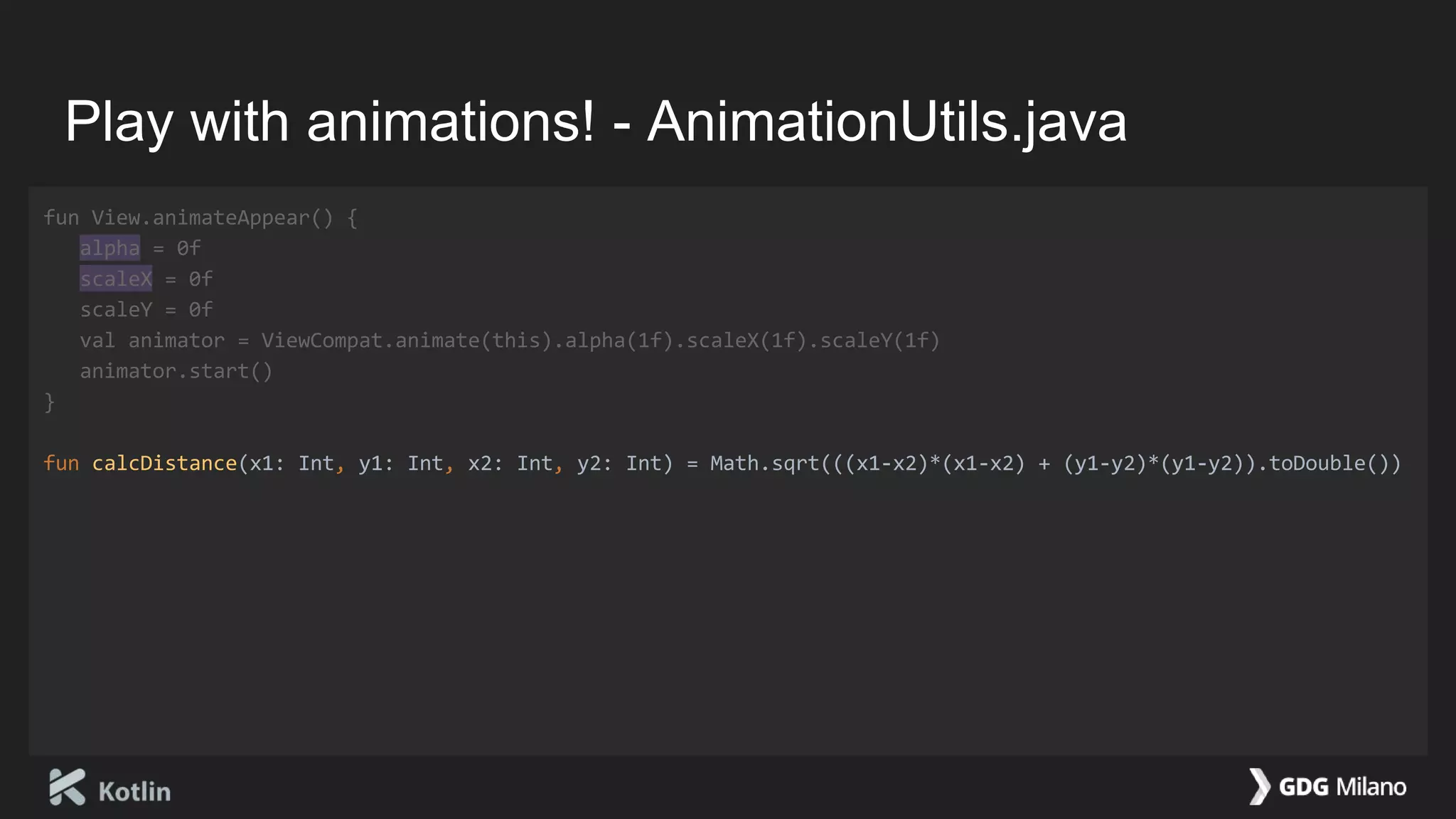
fun calcDistance(x1: Int, y1: Int, x2: Int, y2: Int) = Math.sqrt(((x1-x2)*(x1-x2) + (y1-y2)*(y1-y2)).toDouble())
Play with animations! - AnimationUtils.java
fun View.animateAppear() {
alpha = 0f
scaleX = 0f
scaleY = 0f
val animator = ViewCompat.animate(this).alpha(1f).scaleX(1f).scaleY(1f)
animator.start()
}
fun calcDistance(x1: Int, y1: Int, x2: Int, y2: Int) = Math.sqrt(((x1-x2)*(x1-x2) + (y1-y2)*(y1-y2)).toDouble())
fun List<View>.animateRelativeHierarchicalTiming(centerX: Int = 0, centerY: Int = 0) {
forEach {
val x = it.left
val y = it.top
val distance = calcDistance(centerX, centerY, x, y)
it.postDelayed({ it.animateAppear() }, distance.toLong())
}
}
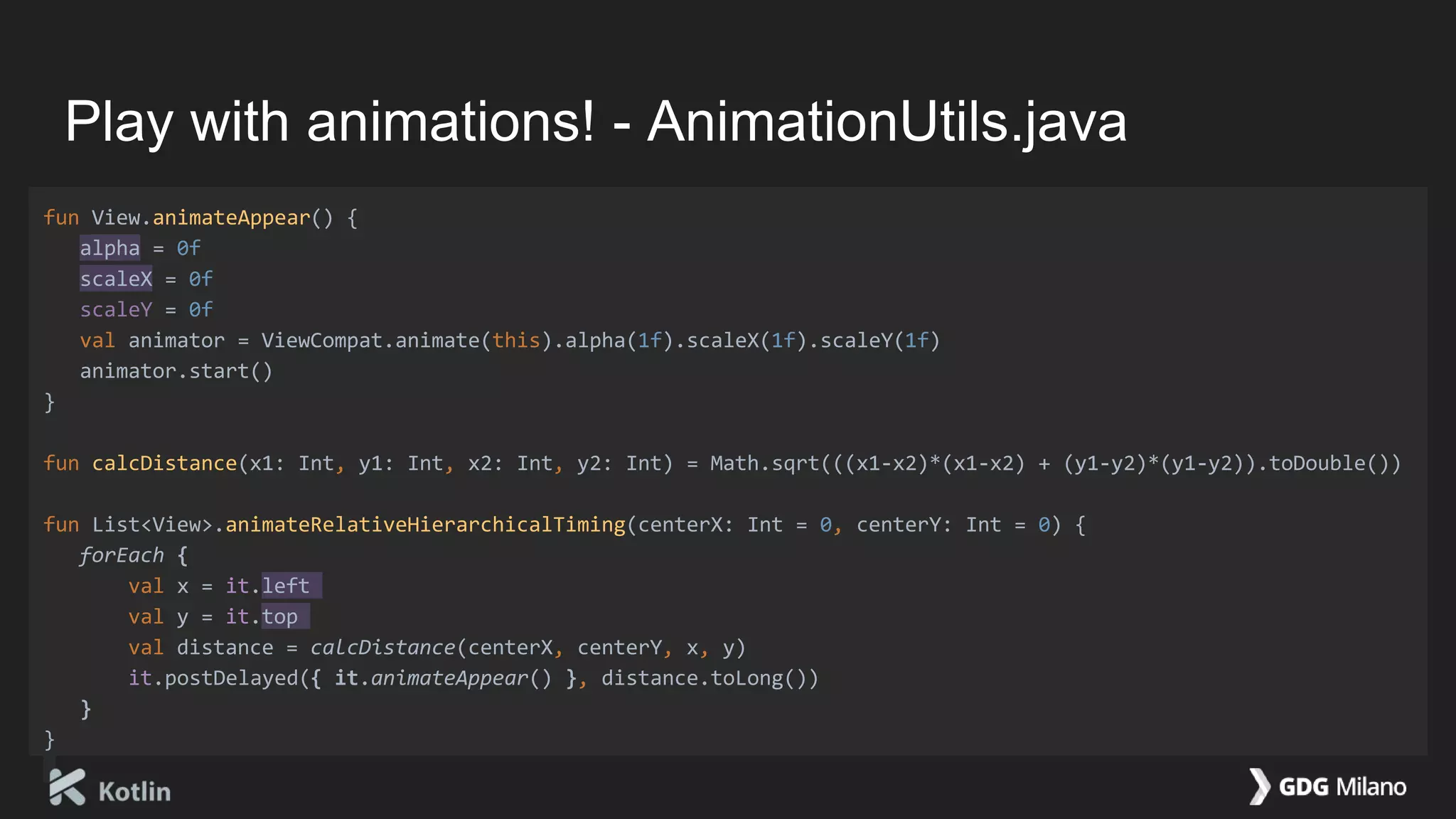
Play with animations! - AnimationUtils.java
fun View.animateAppear() {
alpha = 0f
scaleX = 0f
scaleY = 0f
val animator = ViewCompat.animate(this).alpha(1f).scaleX(1f).scaleY(1f)
animator.start()
}
fun calcDistance(x1: Int, y1: Int, x2: Int, y2: Int) = Math.sqrt(((x1-x2)*(x1-x2) + (y1-y2)*(y1-y2)).toDouble())
fun List<View>.animateRelativeHierarchicalTiming(centerX: Int = 0, centerY: Int = 0) {
forEach {
val x = it.left
val y = it.top
val distance = calcDistance(centerX, centerY, x, y)
it.postDelayed({ it.animateAppear() }, distance.toLong())
}
}
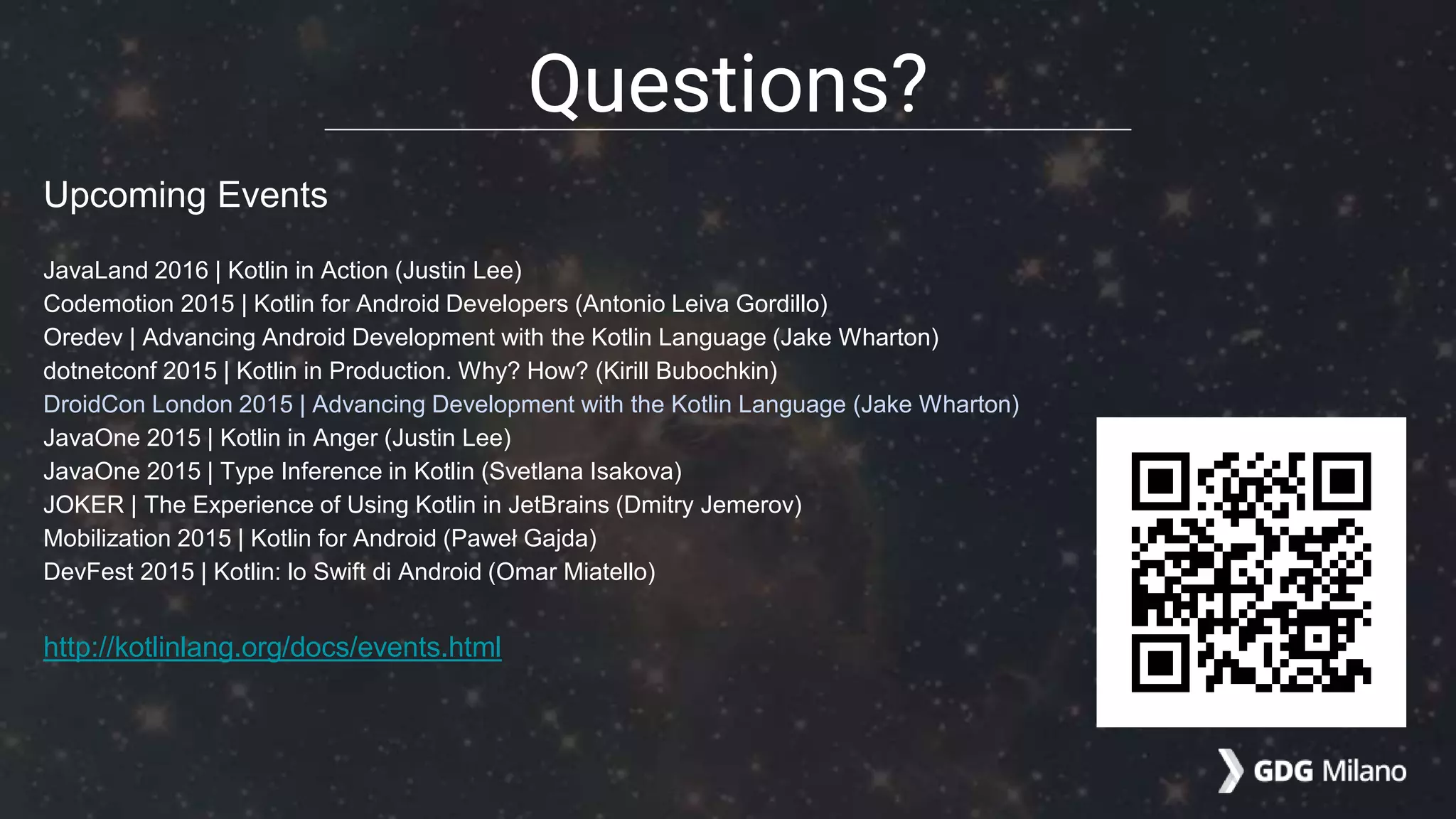
Upcoming Events
JavaLand 2016 | Kotlin in Action (Justin Lee)
Codemotion 2015 | Kotlin for Android Developers (Antonio Leiva Gordillo)
Oredev | Advancing Android Development with the Kotlin Language (Jake Wharton)
dotnetconf 2015 | Kotlin in Production. Why? How? (Kirill Bubochkin)
DroidCon London 2015 | Advancing Development with the Kotlin Language (Jake Wharton)
JavaOne 2015 | Kotlin in Anger (Justin Lee)
JavaOne 2015 | Type Inference in Kotlin (Svetlana Isakova)
JOKER | The Experience of Using Kotlin in JetBrains (Dmitry Jemerov)
Mobilization 2015 | Kotlin for Android (Paweł Gajda)
DevFest 2015 | Kotlin: lo Swift di Android (Omar Miatello)
http://kotlinlang.org/docs/events.html
Questions?
THANKS!
Omar Miatello, Member of GDG Milano (Italy)
Android Developer @ Satispay

Kotlin - lo Swift di Android

  • 1.
    Kotlin lo Swift diAndroid Good News Everyone! 20 oct: Slide v1.1 3 oct: Slide v1.0
  • 2.
    Omar Miatello Member ofGDG Milano (Italy) Android Developer @ Satispay Personal profile google.com/+OmarMiatello Google+ Community: Kotlin for Android goo.gl/mUKF1w Slides goo.gl/7Vhy0s
  • 3.
    What is Kotlin? Staticallytyped programming language for the JVM, Android and the browser. (http://kotlinlang.org/) Why Kotlin? Concise: drastically reduce the amount of boilerplate code you need to write. Safe: avoid entire classes of errors such as null pointer exceptions. Interoperable: leverage existing frameworks and libraries of the JVM with 100% Java Interoperability. and more... http://kotlinlang.org/docs/reference/comparison-to-java.html
  • 4.
    vs public class MyKotlinClass{ val a: Int = 1 } public class MyJavaClass { private final int a = 1; public int getA() { return a; } } #1 Kotlin - Properties: val, var http://kotlinlang.org/docs/reference/properties.html
  • 5.
    public class MyKotlinClass{ val a: Int = 1 var b: Int = 1 } public class MyJavaClass { private final int a = 1; private int b = 1; public int getA() { return a; } public int getB() { return b; } public void setB(int b) { this.b = b; } } #1 Kotlin - Properties: val, var http://kotlinlang.org/docs/reference/properties.html vs
  • 6.
    public class MyKotlinClass{ val a: Int = 1 var b: Int = 1 val c = 1 var d = 1 } public class MyJavaClass { private final int a = 1; private int b = 1; private final int c = 1; private int d = 1; public int getA() { return a; } public int getB() { return b; } public void setB(int b) { this.b = b; } public int getC() { return c; } public int getD() { return d; } public void setD(int d) { this.d = d; } } #1 Kotlin - Properties: val, var http://kotlinlang.org/docs/reference/properties.html vs
  • 7.
    class MyKotlinClass { valname = "Omar" val surname = "Miatello" } class MyJavaClass { final String getName() { return "Omar"; } final String getSurname() { return "Miatello"; } } #2 Kotlin - String templates http://kotlinlang.org/docs/reference/basic-syntax.html#using-string-templates vs
  • 8.
    class MyKotlinClass { valname = "Omar" val surname = "Miatello" val example = "My name is $name $surname" } class MyJavaClass { final String getName() { return "Omar"; } final String getSurname() { return "Miatello"; } final String getExample() { return String.format("My name is %s %s", getName(), getSurname()); } } #2 Kotlin - String templates http://kotlinlang.org/docs/reference/basic-syntax.html#using-string-templates vs
  • 9.
    class MyKotlinClass { valname = "Omar" val surname = "Miatello" val example = "My name is $name $surname" } class MyJavaClass { final String getName() { return "Omar"; } final String getSurname() { return "Miatello"; } final String getExample() { return String.format("My name is %s %s", getName(), getSurname()); } } #2 Kotlin - String templates http://kotlinlang.org/docs/reference/basic-syntax.html#using-string-templates vs
  • 10.
    class MyJavaClass { classMyItem { } MyItem item; } #3 Kotlin - Delegated Properties: lazy (as example) http://kotlinlang.org/docs/reference/delegated-properties.html vs
  • 11.
    class MyJavaClass { classMyItem { } MyItem item; final MyItem getItem() { if (item == null) { item = new MyItem(); } return item; } } #3 Kotlin - Delegated Properties: lazy (as example) http://kotlinlang.org/docs/reference/delegated-properties.html vs
  • 12.
    class MyItem class MyKotlinClass{ val item by lazy { MyItem() } } // Simplified: in Kotlin is synchronized class MyJavaClass { class MyItem { } MyItem item; final MyItem getItem() { if (item == null) { item = new MyItem(); } return item; } } #3 Kotlin - Delegated Properties: lazy (as example) http://kotlinlang.org/docs/reference/delegated-properties.html vs
  • 13.
    class MyUtils { staticvoid example(View myView) { if (myView instanceof ImageView) { } } } #4 Kotlin - Smart Cast http://kotlinlang.org/docs/reference/typecasts.html#smart-casts vs
  • 14.
    class MyUtils { staticvoid example(View myView) { if (myView instanceof ImageView) { ImageView imageView = (ImageView) myView; } } } #4 Kotlin - Smart Cast http://kotlinlang.org/docs/reference/typecasts.html#smart-casts vs
  • 15.
    class MyUtils { staticvoid example(View myView) { if (myView instanceof ImageView) { ImageView imageView = (ImageView) myView; imageView.setImageAlpha(10); } } } #4 Kotlin - Smart Cast http://kotlinlang.org/docs/reference/typecasts.html#smart-casts vs
  • 16.
    class MyUtils { staticvoid example(View myView) { if (myView instanceof ImageView) { ImageView imageView = (ImageView) myView; imageView.setImageAlpha(10); } else if (myView instanceof TextView) { TextView textView = (TextView) myView; textView.setText("Ciao"); } } } #4 Kotlin - Smart Cast http://kotlinlang.org/docs/reference/typecasts.html#smart-casts vs
  • 17.
    fun example1(myView: View){ if (myView is ImageView) { myView.setImageAlpha(10) } else if (myView is TextView) { myView.setText("Ciao") } } class MyUtils { static void example(View myView) { if (myView instanceof ImageView) { ImageView imageView = (ImageView) myView; imageView.setImageAlpha(10); } else if (myView instanceof TextView) { TextView textView = (TextView) myView; textView.setText("Ciao"); } } } #4 Kotlin - Smart Cast http://kotlinlang.org/docs/reference/typecasts.html#smart-casts vs
  • 18.
    fun example1(myView: View){ if (myView is ImageView) { myView.setImageAlpha(10) } else if (myView is TextView) { myView.setText("Ciao") } } fun example2(myView: View) { when (myView) { is ImageView -> myView.imageAlpha = 10 is TextView -> myView.text = "Ciao" } } class MyUtils { static void example(View myView) { if (myView instanceof ImageView) { ImageView imageView = (ImageView) myView; imageView.setImageAlpha(10); } else if (myView instanceof TextView) { TextView textView = (TextView) myView; textView.setText("Ciao"); } } } #4 Kotlin - Smart Cast http://kotlinlang.org/docs/reference/typecasts.html#smart-casts vs NEW EXAMPLE
  • 19.
    class MyActivity :Activity() { fun example() { val view = findViewById(R.id.button) view.setOnClickListener { } } } class MyActivity extends Activity { void example() { View view = findViewById(R.id.button); view.setOnClickListener( ); } } #5 Kotlin - Lambdas http://kotlinlang.org/docs/reference/coding-conventions.html#lambdas vs
  • 20.
    class MyActivity :Activity() { fun example() { val view = findViewById(R.id.button) view.setOnClickListener { Log.d("TAG", "Item clicked!") } } } class MyActivity extends Activity { void example() { View view = findViewById(R.id.button); view.setOnClickListener( new View.OnClickListener() { @Override public void onClick(View v) { Log.d("TAG", "Item clicked!"); } } ); } } #5 Kotlin - Lambdas http://kotlinlang.org/docs/reference/coding-conventions.html#lambdas vs
  • 21.
    class MyActivity :Activity() { fun example() { val view = findViewById(R.id.button) view.setOnClickListener { Log.d("TAG", "Item clicked!") } } } class MyActivity extends Activity { void example() { View view = findViewById(R.id.button); view.setOnClickListener( new View.OnClickListener() { @Override public void onClick(View v) { Log.d("TAG", "Item clicked!"); } } ); } } #5 Kotlin - Lambdas http://kotlinlang.org/docs/reference/coding-conventions.html#lambdas vs
  • 22.
    fun example() { valos = listOf("Android", "iOS", null, "Windows Phone") } class MyUtils { static void example() { List<String> os = Arrays.asList("Android", "iOS", null, "Windows Phone"); } } #6 Kotlin - Using collections http://kotlinlang.org/docs/reference/basic-syntax.html#using-collections vs NEW EXAMPLE
  • 23.
    fun example() { valos = listOf("Android", "iOS", null, "Windows Phone") os.filterNotNull() } class MyUtils { static void example() { List<String> os = Arrays.asList("Android", "iOS", null, "Windows Phone"); List<String> osNotNull = new ArrayList<>(); for (String name : os) { if (name != null) osNotNull.add(name); } } } #6 Kotlin - Using collections http://kotlinlang.org/docs/reference/basic-syntax.html#using-collections vs NEW EXAMPLE
  • 24.
    fun example() { valos = listOf("Android", "iOS", null, "Windows Phone") os.filterNotNull().sortedBy { it.length() } } class MyUtils { static void example() { List<String> os = Arrays.asList("Android", "iOS", null, "Windows Phone"); List<String> osNotNull = new ArrayList<>(); for (String name : os) { if (name != null) osNotNull.add(name); } Collections.sort(osNotNull, new Comparator<String>() { @Override public int compare(String l, String r) { return r.length() - l.length(); } }); } } #6 Kotlin - Using collections http://kotlinlang.org/docs/reference/basic-syntax.html#using-collections vs NEW EXAMPLE
  • 25.
    fun example() { valos = listOf("Android", "iOS", null, "Windows Phone") os.filterNotNull().sortedBy { it.length() } .map { it.toUpperCase() } } class MyUtils { static void example() { List<String> os = Arrays.asList("Android", "iOS", null, "Windows Phone"); List<String> osNotNull = new ArrayList<>(); for (String name : os) { if (name != null) osNotNull.add(name); } Collections.sort(osNotNull, new Comparator<String>() { @Override public int compare(String l, String r) { return l.length() - r.length(); } }); for (String name : osNotNull) { String value = name.toUpperCase(); } } } #6 Kotlin - Using collections http://kotlinlang.org/docs/reference/basic-syntax.html#using-collections vs NEW EXAMPLE
  • 26.
    fun example() { valos = listOf("Android", "iOS", null, "Windows Phone") os.filterNotNull().sortedBy { it.length() } .map { it.toUpperCase() } .forEach { print(it) } } class MyUtils { static void example() { List<String> os = Arrays.asList("Android", "iOS", null, "Windows Phone"); List<String> osNotNull = new ArrayList<>(); for (String name : os) { if (name != null) osNotNull.add(name); } Collections.sort(osNotNull, new Comparator<String>() { @Override public int compare(String l, String r) { return l.length() - r.length(); } }); for (String name : osNotNull) { String value = name.toUpperCase(); print(value); } } } #6 Kotlin - Using collections http://kotlinlang.org/docs/reference/basic-syntax.html#using-collections vs NEW EXAMPLE
  • 27.
    fun String.isBig(): Boolean{ return length() > 10 } #7 Kotlin - Extensions http://kotlinlang.org/docs/reference/extensions.html vs
  • 28.
    fun String.isBig(): Boolean{ return length() > 10 } fun example() { "why?!".isBig() // false! "harder, better, ...".isBig() // true! } #7 Kotlin - Extensions http://kotlinlang.org/docs/reference/extensions.html vs
  • 29.
    fun String.isBig(): Boolean{ return length() > 10 } fun example() { "why?!".isBig() // false! "harder, better, ...".isBig() // true! } // file MyUtils.java class MyUtils { static boolean isBig(String str) { return str.length() > 10; } } // file MyJavaClass.java class MyJavaClass { void example() { MyUtils.isBig("why?!"); MyUtils.isBig("harder, better, ..."); } } #7 Kotlin - Extensions http://kotlinlang.org/docs/reference/extensions.html vs
  • 30.
    fun String.isBig(): Boolean{ return length() > 10 } fun example() { "why?!".isBig() "harder, better, ...".isBig() } // file MyUtils.java class MyUtils { static boolean isBig(String str) { return str.length() > 10; } } // file MyJavaClass.java class MyJavaClass { void example() { MyUtils.isBig("why?!"); MyUtils.isBig("harder, better, ..."); } } #7 Kotlin - Extensions http://kotlinlang.org/docs/reference/extensions.html vs
  • 31.
    class Hero(val power:Int) class Hero { private final int power; public Hero(int power) { this.power = power; } } #8 Kotlin - Infix Notation http://kotlinlang.org/docs/reference/functions.html#infix-notation vs
  • 32.
    class Hero(val power:Int) { fun vs(opponent: Hero): Hero { return if (power > opponent.power) { this } else { opponent } } } #8 Kotlin - Infix Notation http://kotlinlang.org/docs/reference/functions.html#infix-notation vs
  • 33.
    class Hero(val power:Int) { fun vs(opponent: Hero): Hero { return if (power > opponent.power) { this } else { opponent } } } fun example() { val thor = Hero(7) val ironman = Hero(8) val spiderman = Hero(4) } // Skip Java version of Hero class, // we use Kotlin class class MyJavaClass { void example() { Hero thor = new Hero(7); Hero ironman = new Hero(8); Hero spiderman = new Hero(4); } } #8 Kotlin - Infix Notation http://kotlinlang.org/docs/reference/functions.html#infix-notation vs
  • 34.
    class Hero(val power:Int) { fun vs(opponent: Hero): Hero { return if (power > opponent.power) { this } else { opponent } } } fun example() { val thor = Hero(7) val ironman = Hero(8) val spiderman = Hero(4) val theBest = thor vs ironman vs spiderman } // Skip Java version of Hero class, // we use Kotlin class class MyJavaClass { void example() { Hero thor = new Hero(7); Hero ironman = new Hero(8); Hero spiderman = new Hero(4); Hero theBest = thor.vs(ironman).vs(spiderman); } } #8 Kotlin - Infix Notation http://kotlinlang.org/docs/reference/functions.html#infix-notation vs
  • 35.
    class Hero(val power:Int) { fun vs(opponent: Hero): Hero { return if (power > opponent.power) { this } else { opponent } } } fun example() { val thor = Hero(7) val ironman = Hero(8) val spiderman = Hero(4) val theBest = thor vs ironman vs spiderman } // Skip Java version of Hero class, // we use Kotlin class class MyJavaClass { void example() { Hero thor = new Hero(7); Hero ironman = new Hero(8); Hero spiderman = new Hero(4); Hero theBest = thor.vs(ironman).vs(spiderman); } } #8 Kotlin - Infix Notation http://kotlinlang.org/docs/reference/functions.html#infix-notation vs
  • 36.
    class Male(val eyes:String) class Female(val hair: String) class Male { private String eyes; public Male(String eyes) { this.eyes = eyes; } } class Female { private String hair; public Female(String hair) { this.hair = hair; } } #9 Kotlin - Operator Overloading http://kotlinlang.org/docs/reference/operator-overloading.html vs
  • 37.
    class Male(val eyes:String) class Female(val hair: String) class Baby(val eyes: String, val hair: String) // Skip Java version of Male, Female and Baby // class, there is not enough space! #9 Kotlin - Operator Overloading http://kotlinlang.org/docs/reference/operator-overloading.html vs
  • 38.
    class Male(val eyes:String) { fun plus(her: Female): Baby { return Baby(this.eyes, her.hair) } } class Female(val hair: String) class Baby(val eyes: String, val hair: String) // Skip Java version of Male, Female and Baby // class, there is not enough space! #9 Kotlin - Operator Overloading http://kotlinlang.org/docs/reference/operator-overloading.html vs
  • 39.
    class Male(val eyes:String) { fun plus(her: Female): Baby { return Baby(this.eyes, her.hair) } } class Female(val hair: String) class Baby(val eyes: String, val hair: String) fun example() { val myBaby = Male("green") + Female("blond") } // Skip Java version of Male, Female and Baby // class, there is not enough space! class MyJavaClass { void example() { Baby myBaby = new Male("green").plus( new Female("blond")); } } #9 Kotlin - Operator Overloading http://kotlinlang.org/docs/reference/operator-overloading.html vs
  • 40.
    class Male(val eyes:String) { fun plus(her: Female): Baby { return Baby(this.eyes, her.hair) } } class Female(val hair: String) class Baby(val eyes: String, val hair: String) fun example() { val myBaby = Male("green") + Female("blond") } // Skip Java version of Male, Female and Baby // class, there is not enough space! class MyJavaClass { void example() { Baby myBaby = new Male("green").plus(new Female("blond")); } } #9 Kotlin - Operator Overloading http://kotlinlang.org/docs/reference/operator-overloading.html vs
  • 41.
    class MyKotlinClass { vala: String = "ciao" val b: String = null // Error at compile time } #10 Kotlin - Null Safety http://kotlinlang.org/docs/reference/null-safety.html vs
  • 42.
    class MyKotlinClass { vala: String = "ciao" val b: String = null // Error at compile time val c: String? = null val d: String? = "ok" } #10 Kotlin - Null Safety http://kotlinlang.org/docs/reference/null-safety.html vs
  • 43.
    class MyKotlinClass { vala: String = "ciao" val b: String = null // Error at compile time val c: String? = null val d: String? = "ok" fun example(e: String, f: String?) { e.length() f.length() // Error at compile time } } static class MyUtils { void example(String e, String f) { e.length(); // throw NullPointerException? f.length(); // throw NullPointerException? } } #10 Kotlin - Null Safety http://kotlinlang.org/docs/reference/null-safety.html vs
  • 44.
    class MyKotlinClass { vala: String = "ciao" val b: String = null // Error at compile time val c: String? = null val d: String? = "ok" fun example(e: String, f: String?) { e.length() f.length() // Error at compile time f?.length() } } static class MyUtils { void example(String e, String f) { e.length(); // throw NullPointerException? f.length(); // throw NullPointerException? } } #10 Kotlin - Null Safety http://kotlinlang.org/docs/reference/null-safety.html vs
  • 45.
    class MyKotlinClass { vala: String = "ciao" val b: String = null // Error at compile time val c: String? = null val d: String? = "ok" fun example(e: String, f: String?) { e.length() f.length() // Error at compile time f?.length() if (f != null) { f.length() } } } static class MyUtils { void example(String e, String f) { e.length(); // throw NullPointerException? f.length(); // throw NullPointerException? if (e != null) { e.length(); } if (f != null) { e.length(); } } } #10 Kotlin - Null Safety http://kotlinlang.org/docs/reference/null-safety.html vs
  • 46.
    val map =mapOf( "dog" to "woof", "cat" to "meow", "bird" to "tweet", "mouse" to "squeek") fun sound(animal: String): String? { return map.get(animal) } class MyUtils { static Map<String, String> map = // ... static String sound(String animal) { return map.get(animal); } } #11 Kotlin - Elvis Operator http://kotlinlang.org/docs/reference/idioms.html#if-not-null-and-else-shorthand vs
  • 47.
    val map =mapOf( "dog" to "woof", "cat" to "meow", "bird" to "tweet", "mouse" to "squeek") fun sound(animal: String): String? { return map.get(animal) } fun example() { val foxSay = sound("fox") ?: "No one knows" } class MyUtils { static Map<String, String> map = // ... static String sound(String animal) { return map.get(animal); } static void example() { String s = sound("fox"); String foxSay = s != null ? s : "No one knows"; } } #11 Kotlin - Elvis Operator http://kotlinlang.org/docs/reference/idioms.html#if-not-null-and-else-shorthand vs
  • 48.
    val map =mapOf( "dog" to "woof", "cat" to "meow", "bird" to "tweet", "mouse" to "squeek") fun sound(animal: String): String? { return map.get(animal) } fun example() { val foxSay = sound("fox") ?: "No one knows" } class MyUtils { static Map<String, String> map = // ... static String sound(String animal) { return map.get(animal); } static void example() { String s = sound("fox"); String foxSay = s != null ? s : "No one knows"; } } #11 Kotlin - Elvis Operator http://kotlinlang.org/docs/reference/idioms.html#if-not-null-and-else-shorthand vs
  • 49.
    1. Open “Preferences” InstallKotlin in Android Studio
  • 50.
    1. Open “Preferences” 2.Choose “Plugins” and “Install JetBrains plugin…” Install Kotlin in Android Studio
  • 51.
    1. Open “Preferences” 2.Choose “Plugins” and “Install JetBrains plugin…” 3. Install “Kotlin” and “Kotlin Extensions For Android” Install Kotlin in Android Studio
  • 52.
    1. Open “Preferences” 2.Choose “Plugins” and “Install JetBrains plugin…” 3. Install “Kotlin” and “Kotlin Extensions For Android” 4. Restart Android Studio, and open (or create) a project Install Kotlin in Android Studio
  • 53.
    1. Open “Preferences” 2.Choose “Plugins” and “Install JetBrains plugin…” 3. Install “Kotlin” and “Kotlin Extensions For Android” 4. Restart Android Studio, and open (or create) a project 5. Create a new “Kotlin class” Install Kotlin in Android Studio
  • 54.
    1. Open “Preferences” 2.Choose “Plugins” and “Install JetBrains plugin…” 3. Install “Kotlin” and “Kotlin Extensions For Android” 4. Restart Android Studio, and open (or create) a project 5. Create a new “Kotlin class” 6. Choose from menu “Tools” > “Kotlin” > “Configure Kotlin in Project” Install Kotlin in Android Studio
  • 55.
    1. Open “Preferences” 2.Choose “Plugins” and “Install JetBrains plugin…” 3. Install “Kotlin” and “Kotlin Extensions For Android” 4. Restart Android Studio, and open (or create) a project 5. Create a new “Kotlin class” 6. Choose from menu “Tools” > “Kotlin” > “Configure Kotlin in Project” dependencies { // other dependencies ... compile "org.jetbrains.kotlin:kotlin-stdlib:$kotlin_version" } buildscript { ext.kotlin_version = '0.13.1514' repositories { mavenCentral() } dependencies { classpath "org.jetbrains.kotlin:kotlin-gradle-plugin:$kotlin_version" } } repositories { mavenCentral() } Install Kotlin in Android Studio
  • 56.
    Preference Utils (Step1) Write a small utility for Android!
  • 57.
    Preference Utils (Step1) - PreferenceUtils.kt class AppPreferences(private val context: Context) { val preferences: SharedPreferences = PreferenceManager.getDefaultSharedPreferences(context) }
  • 58.
    Preference Utils (Step1) - PreferenceUtils.kt class AppPreferences(private val context: Context) { val preferences: SharedPreferences = PreferenceManager.getDefaultSharedPreferences(context) } object PreferenceDelegates { public fun string(defaultValue: String? = null): ReadWriteProperty<AppPreferences, String?> { return PrefString(defaultValue) } }
  • 59.
    Preference Utils (Step1) - PreferenceUtils.kt class AppPreferences(private val context: Context) { val preferences: SharedPreferences = PreferenceManager.getDefaultSharedPreferences(context) } object PreferenceDelegates { public fun string(defaultValue: String? = null): ReadWriteProperty<AppPreferences, String?> { return PrefString(defaultValue) } } private class PrefString(private val defaultValue: String?) : ReadWriteProperty<AppPreferences, String?> { override fun get(thisRef: AppPreferences, property: PropertyMetadata): String? { return thisRef.preferences.getString(property.name, defaultValue) } override fun set(thisRef: AppPreferences, property: PropertyMetadata, value: String?) { thisRef.preferences.edit().putString(property.name, value).apply() } }
  • 60.
    Preference Utils (Step1) - PreferenceUtils.kt class AppPreferences(private val context: Context) { val preferences: SharedPreferences = PreferenceManager.getDefaultSharedPreferences(context) } object PreferenceDelegates { public fun string(defaultValue: String? = null): ReadWriteProperty<AppPreferences, String?> { return PrefString(defaultValue) } } private class PrefString(private val defaultValue: String?) : ReadWriteProperty<AppPreferences, String?> { override fun get(thisRef: AppPreferences, property: PropertyMetadata): String? { return thisRef.preferences.getString(property.name, defaultValue) } override fun set(thisRef: AppPreferences, property: PropertyMetadata, value: String?) { thisRef.preferences.edit().putString(property.name, value).apply() } }
  • 61.
    Preference Utils (Step1) - PreferenceUtils.kt class AppPreferences(private val context: Context) { val preferences: SharedPreferences = PreferenceManager.getDefaultSharedPreferences(context) } object PreferenceDelegates { public fun string(defaultValue: String? = null): ReadWriteProperty<AppPreferences, String?> { return PrefString(defaultValue) } } private class PrefString(private val defaultValue: String?) : ReadWriteProperty<AppPreferences, String?> { override fun get(thisRef: AppPreferences, property: PropertyMetadata): String? { return thisRef.preferences.getString(property.name, defaultValue) } override fun set(thisRef: AppPreferences, property: PropertyMetadata, value: String?) { thisRef.preferences.edit().putString(property.name, value).apply() } }
  • 62.
    Preference Utils (Step1) - PreferenceUtils.kt class AppPreferences(private val context: Context) { val preferences: SharedPreferences = PreferenceManager.getDefaultSharedPreferences(context) var userName by PreferenceDelegates.string() var userFavoriteAnimal by PreferenceDelegates.string() } // ...
  • 63.
    Preference Utils (Step1) - MyActivity.java public class MyActivity extends AppCompatActivity { private AppPreferences pref; @Override protected void onCreate(Bundle savedInstanceState) { super.onCreate(savedInstanceState); pref = new AppPreferences(this); } }
  • 64.
    Preference Utils (Step1) - MyActivity.java public class MyActivity extends AppCompatActivity { private AppPreferences pref; @Override protected void onCreate(Bundle savedInstanceState) { super.onCreate(savedInstanceState); pref = new AppPreferences(this); String userName = pref.getUserName(); } }
  • 65.
    Preference Utils (Step1) - MyActivity.java public class MyActivity extends AppCompatActivity { private AppPreferences pref; @Override protected void onCreate(Bundle savedInstanceState) { super.onCreate(savedInstanceState); pref = new AppPreferences(this); String userName = pref.getUserName(); String userFavoriteAnimal = pref.getUserFavoriteAnimal(); if (userFavoriteAnimal == null) { pref.setUserFavoriteAnimal("fox"); } } }
  • 66.
    Preference Utils (Step2) Write a small utility for your Android app!
  • 67.
    Preference Utils (Step2) - App.kt class App : Application() { val pref by lazy { AppPreferences(this) } override fun onCreate() { super.onCreate() // other initialization here } }
  • 68.
    Preference Utils (Step2) - App.kt class App : Application() { val pref by lazy { AppPreferences(this) } override fun onCreate() { super.onCreate() // other initialization here } }
  • 69.
    Preference Utils (Step2) - AndroidManifest.xml <manifest xmlns:android="http://schemas.android.com/apk/res/android"> <application android:name=".application.App" android:icon="@mipmap/ic_launcher" android:label="@string/app_name" > <activity android:name=".MyActivity" /> </application> </manifest>
  • 70.
    Preference Utils (Step2) - AndroidManifest.xml <manifest xmlns:android="http://schemas.android.com/apk/res/android"> <application android:name=".application.App" android:icon="@mipmap/ic_launcher" android:label="@string/app_name" > <activity android:name=".MyActivity" /> </application> </manifest>
  • 71.
    Preference Utils (Step2) - BaseActivity.kt open class BaseActivity : AppCompatActivity() { val app by lazy { application as App } val pref by lazy { app.pref } }
  • 72.
    Preference Utils (Step2) - MyActivity.java public class MyActivity extends BaseActivity { @Override protected void onCreate(Bundle savedInstanceState) { super.onCreate(savedInstanceState); String userName = getPref().getUserName(); String userFavoriteAnimal = getPref().getUserFavoriteAnimal(); if (userFavoriteAnimal == null) { getPref().setUserFavoriteAnimal("fox"); } } }
  • 73.
    Preference Utils (Step3) Boost your Android app!
  • 74.
    Preference Utils (Step3) - MyActivity.kt public class MyActivity : BaseActivity() { override fun onCreate(savedInstanceState: Bundle?) { super.onCreate(savedInstanceState) val userName = pref.userName val userFavoriteAnimal = pref.userFavoriteAnimal if (userFavoriteAnimal == null) { pref.userFavoriteAnimal = "fox" } } }
  • 75.
    MyActivity.kt vs MyActivity.java publicclass MyActivity : BaseActivity() { override fun onCreate(savedInstanceState: Bundle?) { super.onCreate(savedInstanceState) val userName = pref.userName val userFavoriteAnimal = pref.userFavoriteAnimal if (userFavoriteAnimal == null) { pref.userFavoriteAnimal = "fox" } } } public class MyActivity extends BaseActivity { @Override protected void onCreate(Bundle savedInstanceState) { super.onCreate(savedInstanceState); String userName = getPref().getUserName(); String userFavoriteAnimal = getPref().getUserFavoril(); if (userFavoriteAnimal == null) { getPref().setUserFavoriteAnimal("fox"); } } }
  • 76.
    Play with animations! Material Design:Animation Meaningful transitions Hierarchical timing
  • 77.
    Play with animations!- AnimationUtils.java fun View.animateAppear() { alpha = 0f scaleX = 0f scaleY = 0f val animator = ViewCompat.animate(this).alpha(1f).scaleX(1f).scaleY(1f) animator.start() }
  • 78.
    Play with animations!- AnimationUtils.java fun View.animateAppear() { alpha = 0f scaleX = 0f scaleY = 0f val animator = ViewCompat.animate(this).alpha(1f).scaleX(1f).scaleY(1f) animator.start() } fun calcDistance(x1: Int, y1: Int, x2: Int, y2: Int) = Math.sqrt(((x1-x2)*(x1-x2) + (y1-y2)*(y1-y2)).toDouble())
  • 79.
    Play with animations!- AnimationUtils.java fun View.animateAppear() { alpha = 0f scaleX = 0f scaleY = 0f val animator = ViewCompat.animate(this).alpha(1f).scaleX(1f).scaleY(1f) animator.start() } fun calcDistance(x1: Int, y1: Int, x2: Int, y2: Int) = Math.sqrt(((x1-x2)*(x1-x2) + (y1-y2)*(y1-y2)).toDouble()) fun List<View>.animateRelativeHierarchicalTiming(centerX: Int = 0, centerY: Int = 0) { forEach { val x = it.left val y = it.top val distance = calcDistance(centerX, centerY, x, y) it.postDelayed({ it.animateAppear() }, distance.toLong()) } }
  • 80.
    Play with animations!- AnimationUtils.java fun View.animateAppear() { alpha = 0f scaleX = 0f scaleY = 0f val animator = ViewCompat.animate(this).alpha(1f).scaleX(1f).scaleY(1f) animator.start() } fun calcDistance(x1: Int, y1: Int, x2: Int, y2: Int) = Math.sqrt(((x1-x2)*(x1-x2) + (y1-y2)*(y1-y2)).toDouble()) fun List<View>.animateRelativeHierarchicalTiming(centerX: Int = 0, centerY: Int = 0) { forEach { val x = it.left val y = it.top val distance = calcDistance(centerX, centerY, x, y) it.postDelayed({ it.animateAppear() }, distance.toLong()) } }
  • 81.
    Upcoming Events JavaLand 2016| Kotlin in Action (Justin Lee) Codemotion 2015 | Kotlin for Android Developers (Antonio Leiva Gordillo) Oredev | Advancing Android Development with the Kotlin Language (Jake Wharton) dotnetconf 2015 | Kotlin in Production. Why? How? (Kirill Bubochkin) DroidCon London 2015 | Advancing Development with the Kotlin Language (Jake Wharton) JavaOne 2015 | Kotlin in Anger (Justin Lee) JavaOne 2015 | Type Inference in Kotlin (Svetlana Isakova) JOKER | The Experience of Using Kotlin in JetBrains (Dmitry Jemerov) Mobilization 2015 | Kotlin for Android (Paweł Gajda) DevFest 2015 | Kotlin: lo Swift di Android (Omar Miatello) http://kotlinlang.org/docs/events.html Questions?
  • 82.
    THANKS! Omar Miatello, Memberof GDG Milano (Italy) Android Developer @ Satispay