WWW.qtptesting.com
          Keyword Driven Testing Frame Work Using the
                   Select … Case Statement


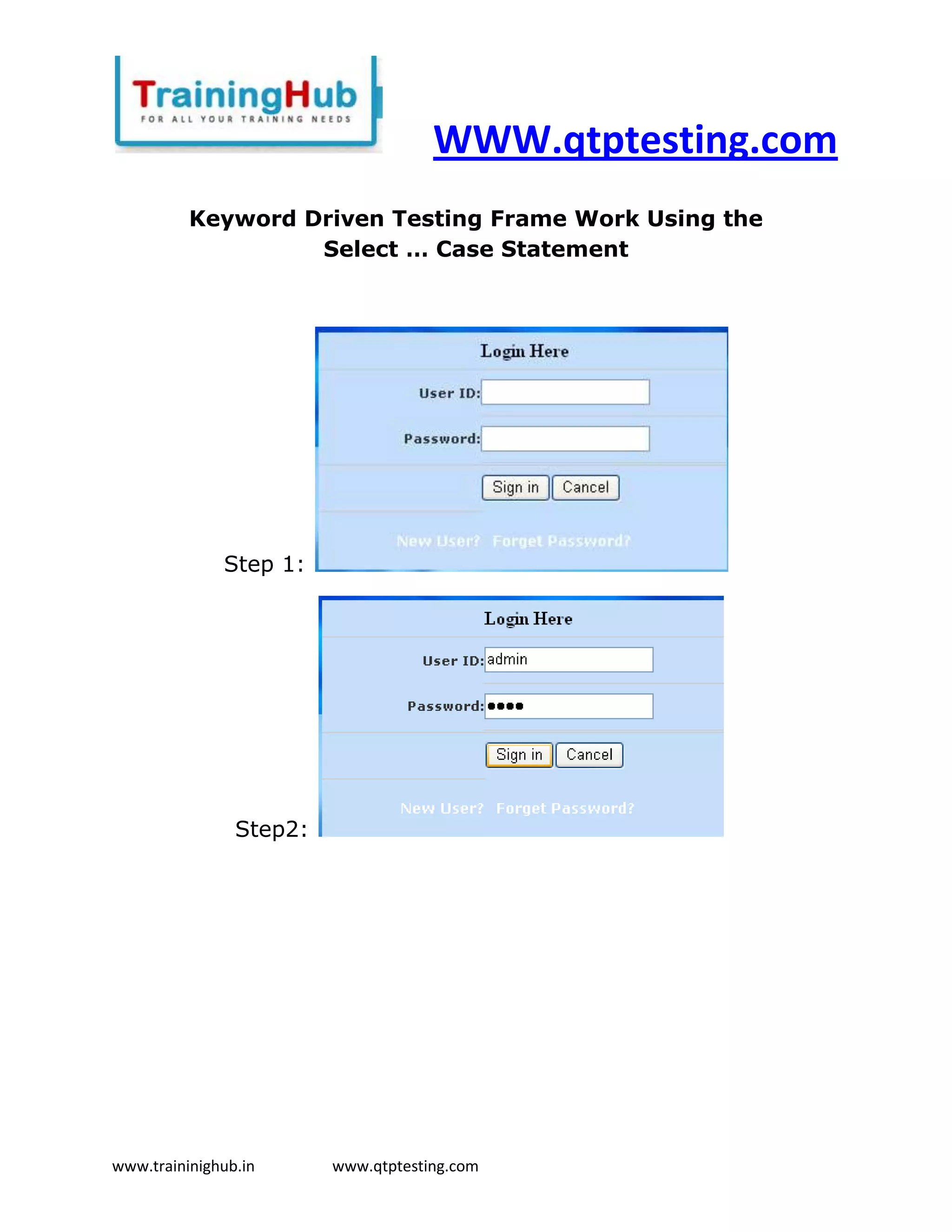
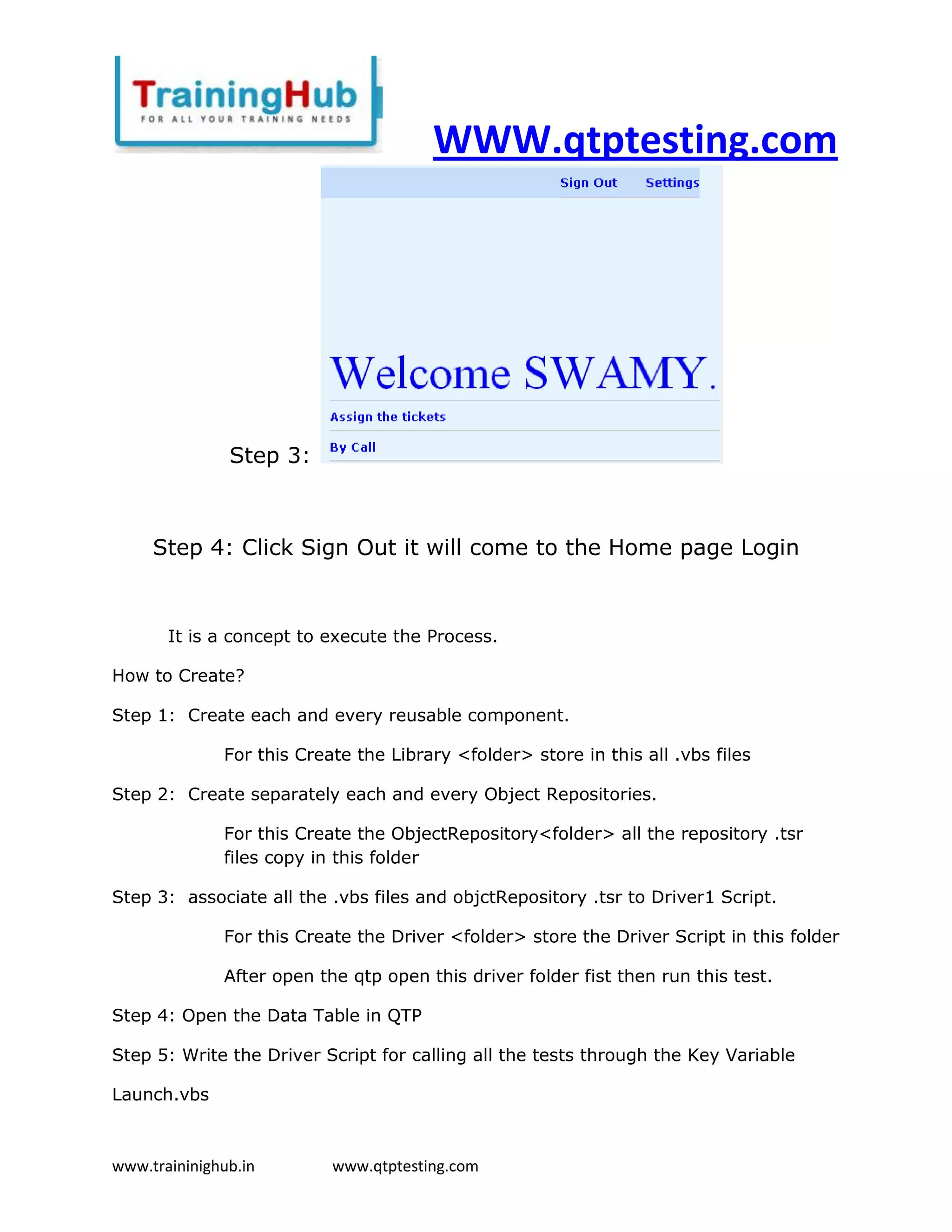
              Step 1:


                Step2:


www.traininighub.in      www.qtptesting.com
WWW.qtptesting.com


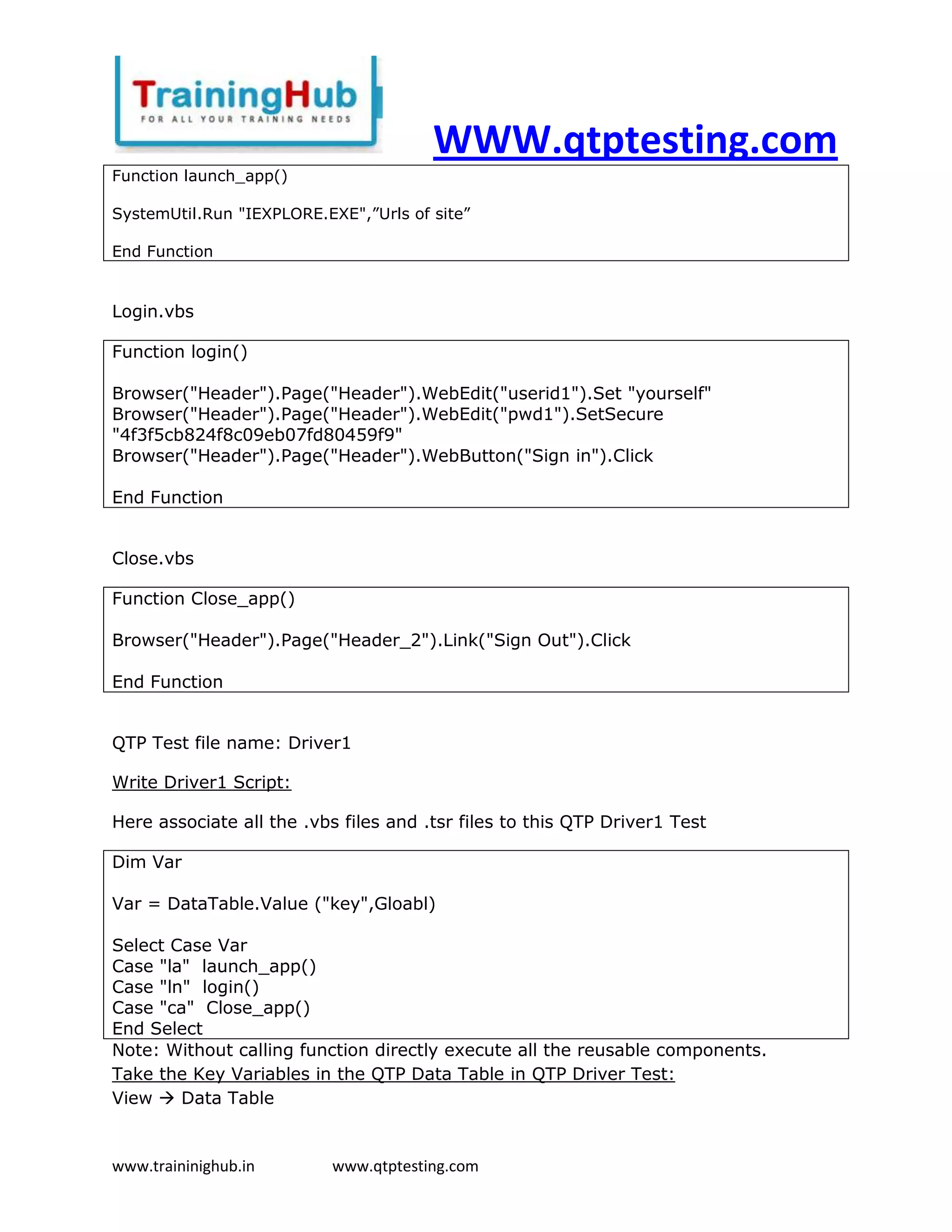
               Step 3:


     Step 4: Click Sign Out it will come to the Home page Login


       It is a concept to execute the Process.

How to Create?

Step 1: Create each and every reusable component.

              For this Create the Library <folder> store in this all .vbs files

Step 2: Create separately each and every Object Repositories.

              For this Create the ObjectRepository<folder> all the repository .tsr
              files copy in this folder

Step 3: associate all the .vbs files and objctRepository .tsr to Driver1 Script.

              For this Create the Driver <folder> store the Driver Script in this folder

              After open the qtp open this driver folder fist then run this test.

Step 4: Open the Data Table in QTP

Step 5: Write the Driver Script for calling all the tests through the Key Variable

Launch.vbs


www.traininighub.in        www.qtptesting.com
WWW.qtptesting.com
Function launch_app()

SystemUtil.Run "IEXPLORE.EXE",”Urls of site”

End Function


Login.vbs

Function login()

Browser("Header").Page("Header").WebEdit("userid1").Set "yourself"
Browser("Header").Page("Header").WebEdit("pwd1").SetSecure
"4f3f5cb824f8c09eb07fd80459f9"
Browser("Header").Page("Header").WebButton("Sign in").Click

End Function


Close.vbs

Function Close_app()

Browser("Header").Page("Header_2").Link("Sign Out").Click

End Function


QTP Test file name: Driver1

Write Driver1 Script:

Here associate all the .vbs files and .tsr files to this QTP Driver1 Test

Dim Var

Var = DataTable.Value ("key",Gloabl)

Select Case Var
Case "la" launch_app()
Case "ln" login()
Case "ca" Close_app()
End Select
Note: Without calling function directly execute all the reusable components.
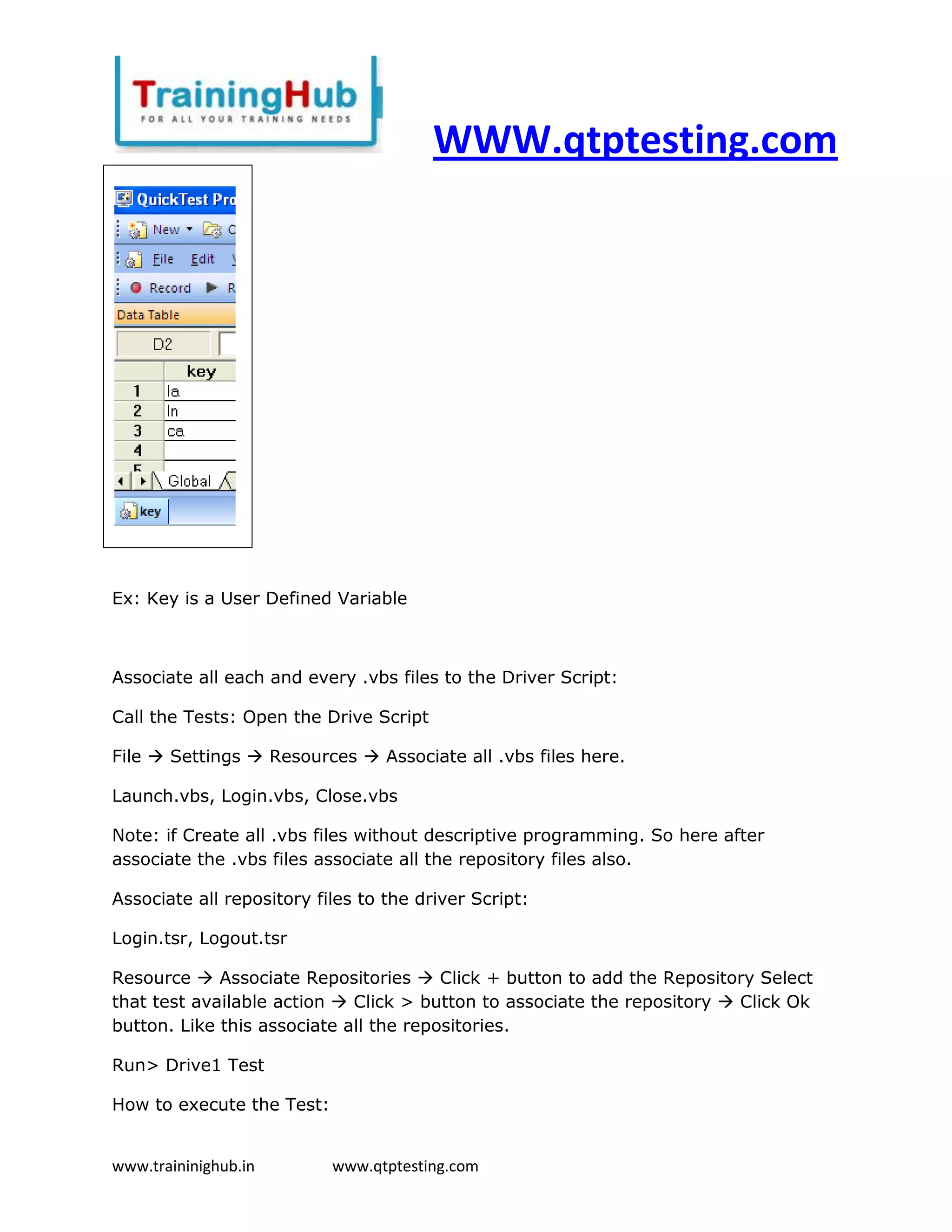
Take the Key Variables in the QTP Data Table in QTP Driver Test:
View  Data Table


www.traininighub.in        www.qtptesting.com
WWW.qtptesting.com


Ex: Key is a User Defined Variable


Associate all each and every .vbs files to the Driver Script:

Call the Tests: Open the Drive Script

File  Settings  Resources  Associate all .vbs files here.

Launch.vbs, Login.vbs, Close.vbs

Note: if Create all .vbs files without descriptive programming. So here after
associate the .vbs files associate all the repository files also.

Associate all repository files to the driver Script:

Login.tsr, Logout.tsr

Resource  Associate Repositories  Click + button to add the Repository Select
that test available action  Click > button to associate the repository  Click Ok
button. Like this associate all the repositories.

Run> Drive1 Test

How to execute the Test:


www.traininighub.in        www.qtptesting.com
WWW.qtptesting.com
Step1. In Data Table Take Key Variable

Step2. Execute that respective key associated function

Step3. Increment the Row automatically take the next key Variable and execute
that respective key associated function and so … on execute remaining key
variables if any next.


If Single File also execute: maintenance is difficult to execute the process for
entire project.


Function launch ()

SystemUtil.Run "IEXPLORE.EXE", "Url of site"

End Function


Function login()

Browser("Header").Page("Header").WebEdit("userid1").Set "Yourself"

Browser("Header").Page("Header").WebEdit("pwd1").SetSecure
"4f3f5cb824f8c09eb07fd80459f9"

Browser("Header").Page("Header").WebButton("Sign in").Click

End Function


Function logout()

Browser("Header").Page("Header_2").Link("Sign Out").Click

End Function


Dim Var


www.traininighub.in      www.qtptesting.com
WWW.qtptesting.com
Var = DataTable.Value ("key",Gloabl)


Select Case Var

Case "a" launch()

Case "b" login()

Case "c" logout()

End Select


What is Key?

It is a Variable that assigns the reusable test. Using these keys to complete the end
to end process.


www.traininighub.in      www.qtptesting.com

Keyword driven testing in qtp

  • 1.
    WWW.qtptesting.com Keyword Driven Testing Frame Work Using the Select … Case Statement Step 1: Step2: www.traininighub.in www.qtptesting.com
  • 2.
    WWW.qtptesting.com Step 3: Step 4: Click Sign Out it will come to the Home page Login It is a concept to execute the Process. How to Create? Step 1: Create each and every reusable component. For this Create the Library <folder> store in this all .vbs files Step 2: Create separately each and every Object Repositories. For this Create the ObjectRepository<folder> all the repository .tsr files copy in this folder Step 3: associate all the .vbs files and objctRepository .tsr to Driver1 Script. For this Create the Driver <folder> store the Driver Script in this folder After open the qtp open this driver folder fist then run this test. Step 4: Open the Data Table in QTP Step 5: Write the Driver Script for calling all the tests through the Key Variable Launch.vbs www.traininighub.in www.qtptesting.com
  • 3.
    WWW.qtptesting.com Function launch_app() SystemUtil.Run "IEXPLORE.EXE",”Urlsof site” End Function Login.vbs Function login() Browser("Header").Page("Header").WebEdit("userid1").Set "yourself" Browser("Header").Page("Header").WebEdit("pwd1").SetSecure "4f3f5cb824f8c09eb07fd80459f9" Browser("Header").Page("Header").WebButton("Sign in").Click End Function Close.vbs Function Close_app() Browser("Header").Page("Header_2").Link("Sign Out").Click End Function QTP Test file name: Driver1 Write Driver1 Script: Here associate all the .vbs files and .tsr files to this QTP Driver1 Test Dim Var Var = DataTable.Value ("key",Gloabl) Select Case Var Case "la" launch_app() Case "ln" login() Case "ca" Close_app() End Select Note: Without calling function directly execute all the reusable components. Take the Key Variables in the QTP Data Table in QTP Driver Test: View  Data Table www.traininighub.in www.qtptesting.com
  • 4.
    WWW.qtptesting.com Ex: Key isa User Defined Variable Associate all each and every .vbs files to the Driver Script: Call the Tests: Open the Drive Script File  Settings  Resources  Associate all .vbs files here. Launch.vbs, Login.vbs, Close.vbs Note: if Create all .vbs files without descriptive programming. So here after associate the .vbs files associate all the repository files also. Associate all repository files to the driver Script: Login.tsr, Logout.tsr Resource  Associate Repositories  Click + button to add the Repository Select that test available action  Click > button to associate the repository  Click Ok button. Like this associate all the repositories. Run> Drive1 Test How to execute the Test: www.traininighub.in www.qtptesting.com
  • 5.
    WWW.qtptesting.com Step1. In DataTable Take Key Variable Step2. Execute that respective key associated function Step3. Increment the Row automatically take the next key Variable and execute that respective key associated function and so … on execute remaining key variables if any next. If Single File also execute: maintenance is difficult to execute the process for entire project. Function launch () SystemUtil.Run "IEXPLORE.EXE", "Url of site" End Function Function login() Browser("Header").Page("Header").WebEdit("userid1").Set "Yourself" Browser("Header").Page("Header").WebEdit("pwd1").SetSecure "4f3f5cb824f8c09eb07fd80459f9" Browser("Header").Page("Header").WebButton("Sign in").Click End Function Function logout() Browser("Header").Page("Header_2").Link("Sign Out").Click End Function Dim Var www.traininighub.in www.qtptesting.com
  • 6.
    WWW.qtptesting.com Var = DataTable.Value("key",Gloabl) Select Case Var Case "a" launch() Case "b" login() Case "c" logout() End Select What is Key? It is a Variable that assigns the reusable test. Using these keys to complete the end to end process. www.traininighub.in www.qtptesting.com