Anchor / Buoy A FM 7/8 Relational Graph Design Approach
 
 
Arcata,   CA
 
Ethan Frank
Ethan Frank Technical Assistant
< a.k.a. >
 
The Avenging Ninja
If you have questions...
If you have questions... Please interrupt me and ask them.
Anchor / Buoy A FM 7/8 Relational Graph Design Approach
What is A/B  ?
What is A/B  ? A layout-centric approach to the RG
What is A/B  ? A layout-centric approach to the RG that restores the simplicity of 6-style relationships
What is A/B  ? A layout-centric approach to the RG  that restores the simplicity of 6-style relationships without sacrificing the power of 7-style relationships
What is A/B  ? A layout-centric approach to the RG that restores the simplicity of 6-style relationships without sacrificing the power of 7-style relationships [ a brain child of Soliant Consulting ]
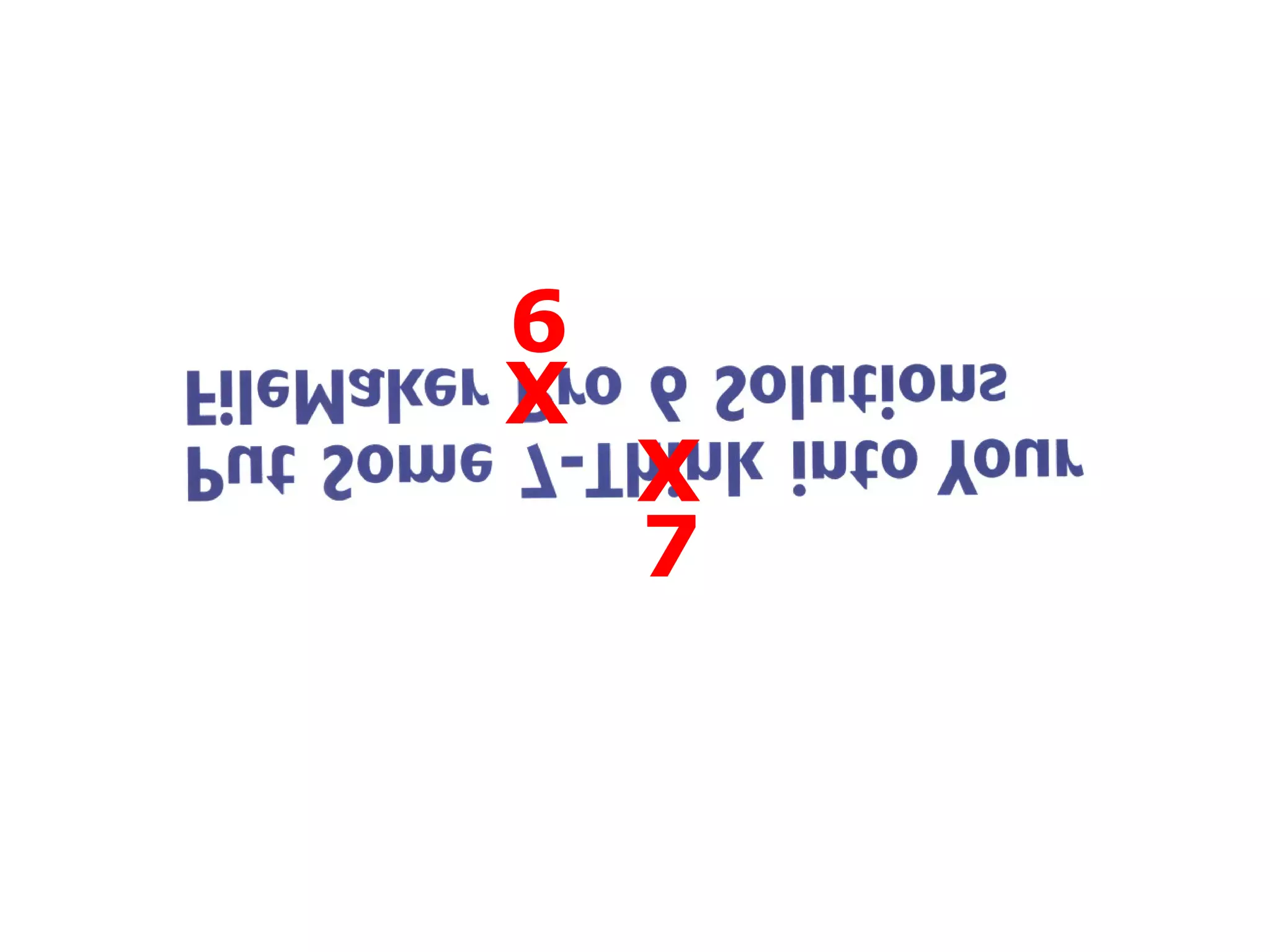
X X 6 7
A Primary Goal of Anchor/Buoy…
A Primary Goal of Anchor/Buoy… Is to make TO’s  manageable in scrolling lists
e.g.
 
 
etc.
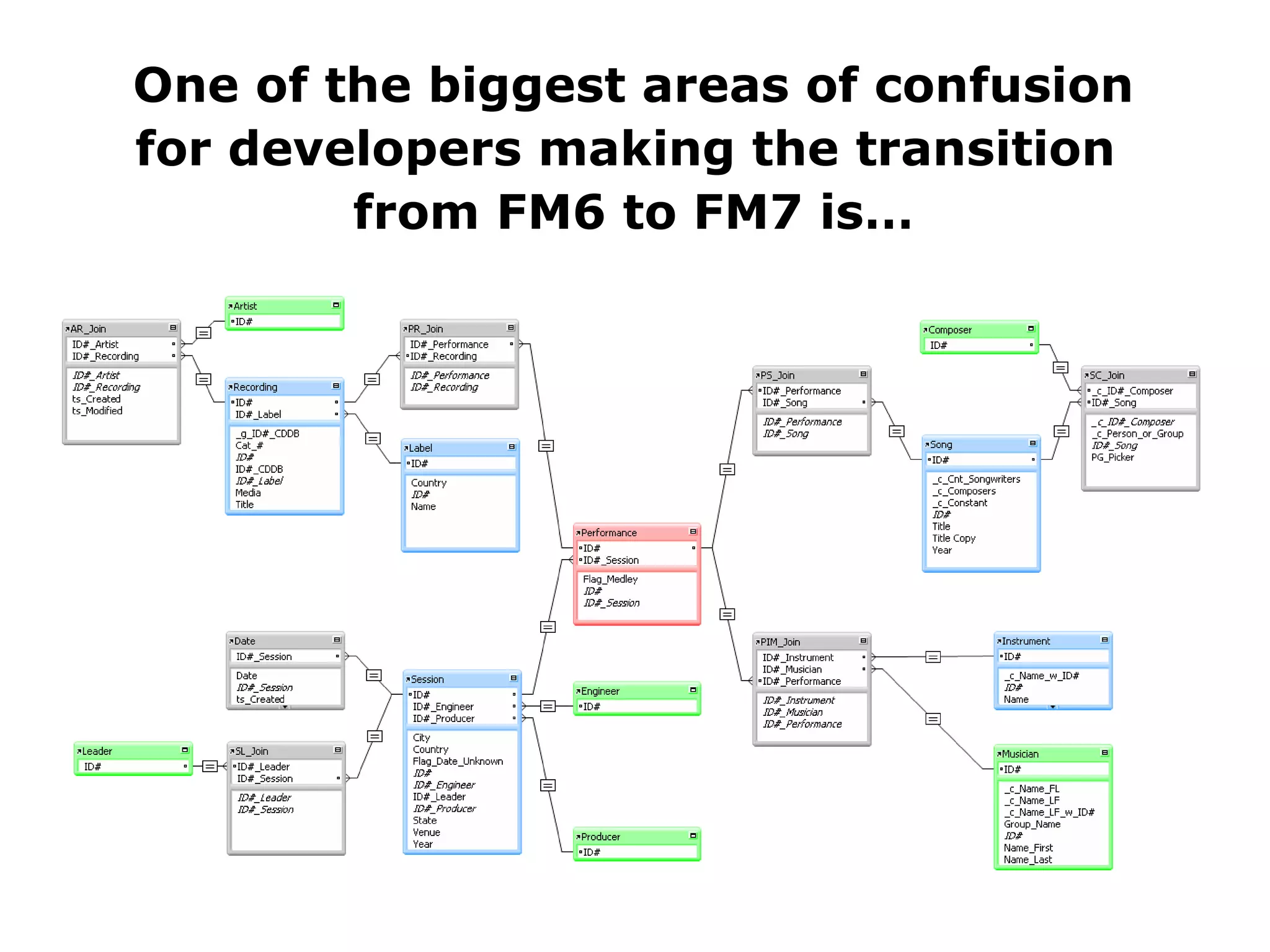
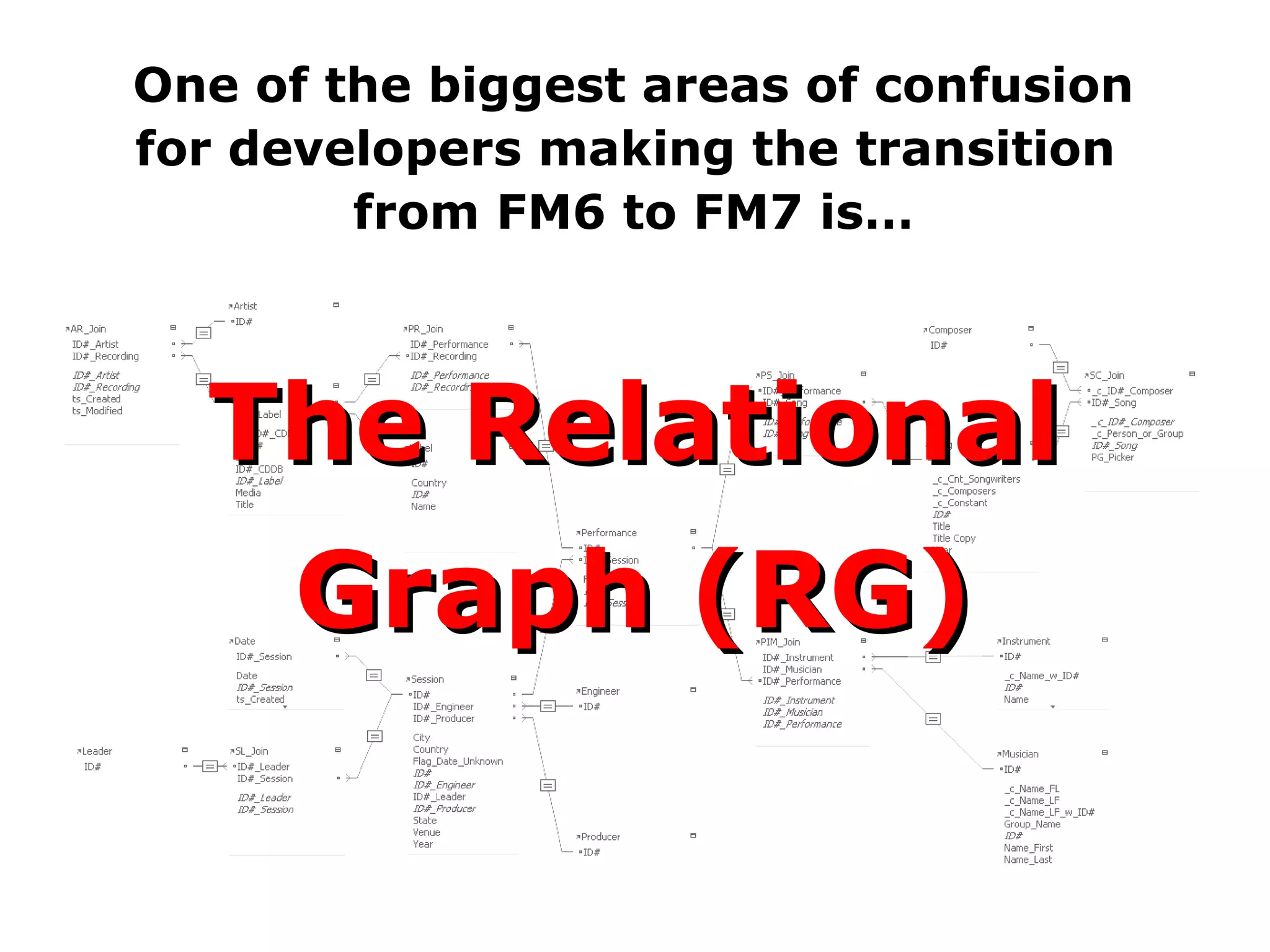
One of the biggest areas of confusion for developers making the transition  from FM6 to FM7 is…
One of the biggest areas of confusion for developers making the transition  from FM6 to FM7 is… The Relational Graph (RG)
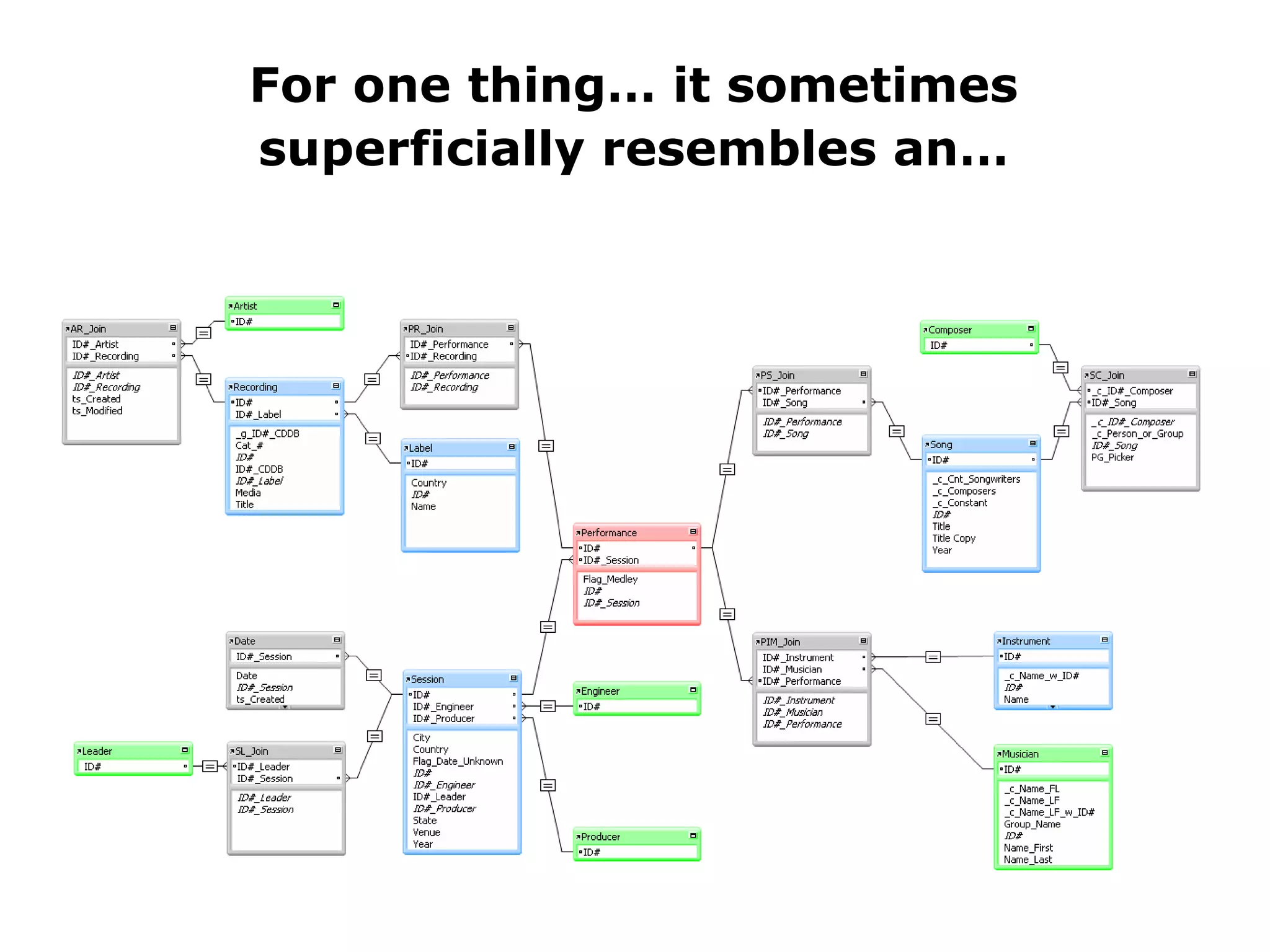
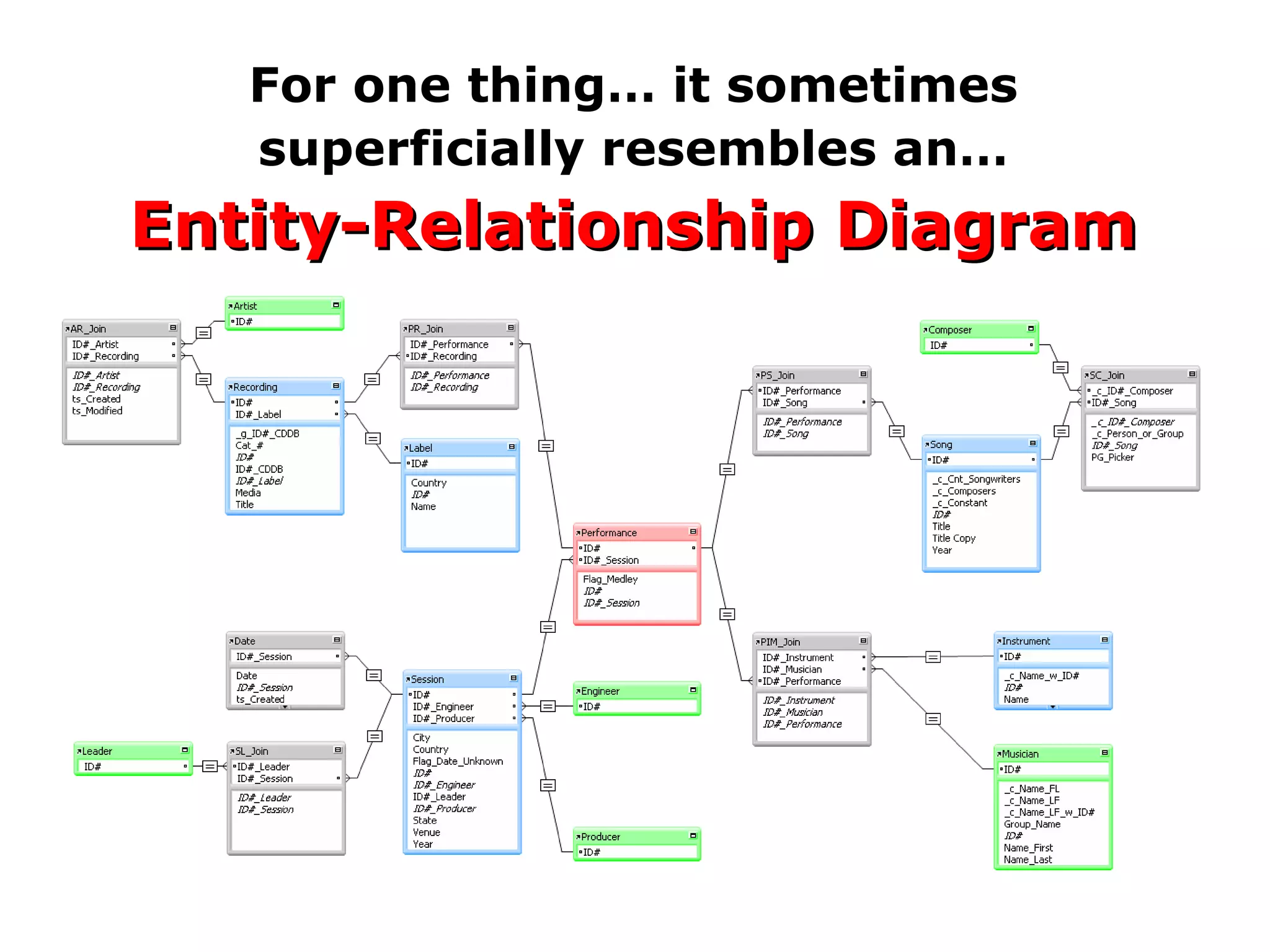
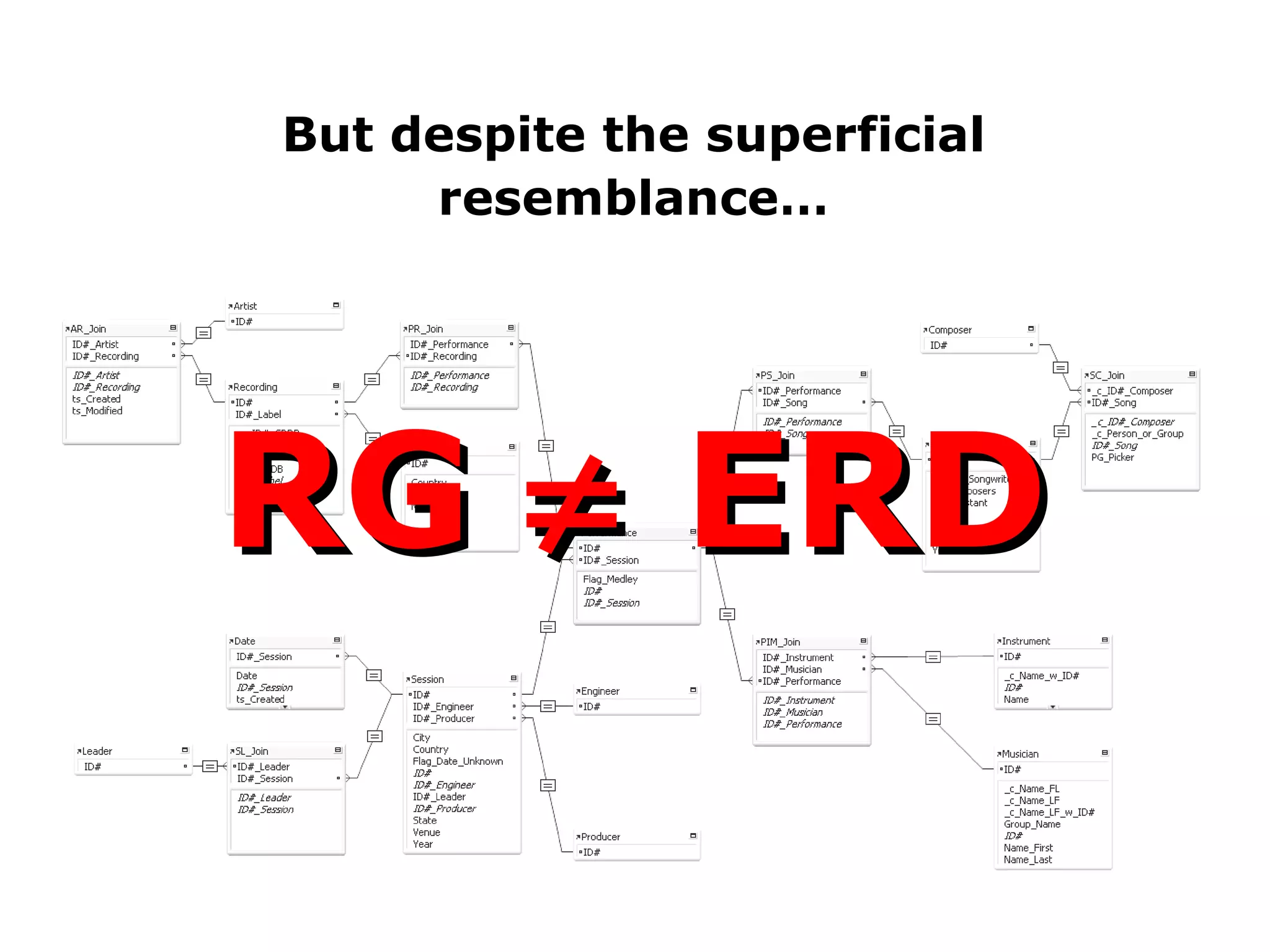
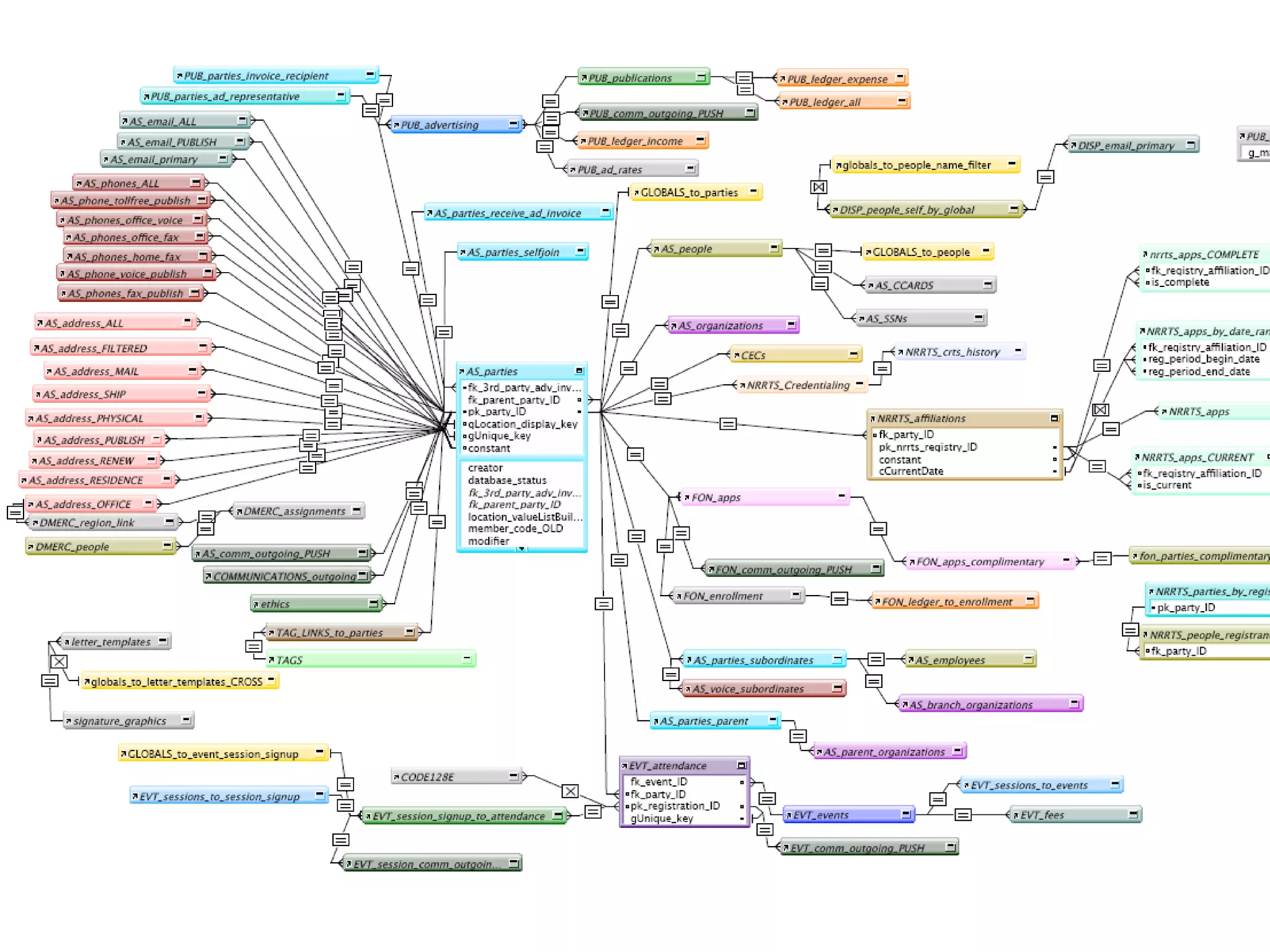
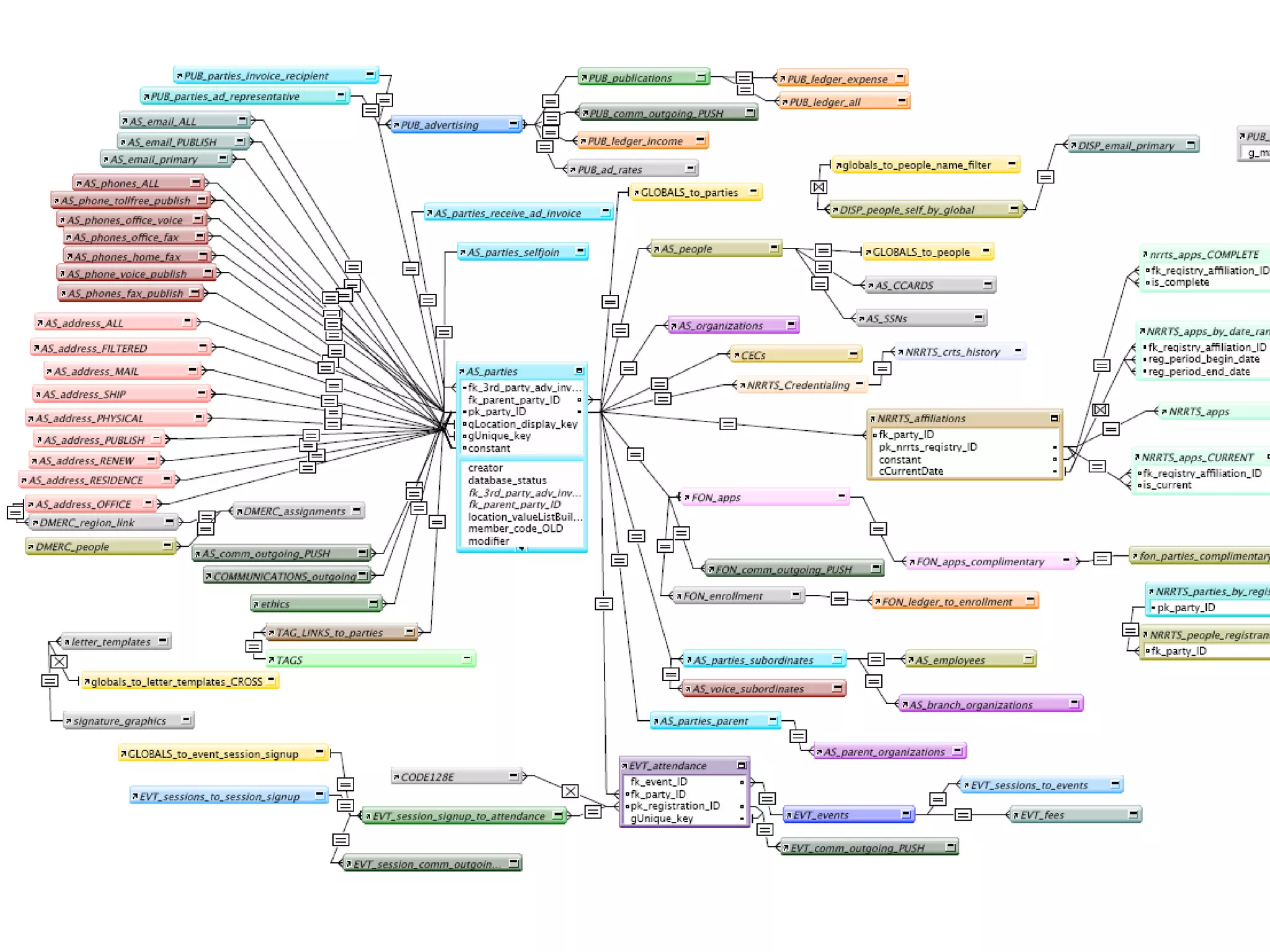
For one thing… it sometimes superficially resembles an…
For one thing… it sometimes superficially resembles an… Entity-Relationship Diagram
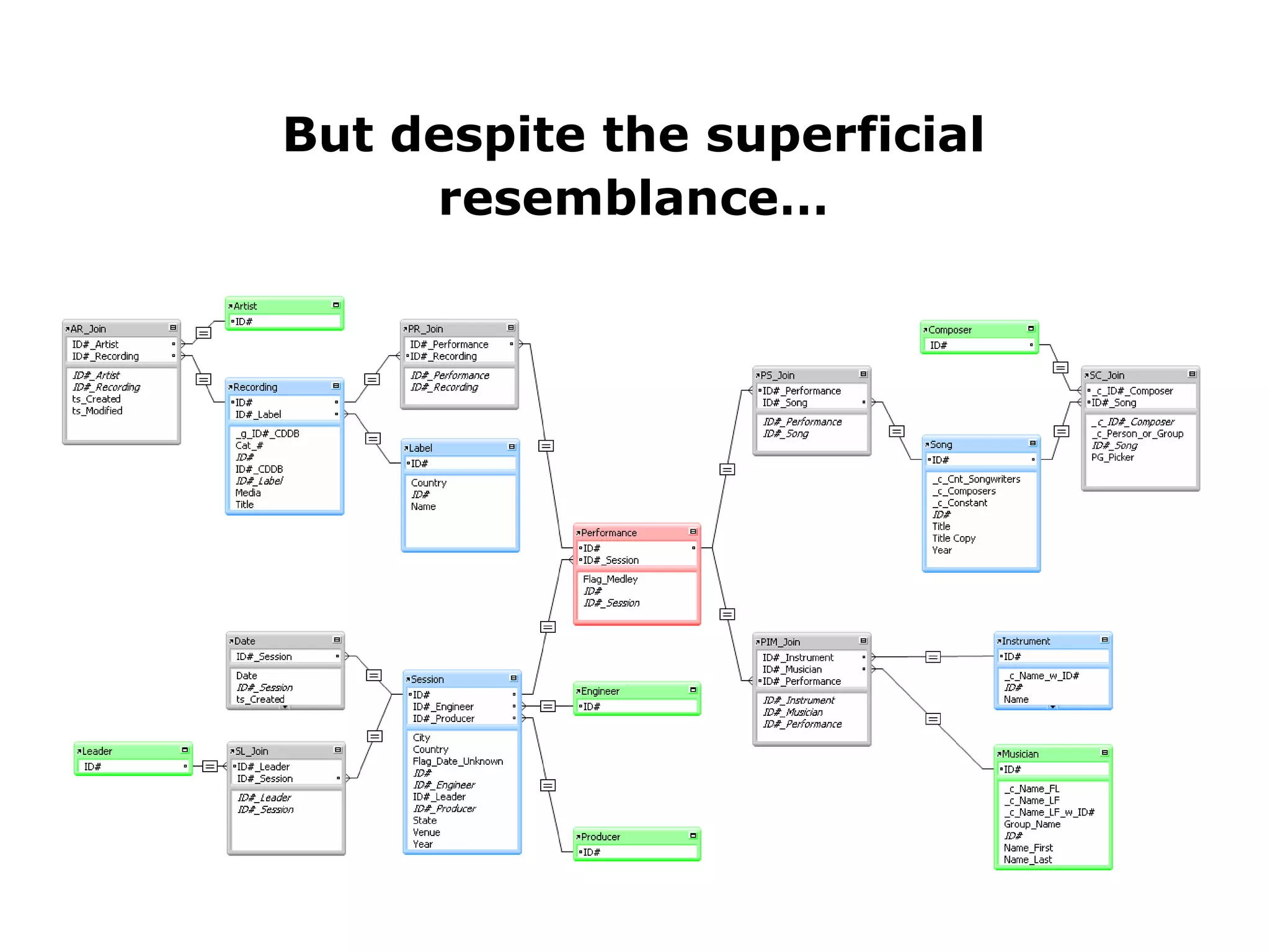
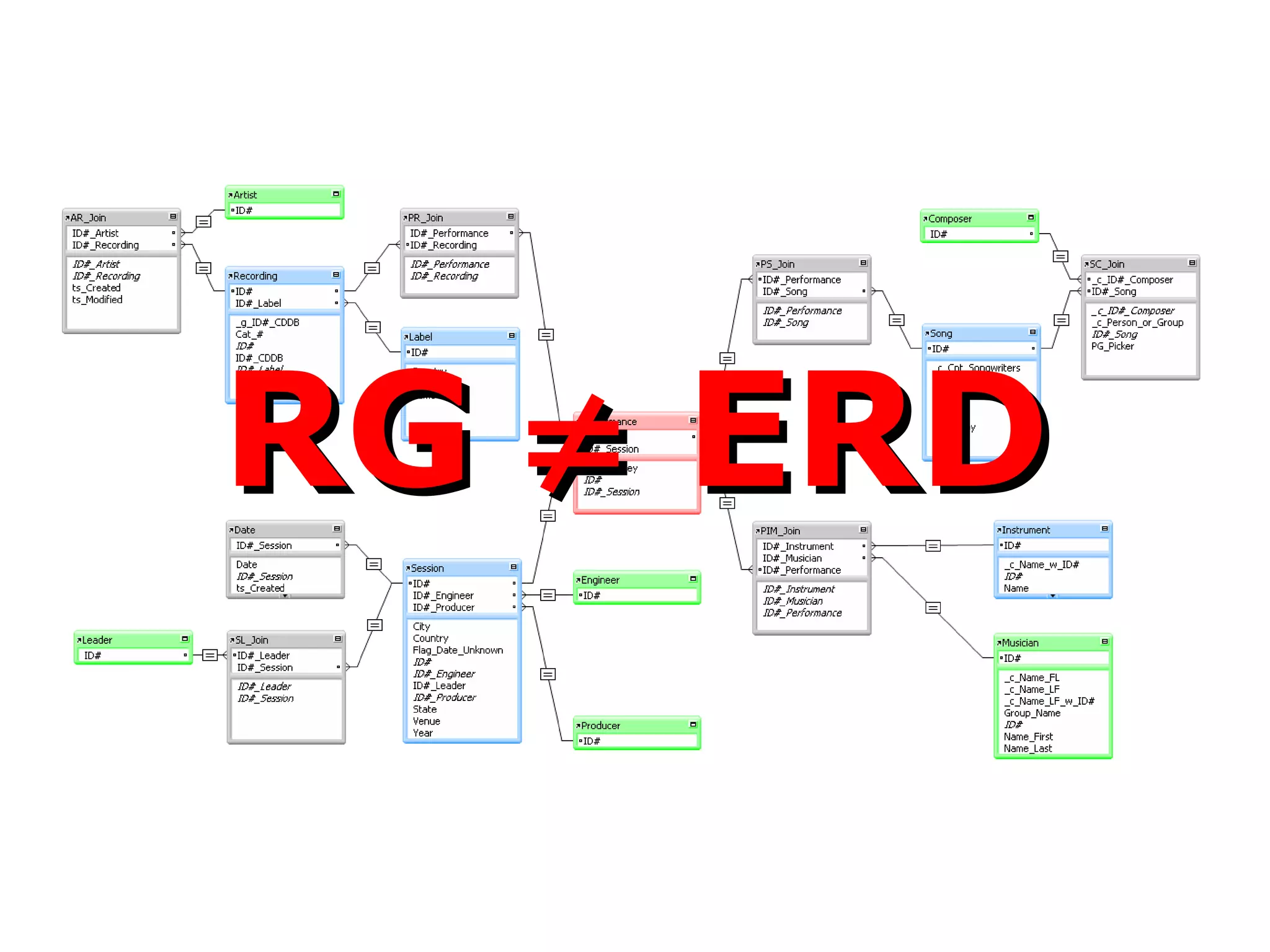
But despite the superficial resemblance…
But despite the superficial resemblance… RG    ERD
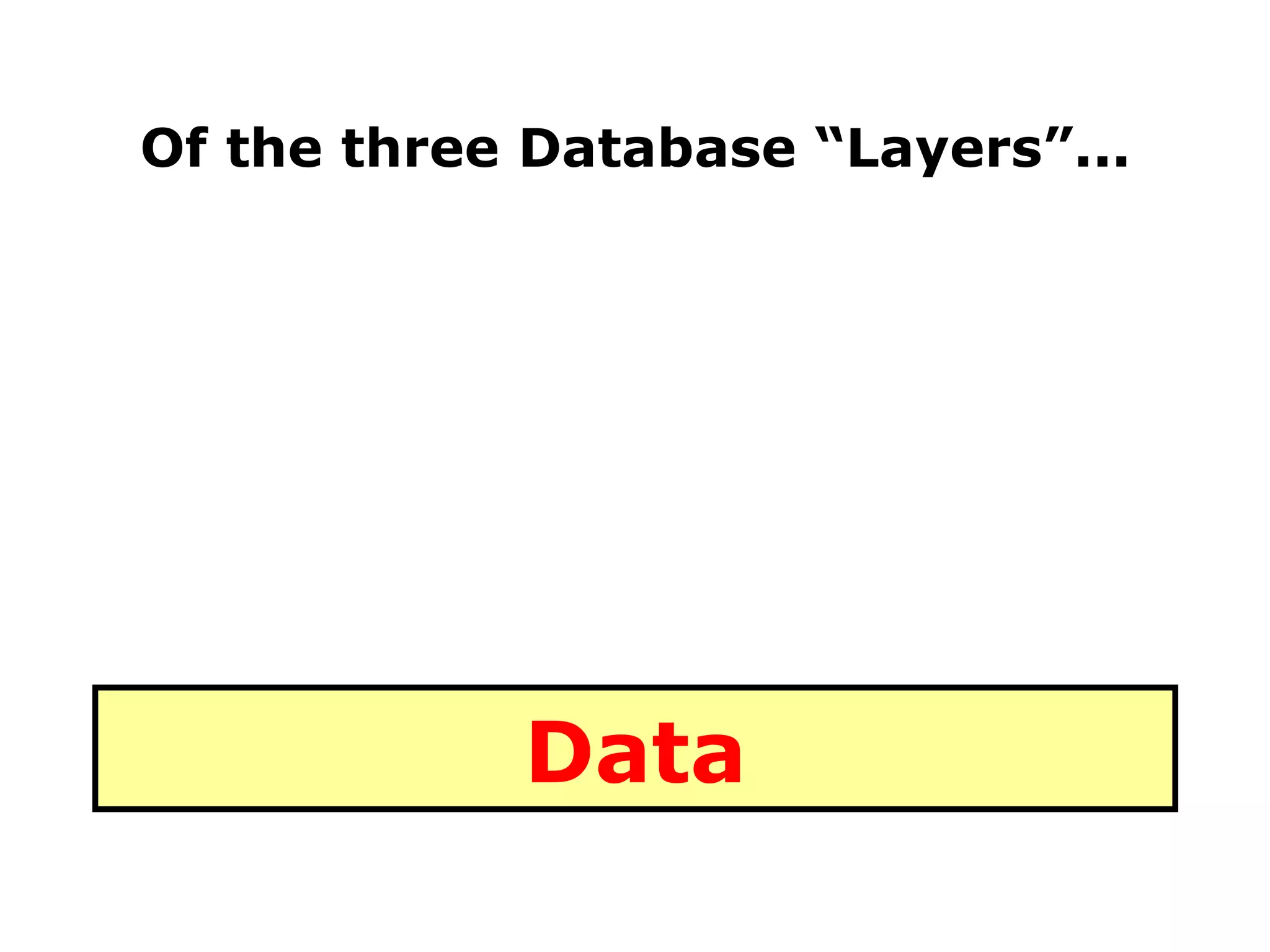
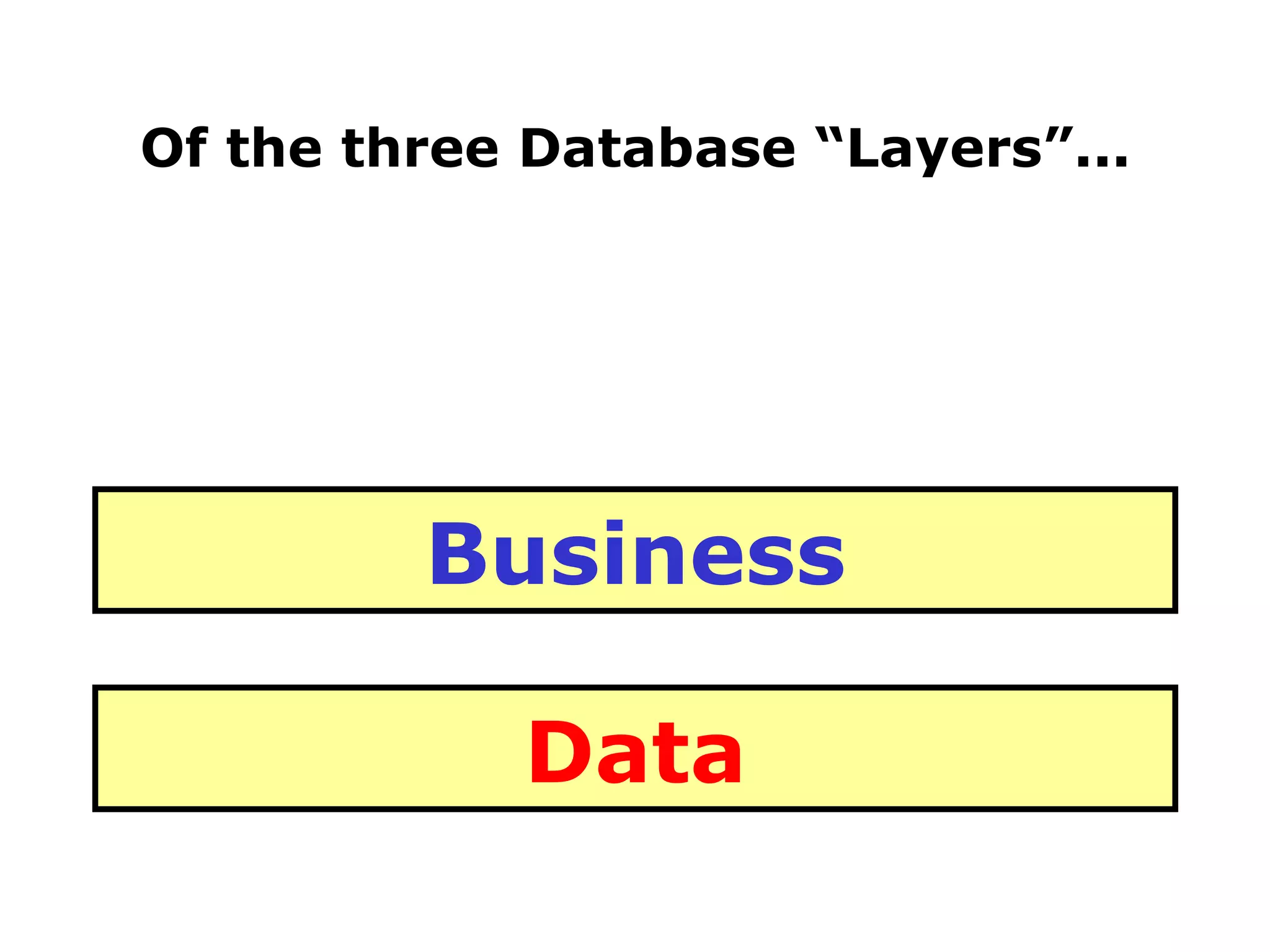
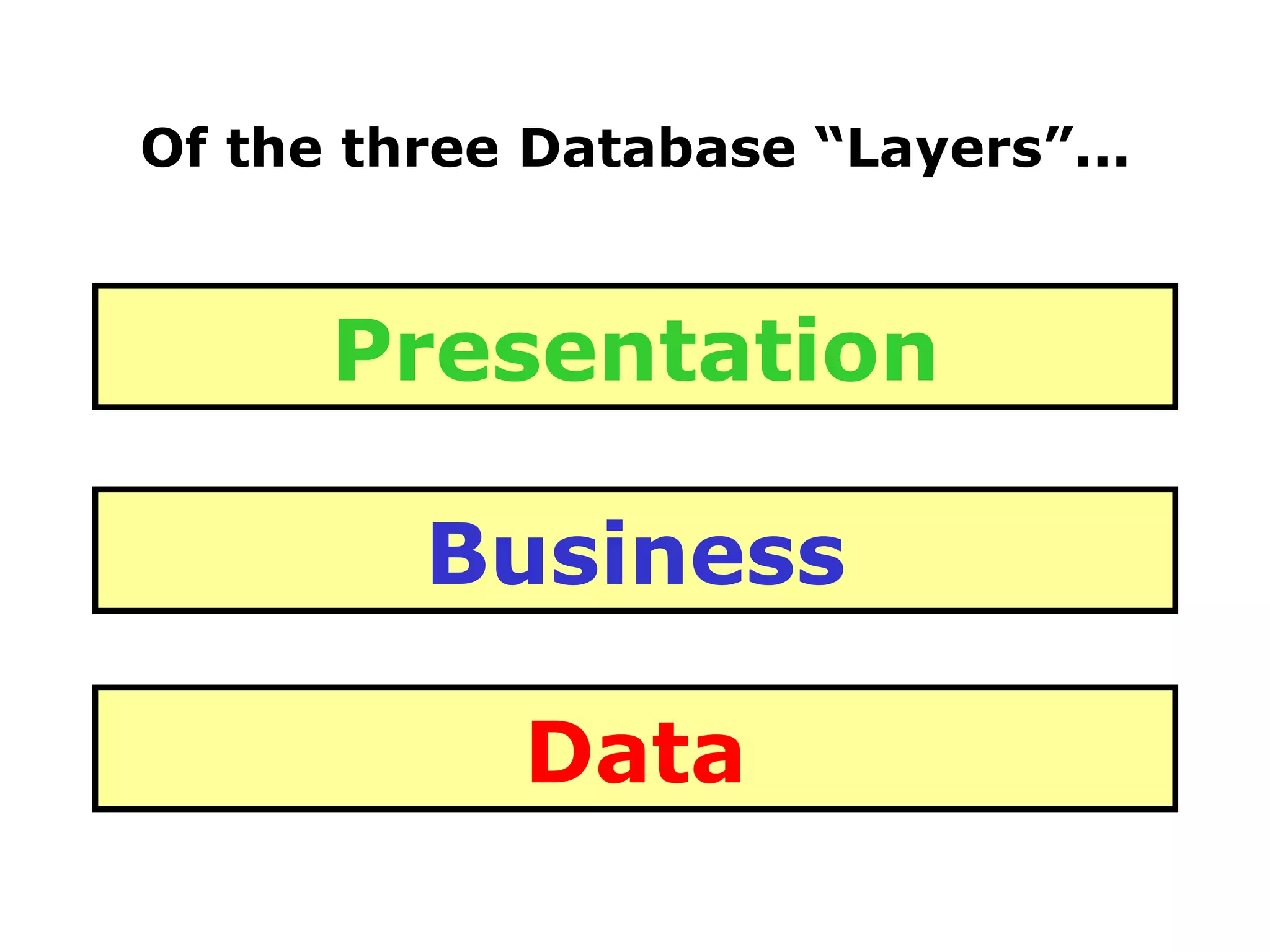
Of the three Database “Layers”...
Of the three Database “Layers”... Data
Of the three Database “Layers”... Data Business
Of the three Database “Layers”... Data Business Presentation
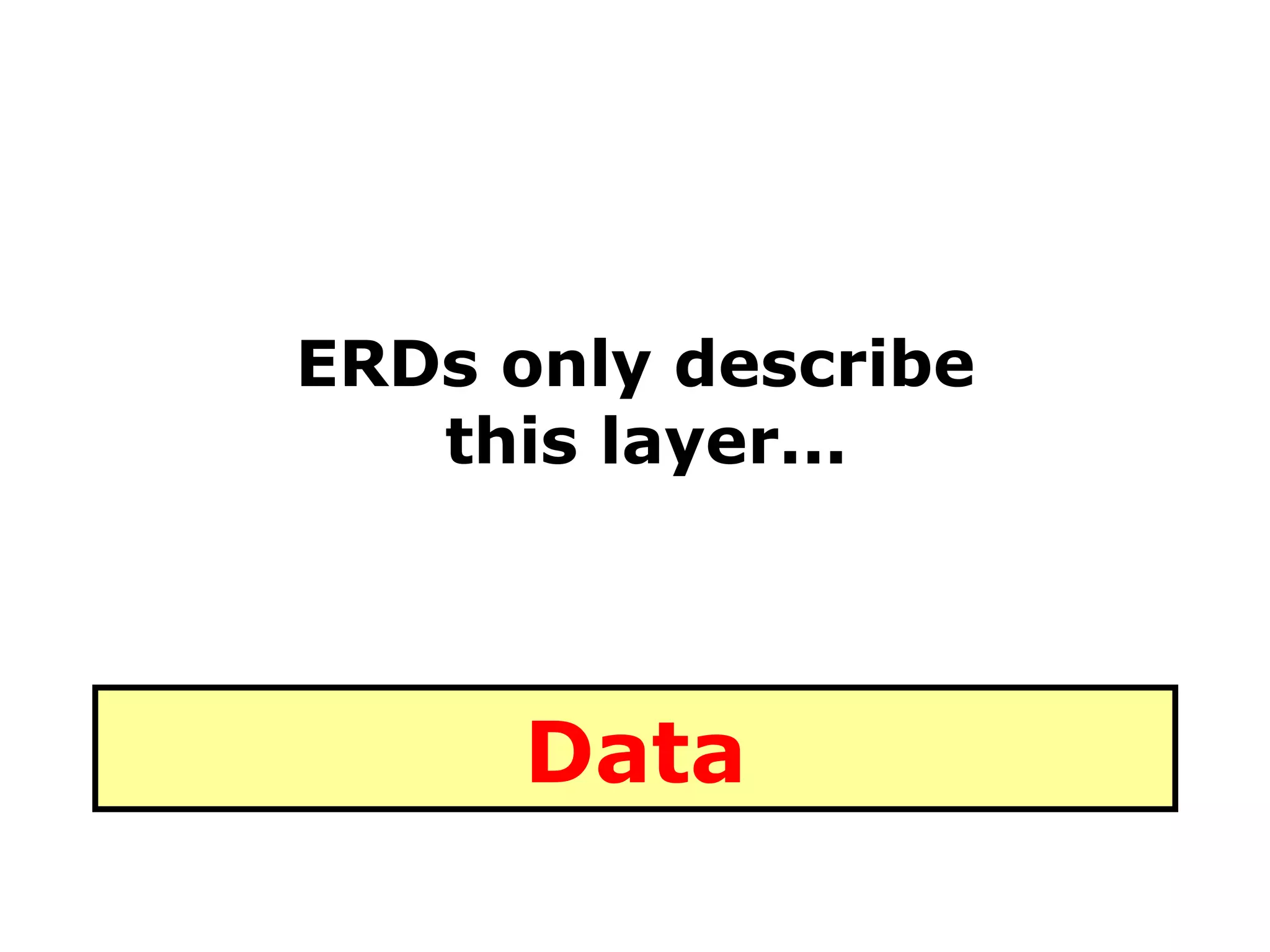
ERDs only describe  this layer... Data
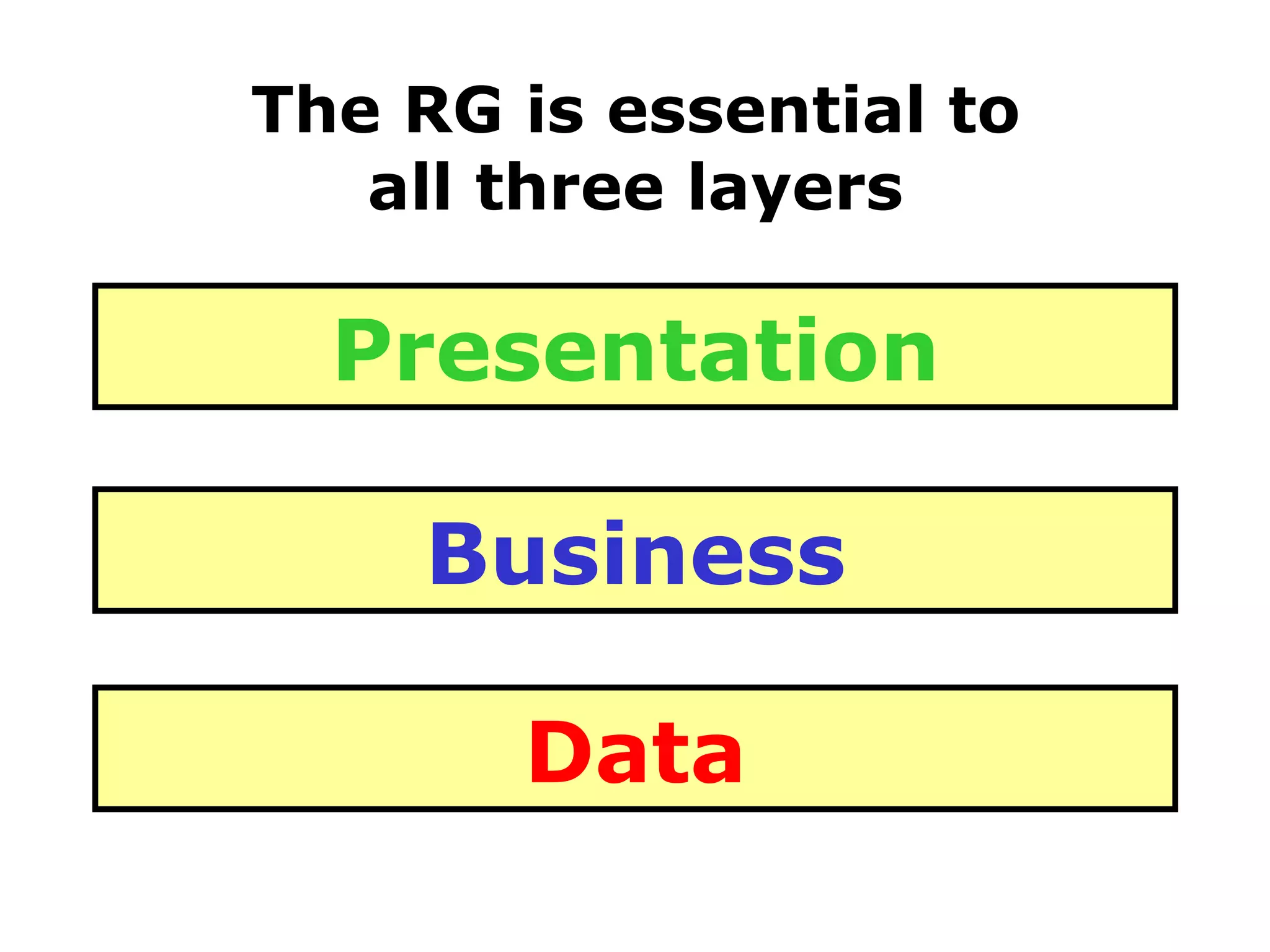
The RG is essential to all three layers Data Business Presentation
RG    ERD
Another reason developers may find the FM7 RG confusing...
Another reason developers may find the FM7 RG confusing...  it's different
Another reason developers may find the FM7 RG confusing...  it's different AND THAT’S PUTTING IT MILDLY
 
Let's take a TRIP down...
Let's take a TRIP down... Memory Lane


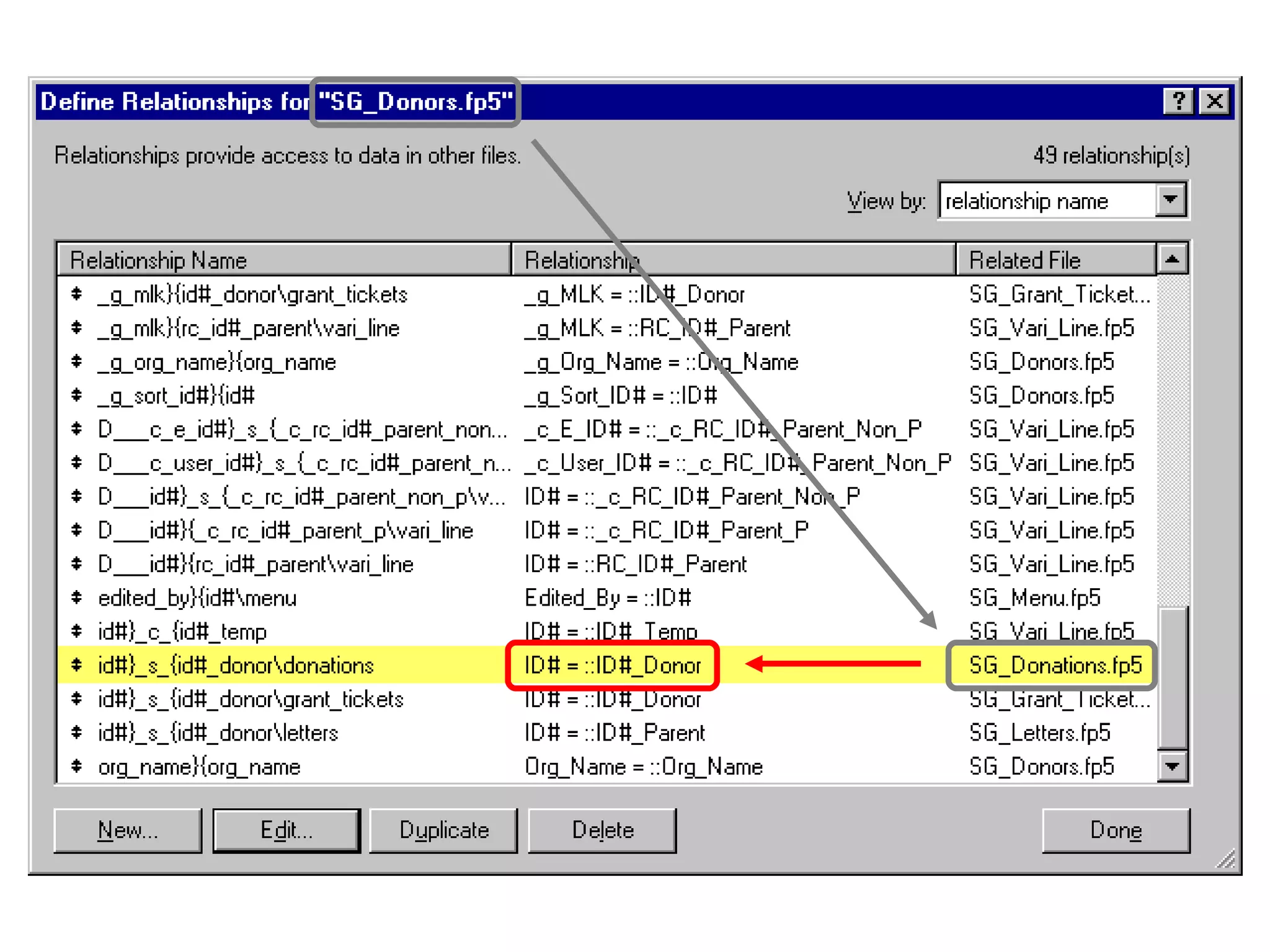
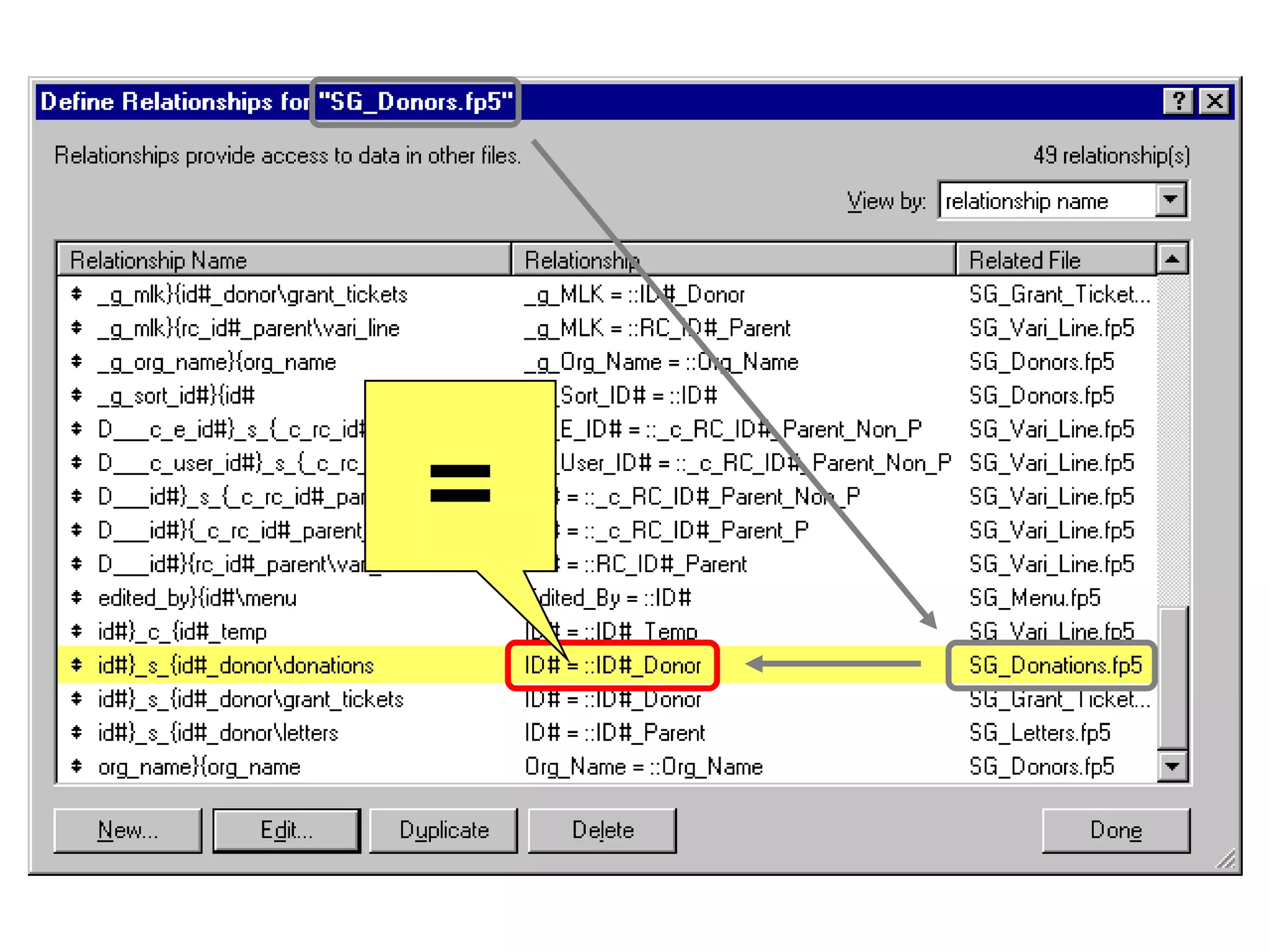
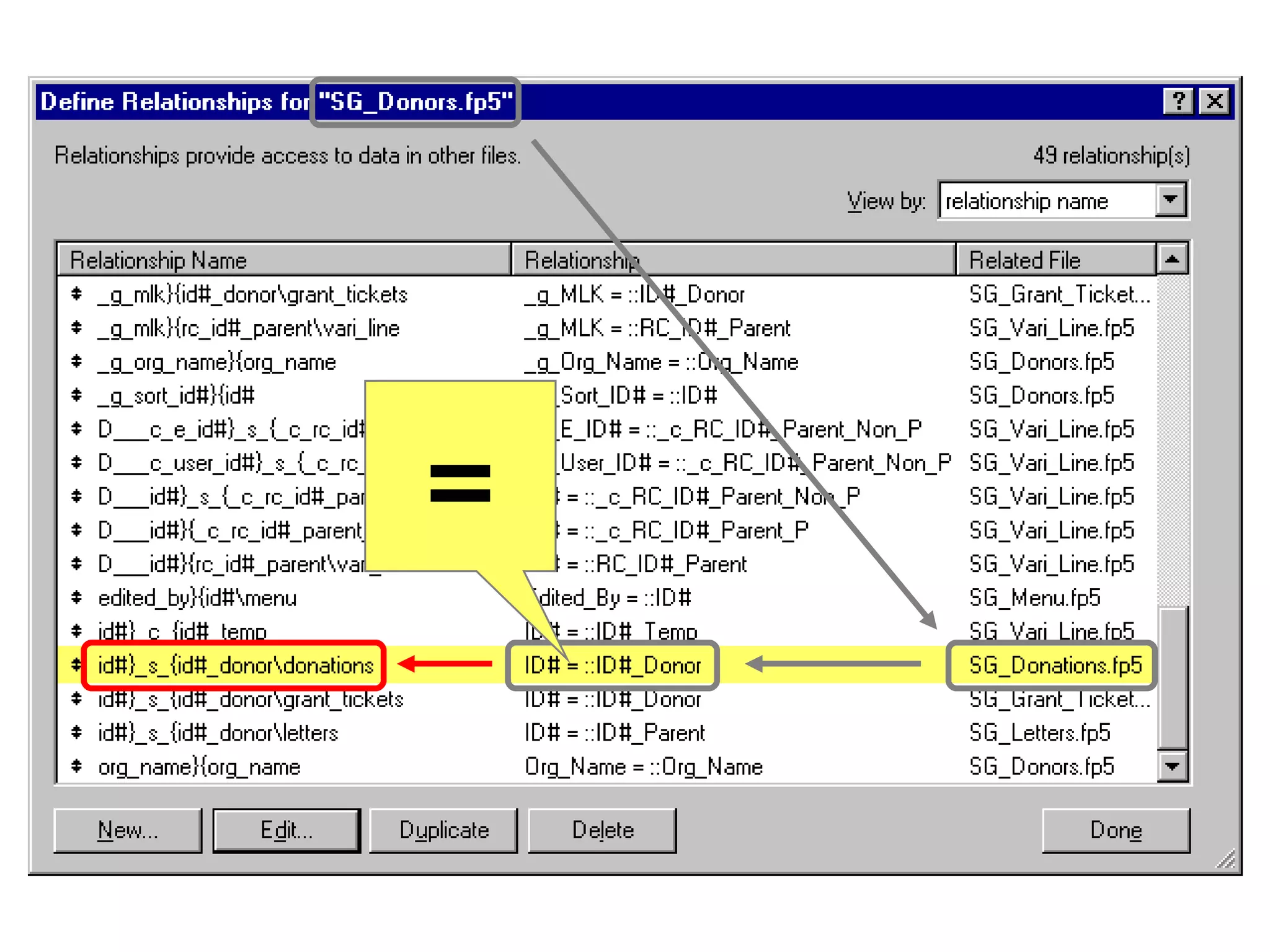
=
=
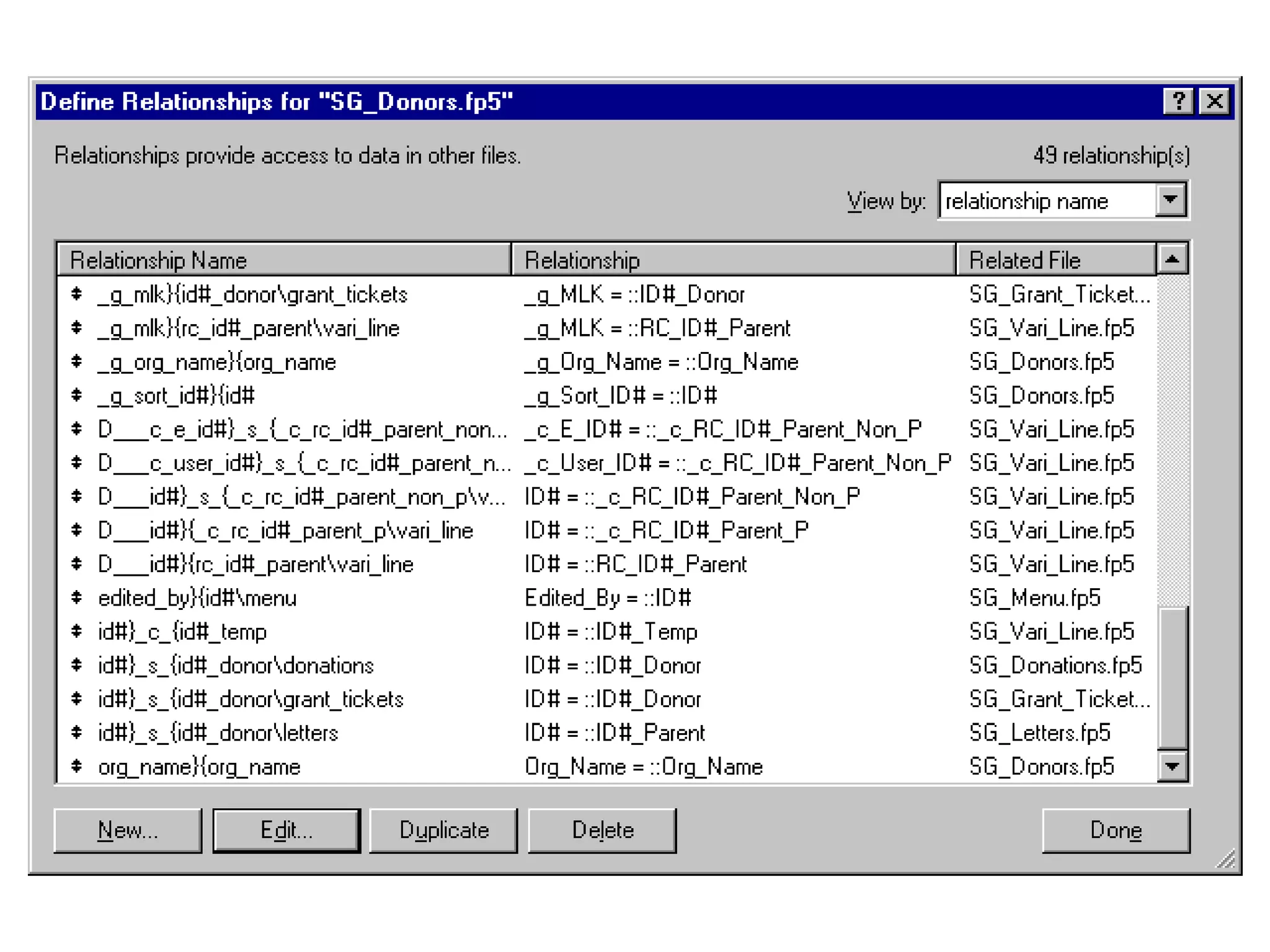
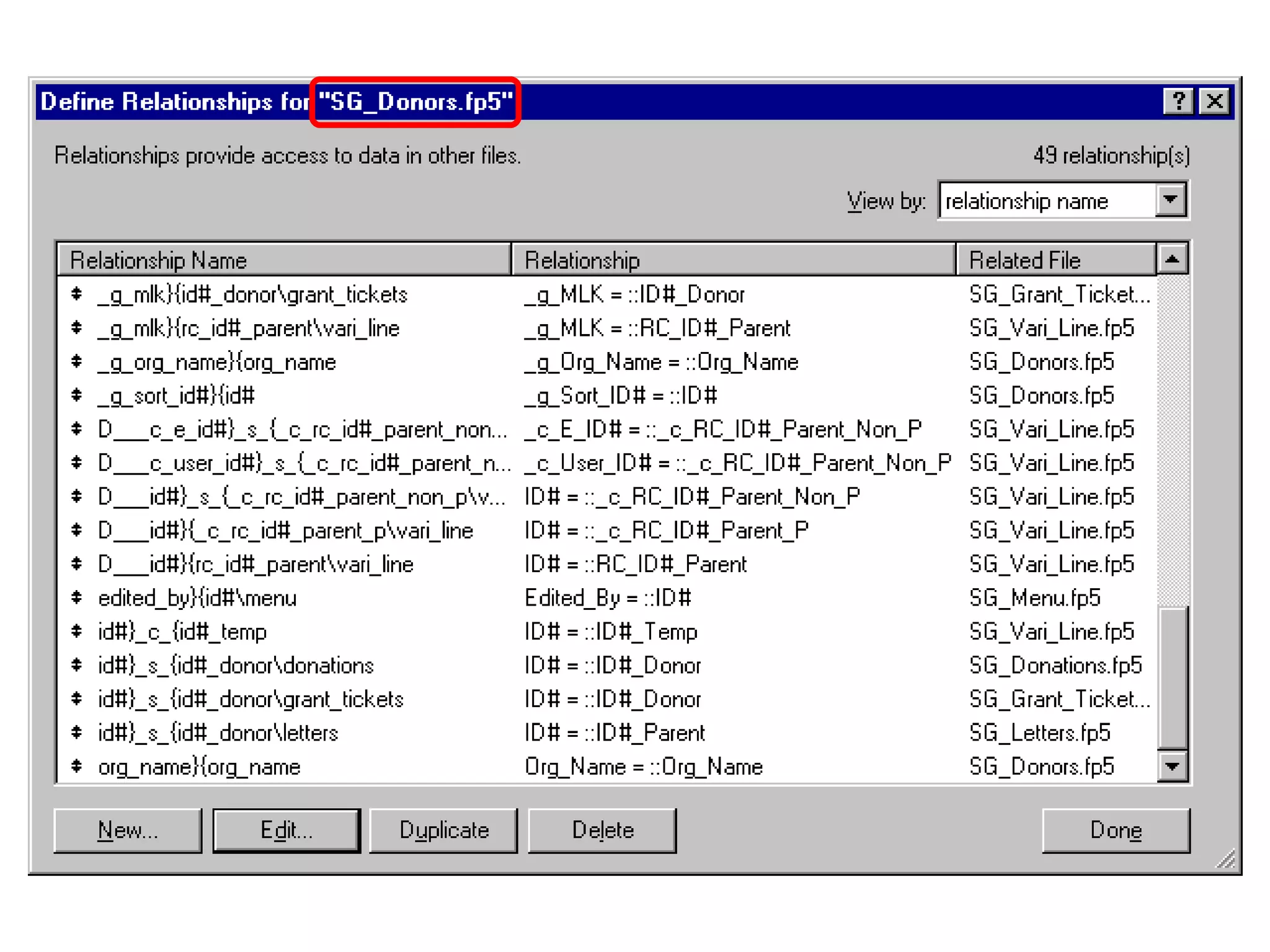
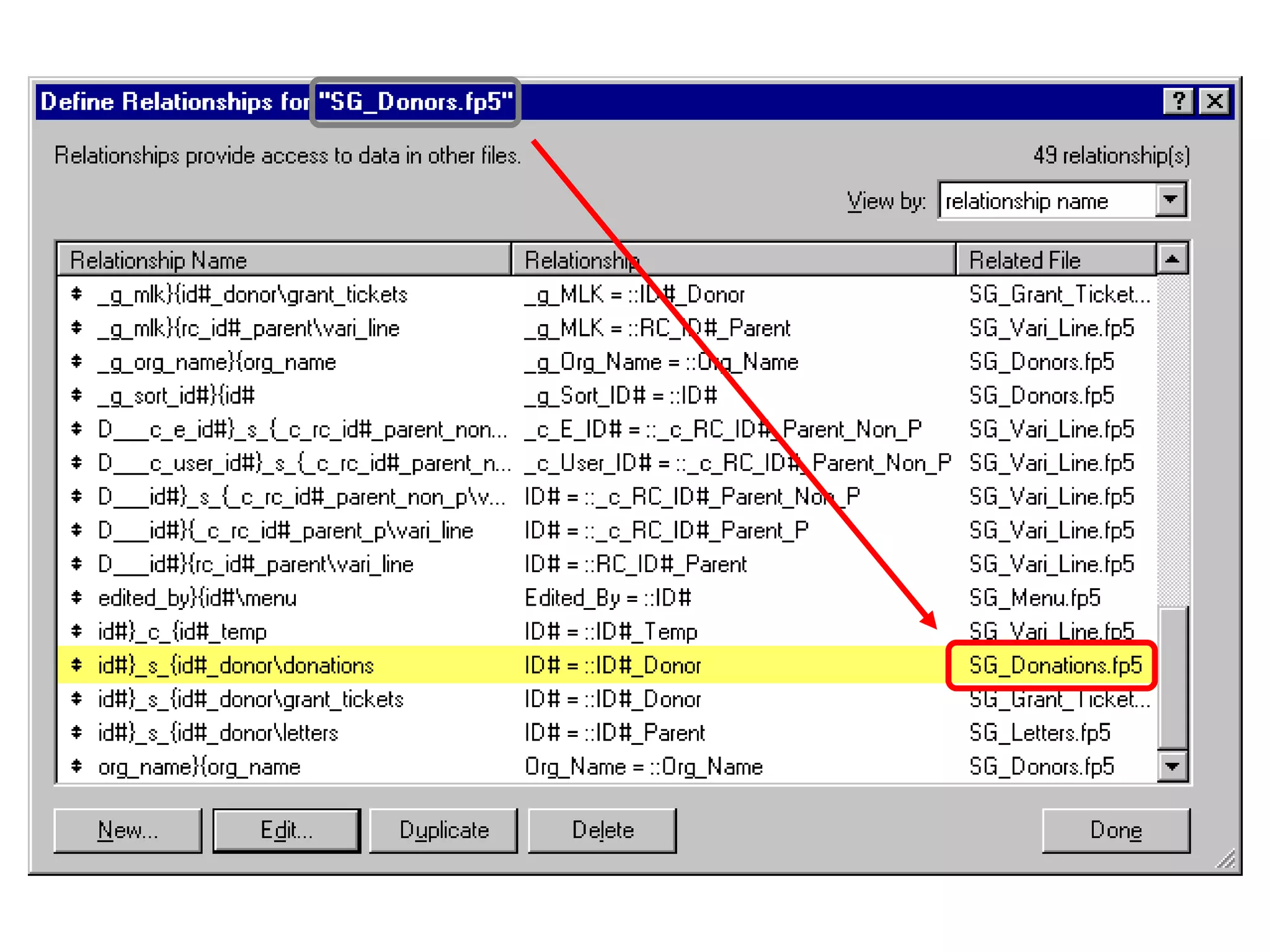
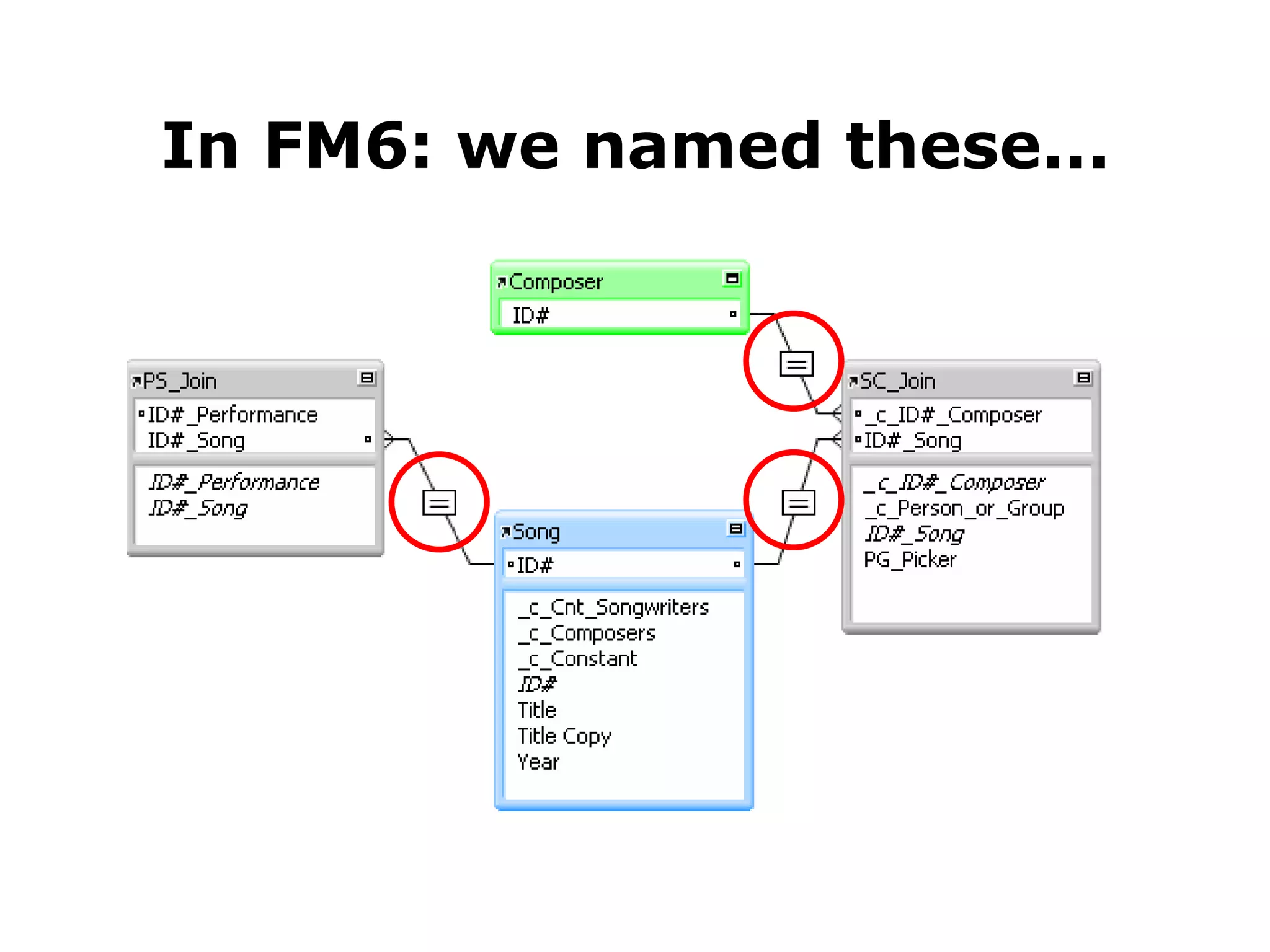
In FM6: we named these...
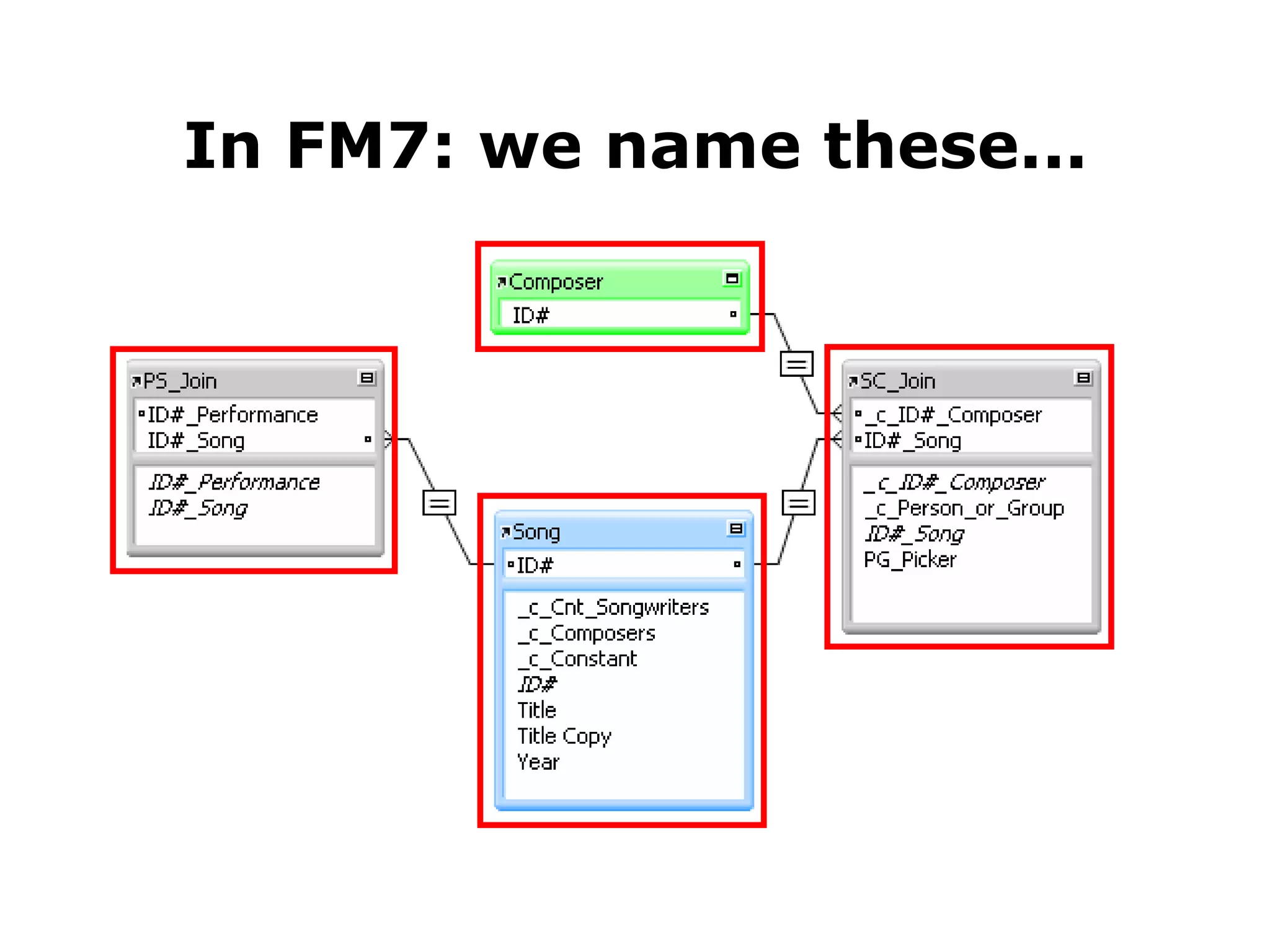
In FM7: we name these...
Some Benefits of the FM7 Relational Model
Zero, one or many tables per file Some Benefits of the FM7 Relational Model
Zero, one or many tables per file You can access data that is many “hops” away Some Benefits of the FM7 Relational Model
Zero, one or many tables per file You can access data that is many “hops” away Context determines what you see when you look at related data Some Benefits of the FM7 Relational Model
Zero, one or many tables per file You can access data that is many “hops” away Context determines what you see when you look at related data Relationships can be based on multiple predicates Some Benefits of the FM7 Relational Model
Zero, one or many tables per file You can access data that is many “hops” away Context determines what you see when you look at related data Relationships can be based on multiple predicates Relational operators are no longer limited to “=” Some Benefits of the FM7 Relational Model
Zero, one or many tables per file You can access data that is many “hops” away Context determines what you see when you look at related data Relationships can be based on multiple predicates Relational operators are no longer limited to “=” Developer has great leeway in terms of relational architecture Some Benefits of the FM7 Relational Model
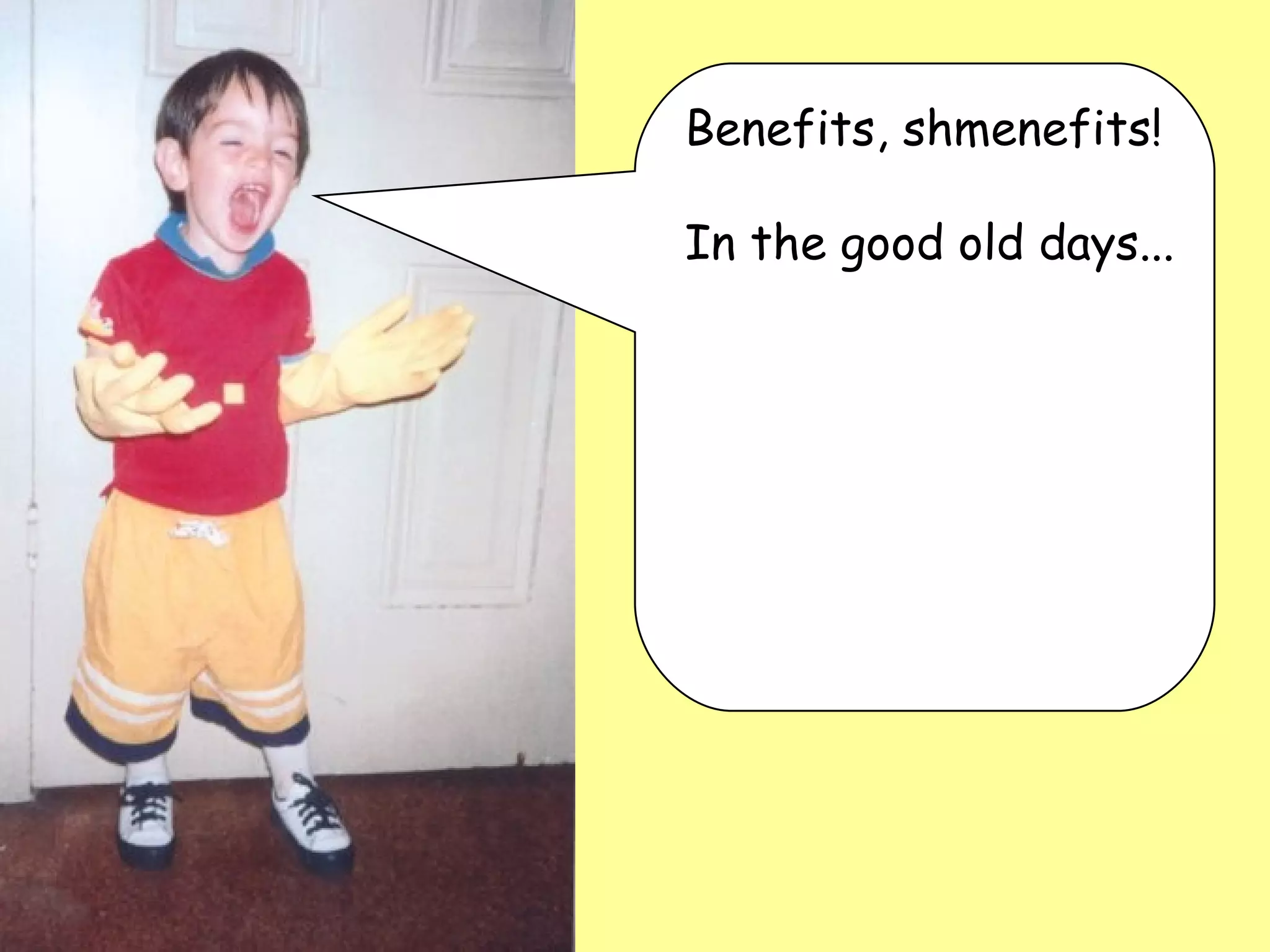
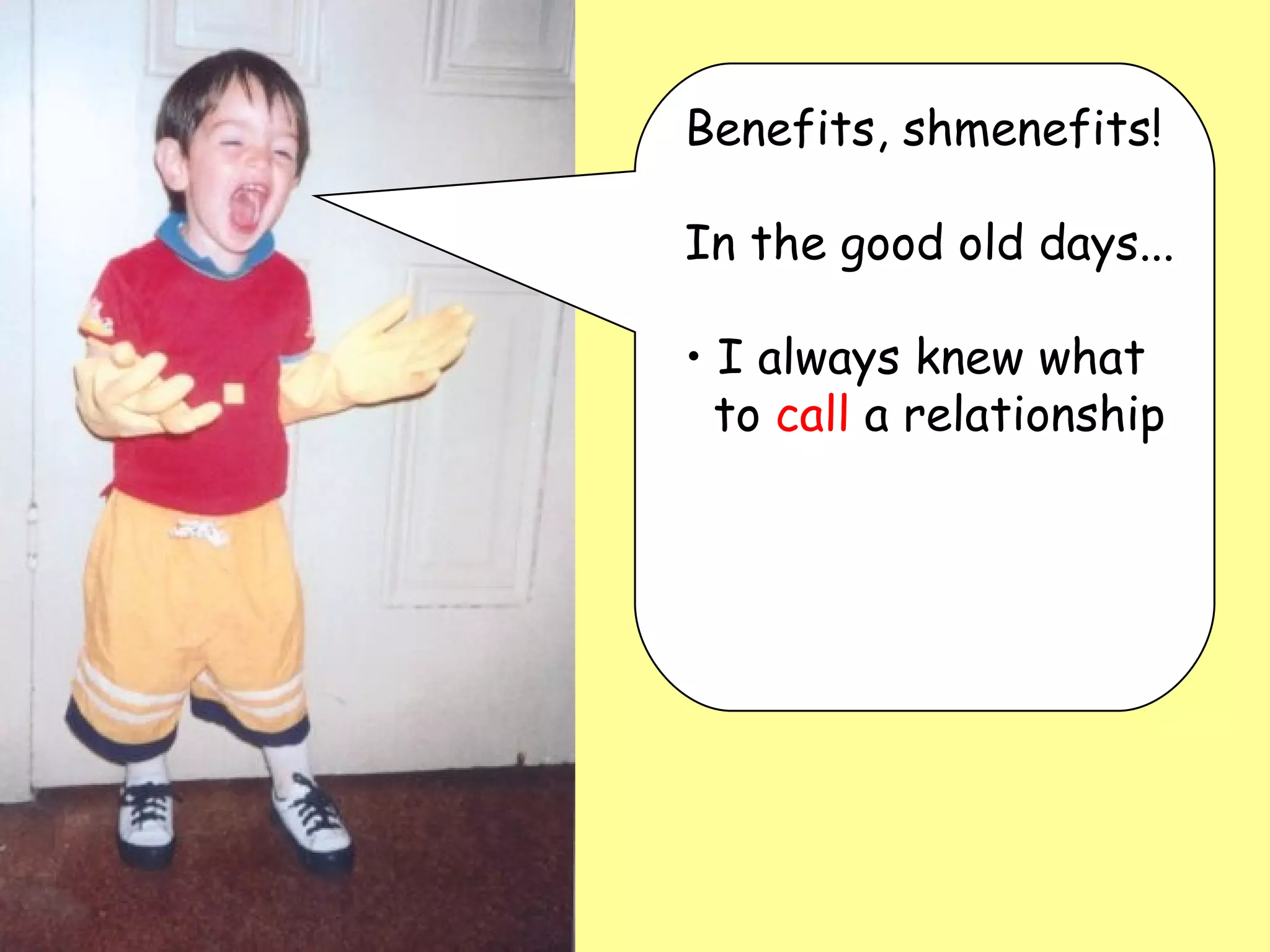
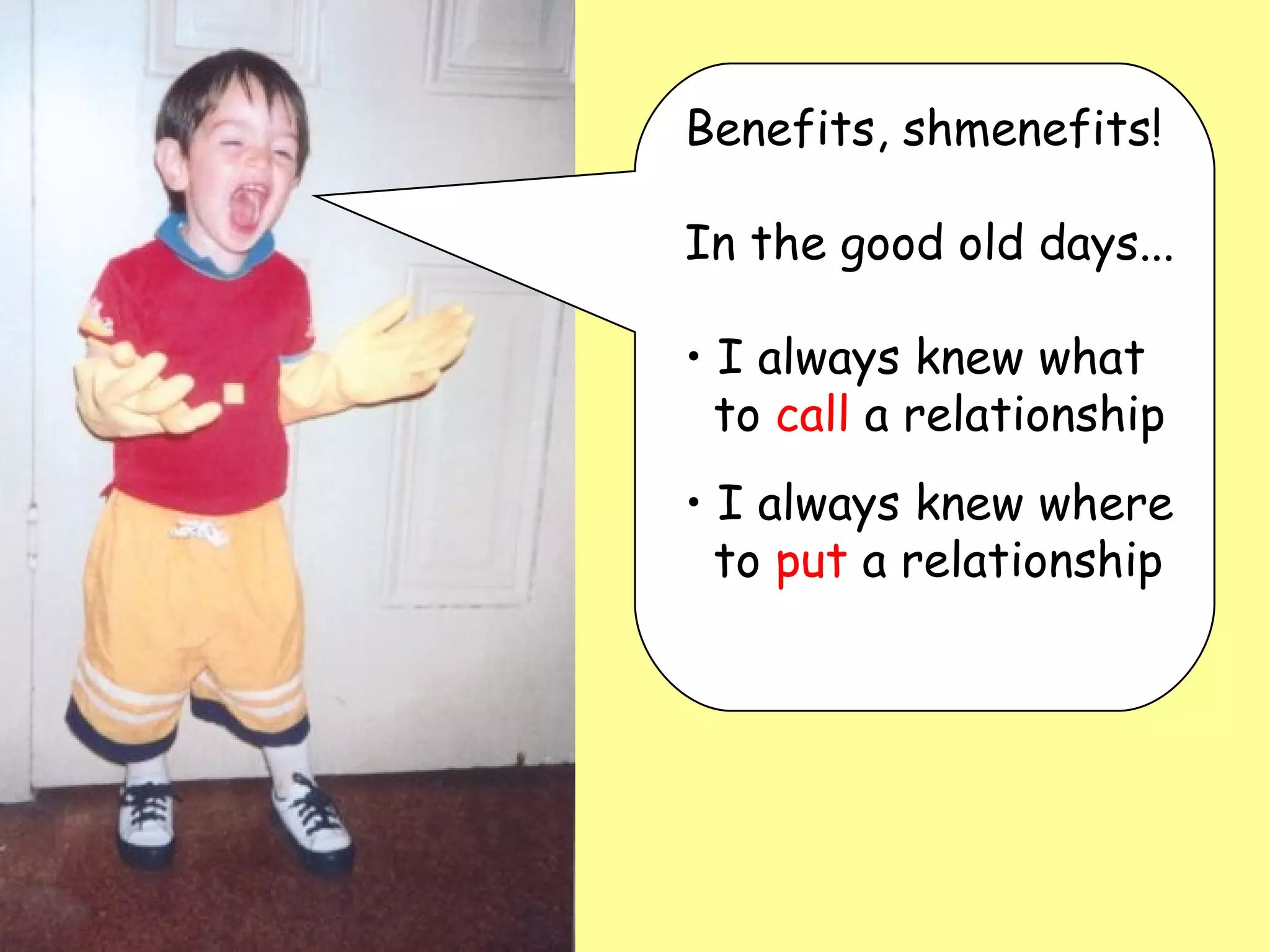
Benefits, shmenefits!
Benefits, shmenefits!  In the good old days...
Benefits, shmenefits!  In the good old days... I always knew what   to  call  a relationship
Benefits, shmenefits!  In the good old days... I always knew what   to  call  a relationship I always knew where   to  put  a relationship
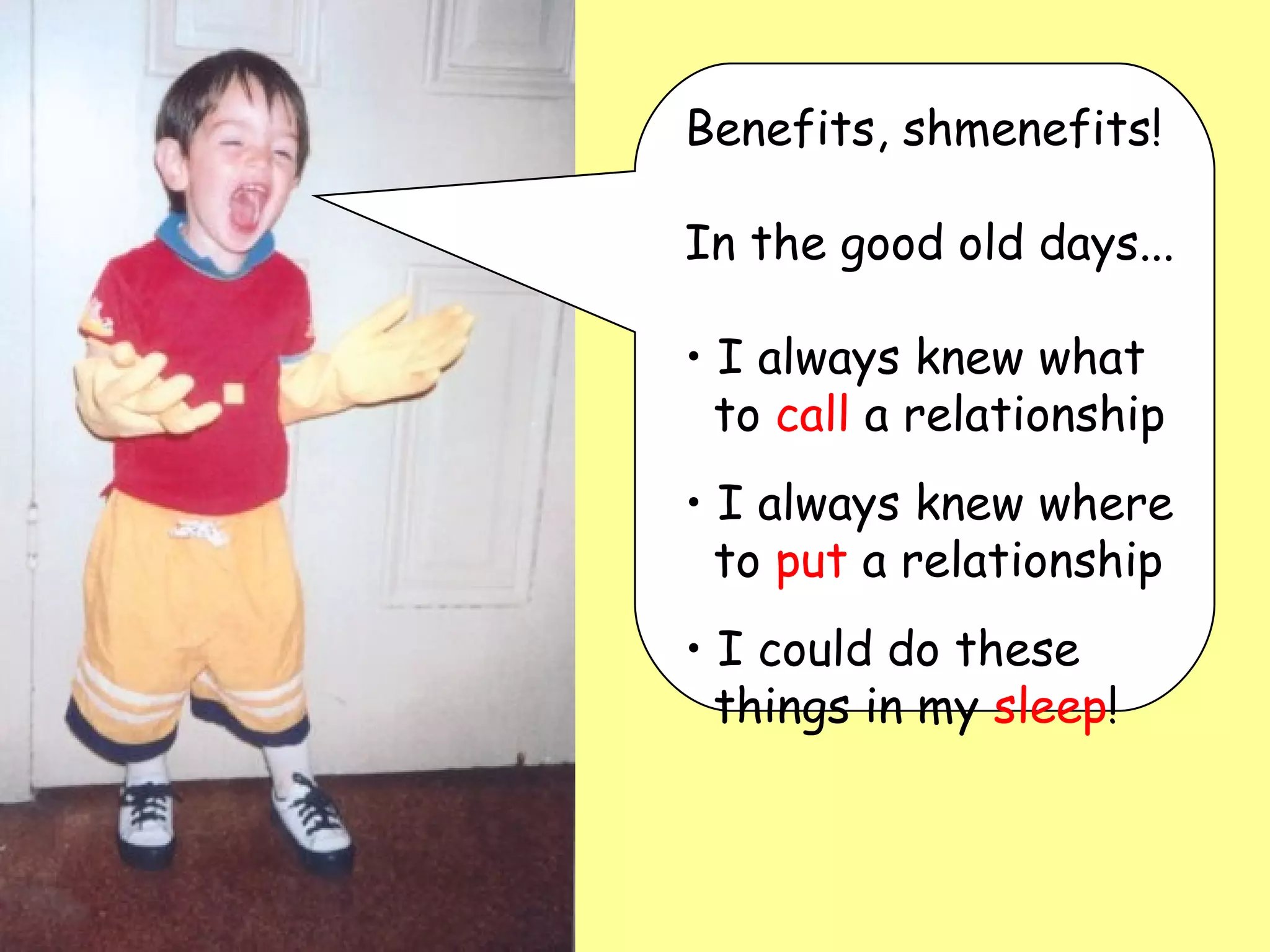
Benefits, shmenefits!  In the good old days... I always knew what   to  call  a relationship I always knew where   to  put  a relationship I could do these   things in my  sleep !
Some Potentially Confusing Aspects  of the FM7 Relational Model
Relationships are automatically bi-directional Some Potentially Confusing Aspects  of the FM7 Relational Model
Relationships are automatically bi-directional Since TOs can be approached from either direction, naming them can be problematic Some Potentially Confusing Aspects  of the FM7 Relational Model
Relationships are automatically bi-directional Since TOs can be approached from either direction, naming them can be problematic You continually need to think about context Some Potentially Confusing Aspects  of the FM7 Relational Model
Relationships are automatically bi-directional Since TOs can be approached from either direction, naming them can be problematic You continually need to think about context You will see all  related  TOs whether they are relevant or not Some Potentially Confusing Aspects  of the FM7 Relational Model
Relationships are automatically bi-directional Since TOs can be approached from either direction, naming them can be problematic You continually need to think about context You will see all  related  TOs whether they are relevant or not This “great leeway in terms of architecture” means you now have to make a number of decisions that formerly were made for you Some Potentially Confusing Aspects  of the FM7 Relational Model
Relationships are automatically bi-directional Since TOs can be approached from either direction, naming them can be problematic You continually need to think about context You will see all  related  TOs whether they are relevant or not This “great leeway in terms of architecture” means you now have to make a number of decisions that formerly were made for you All of the above can cause a decrease in developer productivity... Some Potentially Confusing Aspects  of the FM7 Relational Model
Relationships are automatically bi-directional Since TOs can be approached from either direction, naming them can be problematic You continually need to think about context You will see all  related  TOs whether they are relevant or not This “great leeway in terms of architecture” means you now have to make a number of decisions that formerly were made for you All of the above can cause a decrease in developer productivity...  and/or sanity Some Potentially Confusing Aspects  of the FM7 Relational Model


Initially, a feeling of vertigo, or even existential nausea, is to be expected. -- Mike Harris, March 2004
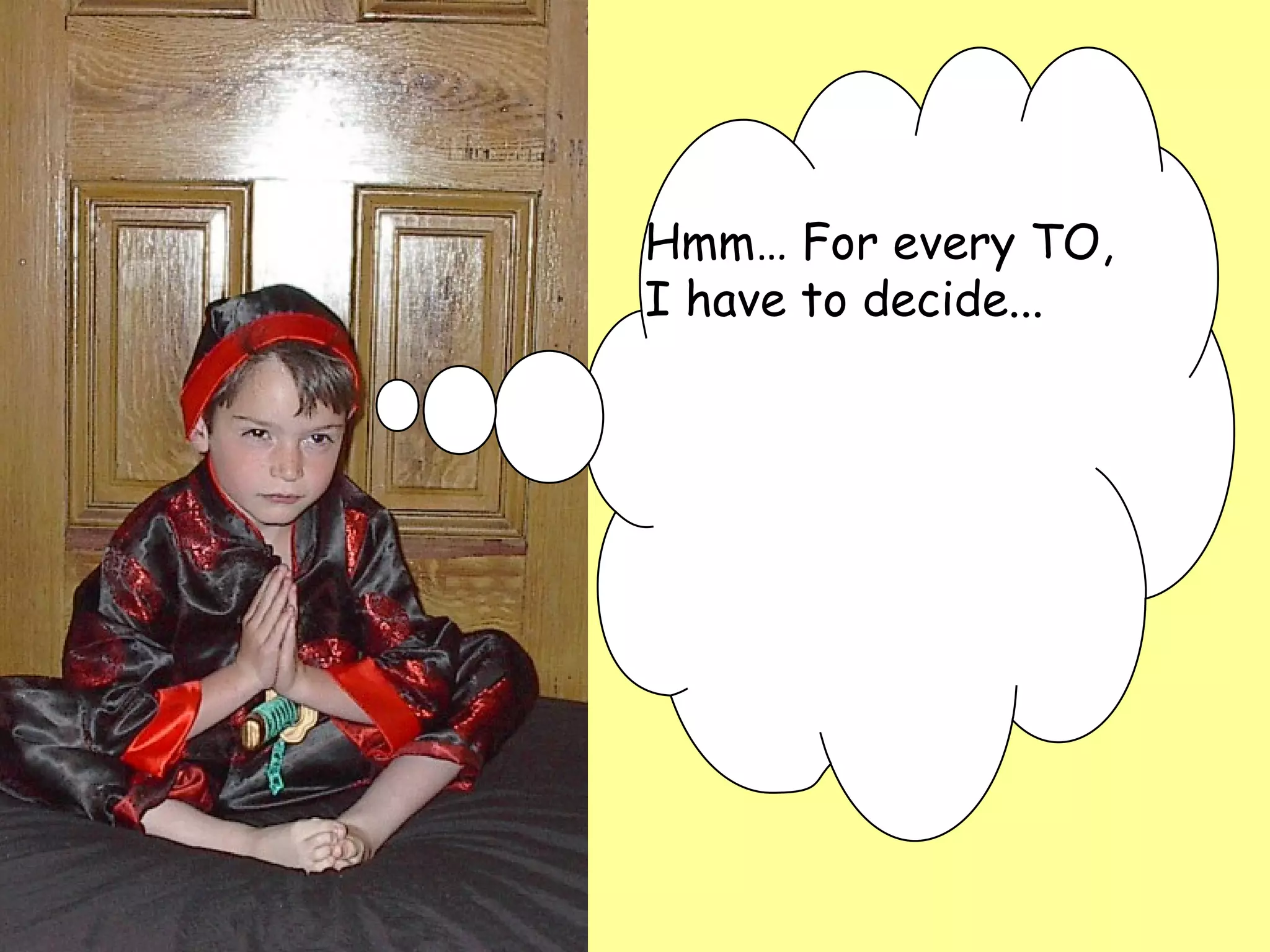
Hmm… For every TO,  I have to decide...
Hmm… For every TO,  I have to decide...  What do I  call  it?
Hmm… For every TO,  I have to decide...  What do I  call  it? Where do I  put  it?
Hmm… For every TO,  I have to decide...  What do I  call  it? Where do I  put  it? What  c o l o r  should   I make it?
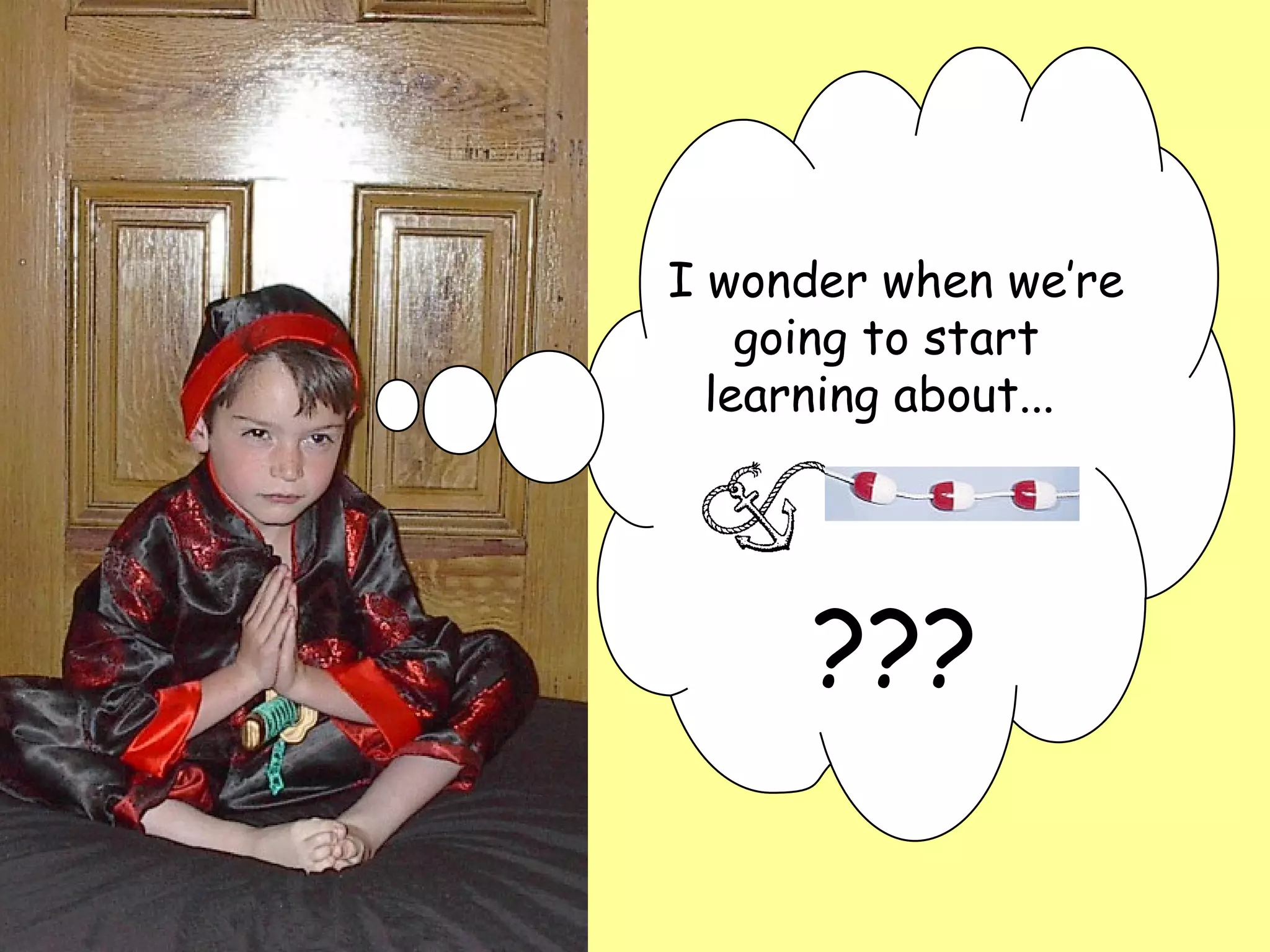
  I wonder when we’re going to start learning about...  ???
< now >
A/B  in a Nutshell
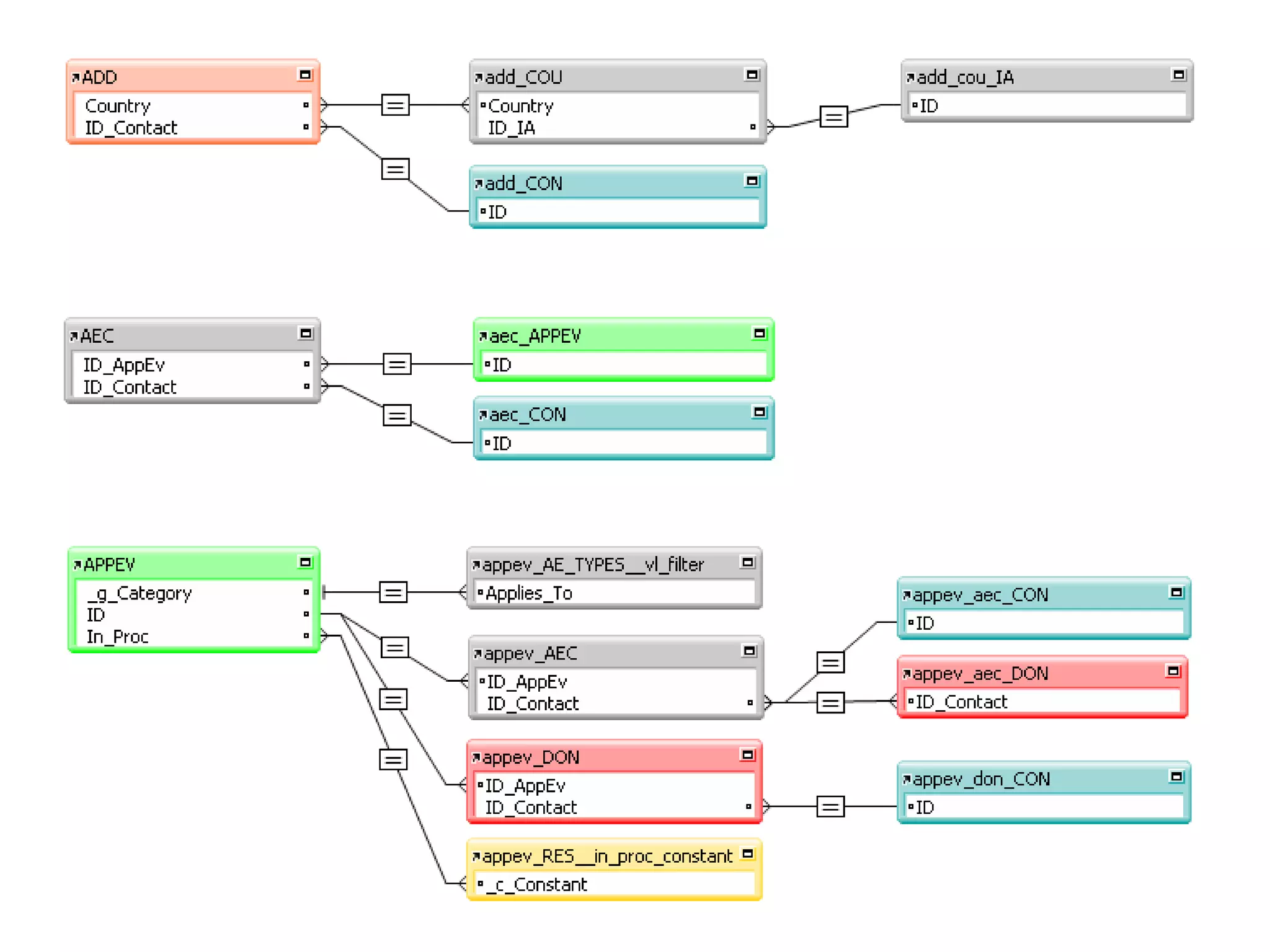
Relational Graph (RG) is divided into TOGs A/B  in a Nutshell
 
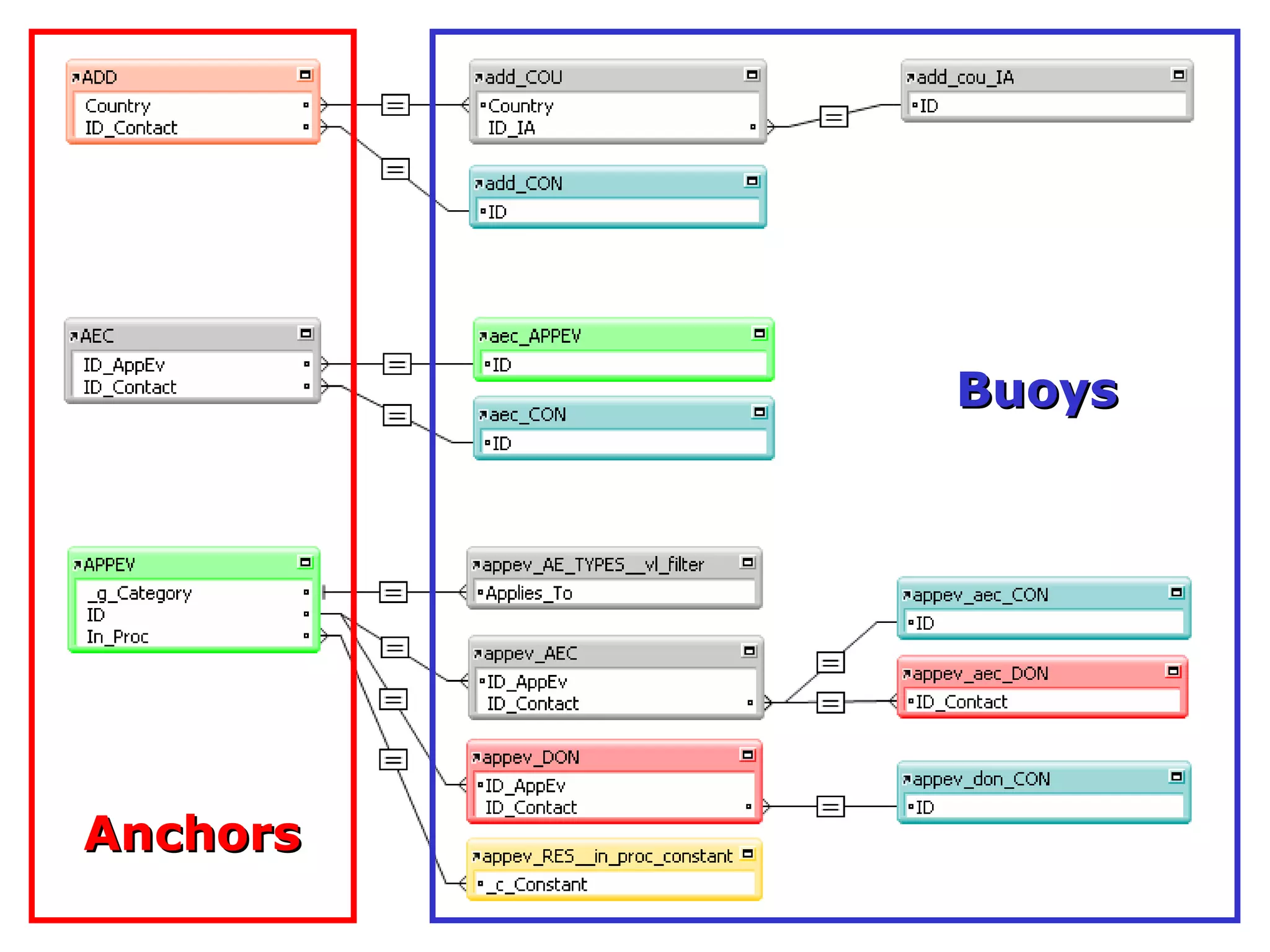
Relational Graph (RG) is divided into TOGs Each TOG consists of one “Anchor” at the left and any number of “Buoys” strung off rightward A/B  in a Nutshell
Anchors Buoys
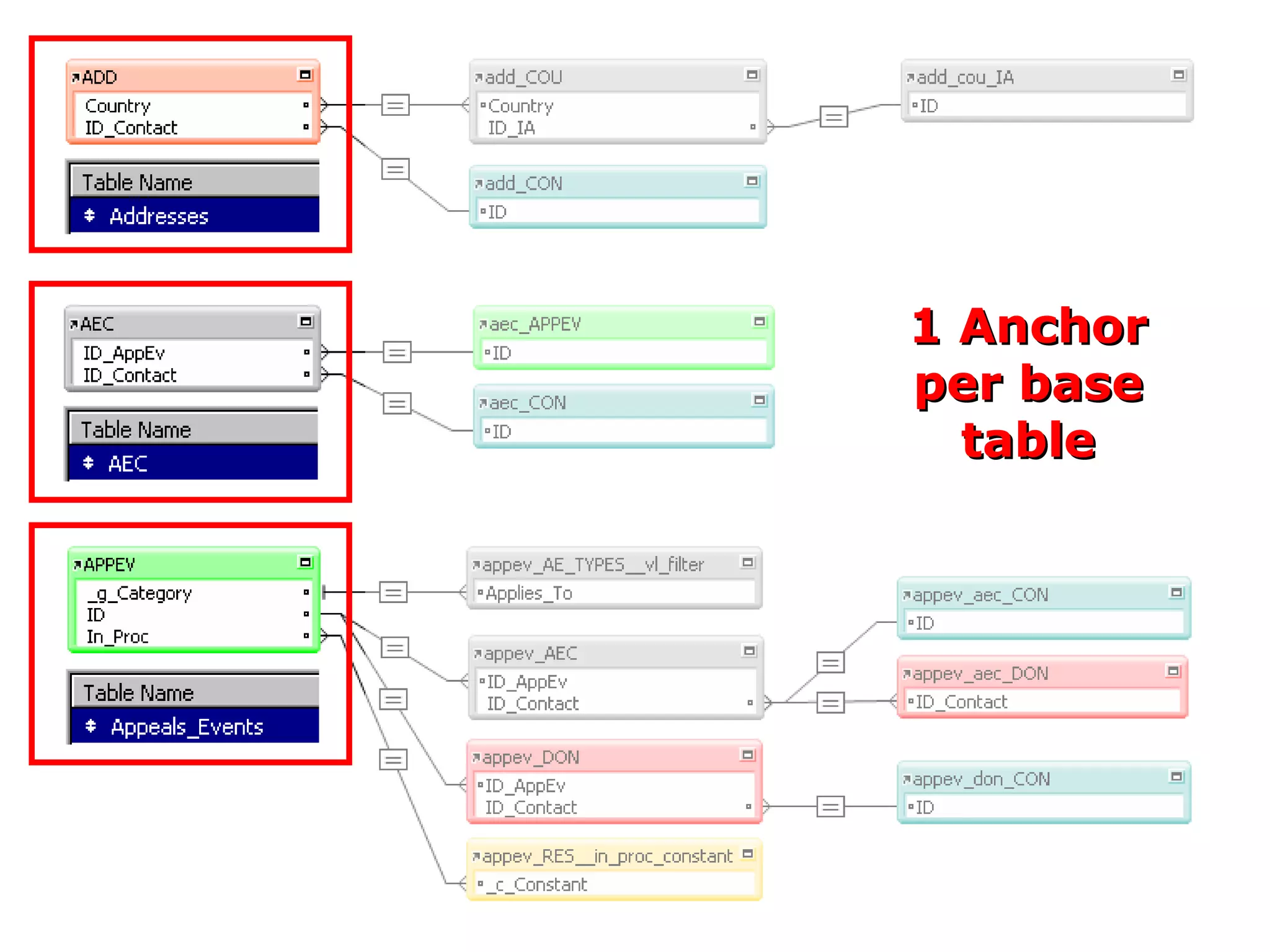
Relational Graph (RG) is divided into TOGs Each TOG consists of one “Anchor” at the left and any number of “Buoys” strung off rightward As a general rule, the RG will have one Anchor per base table A/B  in a Nutshell
1 Anchor per base table
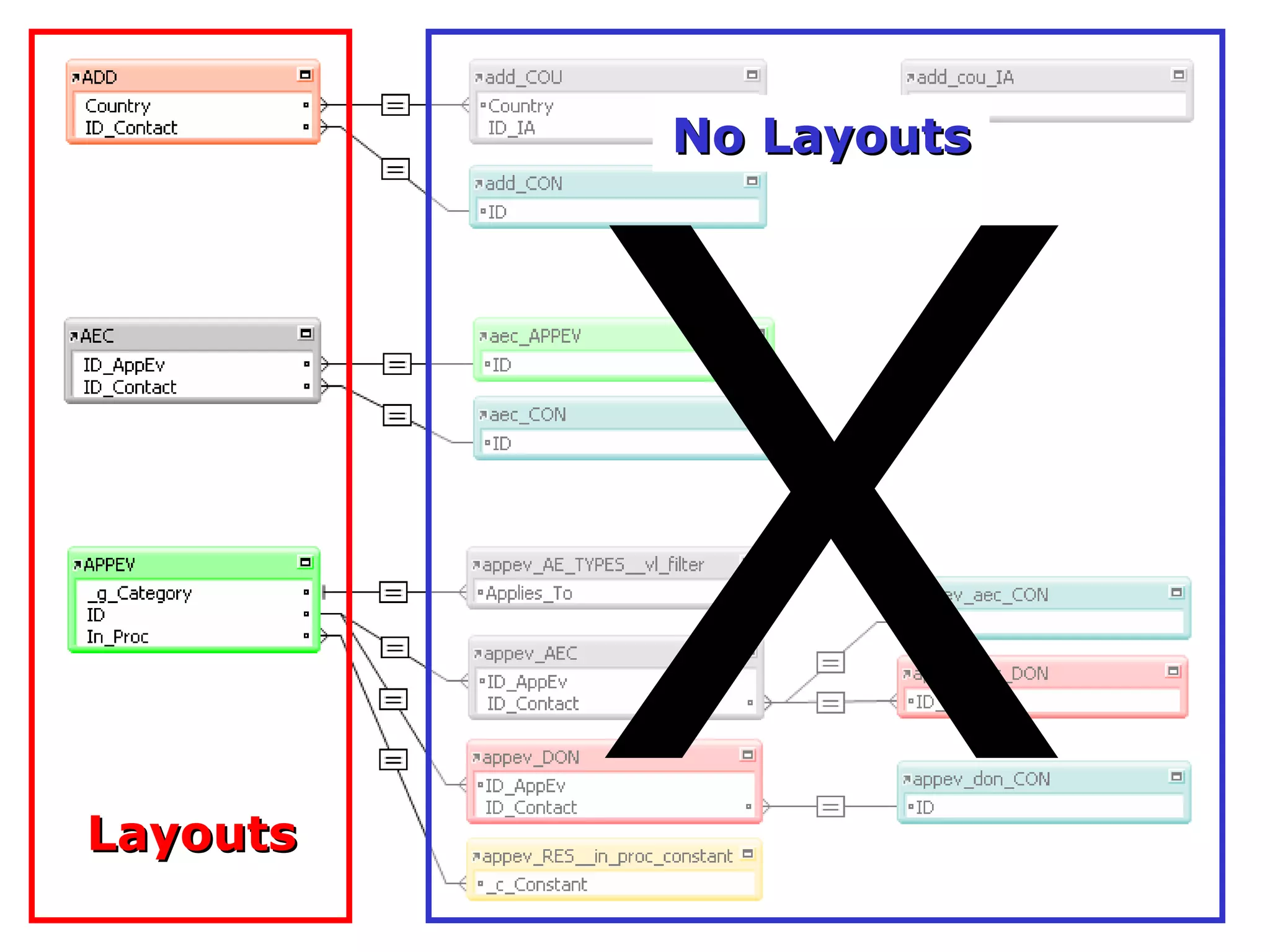
Relational Graph (RG) is divided into TOGs Each TOG consists of one “Anchor” at the left and any number of “Buoys” strung off rightward As a general rule, the RG will have one Anchor per base table Layouts are only attached to Anchors A/B  in a Nutshell
Layouts X No Layouts
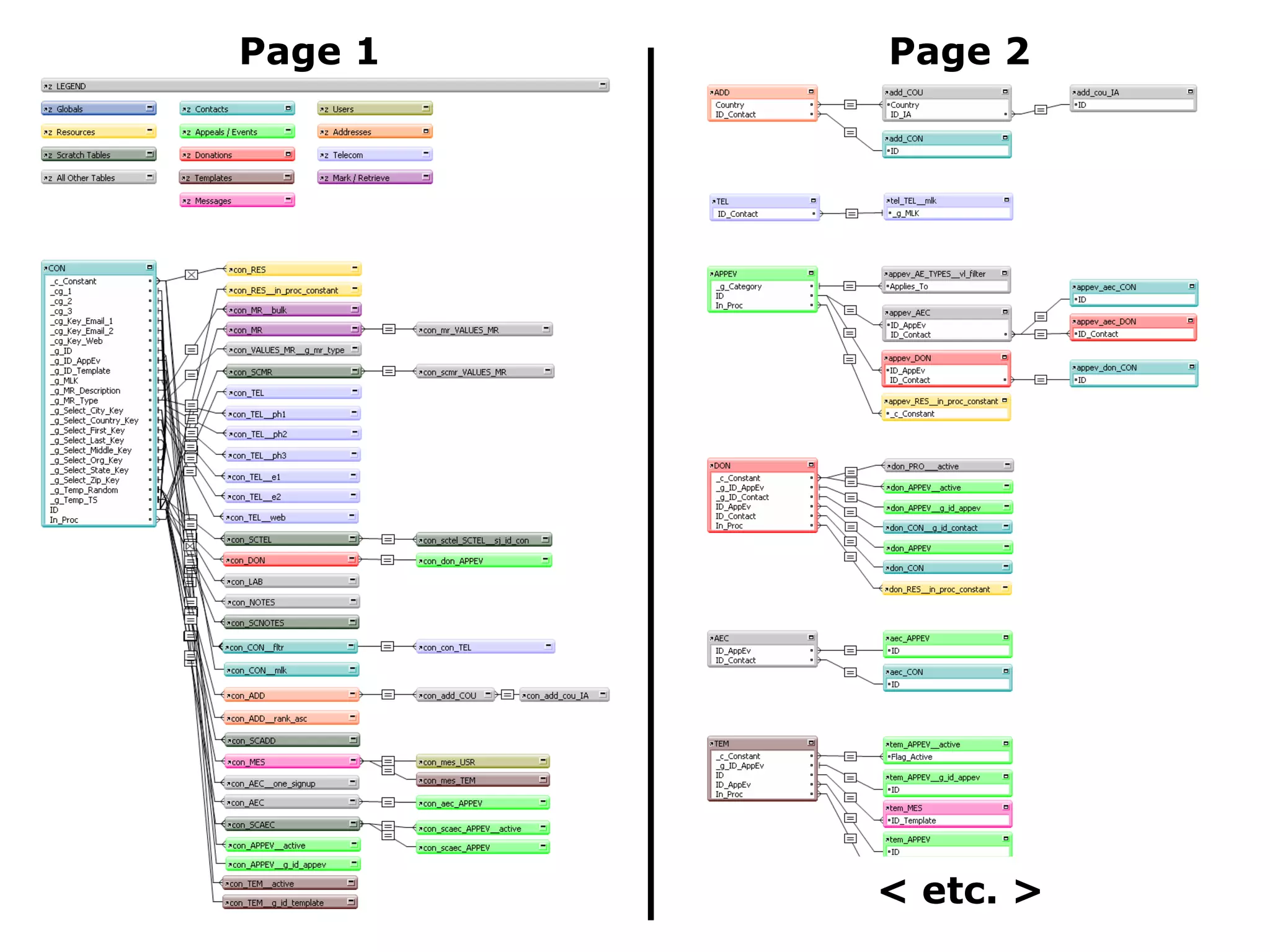
Relational Graph (RG) is divided into TOGs Each TOG consists of one “Anchor” at the left and any number of “Buoys” strung off rightward As a general rule, the RG will have one Anchor per base table Layouts are only attached to Anchors RG is restricted to one page in width, but is allowed to grow as tall as necessary A/B  in a Nutshell
Page 1 Page 2 < etc. >
Relational Graph (RG) is divided into TOGs Each TOG consists of one “Anchor” at the left and any number of “Buoys” strung off rightward As a general rule, the RG will have one Anchor per base table Layouts are only attached to Anchors RG is restricted to one page in width, but is allowed to grow as tall as necessary Color coding and TO naming conventions are an integral component of this methodology A/B  in a Nutshell
Relational Graph (RG) is divided into TOGs Each TOG consists of one “Anchor” at the left and any number of “Buoys” strung off rightward As a general rule, the RG will have one Anchor per base table Layouts are only attached to Anchors RG is restricted to one page in width, but is allowed to grow as tall as necessary Color coding and TO naming conventions are an integral component of this methodology A/B  in a Nutshell Most A/B-ers agree  on these points...
Relational Graph (RG) is divided into TOGs Each TOG consists of one “Anchor” at the left and any number of “Buoys” strung off rightward As a general rule, the RG will have one Anchor per base table Layouts are only attached to Anchors RG is restricted to one page in width, but is allowed to grow as tall as necessary Color codi 䑮 g and TO naming conventions are an integral component of this methodology A/B  in a Nutshell But have minor   differences re:
Relational Graph (RG) is divided into TOGs Each TOG consists of one “Anchor” at the left and any number of “Buoys” strung off rightward As a general rule, the RG will have one Anchor per base table Layouts are only attached to Anchors RG is restricted to one page in width, but is allowed to grow as tall as necessary Color coding and TO naming conventions are an integral component of this methodology A/B  in a Nutshell But have minor   differences re:
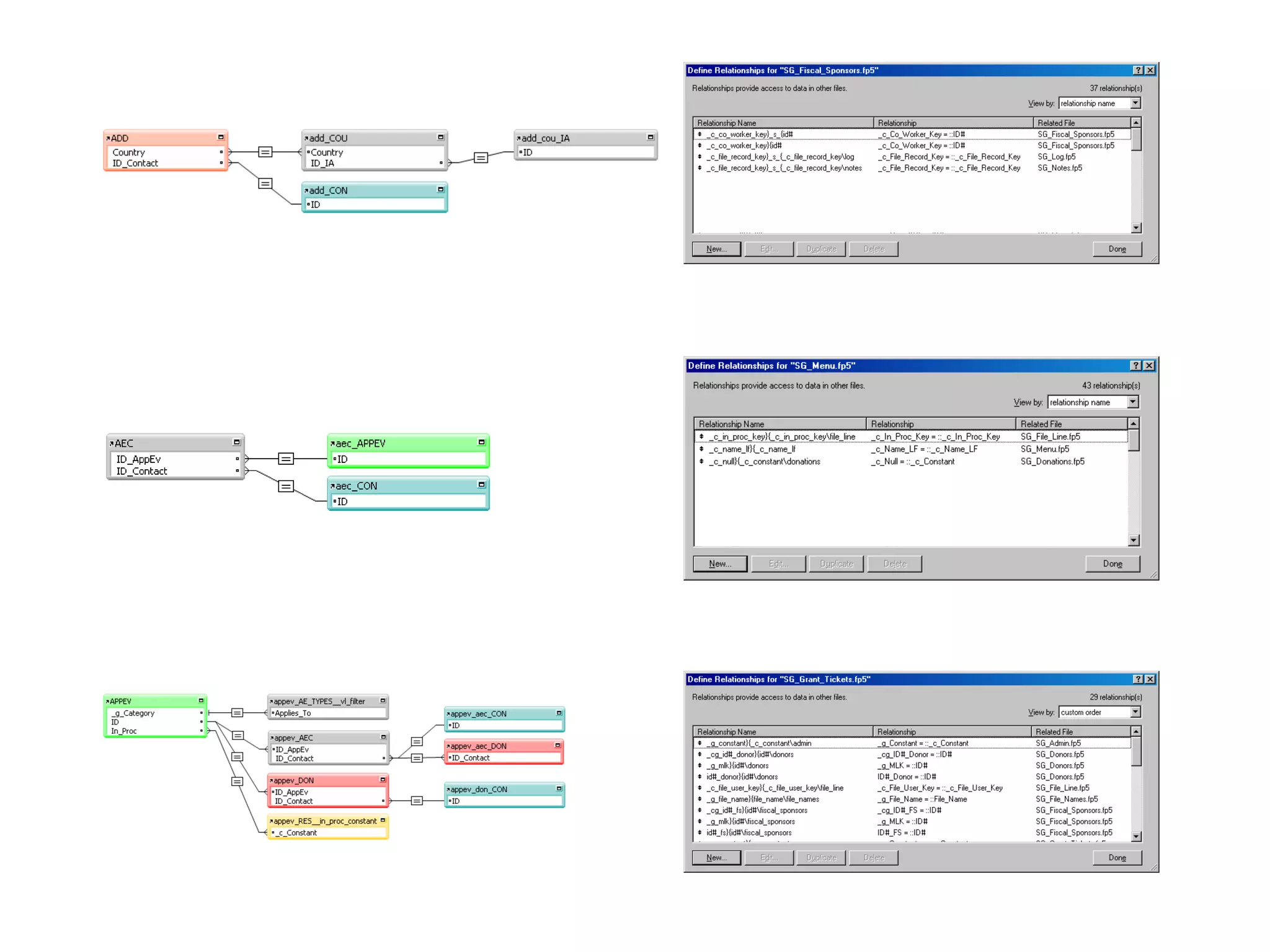
Color Coding & TO Naming Conventions
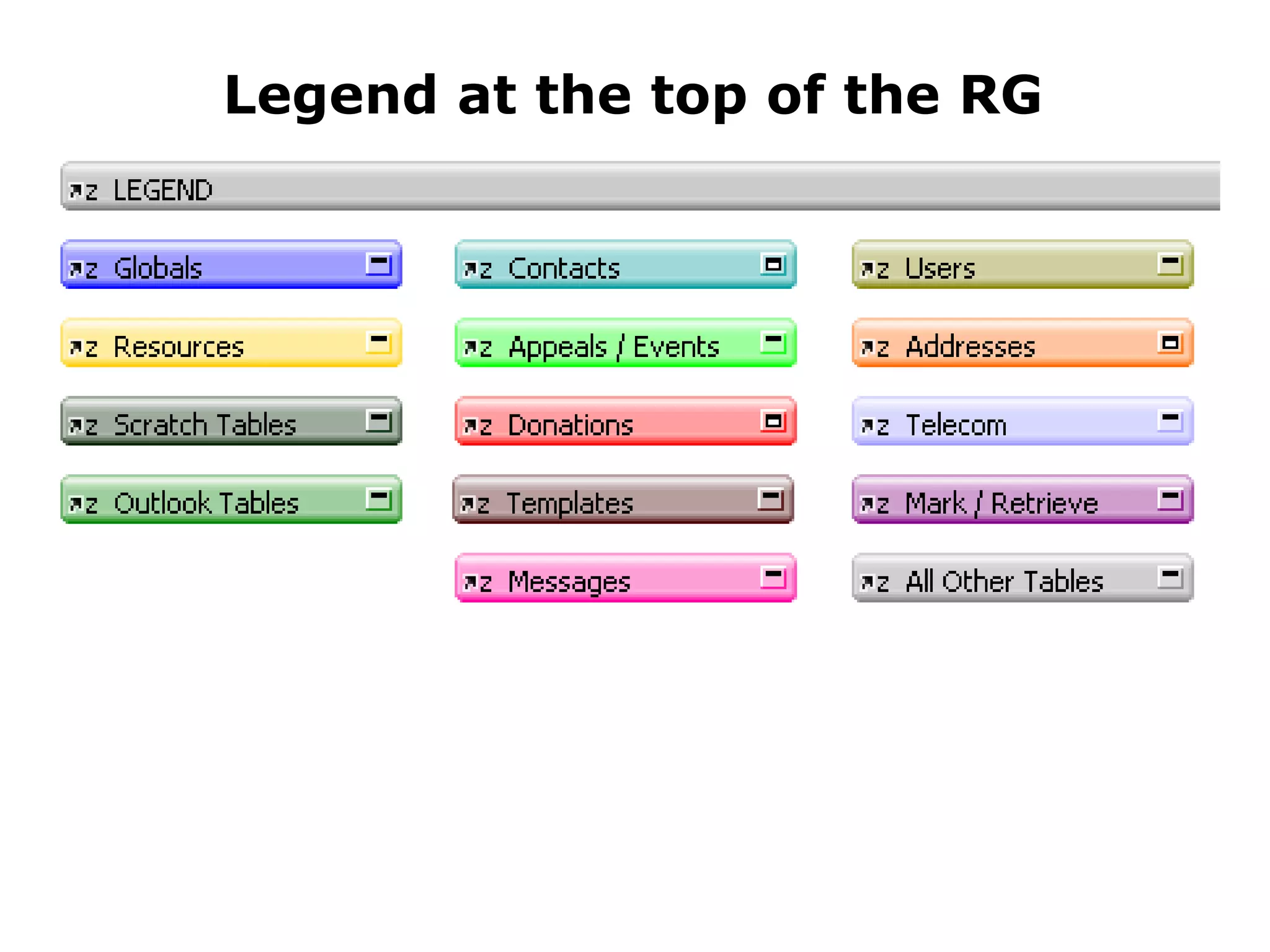
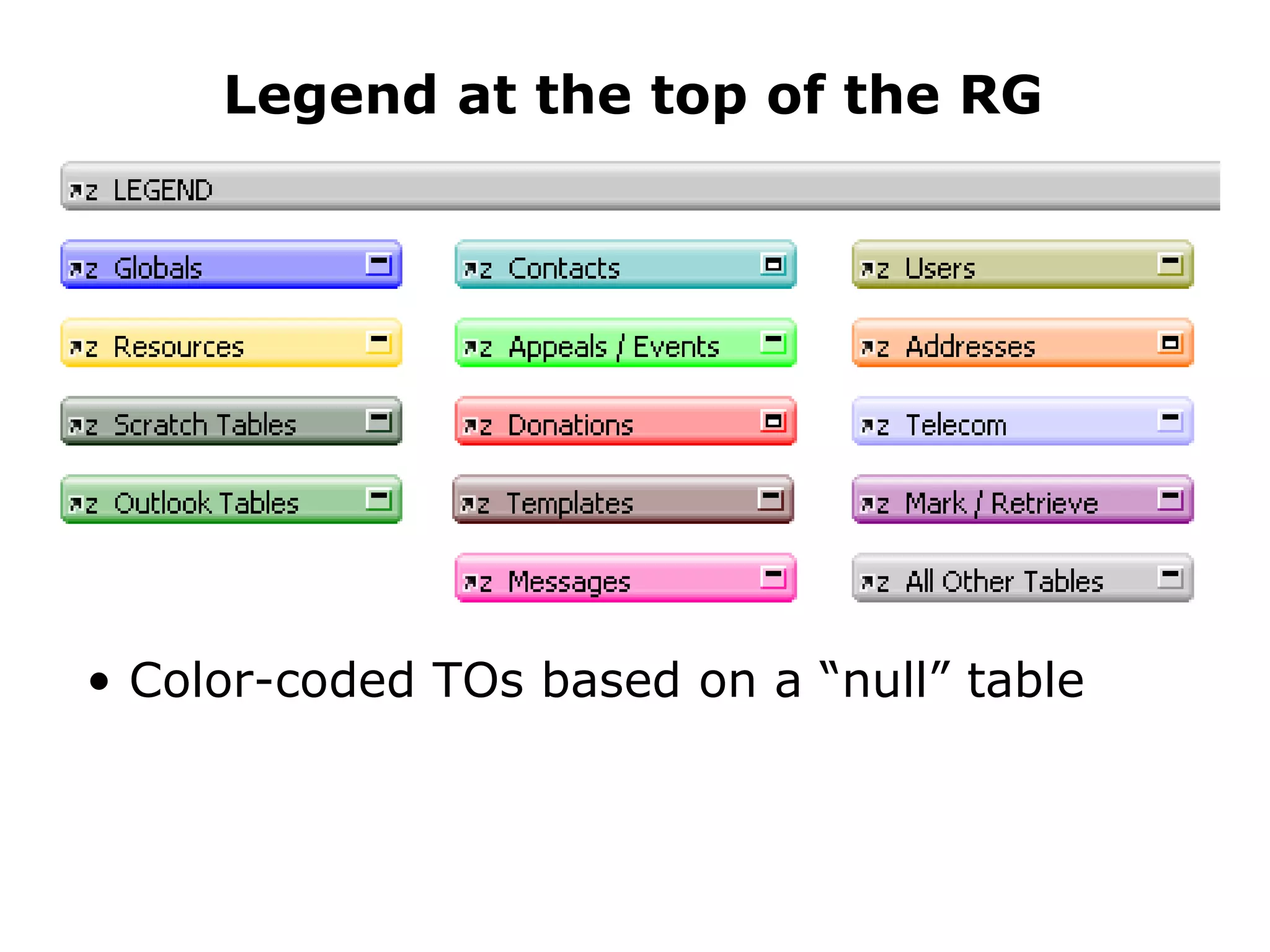
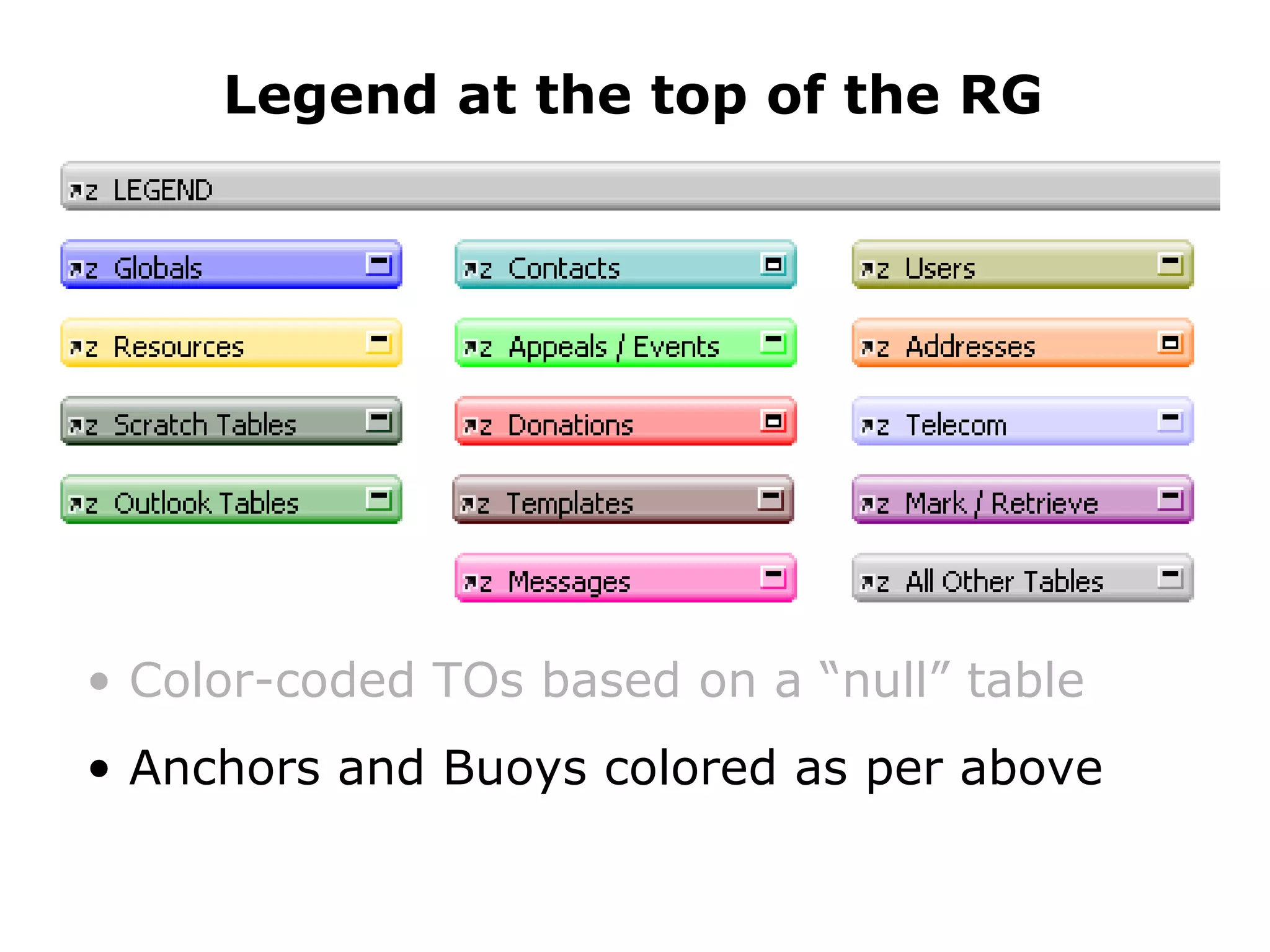
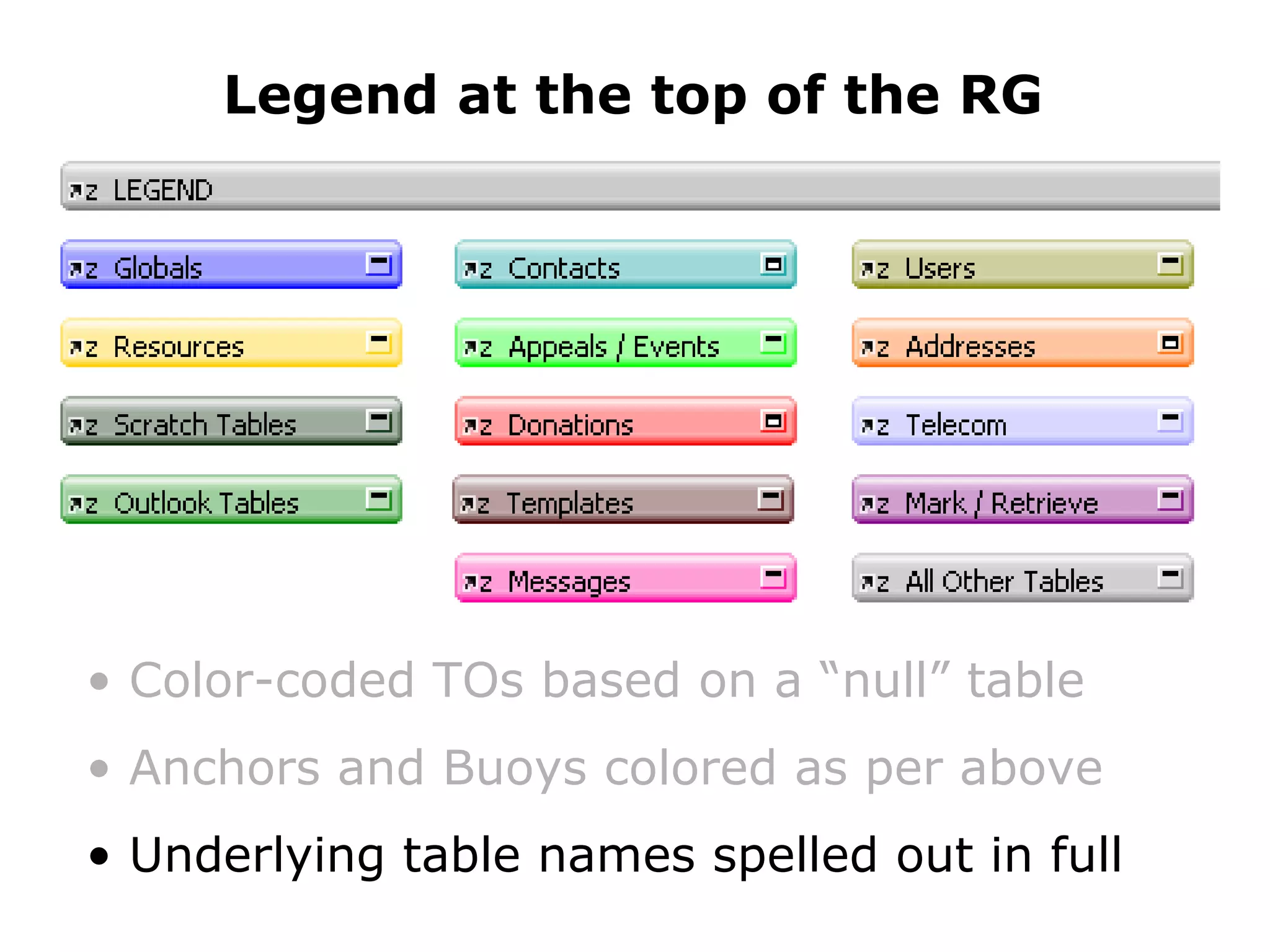
Legend at the top of the RG
Legend at the top of the RG Color-coded TOs based on a “null” table
Legend at the top of the RG Color-coded TOs based on a “null” table Anchors and Buoys colored as per above
Legend at the top of the RG Color-coded TOs based on a “null” table Anchors and Buoys colored as per above Underlying table names spelled out in full
Anchor Name
Anchor name is CAPITALIZED Anchor Name
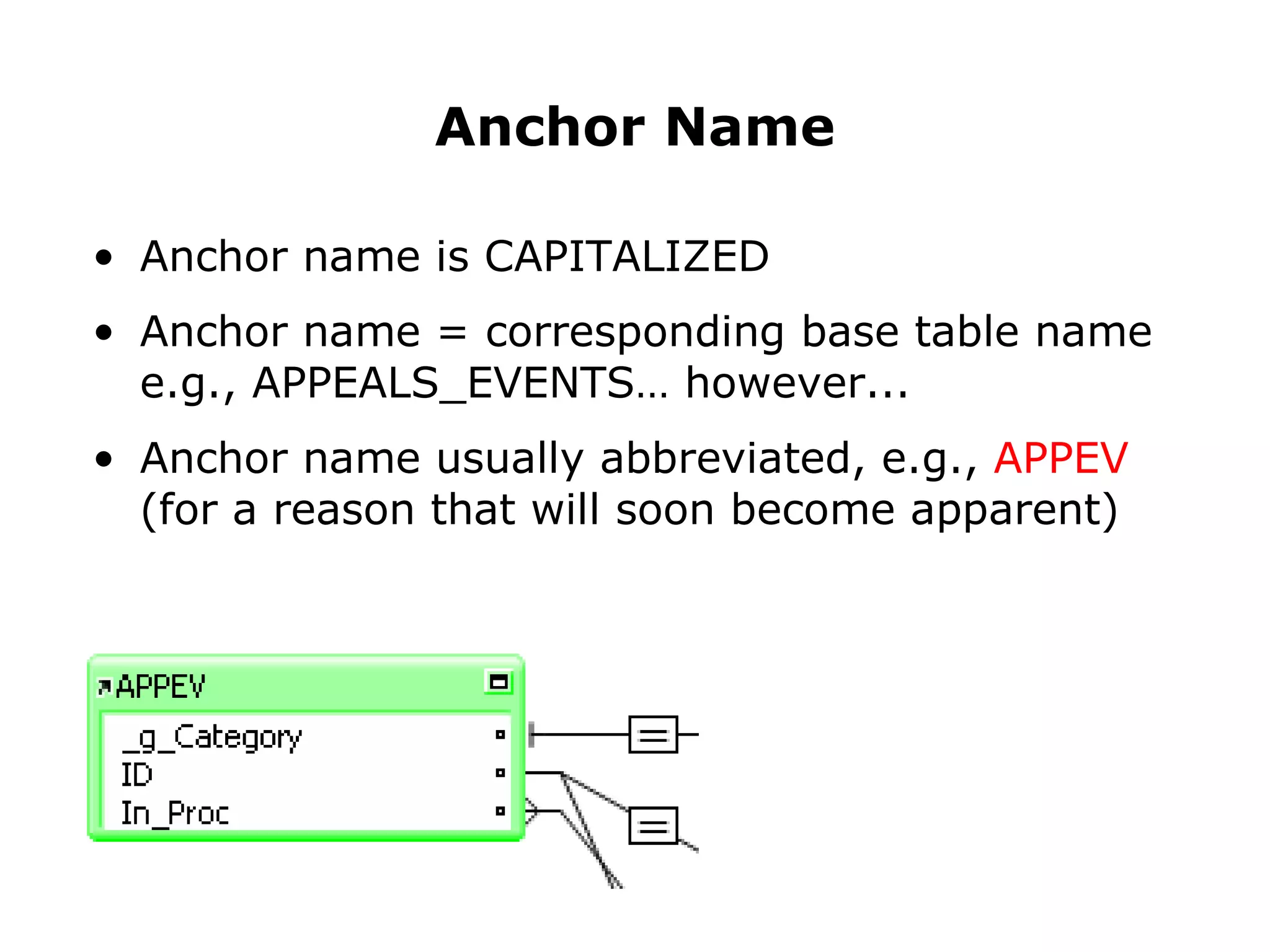
Anchor name is CAPITALIZED Anchor name = corresponding base table name e.g.,  APPEALS_EVENTS … however... Anchor Name
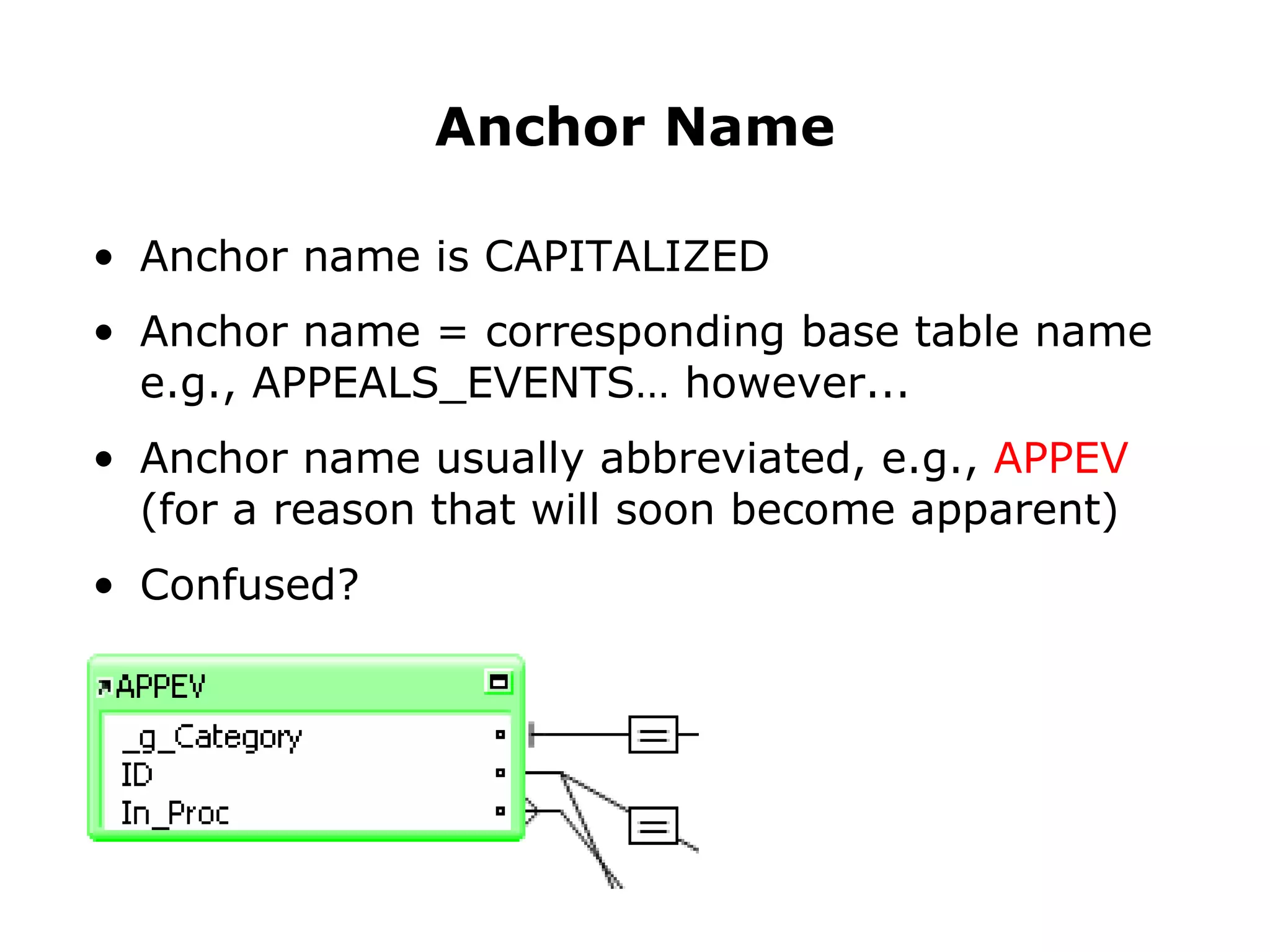
Anchor name is CAPITALIZED Anchor name = corresponding base table name e.g., APPEALS_EVENTS… however... Anchor name usually abbreviated, e.g.,  APPEV (for a reason that will soon become apparent) Anchor Name
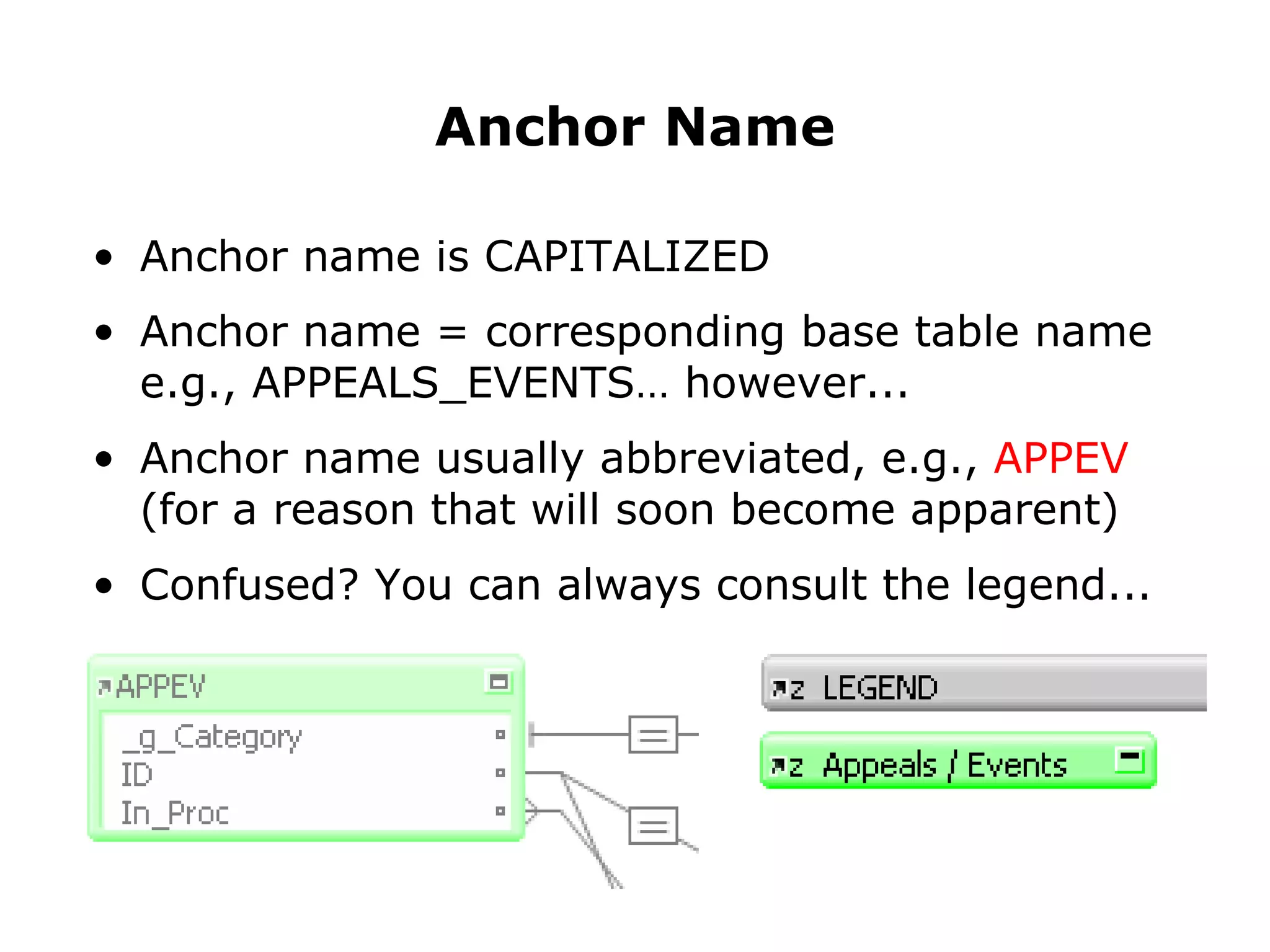
Anchor name is CAPITALIZED Anchor name = corresponding base table name e.g., APPEALS_EVENTS… however... Anchor name usually abbreviated, e.g.,  APPEV (for a reason that will soon become apparent) Confused? Anchor Name
Anchor name is CAPITALIZED Anchor name = corresponding base table name e.g., APPEALS_EVENTS… however... Anchor name usually abbreviated, e.g.,  APPEV (for a reason that will soon become apparent) Confused? You can always consult the legend... Anchor Name
Buoy Name
Buoy Name
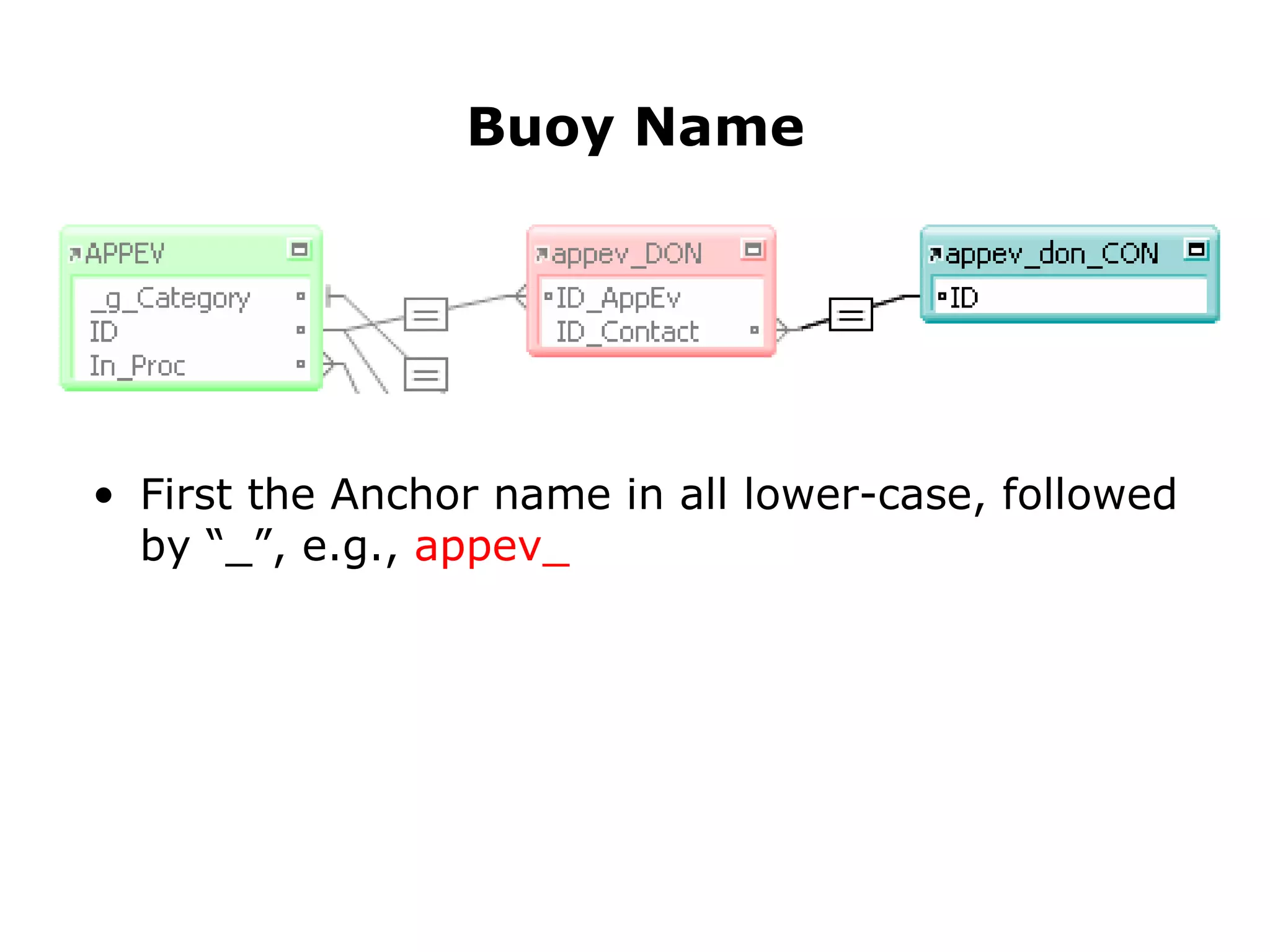
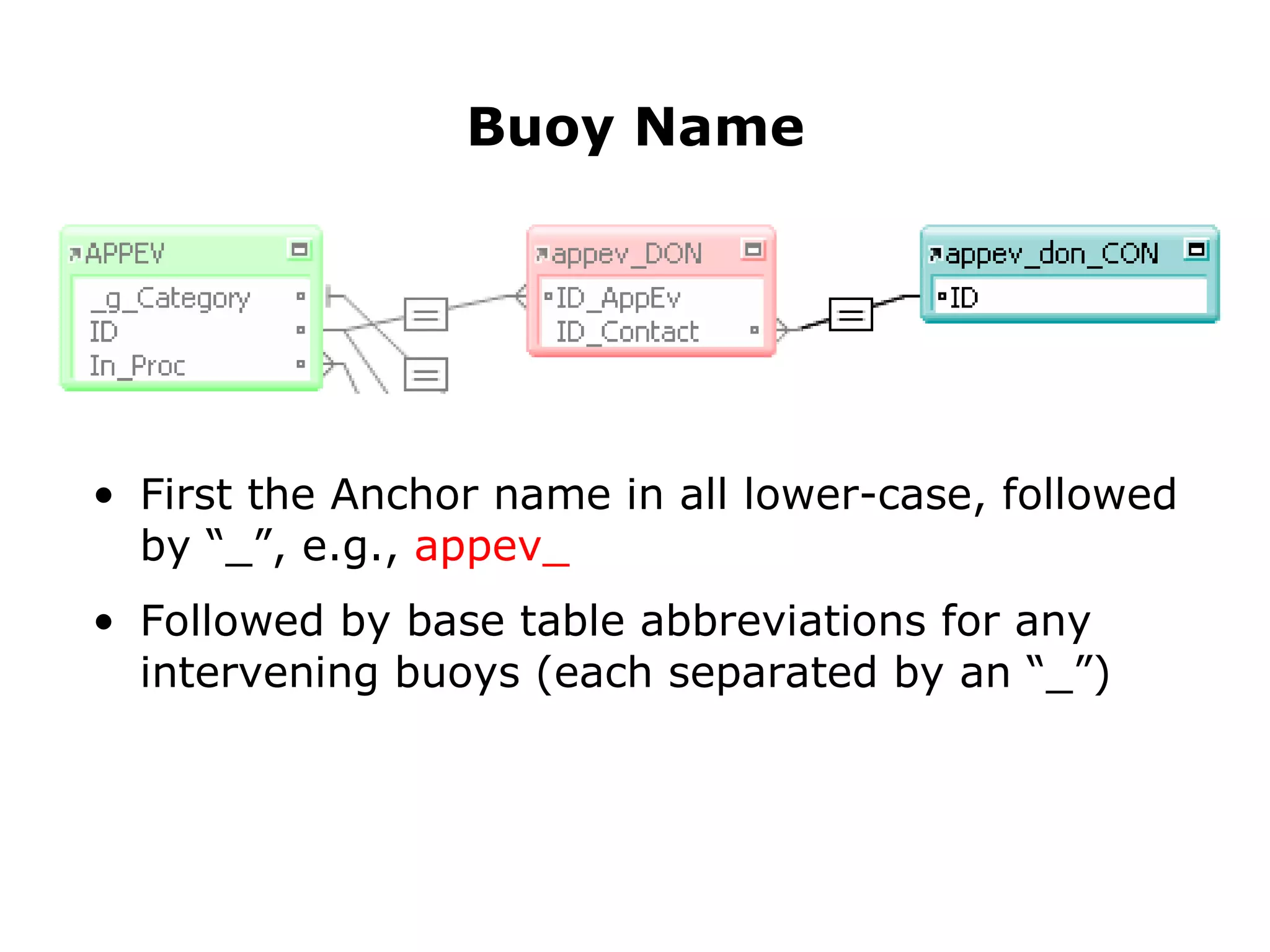
First the Anchor name in all lower-case, followed by “_”, e.g.,  appev_ Buoy Name
First the Anchor name in all lower-case, followed by “_”, e.g.,  appev_ Followed by base table abbreviations for any intervening buoys (each separated by an “_”) Buoy Name
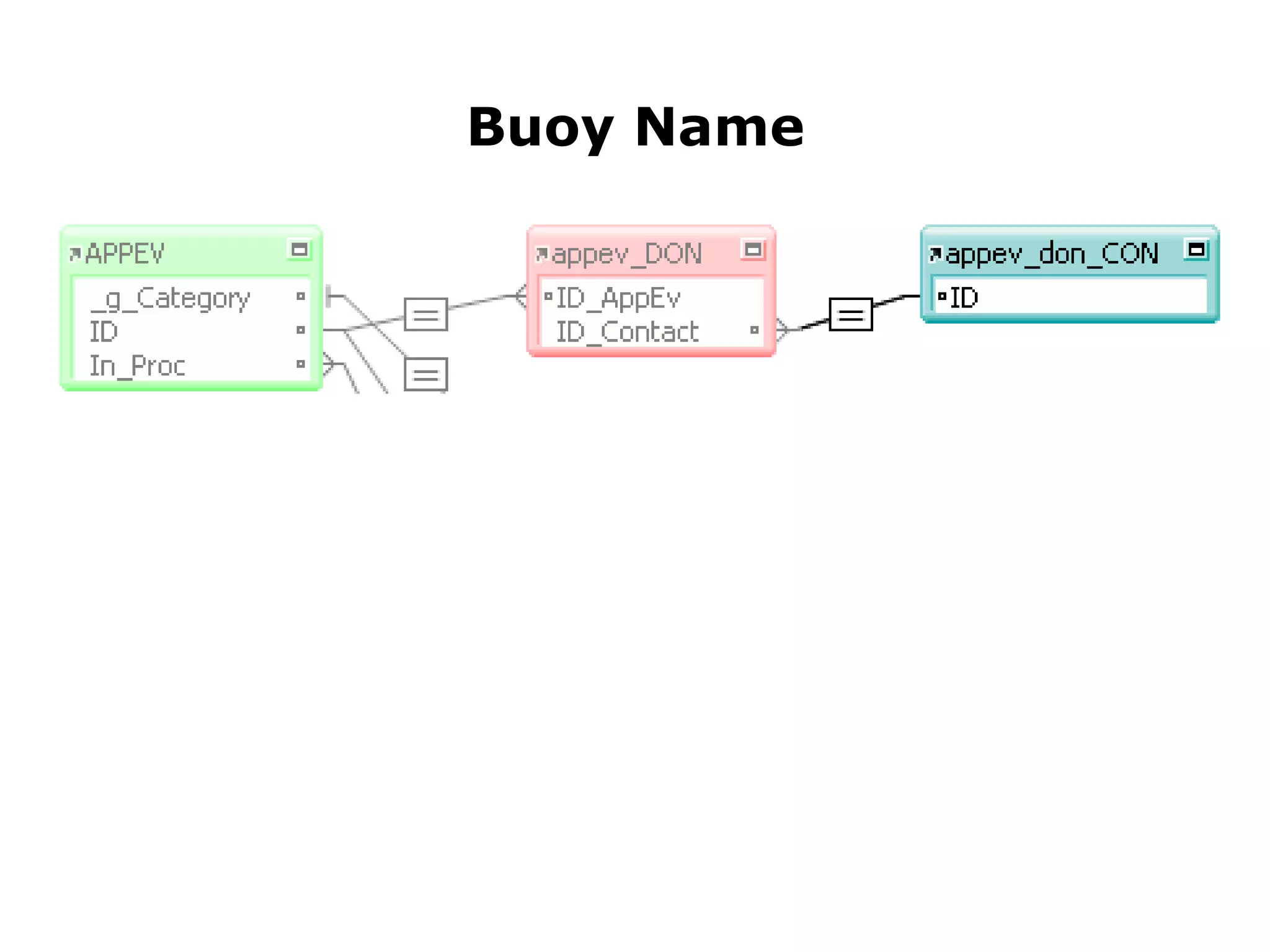
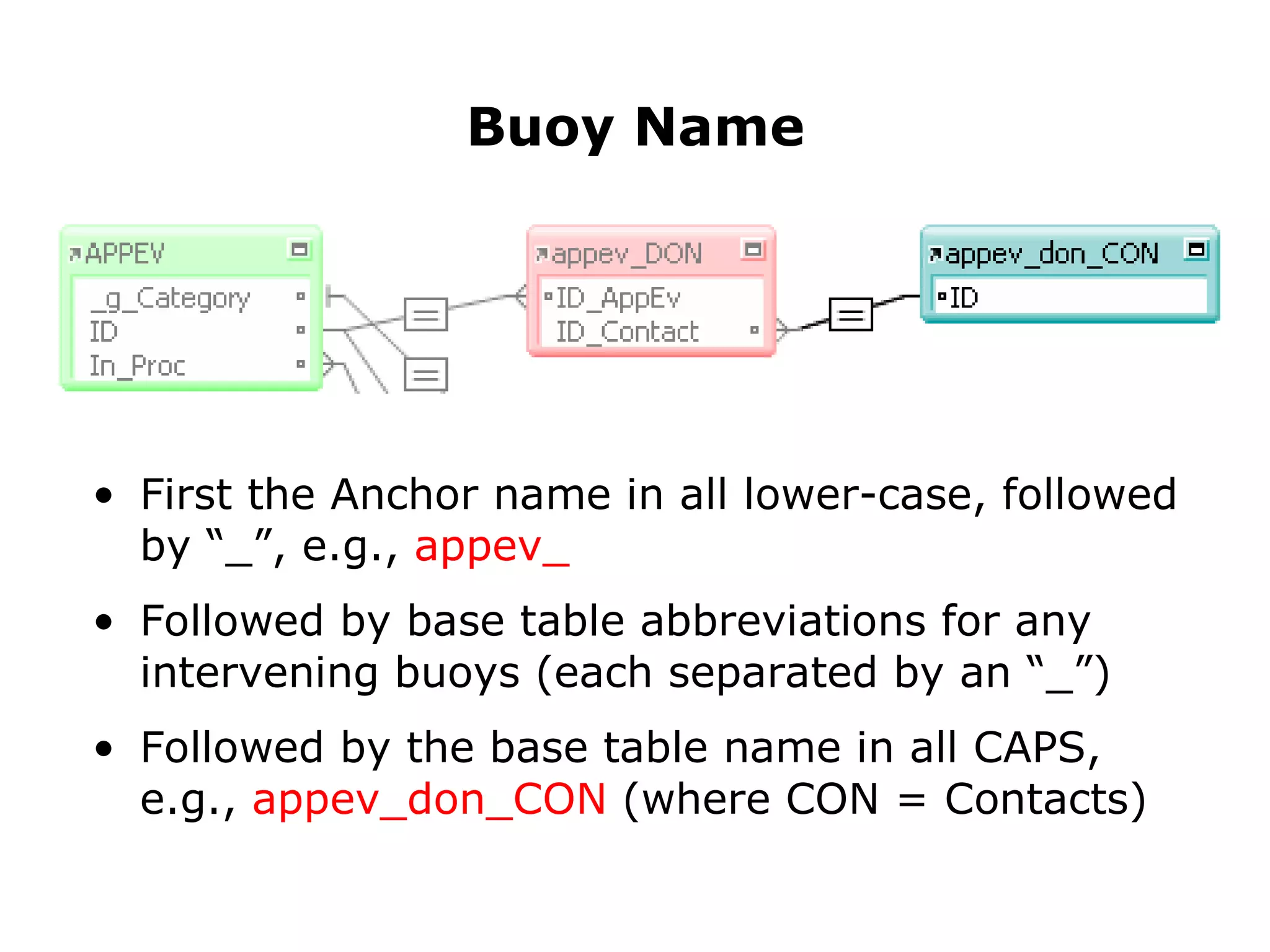
First the Anchor name in all lower-case, followed by “_”, e.g.,  appev_ Followed by base table abbreviations for any intervening buoys (each separated by an “_”) Followed by the base table name in all CAPS, e.g.,  appev_don_CON  (where CON = Contacts) Buoy Name
If you need to clarify the Buoy name
Append two underscores: “__” If you need to clarify the Buoy name
Append two underscores: “__” Followed by a lower-case explanation If you need to clarify the Buoy name
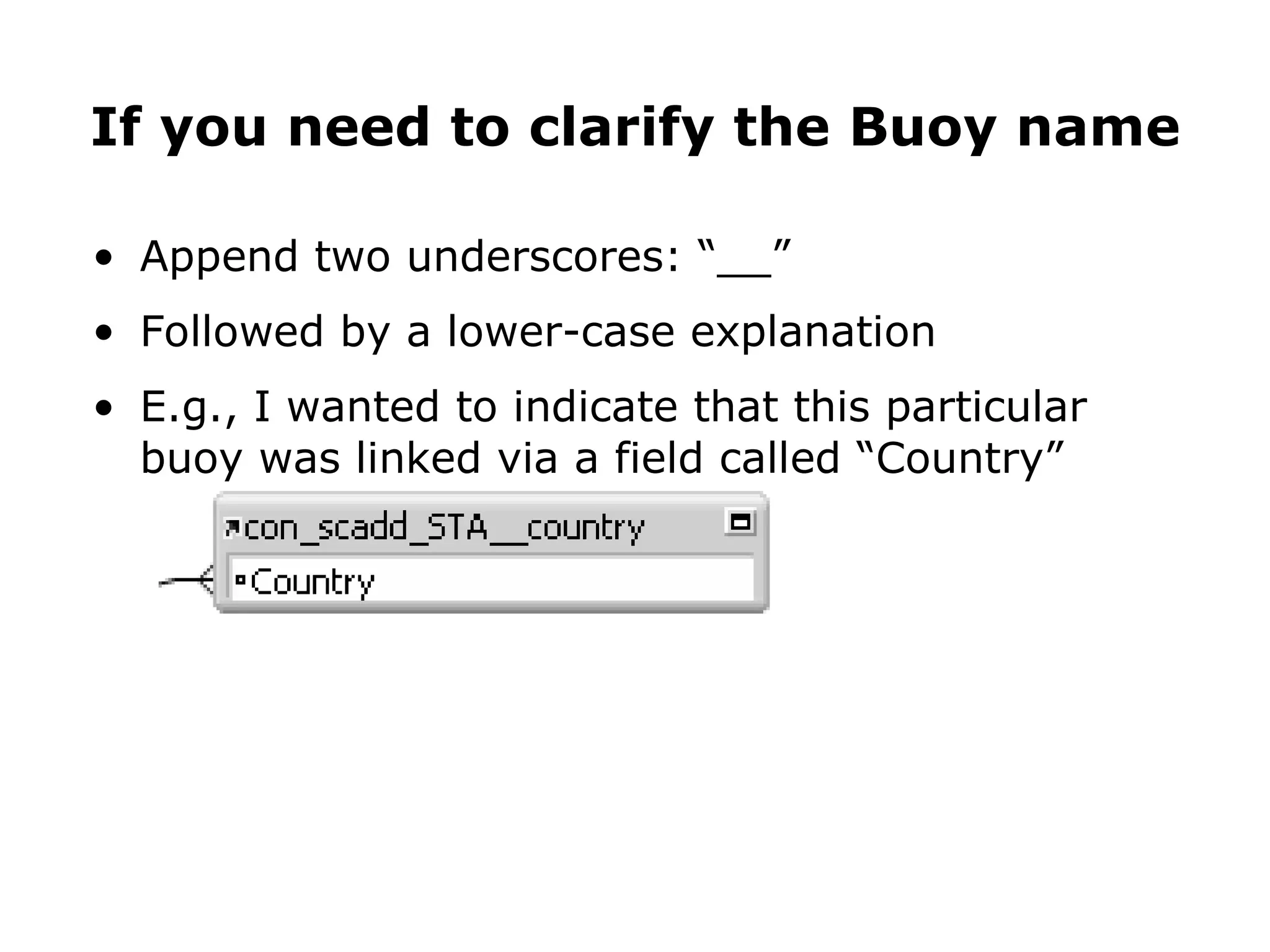
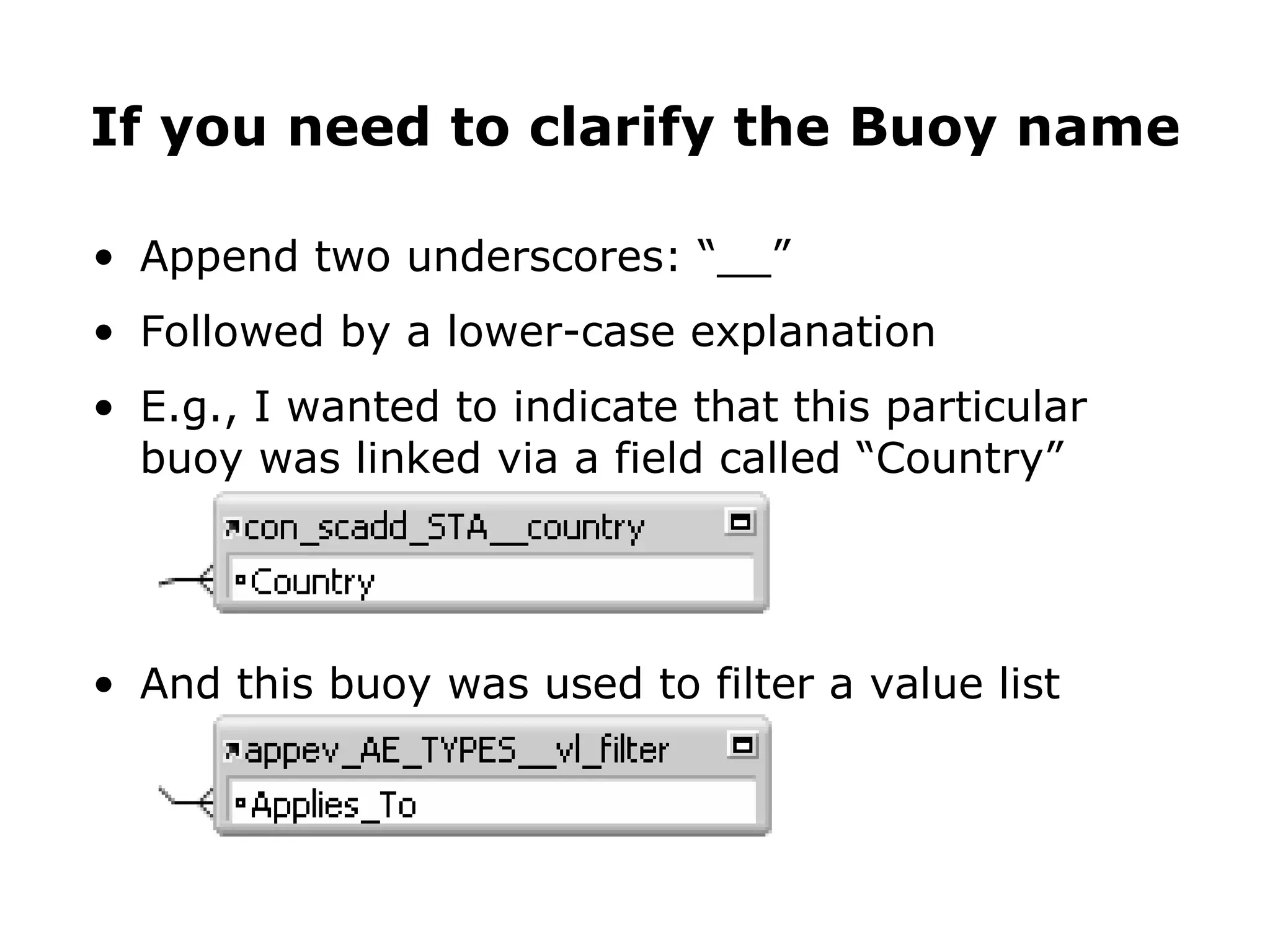
Append two underscores: “__” Followed by a lower-case explanation E.g., I wanted to indicate that this particular buoy was linked via a field called “Country” If you need to clarify the Buoy name
Append two underscores: “__” Followed by a lower-case explanation E.g., I wanted to indicate that this particular buoy was linked via a field called “Country” And this buoy was used to filter a value list If you need to clarify the Buoy name
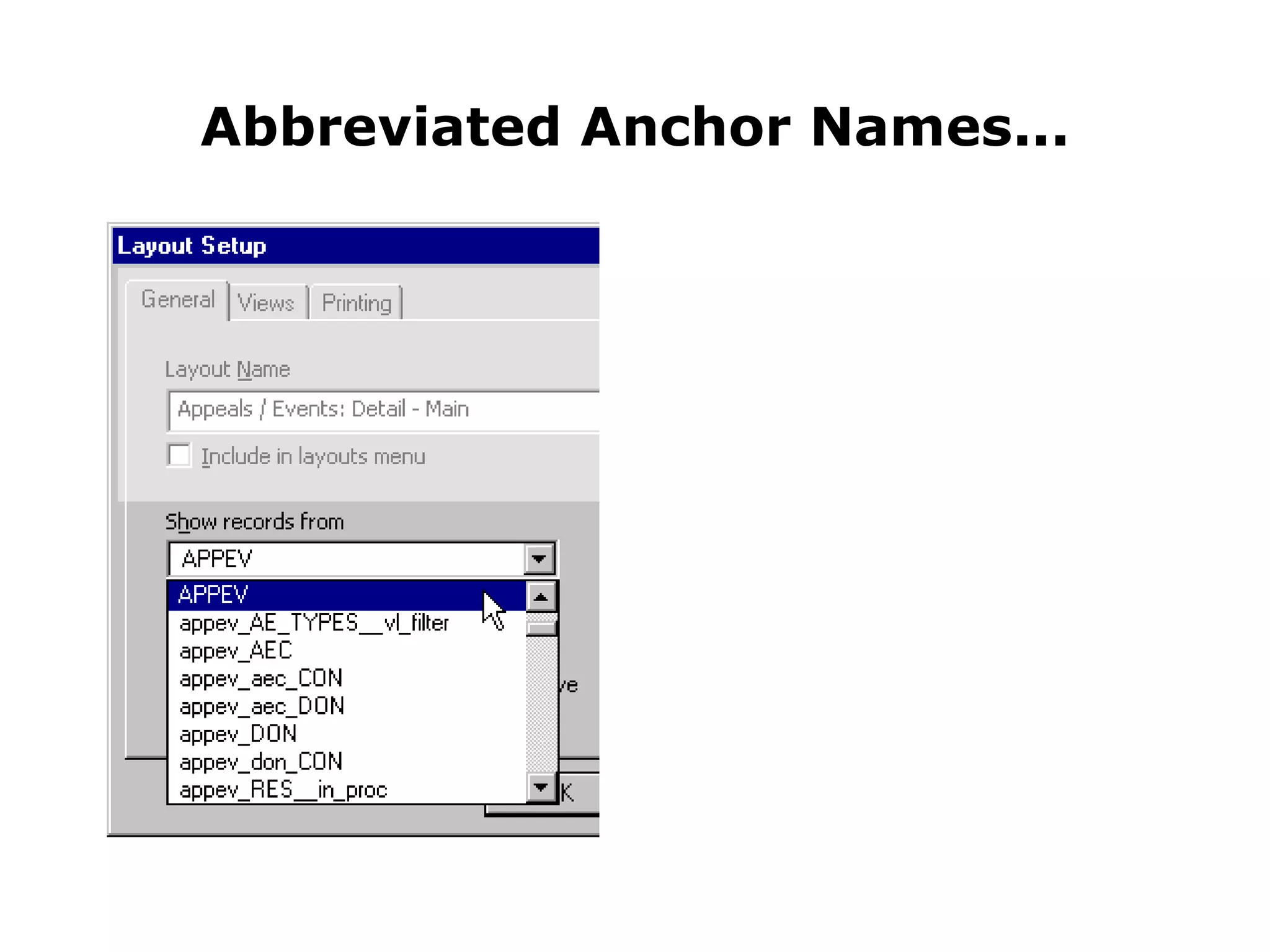
Abbreviated Anchor Names...
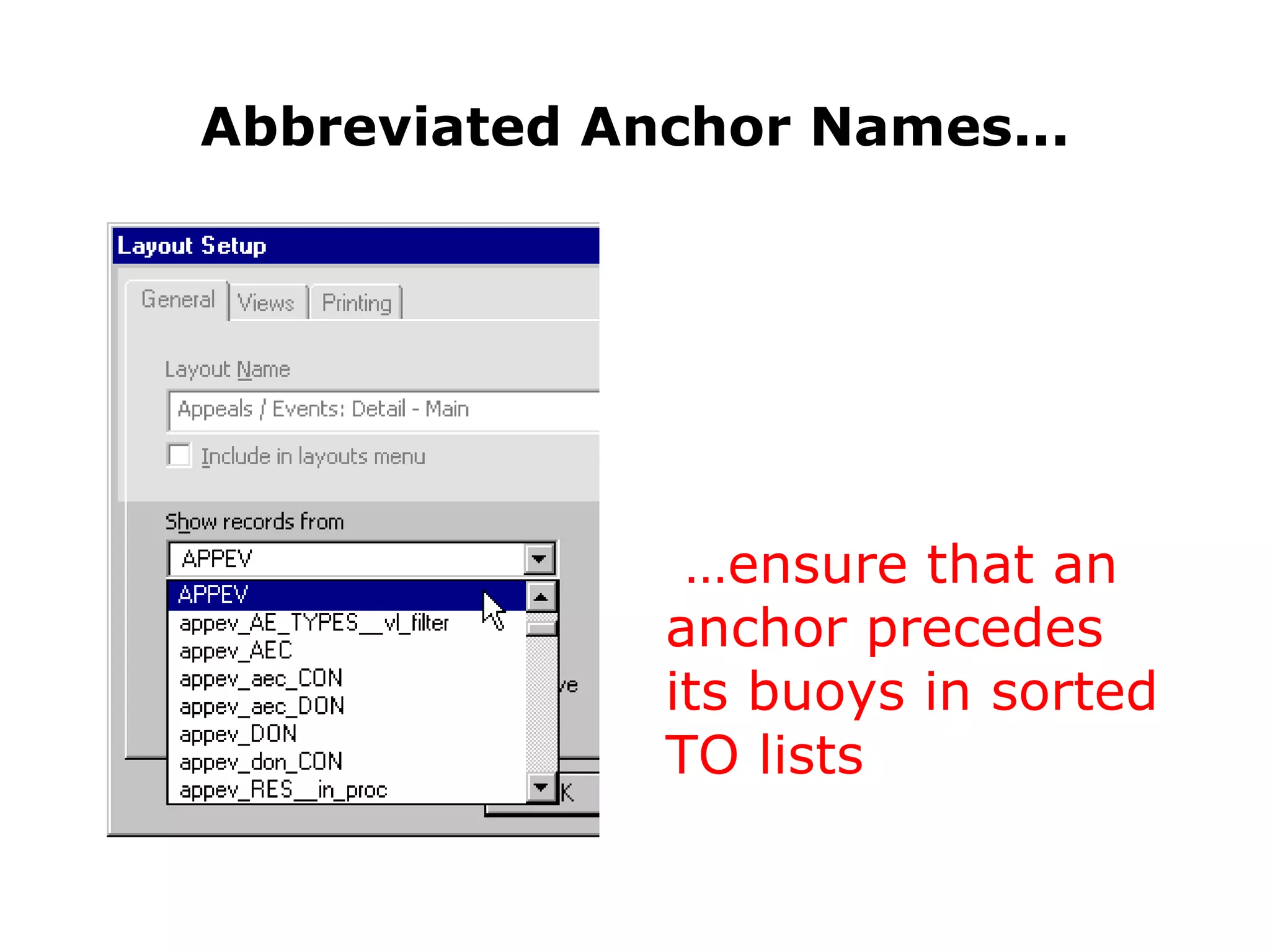
Abbreviated Anchor Names... … ensure that an anchor precedes its buoys in sorted TO lists
Some Benefits of the A/B Method
Some Benefits of the A/B Method As in FM6, relationships are unidirectional, and flow from left to right, which means...
Some Benefits of the A/B Method As in FM6, relationships are unidirectional, and flow from left to right, which means... You only deal with related data that is “down-stream” from wherever you happen to be
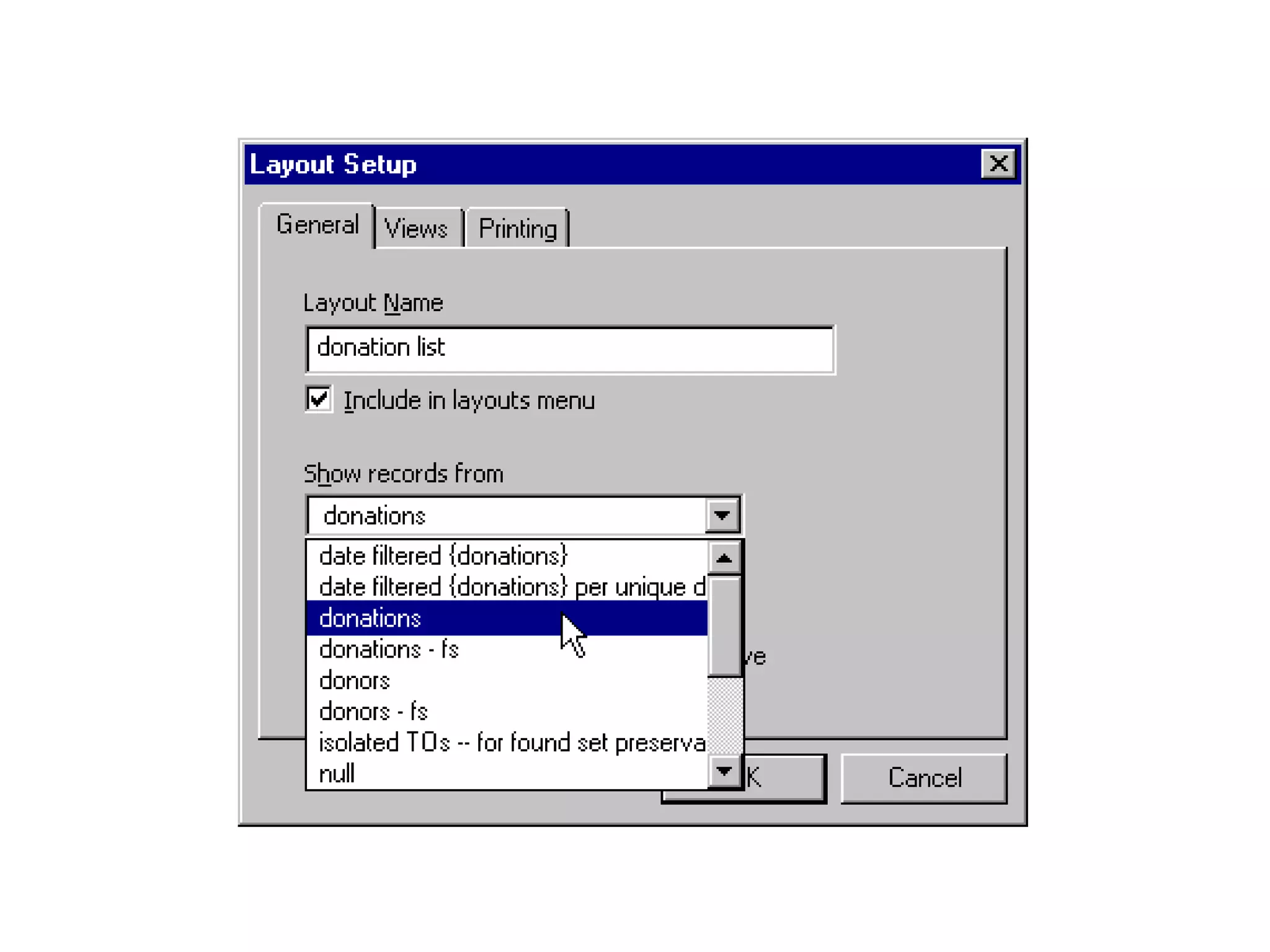
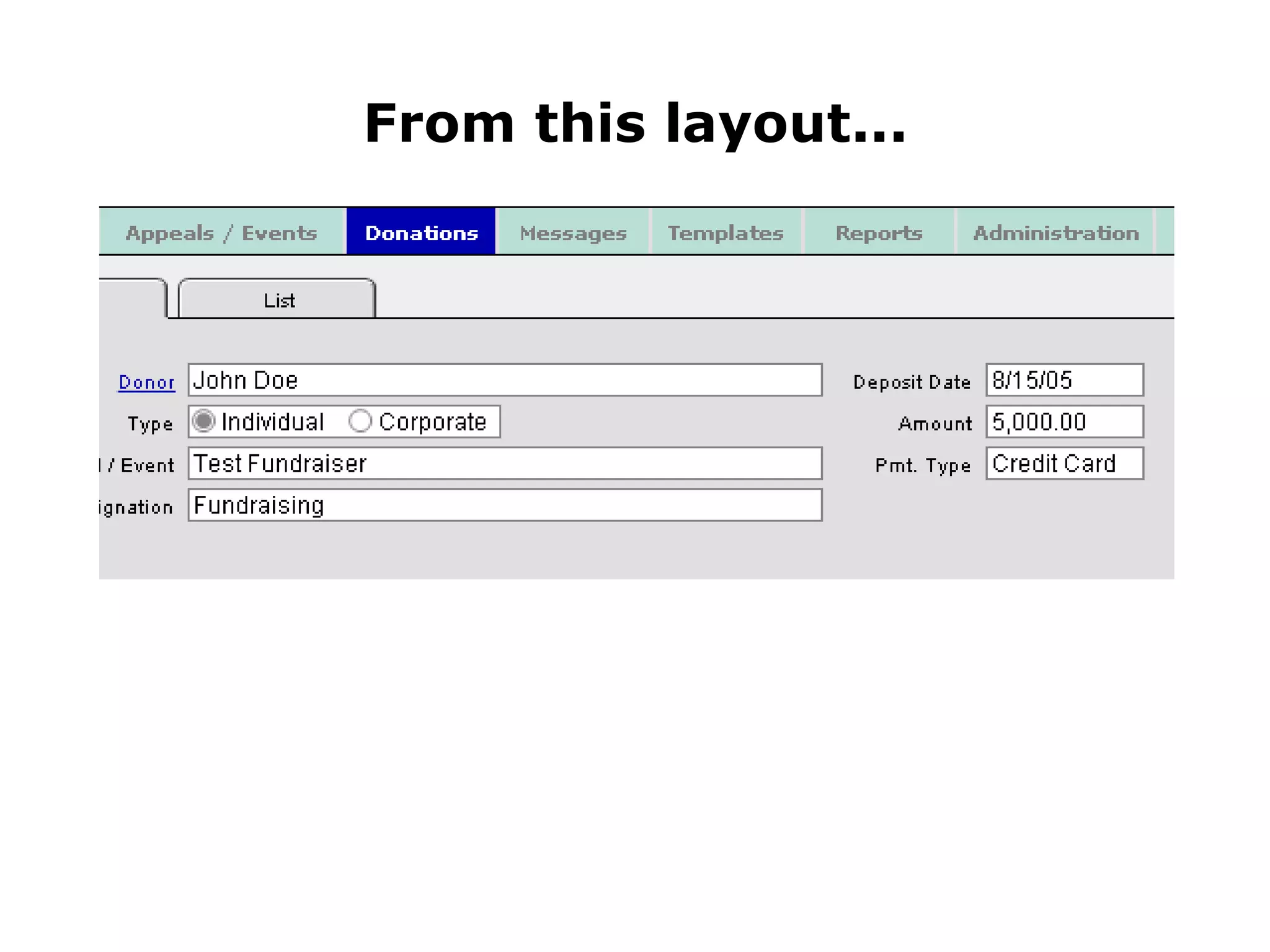
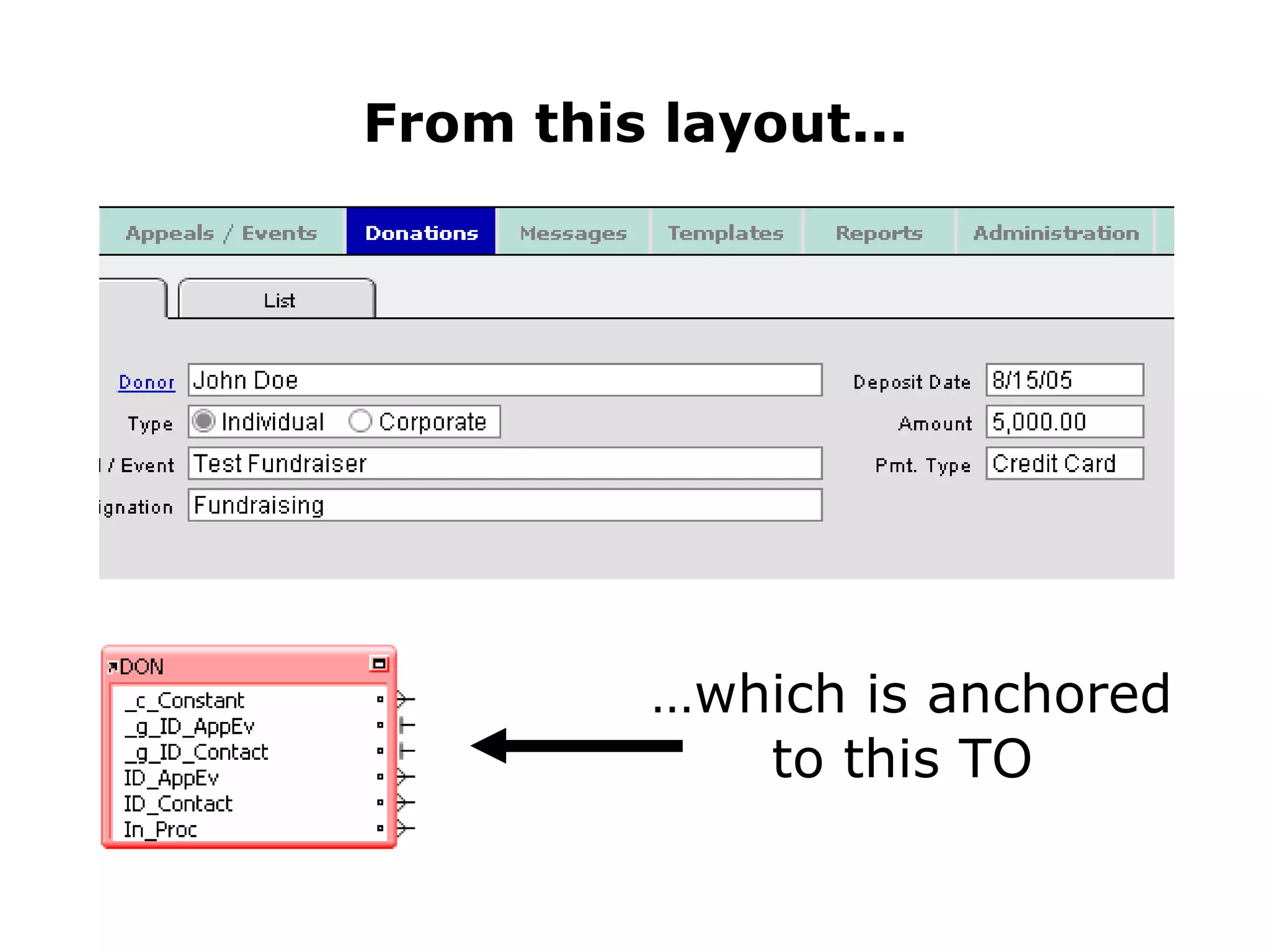
From this layout...
From this layout... … which is anchored to this TO
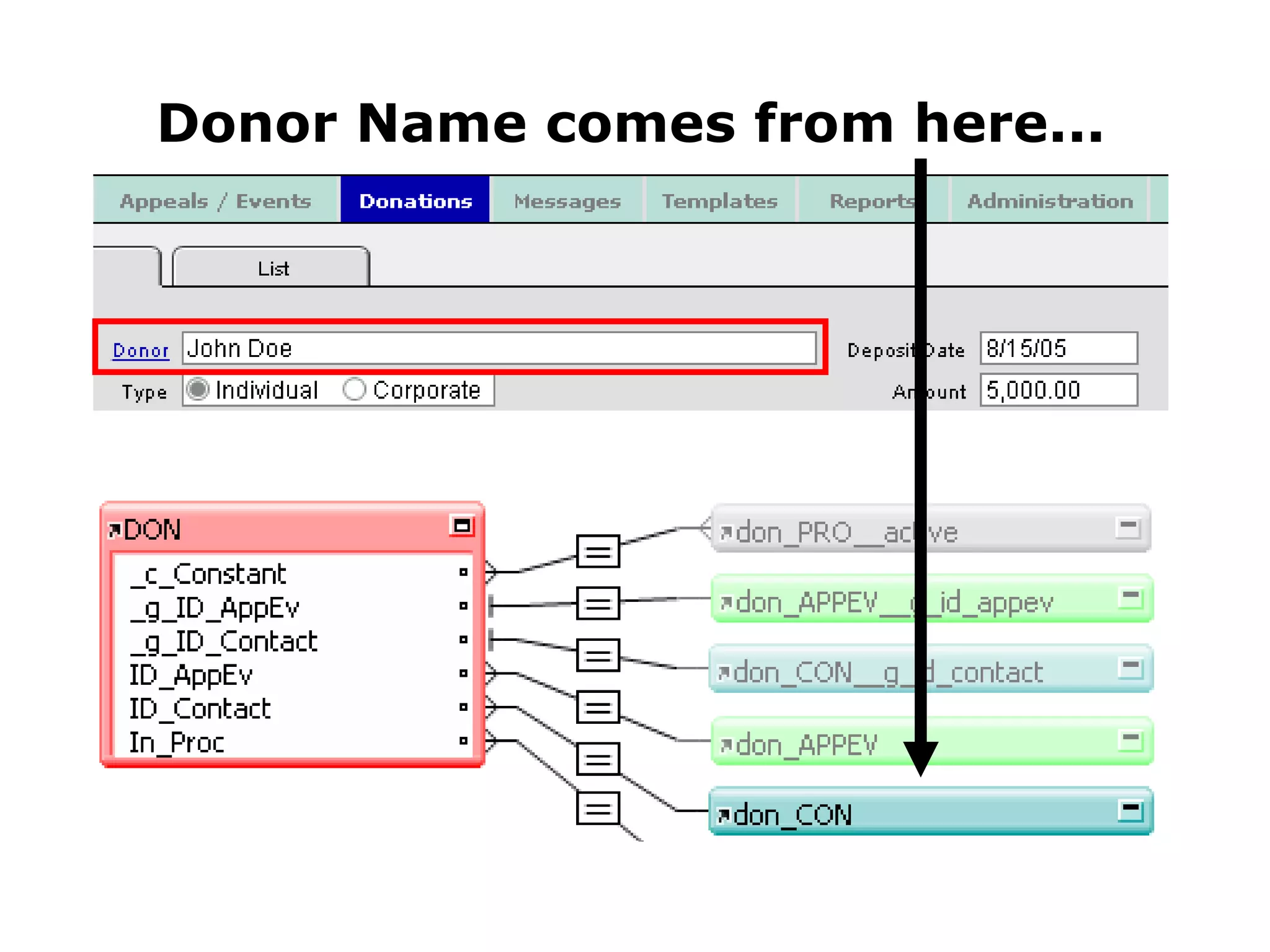
Donor Name comes from here...
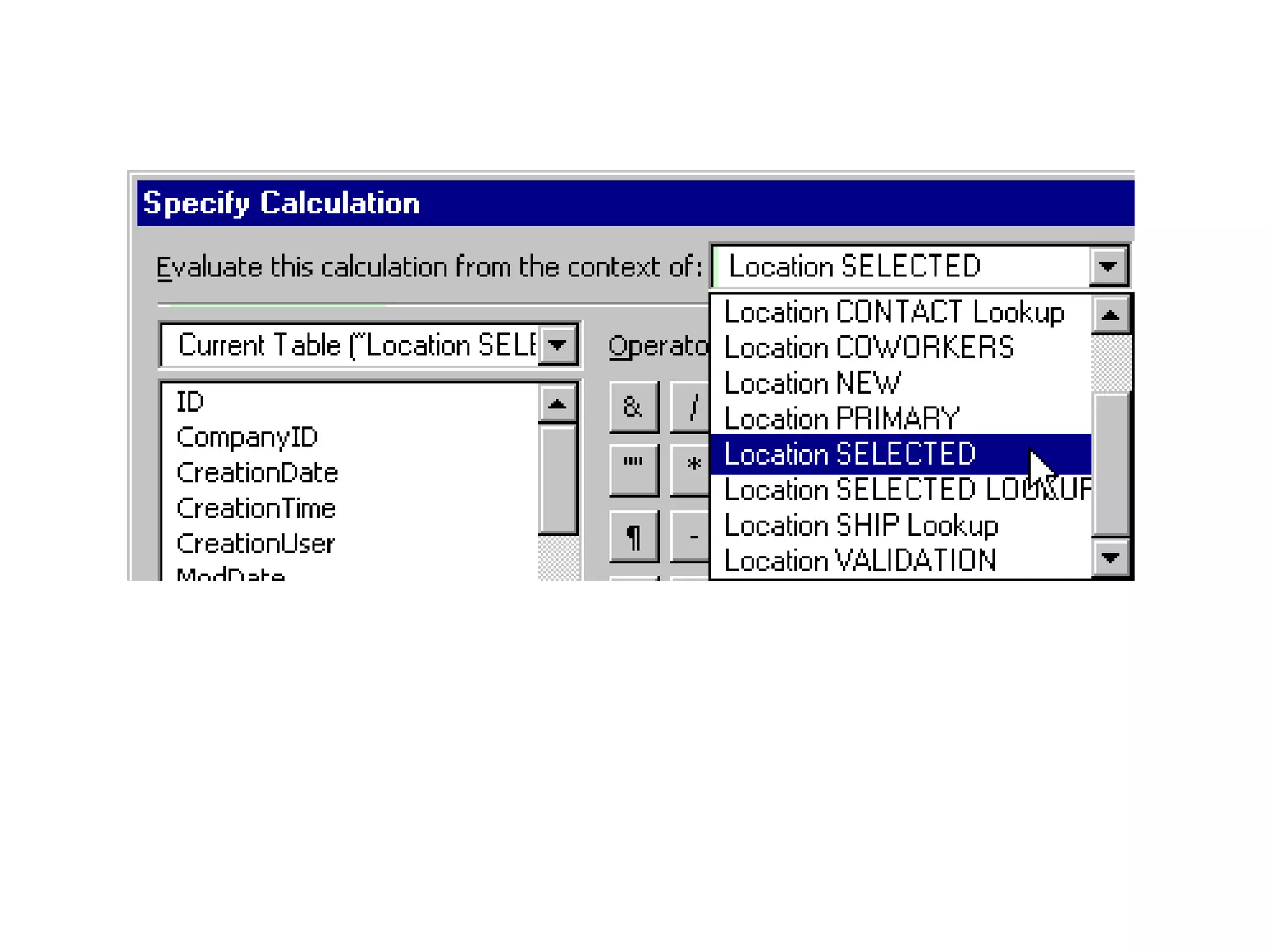
Some Benefits of the A/B Method As in FM6, relationships are only ever thought of as flowing from left to right, and... You only deal with related data that is “down-stream” from wherever you happen to be Calculated fields and lookups always “start” from the correct TO
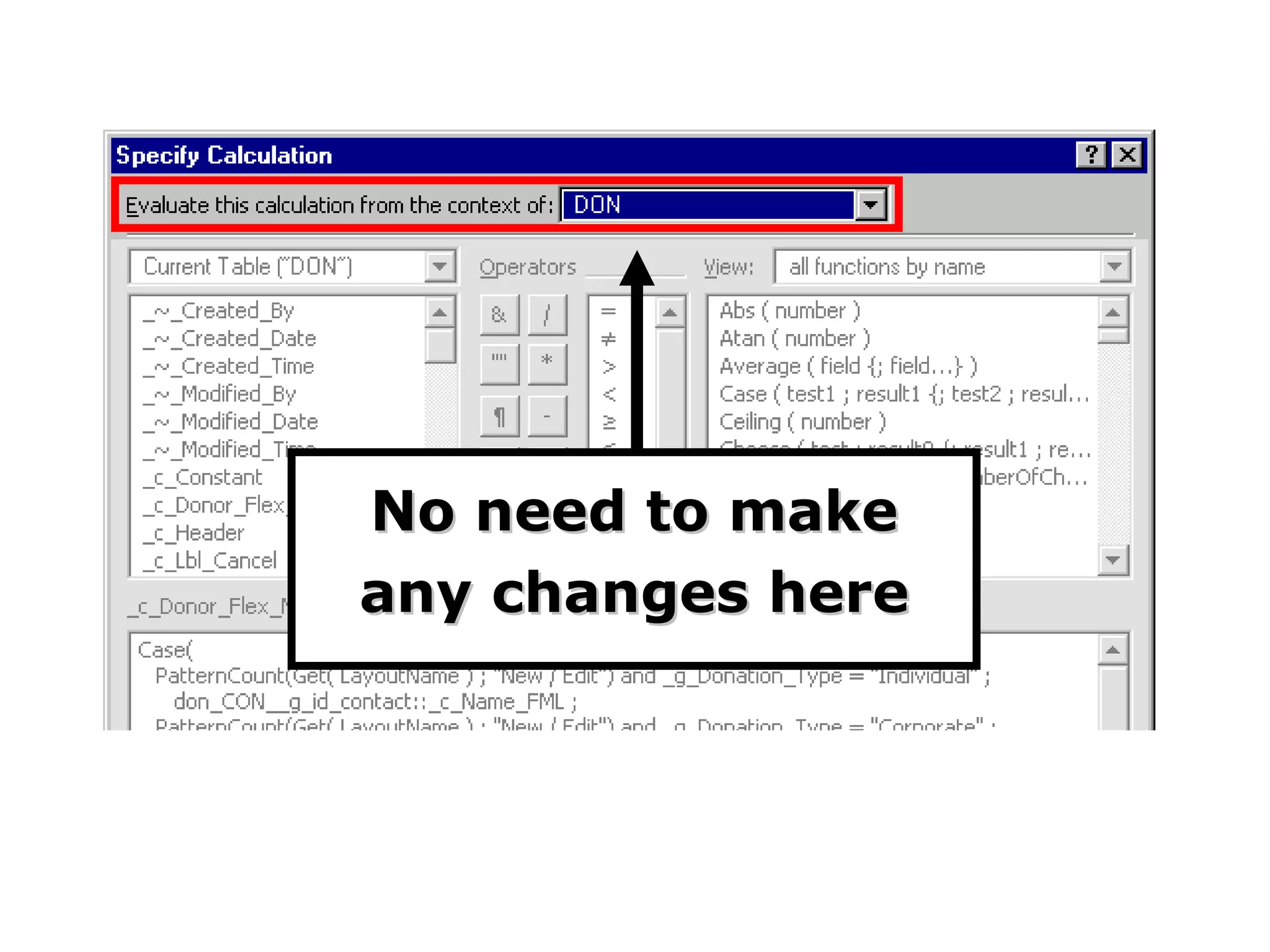
No need to make any changes here
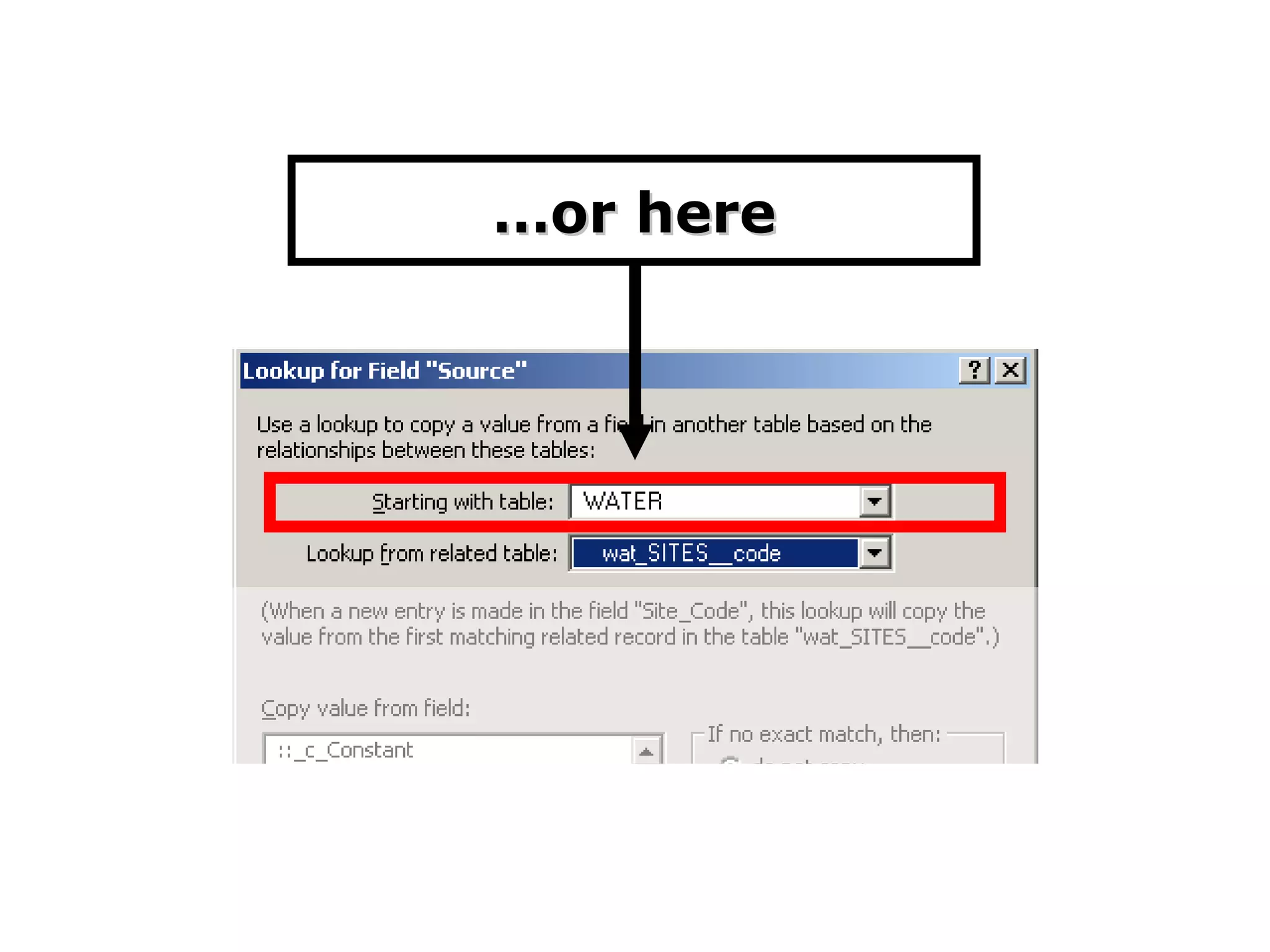
… or here
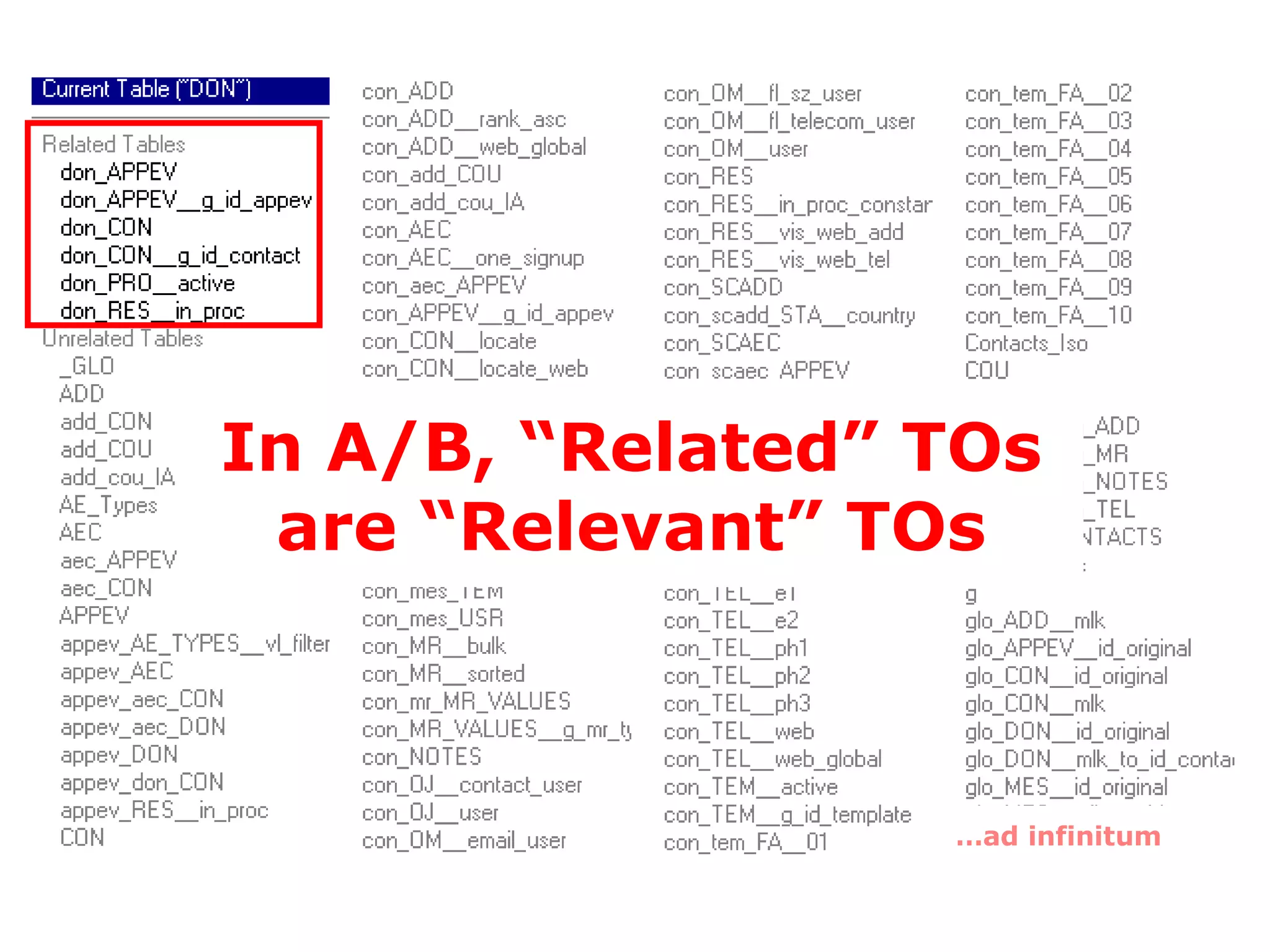
Some Benefits of the A/B Method As in FM6, relationships are only ever thought of as flowing from left to right, and... You only deal with related data that is “down-stream” from wherever you happen to be Calculated fields and lookups always “start” from the correct TO You only see relevant TOs under “related tables”
… ad infinitum In A/B, “Related” TOs are “Relevant” TOs
Some Benefits of the A/B Method As in FM6, relationships are only ever thought of as flowing from left to right You only deal with related data that is “down-stream” from wherever you happen to be Calculated fields and lookups always “start” from the correct TO You only see relevant TOs under “related tables” TOGs are analogous to FM6 relationship lists
 
Some Benefits of the A/B Method As in FM6, relationships are only ever thought of as flowing from left to right You only deal with related data that is “down-stream” from wherever you happen to be Calculated fields and lookups always “start” from the correct TO You only see relevant TOs under “related tables” TOGs are analogous to FM6 relationship lists You always know what to call a TO, where to put it and what color to make it
I’m confused --
I’m confused -- If my RG is broken into separate TOGs, how do I navigate between them?
I’m confused -- If my RG is broken into separate TOGs, how do I navigate between them? For example... How do I jump from a donation to the parent donor?
Grab your board & wetsuit, because it’s time to go...
TOG Surfing
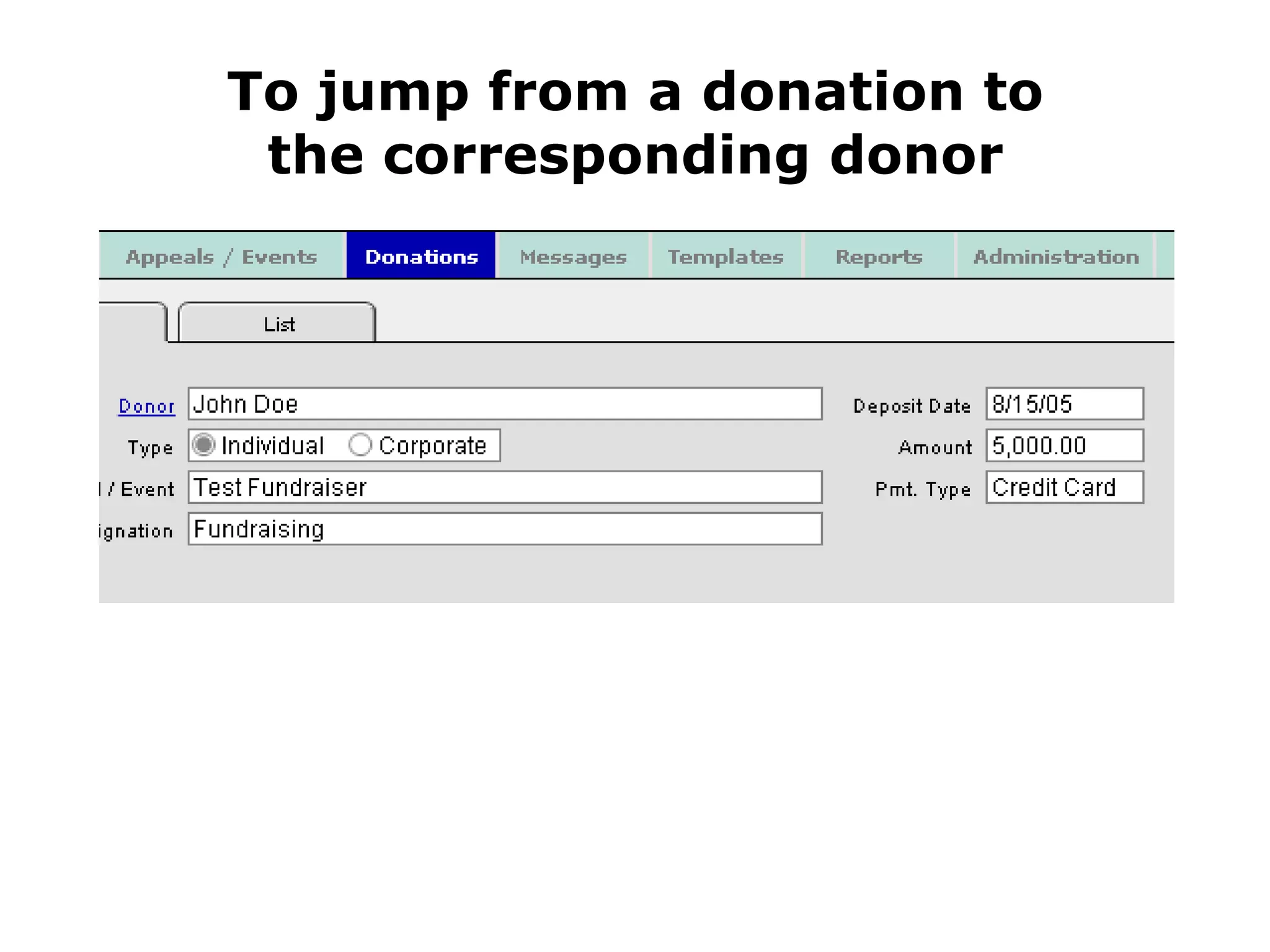
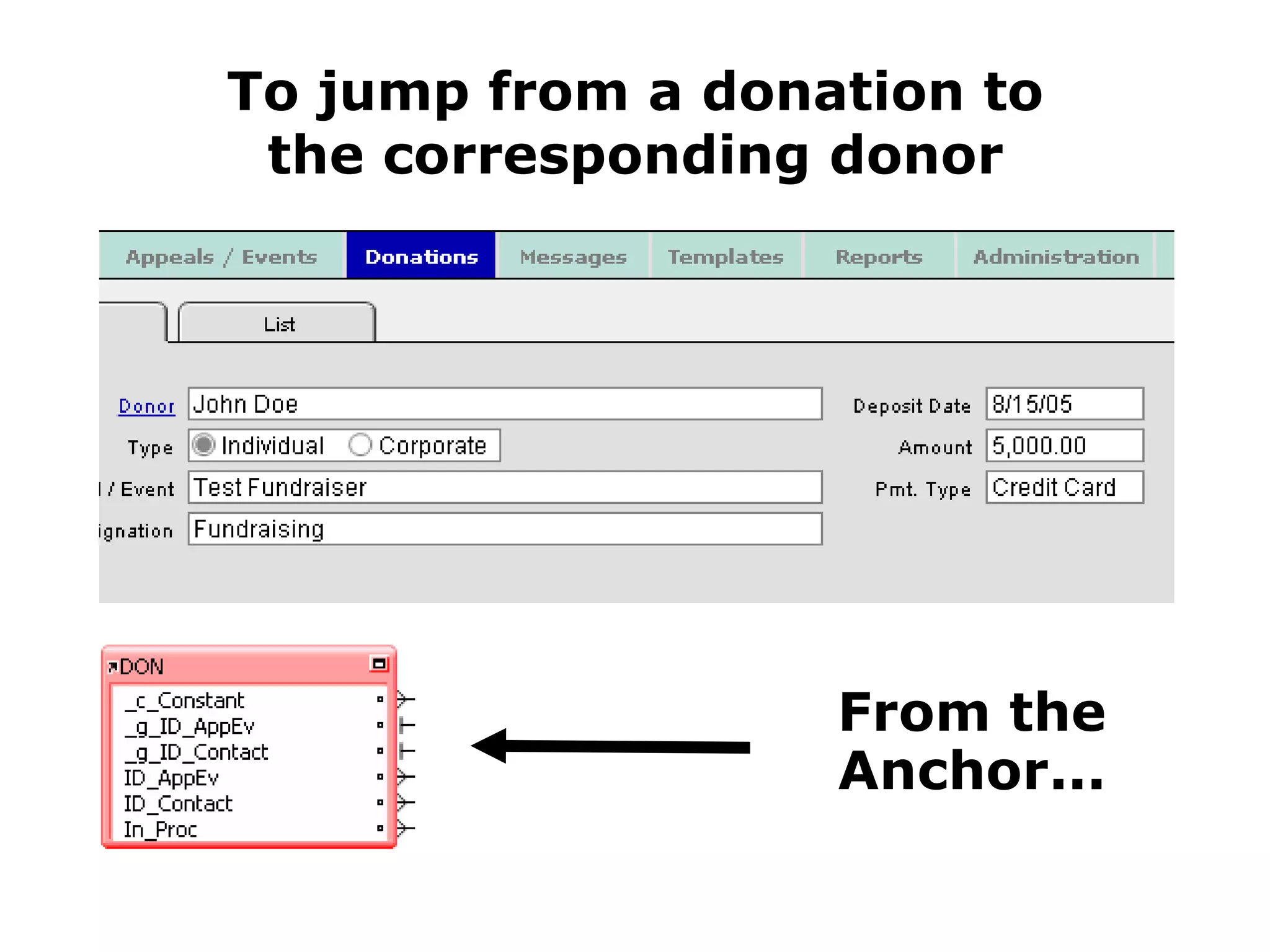
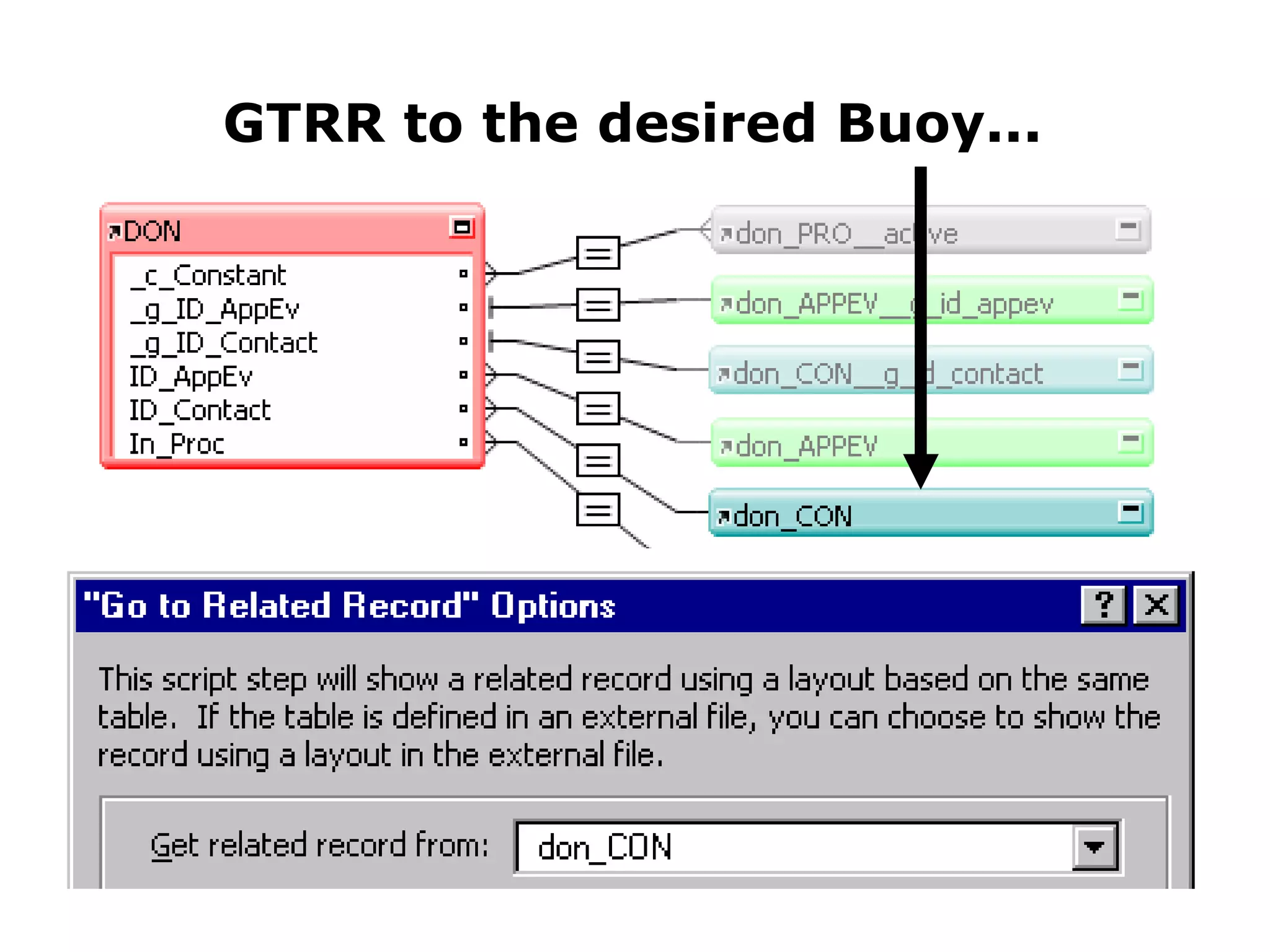
To jump from a donation to the corresponding donor
To jump from a donation to the corresponding donor From the Anchor...
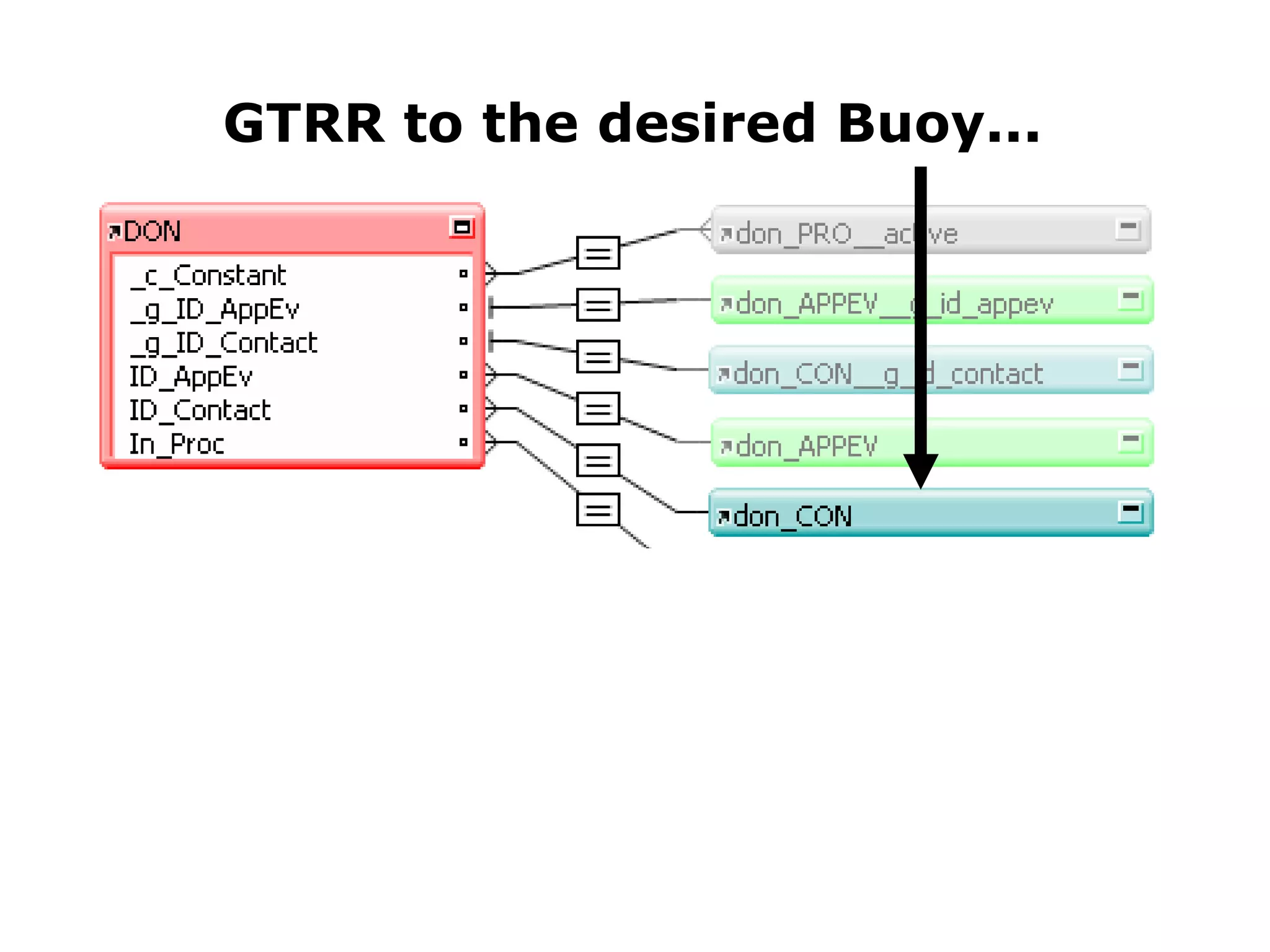
GTRR to the desired Buoy...
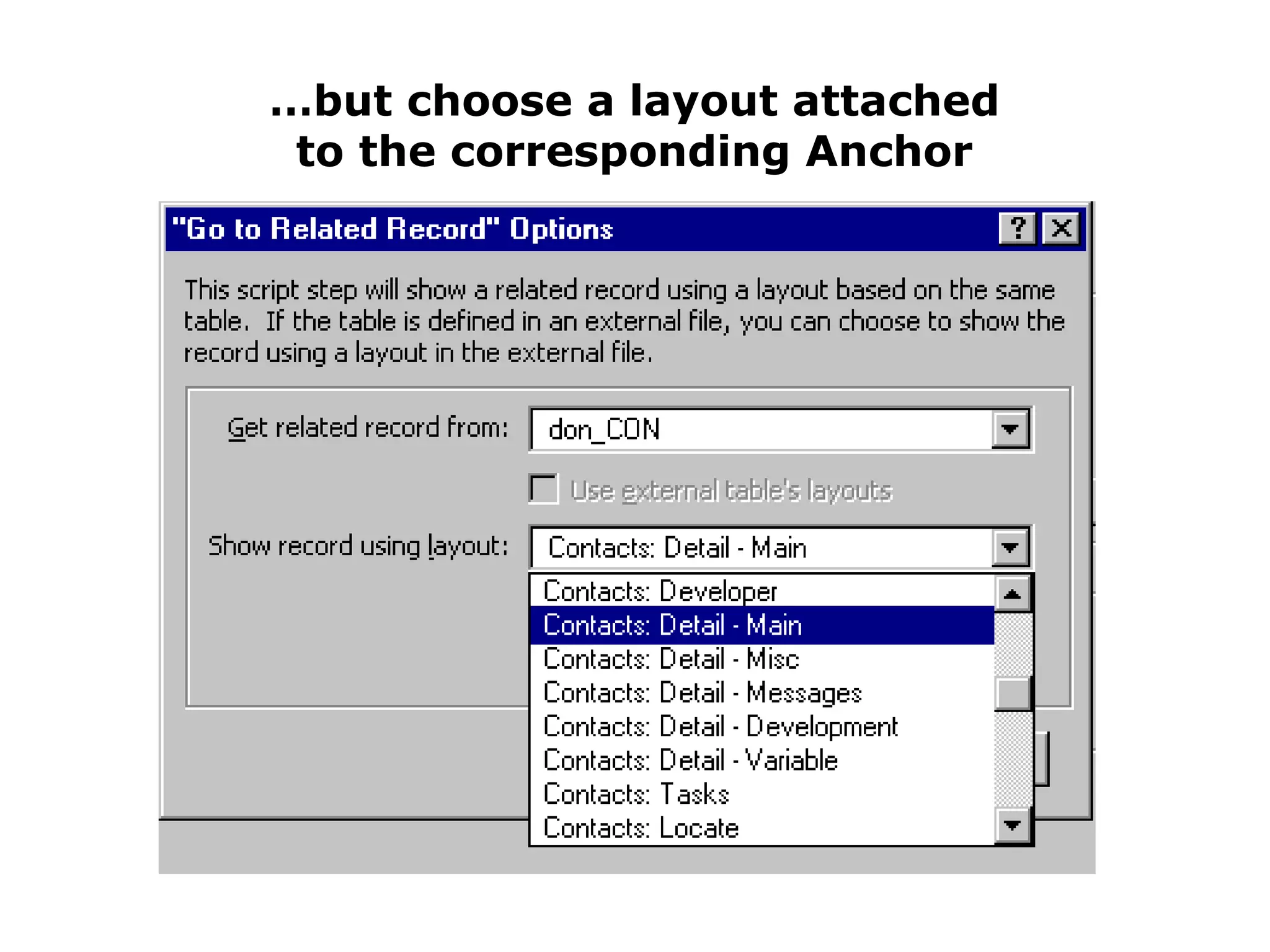
… but choose a layout attached to the corresponding Anchor
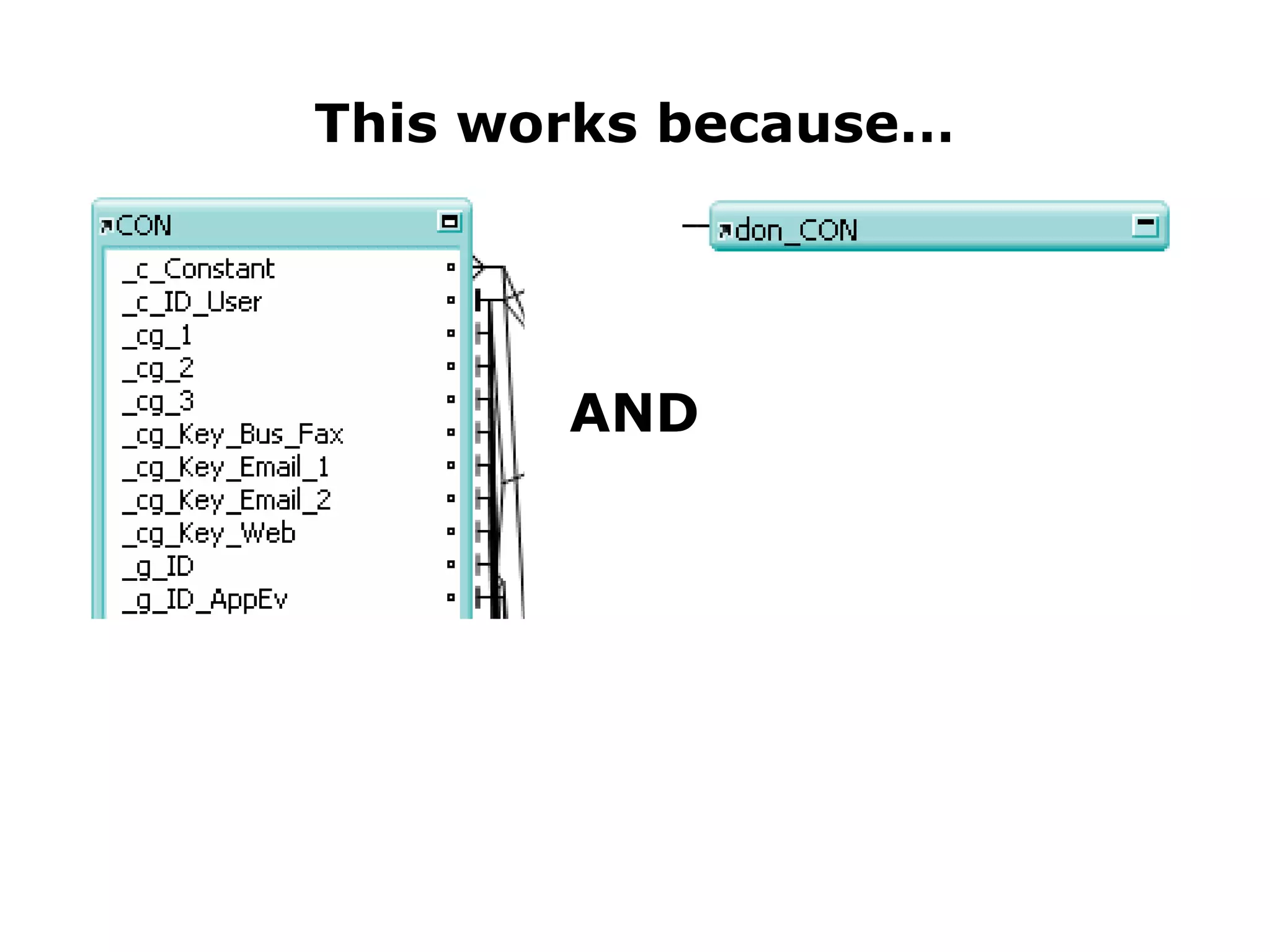
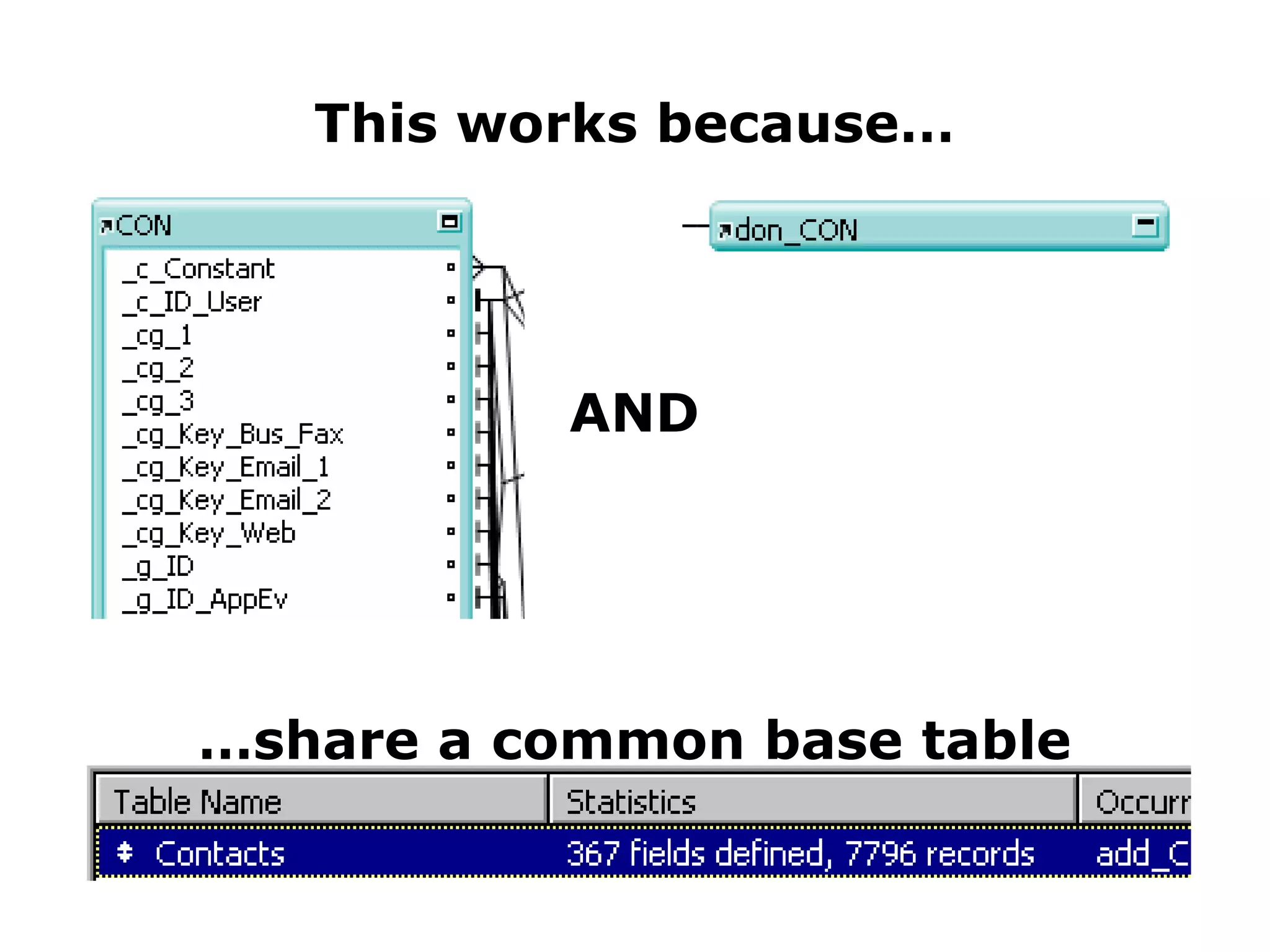
This works because… AND … share a common base table
But despite the superficial resemblance… < demo break >
One Very Important Point
Whether starting an A/B project from scratch, or converting an existing project to A/B... One Very Important Point
Whether starting an A/B project from scratch, or converting an existing project to A/B... Identify your natural anchors! One Very Important Point
Whether starting an A/B project from scratch, or converting an existing project to A/B... Identify your natural anchors! All TO’s are not created equal One Very Important Point
Whether starting an A/B project from scratch, or converting an existing project to A/B... Identify your natural anchors! All TO’s are not created equal The first TO created for a given base table should always be used as the anchor One Very Important Point
Whether starting an A/B project from scratch, or converting an existing project to A/B... Identify your natural anchors! All TO’s are not created equal The first TO created for a given base table should always be used as the anchor (if the first TO has been deleted, then use the oldest surviving TO for that base table) One Very Important Point
Whether starting an A/B project from scratch, or converting an existing project to A/B... Identify your natural anchors! All TO’s are not created equal The first TO created for a given base table should always be used as the anchor (if the first TO has been deleted, then use the oldest surviving TO for that base table) This guarantees that calculated fields and lookups always “start” from the correct TO One Very Important Point
Whether starting an A/B project from scratch, or converting an existing project to A/B... Identify your natural anchors! All TO’s are not created equal The first TO created for a given base table should always be used as the anchor (if the first TO has been deleted, then use the oldest surviving TO for that base table) This guarantees that calculated fields and lookups always “start” from the correct TO Otherwise you sacrifice a big benefit of using A/B  One Very Important Point
Addressing Common Concerns... The RG is too busy
Addressing Common Concerns... The RG is too busy It’s a small price to pay. TOs are cheap. An out-of-control graph is busy too.
Addressing Common Concerns... The RG is too busy It’s a small price to pay. TOs are cheap. An out-of-control graph is busy too. The RG is too big
Addressing Common Concerns... The RG is too busy It’s a small price to pay. TOs are cheap. An out-of-control graph is busy too. The RG is too big Graph space is unlimited.
Addressing Common Concerns... The RG is too busy It’s a small price to pay. TOs are cheap. An out-of-control graph is busy too. The RG is too big Graph space is unlimited. I hate the criss-crossing lines -- I can’t find the “=” when I need to edit a relationship
Addressing Common Concerns... The RG is too busy It’s a small price to pay. TOs are cheap. An out-of-control graph is busy too. The RG is too big Graph space is unlimited. I hate the criss-crossing lines -- I can’t find the “=” when I need to edit a relationship You can double-click anywhere on the diagonal  portion of the relationship line.
Addressing Common Concerns... The RG doesn’t look like an ERD
Addressing Common Concerns... The RG doesn’t look like an ERD RG    ERD; if you need an ERD there are any number of programs that can generate one.
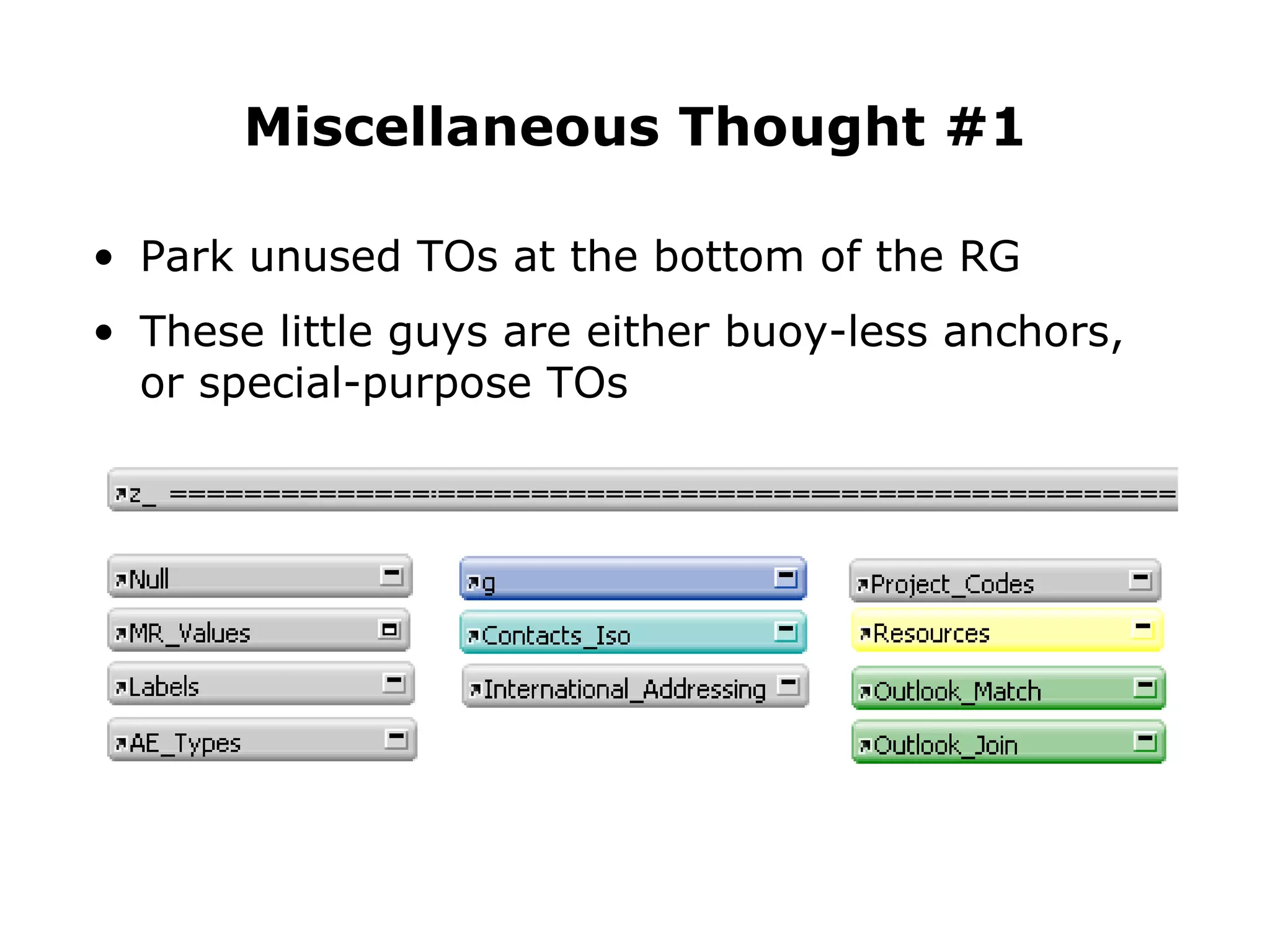
Park unused TOs at the bottom of the RG These little guys are either buoy-less anchors, or special-purpose TOs  Miscellaneous Thought #1
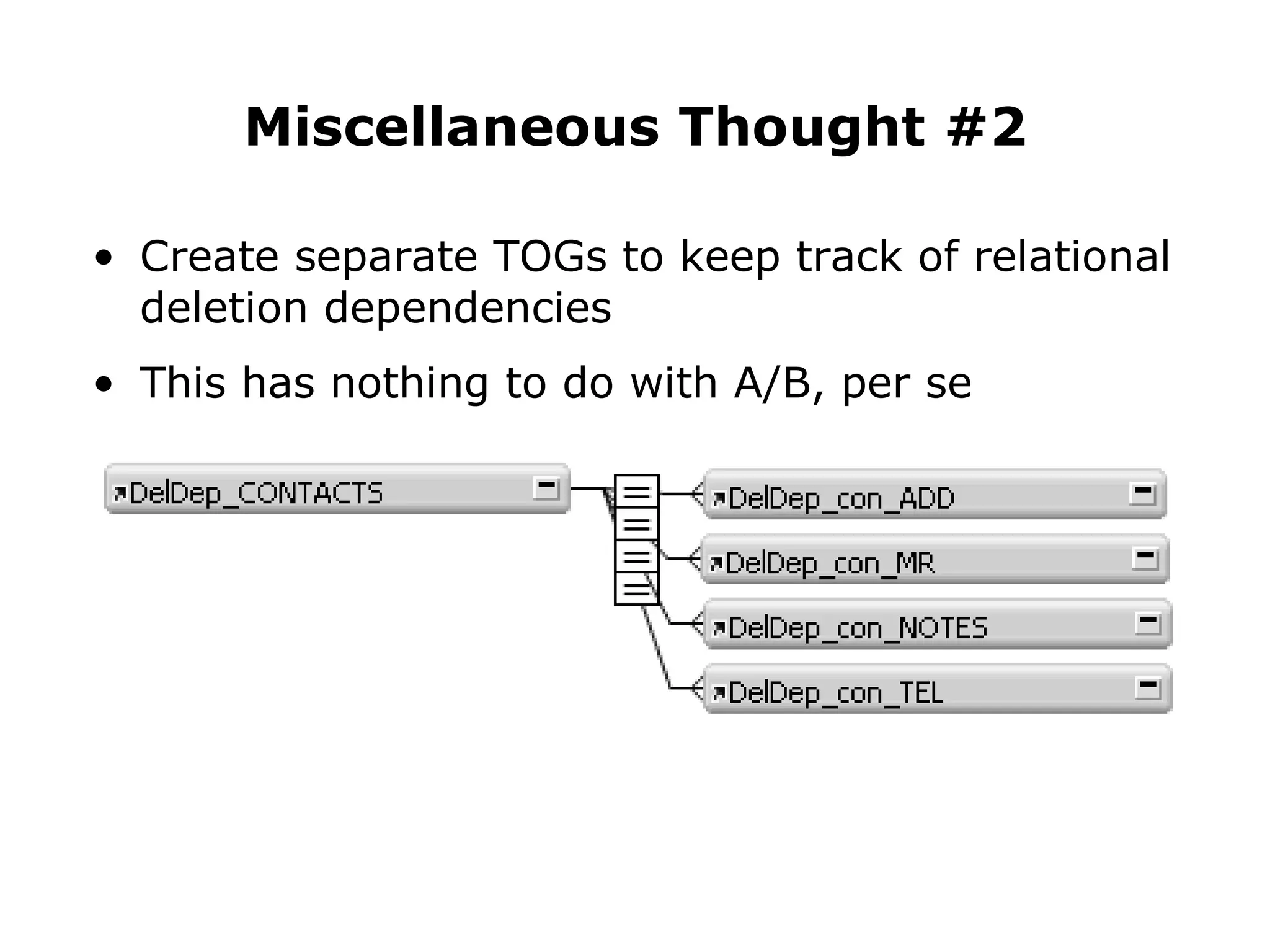
Create separate TOGs to keep track of relational deletion dependencies This has nothing to do with A/B, per se Miscellaneous Thought #2
Since adopting A/B...
Since adopting A/B... I always know    what to  call  a TO
Since adopting A/B... I always know    what to  call  a TO I always know    where to  put  a TO
Since adopting A/B... I always know    what to  call  a TO I always know    where to  put  a TO I always know what   c o l o r  to make it
Since adopting A/B... I always know    what to  call  a TO I always know    where to  put  a TO I always know what   c o l o r  to make it I can do it in my   sleep !
< the end >

Kevin Frank Anchor-Buoy Presentation - the short version

  • 1.
    Anchor / BuoyA FM 7/8 Relational Graph Design Approach
  • 2.
  • 3.
  • 4.
  • 5.
  • 6.
  • 7.
  • 8.
  • 9.
  • 10.
  • 11.
    If you havequestions...
  • 12.
    If you havequestions... Please interrupt me and ask them.
  • 13.
    Anchor / BuoyA FM 7/8 Relational Graph Design Approach
  • 14.
  • 15.
    What is A/B ? A layout-centric approach to the RG
  • 16.
    What is A/B ? A layout-centric approach to the RG that restores the simplicity of 6-style relationships
  • 17.
    What is A/B ? A layout-centric approach to the RG that restores the simplicity of 6-style relationships without sacrificing the power of 7-style relationships
  • 18.
    What is A/B ? A layout-centric approach to the RG that restores the simplicity of 6-style relationships without sacrificing the power of 7-style relationships [ a brain child of Soliant Consulting ]
  • 19.
  • 20.
    A Primary Goalof Anchor/Buoy…
  • 21.
    A Primary Goalof Anchor/Buoy… Is to make TO’s manageable in scrolling lists
  • 22.
  • 23.
  • 24.
  • 25.
  • 26.
    One of thebiggest areas of confusion for developers making the transition from FM6 to FM7 is…
  • 27.
    One of thebiggest areas of confusion for developers making the transition from FM6 to FM7 is…
  • 28.
    One of thebiggest areas of confusion for developers making the transition from FM6 to FM7 is… The Relational Graph (RG)
  • 29.
    For one thing…it sometimes superficially resembles an…
  • 30.
    For one thing…it sometimes superficially resembles an… Entity-Relationship Diagram
  • 31.
    But despite thesuperficial resemblance…
  • 32.
    But despite thesuperficial resemblance… RG  ERD
  • 33.
    Of the threeDatabase “Layers”...
  • 34.
    Of the threeDatabase “Layers”... Data
  • 35.
    Of the threeDatabase “Layers”... Data Business
  • 36.
    Of the threeDatabase “Layers”... Data Business Presentation
  • 37.
    ERDs only describe this layer... Data
  • 38.
    The RG isessential to all three layers Data Business Presentation
  • 39.
    RG  ERD
  • 40.
    Another reason developersmay find the FM7 RG confusing...
  • 41.
    Another reason developersmay find the FM7 RG confusing... it's different
  • 42.
    Another reason developersmay find the FM7 RG confusing... it's different AND THAT’S PUTTING IT MILDLY
  • 43.
  • 44.
    Let's take aTRIP down...
  • 45.
    Let's take aTRIP down... Memory Lane
  • 46.
  • 47.
  • 48.
  • 49.
  • 50.
  • 51.
  • 52.
    In FM6: wenamed these...
  • 53.
    In FM7: wename these...
  • 54.
    Some Benefits ofthe FM7 Relational Model
  • 55.
    Zero, one ormany tables per file Some Benefits of the FM7 Relational Model
  • 56.
    Zero, one ormany tables per file You can access data that is many “hops” away Some Benefits of the FM7 Relational Model
  • 57.
    Zero, one ormany tables per file You can access data that is many “hops” away Context determines what you see when you look at related data Some Benefits of the FM7 Relational Model
  • 58.
    Zero, one ormany tables per file You can access data that is many “hops” away Context determines what you see when you look at related data Relationships can be based on multiple predicates Some Benefits of the FM7 Relational Model
  • 59.
    Zero, one ormany tables per file You can access data that is many “hops” away Context determines what you see when you look at related data Relationships can be based on multiple predicates Relational operators are no longer limited to “=” Some Benefits of the FM7 Relational Model
  • 60.
    Zero, one ormany tables per file You can access data that is many “hops” away Context determines what you see when you look at related data Relationships can be based on multiple predicates Relational operators are no longer limited to “=” Developer has great leeway in terms of relational architecture Some Benefits of the FM7 Relational Model
  • 61.
  • 62.
    Benefits, shmenefits! In the good old days...
  • 63.
    Benefits, shmenefits! In the good old days... I always knew what to call a relationship
  • 64.
    Benefits, shmenefits! In the good old days... I always knew what to call a relationship I always knew where to put a relationship
  • 65.
    Benefits, shmenefits! In the good old days... I always knew what to call a relationship I always knew where to put a relationship I could do these things in my sleep !
  • 66.
    Some Potentially ConfusingAspects of the FM7 Relational Model
  • 67.
    Relationships are automaticallybi-directional Some Potentially Confusing Aspects of the FM7 Relational Model
  • 68.
    Relationships are automaticallybi-directional Since TOs can be approached from either direction, naming them can be problematic Some Potentially Confusing Aspects of the FM7 Relational Model
  • 69.
    Relationships are automaticallybi-directional Since TOs can be approached from either direction, naming them can be problematic You continually need to think about context Some Potentially Confusing Aspects of the FM7 Relational Model
  • 70.
    Relationships are automaticallybi-directional Since TOs can be approached from either direction, naming them can be problematic You continually need to think about context You will see all related TOs whether they are relevant or not Some Potentially Confusing Aspects of the FM7 Relational Model
  • 71.
    Relationships are automaticallybi-directional Since TOs can be approached from either direction, naming them can be problematic You continually need to think about context You will see all related TOs whether they are relevant or not This “great leeway in terms of architecture” means you now have to make a number of decisions that formerly were made for you Some Potentially Confusing Aspects of the FM7 Relational Model
  • 72.
    Relationships are automaticallybi-directional Since TOs can be approached from either direction, naming them can be problematic You continually need to think about context You will see all related TOs whether they are relevant or not This “great leeway in terms of architecture” means you now have to make a number of decisions that formerly were made for you All of the above can cause a decrease in developer productivity... Some Potentially Confusing Aspects of the FM7 Relational Model
  • 73.
    Relationships are automaticallybi-directional Since TOs can be approached from either direction, naming them can be problematic You continually need to think about context You will see all related TOs whether they are relevant or not This “great leeway in terms of architecture” means you now have to make a number of decisions that formerly were made for you All of the above can cause a decrease in developer productivity... and/or sanity Some Potentially Confusing Aspects of the FM7 Relational Model
  • 74.
  • 75.
  • 76.
  • 77.
  • 78.
    Initially, a feelingof vertigo, or even existential nausea, is to be expected. -- Mike Harris, March 2004
  • 79.
    Hmm… For everyTO, I have to decide...
  • 80.
    Hmm… For everyTO, I have to decide... What do I call it?
  • 81.
    Hmm… For everyTO, I have to decide... What do I call it? Where do I put it?
  • 82.
    Hmm… For everyTO, I have to decide... What do I call it? Where do I put it? What c o l o r should I make it?
  • 83.
    Iwonder when we’re going to start learning about... ???
  • 84.
  • 85.
    A/B ina Nutshell
  • 86.
    Relational Graph (RG)is divided into TOGs A/B in a Nutshell
  • 87.
  • 88.
    Relational Graph (RG)is divided into TOGs Each TOG consists of one “Anchor” at the left and any number of “Buoys” strung off rightward A/B in a Nutshell
  • 89.
  • 90.
    Relational Graph (RG)is divided into TOGs Each TOG consists of one “Anchor” at the left and any number of “Buoys” strung off rightward As a general rule, the RG will have one Anchor per base table A/B in a Nutshell
  • 91.
    1 Anchor perbase table
  • 92.
    Relational Graph (RG)is divided into TOGs Each TOG consists of one “Anchor” at the left and any number of “Buoys” strung off rightward As a general rule, the RG will have one Anchor per base table Layouts are only attached to Anchors A/B in a Nutshell
  • 93.
    Layouts X NoLayouts
  • 94.
    Relational Graph (RG)is divided into TOGs Each TOG consists of one “Anchor” at the left and any number of “Buoys” strung off rightward As a general rule, the RG will have one Anchor per base table Layouts are only attached to Anchors RG is restricted to one page in width, but is allowed to grow as tall as necessary A/B in a Nutshell
  • 95.
    Page 1 Page2 < etc. >
  • 96.
    Relational Graph (RG)is divided into TOGs Each TOG consists of one “Anchor” at the left and any number of “Buoys” strung off rightward As a general rule, the RG will have one Anchor per base table Layouts are only attached to Anchors RG is restricted to one page in width, but is allowed to grow as tall as necessary Color coding and TO naming conventions are an integral component of this methodology A/B in a Nutshell
  • 97.
    Relational Graph (RG)is divided into TOGs Each TOG consists of one “Anchor” at the left and any number of “Buoys” strung off rightward As a general rule, the RG will have one Anchor per base table Layouts are only attached to Anchors RG is restricted to one page in width, but is allowed to grow as tall as necessary Color coding and TO naming conventions are an integral component of this methodology A/B in a Nutshell Most A/B-ers agree on these points...
  • 98.
    Relational Graph (RG)is divided into TOGs Each TOG consists of one “Anchor” at the left and any number of “Buoys” strung off rightward As a general rule, the RG will have one Anchor per base table Layouts are only attached to Anchors RG is restricted to one page in width, but is allowed to grow as tall as necessary Color codi 䑮 g and TO naming conventions are an integral component of this methodology A/B in a Nutshell But have minor differences re:
  • 99.
    Relational Graph (RG)is divided into TOGs Each TOG consists of one “Anchor” at the left and any number of “Buoys” strung off rightward As a general rule, the RG will have one Anchor per base table Layouts are only attached to Anchors RG is restricted to one page in width, but is allowed to grow as tall as necessary Color coding and TO naming conventions are an integral component of this methodology A/B in a Nutshell But have minor differences re:
  • 100.
    Color Coding &TO Naming Conventions
  • 101.
    Legend at thetop of the RG
  • 102.
    Legend at thetop of the RG Color-coded TOs based on a “null” table
  • 103.
    Legend at thetop of the RG Color-coded TOs based on a “null” table Anchors and Buoys colored as per above
  • 104.
    Legend at thetop of the RG Color-coded TOs based on a “null” table Anchors and Buoys colored as per above Underlying table names spelled out in full
  • 105.
  • 106.
    Anchor name isCAPITALIZED Anchor Name
  • 107.
    Anchor name isCAPITALIZED Anchor name = corresponding base table name e.g., APPEALS_EVENTS … however... Anchor Name
  • 108.
    Anchor name isCAPITALIZED Anchor name = corresponding base table name e.g., APPEALS_EVENTS… however... Anchor name usually abbreviated, e.g., APPEV (for a reason that will soon become apparent) Anchor Name
  • 109.
    Anchor name isCAPITALIZED Anchor name = corresponding base table name e.g., APPEALS_EVENTS… however... Anchor name usually abbreviated, e.g., APPEV (for a reason that will soon become apparent) Anchor Name
  • 110.
    Anchor name isCAPITALIZED Anchor name = corresponding base table name e.g., APPEALS_EVENTS… however... Anchor name usually abbreviated, e.g., APPEV (for a reason that will soon become apparent) Confused? Anchor Name
  • 111.
    Anchor name isCAPITALIZED Anchor name = corresponding base table name e.g., APPEALS_EVENTS… however... Anchor name usually abbreviated, e.g., APPEV (for a reason that will soon become apparent) Confused? You can always consult the legend... Anchor Name
  • 112.
  • 113.
  • 114.
    First the Anchorname in all lower-case, followed by “_”, e.g., appev_ Buoy Name
  • 115.
    First the Anchorname in all lower-case, followed by “_”, e.g., appev_ Followed by base table abbreviations for any intervening buoys (each separated by an “_”) Buoy Name
  • 116.
    First the Anchorname in all lower-case, followed by “_”, e.g., appev_ Followed by base table abbreviations for any intervening buoys (each separated by an “_”) Followed by the base table name in all CAPS, e.g., appev_don_CON (where CON = Contacts) Buoy Name
  • 117.
    If you needto clarify the Buoy name
  • 118.
    Append two underscores:“__” If you need to clarify the Buoy name
  • 119.
    Append two underscores:“__” Followed by a lower-case explanation If you need to clarify the Buoy name
  • 120.
    Append two underscores:“__” Followed by a lower-case explanation E.g., I wanted to indicate that this particular buoy was linked via a field called “Country” If you need to clarify the Buoy name
  • 121.
    Append two underscores:“__” Followed by a lower-case explanation E.g., I wanted to indicate that this particular buoy was linked via a field called “Country” And this buoy was used to filter a value list If you need to clarify the Buoy name
  • 122.
  • 123.
  • 124.
    Abbreviated Anchor Names...… ensure that an anchor precedes its buoys in sorted TO lists
  • 125.
    Some Benefits ofthe A/B Method
  • 126.
    Some Benefits ofthe A/B Method As in FM6, relationships are unidirectional, and flow from left to right, which means...
  • 127.
    Some Benefits ofthe A/B Method As in FM6, relationships are unidirectional, and flow from left to right, which means... You only deal with related data that is “down-stream” from wherever you happen to be
  • 128.
  • 129.
    From this layout...… which is anchored to this TO
  • 130.
    Donor Name comesfrom here...
  • 131.
    Some Benefits ofthe A/B Method As in FM6, relationships are only ever thought of as flowing from left to right, and... You only deal with related data that is “down-stream” from wherever you happen to be Calculated fields and lookups always “start” from the correct TO
  • 132.
    No need tomake any changes here
  • 133.
  • 134.
    Some Benefits ofthe A/B Method As in FM6, relationships are only ever thought of as flowing from left to right, and... You only deal with related data that is “down-stream” from wherever you happen to be Calculated fields and lookups always “start” from the correct TO You only see relevant TOs under “related tables”
  • 135.
    … ad infinitumIn A/B, “Related” TOs are “Relevant” TOs
  • 136.
    Some Benefits ofthe A/B Method As in FM6, relationships are only ever thought of as flowing from left to right You only deal with related data that is “down-stream” from wherever you happen to be Calculated fields and lookups always “start” from the correct TO You only see relevant TOs under “related tables” TOGs are analogous to FM6 relationship lists
  • 137.
  • 138.
    Some Benefits ofthe A/B Method As in FM6, relationships are only ever thought of as flowing from left to right You only deal with related data that is “down-stream” from wherever you happen to be Calculated fields and lookups always “start” from the correct TO You only see relevant TOs under “related tables” TOGs are analogous to FM6 relationship lists You always know what to call a TO, where to put it and what color to make it
  • 139.
  • 140.
    I’m confused --If my RG is broken into separate TOGs, how do I navigate between them?
  • 141.
    I’m confused --If my RG is broken into separate TOGs, how do I navigate between them? For example... How do I jump from a donation to the parent donor?
  • 142.
    Grab your board& wetsuit, because it’s time to go...
  • 143.
  • 144.
    To jump froma donation to the corresponding donor
  • 145.
    To jump froma donation to the corresponding donor From the Anchor...
  • 146.
    GTRR to thedesired Buoy...
  • 147.
    GTRR to thedesired Buoy...
  • 148.
    … but choosea layout attached to the corresponding Anchor
  • 149.
    This works because…AND … share a common base table
  • 150.
    This works because…AND … share a common base table
  • 151.
    But despite thesuperficial resemblance… < demo break >
  • 152.
  • 153.
    Whether starting anA/B project from scratch, or converting an existing project to A/B... One Very Important Point
  • 154.
    Whether starting anA/B project from scratch, or converting an existing project to A/B... Identify your natural anchors! One Very Important Point
  • 155.
    Whether starting anA/B project from scratch, or converting an existing project to A/B... Identify your natural anchors! All TO’s are not created equal One Very Important Point
  • 156.
    Whether starting anA/B project from scratch, or converting an existing project to A/B... Identify your natural anchors! All TO’s are not created equal The first TO created for a given base table should always be used as the anchor One Very Important Point
  • 157.
    Whether starting anA/B project from scratch, or converting an existing project to A/B... Identify your natural anchors! All TO’s are not created equal The first TO created for a given base table should always be used as the anchor (if the first TO has been deleted, then use the oldest surviving TO for that base table) One Very Important Point
  • 158.
    Whether starting anA/B project from scratch, or converting an existing project to A/B... Identify your natural anchors! All TO’s are not created equal The first TO created for a given base table should always be used as the anchor (if the first TO has been deleted, then use the oldest surviving TO for that base table) This guarantees that calculated fields and lookups always “start” from the correct TO One Very Important Point
  • 159.
    Whether starting anA/B project from scratch, or converting an existing project to A/B... Identify your natural anchors! All TO’s are not created equal The first TO created for a given base table should always be used as the anchor (if the first TO has been deleted, then use the oldest surviving TO for that base table) This guarantees that calculated fields and lookups always “start” from the correct TO Otherwise you sacrifice a big benefit of using A/B One Very Important Point
  • 160.
  • 161.
    Addressing Common Concerns...The RG is too busy It’s a small price to pay. TOs are cheap. An out-of-control graph is busy too.
  • 162.
    Addressing Common Concerns...The RG is too busy It’s a small price to pay. TOs are cheap. An out-of-control graph is busy too. The RG is too big
  • 163.
    Addressing Common Concerns...The RG is too busy It’s a small price to pay. TOs are cheap. An out-of-control graph is busy too. The RG is too big Graph space is unlimited.
  • 164.
    Addressing Common Concerns...The RG is too busy It’s a small price to pay. TOs are cheap. An out-of-control graph is busy too. The RG is too big Graph space is unlimited. I hate the criss-crossing lines -- I can’t find the “=” when I need to edit a relationship
  • 165.
    Addressing Common Concerns...The RG is too busy It’s a small price to pay. TOs are cheap. An out-of-control graph is busy too. The RG is too big Graph space is unlimited. I hate the criss-crossing lines -- I can’t find the “=” when I need to edit a relationship You can double-click anywhere on the diagonal portion of the relationship line.
  • 166.
    Addressing Common Concerns...The RG doesn’t look like an ERD
  • 167.
    Addressing Common Concerns...The RG doesn’t look like an ERD RG  ERD; if you need an ERD there are any number of programs that can generate one.
  • 168.
    Park unused TOsat the bottom of the RG These little guys are either buoy-less anchors, or special-purpose TOs Miscellaneous Thought #1
  • 169.
    Create separate TOGsto keep track of relational deletion dependencies This has nothing to do with A/B, per se Miscellaneous Thought #2
  • 170.
  • 171.
    Since adopting A/B...I always know what to call a TO
  • 172.
    Since adopting A/B...I always know what to call a TO I always know where to put a TO
  • 173.
    Since adopting A/B...I always know what to call a TO I always know where to put a TO I always know what c o l o r to make it
  • 174.
    Since adopting A/B...I always know what to call a TO I always know where to put a TO I always know what c o l o r to make it I can do it in my sleep !
  • 175.