Requirements	associated	with	suppor3ng	the	use	of	Jupyter	notebooks	for	proposed	
geoloca3on	ac3vi3es	in	TM112.	
1
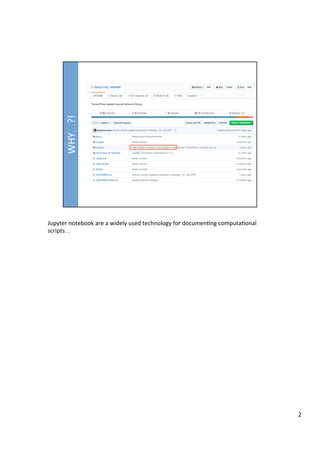
Jupyter	notebook	are	a	widely	used	technology	for	documen3ng	computa3onal	
scripts…	
2
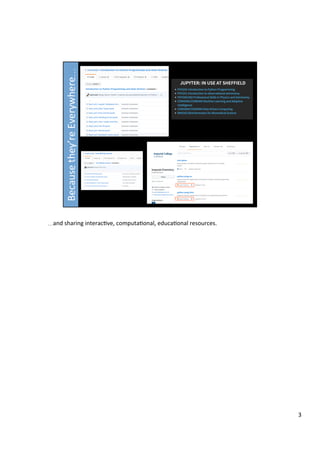
…and	sharing	interac3ve,	computa3onal,	educa3onal	resources.	
3
Current	draD	of	geoloca3on	ac3vi3es:	hFps://github.com/psychemedia/OU-TM11N/
blob/master/d2/geocodingDemos.ipynb	
	
Whilst	the	notebokk	describes	a	simple	set	of	related	ac3vi3es,	they	require	that	the	
notebook	server	has	access	to	the	wider	internet	and	is	capable	of	making	calls	to	
third	party	APIs	over	hFp.	
	
It	also	makes	use	of	a	python	package	that	is	not	part	of	the	standard	Jupyter	
notebook/scien3fic	python	distribu3on	and	must	be	installed	either	by	the	student	or	
provided	as	part	of	an	enhanced	python	distribu3on	accessed	via	the	notebook	
server.	
	
The	ac3vity	defini3on	thus	adds	two	addi3onal	requirements	to	the	provision	of	a	
basic,	“self-contained”	Jupyter	notebook	distribu3on	designed	to	make	use	of	a	
standard	scien3fic	python	distribu3on:	
	
1)  That	the	kernel	has	access	to	the	wider	internet	in	order	to	access	third	party	APIs	
(and,	as	a	side	effect,	external	python	module	repositories	such	as	pip).	
2)  Either	that	the	student	user	has	permissions	to	install	an	addi3onal	python	
module	if		the	required	addi3onal	package	is	not	installed,	or	that	the	course	
team	can	deine	a	python	distribu3on	with	the	addi3onal	required	package		
4
Pushing	at	the	boundary	condi3ons	IS	DELIBERATE.	In	part,	solving	the	problems	
introduced	herein	means	that	Jupyter	notebooks	can	be	used	in	a	flexible,	open	
manner	to	support	courses	in	the	future,	and	provide	students	with	an	opportunity	
to	interact	with	third	party	services	as	well	as	closed	world,	OU	based	ac3vi3es.	
5
The	notebooks	provide	the	ac3vity	descrip3ons	and	are	used	by	a	notebook	server	to	
provide	the	interface	through	which	the	ac3vi3es	can	be	completed	in	an	interac3ve	
manner.	
	
hFps://github.com/psychemedia/OU-TM11N/blob/master/d2/
geocodingDemos.ipynb	
6
hFps://github.com/psychemedia/OU-TM11N/blob/master/d2/
geocodingDemos.ipynb	
	
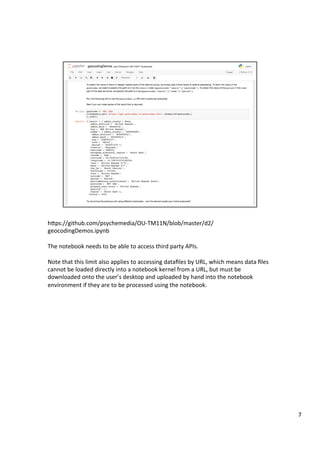
The	notebook	needs	to	be	able	to	access	third	party	APIs.	
	
Note	that	this	limit	also	applies	to	accessing	datafiles	by	URL,	which	means	data	files	
cannot	be	loaded	directly	into	a	notebook	kernel	from	a	URL,	but	must	be	
downloaded	onto	the	user’s	desktop	and	uploaded	by	hand	into	the	notebook	
environment	if	they	are	to	be	processed	using	the	notebook.	
7
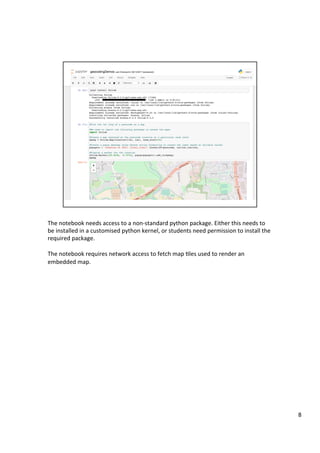
The	notebook	needs	access	to	a	non-standard	python	package.	Either	this	needs	to	
be	installed	in	a	customised	python	kernel,	or	students	need	permission	to	install	the	
required	package.	
	
The	notebook	requires	network	access	to	fetch	map	3les	used	to	render	an	
embedded	map.	
8
hFps://github.com/psychemedia/OU-TM11N/blob/master/d2/
geocodingDemos.ipynb	
	
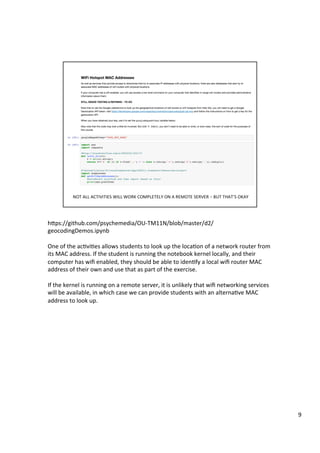
One	of	the	ac3vi3es	allows	students	to	look	up	the	loca3on	of	a	network	router	from	
its	MAC	address.	If	the	student	is	running	the	notebook	kernel	locally,	and	their	
computer	has	wifi	enabled,	they	should	be	able	to	iden3fy	a	local	wifi	router	MAC	
address	of	their	own	and	use	that	as	part	of	the	exercise.	
	
If	the	kernel	is	running	on	a	remote	server,	it	is	unlikely	that	wifi	networking	services	
will	be	available,	in	which	case	we	can	provide	students	with	an	alterna3ve	MAC	
address	to	look	up.	
9
10
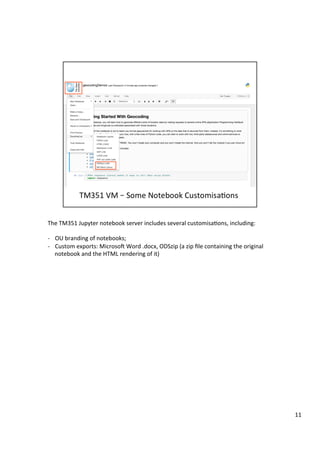
The	TM351	Jupyter	notebook	server	includes	several	customisa3ons,	including:	
	
-  OU	branding	of	notebooks;	
-  Custom	exports:	MicrosoD	Word	.docx,	ODSzip	(a	zip	file	containing	the	original	
notebook	and	the	HTML	rendering	of	it)	
11
12
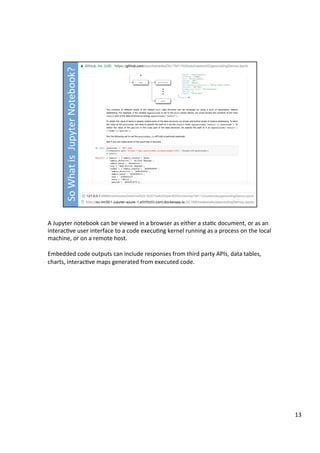
A	Jupyter	notebook	can	be	viewed	in	a	browser	as	either	a	sta3c	document,	or	as	an	
interac3ve	user	interface	to	a	code	execu3ng	kernel	running	as	a	process	on	the	local	
machine,	or	on	a	remote	host.	
	
Embedded	code	outputs	can	include	responses	from	third	party	APIs,	data	tables,	
charts,	interac3ve	maps	generated	from	executed	code.	
13
The	notebook	source	file	(suffix	.ipynb)	is	a	JSON	text	file.	
	
It	can	be	rendered	to	an	HTML	document	using	the	`nbviewer`	applica3on.	
	
The	notebook	file	can	also	be	used	interac3vely,	as	a	GUI	to	a	backend	computa3onal	
process	that	can	execute	and	evaluate	elements	iden3fied	as	“code”	in	the	notebook,	
and	return	the	results	of	code	execu3on	for	display	in	the	notebook.	
	
--	
{	
	
	ipynb[label=".ipynbn(JSON	text	file)"];	
	nbviewer[label="nbviewer",color='yellow'];	
		
	ipynb	->	nbviewer;	
	
group	{	
	shape=line;	
	html1[label="HTML",color='lightgreen'];	
	nbviewer	->	html1;	
	
14
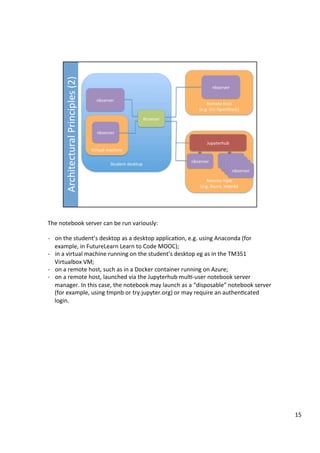
The	notebook	server	can	be	run	variously:	
	
-  on	the	student’s	desktop	as	a	desktop	applica3on,	e.g.	using	Anaconda	(for	
example,	in	FutureLearn	Learn	to	Code	MOOC);	
-  in	a	virtual	machine	running	on	the	student’s	desktop	eg	as	in	the	TM351	
Virtualbox	VM;	
-  on	a	remote	host,	such	as	in	a	Docker	container	running	on	Azure;	
-  on	a	remote	host,	launched	via	the	Jupyterhub	mul3-user	notebook	server	
manager.	In	this	case,	the	notebook	may	launch	as	a	“disposable”	notebook	server	
(for	example,	using	tmpnb	or	try.jupyter.org)	or	may	require	an	authen3cated	
login.	
15
What	sort	of	issues	are	relevant	to	understanding	our	an3cipated	student	experience	
of	working	with	the	notebooks?	
16
How	do	I	“run”	an	interac3ve	notebook?	
	
-  If	you	are	running	a	local	notebook	server,	you	need	to	install	it	on	your	desktop	
somehow,	have	some	means	for	star3ng	and	stopping	the	server,	and	know	what	
local	URL	to	find	the	notebooks	on.	(In	some	circumstances	the	notebook	server	
may	automa3cally	open	the	notebook	server	homepage	in	the	user’s	browser).	
-  If	you	are	accessing	a	remote	server,	you	need	to	know	where	to	find	the	
notebook	server	and	may	need	authen3ca3on	creden3als.	
	
Do	I	need	to	run	the	notebook	server	on	my	computer?	
	
-	The	wifi	lookup	ac3vity	will	require	the	notebook	server	to	run	on	a	student’s	
computer	that	has	support	for	wifi	connec3vity.	All	other	ac3vi3es	could	run	on	a	
remote	server,	as	long	as	the	python	kernel	has	access	to	the	wider	internet.	
	
Do	I	need	a	network	connec3on?	
	
-  To	access	the	notebooks	running	on	a	remote	server,	you	will	need	a	network	
connec3on	in	order	to	work	with	the	notebooks	interac3vely,	At	the	end	of	a	
session,	you	can	export	an	HTML,	docx	or	PDF	version	of	the	notebook	to	keep	a	
“flat”	(non-interac3ve)	porwolio	record	of	it.	
17
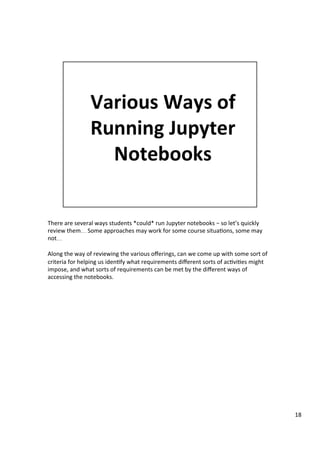
There	are	several	ways	students	*could*	run	Jupyter	notebooks	–	so	let’s	quickly	
review	them…	Some	approaches	may	work	for	some	course	situa3ons,	some	may	
not…	
	
Along	the	way	of	reviewing	the	various	offerings,	can	we	come	up	with	some	sort	of	
criteria	for	helping	us	iden3fy	what	requirements	different	sorts	of	ac3vi3es	might	
impose,	and	what	sorts	of	requirements	can	be	met	by	the	different	ways	of	
accessing	the	notebooks.	
18
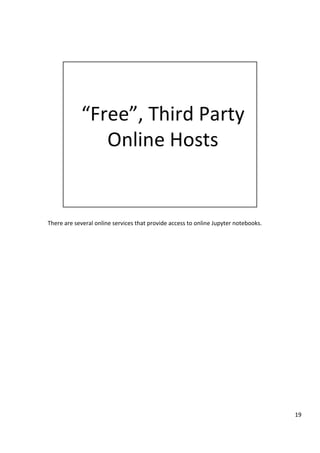
There	are	several	online	services	that	provide	access	to	online	Jupyter	notebooks.	
19
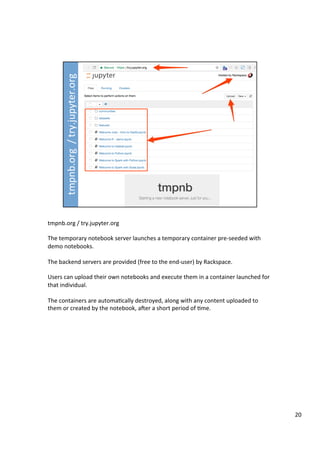
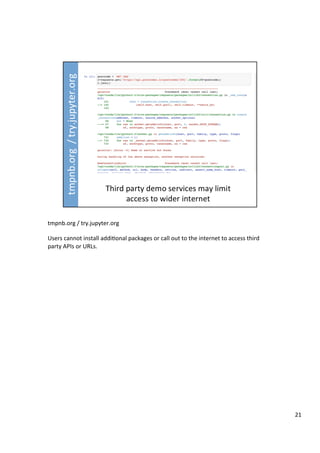
tmpnb.org	/	try.jupyter.org		
	
The	temporary	notebook	server	launches	a	temporary	container	pre-seeded	with	
demo	notebooks.	
	
The	backend	servers	are	provided	(free	to	the	end-user)	by	Rackspace.	
	
Users	can	upload	their	own	notebooks	and	execute	them	in	a	container	launched	for	
that	individual.	
	
The	containers	are	automa3cally	destroyed,	along	with	any	content	uploaded	to	
them	or	created	by	the	notebook,	aDer	a	short	period	of	3me.	
20
tmpnb.org	/	try.jupyter.org		
	
Users	cannot	install	addi3onal	packages	or	call	out	to	the	internet	to	access	third	
party	APIs	or	URLs.	
	
21
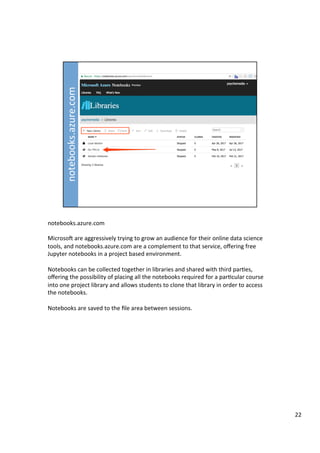
notebooks.azure.com	
	
MicrosoD	are	aggressively	trying	to	grow	an	audience	for	their	online	data	science	
tools,	and	notebooks.azure.com	are	a	complement	to	that	service,	offering	free	
Jupyter	notebooks	in	a	project	based	environment.	
	
Notebooks	can	be	collected	together	in	libraries	and	shared	with	third	par3es,	
offering	the	possibility	of	placing	all	the	notebooks	required	for	a	par3cular	course	
into	one	project	library	and	allows	students	to	clone	that	library	in	order	to	access	
the	notebooks.	
	
Notebooks	are	saved	to	the	file	area	between	sessions.	
22
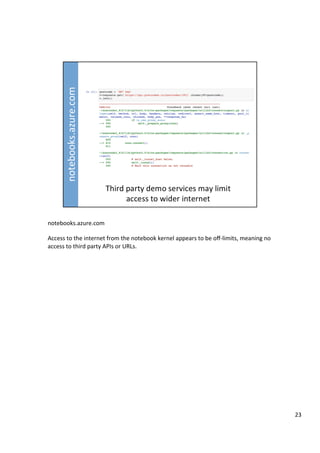
notebooks.azure.com	
	
Access	to	the	internet	from	the	notebook	kernel	appears	to	be	off-limits,	meaning	no	
access	to	third	party	APIs	or	URLs.	
23
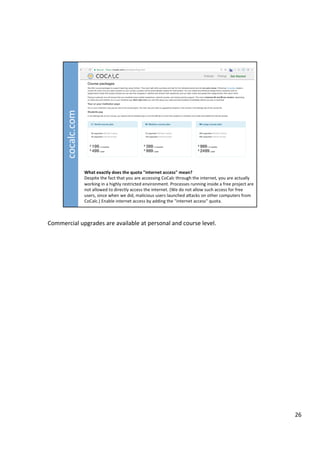
CoCalc	is	a	rebranded	version	of	SageMathCloud.	
24
CoCalc	does	not	provide	access	to	the	wider	internet	on	the	free	plan,	but	an	paid	for	
upgrade	does	allow	calls	to	be	made	to	external	services	[UNTESTED].	
	
We	have	used	SageMathCLoud	/	CoCalc	as	one	of	the	ways	of	accessing	Jupyter	
notebooks	in	the	FutureLearn	course	Learn	to	Code	for	Data	Analysis.	
25
Commercial	upgrades	are	available	at	personal	and	course	level.	
26
There	are	several	ways	of	running	Jupyter	notebooks	on	your	own	computer.	
27
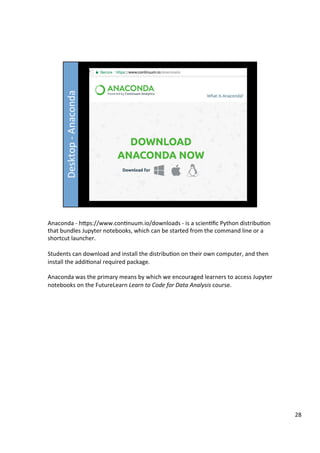
Anaconda	-	hFps://www.con3nuum.io/downloads	-	is	a	scien3fic	Python	distribu3on	
that	bundles	Jupyter	notebooks,	which	can	be	started	from	the	command	line	or	a	
shortcut	launcher.	
	
Students	can	download	and	install	the	distribu3on	on	their	own	computer,	and	then	
install	the	addi3onal	required	package.	
	
Anaconda	was	the	primary	means	by	which	we	encouraged	learners	to	access	Jupyter	
notebooks	on	the	FutureLearn	Learn	to	Code	for	Data	Analysis	course.	
28
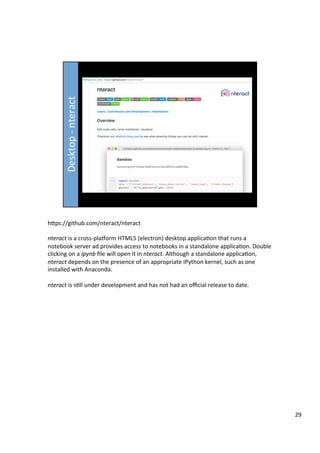
hFps://github.com/nteract/nteract	
	
nteract	is	a	cross-plaworm	HTML5	(electron)	desktop	applica3on	that	runs	a	
notebook	server	ad	provides	access	to	notebooks	in	a	standalone	applica3on.	Double	
clicking	on	a	ipynb	file	will	open	it	in	nteract.	Although	a	standalone	applica3on,	
nteract	depends	on	the	presence	of	an	appropriate	IPython	kernel,	such	as	one	
installed	with	Anaconda.	
	
nteract	is	s3ll	under	development	and	has	not	had	an	official	release	to	date.	
29
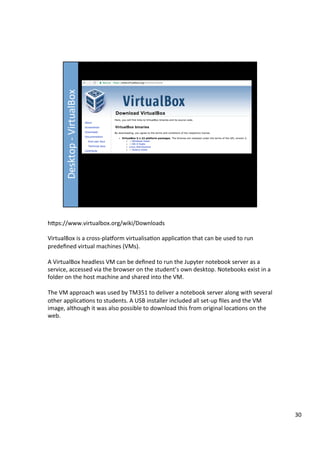
hFps://www.virtualbox.org/wiki/Downloads	
	
VirtualBox	is	a	cross-plaworm	virtualisa3on	applica3on	that	can	be	used	to	run	
predefined	virtual	machines	(VMs).	
	
A	VirtualBox	headless	VM	can	be	defined	to	run	the	Jupyter	notebook	server	as	a	
service,	accessed	via	the	browser	on	the	student’s	own	desktop.	Notebooks	exist	in	a	
folder	on	the	host	machine	and	shared	into	the	VM.	
	
The	VM	approach	was	used	by	TM351	to	deliver	a	notebook	server	along	with	several	
other	applica3ons	to	students.	A	USB	installer	included	all	set-up	files	and	the	VM	
image,	although	it	was	also	possible	to	download	this	from	original	loca3ons	on	the	
web.	
30
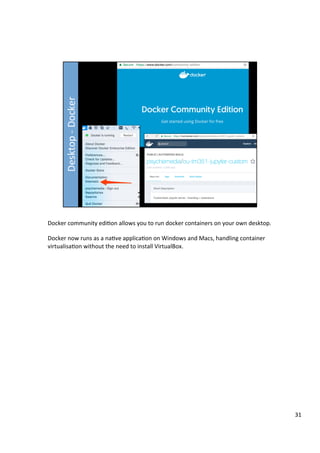
Docker	community	edi3on	allows	you	to	run	docker	containers	on	your	own	desktop.	
	
Docker	now	runs	as	a	na3ve	applica3on	on	Windows	and	Macs,	handling	container	
virtualisa3on	without	the	need	to	install	VirtualBox.	
31
I’m	thinking	here	–	fire	up	your	own	host	and	use	OU	provided	docker	container	
images,	Amazon	AMI	images	etc?	eg	hFps://github.com/psychemedia/ou-tm351/
blob/master/tm351_builder_unversioned/docs/tm351_ami.md	
32
Launch	your	own	instance	but	at	the	generosity	of	a	third	party.	
	
Eg	mybinder	
	
The	mybinder	server	tends	to	be	unreliable	–	but	could	the	OU	host	it’s	own,	that	
only	launches	whitelisted	images	from	authen3cated	OU	student	users?	
33
Eg	run	notebook	container	on	OU	OpenStack;	advantages:	notebook	can	be	seeded	
with	branded	notebook	server,	export	extensions,	course	notebooks	
34
Eg	run	notebook	container	on	OU	OpenStack;	advantages:	notebook	can	be	seeded	
with	branded	notebook	server,	export	extensions,	course	notebooks	
35
Provide	a	temporary	notebook	server	running	somewhere,	access	limited	to	TM112	
students,	pre-seeded	course	notebooks,	Jupyter	notebook	environment	customised	
with	OU	branding,	export	extensions,	required	python	packages	preinstalled.	
Netwrok	access	controls	from	original	tmpnb	server	would	need	to	be	relaxed	if	calls	
were	to	be	made	to	third	party	APIs.	
	
Alterna3vely,	OU	could	also	host	API	endpoint	servers	to	handle	geocoding,	map	
3leserver,	and	notebooks	could	be	configured	to	access	those	OU	provided	services.	
36
Hosted	on	OU	iron	or	Azure?	
	
Students	have	authen3cated	access	to	their	own	notebook	server	via	Jupyterhub.	
This	will	support	individual	persistence	of	files.	
37
38
Provide	a	mac	address	to	try	exercise	with	
39
Maps	won’t	render,	calls	to	third	party	APIs	will	fail.	
	
Weak	alterna3ve	is	to	make	executed	notebook	available	so	students	can	read	
through	outputs	generated	as	canned/example	outputs	by	us.	This	could	even	be	as	
float	HTML,	docx,	PDF	etc.	
	
Alterna3ve	is	to	provide	linked	services	running	local	API	endpoints	– eg	there	is	
postocodes.io	container,	there	is	a	3leserver	available	that	runs	with	OpenStreetMap	
3les.	These	could	be	provided:	
	
-  Within	a	monolithic	Virtualbox	VM	(cf.	TM351	VM)	
-  As	a	set	of	linked	docker-compose	containers.	
	
VM/container	could	be	downloaded	from	internet	or	shipped	via	USB	memory	s3ck.	
40
Weak	alterna3ve	is	to	make	executed	notebook	available	so	students	can	read	
through	outputs	generated	as	canned/example	outputs	by	us.	This	could	even	be	as	
float	HTML,	docx,	PDF	etc.	
41
Addi3onal	requirements	for	TM351:	
	
1)  Persistence	of	student	notebooks	somewhere	
2)  Ability	to	connect	to	linked	services	(postgres,	mongo)	
3)  Ability	to	persist	link	database	state	
42
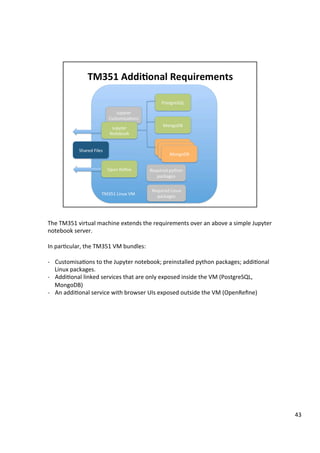
The	TM351	virtual	machine	extends	the	requirements	over	an	above	a	simple	Jupyter	
notebook	server.	
	
In	par3cular,	the	TM351	VM	bundles:	
	
-  Customisa3ons	to	the	Jupyter	notebook;	preinstalled	python	packages;	addi3onal	
Linux	packages.	
-  Addi3onal	linked	services	that	are	only	exposed	inside	the	VM	(PostgreSQL,	
MongoDB)	
-  An	addi3onal	service	with	browser	UIs	exposed	outside	the	VM	(OpenRefine)	
43
Iden3fying	the	best	route	for	delivering	services	with	browser	UIs	has	wider	
consequences	than	just	making	Jupyter	notebooks	available	to	TM112	students,	as	
we	have	seen	in	the	case	of	TM351.	So	what	is	the	wider	context?	
44

Jupyternotebooks ou.pptx