Junit
Points-:
• It is basically unit testing framework for java programming language
• Junit promotes the idea of “First testing than coding” which means
We should have some test data for a piece of code or a method that we
are going to write so that we can easily check that the output for that
particular code is coming right or wrong.
Junit History-:
Developer(s) -: Kent Beck, Erich Gamma, David Saff, Mike Clark (University of
Calgary)
Stable release -: 5.2.0[1] / October 3, 2017
Written in -: Java
Operating system -: Cross-platform
Type-: Unit testing tool
Features of Junit-:
JUnit is an open source framework, which is used for writing and running tests.
It provides annotations to identify test methods
• Examples are-:
• @Test annotation specifies that method is the test method.
• @Test(timeout=1000) annotation specifies that method will be failed if it takes longer
than 1000 milliseconds (1 second).
• @BeforeClass annotation specifies that method will be invoked only once, before
starting all the tests.
• @Before annotation specifies that method will be invoked before each test.
• @After annotation specifies that method will be invoked after each test.
• @AfterClass annotation specifies that method will be invoked only once, after finishing
all the tests.
Features of Junit-:
It provides assertions for testing expected results.
For examples-:
Boolean
If you want to test the boolean conditions (true or false), you can use
following assert methods
assertTrue(condition)
assertFalse(condition)
JUnit Assert methods-:
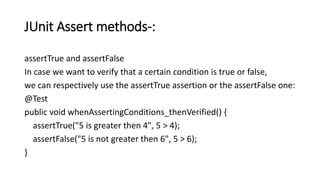
assertTrue and assertFalse
In case we want to verify that a certain condition is true or false,
we can respectively use the assertTrue assertion or the assertFalse one:
@Test
public void whenAssertingConditions_thenVerified() {
assertTrue("5 is greater then 4", 5 > 4);
assertFalse("5 is not greater then 6", 5 > 6);
}
JUnit Assert methods-:
• assertEquals(string1,string2);
• Now compare string1=" Junit" with string2=" Junit" with equals
method of object class.
• string1.equals(string2)=> returns true
• So assertEquals(string1,string2) will return true.
JUnit Assert methods-:
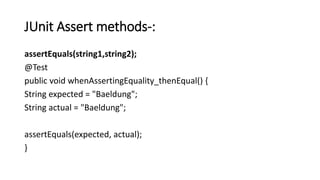
assertEquals(string1,string2);
@Test
public void whenAssertingEquality_thenEqual() {
String expected = "Baeldung";
String actual = "Baeldung";
assertEquals(expected, actual);
}
JUnit Assert methods-:
Assert Array Equals
If you want to test equality of arrays, you have the following methods as
given below:
assertArrayEquals(expected, actual)
Above method must be used if arrays have the same length, for each valid
value for i, you can check it as given below:
assertEquals(expected[i],actual[i])
assertArrayEquals(expected[i],actual[i])
JUnit Assert methods-:
@Test
public void whenAssertingArraysEquality_thenEqual() {
char[] expected = {'J','u','n','i','t'};
char[] actual = {'J','u','n','i','t'};
assertArrayEquals(expected, actual);
}
JUnit Assert methods-:
If both arrays are null, the assertion will consider them equal:
@Test
public void givenNullArrays_whenAssertingArraysEquality_thenEqual() {
int[] expected = null;
int[] actual = null;
assertArrayEquals(expected, actual);
}
JUnit Assert methods-:
• assertSame(string3, string4);
• "assertSame()" functionality is to check that the two objects refer to
the same object.
• Since string3="test" and string4="test" means both string3 and
string4 are of the same type so assertSame(string3, string4) will
return true.
JUnit Assert methods-:
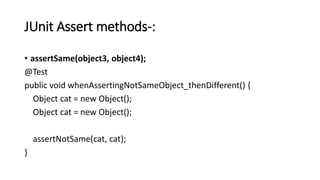
• assertSame(object3, object4);
@Test
public void whenAssertingNotSameObject_thenDifferent() {
Object cat = new Object();
assertNotSame(cat, cat);
}
JUnit Assert methods-:
• assertNotSame(string1, string3);
• "assertNotSame()" functionality is to check that the two objects do
not refer to the same object.
• Since string1="Junit" and string3="test" means both string1 and
string3 are of different types, so assertNotSame(string1, string3) will
return true.
JUnit Assert methods-:
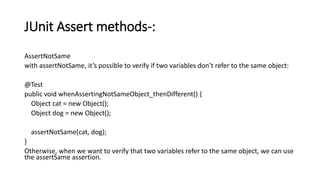
AssertNotSame
with assertNotSame, it’s possible to verify if two variables don’t refer to the same object:
@Test
public void whenAssertingNotSameObject_thenDifferent() {
Object cat = new Object();
Object dog = new Object();
assertNotSame(cat, dog);
}
Otherwise, when we want to verify that two variables refer to the same object, we can use
the assertSame assertion.
JUnit Assert methods-:
• assertNull(string5);
• "assertNull()" functionality is to check that an object is null.
• Since string5= null which is a null value so assertNull(string5) will
return true.
JUnit Assert methods-:
• assertNotNull(string1);
• "assertNotNull()" functionality is to check that an object is not null.
• Since string1= "Junit" which is a non-null value so
assertNotNull(string1) will return true.
JUnit Assert methods-:
Null object
If you want to check the initial value of an object/variable, you have the
following methods:
assertNull(object)
assertNotNull(object)
Here object is Java object e.g. assertNull(actual);
JUnit Assert methods-:
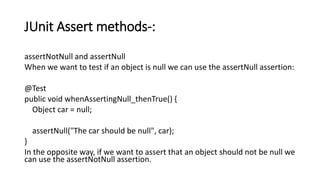
assertNotNull and assertNull
When we want to test if an object is null we can use the assertNull assertion:
@Test
public void whenAssertingNull_thenTrue() {
Object car = null;
assertNull("The car should be null", car);
}
In the opposite way, if we want to assert that an object should not be null we
can use the assertNotNull assertion.
JUnit Assert methods-:
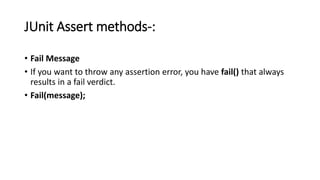
• Fail Message
• If you want to throw any assertion error, you have fail() that always
results in a fail verdict.
• Fail(message);
JUnit Assert methods-:
The fail assertion fails a test with the provided failure message as well
as the underlying cause. This can be useful to mark a test when it’s
development it’s not completed:
@Test
public void whenFailingATest_thenFailed() {
// Test not completed
fail("FAIL - test not completed");
}
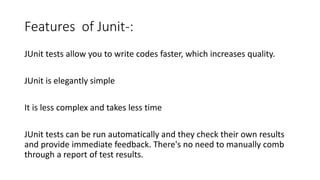
Features of Junit-:
JUnit tests allow you to write codes faster, which increases quality.
JUnit is elegantly simple
It is less complex and takes less time
JUnit tests can be run automatically and they check their own results
and provide immediate feedback. There's no need to manually comb
through a report of test results.
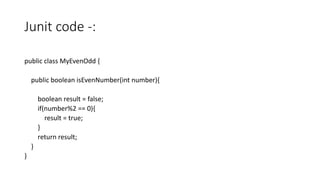
Junit code -:
public class MyEvenOdd {
public boolean isEvenNumber(int number){
boolean result = false;
if(number%2 == 0){
result = true;
}
return result;
}
}
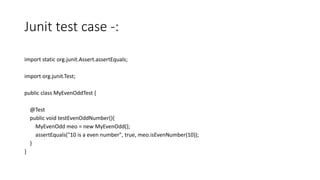
Junit test case -:
import static org.junit.Assert.assertEquals;
import org.junit.Test;
public class MyEvenOddTest {
@Test
public void testEvenOddNumber(){
MyEvenOdd meo = new MyEvenOdd();
assertEquals("10 is a even number", true, meo.isEvenNumber(10));
}
}

Junit basics

  • 1.
  • 2.
    Points-: • It isbasically unit testing framework for java programming language • Junit promotes the idea of “First testing than coding” which means We should have some test data for a piece of code or a method that we are going to write so that we can easily check that the output for that particular code is coming right or wrong.
  • 3.
    Junit History-: Developer(s) -:Kent Beck, Erich Gamma, David Saff, Mike Clark (University of Calgary) Stable release -: 5.2.0[1] / October 3, 2017 Written in -: Java Operating system -: Cross-platform Type-: Unit testing tool
  • 4.
    Features of Junit-: JUnitis an open source framework, which is used for writing and running tests. It provides annotations to identify test methods • Examples are-: • @Test annotation specifies that method is the test method. • @Test(timeout=1000) annotation specifies that method will be failed if it takes longer than 1000 milliseconds (1 second). • @BeforeClass annotation specifies that method will be invoked only once, before starting all the tests. • @Before annotation specifies that method will be invoked before each test. • @After annotation specifies that method will be invoked after each test. • @AfterClass annotation specifies that method will be invoked only once, after finishing all the tests.
  • 5.
    Features of Junit-: Itprovides assertions for testing expected results. For examples-: Boolean If you want to test the boolean conditions (true or false), you can use following assert methods assertTrue(condition) assertFalse(condition)
  • 6.
    JUnit Assert methods-: assertTrueand assertFalse In case we want to verify that a certain condition is true or false, we can respectively use the assertTrue assertion or the assertFalse one: @Test public void whenAssertingConditions_thenVerified() { assertTrue("5 is greater then 4", 5 > 4); assertFalse("5 is not greater then 6", 5 > 6); }
  • 7.
    JUnit Assert methods-: •assertEquals(string1,string2); • Now compare string1=" Junit" with string2=" Junit" with equals method of object class. • string1.equals(string2)=> returns true • So assertEquals(string1,string2) will return true.
  • 8.
    JUnit Assert methods-: assertEquals(string1,string2); @Test publicvoid whenAssertingEquality_thenEqual() { String expected = "Baeldung"; String actual = "Baeldung"; assertEquals(expected, actual); }
  • 9.
    JUnit Assert methods-: AssertArray Equals If you want to test equality of arrays, you have the following methods as given below: assertArrayEquals(expected, actual) Above method must be used if arrays have the same length, for each valid value for i, you can check it as given below: assertEquals(expected[i],actual[i]) assertArrayEquals(expected[i],actual[i])
  • 10.
    JUnit Assert methods-: @Test publicvoid whenAssertingArraysEquality_thenEqual() { char[] expected = {'J','u','n','i','t'}; char[] actual = {'J','u','n','i','t'}; assertArrayEquals(expected, actual); }
  • 11.
    JUnit Assert methods-: Ifboth arrays are null, the assertion will consider them equal: @Test public void givenNullArrays_whenAssertingArraysEquality_thenEqual() { int[] expected = null; int[] actual = null; assertArrayEquals(expected, actual); }
  • 12.
    JUnit Assert methods-: •assertSame(string3, string4); • "assertSame()" functionality is to check that the two objects refer to the same object. • Since string3="test" and string4="test" means both string3 and string4 are of the same type so assertSame(string3, string4) will return true.
  • 13.
    JUnit Assert methods-: •assertSame(object3, object4); @Test public void whenAssertingNotSameObject_thenDifferent() { Object cat = new Object(); Object cat = new Object(); assertNotSame(cat, cat); }
  • 14.
    JUnit Assert methods-: •assertNotSame(string1, string3); • "assertNotSame()" functionality is to check that the two objects do not refer to the same object. • Since string1="Junit" and string3="test" means both string1 and string3 are of different types, so assertNotSame(string1, string3) will return true.
  • 15.
    JUnit Assert methods-: AssertNotSame withassertNotSame, it’s possible to verify if two variables don’t refer to the same object: @Test public void whenAssertingNotSameObject_thenDifferent() { Object cat = new Object(); Object dog = new Object(); assertNotSame(cat, dog); } Otherwise, when we want to verify that two variables refer to the same object, we can use the assertSame assertion.
  • 16.
    JUnit Assert methods-: •assertNull(string5); • "assertNull()" functionality is to check that an object is null. • Since string5= null which is a null value so assertNull(string5) will return true.
  • 17.
    JUnit Assert methods-: •assertNotNull(string1); • "assertNotNull()" functionality is to check that an object is not null. • Since string1= "Junit" which is a non-null value so assertNotNull(string1) will return true.
  • 18.
    JUnit Assert methods-: Nullobject If you want to check the initial value of an object/variable, you have the following methods: assertNull(object) assertNotNull(object) Here object is Java object e.g. assertNull(actual);
  • 19.
    JUnit Assert methods-: assertNotNulland assertNull When we want to test if an object is null we can use the assertNull assertion: @Test public void whenAssertingNull_thenTrue() { Object car = null; assertNull("The car should be null", car); } In the opposite way, if we want to assert that an object should not be null we can use the assertNotNull assertion.
  • 20.
    JUnit Assert methods-: •Fail Message • If you want to throw any assertion error, you have fail() that always results in a fail verdict. • Fail(message);
  • 21.
    JUnit Assert methods-: Thefail assertion fails a test with the provided failure message as well as the underlying cause. This can be useful to mark a test when it’s development it’s not completed: @Test public void whenFailingATest_thenFailed() { // Test not completed fail("FAIL - test not completed"); }
  • 22.
    Features of Junit-: JUnittests allow you to write codes faster, which increases quality. JUnit is elegantly simple It is less complex and takes less time JUnit tests can be run automatically and they check their own results and provide immediate feedback. There's no need to manually comb through a report of test results.
  • 23.
    Junit code -: publicclass MyEvenOdd { public boolean isEvenNumber(int number){ boolean result = false; if(number%2 == 0){ result = true; } return result; } }
  • 24.
    Junit test case-: import static org.junit.Assert.assertEquals; import org.junit.Test; public class MyEvenOddTest { @Test public void testEvenOddNumber(){ MyEvenOdd meo = new MyEvenOdd(); assertEquals("10 is a even number", true, meo.isEvenNumber(10)); } }