Continuous deployment tool
www.infobip.com
Aleksandar Dostic
Emir Dzaferovic
Introduction
• Software development
• Test Driven Development
–Unit Testing and Integration Testing
• Built goes through compiling and testing phases
• Continuous Integration
• Data Centers and virtualization
CI Environment
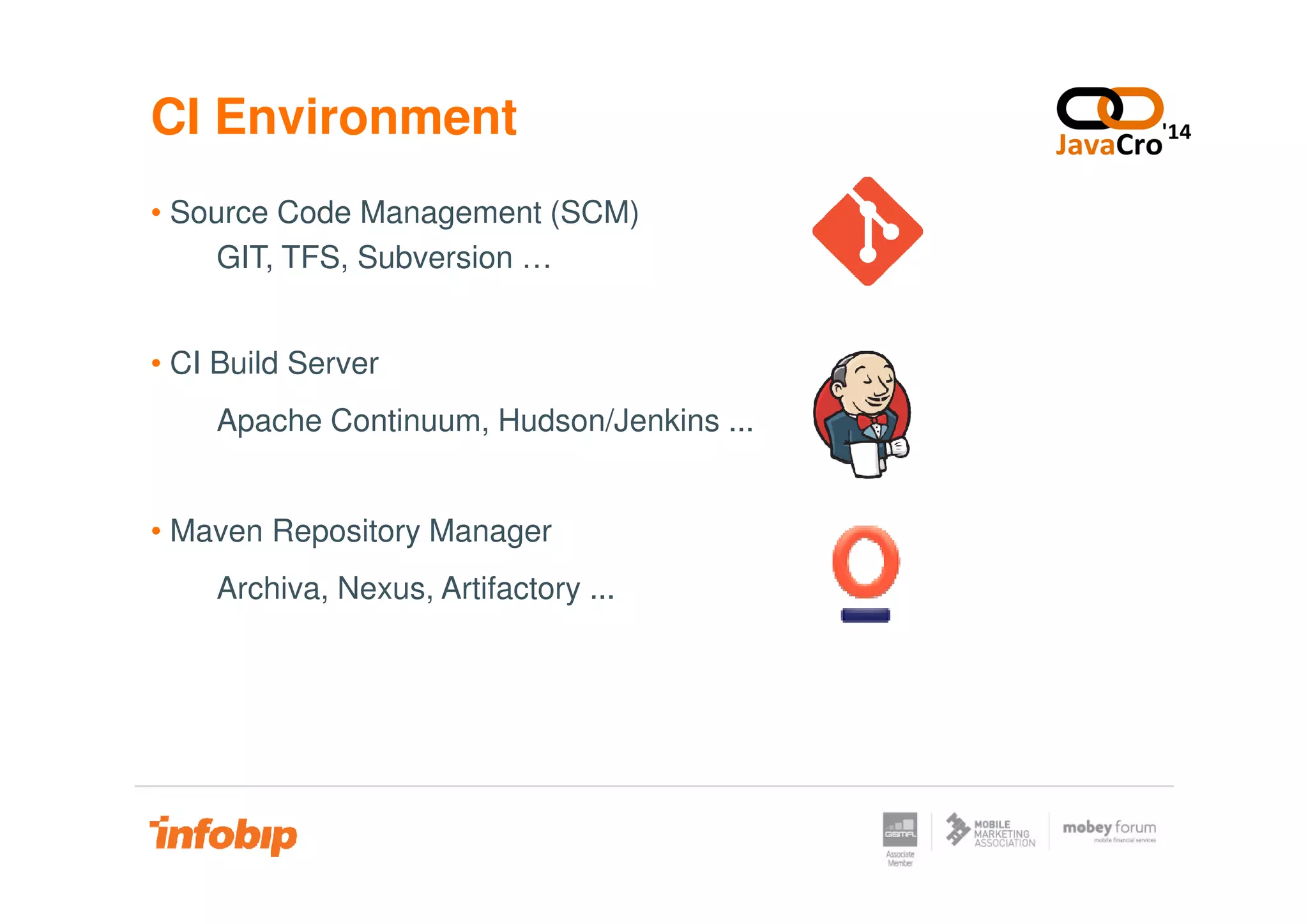
• Source Code Management (SCM)
GIT, TFS, Subversion …
• CI Build Server
Apache Continuum, Hudson/Jenkins ...
• Maven Repository Manager
Archiva, Nexus, Artifactory ...
CI Environment
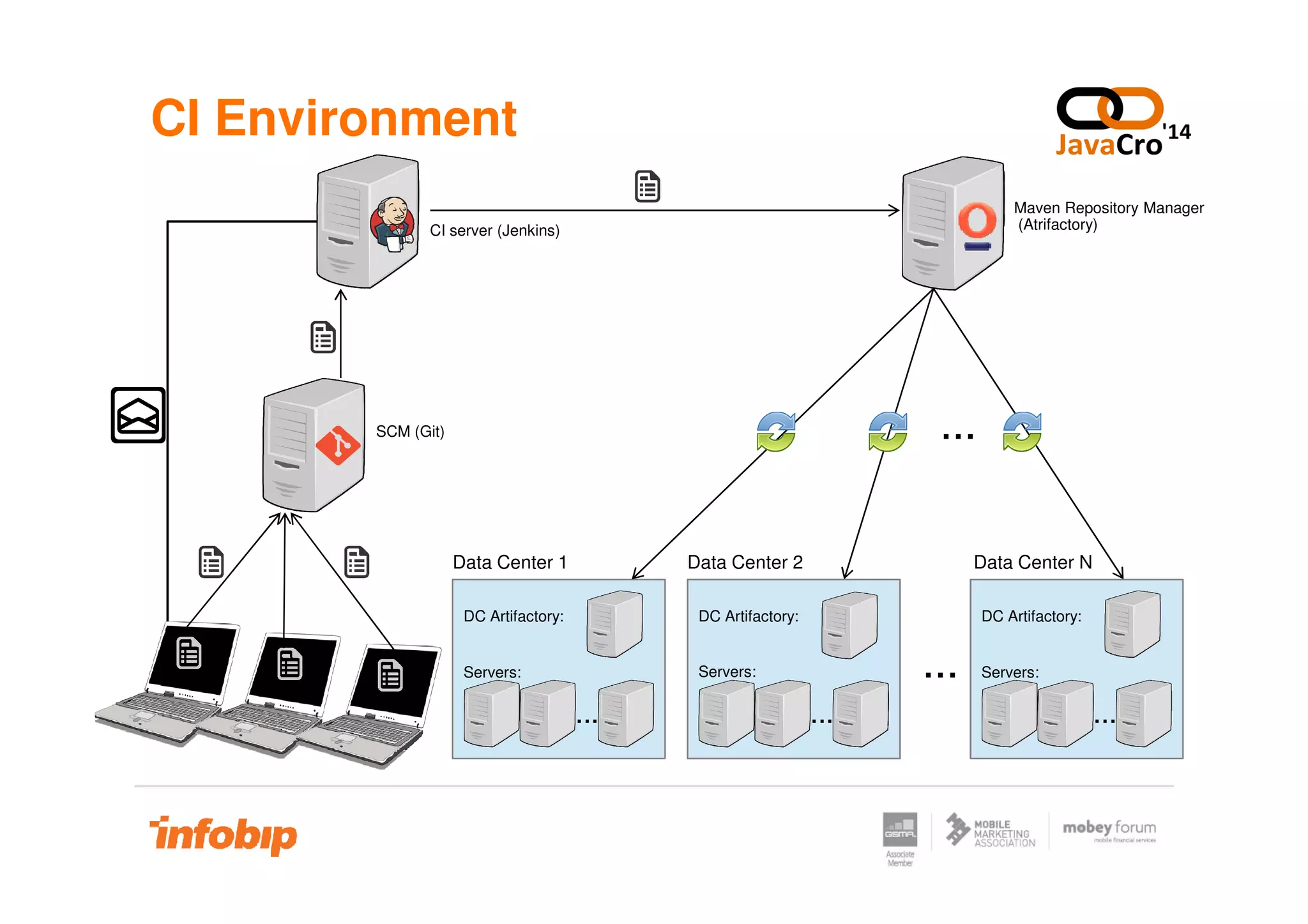
SCM (Git)
CI server (Jenkins)
Maven Repository Manager
(Atrifactory)
...
...
DC Artifactory:
Servers:
...
DC Artifactory:
...
DC Artifactory:
Servers:
......
Servers:
...
Data Center 1 Data Center 2 Data Center N
Manual Deployment Drawbacks
• Can be performed only by specialized people, usually engineers
• The incorrect versions of software can be shipped
• Quick rollback to old versions can be challenging
• Complex maintenance of security across servers
• Difficult or impossible to track who deployed what, when and where• Difficult or impossible to track who deployed what, when and where
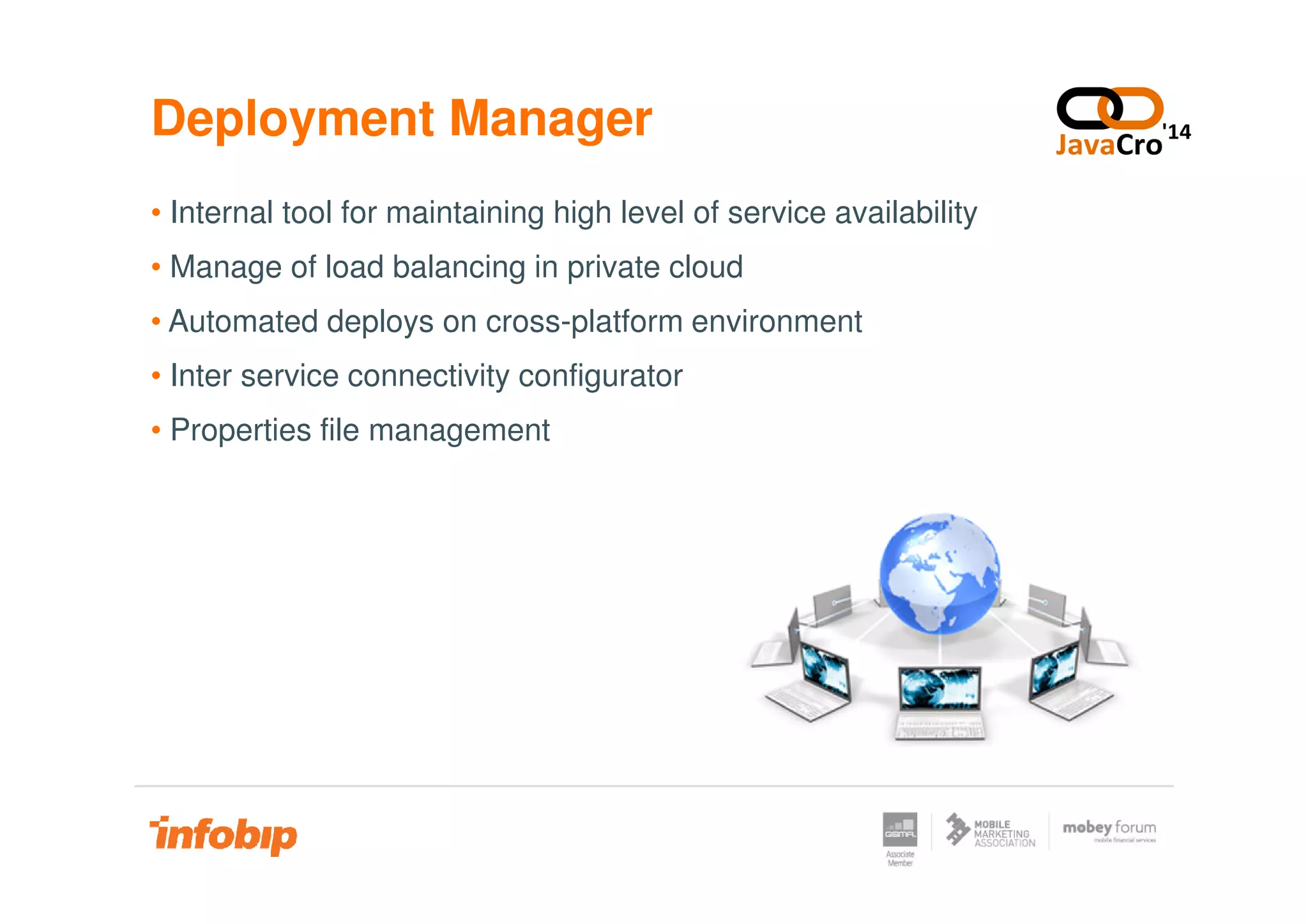
Deployment Manager
• Internal tool for maintaining high level of service availability
• Manage of load balancing in private cloud
• Automated deploys on cross-platform environment
• Inter service connectivity configurator
• Properties file management
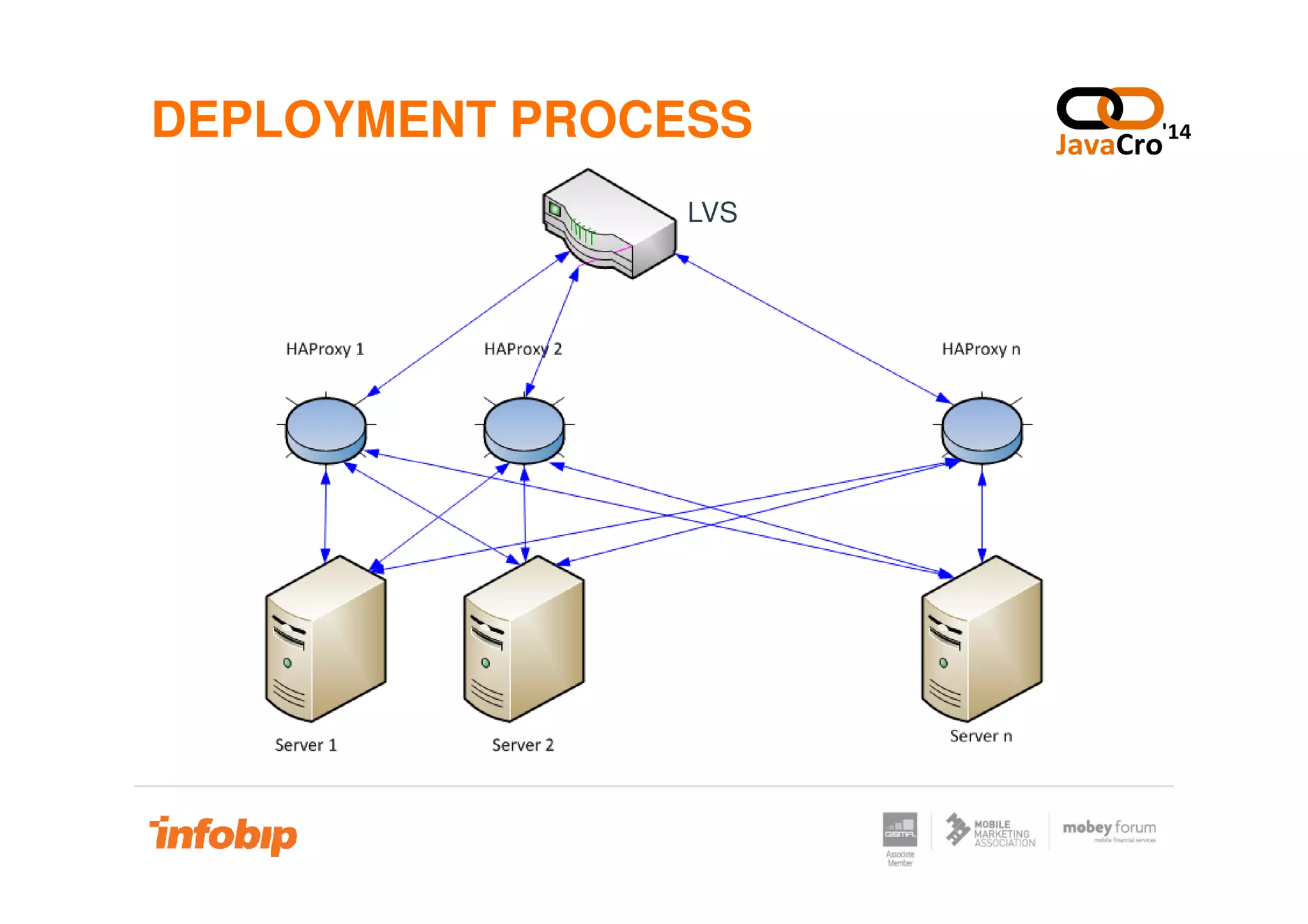
DEPLOYMENT PROCESS
LVS
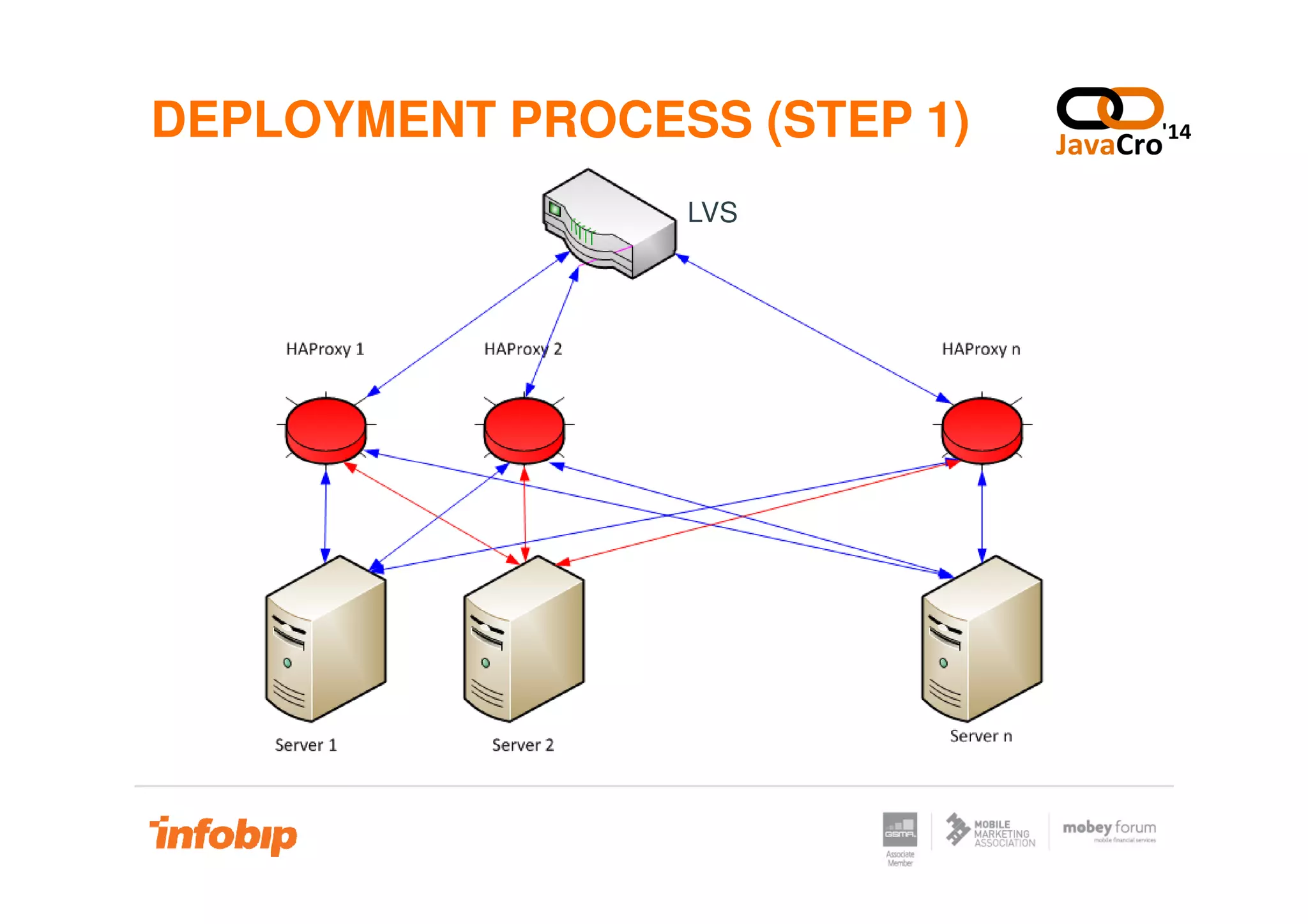
DEPLOYMENT PROCESS (STEP 1)
LVS
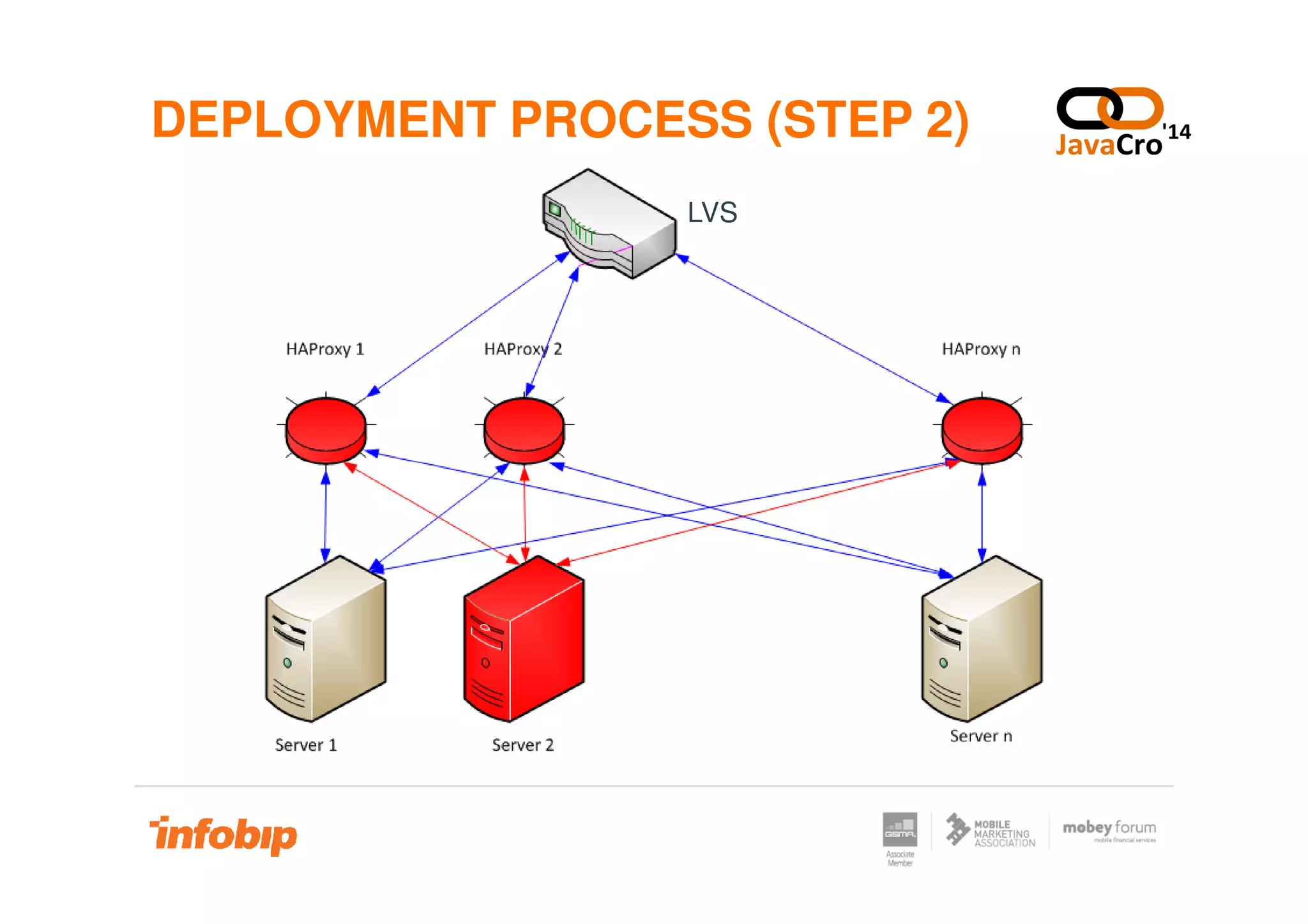
DEPLOYMENT PROCESS (STEP 2)
LVS
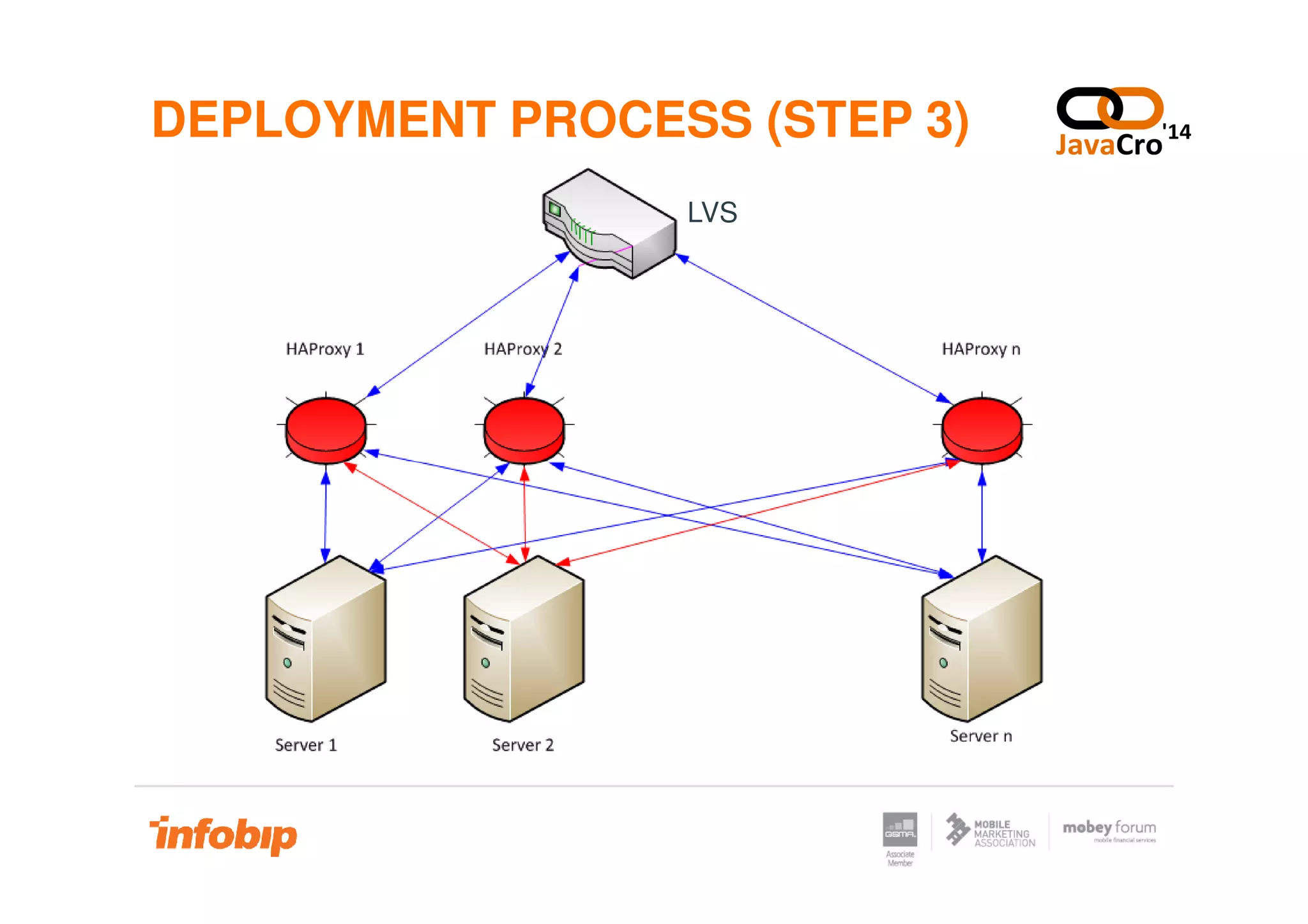
DEPLOYMENT PROCESS (STEP 3)
LVS
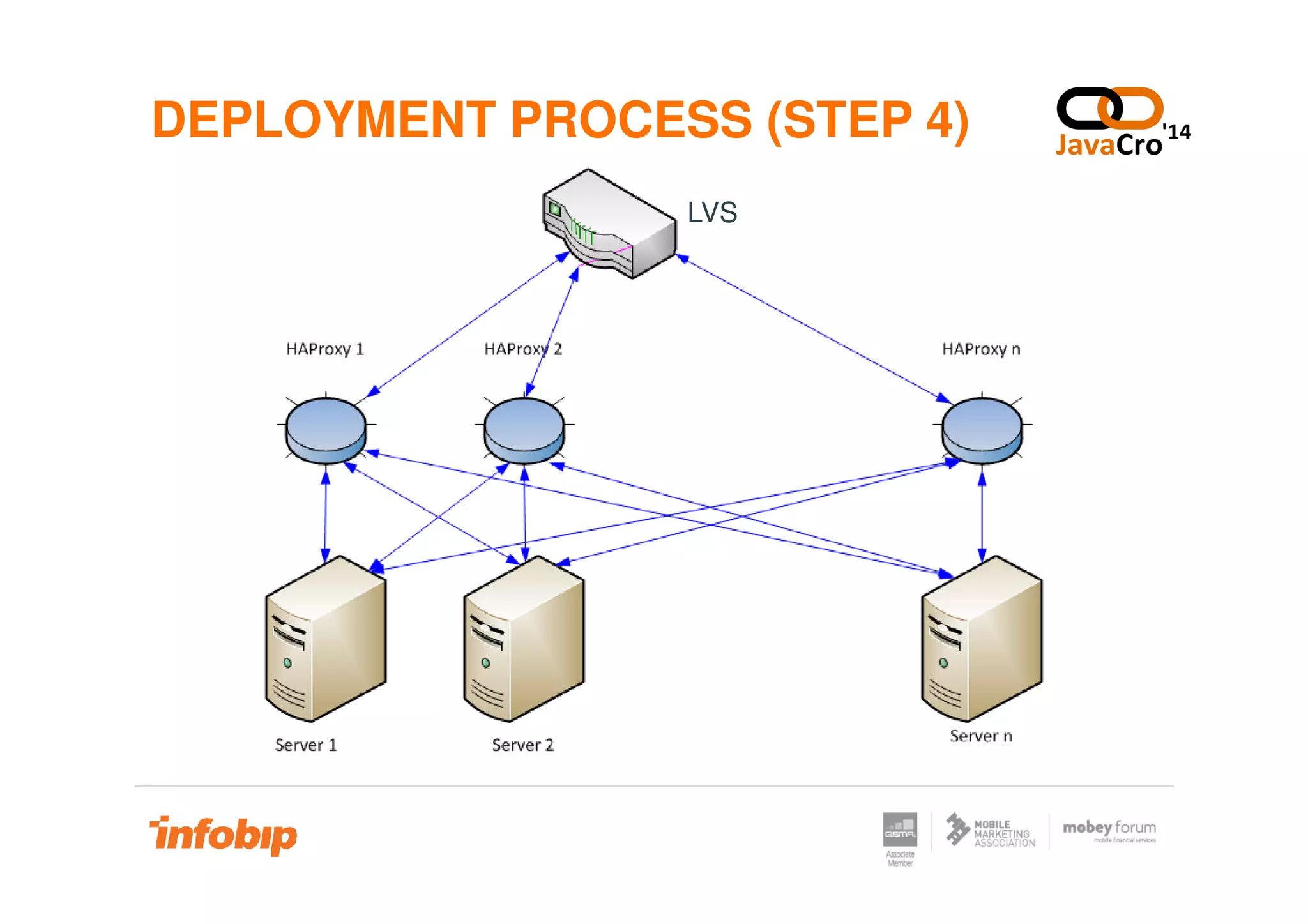
DEPLOYMENT PROCESS (STEP 4)
LVS
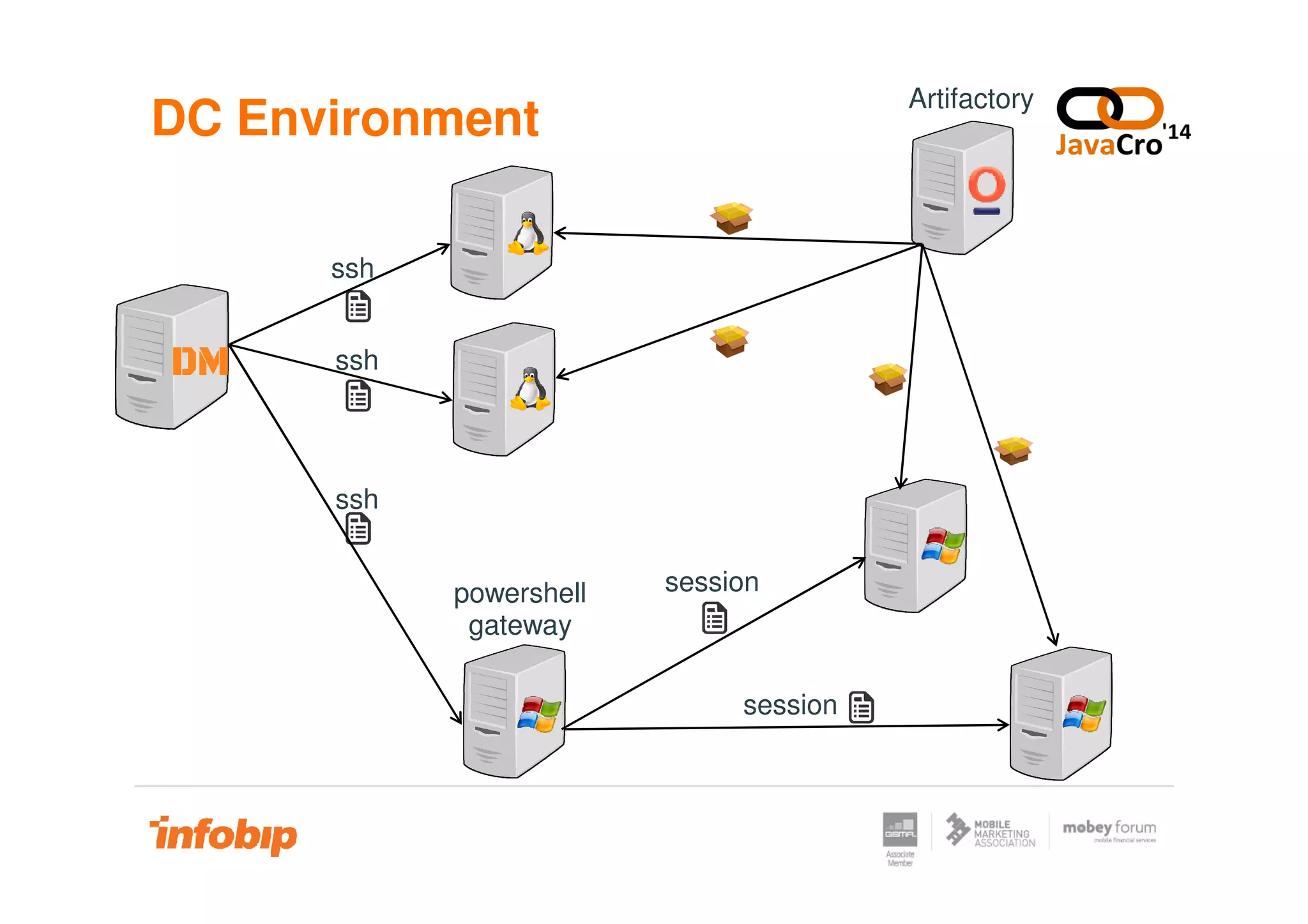
DC Environment
ssh
ssh
Artifactory
ssh
powershell
gateway
session
session
Demo
www.infobip.com
Demo
Main Features
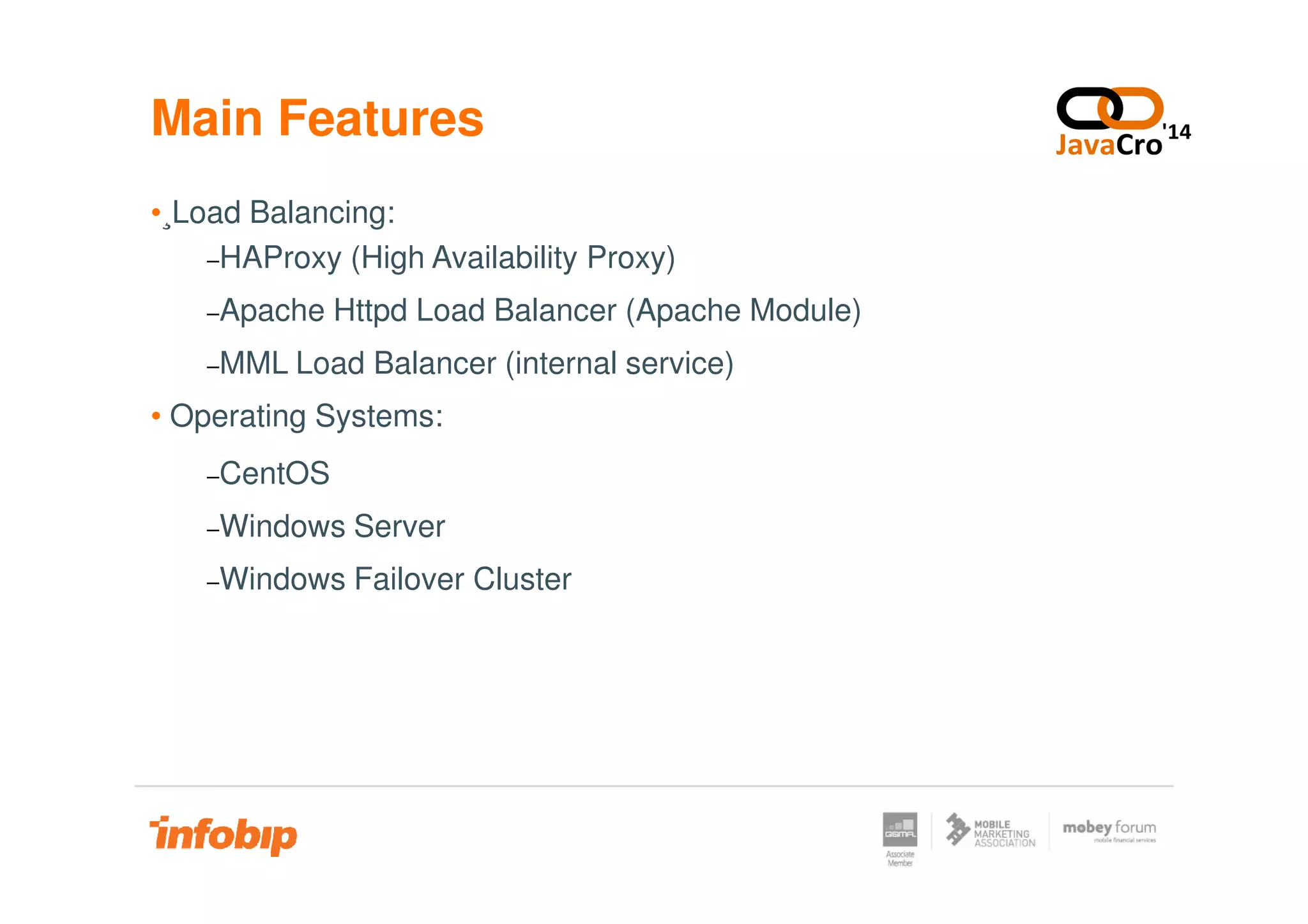
•¸Load Balancing:
−HAProxy (High Availability Proxy)
−Apache Httpd Load Balancer (Apache Module)
−MML Load Balancer (internal service)
• Operating Systems:
−CentOS−CentOS
−Windows Server
−Windows Failover Cluster
Main Features
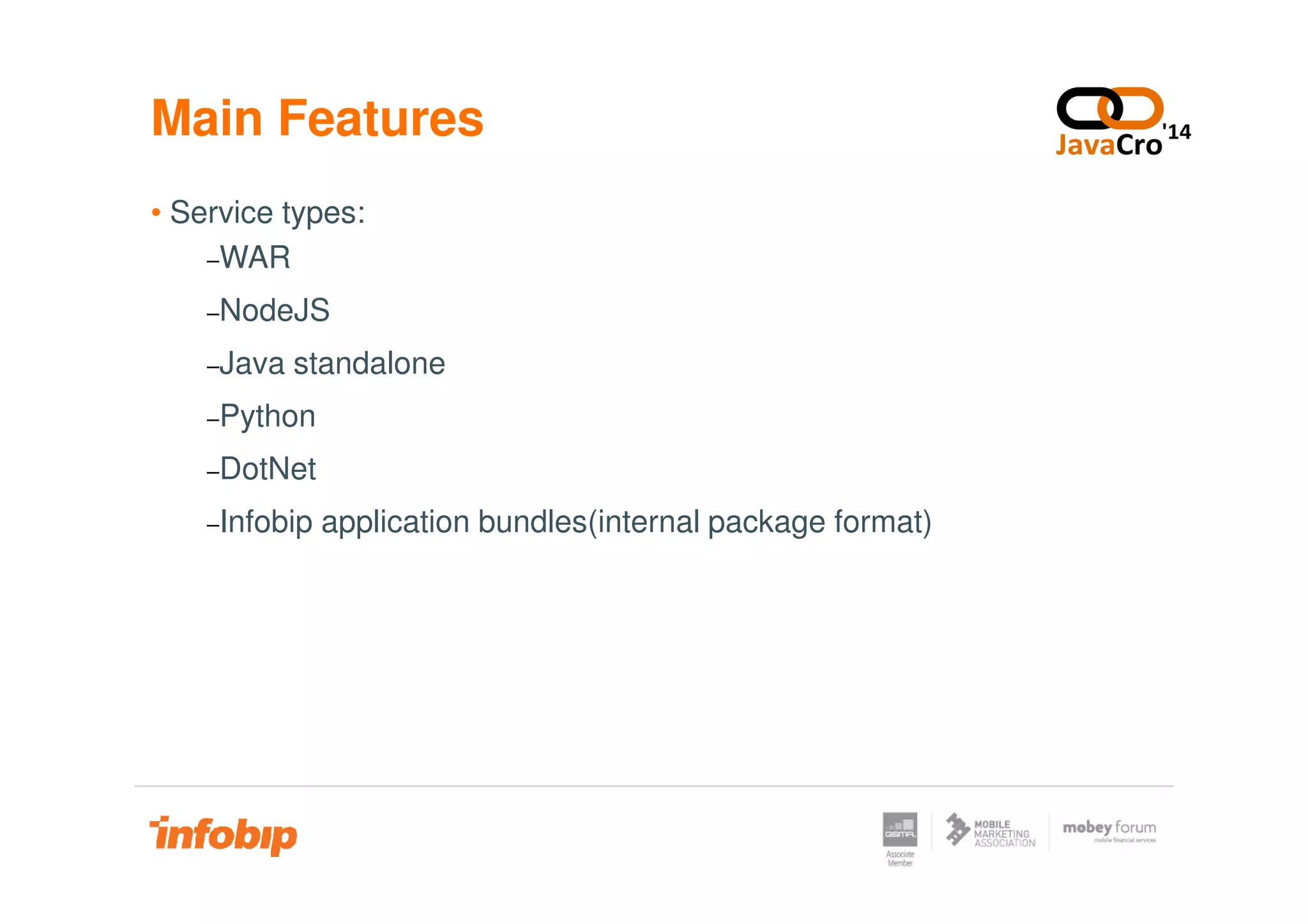
• Service types:
−WAR
−NodeJS
−Java standalone
−Python
−DotNet−DotNet
−Infobip application bundles(internal package format)
Main Features
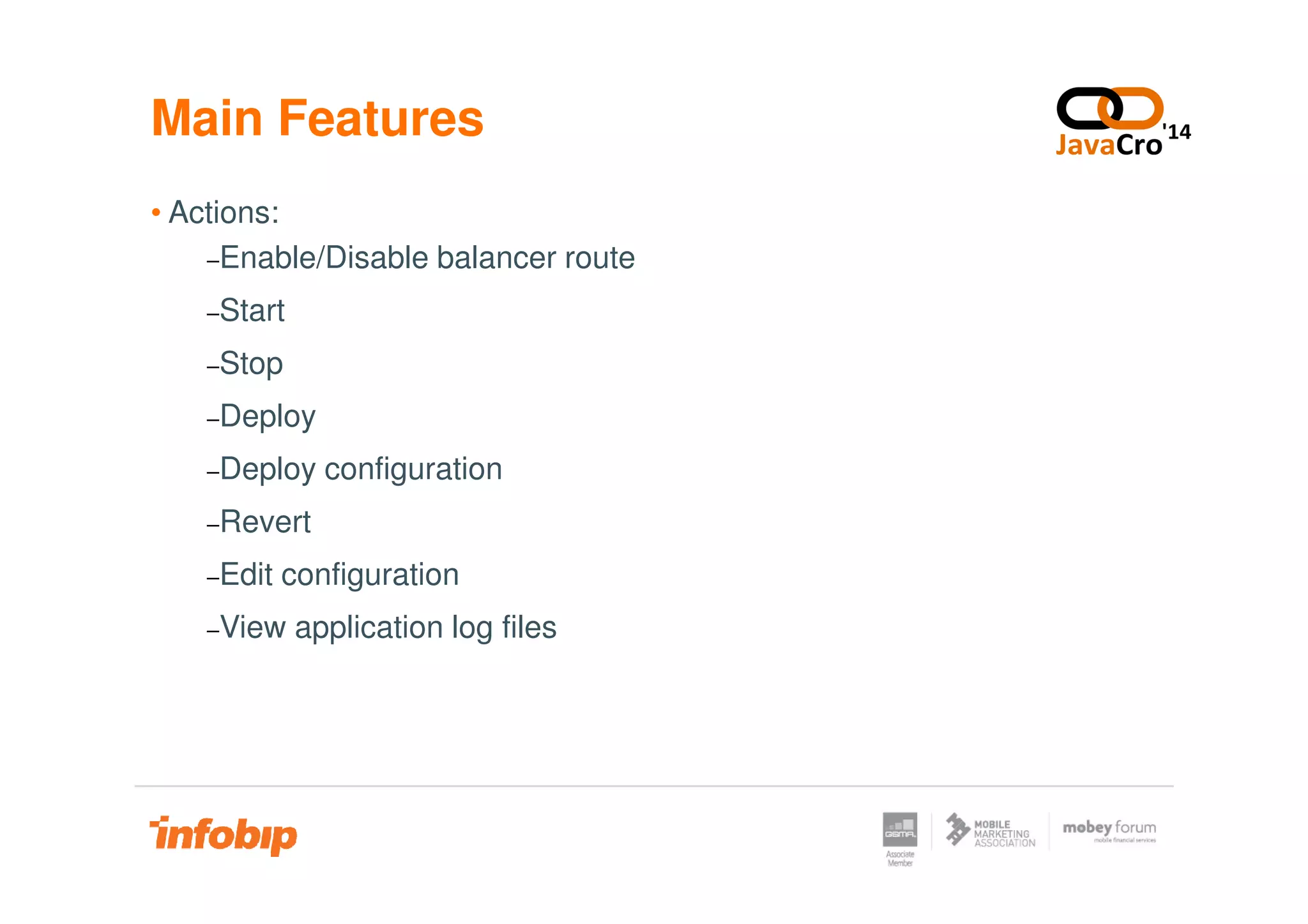
• Actions:
−Enable/Disable balancer route
−Start
−Stop
−Deploy
−Deploy configuration−Deploy configuration
−Revert
−Edit configuration
−View application log files
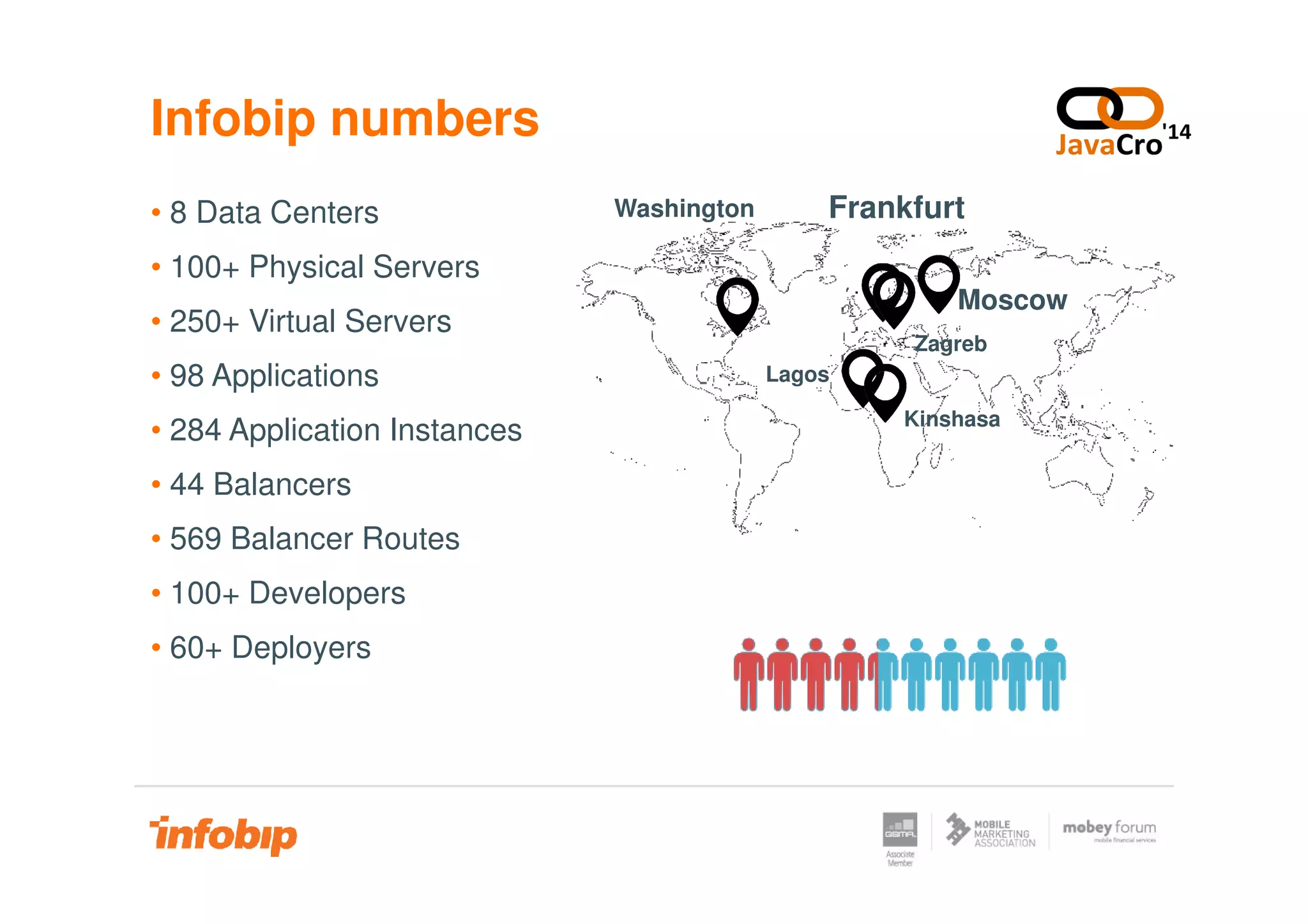
Infobip numbers
• 8 Data Centers
• 100+ Physical Servers
• 250+ Virtual Servers
• 98 Applications
• 284 Application Instances
FrankfurtWashington
Zagreb
Moscow
Lagos
Kinshasa
• 44 Balancers
• 569 Balancer Routes
• 100+ Developers
• 60+ Deployers
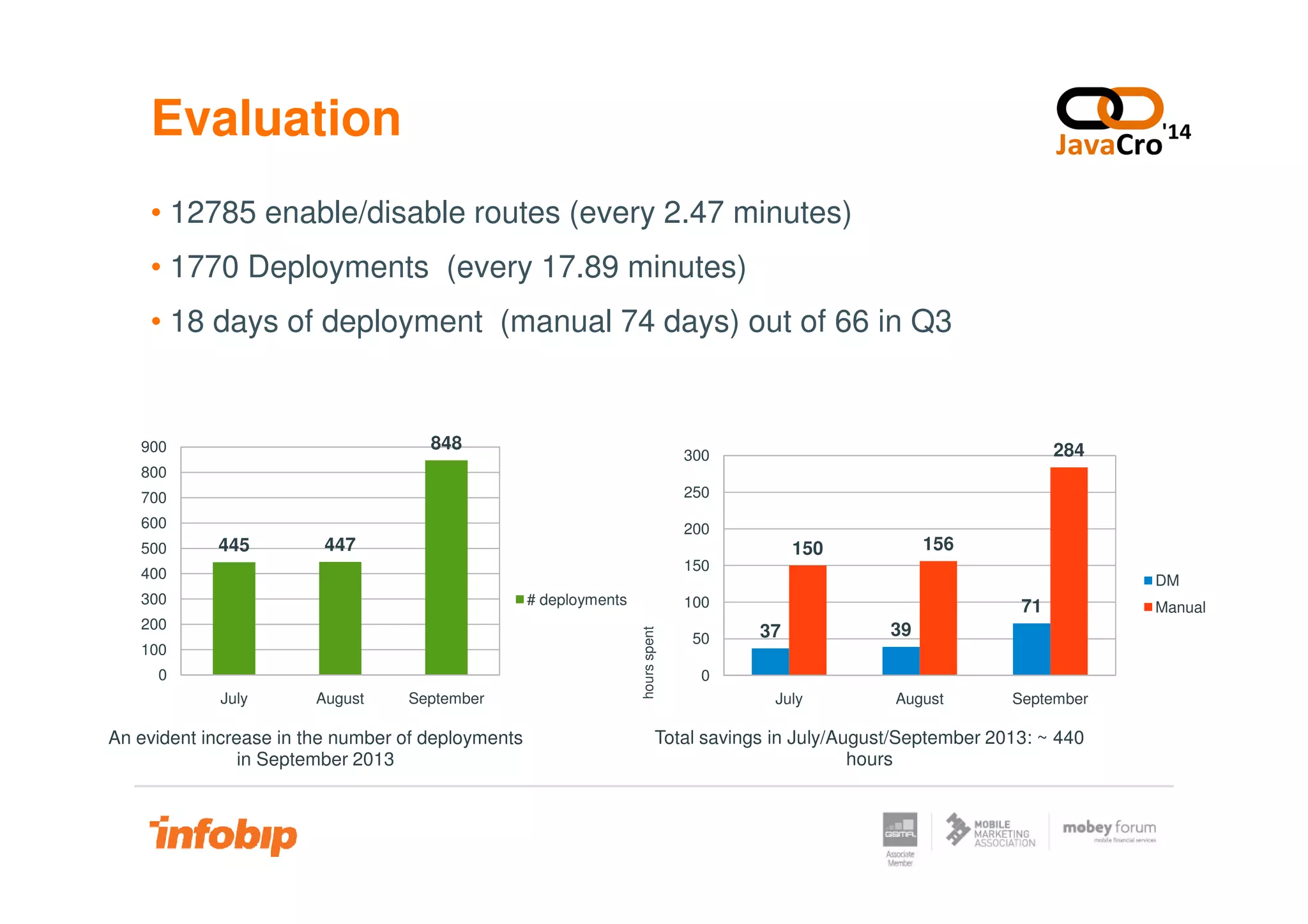
Evaluation
• 12785 enable/disable routes (every 2.47 minutes)
• 1770 Deployments (every 17.89 minutes)
• 18 days of deployment (manual 74 days) out of 66 in Q3
284300
848900
37 39
71
150 156
July August September
0
50
100
150
200
250
300
Total savings in July/August/September 2013: ~ 440
hours
hoursspent
DM
Manual
445 447
July August September
0
100
200
300
400
500
600
700
800
An evident increase in the number of deployments
in September 2013
# deployments
Future steps
• Deployment into Amazon Web Services
• Smoke test support
• JBoss deployment
• Live log streaming
• Access to server terminal
Thank you for your attention.
www.infobip.com

JavaCro'14 - Continuous deployment tool – Aleksandar Dostić and Emir Džaferović

  • 1.
  • 2.
    Introduction • Software development •Test Driven Development –Unit Testing and Integration Testing • Built goes through compiling and testing phases • Continuous Integration • Data Centers and virtualization
  • 3.
    CI Environment • SourceCode Management (SCM) GIT, TFS, Subversion … • CI Build Server Apache Continuum, Hudson/Jenkins ... • Maven Repository Manager Archiva, Nexus, Artifactory ...
  • 4.
    CI Environment SCM (Git) CIserver (Jenkins) Maven Repository Manager (Atrifactory) ... ... DC Artifactory: Servers: ... DC Artifactory: ... DC Artifactory: Servers: ...... Servers: ... Data Center 1 Data Center 2 Data Center N
  • 5.
    Manual Deployment Drawbacks •Can be performed only by specialized people, usually engineers • The incorrect versions of software can be shipped • Quick rollback to old versions can be challenging • Complex maintenance of security across servers • Difficult or impossible to track who deployed what, when and where• Difficult or impossible to track who deployed what, when and where
  • 6.
    Deployment Manager • Internaltool for maintaining high level of service availability • Manage of load balancing in private cloud • Automated deploys on cross-platform environment • Inter service connectivity configurator • Properties file management
  • 7.
  • 8.
  • 9.
  • 10.
  • 11.
  • 12.
  • 13.
  • 14.
    Main Features •¸Load Balancing: −HAProxy(High Availability Proxy) −Apache Httpd Load Balancer (Apache Module) −MML Load Balancer (internal service) • Operating Systems: −CentOS−CentOS −Windows Server −Windows Failover Cluster
  • 15.
    Main Features • Servicetypes: −WAR −NodeJS −Java standalone −Python −DotNet−DotNet −Infobip application bundles(internal package format)
  • 16.
    Main Features • Actions: −Enable/Disablebalancer route −Start −Stop −Deploy −Deploy configuration−Deploy configuration −Revert −Edit configuration −View application log files
  • 17.
    Infobip numbers • 8Data Centers • 100+ Physical Servers • 250+ Virtual Servers • 98 Applications • 284 Application Instances FrankfurtWashington Zagreb Moscow Lagos Kinshasa • 44 Balancers • 569 Balancer Routes • 100+ Developers • 60+ Deployers
  • 18.
    Evaluation • 12785 enable/disableroutes (every 2.47 minutes) • 1770 Deployments (every 17.89 minutes) • 18 days of deployment (manual 74 days) out of 66 in Q3 284300 848900 37 39 71 150 156 July August September 0 50 100 150 200 250 300 Total savings in July/August/September 2013: ~ 440 hours hoursspent DM Manual 445 447 July August September 0 100 200 300 400 500 600 700 800 An evident increase in the number of deployments in September 2013 # deployments
  • 19.
    Future steps • Deploymentinto Amazon Web Services • Smoke test support • JBoss deployment • Live log streaming • Access to server terminal
  • 20.
    Thank you foryour attention. www.infobip.com