

How to develop
and run programs
In JAVA
-M Vishnuvardhan,
Dept. of Computer Science,
SSBN Degree College, ATP
SSBN Degree College, ATP M Vishnuvardhan
Introduction
In order to develop java programs Java development kit (JDK) is
needed.
JDK is an open source and can be downloaded from oracle website.
JDK come in various versions the latest version of JDK is JDK 1.10.1
JDK contains some tools which are useful for development of the java
programs
SSBN Degree College, ATP M Vishnuvardhan
Tools in JDK
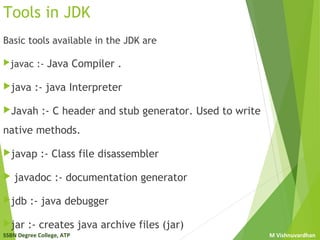
Basic tools available in the JDK are
javac :- Java Compiler .
java :- java Interpreter
Javah :- C header and stub generator. Used to write
native methods.
javap :- Class file disassembler
 javadoc :- documentation generator
jdb :- java debugger
jar :- creates java archive files (jar)
SSBN Degree College, ATP M Vishnuvardhan
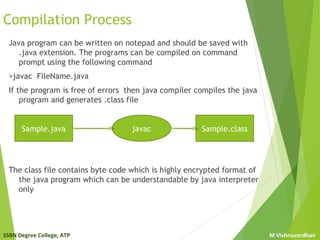
Compilation Process
Java program can be written on notepad and should be saved with
.java extension. The programs can be compiled on command
prompt using the following command
>javac FileName.java
If the program is free of errors then java compiler compiles the java
program and generates .class file
The class file contains byte code which is highly encrypted format of
the java program which can be understandable by java interpreter
only
Sample.java javac Sample.class
SSBN Degree College, ATP M Vishnuvardhan
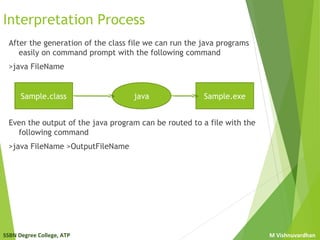
Interpretation Process
After the generation of the class file we can run the java programs
easily on command prompt with the following command
>java FileName
Even the output of the java program can be routed to a file with the
following command
>java FileName >OutputFileName
Sample.class java Sample.exe
SSBN Degree College, ATP M Vishnuvardhan
Other ways of developing Java programs
Java programs can also be developed using some tools like
Editors like – Edit plus, notepad++, jEdit, kawapro….
IDE like : -Ecllipse, Nebeans, BlueJ, jGrasp, IntelliJ….
IDE provides some additional features like
error checking
smart typing
Powerful GUI developer
Support for various versions of JDK
Debugging tools
Non-Java code Support
The most popular IDEs are Eclipse and Net beans both are open
source can e downloaded from internet.
SSBN Degree College, ATP M Vishnuvardhan
Net beans
Net beans is an IDE fro developing java software. Oracle provides the
net beans with JDK as bundled software can be download from
oracle web site.
Steps for creating java programs in Net beans
Open net beans and make sure the projects window appear on the
left pane other wise goto window menu and choose projects
Close all the existing projects on the projects window by selecting
them and choosing close from file menu
 Now select New Project from File menu and select Java in
categories and Java Class Library in Projects and press next
Provide the name of the project and also the location where the
project has to save and press finish
Now select new file from File men and select Java in categories and
Java Main Class file in file types and press next
Provide the name of the class and press finish
SSBN Degree College, ATP M Vishnuvardhan
Net beans
Steps for creating java programs in Net beans cont.…
Now write the program and make sure it is free of all errors
The program can be compiled by choosing Compile from Run menu
or simply press F9
The program can be executed by choosing Run Project from Run
menu or simple press F6
Alternatively program can be executed by choosing Run File from
Run menu or simply press Shift+F6
After completion of the program close the project in the projects
window
SSBN Degree College, ATP M Vishnuvardhan
Questions
SSBN Degree College, ATP M Vishnuvardhan
Questions

Java intro

  • 1.
    How to develop andrun programs In JAVA -M Vishnuvardhan, Dept. of Computer Science, SSBN Degree College, ATP
  • 2.
    SSBN Degree College,ATP M Vishnuvardhan Introduction In order to develop java programs Java development kit (JDK) is needed. JDK is an open source and can be downloaded from oracle website. JDK come in various versions the latest version of JDK is JDK 1.10.1 JDK contains some tools which are useful for development of the java programs
  • 3.
    SSBN Degree College,ATP M Vishnuvardhan Tools in JDK Basic tools available in the JDK are javac :- Java Compiler . java :- java Interpreter Javah :- C header and stub generator. Used to write native methods. javap :- Class file disassembler  javadoc :- documentation generator jdb :- java debugger jar :- creates java archive files (jar)
  • 4.
    SSBN Degree College,ATP M Vishnuvardhan Compilation Process Java program can be written on notepad and should be saved with .java extension. The programs can be compiled on command prompt using the following command >javac FileName.java If the program is free of errors then java compiler compiles the java program and generates .class file The class file contains byte code which is highly encrypted format of the java program which can be understandable by java interpreter only Sample.java javac Sample.class
  • 5.
    SSBN Degree College,ATP M Vishnuvardhan Interpretation Process After the generation of the class file we can run the java programs easily on command prompt with the following command >java FileName Even the output of the java program can be routed to a file with the following command >java FileName >OutputFileName Sample.class java Sample.exe
  • 6.
    SSBN Degree College,ATP M Vishnuvardhan Other ways of developing Java programs Java programs can also be developed using some tools like Editors like – Edit plus, notepad++, jEdit, kawapro…. IDE like : -Ecllipse, Nebeans, BlueJ, jGrasp, IntelliJ…. IDE provides some additional features like error checking smart typing Powerful GUI developer Support for various versions of JDK Debugging tools Non-Java code Support The most popular IDEs are Eclipse and Net beans both are open source can e downloaded from internet.
  • 7.
    SSBN Degree College,ATP M Vishnuvardhan Net beans Net beans is an IDE fro developing java software. Oracle provides the net beans with JDK as bundled software can be download from oracle web site. Steps for creating java programs in Net beans Open net beans and make sure the projects window appear on the left pane other wise goto window menu and choose projects Close all the existing projects on the projects window by selecting them and choosing close from file menu  Now select New Project from File menu and select Java in categories and Java Class Library in Projects and press next Provide the name of the project and also the location where the project has to save and press finish Now select new file from File men and select Java in categories and Java Main Class file in file types and press next Provide the name of the class and press finish
  • 8.
    SSBN Degree College,ATP M Vishnuvardhan Net beans Steps for creating java programs in Net beans cont.… Now write the program and make sure it is free of all errors The program can be compiled by choosing Compile from Run menu or simply press F9 The program can be executed by choosing Run Project from Run menu or simple press F6 Alternatively program can be executed by choosing Run File from Run menu or simply press Shift+F6 After completion of the program close the project in the projects window
  • 9.
    SSBN Degree College,ATP M Vishnuvardhan Questions
  • 10.
    SSBN Degree College,ATP M Vishnuvardhan Questions