Building an Android client


Rohit Nayak
Talentica Software
Agenda

    iPhone and the Mobile App Explosion

    How mobile apps differ

    Android philosophy

    Development Platform

    Core Android Concepts

    App Demo

    App Dissection
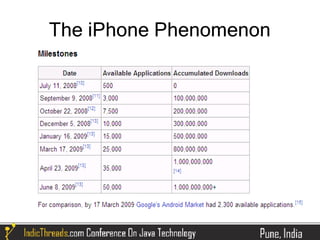
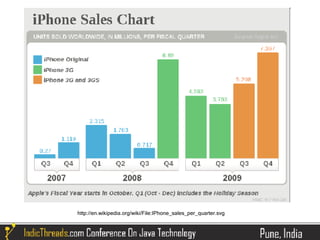
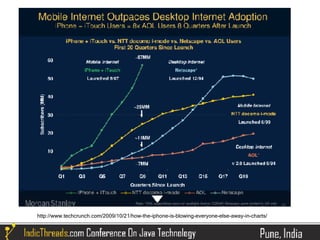
The iPhone Phenomenon
http://en.wikipedia.org/wiki/File:IPhone_sales_per_quarter.svg
http://www.techcrunch.com/2009/10/21/how-the-iphone-is-blowing-everyone-else-away-in-charts/
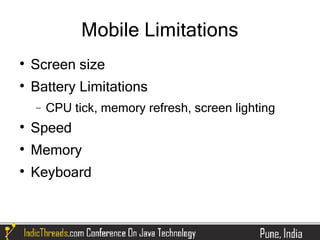
Mobile Limitations

    Screen size

    Battery Limitations
    −   CPU tick, memory refresh, screen lighting

    Speed

    Memory

    Keyboard
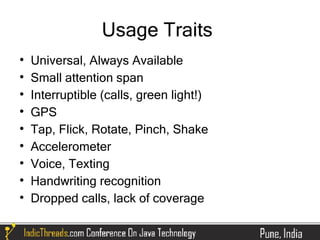
Usage Traits

    Universal, Always Available

    Small attention span

    Interruptible (calls, green light!)

    GPS

    Tap, Flick, Rotate, Pinch, Shake

    Accelerometer

    Voice, Texting

    Handwriting recognition

    Dropped calls, lack of coverage
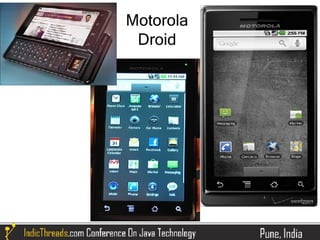
Motorola
 Droid
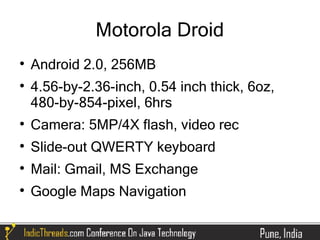
Motorola Droid

    Android 2.0, 256MB

    4.56-by-2.36-inch, 0.54 inch thick, 6oz,
    480-by-854-pixel, 6hrs

    Camera: 5MP/4X flash, video rec

    Slide-out QWERTY keyboard

    Mail: Gmail, MS Exchange

    Google Maps Navigation
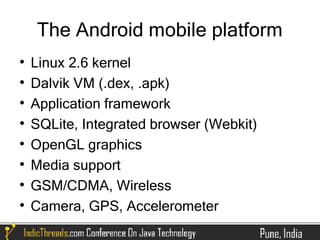
The Android mobile platform

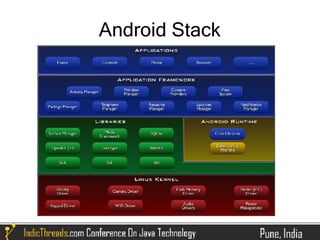
    Linux 2.6 kernel

    Dalvik VM (.dex, .apk)

    Application framework

    SQLite, Integrated browser (Webkit)

    OpenGL graphics

    Media support

    GSM/CDMA, Wireless

    Camera, GPS, Accelerometer
Core Applications

    Email client

    SMS

    Calendar

    Maps

    Contacts
Criticisms / Issues

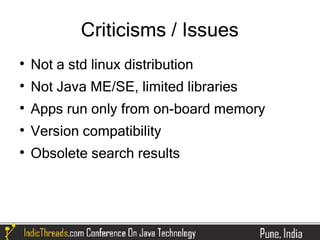
    Not a std linux distribution

    Not Java ME/SE, limited libraries

    Apps run only from on-board memory

    Version compatibility

    Obsolete search results
Android Stack
Application Framework

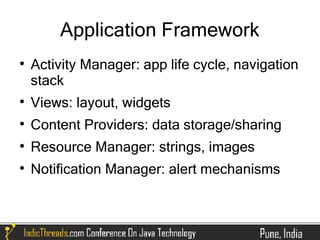
    Activity Manager: app life cycle, navigation
    stack

    Views: layout, widgets

    Content Providers: data storage/sharing

    Resource Manager: strings, images

    Notification Manager: alert mechanisms
Key Programming Concepts

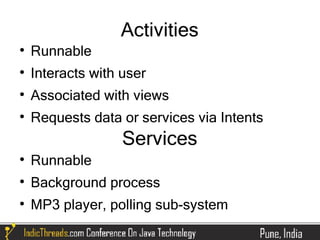
    Activities

    Services

    Intents

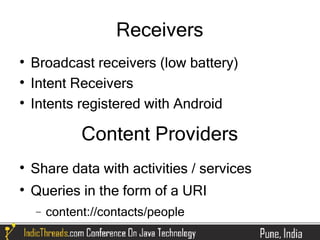
    Receivers

    Content Providers
Activities

    Runnable

    Interacts with user

    Associated with views

    Requests data or services via Intents
                   Services

    Runnable

    Background process

    MP3 player, polling sub-system
Receivers

    Broadcast receivers (low battery)

    Intent Receivers

    Intents registered with Android

              Content Providers

    Share data with activities / services

    Queries in the form of a URI
    −   content://contacts/people
Installing Dev Environment

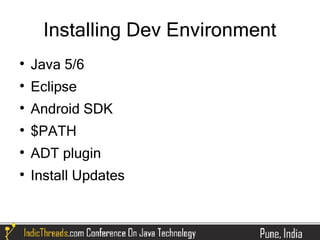
    Java 5/6

    Eclipse

    Android SDK

    $PATH

    ADT plugin

    Install Updates
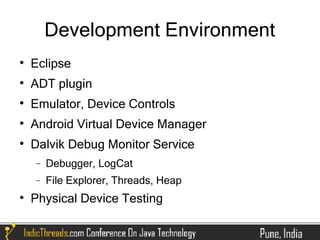
Development Environment

    Eclipse

    ADT plugin

    Emulator, Device Controls

    Android Virtual Device Manager

    Dalvik Debug Monitor Service
    −   Debugger, LogCat
    −   File Explorer, Threads, Heap

    Physical Device Testing
Demo

App Preview
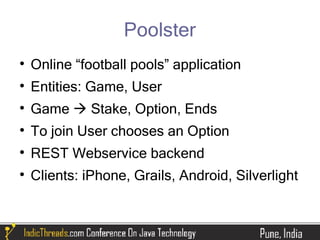
Poolster

    Online “football pools” application

    Entities: Game, User

    Game  Stake, Option, Ends

    To join User chooses an Option

    REST Webservice backend

    Clients: iPhone, Grails, Android, Silverlight
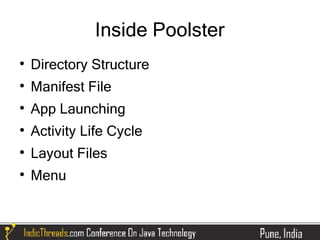
Inside Poolster

    Directory Structure

    Manifest File

    App Launching

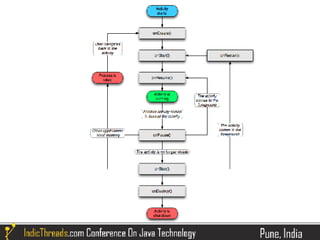
    Activity Life Cycle

    Layout Files

    Menu
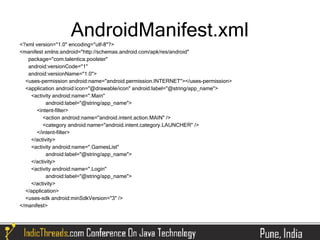
AndroidManifest.xml
<?xml version="1.0" encoding="utf-8"?>
<manifest xmlns:android="http://schemas.android.com/apk/res/android"
   package="com.talentica.poolster"
   android:versionCode="1"
   android:versionName="1.0">
  <uses-permission android:name="android.permission.INTERNET"></uses-permission>
  <application android:icon="@drawable/icon" android:label="@string/app_name">
    <activity android:name=".Main"
           android:label="@string/app_name">
       <intent-filter>
          <action android:name="android.intent.action.MAIN" />
          <category android:name="android.intent.category.LAUNCHER" />
       </intent-filter>
    </activity>
    <activity android:name=".GamesList"
           android:label="@string/app_name">
    </activity>
    <activity android:name=".Login"
           android:label="@string/app_name">
    </activity>
  </application>
  <uses-sdk android:minSdkVersion="3" />
</manifest>
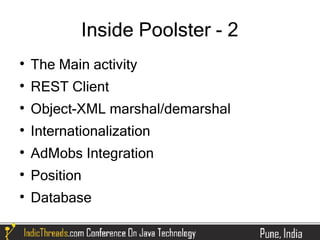
Inside Poolster - 2

    The Main activity

    REST Client

    Object-XML marshal/demarshal

    Internationalization

    AdMobs Integration

    Position

    Database
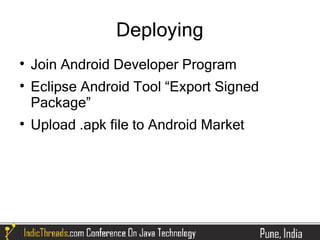
Deploying

    Join Android Developer Program

    Eclipse Android Tool “Export Signed
    Package”

    Upload .apk file to Android Market
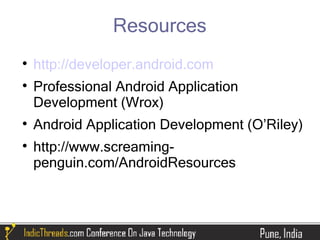
Resources

    http://developer.android.com

    Professional Android Application
    Development (Wrox)

    Android Application Development (O’Riley)

    http://www.screaming-
    penguin.com/AndroidResources
Thanks

Java For Mobile Devices – Building a client application for the Android platform

  • 1.
    Building an Androidclient Rohit Nayak Talentica Software
  • 2.
    Agenda  iPhone and the Mobile App Explosion  How mobile apps differ  Android philosophy  Development Platform  Core Android Concepts  App Demo  App Dissection
  • 3.
  • 4.
  • 5.
  • 6.
    Mobile Limitations  Screen size  Battery Limitations − CPU tick, memory refresh, screen lighting  Speed  Memory  Keyboard
  • 7.
    Usage Traits  Universal, Always Available  Small attention span  Interruptible (calls, green light!)  GPS  Tap, Flick, Rotate, Pinch, Shake  Accelerometer  Voice, Texting  Handwriting recognition  Dropped calls, lack of coverage
  • 8.
  • 9.
    Motorola Droid  Android 2.0, 256MB  4.56-by-2.36-inch, 0.54 inch thick, 6oz, 480-by-854-pixel, 6hrs  Camera: 5MP/4X flash, video rec  Slide-out QWERTY keyboard  Mail: Gmail, MS Exchange  Google Maps Navigation
  • 10.
    The Android mobileplatform  Linux 2.6 kernel  Dalvik VM (.dex, .apk)  Application framework  SQLite, Integrated browser (Webkit)  OpenGL graphics  Media support  GSM/CDMA, Wireless  Camera, GPS, Accelerometer
  • 11.
    Core Applications  Email client  SMS  Calendar  Maps  Contacts
  • 12.
    Criticisms / Issues  Not a std linux distribution  Not Java ME/SE, limited libraries  Apps run only from on-board memory  Version compatibility  Obsolete search results
  • 13.
  • 14.
    Application Framework  Activity Manager: app life cycle, navigation stack  Views: layout, widgets  Content Providers: data storage/sharing  Resource Manager: strings, images  Notification Manager: alert mechanisms
  • 15.
    Key Programming Concepts  Activities  Services  Intents  Receivers  Content Providers
  • 16.
    Activities  Runnable  Interacts with user  Associated with views  Requests data or services via Intents Services  Runnable  Background process  MP3 player, polling sub-system
  • 17.
    Receivers  Broadcast receivers (low battery)  Intent Receivers  Intents registered with Android Content Providers  Share data with activities / services  Queries in the form of a URI − content://contacts/people
  • 19.
    Installing Dev Environment  Java 5/6  Eclipse  Android SDK  $PATH  ADT plugin  Install Updates
  • 20.
    Development Environment  Eclipse  ADT plugin  Emulator, Device Controls  Android Virtual Device Manager  Dalvik Debug Monitor Service − Debugger, LogCat − File Explorer, Threads, Heap  Physical Device Testing
  • 21.
  • 22.
    Poolster  Online “football pools” application  Entities: Game, User  Game  Stake, Option, Ends  To join User chooses an Option  REST Webservice backend  Clients: iPhone, Grails, Android, Silverlight
  • 23.
    Inside Poolster  Directory Structure  Manifest File  App Launching  Activity Life Cycle  Layout Files  Menu
  • 24.
    AndroidManifest.xml <?xml version="1.0" encoding="utf-8"?> <manifestxmlns:android="http://schemas.android.com/apk/res/android" package="com.talentica.poolster" android:versionCode="1" android:versionName="1.0"> <uses-permission android:name="android.permission.INTERNET"></uses-permission> <application android:icon="@drawable/icon" android:label="@string/app_name"> <activity android:name=".Main" android:label="@string/app_name"> <intent-filter> <action android:name="android.intent.action.MAIN" /> <category android:name="android.intent.category.LAUNCHER" /> </intent-filter> </activity> <activity android:name=".GamesList" android:label="@string/app_name"> </activity> <activity android:name=".Login" android:label="@string/app_name"> </activity> </application> <uses-sdk android:minSdkVersion="3" /> </manifest>
  • 25.
    Inside Poolster -2  The Main activity  REST Client  Object-XML marshal/demarshal  Internationalization  AdMobs Integration  Position  Database
  • 26.
    Deploying  Join Android Developer Program  Eclipse Android Tool “Export Signed Package”  Upload .apk file to Android Market
  • 27.
    Resources  http://developer.android.com  Professional Android Application Development (Wrox)  Android Application Development (O’Riley)  http://www.screaming- penguin.com/AndroidResources
  • 28.