Exception Handling in
Java
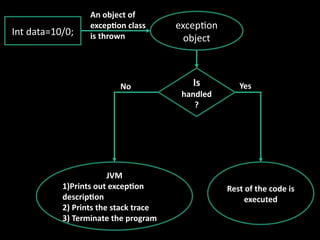
Int data=10/0;
exception
object
Is
handled
?
JVM
1)Prints out exception
description
2) Prints the stack trace
3) Terminate the program
Rest of the code is
executed
No Yes
An object of
exception class
is thrown
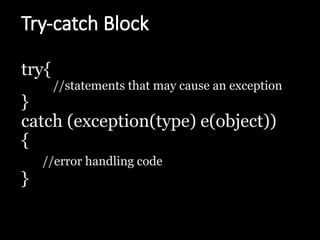
Try-catch Block
try{
//statements that may cause an exception
}
catch (exception(type) e(object))
{
//error handling code
}
Multiple catch
try { //Protected code
}
catch(ExceptionType1 e1)
{
//Catch block
}
catch(ExceptionType2 e2)
{
//Catch block
}
……
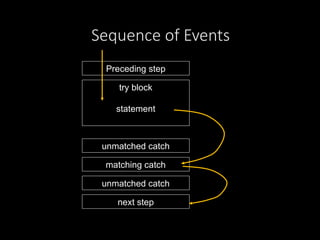
Sequence of Events
Preceding step
try block
statement
unmatched catch
matching catch
unmatched catch
next step
class Example2{
public static void main(String args[]){
try{ int a[]=new int[7];
a[4]=30/0; }
catch(ArithmeticException e) {
System.out.println("Warning:
ArithmeticException"); }
catch(ArrayIndexOutOfBoundsException e){
System.out.println("Warning:ArrayIndexOutOfBoundsException"); }
catch(Exception e){
System.out.println("Warning: Some Other exception");
}
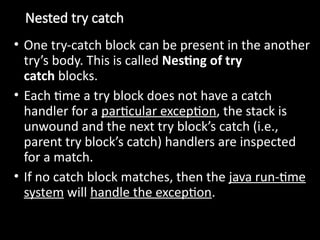
Nested try catch
• One try-catch block can be present in the another
try’s body. This is called Nesting of try
catch blocks.
• Each time a try block does not have a catch
handler for a particular exception, the stack is
unwound and the next try block’s catch (i.e.,
parent try block’s catch) handlers are inspected
for a match.
• If no catch block matches, then the java run-time
system will handle the exception.
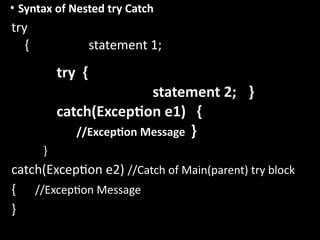
• Syntax of Nested try Catch
try
{ statement 1;
try {
statement 2; }
catch(Exception e1) {
//Exception Message }
}
catch(Exception e2) //Catch of Main(parent) try block
{ //Exception Message
}
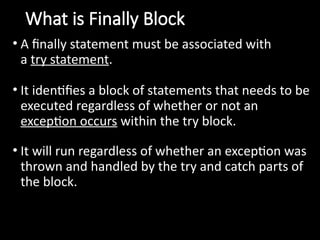
What is Finally Block
• A finally statement must be associated with
a try statement.
• It identifies a block of statements that needs to be
executed regardless of whether or not an
exception occurs within the try block.
• It will run regardless of whether an exception was
thrown and handled by the try and catch parts of
the block.
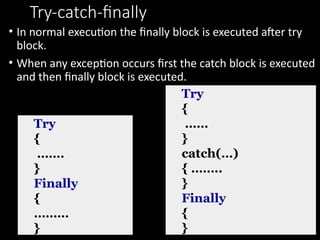
Try-catch-finally
• In normal execution the finally block is executed after try
block.
• When any exception occurs first the catch block is executed
and then finally block is executed.
Try
{
…….
}
Finally
{
………
}
Try
{
……
}
catch(…)
{ ……..
}
Finally
{
}
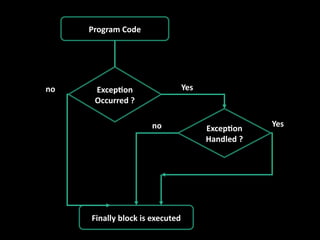
Program Code
Exception
Occurred ?
Exception
Handled ?
Finally block is executed
no Yes
no Yes
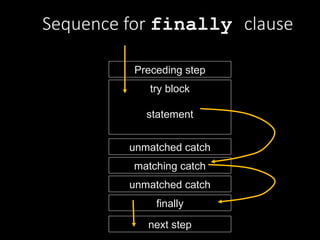
Sequence for finally clause
Preceding step
try block
statement
unmatched catch
matching catch
unmatched catch
next step
finally
class Simple{
public static void main(String args[]){
try{
int data=25/0;
System.out.println(data);
}
catch(ArithmeticException e){
System.out.println(e);
}
finally{
System.out.println("finally block is always executed");
}
System.out.println("rest of the code...");
} }
Throwing our Own Exceptions
throw keyword
• In java we have already defined exception classes such as
ArithmeticException, NullPointerException etc.
• These exceptions are implicitly thrown by JVM
• The throw keyword is used to explicitly throw an
exception.
• These exceptions are known as user-defined exceptions.
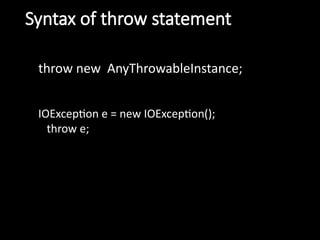
Syntax of throw statement
throw new AnyThrowableInstance;
IOException e = new IOException();
throw e;
class MyException extends Exception {
public MyException (String msg) { super(msg); }
}
class TestMyException {
public static void main(String[] args) {
int age=-2;
try {
if(age < 0)
throw new MyException("Age can't be less than zero");
}
catch (MyException e) {
e.printStackTrace();
}
}
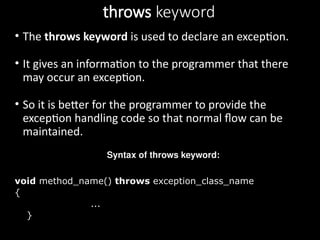
throws keyword
• The throws keyword is used to declare an exception.
• It gives an information to the programmer that there
may occur an exception.
• So it is better for the programmer to provide the
exception handling code so that normal flow can be
maintained.
Syntax of throws keyword:
void method_name() throws exception_class_name
{
...
}
import java.io.*;
class M {
void method() throws IOException{
throw new IOException("device error");
}
}
class Test{
public static void main(String args[])throws IOException{
Test t=new Test();
t.method();
System.out.println("normal flow...");
}
}
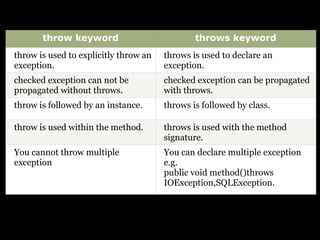
throw keyword throws keyword
throw is used to explicitly throw an
exception.
throws is used to declare an
exception.
checked exception can not be
propagated without throws.
checked exception can be propagated
with throws.
throw is followed by an instance. throws is followed by class.
throw is used within the method. throws is used with the method
signature.
You cannot throw multiple
exception
You can declare multiple exception
e.g.
public void method()throws
IOException,SQLException.
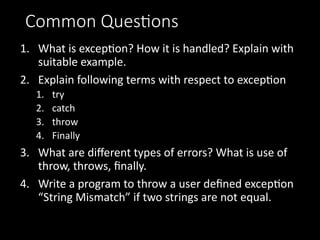
Common Questions
1. What is exception? How it is handled? Explain with
suitable example.
2. Explain following terms with respect to exception
1. try
2. catch
3. throw
4. Finally
3. What are different types of errors? What is use of
throw, throws, finally.
4. Write a program to throw a user defined exception
“String Mismatch” if two strings are not equal.

Java. exception-handling-in-java.pptx

  • 1.
  • 2.
    Int data=10/0; exception object Is handled ? JVM 1)Prints outexception description 2) Prints the stack trace 3) Terminate the program Rest of the code is executed No Yes An object of exception class is thrown
  • 3.
    Try-catch Block try{ //statements thatmay cause an exception } catch (exception(type) e(object)) { //error handling code }
  • 4.
    Multiple catch try {//Protected code } catch(ExceptionType1 e1) { //Catch block } catch(ExceptionType2 e2) { //Catch block } ……
  • 5.
    Sequence of Events Precedingstep try block statement unmatched catch matching catch unmatched catch next step
  • 6.
    class Example2{ public staticvoid main(String args[]){ try{ int a[]=new int[7]; a[4]=30/0; } catch(ArithmeticException e) { System.out.println("Warning: ArithmeticException"); } catch(ArrayIndexOutOfBoundsException e){ System.out.println("Warning:ArrayIndexOutOfBoundsException"); } catch(Exception e){ System.out.println("Warning: Some Other exception"); }
  • 7.
    Nested try catch •One try-catch block can be present in the another try’s body. This is called Nesting of try catch blocks. • Each time a try block does not have a catch handler for a particular exception, the stack is unwound and the next try block’s catch (i.e., parent try block’s catch) handlers are inspected for a match. • If no catch block matches, then the java run-time system will handle the exception.
  • 8.
    • Syntax ofNested try Catch try { statement 1; try { statement 2; } catch(Exception e1) { //Exception Message } } catch(Exception e2) //Catch of Main(parent) try block { //Exception Message }
  • 9.
    What is FinallyBlock • A finally statement must be associated with a try statement. • It identifies a block of statements that needs to be executed regardless of whether or not an exception occurs within the try block. • It will run regardless of whether an exception was thrown and handled by the try and catch parts of the block.
  • 10.
    Try-catch-finally • In normalexecution the finally block is executed after try block. • When any exception occurs first the catch block is executed and then finally block is executed. Try { ……. } Finally { ……… } Try { …… } catch(…) { …….. } Finally { }
  • 11.
    Program Code Exception Occurred ? Exception Handled? Finally block is executed no Yes no Yes
  • 12.
    Sequence for finallyclause Preceding step try block statement unmatched catch matching catch unmatched catch next step finally
  • 13.
    class Simple{ public staticvoid main(String args[]){ try{ int data=25/0; System.out.println(data); } catch(ArithmeticException e){ System.out.println(e); } finally{ System.out.println("finally block is always executed"); } System.out.println("rest of the code..."); } }
  • 14.
    Throwing our OwnExceptions throw keyword • In java we have already defined exception classes such as ArithmeticException, NullPointerException etc. • These exceptions are implicitly thrown by JVM • The throw keyword is used to explicitly throw an exception. • These exceptions are known as user-defined exceptions.
  • 15.
    Syntax of throwstatement throw new AnyThrowableInstance; IOException e = new IOException(); throw e;
  • 16.
    class MyException extendsException { public MyException (String msg) { super(msg); } } class TestMyException { public static void main(String[] args) { int age=-2; try { if(age < 0) throw new MyException("Age can't be less than zero"); } catch (MyException e) { e.printStackTrace(); } }
  • 17.
    throws keyword • Thethrows keyword is used to declare an exception. • It gives an information to the programmer that there may occur an exception. • So it is better for the programmer to provide the exception handling code so that normal flow can be maintained. Syntax of throws keyword: void method_name() throws exception_class_name { ... }
  • 18.
    import java.io.*; class M{ void method() throws IOException{ throw new IOException("device error"); } } class Test{ public static void main(String args[])throws IOException{ Test t=new Test(); t.method(); System.out.println("normal flow..."); } }
  • 19.
    throw keyword throwskeyword throw is used to explicitly throw an exception. throws is used to declare an exception. checked exception can not be propagated without throws. checked exception can be propagated with throws. throw is followed by an instance. throws is followed by class. throw is used within the method. throws is used with the method signature. You cannot throw multiple exception You can declare multiple exception e.g. public void method()throws IOException,SQLException.
  • 20.
    Common Questions 1. Whatis exception? How it is handled? Explain with suitable example. 2. Explain following terms with respect to exception 1. try 2. catch 3. throw 4. Finally 3. What are different types of errors? What is use of throw, throws, finally. 4. Write a program to throw a user defined exception “String Mismatch” if two strings are not equal.