ADVANCED  JAVA COMMUNICATION LABORATORY
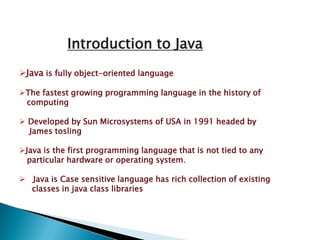
Introduction to JavaJava is fully object-oriented language
The fastest growing programming language in the history of                computing  Developed by Sun Microsystems of USA in 1991 headed by        James toslingJava is the first programming language that is not tied to any     particular hardware or operating system.Java is Case sensitive language has rich collection of existing        classes in java class libraries
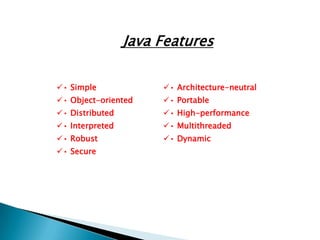
Java Features 
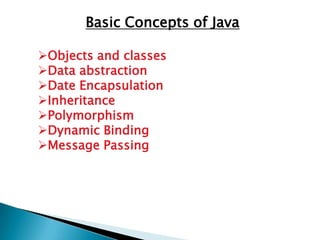
Basic Concepts of JavaObjects and classes
Data abstraction
Date Encapsulation
Inheritance
Polymorphism
Dynamic Binding
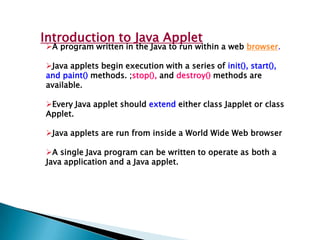
Message PassingIntroduction to Java AppletA program written in the Java to run within a web browser.
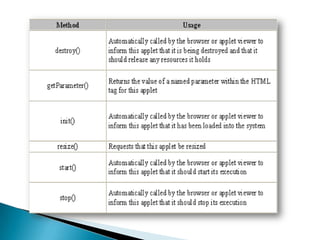
Java applets begin execution with a series of init(), start(), and paint() methods. ;stop(), and destroy() methods are available.
Every Java applet should extend either class Japplet or class Applet.
Java applets are run from inside a World Wide Web browser
A single Java program can be written to operate as both a Java application and a Java applet.
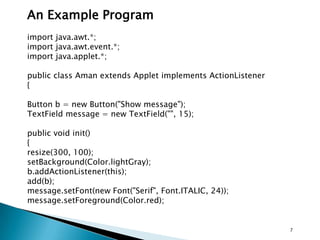
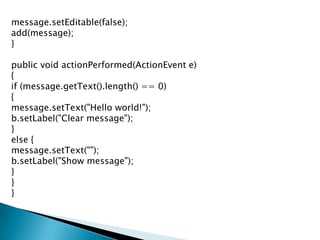
An Example Programimport java.awt.*;import java.awt.event.*;import java.applet.*;public class Aman extends Applet implements ActionListener{Button b = new Button("Show message");TextField message = new TextField("", 15);public void init() {resize(300, 100);setBackground(Color.lightGray);b.addActionListener(this);add(b);message.setFont(new Font("Serif", Font.ITALIC, 24));message.setForeground(Color.red);7
message.setEditable(false);add(message);}public void actionPerformed(ActionEvent e) {if (message.getText().length() == 0) {message.setText("Hello world!");b.setLabel("Clear message");}else {message.setText("");b.setLabel("Show message");}}}
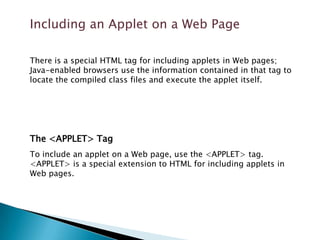
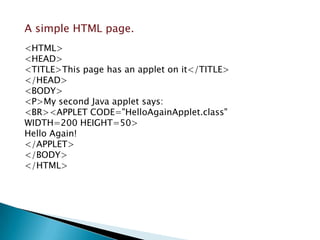
Including an Applet on a Web Page
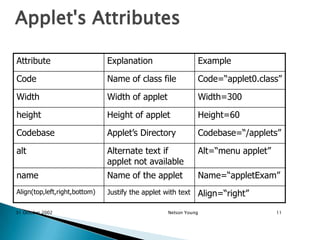
Applet's Attributes31 October 2002Nelson Young11
What are the advantages of applets?Automatically integrated with HTML; hence, resolved virtually all installation issues.
Can be accessed from various platforms and various java-enabled web browsers.
Can provide dynamic, graphics capabilities and visualizations
Implemented in Java, an easy-to-learn OO programming languageNetwork Programming in Java
JAVA-NetworkingManipulating URL Establishing a simple ClientEstablishing a simple serverClient/Server Interaction with Socket Connection14
15Socket-based communicationSocket is an abstraction that facilitates communication between a server and a clientJava treats socket communications much as it treats I/O operationsThus, a program can read from a socket or write to a socket as simply as it can read from a file or writing to a file.Java support stream socket and datagram socketStream socket use TCP(Transmission Control Protocol)Datagram sockets use UDP(user datagram Protocol)
16Client-Server relationshipServer must be running when a client startsServer wait for a connection request from a clientAfter the sever accepts the connection, communication between the server and the client is conducted the same as for I/O streamsClient close the connectionServer can serve multiple clients
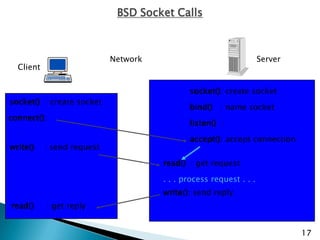
BSD Socket CallsNetworkServerClientsocket(): create socketsocket()  : create socketbind()   : name socketconnect(): listen()  :accept(): accept connectionwrite()    : send requestread()  : get request.. . process request . . .write(): send replyread()     : get reply17
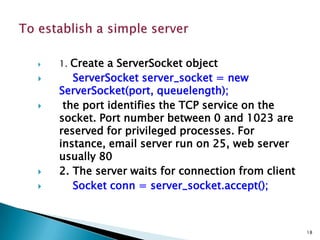
18To establish a simple server1. Create a ServerSocket objectServerSocket server_socket = new ServerSocket(port, queuelength); the port identifies the TCP service on the socket. Port number between 0 and 1023 are reserved for privileged processes. For instance, email server run on 25, web server usually 802. The server waits for connection from clientSocket conn = server_socket.accept();
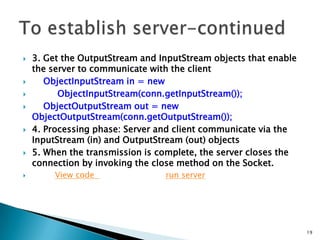
19To establish server-continued3. Get the OutputStream and InputStream objects that enable the server to communicate with the clientObjectInputStream in = new         ObjectInputStream(conn.getInputStream());    ObjectOutputStream out = new ObjectOutputStream(conn.getOutputStream());4. Processing phase: Server and client communicate via the InputStream (in) and OutputStream (out) objects5. When the transmission is complete, the server closes the connection by invoking the close method on the Socket.View code  run server
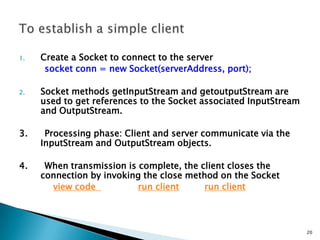
20To establish a simple clientCreate a Socket to connect to the serversocket conn = new Socket(serverAddress, port);Socket methods getInputStream and getoutputStream are used to get references to the Socket associated InputStream and OutputStream.3.      Processing phase: Client and server communicate via the InputStream and OutputStream objects.4.      When transmission is complete, the client closes the connection by invoking the close method on the Socketview code  run clientrun client
Multithreaded Programming in Java21
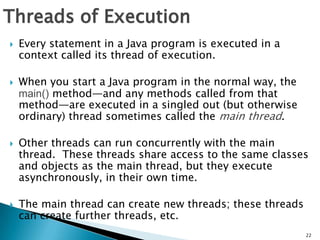
Threads of ExecutionEvery statement in a Java program is executed in a context called its thread of execution.
When you start a Java program in the normal way, the main() method—and any methods called from that method—are executed in a singled out (but otherwise ordinary) thread sometimes called the main thread.
Other threads can run concurrently with the main thread.  These threads share access to the same classes and objects as the main thread, but they execute asynchronously, in their own time.
The main thread can create new threads; these threads can create further threads, etc.22

Java adv

  • 1.
    ADVANCED JAVACOMMUNICATION LABORATORY
  • 2.
    Introduction to JavaJavais fully object-oriented language
  • 3.
    The fastest growingprogramming language in the history of computing Developed by Sun Microsystems of USA in 1991 headed by James toslingJava is the first programming language that is not tied to any particular hardware or operating system.Java is Case sensitive language has rich collection of existing classes in java class libraries
  • 4.
  • 5.
    Basic Concepts ofJavaObjects and classes
  • 6.
  • 7.
  • 8.
  • 9.
  • 10.
  • 11.
    Message PassingIntroduction toJava AppletA program written in the Java to run within a web browser.
  • 12.
    Java applets beginexecution with a series of init(), start(), and paint() methods. ;stop(), and destroy() methods are available.
  • 13.
    Every Java appletshould extend either class Japplet or class Applet.
  • 14.
    Java applets arerun from inside a World Wide Web browser
  • 15.
    A single Javaprogram can be written to operate as both a Java application and a Java applet.
  • 16.
    An Example Programimportjava.awt.*;import java.awt.event.*;import java.applet.*;public class Aman extends Applet implements ActionListener{Button b = new Button("Show message");TextField message = new TextField("", 15);public void init() {resize(300, 100);setBackground(Color.lightGray);b.addActionListener(this);add(b);message.setFont(new Font("Serif", Font.ITALIC, 24));message.setForeground(Color.red);7
  • 17.
    message.setEditable(false);add(message);}public void actionPerformed(ActionEvente) {if (message.getText().length() == 0) {message.setText("Hello world!");b.setLabel("Clear message");}else {message.setText("");b.setLabel("Show message");}}}
  • 18.
    Including an Appleton a Web Page
  • 20.
  • 21.
    What are theadvantages of applets?Automatically integrated with HTML; hence, resolved virtually all installation issues.
  • 22.
    Can be accessedfrom various platforms and various java-enabled web browsers.
  • 23.
    Can provide dynamic,graphics capabilities and visualizations
  • 24.
    Implemented in Java,an easy-to-learn OO programming languageNetwork Programming in Java
  • 25.
    JAVA-NetworkingManipulating URL Establishinga simple ClientEstablishing a simple serverClient/Server Interaction with Socket Connection14
  • 26.
    15Socket-based communicationSocket isan abstraction that facilitates communication between a server and a clientJava treats socket communications much as it treats I/O operationsThus, a program can read from a socket or write to a socket as simply as it can read from a file or writing to a file.Java support stream socket and datagram socketStream socket use TCP(Transmission Control Protocol)Datagram sockets use UDP(user datagram Protocol)
  • 27.
    16Client-Server relationshipServer mustbe running when a client startsServer wait for a connection request from a clientAfter the sever accepts the connection, communication between the server and the client is conducted the same as for I/O streamsClient close the connectionServer can serve multiple clients
  • 28.
    BSD Socket CallsNetworkServerClientsocket():create socketsocket() : create socketbind() : name socketconnect(): listen() :accept(): accept connectionwrite() : send requestread() : get request.. . process request . . .write(): send replyread() : get reply17
  • 29.
    18To establish asimple server1. Create a ServerSocket objectServerSocket server_socket = new ServerSocket(port, queuelength); the port identifies the TCP service on the socket. Port number between 0 and 1023 are reserved for privileged processes. For instance, email server run on 25, web server usually 802. The server waits for connection from clientSocket conn = server_socket.accept();
  • 30.
    19To establish server-continued3.Get the OutputStream and InputStream objects that enable the server to communicate with the clientObjectInputStream in = new ObjectInputStream(conn.getInputStream()); ObjectOutputStream out = new ObjectOutputStream(conn.getOutputStream());4. Processing phase: Server and client communicate via the InputStream (in) and OutputStream (out) objects5. When the transmission is complete, the server closes the connection by invoking the close method on the Socket.View code run server
  • 31.
    20To establish asimple clientCreate a Socket to connect to the serversocket conn = new Socket(serverAddress, port);Socket methods getInputStream and getoutputStream are used to get references to the Socket associated InputStream and OutputStream.3. Processing phase: Client and server communicate via the InputStream and OutputStream objects.4. When transmission is complete, the client closes the connection by invoking the close method on the Socketview code run clientrun client
  • 32.
  • 33.
    Threads of ExecutionEverystatement in a Java program is executed in a context called its thread of execution.
  • 34.
    When you starta Java program in the normal way, the main() method—and any methods called from that method—are executed in a singled out (but otherwise ordinary) thread sometimes called the main thread.
  • 35.
    Other threads canrun concurrently with the main thread. These threads share access to the same classes and objects as the main thread, but they execute asynchronously, in their own time.
  • 36.
    The main threadcan create new threads; these threads can create further threads, etc.22