Chapter 2:
Safe Lab Procedures and Tools Used,
Preventive Maintenance
Safe Lab Procedures and Tool
Use
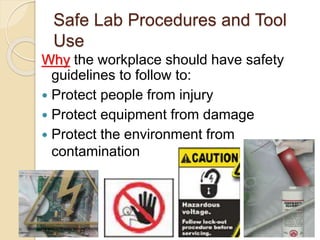
Why the workplace should have safety
guidelines to follow to:
 Protect people from injury
 Protect equipment from damage
 Protect the environment from
contamination
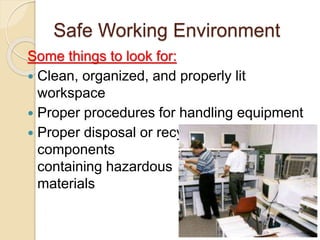
Safe Working Environment
Some things to look for:
 Clean, organized, and properly lit
workspace
 Proper procedures for handling equipment
 Proper disposal or recycling of
components
containing hazardous
materials
General Safety Guidelines
 Most companies require reporting any
injuries, including description of safety
procedures not followed.
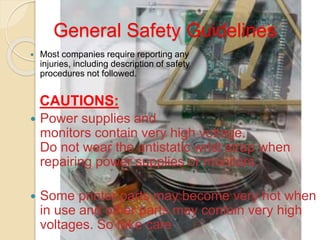
CAUTIONS:
 Power supplies and
monitors contain very high voltage.
Do not wear the antistatic wrist strap when
repairing power supplies or monitors.
 Some printer parts may become very hot when
in use and other parts may contain very high
voltages. So take care
Fire Safety Guidelines
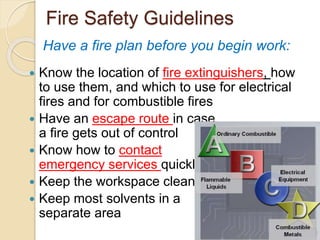
 Know the location of fire extinguishers, how
to use them, and which to use for electrical
fires and for combustible fires
 Have an escape route in case
a fire gets out of control
 Know how to contact
emergency services quickly
 Keep the workspace clean
 Keep most solvents in a
separate area
Have a fire plan before you begin work:
Electrostatic Discharge (ESD)
 Static electricity is the buildup of an electric
charge resting on a surface. This buildup may
destroy a component and cause damage.
EXAMPLES:
 walking on a rug, rubbing a plastic comb
against dry hair, rubbing a balloon against a
sweater, ascending from a fabric car seat, or
removing some types of plastic packaging.
 At least 3,000 volts of static electricity must
build up before a person can feel ESD, but
less than 30 volts of static electricity can
damage a computer component.
Types of Interference
 Electromagnetic Interference (EMI)
• Intrusion of outside electromagnetic signals
in a transmission media, such as copper
cabling
• Sources can be: Man-made, natural
events, climate or any source designed to
generate electromagnetic energy.
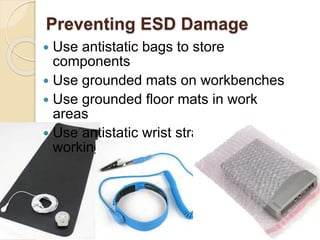
Preventing ESD Damage
 Use antistatic bags to store
components
 Use grounded mats on workbenches
 Use grounded floor mats in work
areas
 Use antistatic wrist straps when
working on computers
Power Fluctuation
AC power fluctuations can cause data loss or
hardware failure:
 Blackouts, brownouts, noise, spikes, power
surges
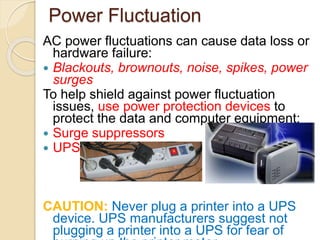
To help shield against power fluctuation
issues, use power protection devices to
protect the data and computer equipment:
 Surge suppressors
 UPS
CAUTION: Never plug a printer into a UPS
device. UPS manufacturers suggest not
plugging a printer into a UPS for fear of
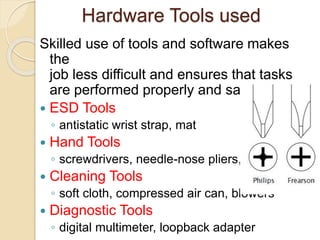
Hardware Tools used
Skilled use of tools and software makes
the
job less difficult and ensures that tasks
are performed properly and safely.
 ESD Tools
◦ antistatic wrist strap, mat
 Hand Tools
◦ screwdrivers, needle-nose pliers,
 Cleaning Tools
◦ soft cloth, compressed air can, blowers
 Diagnostic Tools
◦ digital multimeter, loopback adapter
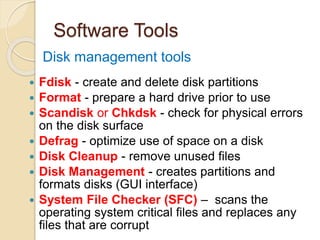
Software Tools
 Fdisk - create and delete disk partitions
 Format - prepare a hard drive prior to use
 Scandisk or Chkdsk - check for physical errors
on the disk surface
 Defrag - optimize use of space on a disk
 Disk Cleanup - remove unused files
 Disk Management - creates partitions and
formats disks (GUI interface)
 System File Checker (SFC) – scans the
operating system critical files and replaces any
files that are corrupt
Disk management tools
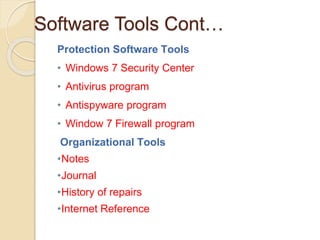
Software Tools Cont…
Protection Software Tools
• Windows 7 Security Center
• Antivirus program
• Antispyware program
• Window 7 Firewall program
Organizational Tools
•Notes
•Journal
•History of repairs
•Internet Reference
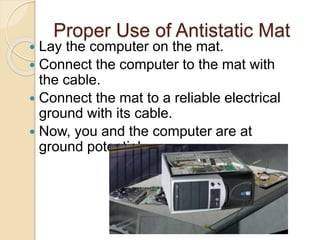
Proper Use of Antistatic Mat
 Lay the computer on the mat.
 Connect the computer to the mat with
the cable.
 Connect the mat to a reliable electrical
ground with its cable.
 Now, you and the computer are at
ground potential.
Proper Use of Hand Tools
 Use the proper type and size of
screwdriver by matching it to the screw.
◦ Phillips, Flat Head and Hex are the most
common types.
 Cautions:
 If excessive force is needed to remove or
add a component, something may be
wrong. (Do not over tighten screws)
 Magnetized tools should not be used
around electronic devices.
 Pencils should not be used inside the
computer because the pencil lead can act
as a conductor and may damage the
computer components.
Proper Use of Cleaning Materials
To clean computers and accessories:
 Use mild cleaning solution and lint-free
cloth to clean computer cases, outside of
monitor, LCD screen, CRT screen, and
mouse.
 Use compressed air to clean heat sinks.
 Use Isopropyl alcohol and lint-free
swabs to clean RAM.
 Use hand-held vacuum cleaner with a
brush attachment to clean a keyboard.
 CAUTION:
 Before cleaning any
device, turn it off and unplug
the device from the power
Preventive Maintenance
Purpose:
 Reduce the likelihood of hardware or
software problems by systematically
and periodically checking hardware
and software to ensure proper
operation.
 Reduce computer down time and
repair costs.
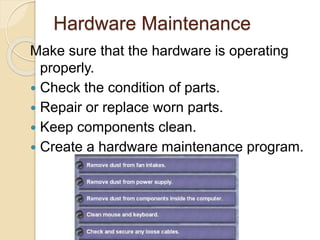
Hardware Maintenance
Make sure that the hardware is operating
properly.
 Check the condition of parts.
 Repair or replace worn parts.
 Keep components clean.
 Create a hardware maintenance program.
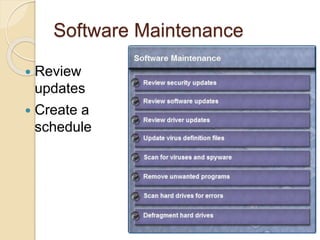
Software Maintenance
 Review
updates
 Create a
schedule
Preventive Maintenance
Benefits
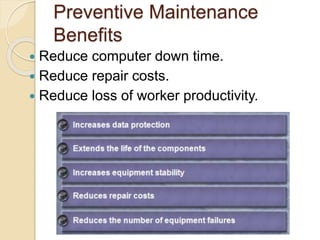
 Reduce computer down time.
 Reduce repair costs.
 Reduce loss of worker productivity.
Chapter 2 Summary
 Work in a safe manner to protect both users
and equipment.
 Follow all safety guidelines to prevent injuries
to yourself and to others.
 Know how to protect equipment from ESD
damage.
 Know about, and be able to prevent, power
issues that can cause equipment damage or
data loss.
Chapter 2 Summary
 Know which products and supplies require
special disposal procedures.
 Be familiar with MSDS sheets for both safety
issues and disposal restrictions to help protect
the environment.
 Be able to use the correct tools for the task.
 Know how to clean components safely.
 Use organizational tools during computer
repairs.
ITE_50_Chapter2.ppt

ITE_50_Chapter2.ppt

  • 1.
    Chapter 2: Safe LabProcedures and Tools Used, Preventive Maintenance
  • 2.
    Safe Lab Proceduresand Tool Use Why the workplace should have safety guidelines to follow to:  Protect people from injury  Protect equipment from damage  Protect the environment from contamination
  • 3.
    Safe Working Environment Somethings to look for:  Clean, organized, and properly lit workspace  Proper procedures for handling equipment  Proper disposal or recycling of components containing hazardous materials
  • 4.
    General Safety Guidelines Most companies require reporting any injuries, including description of safety procedures not followed. CAUTIONS:  Power supplies and monitors contain very high voltage. Do not wear the antistatic wrist strap when repairing power supplies or monitors.  Some printer parts may become very hot when in use and other parts may contain very high voltages. So take care
  • 5.
    Fire Safety Guidelines Know the location of fire extinguishers, how to use them, and which to use for electrical fires and for combustible fires  Have an escape route in case a fire gets out of control  Know how to contact emergency services quickly  Keep the workspace clean  Keep most solvents in a separate area Have a fire plan before you begin work:
  • 6.
    Electrostatic Discharge (ESD) Static electricity is the buildup of an electric charge resting on a surface. This buildup may destroy a component and cause damage. EXAMPLES:  walking on a rug, rubbing a plastic comb against dry hair, rubbing a balloon against a sweater, ascending from a fabric car seat, or removing some types of plastic packaging.  At least 3,000 volts of static electricity must build up before a person can feel ESD, but less than 30 volts of static electricity can damage a computer component.
  • 7.
    Types of Interference Electromagnetic Interference (EMI) • Intrusion of outside electromagnetic signals in a transmission media, such as copper cabling • Sources can be: Man-made, natural events, climate or any source designed to generate electromagnetic energy.
  • 8.
    Preventing ESD Damage Use antistatic bags to store components  Use grounded mats on workbenches  Use grounded floor mats in work areas  Use antistatic wrist straps when working on computers
  • 9.
    Power Fluctuation AC powerfluctuations can cause data loss or hardware failure:  Blackouts, brownouts, noise, spikes, power surges To help shield against power fluctuation issues, use power protection devices to protect the data and computer equipment:  Surge suppressors  UPS CAUTION: Never plug a printer into a UPS device. UPS manufacturers suggest not plugging a printer into a UPS for fear of
  • 10.
    Hardware Tools used Skilleduse of tools and software makes the job less difficult and ensures that tasks are performed properly and safely.  ESD Tools ◦ antistatic wrist strap, mat  Hand Tools ◦ screwdrivers, needle-nose pliers,  Cleaning Tools ◦ soft cloth, compressed air can, blowers  Diagnostic Tools ◦ digital multimeter, loopback adapter
  • 11.
    Software Tools  Fdisk- create and delete disk partitions  Format - prepare a hard drive prior to use  Scandisk or Chkdsk - check for physical errors on the disk surface  Defrag - optimize use of space on a disk  Disk Cleanup - remove unused files  Disk Management - creates partitions and formats disks (GUI interface)  System File Checker (SFC) – scans the operating system critical files and replaces any files that are corrupt Disk management tools
  • 12.
    Software Tools Cont… ProtectionSoftware Tools • Windows 7 Security Center • Antivirus program • Antispyware program • Window 7 Firewall program Organizational Tools •Notes •Journal •History of repairs •Internet Reference
  • 13.
    Proper Use ofAntistatic Mat  Lay the computer on the mat.  Connect the computer to the mat with the cable.  Connect the mat to a reliable electrical ground with its cable.  Now, you and the computer are at ground potential.
  • 14.
    Proper Use ofHand Tools  Use the proper type and size of screwdriver by matching it to the screw. ◦ Phillips, Flat Head and Hex are the most common types.  Cautions:  If excessive force is needed to remove or add a component, something may be wrong. (Do not over tighten screws)  Magnetized tools should not be used around electronic devices.  Pencils should not be used inside the computer because the pencil lead can act as a conductor and may damage the computer components.
  • 15.
    Proper Use ofCleaning Materials To clean computers and accessories:  Use mild cleaning solution and lint-free cloth to clean computer cases, outside of monitor, LCD screen, CRT screen, and mouse.  Use compressed air to clean heat sinks.  Use Isopropyl alcohol and lint-free swabs to clean RAM.  Use hand-held vacuum cleaner with a brush attachment to clean a keyboard.  CAUTION:  Before cleaning any device, turn it off and unplug the device from the power
  • 16.
    Preventive Maintenance Purpose:  Reducethe likelihood of hardware or software problems by systematically and periodically checking hardware and software to ensure proper operation.  Reduce computer down time and repair costs.
  • 17.
    Hardware Maintenance Make surethat the hardware is operating properly.  Check the condition of parts.  Repair or replace worn parts.  Keep components clean.  Create a hardware maintenance program.
  • 18.
  • 19.
    Preventive Maintenance Benefits  Reducecomputer down time.  Reduce repair costs.  Reduce loss of worker productivity.
  • 20.
    Chapter 2 Summary Work in a safe manner to protect both users and equipment.  Follow all safety guidelines to prevent injuries to yourself and to others.  Know how to protect equipment from ESD damage.  Know about, and be able to prevent, power issues that can cause equipment damage or data loss.
  • 21.
    Chapter 2 Summary Know which products and supplies require special disposal procedures.  Be familiar with MSDS sheets for both safety issues and disposal restrictions to help protect the environment.  Be able to use the correct tools for the task.  Know how to clean components safely.  Use organizational tools during computer repairs.