1
IP address geolocation & DASH
MNNOG 6, Ulaanbaatar, Mongolia 2024
Bayar Batjargal
APNIC
2
2
Brief
Part 1: IP geolocation accuracy
Part 2: DASH – the security feature for APNIC members
3
3
Part 1. IP geolocation
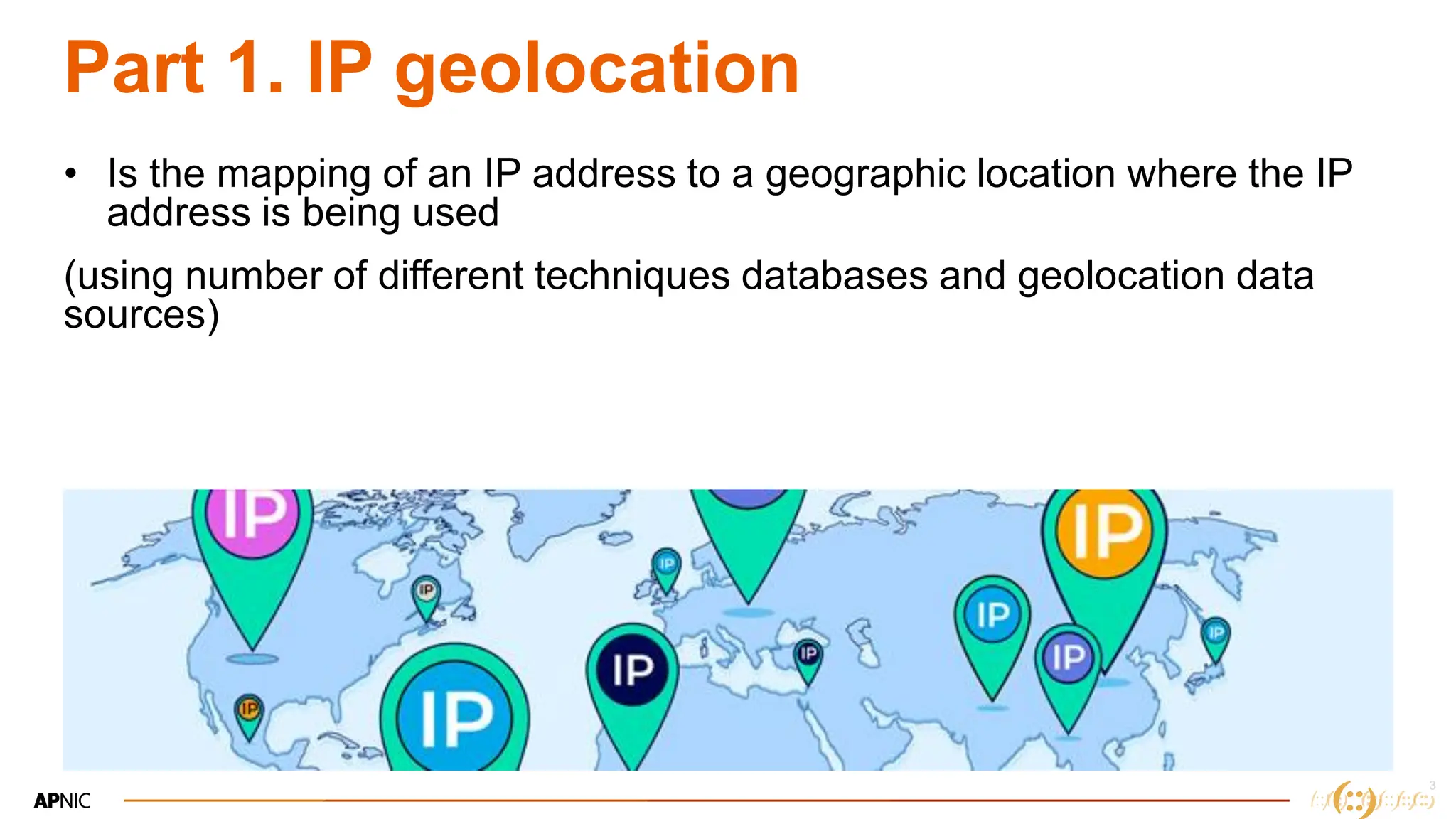
• Is the mapping of an IP address to a geographic location where the IP
address is being used
(using number of different techniques databases and geolocation data
sources)
4
4
Why do we need IP Geolocation
• Location based services
– International transactions
– CDNs and Social Media (Youtube, Disney +, Instragram)
– Gaming platforms (PubG)
– Websites (selecting Eng/MN pages)
• Legal and Regulatory compliance
• Targeted advertising
• Emergency services & Public safety
5
5
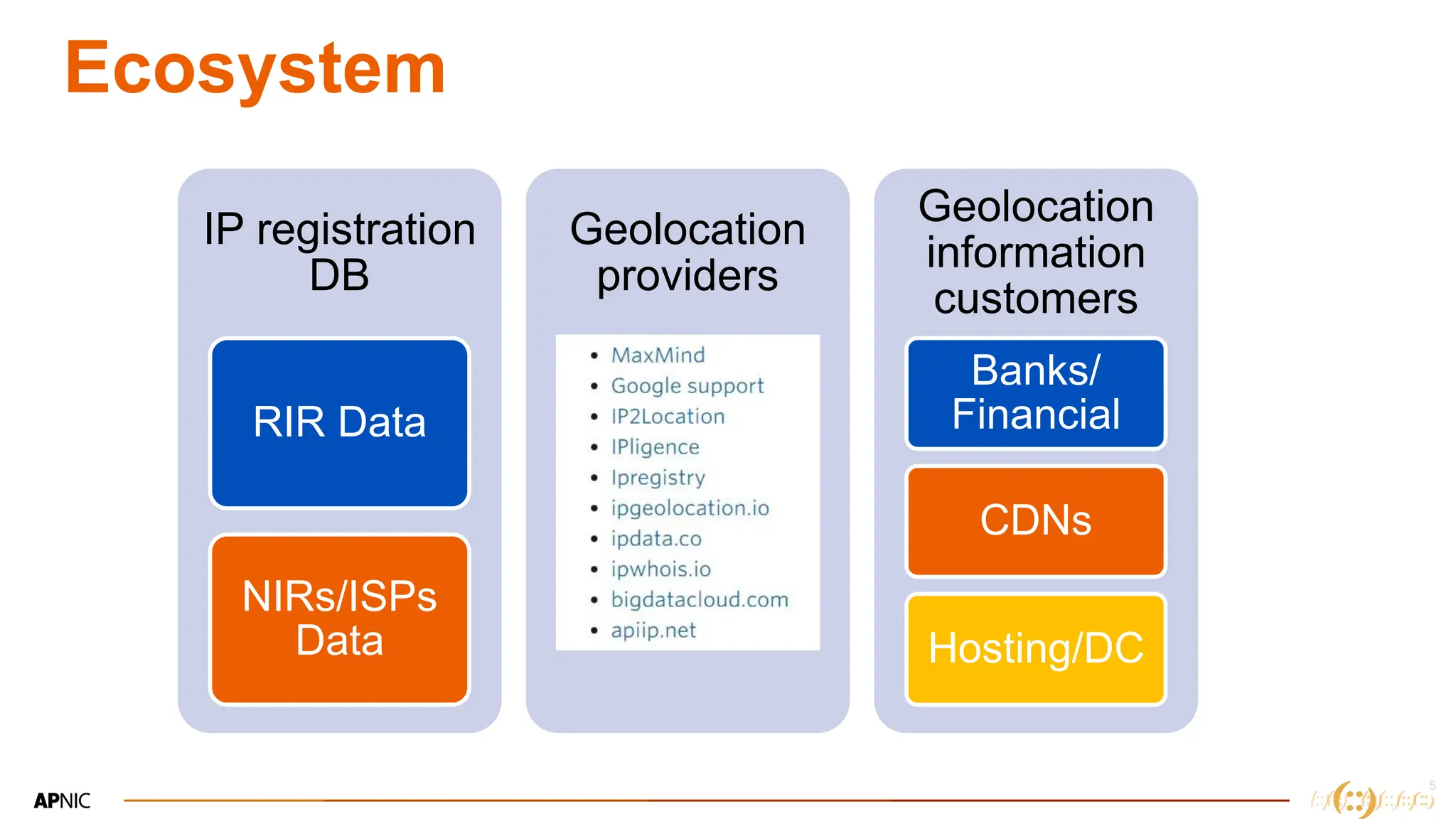
Ecosystem
IP registration
DB
RIR Data
NIRs/ISPs
Data
Geolocation
providers
Geolocation
information
customers
Banks/
Financial
CDNs
Hosting/DC
6
6
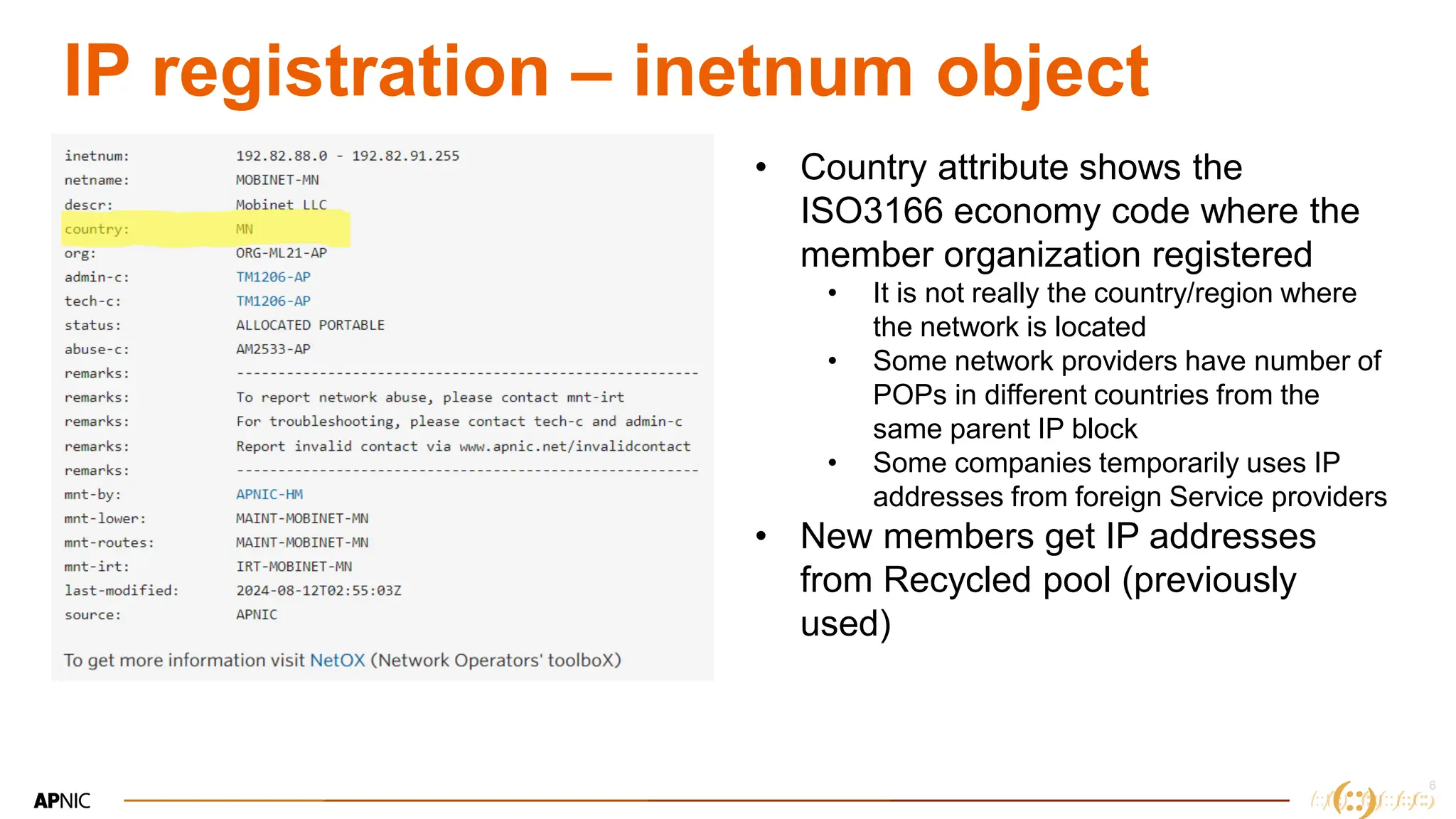
IP registration – inetnum object
• Country attribute shows the
ISO3166 economy code where the
member organization registered
• It is not really the country/region where
the network is located
• Some network providers have number of
POPs in different countries from the
same parent IP block
• Some companies temporarily uses IP
addresses from foreign Service providers
• New members get IP addresses
from Recycled pool (previously
used)
7
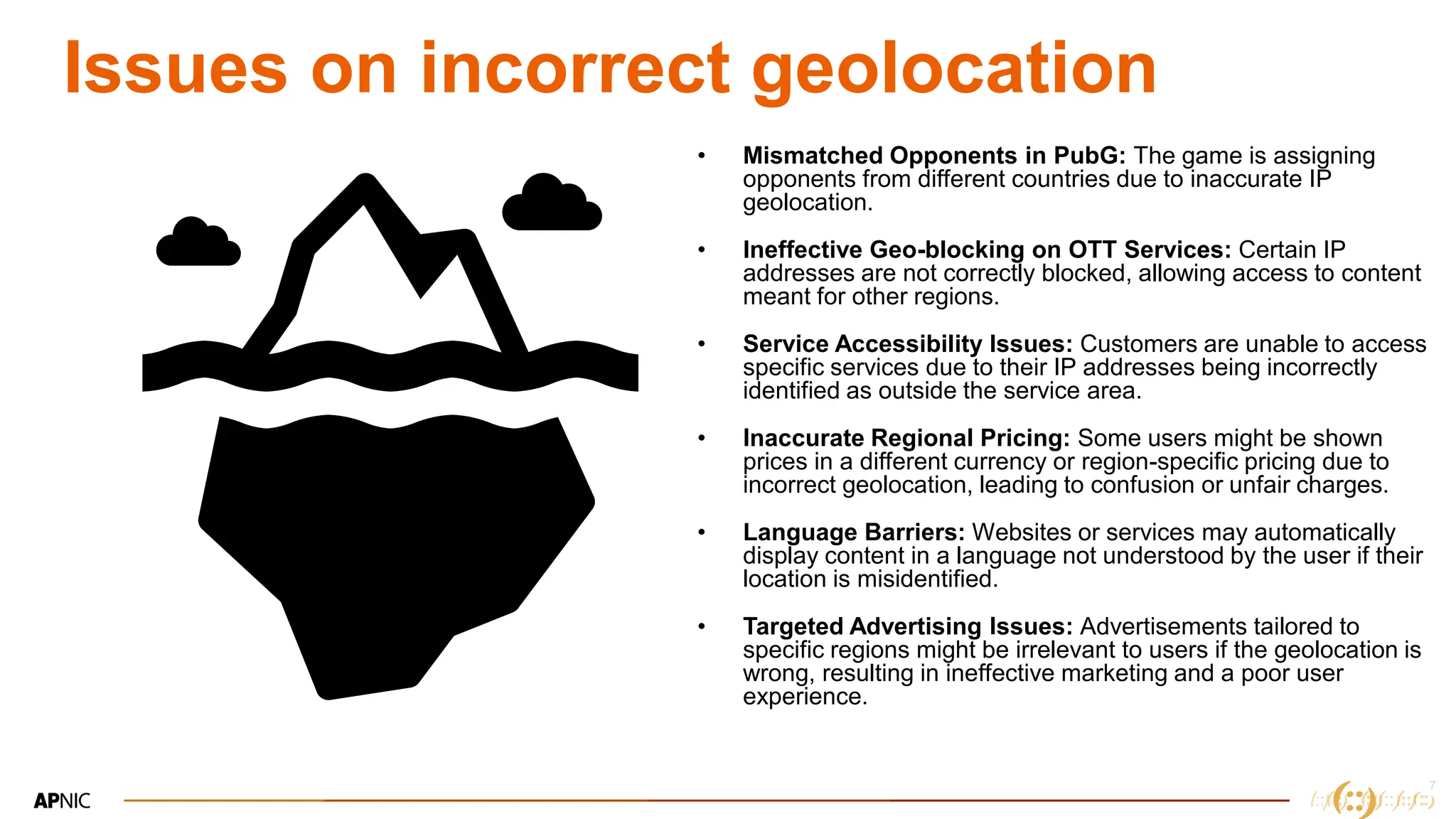
Issues on incorrect geolocation
• Mismatched Opponents in PubG: The game is assigning
opponents from different countries due to inaccurate IP
geolocation.
• Ineffective Geo-blocking on OTT Services: Certain IP
addresses are not correctly blocked, allowing access to content
meant for other regions.
• Service Accessibility Issues: Customers are unable to access
specific services due to their IP addresses being incorrectly
identified as outside the service area.
• Inaccurate Regional Pricing: Some users might be shown
prices in a different currency or region-specific pricing due to
incorrect geolocation, leading to confusion or unfair charges.
• Language Barriers: Websites or services may automatically
display content in a language not understood by the user if their
location is misidentified.
• Targeted Advertising Issues: Advertisements tailored to
specific regions might be irrelevant to users if the geolocation is
wrong, resulting in ineffective marketing and a poor user
experience.
8
8
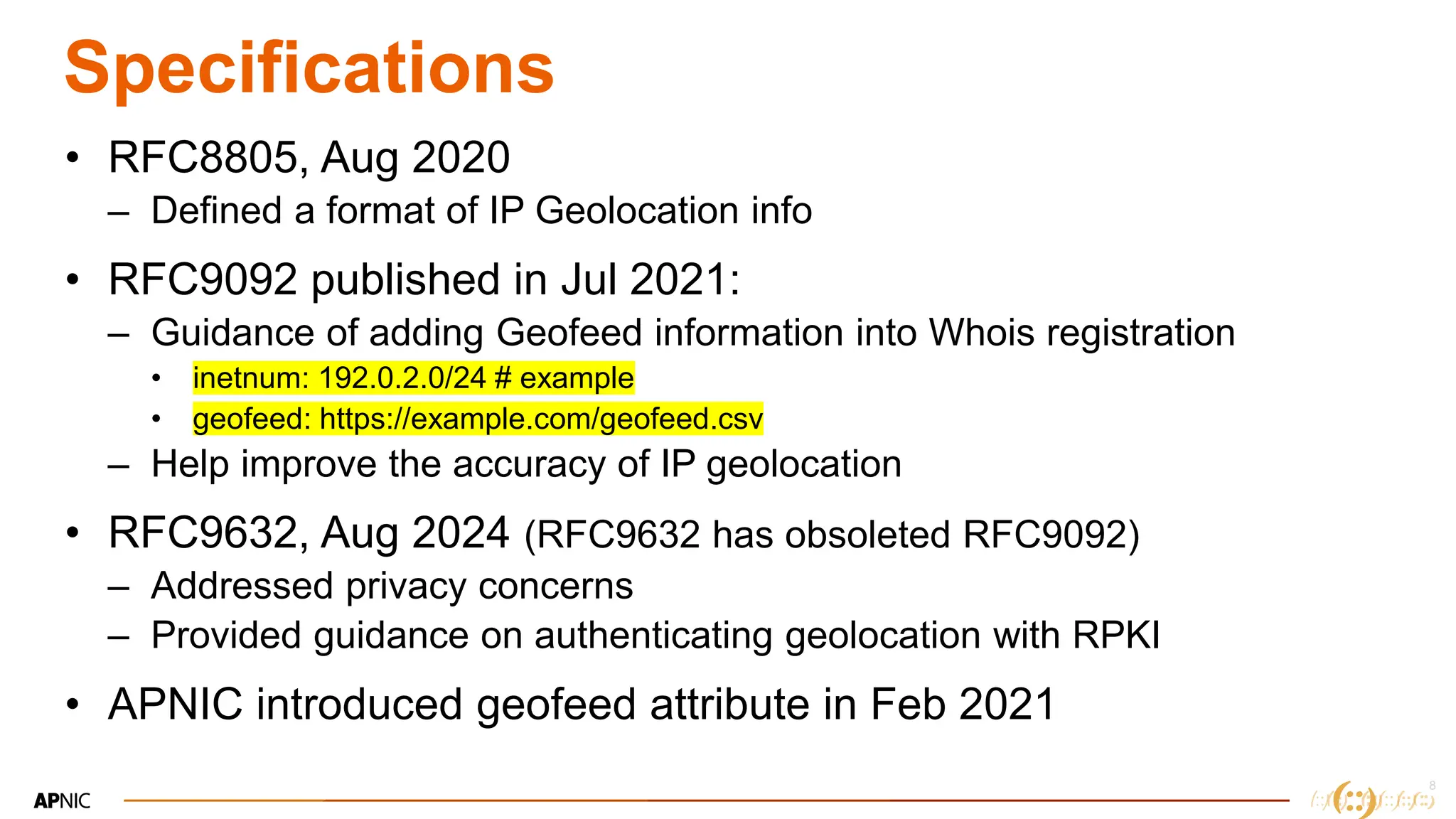
Specifications
• RFC8805, Aug 2020
– Defined a format of IP Geolocation info
• RFC9092 published in Jul 2021:
– Guidance of adding Geofeed information into Whois registration
• inetnum: 192.0.2.0/24 # example
• geofeed: https://example.com/geofeed.csv
– Help improve the accuracy of IP geolocation
• RFC9632, Aug 2024 (RFC9632 has obsoleted RFC9092)
– Addressed privacy concerns
– Provided guidance on authenticating geolocation with RPKI
• APNIC introduced geofeed attribute in Feb 2021
9
9
Add geofeed on your inetnum
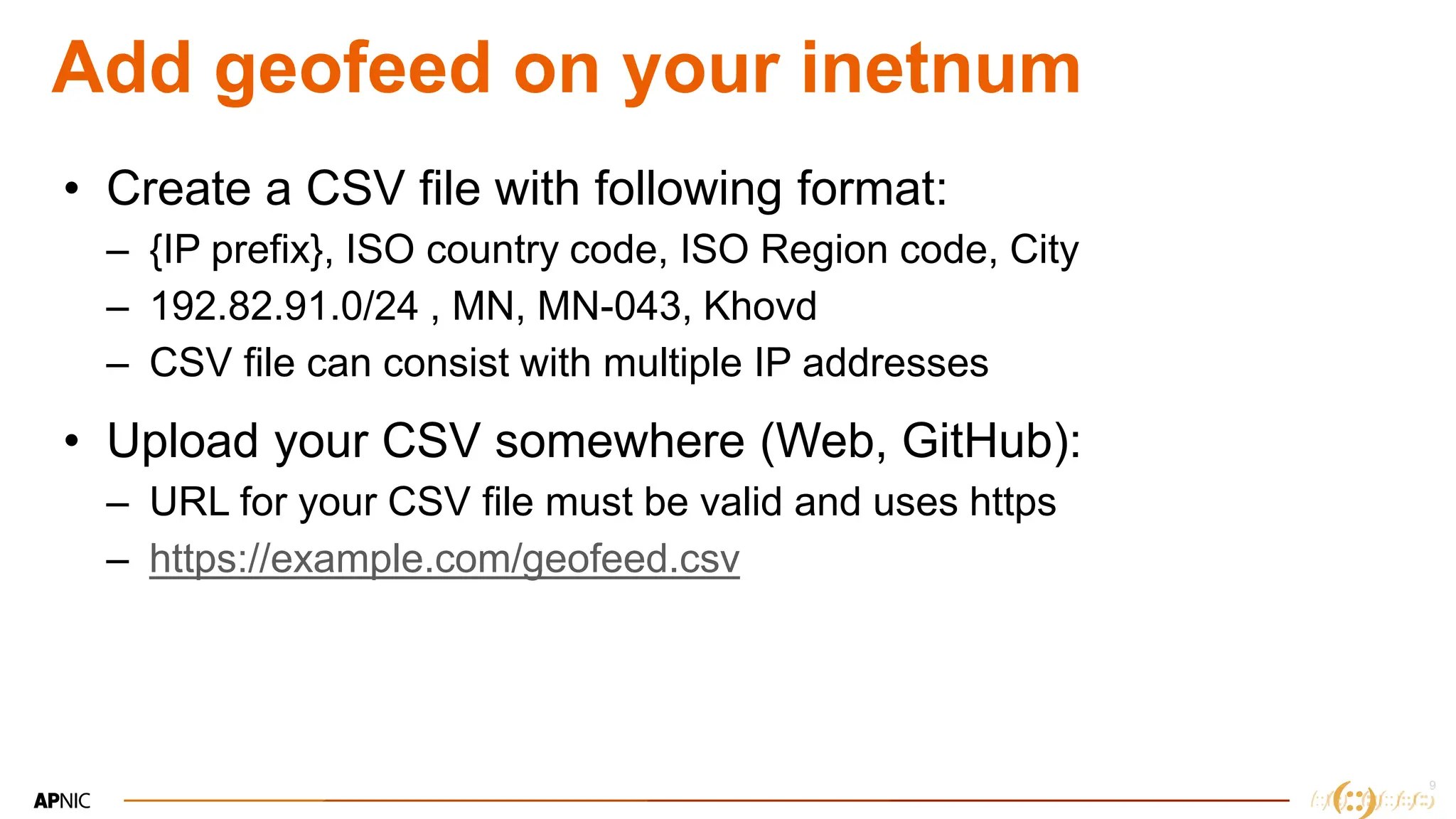
• Create a CSV file with following format:
– {IP prefix}, ISO country code, ISO Region code, City
– 192.82.91.0/24 , MN, MN-043, Khovd
– CSV file can consist with multiple IP addresses
• Upload your CSV somewhere (Web, GitHub):
– URL for your CSV file must be valid and uses https
– https://example.com/geofeed.csv
10
10
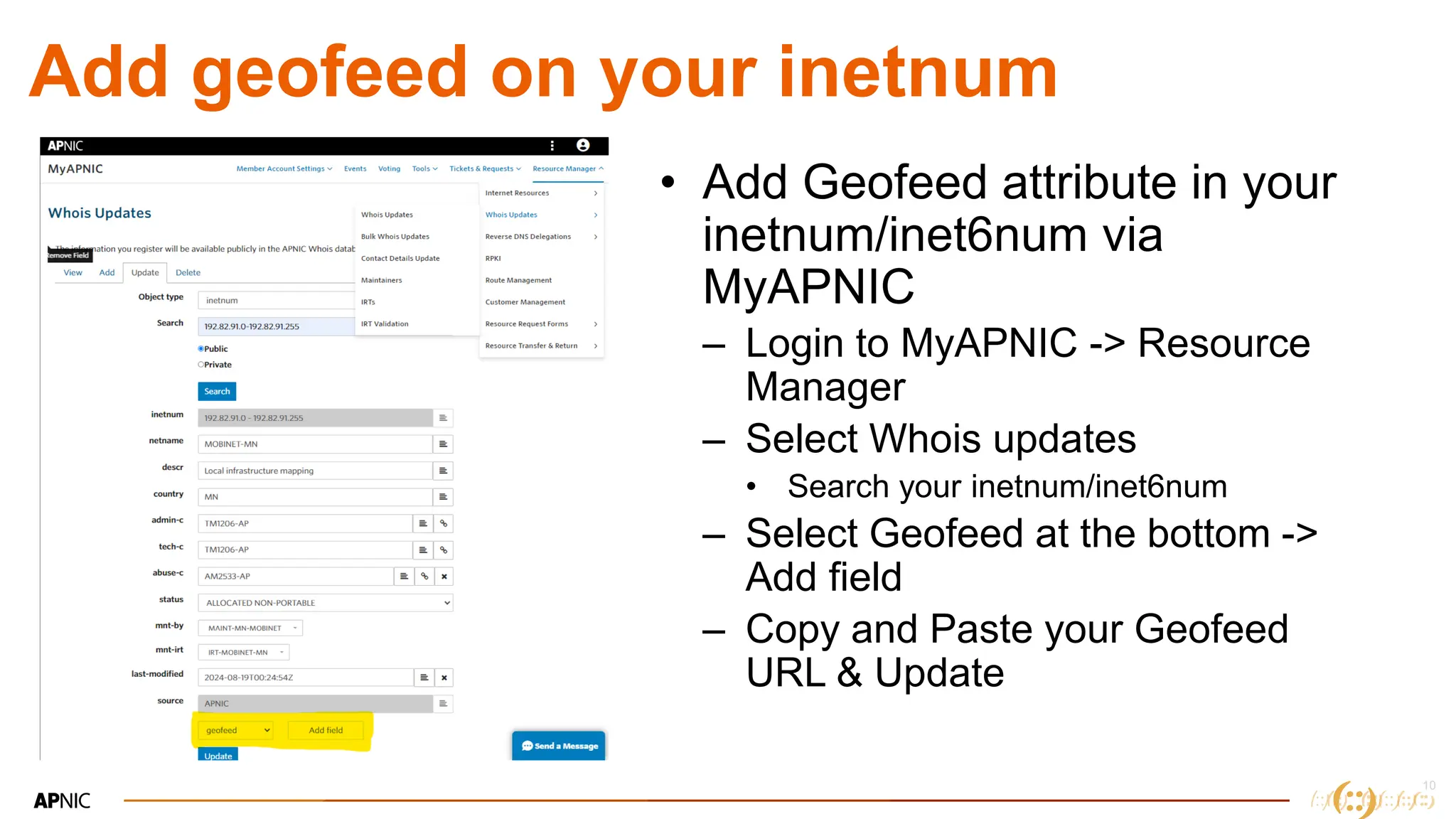
Add geofeed on your inetnum
• Add Geofeed attribute in your
inetnum/inet6num via
MyAPNIC
– Login to MyAPNIC -> Resource
Manager
– Select Whois updates
• Search your inetnum/inet6num
– Select Geofeed at the bottom ->
Add field
– Copy and Paste your Geofeed
URL & Update
11
11
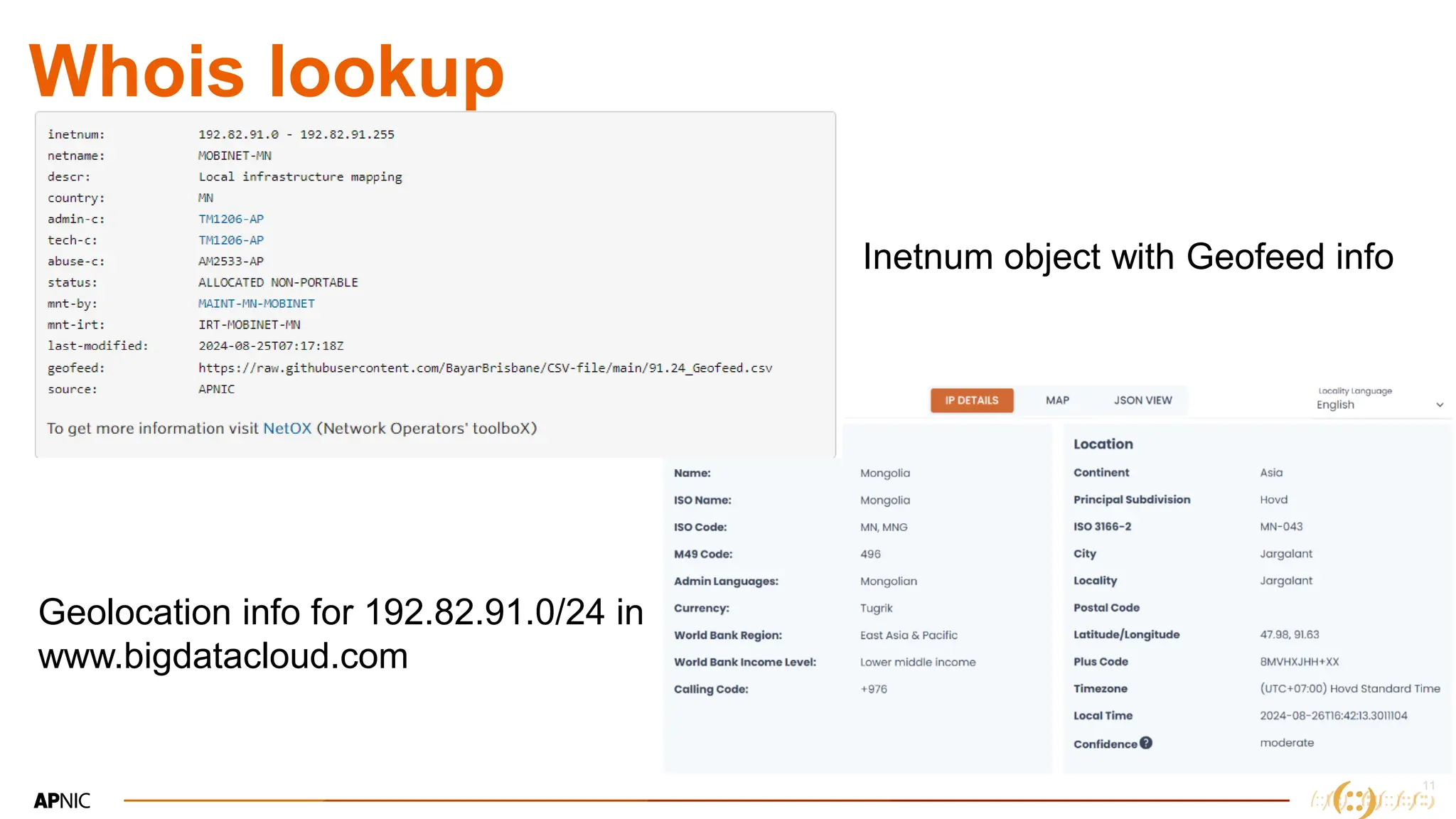
Whois lookup
Inetnum object with Geofeed info
Geolocation info for 192.82.91.0/24 in
www.bigdatacloud.com
12
12
Alternatives
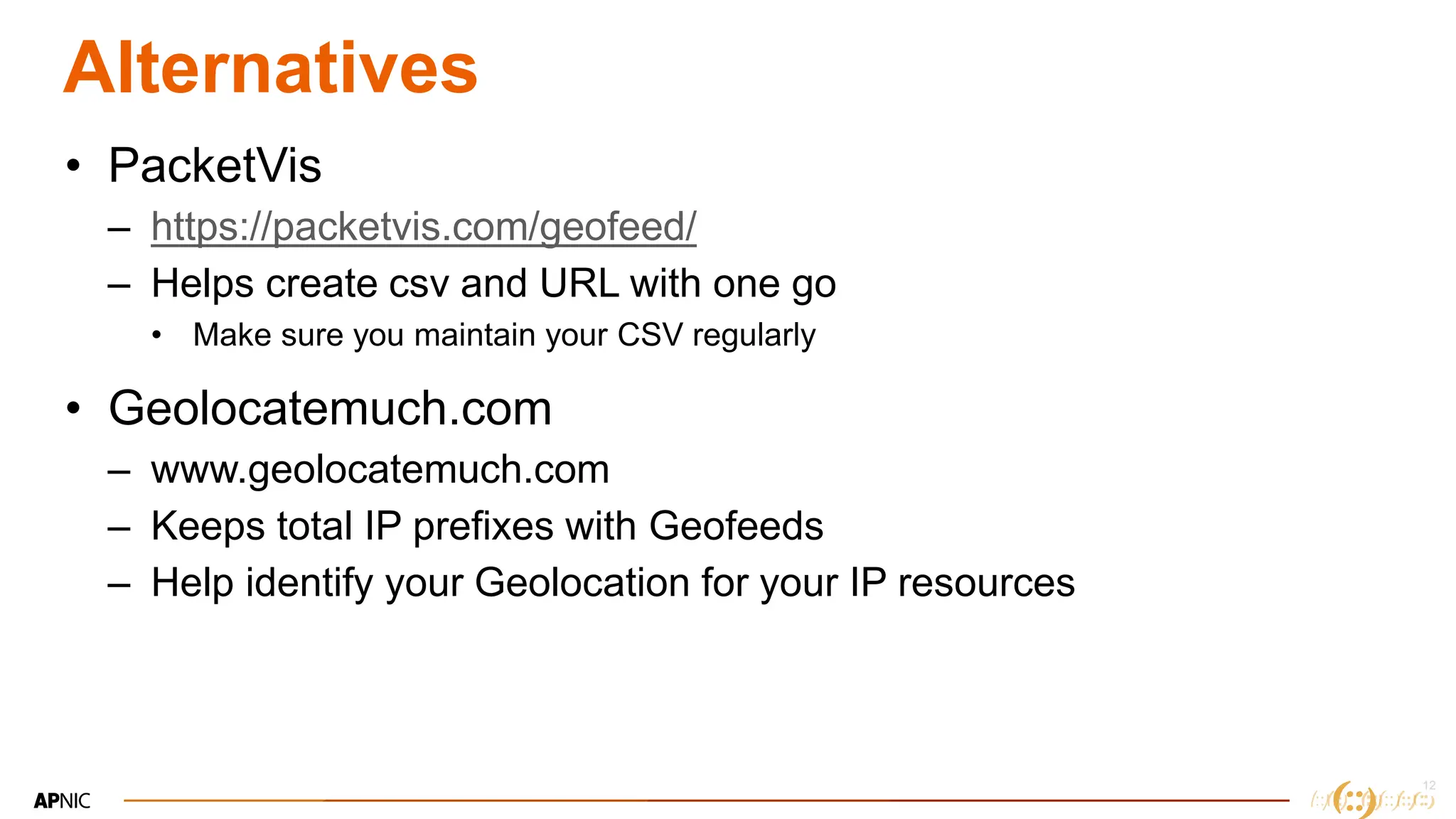
• PacketVis
– https://packetvis.com/geofeed/
– Helps create csv and URL with one go
• Make sure you maintain your CSV regularly
• Geolocatemuch.com
– www.geolocatemuch.com
– Keeps total IP prefixes with Geofeeds
– Help identify your Geolocation for your IP resources
13
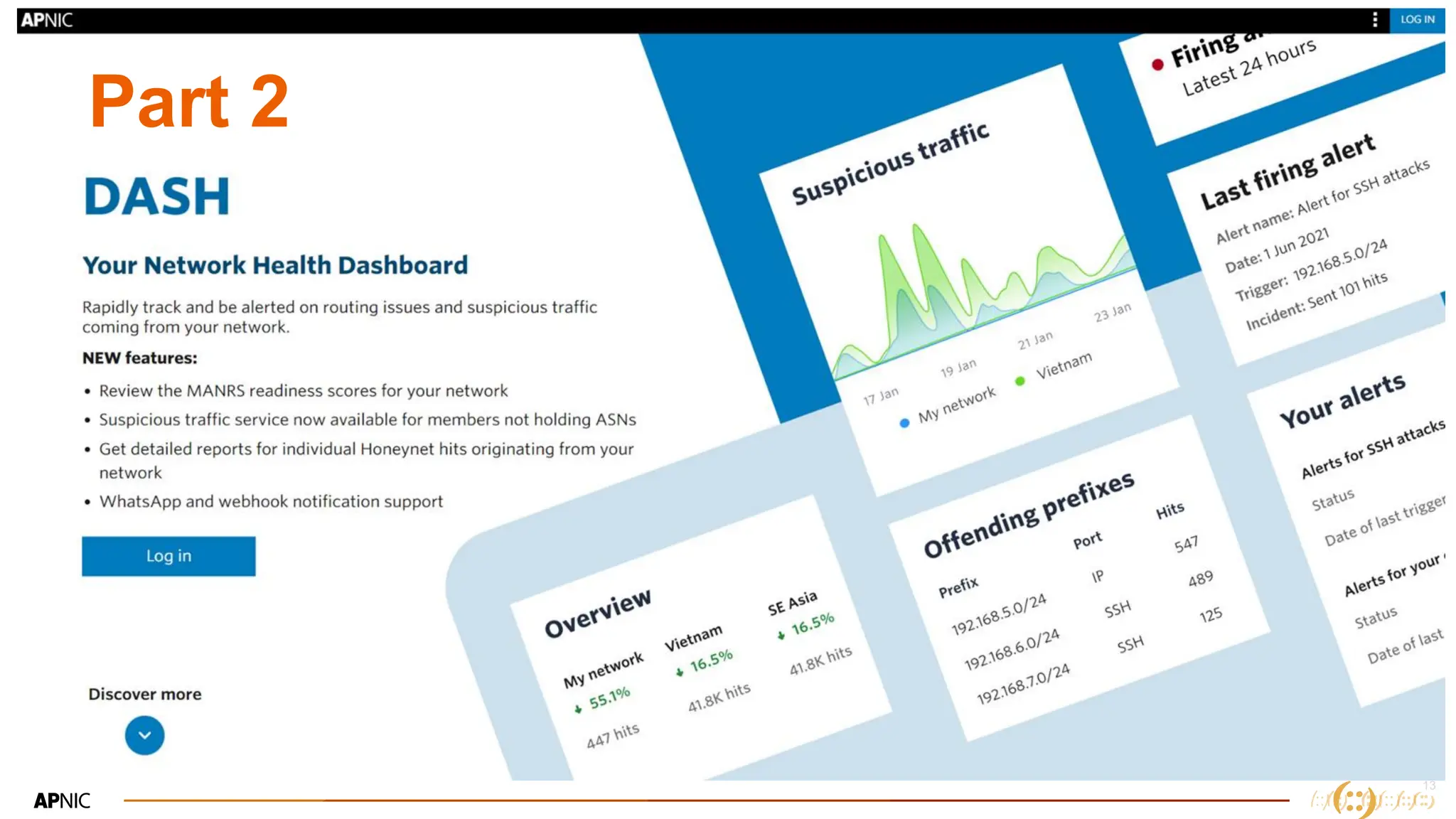
Part 2
14
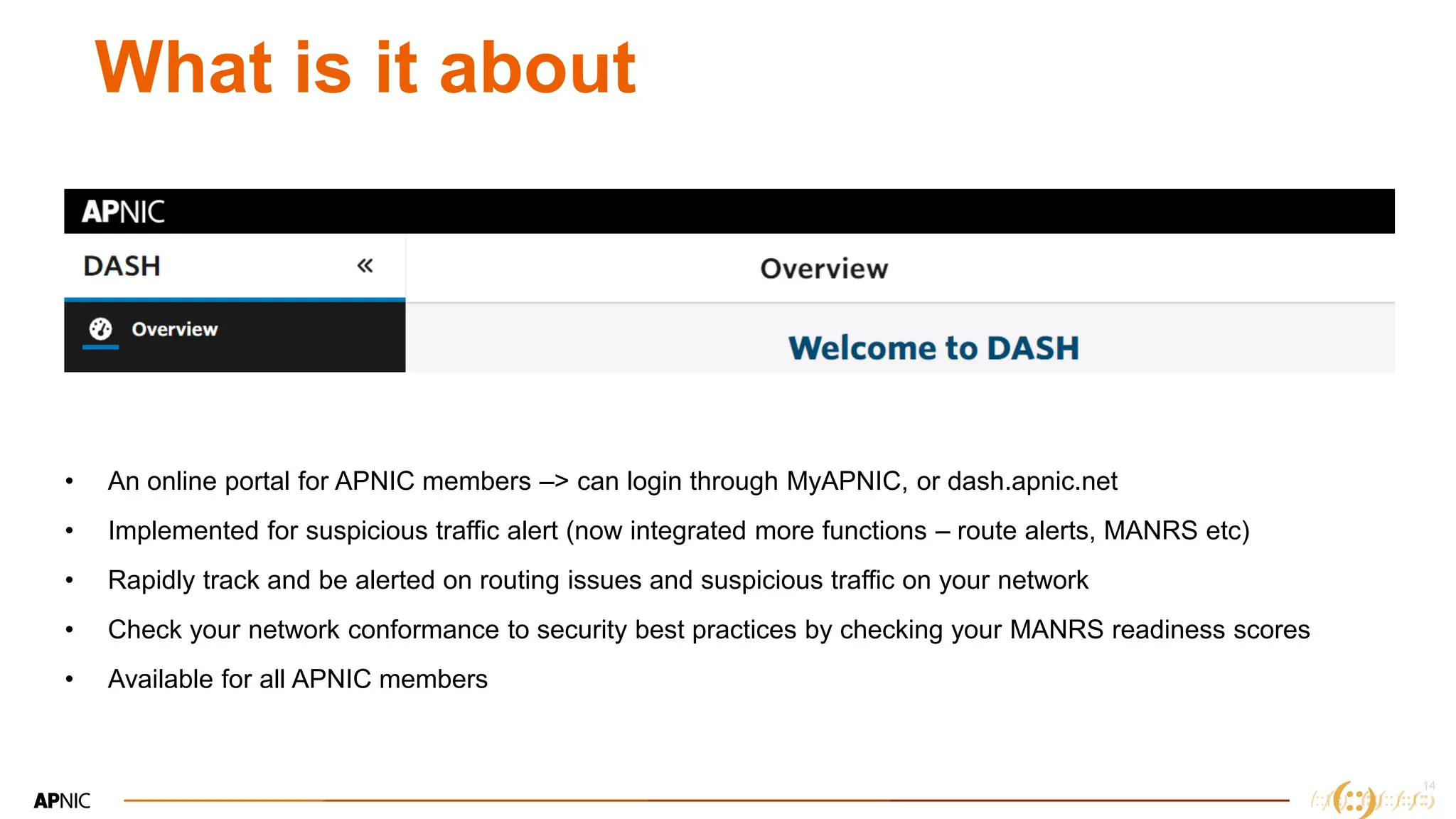
What is it about
• An online portal for APNIC members –> can login through MyAPNIC, or dash.apnic.net
• Implemented for suspicious traffic alert (now integrated more functions – route alerts, MANRS etc)
• Rapidly track and be alerted on routing issues and suspicious traffic on your network
• Check your network conformance to security best practices by checking your MANRS readiness scores
• Available for all APNIC members
15
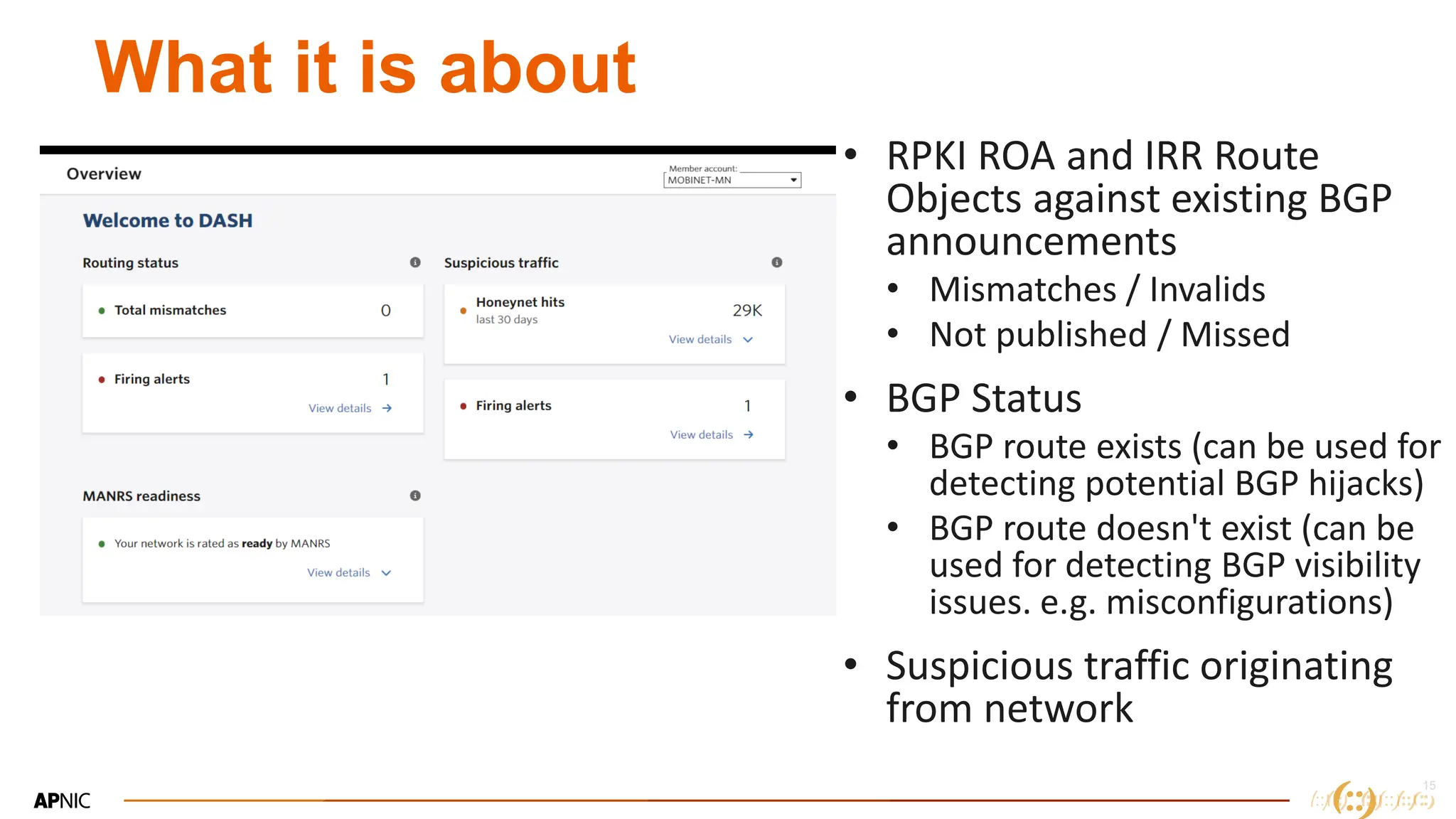
What it is about
• RPKI ROA and IRR Route
Objects against existing BGP
announcements
• Mismatches / Invalids
• Not published / Missed
• BGP Status
• BGP route exists (can be used for
detecting potential BGP hijacks)
• BGP route doesn't exist (can be
used for detecting BGP visibility
issues. e.g. misconfigurations)
• Suspicious traffic originating
from network
16
16
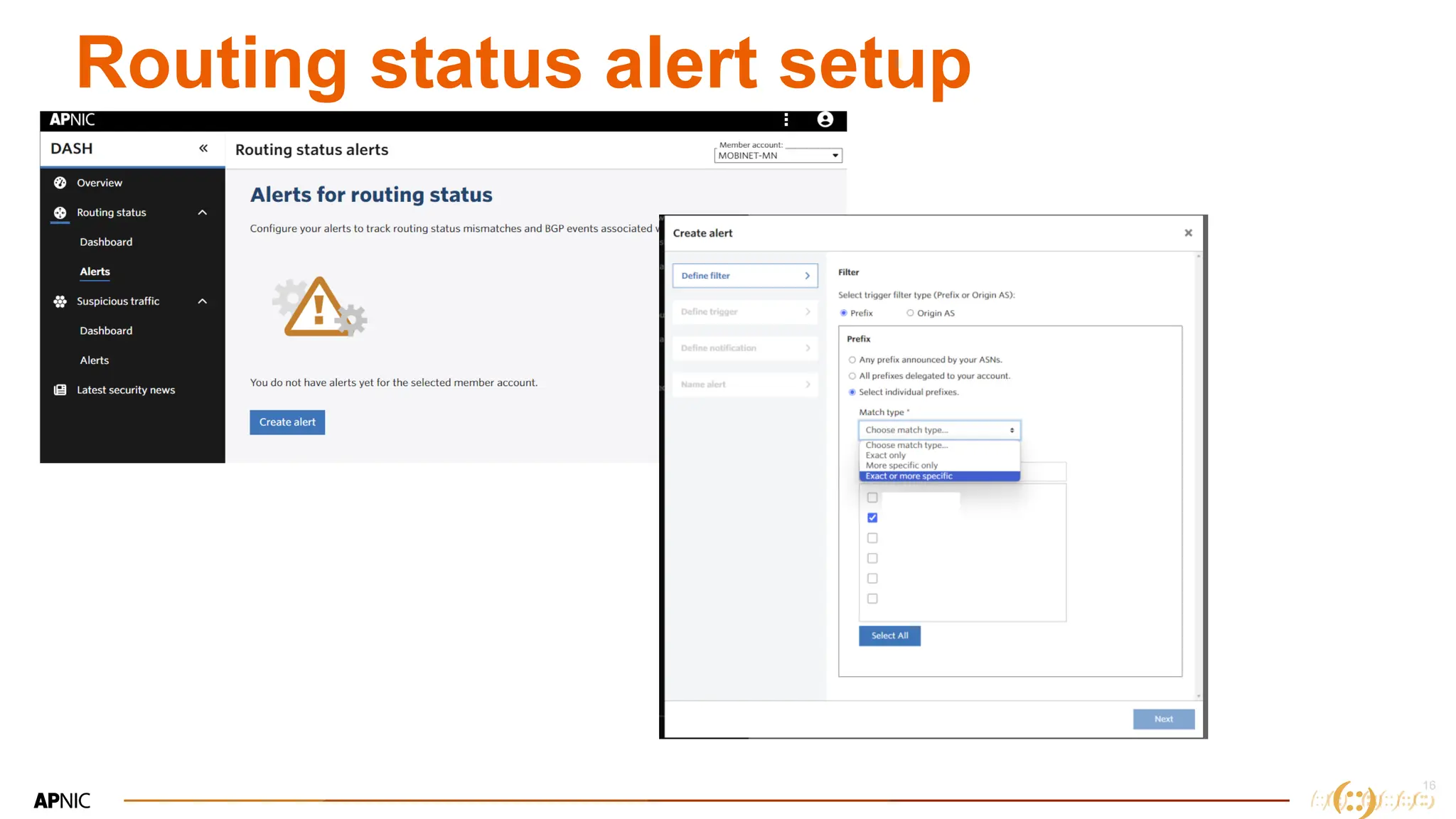
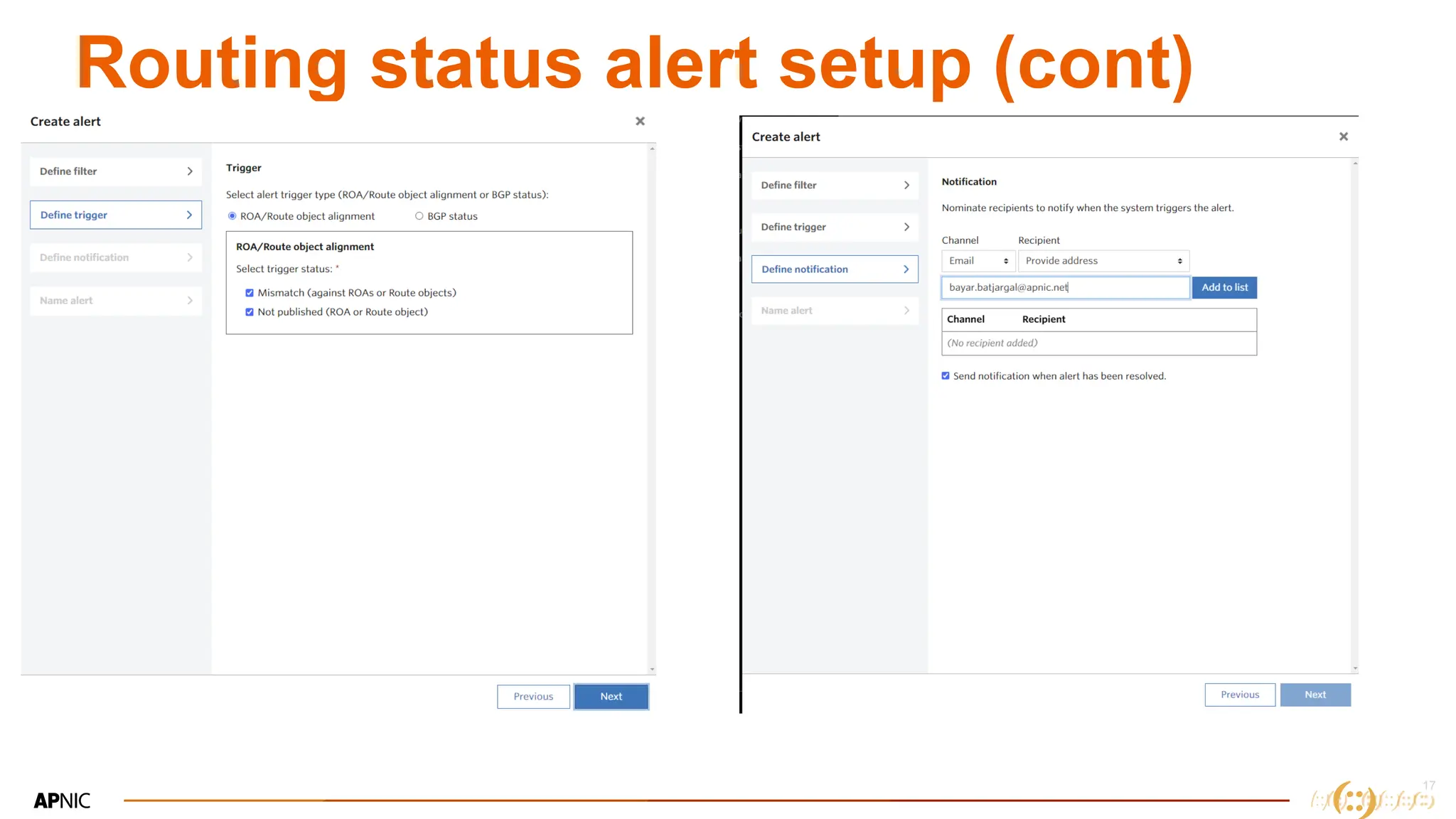
Routing status alert setup
17
17
Routing status alert setup (cont)
18
18
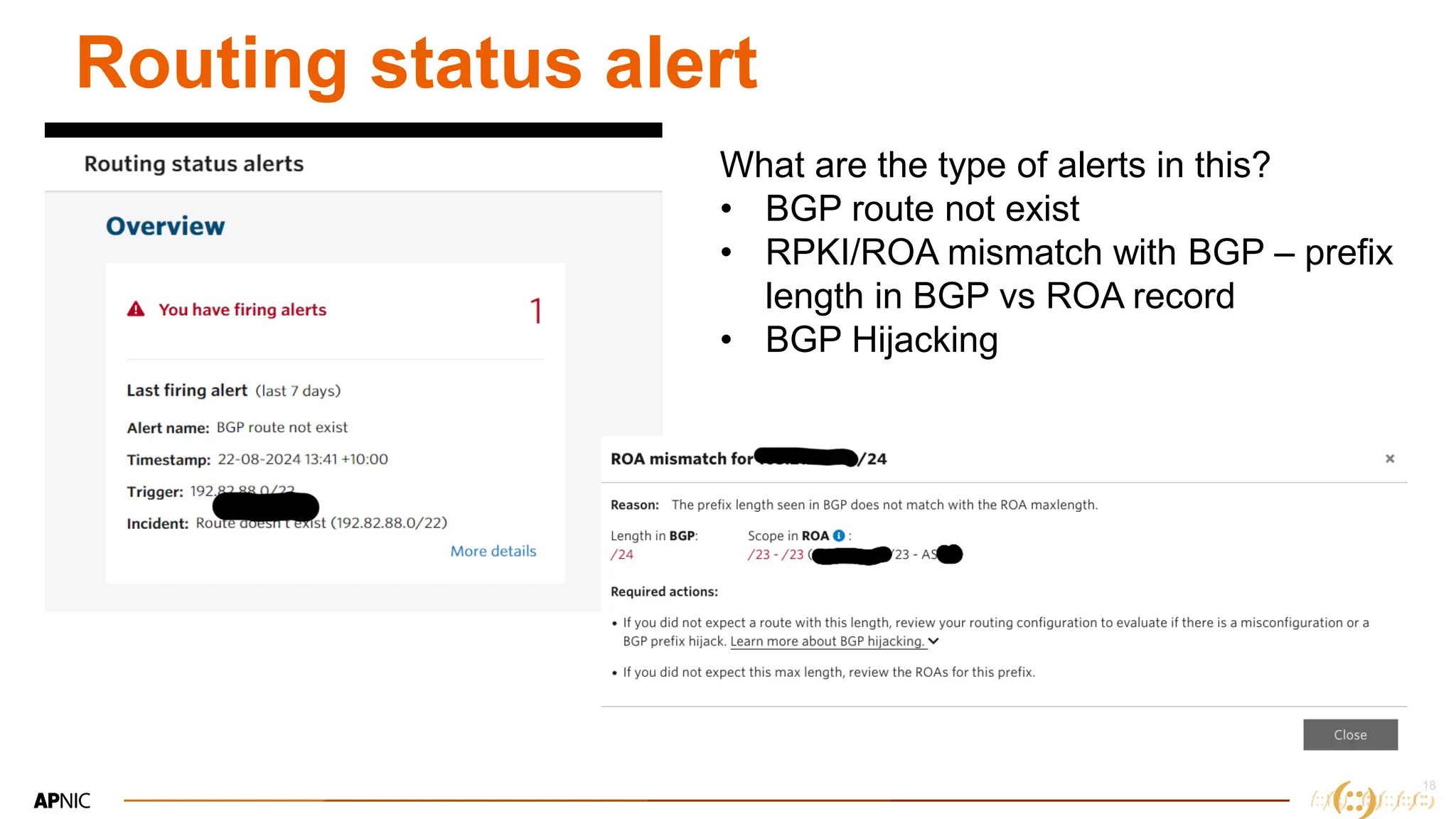
Routing status alert
What are the type of alerts in this?
• BGP route not exist
• RPKI/ROA mismatch with BGP – prefix
length in BGP vs ROA record
• BGP Hijacking
19
19
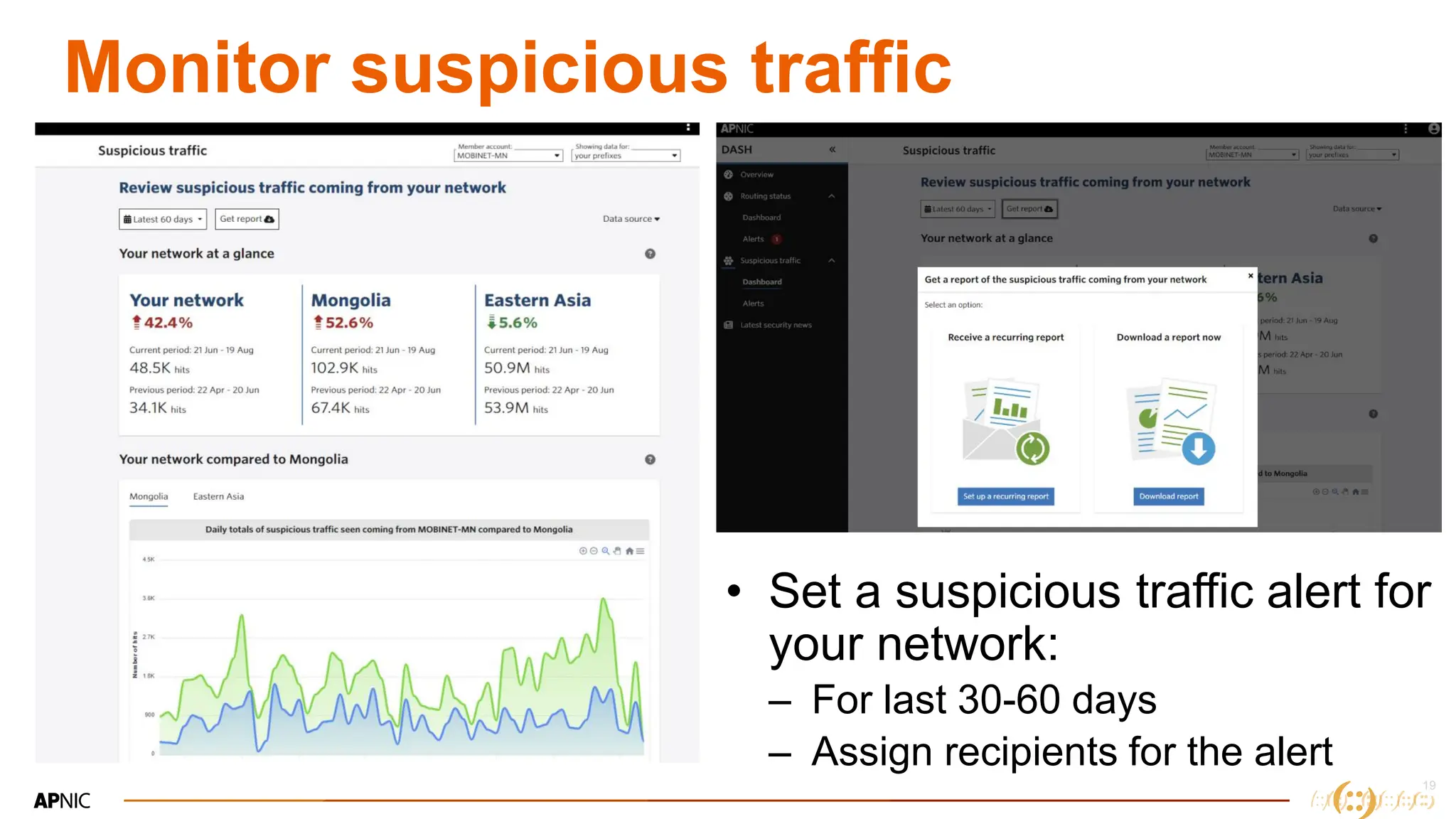
Monitor suspicious traffic
• Set a suspicious traffic alert for
your network:
– For last 30-60 days
– Assign recipients for the alert
20
20
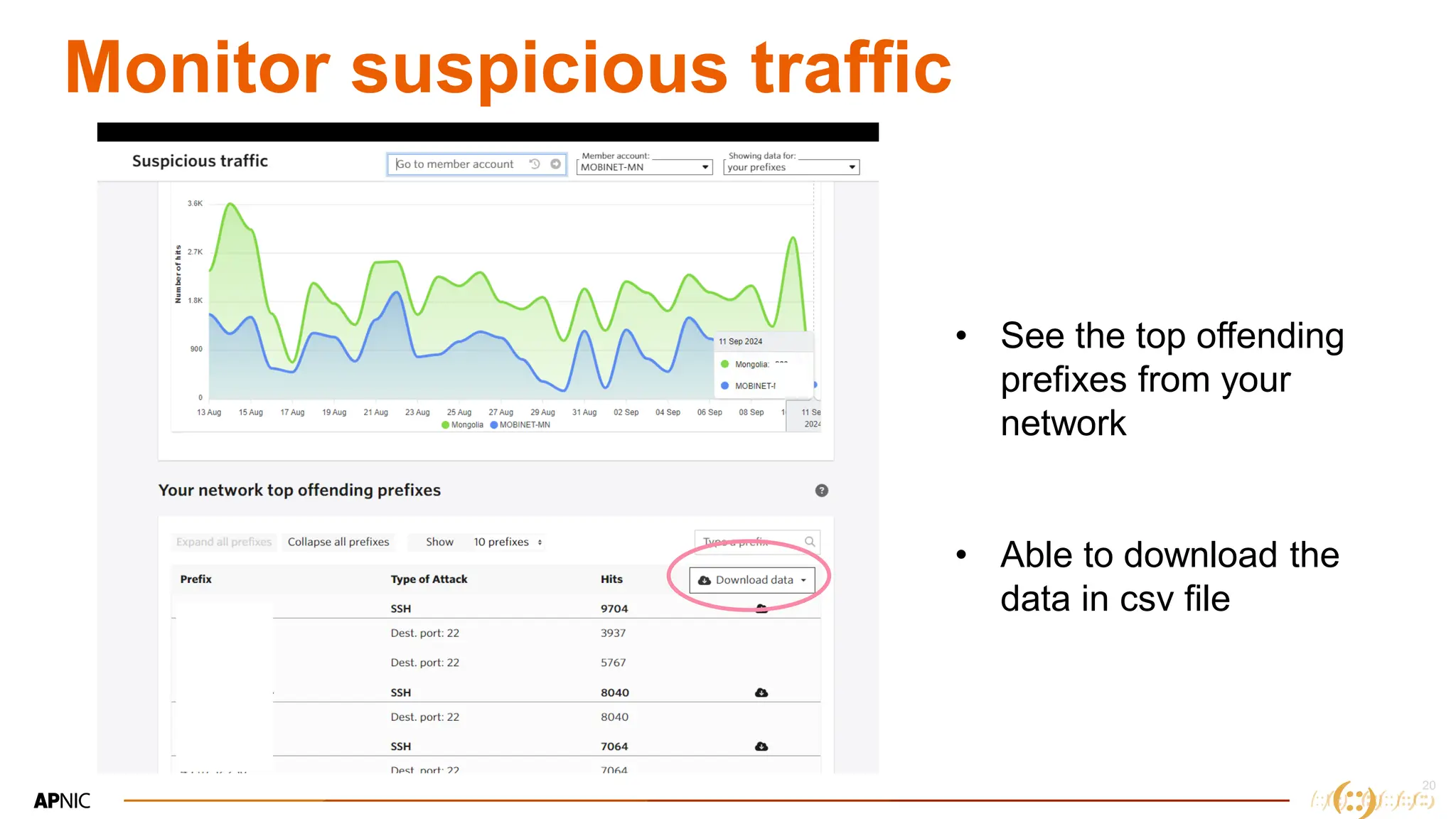
Monitor suspicious traffic
• See the top offending
prefixes from your
network
• Able to download the
data in csv file
21
21
MANRS integration in DASH
• MANRS – Mutually Agreed Norms for Routing Security
(MANRS ) is a global initiative, supported by the Global
Cyber Alliance
• Collaboration among network operators for the wellbeing of
global internet routing system
• Everybody can support MANRS by
– Improve internet security
– Join the MANRS community
– Encourage other network operators to participate
22
22
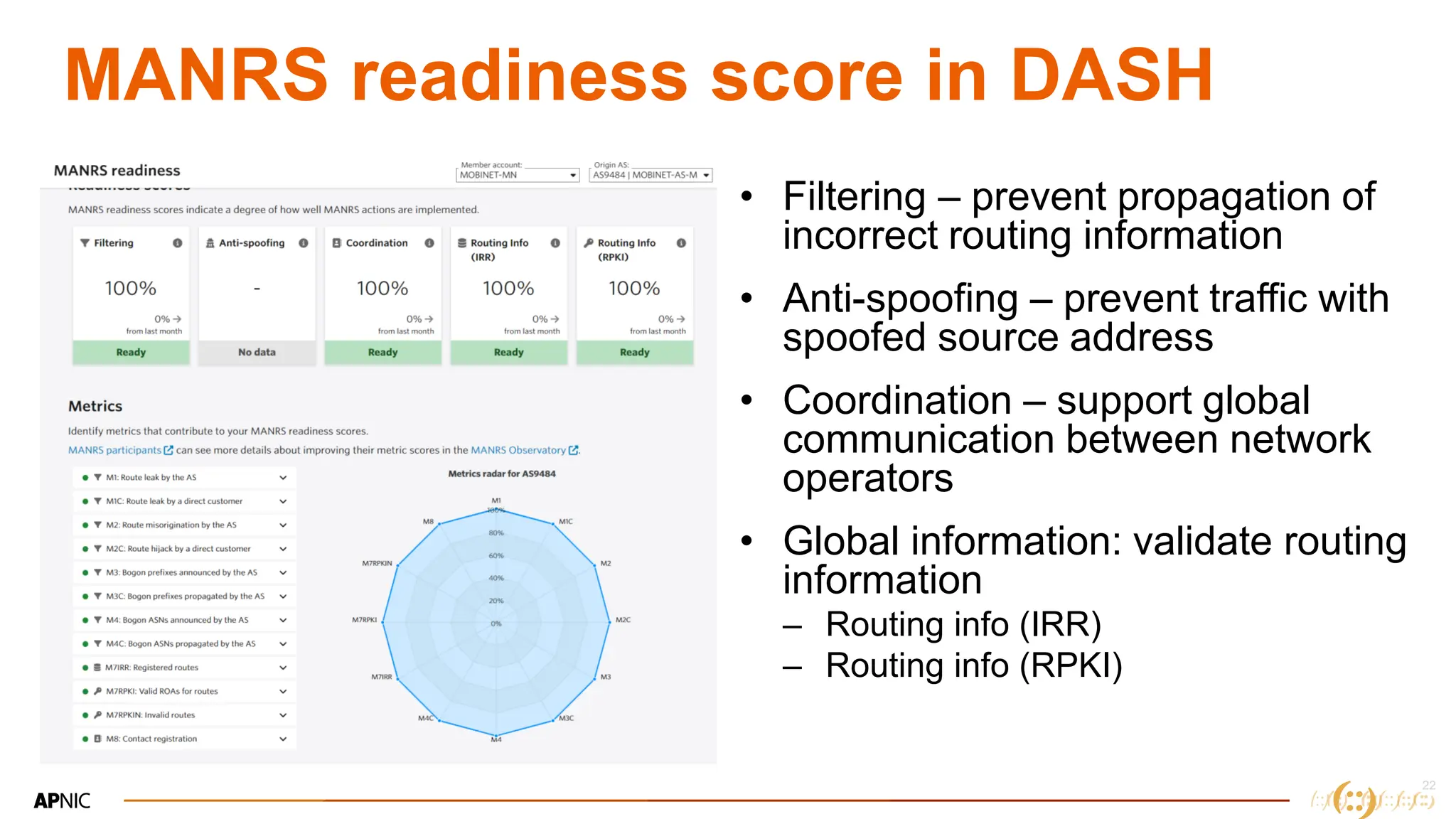
MANRS readiness score in DASH
• Filtering – prevent propagation of
incorrect routing information
• Anti-spoofing – prevent traffic with
spoofed source address
• Coordination – support global
communication between network
operators
• Global information: validate routing
information
– Routing info (IRR)
– Routing info (RPKI)
23
Thank you!
Let`s discuss

IP Address Geolocation & DASH, presented by Bayar Batjargal at mnNOG 6

  • 1.
    1 IP address geolocation& DASH MNNOG 6, Ulaanbaatar, Mongolia 2024 Bayar Batjargal APNIC
  • 2.
    2 2 Brief Part 1: IPgeolocation accuracy Part 2: DASH – the security feature for APNIC members
  • 3.
    3 3 Part 1. IPgeolocation • Is the mapping of an IP address to a geographic location where the IP address is being used (using number of different techniques databases and geolocation data sources)
  • 4.
    4 4 Why do weneed IP Geolocation • Location based services – International transactions – CDNs and Social Media (Youtube, Disney +, Instragram) – Gaming platforms (PubG) – Websites (selecting Eng/MN pages) • Legal and Regulatory compliance • Targeted advertising • Emergency services & Public safety
  • 5.
  • 6.
    6 6 IP registration –inetnum object • Country attribute shows the ISO3166 economy code where the member organization registered • It is not really the country/region where the network is located • Some network providers have number of POPs in different countries from the same parent IP block • Some companies temporarily uses IP addresses from foreign Service providers • New members get IP addresses from Recycled pool (previously used)
  • 7.
    7 Issues on incorrectgeolocation • Mismatched Opponents in PubG: The game is assigning opponents from different countries due to inaccurate IP geolocation. • Ineffective Geo-blocking on OTT Services: Certain IP addresses are not correctly blocked, allowing access to content meant for other regions. • Service Accessibility Issues: Customers are unable to access specific services due to their IP addresses being incorrectly identified as outside the service area. • Inaccurate Regional Pricing: Some users might be shown prices in a different currency or region-specific pricing due to incorrect geolocation, leading to confusion or unfair charges. • Language Barriers: Websites or services may automatically display content in a language not understood by the user if their location is misidentified. • Targeted Advertising Issues: Advertisements tailored to specific regions might be irrelevant to users if the geolocation is wrong, resulting in ineffective marketing and a poor user experience.
  • 8.
    8 8 Specifications • RFC8805, Aug2020 – Defined a format of IP Geolocation info • RFC9092 published in Jul 2021: – Guidance of adding Geofeed information into Whois registration • inetnum: 192.0.2.0/24 # example • geofeed: https://example.com/geofeed.csv – Help improve the accuracy of IP geolocation • RFC9632, Aug 2024 (RFC9632 has obsoleted RFC9092) – Addressed privacy concerns – Provided guidance on authenticating geolocation with RPKI • APNIC introduced geofeed attribute in Feb 2021
  • 9.
    9 9 Add geofeed onyour inetnum • Create a CSV file with following format: – {IP prefix}, ISO country code, ISO Region code, City – 192.82.91.0/24 , MN, MN-043, Khovd – CSV file can consist with multiple IP addresses • Upload your CSV somewhere (Web, GitHub): – URL for your CSV file must be valid and uses https – https://example.com/geofeed.csv
  • 10.
    10 10 Add geofeed onyour inetnum • Add Geofeed attribute in your inetnum/inet6num via MyAPNIC – Login to MyAPNIC -> Resource Manager – Select Whois updates • Search your inetnum/inet6num – Select Geofeed at the bottom -> Add field – Copy and Paste your Geofeed URL & Update
  • 11.
    11 11 Whois lookup Inetnum objectwith Geofeed info Geolocation info for 192.82.91.0/24 in www.bigdatacloud.com
  • 12.
    12 12 Alternatives • PacketVis – https://packetvis.com/geofeed/ –Helps create csv and URL with one go • Make sure you maintain your CSV regularly • Geolocatemuch.com – www.geolocatemuch.com – Keeps total IP prefixes with Geofeeds – Help identify your Geolocation for your IP resources
  • 13.
  • 14.
    14 What is itabout • An online portal for APNIC members –> can login through MyAPNIC, or dash.apnic.net • Implemented for suspicious traffic alert (now integrated more functions – route alerts, MANRS etc) • Rapidly track and be alerted on routing issues and suspicious traffic on your network • Check your network conformance to security best practices by checking your MANRS readiness scores • Available for all APNIC members
  • 15.
    15 What it isabout • RPKI ROA and IRR Route Objects against existing BGP announcements • Mismatches / Invalids • Not published / Missed • BGP Status • BGP route exists (can be used for detecting potential BGP hijacks) • BGP route doesn't exist (can be used for detecting BGP visibility issues. e.g. misconfigurations) • Suspicious traffic originating from network
  • 16.
  • 17.
  • 18.
    18 18 Routing status alert Whatare the type of alerts in this? • BGP route not exist • RPKI/ROA mismatch with BGP – prefix length in BGP vs ROA record • BGP Hijacking
  • 19.
    19 19 Monitor suspicious traffic •Set a suspicious traffic alert for your network: – For last 30-60 days – Assign recipients for the alert
  • 20.
    20 20 Monitor suspicious traffic •See the top offending prefixes from your network • Able to download the data in csv file
  • 21.
    21 21 MANRS integration inDASH • MANRS – Mutually Agreed Norms for Routing Security (MANRS ) is a global initiative, supported by the Global Cyber Alliance • Collaboration among network operators for the wellbeing of global internet routing system • Everybody can support MANRS by – Improve internet security – Join the MANRS community – Encourage other network operators to participate
  • 22.
    22 22 MANRS readiness scorein DASH • Filtering – prevent propagation of incorrect routing information • Anti-spoofing – prevent traffic with spoofed source address • Coordination – support global communication between network operators • Global information: validate routing information – Routing info (IRR) – Routing info (RPKI)
  • 23.