

iOS Development Best
Practices
Tony Collins - Lead iOS developer
Jonathan Winger-Lang - iOS developer
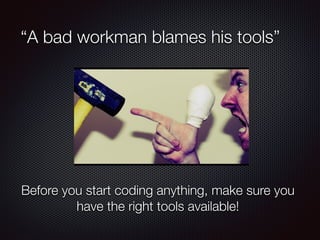
“A bad workman blames his tools”
Before you start coding anything, make sure you
have the right tools available!
IDE……… Xcode
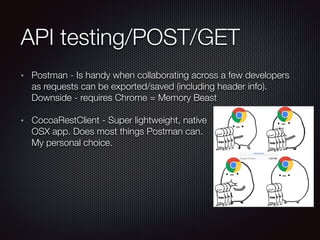
API testing/POST/GET
Postman - Is handy when collaborating across a few developers
as requests can be exported/saved (including header info).
Downside - requires Chrome = Memory Beast
CocoaRestClient - Super lightweight, native

OSX app. Does most things Postman can.

My personal choice.
API testing TCP/HTTP
Charles - Really powerful HTTP proxy that allows you to actually
see the traffic your app is sending/receiving in real time. Possible
to spoof your SSL cert in order to see encrypted traffic. 

Downside - Costs $50 (worth it though)
Wireshark - Allows you to intercept traffic going to/from your app
and analyse the packet contents/HTTP headers etc. Globally
recognised as the number 1 opensource app for this job.

Downside - Requires a fair amount of set up (which can be a little
intimidating)
Automation tools
Automator - Seriously underused/underrated app packaged with
every build of OSX
Great to do batch tasks e.g. Change 100 images to a
specific size
Visually build complex shell scripts and mix in AppleScript or
whatever you need
Fastlane/deliver - Takes the pain out of uploading metadata and
screenshots to iTunes connect
What took days now takes 6 minutes!!
SQLite (Looking at your DB)
SQLPro - Native OSX app. Most stable and reliable I have found. 

Downside - costs $10
SQLiteManager - Browser plug in for FireFox

Downside - lacks quality of dedicated app
Planning
Proper Preparation Prevents Poor Performance
AGILE (Just a few basics)
Create ‘user stories’ from the specification
Be Data driven - Gut feeling will only get you so far!!!!!
Be user driven - What do your users want ?
Be Involved - Don’t be shy, have an opinion, use your knowledge
to advance the idea. Spot flaws NOW, not 1 month down the line.
You will save yourself time, money and a lot of headaches.
Iterate - Check, Do, Check, Change
Time to start coding (nearly)
Get an API spec!
Get the wireframes!!
Get a logic flowchart!!!
Get the designs/assets/brand guidelines!!!!
Research any third party tools!!!!!
Which Design Pattern ?
Whilst analysing the wireframes, look for View Controllers that
have a common theme.
Spot repeating elements - multiple payment options e.g. Linepay,
Alipay, Paypal - can we link them ?
Think long term. This is a project you may have to deal with in 12
months time. Do yourself a favour and make the right decisions
now.
Facade pattern
Keeps the API’s normalised
Hides complexity behind a simple method
Makes it easier to refactor code
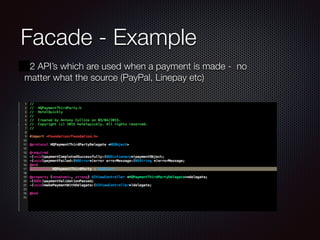
Facade - Example
2 API’s which are used when a payment is made - no
matter what the source (PayPal, Linepay etc)
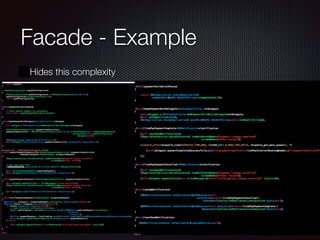
Facade - Example
Hides this complexity
Singleton - Good and Bad
Ask yourself these questions:
“Does the object need to be referenced by multiple other objects at
the same time e.g. needs to be ‘Thread safe’ ?“
“Does the current ‘state’ need to be always up to date when
referenced ?”
“Is there a risk that if a duplicate object is created, the calling object
might be pointing at the wrong object?”
If yes to all of these - USE A SINGLETON!
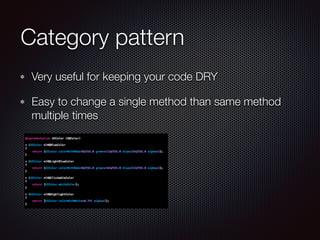
Category pattern
Very useful for keeping your code DRY
Easy to change a single method than same method
multiple times
Delegate vs Notifications
Use a delegate pattern if it is only a single object that
cares about the event
Use NSNotifications when you need more then one
object to know about the event
Delegates allow you to have more transparent objects
as you can specify @required @optional
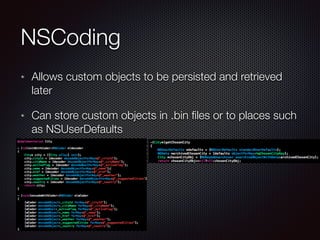
NSCoding
Allows custom objects to be persisted and retrieved
later
Can store custom objects in .bin files or to places such
as NSUserDefaults
Daily Coding tips
D.R.Y - Dont Repeat Yourself
The patterns mentioned will naturally force you to be D.R.Y
It will become a natural part of your refactoring
Don’t do magic to achieve D.R.Y
Unit Testing
Try and add unit tests from the beginning of a project. Retrofitting unit
tests can be painful .
Great new UITesting tools in Xcode 7
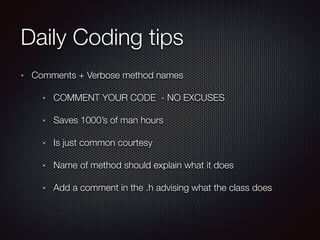
Daily Coding tips
Comments + Verbose method names
COMMENT YOUR CODE - NO EXCUSES
Saves 1000’s of man hours
Is just common courtesy
Name of method should explain what it does
Add a comment in the .h advising what the class does
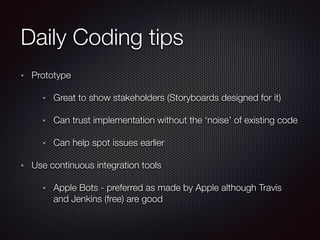
Daily Coding tips
Prototype
Great to show stakeholders (Storyboards designed for it)
Can trust implementation without the ‘noise’ of existing code
Can help spot issues earlier
Use continuous integration tools
Apple Bots - preferred as made by Apple although Travis
and Jenkins (free) are good
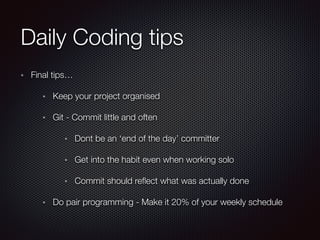
Daily Coding tips
Final tips…
Keep your project organised
Git - Commit little and often
Dont be an ‘end of the day’ committer
Get into the habit even when working solo
Commit should reflect what was actually done
Do pair programming - Make it 20% of your weekly schedule
Text
ENJOY CODING!!!
Any questions ?

iOS development best practices

  • 1.
    iOS Development Best Practices TonyCollins - Lead iOS developer Jonathan Winger-Lang - iOS developer
  • 2.
    “A bad workmanblames his tools” Before you start coding anything, make sure you have the right tools available!
  • 3.
  • 4.
    API testing/POST/GET Postman -Is handy when collaborating across a few developers as requests can be exported/saved (including header info). Downside - requires Chrome = Memory Beast CocoaRestClient - Super lightweight, native
 OSX app. Does most things Postman can.
 My personal choice.
  • 5.
    API testing TCP/HTTP Charles- Really powerful HTTP proxy that allows you to actually see the traffic your app is sending/receiving in real time. Possible to spoof your SSL cert in order to see encrypted traffic. 
 Downside - Costs $50 (worth it though) Wireshark - Allows you to intercept traffic going to/from your app and analyse the packet contents/HTTP headers etc. Globally recognised as the number 1 opensource app for this job.
 Downside - Requires a fair amount of set up (which can be a little intimidating)
  • 6.
    Automation tools Automator -Seriously underused/underrated app packaged with every build of OSX Great to do batch tasks e.g. Change 100 images to a specific size Visually build complex shell scripts and mix in AppleScript or whatever you need Fastlane/deliver - Takes the pain out of uploading metadata and screenshots to iTunes connect What took days now takes 6 minutes!!
  • 7.
    SQLite (Looking atyour DB) SQLPro - Native OSX app. Most stable and reliable I have found. 
 Downside - costs $10 SQLiteManager - Browser plug in for FireFox
 Downside - lacks quality of dedicated app
  • 8.
  • 9.
    AGILE (Just afew basics) Create ‘user stories’ from the specification Be Data driven - Gut feeling will only get you so far!!!!! Be user driven - What do your users want ? Be Involved - Don’t be shy, have an opinion, use your knowledge to advance the idea. Spot flaws NOW, not 1 month down the line. You will save yourself time, money and a lot of headaches. Iterate - Check, Do, Check, Change
  • 10.
    Time to startcoding (nearly) Get an API spec! Get the wireframes!! Get a logic flowchart!!! Get the designs/assets/brand guidelines!!!! Research any third party tools!!!!!
  • 11.
    Which Design Pattern? Whilst analysing the wireframes, look for View Controllers that have a common theme. Spot repeating elements - multiple payment options e.g. Linepay, Alipay, Paypal - can we link them ? Think long term. This is a project you may have to deal with in 12 months time. Do yourself a favour and make the right decisions now.
  • 12.
    Facade pattern Keeps theAPI’s normalised Hides complexity behind a simple method Makes it easier to refactor code
  • 13.
    Facade - Example 2API’s which are used when a payment is made - no matter what the source (PayPal, Linepay etc)
  • 14.
    Facade - Example Hidesthis complexity
  • 15.
    Singleton - Goodand Bad Ask yourself these questions: “Does the object need to be referenced by multiple other objects at the same time e.g. needs to be ‘Thread safe’ ?“ “Does the current ‘state’ need to be always up to date when referenced ?” “Is there a risk that if a duplicate object is created, the calling object might be pointing at the wrong object?” If yes to all of these - USE A SINGLETON!
  • 16.
    Category pattern Very usefulfor keeping your code DRY Easy to change a single method than same method multiple times
  • 17.
    Delegate vs Notifications Usea delegate pattern if it is only a single object that cares about the event Use NSNotifications when you need more then one object to know about the event Delegates allow you to have more transparent objects as you can specify @required @optional
  • 18.
    NSCoding Allows custom objectsto be persisted and retrieved later Can store custom objects in .bin files or to places such as NSUserDefaults
  • 19.
    Daily Coding tips D.R.Y- Dont Repeat Yourself The patterns mentioned will naturally force you to be D.R.Y It will become a natural part of your refactoring Don’t do magic to achieve D.R.Y Unit Testing Try and add unit tests from the beginning of a project. Retrofitting unit tests can be painful . Great new UITesting tools in Xcode 7
  • 20.
    Daily Coding tips Comments+ Verbose method names COMMENT YOUR CODE - NO EXCUSES Saves 1000’s of man hours Is just common courtesy Name of method should explain what it does Add a comment in the .h advising what the class does
  • 21.
    Daily Coding tips Prototype Greatto show stakeholders (Storyboards designed for it) Can trust implementation without the ‘noise’ of existing code Can help spot issues earlier Use continuous integration tools Apple Bots - preferred as made by Apple although Travis and Jenkins (free) are good
  • 22.
    Daily Coding tips Finaltips… Keep your project organised Git - Commit little and often Dont be an ‘end of the day’ committer Get into the habit even when working solo Commit should reflect what was actually done Do pair programming - Make it 20% of your weekly schedule
  • 23.
  • 24.