Introduction to PID Control
8/8/2023 Brad Schofield 2
Brad Schofield, BE ICS AP
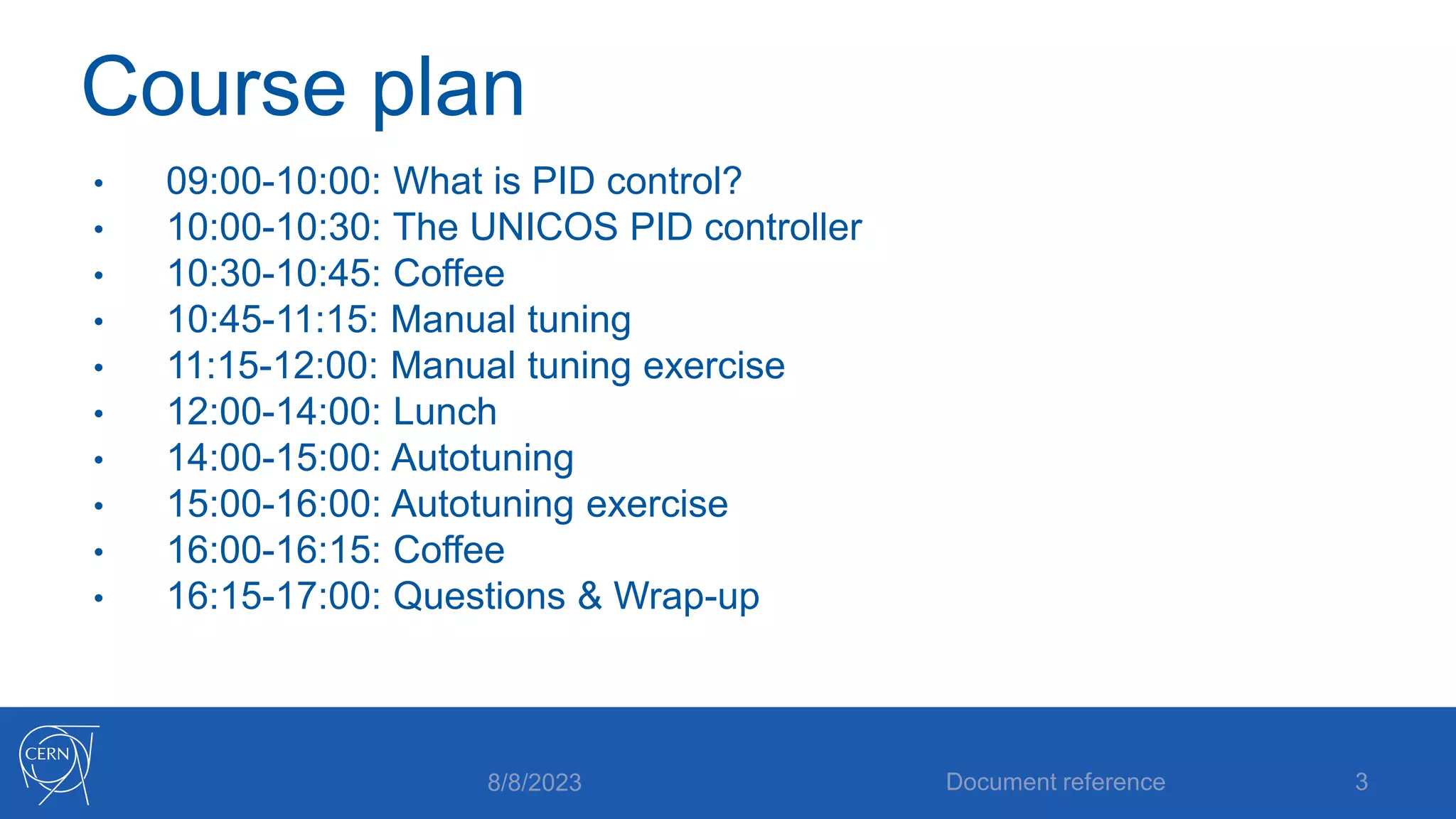
Course plan
• 09:00-10:00: What is PID control?
• 10:00-10:30: The UNICOS PID controller
• 10:30-10:45: Coffee
• 10:45-11:15: Manual tuning
• 11:15-12:00: Manual tuning exercise
• 12:00-14:00: Lunch
• 14:00-15:00: Autotuning
• 15:00-16:00: Autotuning exercise
• 16:00-16:15: Coffee
• 16:15-17:00: Questions & Wrap-up
8/8/2023 Document reference 3
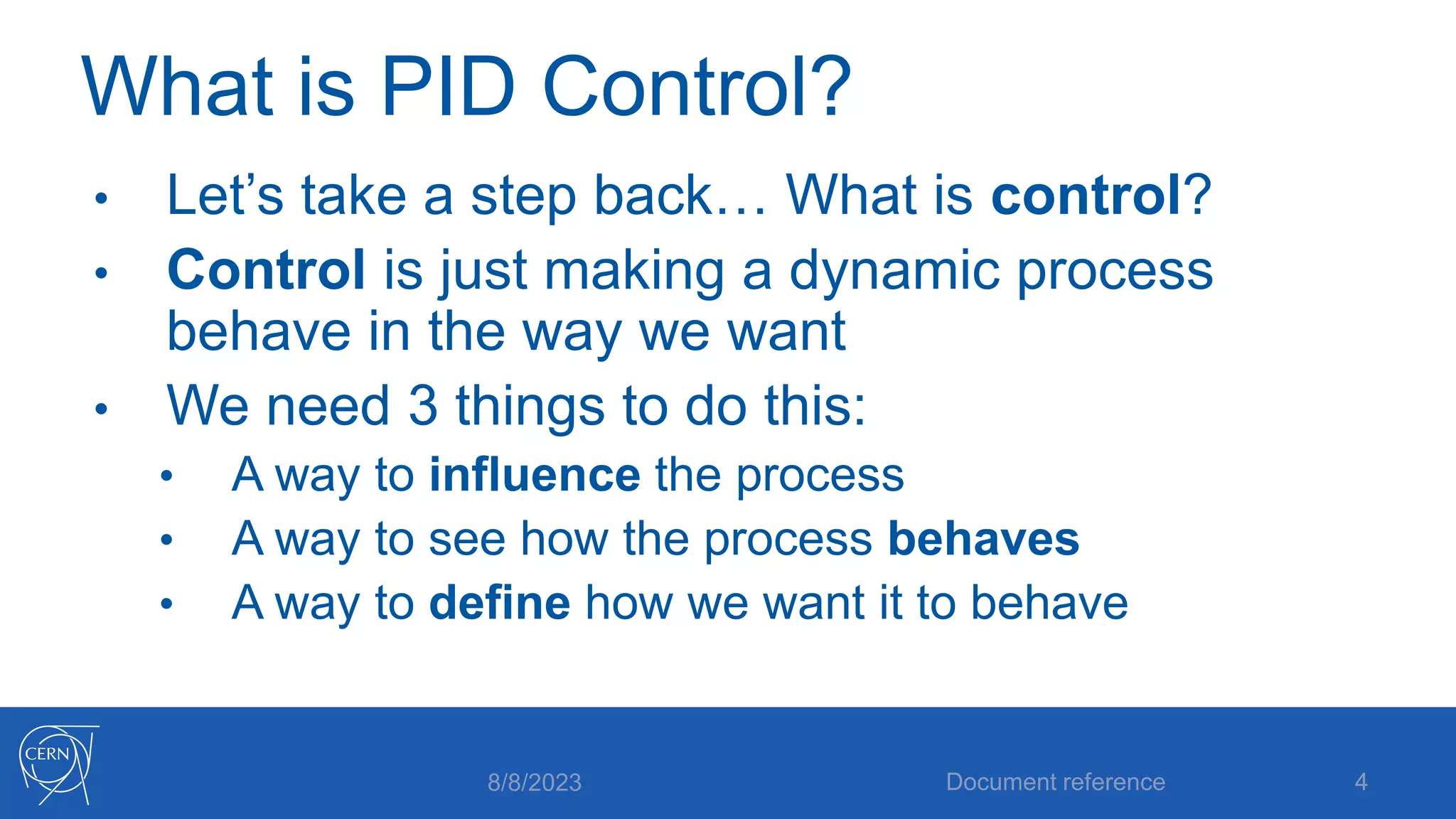
What is PID Control?
• Let’s take a step back… What is control?
• Control is just making a dynamic process
behave in the way we want
• We need 3 things to do this:
• A way to influence the process
• A way to see how the process behaves
• A way to define how we want it to behave
8/8/2023 Document reference 4
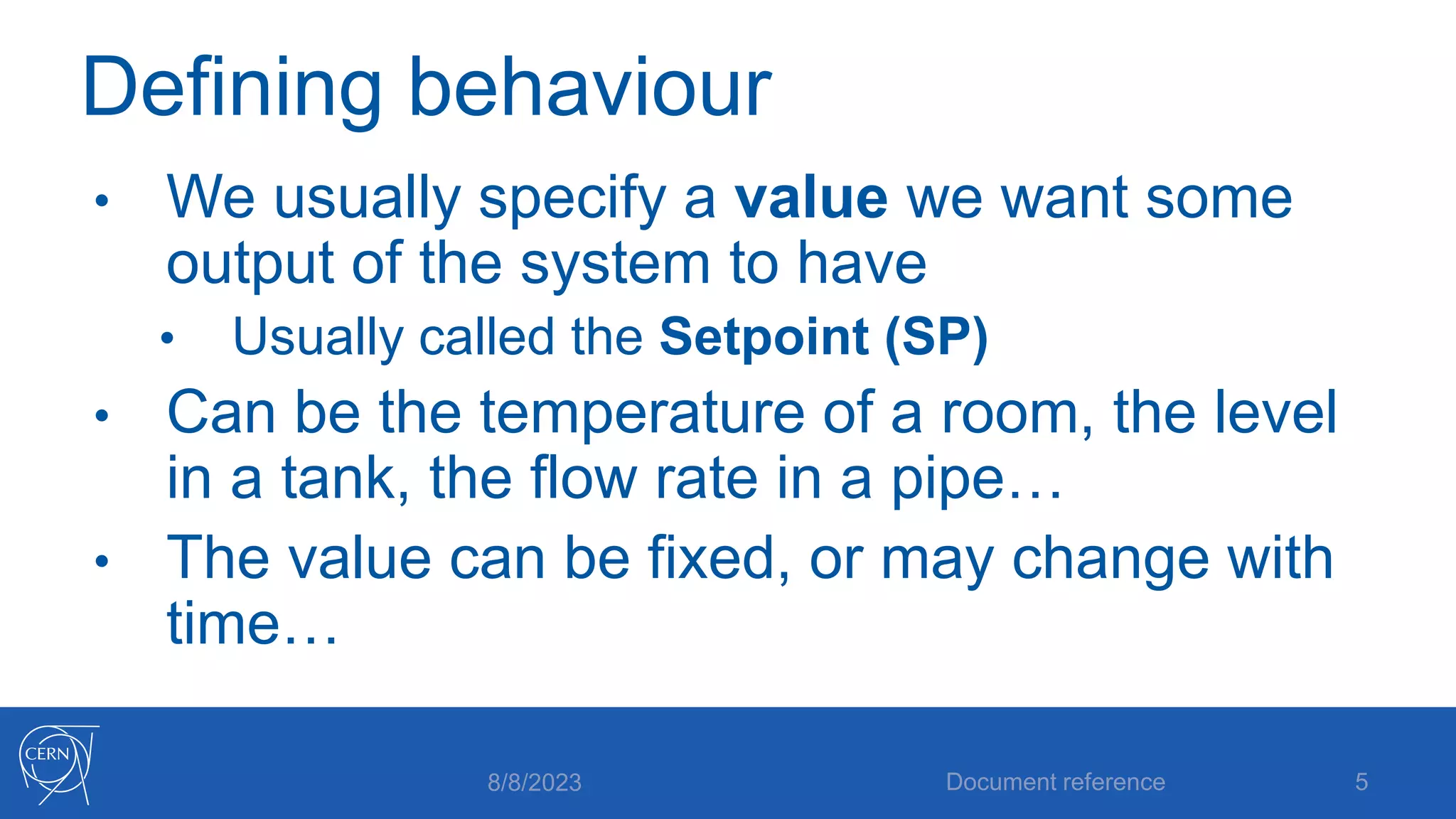
Defining behaviour
• We usually specify a value we want some
output of the system to have
• Usually called the Setpoint (SP)
• Can be the temperature of a room, the level
in a tank, the flow rate in a pipe…
• The value can be fixed, or may change with
time…
8/8/2023 Document reference 5
Influencing the process
• We need some kind of control input which
can create changes in the behavior of the
process
• Can be a heater, a valve, a pump…
• Typically it is not the same physical quantity
as what we are controlling
8/8/2023 Document reference 6
Observing behavior
• If we knew exactly how the process worked,
we would know what the output would be for
a given control input…
• Most of the time we don’t know exactly, so
we need to measure what the process does
• Usually called Measured Variable (MV) or
Process Variable (PV)
8/8/2023 Document reference 7
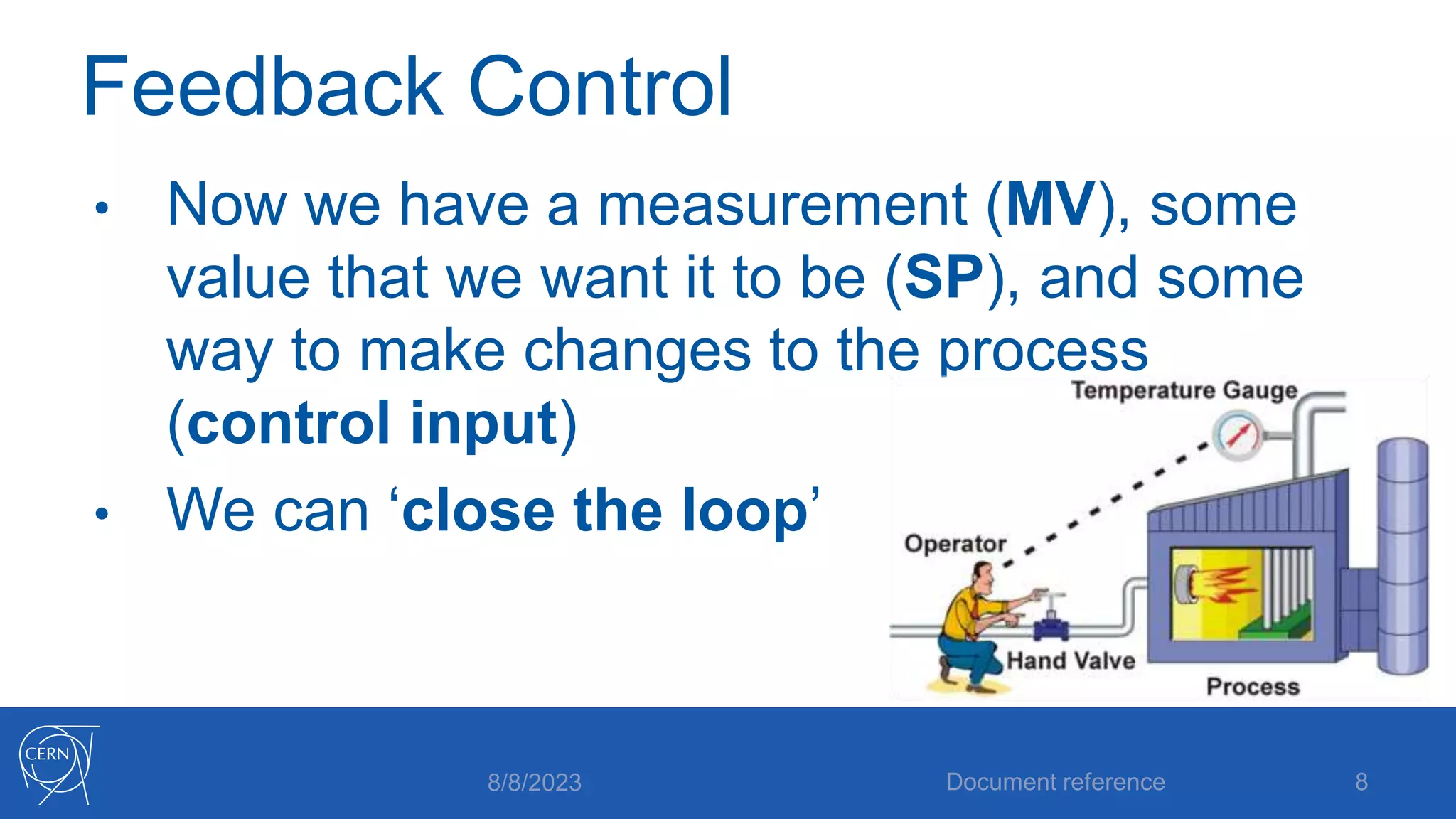
Feedback Control
• Now we have a measurement (MV), some
value that we want it to be (SP), and some
way to make changes to the process
(control input)
• We can ‘close the loop’
8/8/2023 Document reference 8
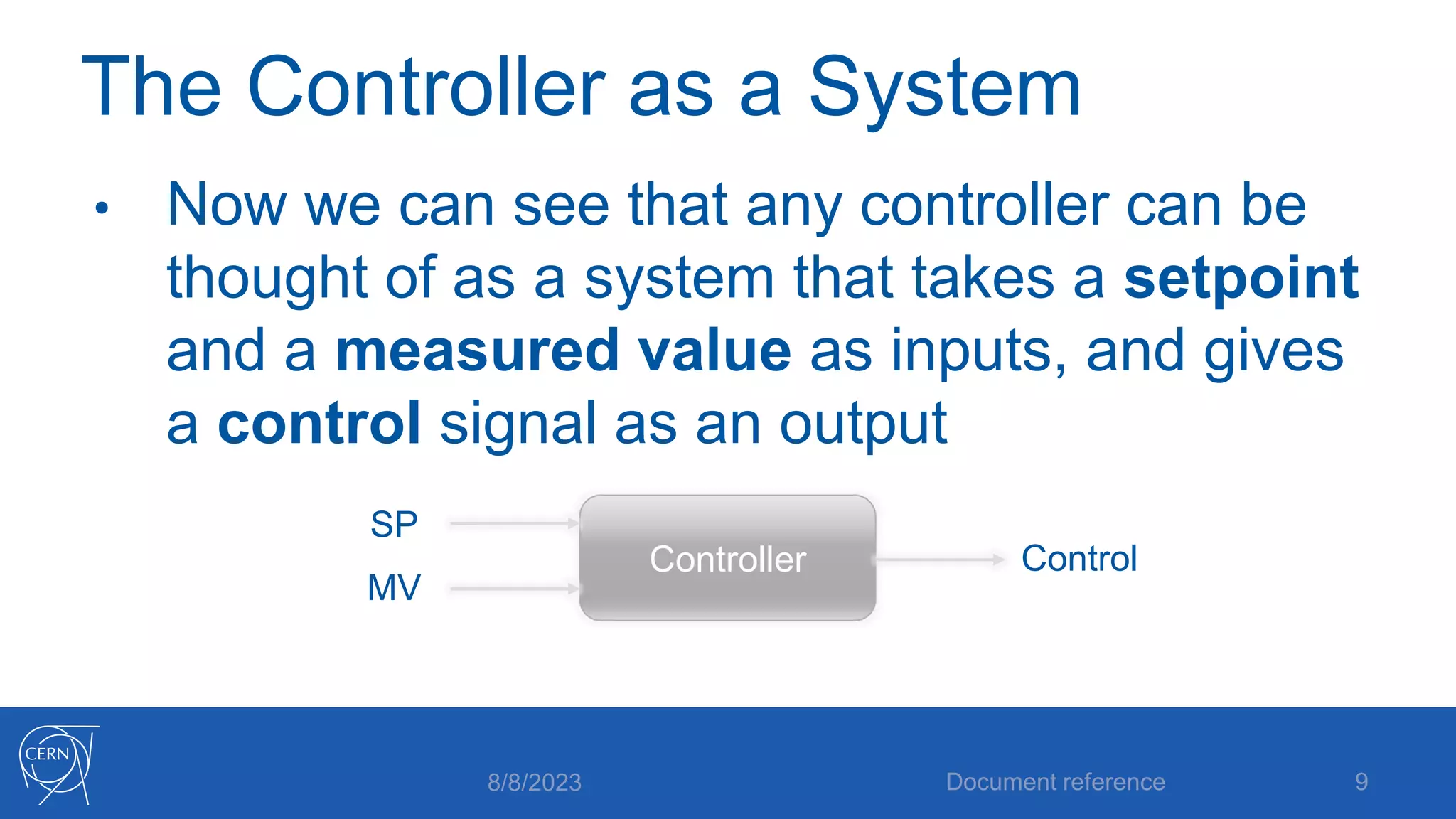
The Controller as a System
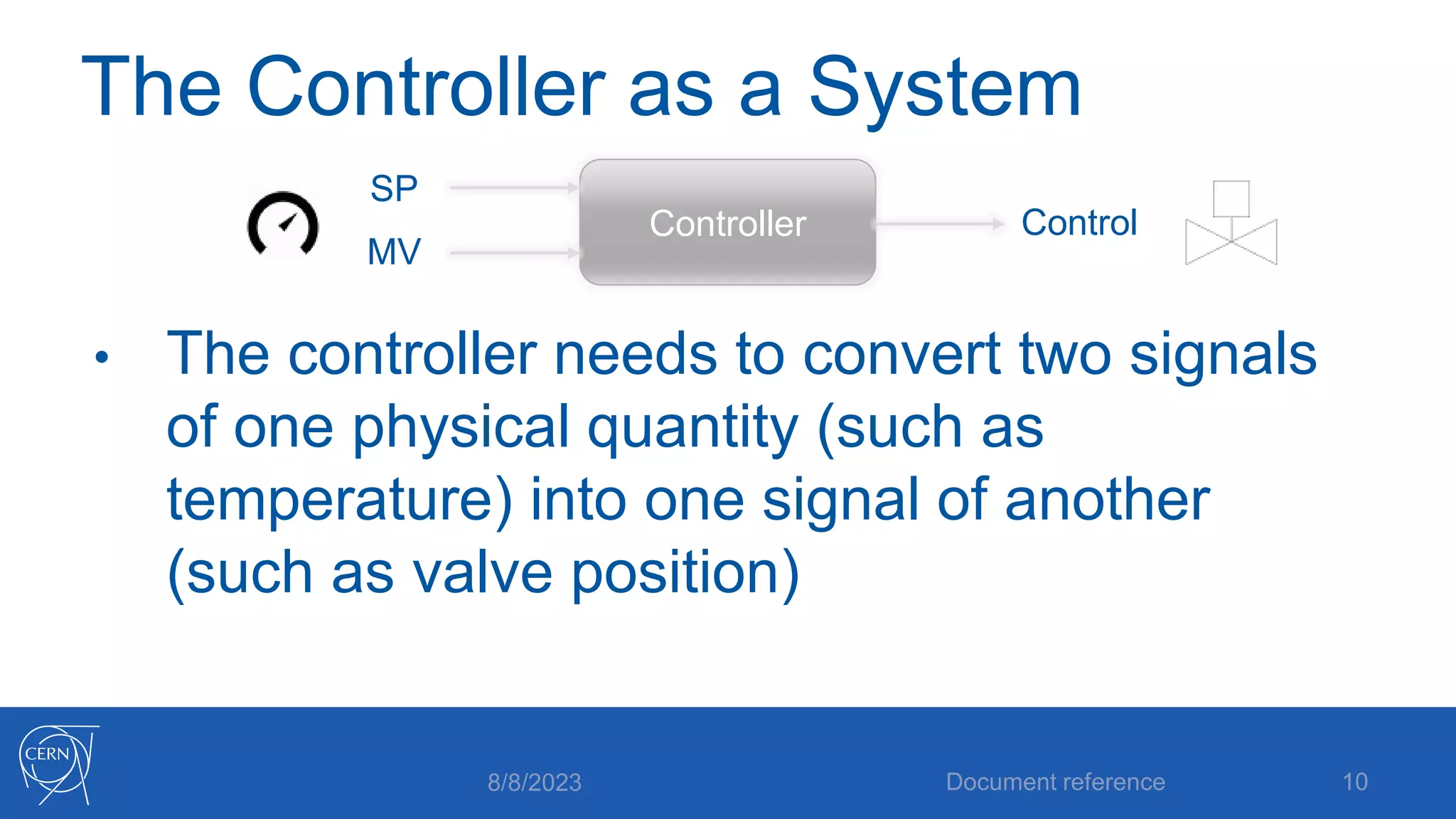
• Now we can see that any controller can be
thought of as a system that takes a setpoint
and a measured value as inputs, and gives
a control signal as an output
8/8/2023 Document reference 9
Controller
SP
MV
Control
The Controller as a System
• The controller needs to convert two signals
of one physical quantity (such as
temperature) into one signal of another
(such as valve position)
8/8/2023 Document reference 10
Controller
SP
MV
Control
The Controller as a System
• We know that the process is a dynamic
system:
• Its outputs depend on current inputs as well as
its past state
• For the controller to deal with this, it makes
sense that it should be a dynamic system
too
8/8/2023 Document reference 11
The Error Signal
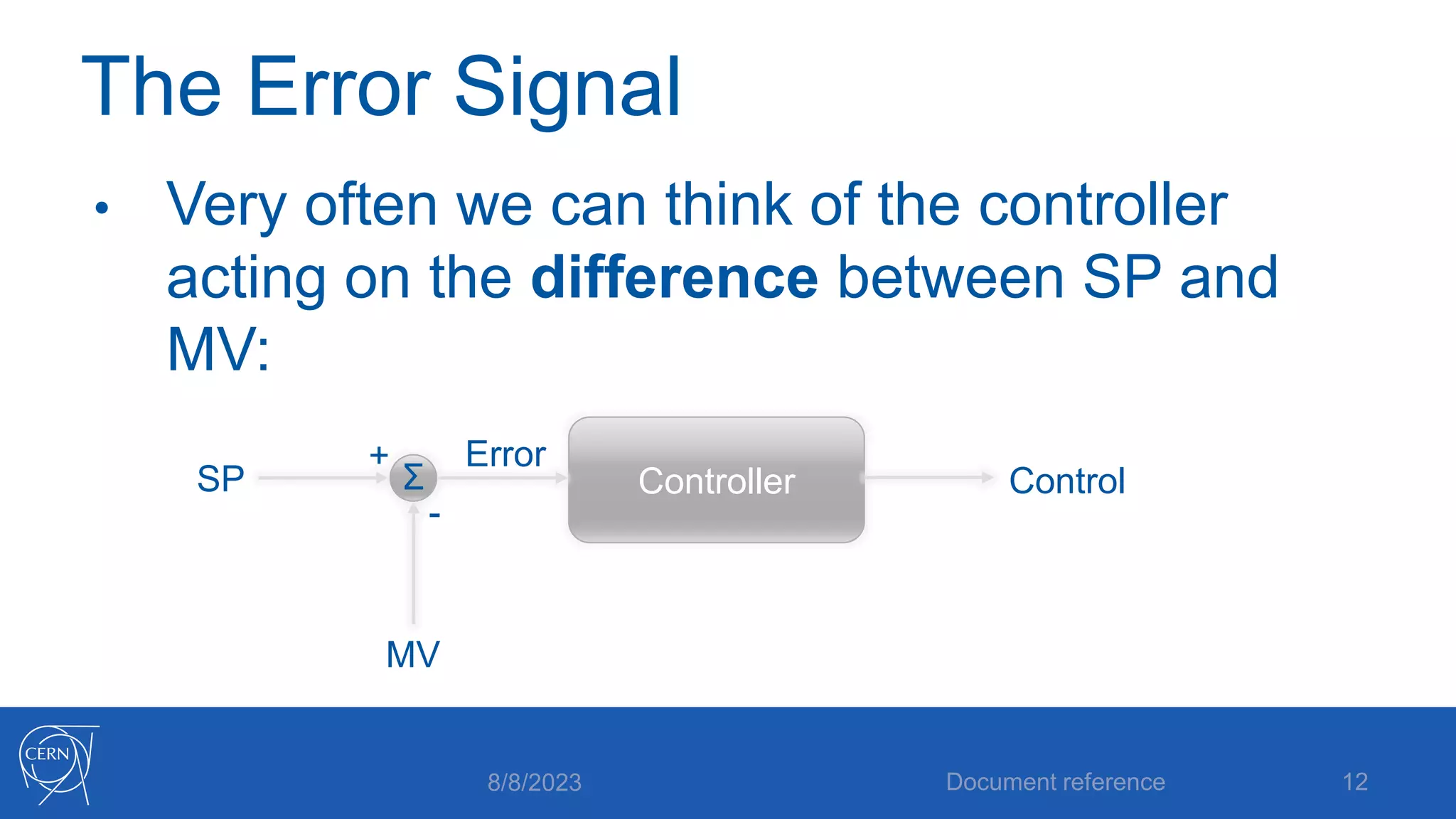
• Very often we can think of the controller
acting on the difference between SP and
MV:
8/8/2023 Document reference 12
Controller
SP
MV
Control
+
-
Error
Σ
The Closed Loop
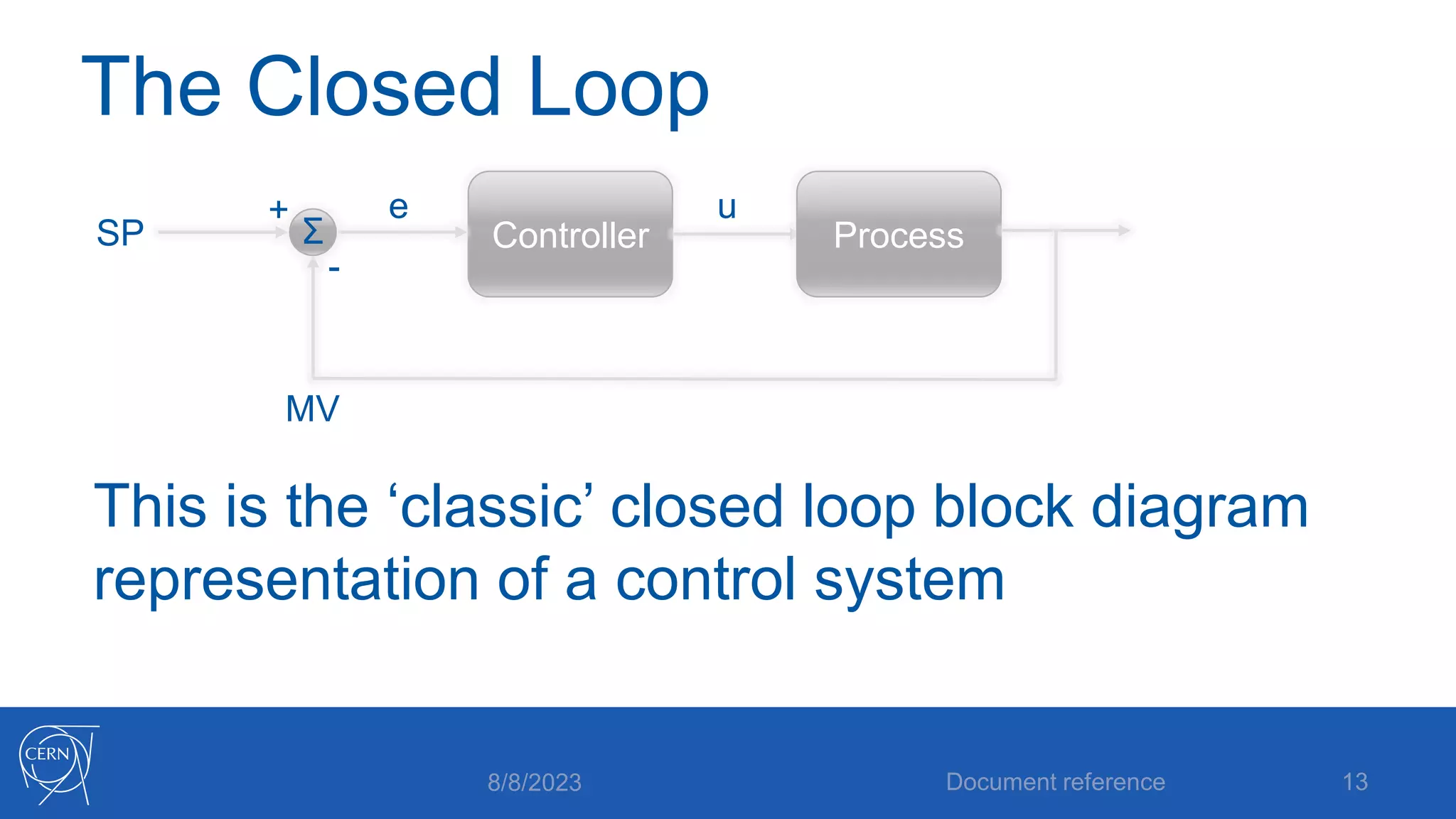
This is the ‘classic’ closed loop block diagram
representation of a control system
8/8/2023 Document reference 13
Controller
SP
MV
+
-
e
Σ Process
u
A Dynamic Controller
• We said that since the process is dynamic
(dependent on inputs made at different times),
it makes sense that the controller should be too
• How do we usually think of time?
• ‘Present’
• ‘Past’
• ‘Future’
8/8/2023 Document reference 14
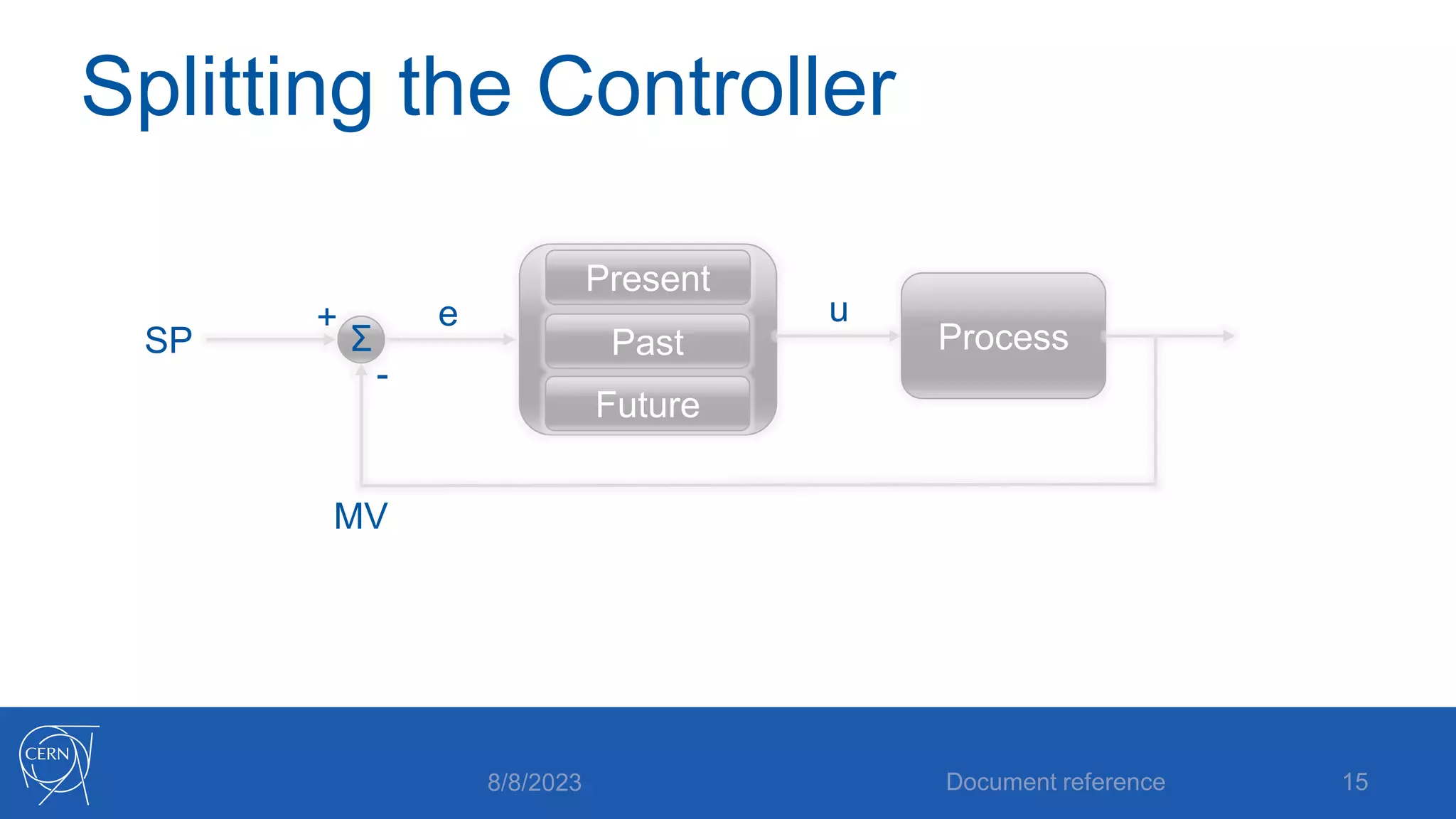
Splitting the Controller
8/8/2023 Document reference 15
SP
MV
+
-
e
Σ Process
Future
Past
Present
u
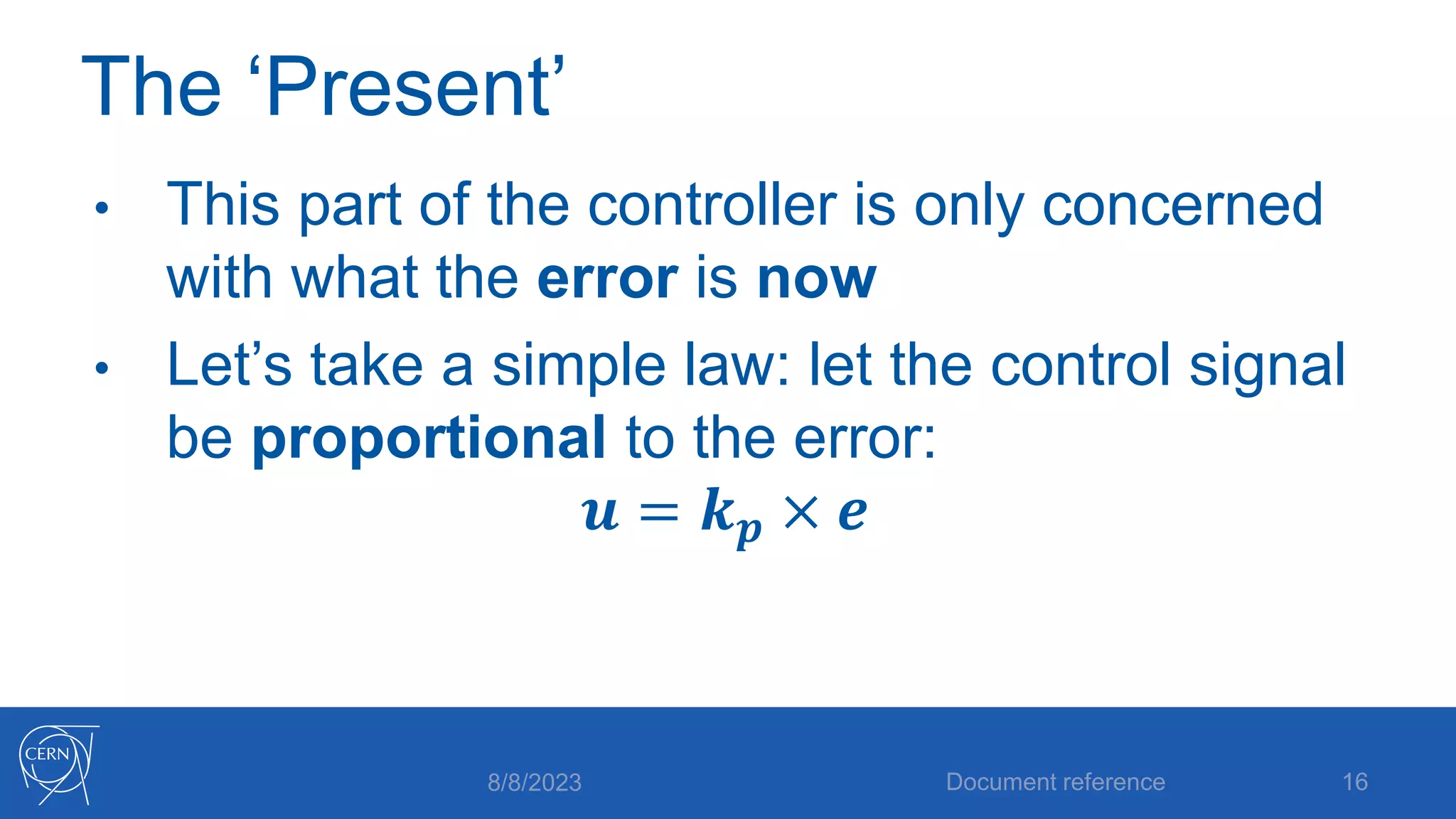
The ‘Present’
• This part of the controller is only concerned
with what the error is now
• Let’s take a simple law: let the control signal
be proportional to the error:
𝒖 = 𝒌𝒑 × 𝒆
8/8/2023 Document reference 16
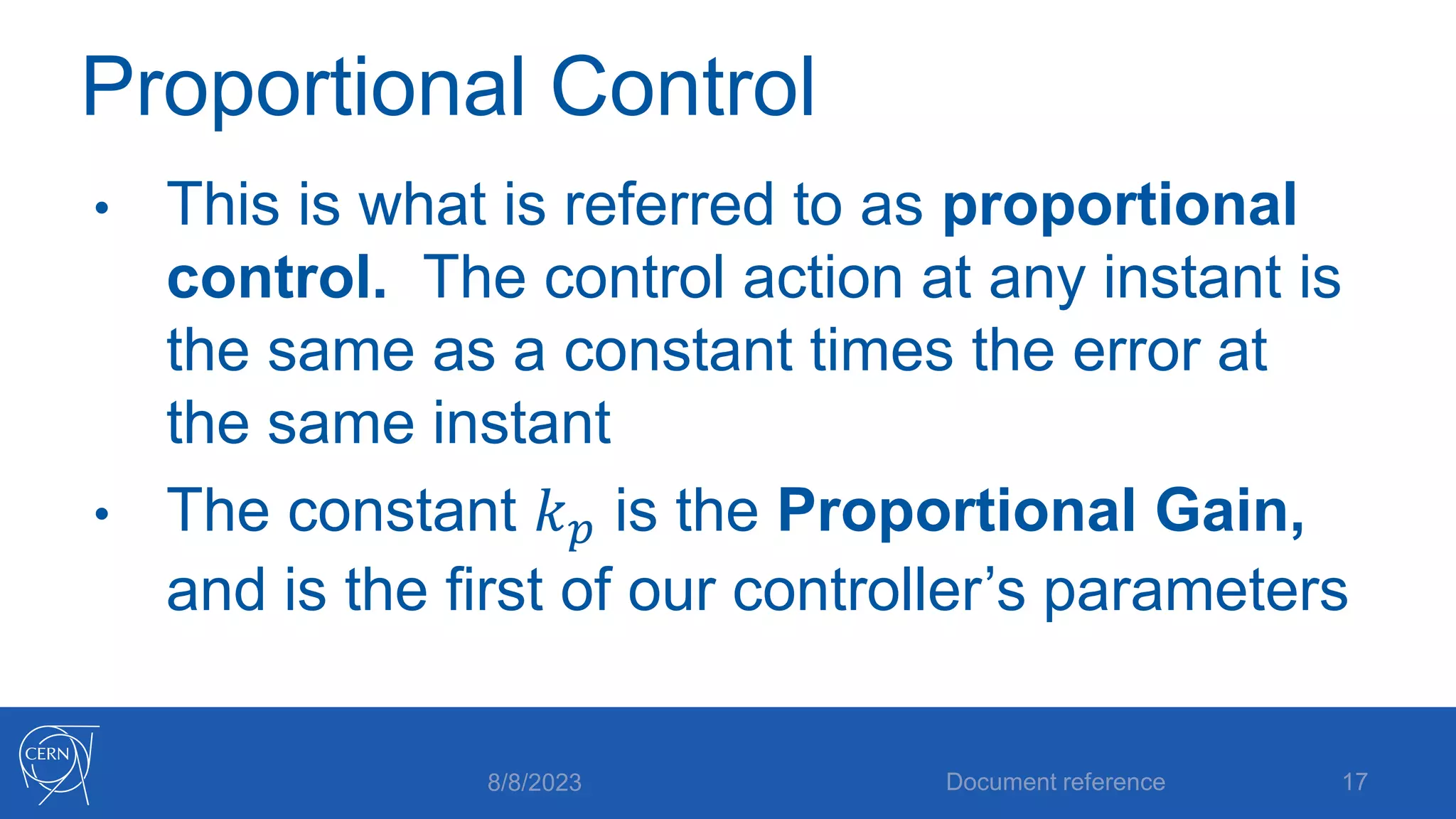
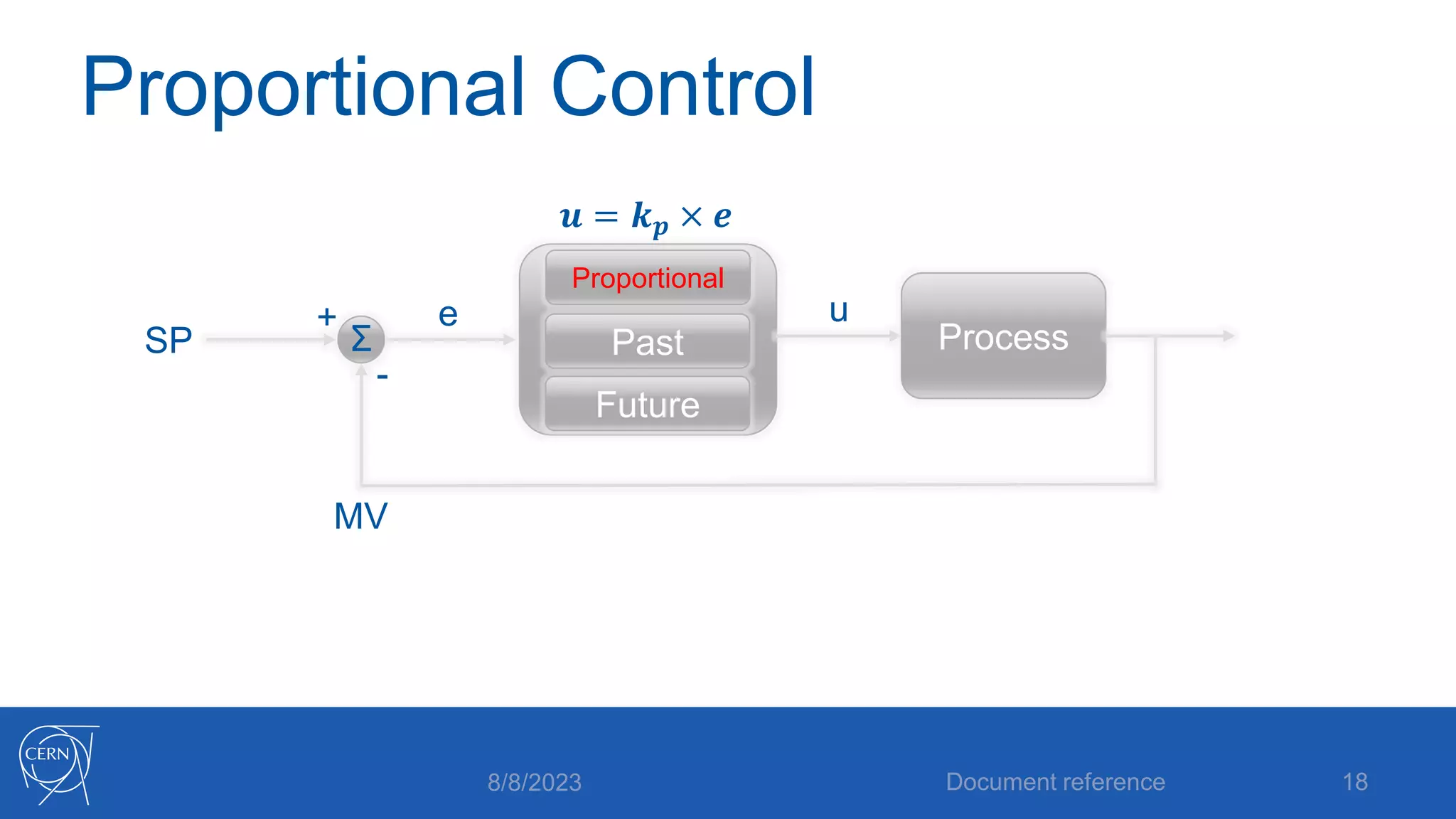
Proportional Control
• This is what is referred to as proportional
control. The control action at any instant is
the same as a constant times the error at
the same instant
• The constant 𝑘𝑝 is the Proportional Gain,
and is the first of our controller’s parameters
8/8/2023 Document reference 17
Proportional Control
8/8/2023 Document reference 18
SP
MV
+
-
e
Σ Process
Future
Past
Proportional
u
𝒖 = 𝒌𝒑 × 𝒆
Is Proportional Control enough?
• Intuitively it seems like it should be fine on
its own: when the error is big, the control
input is big to correct it. As the error reduced
so does the control input.
• But there are problems…
8/8/2023 Document reference 19
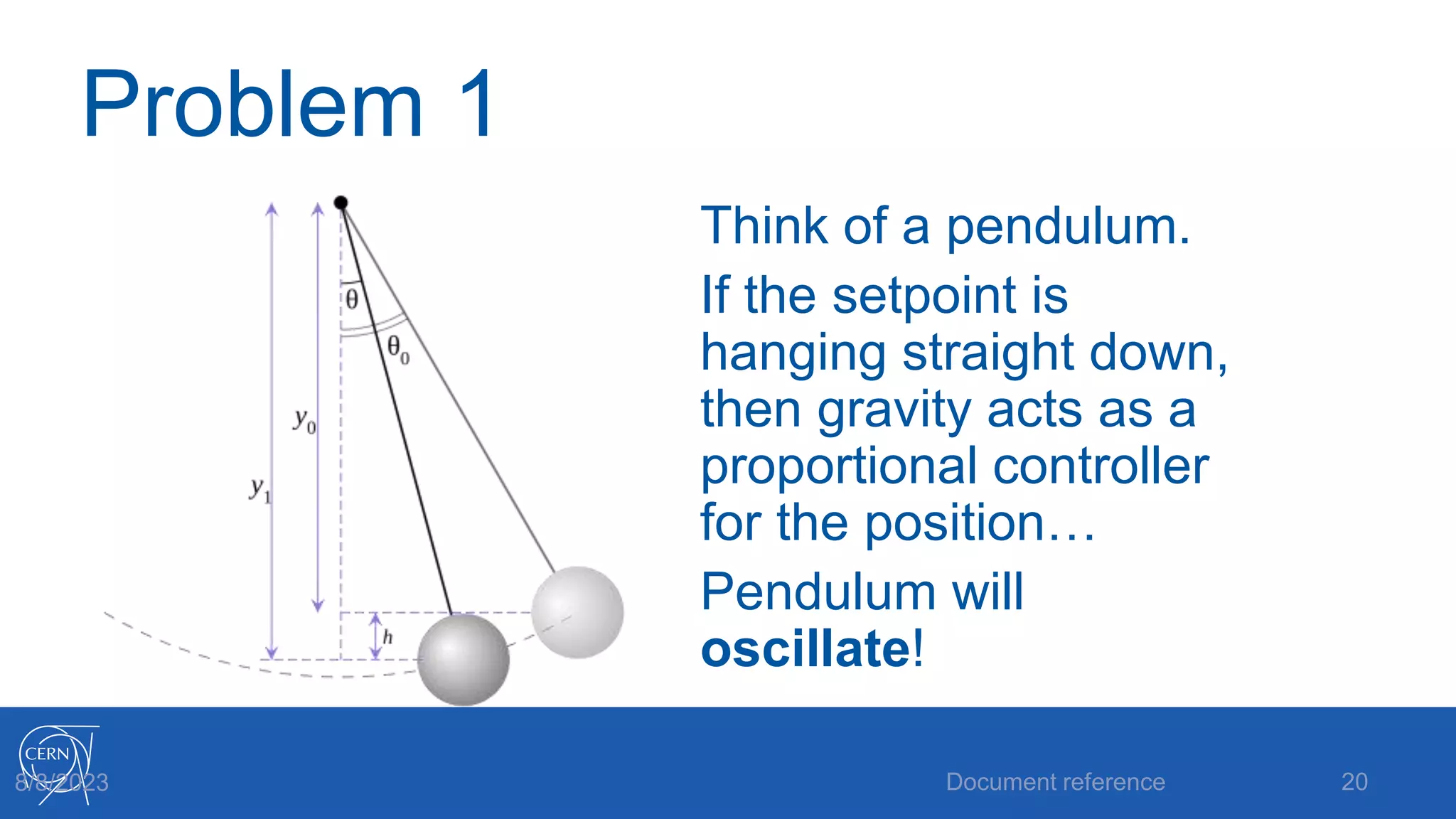
Problem 1
Think of a pendulum.
If the setpoint is
hanging straight down,
then gravity acts as a
proportional controller
for the position…
Pendulum will
oscillate!
Document reference 20
8/8/2023
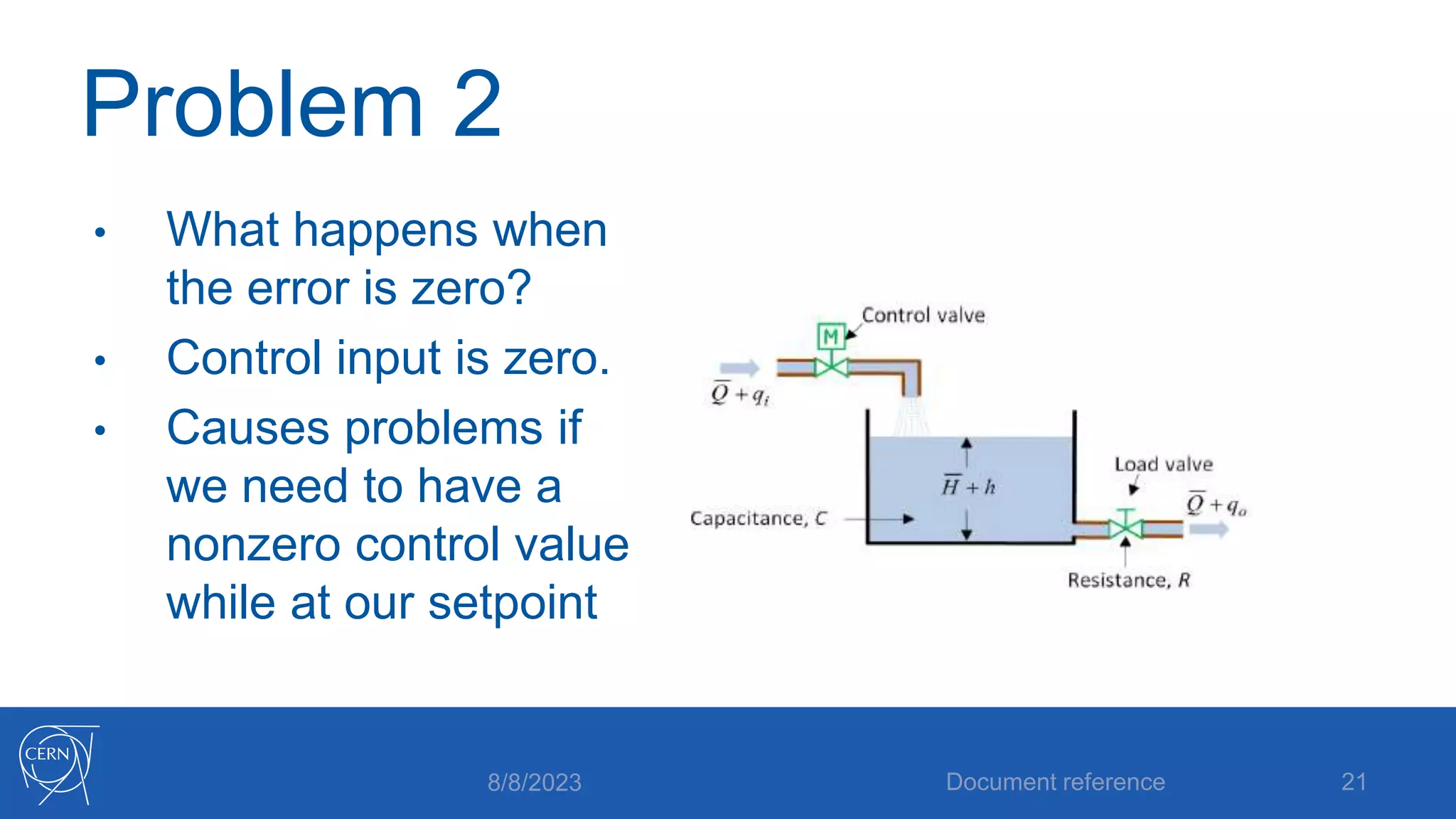
Problem 2
• What happens when
the error is zero?
• Control input is zero.
• Causes problems if
we need to have a
nonzero control value
while at our setpoint
8/8/2023 Document reference 21
Problem 2: steady state error
This problem is
normally called steady
state error
It’s a confusing name.
The issue is just that
the controller can’t
produce any output
when the error is zero.
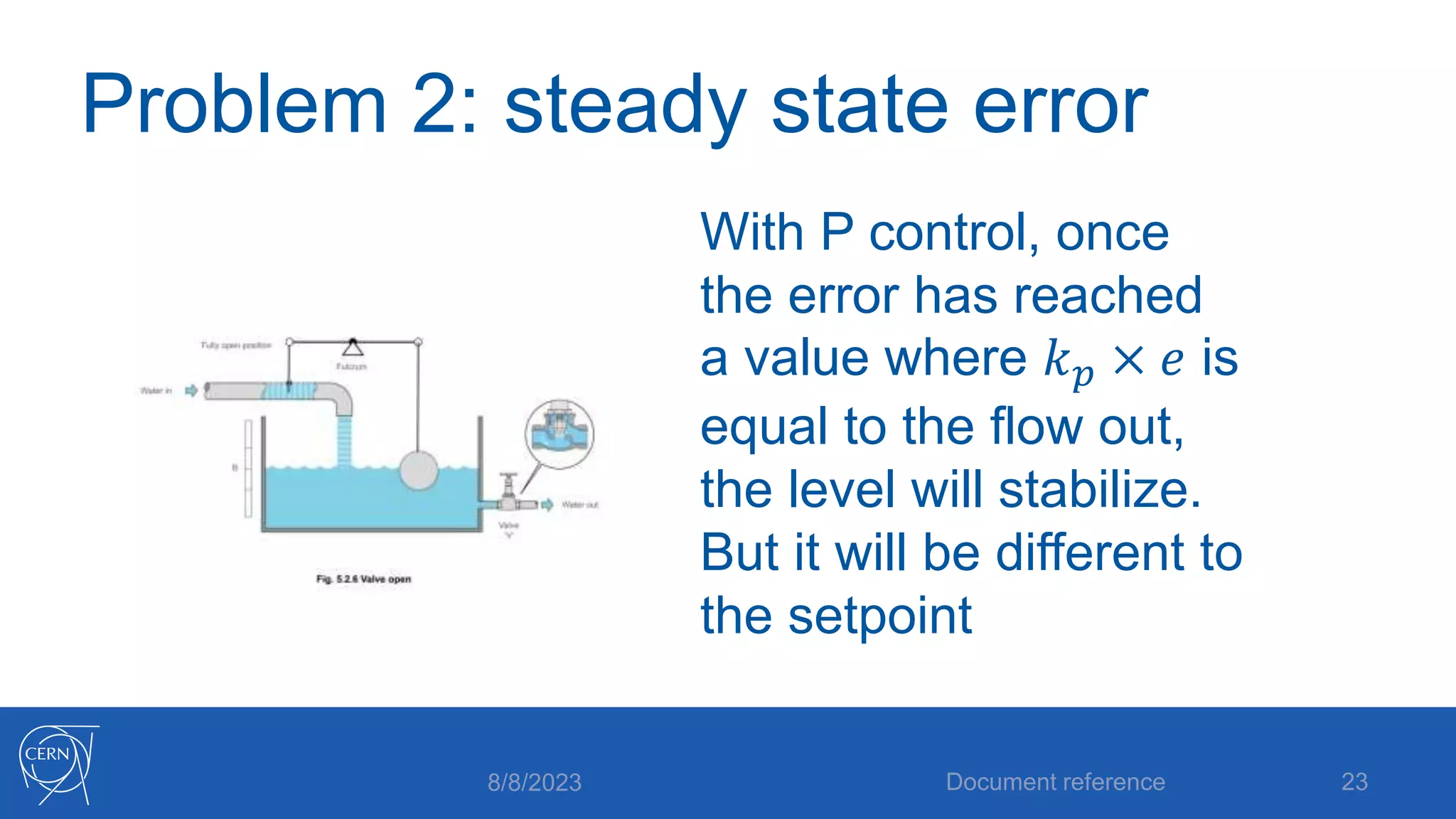
Easiest to see for tank
level control: If there is
a constant flow out of
the tank, the controller
must provide the same
flow in, while the level
is at the setpoint.
8/8/2023 Document reference 22
Problem 2: steady state error
With P control, once
the error has reached
a value where 𝑘𝑝 × 𝑒 is
equal to the flow out,
the level will stabilize.
But it will be different to
the setpoint
8/8/2023 Document reference 23
P control problem summary
• Problem 1:
oscillations
• P control will give us
oscillations in some
processes,
regardless of the
value of the gain
parameter.
• Problem 2: steady
state error
• P control cannot
give us a nonzero
value of the control
at zero error for
some types of
process
8/8/2023 Document reference 24
Solving P control’s problems
• How to get rid of steady state error?
• Let’s ignore the present for the moment and
concentrate on what has happened in the
past
Document reference 25
8/8/2023
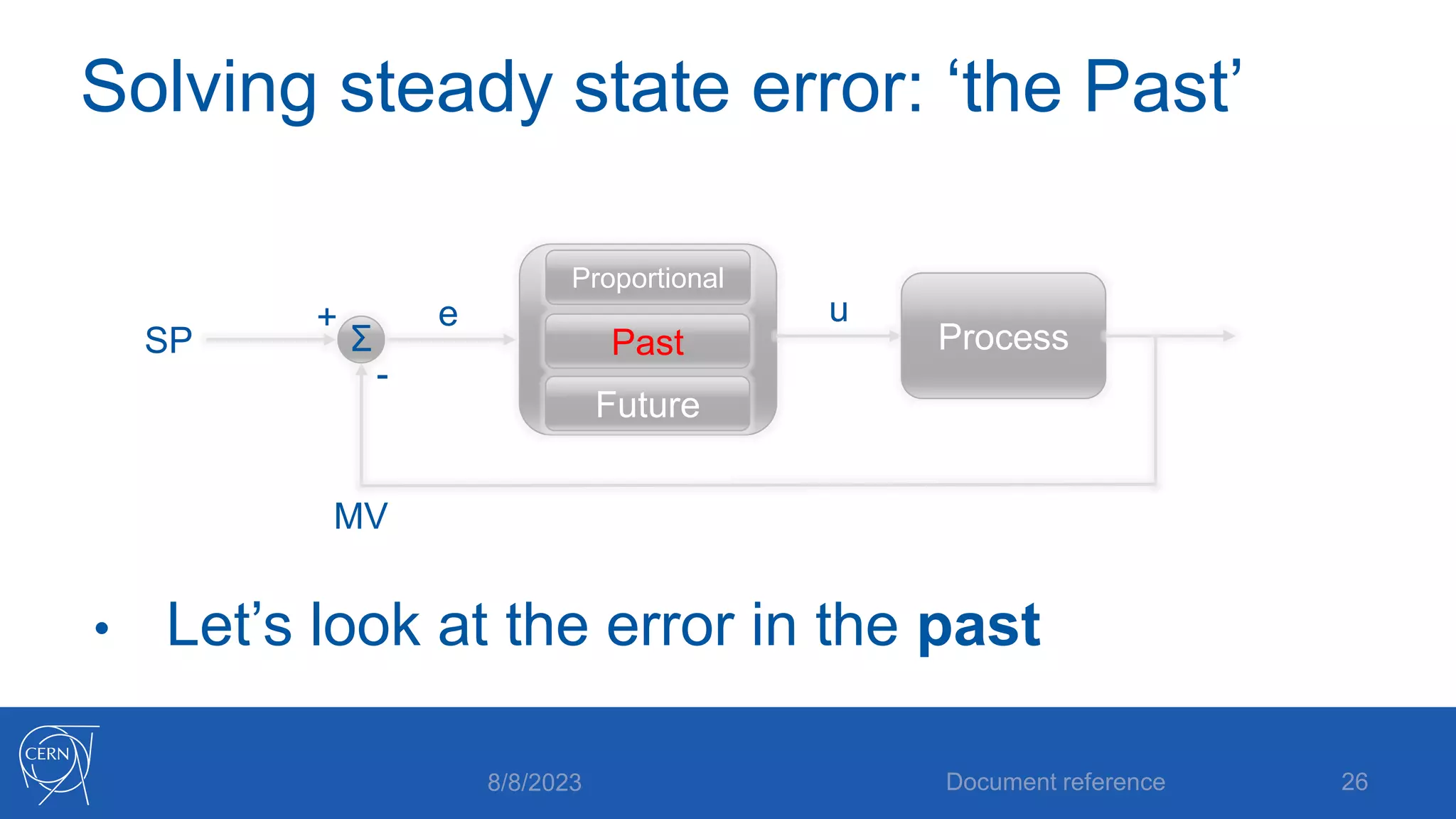
Solving steady state error: ‘the Past’
• Let’s look at the error in the past
8/8/2023 Document reference 26
SP
MV
+
-
e
Σ Process
Future
Past
Proportional
u
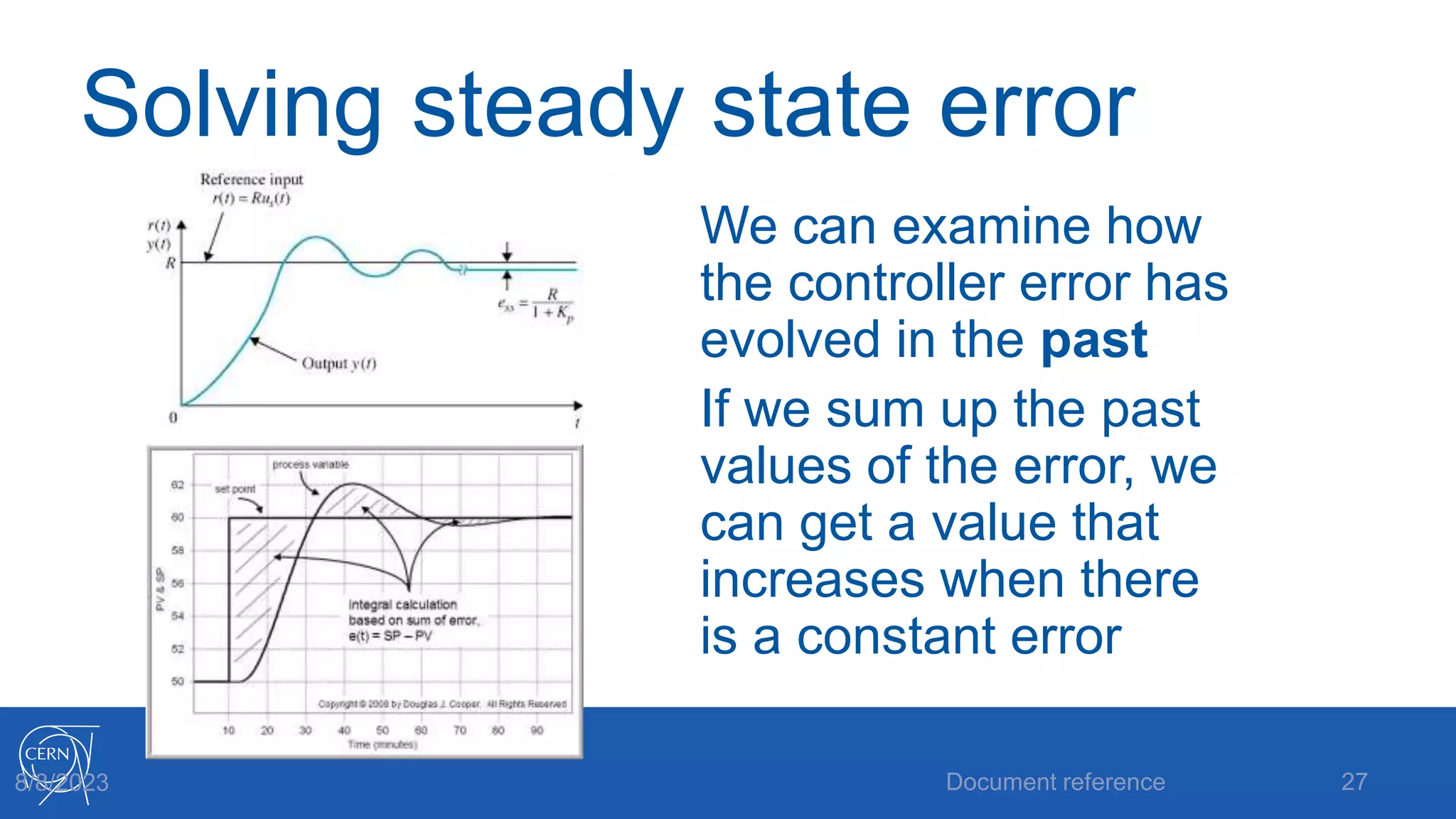
Solving steady state error
We can examine how
the controller error has
evolved in the past
If we sum up the past
values of the error, we
can get a value that
increases when there
is a constant error
Document reference 27
8/8/2023
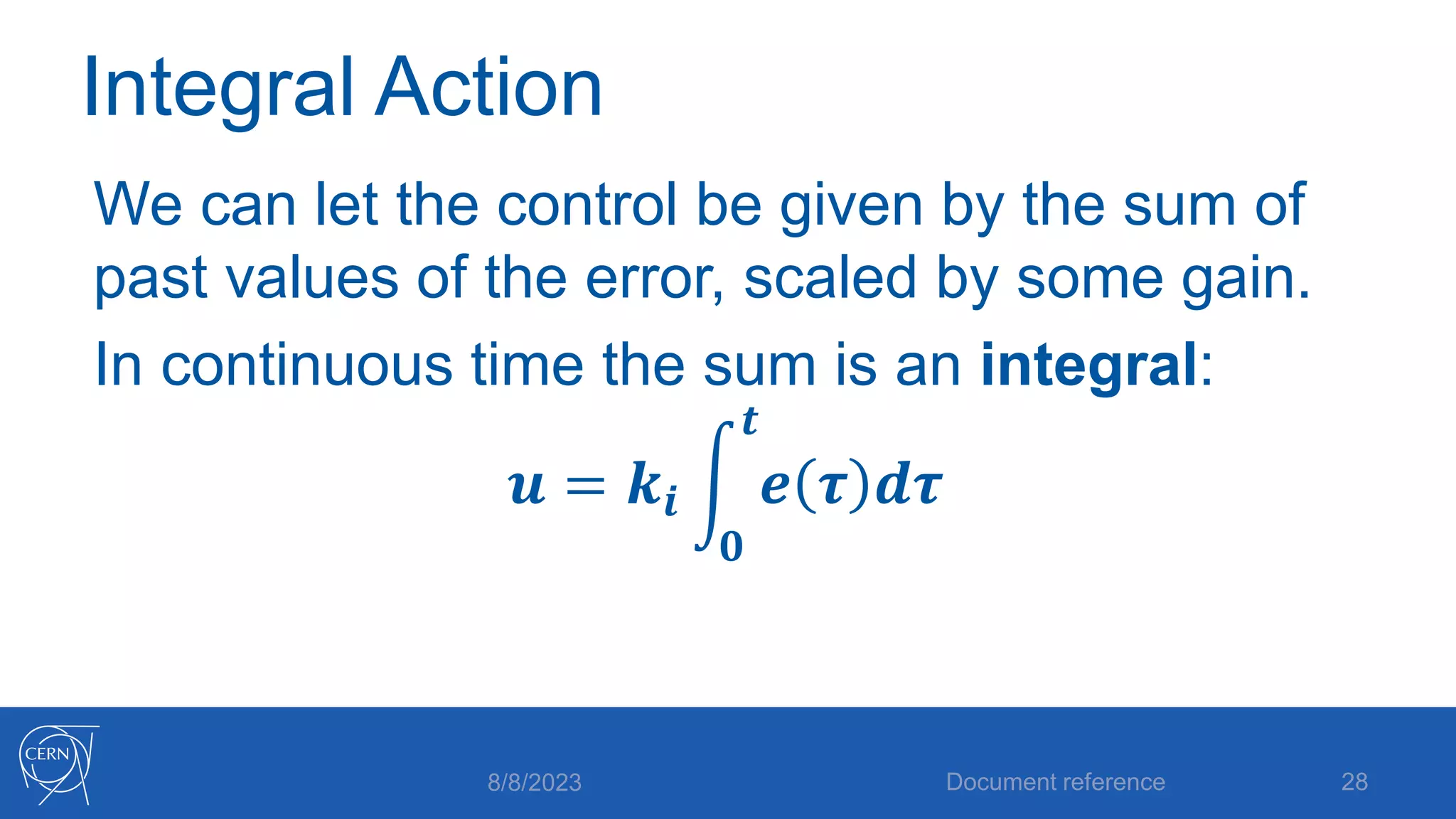
Integral Action
We can let the control be given by the sum of
past values of the error, scaled by some gain.
In continuous time the sum is an integral:
𝒖 = 𝒌𝒊
𝟎
𝒕
𝒆 𝝉 𝒅𝝉
8/8/2023 Document reference 28
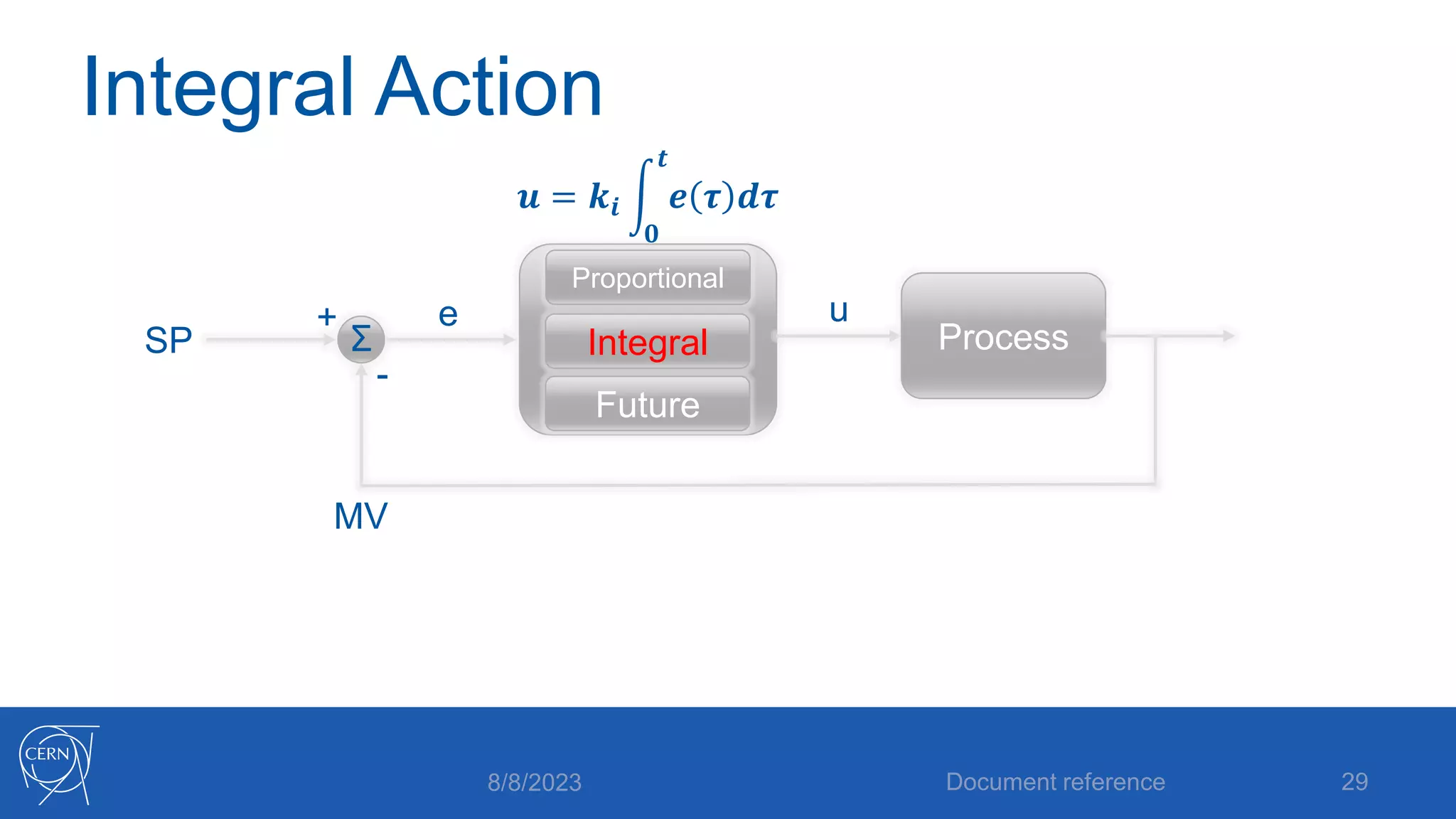
Integral Action
8/8/2023 Document reference 29
SP
MV
+
-
e
Σ Process
Future
Integral
Proportional
u
𝒖 = 𝒌𝒊
𝟎
𝒕
𝒆 𝝉 𝒅𝝉
Integral gain, Integral time
Here is where confusion can start…
We have an integral gain 𝒌𝒊 which converts an
integrated error to a control signal
We would actually like to parameterize this as a
time, as in how fast we can remove a steady
state error
8/8/2023 Document reference 30
Integral gain, Integral time
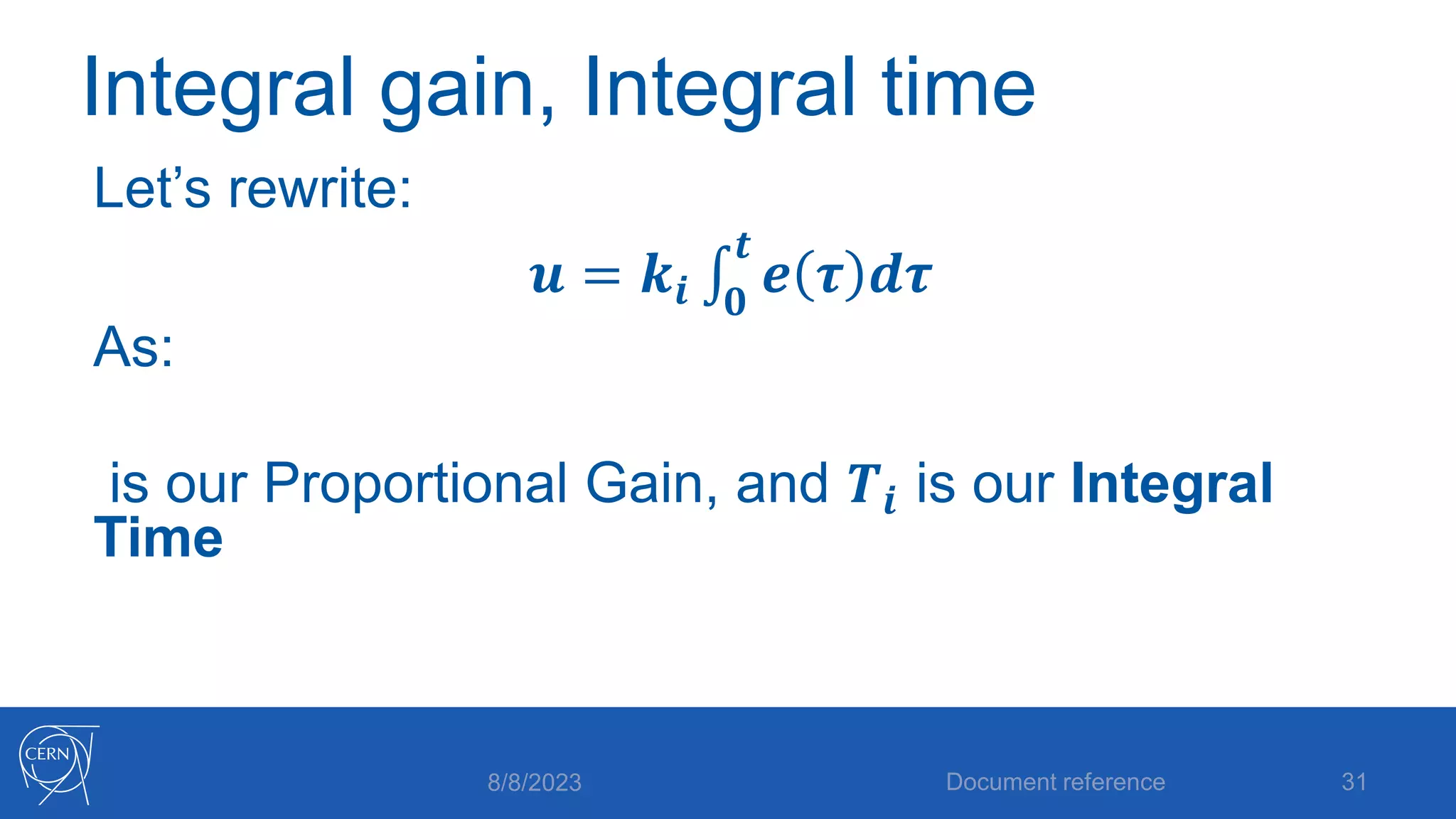
Let’s rewrite:
𝒖 = 𝒌𝒊 𝟎
𝒕
𝒆 𝝉 𝒅𝝉
As:
is our Proportional Gain, and 𝑻𝒊 is our Integral
Time
8/8/2023 Document reference 31
The Integral time
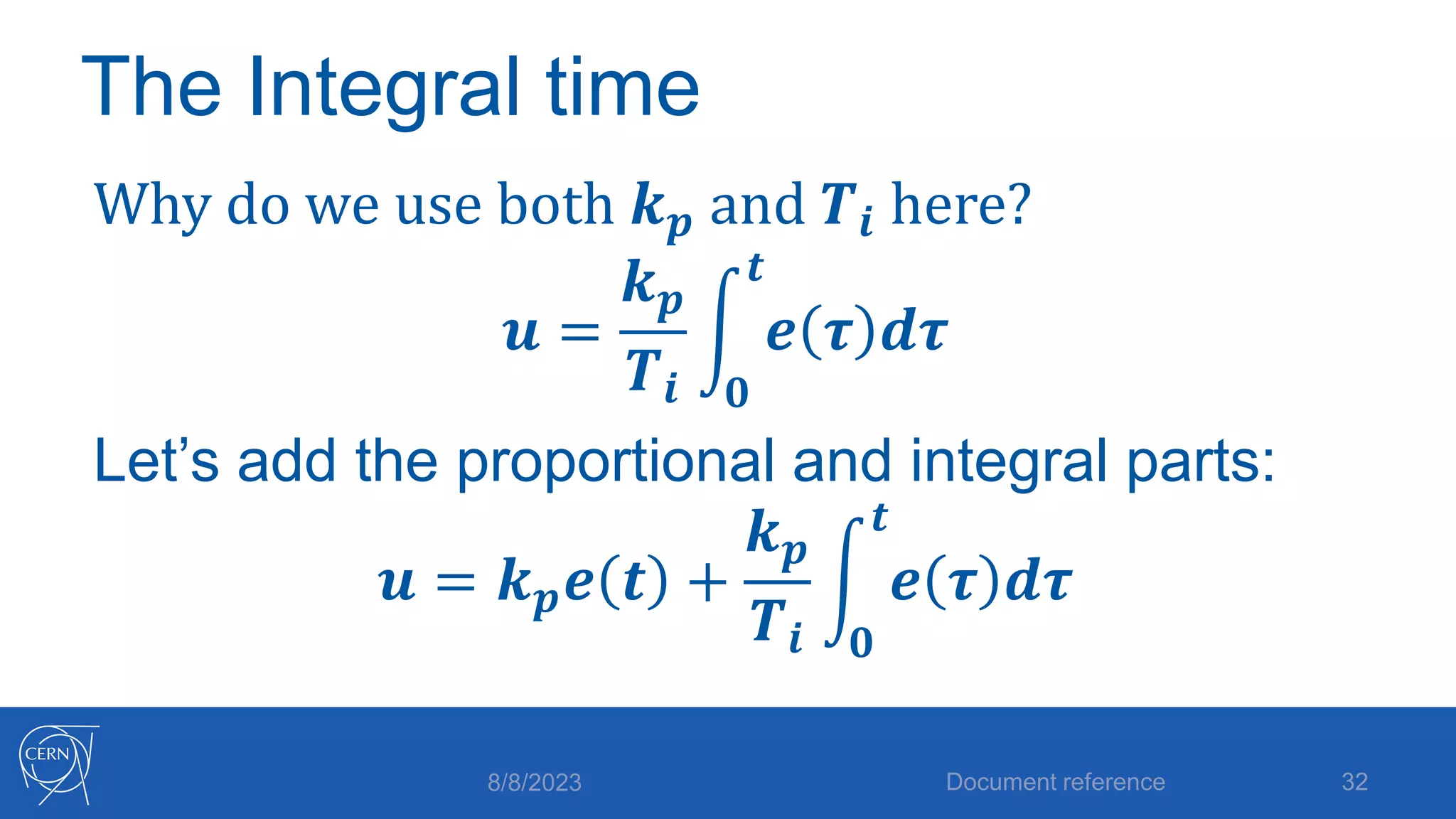
Why do we use both 𝒌𝒑 and 𝑻𝒊 here?
𝒖 =
𝒌𝒑
𝑻𝒊 𝟎
𝒕
𝒆 𝝉 𝒅𝝉
Let’s add the proportional and integral parts:
𝒖 = 𝒌𝒑𝒆 𝒕 +
𝒌𝒑
𝑻𝒊 𝟎
𝒕
𝒆 𝝉 𝒅𝝉
8/8/2023 Document reference 32
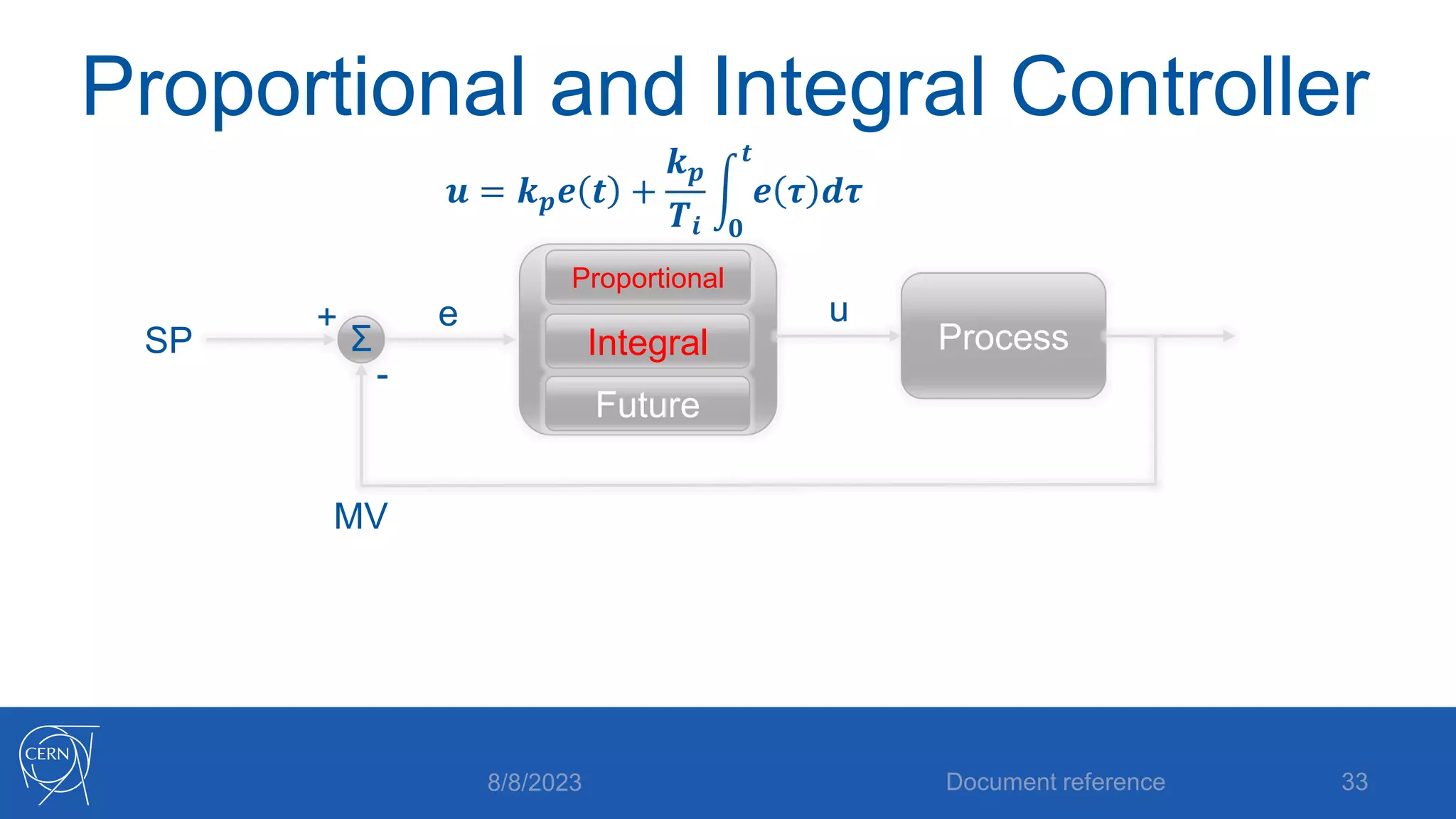
Proportional and Integral Controller
8/8/2023 Document reference 33
SP
MV
+
-
e
Σ Process
Future
Integral
Proportional
u
𝒖 = 𝒌𝒑𝒆 𝒕 +
𝒌𝒑
𝑻𝒊 𝟎
𝒕
𝒆 𝝉 𝒅𝝉
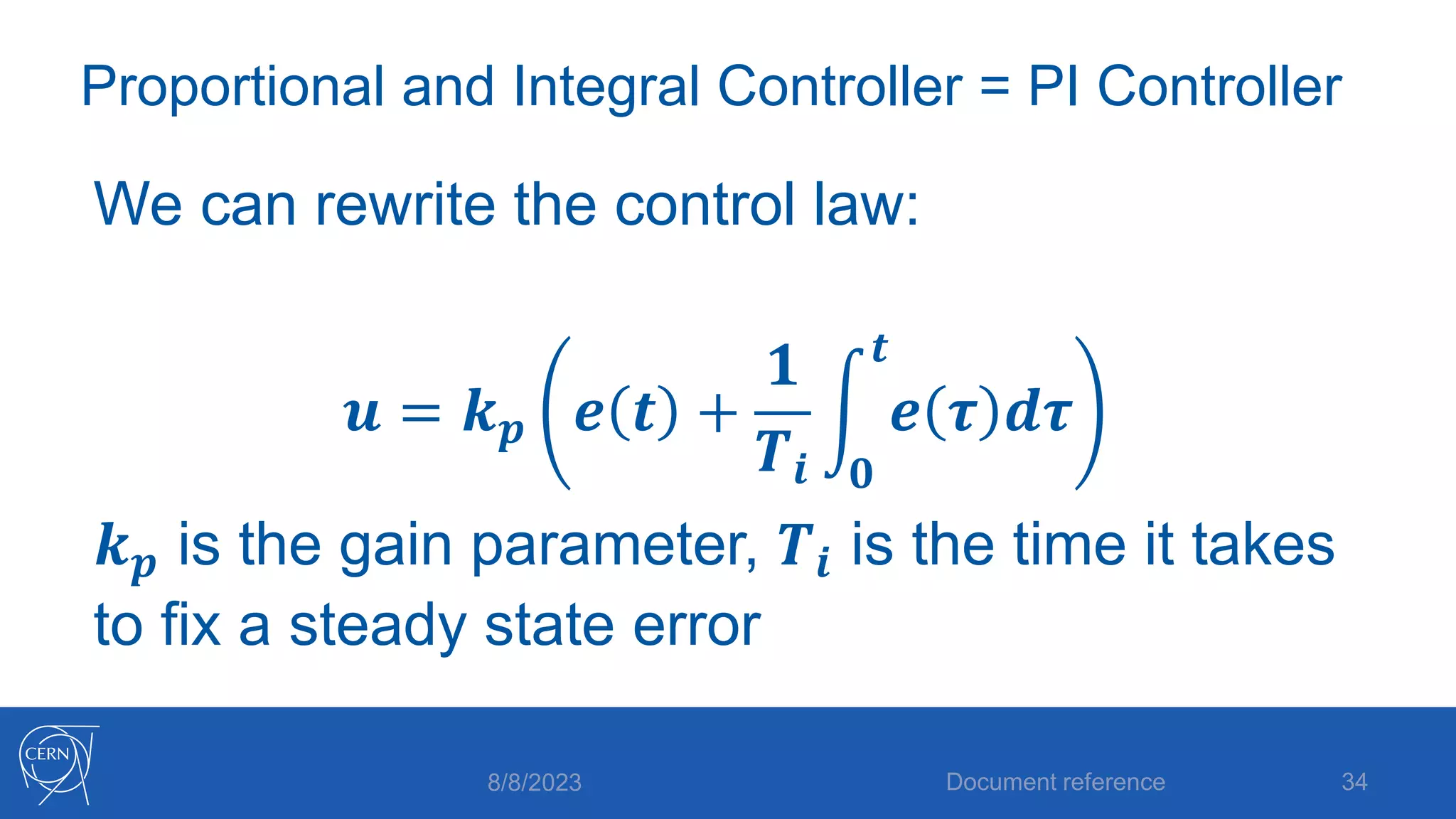
Proportional and Integral Controller = PI Controller
We can rewrite the control law:
𝒖 = 𝒌𝒑 𝒆 𝒕 +
𝟏
𝑻𝒊 𝟎
𝒕
𝒆 𝝉 𝒅𝝉
𝒌𝒑 is the gain parameter, 𝑻𝒊 is the time it takes
to fix a steady state error
8/8/2023 Document reference 34
Solving P control’s problems revisited
• We solved the steady state error by adding
integral action (summing the past)
• How can we solve the oscillation problem?
• Let’s look at the future!
Document reference 35
8/8/2023
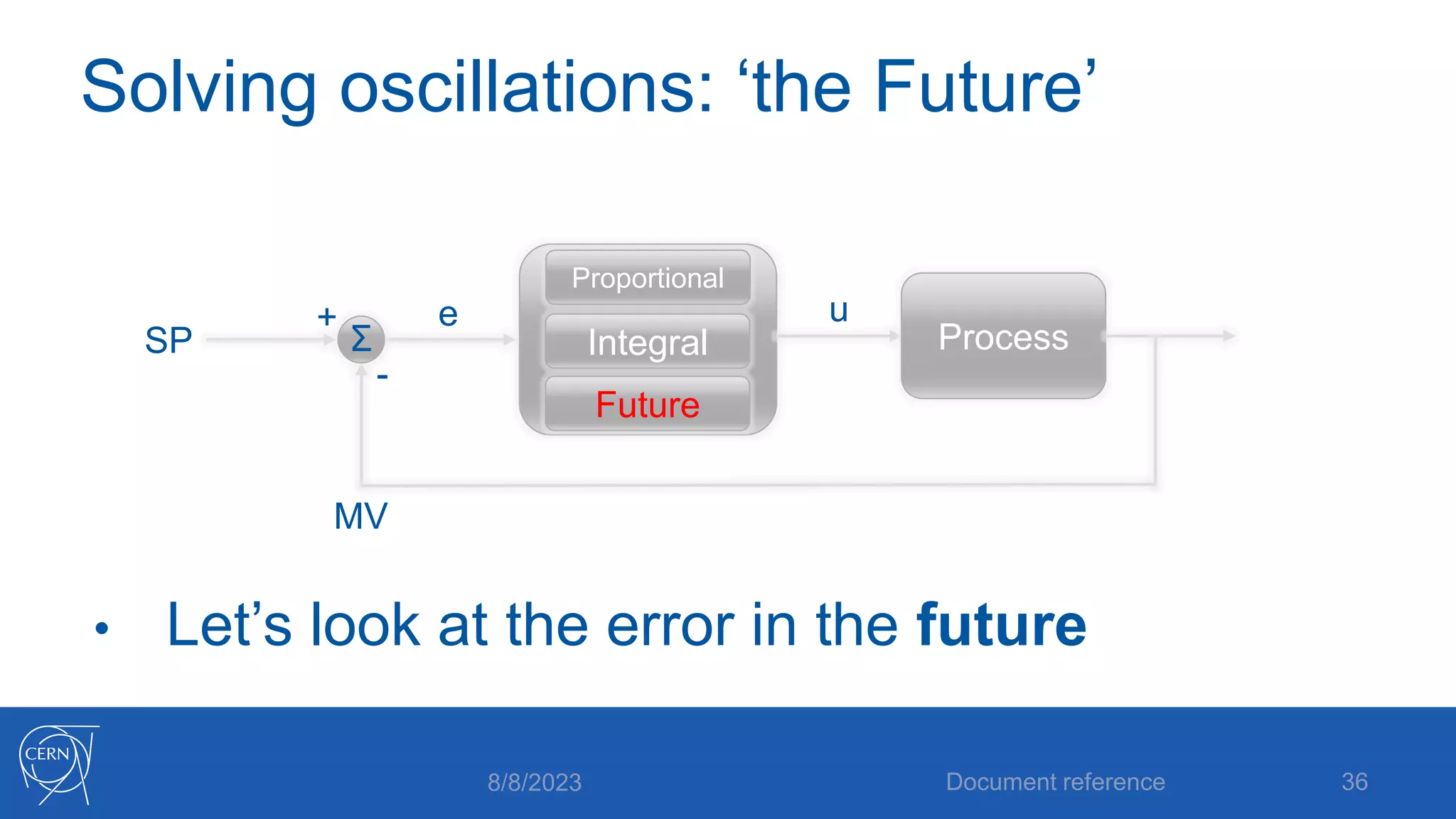
Solving oscillations: ‘the Future’
• Let’s look at the error in the future
8/8/2023 Document reference 36
SP
MV
+
-
e
Σ Process
Future
Integral
Proportional
u
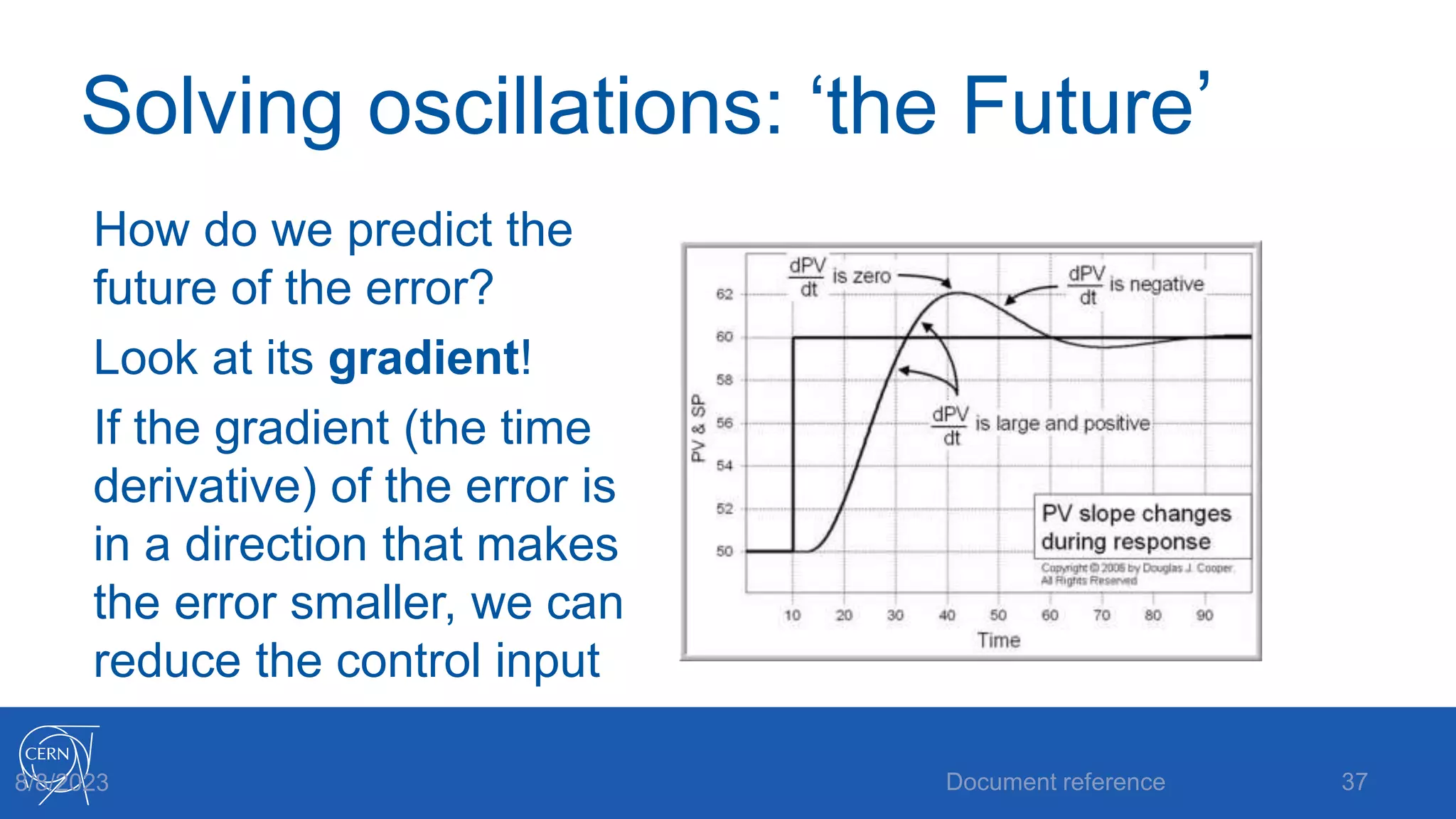
Solving oscillations: ‘the Future’
How do we predict the
future of the error?
Look at its gradient!
If the gradient (the time
derivative) of the error is
in a direction that makes
the error smaller, we can
reduce the control input
Document reference 37
8/8/2023
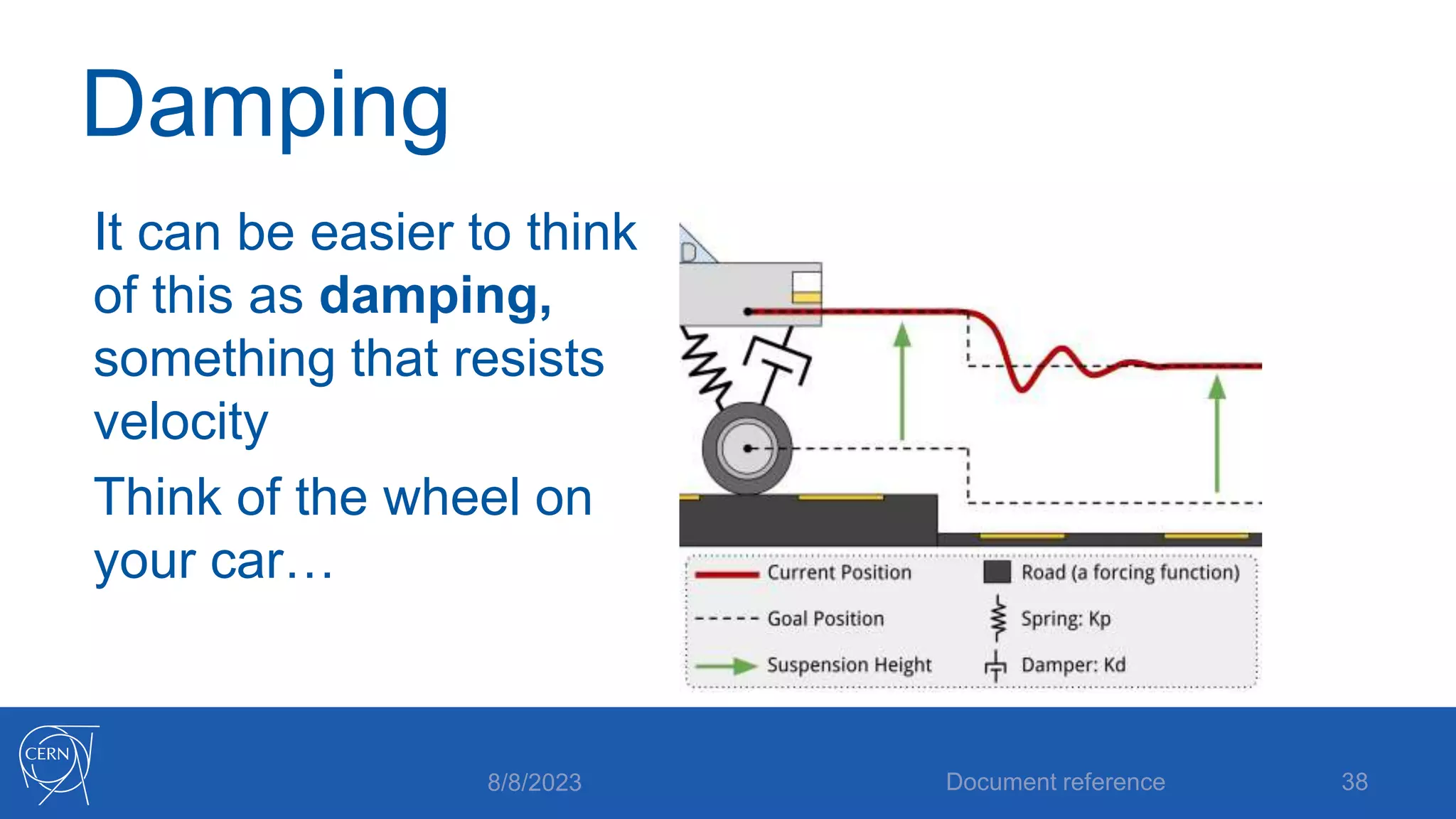
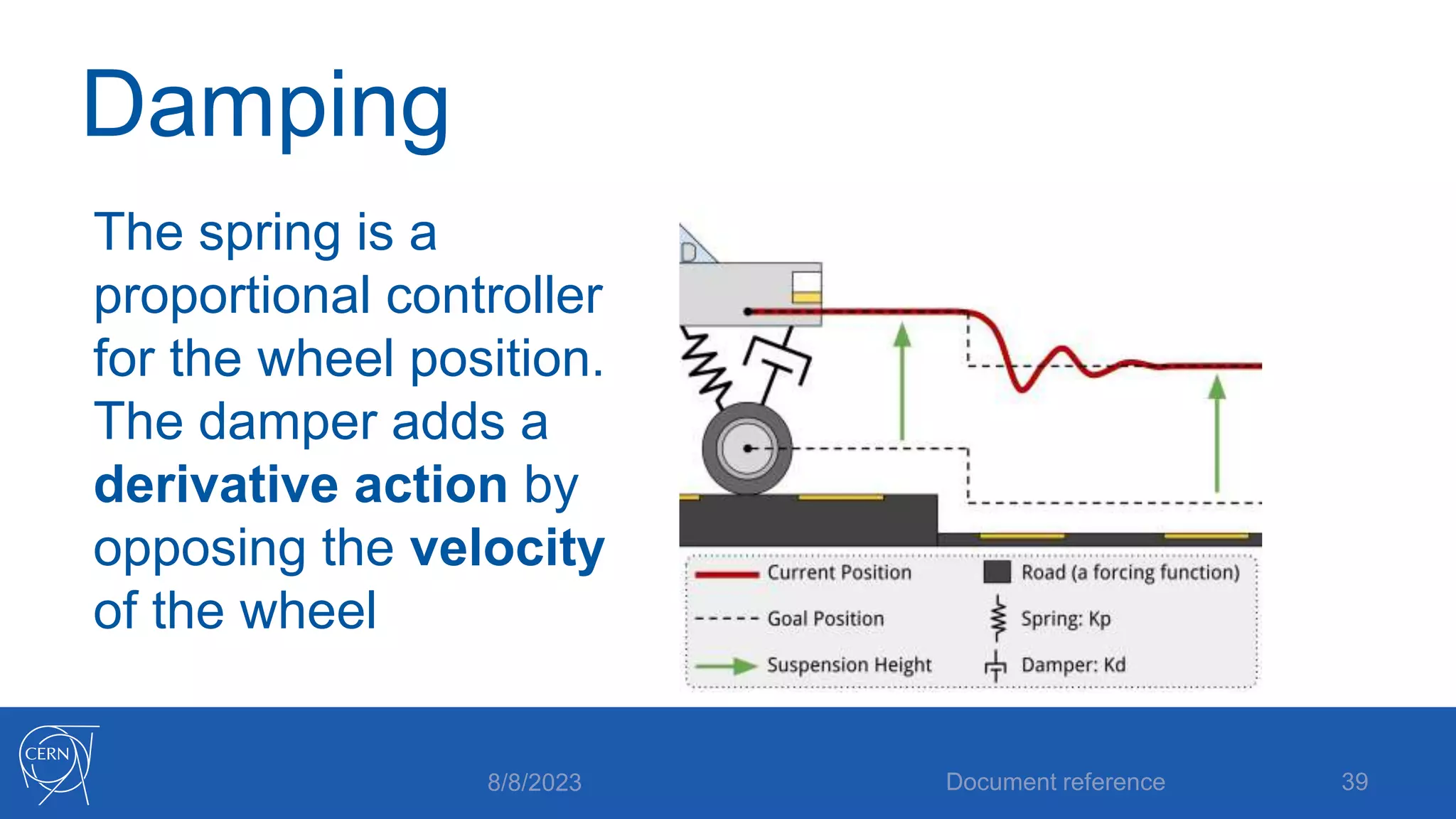
Damping
It can be easier to think
of this as damping,
something that resists
velocity
Think of the wheel on
your car…
8/8/2023 Document reference 38
Damping
The spring is a
proportional controller
for the wheel position.
The damper adds a
derivative action by
opposing the velocity
of the wheel
8/8/2023 Document reference 39
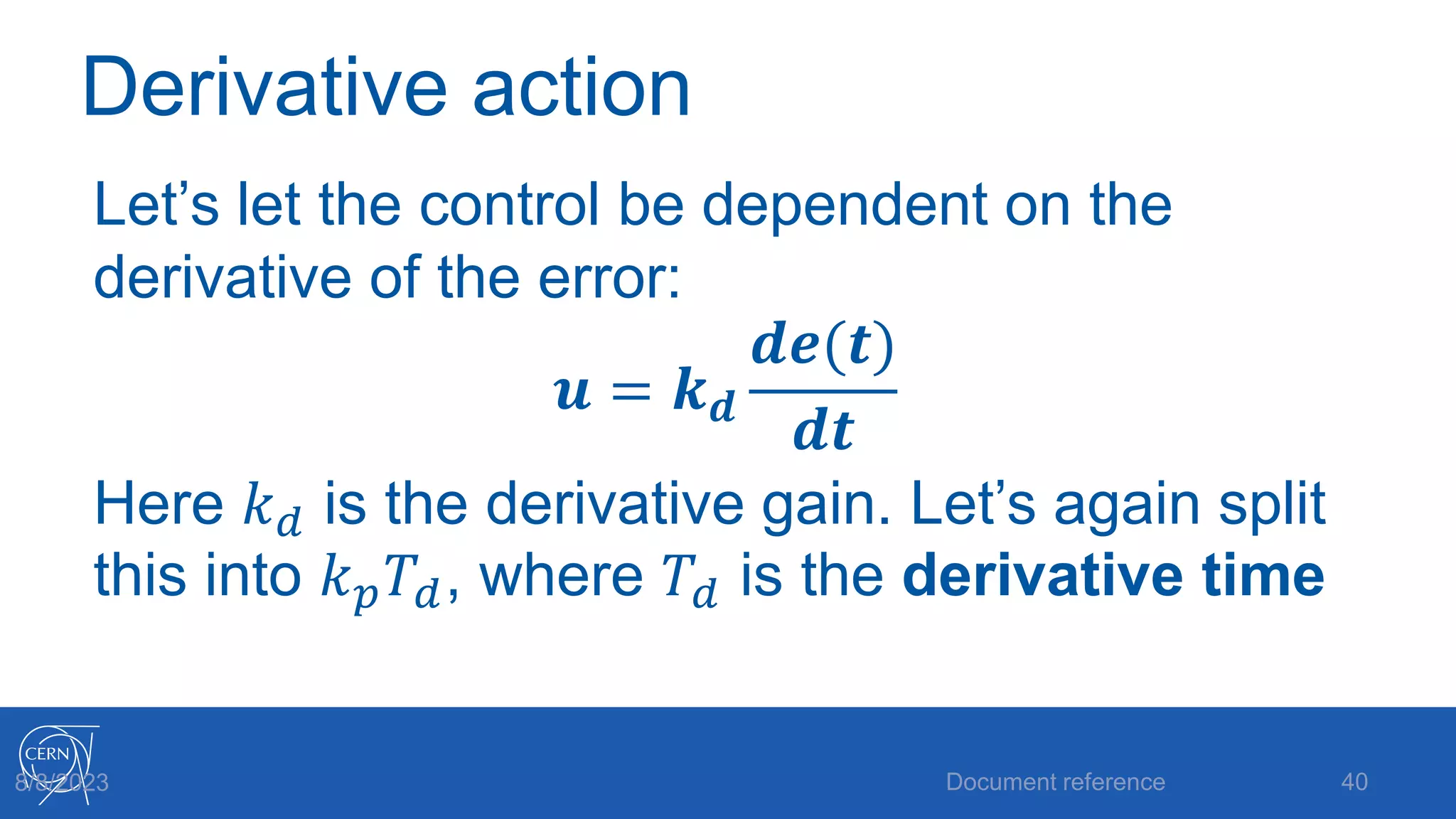
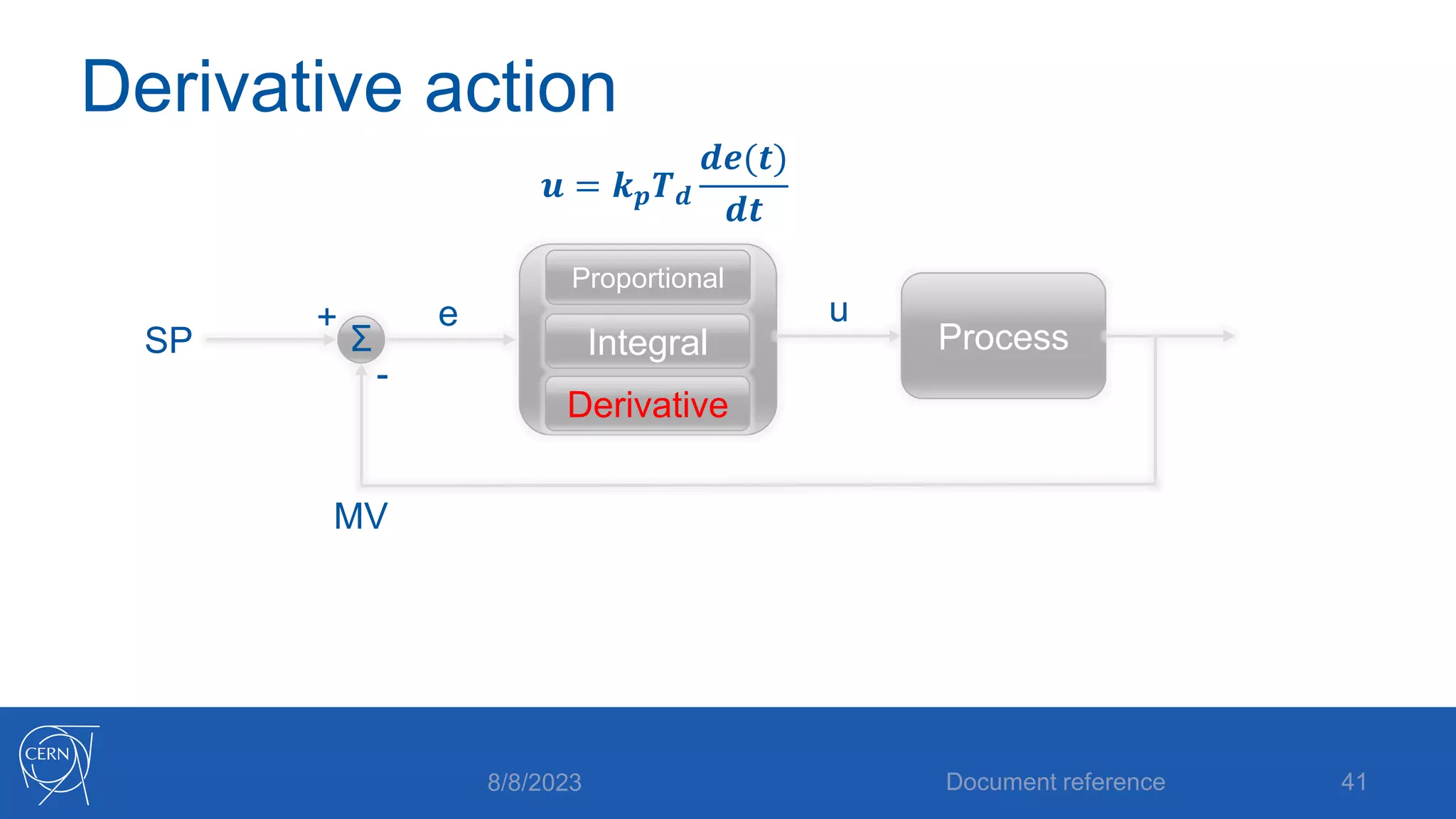
Derivative action
Let’s let the control be dependent on the
derivative of the error:
𝒖 = 𝒌𝒅
𝒅𝒆(𝒕)
𝒅𝒕
Here 𝑘𝑑 is the derivative gain. Let’s again split
this into 𝑘𝑝𝑇𝑑, where 𝑇𝑑 is the derivative time
Document reference 40
8/8/2023
Derivative action
8/8/2023 Document reference 41
SP
MV
+
-
e
Σ Process
Derivative
Integral
Proportional
u
𝒖 = 𝒌𝒑𝑻𝒅
𝒅𝒆(𝒕)
𝒅𝒕
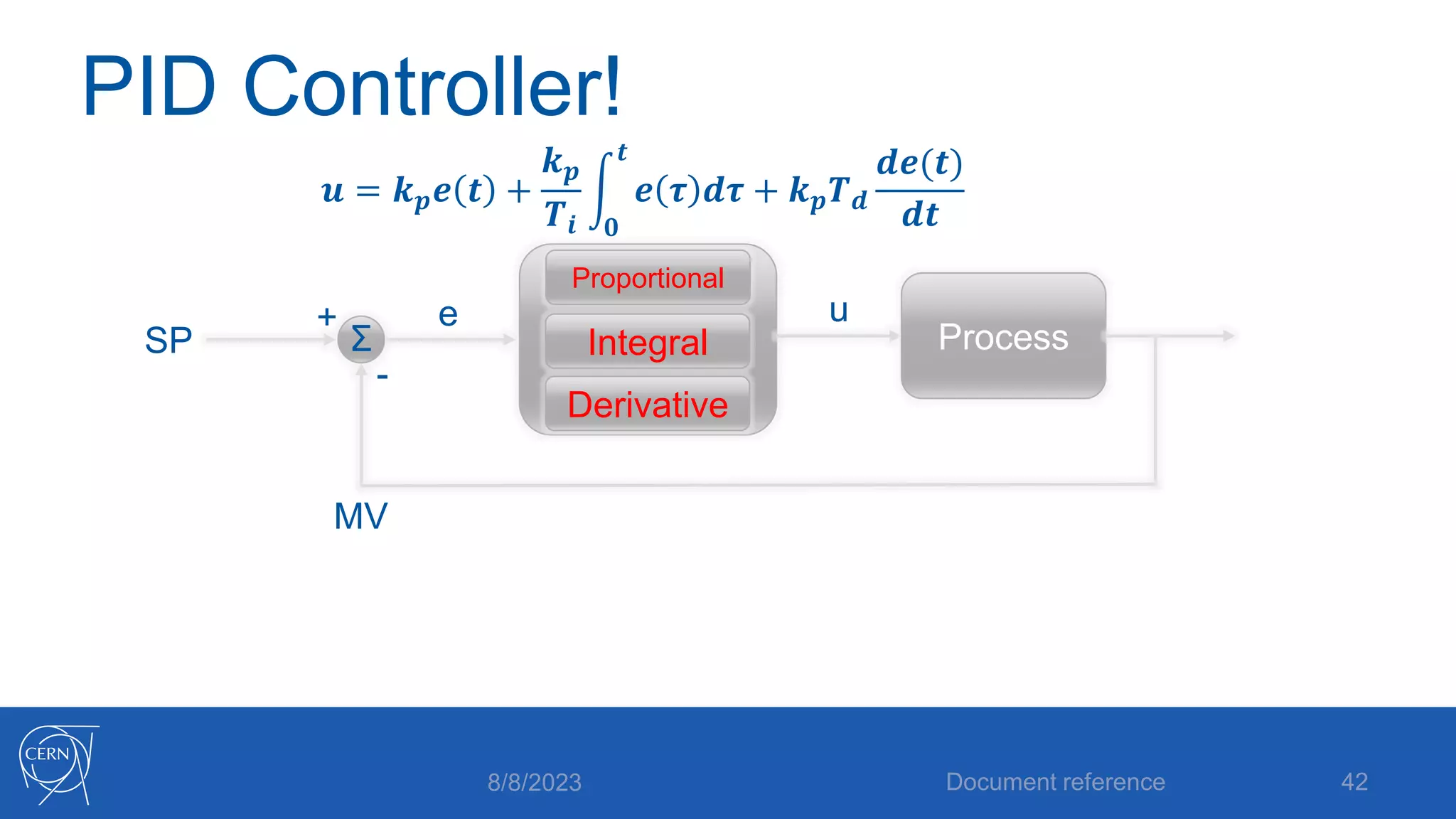
PID Controller!
8/8/2023 Document reference 42
SP
MV
+
-
e
Σ Process
Derivative
Integral
Proportional
u
𝒖 = 𝒌𝒑𝒆 𝒕 +
𝒌𝒑
𝑻𝒊 𝟎
𝒕
𝒆 𝝉 𝒅𝝉 + 𝒌𝒑𝑻𝒅
𝒅𝒆(𝒕)
𝒅𝒕
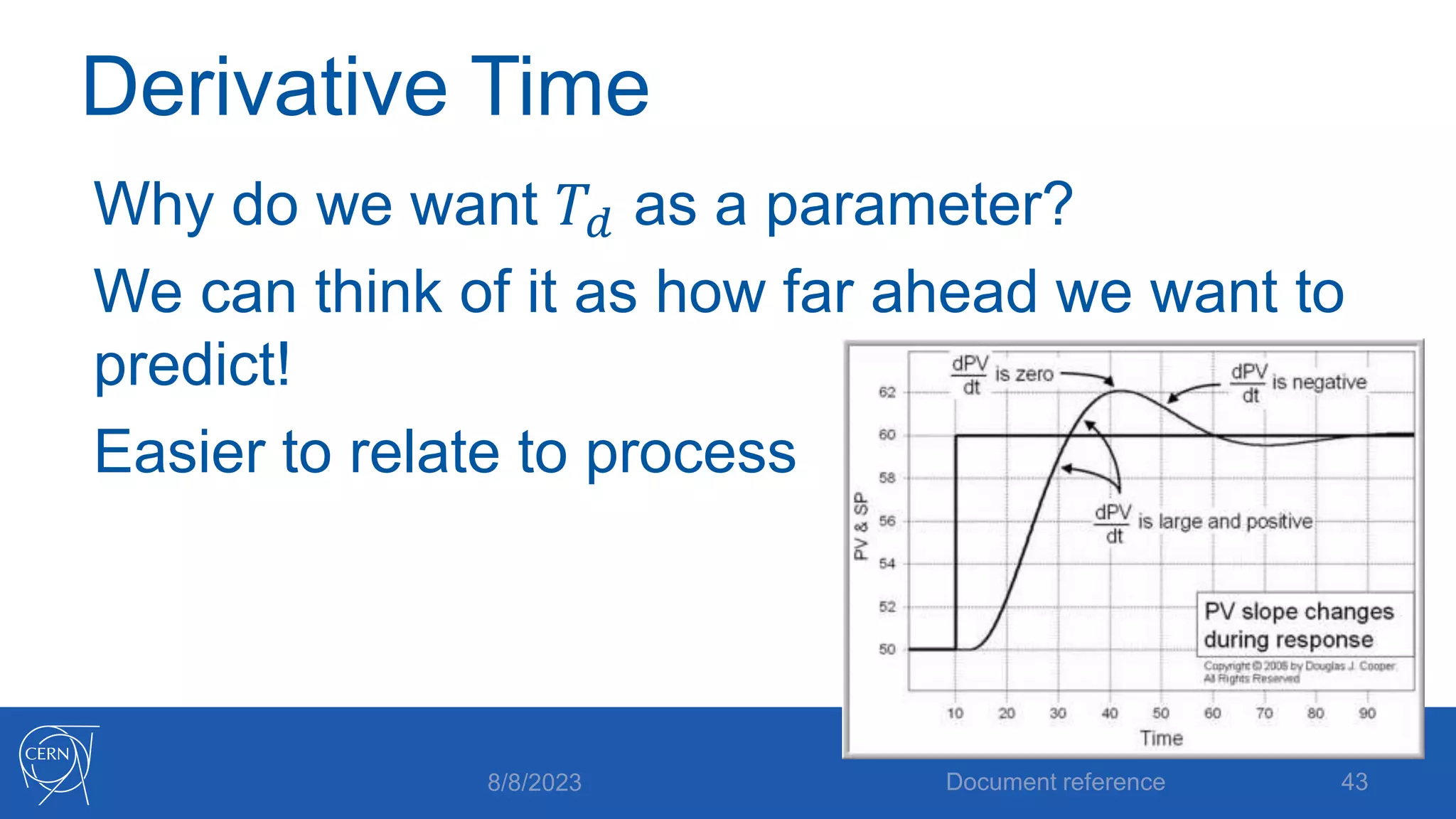
Derivative Time
Why do we want 𝑇𝑑 as a parameter?
We can think of it as how far ahead we want to
predict!
Easier to relate to process
8/8/2023 Document reference 43
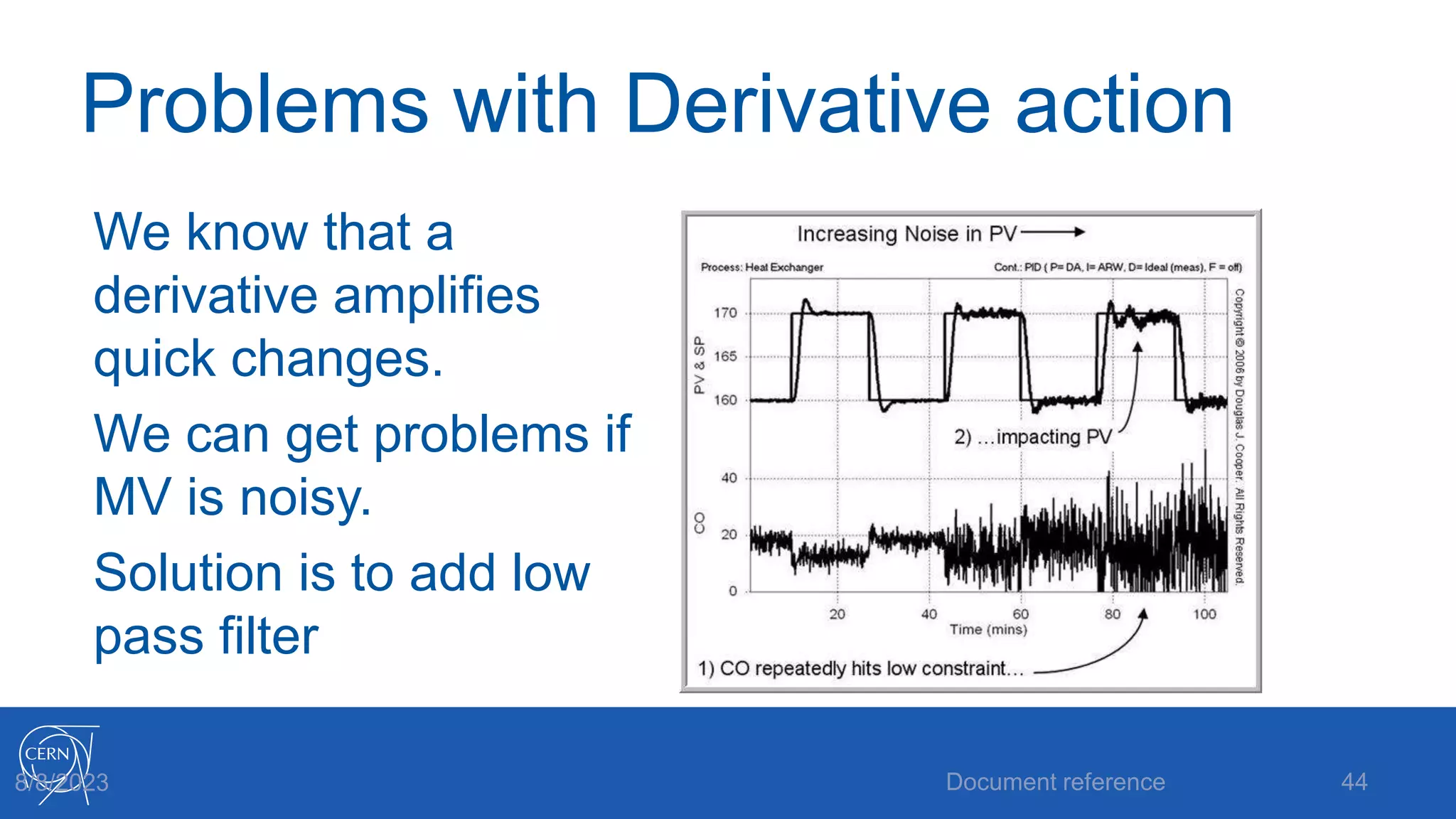
Problems with Derivative action
We know that a
derivative amplifies
quick changes.
We can get problems if
MV is noisy.
Solution is to add low
pass filter
Document reference 44
8/8/2023
Derivative with filter
We already have:
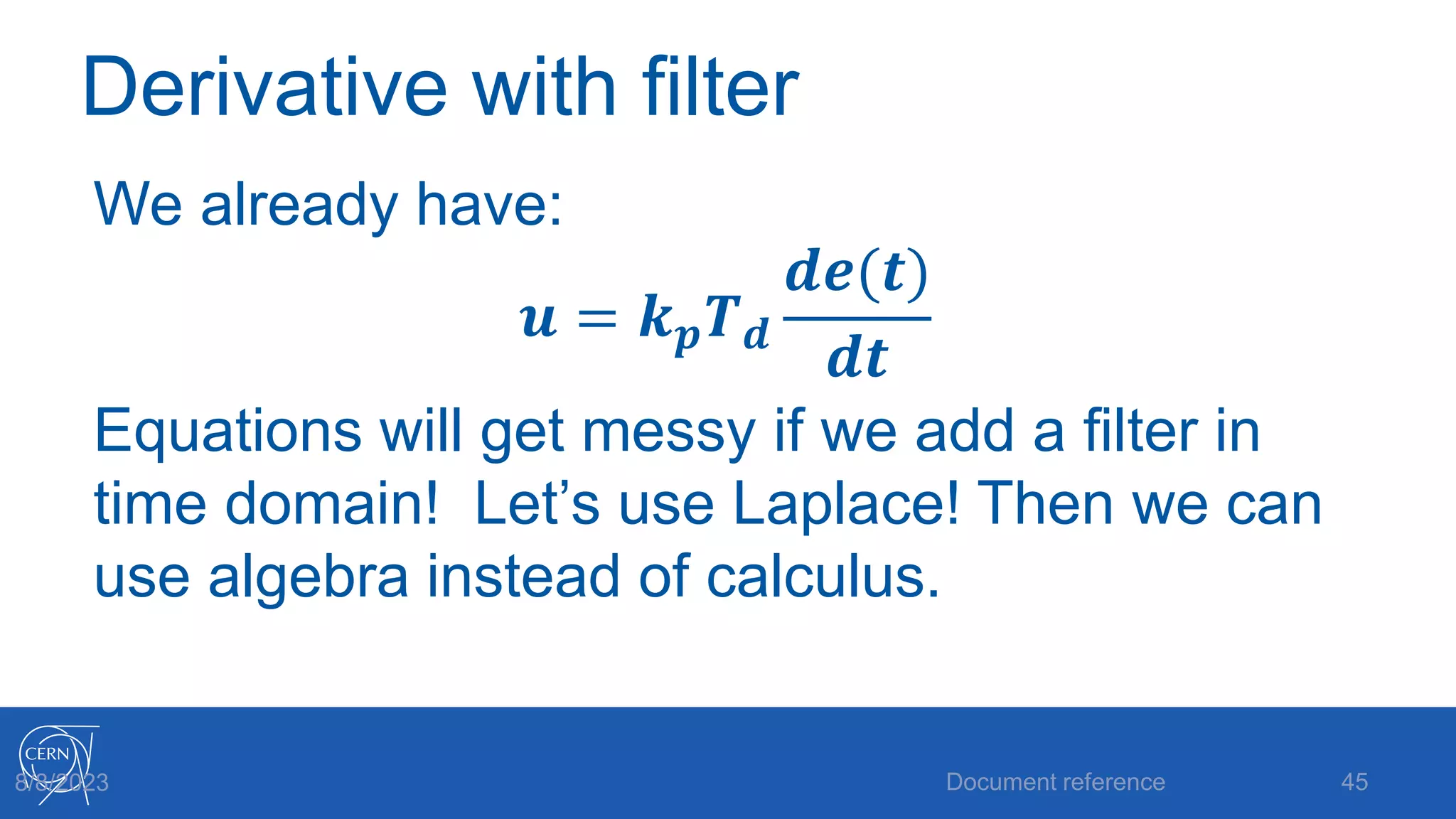
𝒖 = 𝒌𝒑𝑻𝒅
𝒅𝒆(𝒕)
𝒅𝒕
Equations will get messy if we add a filter in
time domain! Let’s use Laplace! Then we can
use algebra instead of calculus.
Document reference 45
8/8/2023
Derivative with filter
Laplace transform frequency variable s is also
an operator. Multiplication by s is derivation,
and division is integration. So the derivative
part is now
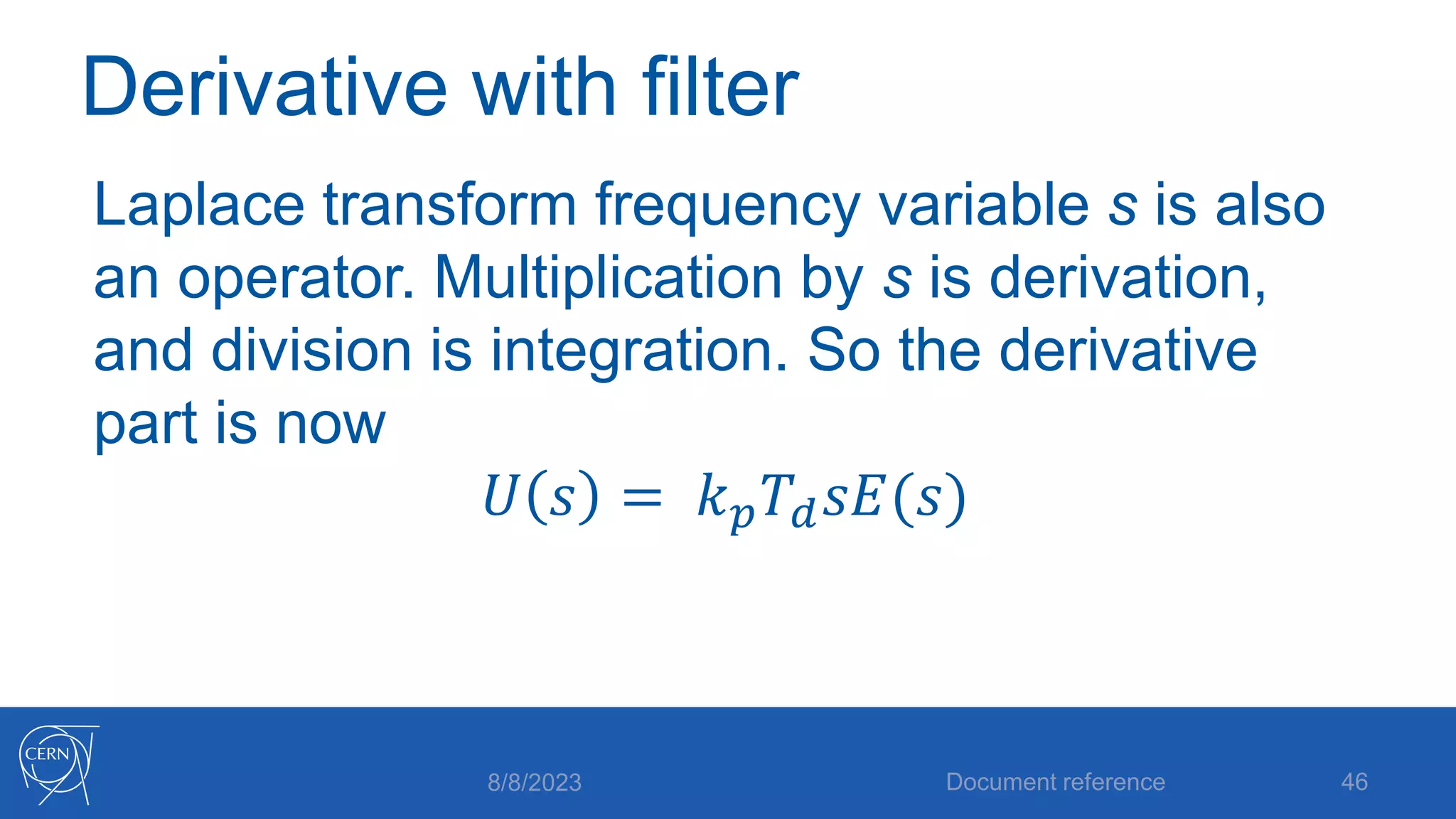
𝑈 𝑠 = 𝑘𝑝𝑇𝑑𝑠𝐸(𝑠)
8/8/2023 Document reference 46
Derivative with filter
We add a low pass filter:
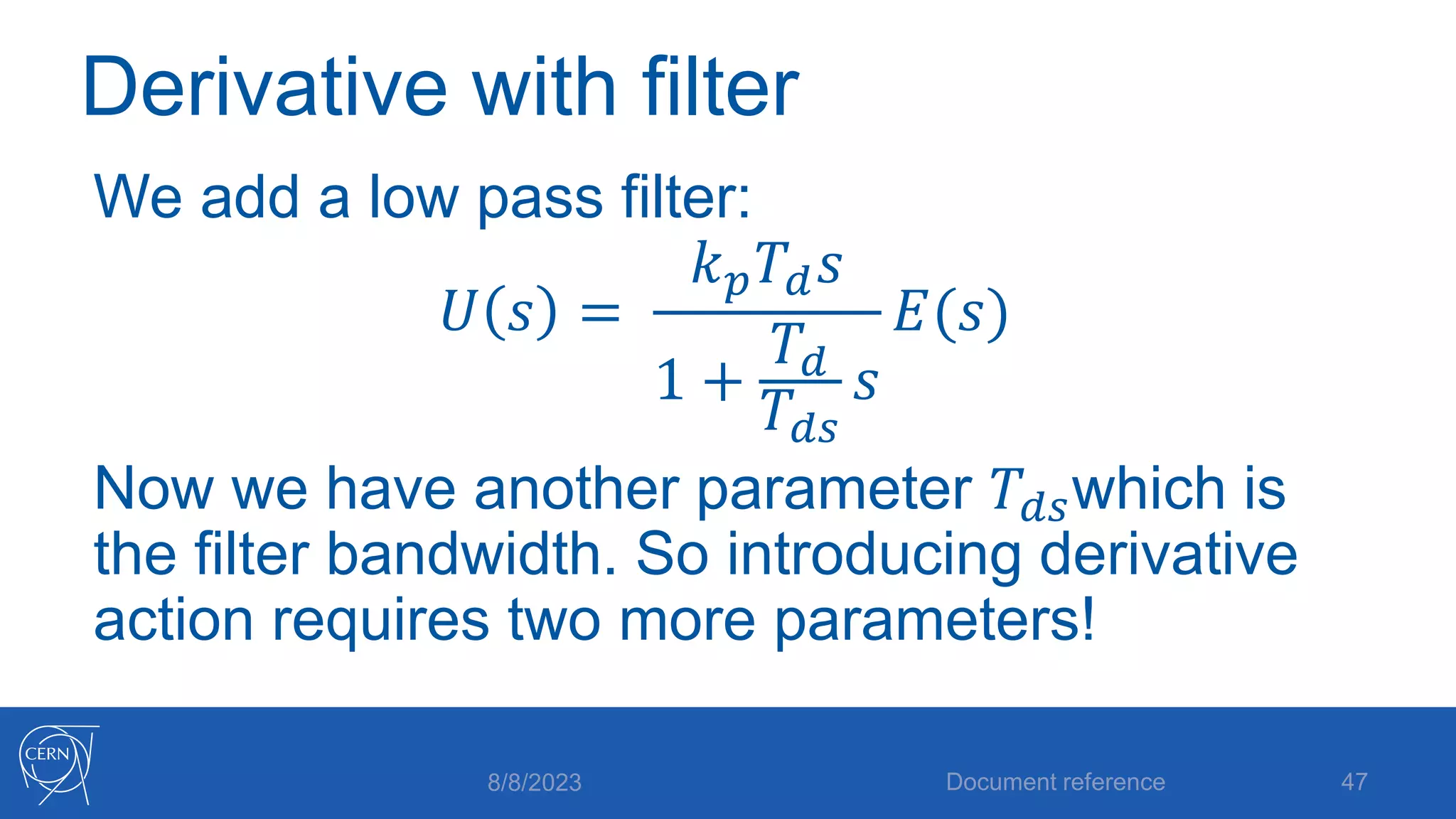
𝑈 𝑠 =
𝑘𝑝𝑇𝑑𝑠
1 +
𝑇𝑑
𝑇𝑑𝑠
𝑠
𝐸(𝑠)
Now we have another parameter 𝑇𝑑𝑠which is
the filter bandwidth. So introducing derivative
action requires two more parameters!
8/8/2023 Document reference 47
Full PID equation
The complete PID controller now looks like:
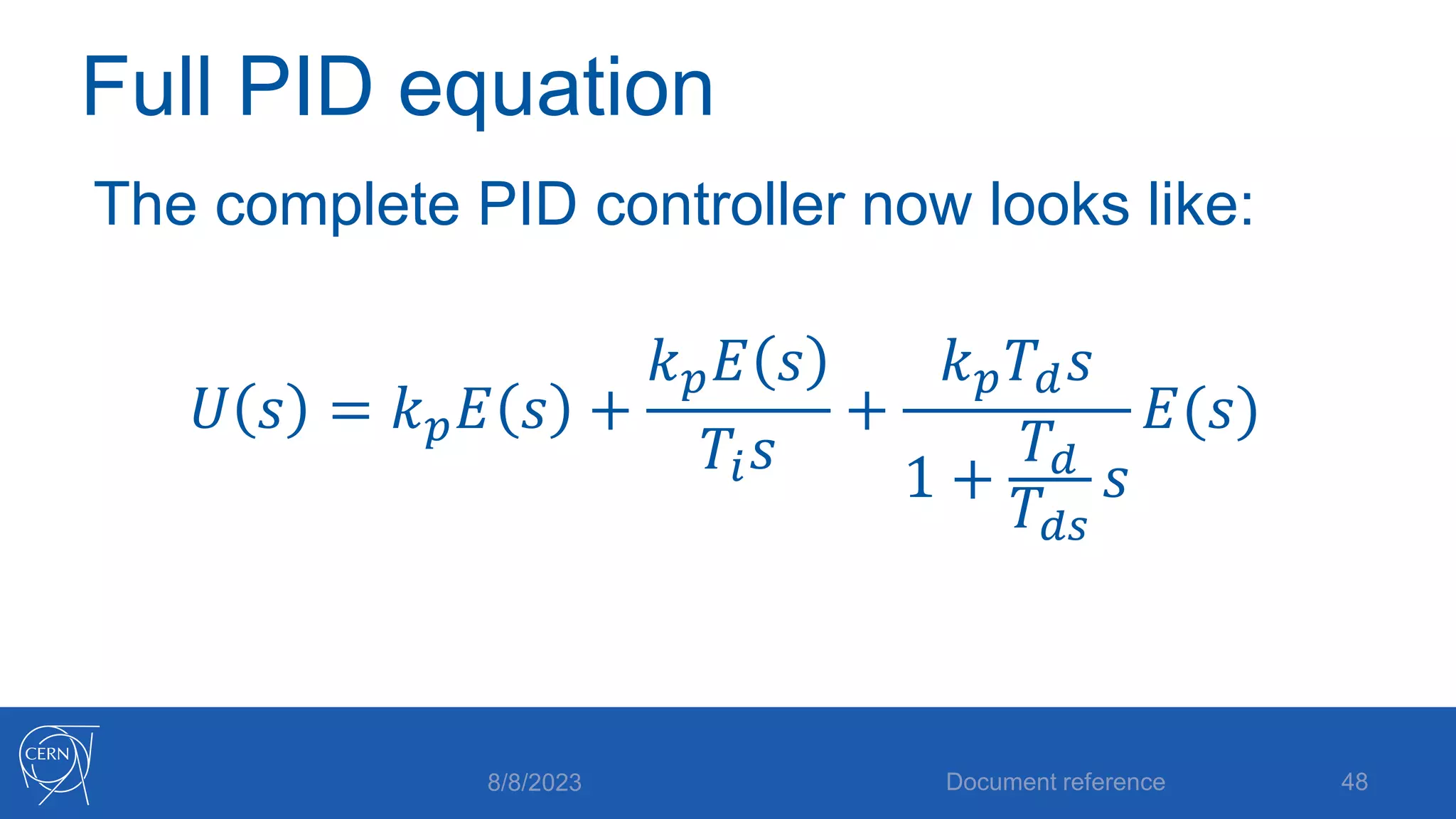
𝑈 𝑠 = 𝑘𝑝𝐸 𝑠 +
𝑘𝑝𝐸 𝑠
𝑇𝑖𝑠
+
𝑘𝑝𝑇𝑑𝑠
1 +
𝑇𝑑
𝑇𝑑𝑠
𝑠
𝐸(𝑠)
8/8/2023 Document reference 48
Full PID equation
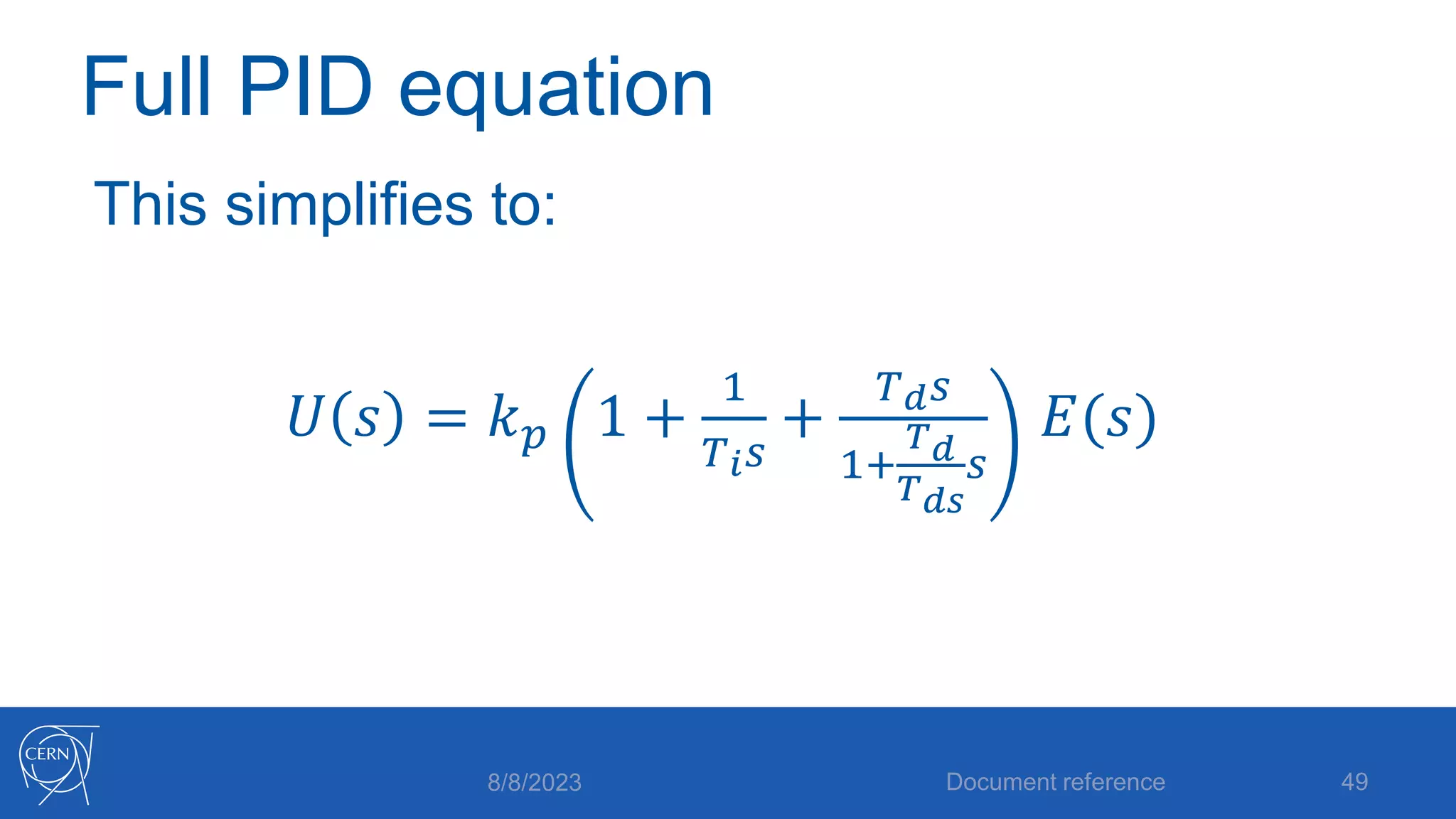
This simplifies to:
𝑈 𝑠 = 𝑘𝑝 1 +
1
𝑇𝑖𝑠
+
𝑇𝑑𝑠
1+
𝑇𝑑
𝑇𝑑𝑠
𝑠
𝐸(𝑠)
8/8/2023 Document reference 49
ISA PID Form
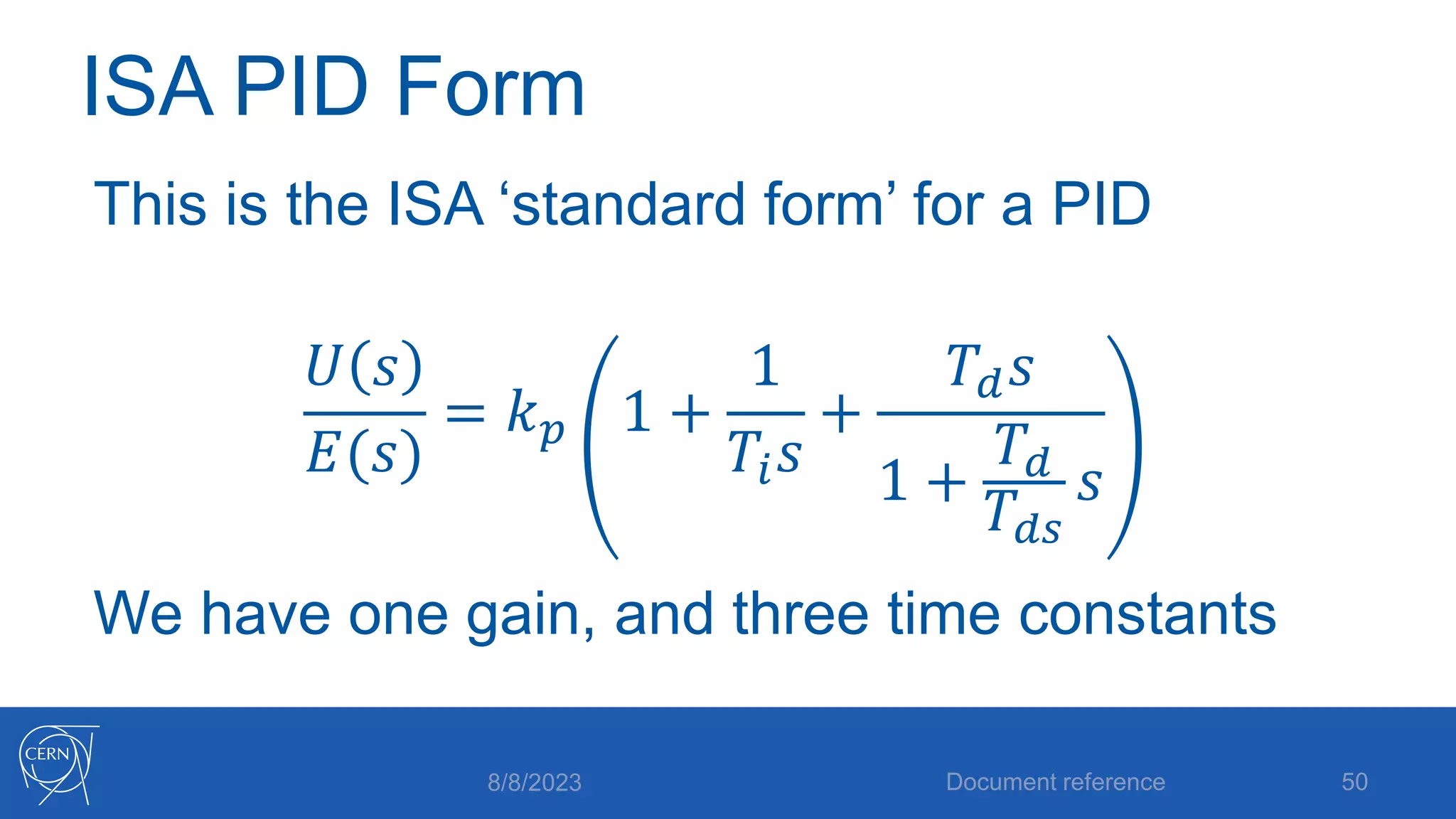
This is the ISA ‘standard form’ for a PID
𝑈 𝑠
𝐸(𝑠)
= 𝑘𝑝 1 +
1
𝑇𝑖𝑠
+
𝑇𝑑𝑠
1 +
𝑇𝑑
𝑇𝑑𝑠
𝑠
We have one gain, and three time constants
8/8/2023 Document reference 50
The UNICOS PID Controller
8/8/2023 Document reference 51
Features and quirks
UNICOS PID Features
• Uses the ISA standard equation we just derived
• Parameterized by 𝑘𝑝, 𝑇𝑖, 𝑇𝑑, 𝑇𝑑𝑠
• Includes limits and ramps on setpoint and
output
• Can use scaling on input, or both input and
output
8/8/2023 Document reference 52
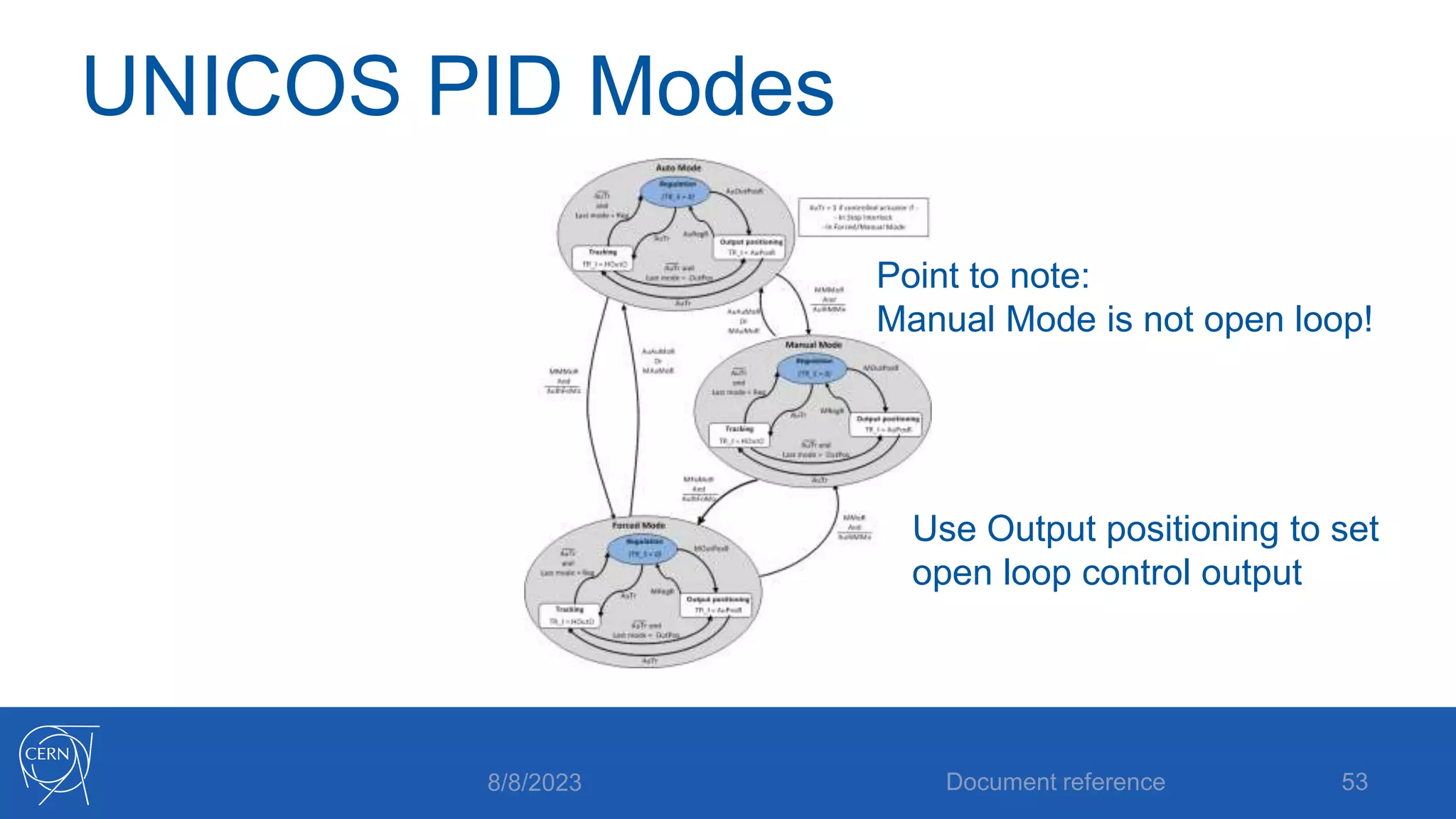
UNICOS PID Modes
8/8/2023 Document reference 53
Point to note:
Manual Mode is not open loop!
Use Output positioning to set
open loop control output
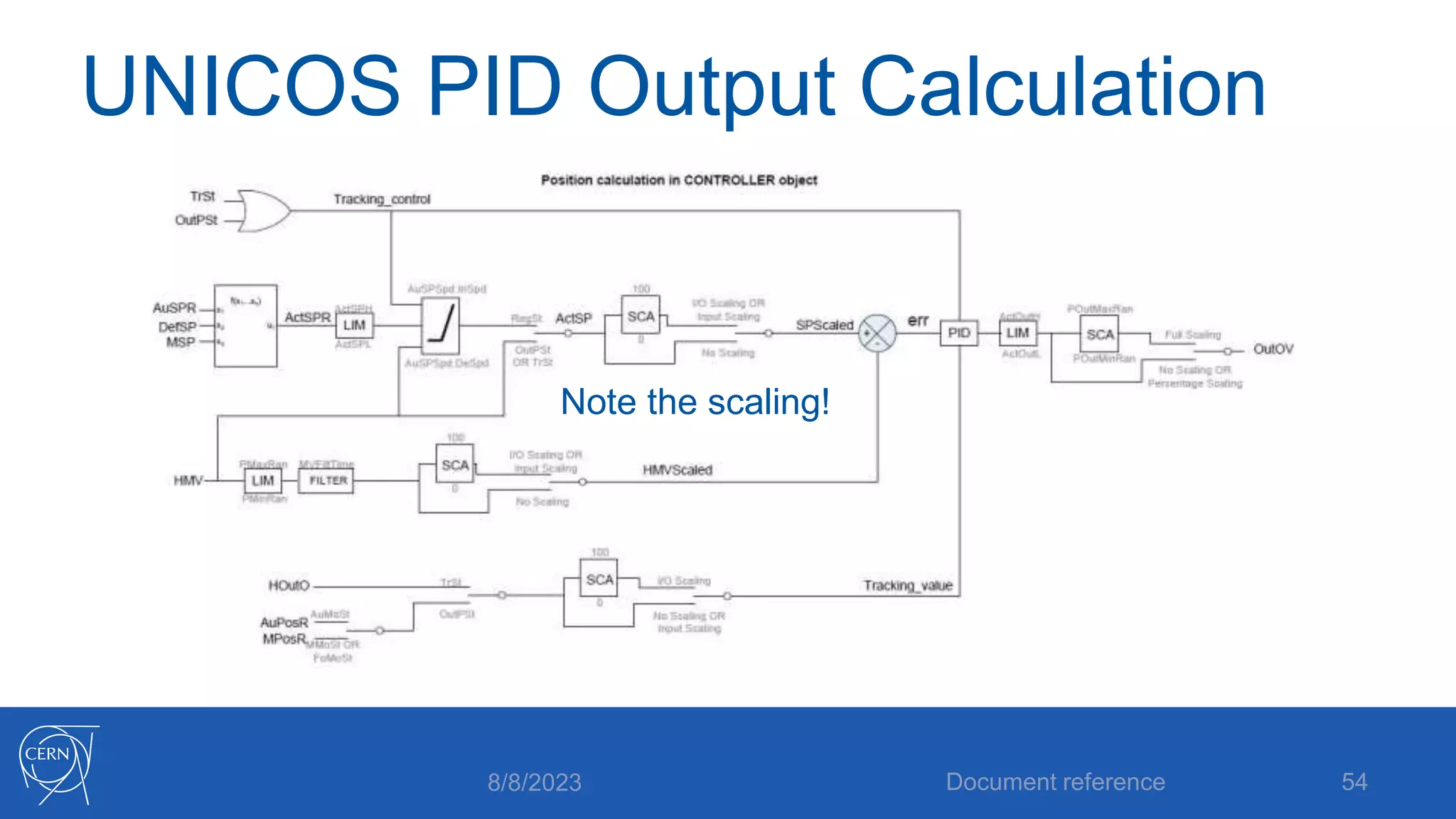
UNICOS PID Output Calculation
8/8/2023 Document reference 54
Note the scaling!
UNICOS PID Scaling
• The scaling features are a little tricky, and
have important consequences when tuning
the controller!
• Need to be very careful when applying
tuning results! (More on this later!)
8/8/2023 Document reference 55
Scaling types
• There are three types of scaling
• No scaling
• Input scaling
• Input and output (Full) scaling
8/8/2023 Document reference 56
No Scaling
• This is the simplest. The inputs and outputs
are applied directly to the PID equation, so it
operates on engineering values. For
example the MV and SP may be
temperatures, and the output a power
command to a heater
8/8/2023 Document reference 57
Input Scaling
• Here the input is scaled from engineering
values to a normalized value in the range 0-
100%. Scaling parameters must be
provided. For example 0 bar and 10 bar
could be the low and high limits, which are
then mapped to 0% and 100% as seen by
the PID algorithm.
8/8/2023 Document reference 58
Full Scaling (Input and Output)
• The input is converted to a 0-100% signal as
before, and now the output of the controller
is converted from 0-100% to engineering
values before being applied to the process
8/8/2023 Document reference 59
Scaling Pitfalls
• Note that the values of SP, MV and
controller output you see in the faceplate are
NOT the same as the PID equation ‘sees’ if
you use scaling!
• If you change the scaling type you MUST
scale your controller parameters (𝑘𝑝)!
8/8/2023 Document reference 60
Manual PID Tuning
8/8/2023 Document reference 61
P, PI, PD, PID?
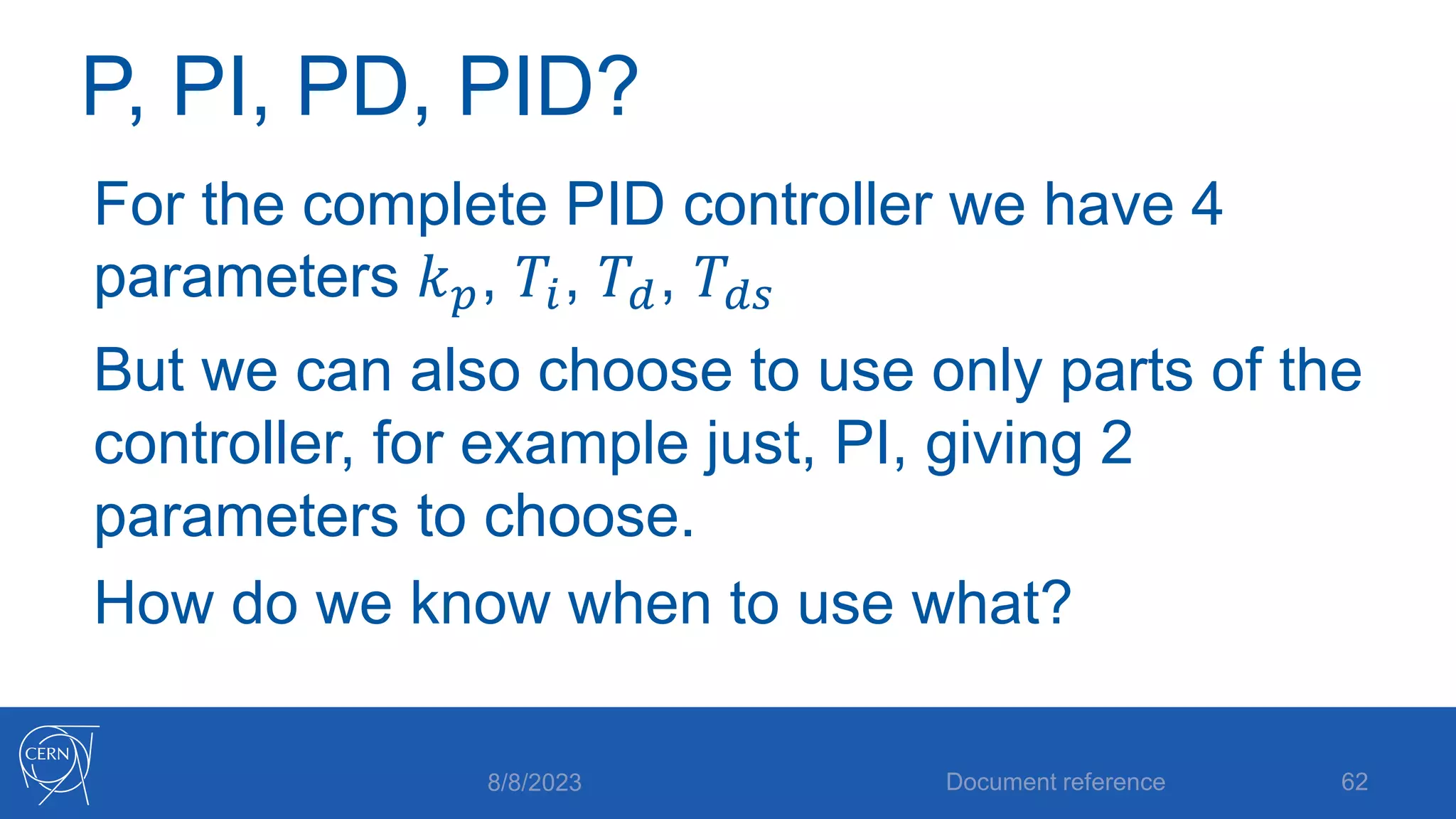
For the complete PID controller we have 4
parameters 𝑘𝑝, 𝑇𝑖, 𝑇𝑑, 𝑇𝑑𝑠
But we can also choose to use only parts of the
controller, for example just, PI, giving 2
parameters to choose.
How do we know when to use what?
8/8/2023 Document reference 62
The Process Model
We now know exactly what’s inside our
controller, but so far we haven’t said anything
about what’s inside our process!
To be able to tune the controller, we need to
know something about it.
8/8/2023 Document reference 63
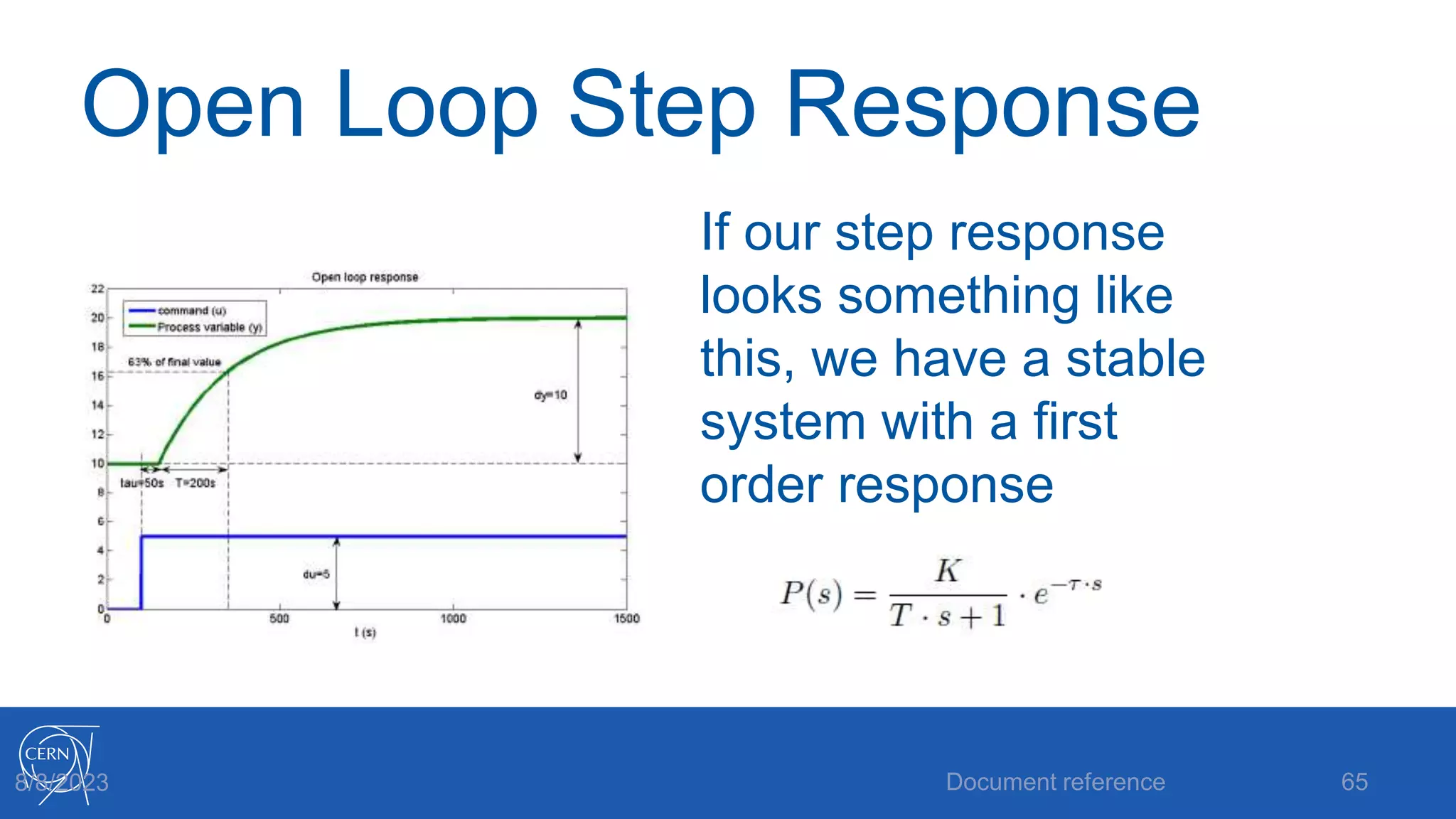
Open Loop Step Response
• A good starting point is to make an open
loop step test on the process
• Note that this is a step on the controller
output, not on the setpoint!
8/8/2023 Document reference 64
Open Loop Step Response
If our step response
looks something like
this, we have a stable
system with a first
order response
Document reference 65
8/8/2023
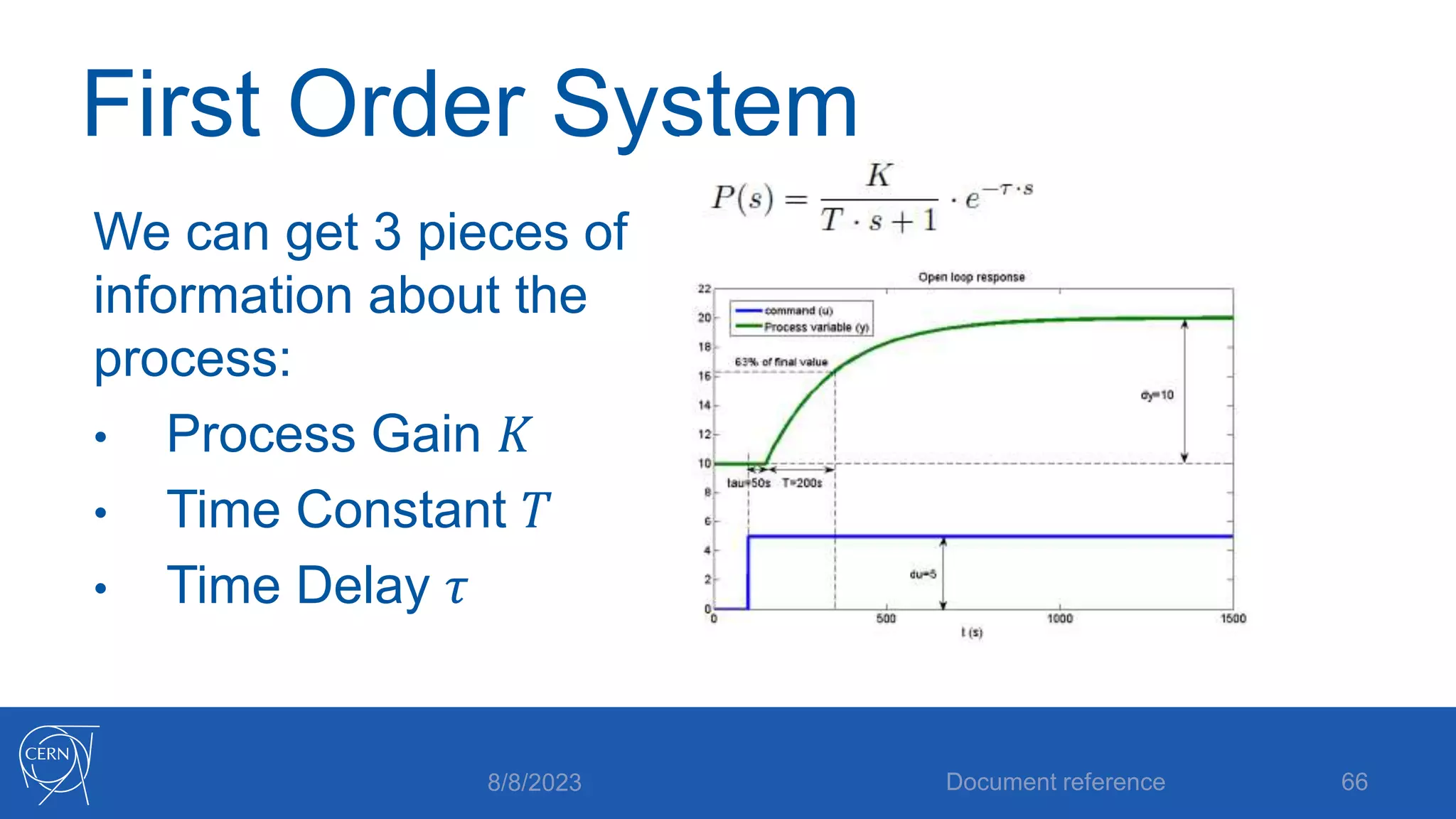
First Order System
We can get 3 pieces of
information about the
process:
• Process Gain 𝐾
• Time Constant 𝑇
• Time Delay 𝜏
8/8/2023 Document reference 66
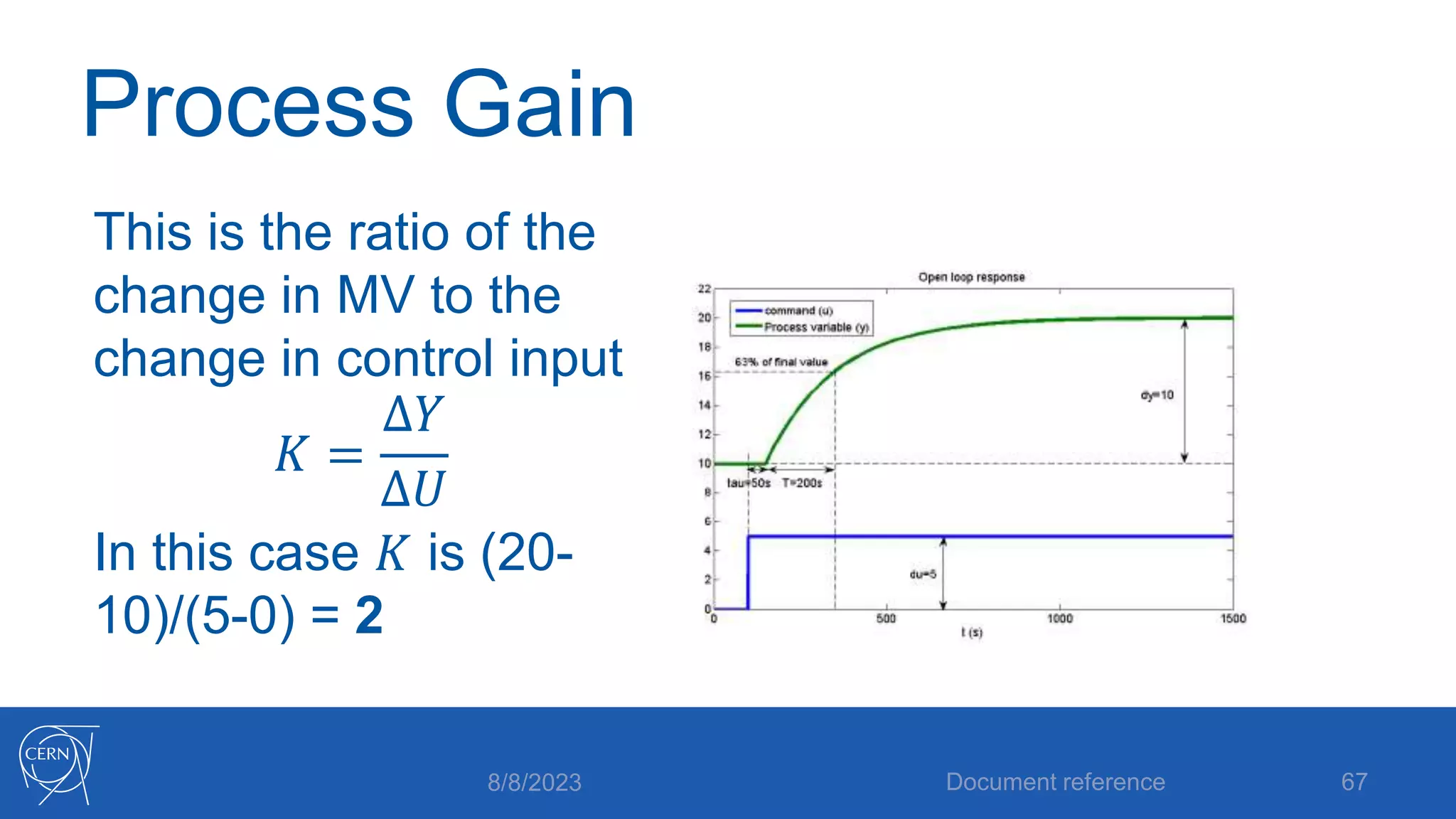
Process Gain
This is the ratio of the
change in MV to the
change in control input
𝐾 =
∆𝑌
∆𝑈
In this case 𝐾 is (20-
10)/(5-0) = 2
8/8/2023 Document reference 67
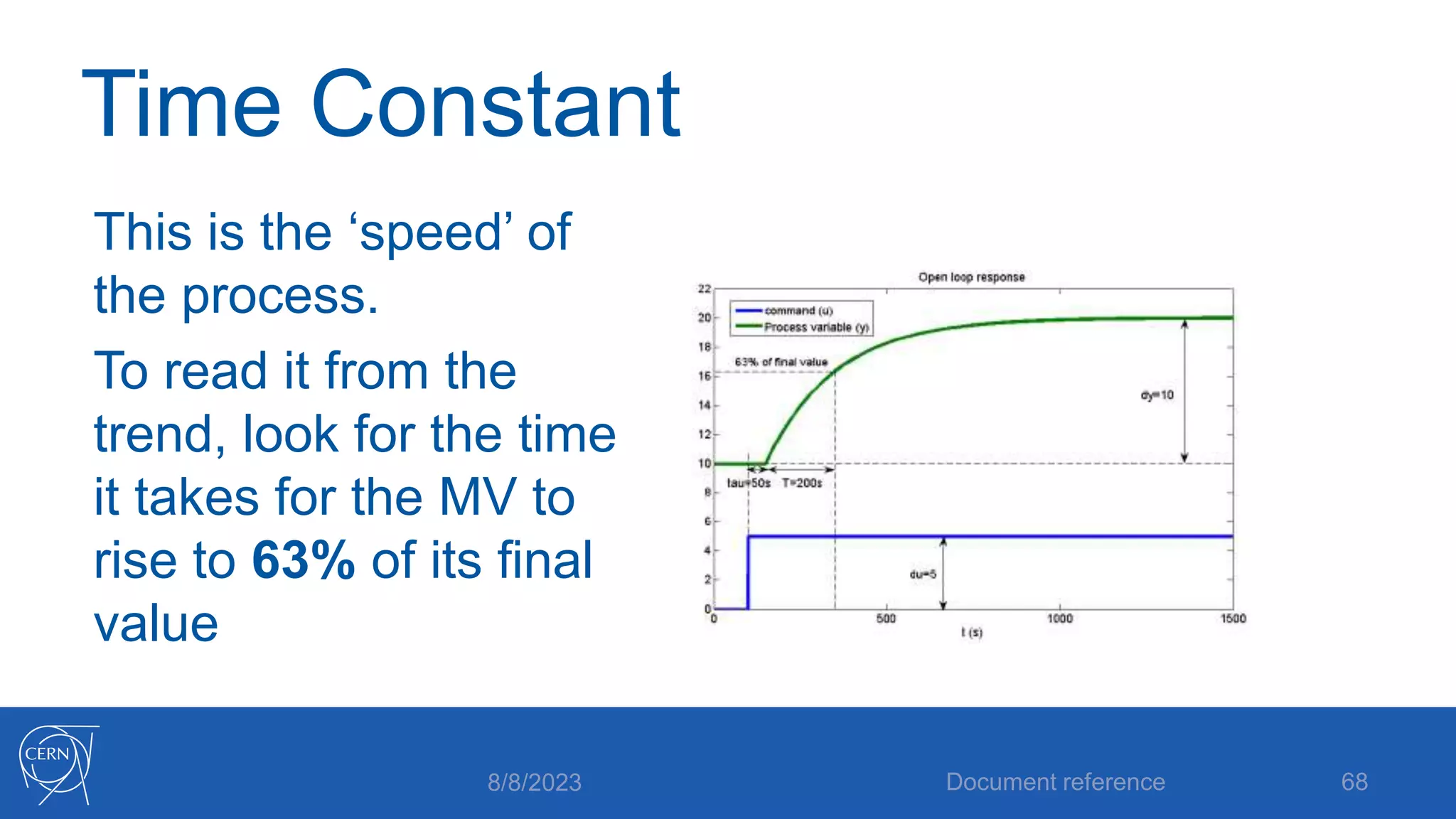
Time Constant
This is the ‘speed’ of
the process.
To read it from the
trend, look for the time
it takes for the MV to
rise to 63% of its final
value
8/8/2023 Document reference 68
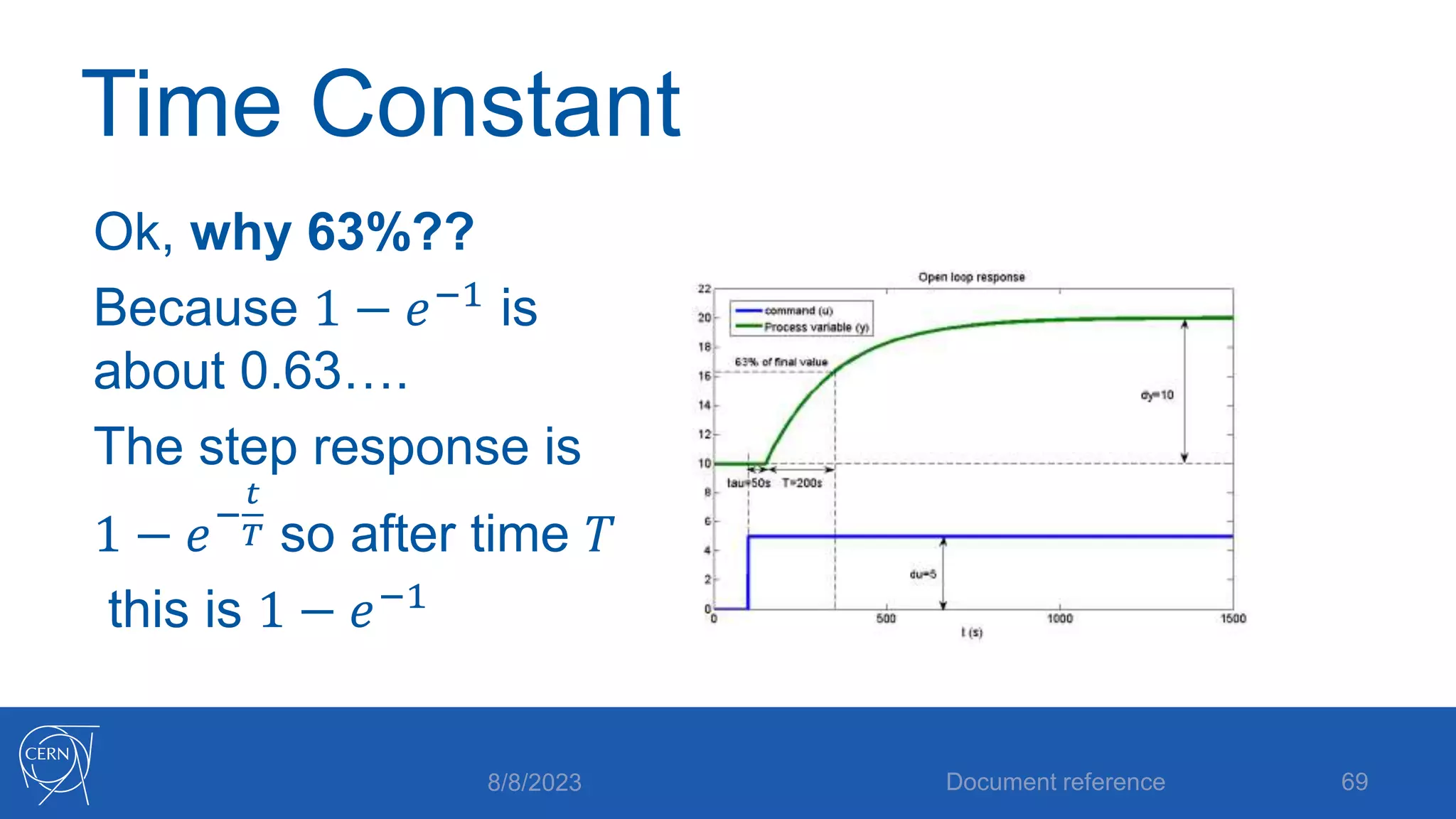
Time Constant
Ok, why 63%??
Because 1 − 𝑒−1 is
about 0.63….
The step response is
1 − 𝑒−
𝑡
𝑇 so after time 𝑇
this is 1 − 𝑒−1
8/8/2023 Document reference 69
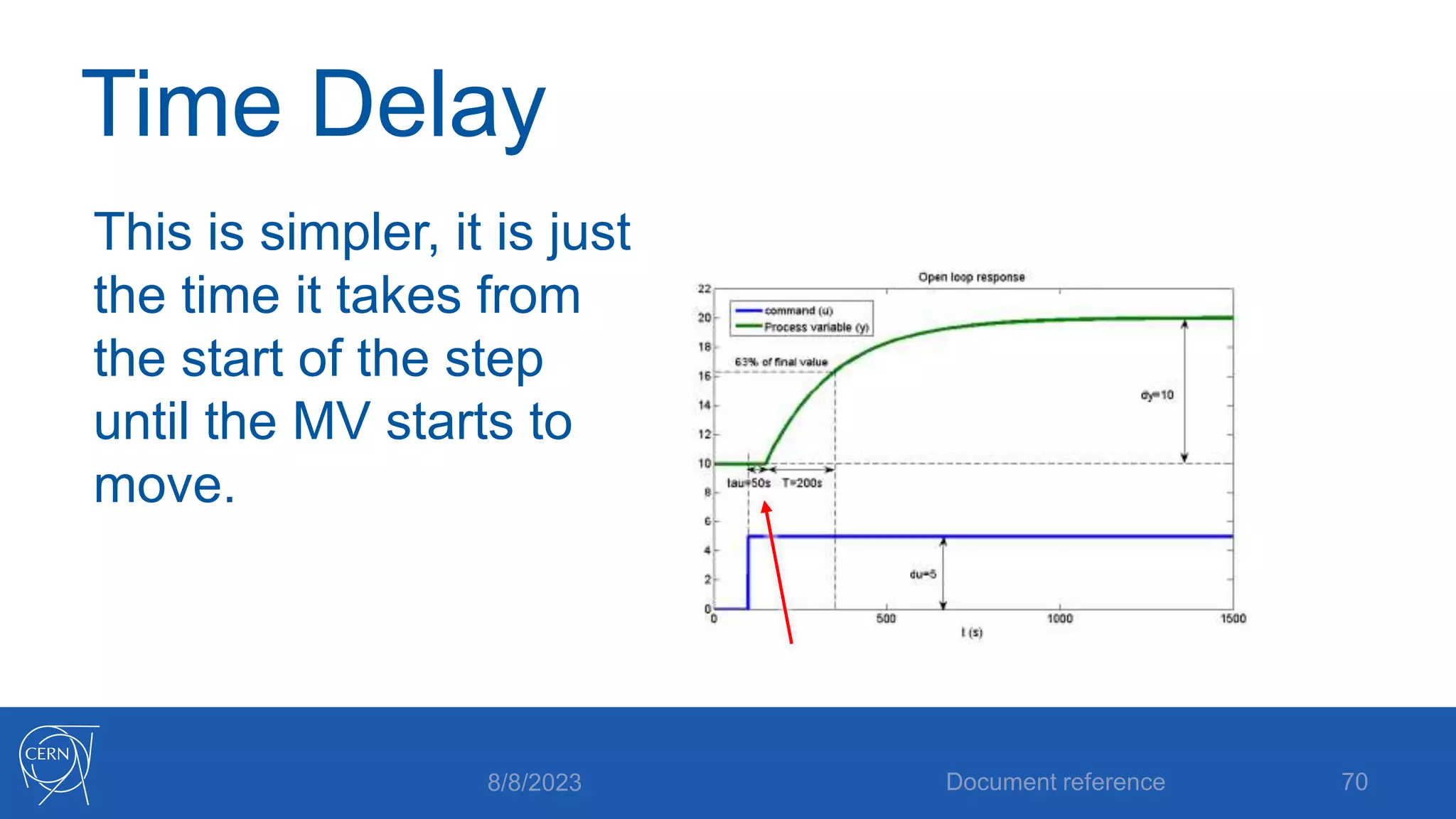
Time Delay
This is simpler, it is just
the time it takes from
the start of the step
until the MV starts to
move.
8/8/2023 Document reference 70
First order process model
We have 3 parameters that determine behavior
• 𝐾 determines how big the output change will be
• 𝑇 determines how long the process takes to get
there
• 𝜏 determines how long it takes before the
process starts doing anything at all
Document reference 71
8/8/2023
Implications for control
The key feature is the relation between 𝑇and 𝜏
• If 𝜏 is small and 𝑇 is big, control using PI is fine
• If 𝜏 is similar in size to 𝑇 , we may need a more
complex controller (PID)
• If 𝜏 is big relative to 𝑇 , PID will struggle; it will
integrate during the delay and then see a large
jump!
8/8/2023 Document reference 72
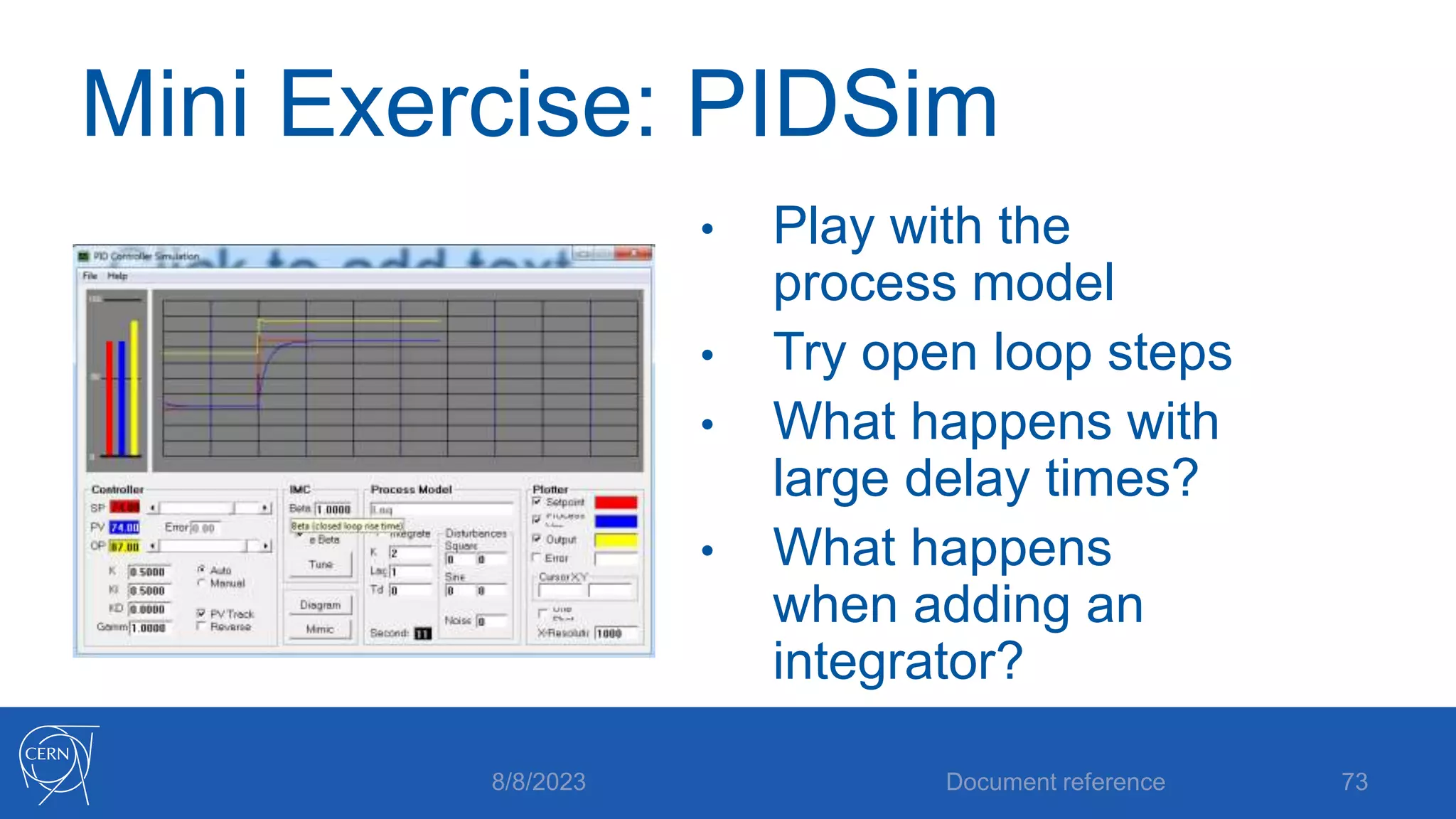
Mini Exercise: PIDSim
• Play with the
process model
• Try open loop steps
• What happens with
large delay times?
• What happens
when adding an
integrator?
Document reference 73
8/8/2023
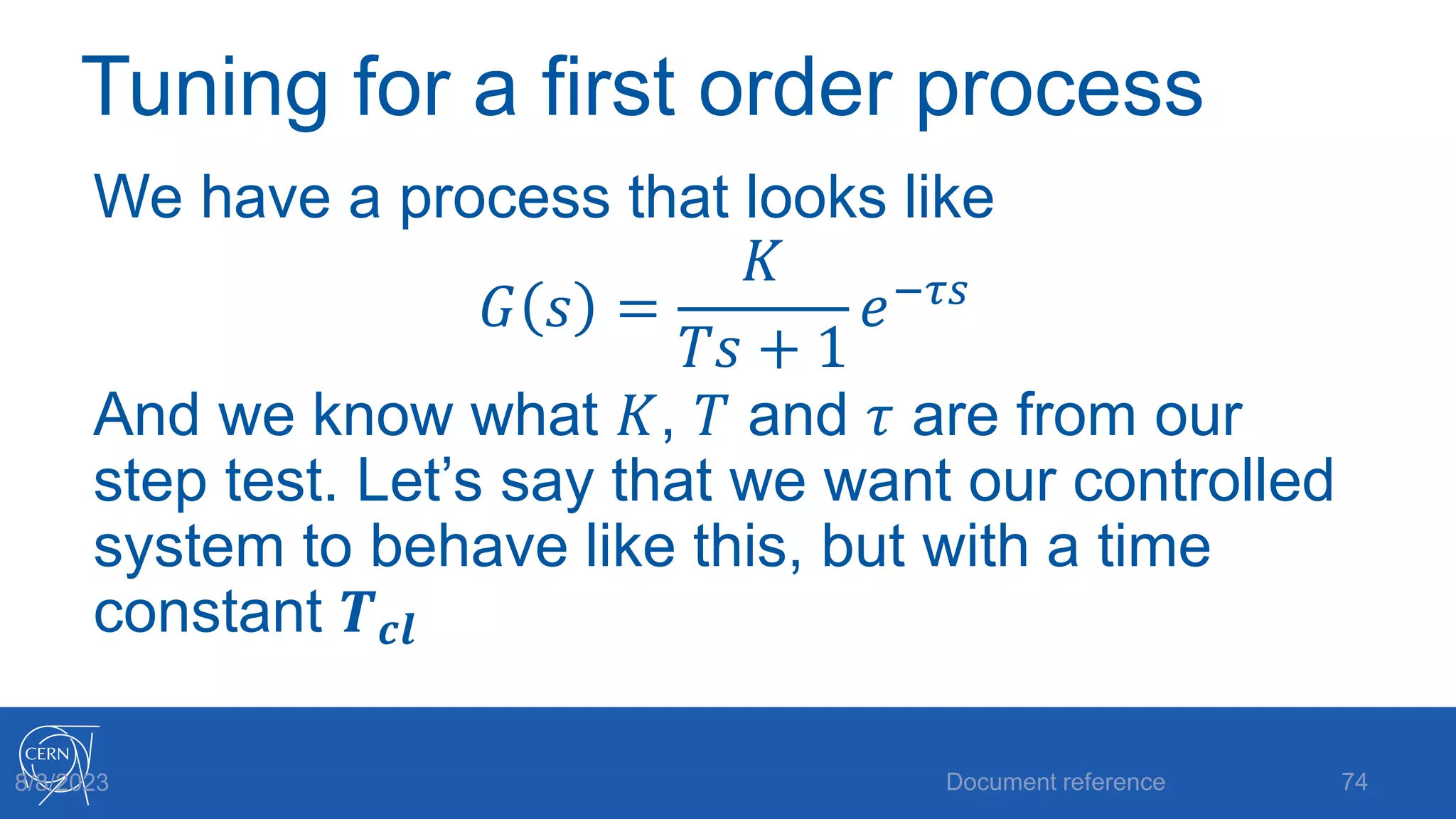
Tuning for a first order process
We have a process that looks like
𝐺 𝑠 =
𝐾
𝑇𝑠 + 1
𝑒−𝜏𝑠
And we know what 𝐾, 𝑇 and 𝜏 are from our
step test. Let’s say that we want our controlled
system to behave like this, but with a time
constant 𝑻𝒄𝒍
Document reference 74
8/8/2023
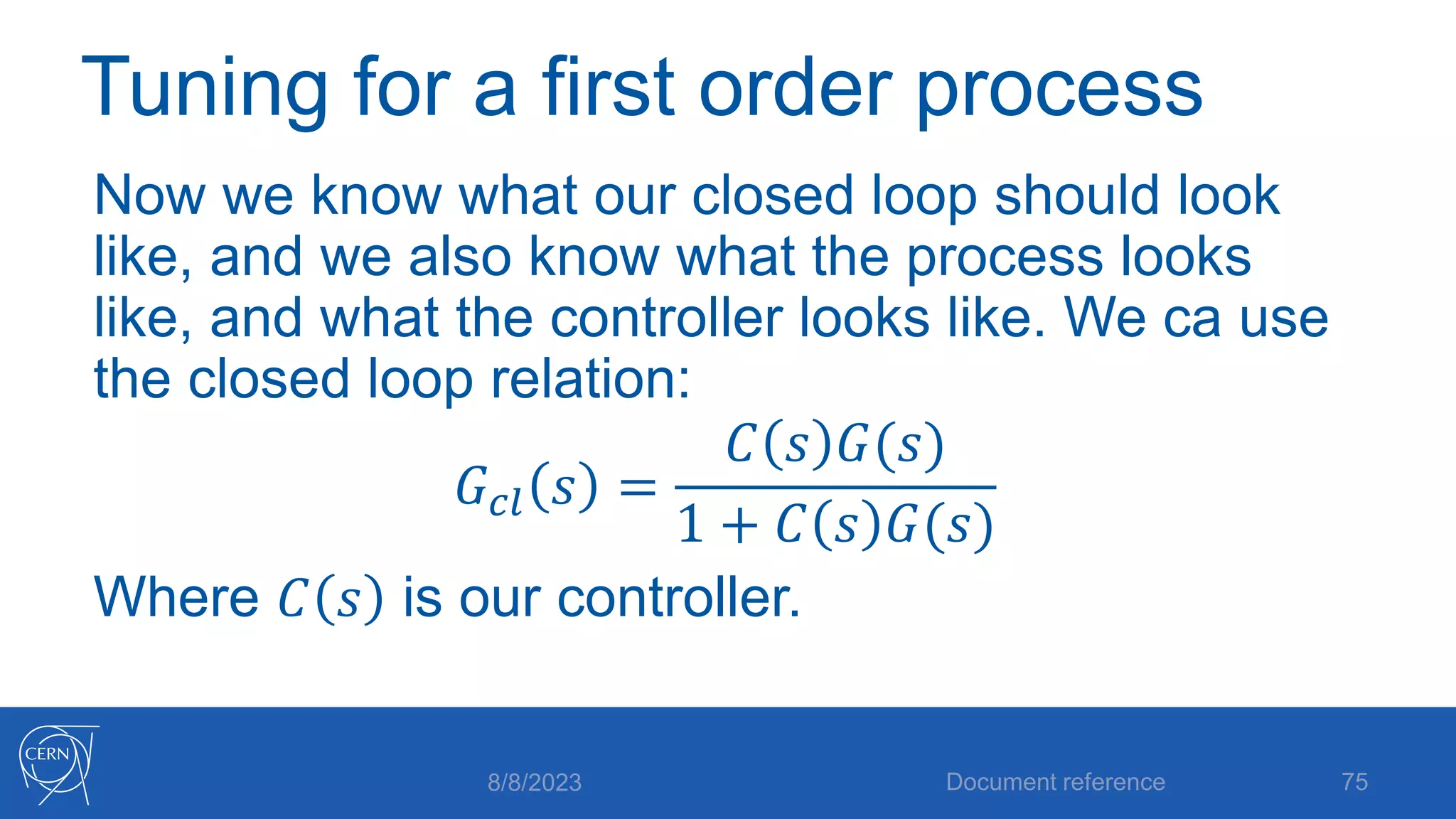
Tuning for a first order process
Now we know what our closed loop should look
like, and we also know what the process looks
like, and what the controller looks like. We ca use
the closed loop relation:
𝐺𝑐𝑙 𝑠 =
𝐶 𝑠 𝐺(𝑠)
1 + 𝐶 𝑠 𝐺(𝑠)
Where 𝐶 𝑠 is our controller.
8/8/2023 Document reference 75
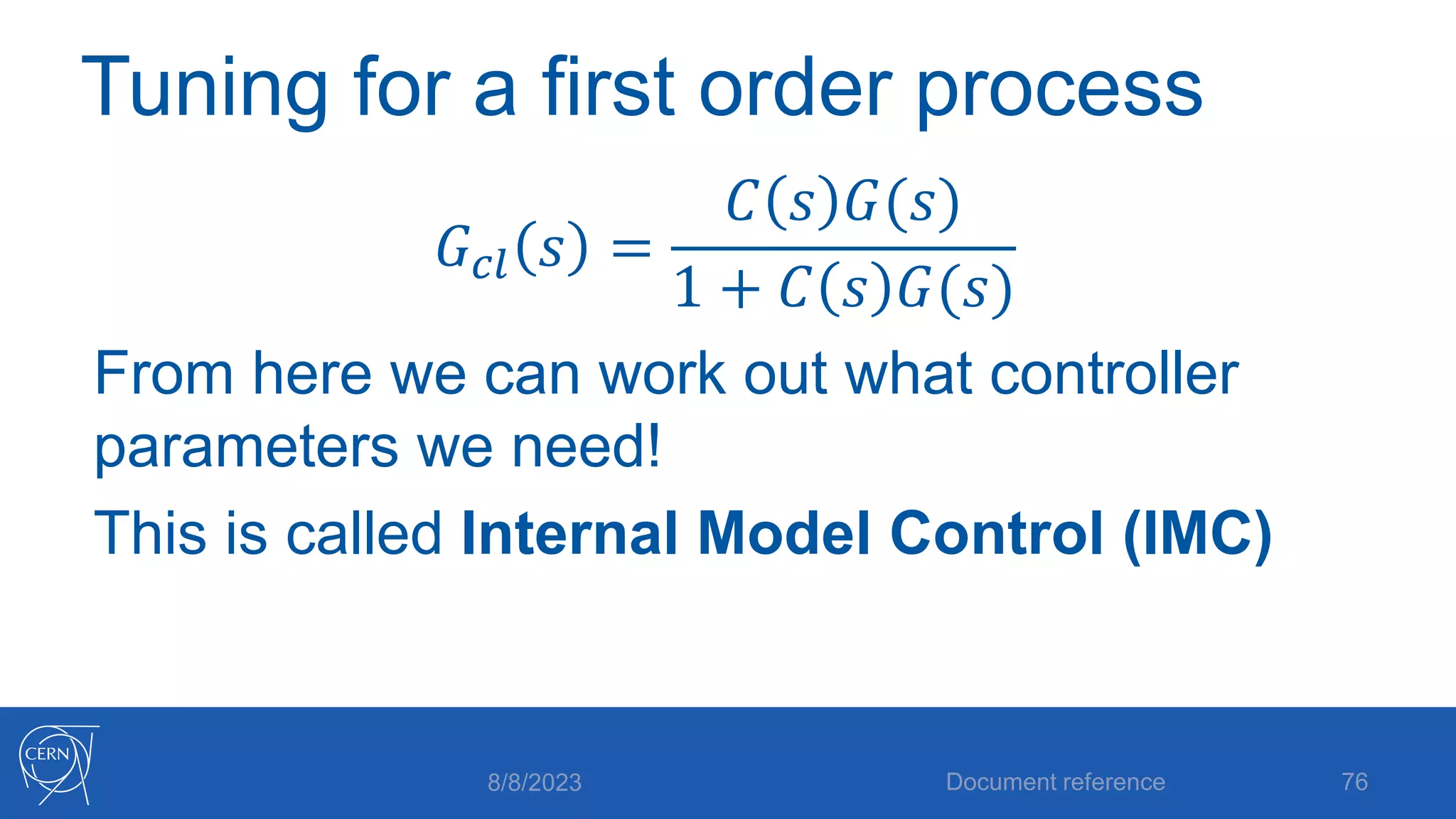
Tuning for a first order process
𝐺𝑐𝑙 𝑠 =
𝐶 𝑠 𝐺(𝑠)
1 + 𝐶 𝑠 𝐺(𝑠)
From here we can work out what controller
parameters we need!
This is called Internal Model Control (IMC)
8/8/2023 Document reference 76
Internal Model Control (IMC)
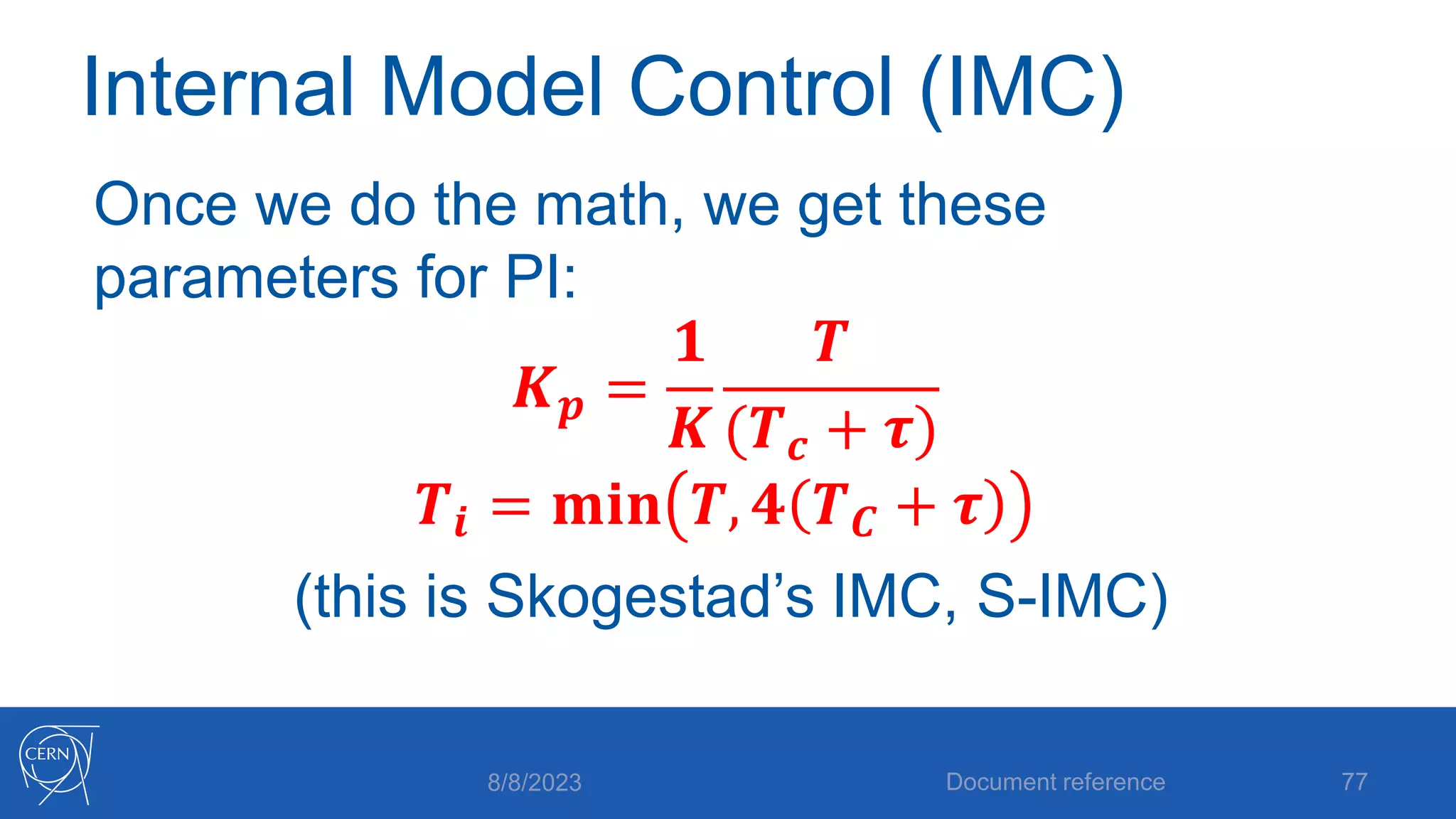
Once we do the math, we get these
parameters for PI:
𝑲𝒑 =
𝟏
𝑲
𝑻
(𝑻𝒄 + 𝝉)
𝑻𝒊 = 𝐦𝐢𝐧 𝑻, 𝟒 𝑻𝑪 + 𝝉
(this is Skogestad’s IMC, S-IMC)
8/8/2023 Document reference 77
Internal Model Control (IMC)
IMC rules are nice, because they are not just
heuristics: they are calculated from a desired
behavior.
8/8/2023 Document reference 78
Integrating processes
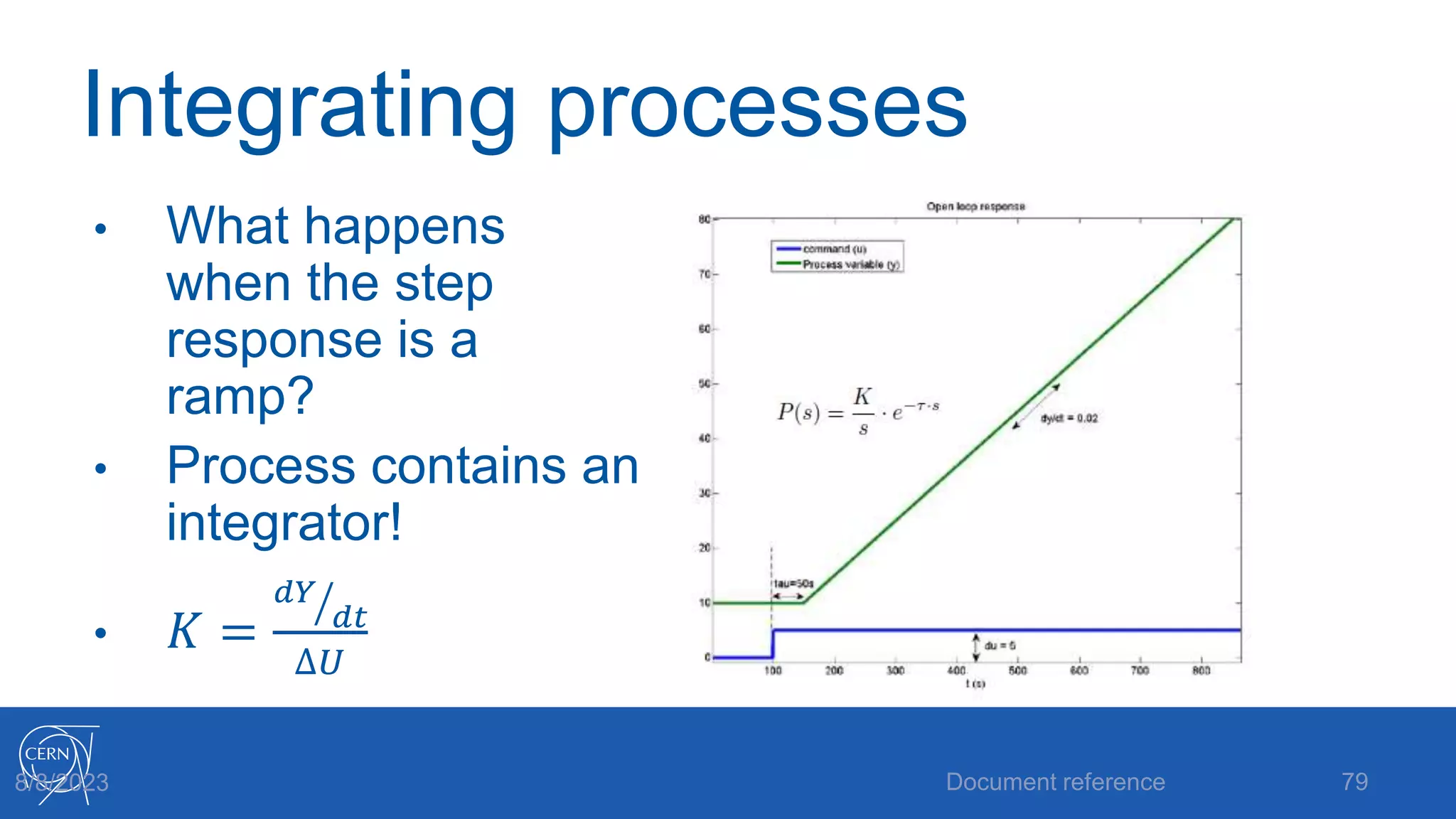
• What happens
when the step
response is a
ramp?
• Process contains an
integrator!
• 𝐾 =
𝑑𝑌
𝑑𝑡
∆𝑈
Document reference 79
8/8/2023
SIMC tuning rules
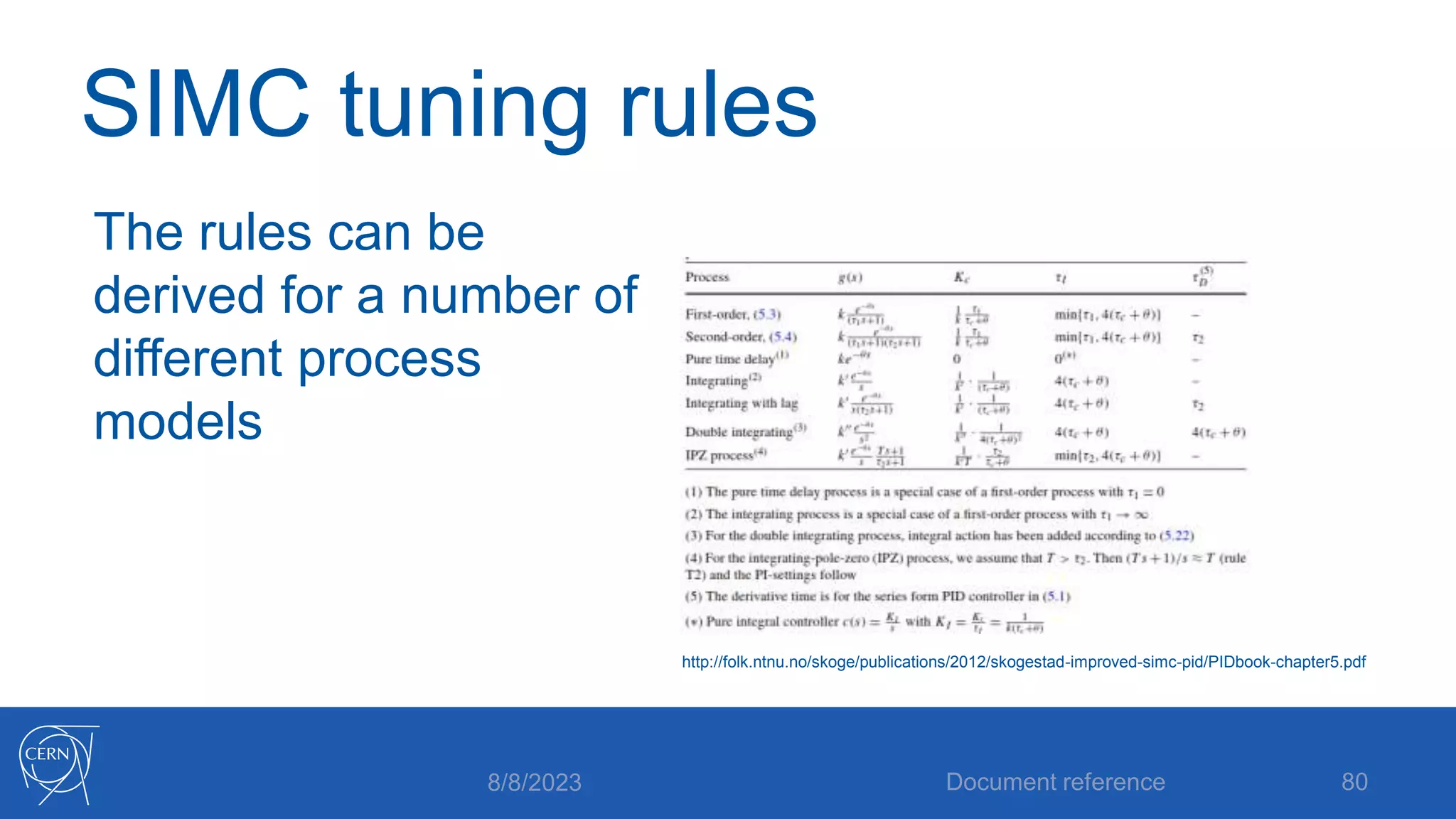
The rules can be
derived for a number of
different process
models
8/8/2023 Document reference 80
http://folk.ntnu.no/skoge/publications/2012/skogestad-improved-simc-pid/PIDbook-chapter5.pdf
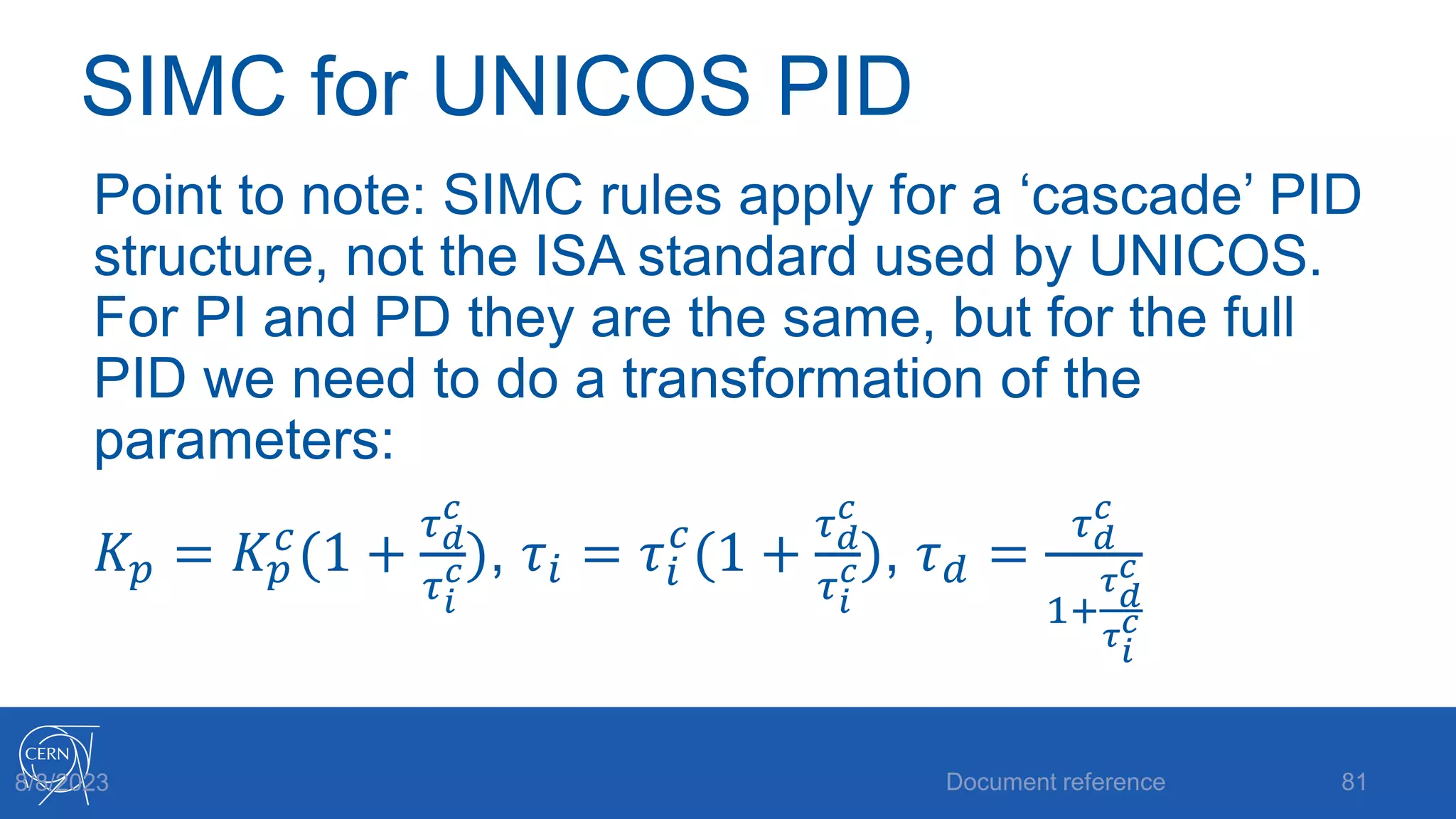
SIMC for UNICOS PID
Point to note: SIMC rules apply for a ‘cascade’ PID
structure, not the ISA standard used by UNICOS.
For PI and PD they are the same, but for the full
PID we need to do a transformation of the
parameters:
𝐾𝑝 = 𝐾𝑝
𝑐
(1 +
𝜏𝑑
𝑐
𝜏𝑖
𝑐), 𝜏𝑖 = 𝜏𝑖
𝑐
(1 +
𝜏𝑑
𝑐
𝜏𝑖
𝑐), 𝜏𝑑 =
𝜏𝑑
𝑐
1+
𝜏𝑑
𝑐
𝜏𝑖
𝑐
Document reference 81
8/8/2023
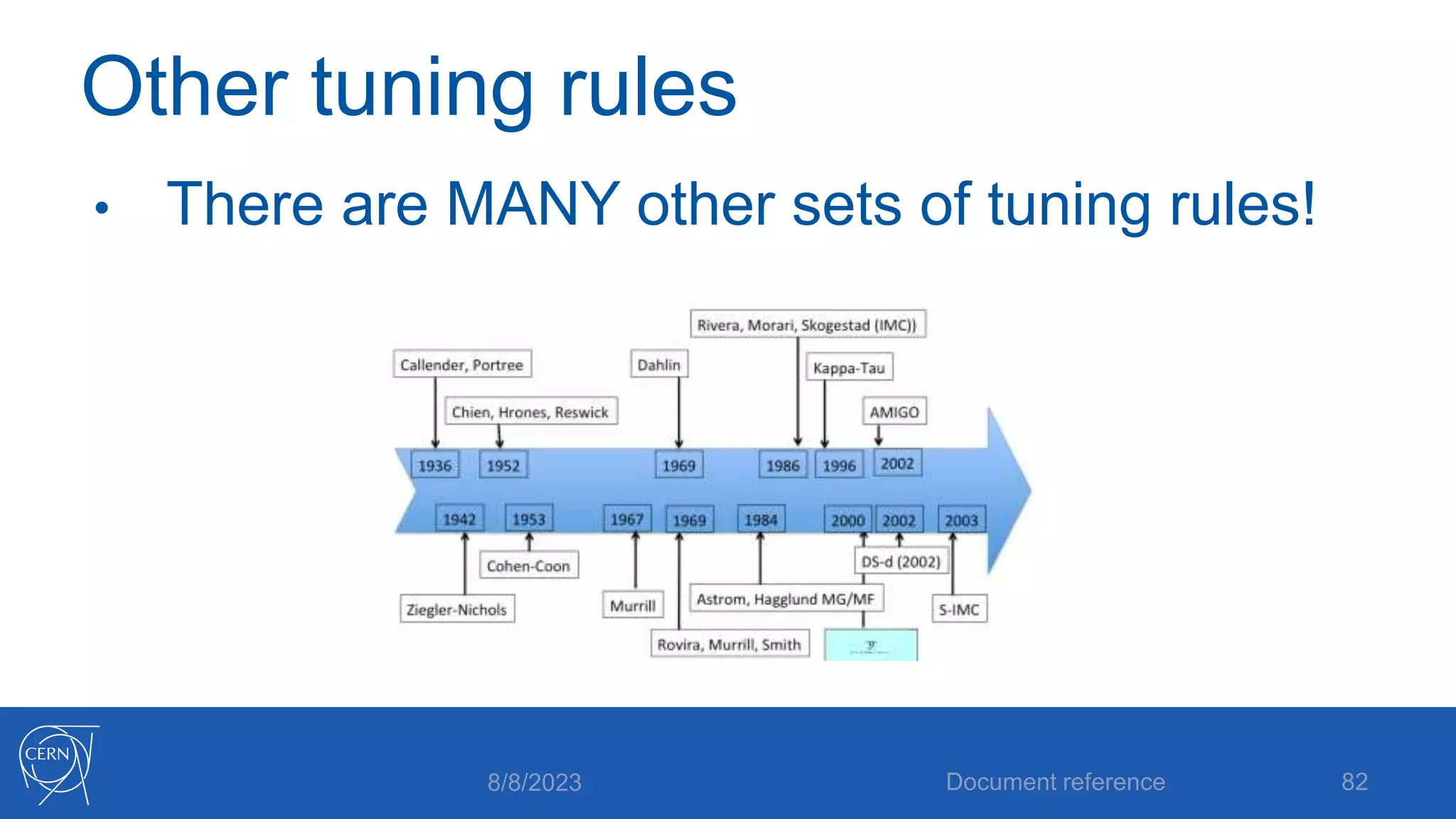
Other tuning rules
• There are MANY other sets of tuning rules!
8/8/2023 Document reference 82
Ziegler-Nichols
• You may have come across Ziegler-Nichols
• Early work (1942)
• Actually developed for fast setpoint tracking, so
they are really too aggressive for process
control!
• We will revisit them later!
8/8/2023 Document reference 83
Tuning rule warning
Lots of tuning rules are based on heuristics,
which might only fit certain process types. In
addition, you need to be sure what controller
structure they are for. You also need to know
what the control aim is (setpoint following,
disturbance rejection)
8/8/2023 Document reference 84
Recommendation: SIMC
• SIMC is good because:
• It forces you to do a step test and learn about
the process
• You can adjust the rules with an intuitive
parameter
• They are easily derived and therefore
understood
8/8/2023 Document reference 85
Recommendation: SIMC
Recommendation is to start with SIMC.
If you’re still not happy, you can use it as a
baseline, and make manual adjustments from
there.
Let’s now make a tuning ‘recipe’!
8/8/2023 Document reference 86
Tuning ‘recipe’
• Step 1: Preparation:
• Make sure it’s ok to put the process into open
loop
• Make sure the process is settled (steady state)
• Make sure you are close to your normal
operating point
8/8/2023 Document reference 87
Tuning ‘recipe’
• Step 2: Open loop step test
• Put the controller into Output Positioning
• Make a small step in the output value
• Observe the MV, make sure it doesn’t hit the limits!
• Once the MV has settled, make a step back to
where you started.
• Put the controller back in regulation
8/8/2023 Document reference 88
Tuning ‘recipe’
• Step 3: Calculate process parameters
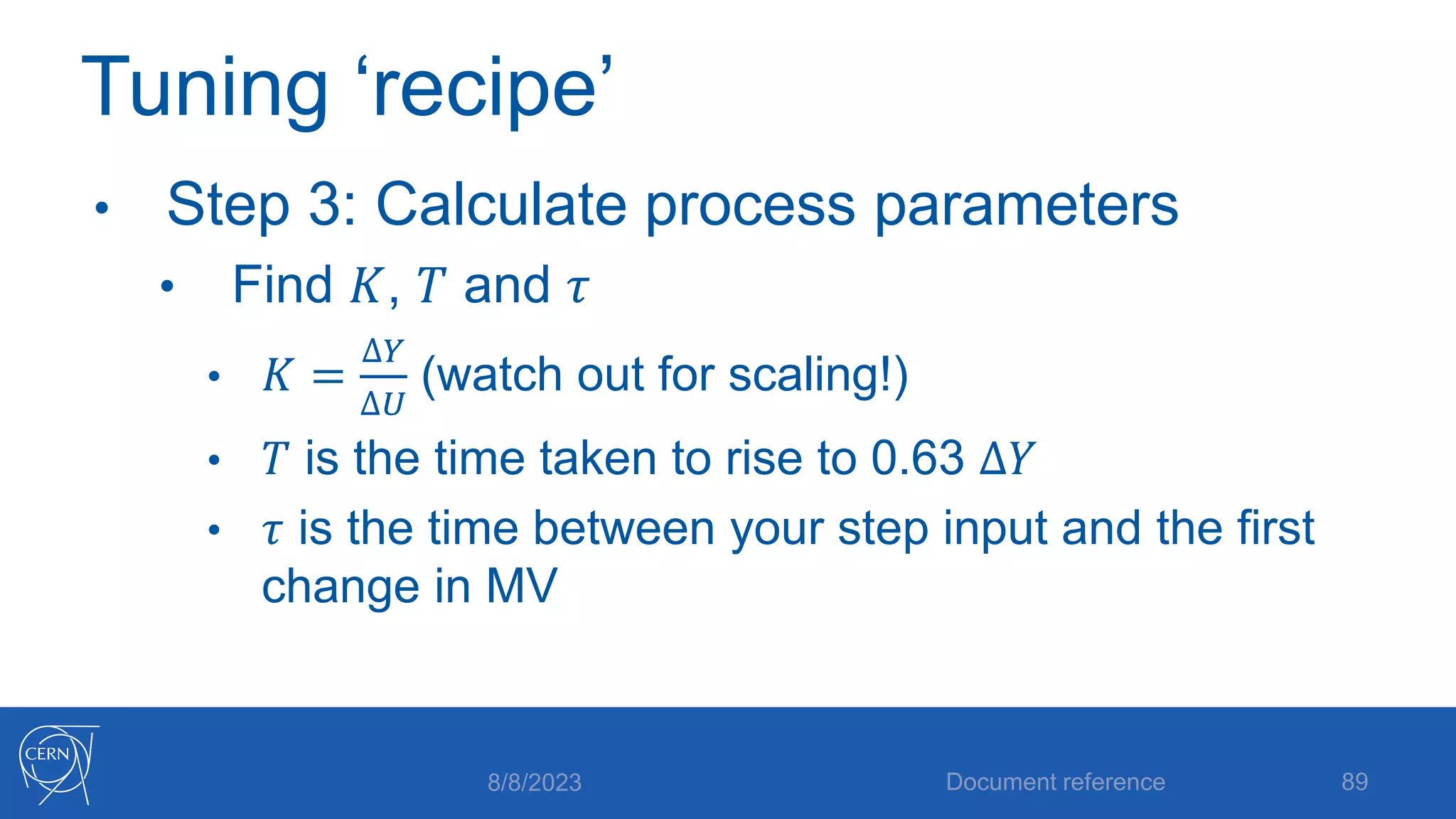
• Find 𝐾, 𝑇 and 𝜏
• 𝐾 =
∆𝑌
∆𝑈
(watch out for scaling!)
• 𝑇 is the time taken to rise to 0.63 ∆𝑌
• 𝜏 is the time between your step input and the first
change in MV
8/8/2023 Document reference 89
Tuning ‘recipe’
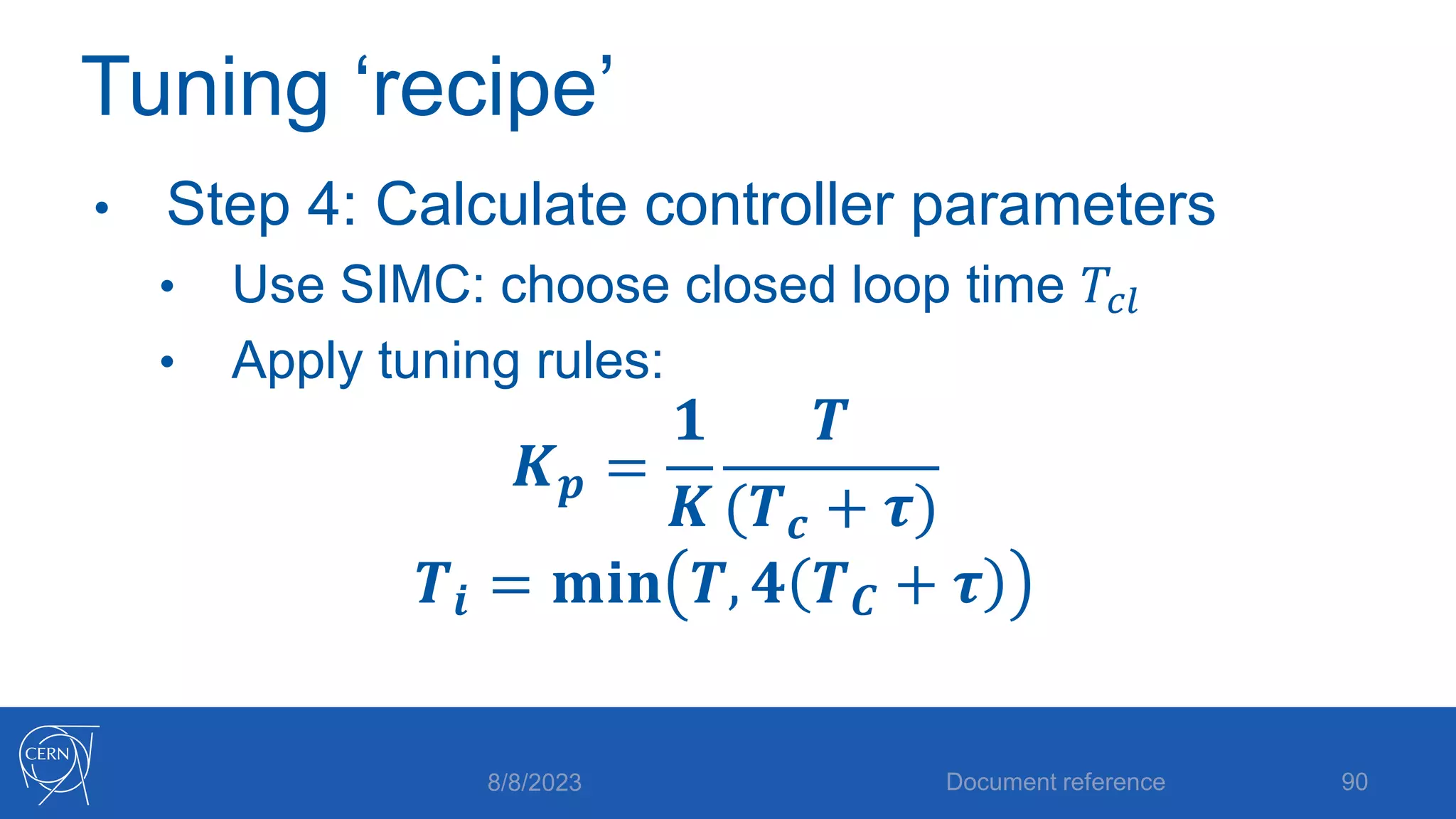
• Step 4: Calculate controller parameters
• Use SIMC: choose closed loop time 𝑇𝑐𝑙
• Apply tuning rules:
𝑲𝒑 =
𝟏
𝑲
𝑻
(𝑻𝒄 + 𝝉)
𝑻𝒊 = 𝐦𝐢𝐧 𝑻, 𝟒 𝑻𝑪 + 𝝉
8/8/2023 Document reference 90
Tuning ‘recipe’
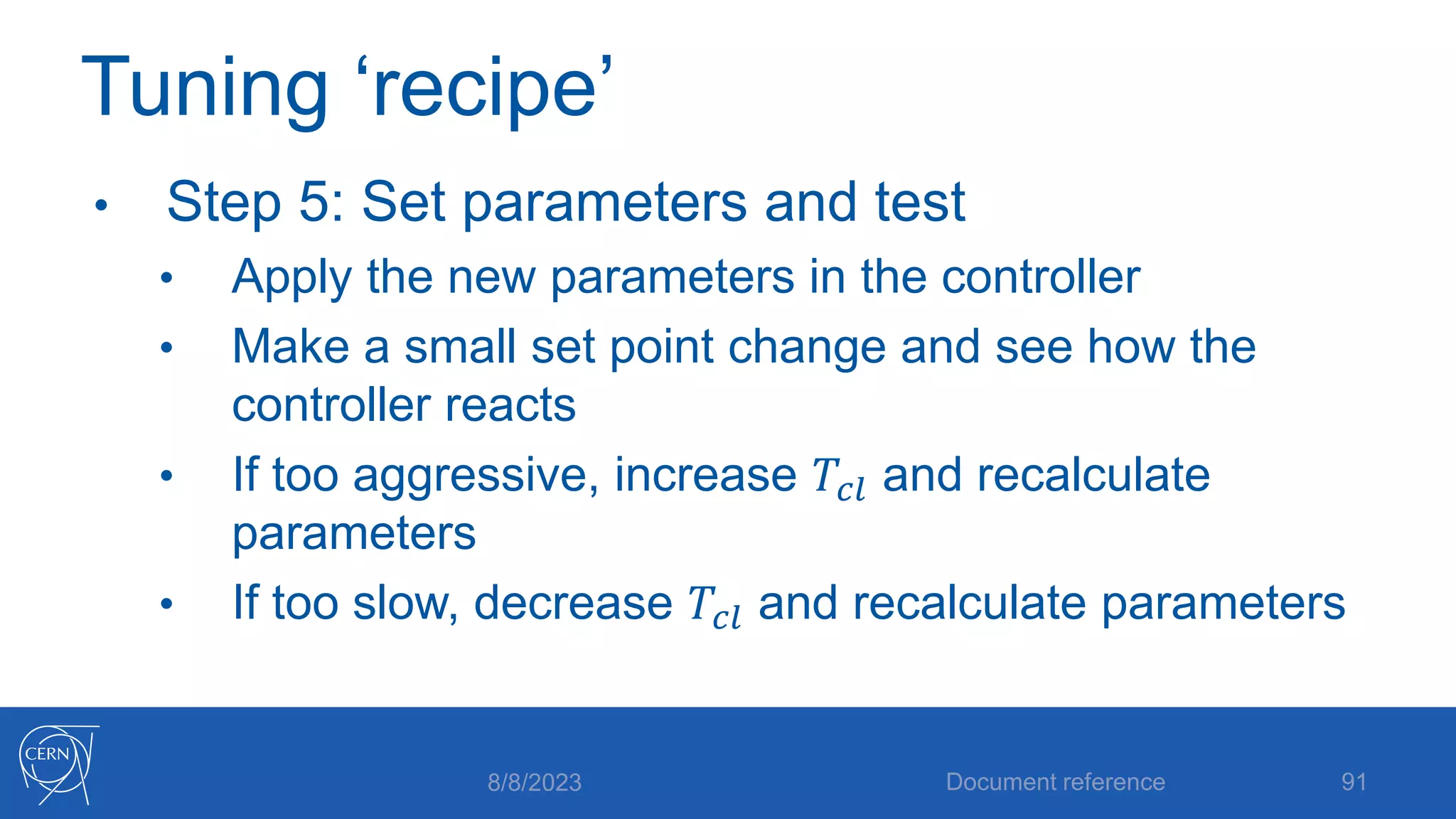
• Step 5: Set parameters and test
• Apply the new parameters in the controller
• Make a small set point change and see how the
controller reacts
• If too aggressive, increase 𝑇𝑐𝑙 and recalculate
parameters
• If too slow, decrease 𝑇𝑐𝑙 and recalculate parameters
8/8/2023 Document reference 91
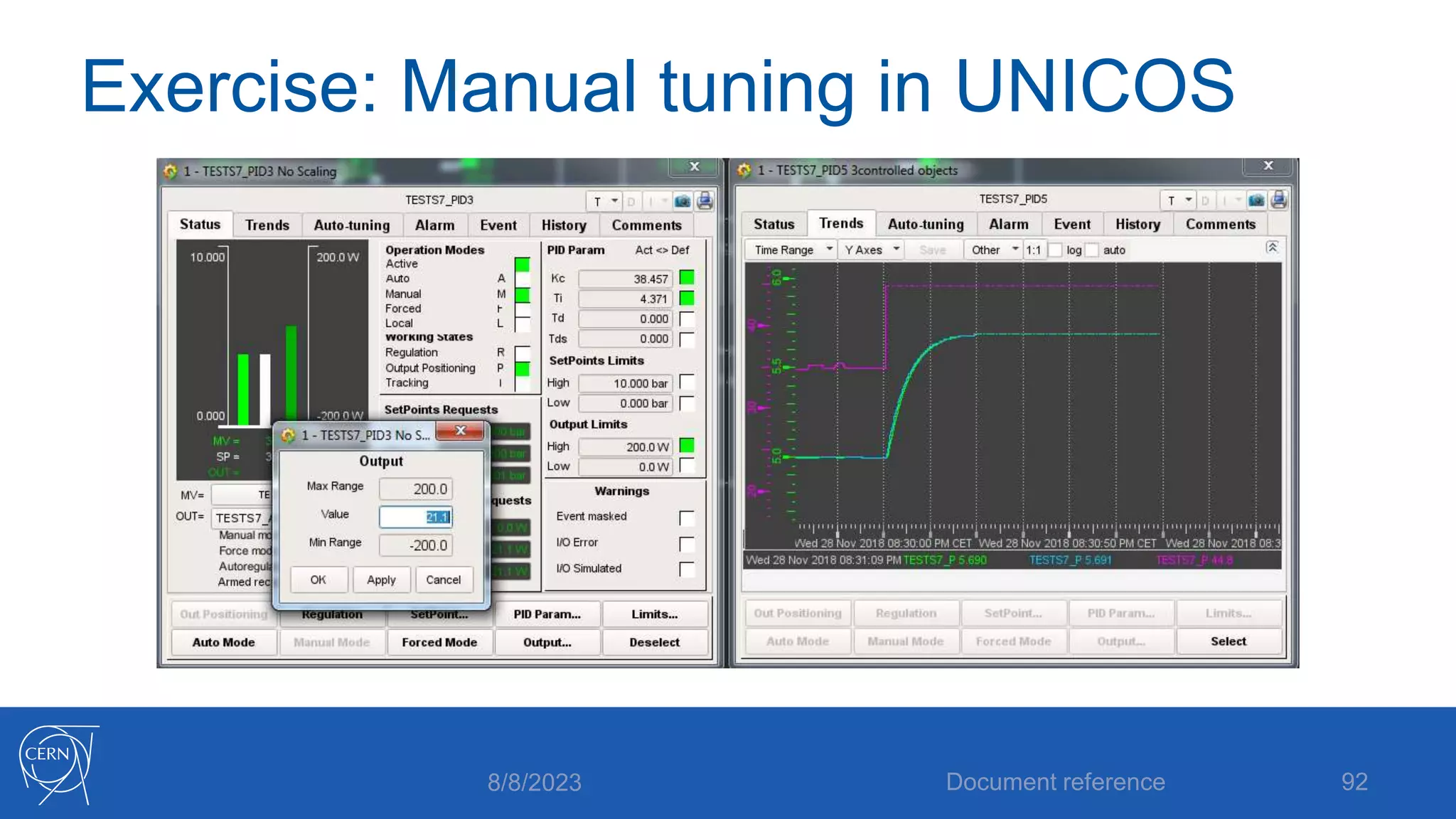
Exercise: Manual tuning in UNICOS
8/8/2023 Document reference 92
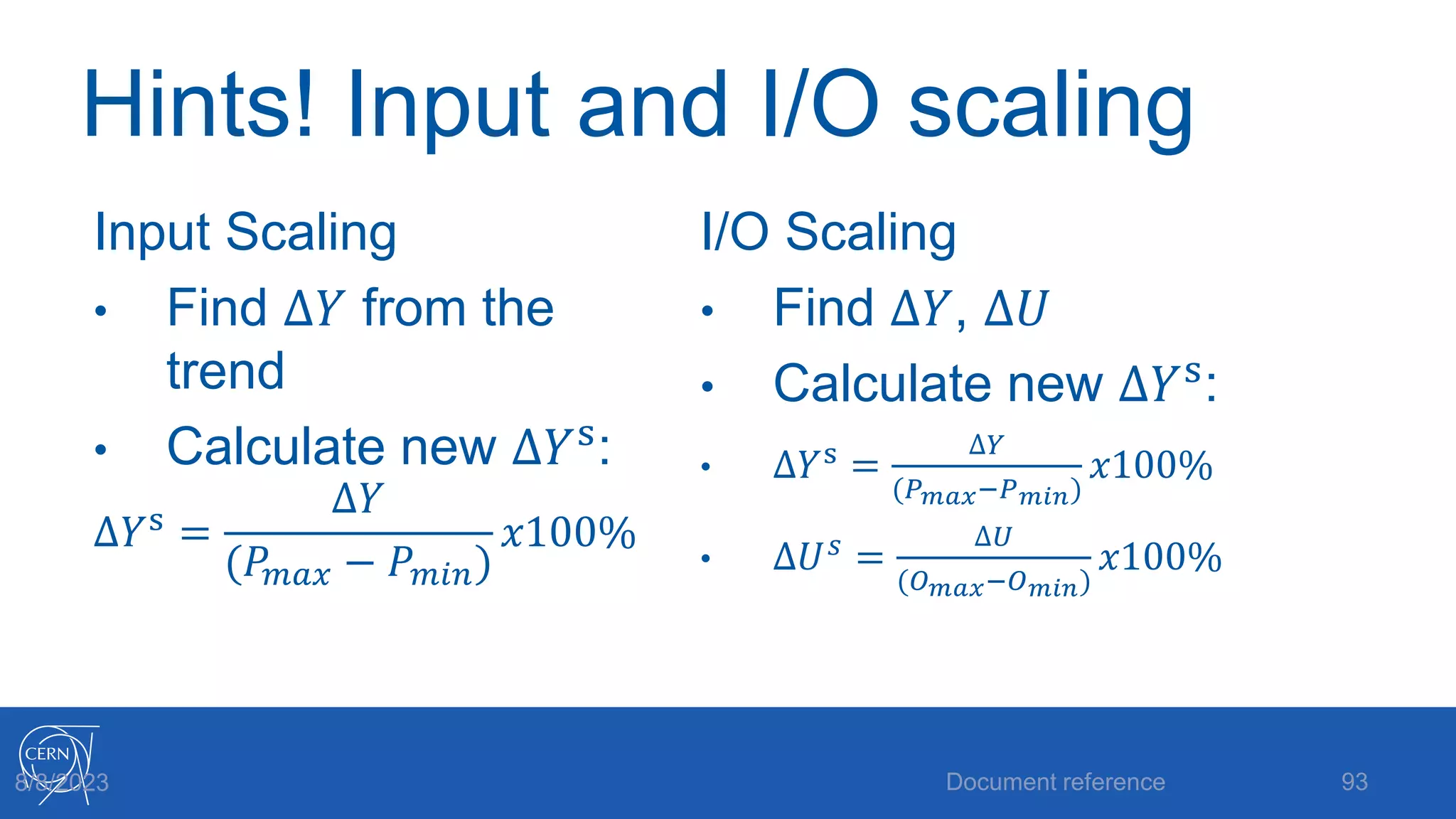
Hints! Input and I/O scaling
Input Scaling
• Find ∆𝑌 from the
trend
• Calculate new ∆𝑌s
:
∆𝑌s =
∆𝑌
(𝑃𝑚𝑎𝑥 − 𝑃𝑚𝑖𝑛)
𝑥100%
I/O Scaling
• Find ∆𝑌, ∆𝑈
• Calculate new ∆𝑌s
:
• ∆𝑌s =
∆𝑌
(𝑃𝑚𝑎𝑥−𝑃𝑚𝑖𝑛)
𝑥100%
• ∆𝑈𝑠 =
∆𝑈
(𝑂𝑚𝑎𝑥−𝑂𝑚𝑖𝑛)
𝑥100%
Document reference 93
8/8/2023
Autotuning
Document reference 94
The UNICOS Autotuning tool
8/8/2023
Autotuning
• What is autotuning?
• It is NOT a system which continuously updates
the controller parameters (this is adaptive
control)
• It is just a set of tools to automate the procedure
of finding a set of parameters
8/8/2023 Document reference 95
Open vs Closed Loop
• In our manual tuning we did an open loop
experiment (step test) and found parameters
from there. This procedure can be
automated
• There are also methods that allow us to
keep the loop closed
8/8/2023 Document reference 96
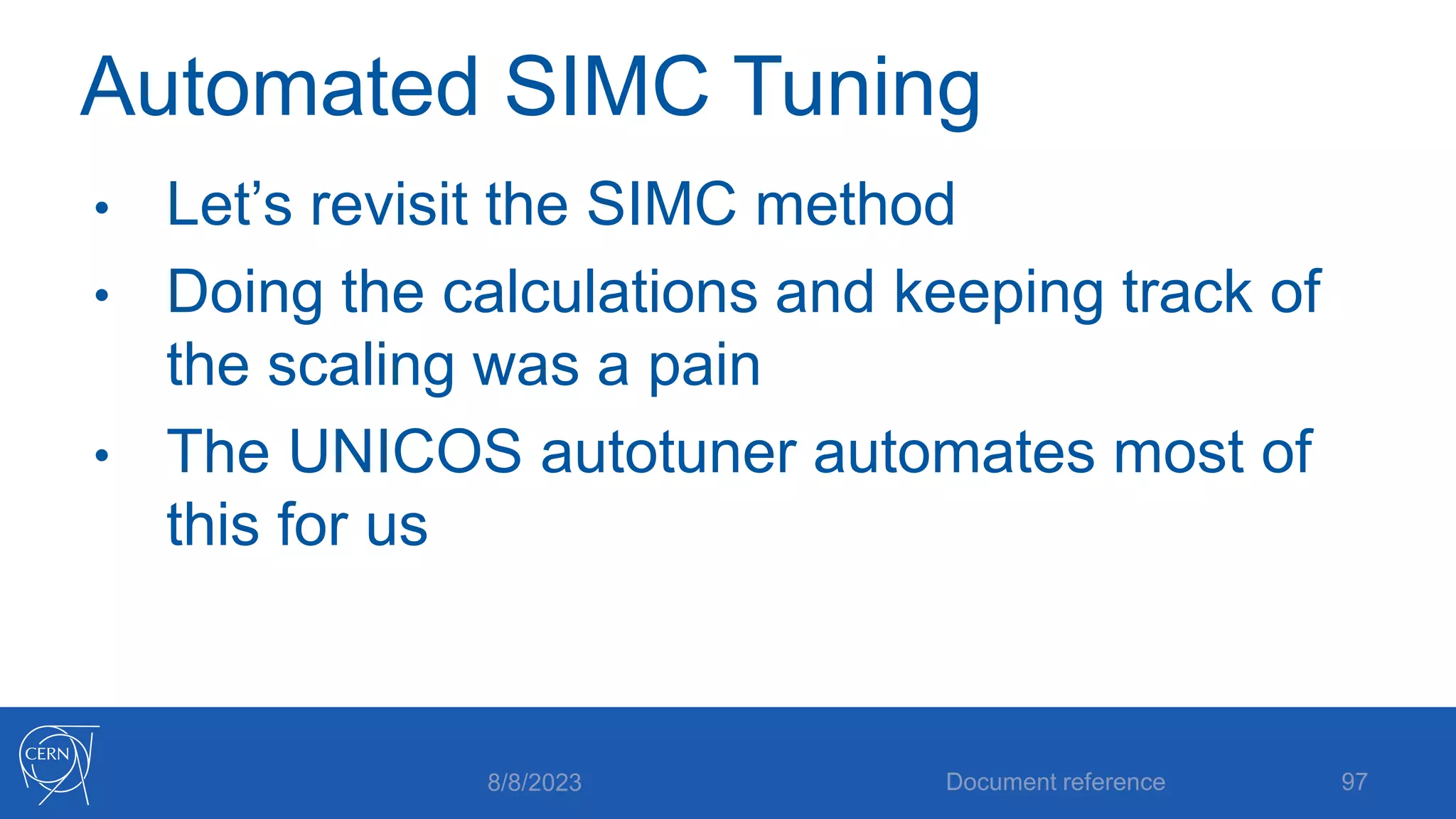
Automated SIMC Tuning
• Let’s revisit the SIMC method
• Doing the calculations and keeping track of
the scaling was a pain
• The UNICOS autotuner automates most of
this for us
8/8/2023 Document reference 97
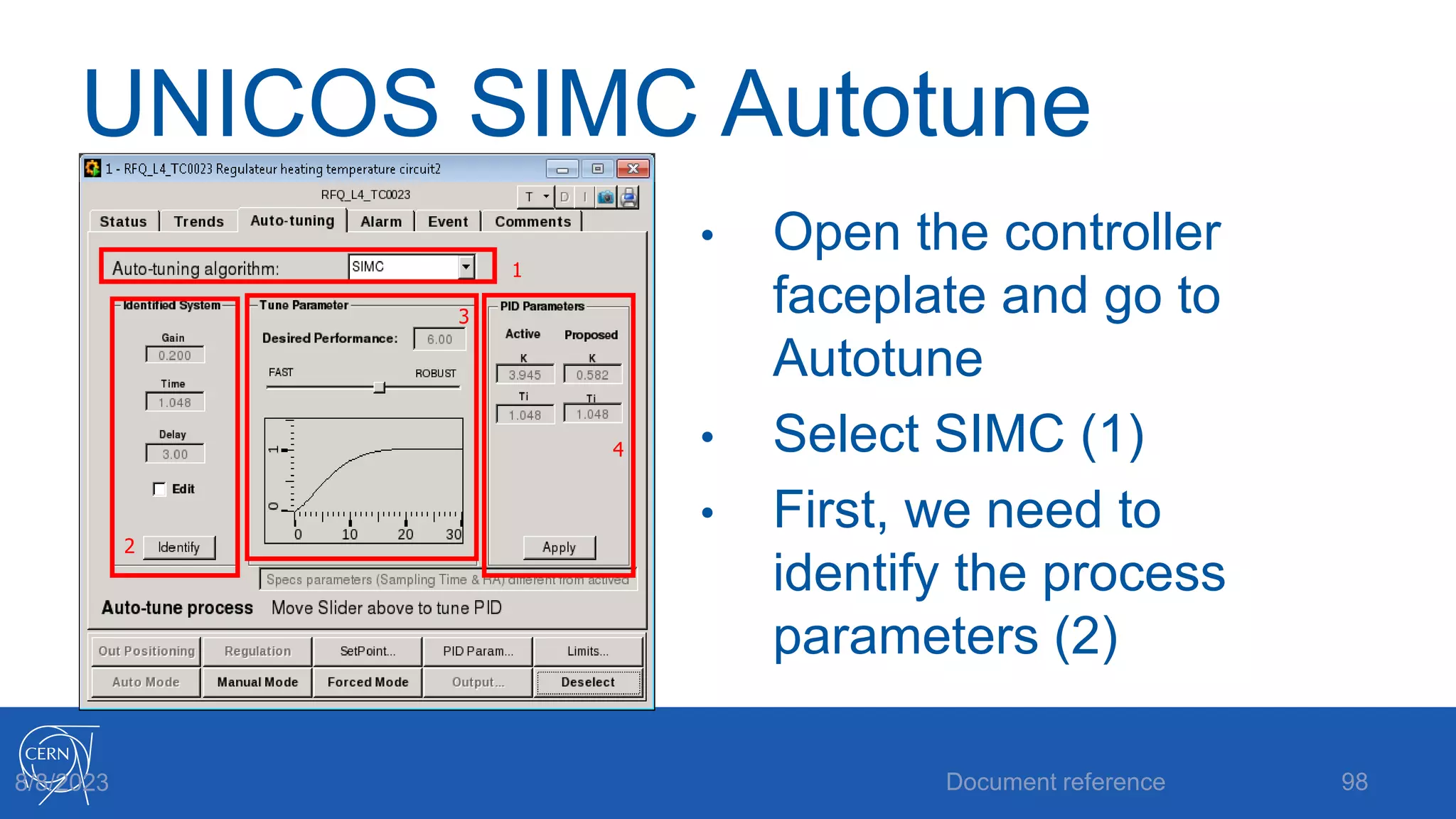
UNICOS SIMC Autotune
• Open the controller
faceplate and go to
Autotune
• Select SIMC (1)
• First, we need to
identify the process
parameters (2)
Document reference 98
8/8/2023
1
2
3
4
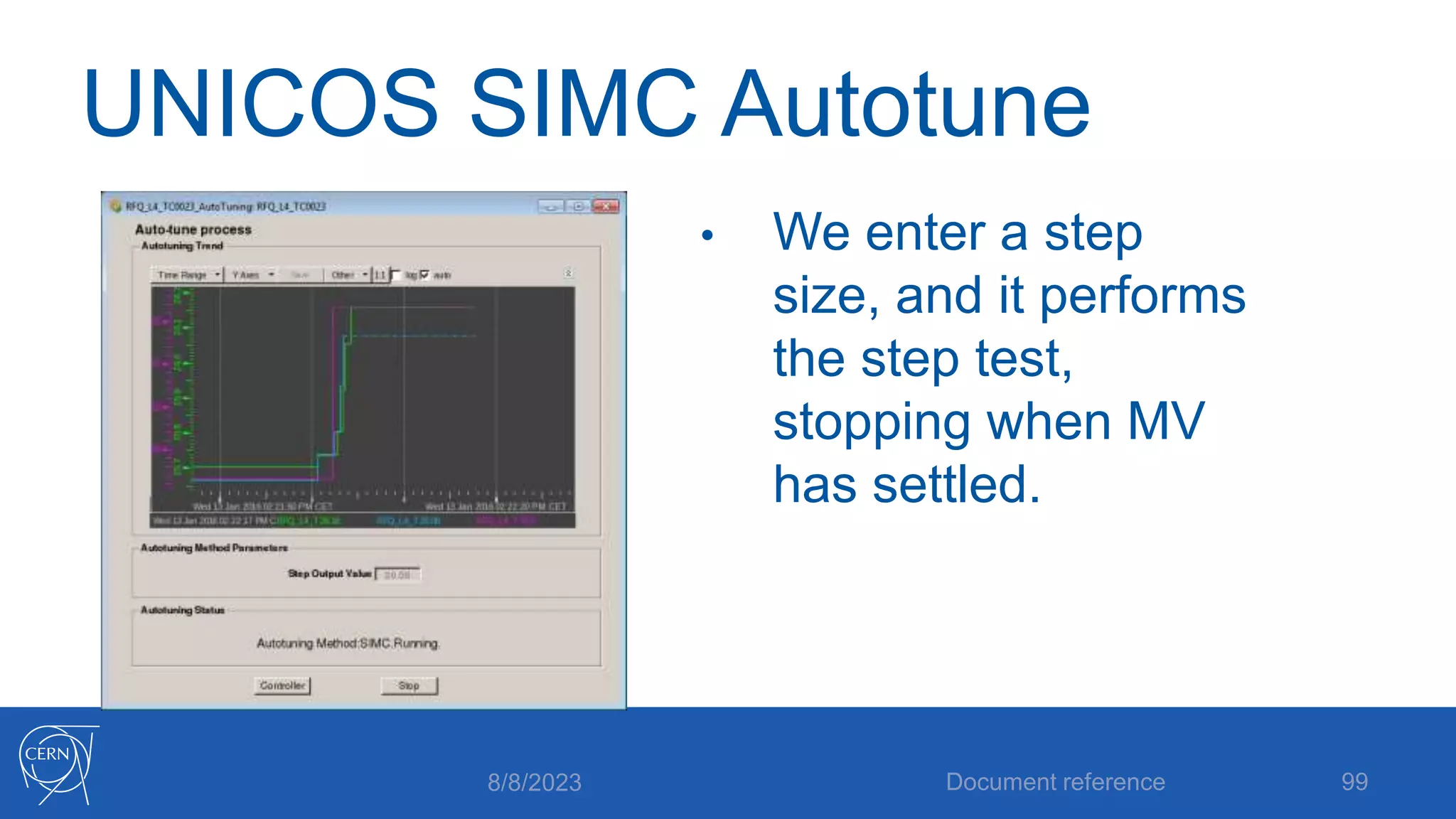
UNICOS SIMC Autotune
• We enter a step
size, and it performs
the step test,
stopping when MV
has settled.
8/8/2023 Document reference 99
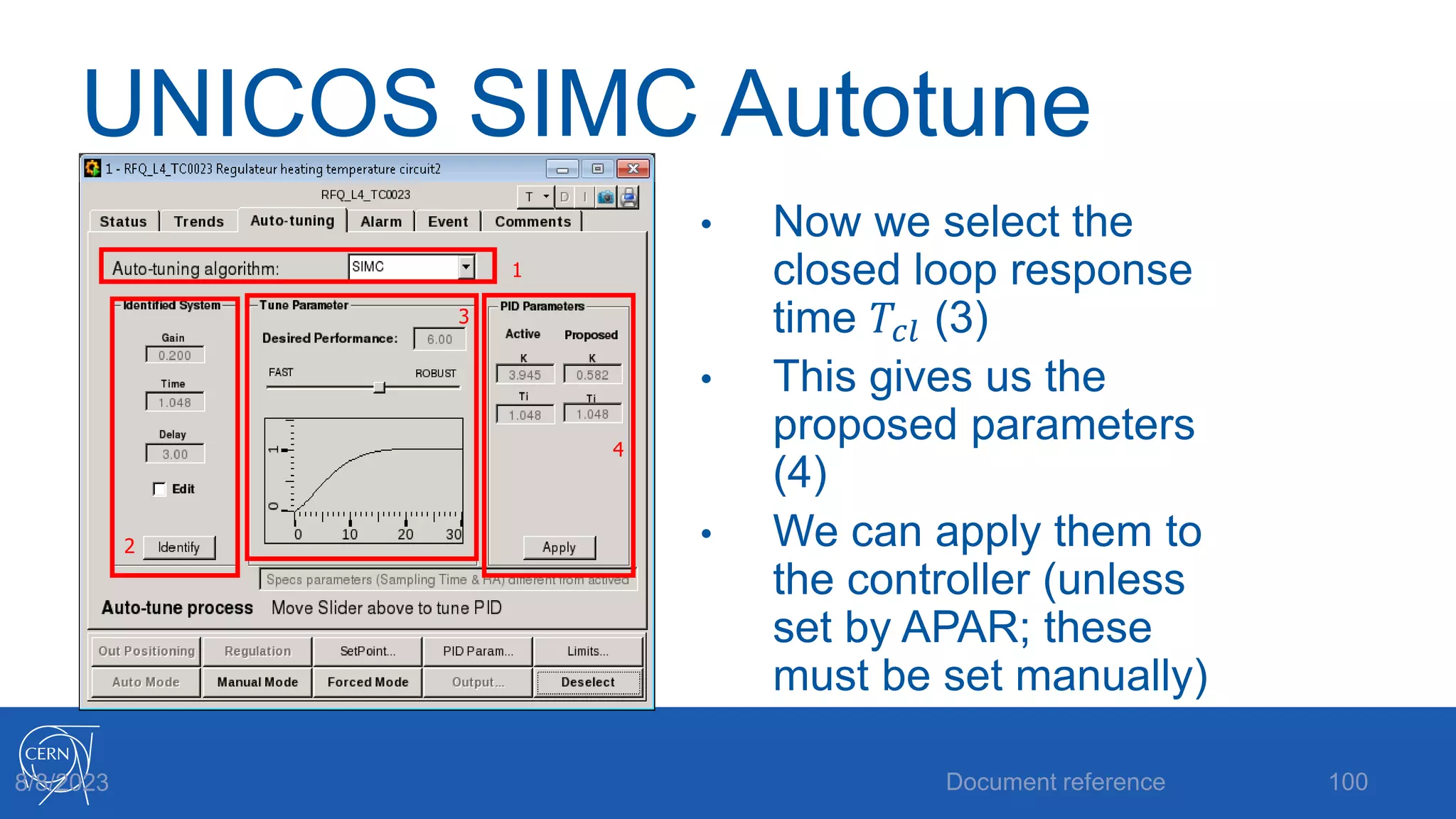
UNICOS SIMC Autotune
• Now we select the
closed loop response
time 𝑇𝑐𝑙 (3)
• This gives us the
proposed parameters
(4)
• We can apply them to
the controller (unless
set by APAR; these
must be set manually)
Document reference 100
8/8/2023
1
2
3
4
Closed Loop Autotuning
• What if we want to remain in closed loop
when tuning?
• We can use the Relay Method
• Effectively exchanges the PID for an on/off
control
Document reference 101
8/8/2023
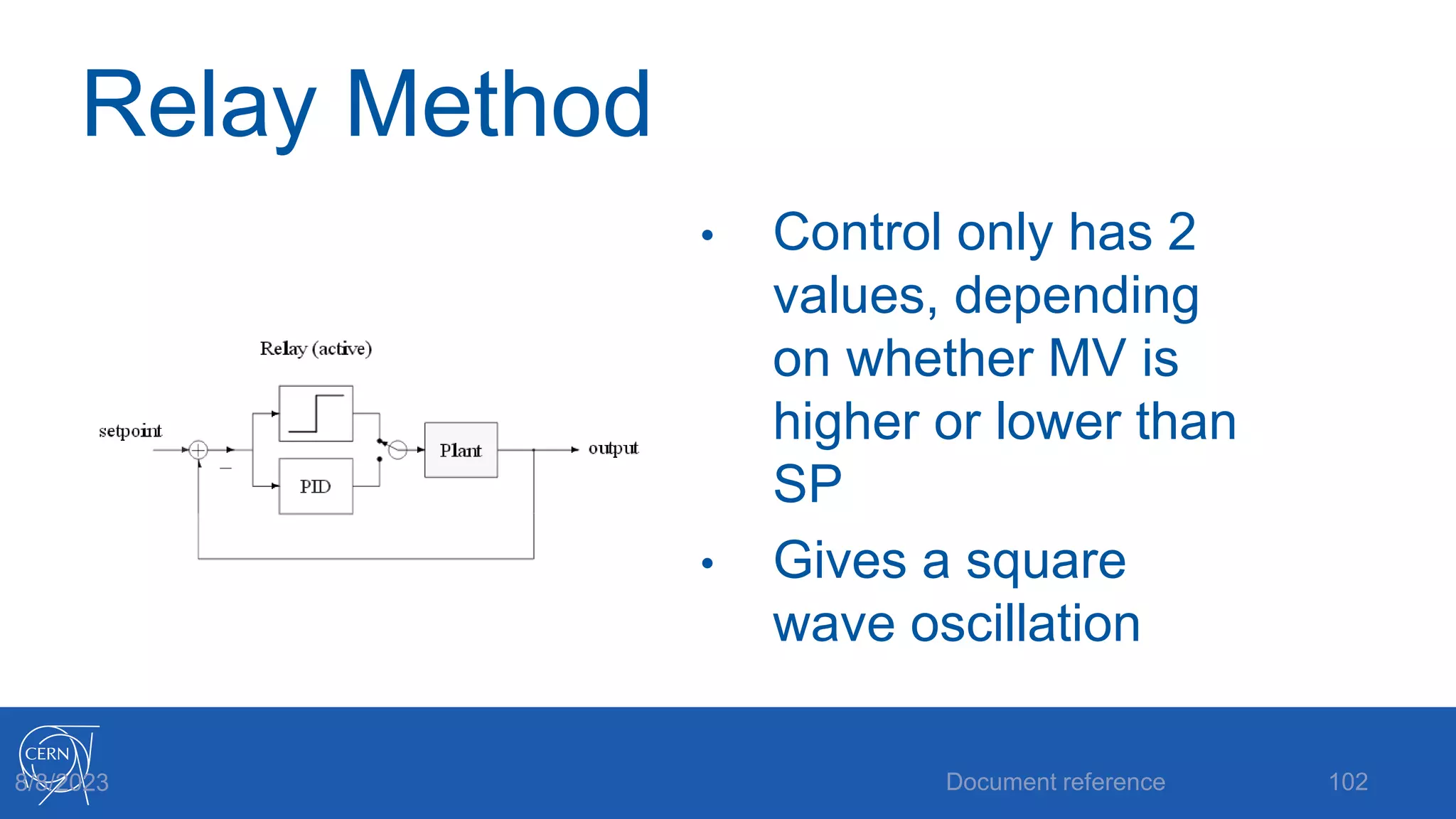
Relay Method
• Control only has 2
values, depending
on whether MV is
higher or lower than
SP
• Gives a square
wave oscillation
Document reference 102
8/8/2023
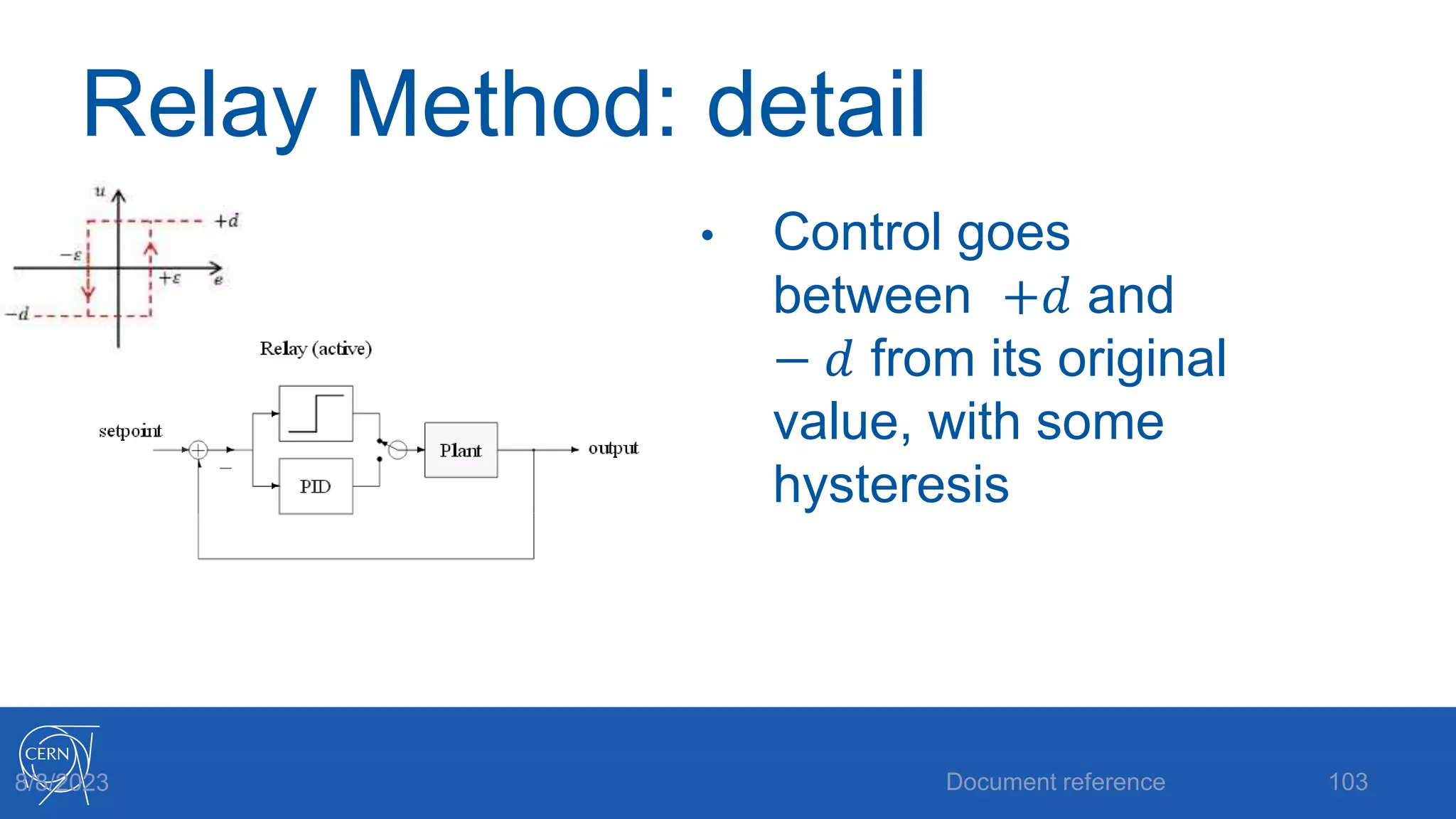
Relay Method: detail
• Control goes
between +𝑑 and
− 𝑑 from its original
value, with some
hysteresis
Document reference 103
8/8/2023
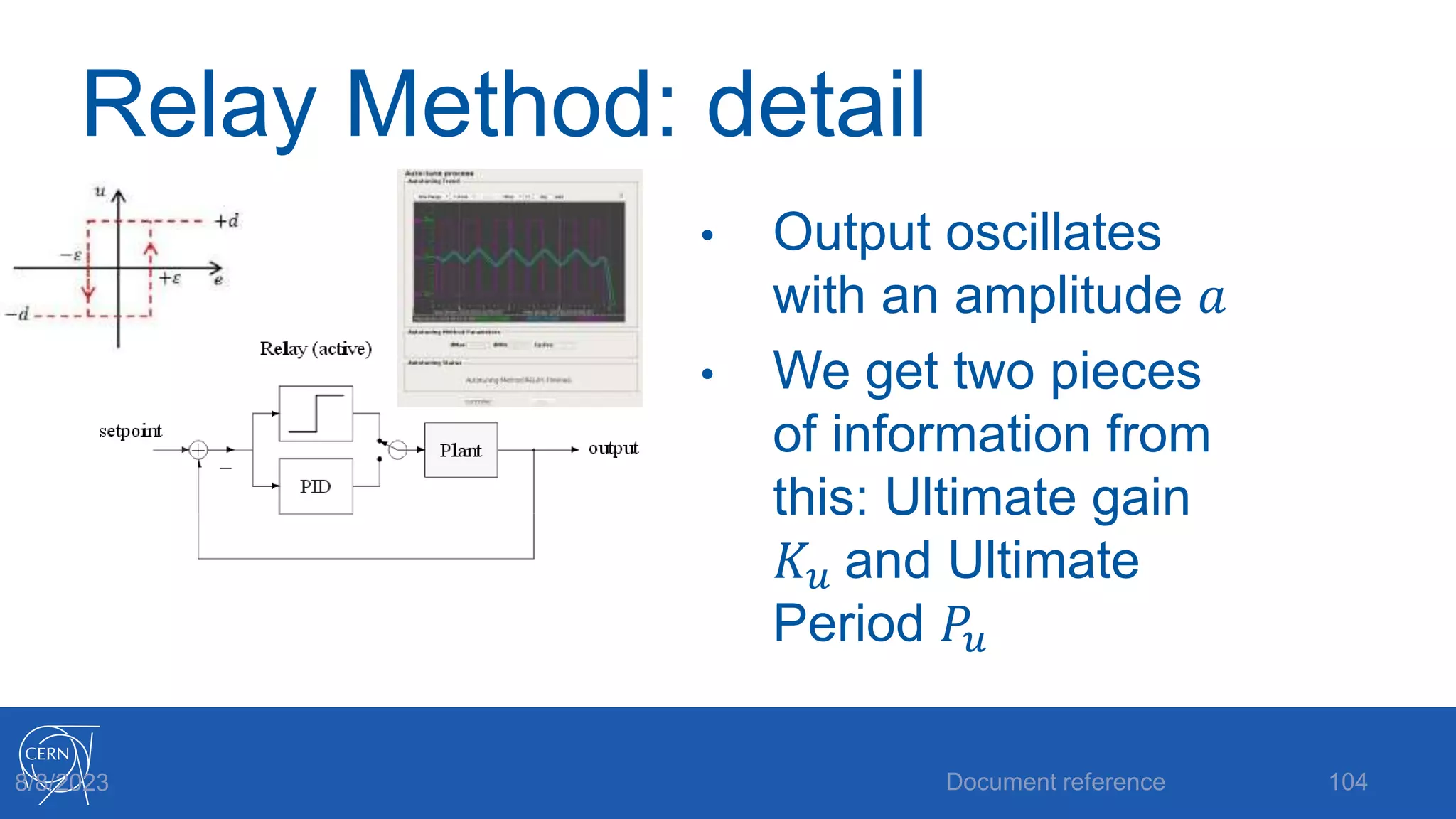
Relay Method: detail
• Output oscillates
with an amplitude 𝑎
• We get two pieces
of information from
this: Ultimate gain
𝐾𝑢 and Ultimate
Period 𝑃𝑢
Document reference 104
8/8/2023
Relay Method: calculation
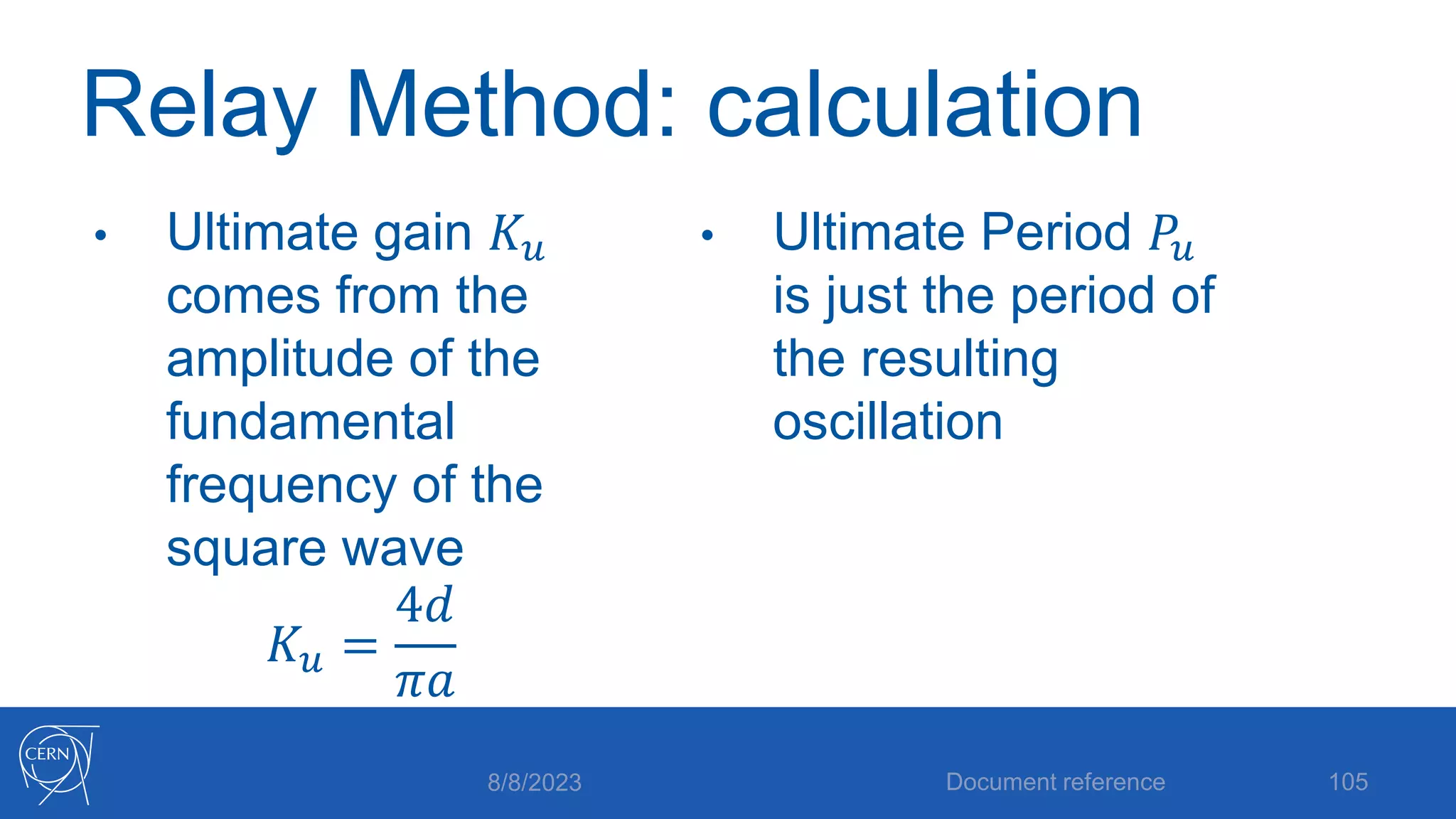
• Ultimate gain 𝐾𝑢
comes from the
amplitude of the
fundamental
frequency of the
square wave
𝐾𝑢 =
4𝑑
𝜋𝑎
• Ultimate Period 𝑃𝑢
is just the period of
the resulting
oscillation
8/8/2023 Document reference 105
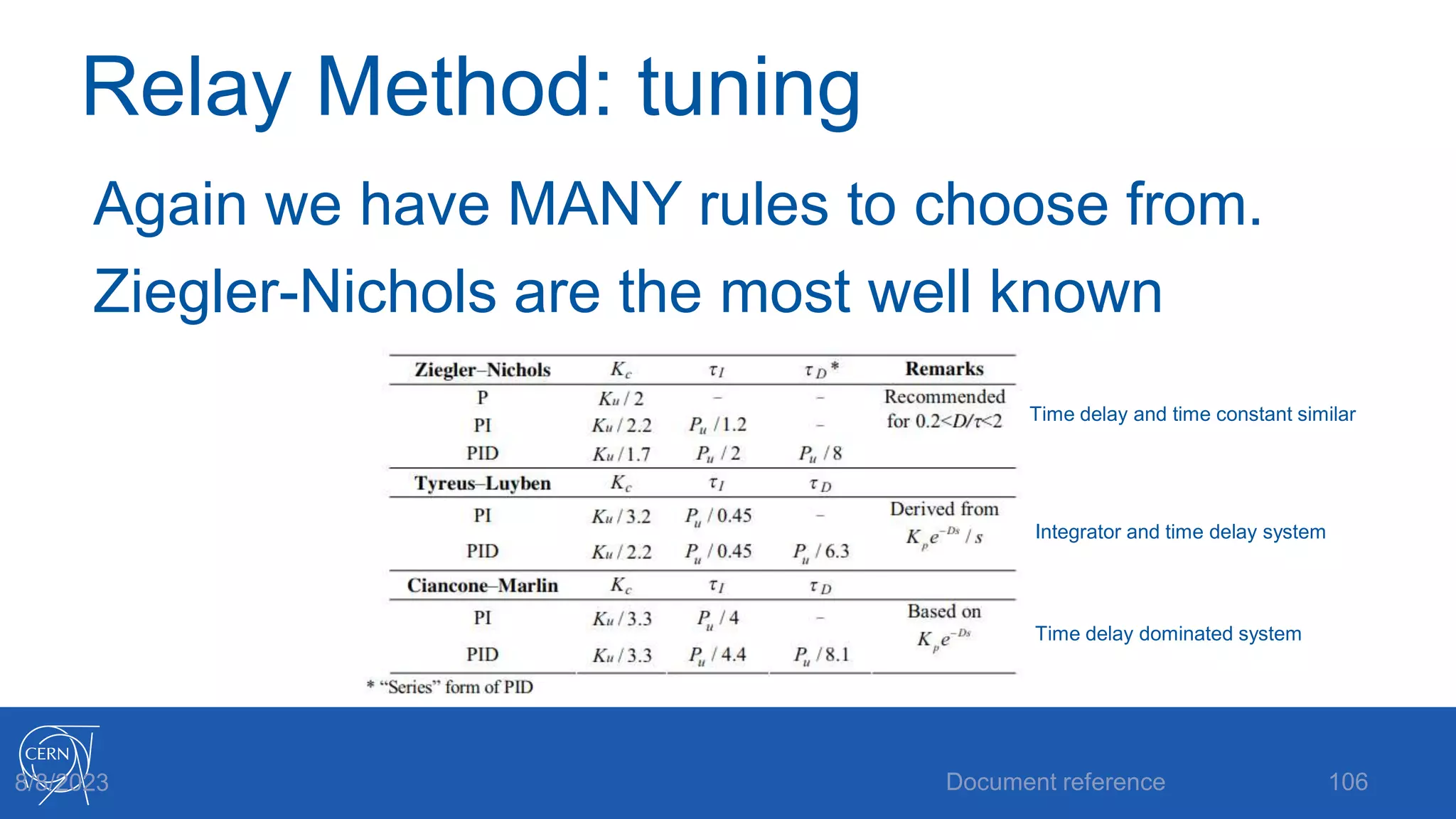
Relay Method: tuning
Again we have MANY rules to choose from.
Ziegler-Nichols are the most well known
Document reference 106
8/8/2023
Time delay and time constant similar
Integrator and time delay system
Time delay dominated system
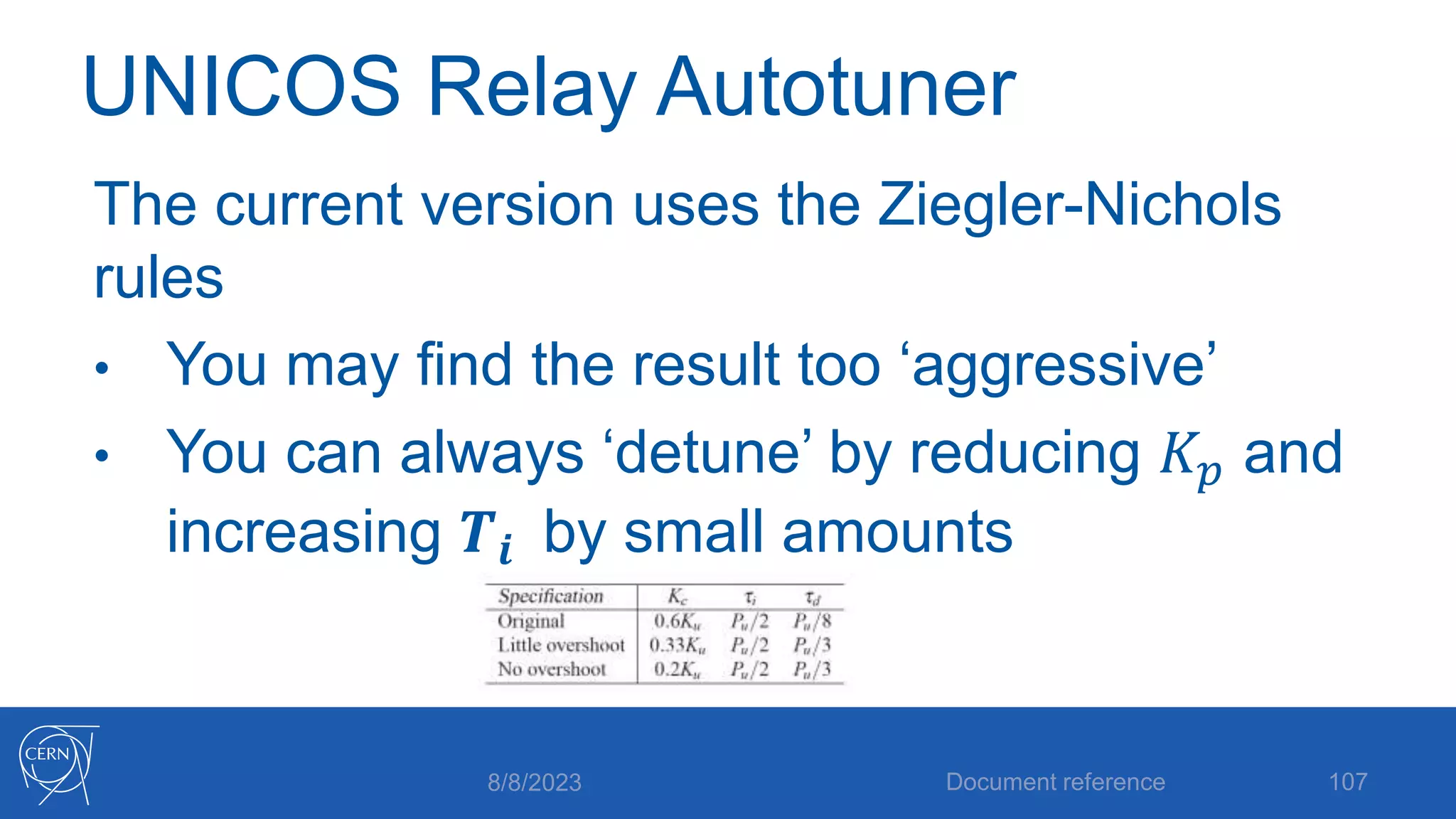
UNICOS Relay Autotuner
The current version uses the Ziegler-Nichols
rules
• You may find the result too ‘aggressive’
• You can always ‘detune’ by reducing 𝐾𝑝 and
increasing 𝑻𝒊 by small amounts
8/8/2023 Document reference 107
UNICOS Relay Autotuner
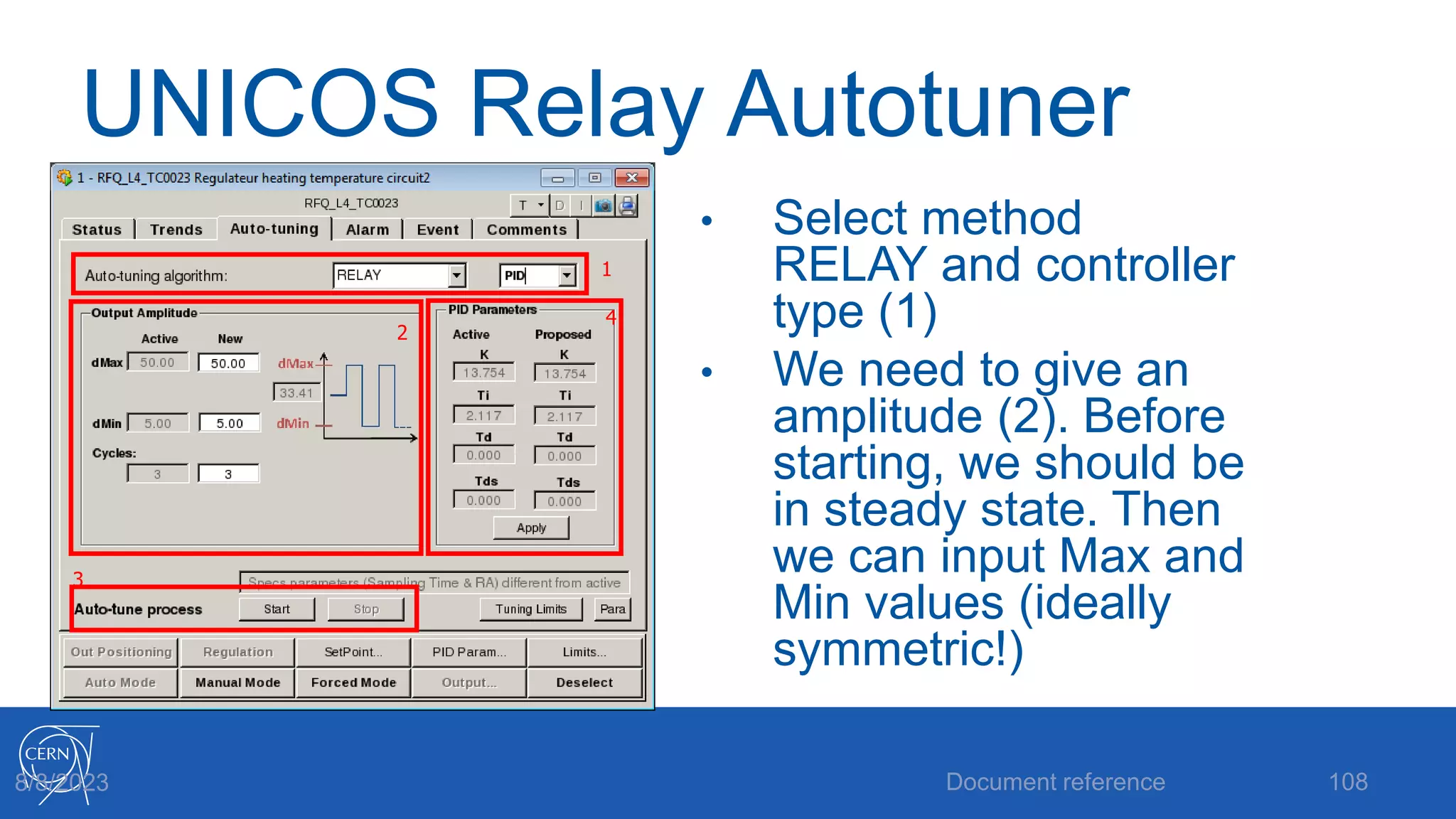
• Select method
RELAY and controller
type (1)
• We need to give an
amplitude (2). Before
starting, we should be
in steady state. Then
we can input Max and
Min values (ideally
symmetric!)
Document reference 108
8/8/2023
2
1
3
4
UNICOS Relay Autotuner
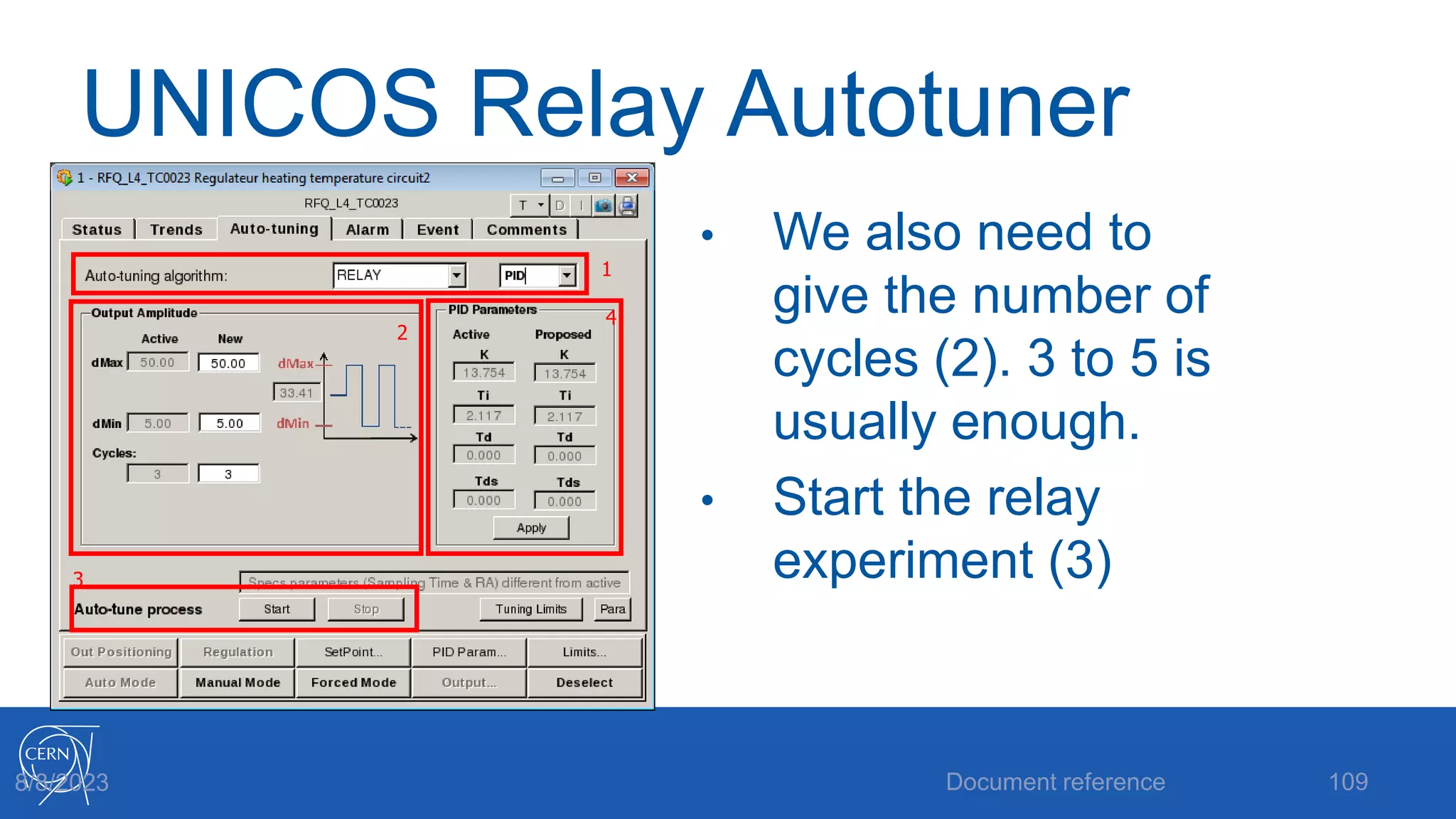
• We also need to
give the number of
cycles (2). 3 to 5 is
usually enough.
• Start the relay
experiment (3)
Document reference 109
8/8/2023
2
1
3
4
UNICOS Relay Autotuner
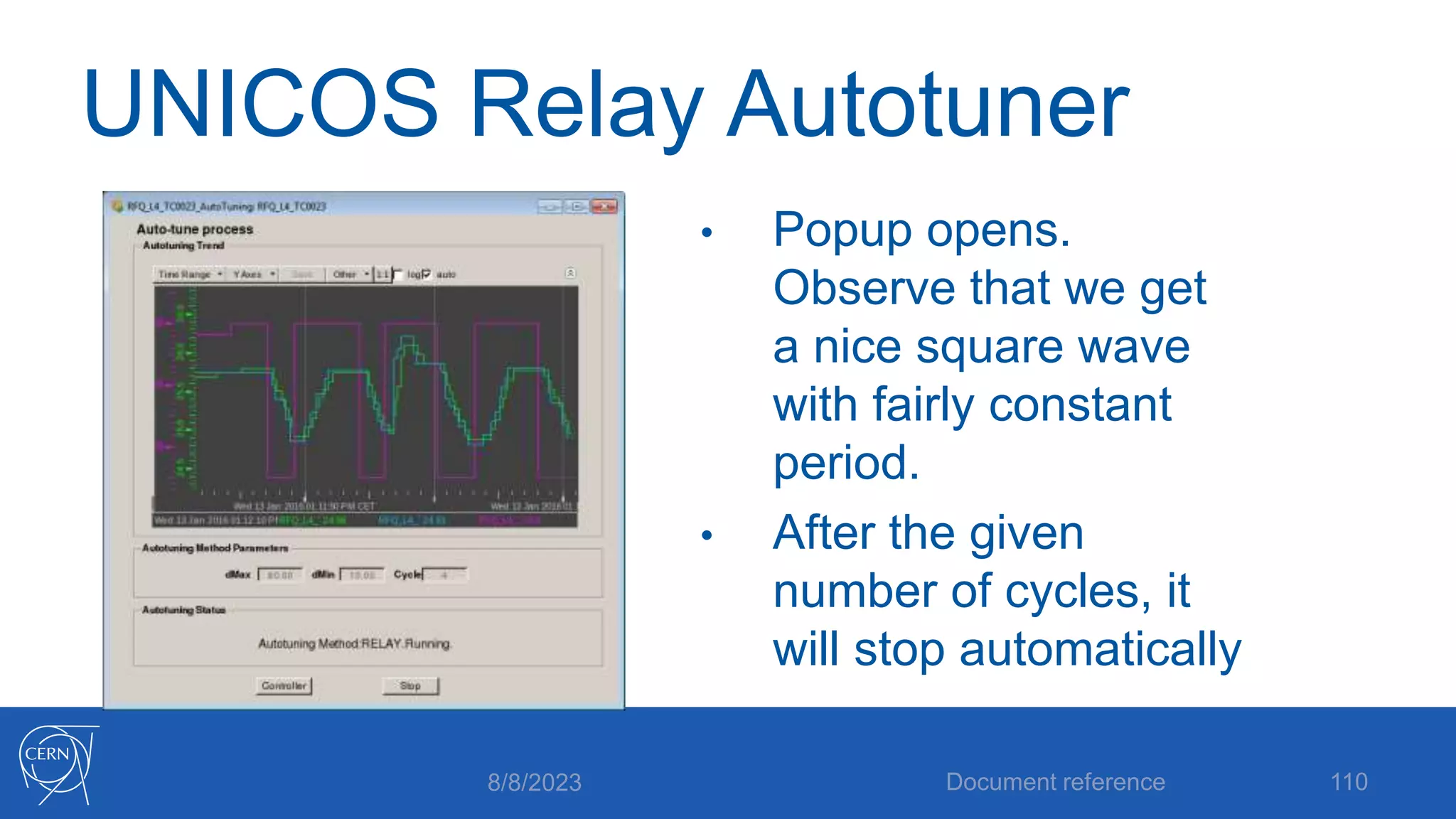
• Popup opens.
Observe that we get
a nice square wave
with fairly constant
period.
• After the given
number of cycles, it
will stop automatically
8/8/2023 Document reference 110
UNICOS Relay Autotuner
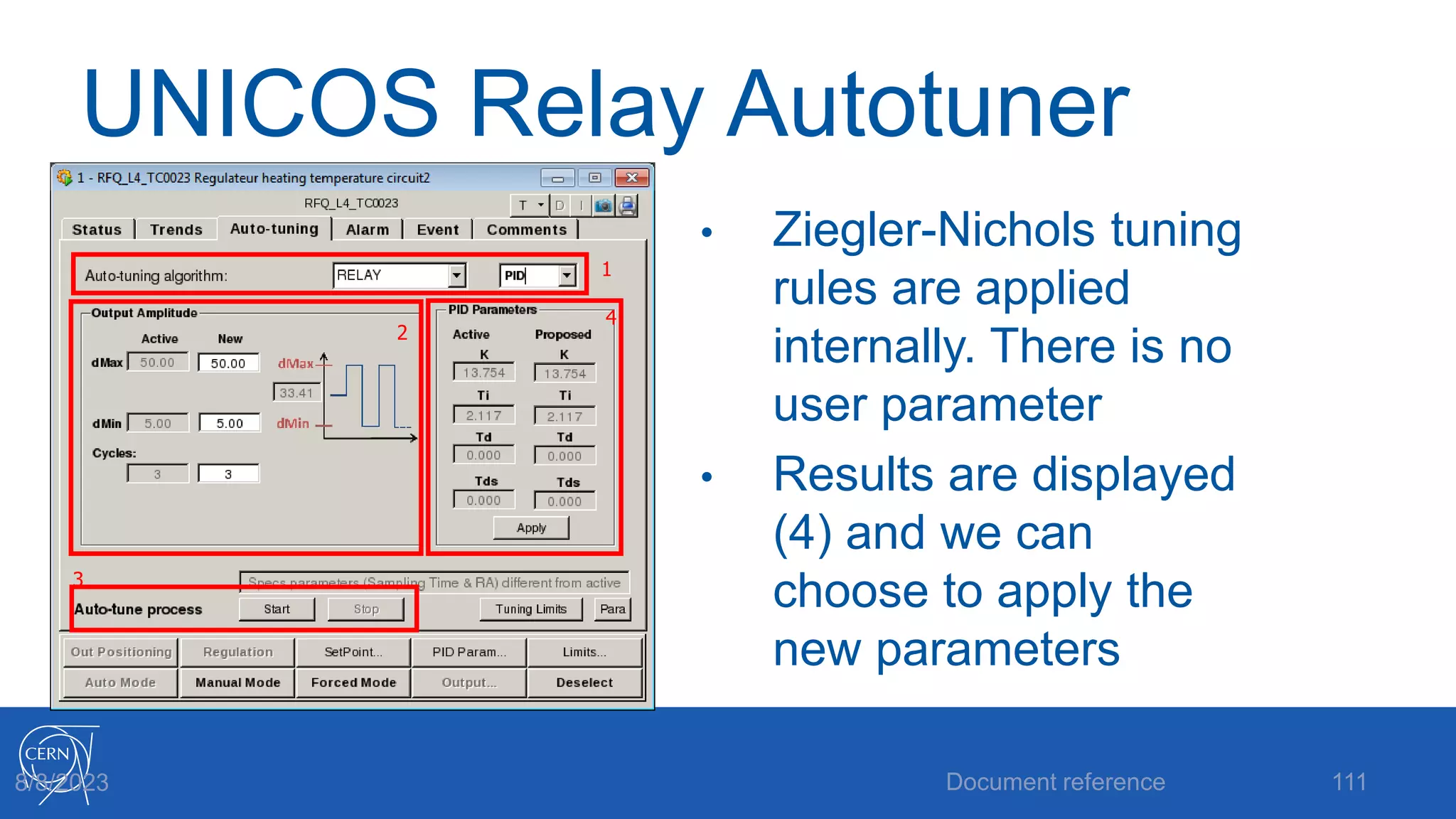
• Ziegler-Nichols tuning
rules are applied
internally. There is no
user parameter
• Results are displayed
(4) and we can
choose to apply the
new parameters
Document reference 111
8/8/2023
2
1
3
4
UNICOS Relay Autotuner
Practical notes:
• The experiment begins by checking for
steady state. It may take some time before
the relay cycles start
• If the experiment starts far from steady
state, it can cause problems
8/8/2023 Document reference 112
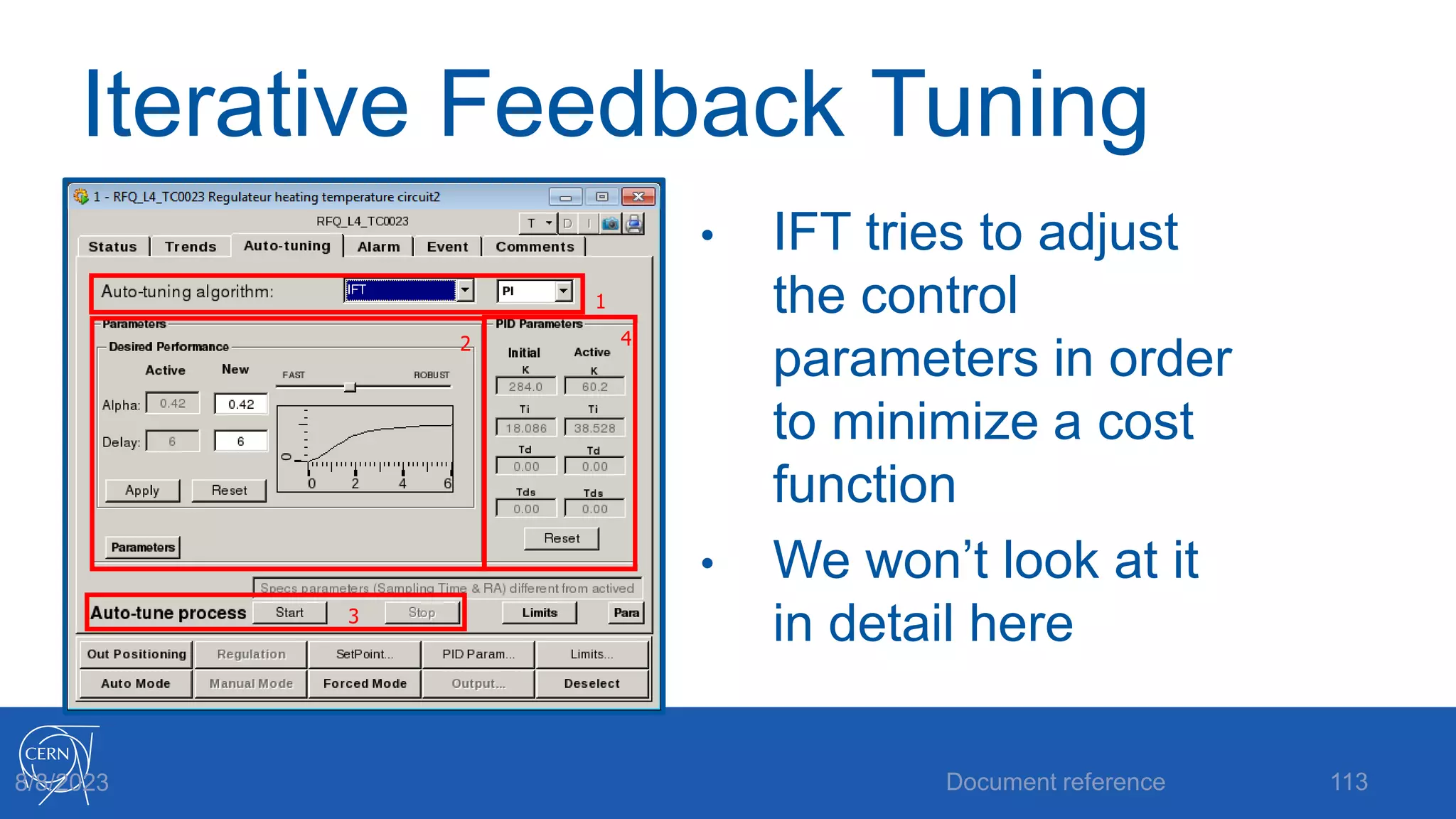
Iterative Feedback Tuning
• IFT tries to adjust
the control
parameters in order
to minimize a cost
function
• We won’t look at it
in detail here
Document reference 113
8/8/2023
1
2
3
4
Exercise: Autotuning in
UNICOS
• Let’s try out the SIMC
and Relay methods
• Compare the results
to your results from
manual tuning
• Can you improve the
autotuning results?
Document reference 114
8/8/2023
Thanks for your attention!
Document reference 115
8/8/2023

Introduction_to_PID_control.pptx

  • 2.
    Introduction to PIDControl 8/8/2023 Brad Schofield 2 Brad Schofield, BE ICS AP
  • 3.
    Course plan • 09:00-10:00:What is PID control? • 10:00-10:30: The UNICOS PID controller • 10:30-10:45: Coffee • 10:45-11:15: Manual tuning • 11:15-12:00: Manual tuning exercise • 12:00-14:00: Lunch • 14:00-15:00: Autotuning • 15:00-16:00: Autotuning exercise • 16:00-16:15: Coffee • 16:15-17:00: Questions & Wrap-up 8/8/2023 Document reference 3
  • 4.
    What is PIDControl? • Let’s take a step back… What is control? • Control is just making a dynamic process behave in the way we want • We need 3 things to do this: • A way to influence the process • A way to see how the process behaves • A way to define how we want it to behave 8/8/2023 Document reference 4
  • 5.
    Defining behaviour • Weusually specify a value we want some output of the system to have • Usually called the Setpoint (SP) • Can be the temperature of a room, the level in a tank, the flow rate in a pipe… • The value can be fixed, or may change with time… 8/8/2023 Document reference 5
  • 6.
    Influencing the process •We need some kind of control input which can create changes in the behavior of the process • Can be a heater, a valve, a pump… • Typically it is not the same physical quantity as what we are controlling 8/8/2023 Document reference 6
  • 7.
    Observing behavior • Ifwe knew exactly how the process worked, we would know what the output would be for a given control input… • Most of the time we don’t know exactly, so we need to measure what the process does • Usually called Measured Variable (MV) or Process Variable (PV) 8/8/2023 Document reference 7
  • 8.
    Feedback Control • Nowwe have a measurement (MV), some value that we want it to be (SP), and some way to make changes to the process (control input) • We can ‘close the loop’ 8/8/2023 Document reference 8
  • 9.
    The Controller asa System • Now we can see that any controller can be thought of as a system that takes a setpoint and a measured value as inputs, and gives a control signal as an output 8/8/2023 Document reference 9 Controller SP MV Control
  • 10.
    The Controller asa System • The controller needs to convert two signals of one physical quantity (such as temperature) into one signal of another (such as valve position) 8/8/2023 Document reference 10 Controller SP MV Control
  • 11.
    The Controller asa System • We know that the process is a dynamic system: • Its outputs depend on current inputs as well as its past state • For the controller to deal with this, it makes sense that it should be a dynamic system too 8/8/2023 Document reference 11
  • 12.
    The Error Signal •Very often we can think of the controller acting on the difference between SP and MV: 8/8/2023 Document reference 12 Controller SP MV Control + - Error Σ
  • 13.
    The Closed Loop Thisis the ‘classic’ closed loop block diagram representation of a control system 8/8/2023 Document reference 13 Controller SP MV + - e Σ Process u
  • 14.
    A Dynamic Controller •We said that since the process is dynamic (dependent on inputs made at different times), it makes sense that the controller should be too • How do we usually think of time? • ‘Present’ • ‘Past’ • ‘Future’ 8/8/2023 Document reference 14
  • 15.
    Splitting the Controller 8/8/2023Document reference 15 SP MV + - e Σ Process Future Past Present u
  • 16.
    The ‘Present’ • Thispart of the controller is only concerned with what the error is now • Let’s take a simple law: let the control signal be proportional to the error: 𝒖 = 𝒌𝒑 × 𝒆 8/8/2023 Document reference 16
  • 17.
    Proportional Control • Thisis what is referred to as proportional control. The control action at any instant is the same as a constant times the error at the same instant • The constant 𝑘𝑝 is the Proportional Gain, and is the first of our controller’s parameters 8/8/2023 Document reference 17
  • 18.
    Proportional Control 8/8/2023 Documentreference 18 SP MV + - e Σ Process Future Past Proportional u 𝒖 = 𝒌𝒑 × 𝒆
  • 19.
    Is Proportional Controlenough? • Intuitively it seems like it should be fine on its own: when the error is big, the control input is big to correct it. As the error reduced so does the control input. • But there are problems… 8/8/2023 Document reference 19
  • 20.
    Problem 1 Think ofa pendulum. If the setpoint is hanging straight down, then gravity acts as a proportional controller for the position… Pendulum will oscillate! Document reference 20 8/8/2023
  • 21.
    Problem 2 • Whathappens when the error is zero? • Control input is zero. • Causes problems if we need to have a nonzero control value while at our setpoint 8/8/2023 Document reference 21
  • 22.
    Problem 2: steadystate error This problem is normally called steady state error It’s a confusing name. The issue is just that the controller can’t produce any output when the error is zero. Easiest to see for tank level control: If there is a constant flow out of the tank, the controller must provide the same flow in, while the level is at the setpoint. 8/8/2023 Document reference 22
  • 23.
    Problem 2: steadystate error With P control, once the error has reached a value where 𝑘𝑝 × 𝑒 is equal to the flow out, the level will stabilize. But it will be different to the setpoint 8/8/2023 Document reference 23
  • 24.
    P control problemsummary • Problem 1: oscillations • P control will give us oscillations in some processes, regardless of the value of the gain parameter. • Problem 2: steady state error • P control cannot give us a nonzero value of the control at zero error for some types of process 8/8/2023 Document reference 24
  • 25.
    Solving P control’sproblems • How to get rid of steady state error? • Let’s ignore the present for the moment and concentrate on what has happened in the past Document reference 25 8/8/2023
  • 26.
    Solving steady stateerror: ‘the Past’ • Let’s look at the error in the past 8/8/2023 Document reference 26 SP MV + - e Σ Process Future Past Proportional u
  • 27.
    Solving steady stateerror We can examine how the controller error has evolved in the past If we sum up the past values of the error, we can get a value that increases when there is a constant error Document reference 27 8/8/2023
  • 28.
    Integral Action We canlet the control be given by the sum of past values of the error, scaled by some gain. In continuous time the sum is an integral: 𝒖 = 𝒌𝒊 𝟎 𝒕 𝒆 𝝉 𝒅𝝉 8/8/2023 Document reference 28
  • 29.
    Integral Action 8/8/2023 Documentreference 29 SP MV + - e Σ Process Future Integral Proportional u 𝒖 = 𝒌𝒊 𝟎 𝒕 𝒆 𝝉 𝒅𝝉
  • 30.
    Integral gain, Integraltime Here is where confusion can start… We have an integral gain 𝒌𝒊 which converts an integrated error to a control signal We would actually like to parameterize this as a time, as in how fast we can remove a steady state error 8/8/2023 Document reference 30
  • 31.
    Integral gain, Integraltime Let’s rewrite: 𝒖 = 𝒌𝒊 𝟎 𝒕 𝒆 𝝉 𝒅𝝉 As: is our Proportional Gain, and 𝑻𝒊 is our Integral Time 8/8/2023 Document reference 31
  • 32.
    The Integral time Whydo we use both 𝒌𝒑 and 𝑻𝒊 here? 𝒖 = 𝒌𝒑 𝑻𝒊 𝟎 𝒕 𝒆 𝝉 𝒅𝝉 Let’s add the proportional and integral parts: 𝒖 = 𝒌𝒑𝒆 𝒕 + 𝒌𝒑 𝑻𝒊 𝟎 𝒕 𝒆 𝝉 𝒅𝝉 8/8/2023 Document reference 32
  • 33.
    Proportional and IntegralController 8/8/2023 Document reference 33 SP MV + - e Σ Process Future Integral Proportional u 𝒖 = 𝒌𝒑𝒆 𝒕 + 𝒌𝒑 𝑻𝒊 𝟎 𝒕 𝒆 𝝉 𝒅𝝉
  • 34.
    Proportional and IntegralController = PI Controller We can rewrite the control law: 𝒖 = 𝒌𝒑 𝒆 𝒕 + 𝟏 𝑻𝒊 𝟎 𝒕 𝒆 𝝉 𝒅𝝉 𝒌𝒑 is the gain parameter, 𝑻𝒊 is the time it takes to fix a steady state error 8/8/2023 Document reference 34
  • 35.
    Solving P control’sproblems revisited • We solved the steady state error by adding integral action (summing the past) • How can we solve the oscillation problem? • Let’s look at the future! Document reference 35 8/8/2023
  • 36.
    Solving oscillations: ‘theFuture’ • Let’s look at the error in the future 8/8/2023 Document reference 36 SP MV + - e Σ Process Future Integral Proportional u
  • 37.
    Solving oscillations: ‘theFuture’ How do we predict the future of the error? Look at its gradient! If the gradient (the time derivative) of the error is in a direction that makes the error smaller, we can reduce the control input Document reference 37 8/8/2023
  • 38.
    Damping It can beeasier to think of this as damping, something that resists velocity Think of the wheel on your car… 8/8/2023 Document reference 38
  • 39.
    Damping The spring isa proportional controller for the wheel position. The damper adds a derivative action by opposing the velocity of the wheel 8/8/2023 Document reference 39
  • 40.
    Derivative action Let’s letthe control be dependent on the derivative of the error: 𝒖 = 𝒌𝒅 𝒅𝒆(𝒕) 𝒅𝒕 Here 𝑘𝑑 is the derivative gain. Let’s again split this into 𝑘𝑝𝑇𝑑, where 𝑇𝑑 is the derivative time Document reference 40 8/8/2023
  • 41.
    Derivative action 8/8/2023 Documentreference 41 SP MV + - e Σ Process Derivative Integral Proportional u 𝒖 = 𝒌𝒑𝑻𝒅 𝒅𝒆(𝒕) 𝒅𝒕
  • 42.
    PID Controller! 8/8/2023 Documentreference 42 SP MV + - e Σ Process Derivative Integral Proportional u 𝒖 = 𝒌𝒑𝒆 𝒕 + 𝒌𝒑 𝑻𝒊 𝟎 𝒕 𝒆 𝝉 𝒅𝝉 + 𝒌𝒑𝑻𝒅 𝒅𝒆(𝒕) 𝒅𝒕
  • 43.
    Derivative Time Why dowe want 𝑇𝑑 as a parameter? We can think of it as how far ahead we want to predict! Easier to relate to process 8/8/2023 Document reference 43
  • 44.
    Problems with Derivativeaction We know that a derivative amplifies quick changes. We can get problems if MV is noisy. Solution is to add low pass filter Document reference 44 8/8/2023
  • 45.
    Derivative with filter Wealready have: 𝒖 = 𝒌𝒑𝑻𝒅 𝒅𝒆(𝒕) 𝒅𝒕 Equations will get messy if we add a filter in time domain! Let’s use Laplace! Then we can use algebra instead of calculus. Document reference 45 8/8/2023
  • 46.
    Derivative with filter Laplacetransform frequency variable s is also an operator. Multiplication by s is derivation, and division is integration. So the derivative part is now 𝑈 𝑠 = 𝑘𝑝𝑇𝑑𝑠𝐸(𝑠) 8/8/2023 Document reference 46
  • 47.
    Derivative with filter Weadd a low pass filter: 𝑈 𝑠 = 𝑘𝑝𝑇𝑑𝑠 1 + 𝑇𝑑 𝑇𝑑𝑠 𝑠 𝐸(𝑠) Now we have another parameter 𝑇𝑑𝑠which is the filter bandwidth. So introducing derivative action requires two more parameters! 8/8/2023 Document reference 47
  • 48.
    Full PID equation Thecomplete PID controller now looks like: 𝑈 𝑠 = 𝑘𝑝𝐸 𝑠 + 𝑘𝑝𝐸 𝑠 𝑇𝑖𝑠 + 𝑘𝑝𝑇𝑑𝑠 1 + 𝑇𝑑 𝑇𝑑𝑠 𝑠 𝐸(𝑠) 8/8/2023 Document reference 48
  • 49.
    Full PID equation Thissimplifies to: 𝑈 𝑠 = 𝑘𝑝 1 + 1 𝑇𝑖𝑠 + 𝑇𝑑𝑠 1+ 𝑇𝑑 𝑇𝑑𝑠 𝑠 𝐸(𝑠) 8/8/2023 Document reference 49
  • 50.
    ISA PID Form Thisis the ISA ‘standard form’ for a PID 𝑈 𝑠 𝐸(𝑠) = 𝑘𝑝 1 + 1 𝑇𝑖𝑠 + 𝑇𝑑𝑠 1 + 𝑇𝑑 𝑇𝑑𝑠 𝑠 We have one gain, and three time constants 8/8/2023 Document reference 50
  • 51.
    The UNICOS PIDController 8/8/2023 Document reference 51 Features and quirks
  • 52.
    UNICOS PID Features •Uses the ISA standard equation we just derived • Parameterized by 𝑘𝑝, 𝑇𝑖, 𝑇𝑑, 𝑇𝑑𝑠 • Includes limits and ramps on setpoint and output • Can use scaling on input, or both input and output 8/8/2023 Document reference 52
  • 53.
    UNICOS PID Modes 8/8/2023Document reference 53 Point to note: Manual Mode is not open loop! Use Output positioning to set open loop control output
  • 54.
    UNICOS PID OutputCalculation 8/8/2023 Document reference 54 Note the scaling!
  • 55.
    UNICOS PID Scaling •The scaling features are a little tricky, and have important consequences when tuning the controller! • Need to be very careful when applying tuning results! (More on this later!) 8/8/2023 Document reference 55
  • 56.
    Scaling types • Thereare three types of scaling • No scaling • Input scaling • Input and output (Full) scaling 8/8/2023 Document reference 56
  • 57.
    No Scaling • Thisis the simplest. The inputs and outputs are applied directly to the PID equation, so it operates on engineering values. For example the MV and SP may be temperatures, and the output a power command to a heater 8/8/2023 Document reference 57
  • 58.
    Input Scaling • Herethe input is scaled from engineering values to a normalized value in the range 0- 100%. Scaling parameters must be provided. For example 0 bar and 10 bar could be the low and high limits, which are then mapped to 0% and 100% as seen by the PID algorithm. 8/8/2023 Document reference 58
  • 59.
    Full Scaling (Inputand Output) • The input is converted to a 0-100% signal as before, and now the output of the controller is converted from 0-100% to engineering values before being applied to the process 8/8/2023 Document reference 59
  • 60.
    Scaling Pitfalls • Notethat the values of SP, MV and controller output you see in the faceplate are NOT the same as the PID equation ‘sees’ if you use scaling! • If you change the scaling type you MUST scale your controller parameters (𝑘𝑝)! 8/8/2023 Document reference 60
  • 61.
    Manual PID Tuning 8/8/2023Document reference 61
  • 62.
    P, PI, PD,PID? For the complete PID controller we have 4 parameters 𝑘𝑝, 𝑇𝑖, 𝑇𝑑, 𝑇𝑑𝑠 But we can also choose to use only parts of the controller, for example just, PI, giving 2 parameters to choose. How do we know when to use what? 8/8/2023 Document reference 62
  • 63.
    The Process Model Wenow know exactly what’s inside our controller, but so far we haven’t said anything about what’s inside our process! To be able to tune the controller, we need to know something about it. 8/8/2023 Document reference 63
  • 64.
    Open Loop StepResponse • A good starting point is to make an open loop step test on the process • Note that this is a step on the controller output, not on the setpoint! 8/8/2023 Document reference 64
  • 65.
    Open Loop StepResponse If our step response looks something like this, we have a stable system with a first order response Document reference 65 8/8/2023
  • 66.
    First Order System Wecan get 3 pieces of information about the process: • Process Gain 𝐾 • Time Constant 𝑇 • Time Delay 𝜏 8/8/2023 Document reference 66
  • 67.
    Process Gain This isthe ratio of the change in MV to the change in control input 𝐾 = ∆𝑌 ∆𝑈 In this case 𝐾 is (20- 10)/(5-0) = 2 8/8/2023 Document reference 67
  • 68.
    Time Constant This isthe ‘speed’ of the process. To read it from the trend, look for the time it takes for the MV to rise to 63% of its final value 8/8/2023 Document reference 68
  • 69.
    Time Constant Ok, why63%?? Because 1 − 𝑒−1 is about 0.63…. The step response is 1 − 𝑒− 𝑡 𝑇 so after time 𝑇 this is 1 − 𝑒−1 8/8/2023 Document reference 69
  • 70.
    Time Delay This issimpler, it is just the time it takes from the start of the step until the MV starts to move. 8/8/2023 Document reference 70
  • 71.
    First order processmodel We have 3 parameters that determine behavior • 𝐾 determines how big the output change will be • 𝑇 determines how long the process takes to get there • 𝜏 determines how long it takes before the process starts doing anything at all Document reference 71 8/8/2023
  • 72.
    Implications for control Thekey feature is the relation between 𝑇and 𝜏 • If 𝜏 is small and 𝑇 is big, control using PI is fine • If 𝜏 is similar in size to 𝑇 , we may need a more complex controller (PID) • If 𝜏 is big relative to 𝑇 , PID will struggle; it will integrate during the delay and then see a large jump! 8/8/2023 Document reference 72
  • 73.
    Mini Exercise: PIDSim •Play with the process model • Try open loop steps • What happens with large delay times? • What happens when adding an integrator? Document reference 73 8/8/2023
  • 74.
    Tuning for afirst order process We have a process that looks like 𝐺 𝑠 = 𝐾 𝑇𝑠 + 1 𝑒−𝜏𝑠 And we know what 𝐾, 𝑇 and 𝜏 are from our step test. Let’s say that we want our controlled system to behave like this, but with a time constant 𝑻𝒄𝒍 Document reference 74 8/8/2023
  • 75.
    Tuning for afirst order process Now we know what our closed loop should look like, and we also know what the process looks like, and what the controller looks like. We ca use the closed loop relation: 𝐺𝑐𝑙 𝑠 = 𝐶 𝑠 𝐺(𝑠) 1 + 𝐶 𝑠 𝐺(𝑠) Where 𝐶 𝑠 is our controller. 8/8/2023 Document reference 75
  • 76.
    Tuning for afirst order process 𝐺𝑐𝑙 𝑠 = 𝐶 𝑠 𝐺(𝑠) 1 + 𝐶 𝑠 𝐺(𝑠) From here we can work out what controller parameters we need! This is called Internal Model Control (IMC) 8/8/2023 Document reference 76
  • 77.
    Internal Model Control(IMC) Once we do the math, we get these parameters for PI: 𝑲𝒑 = 𝟏 𝑲 𝑻 (𝑻𝒄 + 𝝉) 𝑻𝒊 = 𝐦𝐢𝐧 𝑻, 𝟒 𝑻𝑪 + 𝝉 (this is Skogestad’s IMC, S-IMC) 8/8/2023 Document reference 77
  • 78.
    Internal Model Control(IMC) IMC rules are nice, because they are not just heuristics: they are calculated from a desired behavior. 8/8/2023 Document reference 78
  • 79.
    Integrating processes • Whathappens when the step response is a ramp? • Process contains an integrator! • 𝐾 = 𝑑𝑌 𝑑𝑡 ∆𝑈 Document reference 79 8/8/2023
  • 80.
    SIMC tuning rules Therules can be derived for a number of different process models 8/8/2023 Document reference 80 http://folk.ntnu.no/skoge/publications/2012/skogestad-improved-simc-pid/PIDbook-chapter5.pdf
  • 81.
    SIMC for UNICOSPID Point to note: SIMC rules apply for a ‘cascade’ PID structure, not the ISA standard used by UNICOS. For PI and PD they are the same, but for the full PID we need to do a transformation of the parameters: 𝐾𝑝 = 𝐾𝑝 𝑐 (1 + 𝜏𝑑 𝑐 𝜏𝑖 𝑐), 𝜏𝑖 = 𝜏𝑖 𝑐 (1 + 𝜏𝑑 𝑐 𝜏𝑖 𝑐), 𝜏𝑑 = 𝜏𝑑 𝑐 1+ 𝜏𝑑 𝑐 𝜏𝑖 𝑐 Document reference 81 8/8/2023
  • 82.
    Other tuning rules •There are MANY other sets of tuning rules! 8/8/2023 Document reference 82
  • 83.
    Ziegler-Nichols • You mayhave come across Ziegler-Nichols • Early work (1942) • Actually developed for fast setpoint tracking, so they are really too aggressive for process control! • We will revisit them later! 8/8/2023 Document reference 83
  • 84.
    Tuning rule warning Lotsof tuning rules are based on heuristics, which might only fit certain process types. In addition, you need to be sure what controller structure they are for. You also need to know what the control aim is (setpoint following, disturbance rejection) 8/8/2023 Document reference 84
  • 85.
    Recommendation: SIMC • SIMCis good because: • It forces you to do a step test and learn about the process • You can adjust the rules with an intuitive parameter • They are easily derived and therefore understood 8/8/2023 Document reference 85
  • 86.
    Recommendation: SIMC Recommendation isto start with SIMC. If you’re still not happy, you can use it as a baseline, and make manual adjustments from there. Let’s now make a tuning ‘recipe’! 8/8/2023 Document reference 86
  • 87.
    Tuning ‘recipe’ • Step1: Preparation: • Make sure it’s ok to put the process into open loop • Make sure the process is settled (steady state) • Make sure you are close to your normal operating point 8/8/2023 Document reference 87
  • 88.
    Tuning ‘recipe’ • Step2: Open loop step test • Put the controller into Output Positioning • Make a small step in the output value • Observe the MV, make sure it doesn’t hit the limits! • Once the MV has settled, make a step back to where you started. • Put the controller back in regulation 8/8/2023 Document reference 88
  • 89.
    Tuning ‘recipe’ • Step3: Calculate process parameters • Find 𝐾, 𝑇 and 𝜏 • 𝐾 = ∆𝑌 ∆𝑈 (watch out for scaling!) • 𝑇 is the time taken to rise to 0.63 ∆𝑌 • 𝜏 is the time between your step input and the first change in MV 8/8/2023 Document reference 89
  • 90.
    Tuning ‘recipe’ • Step4: Calculate controller parameters • Use SIMC: choose closed loop time 𝑇𝑐𝑙 • Apply tuning rules: 𝑲𝒑 = 𝟏 𝑲 𝑻 (𝑻𝒄 + 𝝉) 𝑻𝒊 = 𝐦𝐢𝐧 𝑻, 𝟒 𝑻𝑪 + 𝝉 8/8/2023 Document reference 90
  • 91.
    Tuning ‘recipe’ • Step5: Set parameters and test • Apply the new parameters in the controller • Make a small set point change and see how the controller reacts • If too aggressive, increase 𝑇𝑐𝑙 and recalculate parameters • If too slow, decrease 𝑇𝑐𝑙 and recalculate parameters 8/8/2023 Document reference 91
  • 92.
    Exercise: Manual tuningin UNICOS 8/8/2023 Document reference 92
  • 93.
    Hints! Input andI/O scaling Input Scaling • Find ∆𝑌 from the trend • Calculate new ∆𝑌s : ∆𝑌s = ∆𝑌 (𝑃𝑚𝑎𝑥 − 𝑃𝑚𝑖𝑛) 𝑥100% I/O Scaling • Find ∆𝑌, ∆𝑈 • Calculate new ∆𝑌s : • ∆𝑌s = ∆𝑌 (𝑃𝑚𝑎𝑥−𝑃𝑚𝑖𝑛) 𝑥100% • ∆𝑈𝑠 = ∆𝑈 (𝑂𝑚𝑎𝑥−𝑂𝑚𝑖𝑛) 𝑥100% Document reference 93 8/8/2023
  • 94.
    Autotuning Document reference 94 TheUNICOS Autotuning tool 8/8/2023
  • 95.
    Autotuning • What isautotuning? • It is NOT a system which continuously updates the controller parameters (this is adaptive control) • It is just a set of tools to automate the procedure of finding a set of parameters 8/8/2023 Document reference 95
  • 96.
    Open vs ClosedLoop • In our manual tuning we did an open loop experiment (step test) and found parameters from there. This procedure can be automated • There are also methods that allow us to keep the loop closed 8/8/2023 Document reference 96
  • 97.
    Automated SIMC Tuning •Let’s revisit the SIMC method • Doing the calculations and keeping track of the scaling was a pain • The UNICOS autotuner automates most of this for us 8/8/2023 Document reference 97
  • 98.
    UNICOS SIMC Autotune •Open the controller faceplate and go to Autotune • Select SIMC (1) • First, we need to identify the process parameters (2) Document reference 98 8/8/2023 1 2 3 4
  • 99.
    UNICOS SIMC Autotune •We enter a step size, and it performs the step test, stopping when MV has settled. 8/8/2023 Document reference 99
  • 100.
    UNICOS SIMC Autotune •Now we select the closed loop response time 𝑇𝑐𝑙 (3) • This gives us the proposed parameters (4) • We can apply them to the controller (unless set by APAR; these must be set manually) Document reference 100 8/8/2023 1 2 3 4
  • 101.
    Closed Loop Autotuning •What if we want to remain in closed loop when tuning? • We can use the Relay Method • Effectively exchanges the PID for an on/off control Document reference 101 8/8/2023
  • 102.
    Relay Method • Controlonly has 2 values, depending on whether MV is higher or lower than SP • Gives a square wave oscillation Document reference 102 8/8/2023
  • 103.
    Relay Method: detail •Control goes between +𝑑 and − 𝑑 from its original value, with some hysteresis Document reference 103 8/8/2023
  • 104.
    Relay Method: detail •Output oscillates with an amplitude 𝑎 • We get two pieces of information from this: Ultimate gain 𝐾𝑢 and Ultimate Period 𝑃𝑢 Document reference 104 8/8/2023
  • 105.
    Relay Method: calculation •Ultimate gain 𝐾𝑢 comes from the amplitude of the fundamental frequency of the square wave 𝐾𝑢 = 4𝑑 𝜋𝑎 • Ultimate Period 𝑃𝑢 is just the period of the resulting oscillation 8/8/2023 Document reference 105
  • 106.
    Relay Method: tuning Againwe have MANY rules to choose from. Ziegler-Nichols are the most well known Document reference 106 8/8/2023 Time delay and time constant similar Integrator and time delay system Time delay dominated system
  • 107.
    UNICOS Relay Autotuner Thecurrent version uses the Ziegler-Nichols rules • You may find the result too ‘aggressive’ • You can always ‘detune’ by reducing 𝐾𝑝 and increasing 𝑻𝒊 by small amounts 8/8/2023 Document reference 107
  • 108.
    UNICOS Relay Autotuner •Select method RELAY and controller type (1) • We need to give an amplitude (2). Before starting, we should be in steady state. Then we can input Max and Min values (ideally symmetric!) Document reference 108 8/8/2023 2 1 3 4
  • 109.
    UNICOS Relay Autotuner •We also need to give the number of cycles (2). 3 to 5 is usually enough. • Start the relay experiment (3) Document reference 109 8/8/2023 2 1 3 4
  • 110.
    UNICOS Relay Autotuner •Popup opens. Observe that we get a nice square wave with fairly constant period. • After the given number of cycles, it will stop automatically 8/8/2023 Document reference 110
  • 111.
    UNICOS Relay Autotuner •Ziegler-Nichols tuning rules are applied internally. There is no user parameter • Results are displayed (4) and we can choose to apply the new parameters Document reference 111 8/8/2023 2 1 3 4
  • 112.
    UNICOS Relay Autotuner Practicalnotes: • The experiment begins by checking for steady state. It may take some time before the relay cycles start • If the experiment starts far from steady state, it can cause problems 8/8/2023 Document reference 112
  • 113.
    Iterative Feedback Tuning •IFT tries to adjust the control parameters in order to minimize a cost function • We won’t look at it in detail here Document reference 113 8/8/2023 1 2 3 4
  • 114.
    Exercise: Autotuning in UNICOS •Let’s try out the SIMC and Relay methods • Compare the results to your results from manual tuning • Can you improve the autotuning results? Document reference 114 8/8/2023
  • 115.
    Thanks for yourattention! Document reference 115 8/8/2023