Introduction to Web Design


        NAME: AKHILESH KR RAJ
               ROLL.NO:115320
          BRANCH:CSE(2nd shift)
                       SEC:N1
Web Components

 Clients and Servers
 Internet Service Providers
 Web Site Hosting Services
 Domains Names, URL’s and Ips
 Registrars


             Copyright 2005 - The Small Business Depot   2
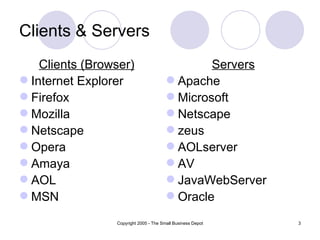
Clients & Servers
    Clients (Browser)                           Servers
 Internet Explorer                      Apache
 Firefox                                Microsoft
 Mozilla                                Netscape
 Netscape                               zeus
 Opera                                  AOLserver
 Amaya                                  AV
 AOL                                    JavaWebServer
 MSN                                    Oracle
                 Copyright 2005 - The Small Business Depot   3
Internet Service Providers
Connect Clients to the Internet


 Phone Company                                 Basic internet
 AOL                                            connection
 Earthlink                                     Dialup/DSL/Cable/Sat
 Verizone                                      Email
 NetZero


                        Copyright 2005 - The Small Business Depot   4
Web Components

 Clients and Servers
 Internet Service Providers
 Web Site Hosting Services
 Domains Names, URL’s and Ips
 Registrars


             Copyright 2005 - The Small Business Depot   5
Web Hosting Services
Connects Web Sites to the Internet

 Computer (server) farm
 Web server software
 Firewall hardware and software
 IT services
     (Backup, troubleshooting, hardware repair)

 Disk space
 Bandwidth / connection to internet
 Routers and switchers
 Email server / storage
                        Copyright 2005 - The Small Business Depot   6
Domain’s URL’s and IPs

 Domain name: The specific address of a
  computer on the Internet
  microsoft.com
 Uniform Resource Locator (URL):
  http://www.microsoft.com/faqs.html
 Internet protocol (IP) address
  192.168.1.1


                 Copyright 2005 - The Small Business Depot   7
Domain Registrar

 A company that provides domain name
  registration services for a fee.
 Maintain database which maps domain
  names to IP’s
 Propagate new domain name/IP address
  information across the internet


             Copyright 2005 - The Small Business Depot   8
Creating a Web Site

1.   Choose a domain name
2.   Register with a Registrar
3.   Choose a hosting service
4.   Tell Registrar the IP address
5.   Create web content
6.   Store (publish) onto hosting server (FTP)
7.   Submit new site to search engines

                 Copyright 2005 - The Small Business Depot   9
12 Principles of good web design
1. Visitor-centric, clear purpose
2. Progressive disclosure
3. Displays quickly
4. Browser compatible
5. Intuitive navigation
6. Spelling, grammar, writing
7. Secure (eCommerce)
8. Attractive design, easy to read
9. Cultural bias? (Regional? Domestic? International?)
10. No technical problems (broken links, buggy scripts)
11. Maintainable (separate content from style)
12. Search Engine Accessible

                   Copyright 2005 - The Small Business Depot   10
Creating your Web Site
Technologies & Tools


 Markup Languages
   HTML, DHTML, XML, XSLT, etc....
 Cascading Style Sheets (CSS)
 Scripting languages
   perl,javascript,php, etc....
 Web creation and editing software
   Notepad, FrontPage, Coldfusion, Flash,
    Hotmetal, Site Builder, etc..

                       Copyright 2005 - The Small Business Depot   11
Markup Languages - HTML

Derived from SGML
(Standard Generalized Markup Language )

 HyperText Markup Language


              Copyright 2005 - The Small Business Depot   12
HTML Fundamentals

 Clear text, case insensitive
 Ignores white space
 Comprised of tags <tag />
 Open tags and closed tags


               Copyright 2005 - The Small Business Depot   13
HTML - Fundamentals

ANCHORS (Hypertext Link)

<A href=“url” attributes>Displayed text </A>

Attributes
 NAME = “text”
 TITLE = "text"
 TARGET = “frame_name|window_name”

                Copyright 2005 - The Small Business Depot   14
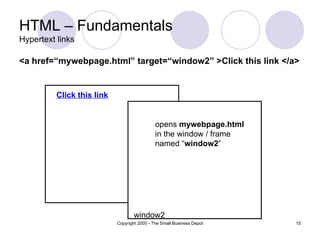
HTML – Fundamentals
Hypertext links

<a href=“mywebpage.html” target=“window2” >Click this link </a>


          Click this link


                                              opens mywebpage.html
                                              in the window / frame
                                              named “window2”


                                    window2
                            Copyright 2005 - The Small Business Depot   15
HTML – Fundamentals
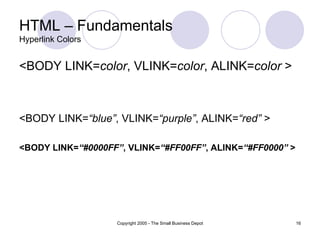
Hyperlink Colors


<BODY LINK=color, VLINK=color, ALINK=color >


<BODY LINK=“blue”, VLINK=“purple”, ALINK=“red” >

<BODY LINK=“#0000FF”, VLINK=“#FF00FF”, ALINK=“#FF0000” >


                   Copyright 2005 - The Small Business Depot   16
HTML – Fundamentals
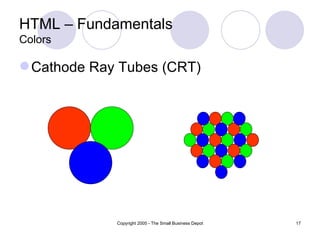
Colors

 Cathode Ray Tubes (CRT)


             Copyright 2005 - The Small Business Depot   17
HTML – Fundamentals
Colors

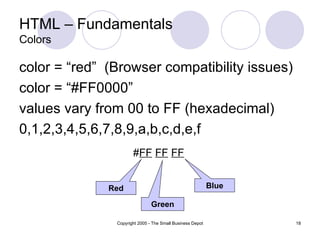
color = “red” (Browser compatibility issues)
color = “#FF0000”
values vary from 00 to FF (hexadecimal)
0,1,2,3,4,5,6,7,8,9,a,b,c,d,e,f
                      #FF FF FF


              Red                                          Blue

                               Green

               Copyright 2005 - The Small Business Depot          18
HTML – Fundamentals
Headings

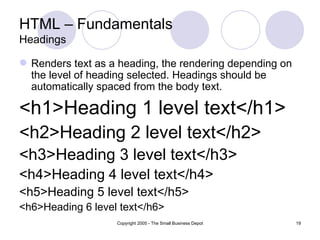
 Renders text as a heading, the rendering depending on
  the level of heading selected. Headings should be
  automatically spaced from the body text.

<h1>Heading 1 level text</h1>
<h2>Heading 2 level text</h2>
<h3>Heading 3 level text</h3>
<h4>Heading 4 level text</h4>
<h5>Heading 5 level text</h5>
<h6>Heading 6 level text</h6>
                   Copyright 2005 - The Small Business Depot   19
HTML – Fundamentals
Lists

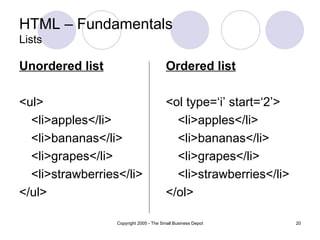
Unordered list                           Ordered list

<ul>                                     <ol type=‘i’ start=‘2’>
  <li>apples</li>                          <li>apples</li>
  <li>bananas</li>                         <li>bananas</li>
  <li>grapes</li>                          <li>grapes</li>
  <li>strawberries</li>                    <li>strawberries</li>
</ul>                                    </ol>

                  Copyright 2005 - The Small Business Depot        20
HTML – Fundamentals
Lists

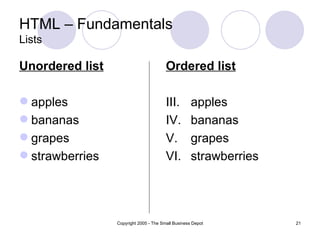
Unordered list                          Ordered list

 apples                                III.        apples
 bananas                               IV.         bananas
 grapes                                V.          grapes
 strawberries                          VI.         strawberries


                 Copyright 2005 - The Small Business Depot         21
HTML – Fundamentals
Tables

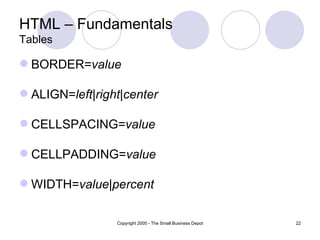
 BORDER=value

 ALIGN=left|right|center

 CELLSPACING=value

 CELLPADDING=value

 WIDTH=value|percent

                 Copyright 2005 - The Small Business Depot   22
HTML – Fundamentals
Tables

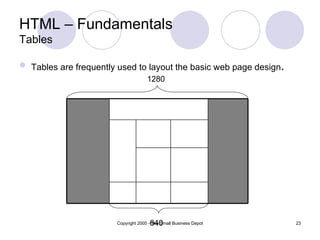
 Tables are frequently used to layout the basic web page design.
                                     1280


                                      640
                       Copyright 2005 - The Small Business Depot    23
HTML – Fundamentals
Frames

 Basic Frames
 Floating Frames (inline frames)
 Picture in picture

 Frames let you divide a screen into
  windows with each window viewing a
  different web page.

               Copyright 2005 - The Small Business Depot   24
HTML – Fundamentals
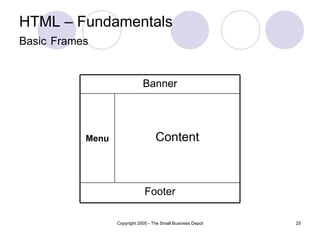
Basic Frames


                              Banner


           Menu                     Content


                               Footer

                  Copyright 2005 - The Small Business Depot   25
HTML – Fundamentals
Basic Frames

Individual FRAME attributes

   SCROLLING="yes|no|auto"
   NORESIZE
   MARGINWIDTH=pixels
   MARGINHEIGHT="pixels"
   BORDERCOLOR="color"
   FRAMESPACING="pixels"
   FRAMEBORDER="yes|no"|0
   NAME=“frame_name”
                  Copyright 2005 - The Small Business Depot   26
HTML – Fundamentals
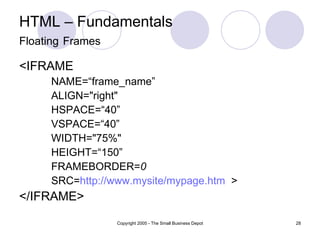
Floating Frames

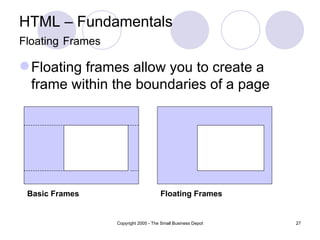
 Floating frames allow you to create a
  frame within the boundaries of a page


 Basic Frames                         Floating Frames


                  Copyright 2005 - The Small Business Depot   27
HTML – Fundamentals
Floating Frames

<IFRAME
     NAME=“frame_name”
     ALIGN="right"
     HSPACE=“40”
     VSPACE=“40”
     WIDTH="75%"
     HEIGHT=“150”
     FRAMEBORDER=0
     SRC=http://www.mysite/mypage.htm >
</IFRAME>
                  Copyright 2005 - The Small Business Depot   28
HTML – Fundamentals
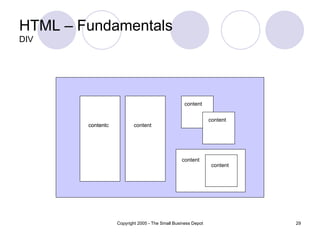
DIV


                                                   content


                                                               content
        content
        contentc           content


                                                 content
                                                                content


                   Copyright 2005 - The Small Business Depot              29
HTML – Fundamentals
CASCADING STYLE SHEETS (CSS)


 Styles enable you to define a consistent 'look' for
  your documents by describing once how
  headings, paragraphs, quotes, etc. should be
  displayed.

 Style sheet syntax is made up of three parts:

            selector {property: value}
            selector = element.class
                   Copyright 2005 - The Small Business Depot   30
HTML – Fundamentals
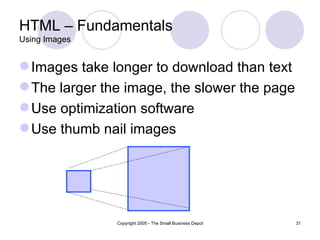
Using Images


 Images take longer to download than text
 The larger the image, the slower the page
 Use optimization software
 Use thumb nail images


               Copyright 2005 - The Small Business Depot   31

Introduction to web design

  • 1.
    Introduction to WebDesign NAME: AKHILESH KR RAJ ROLL.NO:115320 BRANCH:CSE(2nd shift) SEC:N1
  • 2.
    Web Components  Clientsand Servers  Internet Service Providers  Web Site Hosting Services  Domains Names, URL’s and Ips  Registrars Copyright 2005 - The Small Business Depot 2
  • 3.
    Clients & Servers Clients (Browser) Servers  Internet Explorer  Apache  Firefox  Microsoft  Mozilla  Netscape  Netscape  zeus  Opera  AOLserver  Amaya  AV  AOL  JavaWebServer  MSN  Oracle Copyright 2005 - The Small Business Depot 3
  • 4.
    Internet Service Providers ConnectClients to the Internet  Phone Company  Basic internet  AOL connection  Earthlink  Dialup/DSL/Cable/Sat  Verizone  Email  NetZero Copyright 2005 - The Small Business Depot 4
  • 5.
    Web Components  Clientsand Servers  Internet Service Providers  Web Site Hosting Services  Domains Names, URL’s and Ips  Registrars Copyright 2005 - The Small Business Depot 5
  • 6.
    Web Hosting Services ConnectsWeb Sites to the Internet  Computer (server) farm  Web server software  Firewall hardware and software  IT services  (Backup, troubleshooting, hardware repair)  Disk space  Bandwidth / connection to internet  Routers and switchers  Email server / storage Copyright 2005 - The Small Business Depot 6
  • 7.
    Domain’s URL’s andIPs  Domain name: The specific address of a computer on the Internet microsoft.com  Uniform Resource Locator (URL): http://www.microsoft.com/faqs.html  Internet protocol (IP) address 192.168.1.1 Copyright 2005 - The Small Business Depot 7
  • 8.
    Domain Registrar  Acompany that provides domain name registration services for a fee.  Maintain database which maps domain names to IP’s  Propagate new domain name/IP address information across the internet Copyright 2005 - The Small Business Depot 8
  • 9.
    Creating a WebSite 1. Choose a domain name 2. Register with a Registrar 3. Choose a hosting service 4. Tell Registrar the IP address 5. Create web content 6. Store (publish) onto hosting server (FTP) 7. Submit new site to search engines Copyright 2005 - The Small Business Depot 9
  • 10.
    12 Principles ofgood web design 1. Visitor-centric, clear purpose 2. Progressive disclosure 3. Displays quickly 4. Browser compatible 5. Intuitive navigation 6. Spelling, grammar, writing 7. Secure (eCommerce) 8. Attractive design, easy to read 9. Cultural bias? (Regional? Domestic? International?) 10. No technical problems (broken links, buggy scripts) 11. Maintainable (separate content from style) 12. Search Engine Accessible Copyright 2005 - The Small Business Depot 10
  • 11.
    Creating your WebSite Technologies & Tools  Markup Languages HTML, DHTML, XML, XSLT, etc....  Cascading Style Sheets (CSS)  Scripting languages perl,javascript,php, etc....  Web creation and editing software Notepad, FrontPage, Coldfusion, Flash, Hotmetal, Site Builder, etc.. Copyright 2005 - The Small Business Depot 11
  • 12.
    Markup Languages -HTML Derived from SGML (Standard Generalized Markup Language )  HyperText Markup Language Copyright 2005 - The Small Business Depot 12
  • 13.
    HTML Fundamentals  Cleartext, case insensitive  Ignores white space  Comprised of tags <tag />  Open tags and closed tags Copyright 2005 - The Small Business Depot 13
  • 14.
    HTML - Fundamentals ANCHORS(Hypertext Link) <A href=“url” attributes>Displayed text </A> Attributes  NAME = “text”  TITLE = "text"  TARGET = “frame_name|window_name” Copyright 2005 - The Small Business Depot 14
  • 15.
    HTML – Fundamentals Hypertextlinks <a href=“mywebpage.html” target=“window2” >Click this link </a> Click this link opens mywebpage.html in the window / frame named “window2” window2 Copyright 2005 - The Small Business Depot 15
  • 16.
    HTML – Fundamentals HyperlinkColors <BODY LINK=color, VLINK=color, ALINK=color > <BODY LINK=“blue”, VLINK=“purple”, ALINK=“red” > <BODY LINK=“#0000FF”, VLINK=“#FF00FF”, ALINK=“#FF0000” > Copyright 2005 - The Small Business Depot 16
  • 17.
    HTML – Fundamentals Colors Cathode Ray Tubes (CRT) Copyright 2005 - The Small Business Depot 17
  • 18.
    HTML – Fundamentals Colors color= “red” (Browser compatibility issues) color = “#FF0000” values vary from 00 to FF (hexadecimal) 0,1,2,3,4,5,6,7,8,9,a,b,c,d,e,f #FF FF FF Red Blue Green Copyright 2005 - The Small Business Depot 18
  • 19.
    HTML – Fundamentals Headings Renders text as a heading, the rendering depending on the level of heading selected. Headings should be automatically spaced from the body text. <h1>Heading 1 level text</h1> <h2>Heading 2 level text</h2> <h3>Heading 3 level text</h3> <h4>Heading 4 level text</h4> <h5>Heading 5 level text</h5> <h6>Heading 6 level text</h6> Copyright 2005 - The Small Business Depot 19
  • 20.
    HTML – Fundamentals Lists Unorderedlist Ordered list <ul> <ol type=‘i’ start=‘2’> <li>apples</li> <li>apples</li> <li>bananas</li> <li>bananas</li> <li>grapes</li> <li>grapes</li> <li>strawberries</li> <li>strawberries</li> </ul> </ol> Copyright 2005 - The Small Business Depot 20
  • 21.
    HTML – Fundamentals Lists Unorderedlist Ordered list  apples III. apples  bananas IV. bananas  grapes V. grapes  strawberries VI. strawberries Copyright 2005 - The Small Business Depot 21
  • 22.
    HTML – Fundamentals Tables BORDER=value  ALIGN=left|right|center  CELLSPACING=value  CELLPADDING=value  WIDTH=value|percent Copyright 2005 - The Small Business Depot 22
  • 23.
    HTML – Fundamentals Tables Tables are frequently used to layout the basic web page design. 1280 640 Copyright 2005 - The Small Business Depot 23
  • 24.
    HTML – Fundamentals Frames Basic Frames  Floating Frames (inline frames)  Picture in picture  Frames let you divide a screen into windows with each window viewing a different web page. Copyright 2005 - The Small Business Depot 24
  • 25.
    HTML – Fundamentals BasicFrames Banner Menu Content Footer Copyright 2005 - The Small Business Depot 25
  • 26.
    HTML – Fundamentals BasicFrames Individual FRAME attributes  SCROLLING="yes|no|auto"  NORESIZE  MARGINWIDTH=pixels  MARGINHEIGHT="pixels"  BORDERCOLOR="color"  FRAMESPACING="pixels"  FRAMEBORDER="yes|no"|0  NAME=“frame_name” Copyright 2005 - The Small Business Depot 26
  • 27.
    HTML – Fundamentals FloatingFrames  Floating frames allow you to create a frame within the boundaries of a page Basic Frames Floating Frames Copyright 2005 - The Small Business Depot 27
  • 28.
    HTML – Fundamentals FloatingFrames <IFRAME NAME=“frame_name” ALIGN="right" HSPACE=“40” VSPACE=“40” WIDTH="75%" HEIGHT=“150” FRAMEBORDER=0 SRC=http://www.mysite/mypage.htm > </IFRAME> Copyright 2005 - The Small Business Depot 28
  • 29.
    HTML – Fundamentals DIV content content content contentc content content content Copyright 2005 - The Small Business Depot 29
  • 30.
    HTML – Fundamentals CASCADINGSTYLE SHEETS (CSS)  Styles enable you to define a consistent 'look' for your documents by describing once how headings, paragraphs, quotes, etc. should be displayed.  Style sheet syntax is made up of three parts: selector {property: value} selector = element.class Copyright 2005 - The Small Business Depot 30
  • 31.
    HTML – Fundamentals UsingImages  Images take longer to download than text  The larger the image, the slower the page  Use optimization software  Use thumb nail images Copyright 2005 - The Small Business Depot 31