DAY 3:
LISTSs /ARRAYs CONSTANTs
Vamshi Krishna S
 A scalar represents a single value (of any
size, limited only by the available memory)
 Print (“Hello” , “World”, “n”);
  Array variables have the same format as
scalar variables except that they are
prefixed by an @ symbol. The statement
 Arrays can hold arrays
 The Scalar is just like a container that holds
the value.
  array variable is a variable
which is a list of scalars (ie
numbers and strings). Array
variables have the same
format as scalar variables
except that they are
prefixed by an @ symbol.
The statement
 @var =
(value1..valueN);
 ($a, $b) = @alphabets;
# $a and $b are the
first two elements of
@alphabets array
 #!/usr/bin/perl
 main(@ARGV);
 my $days =wq^Sun Mon
Tue Wed Thu Fri Sat^;
 Print @days;
 My $days=31;
 Print $days;
 What happens when you assign a array to a scalar?
 @array1 = qw(a b c d);
 $scalar1 = @array1;
 Print “array cotents:” @array1 # prints with no spaces
 Print “array contents: @array1” # prints with spaces
 @array1 = (1,2,3,4,5)
 Print @array1 “n”;
 Print “@array1n”
 $scalar1 = “@array1n”; is Same as $scalar = “1 2 3 4 5n”;
 $scalar = @array1; is same as $scalar = 5 # as the total elements
in array is 5
 My @array1 =(1,2,3);
 My @array2 = (@array1 ,4,5,6);
 Print “@array2”;
 Print scalar @array2 # 6
 If you input a decimal value .. Choice = 1.2 then perl will
round if off and will output Ferrari.
 If you input a negative number.. Choice = -1 then perl
starts counting from the backwards from the end of the
list.
 LIST Slices
 instead of putting a scalar value [$choice].. We can also
print out multiple values in the list by putting a list of
index values
 (20,30,99,15,22,13,56,76,34)[2,5,7]
 Can also be used on strings.
 $a = (@array)[3];
 My @array1=
 Print $array1[1]
#!/usr/bin/perl
use warnings;
use strict;
Print “input a number”;
 My chomp($choice =<STDIN>);
print qw(BMW Ferrari McLaren Jaguar )
[$choice]);
OUTPUT:- McLaren
 (1 .. 10)
 ( -9 .. 9)
 (a .. z)
 Cant mix up the list of elements list .. (a .. 5) or (-1 .. B)
etc.,
 Always the right-hand element should be higher than the
left-handed element.
 We can mix up the Slices and ranges.. For effective
programming
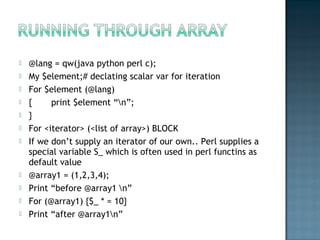
 @lang = qw(java python perl c);
 My $element;# declating scalar var for iteration
 For $element (@lang)
 { print $element “n”;
 }
 For <iterator> (<list of array>) BLOCK
 If we don’t supply an iterator of our own.. Perl supplies a
special variable S_ which is often used in perl functins as
default value
 @array1 = (1,2,3,4);
 Print “before @array1 n”
 For (@array1) {$_ * = 10}
 Print “after @array1n”
  It is not necessary to use the my parameter.
Variables can be defined either way.
 my is a special keyword which specifies the
scope of the variable.
 It declares the variable scope to be local
inside the block of code. While there can be
a variable with same name that is outside
the scope of that variable.
 $real = 27;
 $float = 3.14159;
 $integer = -4;
 $exponent = 10e12;
SCRIPT TO PRINT THE MULTIPLICATION OF 2 NOs
#!/usr/bin/perl
$x = 14; $y = 10;
$area = ($x * $y);
print $area;
 $single = 'This string is single quoted';
$double = "This string is double quoted";
$quotesingle = q^Carrot is now our quote^;
 $quotedouble = qq|This string is double
quoted|;
 $multilined_string = <<EOF; This is my
multilined string note that I am terminating
it with the word "EOF". EOF
 $v = 'purple' + 'orange'; print $v;# $v is 0;
$w = 'orange' + 15; print $w; # $w is 15;
$x = 'purple' . 23; print $x; # $x is purple23
$y = 23 . 15; print $y; # $y is 2315 (not 38)
 Scripts can take inputs in two ways:
 Arguments
 ./print_args.pl ARG1 ARG2
 Prompted inputs from users
 $user_text = <STDIN>
 You cant use the same variable to hold different
values within the same scope;
 my $n = 22;
 my $s = ‘vamshi’; or $s = q{vamshi};
 my $s = “vamshi : $n” or $s = qq{vamshi : $n};
 For printing a value of a declared var.. It must
be enclosed in “”
 Variable names must and should be prefixed
with $(for scalars), @(for Lists), %(for Hashes)
 They don’t need $ before the constant name
 System defined special constants(in CAPS) are
represented by __FILE__ ,__LINE__ etc.,
 Eg: print “file name is __FILE__” # prints out the
file name
 Numbers (numeric constants) do not require
quotation
 use constant PI => 3.141;
 print "The value of Lpi is PI n";
 use constant version => 0.1;
 The constants can also be assigned to variables.
 my $current_version = version;
 Used for default values for sub routines and loops
 Error codes and messages.
 Info about OS and its environment.
For more info .. Refer perlvar
perldoc.perl.org/perlvar.html
Some of widely used special variables are..
 $0 Perl script name
 $_ The default input variable or implicit variable.
 @ARGV The command-line args.
 @_ List of args for sub routine
 $@ eval() error
 $! Operating System Error/messages.

Introduction to perl_lists

  • 1.
    DAY 3: LISTSs /ARRAYsCONSTANTs Vamshi Krishna S
  • 2.
     A scalarrepresents a single value (of any size, limited only by the available memory)  Print (“Hello” , “World”, “n”);   Array variables have the same format as scalar variables except that they are prefixed by an @ symbol. The statement  Arrays can hold arrays  The Scalar is just like a container that holds the value.
  • 3.
      array variable isa variable which is a list of scalars (ie numbers and strings). Array variables have the same format as scalar variables except that they are prefixed by an @ symbol. The statement  @var = (value1..valueN);  ($a, $b) = @alphabets; # $a and $b are the first two elements of @alphabets array  #!/usr/bin/perl  main(@ARGV);  my $days =wq^Sun Mon Tue Wed Thu Fri Sat^;  Print @days;  My $days=31;  Print $days;
  • 4.
     What happenswhen you assign a array to a scalar?  @array1 = qw(a b c d);  $scalar1 = @array1;  Print “array cotents:” @array1 # prints with no spaces  Print “array contents: @array1” # prints with spaces  @array1 = (1,2,3,4,5)  Print @array1 “n”;  Print “@array1n”  $scalar1 = “@array1n”; is Same as $scalar = “1 2 3 4 5n”;  $scalar = @array1; is same as $scalar = 5 # as the total elements in array is 5
  • 5.
     My @array1=(1,2,3);  My @array2 = (@array1 ,4,5,6);  Print “@array2”;  Print scalar @array2 # 6
  • 6.
     If youinput a decimal value .. Choice = 1.2 then perl will round if off and will output Ferrari.  If you input a negative number.. Choice = -1 then perl starts counting from the backwards from the end of the list.  LIST Slices  instead of putting a scalar value [$choice].. We can also print out multiple values in the list by putting a list of index values  (20,30,99,15,22,13,56,76,34)[2,5,7]  Can also be used on strings.
  • 7.
     $a =(@array)[3];  My @array1=  Print $array1[1]
  • 8.
    #!/usr/bin/perl use warnings; use strict; Print“input a number”;  My chomp($choice =<STDIN>); print qw(BMW Ferrari McLaren Jaguar ) [$choice]); OUTPUT:- McLaren
  • 9.
     (1 ..10)  ( -9 .. 9)  (a .. z)  Cant mix up the list of elements list .. (a .. 5) or (-1 .. B) etc.,  Always the right-hand element should be higher than the left-handed element.  We can mix up the Slices and ranges.. For effective programming
  • 10.
     @lang =qw(java python perl c);  My $element;# declating scalar var for iteration  For $element (@lang)  { print $element “n”;  }  For <iterator> (<list of array>) BLOCK  If we don’t supply an iterator of our own.. Perl supplies a special variable S_ which is often used in perl functins as default value  @array1 = (1,2,3,4);  Print “before @array1 n”  For (@array1) {$_ * = 10}  Print “after @array1n”
  • 11.
      It isnot necessary to use the my parameter. Variables can be defined either way.  my is a special keyword which specifies the scope of the variable.  It declares the variable scope to be local inside the block of code. While there can be a variable with same name that is outside the scope of that variable.
  • 12.
     $real =27;  $float = 3.14159;  $integer = -4;  $exponent = 10e12; SCRIPT TO PRINT THE MULTIPLICATION OF 2 NOs #!/usr/bin/perl $x = 14; $y = 10; $area = ($x * $y); print $area;
  • 13.
     $single ='This string is single quoted'; $double = "This string is double quoted"; $quotesingle = q^Carrot is now our quote^;  $quotedouble = qq|This string is double quoted|;  $multilined_string = <<EOF; This is my multilined string note that I am terminating it with the word "EOF". EOF
  • 14.
     $v ='purple' + 'orange'; print $v;# $v is 0; $w = 'orange' + 15; print $w; # $w is 15; $x = 'purple' . 23; print $x; # $x is purple23 $y = 23 . 15; print $y; # $y is 2315 (not 38)
  • 15.
     Scripts cantake inputs in two ways:  Arguments  ./print_args.pl ARG1 ARG2  Prompted inputs from users  $user_text = <STDIN>
  • 16.
     You cantuse the same variable to hold different values within the same scope;  my $n = 22;  my $s = ‘vamshi’; or $s = q{vamshi};  my $s = “vamshi : $n” or $s = qq{vamshi : $n};  For printing a value of a declared var.. It must be enclosed in “”  Variable names must and should be prefixed with $(for scalars), @(for Lists), %(for Hashes)
  • 17.
     They don’tneed $ before the constant name  System defined special constants(in CAPS) are represented by __FILE__ ,__LINE__ etc.,  Eg: print “file name is __FILE__” # prints out the file name  Numbers (numeric constants) do not require quotation  use constant PI => 3.141;  print "The value of Lpi is PI n";  use constant version => 0.1;  The constants can also be assigned to variables.  my $current_version = version;
  • 18.
     Used fordefault values for sub routines and loops  Error codes and messages.  Info about OS and its environment. For more info .. Refer perlvar perldoc.perl.org/perlvar.html Some of widely used special variables are..  $0 Perl script name  $_ The default input variable or implicit variable.  @ARGV The command-line args.  @_ List of args for sub routine  $@ eval() error  $! Operating System Error/messages.