INTRODUCTION TO LINUX
•What is LINUX ?
Linux is a powerful, open-source
operating system that was initially
developed by Linus Torvalds in 1991.
It draws inspiration from UNIX and
has evolved to be a widely used OS in
diverse fields, from personal
computing to enterprise servers. With
numerous distributions (such as
Ubuntu, Fedora, and CentOS), Linux
offers a flexible, customizable
platform, shaped by contributions
from developers worldwide.
3.
FEATURES OF LINUX
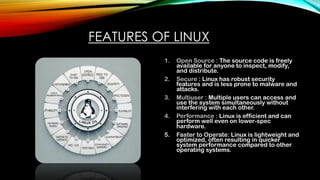
1.Open Source : The source code is freely
available for anyone to inspect, modify,
and distribute.
2. Secure : Linux has robust security
features and is less prone to malware and
attacks.
3. Multiuser : Multiple users can access and
use the system simultaneously without
interfering with each other.
4. Performance : Linux is efficient and can
perform well even on lower-spec
hardware.
5. Faster to Operate: Linux is lightweight and
optimized, often resulting in quicker
system performance compared to other
operating systems.
4.
FEATURES OF LINUX
6.Portable: Linux can run on various
hardware platforms, from servers to
embedded systems.
7. Software Updates: Frequent updates
ensure improved performance, security,
and features.
8. Flexibility: Highly customizable, allowing
users to tailor the OS to their needs.
9. Multiprogramming: Linux efficiently
handles running multiple programs or
processes at the same time.
10. Compatibility: Linux supports a wide
range of file formats and applications.
11. Community Support: A vast, global
community offers help, documentation,
and contributions to Linux.
12. GUI and CUI: Linux offers both graphical
user interfaces (GUIs) and command-line
interfaces (CUIs) for versatility.
13. Customizable: Users can modify almost
every aspect of the system to suit their
preferences.
14. Network Based: Linux is widely used for
networking due to its stability and
scalability.
15. Easy to Use: Modern Linux distributions
come with user-friendly interfaces,
making them accessible for beginners.
16. Free to Use : Linux is available without any
licensing fees or restrictions.
5.
CORE FEATURES OFLINUX
Core Features
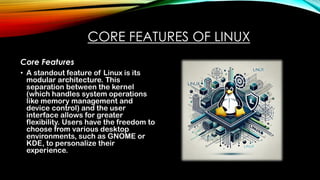
• A standout feature of Linux is its
modular architecture. This
separation between the kernel
(which handles system operations
like memory management and
device control) and the user
interface allows for greater
flexibility. Users have the freedom to
choose from various desktop
environments, such as GNOME or
KDE, to personalize their
experience.
6.
LINUX KERNEL: ROLEAND
FUNCTIONALITY
• The Linux kernel is the core of the operating system, managing hardware
and software interaction. It handles process scheduling, memory
management, device communication, and file systems.
• The kernel facilitates inter-process communication, enforces security
through user permissions, and manages networking (e.g., TCP/IP).
• With a modular architecture, features or drivers can be added without
rebooting.
• It also ensures concurrency control, allowing multiple processes to run
efficiently.
7.
STABILITY AND SECURITY
•Linux excels in security due to its stringent permission-
based system. Unauthorized changes to critical system files
are prevented unless the user has proper permissions,
significantly reducing the risk of malware attacks.
• Additionally, Linux is highly stable and can run continuously
for extended periods without needing a reboot, which is
essential for servers and enterprise systems.
8.
MEMORY HANDLING
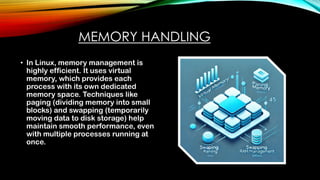
• InLinux, memory management is
highly efficient. It uses virtual
memory, which provides each
process with its own dedicated
memory space. Techniques like
paging (dividing memory into small
blocks) and swapping (temporarily
moving data to disk storage) help
maintain smooth performance, even
with multiple processes running at
once.
9.
LINUX DISTRIBUTIONS
1. Fedora:A community-driven OS with a focus
on innovation and open-source
collaboration. Known for introducing the
latest features and technologies.
2. Ubuntu: A popular Linux distro derived from
Debian. Known for its user-friendliness and
versatility on both desktops and servers.
3. Debian: A stable and reliable OS that
includes only free and open-source
software. Forms the foundation for other
popular distributions like Ubuntu.
4. Linux Mint: Designed to be user-friendly,
especially for newcomers. Built on Ubuntu
and Debian, with an easy-to-navigate
interface.
5. Arch Linux: Known for its minimalism and
flexibility, catering to advanced users. A
lightweight distro based directly on the Linux
kernel.
6. openSUSE: Known for being reliable and
secure, commonly used for servers. Offers a
choice between stable and rolling release
models.
7. Red Hat Enterprise Linux (RHEL):
Enterprise-grade OS, widely used in cloud
and data center environments. Provides paid
support and enterprise-level features.
8. Manjaro: A beginner-friendly Arch-based
distro with multiple desktop environments.
Known for its balance between simplicity
and control.
9. Kali Linux: Built for cybersecurity
professionals, featuring tools for penetration
testing. Derived from Debian and comes pre-
installed with security tools.
10.
APPLICATIONS
Where Linux isused?
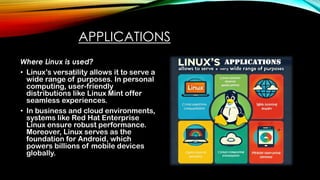
• Linux’s versatility allows it to serve a
wide range of purposes. In personal
computing, user-friendly
distributions like Linux Mint offer
seamless experiences.
• In business and cloud environments,
systems like Red Hat Enterprise
Linux ensure robust performance.
Moreover, Linux serves as the
foundation for Android, which
powers billions of mobile devices
globally.
11.
OPEN-SOURCE COMMUNITY
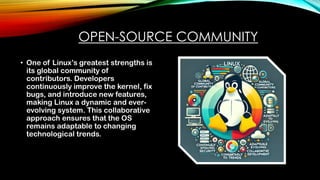
• Oneof Linux’s greatest strengths is
its global community of
contributors. Developers
continuously improve the kernel, fix
bugs, and introduce new features,
making Linux a dynamic and ever-
evolving system. This collaborative
approach ensures that the OS
remains adaptable to changing
technological trends.
12.
CONCLUSION
Linux's combination offlexibility, security, and stability has made it a preferred
choice for both individuals and organizations. Its open-source foundation
allows it to continuously evolve, ensuring that it remains relevant and efficient
in modern computing.


![[DSC Europe 25] Jovan Sumarac - Real-World Applications of Computer Vision in...](https://cdn.slidesharecdn.com/ss_thumbnails/fiksms22smcpopvvld03-jovan-sumarac-real-life-applications-of-computer-vision-in-automotive-systems-260120105855-de622abb-thumbnail.jpg?width=640&height=640&fit=bounds)
![[DSC Europe 25] Tali Fulman - Guild Meetings, Then What? Building Data Commun...](https://cdn.slidesharecdn.com/ss_thumbnails/fgohhi33rwmhqdowdj5k-tali-fulman-guild-meetings-then-what-building-data-communities-that-actually-ch-260120105855-528492c3-thumbnail.jpg?width=640&height=640&fit=bounds)


![[DSC Europe 25] Milos Belcevic - Product Professional's Journey to Full-Stack...](https://cdn.slidesharecdn.com/ss_thumbnails/1zovd6fgsycdg4wvgvls-milos-belcevic-product-professionals-journey-to-full-stack-product-developer-260123083019-d993120d-thumbnail.jpg?width=640&height=640&fit=bounds)
![[DSC Europe 25] Marcos Heidemann - Beyond the Hype: Making AI Coding Assistan...](https://cdn.slidesharecdn.com/ss_thumbnails/eexkhvldrjsopspdjbur-marcos-heidemann-beyond-the-hype-getting-real-value-out-of-ai-assisted-coding-260121115910-7e9d41ec-thumbnail.jpg?width=640&height=640&fit=bounds)


![[DSC Europe 25] Bojan Djuricic - Predictive Design Process.pdf](https://cdn.slidesharecdn.com/ss_thumbnails/5awdrbedqdek3gqu2ezy-4-the-predictive-design-bojan-djuricic-260120105856-6c399e9b-thumbnail.jpg?width=640&height=640&fit=bounds)