INTRODUCTION TO JAVA
FROM KRUNALI S. GANDHI
WHAT IS JAVA?
• LITERAL MEANING:-
• Java means Coffee.
• Technological Terms:-
• Java is a programming language and
computing platform first released by Sun
Microsystems in 1995.
JRE
• The Java Runtime Environment (JRE) is what
you get when you download Java software.
The JRE consists of the Java Virtual Machine
(JVM), Java platform core classes, and
supporting Java platform libraries.
• The JRE is the runtime portion of Java
software, which is all you need to run it in
your Web browser.
JAVA PLUG-IN
• The Java Plug-in software is a component of
the Java Runtime Environment (JRE).
• The JRE allows applets written in the Java
programming language to run inside various
browsers.
• The Java Plug-in software is not a standalone
program and cannot be installed separately.
JVM
• JVM is Java Virtual Machine.
• The Java Virtual Machine is only one aspect of
Java software that is involved in web
interaction.
• The Java Virtual Machine is built right into
your Java software download, and helps run
Java applications.
IS JAVA FREE TO DOWNLOAD?
• Yes, Java is free to download.
• If you are building an embedded or consumer
device and would like to include Java,
please contact Oraclefor more information on
including Java in your device.
HISTORY OF JAVA
• Java was originally developed by James
Gosling at Sun Microsystems (which has since
been acquired by Oracle Corporation) and
released in 1995 as a core component of Sun
Microsystems' Java platform.
WHO FOUND JAVA?
• JAMES GOSLING
WHY IS IT CALLED JAVA?
• . The language was initially called Oak after an
oak tree that stood outside Gosling's office.
Later the project went by the name Green and
was finally renamed Java, from Java coffee.
• Gosling designed Java with a C/C++-style
syntax that system and application
programmers would find familiar.
WHO IS THE OWNER OF JAVA?
• Sun Microsystems created
Java. Oracle bought Sun, and thus they
became the owners of Java.
• Java (JVM and JDK) is open source, and you
are free to use it.
• This is under the GPL though, and if they do
any changes to the actual JVM or JDK, they
will have to release those changes.
USES OF JAVA
• Java was designed to have the look and feel of
the C++ language, but it is simpler to use than
C++ and enforces an object-oriented
programming model.
• Java can be used to create complete
applications that may run on a single
computer or be distributed among servers and
clients in a network
FULL FORM OF JAVA
• Java does not have any full form, but a
programming language originally developed by
James Gosling at Sun Microsystems in 1995.
• It derives much of its syntax from the most
popular programming languages of all time : C
and C++.
• Today Java of Sun Microsystems is a subsidiary of
Oracle Corporation.
USES OF JAVA
• Definition of: Java application.
• Java application
• . A Java program that runs stand-alone in a
client or server.
• The Java Virtual Machine interprets the
instructions, and like any programming
language running in its native
environment, Java programs have full access
to all the resources in the computer.
FEATURES OF JAVA
• simple.
• Java was designed with a small number of
language constructs so that programmers
could learn it quickly. It eliminates several
language features available in C/C++ that are
associated with poor programming practices
or rarely used: goto statements, header files,
structures, operator overloading, multiple
inheritance and pointers
• object-oriented.
• Java is an OOPL that supports the
construction of programs that consist of
collections of collaborating objects. These
objects have a unique identity, encapsulate
attributes and operations, and are instances of
classes related by inheritance and
polymorphism.
• distributed.
• Java is designed to support various levels of
network connectivity. Java applications are
network aware: TCP/IP support is built into
Java class libraries. They can open and access
remote objects on the Internet.
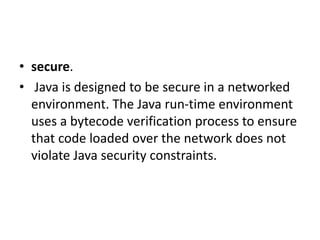
• secure.
• Java is designed to be secure in a networked
environment. The Java run-time environment
uses a bytecode verification process to ensure
that code loaded over the network does not
violate Java security constraints.
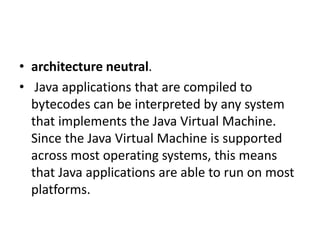
• architecture neutral.
• Java applications that are compiled to
bytecodes can be interpreted by any system
that implements the Java Virtual Machine.
Since the Java Virtual Machine is supported
across most operating systems, this means
that Java applications are able to run on most
platforms.
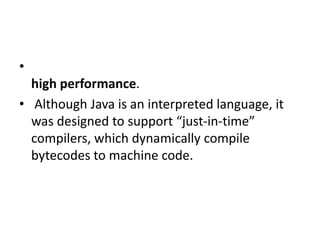
•
high performance.
• Although Java is an interpreted language, it
was designed to support “just-in-time”
compilers, which dynamically compile
bytecodes to machine code.
• multithreaded.
• Java supports multiple threads of execution
(a.k.a., lightweight processes), including a set
of synchronization primitives. This makes
programming with threads much easier.
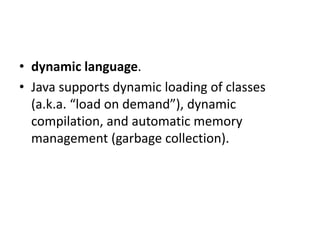
• dynamic language.
• Java supports dynamic loading of classes
(a.k.a. “load on demand”), dynamic
compilation, and automatic memory
management (garbage collection).

Introduction to java

  • 1.
    INTRODUCTION TO JAVA FROMKRUNALI S. GANDHI
  • 2.
    WHAT IS JAVA? •LITERAL MEANING:- • Java means Coffee. • Technological Terms:- • Java is a programming language and computing platform first released by Sun Microsystems in 1995.
  • 3.
    JRE • The JavaRuntime Environment (JRE) is what you get when you download Java software. The JRE consists of the Java Virtual Machine (JVM), Java platform core classes, and supporting Java platform libraries. • The JRE is the runtime portion of Java software, which is all you need to run it in your Web browser.
  • 4.
    JAVA PLUG-IN • TheJava Plug-in software is a component of the Java Runtime Environment (JRE). • The JRE allows applets written in the Java programming language to run inside various browsers. • The Java Plug-in software is not a standalone program and cannot be installed separately.
  • 5.
    JVM • JVM isJava Virtual Machine. • The Java Virtual Machine is only one aspect of Java software that is involved in web interaction. • The Java Virtual Machine is built right into your Java software download, and helps run Java applications.
  • 6.
    IS JAVA FREETO DOWNLOAD? • Yes, Java is free to download. • If you are building an embedded or consumer device and would like to include Java, please contact Oraclefor more information on including Java in your device.
  • 7.
    HISTORY OF JAVA •Java was originally developed by James Gosling at Sun Microsystems (which has since been acquired by Oracle Corporation) and released in 1995 as a core component of Sun Microsystems' Java platform.
  • 8.
    WHO FOUND JAVA? •JAMES GOSLING
  • 9.
    WHY IS ITCALLED JAVA? • . The language was initially called Oak after an oak tree that stood outside Gosling's office. Later the project went by the name Green and was finally renamed Java, from Java coffee. • Gosling designed Java with a C/C++-style syntax that system and application programmers would find familiar.
  • 10.
    WHO IS THEOWNER OF JAVA? • Sun Microsystems created Java. Oracle bought Sun, and thus they became the owners of Java. • Java (JVM and JDK) is open source, and you are free to use it. • This is under the GPL though, and if they do any changes to the actual JVM or JDK, they will have to release those changes.
  • 11.
    USES OF JAVA •Java was designed to have the look and feel of the C++ language, but it is simpler to use than C++ and enforces an object-oriented programming model. • Java can be used to create complete applications that may run on a single computer or be distributed among servers and clients in a network
  • 12.
    FULL FORM OFJAVA • Java does not have any full form, but a programming language originally developed by James Gosling at Sun Microsystems in 1995. • It derives much of its syntax from the most popular programming languages of all time : C and C++. • Today Java of Sun Microsystems is a subsidiary of Oracle Corporation.
  • 13.
    USES OF JAVA •Definition of: Java application. • Java application • . A Java program that runs stand-alone in a client or server. • The Java Virtual Machine interprets the instructions, and like any programming language running in its native environment, Java programs have full access to all the resources in the computer.
  • 14.
    FEATURES OF JAVA •simple. • Java was designed with a small number of language constructs so that programmers could learn it quickly. It eliminates several language features available in C/C++ that are associated with poor programming practices or rarely used: goto statements, header files, structures, operator overloading, multiple inheritance and pointers
  • 15.
    • object-oriented. • Javais an OOPL that supports the construction of programs that consist of collections of collaborating objects. These objects have a unique identity, encapsulate attributes and operations, and are instances of classes related by inheritance and polymorphism.
  • 16.
    • distributed. • Javais designed to support various levels of network connectivity. Java applications are network aware: TCP/IP support is built into Java class libraries. They can open and access remote objects on the Internet.
  • 17.
    • secure. • Javais designed to be secure in a networked environment. The Java run-time environment uses a bytecode verification process to ensure that code loaded over the network does not violate Java security constraints.
  • 18.
    • architecture neutral. •Java applications that are compiled to bytecodes can be interpreted by any system that implements the Java Virtual Machine. Since the Java Virtual Machine is supported across most operating systems, this means that Java applications are able to run on most platforms.
  • 19.
    • high performance. • AlthoughJava is an interpreted language, it was designed to support “just-in-time” compilers, which dynamically compile bytecodes to machine code.
  • 20.
    • multithreaded. • Javasupports multiple threads of execution (a.k.a., lightweight processes), including a set of synchronization primitives. This makes programming with threads much easier.
  • 21.
    • dynamic language. •Java supports dynamic loading of classes (a.k.a. “load on demand”), dynamic compilation, and automatic memory management (garbage collection).