Introduction to
Dialogflow
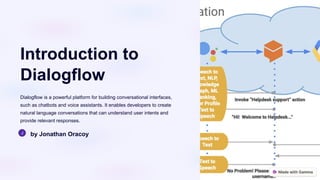
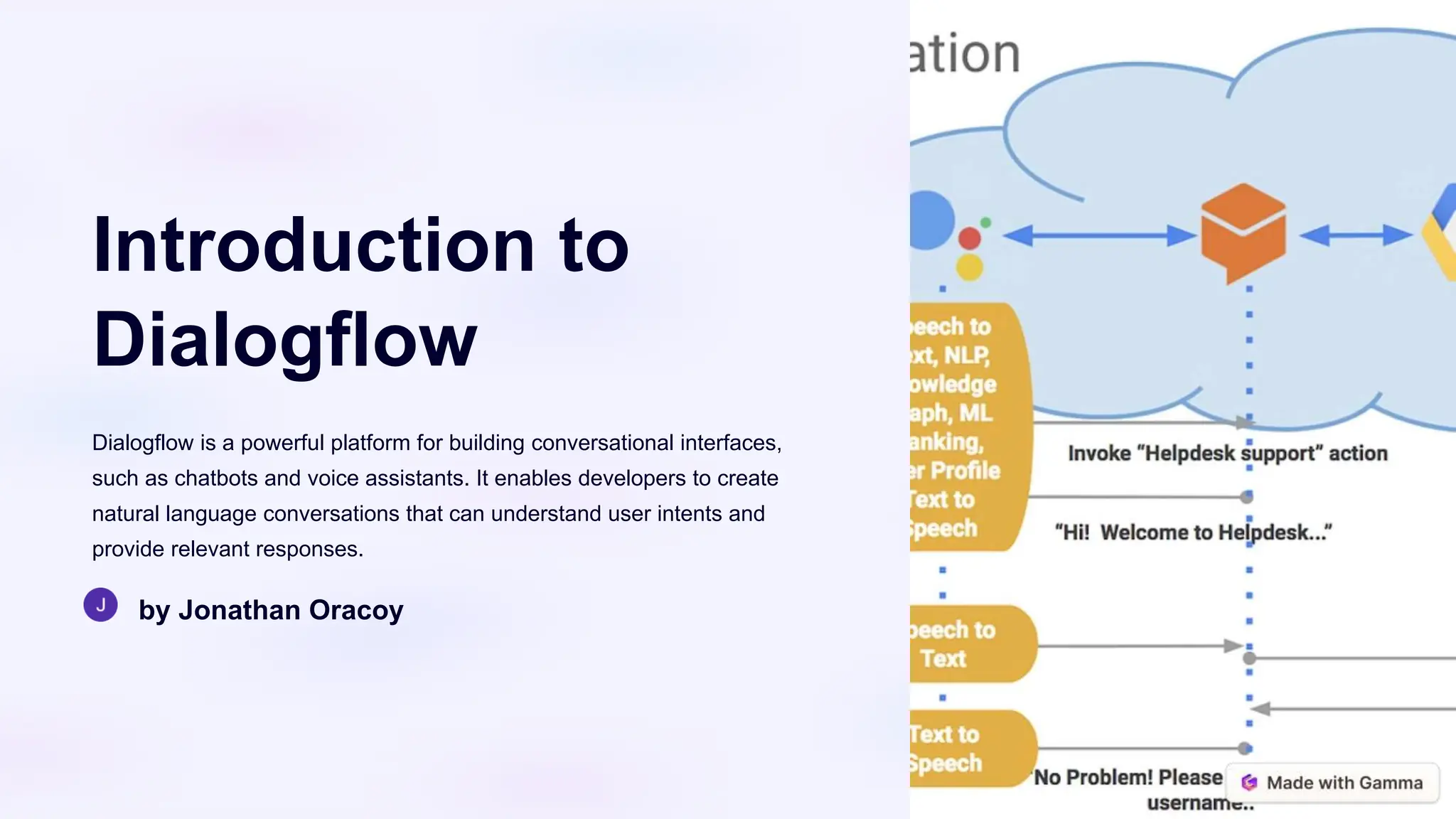
Dialogflow is a powerful platform for building conversational interfaces,
such as chatbots and voice assistants. It enables developers to create
natural language conversations that can understand user intents and
provide relevant responses.
by Jonathan Oracoy
Dialogflow Basics
1. Understand the core components of Dialogflow, including Intents,
Entities, and Contexts.
2. Learn how to create and configure a Dialogflow agent to handle
conversational interactions.
3. Explore the Dialogflow console and its intuitive interface for
building and testing your conversational AI.
Setting up a Dialogflow
Project
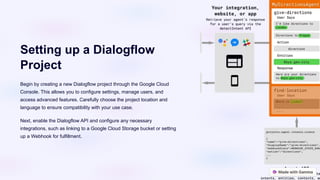
Begin by creating a new Dialogflow project through the Google Cloud
Console. This allows you to configure settings, manage users, and
access advanced features. Carefully choose the project location and
language to ensure compatibility with your use case.
Next, enable the Dialogflow API and configure any necessary
integrations, such as linking to a Google Cloud Storage bucket or setting
up a Webhook for fulfillment.
Creating Intents
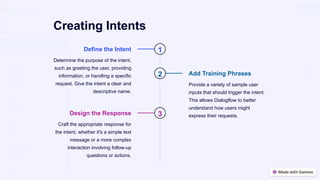
1
Define the Intent
Determine the purpose of the intent,
such as greeting the user, providing
information, or handling a specific
request. Give the intent a clear and
descriptive name.
2 Add Training Phrases
Provide a variety of sample user
inputs that should trigger the intent.
This allows Dialogflow to better
understand how users might
express their requests.
3
Design the Response
Craft the appropriate response for
the intent, whether it's a simple text
message or a more complex
interaction involving follow-up
questions or actions.
Defining Entities
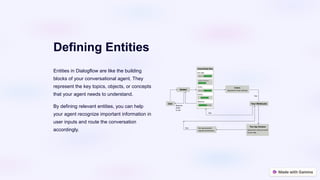
Entities in Dialogflow are like the building
blocks of your conversational agent. They
represent the key topics, objects, or concepts
that your agent needs to understand.
By defining relevant entities, you can help
your agent recognize important information in
user inputs and route the conversation
accordingly.
Handling Contexts
1 Establishing Context
Contexts in Dialogflow represent the
current state of the conversation,
allowing the agent to understand the
user's intent based on the flow of the
dialogue.
2 Defining Contexts
You can define input and output
contexts for your intents, ensuring the
agent responds appropriately based on
the user's previous responses.
3 Managing Context Lifespans
Set the lifespan of a context to control
how long it remains active, enabling
your agent to maintain the appropriate
context through multi-turn
conversations.
4 Context Chaining
By linking contexts together, you can
create complex, multi-step dialogues
that guide the user through a series of
related intents.
Fulfilling Intents with Webhook
Webhook
Integration
Dialogflow allows
you to integrate a
webhook to fulfill
user intents. This
enables your
application to handle
complex logic and
retrieve data from
external sources.
Custom Logic
With a webhook,
you can write
custom code to
process user
requests, access
databases, and
perform other
business-specific
operations to
generate dynamic
responses.
External APIs
Webhooks allow you
to integrate with
third-party APIs,
enabling your
Dialogflow agent to
leverage external
data and services to
enrich user
interactions.
Robust
Fulfillment
By combining
Dialogflow's intent
matching with
custom webhook
logic, you can create
powerful, context-
aware
conversational
experiences that
truly meet user
needs.
Integrating Dialogflow with other
platforms
Chatbots
Easily integrate
Dialogflow with
popular chatbot
platforms like
Facebook
Messenger, Slack,
Telegram, and
more. Seamlessly
add conversational
AI to your existing
chat interfaces.
Voice Assistants
Leverage
Dialogflow's
advanced natural
language
processing to build
voice-enabled
applications for
Google Assistant,
Amazon Alexa,
and other leading
voice platforms.
Custom
Integrations
Use Dialogflow's
webhooks and API
to integrate with
your own
applications,
databases, and
business systems.
Extend the
capabilities of your
conversational
agent.
Multichannel
Experiences
Deliver a
consistent,
omnichannel user
experience by
syncing your
Dialogflow agent
across web,
mobile, and
messaging
platforms. Maintain
context and
continuity.
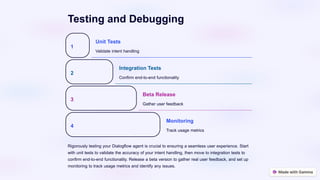
Testing and Debugging
1
Unit Tests
Validate intent handling
2
Integration Tests
Confirm end-to-end functionality
3
Beta Release
Gather user feedback
4
Monitoring
Track usage metrics
Rigorously testing your Dialogflow agent is crucial to ensuring a seamless user experience. Start
with unit tests to validate the accuracy of your intent handling, then move to integration tests to
confirm end-to-end functionality. Release a beta version to gather real user feedback, and set up
monitoring to track usage metrics and identify any issues.
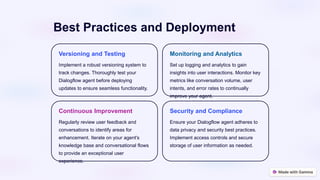
Best Practices and Deployment
Versioning and Testing
Implement a robust versioning system to
track changes. Thoroughly test your
Dialogflow agent before deploying
updates to ensure seamless functionality.
Monitoring and Analytics
Set up logging and analytics to gain
insights into user interactions. Monitor key
metrics like conversation volume, user
intents, and error rates to continually
improve your agent.
Continuous Improvement
Regularly review user feedback and
conversations to identify areas for
enhancement. Iterate on your agent's
knowledge base and conversational flows
to provide an exceptional user
experience.
Security and Compliance
Ensure your Dialogflow agent adheres to
data privacy and security best practices.
Implement access controls and secure
storage of user information as needed.

introduction to Dialogflow ES process.pptx

  • 1.
    Introduction to Dialogflow Dialogflow isa powerful platform for building conversational interfaces, such as chatbots and voice assistants. It enables developers to create natural language conversations that can understand user intents and provide relevant responses. by Jonathan Oracoy
  • 2.
    Dialogflow Basics 1. Understandthe core components of Dialogflow, including Intents, Entities, and Contexts. 2. Learn how to create and configure a Dialogflow agent to handle conversational interactions. 3. Explore the Dialogflow console and its intuitive interface for building and testing your conversational AI.
  • 3.
    Setting up aDialogflow Project Begin by creating a new Dialogflow project through the Google Cloud Console. This allows you to configure settings, manage users, and access advanced features. Carefully choose the project location and language to ensure compatibility with your use case. Next, enable the Dialogflow API and configure any necessary integrations, such as linking to a Google Cloud Storage bucket or setting up a Webhook for fulfillment.
  • 4.
    Creating Intents 1 Define theIntent Determine the purpose of the intent, such as greeting the user, providing information, or handling a specific request. Give the intent a clear and descriptive name. 2 Add Training Phrases Provide a variety of sample user inputs that should trigger the intent. This allows Dialogflow to better understand how users might express their requests. 3 Design the Response Craft the appropriate response for the intent, whether it's a simple text message or a more complex interaction involving follow-up questions or actions.
  • 5.
    Defining Entities Entities inDialogflow are like the building blocks of your conversational agent. They represent the key topics, objects, or concepts that your agent needs to understand. By defining relevant entities, you can help your agent recognize important information in user inputs and route the conversation accordingly.
  • 6.
    Handling Contexts 1 EstablishingContext Contexts in Dialogflow represent the current state of the conversation, allowing the agent to understand the user's intent based on the flow of the dialogue. 2 Defining Contexts You can define input and output contexts for your intents, ensuring the agent responds appropriately based on the user's previous responses. 3 Managing Context Lifespans Set the lifespan of a context to control how long it remains active, enabling your agent to maintain the appropriate context through multi-turn conversations. 4 Context Chaining By linking contexts together, you can create complex, multi-step dialogues that guide the user through a series of related intents.
  • 7.
    Fulfilling Intents withWebhook Webhook Integration Dialogflow allows you to integrate a webhook to fulfill user intents. This enables your application to handle complex logic and retrieve data from external sources. Custom Logic With a webhook, you can write custom code to process user requests, access databases, and perform other business-specific operations to generate dynamic responses. External APIs Webhooks allow you to integrate with third-party APIs, enabling your Dialogflow agent to leverage external data and services to enrich user interactions. Robust Fulfillment By combining Dialogflow's intent matching with custom webhook logic, you can create powerful, context- aware conversational experiences that truly meet user needs.
  • 8.
    Integrating Dialogflow withother platforms Chatbots Easily integrate Dialogflow with popular chatbot platforms like Facebook Messenger, Slack, Telegram, and more. Seamlessly add conversational AI to your existing chat interfaces. Voice Assistants Leverage Dialogflow's advanced natural language processing to build voice-enabled applications for Google Assistant, Amazon Alexa, and other leading voice platforms. Custom Integrations Use Dialogflow's webhooks and API to integrate with your own applications, databases, and business systems. Extend the capabilities of your conversational agent. Multichannel Experiences Deliver a consistent, omnichannel user experience by syncing your Dialogflow agent across web, mobile, and messaging platforms. Maintain context and continuity.
  • 9.
    Testing and Debugging 1 UnitTests Validate intent handling 2 Integration Tests Confirm end-to-end functionality 3 Beta Release Gather user feedback 4 Monitoring Track usage metrics Rigorously testing your Dialogflow agent is crucial to ensuring a seamless user experience. Start with unit tests to validate the accuracy of your intent handling, then move to integration tests to confirm end-to-end functionality. Release a beta version to gather real user feedback, and set up monitoring to track usage metrics and identify any issues.
  • 10.
    Best Practices andDeployment Versioning and Testing Implement a robust versioning system to track changes. Thoroughly test your Dialogflow agent before deploying updates to ensure seamless functionality. Monitoring and Analytics Set up logging and analytics to gain insights into user interactions. Monitor key metrics like conversation volume, user intents, and error rates to continually improve your agent. Continuous Improvement Regularly review user feedback and conversations to identify areas for enhancement. Iterate on your agent's knowledge base and conversational flows to provide an exceptional user experience. Security and Compliance Ensure your Dialogflow agent adheres to data privacy and security best practices. Implement access controls and secure storage of user information as needed.