DATABASE
WHAT IS A DATABASE
• A database is an organised collection of data.
• A database program is software which stores and retrieves data in a
structured way.
• This includes the data that is stored and the links between the data
items.All databases store data using a system of files, records and fields:
DATABASE
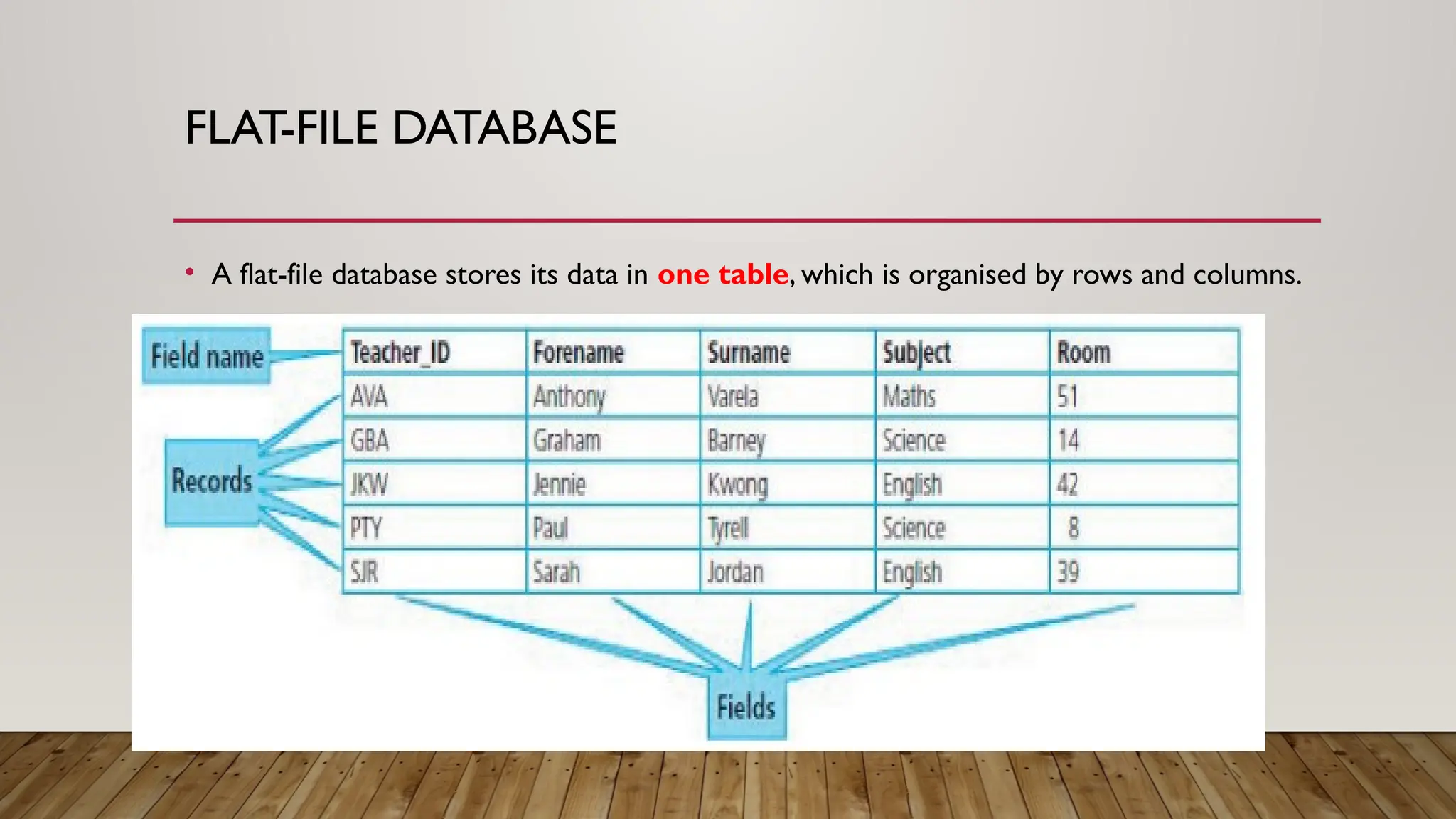
• A field is a single item of data, such as a forename or date of birth.
Each field has a field name that is used to identify it within the
database. Each field contains one type of data, for example numbers,
text or a date.
• A record is a collection of fields, for example, all the information
about one person or one item.These may contain different data types.
• A file (in database terms) is an organised collection of records, usually
where all the records are organised so that they can be stored
together.A file can have one or more tables within it
TYPES OF DATABASE
•Flat-file databases
•Relational databases
FLAT-FILE DATABASE
• A flat-file database stores its data in one table, which is organised by rows and columns.
RELATIONAL DATABASES
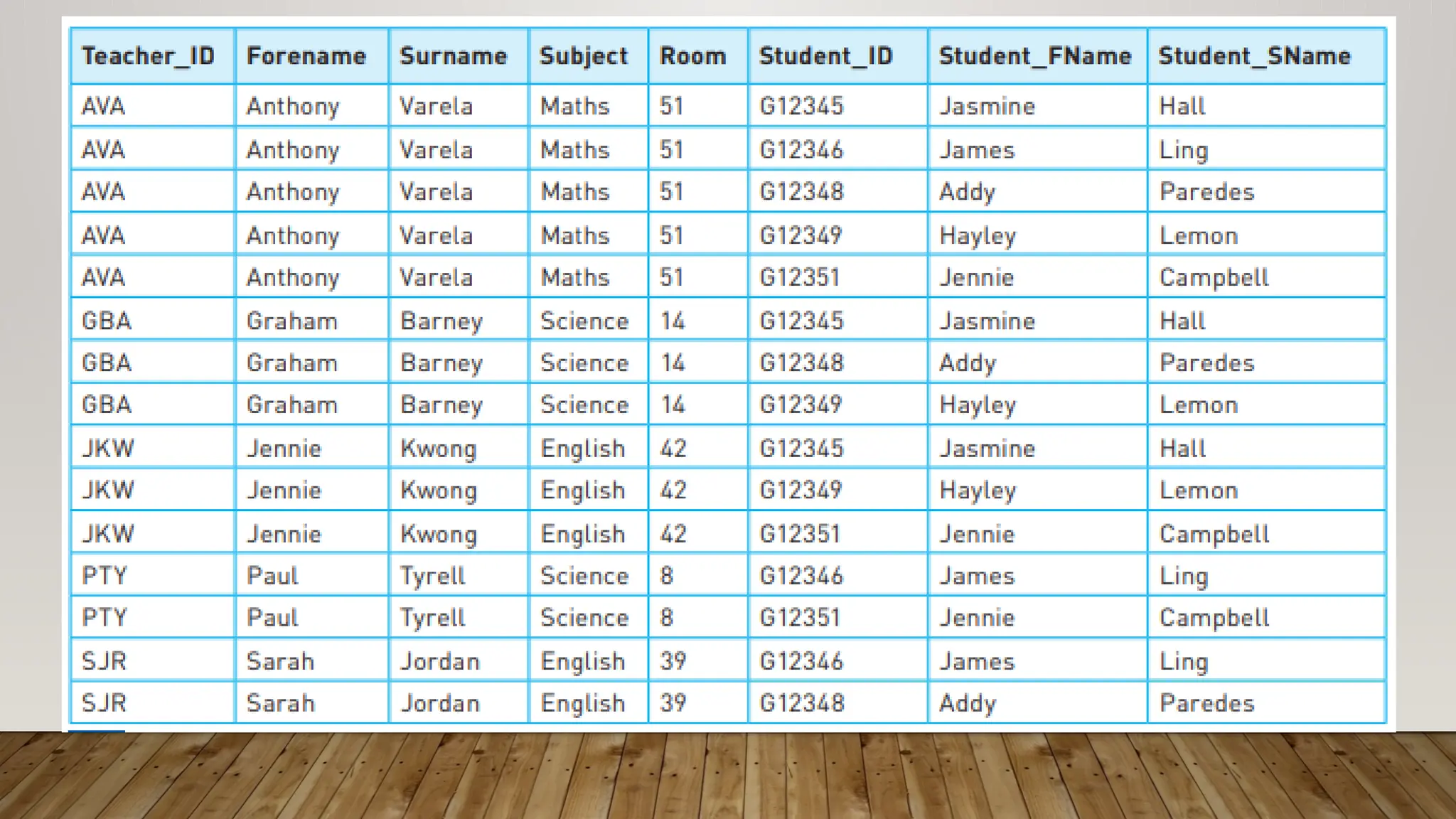
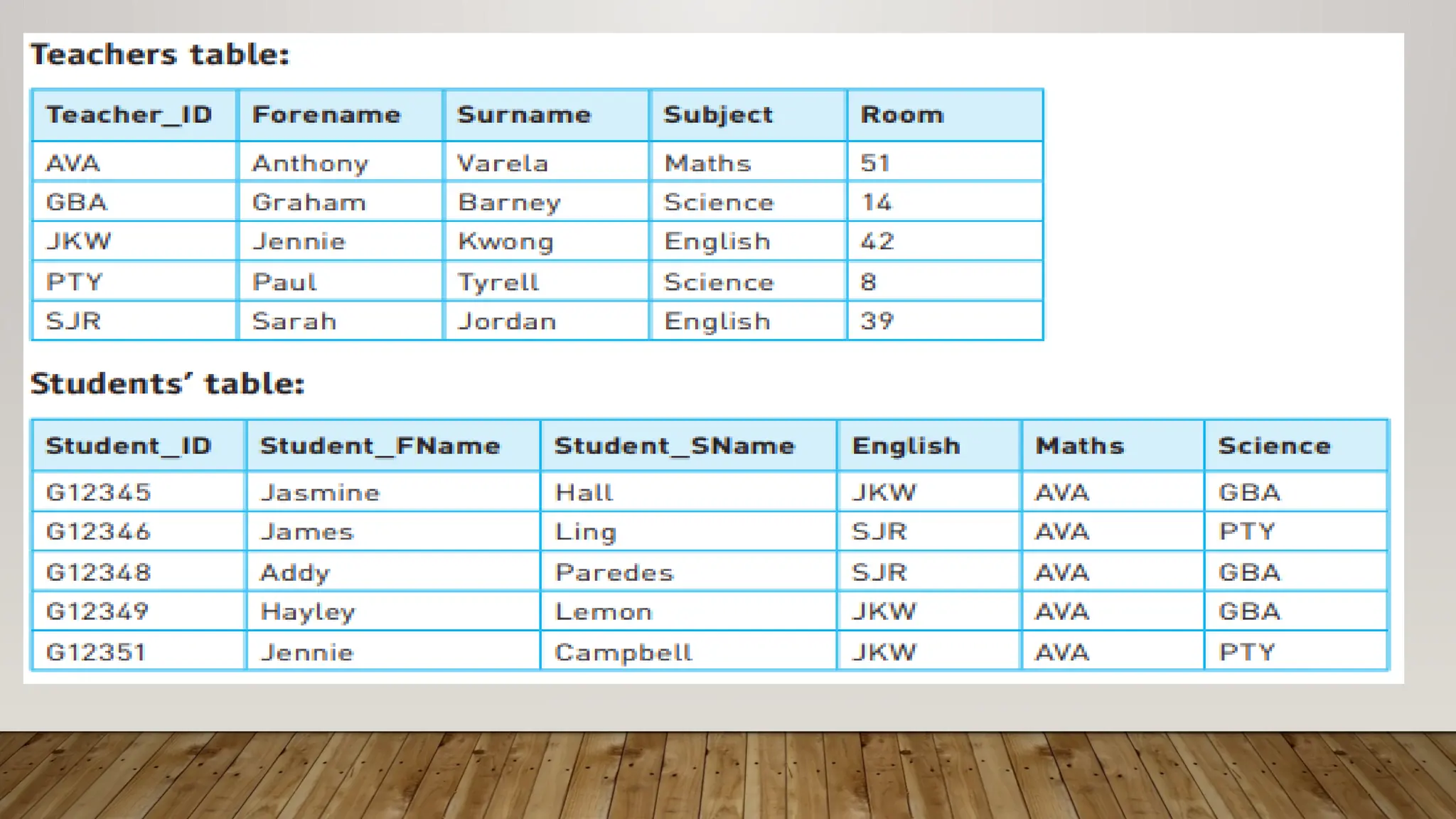
• A relational database stores data in more than one
linked table, stored in a file. Relational databases are
designed so that the same data is not stored many
times.The tables within a relational database are linked
with relationships
KEY FIELDS
• Primary key field holds unique data and is the field used to identify a record. (no two
records are the same in this field)
• A foreign key field in one data table stores values from a primary key field in another
table.
ADVANTAGES AND DISADVANTAGES OF USING
FLAT-FILE AND RELATIONAL DATABASES
• Much internal memory and external storage space is saved by not storing data more
than once
• Records/data can be added, edited or deleted
DATA TYPES AND SUB-TYPES
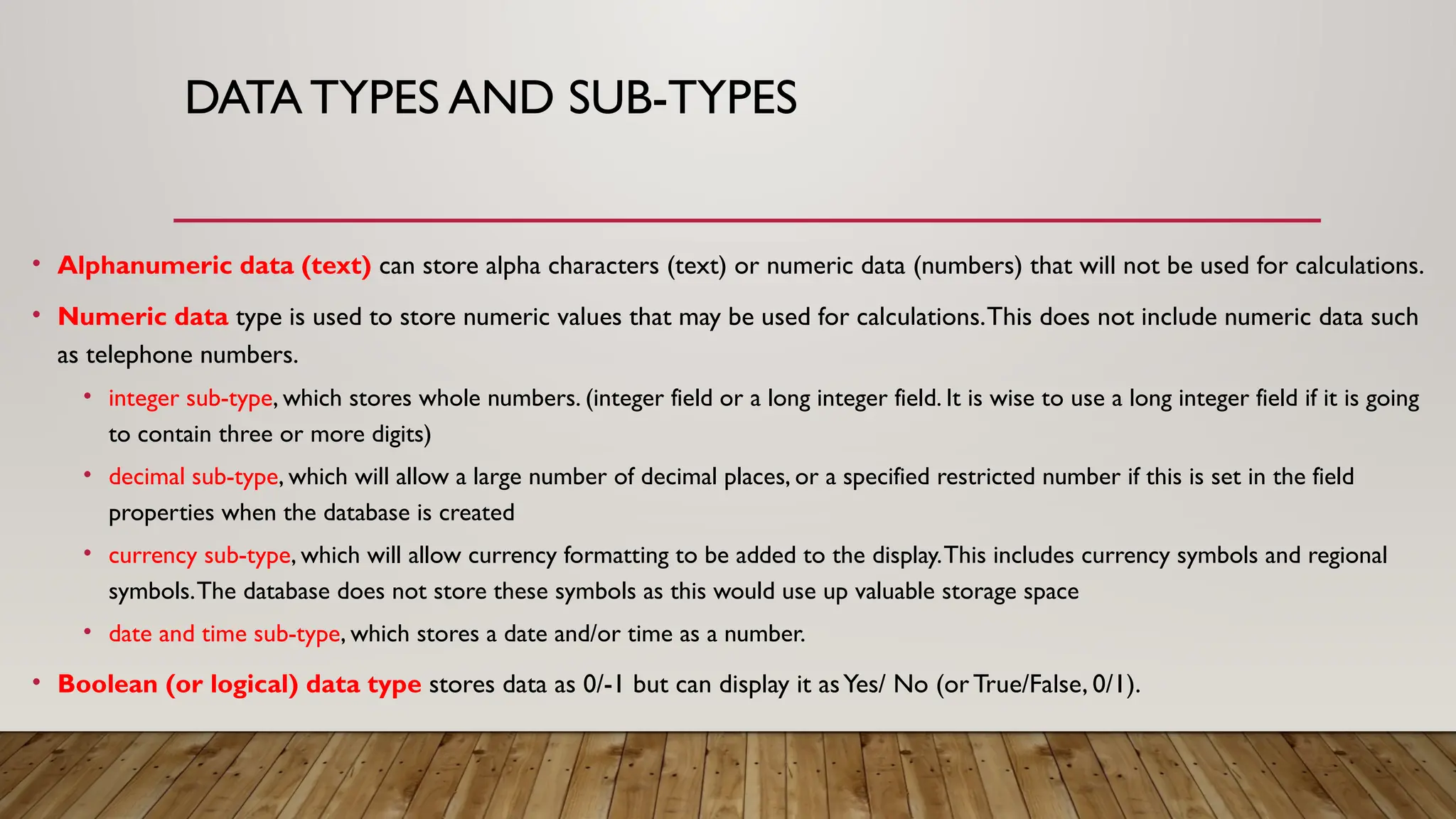
• Alphanumeric data (text) can store alpha characters (text) or numeric data (numbers) that will not be used for calculations.
• Numeric data type is used to store numeric values that may be used for calculations.This does not include numeric data such
as telephone numbers.
• integer sub-type, which stores whole numbers. (integer field or a long integer field. It is wise to use a long integer field if it is going
to contain three or more digits)
• decimal sub-type, which will allow a large number of decimal places, or a specified restricted number if this is set in the field
properties when the database is created
• currency sub-type, which will allow currency formatting to be added to the display.This includes currency symbols and regional
symbols.The database does not store these symbols as this would use up valuable storage space
• date and time sub-type, which stores a date and/or time as a number.
• Boolean (or logical) data type stores data as 0/-1 but can display it asYes/ No (orTrue/False, 0/1).

INTRODUCTION TO DATABASE............pptx

  • 1.
  • 2.
    WHAT IS ADATABASE • A database is an organised collection of data. • A database program is software which stores and retrieves data in a structured way. • This includes the data that is stored and the links between the data items.All databases store data using a system of files, records and fields:
  • 3.
    DATABASE • A fieldis a single item of data, such as a forename or date of birth. Each field has a field name that is used to identify it within the database. Each field contains one type of data, for example numbers, text or a date. • A record is a collection of fields, for example, all the information about one person or one item.These may contain different data types. • A file (in database terms) is an organised collection of records, usually where all the records are organised so that they can be stored together.A file can have one or more tables within it
  • 4.
    TYPES OF DATABASE •Flat-filedatabases •Relational databases
  • 5.
    FLAT-FILE DATABASE • Aflat-file database stores its data in one table, which is organised by rows and columns.
  • 6.
    RELATIONAL DATABASES • Arelational database stores data in more than one linked table, stored in a file. Relational databases are designed so that the same data is not stored many times.The tables within a relational database are linked with relationships
  • 7.
    KEY FIELDS • Primarykey field holds unique data and is the field used to identify a record. (no two records are the same in this field) • A foreign key field in one data table stores values from a primary key field in another table.
  • 10.
    ADVANTAGES AND DISADVANTAGESOF USING FLAT-FILE AND RELATIONAL DATABASES • Much internal memory and external storage space is saved by not storing data more than once • Records/data can be added, edited or deleted
  • 11.
    DATA TYPES ANDSUB-TYPES • Alphanumeric data (text) can store alpha characters (text) or numeric data (numbers) that will not be used for calculations. • Numeric data type is used to store numeric values that may be used for calculations.This does not include numeric data such as telephone numbers. • integer sub-type, which stores whole numbers. (integer field or a long integer field. It is wise to use a long integer field if it is going to contain three or more digits) • decimal sub-type, which will allow a large number of decimal places, or a specified restricted number if this is set in the field properties when the database is created • currency sub-type, which will allow currency formatting to be added to the display.This includes currency symbols and regional symbols.The database does not store these symbols as this would use up valuable storage space • date and time sub-type, which stores a date and/or time as a number. • Boolean (or logical) data type stores data as 0/-1 but can display it asYes/ No (orTrue/False, 0/1).