KIIT 2014
Objectives
Aftercompleting this lesson, you should be able to do the
following:
• Introduction to Computer Networks
• Evolution of Networking
• Types of Networks
• Network Devices
• Networking Topologies
• Define Node in the Network
• Use of Internet and WEB
• Define DNS
3.
KIIT 2014
Introductionto Computer
Networks
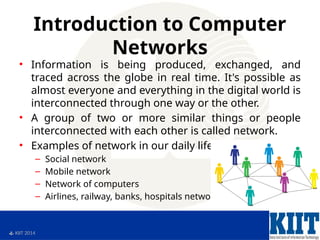
• Information is being produced, exchanged, and
traced across the globe in real time. It's possible as
almost everyone and everything in the digital world is
interconnected through one way or the other.
• A group of two or more similar things or people
interconnected with each other is called network.
• Examples of network in our daily life:
– Social network
– Mobile network
– Network of computers
– Airlines, railway, banks, hospitals networks
4.
KIIT 2014
Introductionto Computer
Networks
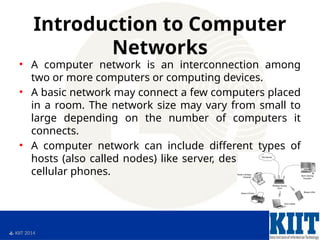
• A computer network is an interconnection among
two or more computers or computing devices.
• A basic network may connect a few computers placed
in a room. The network size may vary from small to
large depending on the number of computers it
connects.
• A computer network can include different types of
hosts (also called nodes) like server, desktop, laptop,
cellular phones.
5.
KIIT 2014
WhyUse C?
• Mainly because it produces code that runs nearly as fast
as code written in assembly language. Some examples of
the use of C might be:
– Operating Systems
– Language Compilers
– Assemblers
– Text Editors
– Network Drivers
– Modern Programs
– Data Bases
– Language Interpreters
– Utilities
6.
KIIT 2014
Historyof C
• Evolved from two previous languages
– BCPL , B
• BCPL (Basic Combined Programming
Language) used for writing OS & compilers
• B used for creating early versions of UNIX OS
• Both were “typeless” languages
• C language evolved from B (Dennis Ritchie –
Bell labs)
** Typeless – no datatypes. Every data item occupied 1 word in
memory.
7.
KIIT 2014
Historyof C
• In 1972 Dennis Ritchie at Bell Labs writes C
and in 1978 the publication of The C
Programming Language by Kernighan &
Ritchie caused a revolution in the computing
world
• In 1983, the American National Standards
Institute (ANSI) established a committee to
provide a modern, comprehensive definition
of C. The resulting definition, the ANSI
standard, or "ANSI C", was completed late
1988.
8.
KIIT 2014
Capabilitiesof C
• Low Level Language Features
• Portability
• Powerful
• Bit Manipulation
• High Level Language Features
• Modular Programming
• Efficient use of Pointers
9.
KIIT 2014
SoftwareDevelopment
Method
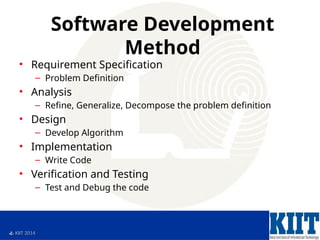
• Requirement Specification
– Problem Definition
• Analysis
– Refine, Generalize, Decompose the problem definition
• Design
– Develop Algorithm
• Implementation
– Write Code
• Verification and Testing
– Test and Debug the code
10.
KIIT 2014
Developmentwith C
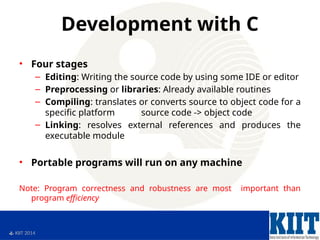
• Four stages
– Editing: Writing the source code by using some IDE or editor
– Preprocessing or libraries: Already available routines
– Compiling: translates or converts source to object code for a
specific platform source code -> object code
– Linking: resolves external references and produces the
executable module
• Portable programs will run on any machine
Note: Program correctness and robustness are most important than
program efficiency
11.
KIIT 2014
Programminglanguages
• Various programming languages
• Some understandable directly by computers
• Others require “translation” steps
– Machine language
• Natural language of a particular computer
• Consists of strings of numbers(1s, 0s)
• Instruct computer to perform elementary
operations one at a time
• Machine dependant
12.
KIIT 2014
Programminglanguages
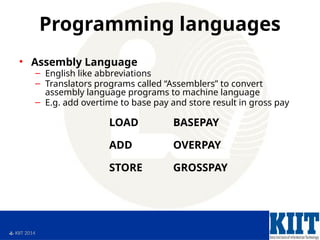
• Assembly Language
– English like abbreviations
– Translators programs called “Assemblers” to convert
assembly language programs to machine language
– E.g. add overtime to base pay and store result in gross pay
LOAD BASEPAY
ADD OVERPAY
STORE GROSSPAY
13.
KIIT 2014
Programminglanguages
• High-level languages
– To speed up programming even further
– Single statements for accomplishing substantial
tasks
– Translator programs called “Compilers” to convert
high-level programs into machine language
– E.g. add overtime to base pay and store result in
gross pay
grossPay = basePay + overtimePay
14.
KIIT 2014
CStandard Library
• Two parts to learning the “C” world
– Learn C itself
– Take advantage of rich collection of existing
functions called C Standard Library
• Avoid reinventing the wheel
• SW reusability
15.
KIIT 2014
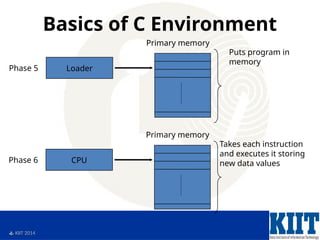
Basicsof C Environment
• C systems consist of 3 parts
– Environment
– Language
– C Standard Library
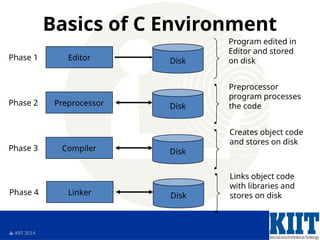
• Development environment has 6 phases
– Edit
– Pre-processor
– Compile
– Link
– Load
– Execute
16.
KIIT 2014
Basicsof C Environment
Editor Disk
Phase 1
Program edited in
Editor and stored
on disk
Preprocessor Disk
Phase 2
Preprocessor
program processes
the code
Compiler Disk
Phase 3
Creates object code
and stores on disk
Linker Disk
Phase 4
Links object code
with libraries and
stores on disk
17.
KIIT 2014
Basicsof C Environment
Loader
Phase 5
Puts program in
memory
Primary memory
CPU
Phase 6
Takes each instruction
and executes it storing
new data values
Primary memory
18.
KIIT 2014
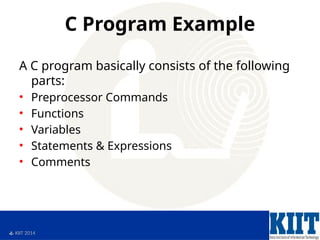
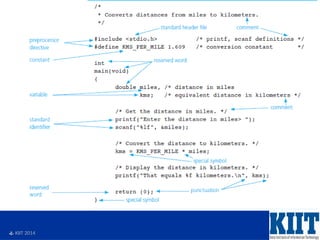
CProgram Example
A C program basically consists of the following
parts:
• Preprocessor Commands
• Functions
• Variables
• Statements & Expressions
• Comments
KIIT 2014
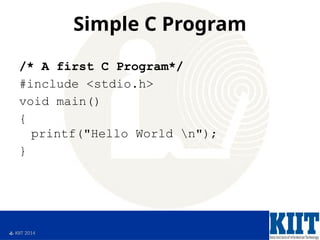
SimpleC Program
/* A first C Program*/
#include <stdio.h>
void main()
{
printf("Hello World n");
}
21.
KIIT 2014
SimpleC Program
• Line 1: #include <stdio.h>
– As part of compilation, the C compiler runs a
program called the C preprocessor. The
preprocessor is able to add and remove code from
your source file.
– In this case, the directive #include tells the
preprocessor to include code from the file stdio.h.
– This file contains declarations for functions that
the program needs to use. A declaration for the
printf function is in this file.
22.
KIIT 2014
SimpleC Program
• Line 2: void main()
– This statement declares the main function.
– A ‘C’ program can contain many functions but
must always have one main function.
– A function is a self-contained module of code that
can accomplish some task.
– Functions are examined later.
– The "void" specifies the return type of main. In this
case, nothing is returned to the operating system.
23.
KIIT 2014
SimpleC Program
• Line 3: {
– This opening bracket denotes the start of the
program.
24.
KIIT 2014
SimpleC Program
• Line 4: printf("Hello World n");
– printf is a function from a standard C library that is
used to print strings to the standard output, normally
your screen.
– The compiler links code from these standard libraries
to the code you have written to produce the final
executable.
– The "n" is a special format modifier that tells the
printf to put a line feed at the end of the line.
– If there were another printf in this program, its string
would print on the next line.
25.
KIIT 2014
SimpleC Program
• Line 5: }
– This closing bracket denotes the end of the
program.
26.
KIIT 2014
Compile& Execute C Program
Following are the simple steps:
• Open a text editor and add the above-mentioned code.
• Save the file as hello.c
• Open a command prompt and go to the directory where
you saved the file.
• Type gcc hello.c and press enter to compile your code.
• If there are no errors in your code, the command prompt
will take you to the next line and would generate a.out
executable file.
• Now, type a.out to execute your prog ram.
• You will be able to see "Hello World" printed on the
screen
27.
KIIT 2014
Summary
Inthis lesson, you should have learned how to:
• Define C language
• List the capabilities of C language
• Define Software Development Method
• Develop software with C
• Write programs in different types of Languages
• Write Simple C Program
• Compile & Execute C Program
28.
KIIT 2014
EscapeSequence
• n new line
• t tab
• r carriage return
• a alert
• backslash
• ” double quote
29.
KIIT 2014
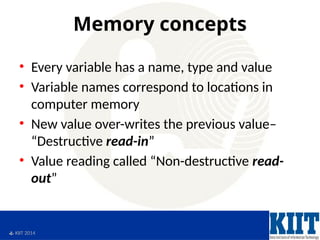
Memoryconcepts
• Every variable has a name, type and value
• Variable names correspond to locations in
computer memory
• New value over-writes the previous value–
“Destructive read-in”
• Value reading called “Non-destructive read-
out”
30.
KIIT 2014
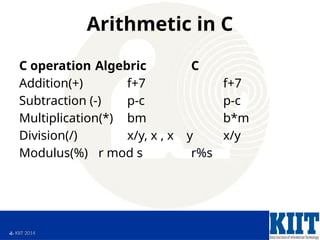
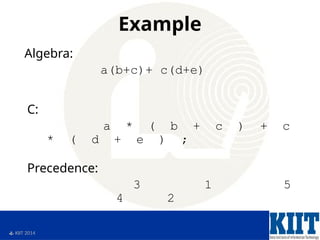
Arithmeticin C
C operation Algebric C
Addition(+) f+7 f+7
Subtraction (-) p-c p-c
Multiplication(*) bm b*m
Division(/) x/y, x , x y x/y
Modulus(%) r mod s r%s
KIIT 2014
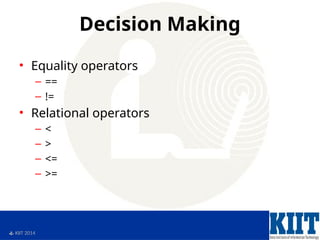
DecisionMaking
• Checking falsity or truth of a statement
• Equality operators have lower precedence
than relational operators
• Relational operators have same precedence
• Both associate from left to right
KIIT 2014
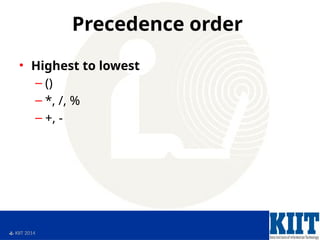
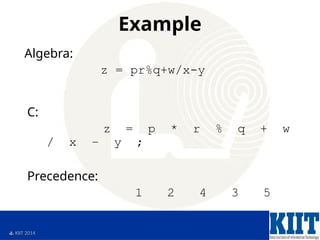
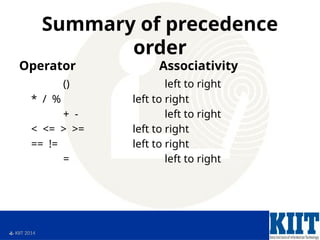
Summaryof precedence
order
Operator Associativity
() left to right
* / % left to right
+ - left to right
< <= > >= left to right
== != left to right
= left to right



![unit-i-basics-of-c-programming [Autosaved].pptx](https://cdn.slidesharecdn.com/ss_thumbnails/unit-i-basics-of-c-programmingautosaved-251129063447-27592c65-thumbnail.jpg?width=640&height=640&fit=bounds)


