Introduction of Timer control
Prof. Neeraj Bhargava
Kapil Chauhan
Department of Computer Science
School of Engineering & Systems Sciences
MDS University, Ajmer
Timer control
 Timer Control plays an important role in the
Client side programming and Server side
programming, also used in Windows Services.
 By using this Timer Control, windows allow you to
control when actions take place without the
interaction of another thread.
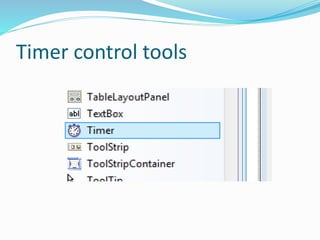
Timer control tools
Use of Timer Control
 We can use Timer Control in many situations in our
development environment.
 At runtime it does not have a visual representation and
works as a component in the background.
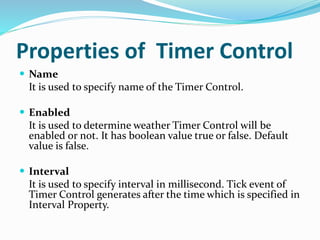
Properties of Timer Control
 Name
It is used to specify name of the Timer Control.
 Enabled
It is used to determine weather Timer Control will be
enabled or not. It has boolean value true or false. Default
value is false.
 Interval
It is used to specify interval in millisecond. Tick event of
Timer Control generates after the time which is specified in
Interval Property.
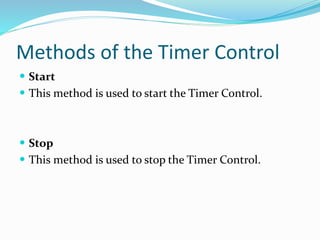
Methods of the Timer Control
 Start
 This method is used to start the Timer Control.
 Stop
 This method is used to stop the Timer Control.
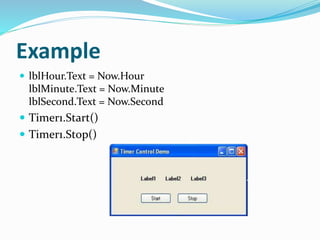
Example
 lblHour.Text = Now.Hour
lblMinute.Text = Now.Minute
lblSecond.Text = Now.Second
 Timer1.Start()
 Timer1.Stop()
Assignment
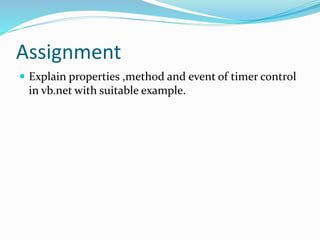
 Explain properties ,method and event of timer control
in vb.net with suitable example.

Introduction of timer control

  • 1.
    Introduction of Timercontrol Prof. Neeraj Bhargava Kapil Chauhan Department of Computer Science School of Engineering & Systems Sciences MDS University, Ajmer
  • 2.
    Timer control  TimerControl plays an important role in the Client side programming and Server side programming, also used in Windows Services.  By using this Timer Control, windows allow you to control when actions take place without the interaction of another thread.
  • 3.
  • 4.
    Use of TimerControl  We can use Timer Control in many situations in our development environment.  At runtime it does not have a visual representation and works as a component in the background.
  • 5.
    Properties of TimerControl  Name It is used to specify name of the Timer Control.  Enabled It is used to determine weather Timer Control will be enabled or not. It has boolean value true or false. Default value is false.  Interval It is used to specify interval in millisecond. Tick event of Timer Control generates after the time which is specified in Interval Property.
  • 6.
    Methods of theTimer Control  Start  This method is used to start the Timer Control.  Stop  This method is used to stop the Timer Control.
  • 7.
    Example  lblHour.Text =Now.Hour lblMinute.Text = Now.Minute lblSecond.Text = Now.Second  Timer1.Start()  Timer1.Stop()
  • 8.
    Assignment  Explain properties,method and event of timer control in vb.net with suitable example.