Introduction to the Internet This project has been made possible by a grant from the U. S. Institute of Museum and Library Services.
Objectives General context and basic vocabulary Identify components needed for Internet use Learn about the World Wide Web Increase familiarity with Internet communication and formats (e-mail) Practice searching Learn about toolbars, favorites, security, etc.
What is the Internet? An electronic communications network that connects computer networks and organizational computer facilities around the world   (from Merriam-Webster’s)
Getting Connected Hardware required Computer Modem path (phone line, cable, wireless) adequate speed/memory Software required ISP (Internet Service Provider) web browser
Terms Address Browser Chat Dial-up Domain Download DSL Home Page HTML Hypertext ISP Key Word Link (hyperlink) Modem Search Engine Server Toolbars URL Web Web Site
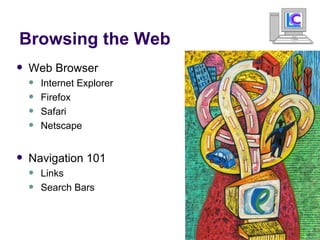
Browsing the Web Web Browser Internet Explorer Firefox Safari Netscape Navigation 101 Links Search Bars
Organization on the Internet Web page Web site Home page Servers Domains
Exercise! Time! Navigate the Christian County Library webpage by clicking various links
 
Searching the Web Search Engines Yahoo Google Ask.com Metasearch Engines Web Crawler Dogpile HotBot
Examples of good Search Strings Munchkin Cats Claddagh Rings Dragons Rhinoceros Beetles Mark Twain Fly Fishing Haley’s Comet Examples of not so good Search Strings How do I tie a hand-made halter When is the best time to plant tomatoes I need to know what the population of brazil is How deep is the grand canyon Search Strings
 
Exercise! Time! Let’s all go to Google. http://www.google.com Try searching for information on various topics.
Online Communication Email   Chat rooms Instant Messenger programs Forums Blogs Web 2.0 sites Social Networking Wikis Netcasting  Vidcasting
Thank you for coming  Feel free to repeat this class or sign up for other classes at the circulation desk Questions ?

Intro To Internet

  • 1.
    Introduction to theInternet This project has been made possible by a grant from the U. S. Institute of Museum and Library Services.
  • 2.
    Objectives General contextand basic vocabulary Identify components needed for Internet use Learn about the World Wide Web Increase familiarity with Internet communication and formats (e-mail) Practice searching Learn about toolbars, favorites, security, etc.
  • 3.
    What is theInternet? An electronic communications network that connects computer networks and organizational computer facilities around the world (from Merriam-Webster’s)
  • 4.
    Getting Connected Hardwarerequired Computer Modem path (phone line, cable, wireless) adequate speed/memory Software required ISP (Internet Service Provider) web browser
  • 5.
    Terms Address BrowserChat Dial-up Domain Download DSL Home Page HTML Hypertext ISP Key Word Link (hyperlink) Modem Search Engine Server Toolbars URL Web Web Site
  • 6.
    Browsing the WebWeb Browser Internet Explorer Firefox Safari Netscape Navigation 101 Links Search Bars
  • 7.
    Organization on theInternet Web page Web site Home page Servers Domains
  • 8.
    Exercise! Time! Navigatethe Christian County Library webpage by clicking various links
  • 9.
  • 10.
    Searching the WebSearch Engines Yahoo Google Ask.com Metasearch Engines Web Crawler Dogpile HotBot
  • 11.
    Examples of goodSearch Strings Munchkin Cats Claddagh Rings Dragons Rhinoceros Beetles Mark Twain Fly Fishing Haley’s Comet Examples of not so good Search Strings How do I tie a hand-made halter When is the best time to plant tomatoes I need to know what the population of brazil is How deep is the grand canyon Search Strings
  • 12.
  • 13.
    Exercise! Time! Let’sall go to Google. http://www.google.com Try searching for information on various topics.
  • 14.
    Online Communication Email Chat rooms Instant Messenger programs Forums Blogs Web 2.0 sites Social Networking Wikis Netcasting Vidcasting
  • 15.
    Thank you forcoming Feel free to repeat this class or sign up for other classes at the circulation desk Questions ?