iSCSI
Internet Small Computer System Interface
iSCSI
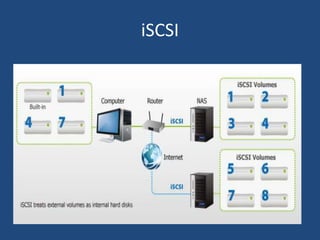
• iSCSI is a TCP/IP based protocol for sending
SCSI commands over IP based networks.
• This allows iSCSI infrastructure to extend
beyond a local LAN, and be used on a WAN or
even over the internet.
iSCSI
Benefits
• Low cost – iSCSI uses the existing network
infrastructure so there is no need to buy
expensive equipment.
• Easy installation and maintenance of iSCSI
SANs – commonly used TCP/IP network
protocols require less IT expertise. Therefore,
no special training is required for network
administrators.
Benefits
• Excellent performance – it is a very good alternative to
the more expensive Fibre Channel technology.
• No distance limitation – using IP networking solves the
problem with data replication to remote sites.
• Interoperability and flexibility – iSCSI uses standard
Ethernet switches so there is no need to install special
cabling and switches required with Fibre Channel, it can
also run at different Ethernet speed.
Benefits
• Compatibility – It is compatible with many
commonly used standards, respected and
recognized by the Internet Engineering Task Force
(IETF).
• Multipathing – iSCSI supports Multipathing to
improve network resiliency.
• Security – iSCSI offers security features such as
Challenge Handshake Authentication Protocol (2-
way CHAP) and Internet Protocol Security (IPsec).
iSCSI SANs are especially recommended
to organizations:
• with limited budget and IT infrastructure,
• spread across several physical locations and
willing to consolidate their storage resources,
• requiring remote data replication and disaster
recovery,
• needing immediate and fast access to data
and backup sets,
iSCSI SANs are especially recommended
to organizations:
• working as Application Service Providers
(ASPs), Internet Service Providers (ISPs) or
Storage Service Providers (SSPs),
• utilizing demanding server Virtualization
projects requiring network storage solutions.
Key iSCSI Terms
• IQN: iSCSI Qualified Names are used to identify both
targets and initiators.
• Target: Storage resource on an iSCSI server.
• Initiator: A Client is called an initiator.
• Node: A single iSCSI target or initiator.
• Portal: A portal is an IP address on a target or initiator.
Steps: Creating an iSCSI volume
Step 1: Create LVM Drive for LUNs (Logical Unit
Number)
Step 2: Create Logical Volumes for LUNs
Step 3: Define LUNs in Target Server
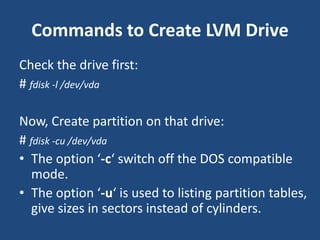
Commands to Create LVM Drive
Check the drive first:
# fdisk -l /dev/vda
Now, Create partition on that drive:
# fdisk -cu /dev/vda
• The option ‘-c‘ switch off the DOS compatible
mode.
• The option ‘-u‘ is used to listing partition tables,
give sizes in sectors instead of cylinders.
Commands to Create LVM Drive
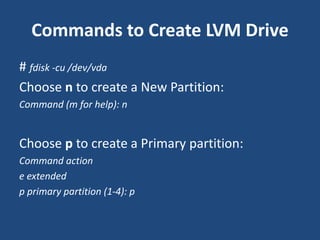
# fdisk -cu /dev/vda
Choose n to create a New Partition:
Command (m for help): n
Choose p to create a Primary partition:
Command action
e extended
p primary partition (1-4): p
Commands to Create LVM Drive
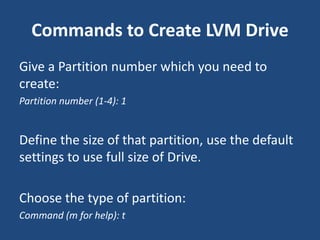
Give a Partition number which you need to
create:
Partition number (1-4): 1
Define the size of that partition, use the default
settings to use full size of Drive.
Choose the type of partition:
Command (m for help): t
Commands to Create LVM Drive
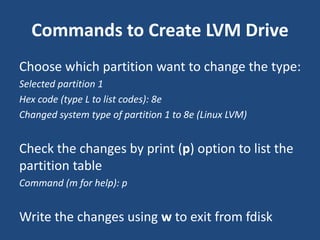
Choose which partition want to change the type:
Selected partition 1
Hex code (type L to list codes): 8e
Changed system type of partition 1 to 8e (Linux LVM)
Check the changes by print (p) option to list the
partition table
Command (m for help): p
Write the changes using w to exit from fdisk
Commands to Create LVM Drive
• Reboot the system and list the Partition table
using the following fdisk command.
# fdisk -l /dev/vda
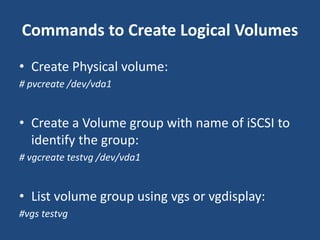
Commands to Create Logical Volumes
• Create Physical volume:
# pvcreate /dev/vda1
• Create a Volume group with name of iSCSI to
identify the group:
# vgcreate testvg /dev/vda1
• List volume group using vgs or vgdisplay:
#vgs testvg
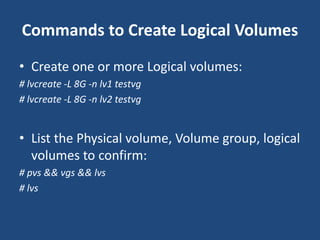
Commands to Create Logical Volumes
• Create one or more Logical volumes:
# lvcreate -L 8G -n lv1 testvg
# lvcreate -L 8G -n lv2 testvg
• List the Physical volume, Volume group, logical
volumes to confirm:
# pvs && vgs && lvs
# lvs
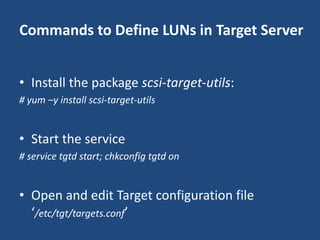
Commands to Define LUNs in Target Server
• Install the package scsi-target-utils:
# yum –y install scsi-target-utils
• Start the service
# service tgtd start; chkconfig tgtd on
• Open and edit Target configuration file
‘/etc/tgt/targets.conf’
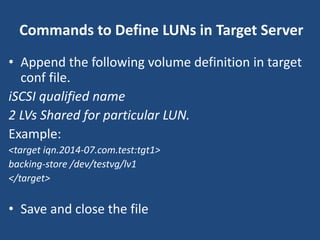
Commands to Define LUNs in Target Server
• Append the following volume definition in target
conf file.
iSCSI qualified name
2 LVs Shared for particular LUN.
Example:
<target iqn.2014-07.com.test:tgt1>
backing-store /dev/testvg/lv1
</target>
• Save and close the file
Commands to Define LUNs in Target Server
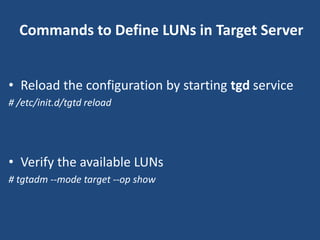
• Reload the configuration by starting tgd service
# /etc/init.d/tgtd reload
• Verify the available LUNs
# tgtadm --mode target --op show
Configure an iSCSI Initiator
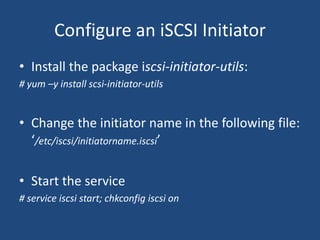
• Install the package iscsi-initiator-utils:
# yum –y install scsi-initiator-utils
• Change the initiator name in the following file:
‘/etc/iscsi/initiatorname.iscsi’
• Start the service
# service iscsi start; chkconfig iscsi on
Discover the target
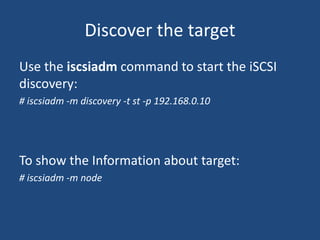
Use the iscsiadm command to start the iSCSI
discovery:
# iscsiadm -m discovery -t st -p 192.168.0.10
To show the Information about target:
# iscsiadm -m node
Log in to the target
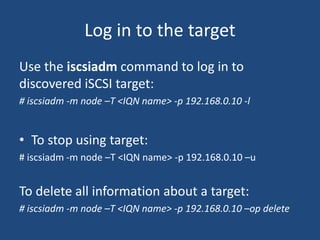
Use the iscsiadm command to log in to
discovered iSCSI target:
# iscsiadm -m node –T <IQN name> -p 192.168.0.10 -l
• To stop using target:
# iscsiadm -m node –T <IQN name> -p 192.168.0.10 –u
To delete all information about a target:
# iscsiadm -m node –T <IQN name> -p 192.168.0.10 –op delete
List the iSCSI drives
• By Path
# ls –la /dev/disk/by-path
• By id
# ls –la /dev/disk/by-path

iSCSI: Internet Small Computer System Interface

  • 1.
  • 2.
    iSCSI • iSCSI isa TCP/IP based protocol for sending SCSI commands over IP based networks. • This allows iSCSI infrastructure to extend beyond a local LAN, and be used on a WAN or even over the internet.
  • 3.
  • 4.
    Benefits • Low cost– iSCSI uses the existing network infrastructure so there is no need to buy expensive equipment. • Easy installation and maintenance of iSCSI SANs – commonly used TCP/IP network protocols require less IT expertise. Therefore, no special training is required for network administrators.
  • 5.
    Benefits • Excellent performance– it is a very good alternative to the more expensive Fibre Channel technology. • No distance limitation – using IP networking solves the problem with data replication to remote sites. • Interoperability and flexibility – iSCSI uses standard Ethernet switches so there is no need to install special cabling and switches required with Fibre Channel, it can also run at different Ethernet speed.
  • 6.
    Benefits • Compatibility –It is compatible with many commonly used standards, respected and recognized by the Internet Engineering Task Force (IETF). • Multipathing – iSCSI supports Multipathing to improve network resiliency. • Security – iSCSI offers security features such as Challenge Handshake Authentication Protocol (2- way CHAP) and Internet Protocol Security (IPsec).
  • 7.
    iSCSI SANs areespecially recommended to organizations: • with limited budget and IT infrastructure, • spread across several physical locations and willing to consolidate their storage resources, • requiring remote data replication and disaster recovery, • needing immediate and fast access to data and backup sets,
  • 8.
    iSCSI SANs areespecially recommended to organizations: • working as Application Service Providers (ASPs), Internet Service Providers (ISPs) or Storage Service Providers (SSPs), • utilizing demanding server Virtualization projects requiring network storage solutions.
  • 9.
    Key iSCSI Terms •IQN: iSCSI Qualified Names are used to identify both targets and initiators. • Target: Storage resource on an iSCSI server. • Initiator: A Client is called an initiator. • Node: A single iSCSI target or initiator. • Portal: A portal is an IP address on a target or initiator.
  • 10.
    Steps: Creating aniSCSI volume Step 1: Create LVM Drive for LUNs (Logical Unit Number) Step 2: Create Logical Volumes for LUNs Step 3: Define LUNs in Target Server
  • 11.
    Commands to CreateLVM Drive Check the drive first: # fdisk -l /dev/vda Now, Create partition on that drive: # fdisk -cu /dev/vda • The option ‘-c‘ switch off the DOS compatible mode. • The option ‘-u‘ is used to listing partition tables, give sizes in sectors instead of cylinders.
  • 12.
    Commands to CreateLVM Drive # fdisk -cu /dev/vda Choose n to create a New Partition: Command (m for help): n Choose p to create a Primary partition: Command action e extended p primary partition (1-4): p
  • 13.
    Commands to CreateLVM Drive Give a Partition number which you need to create: Partition number (1-4): 1 Define the size of that partition, use the default settings to use full size of Drive. Choose the type of partition: Command (m for help): t
  • 14.
    Commands to CreateLVM Drive Choose which partition want to change the type: Selected partition 1 Hex code (type L to list codes): 8e Changed system type of partition 1 to 8e (Linux LVM) Check the changes by print (p) option to list the partition table Command (m for help): p Write the changes using w to exit from fdisk
  • 15.
    Commands to CreateLVM Drive • Reboot the system and list the Partition table using the following fdisk command. # fdisk -l /dev/vda
  • 16.
    Commands to CreateLogical Volumes • Create Physical volume: # pvcreate /dev/vda1 • Create a Volume group with name of iSCSI to identify the group: # vgcreate testvg /dev/vda1 • List volume group using vgs or vgdisplay: #vgs testvg
  • 17.
    Commands to CreateLogical Volumes • Create one or more Logical volumes: # lvcreate -L 8G -n lv1 testvg # lvcreate -L 8G -n lv2 testvg • List the Physical volume, Volume group, logical volumes to confirm: # pvs && vgs && lvs # lvs
  • 18.
    Commands to DefineLUNs in Target Server • Install the package scsi-target-utils: # yum –y install scsi-target-utils • Start the service # service tgtd start; chkconfig tgtd on • Open and edit Target configuration file ‘/etc/tgt/targets.conf’
  • 19.
    Commands to DefineLUNs in Target Server • Append the following volume definition in target conf file. iSCSI qualified name 2 LVs Shared for particular LUN. Example: <target iqn.2014-07.com.test:tgt1> backing-store /dev/testvg/lv1 </target> • Save and close the file
  • 20.
    Commands to DefineLUNs in Target Server • Reload the configuration by starting tgd service # /etc/init.d/tgtd reload • Verify the available LUNs # tgtadm --mode target --op show
  • 21.
    Configure an iSCSIInitiator • Install the package iscsi-initiator-utils: # yum –y install scsi-initiator-utils • Change the initiator name in the following file: ‘/etc/iscsi/initiatorname.iscsi’ • Start the service # service iscsi start; chkconfig iscsi on
  • 22.
    Discover the target Usethe iscsiadm command to start the iSCSI discovery: # iscsiadm -m discovery -t st -p 192.168.0.10 To show the Information about target: # iscsiadm -m node
  • 23.
    Log in tothe target Use the iscsiadm command to log in to discovered iSCSI target: # iscsiadm -m node –T <IQN name> -p 192.168.0.10 -l • To stop using target: # iscsiadm -m node –T <IQN name> -p 192.168.0.10 –u To delete all information about a target: # iscsiadm -m node –T <IQN name> -p 192.168.0.10 –op delete
  • 24.
    List the iSCSIdrives • By Path # ls –la /dev/disk/by-path • By id # ls –la /dev/disk/by-path