Presented By:Biswajit Mahapatra
Educator from PACE Academy
What is Internet?
• A global computer network providing a
variety of information and
communication facilities, consisting of
interconnected networks using
standardized communication protocols.
History
• 1962…J C R Lick Leader introduced the idea of an
Intergalactic Network.
• His idea involved a global computer network that
allowed everyone to access information from anywhere in
world. He become head of the (DARPA)
•The agency launched a research campaign to find
effective ways to link computers to facilitate the exchange
of information.
• 1974……Vint Cerf and Bob khan use the
term "Internet” in a Transmission Control
Protocol paper.
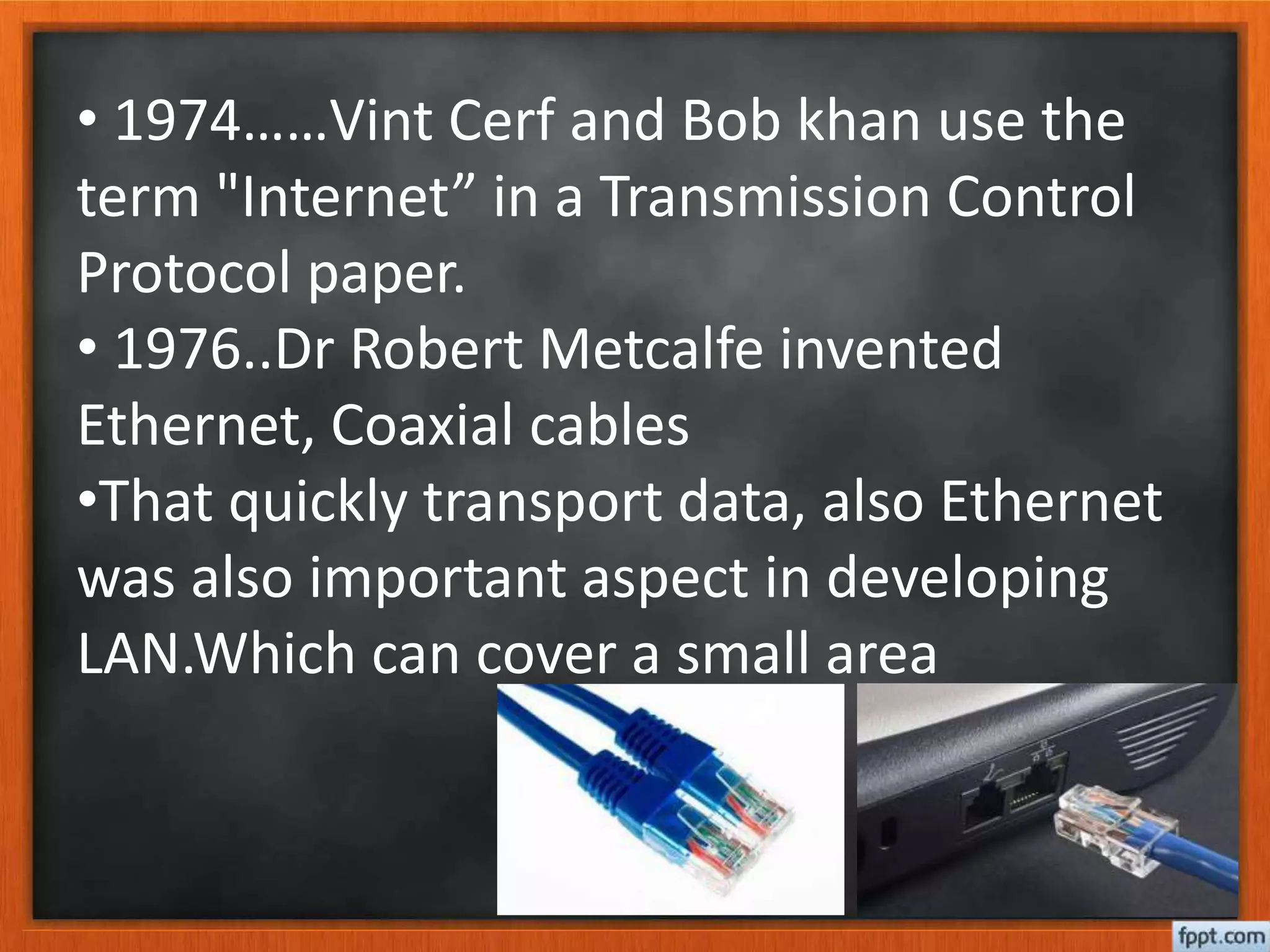
• 1976..Dr Robert Metcalfe invented
Ethernet, Coaxial cables
•That quickly transport data, also Ethernet
was also important aspect in developing
LAN.Which can cover a small area
• 1983..on January 1,1983.Every machine connected
ARPANET was required to use TCP and IP.This became the
core of the Internet.
•1984 ..Dr John Postal described his idea for
.com,org,.gov,.edu in a series of papers published by the
internet engineering task force.
•1989…. The world ,an internet service provider
(ISP).offered the first commercial dial-up internet, which
was established in 1988,did not serve the public until
after the world. Also funded in 1989.
• 1991….. Tim Berners Lee released the World Wide
Web
The advantageous are anyone anywhere can distribute
or gather all sorts of information.
You can do your grocery shopping and other shopping
from the comfort of your chair
Facilitates access to different sources of information,
which is continuously up-dated
It has become the global media
Google…..Search Engine-1996
 Google was founded in 1996 by Larry Page and Sergey Brin
while they were Ph.D. students at Stanford University, in
California. ... They incorporated Google as a privately
held company on September 4, 1998.
 Google Search Engine helps you find out information related to
your search query by categorizing the result types as web, news,
maps, videos, blogs and etc.
How Internet Works?
Specifically internet works as per “Protocol”
Computers are working through communication with
certain rules and information.
These information can be number and letter
There are Three types of Protocol
IP-Internet Protocol
HTTP-Hyper Text Transfer Protocol
FTP-File Transfer Protocol
Major components … How will get Internet?
For Internet we will need connect a telephone cable with Modem.
To covert analog to digital and digital to analog a modem will
required
Modem-Hardware
1. Internal Modem-Fixed already in Computer
2. External Modem-Fixed in out side of Computer
Types of Internet connection
Dial-up: This is generally the slowest type of Internet connection,
and you should probably avoid it unless it is the only service available
in your area. Dial-up Internet uses your phone line, so unless you
have multiple phone lines you will not be able to use your landline
and the Internet at the same time.
Broadband: This high-speed Internet connection is provided
through either cable or telephone companies. One of the fastest
options available, broadband Internet uses multiple data channels to
send large quantities of information.
USB: This type connection does not need any modem. It will fix in
USB port of your computer. Ex.Idea,DGSOL,Micro Max
WI-fi, Hotspot: Radio frequency bands are used in place of
telephone or cable networks. Hotspots can be phone-based or free-
standing, commercial or free to the public.
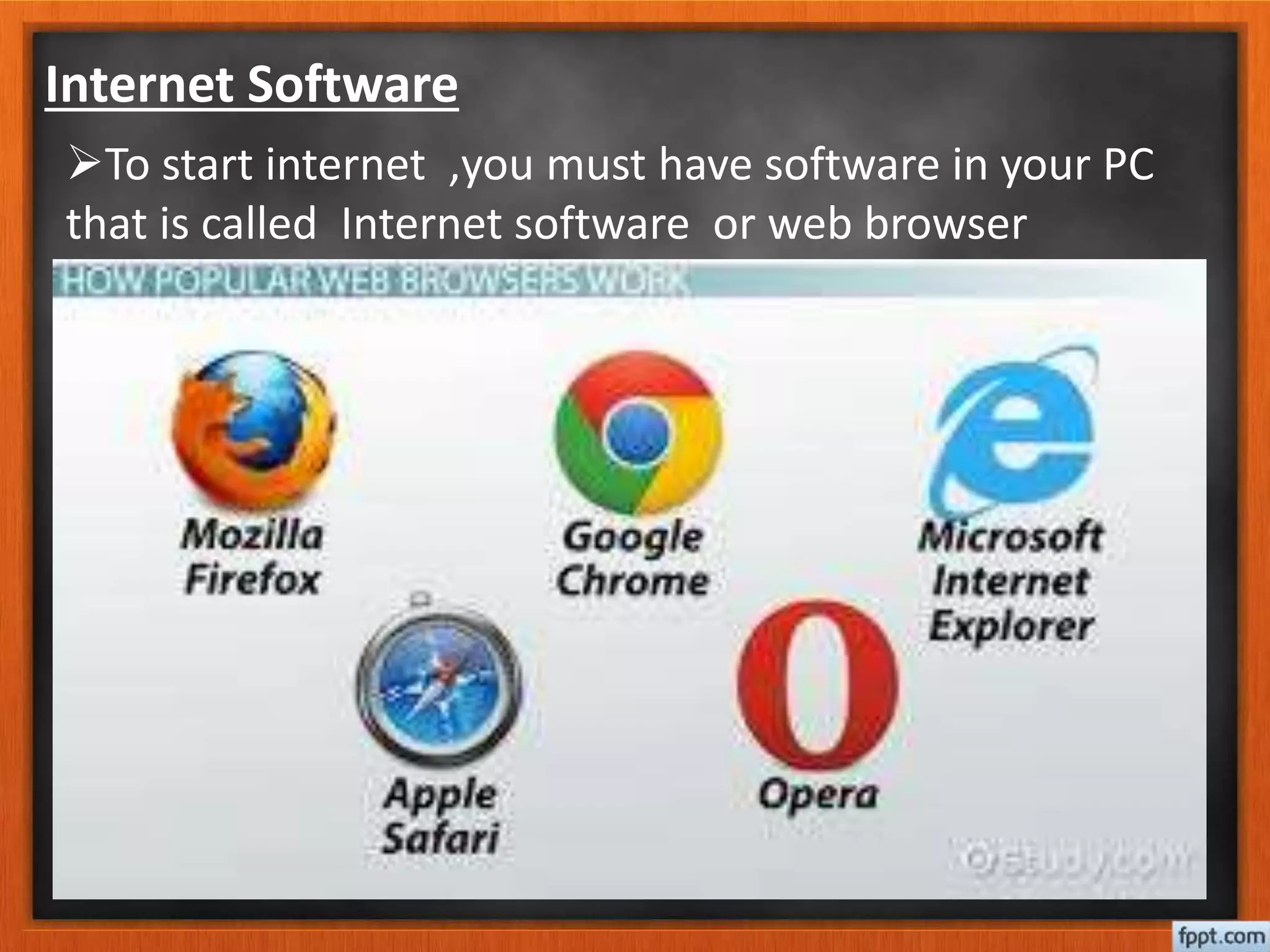
Internet Software
To start internet ,you must have software in your PC
that is called Internet software or web browser
Users: The Internet Corporation for Assigned Names and Numbers
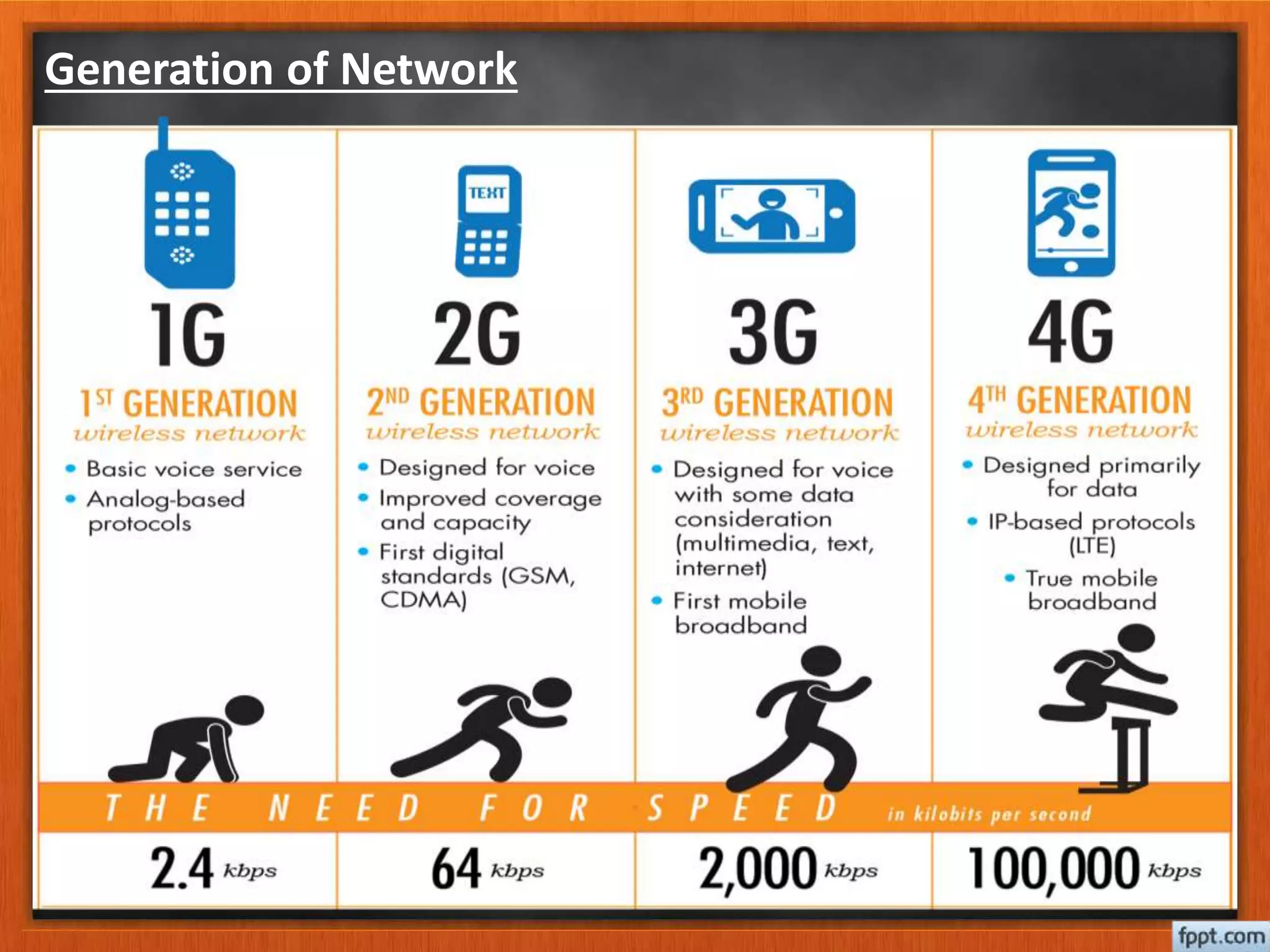
Generation of Network
The peoples of World crazy about them
Mark Gucker Berg-2004 Jack Dorsey-2006 Jan Koum-2009
Chad Hurley-2005 Kevin systrom-2010 Even Seyigal-2011
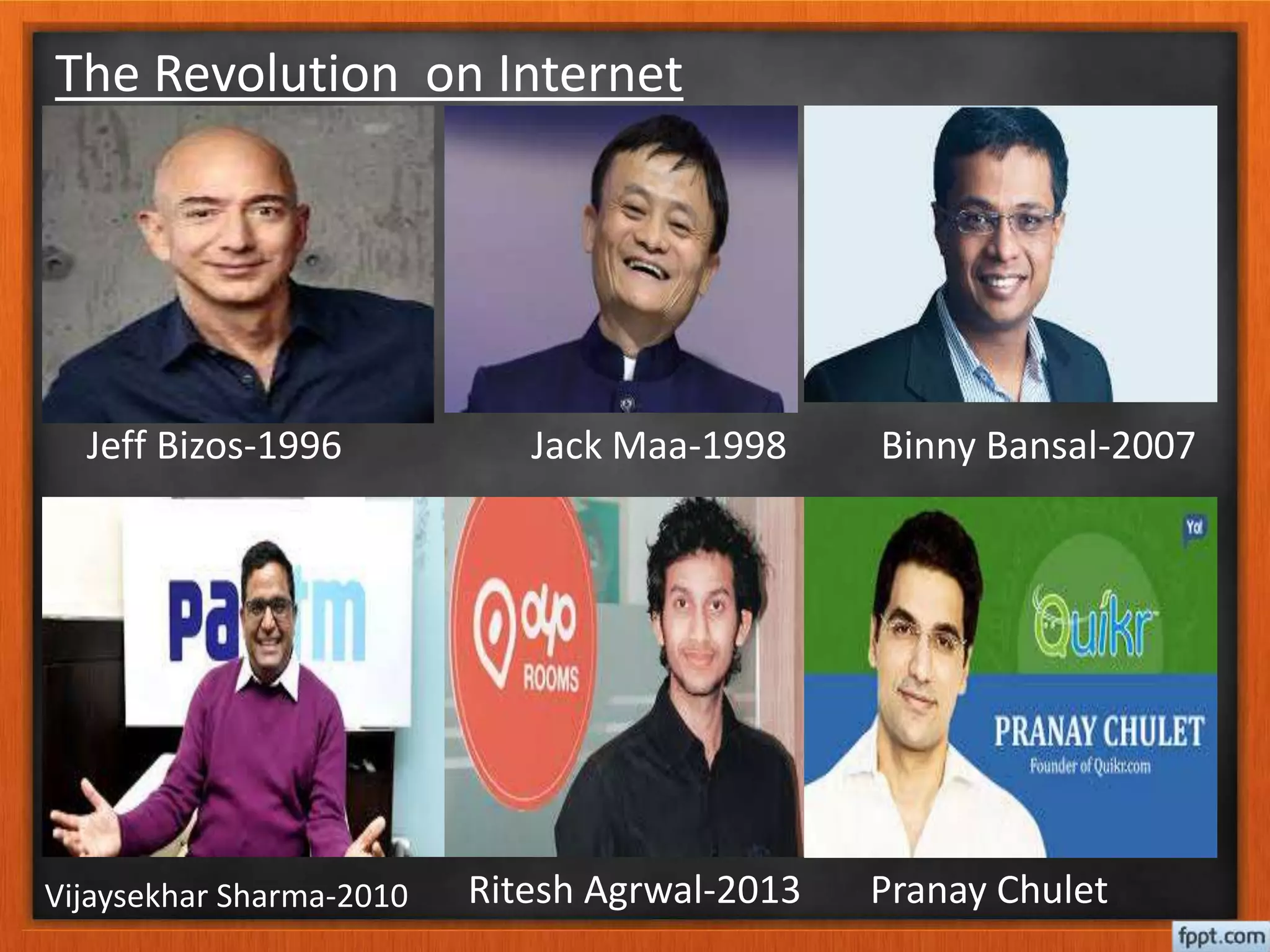
The Revolution on Internet
Jeff Bizos-1996 Jack Maa-1998 Binny Bansal-2007
Vijaysekhar Sharma-2010 Ritesh Agrwal-2013 Pranay Chulet
Cyber Crime & Security
The internet in India is growing rapidly. It has given rise to
new opportunities in every field we can think of be it
entertainment, business, sports or education.
There’re two sides to a coin. Internet also has it’s own
disadvantages is Cyber crime- illegal activity committed on
the internet.
TYPES OF CYBER CRIME
• Hacking
• Denial of service attack
• Virus Dissemination
• Computer Vandalism
• Cyber Terrorism
• Software Piracy
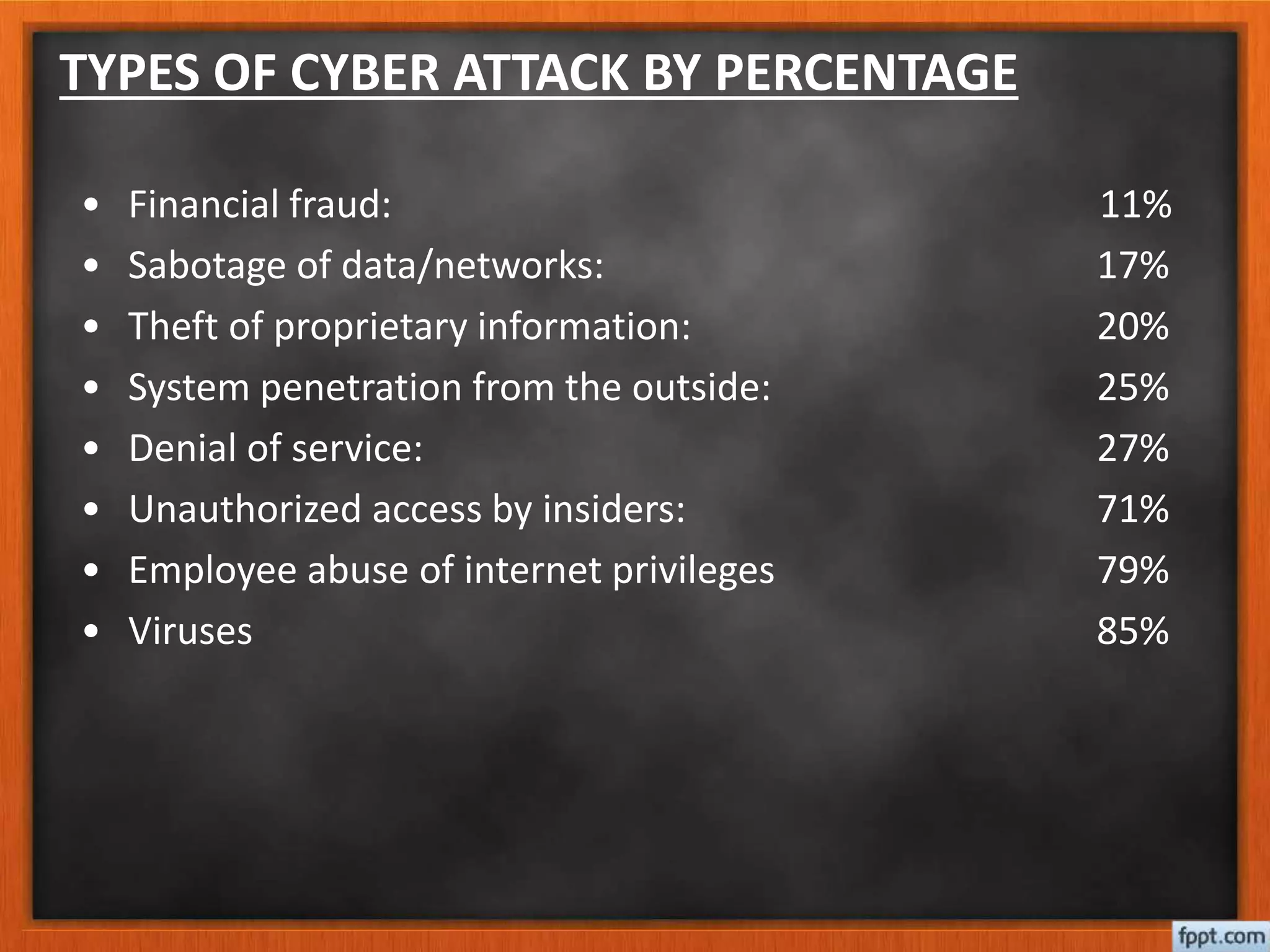
TYPES OF CYBER ATTACK BY PERCENTAGE
• Financial fraud: 11%
• Sabotage of data/networks: 17%
• Theft of proprietary information: 20%
• System penetration from the outside: 25%
• Denial of service: 27%
• Unauthorized access by insiders: 71%
• Employee abuse of internet privileges 79%
• Viruses 85%
SAFETY TIPS FOR CYBER CRIME
• Use antivirus software’s.
• Insert firewalls.
• Uninstall unnecessary software
• Maintain backup.
• Check security settings.
• Stay anonymous - choose a genderless screen name.
• Never give your full name or address to strangers.
• Learn more about Internet privacy.
Thank You!!!
Technology is destructive only in the hands
of people who do not realize that they are
one and the same process as the universe.

Internet .....History to till now

  • 1.
  • 2.
    What is Internet? •A global computer network providing a variety of information and communication facilities, consisting of interconnected networks using standardized communication protocols.
  • 3.
    History • 1962…J CR Lick Leader introduced the idea of an Intergalactic Network. • His idea involved a global computer network that allowed everyone to access information from anywhere in world. He become head of the (DARPA) •The agency launched a research campaign to find effective ways to link computers to facilitate the exchange of information.
  • 4.
    • 1974……Vint Cerfand Bob khan use the term "Internet” in a Transmission Control Protocol paper. • 1976..Dr Robert Metcalfe invented Ethernet, Coaxial cables •That quickly transport data, also Ethernet was also important aspect in developing LAN.Which can cover a small area
  • 5.
    • 1983..on January1,1983.Every machine connected ARPANET was required to use TCP and IP.This became the core of the Internet. •1984 ..Dr John Postal described his idea for .com,org,.gov,.edu in a series of papers published by the internet engineering task force. •1989…. The world ,an internet service provider (ISP).offered the first commercial dial-up internet, which was established in 1988,did not serve the public until after the world. Also funded in 1989.
  • 6.
    • 1991….. TimBerners Lee released the World Wide Web The advantageous are anyone anywhere can distribute or gather all sorts of information. You can do your grocery shopping and other shopping from the comfort of your chair Facilitates access to different sources of information, which is continuously up-dated It has become the global media
  • 7.
    Google…..Search Engine-1996  Googlewas founded in 1996 by Larry Page and Sergey Brin while they were Ph.D. students at Stanford University, in California. ... They incorporated Google as a privately held company on September 4, 1998.  Google Search Engine helps you find out information related to your search query by categorizing the result types as web, news, maps, videos, blogs and etc.
  • 8.
    How Internet Works? Specificallyinternet works as per “Protocol” Computers are working through communication with certain rules and information. These information can be number and letter There are Three types of Protocol IP-Internet Protocol HTTP-Hyper Text Transfer Protocol FTP-File Transfer Protocol
  • 9.
    Major components …How will get Internet? For Internet we will need connect a telephone cable with Modem. To covert analog to digital and digital to analog a modem will required Modem-Hardware 1. Internal Modem-Fixed already in Computer 2. External Modem-Fixed in out side of Computer
  • 10.
    Types of Internetconnection Dial-up: This is generally the slowest type of Internet connection, and you should probably avoid it unless it is the only service available in your area. Dial-up Internet uses your phone line, so unless you have multiple phone lines you will not be able to use your landline and the Internet at the same time. Broadband: This high-speed Internet connection is provided through either cable or telephone companies. One of the fastest options available, broadband Internet uses multiple data channels to send large quantities of information. USB: This type connection does not need any modem. It will fix in USB port of your computer. Ex.Idea,DGSOL,Micro Max WI-fi, Hotspot: Radio frequency bands are used in place of telephone or cable networks. Hotspots can be phone-based or free- standing, commercial or free to the public.
  • 12.
    Internet Software To startinternet ,you must have software in your PC that is called Internet software or web browser
  • 13.
    Users: The InternetCorporation for Assigned Names and Numbers
  • 14.
  • 15.
    The peoples ofWorld crazy about them Mark Gucker Berg-2004 Jack Dorsey-2006 Jan Koum-2009 Chad Hurley-2005 Kevin systrom-2010 Even Seyigal-2011
  • 16.
    The Revolution onInternet Jeff Bizos-1996 Jack Maa-1998 Binny Bansal-2007 Vijaysekhar Sharma-2010 Ritesh Agrwal-2013 Pranay Chulet
  • 17.
    Cyber Crime &Security The internet in India is growing rapidly. It has given rise to new opportunities in every field we can think of be it entertainment, business, sports or education. There’re two sides to a coin. Internet also has it’s own disadvantages is Cyber crime- illegal activity committed on the internet.
  • 18.
    TYPES OF CYBERCRIME • Hacking • Denial of service attack • Virus Dissemination • Computer Vandalism • Cyber Terrorism • Software Piracy
  • 19.
    TYPES OF CYBERATTACK BY PERCENTAGE • Financial fraud: 11% • Sabotage of data/networks: 17% • Theft of proprietary information: 20% • System penetration from the outside: 25% • Denial of service: 27% • Unauthorized access by insiders: 71% • Employee abuse of internet privileges 79% • Viruses 85%
  • 20.
    SAFETY TIPS FORCYBER CRIME • Use antivirus software’s. • Insert firewalls. • Uninstall unnecessary software • Maintain backup. • Check security settings. • Stay anonymous - choose a genderless screen name. • Never give your full name or address to strangers. • Learn more about Internet privacy.
  • 21.
    Thank You!!! Technology isdestructive only in the hands of people who do not realize that they are one and the same process as the universe.