 Swagata Chatterjee
 Harpreet Kaur Kahai
INTERACTIVE VOICE RESPONSE (IVR)
PERFORMANCE TESTING USING OPEN-SOURCE TOOL
Global Testing Retreat #ATAGTR2023
2, 3 & 8, 9 December 2023
SPEAKER INTRODUCTIONS
Place Your Picture Here
Swagata Chatterjee Harpreet Kaur Kahai
AGENDA
07 Conclusion
06 Key Metrics and Bottleneck Identifications
05 Understanding the Test Bed Architecture and SIPp Installation
04 SIPp – Performance Testing Solution for IVR System
& Pre-requisites
03 Challenges in IVR Performance Testing
02 Why IVR Performance Testing Matters?
01 Introduction – What is IVRS? and Use Cases
INTRODUCTION – WHAT IS IVRS?
AND USE CASES
Interactive Voice Response (IVR) applications are designed to allow end users to communicate with
system by using Voice and DTMF (Dual Tone Multi frequency) tones input using keypads.
It is a telephony system, that allows user to dial a toll free/hotline number to hear IVR options to
access information or direct
calls to call center agents e.g., hotlines for essential services like hospitals, verify account balance,
SOS calls etc
Covid-19 crisis has increased the digital adoption, resulting in high utilization of IVR services.
Performance Testing is required to check robustness of telephony system and call quality for high
volume of concurrent users
WHY IVR PERFORMANCE TESTING MATTERS?
End User Experience Validation
Performance Validation
 End User Performance Analysis for Manual
Dialers for audio quality for calls
 Monitoring active calls and boundary
conditions when calls start to get dropped
 Validate configurations/limits defined on
Servers
 Conduct performance validation for
expected volume of concurrent users for
inbound calls
 Failover tests with one data centre down
and traffic routing to other
IVR Performance Testing Matters as it helps to save business from reputation loss, revenue loss,
customer attrition, scale infrastructure if there is huge increase in concurrent users
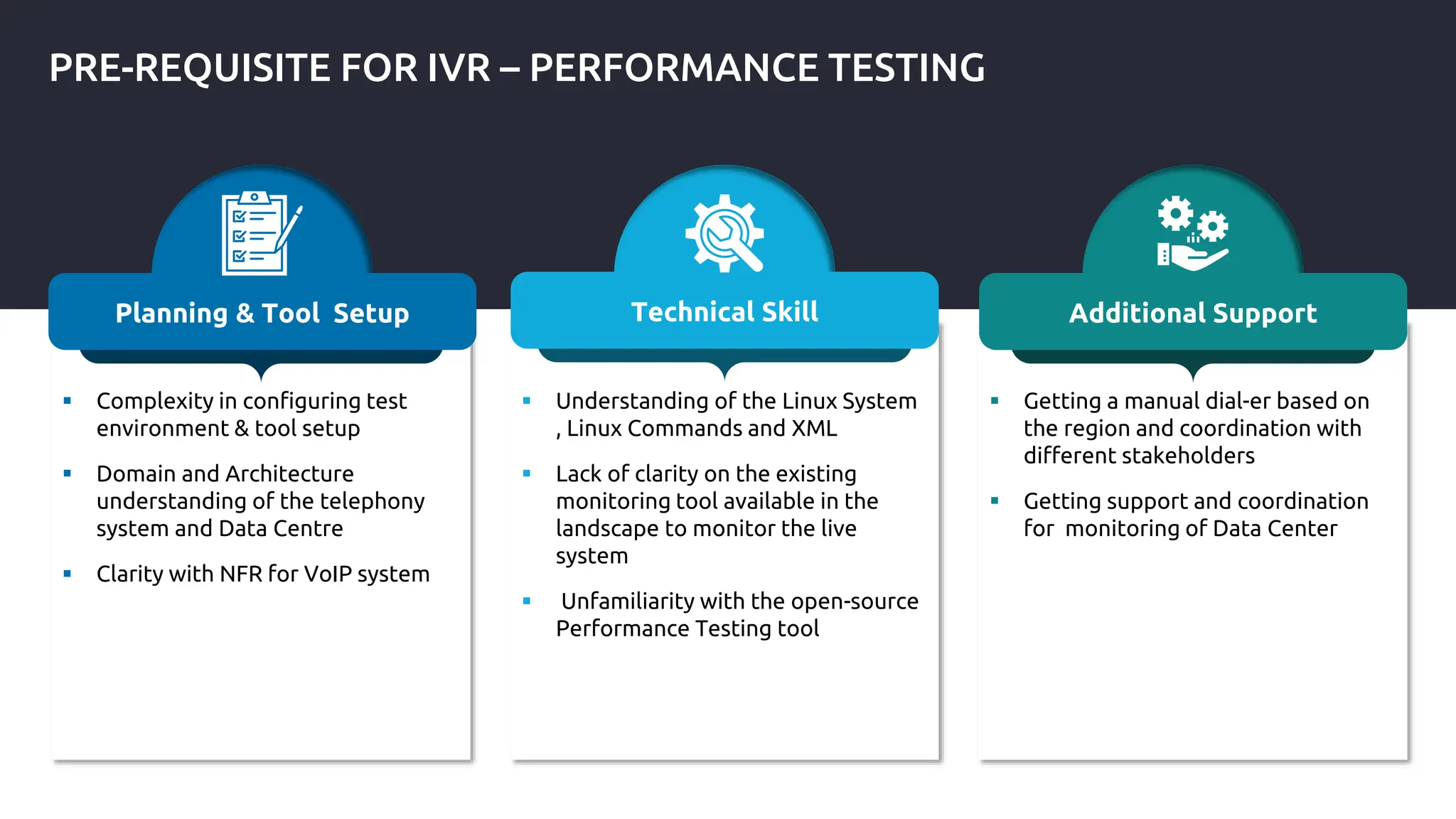
PRE-REQUISITE FOR IVR – PERFORMANCE TESTING
 Complexity in configuring test
environment & tool setup
 Domain and Architecture
understanding of the telephony
system and Data Centre
 Clarity with NFR for VoIP system
Planning & Tool Setup
 Understanding of the Linux System
, Linux Commands and XML
 Lack of clarity on the existing
monitoring tool available in the
landscape to monitor the live
system
 Unfamiliarity with the open-source
Performance Testing tool
Technical Skill
 Getting a manual dial-er based on
the region and coordination with
different stakeholders
 Getting support and coordination
for monitoring of Data Center
Additional Support
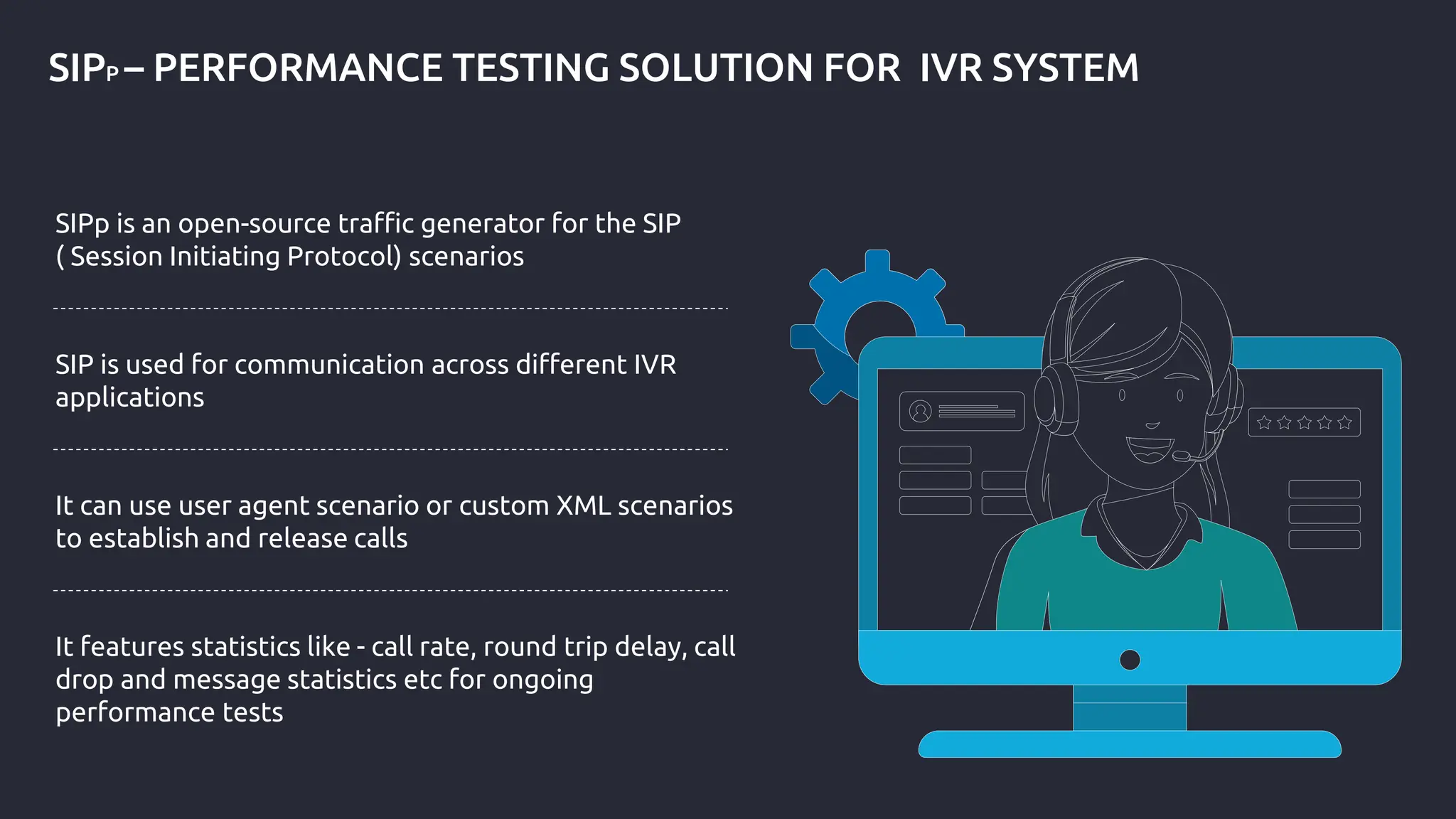
SIPP – PERFORMANCE TESTING SOLUTION FOR IVR SYSTEM
SIPp is an open-source traffic generator for the SIP
( Session Initiating Protocol) scenarios
SIP is used for communication across different IVR
applications
It can use user agent scenario or custom XML scenarios
to establish and release calls
It features statistics like - call rate, round trip delay, call
drop and message statistics etc for ongoing
performance tests
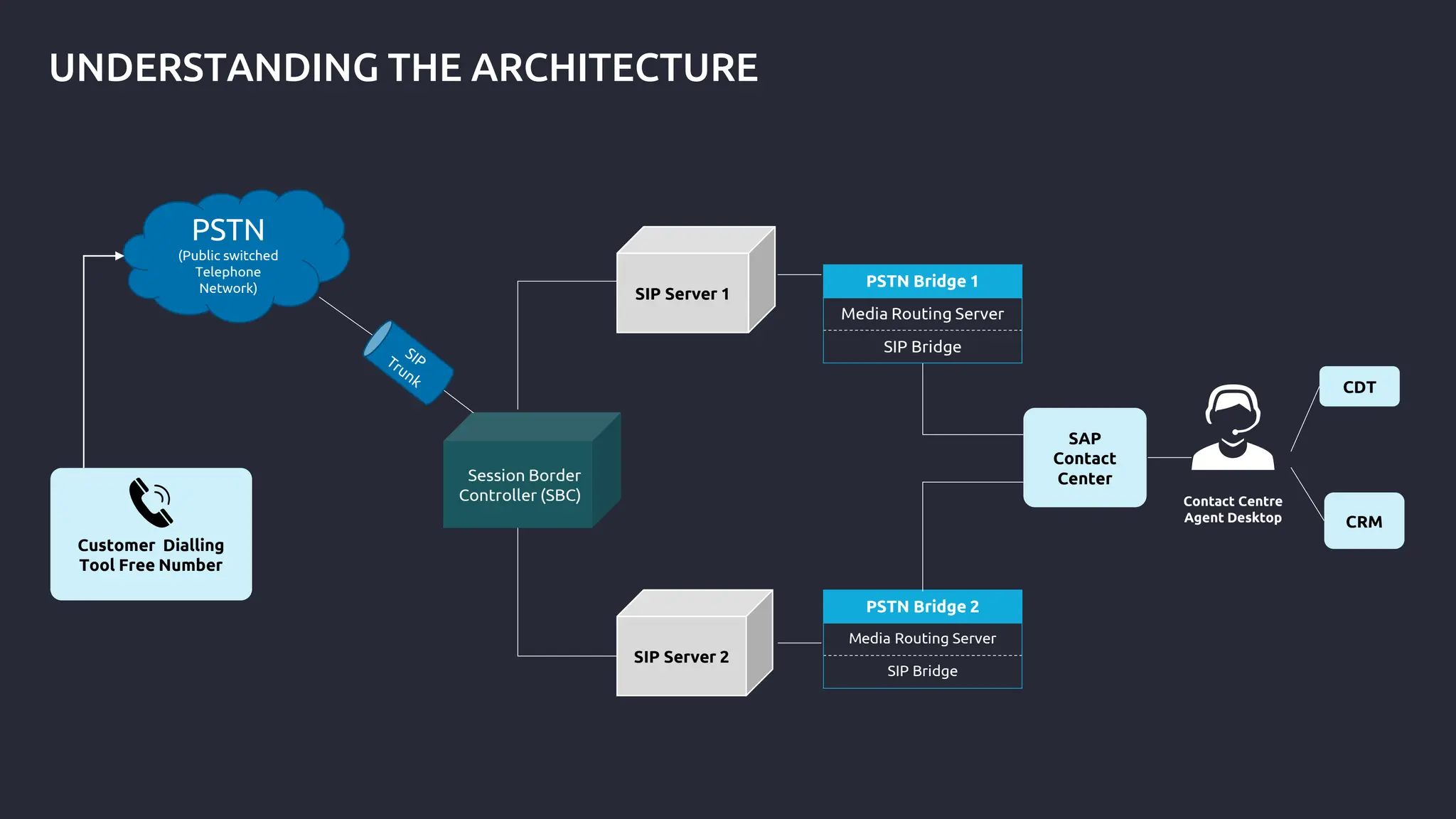
UNDERSTANDING THE ARCHITECTURE
PSTN Bridge 1
Media Routing Server
SIP Bridge
PSTN Bridge 2
Media Routing Server
SIP Bridge
Customer Dialling
Tool Free Number
SIP Server 1
PSTN
(Public switched
Telephone
Network)
Session Border
Controller (SBC)
SIP Server 2
SAP
Contact
Center
CDT
CRM
Contact Centre
Agent Desktop
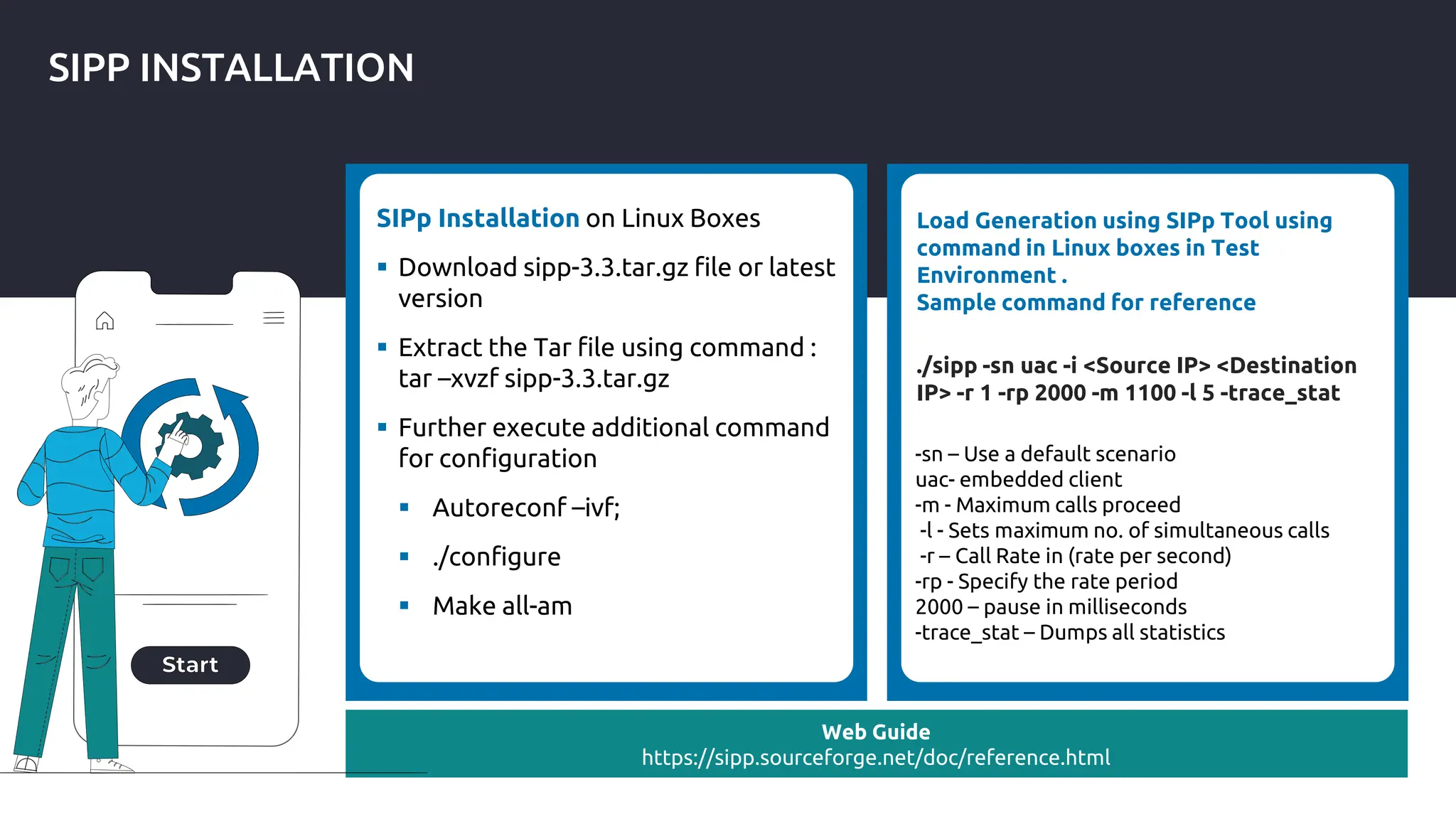
SIPP INSTALLATION
SIPp Installation on Linux Boxes
 Download sipp-3.3.tar.gz file or latest
version
 Extract the Tar file using command :
tar –xvzf sipp-3.3.tar.gz
 Further execute additional command
for configuration
 Autoreconf –ivf;
 ./configure
 Make all-am
Web Guide
https://sipp.sourceforge.net/doc/reference.html
Load Generation using SIPp Tool using
command in Linux boxes in Test
Environment .
Sample command for reference
./sipp -sn uac -i <Source IP> <Destination
IP> -r 1 -rp 2000 -m 1100 -l 5 -trace_stat
-sn – Use a default scenario
uac- embedded client
-m - Maximum calls proceed
-l - Sets maximum no. of simultaneous calls
-r – Call Rate in (rate per second)
-rp - Specify the rate period
2000 – pause in milliseconds
-trace_stat – Dumps all statistics
KEY METRICS AND BOTTLENECK IDENTIFICATIONS
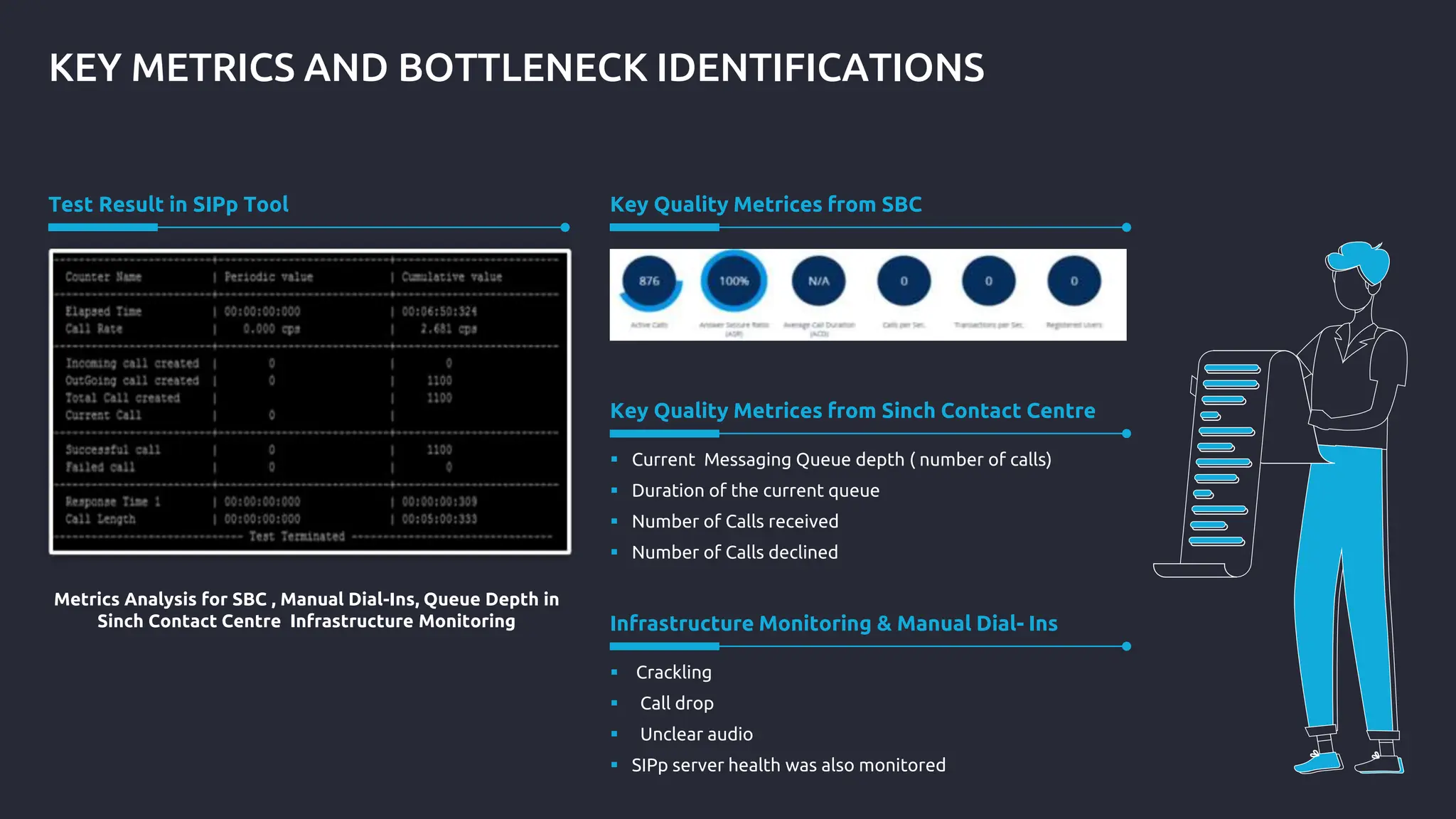
Test Result in SIPp Tool Key Quality Metrices from SBC
 Current Messaging Queue depth ( number of calls)
 Duration of the current queue
 Number of Calls received
 Number of Calls declined
Key Quality Metrices from Sinch Contact Centre
 Crackling
 Call drop
 Unclear audio
 SIPp server health was also monitored
Infrastructure Monitoring & Manual Dial- Ins
Metrics Analysis for SBC , Manual Dial-Ins, Queue Depth in
Sinch Contact Centre Infrastructure Monitoring
BOTTLENECK IDENTIFICATIONS
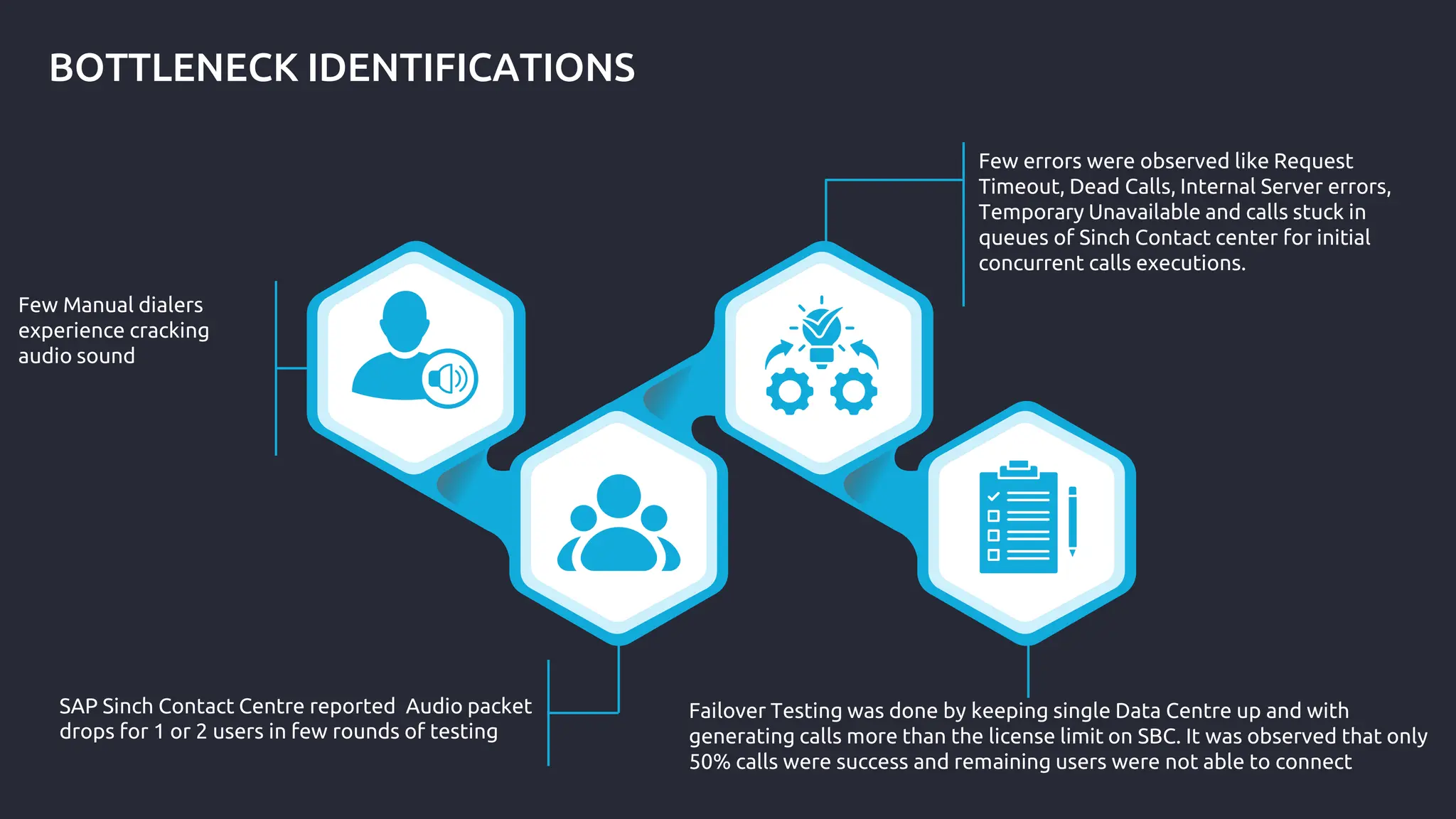
Few Manual dialers
experience cracking
audio sound
SAP Sinch Contact Centre reported Audio packet
drops for 1 or 2 users in few rounds of testing
Few errors were observed like Request
Timeout, Dead Calls, Internal Server errors,
Temporary Unavailable and calls stuck in
queues of Sinch Contact center for initial
concurrent calls executions.
Failover Testing was done by keeping single Data Centre up and with
generating calls more than the license limit on SBC. It was observed that only
50% calls were success and remaining users were not able to connect
CONCLUSION
Optimize Call handling by identifying bottlenecks, minimize the
downtime and enhance the overall reliability
Enhanced End user experience with optimal utilization of resources
Contribute to Cost-efficiency by fixing performance issues early and
avoid system failures in production

#Interactive Session by Swagata Chatterjee and Harpreet Kaur Kahai, "Interactive Voice Response (IVR) Performance Testing using Open Source Tool" at #ATAGTR2023

  • 1.
     Swagata Chatterjee Harpreet Kaur Kahai INTERACTIVE VOICE RESPONSE (IVR) PERFORMANCE TESTING USING OPEN-SOURCE TOOL Global Testing Retreat #ATAGTR2023 2, 3 & 8, 9 December 2023
  • 2.
    SPEAKER INTRODUCTIONS Place YourPicture Here Swagata Chatterjee Harpreet Kaur Kahai
  • 3.
    AGENDA 07 Conclusion 06 KeyMetrics and Bottleneck Identifications 05 Understanding the Test Bed Architecture and SIPp Installation 04 SIPp – Performance Testing Solution for IVR System & Pre-requisites 03 Challenges in IVR Performance Testing 02 Why IVR Performance Testing Matters? 01 Introduction – What is IVRS? and Use Cases
  • 4.
    INTRODUCTION – WHATIS IVRS? AND USE CASES Interactive Voice Response (IVR) applications are designed to allow end users to communicate with system by using Voice and DTMF (Dual Tone Multi frequency) tones input using keypads. It is a telephony system, that allows user to dial a toll free/hotline number to hear IVR options to access information or direct calls to call center agents e.g., hotlines for essential services like hospitals, verify account balance, SOS calls etc Covid-19 crisis has increased the digital adoption, resulting in high utilization of IVR services. Performance Testing is required to check robustness of telephony system and call quality for high volume of concurrent users
  • 5.
    WHY IVR PERFORMANCETESTING MATTERS? End User Experience Validation Performance Validation  End User Performance Analysis for Manual Dialers for audio quality for calls  Monitoring active calls and boundary conditions when calls start to get dropped  Validate configurations/limits defined on Servers  Conduct performance validation for expected volume of concurrent users for inbound calls  Failover tests with one data centre down and traffic routing to other IVR Performance Testing Matters as it helps to save business from reputation loss, revenue loss, customer attrition, scale infrastructure if there is huge increase in concurrent users
  • 6.
    PRE-REQUISITE FOR IVR– PERFORMANCE TESTING  Complexity in configuring test environment & tool setup  Domain and Architecture understanding of the telephony system and Data Centre  Clarity with NFR for VoIP system Planning & Tool Setup  Understanding of the Linux System , Linux Commands and XML  Lack of clarity on the existing monitoring tool available in the landscape to monitor the live system  Unfamiliarity with the open-source Performance Testing tool Technical Skill  Getting a manual dial-er based on the region and coordination with different stakeholders  Getting support and coordination for monitoring of Data Center Additional Support
  • 7.
    SIPP – PERFORMANCETESTING SOLUTION FOR IVR SYSTEM SIPp is an open-source traffic generator for the SIP ( Session Initiating Protocol) scenarios SIP is used for communication across different IVR applications It can use user agent scenario or custom XML scenarios to establish and release calls It features statistics like - call rate, round trip delay, call drop and message statistics etc for ongoing performance tests
  • 8.
    UNDERSTANDING THE ARCHITECTURE PSTNBridge 1 Media Routing Server SIP Bridge PSTN Bridge 2 Media Routing Server SIP Bridge Customer Dialling Tool Free Number SIP Server 1 PSTN (Public switched Telephone Network) Session Border Controller (SBC) SIP Server 2 SAP Contact Center CDT CRM Contact Centre Agent Desktop
  • 9.
    SIPP INSTALLATION SIPp Installationon Linux Boxes  Download sipp-3.3.tar.gz file or latest version  Extract the Tar file using command : tar –xvzf sipp-3.3.tar.gz  Further execute additional command for configuration  Autoreconf –ivf;  ./configure  Make all-am Web Guide https://sipp.sourceforge.net/doc/reference.html Load Generation using SIPp Tool using command in Linux boxes in Test Environment . Sample command for reference ./sipp -sn uac -i <Source IP> <Destination IP> -r 1 -rp 2000 -m 1100 -l 5 -trace_stat -sn – Use a default scenario uac- embedded client -m - Maximum calls proceed -l - Sets maximum no. of simultaneous calls -r – Call Rate in (rate per second) -rp - Specify the rate period 2000 – pause in milliseconds -trace_stat – Dumps all statistics
  • 10.
    KEY METRICS ANDBOTTLENECK IDENTIFICATIONS Test Result in SIPp Tool Key Quality Metrices from SBC  Current Messaging Queue depth ( number of calls)  Duration of the current queue  Number of Calls received  Number of Calls declined Key Quality Metrices from Sinch Contact Centre  Crackling  Call drop  Unclear audio  SIPp server health was also monitored Infrastructure Monitoring & Manual Dial- Ins Metrics Analysis for SBC , Manual Dial-Ins, Queue Depth in Sinch Contact Centre Infrastructure Monitoring
  • 11.
    BOTTLENECK IDENTIFICATIONS Few Manualdialers experience cracking audio sound SAP Sinch Contact Centre reported Audio packet drops for 1 or 2 users in few rounds of testing Few errors were observed like Request Timeout, Dead Calls, Internal Server errors, Temporary Unavailable and calls stuck in queues of Sinch Contact center for initial concurrent calls executions. Failover Testing was done by keeping single Data Centre up and with generating calls more than the license limit on SBC. It was observed that only 50% calls were success and remaining users were not able to connect
  • 12.
    CONCLUSION Optimize Call handlingby identifying bottlenecks, minimize the downtime and enhance the overall reliability Enhanced End user experience with optimal utilization of resources Contribute to Cost-efficiency by fixing performance issues early and avoid system failures in production