Inter Process Architecture in Operating System.ppt
1.
Slide 1
Interprocess communication(IPC)
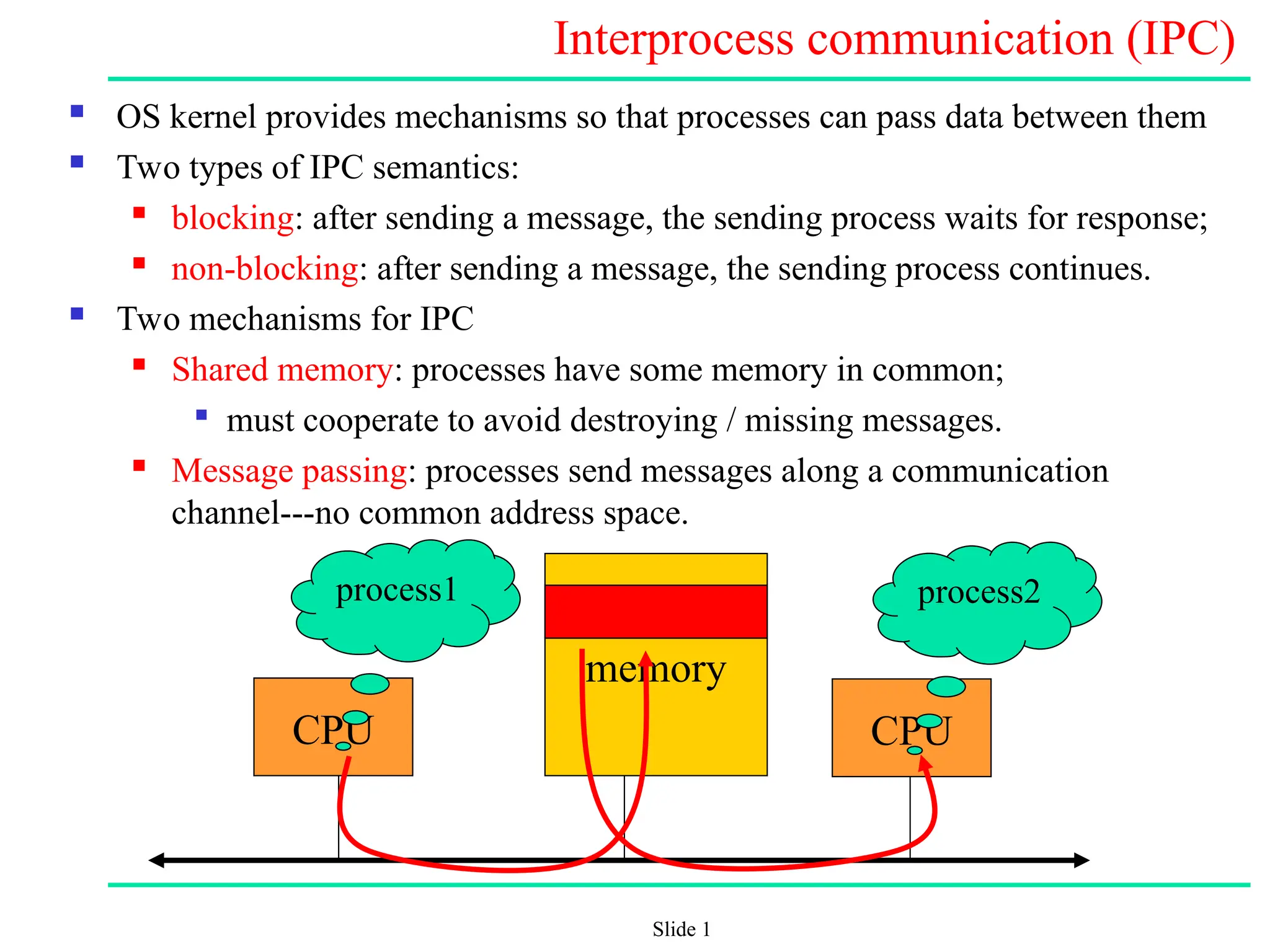
OS kernel provides mechanisms so that processes can pass data between them
Two types of IPC semantics:
blocking: after sending a message, the sending process waits for response;
non-blocking: after sending a message, the sending process continues.
Two mechanisms for IPC
Shared memory: processes have some memory in common;
must cooperate to avoid destroying / missing messages.
Message passing: processes send messages along a communication
channel---no common address space.
CPU
memory
CPU
process1 process2
2.
Slide 2
IPC (cont.)
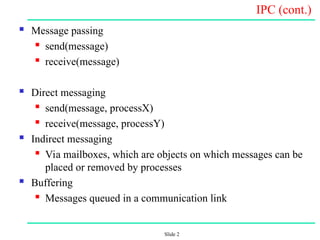
Message passing
send(message)
receive(message)
Direct messaging
send(message, processX)
receive(message, processY)
Indirect messaging
Via mailboxes, which are objects on which messages can be
placed or removed by processes
Buffering
Messages queued in a communication link
3.
Slide 3
Kernel /User Interface
User processes run in user mode
Kernel processes are privileged, run in kernel mode
They have access to devices and special kernel data structures
Unauthorized access from the user mode is prevented
Access to the kernel:
Processes: through system calls
Interrupts:
Hardware interrupts: with those, devices announce that
they need the CPU
Software interrupts: not from devices but from the kernel
itself
4.
Slide 4
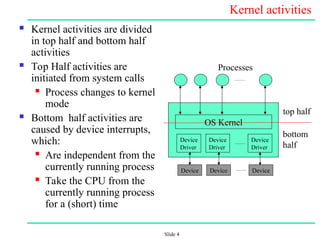
Kernel activities
Kernel activities are divided
in top half and bottom half
activities
Top Half activities are
initiated from system calls
Process changes to kernel
mode
Bottom half activities are
caused by device interrupts,
which:
Are independent from the
currently running process
Take the CPU from the
currently running process
for a (short) time
Device
Driver
Device
Driver
Device
Driver
OS Kernel
Processes
top half
bottom
half
Device Device Device
5.
Slide 5
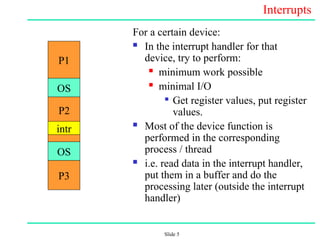
Interrupts
For acertain device:
In the interrupt handler for that
device, try to perform:
minimum work possible
minimal I/O
Get register values, put register
values.
Most of the device function is
performed in the corresponding
process / thread
i.e. read data in the interrupt handler,
put them in a buffer and do the
processing later (outside the interrupt
handler)
P1
OS
OS
intr
P3
P2
6.
Slide 6
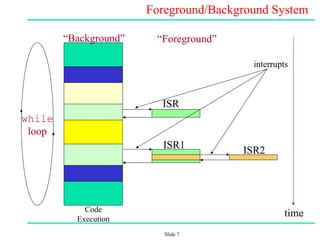
Foreground /Background Systems
Small, simple systems usually do not have an OS
Instead, they consist of an infinite loop that calls modules
(functions) to perform various actions in the “Background”.
Background = task level
Interrupt Service Routines (ISRs) handle asynchronous events in
the “Foreground”
Foreground = interrupt level
Slide 8
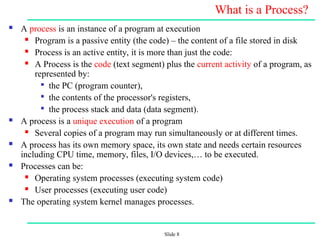
What isa Process?
A process is an instance of a program at execution
Program is a passive entity (the code) – the content of a file stored in disk
Process is an active entity, it is more than just the code:
A Process is the code (text segment) plus the current activity of a program, as
represented by:
the PC (program counter),
the contents of the processor's registers,
the process stack and data (data segment).
A process is a unique execution of a program
Several copies of a program may run simultaneously or at different times.
A process has its own memory space, its own state and needs certain resources
including CPU time, memory, files, I/O devices,… to be executed.
Processes can be:
Operating system processes (executing system code)
User processes (executing user code)
The operating system kernel manages processes.
9.
Slide 9
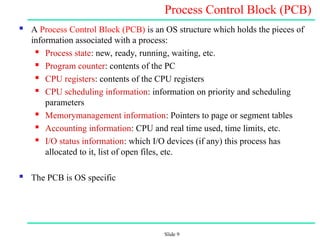
Process ControlBlock (PCB)
A Process Control Block (PCB) is an OS structure which holds the pieces of
information associated with a process:
Process state: new, ready, running, waiting, etc.
Program counter: contents of the PC
CPU registers: contents of the CPU registers
CPU scheduling information: information on priority and scheduling
parameters
Memory
management information: Pointers to page or segment tables
Accounting information: CPU and real time used, time limits, etc.
I/O status information: which I/O devices (if any) this process has
allocated to it, list of open files, etc.
The PCB is OS specific
10.
Slide 10
PCB: adata structure maintained by the O.S.
struct pcb {
char *pcb_usp; /* User stack pointer */
char *pcb_ssp; /* System stack pointer */
int pcb_r0;
int pcb_r1;
int pcb_r2;
int pcb_r3;
int pcb_r4;
int pcb_r5;
int pcb_r6;
int pcb_r7;
int pcb_fp;
int pcb_pc; /* program counter */
int pcb_modpsr; /* program status register and mod
register */
#if MMAX_XPC || MMAX_APC
short pcb_isrv; /* ISRV Register in ICU(interrupt state) */
#endif MMAX_XPC || MMAX_APC
quad pcb_f0;
quad pcb_f1;
...
quad pcb_f7;
int pcb_fsr; /* FPU status register */
struct pt_entry *pcb_ptbr;
int pcb_sigc[5];
#if MMAX_XPC
int pcb_dcr; /* Debug Condition Register */
int pcb_dsr; /* Debug Status Register */
int pcb_car; /* Compare Address Register */
int pcb_bpc; /* Breakpoint Program Counter */
#endif MMAX_XPC
};
11.
Slide 11
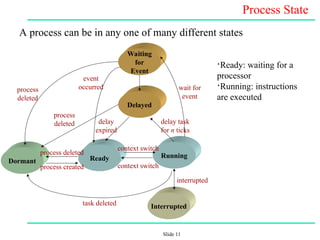
Process State
Aprocess can be in any one of many different states
Waiting
for
Event
Delayed
Dormant Ready Running
Interrupted
process
deleted
interrupted
process created
process
deleted
task deleted
context switch
delay
expired
event
occurred wait for
event
delay task
for n ticks
process deleted
context switch
•Ready: waiting for a
processor
•Running: instructions
are executed
12.
Slide 12
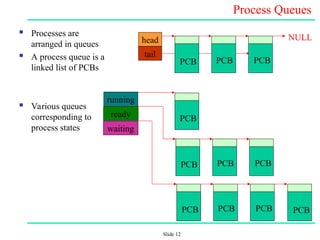
Process Queues
Processes are
arranged in queues
A process queue is a
linked list of PCBs
Various queues
corresponding to
process states
NULL
PCB PCB
PCB
head
tail
PCB
PCB PCB
PCB
PCB PCB
PCB PCB
running
ready
waiting

![Slide 10
PCB: a data structure maintained by the O.S.
struct pcb {
char *pcb_usp; /* User stack pointer */
char *pcb_ssp; /* System stack pointer */
int pcb_r0;
int pcb_r1;
int pcb_r2;
int pcb_r3;
int pcb_r4;
int pcb_r5;
int pcb_r6;
int pcb_r7;
int pcb_fp;
int pcb_pc; /* program counter */
int pcb_modpsr; /* program status register and mod
register */
#if MMAX_XPC || MMAX_APC
short pcb_isrv; /* ISRV Register in ICU(interrupt state) */
#endif MMAX_XPC || MMAX_APC
quad pcb_f0;
quad pcb_f1;
...
quad pcb_f7;
int pcb_fsr; /* FPU status register */
struct pt_entry *pcb_ptbr;
int pcb_sigc[5];
#if MMAX_XPC
int pcb_dcr; /* Debug Condition Register */
int pcb_dsr; /* Debug Status Register */
int pcb_car; /* Compare Address Register */
int pcb_bpc; /* Breakpoint Program Counter */
#endif MMAX_XPC
};](https://image.slidesharecdn.com/interprocessarchitecture-251223142615-48ac0ec5/85/Inter-Process-Architecture-in-Operating-System-ppt-10-320.jpg)