
www.sanjeetpandey.com
Prepared by – Sanjeet Pandey
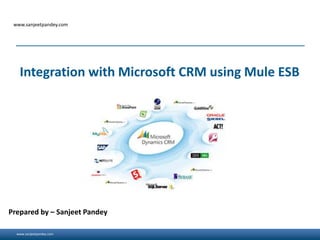
Integration with Microsoft CRM using Mule ESB
www.sanjeetpandey.com
Overview
- MuleSoft provides the most widely used integration platform to connect any application, data
service or API, across the cloud and on-premise continuum.
-Microsoft CRM is cloud-based CRM (Customer Relationship Management) that is accessible to
the user programmatically via a MuleSoft Microsoft Dynamics CRM connector.
-The Microsoft Dynamics CRM Mule connector allows developers to manipulate customer data,
at any time, from anywhere on the web. This connector lets you perform the following
operations:
• Create, update, and delete records
• Retrieve a single record or query multiple records
• Associate and disassociate records
• Execute a request message
2
www.sanjeetpandey.com
Prerequisites
• Username and password for users granted access to CRM
• Organization Service URL - usually in the
format:https://crm.mycompany.com/MyOrganization/XRMServices/2011/Organization.svc
3
www.sanjeetpandey.com
Installation
To install this connector:
• In Anypoint Studio, click Help > Install New Software.
• In Work with, click Anypoint Connectors Update Site.
• Expand Standard and click Microsoft Dynamics CRM Connector version 2.1.1 or later.
• Click the checkbox for the connector.
• Click Next, click Next at the Install Details screen, click I accept the terms of the license
agreement, and click Finish.
• Click Yes to restart Anypoint Studio. The restart reopens any existing projects in Studio.
4
www.sanjeetpandey.com
Mule MS Dynamics CRM Connector
Step 1: Create a New Mule Project
• To configure:
• In Anypoint Studio, click File > New > Mule Project.
• Specify a Project Name and click Finish.
5
www.sanjeetpandey.com
Mule MS Dynamics CRM Connector
Step 2: Configure the Global Element
• Configure the connector as a Microsoft Dynamics CRM instance:
• Click the Global Elements tab and click Create.
• In the Search field, type crm, click Microsoft Dynamics CRM, and click OK.
• Specify a Username and Password.
• Specify a Organization Service URL for accessing the CRM system. Click OK.
For example: http://{siteUrl}/XrmServices/2011/Organization.svc
• Click an Authentication Scheme from the dropdown list.
• Specify values for Domain Controller and Domain Name.
• Click Test Connection to ensure that the connection works correctly.
• After the connection succeeds, click OK.
6
www.sanjeetpandey.com
Mule flow
• Click the Message Flow tab.
• In the Search field, type http, and drag the HTTP connector to the canvas.
• In the Search field, type crm, and drag the Microsoft Dynamics CRM connector to the canvas
next to the HTTP endpoint.
• In the Search field, type json, and drag the Object to JSON transformer to the canvas next to
the connector. You can use the default values in this transformer.
7
www.sanjeetpandey.com 8

Integration with Microsoft CRM using Mule ESB

  • 1.
    www.sanjeetpandey.com www.sanjeetpandey.com Prepared by –Sanjeet Pandey Integration with Microsoft CRM using Mule ESB
  • 2.
    www.sanjeetpandey.com Overview - MuleSoft providesthe most widely used integration platform to connect any application, data service or API, across the cloud and on-premise continuum. -Microsoft CRM is cloud-based CRM (Customer Relationship Management) that is accessible to the user programmatically via a MuleSoft Microsoft Dynamics CRM connector. -The Microsoft Dynamics CRM Mule connector allows developers to manipulate customer data, at any time, from anywhere on the web. This connector lets you perform the following operations: • Create, update, and delete records • Retrieve a single record or query multiple records • Associate and disassociate records • Execute a request message 2
  • 3.
    www.sanjeetpandey.com Prerequisites • Username andpassword for users granted access to CRM • Organization Service URL - usually in the format:https://crm.mycompany.com/MyOrganization/XRMServices/2011/Organization.svc 3
  • 4.
    www.sanjeetpandey.com Installation To install thisconnector: • In Anypoint Studio, click Help > Install New Software. • In Work with, click Anypoint Connectors Update Site. • Expand Standard and click Microsoft Dynamics CRM Connector version 2.1.1 or later. • Click the checkbox for the connector. • Click Next, click Next at the Install Details screen, click I accept the terms of the license agreement, and click Finish. • Click Yes to restart Anypoint Studio. The restart reopens any existing projects in Studio. 4
  • 5.
    www.sanjeetpandey.com Mule MS DynamicsCRM Connector Step 1: Create a New Mule Project • To configure: • In Anypoint Studio, click File > New > Mule Project. • Specify a Project Name and click Finish. 5
  • 6.
    www.sanjeetpandey.com Mule MS DynamicsCRM Connector Step 2: Configure the Global Element • Configure the connector as a Microsoft Dynamics CRM instance: • Click the Global Elements tab and click Create. • In the Search field, type crm, click Microsoft Dynamics CRM, and click OK. • Specify a Username and Password. • Specify a Organization Service URL for accessing the CRM system. Click OK. For example: http://{siteUrl}/XrmServices/2011/Organization.svc • Click an Authentication Scheme from the dropdown list. • Specify values for Domain Controller and Domain Name. • Click Test Connection to ensure that the connection works correctly. • After the connection succeeds, click OK. 6
  • 7.
    www.sanjeetpandey.com Mule flow • Clickthe Message Flow tab. • In the Search field, type http, and drag the HTTP connector to the canvas. • In the Search field, type crm, and drag the Microsoft Dynamics CRM connector to the canvas next to the HTTP endpoint. • In the Search field, type json, and drag the Object to JSON transformer to the canvas next to the connector. You can use the default values in this transformer. 7
  • 8.

Editor's Notes

  • #4 Follow Do's and Do Not'sCommon Profile PicFollow Company and Geography:HydAdd followers from peers and WW, MuleSoftHave a Note about yourselfAsk Questions in live BrightTalk Webinars using #tweetsTweet/Retweet Articles on Mule. WW blog, G+ and Forum Links Follow WW and Mulesoft....