Download to read offline
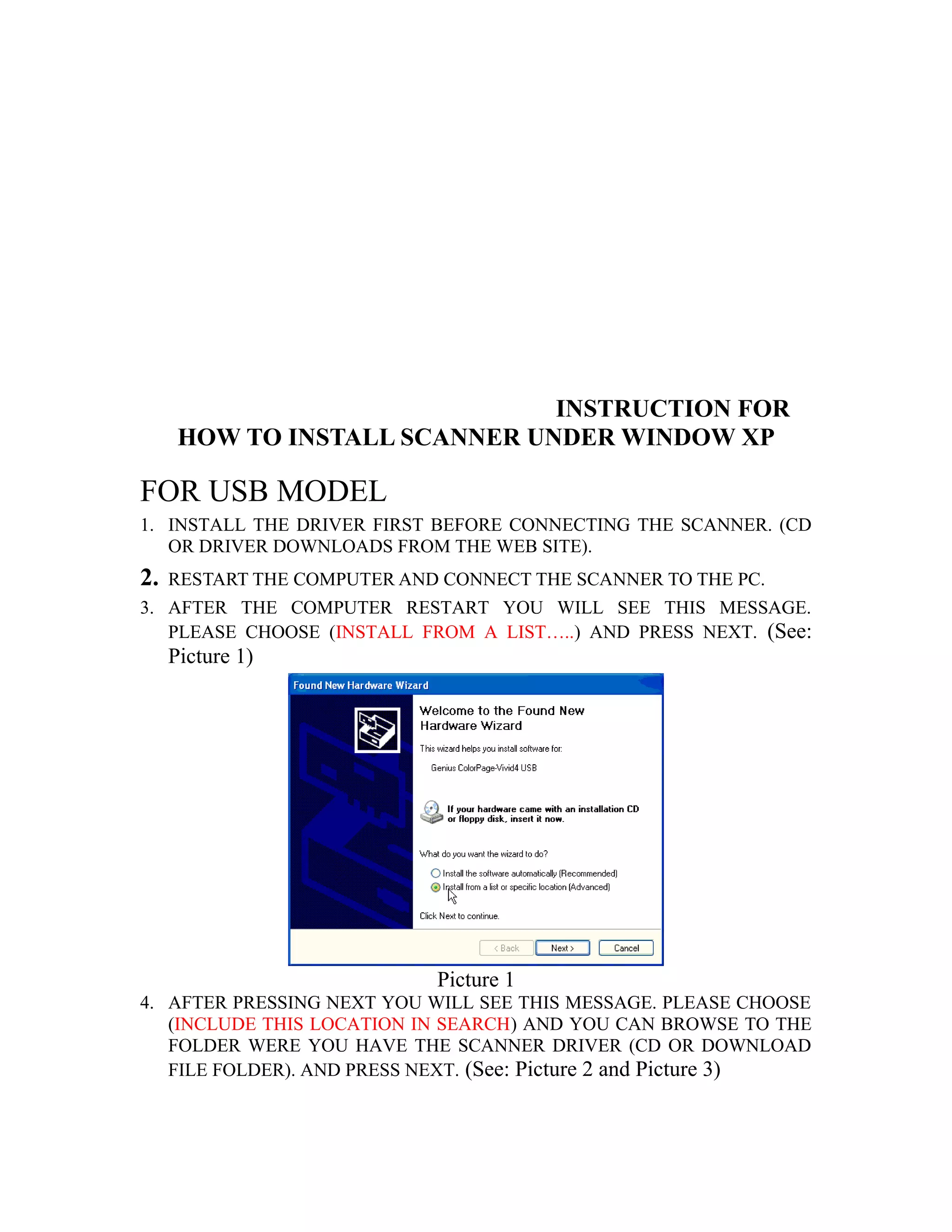
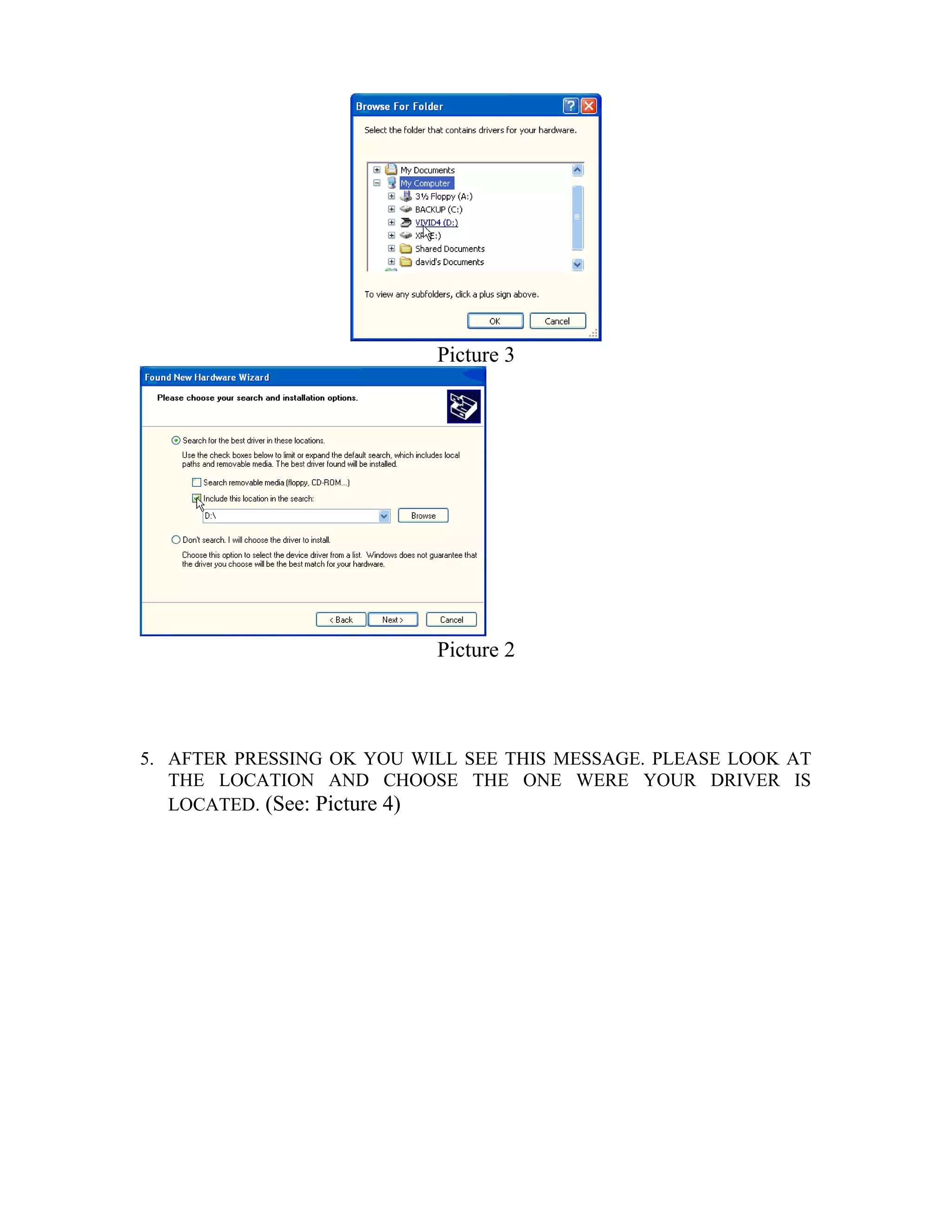
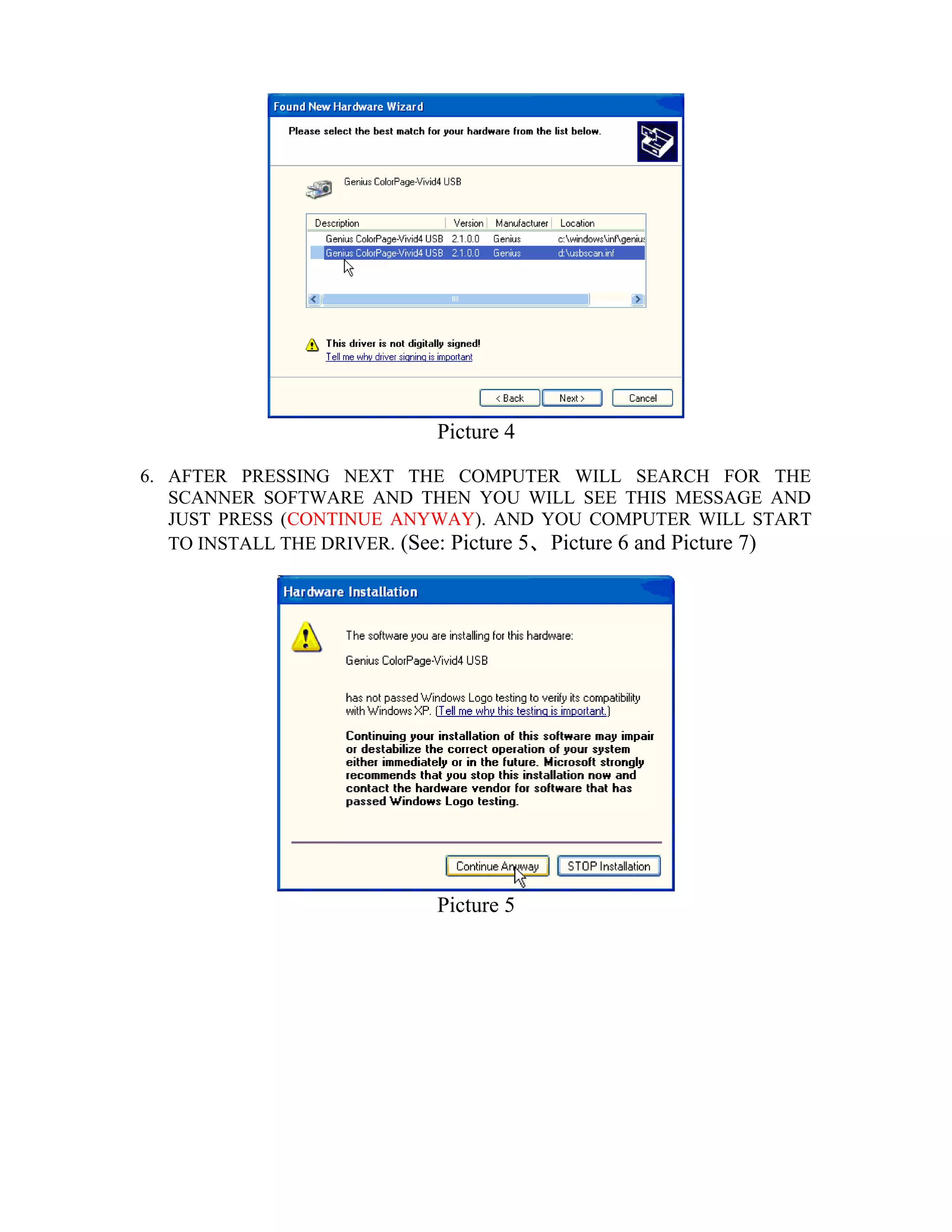
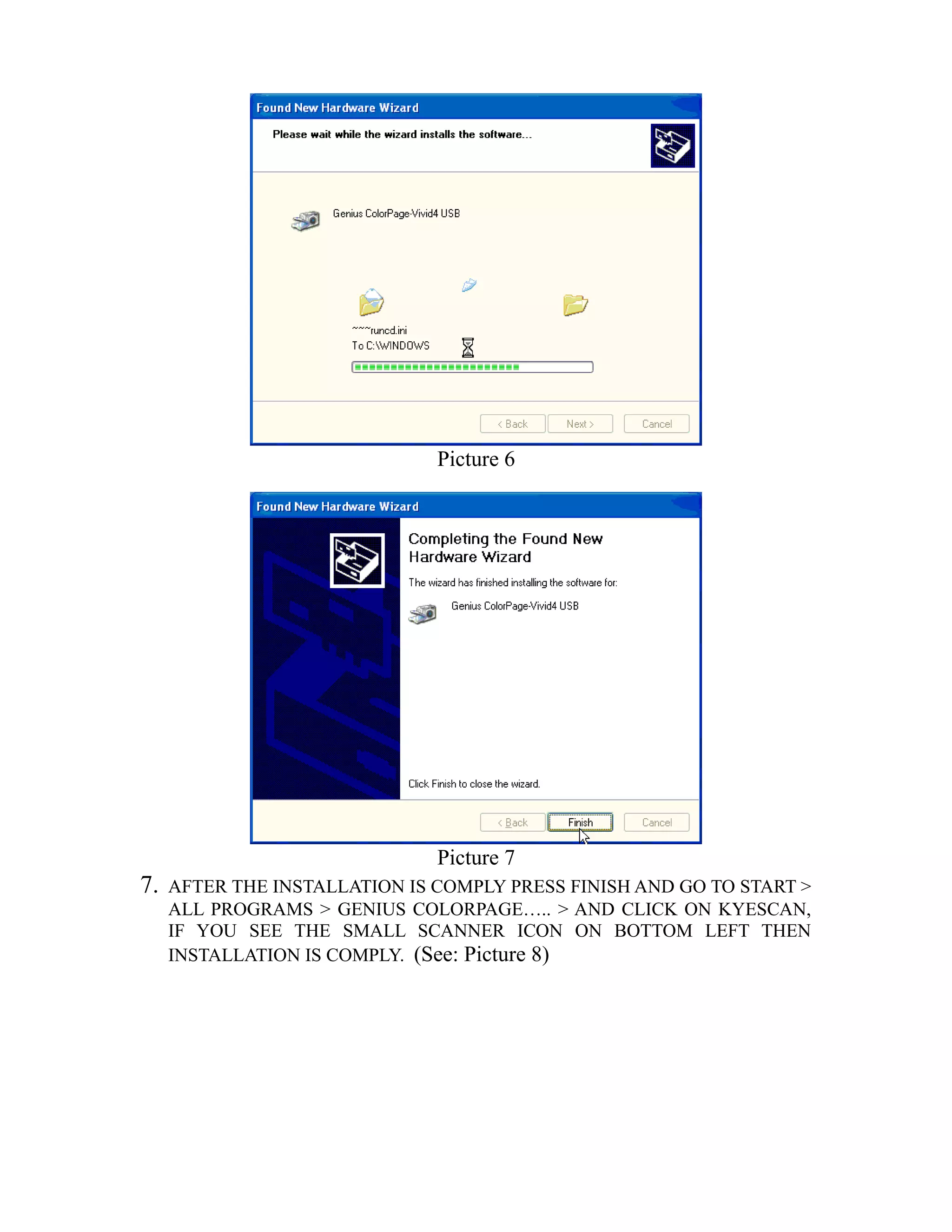
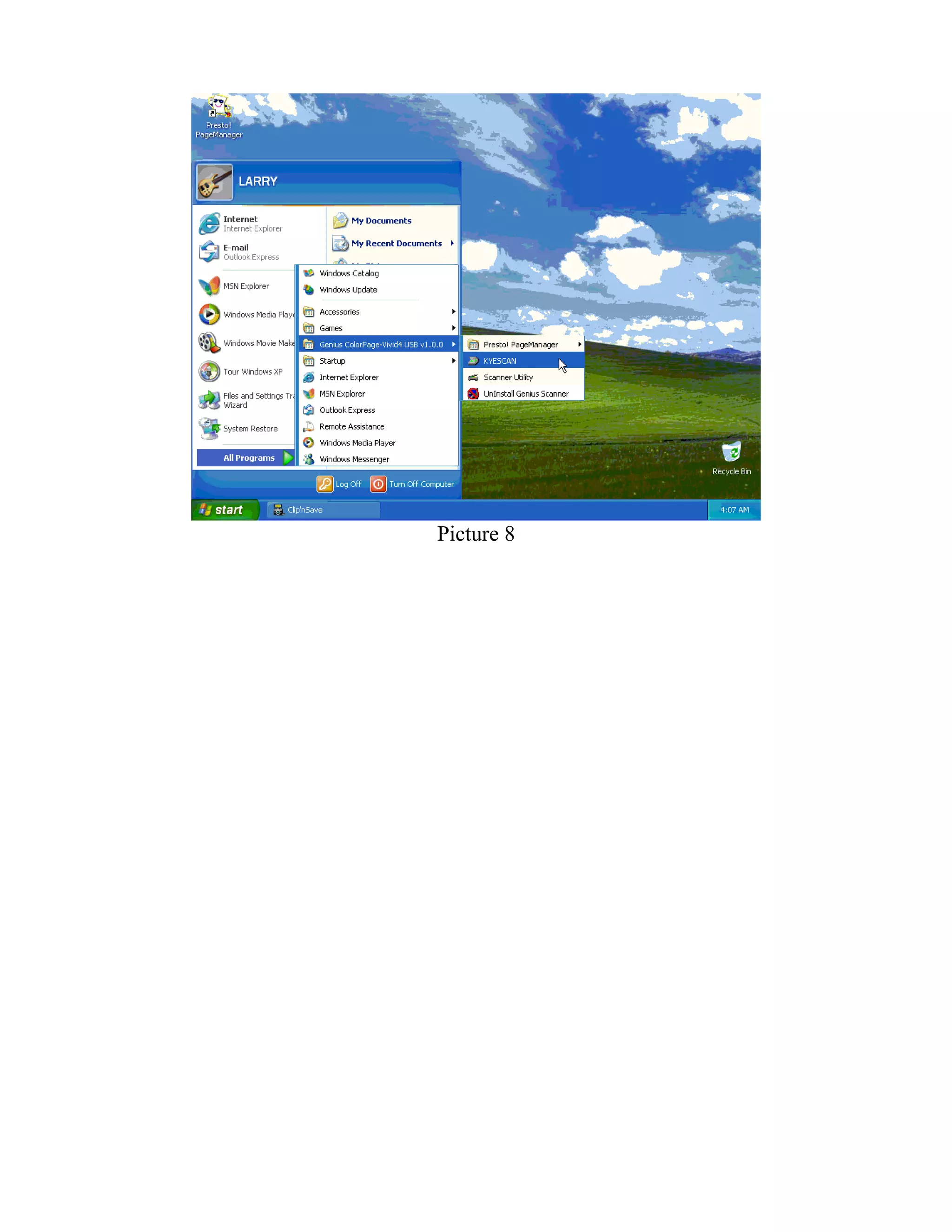
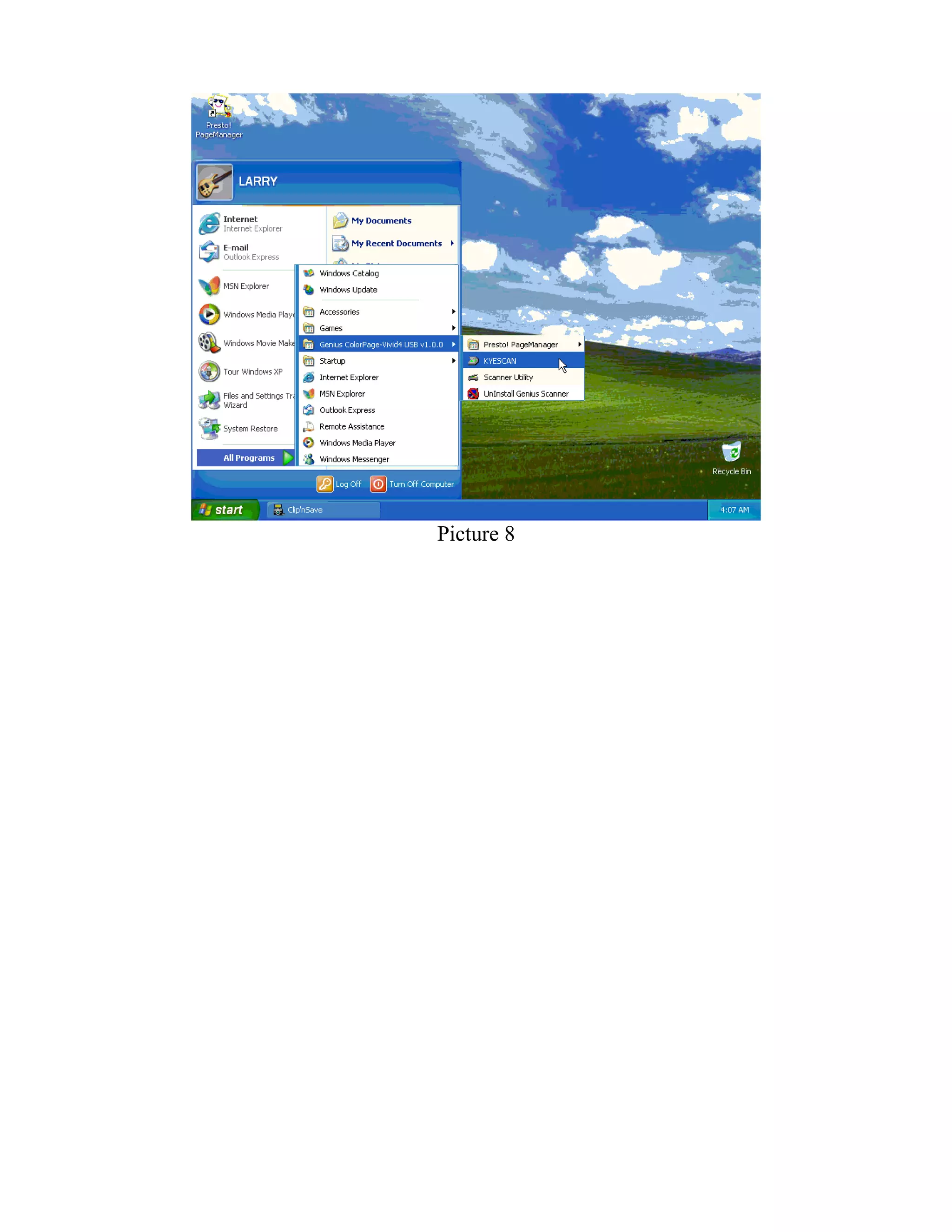

To install a USB scanner driver under Windows XP: 1. Install the driver software from the included CD or downloaded files before connecting the scanner. 2. Restart the computer and connect the scanner. When prompted, choose to install from a list and browse to the driver files. 3. Follow the installation prompts to allow the computer to search for and install the scanner software.


