Insurance business analytics at its best


        InsFocus BI System Highlights
Reports Library
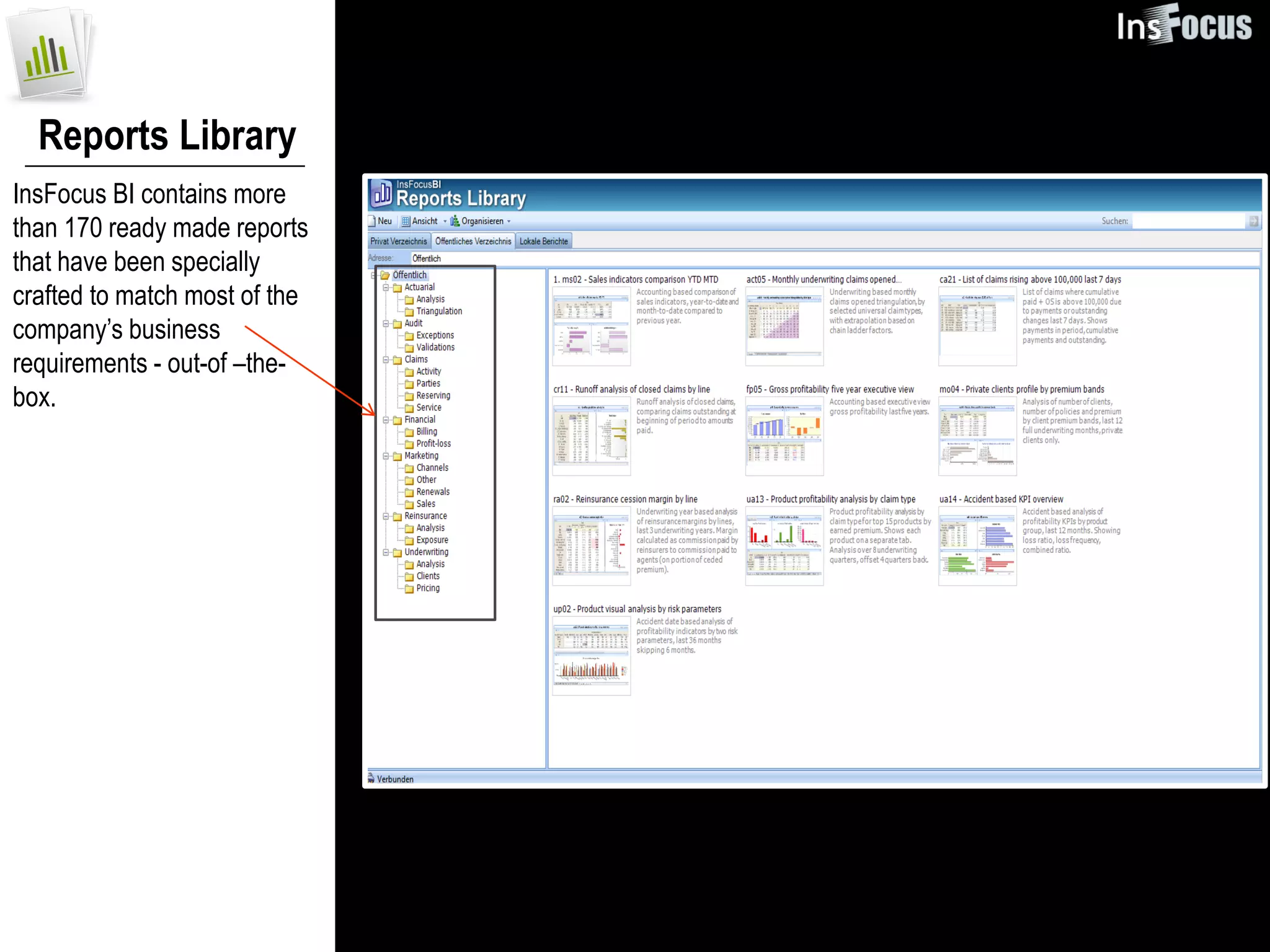
InsFocus BI contains more
than 170 ready made reports
that have been specially
crafted to match most of the
company’s business
requirements - out-of –the-
box.
Home Page
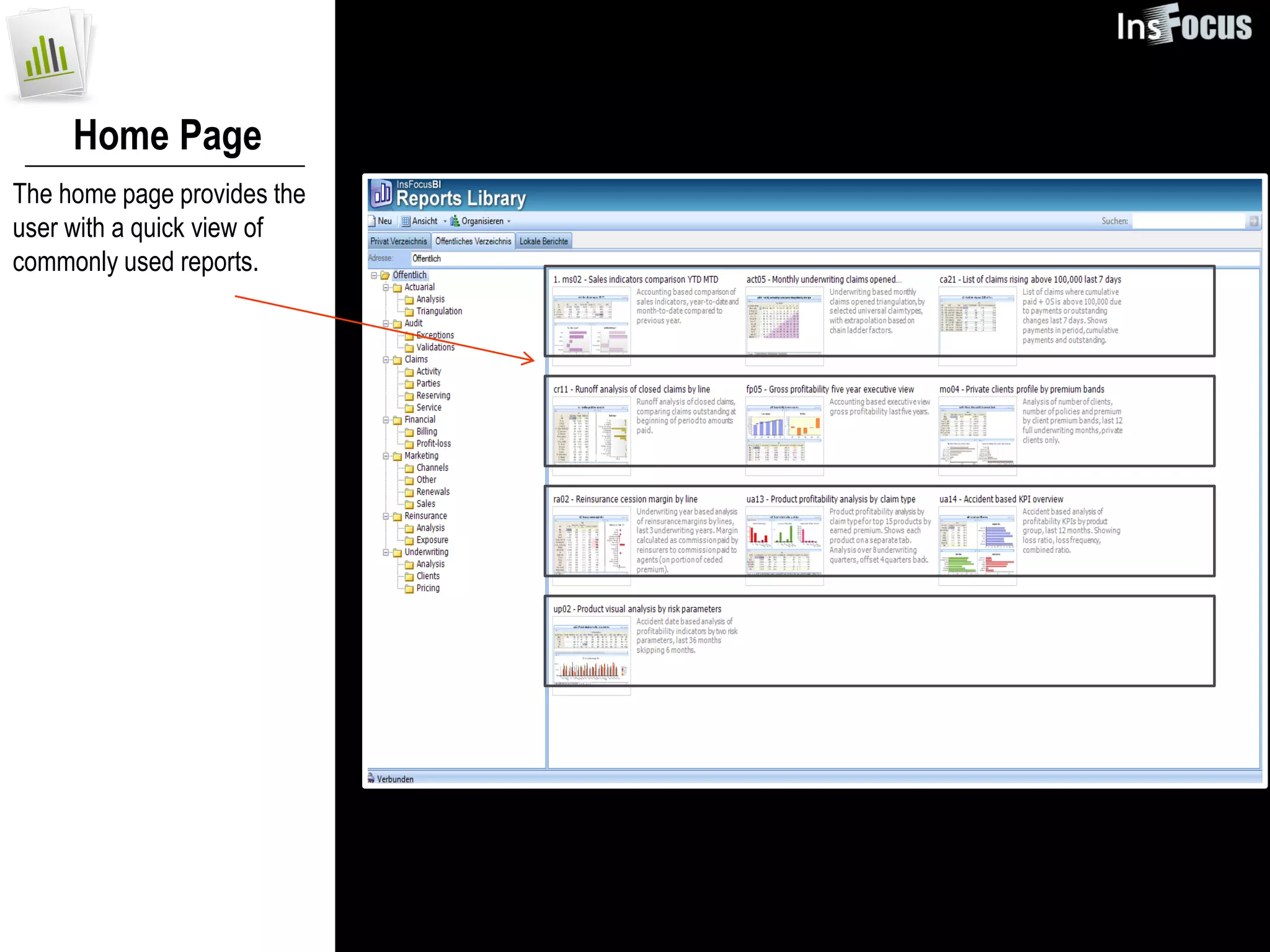
The home page provides the
user with a quick view of
commonly used reports.
Adapting Reports
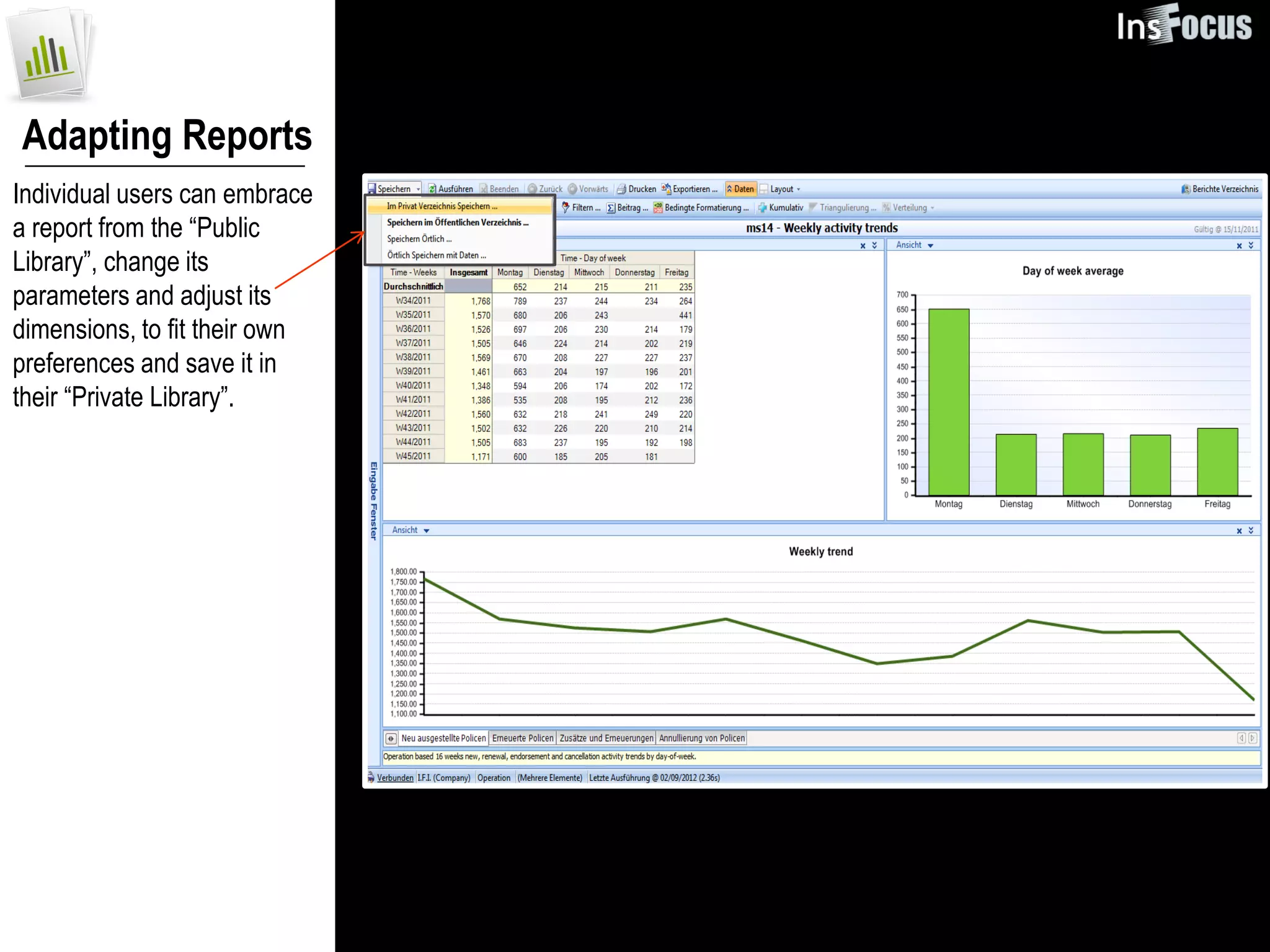
Individual users can embrace
a report from the “Public
Library”, change its
parameters and adjust its
dimensions, to fit their own
preferences and save it in
their “Private Library”.
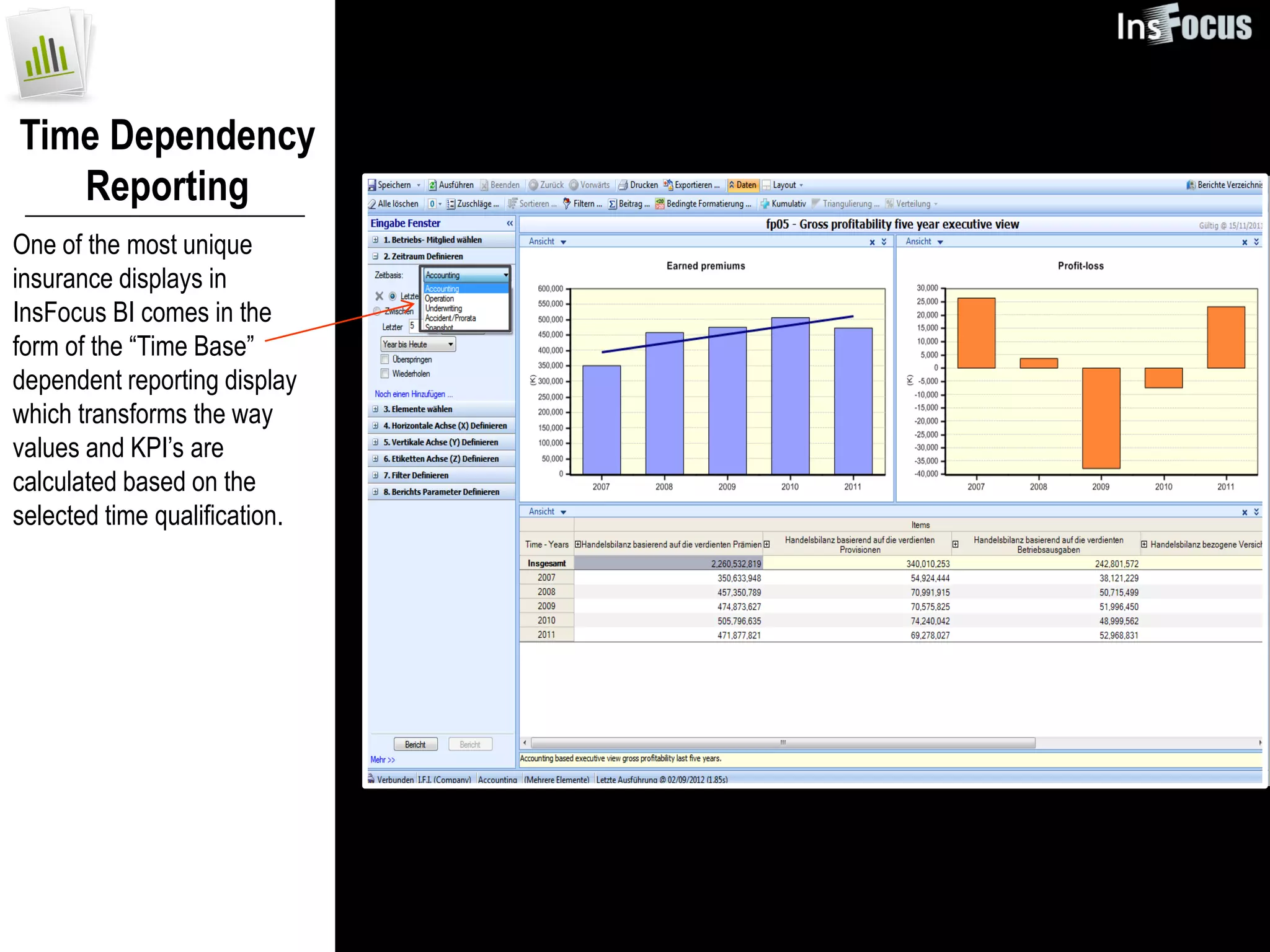
Time Dependency
   Reporting
One of the most unique
insurance displays in
InsFocus BI comes in the
form of the “Time Base”
dependent reporting display
which transforms the way
values and KPI’s are
calculated based on the
selected time qualification.
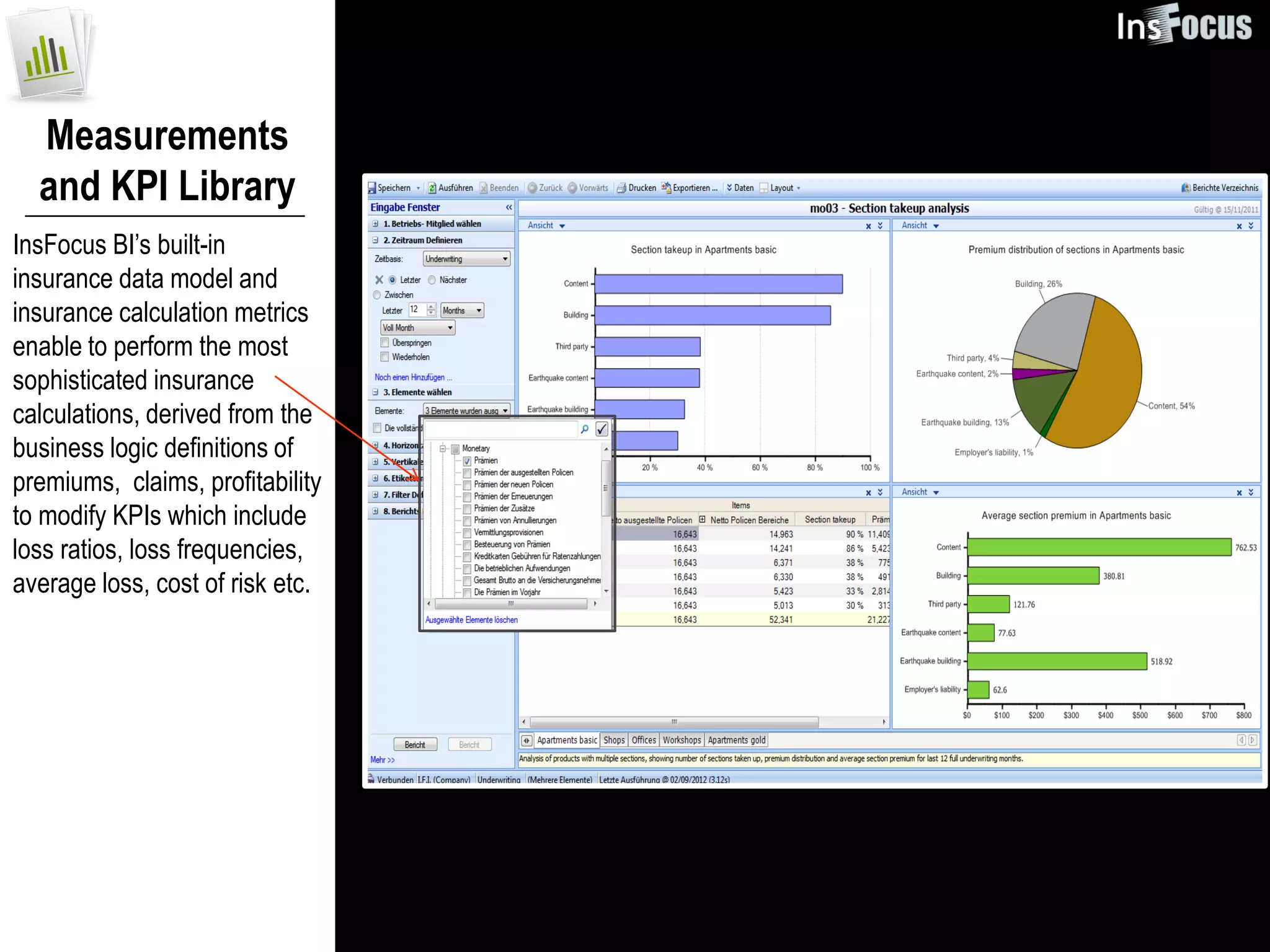
Measurements
  and KPI Library
InsFocus BI’s built-in
insurance data model and
insurance calculation metrics
enable to perform the most
sophisticated insurance
calculations, derived from the
business logic definitions of
premiums, claims, profitability
to modify KPIs which include
loss ratios, loss frequencies,
average loss, cost of risk etc.
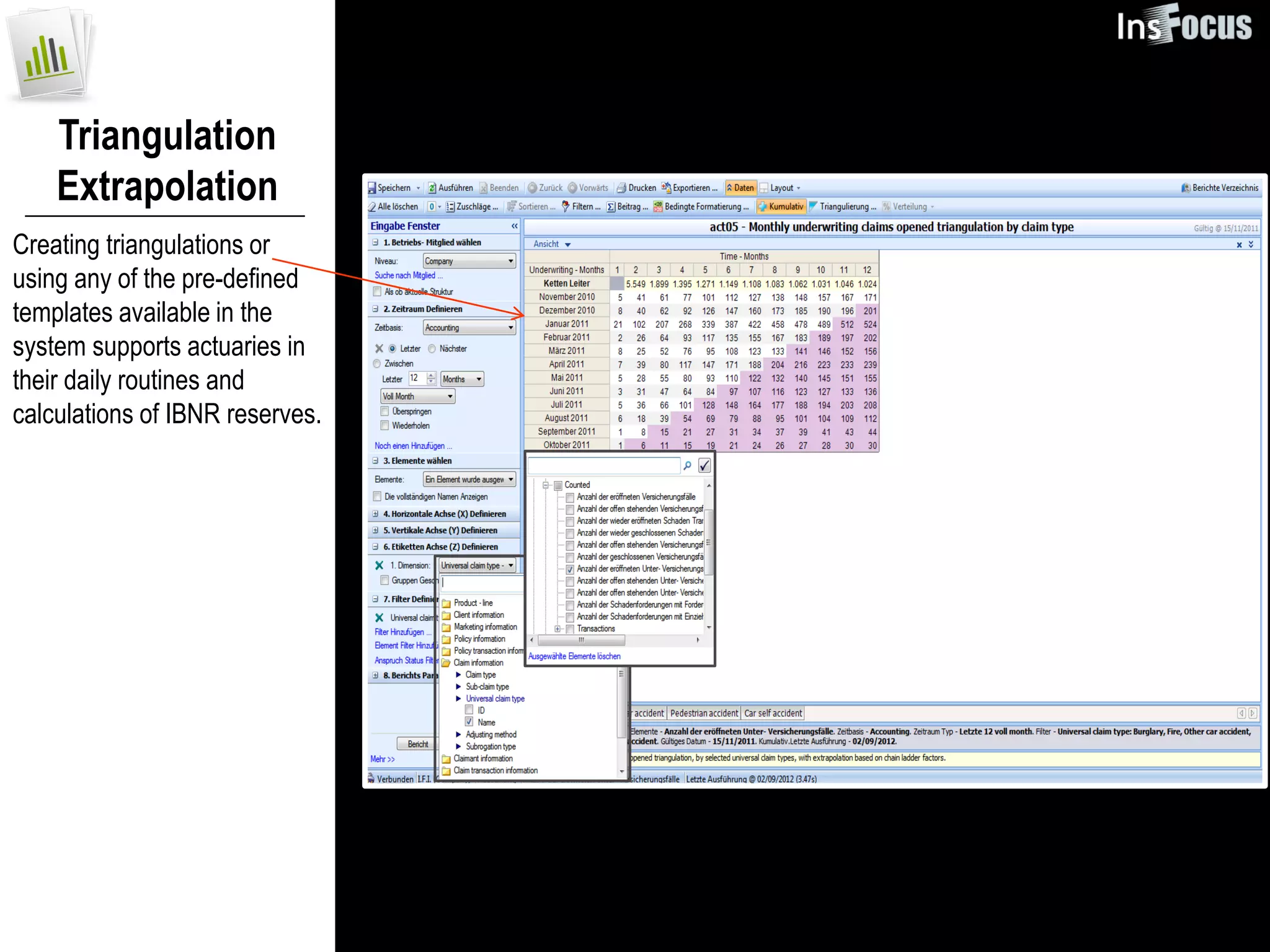
Triangulation
    Extrapolation
Creating triangulations or
using any of the pre-defined
templates available in the
system supports actuaries in
their daily routines and
calculations of IBNR reserves.
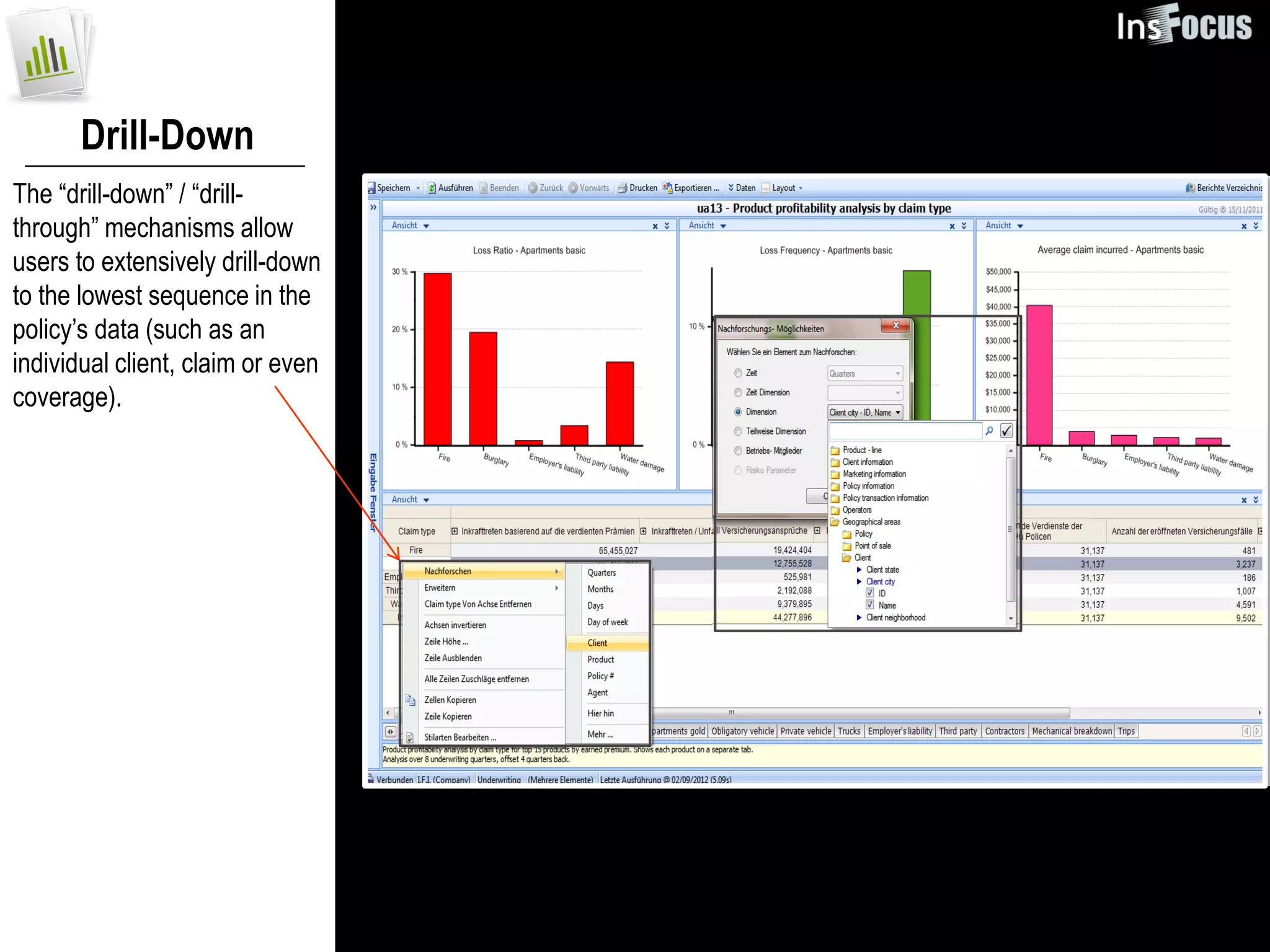
Drill-Down
The “drill-down” / “drill-
through” mechanisms allow
users to extensively drill-down
to the lowest sequence in the
policy’s data (such as an
individual client, claim or even
coverage).
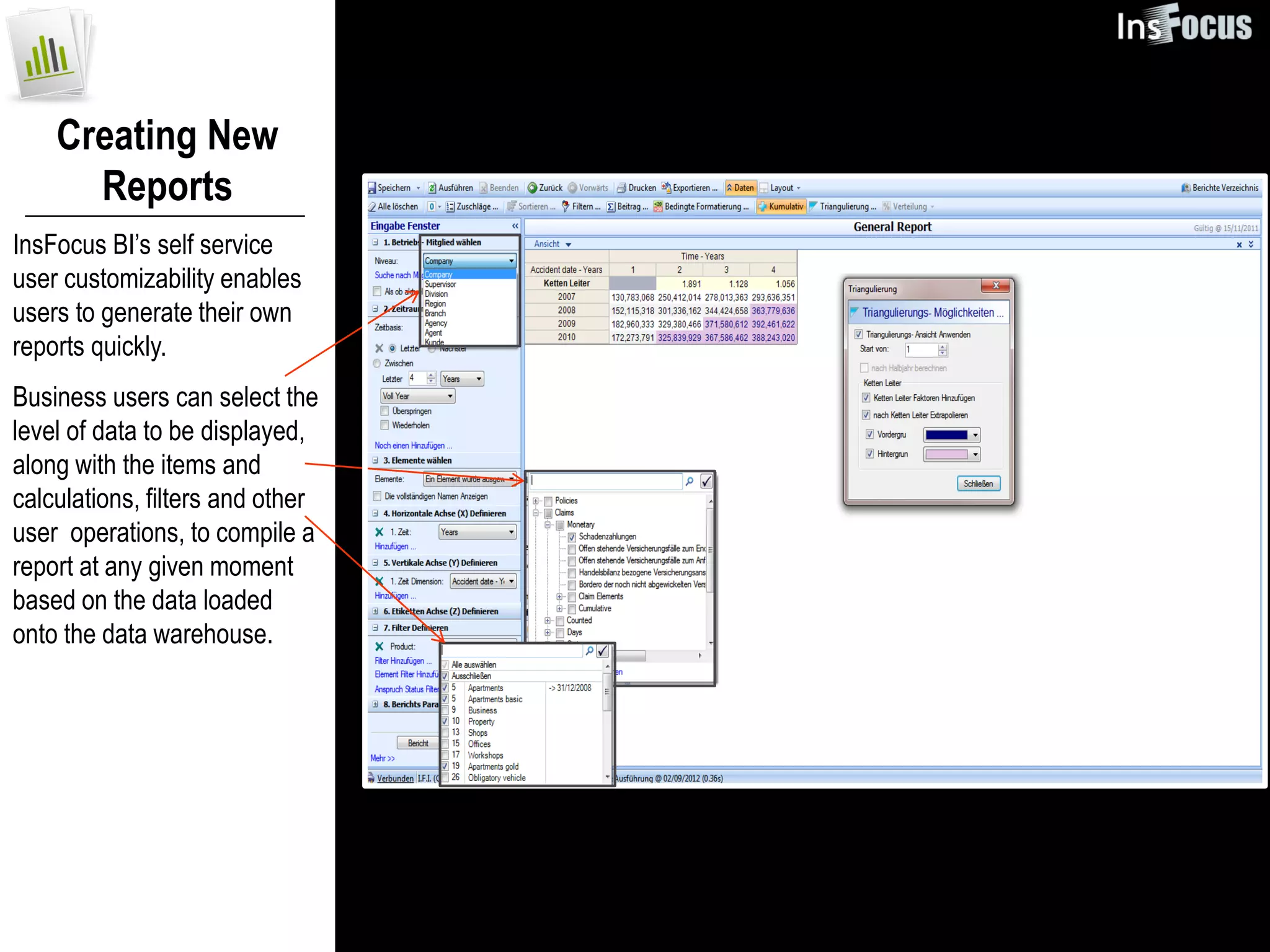
Creating New
      Reports
InsFocus BI’s self service
user customizability enables
users to generate their own
reports quickly.
Business users can select the
level of data to be displayed,
along with the items and
calculations, filters and other
user operations, to compile a
report at any given moment
based on the data loaded
onto the data warehouse.
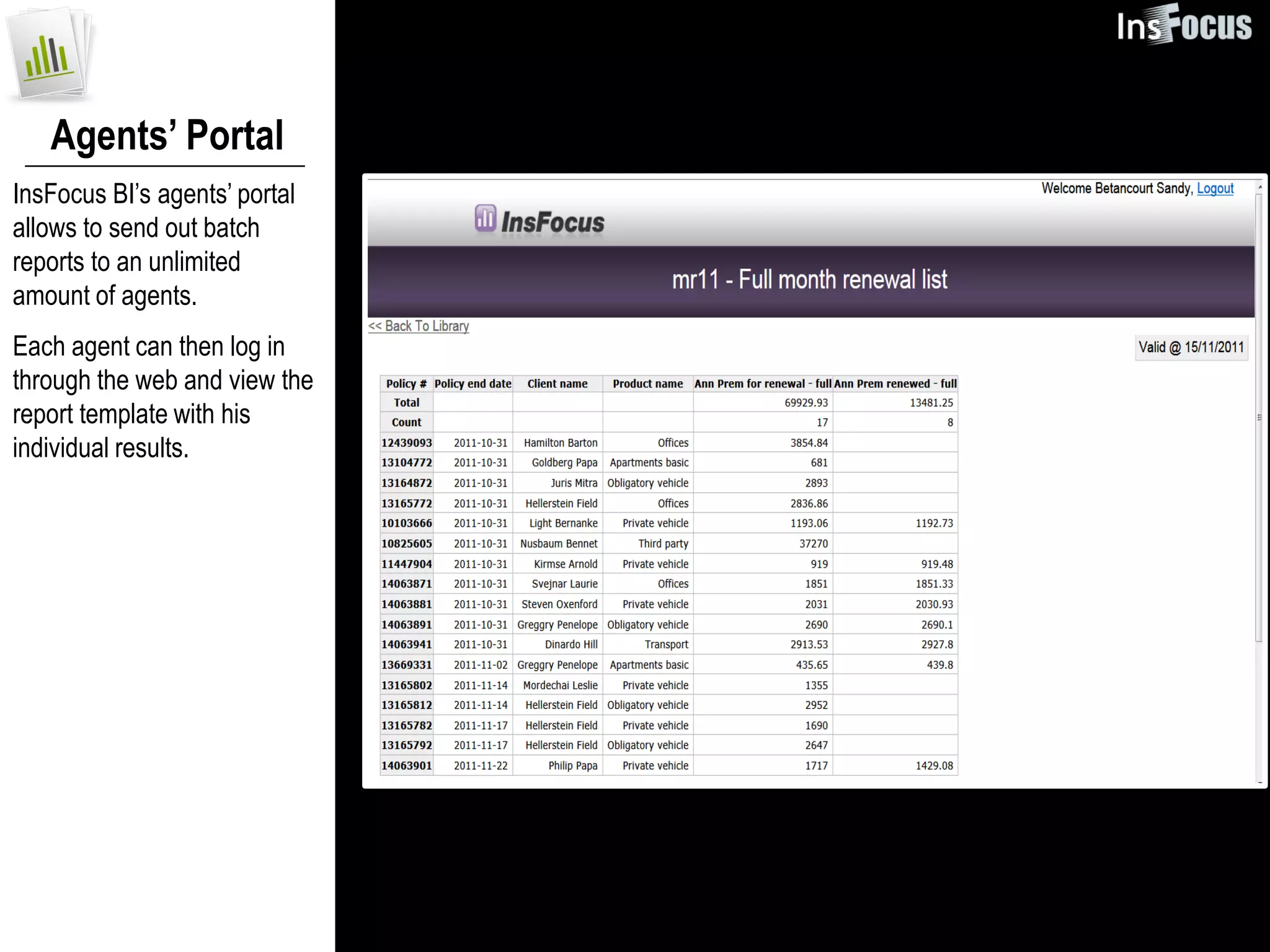
Agents’ Portal
InsFocus BI’s agents’ portal
allows to send out batch
reports to an unlimited
amount of agents.
Each agent can then log in
through the web and view the
report template with his
individual results.
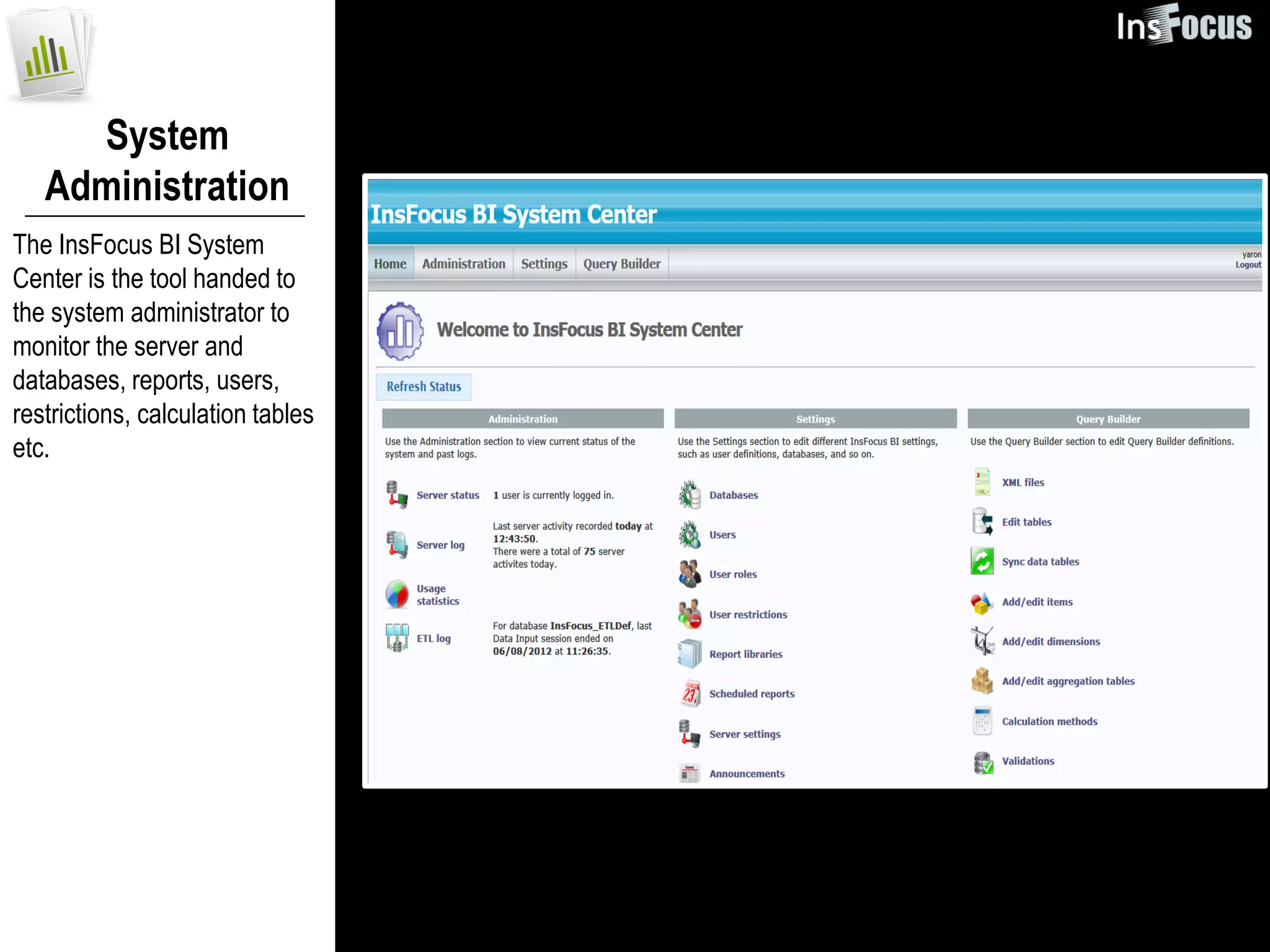
System
   Administration
The InsFocus BI System
Center is the tool handed to
the system administrator to
monitor the server and
databases, reports, users,
restrictions, calculation tables
etc.
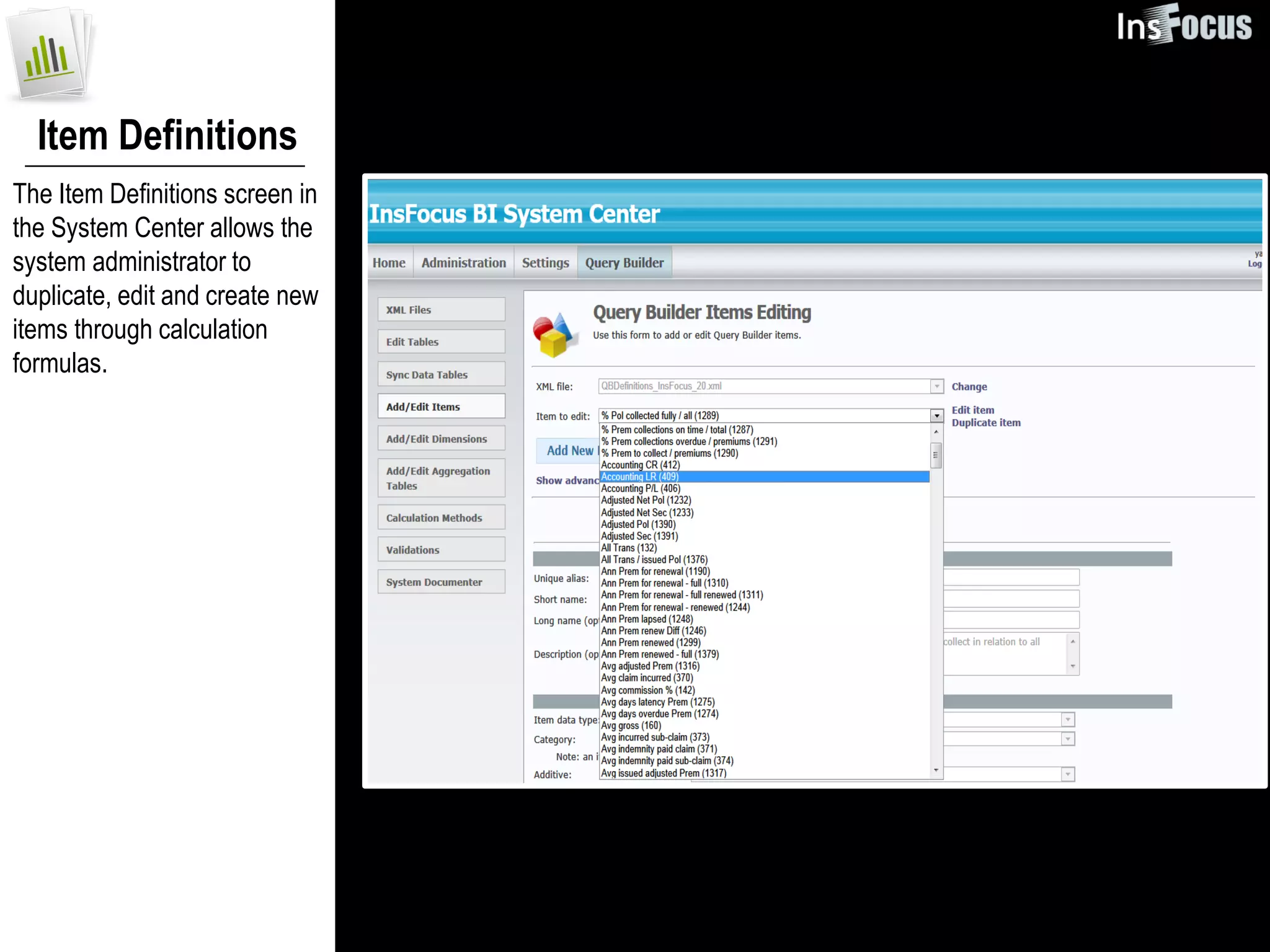
Item Definitions
The Item Definitions screen in
the System Center allows the
system administrator to
duplicate, edit and create new
items through calculation
formulas.
contact us:


 Yaron Gabriel
 International Sales and Partners Manager,
 InsFocus Systems
 yaron@insfocus.com
 M: +972 54 830 7060
 W: +972 3 923 3766

New German interface in InsFocus BI

  • 1.
    Insurance business analyticsat its best InsFocus BI System Highlights
  • 2.
    Reports Library InsFocus BIcontains more than 170 ready made reports that have been specially crafted to match most of the company’s business requirements - out-of –the- box.
  • 3.
    Home Page The homepage provides the user with a quick view of commonly used reports.
  • 4.
    Adapting Reports Individual userscan embrace a report from the “Public Library”, change its parameters and adjust its dimensions, to fit their own preferences and save it in their “Private Library”.
  • 5.
    Time Dependency Reporting One of the most unique insurance displays in InsFocus BI comes in the form of the “Time Base” dependent reporting display which transforms the way values and KPI’s are calculated based on the selected time qualification.
  • 6.
    Measurements andKPI Library InsFocus BI’s built-in insurance data model and insurance calculation metrics enable to perform the most sophisticated insurance calculations, derived from the business logic definitions of premiums, claims, profitability to modify KPIs which include loss ratios, loss frequencies, average loss, cost of risk etc.
  • 7.
    Triangulation Extrapolation Creating triangulations or using any of the pre-defined templates available in the system supports actuaries in their daily routines and calculations of IBNR reserves.
  • 8.
    Drill-Down The “drill-down” /“drill- through” mechanisms allow users to extensively drill-down to the lowest sequence in the policy’s data (such as an individual client, claim or even coverage).
  • 9.
    Creating New Reports InsFocus BI’s self service user customizability enables users to generate their own reports quickly. Business users can select the level of data to be displayed, along with the items and calculations, filters and other user operations, to compile a report at any given moment based on the data loaded onto the data warehouse.
  • 10.
    Agents’ Portal InsFocus BI’sagents’ portal allows to send out batch reports to an unlimited amount of agents. Each agent can then log in through the web and view the report template with his individual results.
  • 11.
    System Administration The InsFocus BI System Center is the tool handed to the system administrator to monitor the server and databases, reports, users, restrictions, calculation tables etc.
  • 12.
    Item Definitions The ItemDefinitions screen in the System Center allows the system administrator to duplicate, edit and create new items through calculation formulas.
  • 13.
    contact us: YaronGabriel International Sales and Partners Manager, InsFocus Systems yaron@insfocus.com M: +972 54 830 7060 W: +972 3 923 3766